Customer Ratings & Reviews
- Model:
- GZ302EA-R9641TB
- |
- SKU:
- 11945867
Customer reviews
Rating 4.5 out of 5 stars with 160 reviews
(160 customer reviews)Rating by feature
- Battery Life3.9
Rating 3.9 out of 5 stars
- Speed4.8
Rating 4.8 out of 5 stars
- Display4.5
Rating 4.5 out of 5 stars
to a friend
Rated 5 out of 5 stars
Device ive always asked for
||Posted .This reviewer received promo considerations or sweepstakes entry for writing a review.Love this thing, you can even turn it into a handheld
This review is from ASUS - ROG Flow Z13 13.4" 2.5K 180Hz Touch-Screen Gaming Laptop - Copilot+ PC - AMD Ryzen AI Max+ 395 - 64GB RAM - 1TB SSD - Off Black
I would recommend this to a friendRated 5 out of 5 stars
Compact MONSTER
||Posted .This reviewer received promo considerations or sweepstakes entry for writing a review.Compact monster device...handles AAA titles and work stuff with ease
This review is from ASUS - ROG Flow Z13 13.4" 2.5K 180Hz Touch-Screen Gaming Laptop - Copilot+ PC - AMD Ryzen AI Max+ 395 - 64GB RAM - 1TB SSD - Off Black
I would recommend this to a friendRated 5 out of 5 stars
Nice design.
||Posted .This reviewer received promo considerations or sweepstakes entry for writing a review.Screen size and touch screen are exactly what I was looking for
This review is from ASUS - ROG Flow Z13 13.4" 2.5K 180Hz Touch-Screen Gaming Laptop - Copilot+ PC - AMD Ryzen AI Max+ 395 - 64GB RAM - 1TB SSD - Off Black
I would recommend this to a friendRated 5 out of 5 stars
Insane Power and Functionality meet in the Z13!
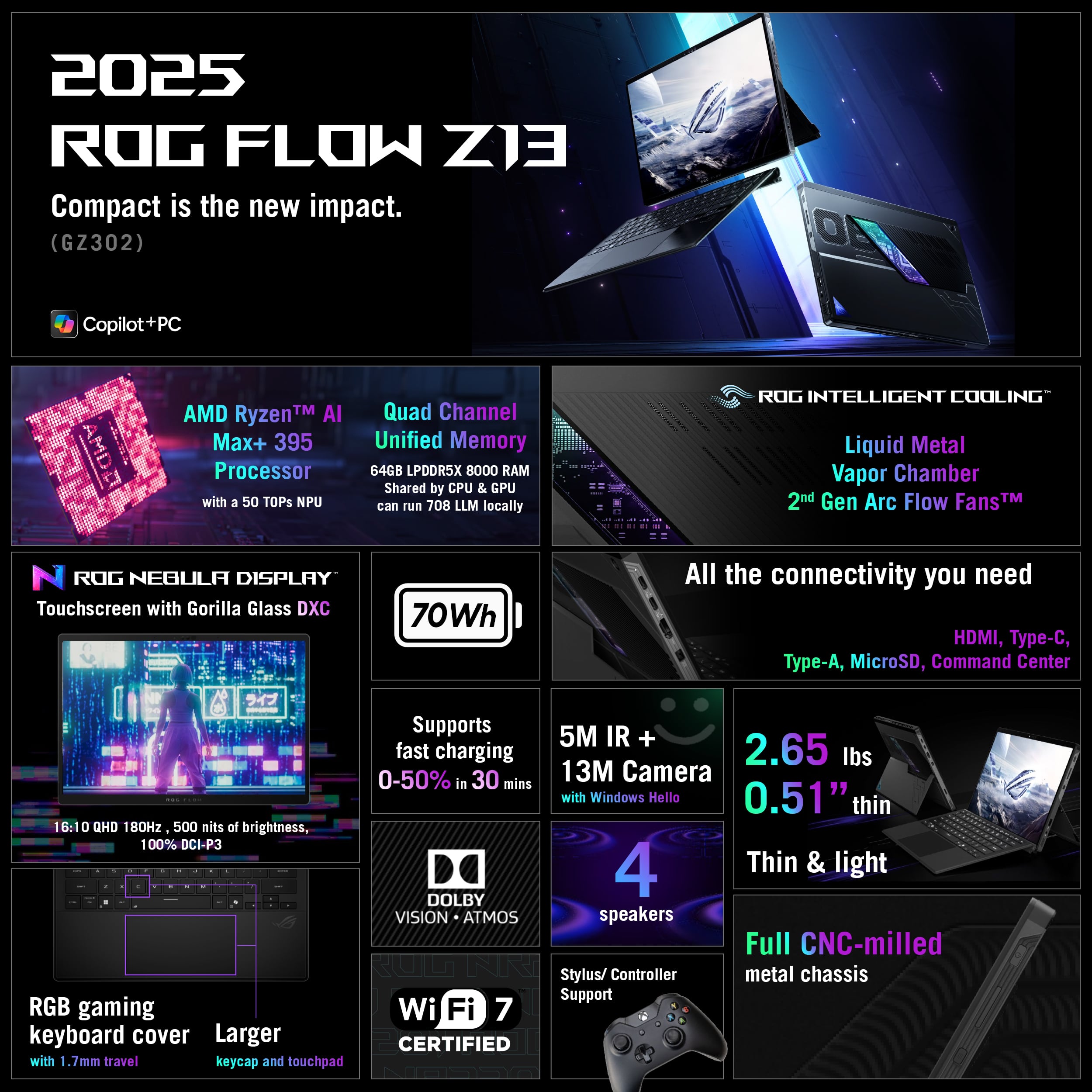
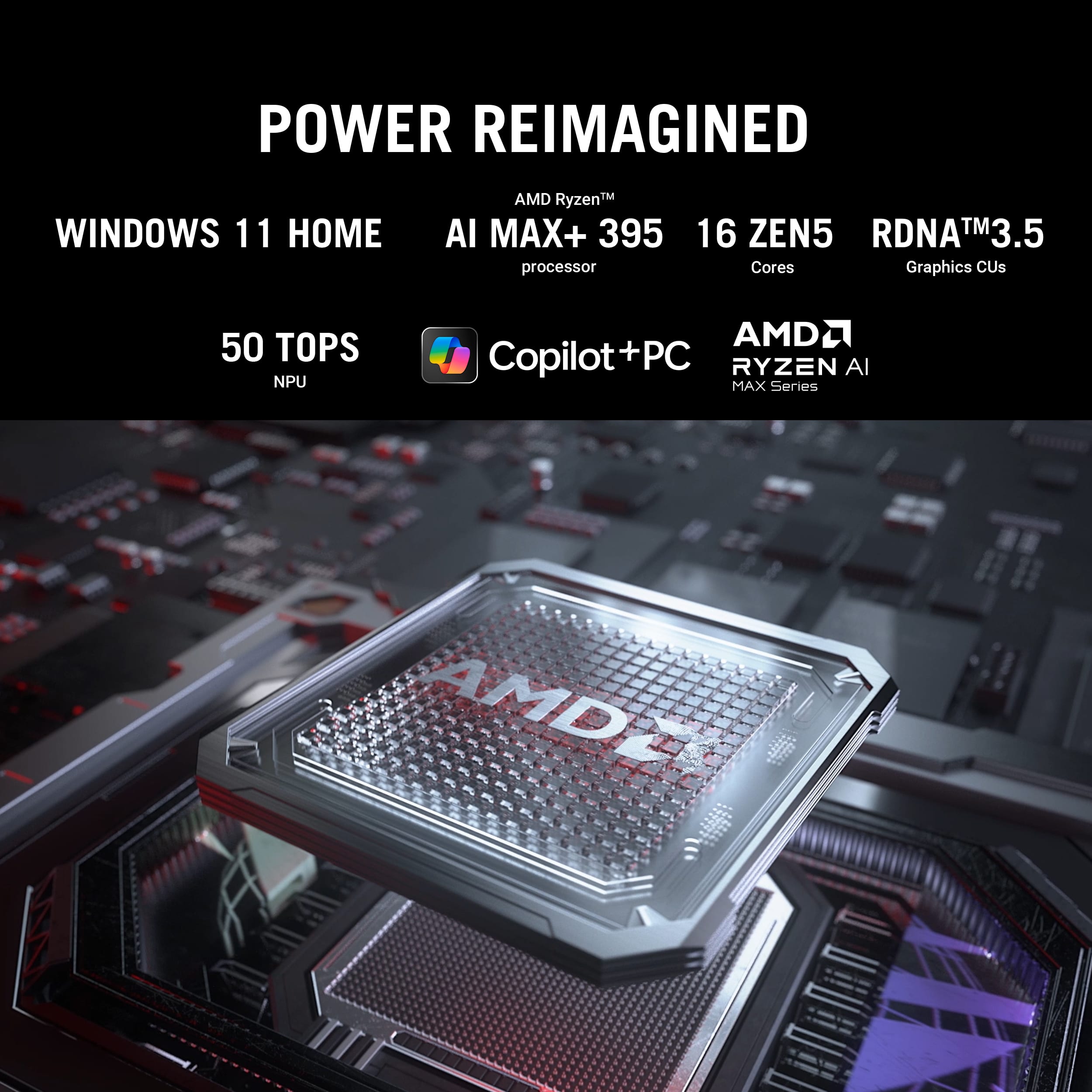
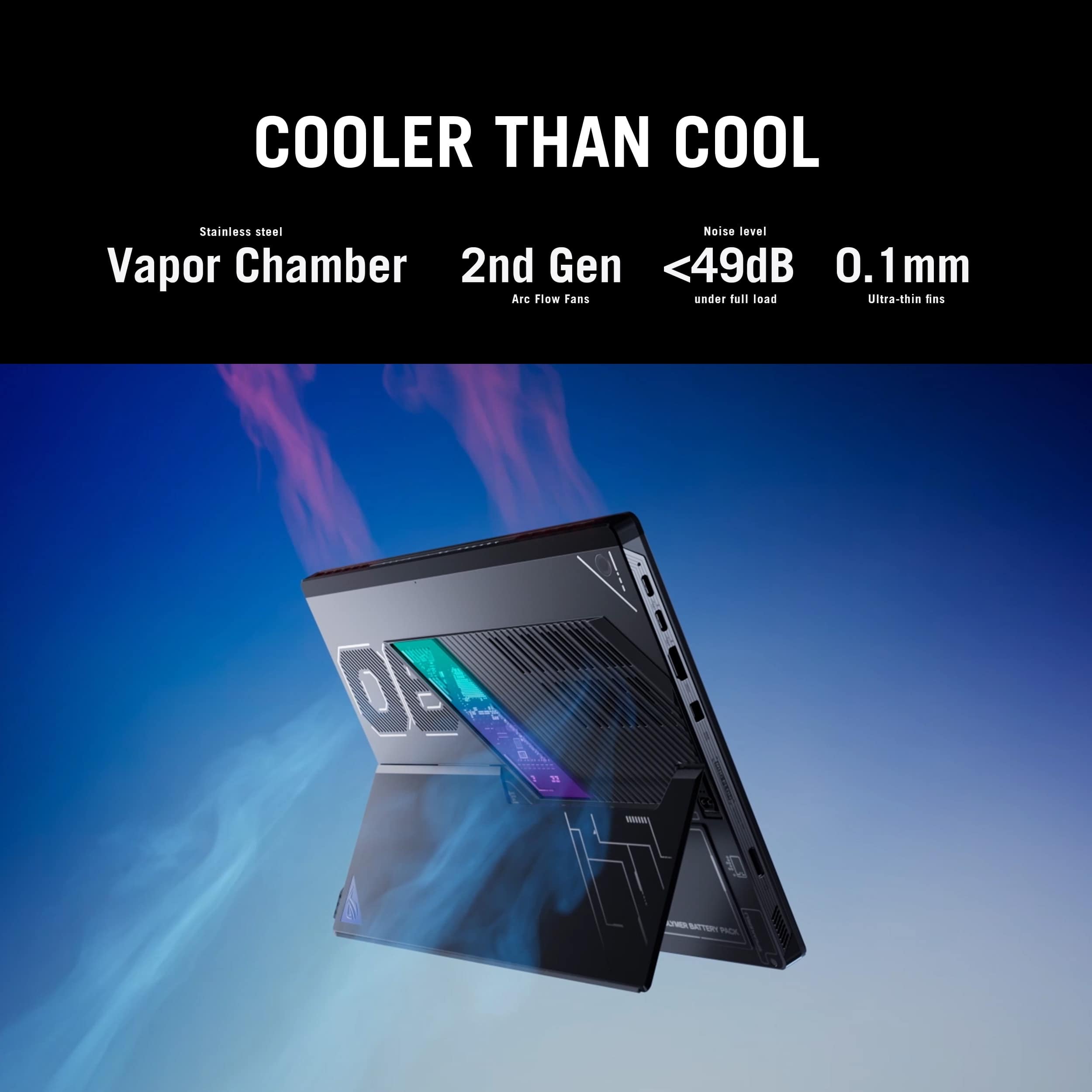
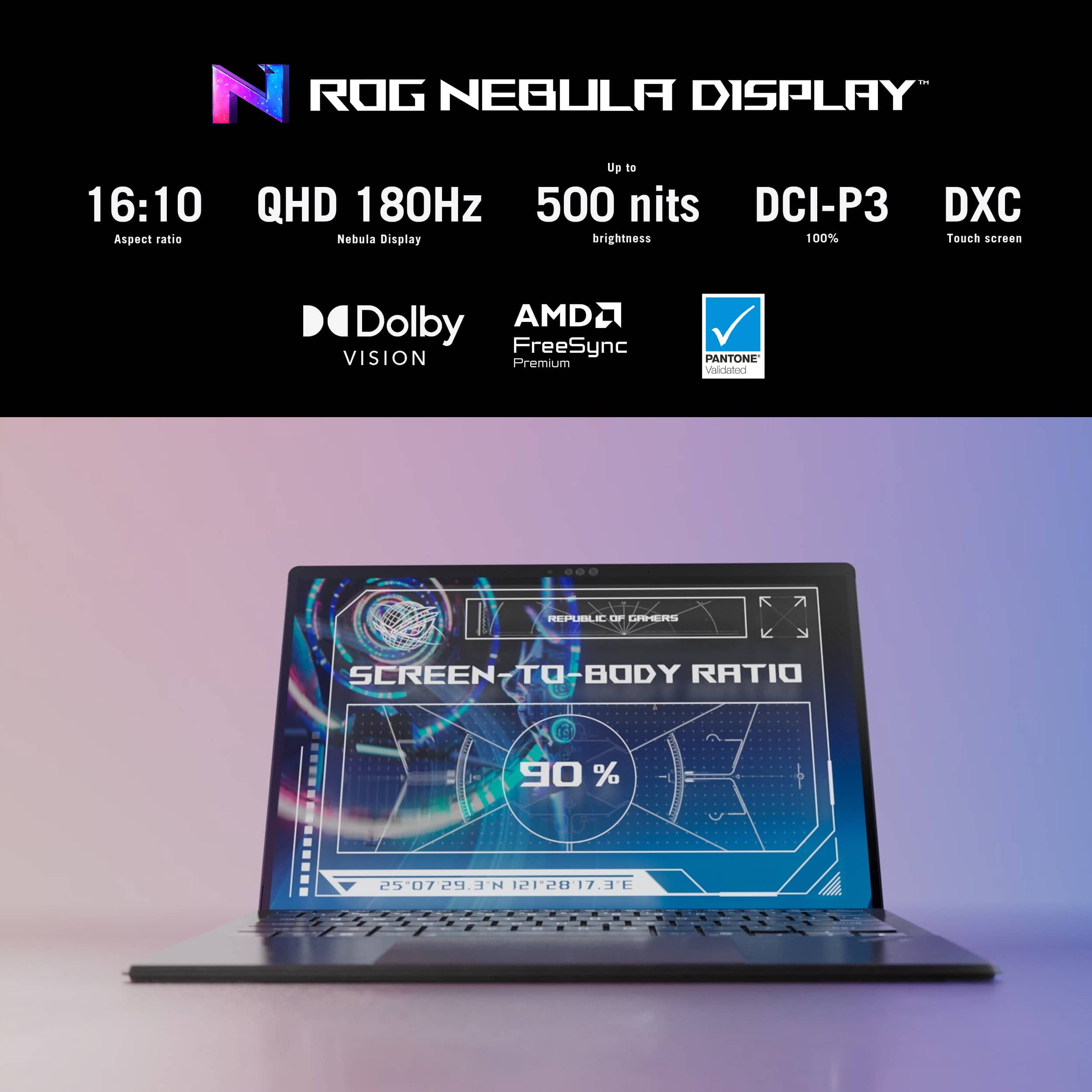
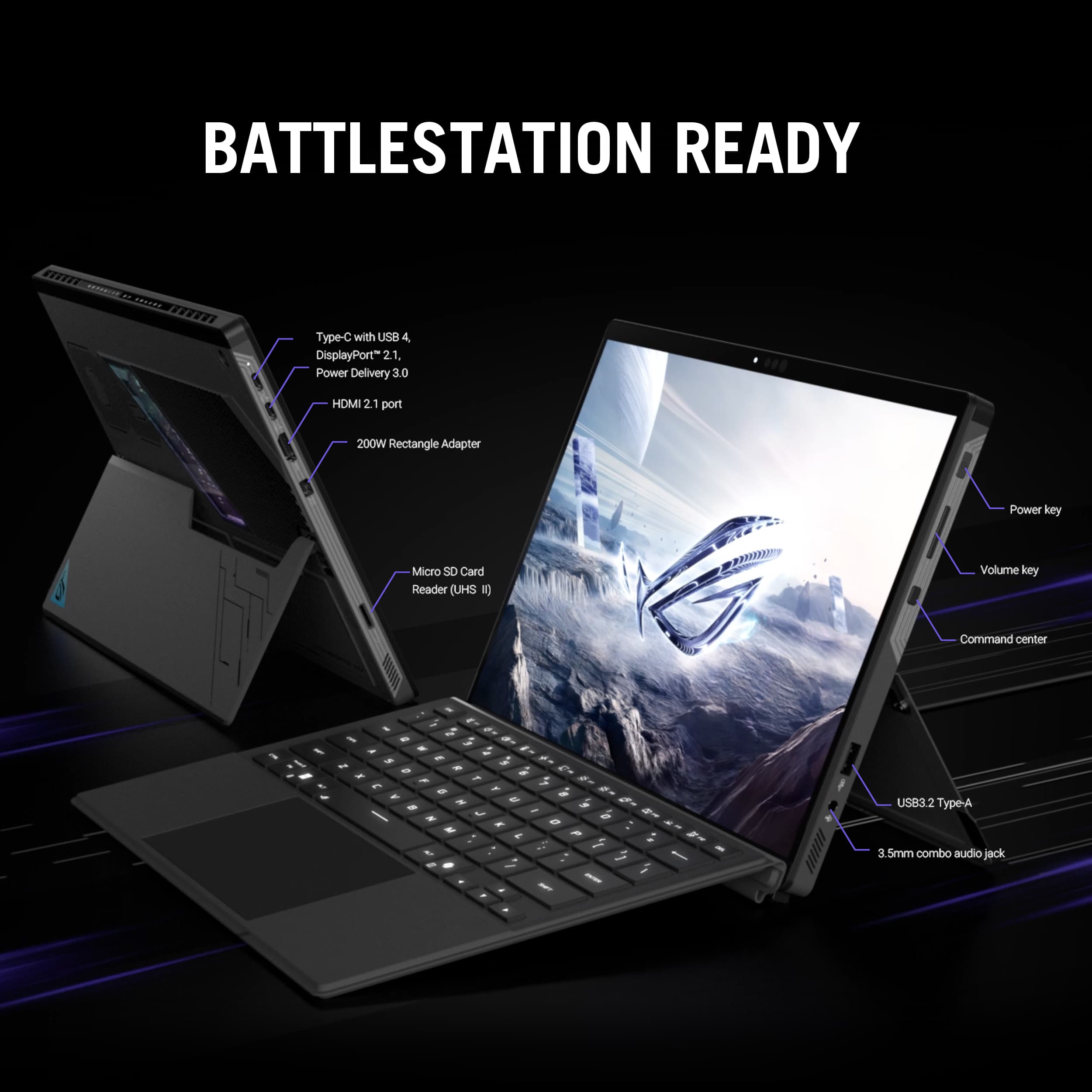
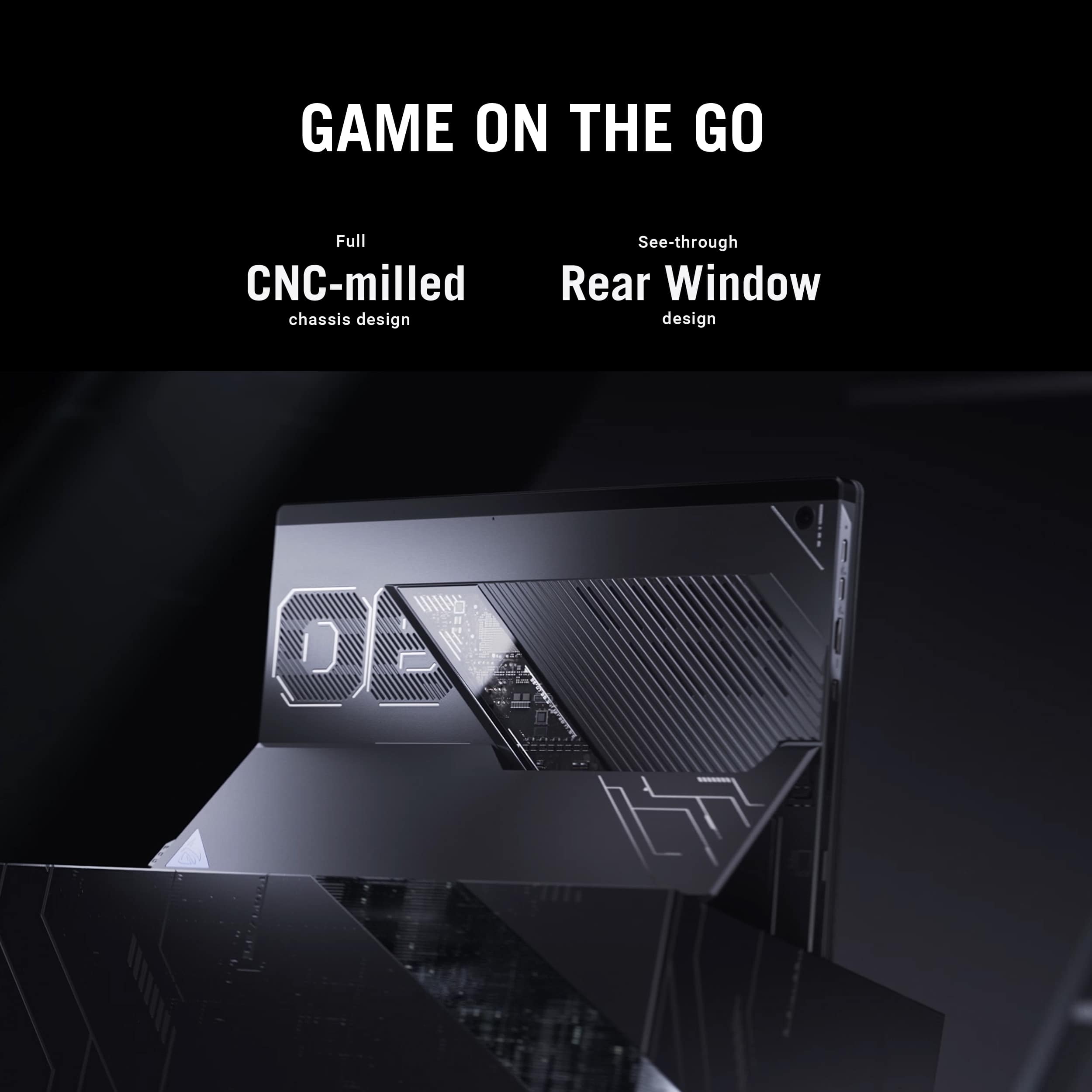
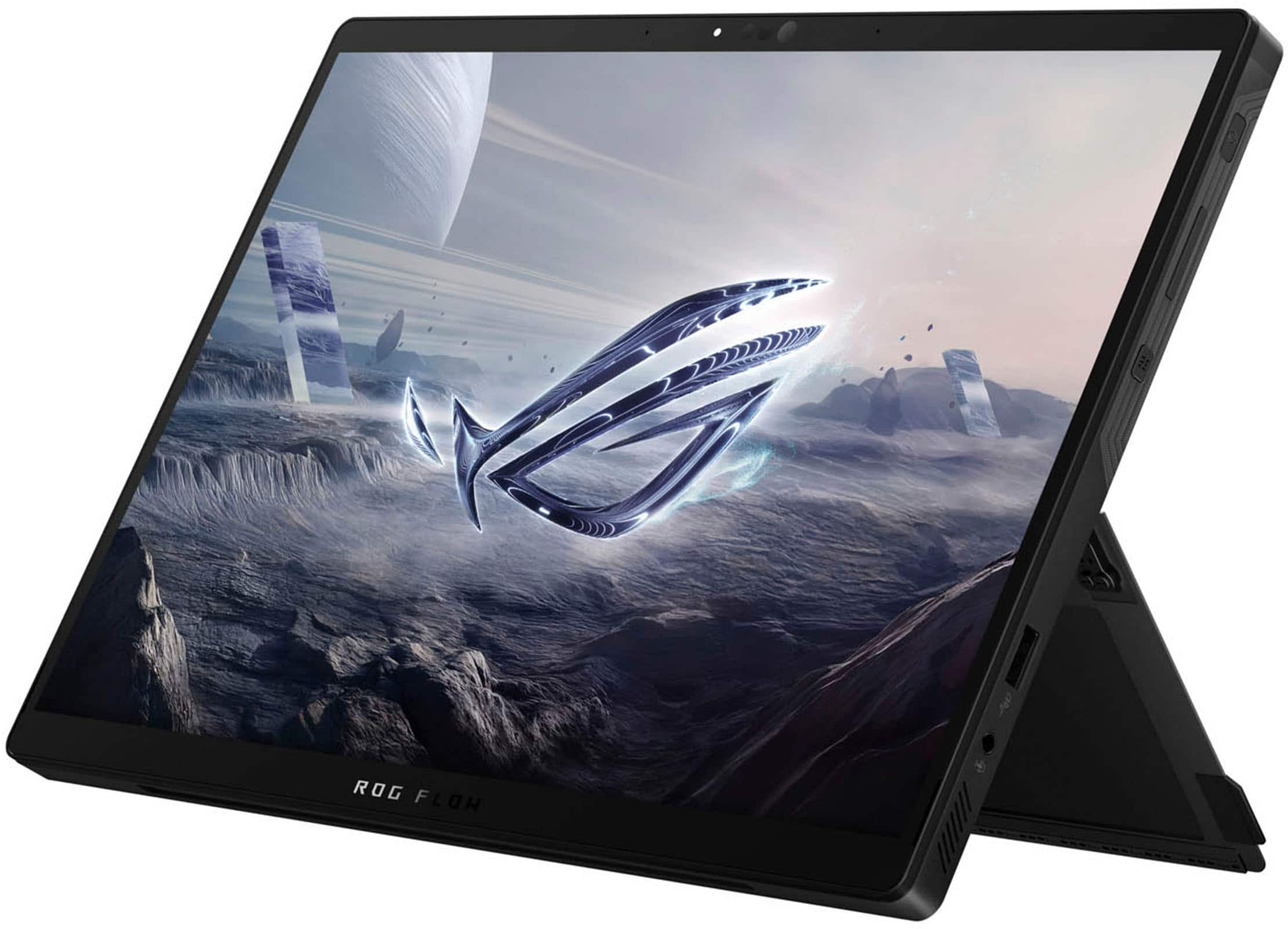
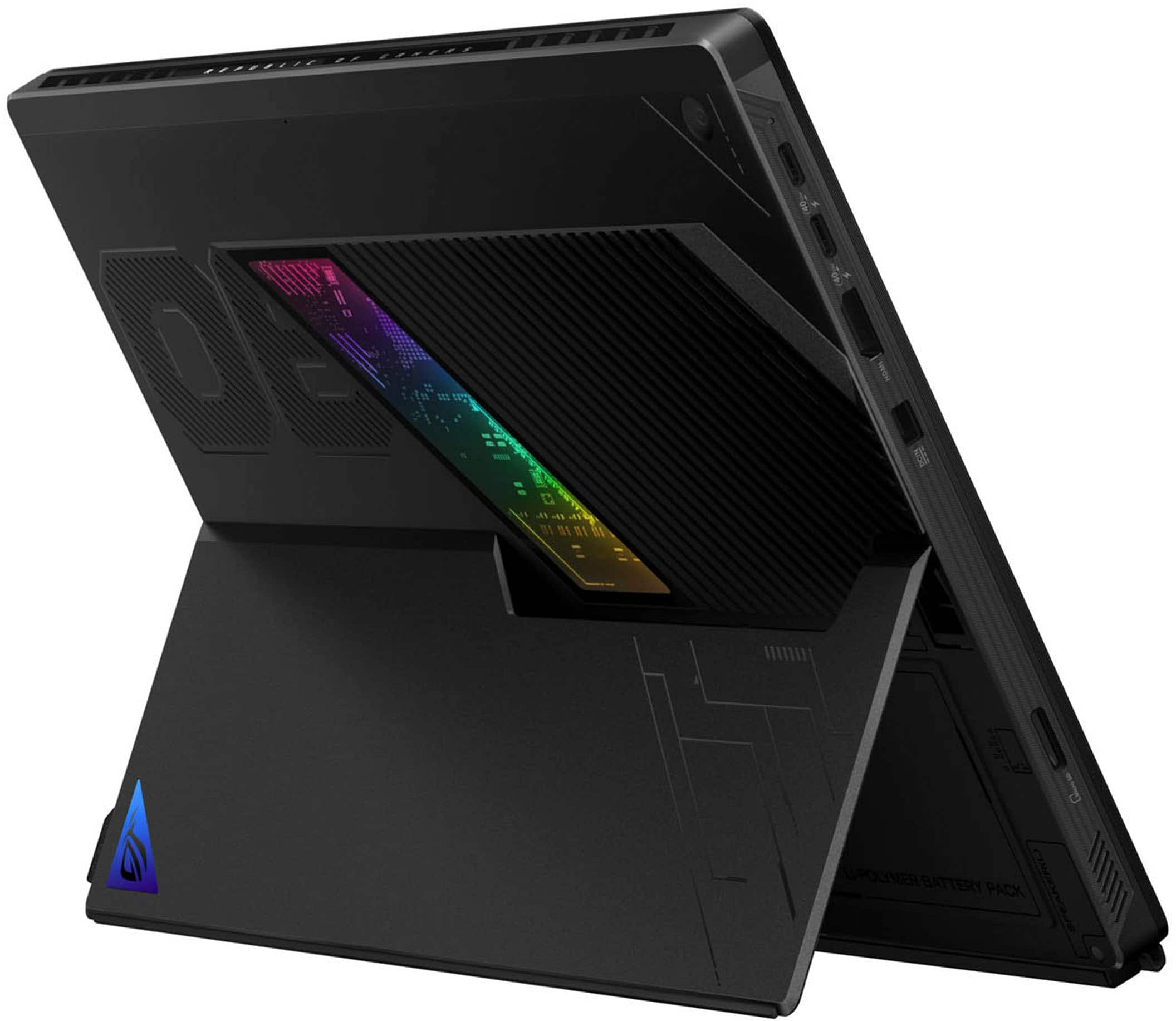
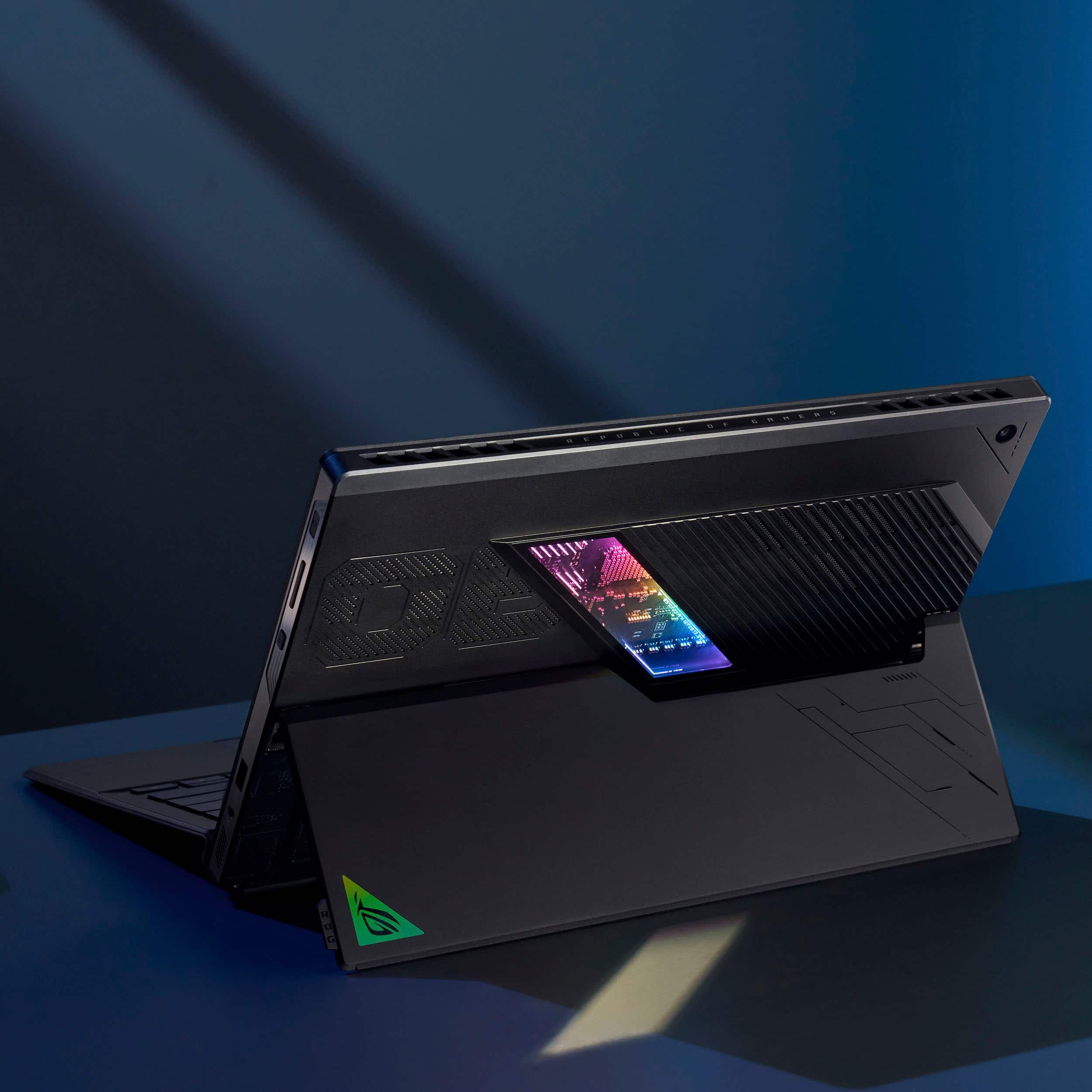
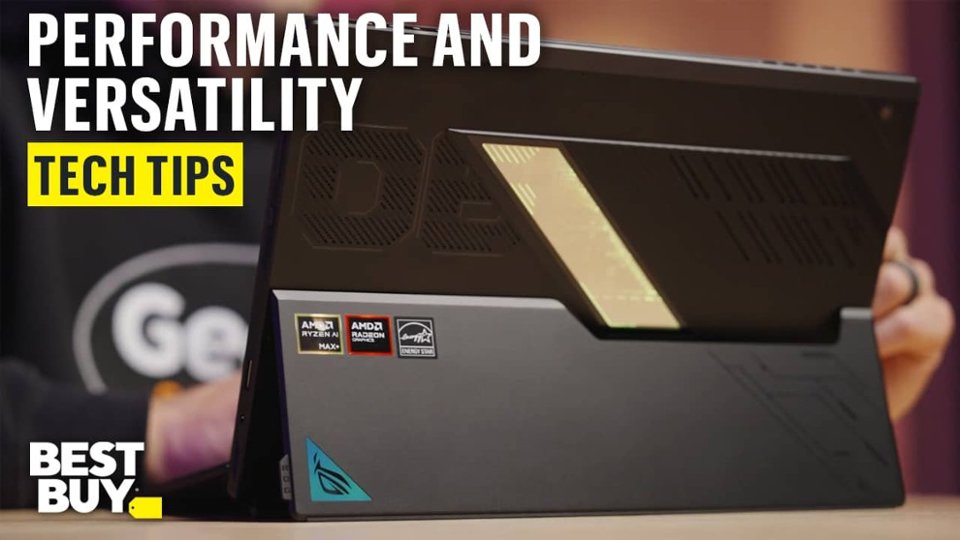
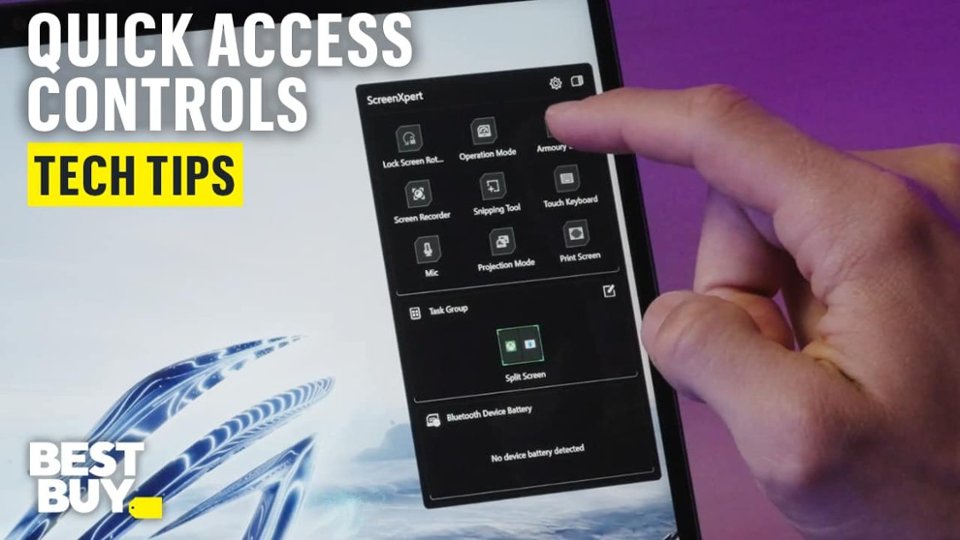
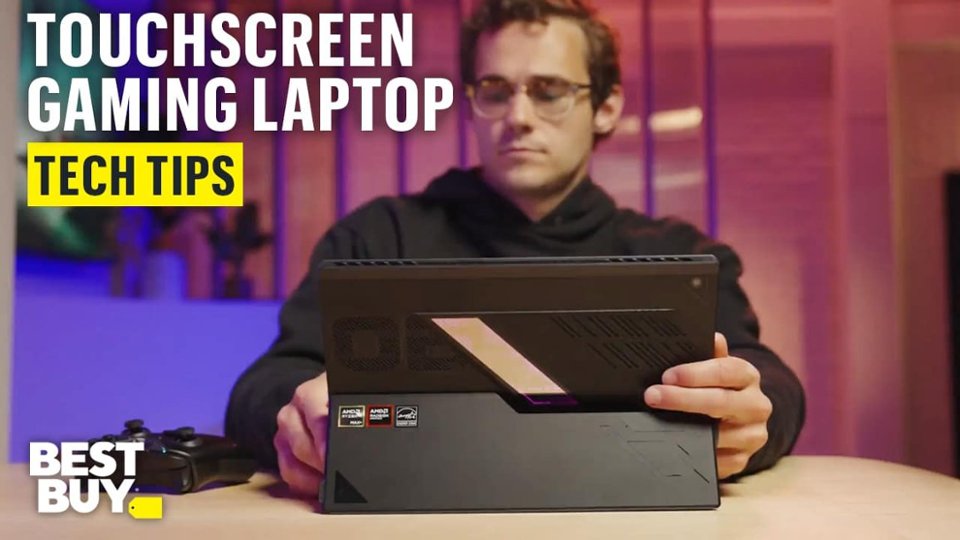
|Posted .This reviewer received promo considerations or sweepstakes entry for writing a review.The ASUS ROG Flow Z13 is a sleek and capable machine. I've been using it for about a week, and I've come to love its blend of performance, style, and convenience; it has no problem being both my daily work computer and my dedicated gaming PC. One of the first things you'll notice about this device is the design. This is not a traditional laptop; rather, it's a tablet with a removable keyboard and mouse that easily attaches via magnets. However, the tablet has a robust built-in stand, allowing the Z13 to be used similarly to a laptop on a desk or other solid surface. The only con to this design is that using the Z13 as a laptop on your lap is pretty difficult. Thankfully, you can use the tablet as is with touch screen controls, which respond nicely and allow for even more flexibility. As for the pieces that make up the Z13, each item is incredibly well-made, and feels like they have been precisely engineered for quality and durability. The tablet portion is solid and appears to be of a higher quality than many comparable laptops I’ve tried over the years. The removable keyboard is also nicely made, and the attaching/removing action is easy to accomplish and feels very robust. The detachable keyboard feels surprisingly good considering its small size (depth), with good travel on the keys, and a nice tactile response. Somehow, they were even able to make the keyboard backlighting RGB, which is impressive. There is also a trackpad, which feels good, but not quite as upscale as one that might be built into actual laptops. That being said, the Z13 seems built to last, and has felt very premium during my daily testing with it. The screen is arguably the main thing you’ll be interacting with on the Z13, and it is one gorgeous display. At 13.4”, and boasting a 2.5K resolution with a 180 Hz refresh rate, I found this display to look stunning when running demanding games, streaming HD content, or working with photo-editing software. Colors are vivid, details are crisp and defined, and the high refresh rate meant that games with a high framerate looked absolutely amazing. Add in the fact that this display is protected by Corning Gorilla Glass Victus, boasts an anti-glare coating, and is equipped with touchscreen functionality, and it’s pretty incredible what ASUS has managed to pull off with the Z13. For ports, you have 2 USB 4.0 Type-C ports, an HDMI 2.1 port, a micro-SIM card reader, and a 3.5mm headphone jack. The Z13 also uses a proprietary charger, which is on the larger side, so there is a port for that connection as well. Additionally, the Z13 has 2 cameras: a 5 megapixel front webcam and a 13 megapixel rear-facing camera. The chassis of the tablet is CNC-milled and feels incredibly sturdy. There is also a transparent window on the back of the device that allows you to see some of the circuitry on the inside. This window is completely unnecessary, but completely awesome at the same time. Definitely a cool detail that I was not expecting, and something that I’ve never seen on another laptop or tablet. As for specs, the Z13 is equipped with: - AMD Ryzen AI Max+ 395 Processor - AMD Radeon Graphics - Windows CoPilot+ PC - 1TB SSD - 64 GB of LPDDR5X RAM The main games that I used to test the Z13 were Cyberpunk 2077 and Starfield. On both of these titles, I was amazed at how well they ran on this hardware. With the settings approaching “ultra” on Cyberpunk, I was achieving ultra-smooth performance, with no lag, and no drops in framerate. On Starfield, I was easily able to get buttery smooth visuals, again with no lag or framerate hiccups, with the settings close to “ultra.” I also ran Fallout 4 and the Witcher 3, just to get even more of an idea of what the Z13 could do. As expected, Fallout 4 was a breeze to play on “ultra” settings, and the Witcher 3 also ran flawlessly with the settings turned up to “ultra.” The only times I saw any hesitation in the framerate were during my testing of Cyberpunk; if I maxed out the graphics and maxed out Ray Tracing, the Z13 seemed a bit overwhelmed at times. Still, for daily gaming at reasonable/higher settings, I really can’t imagine anything the Z13 wouldn’t be able to handle brilliantly. With gaming performance being this good, I think the Z13 would be a great PC for any creator looking for a powerful workstation. Between the advanced AMD processor and the 64 GB of RAM, this PC is ready to handle anything you can throw at it. Add in the portable factor of this unique design, and its real-world functionality gets another boost. At the end of the day, I have to say that ASUS has created a stunning piece of hardware that handles demanding gaming titles with ease. Not only that, but its versatile design ensures that you can find new ways to use the Z13, beyond just playing your favorite PC games. From work, to school, to content creation, I’m excited to keep exploring the features of the Z13, and using its speed and power to help me with all of my daily tasks. If you are looking for a gaming PC that offers the functionality of both a laptop and a tablet, the ASUS ROG Flow Z13 should be at the top of your list! Final Score: 5 Stars!!
This review is from ASUS - ROG Flow Z13 13.4" 2.5K 180Hz Touch-Screen Gaming Laptop - Copilot+ PC - AMD Ryzen AI Max+ 395 - 64GB RAM - 1TB SSD - Off Black
I would recommend this to a friendRated 4 out of 5 stars
Its Great
||Posted . Owned for 3 weeks when reviewed.This reviewer received promo considerations or sweepstakes entry for writing a review.Great device the only con i would give it is the price
This review is from ASUS - ROG Flow Z13 13.4" 2.5K 180Hz Touch-Screen Gaming Laptop - Copilot+ PC - AMD Ryzen AI Max+ 395 - 64GB RAM - 1TB SSD - Off Black
I would recommend this to a friendRated 4 out of 5 stars
Performs well but accessory issue.
||Posted .This reviewer received promo considerations or sweepstakes entry for writing a review.Keyboard doesn’t work at certain angles, only works laying flat.
This review is from ASUS - ROG Flow Z13 13.4" 2.5K 180Hz Touch-Screen Gaming Laptop - Copilot+ PC - AMD Ryzen AI Max+ 395 - 64GB RAM - 1TB SSD - Off Black
I would recommend this to a friendRated 5 out of 5 stars
Good for Game
||Posted .This reviewer received promo considerations or sweepstakes entry for writing a review.Good Product for Game, My son is love it. He take care it good
This review is from ASUS - ROG Flow Z13 13.4" 2.5K 180Hz Touch-Screen Gaming Laptop - Copilot+ PC - AMD Ryzen AI Max+ 395 - 64GB RAM - 1TB SSD - Off Black
I would recommend this to a friendRated 4 out of 5 stars
Great product by asus
||Posted .This reviewer received promo considerations or sweepstakes entry for writing a review.Great product, it can easily replace any computer.
This review is from ASUS - ROG Flow Z13 13.4" 2.5K 180Hz Touch-Screen Gaming Laptop - Copilot+ PC - AMD Ryzen AI Max+ 395 - 64GB RAM - 1TB SSD - Off Black
I would recommend this to a friendRated 5 out of 5 stars
Worth every penny
||Posted .This reviewer received promo considerations or sweepstakes entry for writing a review.Best performance and graphics on a tablet in 2025.
This review is from ASUS - ROG Flow Z13 13.4" 2.5K 180Hz Touch-Screen Gaming Laptop - Copilot+ PC - AMD Ryzen AI Max+ 395 - 64GB RAM - 1TB SSD - Off Black
I would recommend this to a friendRated 5 out of 5 stars
Very impressive high-tech Device
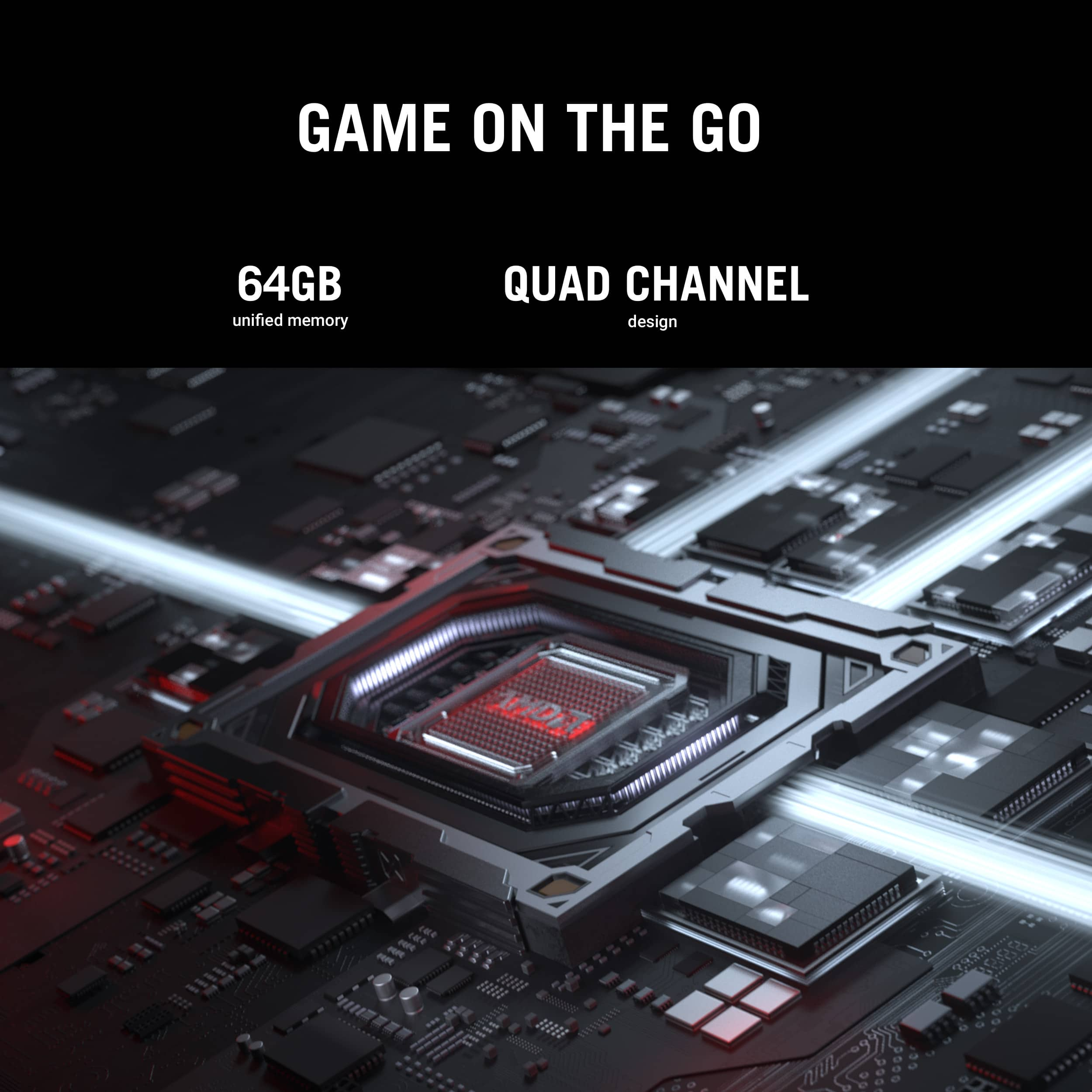
|Posted .This reviewer received promo considerations or sweepstakes entry for writing a review.Everyone knows Asus makes some of the best high-end Electronics, PCs and Laptops out there, I am a big fan and I own a few of their products. So it’s no surprise that the Asus ROG FLOW Z13 delivers. Here are some key points and info: Screen size,resolution, refresh rate: 13.4 inches. For a laptop this isn’t too big but it’s honestly big enough. One advantage it has is that it is very portable at that size. It’s exact resolution is 2560x1600 or 2.5k for short. All I can say is the screen is very clear, very crisp and overall perfect for this size. The aspectvratio is 16:10 WQXGA 180Hz ROG Nebula Display. Processor: AMD Ryzen AI Max+ 395. A very powerful and capable processor, can play any game out now, and in the future. RAM: 64 gigabytes, yes 64GB. This is unheard of in stock laptops. you’ll never have to even think about upgrading the RAM. Memory: 1TB. More than enough to download a few AAA games, or a few hours of 4k videos, or thousands of songs or pictures, or you can have a combination of all these things and even though 1TB is a lot, it will eventually run out if you download a bunch of stuff. But overall this very good for a laptop. Build quality: It has a very premium look and feel to it. some people consider this a tablet because the keyboard detaches, you stand up at an angle by using the kickstand in the back. But I like using it as a traditional laptop. Misc: It has a pretty good battery, 2 USB 4.0 Type-C ports, HDMI 2.1, a micro SIM card reader, 4 Dolby Atmos capable speakers, front and read webcams, Windows 12 Home, AI productivity with Windows Copilot+ to help you along with different tasks, and so much more where I could just go on and on about features.
This review is from ASUS - ROG Flow Z13 13.4" 2.5K 180Hz Touch-Screen Gaming Laptop - Copilot+ PC - AMD Ryzen AI Max+ 395 - 64GB RAM - 1TB SSD - Off Black
I would recommend this to a friendRated 1 out of 5 stars
ASUS ROG FLow Z13 is a waste of money.
||Posted .This reviewer received promo considerations or sweepstakes entry for writing a review.Not impressed with this product. When I start the laptop, I have to restart it to get the keyboard to work. I can't get ASUS to respond to enquiry why the keyboard doesn't work until I reset it.
This review is from ASUS - ROG Flow Z13 13.4" 2.5K 180Hz Touch-Screen Gaming Laptop - Copilot+ PC - AMD Ryzen AI Max+ 395 - 64GB RAM - 1TB SSD - Off Black
No, I would not recommend this to a friendBrand response from ASUS Answers
Posted .Dear Robert P,
We apologize for the keyboard issue you’ve encountered with your ASUS GZ302EA gaming laptop, where functionality only resumes after a restart. We understand how disruptive this can be and regret any difficulty you've had reaching our support team.
To help resolve the issue, we recommend reviewing the steps in the troubleshooting guide linked below. If the issue continues, please email us at customerloyalty@asus.com and include the case number "N2505025726-0009" as a reference so that we can investigate this issue further. We know that maintaining a functioning unit is an urgent matter, and we are committed to helping you.
We stand behind our products and continuously strive to improve our products and processes to achieve customer service excellence. We will do our best to resolve your case quickly. Your feedback is very important to us, and it enables us to improve our support channels. Thank you for choosing ASUS.
Best Regards,
Chantae
ASUS Customer Loyalty US Support
[Notebook] Troubleshooting - Built-in Keyboard Issues -  https://www.asus.com/support/faq/1015071/
Rated 1 out of 5 stars
Keyboard build is weak.
||Posted . Owned for 1 month when reviewed.This reviewer received promo considerations or sweepstakes entry for writing a review.Cannot push 75" 4k Panel, Keyboard has no replacement and the Screen not OLED not sharp enough. Need bigger battery to be IPAD killer.
This review is from ASUS - ROG Flow Z13 13.4" 2.5K 180Hz Touch-Screen Gaming Laptop - Copilot+ PC - AMD Ryzen AI Max+ 395 - 64GB RAM - 1TB SSD - Off Black
I would recommend this to a friendBrand response from ASUS Answers
Posted .Dear Felrobert415,
Thank you for sharing your experience with the ASUS GZ302EA gaming laptop. We apologize that the device did not meet your expectations in areas such as external 4K display support, keyboard serviceability, display clarity, and battery capacity. We appreciate your detailed feedback and will ensure your comments are passed along to our product development and quality assurance teams for further evaluation.
We stand behind our products and continuously strive to improve our products and processes to achieve customer service excellence. If you require any further assistance, please email us at customerloyalty@asus.com and include the case number "N2505025726-0008" as a reference. We will do our best to resolve your case quickly. Your feedback is very important to us, and it enables us to improve our support channels. Thank you for choosing ASUS.
Best Regards,
Chantae
ASUS Customer Loyalty US Support
Rated 1 out of 5 stars
Overheating issues.
||Posted . Owned for 3 weeks when reviewed.This reviewer received promo considerations or sweepstakes entry for writing a review.Mine died on the first day the average temperature was 90°C, and the screen having phantom touches and freaking out
This review is from ASUS - ROG Flow Z13 13.4" 2.5K 180Hz Touch-Screen Gaming Laptop - Copilot+ PC - AMD Ryzen AI Max+ 395 - 64GB RAM - 1TB SSD - Off Black
No, I would not recommend this to a friendBrand response from ASUS Answers
Posted .Dear RobertTeeBuilder,
We regret the thermal and touchscreen issues you've experienced with the ASUS GZ302EA Gaming Laptop, and we sincerely apologize for the inconvenience this has caused. Based on your description, the unit may be defective, and this does not reflect the quality standard we aim to provide. If you're still within the return window, we recommend contacting the original place of purchase to request an exchange or return. Should you be unable to resolve the issue through the retailer, we will be glad to provide further assistance.
We do stand behind our products and continuously strive to improve our products and processes to achieve customer service excellence. For more information, email us at customerloyalty@asus.com and include the case number "N2505025726-0003" as a reference. We will do our best to resolve your case quickly. Your feedback is important to us and enables us to improve our support channels. Thank you for choosing ASUS.
Best Regards,
Chantae
ASUS Customer Loyalty US Support
Rated 5 out of 5 stars
Go with the Flow using the ASUS ROG FLOW Z13
|Posted .This reviewer received promo considerations or sweepstakes entry for writing a review.This is unlike any laptop that I have previously encountered. I have been using gaming laptops now for about the past 6-years and this is the first 2-in-1 style device that I have explored, and it has not disappointed. I was looking to have a smaller/more easily transportable device - and this is it. To start, the Flow Z13 is elegantly packaged with sleek, breath taking photos on the box along w/the coordinates the photo was taken. My wife has made me a sucker for packaging and this box did not disappoint. The laptop itself is a sturdy flat device with a detachable keyboard. The keyboard is similar to those I've had on other tablet/convertible devices as far as texture - with the added twist of having RBG keys, which I appreciate greatly. The touchpad is of quality size, making gaming/every day use easy with it (but I did go ahead and use a peripheral mouse for most of my use). The device has a sturdy kickstand, which held up to my cat rubbing her face against it - thank goodness. And while the keyboard is detached (or attached if you like dual control), the device is touch screen, which is nifty as a table device and essential as a tablet. It is a weird experience to be able to click while gaming though, enjoy being able to click menu items with my finger. The power plug-in is in the middle of the device, making it look a bit odd while hooked up and kickstand out, but not a deal breaker. There are a couple standard USB ports, 2 USB-C ports, along with an HDMI connection. Going with the 2-in-1 design there is not only a front facing camera but a rear camera, which is just a cool addition to a device of this caliber - truly a hybrid. And of course, regarding design there is a nifty back panel RBG display that is slightly reflective with customizable RBG, adding a nice personal flare. Setting up this slightly was slightly convoluted where you have to go into windows dynamic lighting, prioritize armoury crate and then under the general settings in armoury crate put rear window lighting complete on. This allows you to change/customize is, as by default this is not active. Overall, a solid design. The system does get somewhat warm, fans seem to work to keep cool even during gaming use; however, if you accidently close the keyboard and/or cover the fans too much it will cut them off and change the power mode, which is definitely to protect the device, just weird to see the change occur. I was able to keep this in my lap longer than I can a normal gaming laptop without any protection between my legs and the device. It is slightly heavy all things considered while using as a tablet type device; however, with the hardware included and device capabilities an understandable trade off. Diving more into device specifics and run. The screen is 13 inches - a nice size for a convertible device. Display is crisp. By default, zoom on display is set to 200% which I found was monstrous. With screen resolution 2560x1600, 125% zoom is where I landed, likely smaller than most and 150% is probably a nice middle ground. 200 just felt, off - from a tablet perspective it works but not from a computer aspect. There is sample storage on the device for common use (1TB). I've used up about 400GB installing my common/favorite games (FFXIV, BG3 and a couple other, less extensive/large games). I'm happy to see the 1TB in a device this small, because otherwise would have to choose between two greats for myself. The processor is an AMD Ryzen AI Max+ 395 w/AMD Radeon iGPU, having 64GB of RAM. This setup, actually, surprisingly works well so far? I have had no issues with running either of my favorites at normal/high graphics. I was not sure how testing would go, given the Ryzen AI Max is not a standard Ryzen processor so had limited to compare it to - felt like a shot in the dark, but has come out well thus far. Before the actual games, I tried a benchmark testing of FFXIV which performed at high function while on battery only, once I plugged in the device improved to very high and have had no issues while plugged in. Slight lag can be noticed at times while unplugged, but this tends to be a common experience. Otherwise, gaming has ran nicely - biggest issues was upon initial testing I received a fatal Direct X error which caused immediate closure of the game; however, upon reboot of the device once I have not experienced that any further. So far, happy with the gaming experience, especially in a 2-in-1 device. I have enjoyed being able to play OSRS from the couch with it as well - much better than trying to finesse that phone app. Otherwise, software wise, being a newer windows device there is the copilot key. Copilot works smoothly on the device. Upon set up of windows it pushes use of Recall, which is one of the newer windows AI features. I personally did not allow this, as Recall actively monitors and records what you do, allowing search through active history, but just leaves me uneasy. What surprised me was preloaded software. CapCut was already on the device, which maybe is a new windows standard but quickly removed this. The device was also missing software I was expecting. Being a ASUS ROG device I was expecting the MyASUS, Armoury crate and Aura Sync to be preloaded and running on the device. These were not, which is slightly nice (as often I consider the preinstalled software from a computer maker to add bulk); however, I wanted to have Armoury crate for monitoring of settings/adjustment for gaming and also control of RBG options. A quick adjustment to add, was just surprised as mentioned - a nice change. So far, I have been able to use this device on/off for about 2-weeks and have not met anything that has been greatly upsetting or off putting. This is definitely a niche device in having 2-in-1 functionality. Pending the particular game one enjoys working on the AI Max+ 395 processor, this device is a solid choice for a hybrid setup. I would recommend to have a peripheral mouse to use vs the touchpad - using touchpad only threw me back to 2009 vibes with my first laptop. Overall, would recommend as ASUS has delivered a solid product within the ROG line once again.
This review is from ASUS - ROG Flow Z13 13.4" 2.5K 180Hz Touch-Screen Gaming Laptop - Copilot+ PC - AMD Ryzen AI Max+ 395 - 64GB RAM - 1TB SSD - Off Black
I would recommend this to a friendRated 5 out of 5 stars
Unique and High Quality
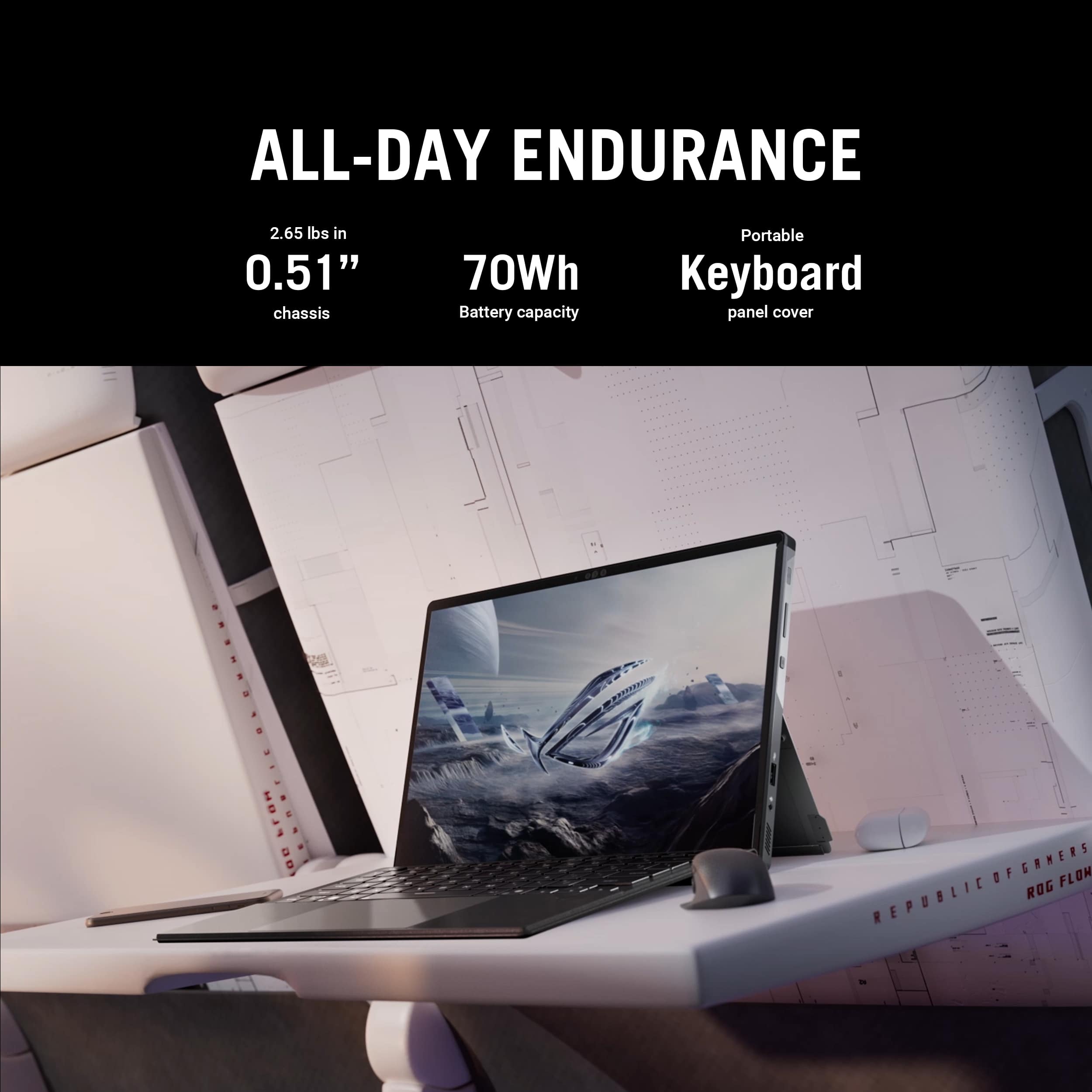
|Posted .This reviewer received promo considerations or sweepstakes entry for writing a review.The Asus ROG Flow Z13 is a unique device and in my opinion a generational improvement. Currently, it is the only 2-1 laptop with a touch screen and the new AMD Max+ 395 processor. This, along with up to 128GB of memory, makes it suitable for high end gaming with performance similar to a RTX4060 as well as the ability to run large local LLMs. The memory is divided between the CPU and GPU and up to 96GB can be allocated to the GPU for the 128GB model. For my 64GB model, I can allocate 48GB to the GPU. I have owned several Asus laptops over the last 5 years, including the 360 foldable ROG Flow X16 with a RTX3060 GPU and the Asus ZENBOOK Duo, and have found their laptops to be innovative and reliable. The Asus Z13 has a 13.4 inch screen that is very bright and colorful and suitable for use even outdoors. Although it is not OLED, it is very crisp at 2.5k and 180Hz. Battery life is around 6 hours when doing normal WEB browsing, youtube viewing, and office activities. Ports are also relatively abundant including 2 usbc-4, a usb, a microSD slot, and hdmi 2.1 out. A couple of my primary interests are 3D printing and local LLMs. The Asus Z13 easily handled any program that I used such as Orca Slicer, Blender, etc. For LLMs, LM Studio and Ollama ran quickly and allowed larger models. Hunyuan3D-2 which I installed locally for conversion of text ad photos to 3D printable objects also ran quickly. Most games that I tried were playable at the highest settings. If you are looking for a small, all around 2-1 light portable laptop with outstanding graphics capabilities that can do everything including run large local LLMs and play modern games, the Z13 is an excellent choice. My only caution would be that this is a 2-1 design (and not a 360 foldable) which is more suitable for a flat surface than for laptop use. If this meets your use case, I would highly recommend the Asus Z13. Keyboard lighting could also be brighter.
This review is from ASUS - ROG Flow Z13 13.4" 2.5K 180Hz Touch-Screen Gaming Laptop - Copilot+ PC - AMD Ryzen AI Max+ 395 - 64GB RAM - 1TB SSD - Off Black
I would recommend this to a friendRated 1 out of 5 stars
Never got it, box arrived empty...
||Posted .This reviewer received promo considerations or sweepstakes entry for writing a review.Never got it, box arrived empty... Kinda lame for a $2500 product
This review is from ASUS - ROG Flow Z13 13.4" 2.5K 180Hz Touch-Screen Gaming Laptop - Copilot+ PC - AMD Ryzen AI Max+ 395 - 64GB RAM - 1TB SSD - Off Black
No, I would not recommend this to a friendBrand response from ASUS Answers
Posted .Dear Chris,
We’re sorry to hear that your ASUS GZ302EA Gaming Laptop package arrived empty. We understand how concerning and disappointing this must be, especially for a high-value item. While ASUS does not handle retail fulfillment directly, we strongly recommend contacting Best Buy’s customer service at (1-888-237-8289) as soon as possible to report the issue.
We stand behind our products and continuously strive to improve our products and processes to achieve customer service excellence. If you require any further assistance, please email us at customerloyalty@asus.com and include the case number "N2505025726-0002" as a reference. We will do our best to resolve your case quickly. Your feedback is very important to us, and it enables us to improve our support channels. Thank you for choosing ASUS.
Best Regards,
Chantae
ASUS Customer Loyalty US Support
Rated 5 out of 5 stars
The perfect college computer
|Posted .This reviewer received promo considerations or sweepstakes entry for writing a review.Zenflow 13 My absolute favorite form factor I have ever had was the surface book, not sure how many people remember that, but after that form factor was discontinued my second has been the tablet with a keyboard form factor. I have been a believer in this form factor from the moment I got my hands on a surface pro first generation, I very much wish I had it during my entire time at college, but now this is what I always imaged the surface could be. When I showed this to my brother in my excitement his first reaction was why would you ever get this, the graphics aren’t top end, but the price is. If that is your thought, give it a chance, depending on your game type preference you may be in for a surprise with this. This is a gaming computer so let’s talk gaming first, I ran Forza Horizon 5 on this and had to turn the graphics down medium, it just maxed out the ‘GPU’ and actually made the game completely fail and force stop a few times until I turned the graphics down. So, my initial impression wasn’t this is fantastic, I mean Forza still looks good in Medium but that was a tad sad. Cyberpunk 2077 it supported no Ray tracing but was able to support 60fps in the top setting besides Ray tracing. Again, not proving my brother wrong. But then I turned towards Hearts of Iron 4, a computationally intensive game that can put almost any decent system down. This is where the surprise really happened, it handled the game as good as if not better than a full desktop with a Ryzen 7, 5060Ti, and 32GB of RAM. I was able to get to 1950 without a single issue (once fps drops below 16 on it the game can be a test of patience) and fps held steady at 20 to 25 while at 5x speed. This is what changed my brothers mind on this entirely as these are his favorite types of games, where the graphics are semi-important but not really the point of the game, it’s more of a strategy type of game. So, while his gaming laptop can’t handle this game and my little tablet can. So, if you are into computational games and are usually a desktop gamer but maybe have a laptop for on the go, this may actually do better than many laptops with a dedicated GPU. For FPS, it works absolutely perfectly for what I want and need but I could see why someone might choose a different device if FPS is all they do. Now if you’re talking Fortnite, this will handle Fortnite all day long no matter the graphics you set it on. Fortnite is what I end up playing the most now a days as I can squad up with the kids and have a few hours of fun. But you buy this because you are looking for more than just a dedicated gaming device I’m decently sure. I found in college a desktop was just annoying as all your documents weren’t where you used them last, with one drive this is less of an issue, however, the principal still applies in some ways and a desktop with a tablet means your favorite games stay with your desktop. So, then you end up looking at high end laptops with a tablet and depending on the brand of your tablet they don’t talk as seamlessly as you would like. Also, Microsoft OneNote is by far the best note taking app that I have ever used, and I have tried so many times to remove my dependency from it as it is so limited on every device besides a windows computer and just can’t find anything that does everything it does. This is the one issue with using an Android or Apple tablet with a traditional laptop is that OneNote is just limited in its capabilities, such as the ability to change the page size to 8x11 so that printing later is super easy. So, you take the full capability of One Note on a PC and the ability to take note like a tablet and you have the absolute perfect educational tool in my mind, especially for engineering (probably all STEM). Back in college the prof would always email notes out during class instead of before, so you had to take notes separately or digitally, with one note you could put the slides in on 8x11 sheets and then take the notes directly there, an add on bonus now is recording the lecture (I’ve used this feature a few times at work) and then seeing what you wrote and what they said at the same time, which is a giant leap forward in understanding what was said later instead of piecing it together. But more than that, if they have MathCAD or MatLAB or another program file they sent out as well you can follow along on the same device your taking notes on and insert screen shots along the way. Or if you are in math class you no longer have to take notes by hand or on the computer as you can just draw your notes right on the Zenflow tablet. While having your program right along side of it. One note was powerful, having the surface tablet was even more powerful, having a tablet that could run any program needed at college with the ability to take notes right on it is just a dream come true. If I was going back to college, this would be the only real choice in my mind for a device to take. The only thing that it really is missing is a Bluetooth keyboard, when you have your keyboard detached you may still want to type, I feel like this would just be icing on the take, however, I have a portable gaming keyboard and mouse that works pretty good for this ( I still take notes at work but I don’t get to use this computer though it would be the ultimate device for my work as well being a hybrid field/office worker). The big key there is being able to take pictures with the camera and then immediately draw on it while screen sharing in a meeting. With my projects at home, I might need CAD, visual studio community, Word, Fusion, or other random software for different project not to mention Linux. So having a tablet without a full operating system is pretty useless if I was to try and use it for everything. However, this device has the capability to replace my desktop completely when it comes to all the tasks I have and will throw at it while being able to allow me to mark up a picture I just took with the back camera, a PDF print out of a drawing, or a form I need to send to someone and printing, writing/signing, and scanning is entirely too much work. I should mention at this point that this computer supports an active stylus (I am currently using the surface pen that I already had as no stylus was included in the box). Then when I am not doing projects, I may be watching movies or gaming. I have apple TV, Netflix, Hulu, and Prime Video apps installed and they look great on here. They work okay especially if you are trying to use it in tablet mode, they fall short a bit as touching anywhere on the screen will pause unlike Android or Apple. Also, if there is ever a TV app that isn’t an app that I want I can always install it as an app with Edge (I did this with YT Music) and I’m pretty sure this is basically what the streaming apps are. You can do this on Android as well, though it seems to work a little more smoothly on PC and especially on this PC. For build quality make sure you don’t let it fall on the ground with the back hinge open, it snapped half the hinge on both sides, I was able to get it back in and it functions, but it is just a little loose now, the main thing I noticed was the metal on hinge that snapped looked like it was a brittle metal. Now the fall was a good 5 feet, and the tablet is hefty so the fact that that was all the damage that happened I am counting my lucky stars, still be aware that setting your not cheap tablet in a precarious position probably isn’t the best idea. I wish USB C was the only charger, my work laptop has a 160W USB C charger so USB C is coming along and can be pretty powerful, but it can charge off of USB C, but not game off of it, maybe that is the reasoning behind having two different charging methods, I’m not 100% sure on that, but just as a preference I don’t like proprietary chargers but it is forgivable with the ability to charge with USB C as well and the fact that high wattage USB C isn’t perfect yet. Overall, I love this device, it feels like it was built for my use cases, and it is crazy how much power is stuffed into such as small package.
This review is from ASUS - ROG Flow Z13 13.4" 2.5K 180Hz Touch-Screen Gaming Laptop - Copilot+ PC - AMD Ryzen AI Max+ 395 - 64GB RAM - 1TB SSD - Off Black
I would recommend this to a friendRated 5 out of 5 stars
Love it! real Powerhouse !!
Posted .This reviewer received promo considerations or sweepstakes entry for writing a review.Basically perfect for gaming and other creativr work, absolutely amazed at the performance for intagraded graphics
This review is from ASUS - ROG Flow Z13 13.4" 2.5K 180Hz Touch-Screen Gaming Laptop - Copilot+ PC - AMD Ryzen AI Max+ 395 - 64GB RAM - 1TB SSD - Off Black
I would recommend this to a friendRated 5 out of 5 stars
Amazing Laptop
Posted .This reviewer received promo considerations or sweepstakes entry for writing a review.This is one of the greatest laptops in the 21st century. Definitely worth the extra $100 for the extra ram.
This review is from ASUS - ROG Flow Z13 13.4" 2.5K 180Hz Touch-Screen Gaming Laptop - Copilot+ PC - AMD Ryzen AI Max+ 395 - 64GB RAM - 1TB SSD - Off Black
I would recommend this to a friendRated 5 out of 5 stars
Best 2-in-1 on the market
Posted .This reviewer received promo considerations or sweepstakes entry for writing a review.Great machine. I own the 128gb version for AI work, and bought this for gaming. It’s fantastic. If you’re looking for a laptop, look elsewhere as this is a tablet - a very powerful and gorgeous tablet, but a tablet nonetheless.
This review is from ASUS - ROG Flow Z13 13.4" 2.5K 180Hz Touch-Screen Gaming Laptop - Copilot+ PC - AMD Ryzen AI Max+ 395 - 64GB RAM - 1TB SSD - Off Black
I would recommend this to a friend