Customer Ratings & Reviews















- Model:
- GZ302EA-R9641TB
- SKU:
- 12672674
Rating by feature
- Battery Life
Rating 4.0 out of 5 stars
- Speed
Rating 4.8 out of 5 stars
- Display
Rating 4.6 out of 5 stars
Customers are saying
Customers express satisfaction with the product's incredible overall performance, portability, and amazing battery life. They also appreciate its fast processor speed, ample RAM, sleek design, effective cooling system, and generous port count. However, some customers have noted concerns regarding its weight, fan noise, and certain build quality issues such as creaking sounds.
This summary was generated by AI based on customer reviews.
- Cons mentioned:Weight
Asus, you did it again...
||Posted . Owned for 1 week when reviewed.This reviewer received promo considerations or sweepstakes entry for writing a review.I once bought a Nexus 7 tablet. It was the Google branded tablet long before the Pixel line. It was made by Asus. It hit all the best checkmarks at the time; powerful enough, a great price, wonderful screen, it lasted for years. When UMPC's were big, I got an Asus EEE pc. It was also great for what I paid. Unfortunately, Asus hasn't kept up with that legacy, and their product qc has fallen. What does ROG stand for these days; Regrettable Over-priced Garbage? It's hard to find negative reviews of this laptop, and I wonder why. I'm guessing Asus is paying for press over making great, reliable, hardware. Here is proof; most review units aren't honest about the case's dimensions. The measurement specs on most review websites are only of the 'tablet' portion. A proper weight and measurements would be that with the keyboard included, or have both measurements with and without the keyboard. Most websites list the computer at 2.6lbs. If you add in the keyboard, the package is over 3 lbs., but the dimensions of everything goes up by a 1/4inch all around in depth and width. With the power brick, it all totals over 4lbs, closer to 5lbs. A lot of websites are promoting this as a tablet before a laptop, and that doesn't seem right. The keyboard should also work via Bluetooth if they want to treat this like a tablet- they did it with the Asus duos. Just saying, it could have been done. If you also can't (quick) access bios without the keyboard, the keyboard is a part of the whole. The reviewers did get a few things right, though: the chipset is pretty snappy. It does get toasty though. It's nice that the toastiness isn't in the keyboard, but temps gets up there. That was weird for me. It got toasty weather or not if I had 5 tabs open on Chrome or if I had 20 tabs open on chrome. It also got really warm in my bag. Nothing running, just folded up in my bag. Things seemed to even out with the updates for heavy vs regular use, but it still somehow ran warm in my bag. With that being said, I went through 2 units. The first one, I had bad usb-c ports. I tried to plug in my phone to charge in one and a tablet I use as a second screen, into the other port. My tablet kept giving me error messages, and the port I had my phone in kept resetting- with Windows telling me every few minutes "new device plugged in". I started checking drivers before realizing, I should just do an exchange. The replacement had camera issues. I had to use my pin to log into Windows or passwords on websites on almost every time. I knew the camera IR on the second laptop I got was faulty, since the first one didn't have these issues logging in with my face. Why ASUS got rid of the fingerprint scanners from the previous versions of this machine, I don't know. Perhaps I'm wrong for thinking this, but I want the hardware to work every time for a unit I'm paying well over $2000 for. Especially brand new out of the box. I understand the price of everything is going up, but the QC on these guys weren't there. I had more confidence in my Legion Go which was a fraction of the price- I honestly didn't notice a significant enough jump in gaming quality for the price difference. I also understand in order to unlock everything, I'd have to tweak things in the settings but the effort didn't seem worth it. While I hoped th 64gigs of ram would help future-proof what I was getting, I honestly don't feel like this thing as a whole would hold up that long. Asus, you used to be better.
No, I would not recommend this to a friendBrand response from ASUS Answers
Posted .Dear Studiotk4,
Thank you for your feedback.
We do understand your dissatisfaction with the quality of the product and the inconvenience this may have caused if two laptops you received had issues. Information coming from valuable customers, like you, will continuously help us improve our future product offering and services. Should you need further assistance with the product, please email me at cl-rodel@asus.com and I would be more than happy to help. Or you are most welcome to call Product Support Hotline at: 1(888) 678-3688. Also, you can chat with an ASUS live support agent from the link: https://www.asus.com/us/support/article/1135/.
Thank you for choosing an ASUS product.
Regards,
Rodel
ASUS Customer Loyalty
- Pros mentioned:PortabilityCons mentioned:Screen quality

A new breed?
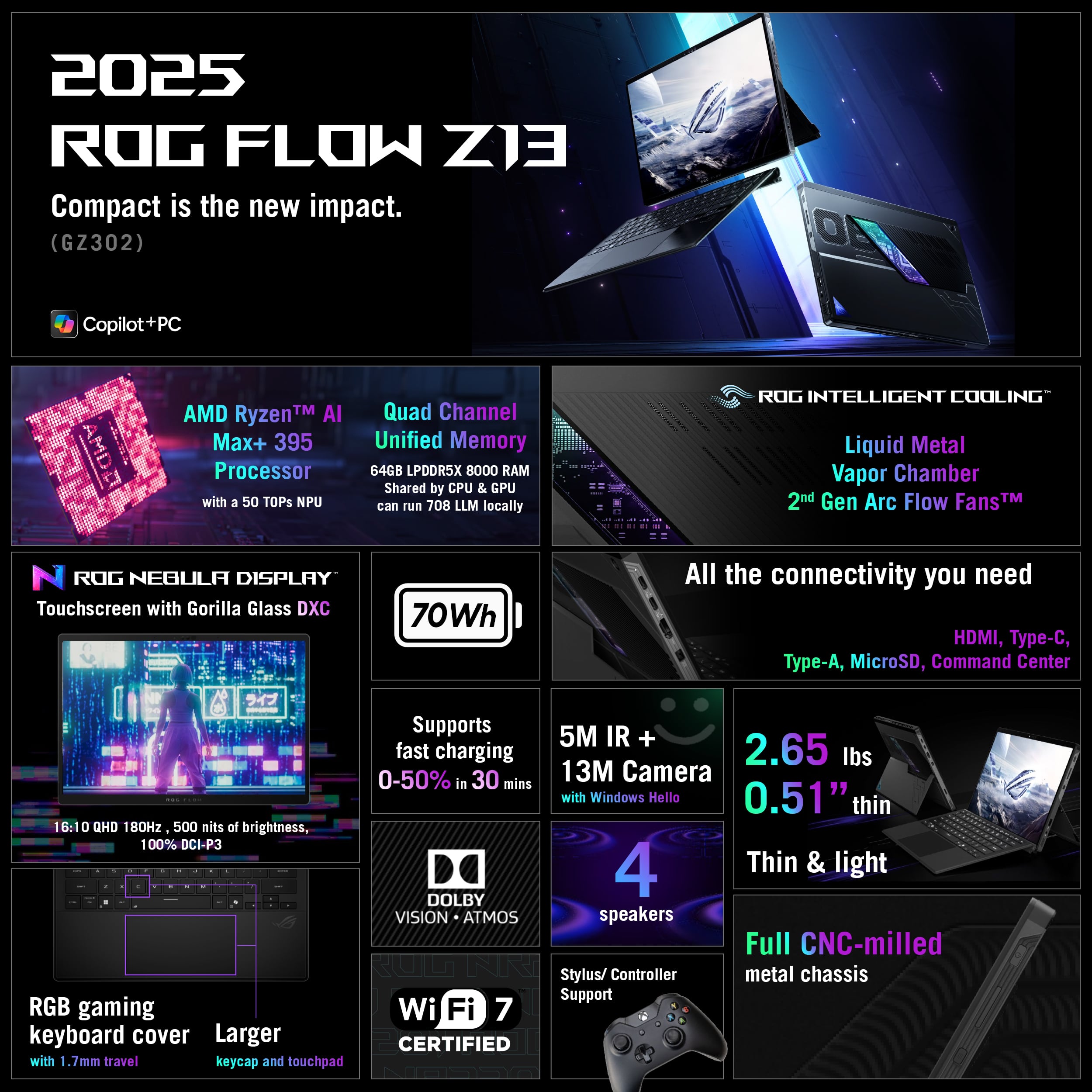
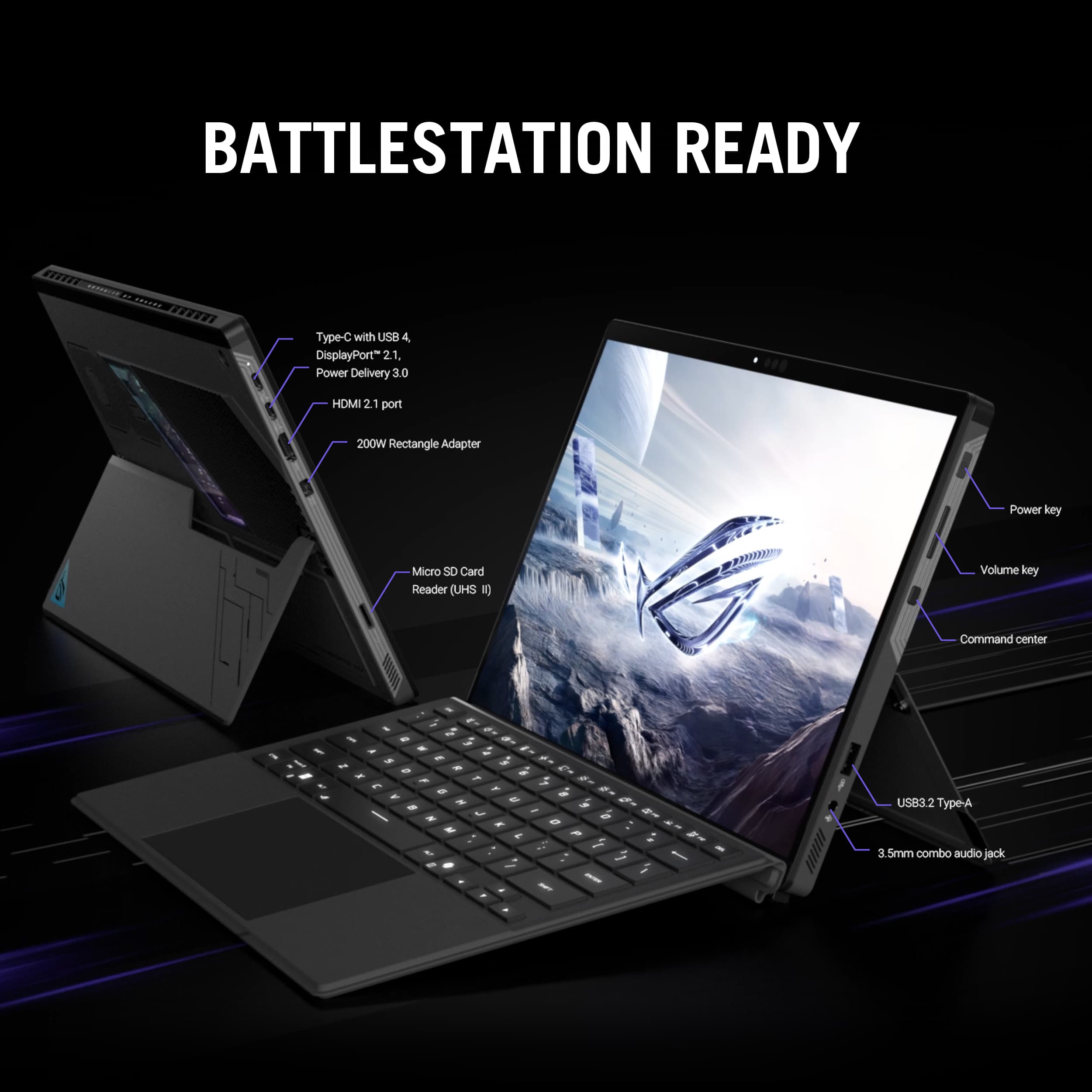
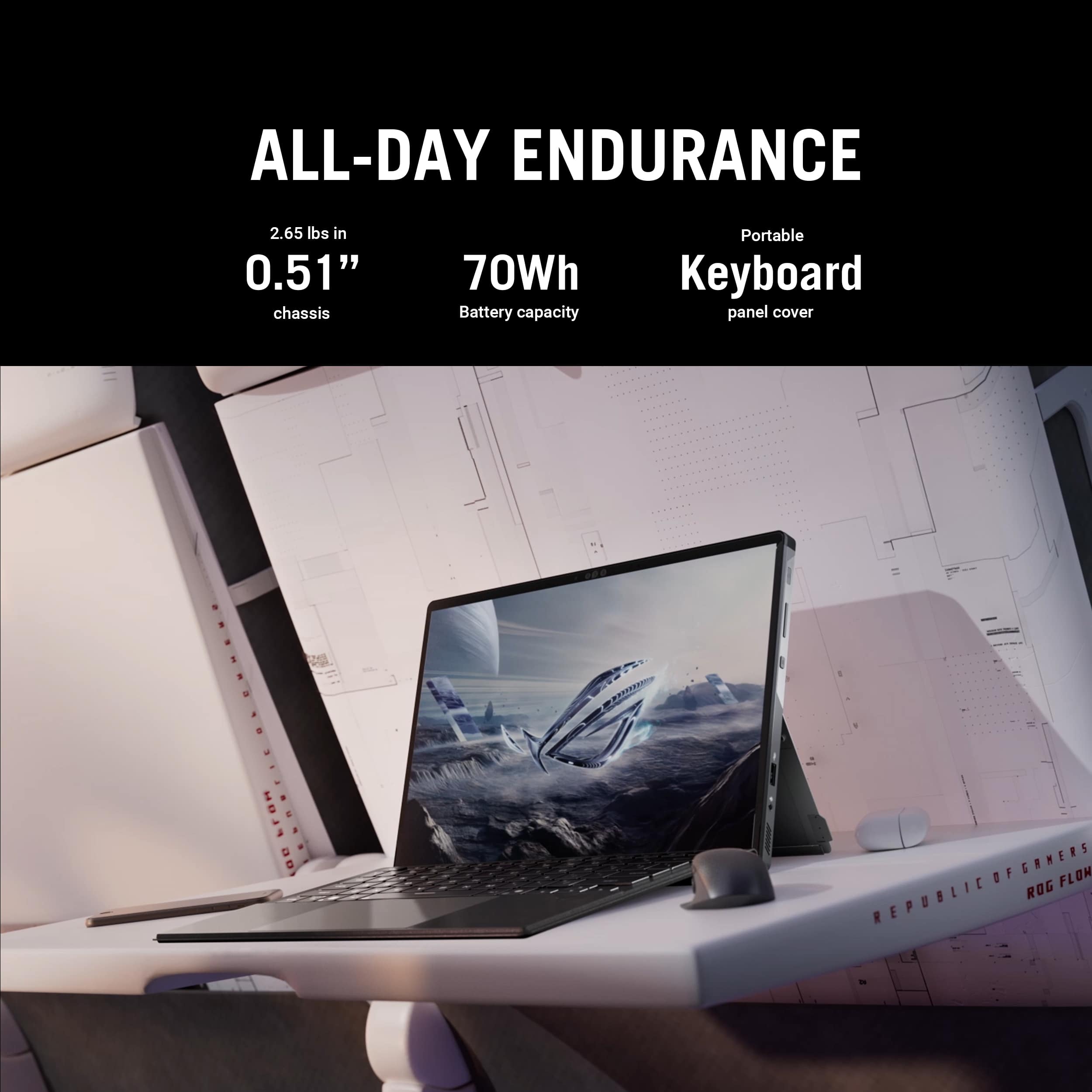
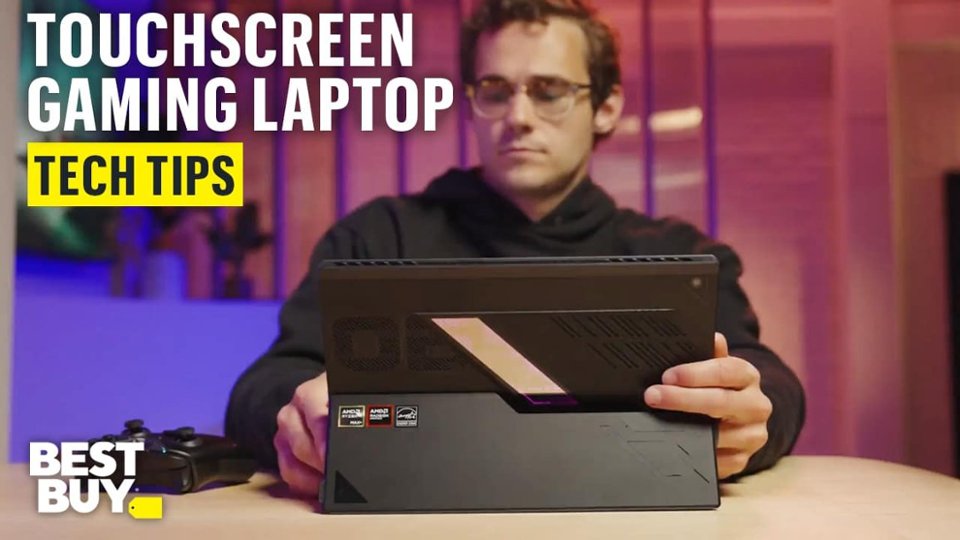
|Posted .This reviewer received promo considerations or sweepstakes entry for writing a review.To me this laptop breaks new ground in gaming laptops. It’s a 2 in 1, with 13.4-inch 180Hz IPS 2.5K (2560 x 1600, WQXGA) 16:10 aspect ratio touchscreen and weighs in at a svelte 2.65 lbs. Add in its new AMDAI Max+ 395 3GHz (boost to 5.1) 16 core processor (32 threads) with NPU up to 50TOPS, 64Gb of LPDDR5X 8000(!) MHz memory, 1TB Micron PCIe NVMe M.2 4.0 (2230 size) SSD and the tech specs look great. But wait there is more 1x 3.5mm Combo Audio Jack, 1x HDMI 2.1 FRL, 1x USB 3.2 Gen 2 Type-A (data speed up to 10Gbps), 2x Type-C USB 4 (data speed up to 40Gbps) with DisplayPort and power delivery and 1x card reader (microSD) (UHS-II) all wrapped in a black somewhat soft touch case with detachable backlit keyboard (with RGB and Copilot key). That is a lot to like, but how does this all work in the real world? I am a big fan of this size laptop. It fits airline seat trays perfectly and under seats as well. Being able to detach the keyboard to use as a “real” table it nice. However, having a detachable keyboard does present challenges – it does not support the laptop, so using on your lap with keyboard is a tad challenging at times. It also requires more space than a hinged laptop as kickstands take up more space when used. Speaking of using on your lap the fans vent out if the top of the laptop, which is nice, but it still got a tad warm on the legs. Even when in the red during updates and some gaming it still was very quiet. You can adjust pretty much every processing aspect using the Asus/ROG MyAsus, Armoury Crate, Aura Creator and AMD software. Power button is recessed making it harder to accidentally turn off. 70WHrs, 4S1P, 4-cell Li-ion battery with 9ft power cord with inline brick is nice but dis-appointing that it uses proprietary attachment into laptop. I would have preferred another USB-C power connection instead of having to lug around this power brick. However, I did try my 145Watt USB-C power charger and while I got a slow charging warning it did charge 50% in an hour – so maybe al is not lost. The keyboard key functions were hard for me to see if it is not backlit, but I liked the size and feel. I decided to use color related to CPU temperature. Green is within range, yellow is warm with red indicating CPU is “hot”. The black case also made it hard for me to see the side connections (granted old eyes). It also seems to attract fingerprints which are easily wiped away. Touchscreen is very reactive with minimal reflection and supports a stylus. And while it is IPS the colors really pop. The 16:9 aspect ratio is nice. Speakers are 2x 2W dual force with Smart Amp Technology and sound tinny to me. It does support Dolby Atmos and is HDR headphones certified. Wifi 7 (802.11be) worked great with my wifi 7 system. Before I did any testing, I used Asus Armory Crate software to allocate 16GB of memory (had 4GB) to AMD Radeon 8060S 800MHz integrated graphics, still leaving 48GB for system use. It easily handled any multitasking (streaming/surfing/work processing) I threw at it including 2021 Adobe Photoshop and Premier (video) Elements editing. I looped a movie with Bluetooth (using cordless headphones) and wi-fi on and ran for 5 hrs and still indicated 35% (3 hrs) left. As far as gaming it didn’t score well in my 3DMARK Speed Way high end test. It did much better in Steel Nomad Light (lighter gaming), Storage Benchmark and CPU tests. But that’s all theory. I installed Asseto Corsa and Automobilista 2 and using my wheel and pedal setup and they both ran flawlessly using 4K TV as monitor with no lag or jittering – but it was plugged into power. I installed Minecraft and had my grandson go at it, unplugged/balanced. At 3 hrs there was still 50% battery indicated. Micro-sd slot. I really like it when these are included. They allow for a storage upgrade that is easily carried with you and can be swapped very quickly. No Thunderbolt port as it seems Thunderbolt is licensed by Intel. No ethernet connection. 1-year warranty. So many things to like about this laptop with surprising gaming performance given onboard GPU. If you are looking for a portable gaming laptop with a touchscreen - this is the one and would recommend giving it a look.
I would recommend this to a friend - Pros mentioned:Overall performance, Portability, Ram
Best 14´ Laptop
||Posted .This reviewer received promo considerations or sweepstakes entry for writing a review.I am extremely satisfied with my ASUS ROG Flow Z13. It is an outstanding product that perfectly balances power, portability, and versatility. The ability to use it both as a tablet and as a full PC makes it incredibly practical for different use cases, whether I’m working, traveling, or simply consuming content. The model I purchased comes with 64 GB of RAM, which makes a significant difference in performance. Despite its compact size, the device handles demanding workloads with ease, including running and experimenting with Large Language Models (LLMs), which was one of my main requirements. Multitasking is smooth and responsive, even under heavy computational loads. The build quality is excellent, the design is sleek and modern, and the detachable keyboard adds real flexibility without compromising usability. Overall, the ROG Flow Z13 feels like a premium device designed for users who need both power and adaptability. Highly recommended for anyone looking for a powerful, portable, and truly versatile machine.
I would recommend this to a friend - Pros mentioned:Portability
Power That Defies Its Size - ASUS ROG Flow Z13
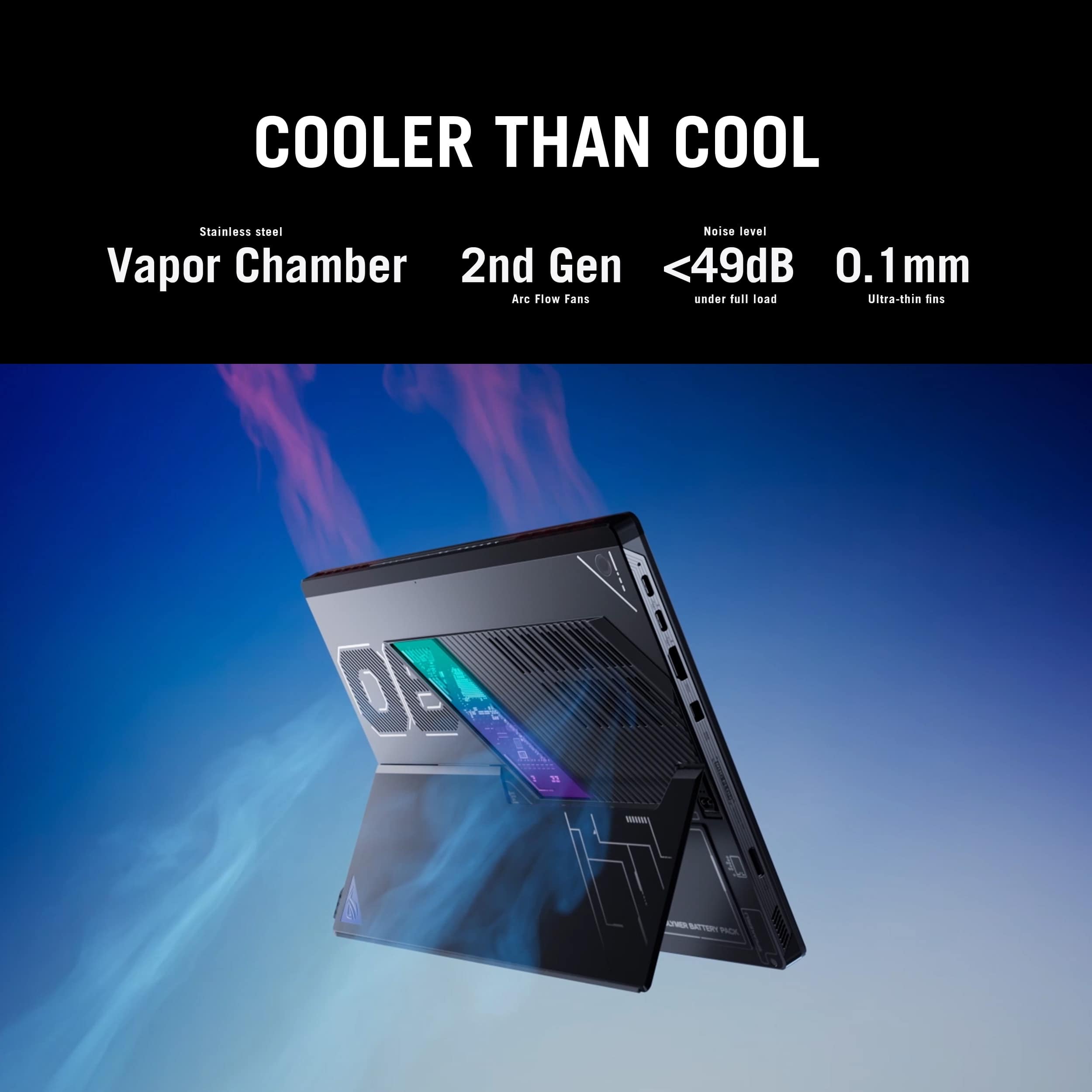
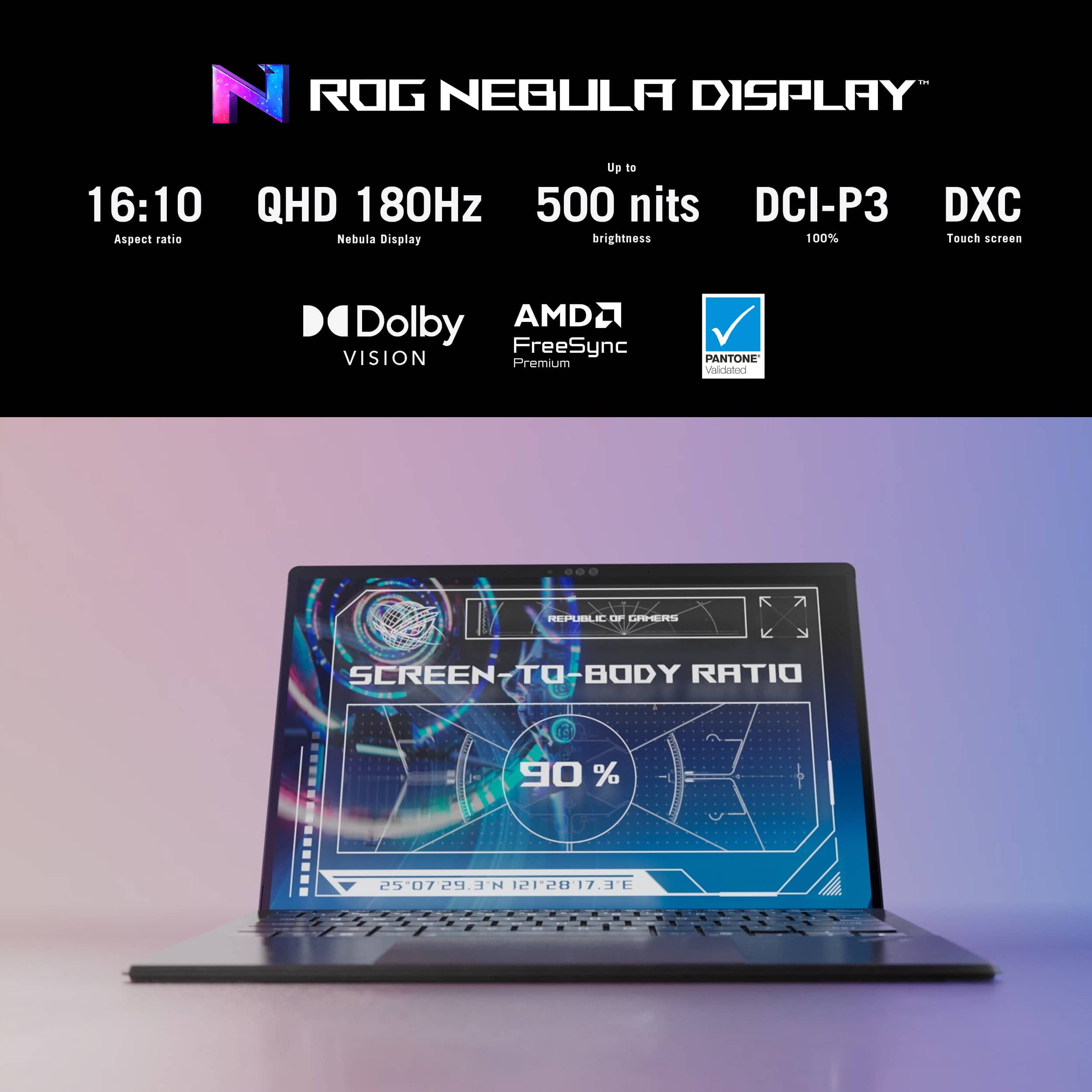
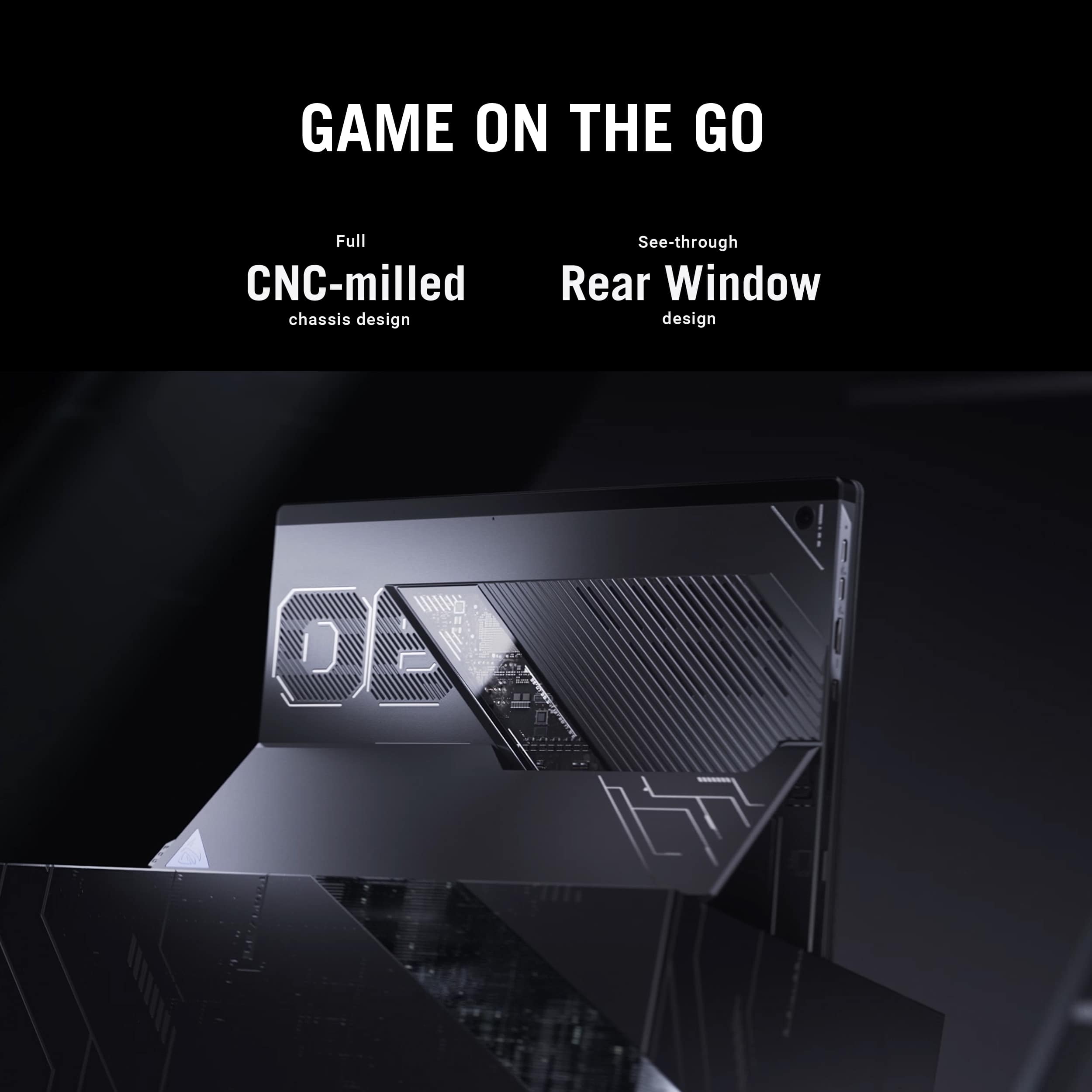
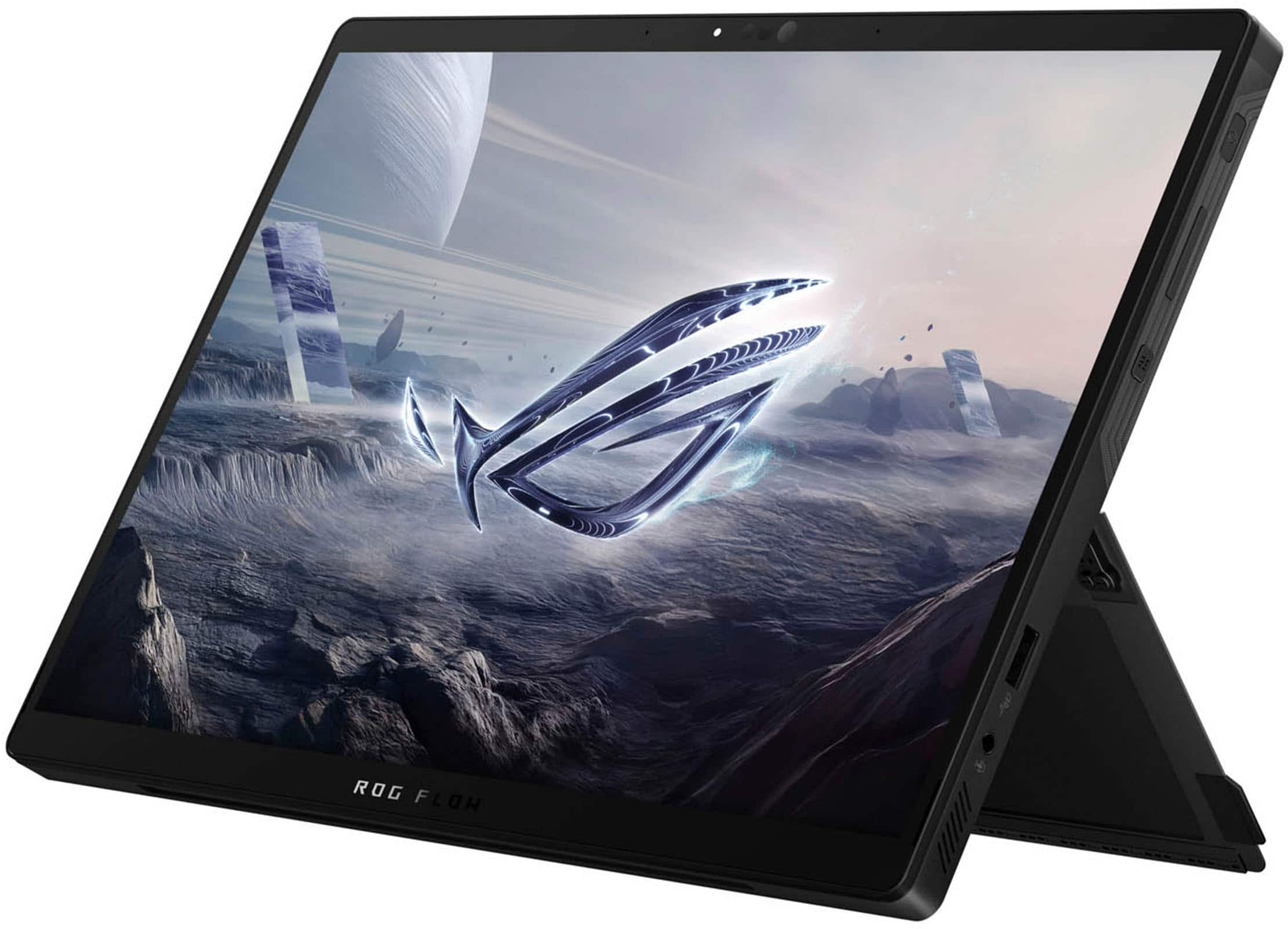
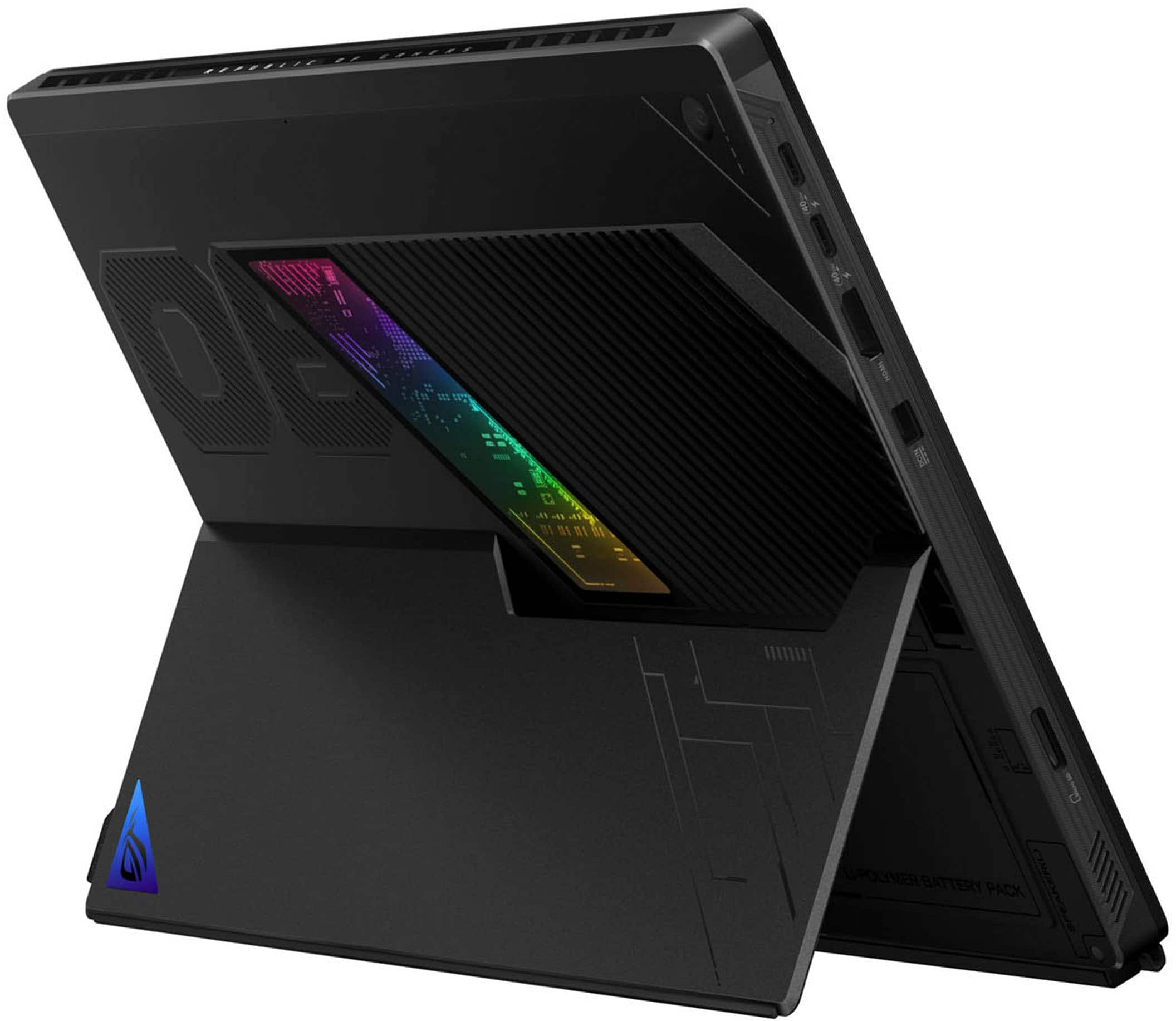
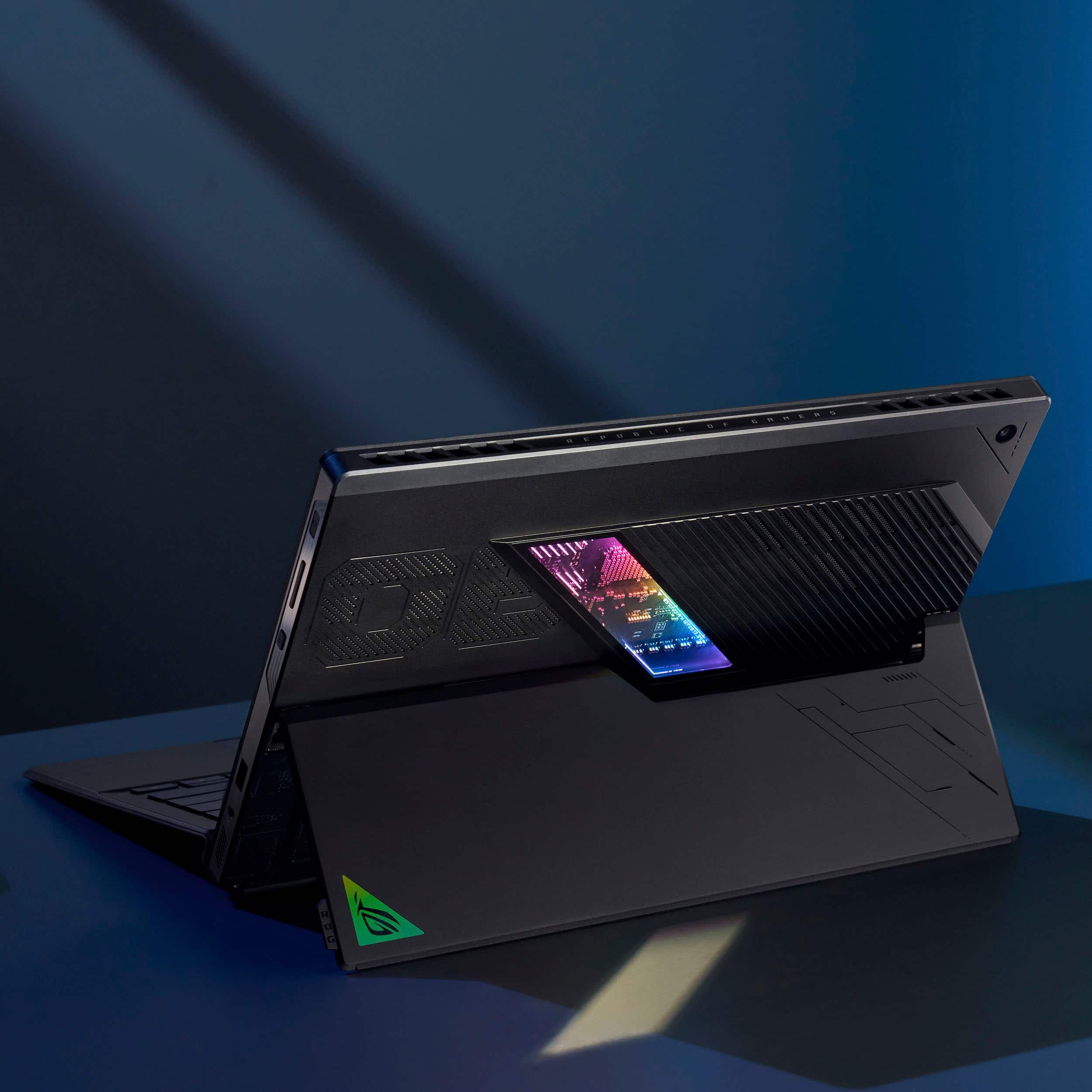
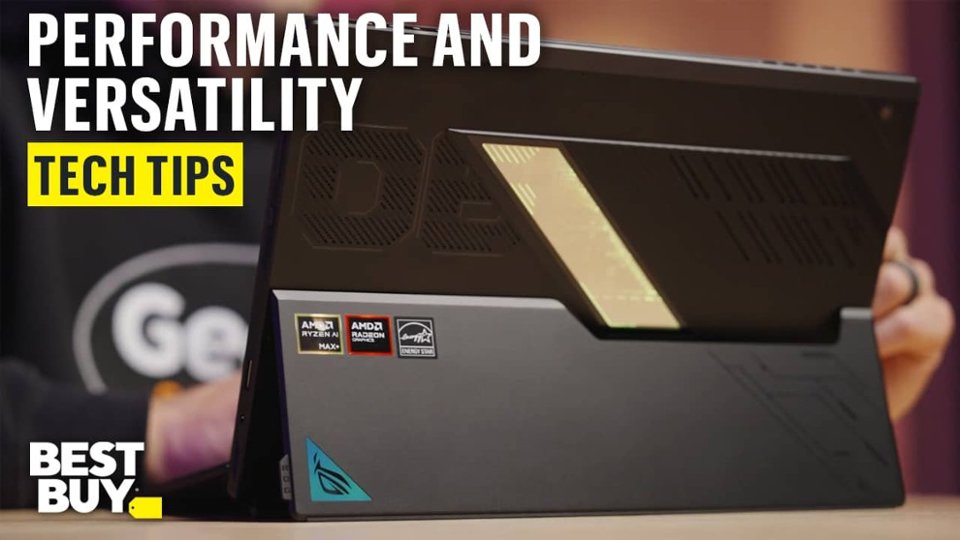
|Posted .This reviewer received promo considerations or sweepstakes entry for writing a review.Big Power in a Compact Package The 2025 ASUS ROG Flow Z13 shatters expectations for what a 2-in-1 gaming laptop can deliver. Fueled by the cutting-edge AMD Ryzen AI Max+ 395 CPU, 64GB of ultra-fast quad-channel unified memory, and integrated AMD Radeon 8060S graphics, it’s built to handle AAA games, intensive creative tasks, and AI workloads, all in a chassis smaller than most textbooks. Unboxing & First Impressions Opening the box reveals the Z13 and its detachable keyboard, snugly wrapped in protective film. On the back, a discreet tab on the righthand side unfolds the built-in kickstand—a simple, well-executed feature that underscores ASUS’s clever design choices. From the moment you hold it, the Z13 exudes premium quality. Crafted from CNC-milled aluminum, it feels as refined as it looks. One standout detail is the semi-transparent rear panel revealing the internal components, enhanced by customizable RGB lighting that adds a distinct gamer vibe. Thermal Design & Build Quality Cooling is handled by generously sized exhaust vents on the top of the laptop, allowing it to maintain lower temps under pressure, whether during high-frame-rate gaming or heavy AI workloads. Keyboard & Input Experience The included chiclet keyboard features single-zone RGB lighting and responsive key travel. It magnetically attaches to the tablet and can lie flat or tilt upward for ergonomic typing. The spacious glass trackpad in the center is satisfyingly smooth, offering excellent tactile feedback and precision. Display Quality The 13.4" 2.5K Touchscreen IPS panel is Pantone Validated and refreshes at 180Hz, delivering superb color accuracy and buttery-smooth motion. With brightness exceeding 500 nits, it remains vivid and legible even in bright lighting conditions. In the middle of the display, you will find the 5MP IR Camera for Windows Hello login and a 13MP Camera on the rear of the laptop for taking photos and scanning documents. Portable Gaming Redefined Gaming on the ROG Flow Z13 is amazing. It’s ability to run modern AAA titles like Cyberpunk 2077 or the latest Call of Duty at high or ultra settings without being tethered to a bulky rig is incredible. Whether docked or on the go, this machine delivers desktop-grade performance in a sleek, travel-friendly form factor. Final Verdict: The Flow Z13 isn’t just a portable gaming machine; it’s a high-performance playground for gamers, creators, and power users alike. A truly next-gen 2-in-1 that proves size is no barrier to domination.
I would recommend this to a friend - Pros mentioned:Battery life, Overall performance, Processor speed
A Gaming Tablet That's Both Brilliant and Baffling
||Posted . Owned for 1 week when reviewed.This reviewer received promo considerations or sweepstakes entry for writing a review.I'll be honest: I had mixed feelings about the ASUS ROG Flow Z13 from the moment I unboxed it. On one hand, this thing is a technical marvel that shouldn't exist. On the other hand, I kept asking myself "but why does this need to be a tablet?" The Star of the Show: That AMD Chip Let's start with what's undeniably awesome. The AMD Ryzen AI Max+ 395 processor in this thing is absolutely wild. I'm talking about 16 cores and 32 threads in a device that's barely thicker than an iPad. When I ran my first Geekbench test and saw scores that matched my 18-inch gaming laptop, I genuinely thought something was wrong. But it wasn't. This chip is the real deal. Gaming performance blew me away. I fired up Cyberpunk 2077 at the native 2560x1600 resolution with high settings, and I was getting 60-70 FPS consistently. With FSR turned on, I pushed over 90 FPS. On a 13-inch tablet. It's bonkers. Horizon Forbidden West, Baldur's Gate 3, God of War- all of them ran better than I expected. Not quite desktop RTX 4060 performance, but close enough that I couldn't really complain. The Display is Great (But Not Perfect) The 13.4-inch screen is genuinely nice. The 2560x1600 resolution at 180Hz makes everything look sharp and smooth. Colors are vibrant right out of the box, and the 500-nit brightness is plenty for indoor use. I took it to a coffee shop, and I could see everything fine even near a window. My only gripe? It's not OLED. I know, I know- you can't have 180Hz OLED at this size yet. But after using OLED laptops, the blacks here just look a bit gray in comparison. Still, for gaming and photo editing, it's more than good enough. The touchscreen and stylus support work flawlessly, which matters if you're using this for digital art. The Form Factor: A Double-Edged Sword Here's where things get complicated. The tablet design is simultaneously the coolest and most frustrating thing about this device. Battery Life: The Great Divide For productivity work, the battery is surprisingly decent. I got about 8-9 hours doing word processing, web browsing, and light photo editing. That's genuinely impressive. For gaming? Forget it. I got about 90 minutes playing Cyberpunk before the battery warning popped up. This is not a device you're gaming on unplugged. You need to be near an outlet, which again makes the "portability" angle feel a bit hollow. The good news is it charges via USB-C at 100W, so I could use my existing chargers. The included 200W brick is for maximum performance, but honestly, I didn't notice a huge difference in my testing. Software: The Rough Edges Show Windows 11 runs fine, but ASUS's Armoury Crate software is buggy as hell. The RGB would just stop working randomly. The screen would flicker occasionally. I had to restart the device to fix a weird 20 FPS cap bug twice. I also ran into an issue where the touchpad completely stopped responding. I had to completely reconfigure some settings to get it working again. For a $2,300 device, this level of software jankiness is disappointing. The AI features are cool in concept- it can run large language models locally, and Windows Studio Effects work great- but honestly, I didn't find myself using them much. They feel like technology looking for a problem to solve. Who Is This Actually For? After using this for a few weeks, I think I've figured out the target audience: You should buy this if you're a digital artist who travels frequently and wants to game on the same device you draw on. Or if you're a photographer who needs powerful editing on the go with stylus support. Or if you're a tech enthusiast who just thinks this technology is cool and wants to support AMD's innovation. You should absolutely not buy this if you want the best gaming laptop for your money, or if you primarily use devices on your lap, or if you're expecting a polished, bug-free experience. My Final Thoughts The ASUS ROG Flow Z13 is a paradox. It's an engineering triumph that proves AMD's new chip design is groundbreaking. The performance is legitimately amazing for the size. But it's wrapped in a form factor that feels like a solution searching for a problem. I loved using it on my desk for work. The performance made me smile every time I fired up a game. The build quality feels premium, and the port selection is excellent (that microSD reader is clutch for my photography work). But the keyboard frustrations wore me down. The software bugs annoyed me. The price made me wince. And I kept thinking "this would be so much better as just a regular laptop."
I would recommend this to a friend - Pros mentioned:Portability, Processor speed, Ram
Perfect travel companion if you need mobile power!
||Posted .This reviewer received promo considerations or sweepstakes entry for writing a review.This is a superb device. Not perfect but perfect for the needs of the right user. For me the CPU processing power allows applications to open smoothly and work snappier. The 64GB of RAM allows me to allocate 32GB to the iGPU (8060S) for native LLM work and 2K gaming. It's compact and light but dense at the same time. The port selection is great but the port placement for the power adapter could have been better and the speaker placement could be higher. Also the inclusion of an OLED panel would've increased it's value especially at this price point. Overall no major complaints and I would buy this again. For you if you can get past the sticker shock of its price, it will serve you well.
I would recommend this to a friend Fast, Small, Powerful for Gaming, lots of Ports!!!
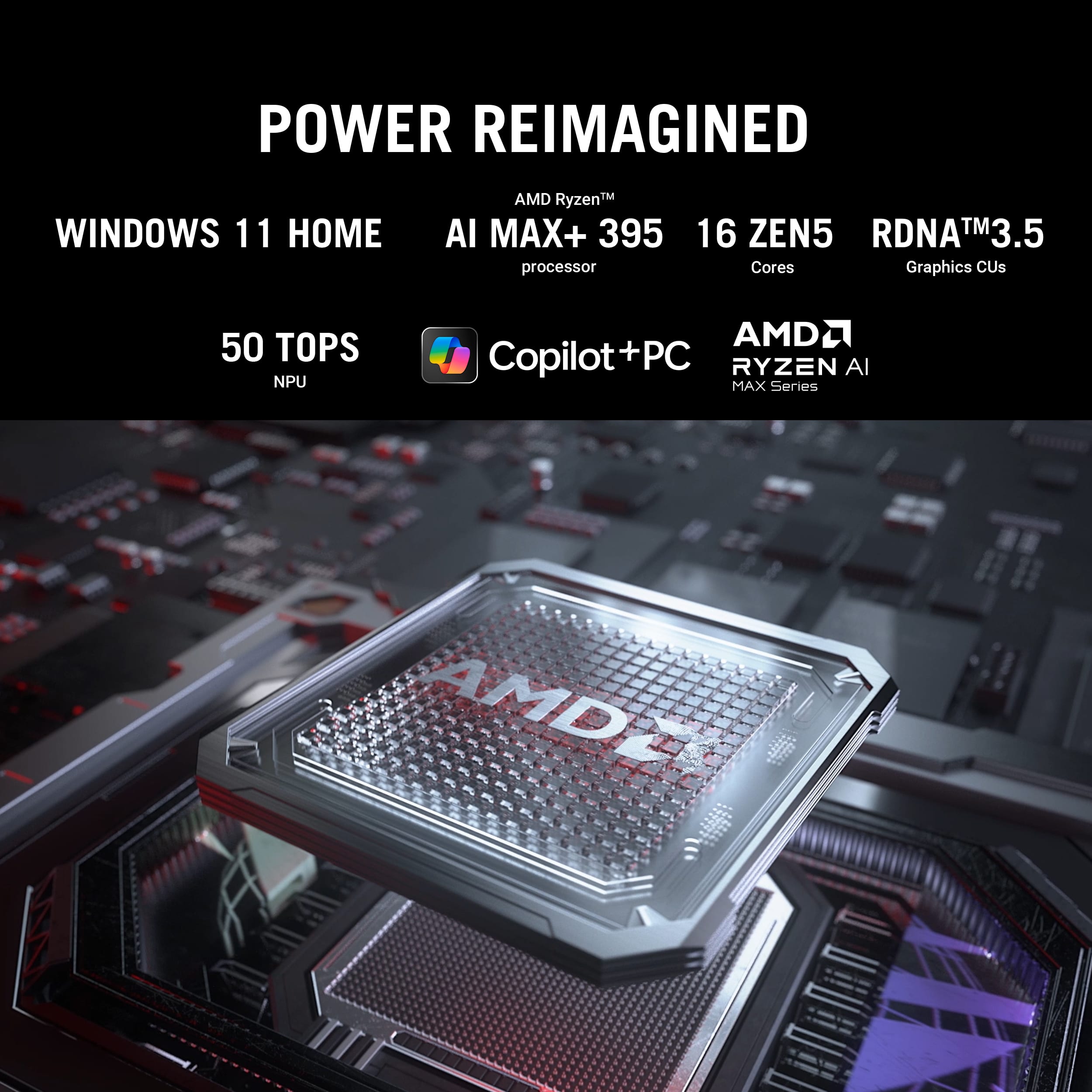
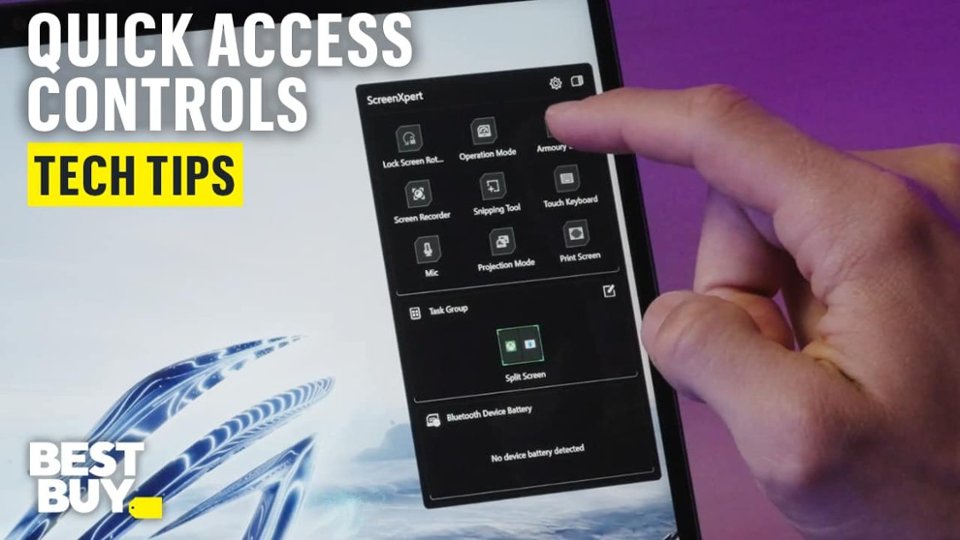
|Posted .This reviewer received promo considerations or sweepstakes entry for writing a review.The ROG Flow Z13 (2025) is a fast, compact, and powerful gaming PC and tablet! Design The back has a window in the form of a slash that lets you see some of the internals of the computer. There are patterns to the ventilation holes too. The stand is very easy to open with a tab that protrudes slightly from the side, at the bottom right corner when you're looking at the screen. If you open the stand far enough, there is a cover that can be removed with a star/torx screwdriver to access the M.2 2230 SSD, in case you would like to upgrade it. I included a picture to show how accessible it is. It's actually labeled "M.2" on it. The speakers sound good, better than I expected for a small device. It has Dolby audio. I was impressed as I used it to watch some movies. The positional audio worked better than I expected. One advantage to having all the electronics behind the display, or vertical, is the vents for the air flow and cooling are on the back and top. So it can sit on a soft surface, like a pillow, and you don't need to worry about overheating. There are more ports than I expected for a tablet device. There are not just more either, but there are some really good ones. I'll talk more about the ports later. At just under 3 pounds, I think it's a little on the heavy side for a tablet, but for a powerful gaming PC with a 13.4" display, I think the size and weight are amazing! The keyboard and touchpad piece snap on very securely and easily to the bottom. You can charge it with a USB C power cord but it comes with a power cord that uses a 200 watt power brick, for full power charging and usage. The power brick has it's own connector too - so you don't need to use one of the USB C ports to charge. The right side also has a power button, volume rocker, and a "Command Center" button that opens "ScreenXpert". ScreenXpert is quick way to see the battery life of connected Bluetooth devices and it has shortcuts to some other utilities. You can also create screen layouts of applications called "Task Groups". Select one, from that very accessible menu, to open the applications you assigned, snapped to sides, corners, etc as you laid them out. It wasn't able to size and position some applications, so it just loads those full screen, but it's a cool way to open a bunch of programs at once time and the size/position seems to work for most programs. Ports Many small laptops and tablets will only give you a few USB C ports. I was excited to find that the Flow Z13 offers more, and in general, very good ports. If you're looking for something small but with enough connectivity options, you may have a hard time finding a better device! Here's what the Flow Z13 has. 2 - USB 4 Type C (40 Gbps), also supports Power Delivery 3.0, and DisplayPort 1 - USB 3.2 Gen 2 Type A (10 Gbps) 1 - HDMI 2.1 1 - 1/8 Stereo headphone/mic 1 - MicroSD Card Slot 1 - Proprietary power connector for the included A/C power adapter (valuable because it's high power and it leaves all the other ports available for use while it's plugged in) - WiFi 7 support (ok, not really a port, but connectivity) I have one other USB 4 device so it's great to have another device that supports that fully, not that I have anything that will push 40 Gbps through right now, but it's nice to see new technologies being supported. And, though it charges more slowly, it's very nice that I can charge this over USB C also, not just with the included 200 watt adapter. It seems to charge very well with a 100 watt USB C connection. Info I saw somewhere said that it needs at least 45 watts to charge, though as I mentioned, I was able to charge it using a 30 watt charger, just very slowly. If you don't use the included charger you'll get messages about it not being high enough wattage to charge in some situations. AMD Ryzen AI Max+ CPU/GPU/NPU The AMD Ryzen AI Max+ 395 confused me, intrigued me, and then blew me away. I'm very impressed! It's the first time I'm aware of that that a powerful CPU, GPU, and NPU were all combined in one processor. I'm not sure but it may even be just the best CPU/GPU combo too. The first thing that impressed me is that other CPUs I have seen that include and NPU seem to have lower core counts than similar CPUs without a NPU. It's like they sacrifice CPU cores to come up with some AI cores. Well. not with this one. Here we have 16 physical cores that give us a total of 32 logical processors for the CPU. Then the GPU has 40 cores, and it sure performed well in games I tried. In addition to that it has a 50 TOPS NPU - which is higher than at least most, maybe all, of the integrated NPUs I have heard of. Then I thought it's probably low on cache, but nope, doesn't look low to me. There's 1.2 MB of L1 cache, 16 MB of L2, and 64 MB of L3. Those are very good numbers compared to many others I have seen. Then there's the RAM. It's available with up to 128 GB of RAM. My version has 64 GB, and I'm totally thrilled with it! Part of what I like about the GPU implementation is how the memory sharing with the CPU works. Every integrated GPU in the past, that I'm aware of, used shared video memory with the CPU and it's automatically allocated and changes as needed. While that's convenient, this let's you dedicate the amount of RAM you want to the GPU instead. Anytime you change it, you need to reboot for the change to take effect. You can select options from 0.5 GB to 48 GB. The options available are .5, 1, 2, 4, 8, 16, 32, or 48 GB. While this doesn't let you pick anything, I think the options are excellent! The fixed allocation with the reboot is apparently done to improve graphics performance, and I think it's a great move. I can allocate a large 32 GB of RAM to graphics and still have an excellent 32 GB for running Windows. Or I can go with the minimum .5 GB of RAM allocated to graphics and have almost all the memory available for running a bunch of virtual machines, for instance. It really provides excellent versatility and very good performance. It's easy to change the amount RAM allocated to graphics from in either the Asus Armoury Crate or the AMD Software: Adrenalin Edition. One odd thing I noticed is that the graphics subsystems seems to confuse some measurement tools, like to see how many frames per second your getting in a game for instance. There were some times with some tools where the results I saw didn't seem correct or it actually didn't give any reading for the fps count. Not a big deal for me but I was interested to see what I was getting. Gaming There was so much I wanted to test, setup, and do with this that I didn't get to play as many games as I wanted, but I've played some great games of EA FC 25 and Star Wars Battlefront II, as well as playing a bunch of other games here and there. It runs everything I try with the highest settings on and it worked well at 4k, using an external display. It seems to do up to 144 Hz at 4k on an external display. I was impressed when I realized one of the settings in FC 25 is actually for hair strand detail, and it handles it - just crazy to me. At 4k with all settings on in FC 25, if the entire screen would move quickly or a bar would slide across the screen, like a white bar slides across at the end or in a break in the game, it got strange for a second, but for playing the actual game, it was no problem and the detail of the players and the field is amazing. You can always play with settings if you want higher framerates. Different tools reported different framerates, one over 100 fps average and the other 59 fps. It felt great playing it, and I was blown away by the detail. I never saw the blades of grass with the white line on before which you can with all detail enabled at certain camera angles. It was noticeably better at 2560x1600 on the built-in display of course, due to lower resolution. Again, that's with everything turned up. Battlefront II was perfect. I didn't notice anything wrong and it was just fast, smooth, and great looking. I played a number of other games that all ran great. This is totally an excellent gaming machine and I can't wait to game more on it! NPU and a Copilot+ PC As I mentioned, the Neural Processing Unit in the AMD Ryzen AI Max+ 395 is rated at 50 TOPS, a performance metric for for AI. My understanding is that a Copilot+ PC needs to be at least 40 TOPS and most, if not all that I have see, are from 40 to 45 TOPS. So I think it's impressive that the NPU is rated at 50 TOPS - though I didn't have a great way to measure. Still, it sounds like it should be a fast one. It's good to see there are more tools being made available that use the NPU or are only available on a Copilot+ PC. "Studio effects", available in the "Quick Settings" menu at the bottom right by the clock, is the first enhancement that I'm aware of. That's still there with options to blur your background, center you in the frame, or make it look like you're looking at the camera - all could be helpful for video calls and should work with any application that uses a camera. In addition to that, new Copilot options are showing up in different built-in Windows tools like Notepad and Paint to help with writing and image selection or editing. I especially like options available in paint for object selection, removal, and more. If you pay, there is image generation built into Paint that you can use too. I had fun playing with CoCreator in Paint. It lets you draw something very rough and it makes it into a nicer picture. There was no fee to use this but I had to download a 1.29 GB "Image Generation Extension" from the Microsoft Store (it offered to download it automatically) to use it. I played with it a little. It made my very bad tree look pretty cool but didn't seem to like a whole scene with a house, tree, a few clouds, and a sun. Anyway, I'm excited that they're starting to implement more tools to add reason to get a Copilot PC.
I would recommend this to a friend- Pros mentioned:Battery life, Processor speed
Must have for on the go gaming
||Posted .This reviewer received promo considerations or sweepstakes entry for writing a review.As someone who games on the go and also needs serious performance for creative work, the ASUS ROG Flow Z13 with the AMD Ryzen AI Max 395 blew me away. Right out of the box, the design impressed me—it’s sleek, sturdy, and surprisingly lightweight for the power it packs. It’s a tablet-laptop hybrid that doesn’t feel like it compromises in either form. Performance-wise, this thing is an absolute beast. The Ryzen AI Max+ 395 chip runs buttery smooth even under heavy multitasking. I’ve edited 4K video, played demanding games like Cyberpunk 2077 and Baldur’s Gate 3, and toggled between apps without a single hiccup. The integrated Radeon 8060S GPU actually surprised me—it handles modern titles at high settings better than I expected from a machine this compact. The 2.5K 180Hz Nebula Display is stunning. Colors are rich, motion is fluid, and the touchscreen response is super snappy. Whether I’m gaming, sketching, or watching content, the screen never disappoints. And paired with the detachable keyboard, it truly feels like I’m carrying a top-tier laptop that can transform into a creative tablet in seconds. One thing I really love is the AI performance. I’ve started using a few AI-assisted tools for editing and workflow optimization, and the built-in NPU handles them locally without draining the battery or lagging the system. Battery life is solid considering the specs. I get about 8–10 hours with light use, and closer to 4–5 during intensive sessions. Cooling is handled well too—quiet fans, minimal heat buildup, and it stays comfortable on my lap even when I push it hard. Bottom line: the ASUS ROG Flow Z13 with Ryzen AI Max 395 is the most versatile and powerful device I’ve ever used. Whether you’re gaming, creating, or just need a high-performance daily driver, this machine delivers. It’s pricey, sure, but in my opinion, worth every penny.
I would recommend this to a friend - Pros mentioned:Overall performance, Portability
Best 2 in 1 laptop
||Posted . Owned for 2 weeks when reviewed.This reviewer received promo considerations or sweepstakes entry for writing a review.I needed something super portable for travel and school that wouldn't compromise on heavy computing power, and this thing absolutely nails it. The combination of the Ryzen AI chip and 64GB of RAM handles heavy data workloads and multitasking without breaking a sweat. Plus, the 2.5K 180Hz screen is insanely smooth and sharp. It's easily the best mobile powerhouse out there. Pros: Crazy Portable: Super lightweight tablet form factor that fits perfectly in a small bag for travel or class. Beast Performance: 64GB of RAM and the new AMD processor handle everything effortlessly. Beautiful Screen: The 180Hz display is gorgeous and incredibly fluid. Cons: Battery Life: Packs a ton of power, so it drains fast under heavy use. Keep the charger close. Lap Use: The kickstand design is awesome on a desk, but a bit awkward to use directly on your lap. 1TB SSD: Fills up pretty quickly if you have huge files or a big game library.
I would recommend this to a friend - Pros mentioned:Overall performanceCons mentioned:Weight
Pricey but a unique form factor
||Posted . Owned for 3 weeks when reviewed.This reviewer received promo considerations or sweepstakes entry for writing a review.I've been eyeing up the z13 Flow 2025 model for over a year. I've always wanted a surface like form factor but with more gaming capabilities. I mainly play indie games and slightly older AAA games on a steam deck and this has put that to shame and replaced my aging desktop too. If you're thinking that you'll just use this as an iPad or other tablet, be aware that it's much heavier than those devices. Cons: - 2230 nvme drive. It would have been nice to see a 2280 size instead - no pass through USB c charging to bypass the battery, can only do that with proprietary DC port.
I would recommend this to a friend - Pros mentioned:PortabilityCons mentioned:Weight
Good computer, but not what I needed
||Posted . Owned for 2 weeks when reviewed.This reviewer received promo considerations or sweepstakes entry for writing a review.I’m a I’m a digital artist and therefore have some specific needs when I buy a computer. I I thought this computer would fit the bill, because it’s a two in one and has a lot of power. I felt it was well worth the purchase price save for a few things. The first is the power cord plugged in on the screen portion of the the computer, making it easy to snag on anything that may be near it. It is an inconvenient arrangement which hopefully will be fixed a future iteration. Second, the screen portion of the computer is also the portion that carries the hardware, making it awkwardly heavy. When trying to set up the kickstand, it’s easy to lose control of the screen portion, and that means the screen or hardware of the computer could be easily damaged by having it fall against the table you’re working on. I ended up bringing this computer back, not for these reasons, but because Windows 11 and Adobe Photoshop don’t work as well together as Adobe Photoshop and the MacOS. So, I ended up getting a Mac instead.
I would recommend this to a friend - Pros mentioned:Overall performance, Processor speed
Cool Concept, Confusing Value: ASUS ROG Flow Z13
||Posted .This reviewer received promo considerations or sweepstakes entry for writing a review.This device left me scratching my head — it’s both impressive and frustrating. Pros: Design: The kickstand hinge and motherboard glass lighting are genuinely cool touches. Display & Input: The screen is decent, the keyboard feels good, and the trackpad is serviceable. Performance: The Ryzen AI Max+ 395 is stellar, and the software experience is better than average. Ports: Adequate for a compact device. Cons: Screen: In 2025, a 13.4" 2.5K panel at 180Hz feels underwhelming at this price point. Glossy, odd refresh rate, and not competitive. Usability: Despite the specs, stutters were frequent. And, while the overall performance was much better than the LEGOZ1E SteamOS I had before, it just never WOWED me. Functionally, it just wasn’t my cup of tea. Price: At $2K, the value proposition is baffling. For the same money, you could buy a proper gaming laptop with an RTX 5070 Ti and get triple the performance. Bottom Line: The ROG Flow Z13 is a weird product. It has some neat design elements and strong silicon, but the screen, usability, and price make it hard to recommend.
No, I would not recommend this to a friendBrand response from ASUS Answers
Posted .Dear USMC2007,
Thank you for sharing your experience with the ASUS GZ302EA gaming laptop. We apologize that the product did not fully meet your expectations, particularly with the display and system stuttering issues. Your feedback regarding the design, usability, and performance is very valuable, and we will ensure it is passed along to our product team for review.
In the meantime, we recommend the following troubleshooting steps in the FAQ guide linked below to help address the stuttering you experienced. If the issue continues, please contact our support team at https://www.asus.com/us/support/CallUs so we can assist you further or arrange repair service if necessary.
We stand behind our products and continuously strive to improve our products and processes to achieve customer service excellence. For more information, email us at customerloyalty@asus.com and include the case number "N2506008238-0007" as a reference. We will do our best to resolve your case quickly. Your feedback is very important to us and enables us to improve our support channels. Thank you for choosing ASUS.
Best Regards,
Chantae
ASUS Customer Loyalty US Support
[Windows 11/10] Troubleshooting - Resolving System Error Messages or Unresponsiveness (Freeze/Black Screen/White Screen during usage) - https://www.asus.com/support/faq/1038855/
- Pros mentioned:Overall performanceCons mentioned:Screen quality, Weight
Best mobile device of 2025
||Posted .This reviewer received promo considerations or sweepstakes entry for writing a review.This device is insane. I run it connected to a dock with multiple monitors and this dosent even flinch. Runs everything I play at 70+ fps while being able to be a completely silent tablet that performs when needed. it runs: Cyberpunk at 100fps high settings, raytracing off fsr+frame gen on Oblivion remake at 120fps+ in dungeons and 70+ open world on high Tekken 8 high settings, 4k 60fps and never drops below 58fps during play. In. A. Tablet. Its insane. There are a few caveats: 1 the drivers need some work. Certain things glitch here and there. Its nothing major but definitely there. 2 its heavy for a tablet. It weighs a tad bit more than a 14in macbook pro. Makes it a bit unwieldly as a tablet but still usable with a little practice. Overall, this is probably the best mobile device thats coming out this year.
I would recommend this to a friend - Pros mentioned:Overall performanceCons mentioned:Screen quality, Weight
Amazing BUT...
||Posted . Owned for 3 weeks when reviewed.This reviewer received promo considerations or sweepstakes entry for writing a review.Pro's Thin for a 2in1 Amazing screen Decent speakers Good keyboard Good build quality (besides the top near vents creeks) Very good performance on most games Very fun to use Con's Heavy for a tablet Gets hot when at full power and loud Has some driver and power related problems like being stuck in silent mode when it should be in turbo etc Windows 11 is garbage
I would recommend this to a friend - Pros mentioned:Overall performance, Portability
Extremely powerful and quiet tablet / laptop
||Posted .This reviewer received promo considerations or sweepstakes entry for writing a review.The ROG Flow Z13 is an extremely portable and capable gaming laptop. The laptop is much quieter than the SCAR 17 I own when gaming, and it can play many games with reasonably high framerates. If you play competitive FPS titles, however, you might encounter minor perf issues. For example, CS2 needs some tweaking to get AVG FPS to close to 180, and the 1% low isn't ideal at around 80 FPS. This issue can be alleviated switching to the performance power mode in Amoury Crate, but in that case, you will be missing AMD's power plan from the chipset driver, as it will only be installed to the "Balanced" power plan. Hopefully, ASUS can fix this issue in the future with a software update. Display: The display is vibrant, bright and has good viewing angles. However, the black levels are atrocious which is expected from an IPS panel. Hopefully ASUS can seriously upgrade the Flow Z13's display next year to at least 240Hz, ideally an OLED. Connectivity and ports: The MTK Wi-Fi module is much slower than Intel's Wi-Fi 7 modules, but most people probably won't reach the around 2Gbps limit of this MTK module. The tablet has just two USB-C ports and one USB-A port which can be annoying, so buyers be aware. Overall, I think the Flow Z13 is a very interesting product and an ideal choice for those who need portable gaming tablets or laptops. It has some flaws, but none of them are deal-breakers.
I would recommend this to a friend - Pros mentioned:Overall performance, Portability
GREAT FOR WORK AND LIGHT GAMING!
||Posted . Owned for 3 weeks when reviewed.This reviewer received promo considerations or sweepstakes entry for writing a review.The ROG FLOW fits into a category of its own. Highly responsive and so compact it can be used anywhere. Including the airplane for those who travel. A perfect set up for those that would still like to play games on medium settings or so and still have a power house for work. The price is the only thing stopping this set up from being a 5 star. For its price at the moment, that's a large amount for something that can do the same for cheaper is all.
I would recommend this to a friend - Pros mentioned:Battery life, Portability
All the power you could want - anywhere, anytime
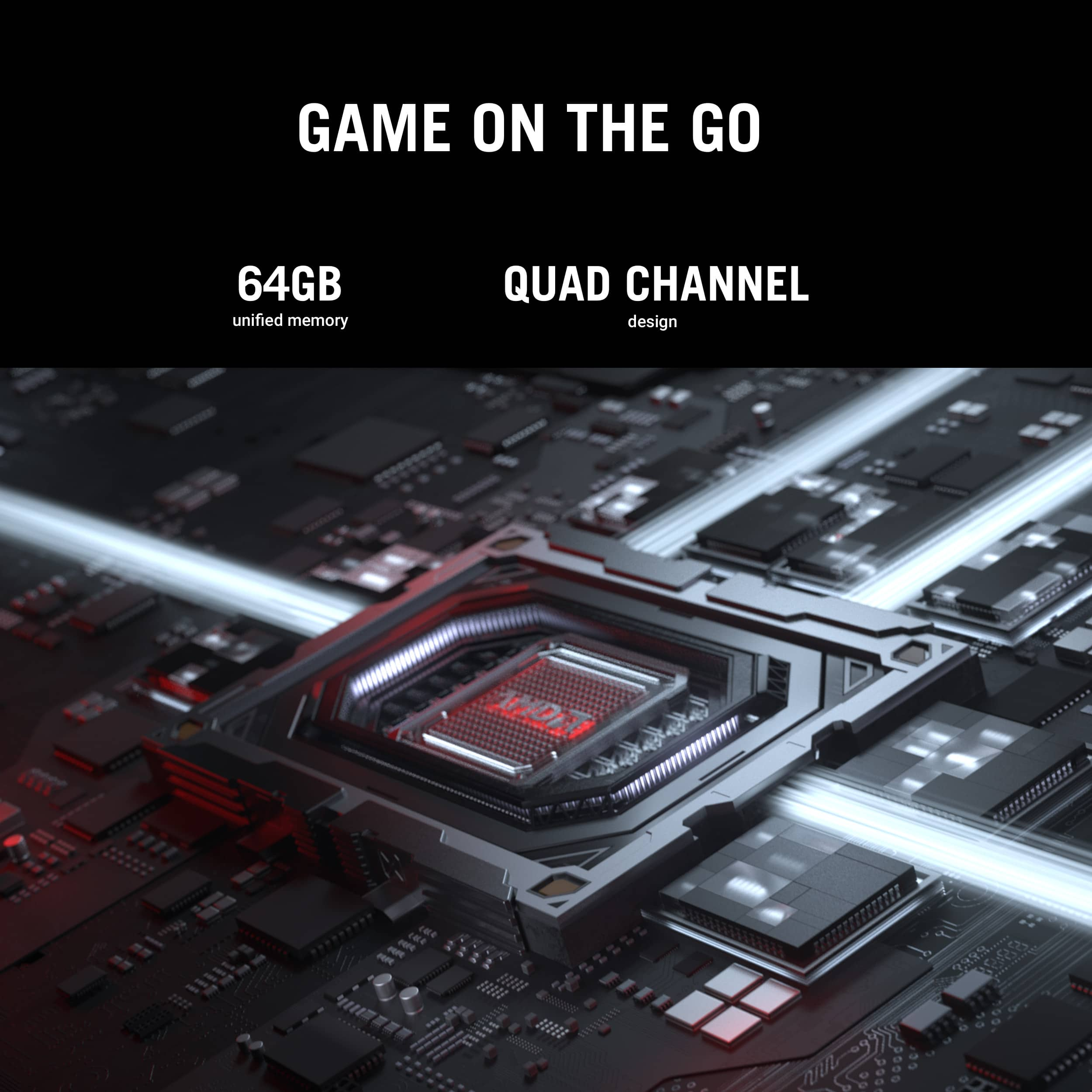
||Posted .This reviewer received promo considerations or sweepstakes entry for writing a review.I've long been a fan of the "tablet" form factor for PCs (aka the detachable 2-in-1 or any other name that it goes by) having previously owned a Surface Pro and found it highly flexible for use on the go. But while there were several options for devices in this category for business / office use, they tended to lack the umph needed for gaming or even serious computation. The prior iterations of the Z13 series from Asus tried to fix that, adding a discrete gaming GPU but they were underpowered and impacted battery life signficantly even when not gaming. Today all that changes with this model, the 2025 ASUS ROG Flow Z13. With the Ryzen AI Max+ 395 CPU you get powerful compute capabilities (16 cores and 32 threads), super fast RAM (this model has 64GB at up to 8000 MT/s and QUAD channel for lots of bandwidth) and integrated graphics that actually do rival (and in some cases best) actual gaming GPUs like the RTX 4060. All that in a slick package that can go anywhere (even if the cooling needed makes it a BIT heavier than competitors) and has a battery that's actually capable of 6-7+ hours without any special consideration - and 8+ hours if you configure it correctly. The tablet is an amazing performer. On SILENT mode when unplugged, you can get over 6,000 points in timespy which blows away (nearly double) handheld gaming PCs like the ROG Ally X. Plugged in and in turbo, you're about 10,000 points which is 4060 territory. Better yet, with the fast RAM and plenty of it, you can set an allocation of 8GB, 16GB or more to the iGPU. This not only improves gaming performance, but also lets you load large AI models directly into the graphics memory for much better performance in things like local LLMs. (I can get 13tok/sec in Qwens 14B coder model when unplugged and on silent which is outstanding.) Build quality and cooling is superb - I love that it exhausts the hot air out of the top of the tablet which would nearly always be pointing out, up and away from you. The keyboard and touchpad are really nice to work on and the whole package just feels well sorted. It is a bit heavier than recent Surface Pros, but is packing a lot more puch. On thing to note - and this applies to all PCs of this type - it is hard to truly use them on your laps due to how they balance. The Flow Z13 is a bit better in that regard but not much - the kickstand and keyboard cover just take more space on a lap or desk than a clamshell type laptop. But with a bit of planning, it's not a big deal and you do get extra portability here. So if you're looking for a road warrior type device that can game or run large scale AI models, look no further, this is a great PC to have around for those use cases and more!
I would recommend this to a friend - Pros mentioned:Overall performance, Portability
Almost perfect.
||Posted . Owned for 3 weeks when reviewed.This reviewer received promo considerations or sweepstakes entry for writing a review.Good device. Niche device realistically. And I love mine. Wanted a small device but didn’t want iOS/android os. Soft 4/5. Updated drivers and WiFi still shotty when pushing its capabilities. Obviously anything gaming will have lackluster battery life but it’s manageable when not pushing it and I use a 20w charger while at work (usb-c). Works like a dream. I’m fortunate enough to supplement with a G18 5080. G18 is simply too bulky. Flow z13 is mainly for light work (and obv portability, which I often take to work) and I game mostly on my Series X or the G18. Sure I could’ve gotten a g14/thinkpad but you buy what you want with your money. Enjoy it. I’m enjoying mine.
I would recommend this to a friend - Pros mentioned:Battery life, Portability, Processor speed
Portable power house.
||Posted .This reviewer received promo considerations or sweepstakes entry for writing a review.The Z13 Flow 2025 is an extremely portable and power computer. It is great for software developers and gamers on the go. The additional RAM and AI MAX+ 395 CPU has makes it possible to run AI models locally. Gaming performance has been excellent allow it to run the latest games at medium to high settings with the right configuration. The battery life and efficacy had been greatly improved over the previous 2023 model. There is no other package like it in this form factor.
I would recommend this to a friend Expensive, but comprehensive Student Dream Machine
||Posted . Owned for 5 months when reviewed.This reviewer received promo considerations or sweepstakes entry for writing a review.I have been using this device for over 5 months now, and have previously used a 2024 Microsoft Surface Pro 13". Compared to a surface pro 2024 13" with the Snapdragon X Plus (10 Core): + Exceptional Power when needed for gaming or other applications (CAD, Video processing, ect) + Exceptional Power efficiency when on battery and doing classwork/light load applications (OneNote, Word, Ect with Surface pen [Pens work on this device, even if not with full functionality, the buttons]) + Great Display + Native app compatibility (The Ryzen Ai Max+ 395 is an x86 native processor, no emulation layer here) + Has a USB-A Port + Has a Headphone jack + Has an HDMI Port - Slightly less max endurance on low demand applications - Is thicker and heavier On the ASUS website there are the claims that "Compact is the new impact" and "Game with the power of a full fledged gaming PC" To my observations those claims have been pretty spot on. For reference I only game on 1080p. I do not have a 1440p or above display. Then again I prioritize higher frame rate and stability over a super-sharp picture. 1080p games are more than enough for my enjoyment personally. My older gaming PC that I used to game on had a Ryzen 7 5800X and a MSI GTX-1070 (yes quite the bottleneck) Despite that I was still able to run just about every harder-to-run game in my library (Space Marines 2, Helldivers 2, Battlefield 6, DCS) at 1080p at 120Fps with dips only here and there when things were getting ridiculous. This tablet can do the same if not better overall than that computer. On battery it cannot game for long but for around 1.5 to 2 hours you can play a lighter weight game like an indie title on the go. That is still significantly better than the surface pro who could not even open most indie titles due to compatibility issues even with the emulation layer. Of course plugged in is where the machine can draw 140 watts and really shine in performance and be the gaming machine it advertises to be. Running battlefield 6 maxes out the GPU when using monitoring software (AppControl), but the game will almost always run at 120+ FPS with drops only happening when a hacker somehow makes a million explosions happen at my feet or someone trolls me with a bunch of C4 packs and it'll only happen for a quarter of a second. Helldivers 2 runs near flawlessly on Medium Settings at 1080p. 120+ FPS almost all the time. Only on somehow the worst situations like 4 380mm calls on Cyberstan will things start to dip below 120, with GPU usage still hovering around 80%. During Gaming temps can spike to 91C, however once the firmware detects the spike and responds accordingly by increasing the built in fans, in my room which can sit at 74F with the ceiling fan on, the temperature will stabilize to 80-84C. So even when playing AAA titles this machine will stabilize at a pretty good temperature. I've had a gaming laptop that would stabilize at 94C so this is a major improvement compared to that. So we know that it can perform to the level of a Gaming Desktop. One from over 4 years ago, or a lower end one with modern parts. Why do I like this device so much? It is for that "Compact is the new impact" statement, the fact that it is a tablet. In a classroom setting, using Armory Crate software and monitoring the power drain whist taking notes in class, power drain ranged from 8 - 12 Watts while typing and writing using the Surface Pen in Onenote. Starting off at a 80% charge in class, this thing can get over 6+ hours of battery life in a classroom setting. Even in the longest class sitting I've been in, I have not zeroed out the battery. Sure there are gaming laptops with more power than this ROG Z13 Flow for the price, but they have clamshell designs, you can't just rip off the keyboard then use it like a tablet. But with the ROG Z13 Flow you can. Using this thing for 5 months I have had zero urge to get a more powerful gaming laptop. This device takes the place of a Surface Pro 13" and a Mid-Low end gaming desktop at home. Fitting in a backpack, I don't need to run through rush hour just to get a fix of games before getting back into the mix of school. And if on demand a friend wants to play games with me while I'm at their house, I can game with them on this device right then and there without having to run home. So there is my long spiel. This device, as many youtubers have covered, is at bare minimum 2,000 USD. It usually runs higher than that. But for the price we have a tablet with a CPU/GPU combo that can scale from 8-12 watts of power to 140 Watts max power usage, which is what makes this little guy so versatile, it is not locked in one realm of power all the time. It can be power efficient or power hungry depending on what needs to be done. I believe that if you are a student on the go and need a device for school but also like gaming at 1080p, this is truly a dream machine.
I would recommend this to a friend