Customer Ratings & Reviews















- Model:
- GZ302EA-R9641TB
- SKU:
- 6619196
Rating by feature
- Battery Life
Rating 4.0 out of 5 stars
- Speed
Rating 4.8 out of 5 stars
- Display
Rating 4.6 out of 5 stars
Customers are saying
Customers highly value the product's incredible overall performance and portability. They also appreciate its amazing battery life, fast processor speed, ample RAM, sleek design, sufficient port count, and effective heat dissipation. However, some users have raised concerns about the device's build quality, noting creaking near the vents. Additionally, its weight is considered heavy for a tablet, and fan noise is mentioned as a minor issue.
This summary was generated by AI based on customer reviews.
- Pros mentioned:Overall performance
Excellent Creative & Gaming PC
||Posted .This reviewer received promo considerations or sweepstakes entry for writing a review.This is a desktop class power house in tablet form. It plays every game I throw at it and rips throw photoshop/lightroom and premiere projects. Excellent Metal build quality to boot!
I would recommend this to a friend - Pros mentioned:Overall performance
Great tablet overall.
||Posted .This reviewer received promo considerations or sweepstakes entry for writing a review.This is most powerful tablet for this year, period. The 64G version is the sweet spot for anyone who want future proof and powerhouse but don't want to overspend for the 128G model.
I would recommend this to a friend - Pros mentioned:Battery life, Portability, Processor speed

A Very Capable Mobile Gaming Device
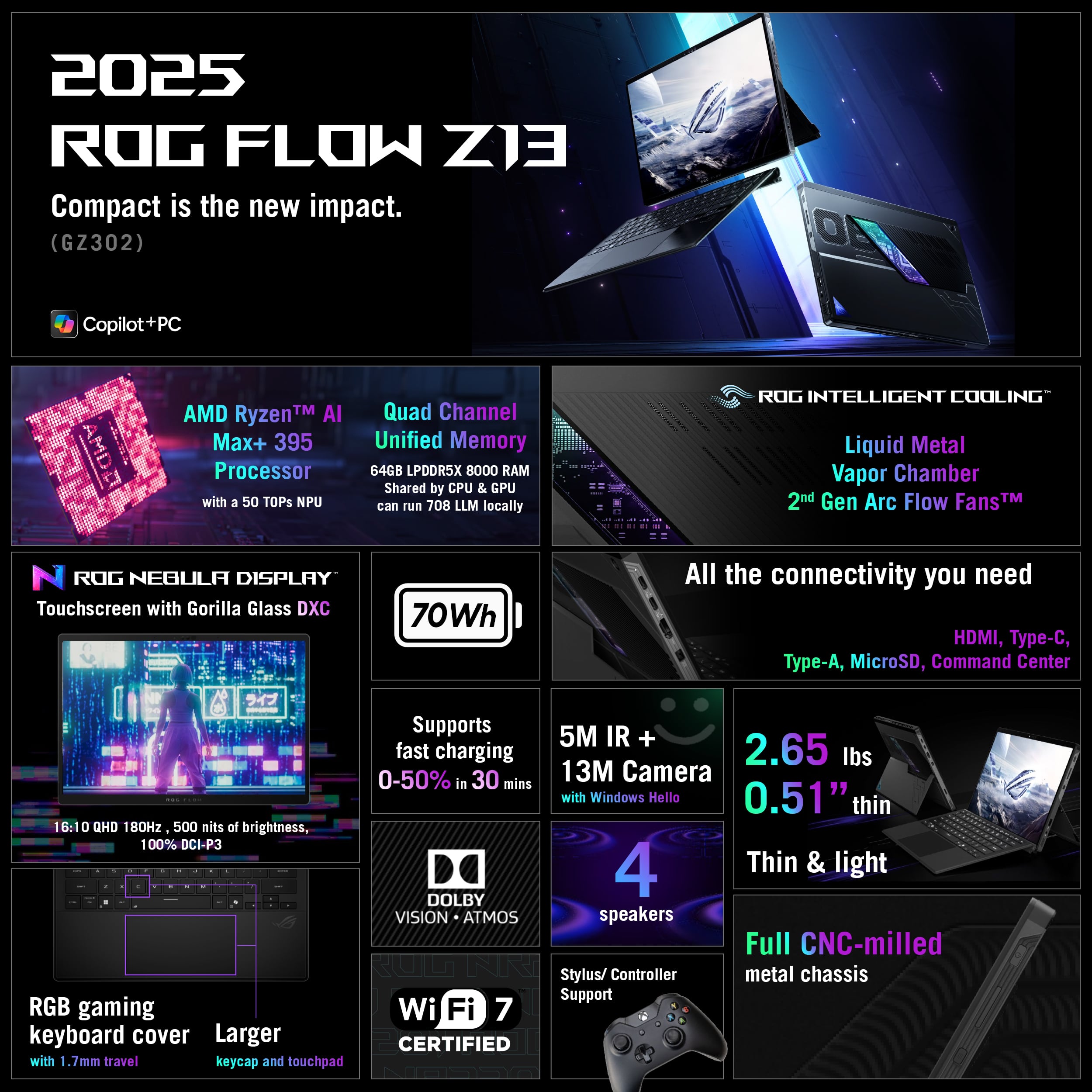
|Posted .This reviewer received promo considerations or sweepstakes entry for writing a review.The ROG Flow Z13 with the AMD Ryzen AI Max+ 365 chip is one of the most interesting mobile computing device of 2025. I have had a great experience with a laptop powered by AMD Ryzen AI 9 365 chip from last year, but this Z13 model surpasses its performance. Simply put, the ROG Flow Z13 offers a desktop with dedicated GPU experience, all from an integrated chip. This notion alone makes it a compelling choice for mobile gaming enthusiasts. The ROG Flow line up separates itself from a typical gaming laptop by way of its design and functionality. The Flow Z13 is a convertible device by being both a true windows 11 tablet and a laptop with detachable keyboard. The device uses a back stand to support itself and it is a very well thought out back stand in terms of design and durability. The device has multiple connectivity options. Wifi 7 and Bluetooth 5.4 are there so local wireless streaming to VR headsets such as Meta Quest 3 and Apple Vision Pro should be more reliable when using Wifi 7 router. I’ve been using various devices to play PC games: desktop PC, handheld gaming device, and gaming laptop. I’m now gravitating toward using the Flow Z13 to play games more than on my other devices. I like the fact that the keyboard is detachable, it makes couch gaming with a game pad roomier. I’ve seen people using a modified gamepad to make the Z13 the largest gaming handheld on the market, but my preference is using a dedicated gamepad. I’ve been playing AAA games (Helldivers 2, Red Dead Redemption 2 and Starfield) in max settings with Ray Tracing and have been getting great results. I did not use frame generations when playing these games, which is quite out of this world to think how capable an integrated chip can perform these days. Please see the FPS reports in the picture. This is the kind of performance that I would’ve been getting out of a desktop setup with an RTX 4060 GPU. I set graphics memory manually to 16 GB and have been pleased with the results thus far. I am also happy to see that the device gives me consistent performance, which is attributable to the excellent heat management system. There was no throttling even during long gaming sessions. The heat is dissipated through the upper part of the device, which makes the device feel cool when placing it on the lap. With this kind of performance, I am confident that the Flow Z13 will become my main portable gaming machine for a few years to come. I like it so much that I wouldn’t care to get the AMD Z2 Extreme chip gaming handhelds coming up in a few months. The Z13 fits in my sling bag and lets me game anywhere with a keyboard and mouse, or a gamepad. A third-party accessory lets you mount the Z13 on a gamepad, turning it into a powerful handheld PC. The convertible device has multiple connectivity options from USB-C, regular USB port, HDMI port, as well as a micro-SD card slot and a headphone jack. There are also front and back cameras. Interestingly, the device uses proprietary port to charge, and the charger is thankfully about the same size and weight as that of a midsize gaming laptop. The device can be charged through USB-C Power Delivery protocol, in which case it will lower the TDP of the device thus barring the use of the turbo mode. Even in the Performance mode the device is already powerful enough to run AAA games. Battery life is about average modern gaming laptop. With Asus smart charging feature enabled and 70% screen brightness, I get over 5 hours of battery life for business tasks and movies. For heavy gaming, battery life drops to under 2 hours, similar to most modern gaming laptops. With ‘the best power efficiency’ feature being turned on by Windows, expect more than 6 hours of battery life. The screen quality is great. It is not OLED but I have no complaints as to the quality, brightness, and resolution. It is a bit glossy to my liking despite it being a Gorilla Glass 5 screen, so I put on an anti-glare matte screen guard and it worked really well. It’s a pleasure watching movie on the device. It is also a touch screen device that supports Windows pen. I’ve been using third party Windows pen and it works really well to take handwritten notes. This is what separates the device from normal gaming laptop as Windows pen support benefits creative artists. Audio quality is a tiny bit above average at best. It’s not bad but it’s not that great. I’ve heard much better sound from other Dolby Atmos laptops. The important thing for me is that when playing high intensity multiplayer games, audio works well and sounds good enough to win the game. The keyboard attachment works well and offers performance comparable to other premium convertible devices. Typing and gaming are both responsive. The touchpad demonstrates accuracy, and the keyboard includes RGB lighting that can be adjusted through the Armory Crate app. Out of different variants of the ROG Flow Z13, this 64 GB model hits the sweet spot. The RAM is not upgradeable so choosing the model with the right amount the first time is very important. It is worth mentioning that the graphics processing unit shares memory with the RAM, however, user can allocate the amount of video memory on their own. I set mine to 16 GB of video memory so there’s 48 GB of RAM left available for the system. This setting works well for Ray Tracing games. Since this device is my primary mobile gaming device, I have upgraded the memory to 2 TB capacity even before setting it up for the first time. The upgrading process is relatively easy since Asus provides the option to completely restore the computer to factory setting, right from the cloud, which can be accessed through the BIOS menu. On my final note, the device is thicker than other Windows convertible devices and it may be as thick as a medium size gaming laptop. However, even when we factor in the weight of the power brick, the whole package is actually still lighter than carrying a 14-inch gaming laptop. Also, the versatility of it being a gaming laptop, a Windows tablet and the ability to convert it into a handheld gaming device all in the same device, makes it a unique mobile gaming device on the market today. Most importantly, this is a very powerful device that can do serious computing tasks such as video editing, running AI functions related tasks, or intense AAA gaming. Pros: 64 GB of RAM Awesome performance Convertible design Excellent heat management system Can transform into a handheld gaming device with the right accessories Upgradeable storage and SD Card slot Back camera Third-party accessories support Cons: 1 TB of storage Thick Not so compact power brick with proprietary port Cannot upgrade RAM
I would recommend this to a friend - Pros mentioned:Battery life, Portability, Processor speedCons mentioned:Screen quality, Weight
Most Powerful & Portable Gaming Laptop
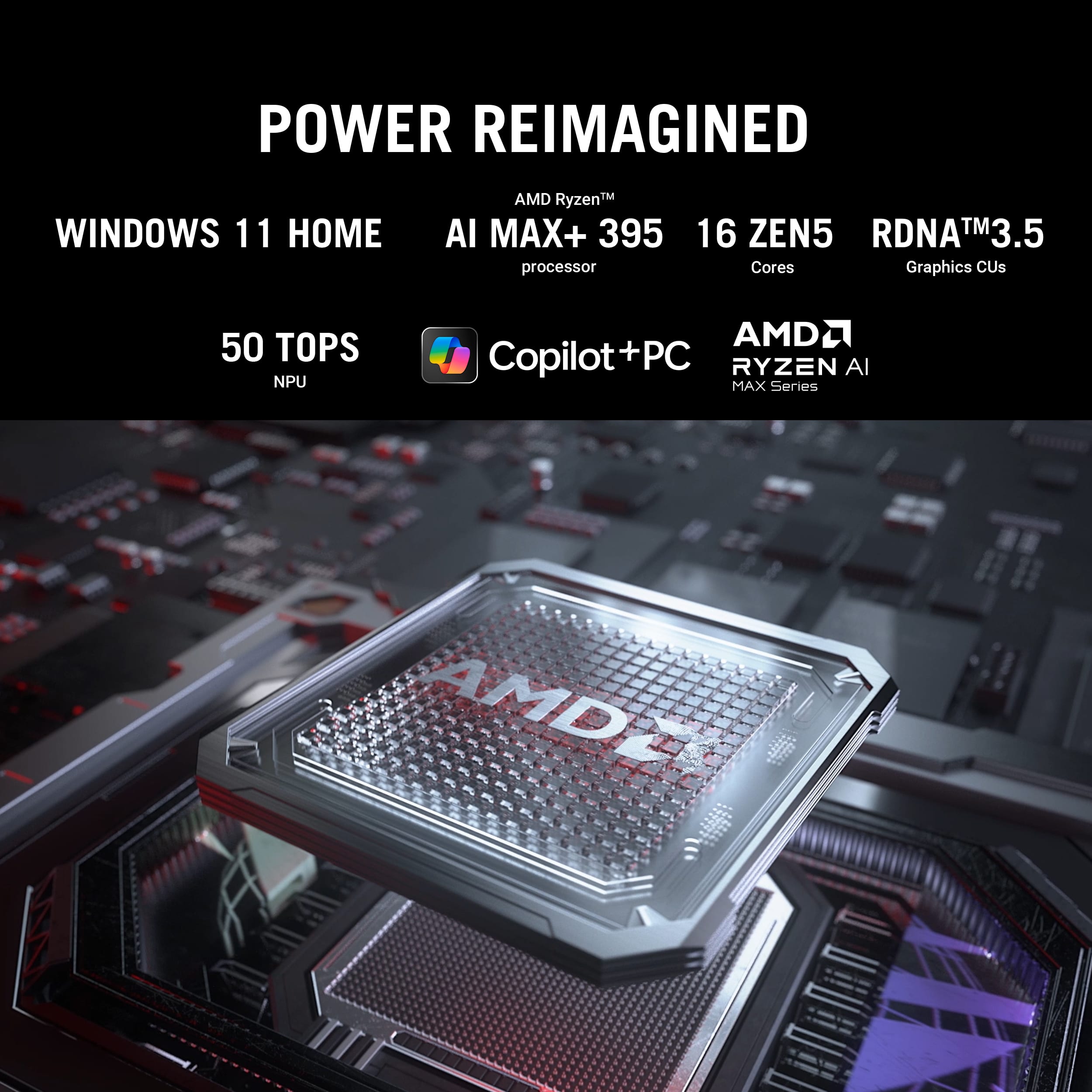
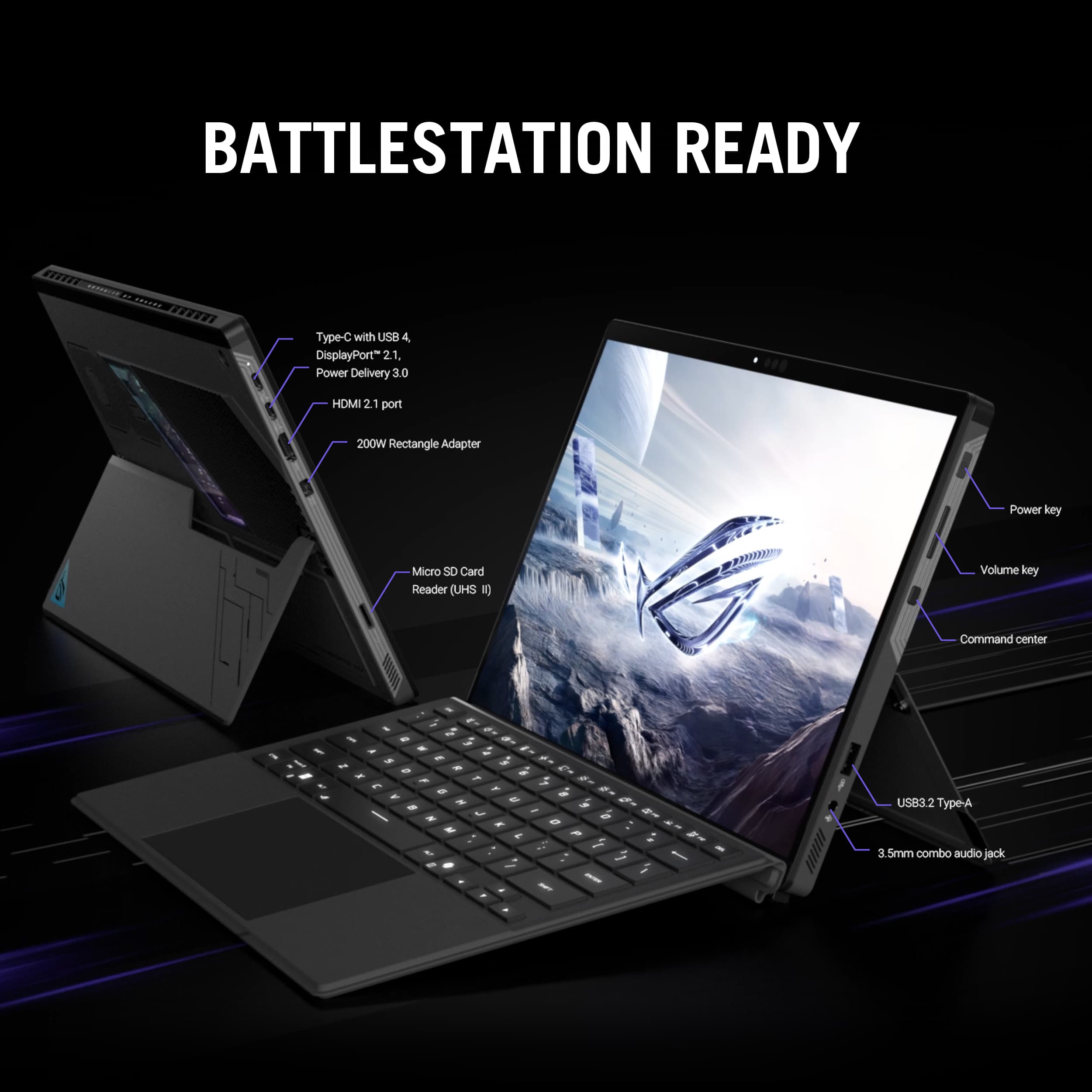
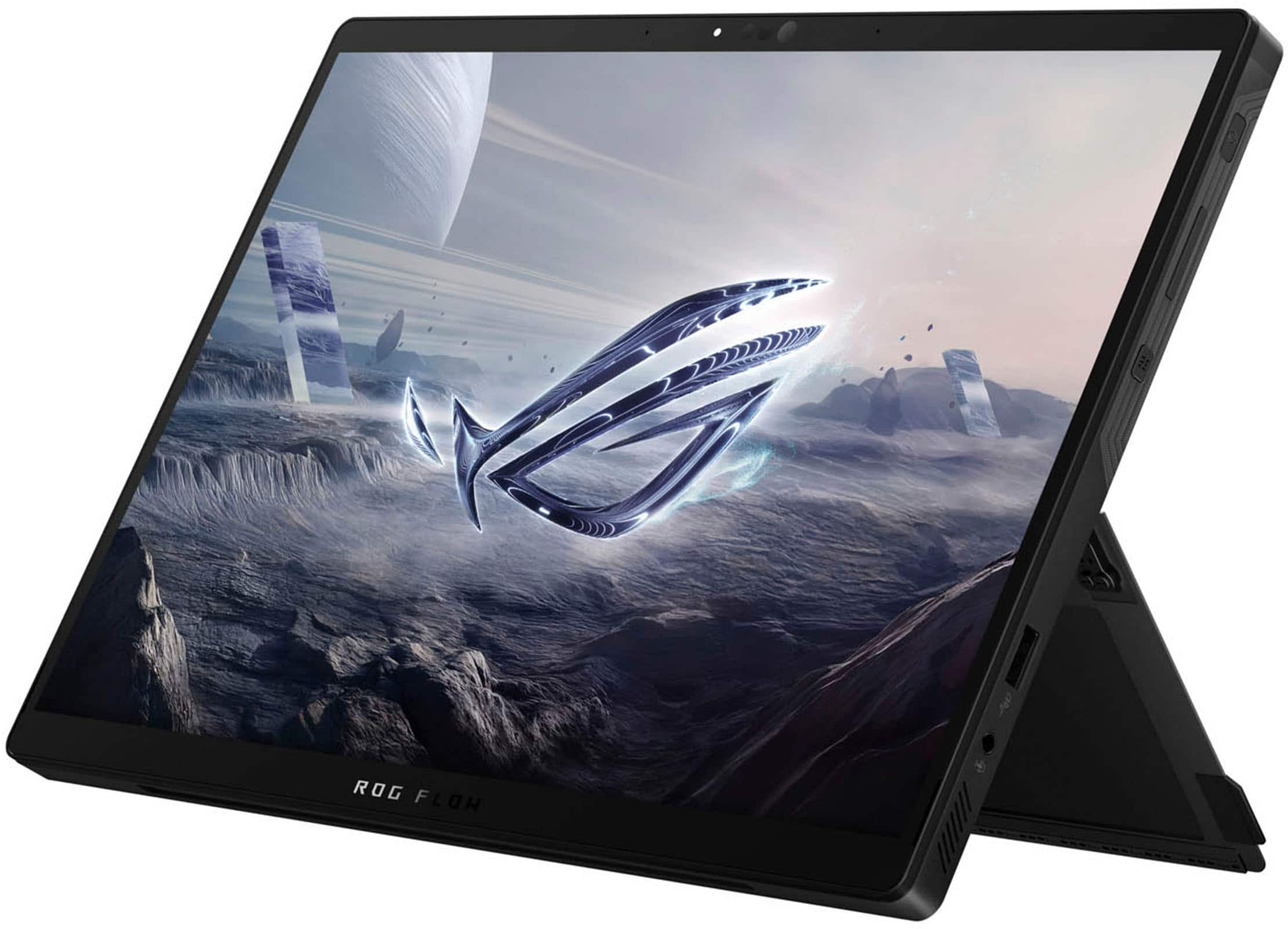
|Posted .This reviewer received promo considerations or sweepstakes entry for writing a review.Is it a laptop or is it a tablet? ASUS uses the term interchangeably on its product page so I’m not sure either. It’s a tablet form factor for sure, with an integrated kickstand and detachable keyboard, but its capability and performance aligns more with a laptop. While it’s thicker than a typical tablet it’s a fraction thinner than the ASUS G14, widely considered one of the most portable and compact gaming laptops on the market. Officially, ASUS weighs it at 2.65 lbs, however with the keyboard attached it is 3.56 lbs, according to my scale. It will easily fit in any bag that a 13” iPad would and somehow ASUS managed to give us an impressive array of ports including 2 USB Type-C 4 ports (40Gbps) that support DisplayPort and Power Delivery (up to 100w), 1 USB Type-A 3.2 Gen 2 (10Gbps), a full-size HDMI 2.1 port, a 3.5 audio jack, and a UHS-II microSD card reader. The CPU, the AMD Ryzen AI Max+ 395, provides a whopping 16 cores and 32 threads. It is an incredibly powerful processor and the fastest I’ve ever seen on a Windows laptop. And it shows, as my experience with the Flow Z13 has been snappy, with games loading quickly. Both single core and multicore scores in the Geekbench 6 benchmarks are high, but the multicore is incredibly impressive, easily beating larger laptops and even mid-upper tier desktops from last generation. GeekBench 6 Single Core: 2904, Multi-core: 18694 The GPU is an integrated Radeon 8060S that’s built on AMD’s RDNA 3.5 architecture with 40 Compute Units. The 64GB of system RAM is shared and you can configure how much RAM you want to dedicate to the GPU, up to 48 GB, which is more than what you’ll find in a discrete desktop card. All-in-all, it’s amazing and it’s one of the best options for integrated graphics in 2025. I have found that the performance is on par with the laptop version of the RTX 4060 with one exception: ray tracing performance is poor. It also does not support AMD’s latest version of FidelityFX Super Resolution, or FSR 4, which is exclusive to RDNA 4 architectures as those haven’t made it to integrated GPUs yet. However, it does support FSR 2, for upscaling, and FSR 3, which adds frame generation which can dramatically improve the gaming experience in titles that support it. There’s also RSR, short for Radeon Super Resolution which can be used for older titles or any games that do not natively support FSR. My 3Dmark Time Spy benchmark scored 10,522. All of the games I played on this device, a mix of old and new, were playable: Rocket League is an older esports title and typically runs well even on older hardware. I had a blast playing this with the Highest Graphics options and saw well over 100 FPS. Shadow of the Tomb Raider is an older game that is still demanding and doesn’t support a lot of the newer graphics cards features like FSR, but I was able to play it on the “High” preset and average 60 FPS. Cyberpunk will take a massive performance hit with ray tracing enabled so I would suggest to leave it off. With FSR 3, I was able to get 70 FPS on Ultra. Medium is a more enjoyable experience and will get you closer to 90 FPS. In Borderlands 3 I clocked 57 FPS with the in-game benchmark on the “Ultra” preset. Borderlands is a great candidate for upscaling, however as another older title it does not support FSR natively. What you can do is set the in-game engine to be a lower resolution, like 1920x1200 and then let the AMD Adrenalin driver upscale it with RSR which yields a significant improvement, and I certainly could not tell a difference in graphical quality while playing. In Halo Infinite, I played on “High” in some multiplayer matches and never saw any performance issues with the framerate hovering around 60-70 at native resolution. A recent release, F1 25 struggled on “Ultra High” to get anything above 20 FPS. Switching to “High” got it playable at 66 FPS, mostly because that preset disables ray tracing. When I enabled FSR 3 with frame generation I was able to play at a nice 110 FPS. Doom Dark Ages is a fast-paced FPS that I really enjoyed on this tablet. As a newer game it supports most new graphics features (and even requires the latest AMD graphics driver) and it picked the best settings automatically. Fortnite is also a demanding game if you crank it up to the Epic preset which was too much for the Z13. Keep ray tracing off and while it’s playable on the High setting I had the best experience on medium. Diablo IV automatically set itself to Low, but I changed it to High and had no problem throwing fireballs at monsters and collecting gold in the campaign at around 90-100 FPS. Finally, one of my favorite games of the year, Indiana Jones and the Great Circle, played like a champ at the native resolution in cinematic mode. While the 1TB NVMe SSD is fast, those games listed above were all the games I could install at one time, as they completely filled up the drive. However, in a change from the last version of the Z13 you can now upgrade the storage easily as there is a little access port behind the kickstand. This is welcome and I’ve already ordered a 2TB drive. In addition to gaming, I also do some AI research. Now the most exciting part of this laptop for AI is that you can allocate up to 48GB of RAM to the GPU, allowing you to load much larger models, even more than the best discrete consumer GPU on the market, the NVIDIA RTX 5090. However, there’s a reason NVIDIA is one of the most valuable companies in the world right now and that is because their hardware dominates anything with AI. There is limited support for AMD especially when it comes to working with tools like PyTorch. To us PyTorch and AMD hardware you need Linux which I did install but still could not get any of my training scripts to run likely because the 8060S iGPU is just too new or not supported at this time. At least you’re able to access the latest Copilot features in Windows 11 such as the controversial Recall, Cocreator, Live Captions, Click To Do, AI Search, and Windows Studio Effects. You can also take advantage of Copilot with the dedicated key next to the space bar. What’s impressive is it does all of this with great power efficiency. In my battery test, I looped a Youtube video at half-brightness and 50% volume for 6 hours and 49 minutes. I was able to play Doom Dark Ages on battery for almost 2 hours in Performance mode. Disconnecting the power adapter does not seem to impact performance other than the laptop only allows you to use the silent or performance fan profiles. In fact, I saw no difference in performance on any game whether I used the battery, a USB-C power adapter or the 200w power brick it comes with. Overall, the battery life is good but nothing revolutionary. You will still need a power outlet nearby if you want to play for a considerable amount of time. The display is good, but I’ve gotten so used to playing on OLED displays that I notice the difference here. It’s easily my biggest disappointment with this device. The resolution is good for this size, and the refresh rate at 180Hz is adequate. Text is crisp, however, colors seem muted to me and while it does support Dolby Vision for video content the lack of HDR for gaming content is a bummer. The keyboard and trackpad are not as bad as I feared they would be. It is a folio keyboard cover like most other tablets but it’s much better than the keyboard on the last Surface Pro that I used or an iPad. The keys have a decent amount of travel and the keyboard is sturdy. That said, for long gaming sessions I still prefer a separate gaming keyboard. Which is a joy to use I might add as I can just remove the folio keyboard and tuck my own keyboard right beneath the screen. Pros: - Compact Tablet Form Factor - Gaming and AI Workstation - Integrated Kickstand - Includes Keyboard Cover. - Excellent CPU and NPU power w/ RYZEN AI Max+ 395 - Integrated Graphics Powerhouse – RADEON 8060S APU - Power Efficient w/ decent battery life - 2.5K 2560x1600 High Resolution Touch Screen - 64 GB of Quad-channel LPDDR5X 8000 Mhz (Shared with VRAM) - Configurable Video Memory – up to 48GB - Same Gaming Performance on Battery Power - 2.1 HDMI Out - MicroSD card slot - Upgradable NVMe M.2 2230 SSD - Quiet Fans - Fast 1TB SSD - Wifi 7 / Bluetooth 5.4 Cons: - No OLED or Gaming HDR - USB-C PD max at 100w - 200w Proprietary Power Brick Overall – this is the most powerful tablet on the market. It is hands down one of the most exciting devices I’ve ever owned as it can do it all and go anywhere. If you prioritize portability over all else, this is it.
I would recommend this to a friend - Pros mentioned:Overall performance, PortabilityCons mentioned:Weight
Winning Combination
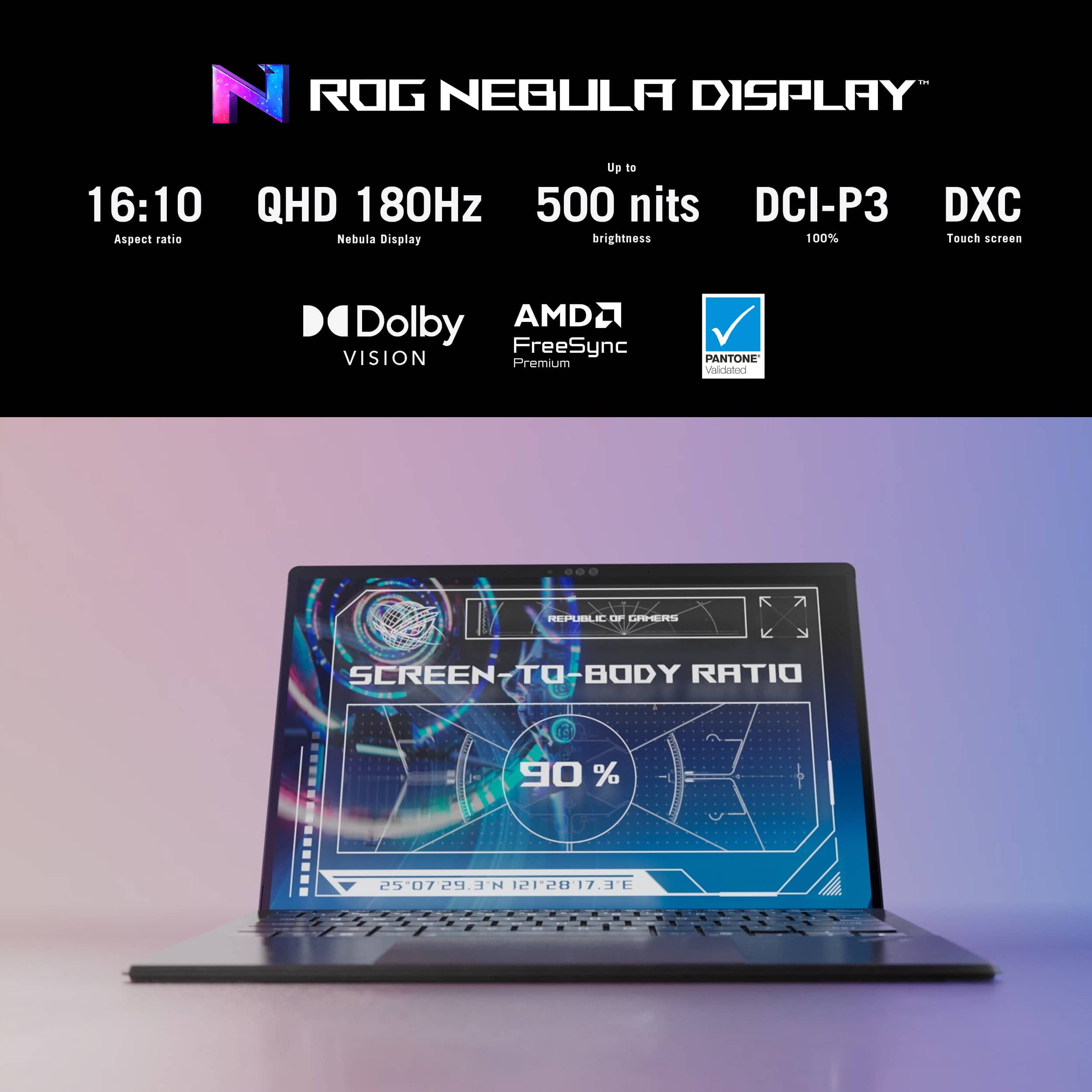
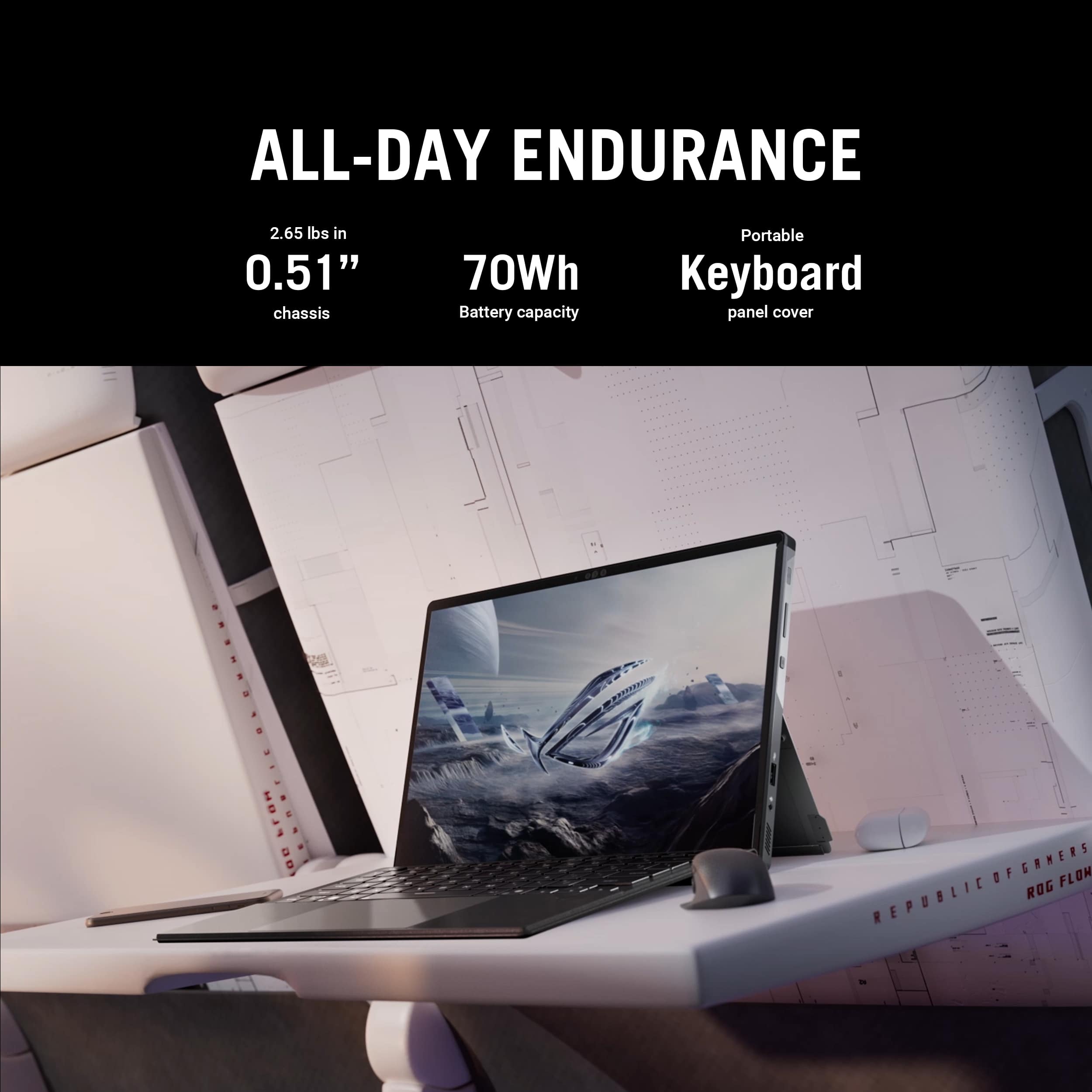
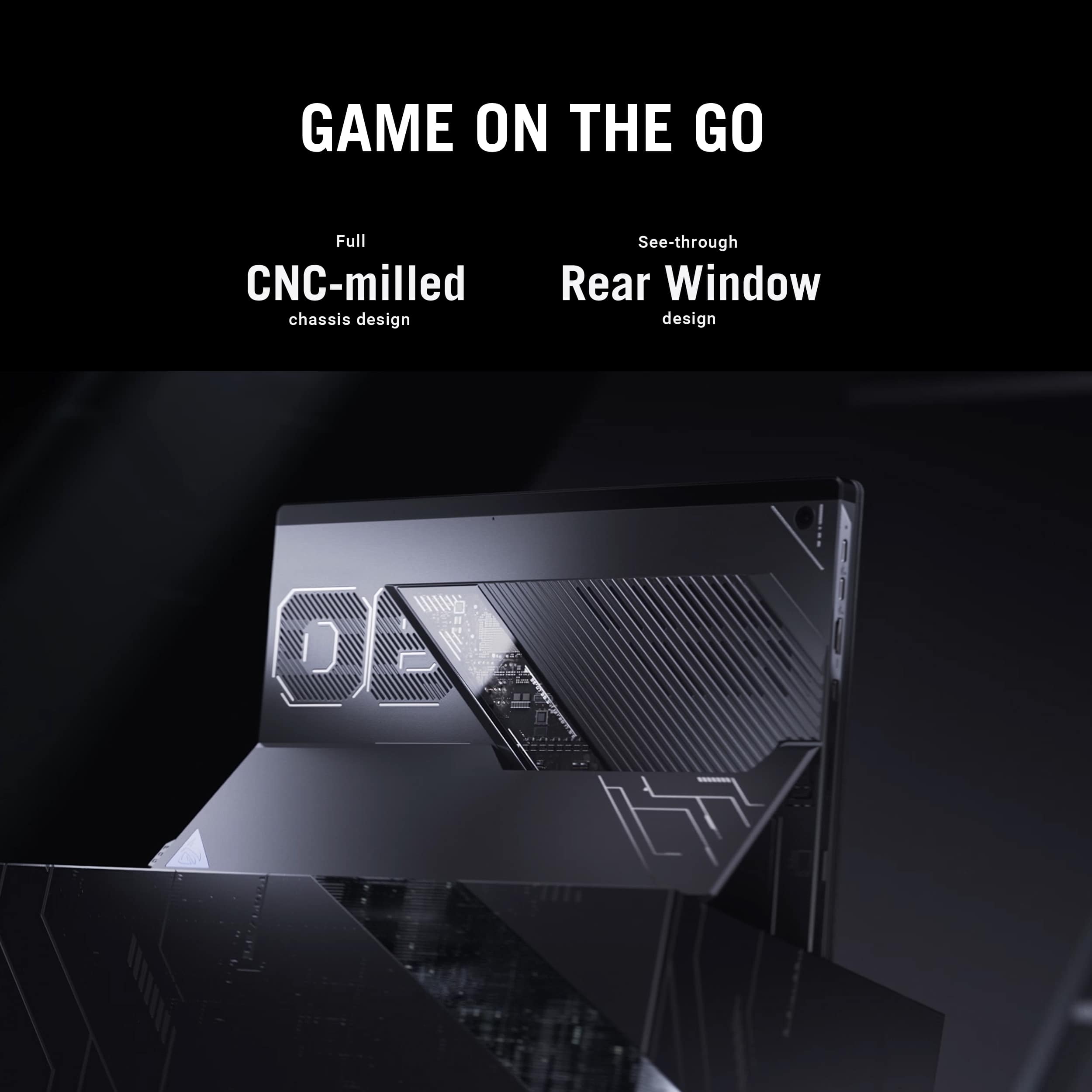
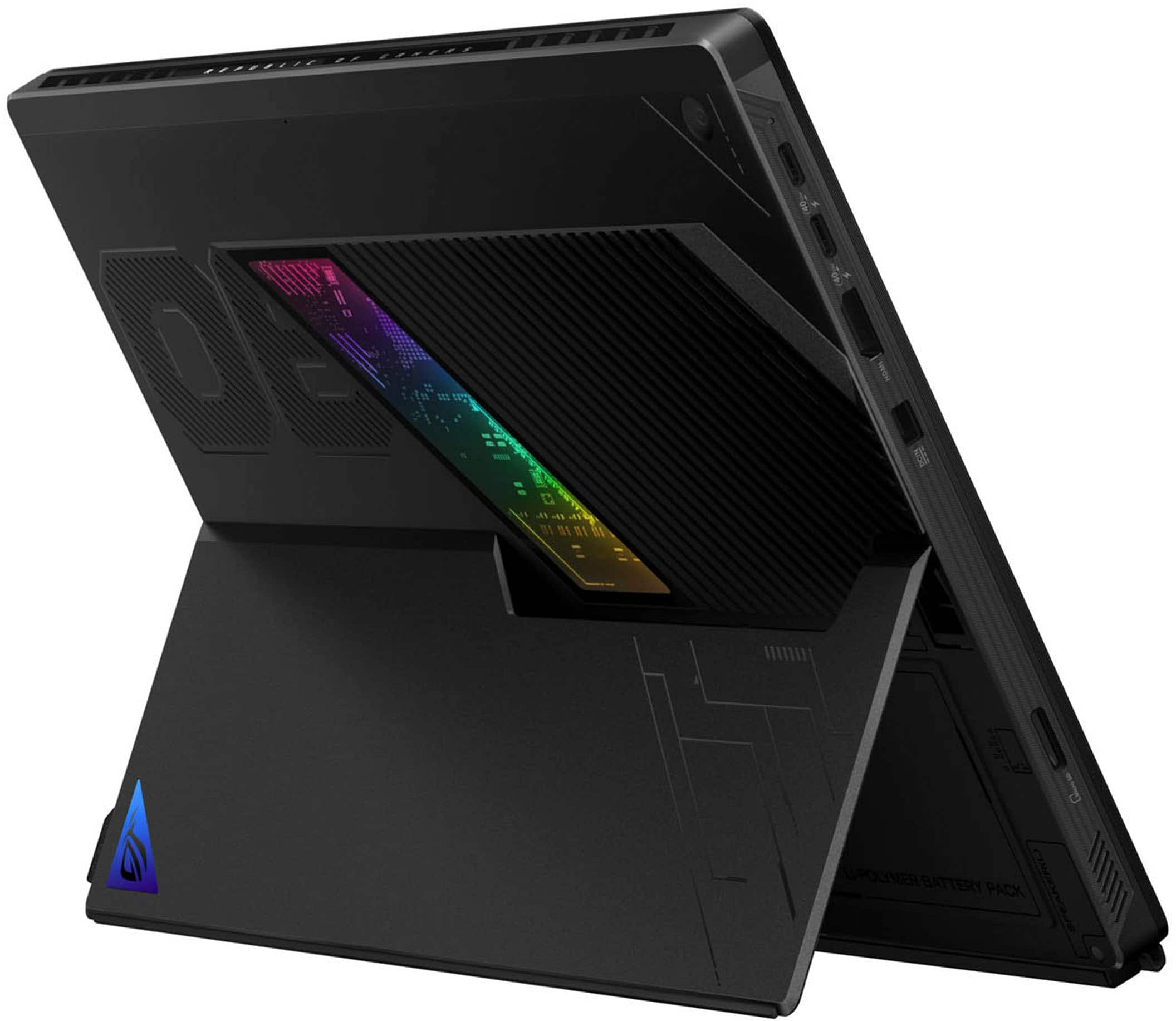
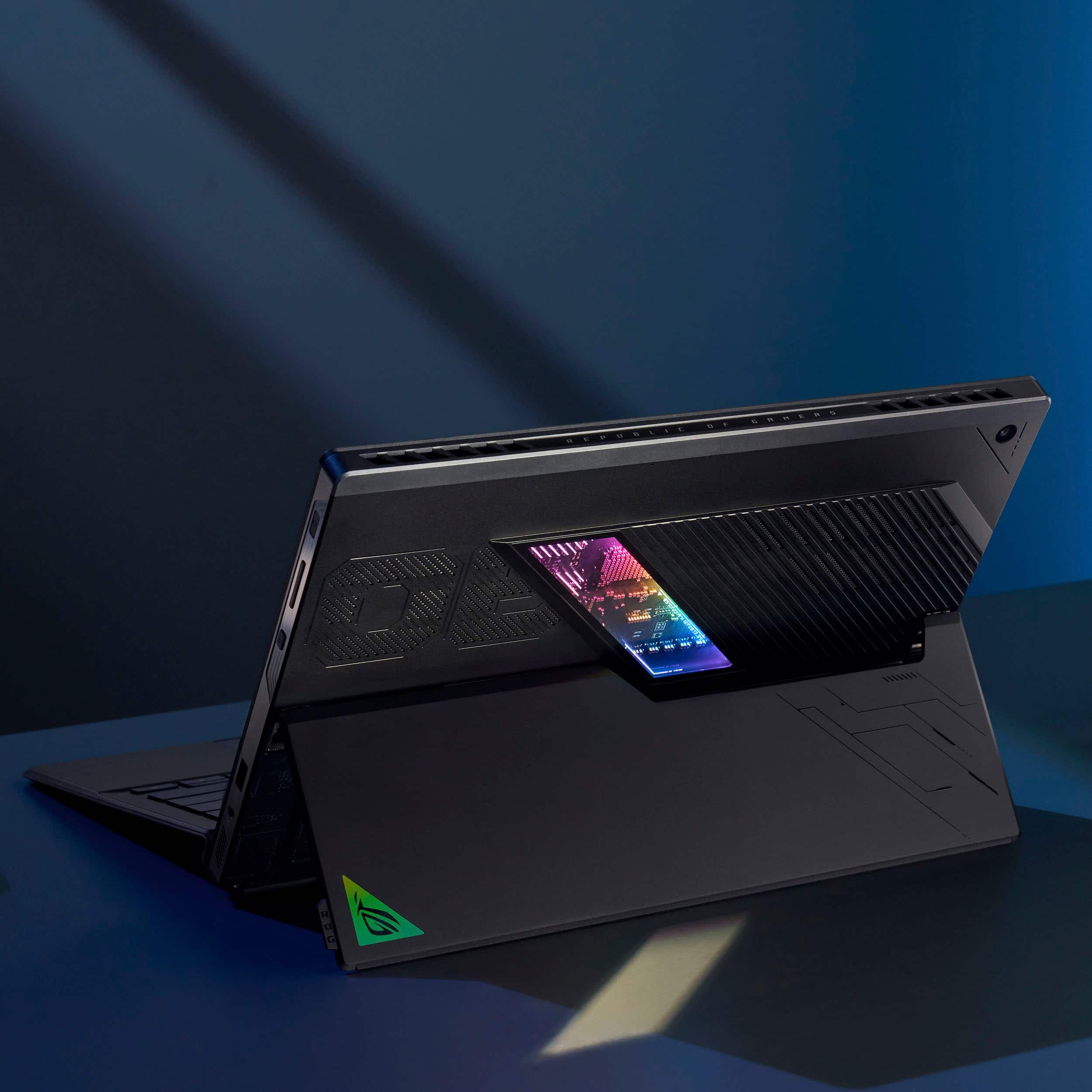
|Posted .This reviewer received promo considerations or sweepstakes entry for writing a review.The ASUS ROG Flow Z13 is a unique device, combining one of the strongest mobile processors on the market in a compact tablet form factor. After unboxing, the first thing that struck me was the build quality of the Flow Z13 with a CNC-milled chassis and leather feel of the cover. The design is striking, without being overly gamer focused, with a lighted window to the impressive hardware within. The RGB can be disabled, though the mirror finish on the window is not exactly discrete. The tablet is thicker and heavier than expected, but feels solid and is forgivable considering the thermal envelope they are providing in a relatively compact package. I/O on the Z13 is almost perfect, with a excellent assortment of ports. The Flow Z13 provides a full-size HDMI, full-size USB 3.2 type A, 3.5mm audio jack, two USB 4 type C ports, microSD, and ASUS proprietary DC input capable of 200W. The only complaint here is the PD over USB C is 3.0 and limited to 100W, so it doesn't fully utilize my 140W USB C charger. However the included charger, albeit a bit bulky, works great and is easy to use with their proprietary reversable connector. The front facing 5MP Windows Hello camera performed login tasks well and could be used for meetings, assuming you can get it angled right. The rear 13MP is useable in a pinch, but any cellphone from the past 3 years takes better photos and videos. Battery life is both good and terrible, depending on your usage. For light productivity, it is possible to not need to charge it all day. If you add in any heavy lifting that this APU was made for such as Amuse or AAA gaming, and the 70wh battery can be depleted in a little over an hour. I found if I settle on balanced mode and adjust the display brightness, I can play most AAA games on Steam with around 2 hours of battery life. The Z13 Nebula 13" touchscreen may not be OLED, but it is a fantastic LCD boasting 500nits peak brightness and 1500:1 contrast ratio. The 2.5K HDR display has a nice 16:10 aspect ratio and 100% coverage of the DCI-P3 color space, providing vivid and accurate color reproduction. There is some light bleeding on the edges, but it is forgiven as it is otherwise a great display. The display is plenty bright but I would have liked it to get a bit darker, for night time usage. As a tablet with a kickstand, the device is somewhat awkward to deploy and takes up a larger footprint on a table. Adjusting the angle of the screen is a two handed endeavor, whereas a laptop form factor can easily be adjusted with one hand. The detachable keyboard cover is backlit with configurable RGB and typing on the Z13 is surprisingly good. The keys have decent travel and are quiet, especially when laying the cover flat on a surface. It supports two positions, with it magnetically attaching to the Z13. The magnets are strong and takes considerable force to fully detach from the Z13, though it does not have a battery or Bluetooth and won't work unless physically connected. The default angled position is comfortable and great for typing, however the trackpad clicking is quite noisy when elevated in this position. Naturally it supports tap gestures, but I tend to physically click the trackpad out of habit which can be distracting if working in a shared space. The trackpad is large and works fine otherwise, but it would have been nice if it was haptic to provide a premium feel in what is otherwise a nice keyboard cover. Armoury Crate is also on tap with the dedicated side button, which provides not only full customization of the RGB lighting and dynamic wallpapers, but you can adjust VRAM and easily change performance modes. ASUS has several applications and services running to provide different functionality, UI elements, and promote ease of use. I would prefer less services and application dependencies, but there are also lightweight 3rd-party tools that offer similar functionality, minus the animated wallpapers. Performance is impressive, with the Ryzen AI MAX 395+ playing any AAA game I could throw at is with minimal adjustments to the graphical fidelity. I even could increase the quality in many games, in some cases running them at maximum settings at 30fps or 60fps+ depending on game. Sitting on the couch in silent mode with a controller and the keyboard removed or folded back makes for a great experience. Playing Cyberpunk, Crysis Remastered, and Horizon Zero Dawn in 1200p with high graphic settings and low fan noise is a great experience even with the limited battery. Plugging it in and connecting it to a TV opens it up even more allowing you to utilize the full power of the chipset on turbo mode without being drowned out by the fans which is also a great way to play, adding to the versatility of the device. With 64GB RAM, I could allocate half to VRAM and easily run local AI such as stable diffusion with Amuse and LLM with Jan; both performed great and it is impressive what can be run on such a small device. Though the Flow Z13 does compromise in some areas in order to provide a truly unique device, it is by far the most portable and powerful gaming tablet on the market, even beating out larger gaming laptops. It is hard to beat the capability of this device, combing amazing AI and gaming performance with the convenience and portability of a tablet.
I would recommend this to a friend - Pros mentioned:Battery life, Overall performance, PortabilityCons mentioned:Fan noise, Screen quality
Desktop Class Power in a 2 in 1
|Posted .This reviewer received promo considerations or sweepstakes entry for writing a review.The ASUS ROG Flow Z13 (2025) isn't just another gaming laptop it's a bold experiment in what a powerful laptop can be the latest hardware is in the idea of a detachable 2-in-1 from ASUS. This means it can be a tablet and a laptop at the same time and be as powerful as a desktop. I can tell you exactly what makes the Flow Z13 great, where it shines, and where it falls short after spending a lot of time with it. The Flow Z13's design is quite modern and made for gamers, which makes it stick out right away. The black magnesium alloy frame feels strong but light (around 2.8lbs). There is a clear glass panel on the back with RGB lights that can be altered to give it a unique ROG design. The strong metal kickstand lets you see from many various angles, so you can use it comfortably on your desk, couch, or even your lap without restricting airflow or making your legs too hot. You can take the keyboard off and put it back on with magnets Even though it's not as stiff as a regular laptop keyboard its surprisingly good for typing, The touchpad works but it's not as smooth as the ones on ultrabooks. It's excellent that this little device offers two USB-C(Not Thunderbolt), HDMI 2.1 port, USB-A port, headphone jack and a microsd card slot. it's easy to get to the SSD to upgrade it. The design of the ASUS ROG Nebula Display is one of its outstanding features, With its 13.4inch 2.5K (2560 x 1600) IPS panel has a nice refresh rate of 180Hz and a response time of 3ms. It also covers 100% of the DCI-P3 color gamut, which makes it great for gaming and creative work. The colors are really close to how they look in real life and the brightness can go up to about 500 nits. Whether your editing images or playing fast paced games, this makes for a pleasant and immersive experience.The touch sensitivity is great and you can use a stylus with it (although it doesn't come with one). The 16:10 aspect ratio of the display is perfect for both work and watching content.The sound is okay but not great The two speakers are good for everyday use but they don't have enough bass or volume for serious music. The real magic happens within the Flow Z13 The AMD Ryzen AI Max+ 395 processor in this chip has 16 cores and 32 threads and can run at speeds of up to 5.1GHz. It also includes RDNA 3.5 graphics with 40 compute units built in. It can be hard to detect the difference between normal CPUs and specialized GPUs. With 64GB of LPDDR5X RAM and a speedy 1TB PCIe Gen 4 SSD, the Z13 is a huge beast for its size. For a 13-inch device, the performance in recent games is very good. Most new games will perform at 60 to 100 frames per second (FPS) on high settings with a resolution of 1200p to 1600p More difficult games can need more adjustments to run at their best. AMD's FSR 3.0 frame generation can boost frame rates by a lot more, this Z13's built in GPU is the finest in its class thanks to its unified memory architecture that lets you adjust how much RAM is used for graphics and system activities as needed. This is a great option for AI jobs and creative chores like coding, editing photographs, and editing movies. This system is small, but it can run massive language models on its own, which is not something that happens very often. The device is ready for new AI jobs because it works with ASUS's OMNI AI assistant and Windows 11's Copilot+ PC capabilities. The Z13 has a sophisticated cooling system that includes vapor chambers and polymer capacitors built by ASUS. This keeps the Z13 cool and quiet, even when it's working hard and You can hear the fans when they are on Turbo mode, but most of the time they are quiet. The battery life is good for a gaming tablet because it has a big battery and doesn't use a lot of power. If you use it for a mix of things, it should last about 6 to 8 hours. If you play games for a long time, it won't last as long. It's great that you can charge it with USB-C because it makes it easier to carry. ASUS Armoury Crate and Windows 11 Home are both included with the Z13. With this, you can quickly select between Silent, Performance, and Turbo modes. The Command Center button is a great addition that lets you quickly get to input switches and performance presets without having to go through menus. Tablet mode is fantastic since it has a great keyboard on the screen and touch controls that work well. The device can instantly switch from being a tablet to a laptop, so you may use it for work and play. The Flow Z13 is bit pricey especially considering it includes a lot of high-end features You have to pay extra for new ideas and the flexibility to move them around. The ASUS ROG Flow Z13 is a superb hybrid device that turns a tablet into a gaming laptop without losing too much. It's great for people who need a place to be creative and a portable gaming device or for people who want to see what can be done with a 13-inch 2 in 1. The Flow Z13 is a great choice for photographers, developers, and gamers that want something that can perform a lot of things and is convenient to take with them.The Z13 is the only laptop on the market currently that has the right amount of power, portability, and flexibility.
I would recommend this to a friend - Pros mentioned:Battery life, Overall performance, Processor speedCons mentioned:Fan noise, Screen quality, Weight
Flowmygoodness this thing is legit!
|Posted .This reviewer received promo considerations or sweepstakes entry for writing a review.TLDR - The 2025 version of the ROG Z13 Flow is a whole new experience for me. Heavy for a tablet, but light vs the average gaming laptop. Great screen, crazy performance, ok folding keyboard, easily upgraded SSD (quick 2230 SSD, reads around 7GB/s and writes 6GB/s max, very fast for a 2230 sized drive). GPU - This *tablet* has an iGPU that rivals $250-300 desktop GPUs, which is multiple times faster than any other current iGPU. (I’m not much of an AI user, so I set the dedicated VRAM in the AMD GPU settings to 16GB and leave it) It runs a 3DMark Time Spy with a 10866 score, 10870 graphics score, but this slightly over inflates the relative performance of the 8060s GPU, BUT it still does work very well. Medium settings with FSR on, Doom The Dark Ages runs at over 60fps at 1200p. The extremely well optimized Forza Horizon 5 runs at 128fps (no AA/no FSR) at 2560x1600 with high settings! *Those were tested at full max TDP in manual mode* (Even at Quiet mode, it pulls a ~4500 Time spy, and at a custom 50w manual mode, it still pulls an 8600 in 3DMark timespy) CPU - The horribly named “AMD Ryzen Al Max+ 395” CPU partition is near the TOP of mobile CPU performance, and this is a TABLET! At max TDP setting, the Cinebench R23 score with a 10 minute loop, was a touch over 30k with a 30,672! A single run without looping it ran a whopping 32,706! It’s the fastest CPU I’ve ever used, but it's an APU in a tablet! (It also pulls a 2878 single and 18196 multi core on Geekbench 6) Display - The 180hz 2560x1600 13.4” panel is super crisp and very responsive. Brightness is good, not great, but it's well suited to this device. Build quality/case - The tablet itself is crazy solid. It has a good amount of ports for a tablet, plus a speedy microSD slot. The fans can get quite loud, but you can tune them yourself through Armoury Crate. (which is way better software than it has been in the past) The keyboard is one of the only slightly sore parts in my opinion of the Z13 Flow. It’s decent for a folding/magnetic keyboard, has solid RGB, but for a device of this class, I feel like they could have made it a bit more rigid. The little RGB window on the back is a neat little addition, but doesn’t do a whole lot. The hinge for the stand is incredibly robust, and I love how easy it is to extend and use at a whole host of different angles. Battery - The battery life on this Z13 is extremely solid, I’m not able to really test it well, but I’m seeing somewhere in the neighborhood of 6-8 hours of light use at 80% brightness. If you’re able to game at the “Quiet” preset you’ll see a max of a couple hours of use at 70-80% brightness. Stellar considering the size and weight of the device. The ROG Flow Z13 is a stellar beast of a 2 in 1, with few caveats. Overall if you’d like to game on something slightly even more portable than a 14” gaming laptop, while actually being able to run current generation AAA games at reasonable settings, the Z13 is worth a look. (as a side note, if you’re into running LLMs locally, even this 64GB version of the Z13 is going to allow for up to 48GB of ram dedicated through the AMD Adrenaline dashboard, allowing for some legit performance, but I’m not as well versed in this)
I would recommend this to a friend Excellent condition ZFlow 13
||Posted . Owned for 1 month when reviewed.This reviewer received promo considerations or sweepstakes entry for writing a review.Bery nicee got mine for 1700, runns fast and quick but windows sucks and the box wasnt in excellent condition lol
I would recommend this to a friend- Pros mentioned:Battery life, Portability
Amazing gaming laptop in a category of it's own!
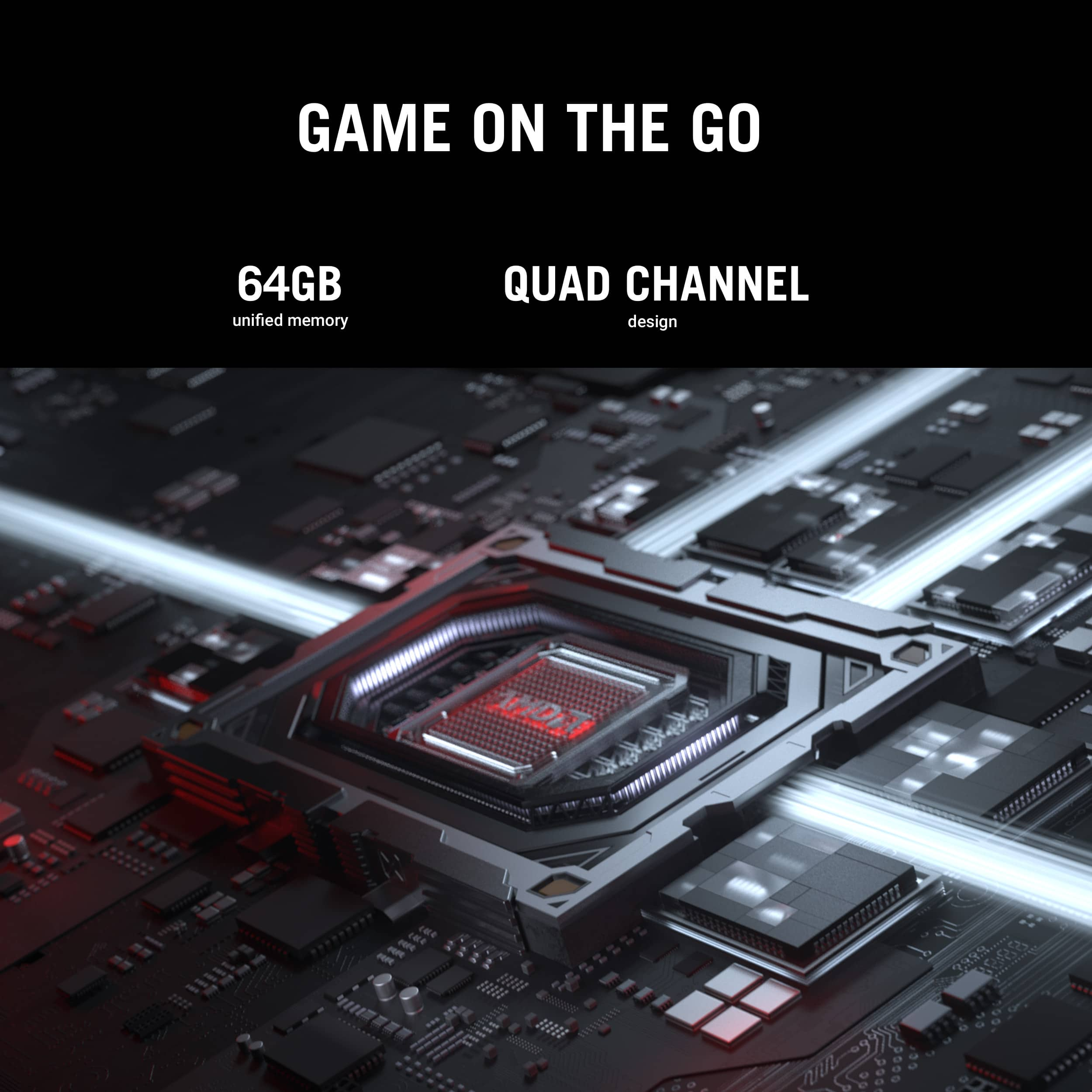
|Posted .This reviewer received promo considerations or sweepstakes entry for writing a review.My ASUS ROG Flow Z13 arrived in great condition and exactly as I would expect a device of this caliber to arrive, well packaged. It was in a larger shipping carton protecting a sleek, satin‑black retail box that fit like a sleeve inside. The Z13 was perfectly protected, and the cardboard shell box that it came in has a really nice look with a cool purple aluminum color and design, that just screams, play with me! Getting into the box I see that it came with limited waste, which is always great. Everything looks to be mostly recyclable, and the laptop sat at the center. Also included is a really nice detachable keyboard folio, a hefty 200‑watt power brick, and a few standard tri fold inserts to get you started. The quick start insert card asked for a three‑hour initial charge on the bundled adapter, so the first thing I did was plug it in before powering it on and getting started with the setup process. Visually the Z13 is uniquely designed and really stands out with the modern, sleek and youthful gaming look. My research says the chassis is milled magnesium‑aluminum, which feels closer to a precision instrument than a tablet, and when the sunlight hits the vents and bevels just right, the slate almost glints at you, to say hello. The mirrored glass window on the back shows off the motherboard under adjustable RGB lighting; power it off and the pane looks like a smoky chrome mirror, power it on and it glows, offering a view into the micro world inside. I just love it! The kickstand has a soft rubber tab, which I really like since you don’t need to pull it out using your fingernails, like on most other devices with a kickstand. Another great feature of the way this is designed is that the heat and vents are all behind the display, so your lap doesn’t get hot and the performance of the device isn’t hindered, like other gaming laptops. Setting up is super easy. The keyboard clicks to the slate with a magnet and can be twisted to come loose. The keyboard folio’s rubber‑leather exterior grips my jeans, preventing the slate from sliding when I’m typing on the couch, and it also looks really nice. The keyboard works well and feels good when typing, and the oversized trackpad is nice and my fingers glide right over it. Two magnetic rails let me type flat or raise the board into a gentle incline that stiffens lap use and gives my wrists a natural angle. The extra magnetic hold point gives it much more stability than other devices that don’t have this feature. Cooling works incredibly well with this design. Every exhaust vent points up, so during an hour‑long gaming session my legs stayed cool and the back plateaued at warm temperatures. There are some areas where it missed the mark a bit, such as the keyboard back‑lighting isn’t too bright unless in a dark room, and packing a 1.3‑pound brick to charge the laptop when travelling, does add heft. The speakers also aren’t the best. They don’t sound bad, there just isn’t much in the way of bass, but I suppose that’s the trade off for a design like this, and these are just minor critiques. Performance is where the Flow stops being a pretty object and starts replacing bigger machines. At the heart sits AMD’s 16‑core Ryzen AI Max+ 395 paired with a Radeon 8060S integrated GPU. Sixty‑four gigabytes of quad‑channel LPDDR5X memory, and Armoury Crate lets me dedicate up to 48 gigabytes of that pool as VRAM. I leave mine at 16 gigabytes VRAM and 48 gigabytes system RAM, which is plenty for the gaming I do right now. I work with AI image and video generators a lot and I can’t tell you how much the performance has improved when browsing my libraries or working in film and photo editing programs, while multitasking and working on other projects. The fans whisper in Performance mode, ramp to a steady whoosh in Turbo, but never get too loud for me. I think if you’ve been using gaming PC’s you’re used to a fan, and this one will be much better than what you’re likely used to. Spec sheets only tell half the story, but the Flow really is a unique and, IMO, groundbreaking device that I think other manufacturers might pick up and mimic. The 13.4‑inch Nebula IPS panel delivers 2560 × 1600 at 180 hertz, peaks near 500 nits, and covers 100 percent DCI‑P3. Motion clarity looks real nice, and color pop keeps Lightroom sessions closer to real. It’s no OLED display, but I’ve been using it for a week now and have yet to wish I had deeper contrast. Dolby‑Atmos speakers keep dialogue crisp yet lack sub‑bass; but earbuds or Bluetooth speakers can fix that limitation. Battery life stretches roughly 8-12 hours on web work, closer to 6 if I’m doing a lot of editing or heavy usage. A 100‑watt USB‑C PD brick can be used when traveling to reduce the weight a bit. It tops up the battery just fine but the performance might be throttled if you try to game with that. The port spread is abundant for a 13‑inch slate. Two USB‑4 Type‑C ports juggle 100‑watt charging, 40‑gigabit data, and DisplayPort 1.4 output; a full‑size HDMI 2.1; a USB‑A 3.2 which is great for storing my generated images on thumb drives; a microSD slot handles the photos from my camera; and a 3.5 millimeter jack remains for wired headphones. Wi‑Fi 7 and Bluetooth 5.4 will keep your Xbox Cloud sessions smooth if you're travelling. If you travel, create, and game, this is going to be a great device for you. The Flow Z13 lands in a class of it’s own. Shifting the motherboard and cooling behind the display frees airflow and keeps my lap comfortable, making it more forgiving than using other gaming laptops and more capable than any clamshell near its weight. Traveling gamers will love having access to on-the-go desktop framerates. Video editors will appreciate 64 gigabytes of RAM, AI tinkerers can load larger models locally without tethering to a cloud instance. Pricier than some other competing devices? Absolutely. Worth it, IMO, yes! After two weeks the Flow Z13 has replaced my couch laptop, joined me on a weekend trip, out‑rendered my other gaming laptop, and still slipped into my bag with room for a notebook and headphones. If mobility and muscle matter equally to you, and you’re willing to carry a charger when it’s time to hit Turbo, the ASUS ROG Z13 Flow notebook gaming pc is the rare machine you need in your life!
I would recommend this to a friend - Pros mentioned:Overall performance, PortabilityCons mentioned:Screen quality
A Gamer's Dream - sleek, portable and beastly
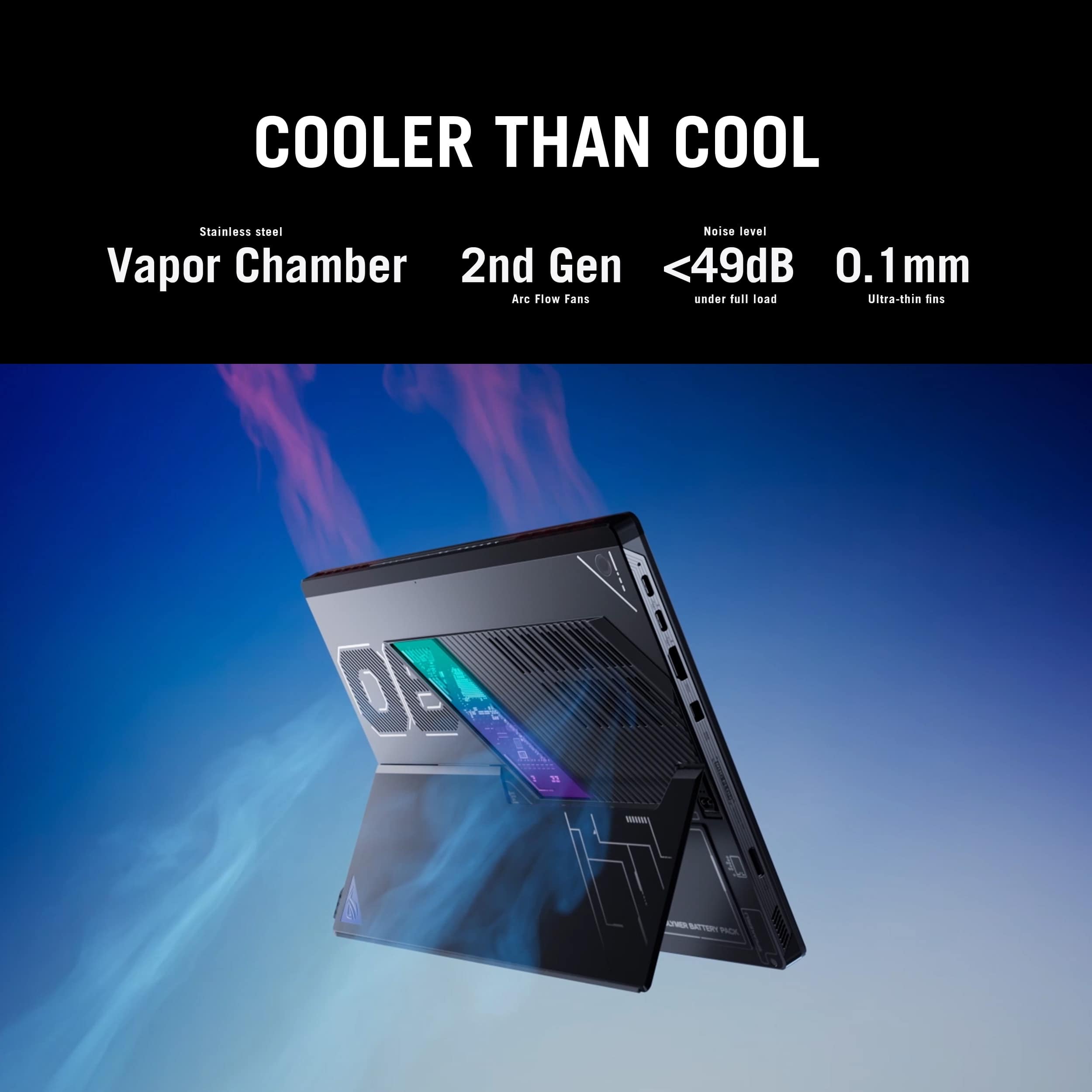
|Posted .This reviewer received promo considerations or sweepstakes entry for writing a review.I'm going to start by saying that the 2025 ASUS ROG Flow Z13 has been the most fun and exciting piece of technology I have had my hands on this year. It's a bold statement, but this machine is very impressive! I probably had the biggest and nerdiest smiled when I opened up the box. It came nicely presented in a fancy glossy box, The "Tablet" is very premium feeling. It's a solid chunk of metal. The kickstand is also very strong and rigid. The whole tablet is cold to the touch and has sharp edges all around. The 13.4" screen covers almost the entire surface area of its front side. The bezels are quite small and don't distract from the screen at all when on. The screen feels larger than it is when viewed directly. The detachable keyboard cover is also very sturdy and premium feeling. The outer side of the keyboard has a soft touch material. Probably a silicone based material. As it is grippy on most surfaces. My only complaint about the keyboard is that the material is a bit of a dust and debris magnet. So keep a cloth handy if you are a neat freak like me and want to keep it looking clean and new. The keys of the keyboard are very tactile and the keyboard doesn't have much flex considering it is a folio style keyboard. I'm very impressed with the keyboard honestly. I was unsure about it as I have not been a big fan of this style of keyboards in the past. But the metal kickstand on the back of the tablet, paired with the magnetic and sturdy keyboard provide a good typing experience when set on a table or your lap. I took with me on a trip to the coast, and I had no issue typing with it while It sat on the bed and couch. If you are familiar with recent ASUS laptop keyboards then you'll know what to expect from this. It has the same RGB lighting and shortcut keys as some of their other gaming laptops. Although the RGB on this keyboard does not get as bright as their flagship gaming laptops. The tablet has plenty of ports. On the left side, you'll have access to two "thunderbolt"USB C ports, a full-size HDMI , a proprietary charging port and a micro sd card slot. On the right side is the power button, which is kinda recessed , a volume rocker and "screen shot" button. There is also a full size USB port and headphone jack. On the top of the tablet is many vents! For pushing out all the hot air. Something I really appreciate on this tablet. As a "PC Gamer", I've recently preferred to do my gaming on laptops. As I like to game at a table or couch with a controller in hand. Gaming laptops tend to get really really hot, and you'll always have to keep a cooling pad or some sort of hard cool surface on your lap to keep it from burning your legs. But this tablet has the "coolest" solution for forcing heat away from the computer. All the hot air is pushed out of the vents on top of the tablet. So your lap never really feels it. Although it has a fan running in "turbo mode" the computer stays very quiet. It is not loud at all, I can barely tell the fans are on sometimes. It is definitely much quieter than a typical gaming laptop. The tablet itself stays very cool to the touch. I thought the giant metal slab on the back would get warm, but it doesn't at all. The tablet stays cool to the touch at all times. I don't know what kind of sorcery ASUS and AMD are using with this computer but I am genuinely impressed by how quiet and cool this machine runs. Well we know what sorcery is in this machine. It's the all new Risen AI 395 Max+ chip! It has an integrated gpu, named the 8060S and 64gb of shared ram. Which you can choose how much you would like to allocate for graphics. You can chose between 4, 16 or 32gb of ram to dedicate to the GPU. I opted for 32gb since I will strictly use this machine for gaming. From what I've read online it is supposed to compete with dedicated laptop GPUS from Nvidia such as the 4060 and 4070. The screen is 2.5" and 180hz touchscreen and has a 16:10 aspect ratio. I believe the screen is an IPS panel as it has the typical contrast ratio and "glow" of an IPS panel. The screen is very nicely calibrated though, and colors are vivid and blacks are nice. Not OLED dark but overall very pleasant. As I mentioned before, I enjoy playing my PC games on laptops. So I can't really compare this to a desktop gaming rig. But as a person who prefers to game on laptops, I can tell you that this gaming tablet is very very impressive. I was able to play Call of Duty Black OPS 6 at "Ultra" settings. Everything was pretty much maxed out and I had a very stable gaming experience. I did not experience many frame drops. Other games I played were rocket league, Fortnite, Allen Wake 2, and Death Stranding. This setup was perfectly capable of running all of them, and I think it will have no issues running most games now and in the near future at High settings. Every game I played was definitely running at 60 frames or higher as my experience with them was very smooth and fast. Well I did run into issues running Tomb Raider Underworld, the game would just not launch at all but that is probably just because of the drivers. I am sure that overtime AMD will push out software updates to expand compatibility. But the other 9/10 games I installed had no issues whatsoever. Will this machine outperform a desktop? Probably not, but this machine has to be the most powerful portable gaming tablet in the world right now. I'm excited for the future of portable gaming. I really hope ASUS and AMD succeed with this and continue to develop this technology. I plan on uploading some videos of games running on this machine to YouTube so keep an eye out for those. I feel like I went on a long ramble about it and still missed a lot. But if you're still reading and thinking about it and can afford to splurge on this machine. I promise you that you will absolutely love this beast.
I would recommend this to a friend - Pros mentioned:Battery life, Processor speedCons mentioned:Screen quality
A tablet that's a workstation/gaming
|Posted .This reviewer received promo considerations or sweepstakes entry for writing a review.Asus’s ROG Z13 2025 is a showcase of some amazing technology. Overall, it’s an impressive machine, sliding into a form factor that is reminiscent of a Surface Pro. It packs the new AMD Ryzen AI Max 395+, which is a very impressive chip. With a 40 CU 8060S GPU embedded along with a 16 core 32 thread CPU complex, this chip slices and dices its way through practically anything. With efficient power management, it can throttle back and also have decent battery life. Is this machine worth its price tag though? Out of the box, the Z13 includes a power brick and the keyboard case. While not exactly a case, for a tablet PC form factor, the keyboard does offer protection for the screen. The 200w power brick is fairly large, and uses a proprietary connector. While I wish there was a simple USB-C brick instead of the proprietary connector, the USB-C ports do support 100W PD (which is more than enough for this chip). Before diving into the device, a moment for the keyboard: It’s excellent. The texture on the outer surface has that alcantara/suede feeling, and the inside deck seems like faux leather. It doesn’t pick up markings from my hands too easily, which is a really good sign. The keyboard keys do pick up some oils from my fingers, but I haven’t had a laptop not do that ever. The keys themselves are backlit - a single zone of RGB which can be app controlled (dynamic lighting in Windows is also supported). The keys feel excellent, and they’re full sized. You get half height F-keys but otherwise this keyboard is top notch. The trackpad is physically as large as possible, and has a nice smooth feeling to it and handles gestures perfectly. It has a satisfying click to it and does palm rejection well enough I don’t think about it. Typing wise, I was able to hit near my max at 70wpm after only an hour or so of use. This is an excellent implementation of a keyboard. On to the device. Physically it’s fairly thick for a tablet. It does however make up for its thickness by including a deluge of ports. On the left side of the device you get dual USB-C ports with power delivery support, a full sized HDMI port, 200w power adapter port, and micro SD card slot. On the left is a power button, volume rocker, and app button (launches ScreenXpert which helps manage power) and a USB-A port. The top of the tablet is a dedicated airflow section while the bottom includes the pogo pin and magnets for the keyboard. Along back is the full length kickstand. The back of the device sports some gamery design with an acrylic window exposing a bit of the board with some backlighting to make it look cool. I’m not a huge fan, but it’s not like it’s in your face, and you can turn off the light as well. Under the kickstand is a little door for swapping out the 2230 m.2. Don’t worry I did, and it was pretty easy to accomplish. LLMs run very well where you can use directml. Unfortunately a lot of AI apps have native code paths for Nvidia, so AI here is still growing. That said, even models that run CPU only were quite quick. The Zen 5 cores do make a difference here, and being plugged in and letting the CPU have 90w makes a difference. The integrated 64GB of RAM means the GPU can be assigned a lot more vram than many cards found in laptops. The extreme memory bandwidth of this configuration ensures fast gaming performance, but also good ML performance. The hardware itself is next level. Rest assured that the AI Max 395+ will be a force to be reckoned with for years to come. You get no one, but two full Zen 5 core complexes - sporting 8 zen cores each. That’s 16 cores, with 32 threads of pure horsepower. While the single threaded performance from this CPU only rivals Zen 4 chips, the fact that with a <90w power limit, you can power all the cores and 40 CU GPU. In Cinebench r23, on battery, I could get 25k on battery, 29k plugged in, and on manual (90W power limit) with fans pushing 33k. This is faster than a 12 core desktop Zen 4 part; and all on the turbo setting plugged in, which is basically very low fan speeds, nearly silent. Turning to the GPU, the 8060S is quite a powerful GPU. With 2560 shader units divided into 40 compute units, the 8060S rivals the performance of dedicated GPUs like the RTX 3070 and 4060 mobile. Do you want to play AAA games at medium/high settings at 1080p or the native res? You certainly can. That said, the GPU is more than competent for the games I play on a regular basis at the panel’s native resolution. Counter Strike 2 was a fluid experience on very high settings at native res. Black Myth Wukong was 67 FPS on high settings with ray tracing off (on was unplayable). Low ray tracing in Cyberpunk 2077 with high settings otherwise was a very playable 37 FPS. Games like Shadow of the Tomb Raider played quite well even with ray tracing on. Overall this laptop can game, even on battery. Battery life gaming is abysmal. Don’t expect to get much more than an hour or so depending on your settings. Battery life on normal tasks is between 4-8h depending on the heaviness of the task. Overall I was happy with it given the size and form factor of the device. Speaking of form factor: Surface Pro rules apply. Yeah, you can’t really use this like your normal laptop… on your lap. The kickstand makes it ideal on a table, but of course it takes more space than a laptop. The detaching of the keyboard does make it great for watching movies or videos on a plane or other. At the end of the day, it’s best to use a table for this tablet. Upgradability is limited on this machine. With 64GB of ram, I doubt that’s much of an issue for most. The 1TB SSD is a bit limiting these days, but the SSD is accessible via a slot under the kick stand. Upgrading this is fairly trivial and the bios even has a cloud image recovery option to get Windows reinstalled quickly. The screen is fairly bright and a nice 2560x1600 resolution. This screen is IPS technology, which boasts some nice colors, but black levels are just ok. Also, the corners of the screen had a bit of IPS glow. The magnets near the bottom of the screen when the keyboard was in the up right position seemed to exacerbate this. Overall you won’t notice this unless the screen is all black, but it’s an interesting design choice when OLED displays are available that would work on this device, save battery life, and offer a better visual experience - especially at the price of this device. At least the display sports 180Hz and Freesync premium, which is a welcome featureset. Overall the display is nice, but not outstanding. In conclusion, the ROG Z13 2025 brings one of the most interesting chips from AMD in a long time. You get 16 Zen 5 cores, 40 RDNA 3.5 GPU compute units, 1TB nvme and 64GB of ram. This package can basically provide a mobile workstation in a tablet. The AI capabilities, GPU capabilities, and CPU capabilities are unheard of in a form factory like this. If your needs are met by a surface pro, but you need serious compute and GPU performance, this machine is for you. Highly recommended!
I would recommend this to a friend - Pros mentioned:Battery life, Overall performance, Portability
Expensive, but comprehensive Student Dream Machine
||Posted . Owned for 5 months when reviewed.This reviewer received promo considerations or sweepstakes entry for writing a review.I have been using this device for over 5 months now, and have previously used a 2024 Microsoft Surface Pro 13". Compared to a surface pro 2024 13" with the Snapdragon X Plus (10 Core): + Exceptional Power when needed for gaming or other applications (CAD, Video processing, ect) + Exceptional Power efficiency when on battery and doing classwork/light load applications (OneNote, Word, Ect with Surface pen [Pens work on this device, even if not with full functionality, the buttons]) + Great Display + Native app compatibility (The Ryzen Ai Max+ 395 is an x86 native processor, no emulation layer here) + Has a USB-A Port + Has a Headphone jack + Has an HDMI Port - Slightly less max endurance on low demand applications - Is thicker and heavier On the ASUS website there are the claims that "Compact is the new impact" and "Game with the power of a full fledged gaming PC" To my observations those claims have been pretty spot on. For reference I only game on 1080p. I do not have a 1440p or above display. Then again I prioritize higher frame rate and stability over a super-sharp picture. 1080p games are more than enough for my enjoyment personally. My older gaming PC that I used to game on had a Ryzen 7 5800X and a MSI GTX-1070 (yes quite the bottleneck) Despite that I was still able to run just about every harder-to-run game in my library (Space Marines 2, Helldivers 2, Battlefield 6, DCS) at 1080p at 120Fps with dips only here and there when things were getting ridiculous. This tablet can do the same if not better overall than that computer. On battery it cannot game for long but for around 1.5 to 2 hours you can play a lighter weight game like an indie title on the go. That is still significantly better than the surface pro who could not even open most indie titles due to compatibility issues even with the emulation layer. Of course plugged in is where the machine can draw 140 watts and really shine in performance and be the gaming machine it advertises to be. Running battlefield 6 maxes out the GPU when using monitoring software (AppControl), but the game will almost always run at 120+ FPS with drops only happening when a hacker somehow makes a million explosions happen at my feet or someone trolls me with a bunch of C4 packs and it'll only happen for a quarter of a second. Helldivers 2 runs near flawlessly on Medium Settings at 1080p. 120+ FPS almost all the time. Only on somehow the worst situations like 4 380mm calls on Cyberstan will things start to dip below 120, with GPU usage still hovering around 80%. During Gaming temps can spike to 91C, however once the firmware detects the spike and responds accordingly by increasing the built in fans, in my room which can sit at 74F with the ceiling fan on, the temperature will stabilize to 80-84C. So even when playing AAA titles this machine will stabilize at a pretty good temperature. I've had a gaming laptop that would stabilize at 94C so this is a major improvement compared to that. So we know that it can perform to the level of a Gaming Desktop. One from over 4 years ago, or a lower end one with modern parts. Why do I like this device so much? It is for that "Compact is the new impact" statement, the fact that it is a tablet. In a classroom setting, using Armory Crate software and monitoring the power drain whist taking notes in class, power drain ranged from 8 - 12 Watts while typing and writing using the Surface Pen in Onenote. Starting off at a 80% charge in class, this thing can get over 6+ hours of battery life in a classroom setting. Even in the longest class sitting I've been in, I have not zeroed out the battery. Sure there are gaming laptops with more power than this ROG Z13 Flow for the price, but they have clamshell designs, you can't just rip off the keyboard then use it like a tablet. But with the ROG Z13 Flow you can. Using this thing for 5 months I have had zero urge to get a more powerful gaming laptop. This device takes the place of a Surface Pro 13" and a Mid-Low end gaming desktop at home. Fitting in a backpack, I don't need to run through rush hour just to get a fix of games before getting back into the mix of school. And if on demand a friend wants to play games with me while I'm at their house, I can game with them on this device right then and there without having to run home. So there is my long spiel. This device, as many youtubers have covered, is at bare minimum 2,000 USD. It usually runs higher than that. But for the price we have a tablet with a CPU/GPU combo that can scale from 8-12 watts of power to 140 Watts max power usage, which is what makes this little guy so versatile, it is not locked in one realm of power all the time. It can be power efficient or power hungry depending on what needs to be done. I believe that if you are a student on the go and need a device for school but also like gaming at 1080p, this is truly a dream machine.
I would recommend this to a friend Received old stock
||Posted . Owned for 1 week when reviewed.This reviewer received promo considerations or sweepstakes entry for writing a review.My unit came in with some visible markings on the underside of the keyboard even if it was brand new
No, I would not recommend this to a friendBrand response from ASUS Answers
Posted .Dear Edaes,
Thank you for sharing your experience with the ASUS GZ302EA gaming laptop. We are sorry to hear about the visible markings on the underside of the keyboard, and we apologize for the inconvenience caused. Since the unit arrived in this condition, we recommend contacting your reseller directly to request an exchange or replacement.
We stand behind our products and continuously strive to improve our products and processes to achieve customer service excellence. If you require any further assistance, please email us at customerloyalty@asus.com and include the case number "N2506008238-0010" as a reference. We will do our best to resolve your case quickly. Your feedback is very important to us, and it enables us to improve our support channels. Thank you for choosing ASUS.
Best Regards,
Chantae
ASUS Customer Loyalty US Support
- Pros mentioned:Overall performance, PortabilityCons mentioned:Fan noise, Screen quality
Solid gaming tablet, expensive and niche
||Posted .This reviewer received promo considerations or sweepstakes entry for writing a review.I had a gaming handheld, but wanted more performance. I looked at gaming notebooks, and they will give you more bang for your buck, but I much prefer tablets for portability. I read reviews, went back and forth about waiting for Xbox Ally X, or doing something else. I decided to go with the Flow Z13 and I went with the 64GB model. I assigned 16GB of the iGPU and the rest to the CPU. It's more than enough memory for either part of the APU. Asus hit it out of the park with the design. It's a magnesium alloy (so it will scratch), the window on the back is neat, the keyboard is solid for its form factor, and the display is great despite it not being OLED. Asus included a 500nit, 180Hz VRR display with AMD FreeSync. I was initially worried about it being an LED panel since I'm so used to OLED and mini LED. Light bleed around the edges (when showing black) is about as minimal as you can get with a standard LED display. VRR kicks in around 45fps and above. The fast refresh rate in combination with VRR makes 60fps feel a lot faster than it is. Asus does the same thing with the Ally handheld and it always boosted the life of the handheld. There are two USB4 type C ports capable of 100W of charging and 4K 120Hz output, one USB3 type A port, a microSD card slot, magnetic pogo pins for the keyboard, and Asus's proprietary charging port (which is the only way to get 200W charging). For a tablet, there's plenty of ports. The built-in kickstand is solid and lets you position the tablet at almost any angle. The Windows Hello front camera is fine, nothing great. It's serviceable for virtual meetings and works ok with face unlocking. I have to hold my tablet at arm's length to unlock with my face. The keyboard and trackpad are actually fine for what they are. You can lay the keyboard flat or prop it up at an angle. Asus really made this like a suped up Surface Pro, which is great. There is some bounce with the keyboard, it's only a single zone for RGB, the trackpad is physical and not haptic, and the keyboard backlight could use more brightness. I would put it about one step away from being on par with the Surface Pro 11 type cover. The power button is a little difficult to push, but it feels like it was designed that way to not accidentally turn the tablet on. The volume up and down buttons are fine, they don't change their function based on tablet rotation. There's also a handy quick action button that brings up a small Armoury Crate menu letting you change some settings. Battery life is just OK. I can usually squeeze 6-8 hours in silent mode just consuming media or surfing the net. Gaming, even in silent mode, drops the battery life to 1-3 hours depending on the title. Go into a higher operating mode and the battery life further drops. I was able to play Doom: The Dark Ages in silent mode for 90 minutes before reaching 20% battery. It's not the best, but it works. As for performance, the integrated graphics are between mobile 4060 and 4070Ti while the CPU is between 13th and 14th gen Intel desktop chips. It's really great to see what AMD could put in a single SoC. Gaming performance on battery (silent mode) is solid. I've been getting around 50-60fps in most titles. Anything at 45fps and over feels smooth with VRR enabled. Any game with FSR3 is going to look and perform well. The only negative is that most games support Nvidia's DLSS and not AMD's FSR. That list is growing, especially as console games are ported to PC, since the PS5 and Xbox Series are running AMD's APU and using FSR to reach their 4K resolutions. Either way, this can handle 1440p high frame rate, high settings gaming without issues. Plug it in and you'll be able to play games at the native resolution, high settings, and maybe some ray tracing. Fan noise is somewhat of an issue. It's not a problem too much in silent mode (they still kick on while gaming), but they do get loud when at higher wattages and plugged in. I don't have a problem with it, I use earbuds. The speakers are not going to be loud enough to cover up the fans. They're terrible and worse than the ones on the Ally and Ally X. Overall, this is a solid tablet. You do pay a price for the form factor. A gaming notebook at this price would come with a weaker CPU but more powerful dedicated graphics. If you're someone who wants a tablet instead of a notebook, you're not going to find a more powerful one that can handle any modern AAA game with headroom, even on silent mode.
I would recommend this to a friend - Pros mentioned:PortabilityCons mentioned:Fan noise, Screen quality
Amazing, portable, durable, potent. What a tablet!
|Posted .This reviewer received promo considerations or sweepstakes entry for writing a review.This is an incredible piece of technology that seamlessly blends multiple roles: work, gaming, note-taking, digital art, and everyday computing. From the moment I unboxed it, I knew the ASUS ROG Flow Z13 was something special. The premium packaging—high-quality printing on thick, sturdy cardboard—sets it apart from standard gaming laptops or tablets. This is a portable gaming powerhouse refined enough for a boardroom. As someone who travels frequently for business, I’ve long dreamed of a single device that can do it all, including serious gaming on the go. The Z13 delivers, and it’s phenomenal at nearly everything. I’ve used it daily for two weeks and remain genuinely amazed. I’m not diving into benchmarks here—just sharing my experience as someone who’s always wanted a truly portable gaming computer. Initially, I mistook the screen for an OLED, but it’s a high-quality IPS LCD that gets plenty bright and looks fantastic. Out of the box, the desktop was set to 200% zoom, which felt too large. Scaling it down to 150% made everything crisp and perfect. For context, I own a Surface Pro with a Qualcomm processor, and I’ve included comparison photos to highlight how impressively thin the Z13 is. I’ve nearly filled the 1TB drive with games and am having an absolute blast. Racing games are my go-to—Wreckfest, Forza, WRC Rally, Dirt Rally, Assetto Corsa, BeamNG.drive, and GTA V—and every one runs like a dream. I’m genuinely shocked at how well the integrated GPU performs. Powered by the AMD Ryzen AI Max+ 395 and a whopping 64GB of RAM, this tablet delivers legitimate, high-performance gaming. My main PC is a water-cooled 4090/i9 rig, yet the Z13 achieves remarkably similar frame rates. It’s buttery smooth with minimal stutters or lag (even my 4090 isn’t perfect in that regard). The fans stay quiet during normal use but ramp up in turbo mode for max FPS. They’re noticeable but not jet-engine loud like some gaming PCs. There’s no hum or coil whine—just fans doing their job. The device runs warm during regular use and heats up when pushed hard during gaming, but it never feels uncomfortably hot. Like other Surface Pro-style tablets, it’s not truly “lappable” due to the magnetic keyboard/cover design. The speakers, however, are just okay—somewhat tinny despite checking the Dolby app settings. Given the device’s overall excellence, I’ll let that slide. The front camera is solid, with an IR scanner for Windows Hello, and there’s a rear camera too. I doubt anyone’s using this at concerts, but the rear camera works well for document scanning or occasional photos. The Z13 handles everything I throw at it—LM Studio, max-quality gaming, even handwriting and drawing. I paired it with a Surface Pen, which works flawlessly, matching the performance of my Surface Pro. I added a pen tether to the keyboard, and it feels right at home. The screen’s anti-glare coating is excellent, keeping reflections at bay. I’m seriously considering making the Z13 my primary device for home, travel, and work. It might even replace my iPad, though time will tell. One standout feature is the sleek window on the back, accented with LEDs—a classy, modern touch that avoids the typical “gamer” aesthetic. It feels like a glimpse into the future of mobile gaming. AMD and ASUS have created something truly special here. My only critiques, aside from the speakers, are minor. The power brick is proprietary, and while the Z13 supports USB-C charging, it complains about insufficient power unless you use the included 200W brick. This is puzzling since USB-C PD standards support up to 240W, which should suffice. It’s not a dealbreaker, but it’s a slight inconvenience. Overall, ASUS has showcased its technological prowess with the ROG Flow Z13. This tablet isn’t just a glimpse into the future of mobile gaming—it’s here now. It’s a fantastic device I’ll use daily and for travel, freeing up space in my bag for my Xbox controller and work iPad. If you’re looking for a do-it-all device that games exceptionally well, this is it. Highly, highly recommended!
I would recommend this to a friend - Pros mentioned:Overall performance, Portability, Processor speed
It's a Unicorn
|Posted .This reviewer received promo considerations or sweepstakes entry for writing a review.The ROG Flow Z13 isn’t just a computer, it’s a glimpse at the future of laptops and tablets, and I can’t remember the last time a device surprised me this much. First, I’ll say upfront: this computer isn’t for everyone. But for those looking for something like this, it’s kinda of the holy grail. I travel frequently for work, give presentations, do demanding spreadsheet and coding tasks, and game during downtime, making this the ideal setup for me. Who this is perfect for: • Frequent travelers who need a lightweight but powerful machine • Developers and spreadsheet heavy users who demand serious CPU power • Gamers who want a hybrid device without sacrificing performance Performance wise, it’s in a class of its own. In Geekbench tests, the Ryzen AI Max+ chip scored over 18,000 multicore, outpacing my desktop i9, and the integrated Radeon 8060S delivered performance on par with an RTX 4060.” It’s simply mindblowing how powerful and efficient this tablet is, as I would have never expected benchmarks like the ones I am receiving. This processor makes this setup feel like the next generation of laptops/tablets. A unique and incredibly useful feature is that I can select how much RAM to dedicate to my video, allowing me to scale up for more demanding games. This ROG Flow also features a turbo mode, but this is only available when plugged into the supplied 200 watt power supply. You can also charge via the USB-C ports on the side of the tablet, but these only support a transfer of 100 watts. I actually was never able to get over the USB-C ports to receive over 90 watts when I plugged into a charging brick I have which has a LED display. The keyboard is incredibly easy and comfortable to type on. I absolutely love the feel of the keys, and it has a slight incline, which makes it feel like a standard keyboard setup. The metal kickstand is very sturdy, and since all heat vents out the back, there’s no lap burn like on other laptops. It’s a really nice feature! However, it’s not near as comfortable to use in your lap as an actual laptop. I would love to see an aftermarket keyboard will a fulcrum hinge, so I could use this more like a laptop if needed. Aesthetically, this is one of the best-looking computers I’ve seen. The rear window with customizable LEDs is so beautiful, especially with the rainbow setting. The keyboard backlighting could be brighter, but it works fine in dark settings. I did have some initial struggles with Armoury Crate and Windows Dynamic Lighting fighting for LED control, but I finally seem to have control over the lighting. Battery life is not as great as I was hoping. Right now, on Eco mode, I have 84% battery life and it says I have 3 hours and 32 minutes remaining. While gaming on battery, the flow lasts about 1.5-2 hours. I was hoping for more. Gaming wise, it’s phenomenal! I wasn’t expecting it to perform as well as it did, but it outperforms my other laptops which have dedicated GPUs. Again, since it’s a tablet with a kickstand, I don’t have to experience the excessive heat that I do with my other laptops. I also just got a wireless keyboard, so I can now set this tablet up like a “mini desktop.” I absolutely love the display. I was a bit worried since my other laptop is an OLED, but I haven’t really noticed much of a difference. The colors are almost just as dynamic, but I love the IPS display, and since this tablet has such a high refresh rate, it really helps close the gap from what I would be missing with an OLED. This tablet AI processing stacks up against some of the best laptops on the market. In all my benchmarks, it Crushes Intel i7 and even M2/M3 in CPU-based AI tasks. While the ROG Flow Z13 isn’t perfect due to battery life and bulky charger, it’s easily the most exciting computer I’ve used in years. In future models, I would also love a better USB-C port so I wouldn’t need to rely on bringing the bulky Asus 200 watt charging brick with me while I travel. Aside from that, I think this computer is an absolute home run, and my future travel computer.
I would recommend this to a friend - Pros mentioned:Overall performance, Portability
For Those Who Dare (To Open Their Wallet)
|Posted .This reviewer received promo considerations or sweepstakes entry for writing a review.If you follow the tech influencer sphere at all, odds are you’ve seen the ASUS ROG Flow Z13 pop up in several sponsored pieces. Much like their previous shakeup of a burgeoning PC segment with the Ally, ASUS has set its sights on the ultraportable market with what’s arguably the first gaming tablet that could be used as full-blown desktop replacement, packing the most advanced AMD Ryzen APU available today into a package smaller than most laptops. These are lofty claims, and the marketing hype bordered on insufferable…but what ASUS delivered with the ROG Flow Z13 is nothing short of incredible. This machine makes no compromises. - Unboxing and Setup I was not expecting this flagship device to arrive in a box within a box, but ASUS’ premium ambitions shine brightly here. Eloquent packaging with a separate compartment for the 200W power brick present beautifully, and removing the Flow Z13 from its box starts with a surprisingly reasonable amount of heft - this isn’t a light tablet, but it’s certainly within reason for how thick it is. Powering on the Flow Z13 after a brief charge, the familiar Windows 11 setup sequence completes with only a handful of ASUS-specific additions to the out of the box experience. Automatic updates begin nearly immediately - including a BIOS update via Windows Update, which I am still not convinced is a great idea but went off without a hitch. After about 15 minutes and two reboots, the Flow was ready to go. - Performance & Thermals There aren’t enough superlatives to describe how insane this APU’s performance is. This Ryzen AI MAX 395+ system-on-a-chip is a 16-core, 32-thread Zen 5 CPU with 64GB of the fastest memory it supports and an enormous graphics core that can leverage it fully. The amount of memory available to the graphics core is defaulted to 4GB, leaving 60GB for the system, but this is easily adjusted in the Armoury Crate app to allocate as much as 48GB for the GPU (local-machine LLM & AI enthusiasts, I know you’re out there, so have some keywords like Stable Diffusion, Mistral24B, GML-4, GPT4ALL, and Phi-3, and see the previous sentence for the thing you’re looking for). I configured my Flow as 48/16 to have plenty of system RAM and VRAM for demanding games. I was expecting a strong performance. What I experienced was mindblowing. Left to its default power setting, the Flow Z13 outperforms pretty much every AMD desktop CPU short of the 9950X. Graphically, the RDNA 3.5 core with 40 compute units out-benches most $300-400 desktop graphics cards from a generation ago. I loaded up Forza Motorsport as my de-facto benchmark, set everything to Ultra (even ray tracing!) at the Z13’s native 2560x1600, FSR set to Quality, and expected a slideshow. What I got was 45FPS, on battery. Dropping to High settings, the game held a rock solid 60. I can’t overstate just how powerful this all-in-one is...the power on tap here is true desktop class performance in the form factor of a thick magazine. The power draw for the APU can be adjusted from 28 to 80 watts, with further tweaking for up to 93 watts of short-term boost available. ASUS provides predefined power modes of “Silent,” “Performance,” and “Turbo” in the Armoury Crate software to switch between approximately 30, 50, and 70W power modes respectively, with Performance and Turbo performing so similarly I never touched the Turbo setting. The Z13 uses a vapor chamber design with a rear intake, top exhaust configuration that keeps all the heat behind the screen. Unlike gaming laptops, this means the keyboard surface never heats up. The fans are efficient and quiet, and at full power with full fan speed I never saw the APU exceed 85C in torture testing - most of the time it’s running around 75C when gaming in the Performance profile with default fan settings. At full bore the fans are never overly noisy, and they don’t make nearly as high pitched whirring noise as some laptops are wont to do. - Battery, Screen, Sound Battery life is perhaps the only area of the Flow Z13 where I could argue a compromise was made - though I’d be splitting hairs. Switching the machine to Silent and running half screen brightness, I get about 7 hours of battery life with casual usage, which is on the low side for a tablet but enough for a day’s outing or a cross-country plane ride. Don’t expect to be gaming for very long on battery, of course. The Forza Motorsport benchmark I mentioned above drained 15% of the battery in 10 minutes, and you’d be lucky to get an hour out of it on battery alone. Additionally, 100W of USB-C power delivery isn’t enough to keep the tablet charged when gaming on Performance or Turbo profiles - you’ll see about 3-4 hours there. Keep the included power brick handy for extended gaming sessions or desktop-style usage. The 180Hz IPS LCD panel (no OLED here, which is a bit of a bummer but hardly a detractor) is a great-looking display. Supporting variable refresh rates for reduced lag and stutter, and sporting a deep color gamut, the screen looks great from any angle with no color washout that I can see. Response time is great with very little ghosting in fast-paced games. At 500 nits, the screen could be a bit brighter but short of using the Z13 outdoors I feel it does the job well. The Z13’s speakers are adequate for what they are - side-firing, small drivers that pump out decent volume albeit with flat sound. They don’t sound tinny or overly distorted with bass; they simply sound a bit hollow. They’ll do the job, but as with most gaming laptops, bring some headphones for fragging on the go. - Design & Build Quality The all-metal chassis, tempered glass screen, and soft fabric keyboard case all have an exceptionally nice feel to them. The tablet’s rear kickstand is pure metal with a very firm, easy to operate set of hinges that have a wide range of adjustability. A tab on one side makes opening the hinge easy. The array of ports on offer shames some high-end laptops. Two 40Gbps USB-C ports supporting DisplayPort and Power Delivery charging are accompanied by a full-size HDMI 2.1 port, a microSDXC slot, combination 3.5mm headphone jack, and a USB-A 3.2 Gen2 port for up to 10Gbps throughput, plus a dedicated port for the 200W power brick (as this exceeds USB-C power delivery specification). For once, I have all the connectivity I need out of the box and don’t feel compelled to carry a USB hub with me. The included detachable keyboard is quite solid. The chiclet style keys are lovely to type on - sensitive with short throws, tactile, well-sized and well-spaced, and in the entire time writing and editing this review with it I didn’t encounter a single missed keystroke or double-entry, which often befalls cheaper tablet keyboards. Magnetic attachment (oriented only one way) and the option to choose flat or angled keyboard are both excellent premium touches. My only complaint is the same as all modern Windows keyboards: the Copilot key adds absolutely no value and instead takes a much-needed additional Ctrl key away (this is a Microsoft mandatory requirement, not ASUS’ decision - I can’t blame the OEM for this one). One last thing to note about the design is the upgradeability, or lack thereof. The Ryzen AI MAX 395+, being a system-on-a-chip design, integrates all the core components of the system in a single package on the mainboard that can’t be upgraded. The only component that can be changed is the SSD - which is mercifully in a physical M.2 slot that’s easily accessible in a compartment under the hinge. The only downside is that it’s a size 2230 slot which means that - for now - 2TB is the maximum storage capacity available for upgrading the disk. Rumors suggest 4TB 2230 disks are on the horizon but nothing is as of yet confirmed coming to retail. - Bottom Line Let’s put it simply: the wow factor of the ASUS ROG Flow Z13 matches the hype. Putting the Ryzen AI MAX 395+ into something this portable was bound to be something special, but as a complete package this may be one of the best products of the year. I genuinely struggle to find criticism with the Flow Z13 that isn’t nitpicking it for the lengths that ASUS went to to minimize them. Even the price - as sky high as it may be against comparably powerful gaming laptops - is something I can’t fault because there’s simply no competition and no point of reference here…no PC tablet is this powerful, no PC laptop is this portable, and no PC desktop is this efficient. In time there may be competing options in this segment, but if you want the absolute best performance in the smallest possible form factor, this is it, and ASUS nailed it. If you’re one of those who dare, the ROG Z13 Flow comes highly recommended!
I would recommend this to a friend - Pros mentioned:Overall performanceCons mentioned:Weight
Fantastically powerful but somewhat impractical
|Posted .This reviewer received promo considerations or sweepstakes entry for writing a review.I like the concept of detachable 2 in 1 laptops. I remember drooling over the Microsoft Surface when it first released. That being said, I seldom have a need to detach the keyboard. Sadly, that holds true for this device too. The ROG Flow is well manufactured and extremely powerful. It was able to handle everything I threw at it. From online gaming to photo and video editing, this device was able to handle all of it with ease. I did have some issues after the initial setup. I tried playing an online game, and none of my textures rendered correctly. I had to manually update my video driver in order to get things to display properly. I also had some issues with key repeats. Manually going into Windows' keyboard settings and adjusting the repeat rate largely fixed that problem (though it's still somewhat present). I did remove the keyboard and played a few games with a controller in Steam's Big Picture mode. I can see this as being convenient if you're playing in an area with limited space (like a small table in a cafe or maybe on an airplane tray). That being said, I think this is a very niche use case. I could also see this capability as being useful if you plan on docking your Flow and using it as a desktop. You could detach the keyboard, plug the tablet into a dock with a keyboard and mouse, use the screen as a secondary monitor (assuming that you've connected a larger monitor to your dock), and have a nice productivity setup. Battery life is "meh." It lasts a couple hours with light activity. It's nothing remarkable, but it's not awful either. As a whole, the device is rather heavy. It's very cool that they were able to squeeze all of this into a tablet form factor, but it's a rather clunky tablet form factor. I will say that the port selection is excellent. My only complaint is that I wouldn't have minded a USB type-C port on the right hand side. All in all, I think this is an excellent device.
I would recommend this to a friend - Pros mentioned:Portability, Ram
Smoking fast
|Posted .This reviewer received promo considerations or sweepstakes entry for writing a review.This is a beast of a tablet, a full fat desktop in a portable form. Running some of AMD's latest and greatest this chip boasts 16 full CPU Cores, and with SMT you get 32 threads, meaning plugged in with its 200w charger there shouldn't be anything you can't throw at it. This is the 64GB model, with the RAM soldered onto the board. This is one of the few times where I agree as they can push the RAM to 8000mhz to drive it and allow the intregrated GPU on the chip share that for some nice performance and ability to actually game on this as well. The hinge on the back seems solid and holds its position and the keyboard snaps in very nicley, though I did have a minor issue with it, every once in a while the keyboard wouldn't be fully connected, and I could tell because it wouldn't light up fully and any press of the keyboard would send the airplane mode function, the fix was simple just reattach and once it fully lit up I didn't have an issue. It was fine to type on, and the keyboard does protect the screen, but when I could I'd detach the keyboard and mouse and use my own Bluetooth keyboard and mouse as I'm more used to that, but you can type on it and the touchpad had a solid feel and click. The laptop case is a nice talking piece with a window on the back with good ventaliation and since it vents out the back it doesn't get hot if you have it on your lap say in bed watching a movie or gaming with a controller which is a nice bonus. It has a Windows Hello Camera for logon via face if you set it up and that worked a treat. Connectors, it has a USB 3.2 (10gpbs) A port, two USB-C 4 ports, HDMI out and a MicroSD card slot for adding some additional storage without having to crack open the case, though if you want to swap the included 1TB SSD (which has about 30GB used with recovery software) you absolutely can as ASUS has a guide on the support page walking you through what is needed to be done, which I give thumbs up too. The only downside is since this is a powerful chip for doing actual AI work, Microsoft is loading down Windows 24H2 with a lot of it, so make sure you familarize yourself with the options and set it up or remove as you want. Since this is a beast of an AMD chip, and can game successfully, see some non-optimized screen shots from 3DMark, but I decied to install SteamOS on the device. It worked well and it gamed even better in Linux so if you want this for gaming I highly recommend giving that a try yourself, as it seemed to work well, esp. for the games I play. Overall I will say this is a beast, and hope AMD keeps improving this as it just smokes and I highly recommend it.
I would recommend this to a friend - Pros mentioned:Battery life, Overall performance, Portability
One powerful little laptop
|Posted .This reviewer received promo considerations or sweepstakes entry for writing a review.What’s in the box: ASUS ROG Flow Z13 13.4" 2.5K 180Hz Touch-Screen tablet Detachable keyboard Power supply and cord Specs: CPU - AMD Ryzen 3.64 GHz GPU - AMD Radeon 8060S 4GB RAM - 64GB Storage 1 TB PCIe® 4.0 NVMe™ M.2 SSD The laptop arrived mostly charged, so I set it up right away. Setup was simple using the standard Windows 11 setup procedure. I installed a few of my favorite apps as well as some benchmarking software. Without any tweaks, it’s PassMark scores were really good, especially the CPU Mark, 2D Graphics Mark and the Disk Mark. (see screenshot). The Novabench overall score was 3902, very respectable. I then put it to what seems like a minor test, but it’s a big deal to me. I installed the drivers for my ancient (networked) color laser printer. It worked! This is a big deal to me since my previous (different brand) Windows tablet simply would not load the drivers for my printer. This small form factor laptop carries a real punch. I used it for work for a couple of days. The camera and mic array performed well on Teams meetings, and it handled all of my usual productivity software. It sailed through my formula heavy spreadsheets with ease. It flies through Internet browsing. But gaming is where it really shines. I loaded up a couple of my favorite games from one of the well-known game servers and proceeded to get so engrossed in the game play that I lost track of time. It was great! There was no noticeable latency or lagginess and that bright, crystal clear display made it even better. Pros: • It’s got 64 GB RAM • AMD Radeon 8060S GPU • It’s fast! • Bright responsive touch screen • Respectable number and variety of ports • Works well with or without the detachable keyboard • Game play was smooth • Cool ROG lightshow on the keyboard and LEDs on the back of the tablet. • Good battery life Cons: It’s heavy for a tablet • It gets hot • You have to have something solid to sit it on when using the keyboard. You need to use the built in kickstand on the tablet part to keep the screen at a comfortable viewing angle. Using the keyboard while just having it in my lap didn’t work very well. It’s too floppy. Overall, this laptop excels. It handles work and gaming with ease. It’s a bit heavy for a tablet, but still very portable. The display is fantastic, and I really like the bright, responsive touchscreen. I find myself using it more and more without the detachable keyboard. It really is a high performance laptop that can be used as a tablet. If you are looking for a small form factor powerhouse laptop, check this one out.
I would recommend this to a friend