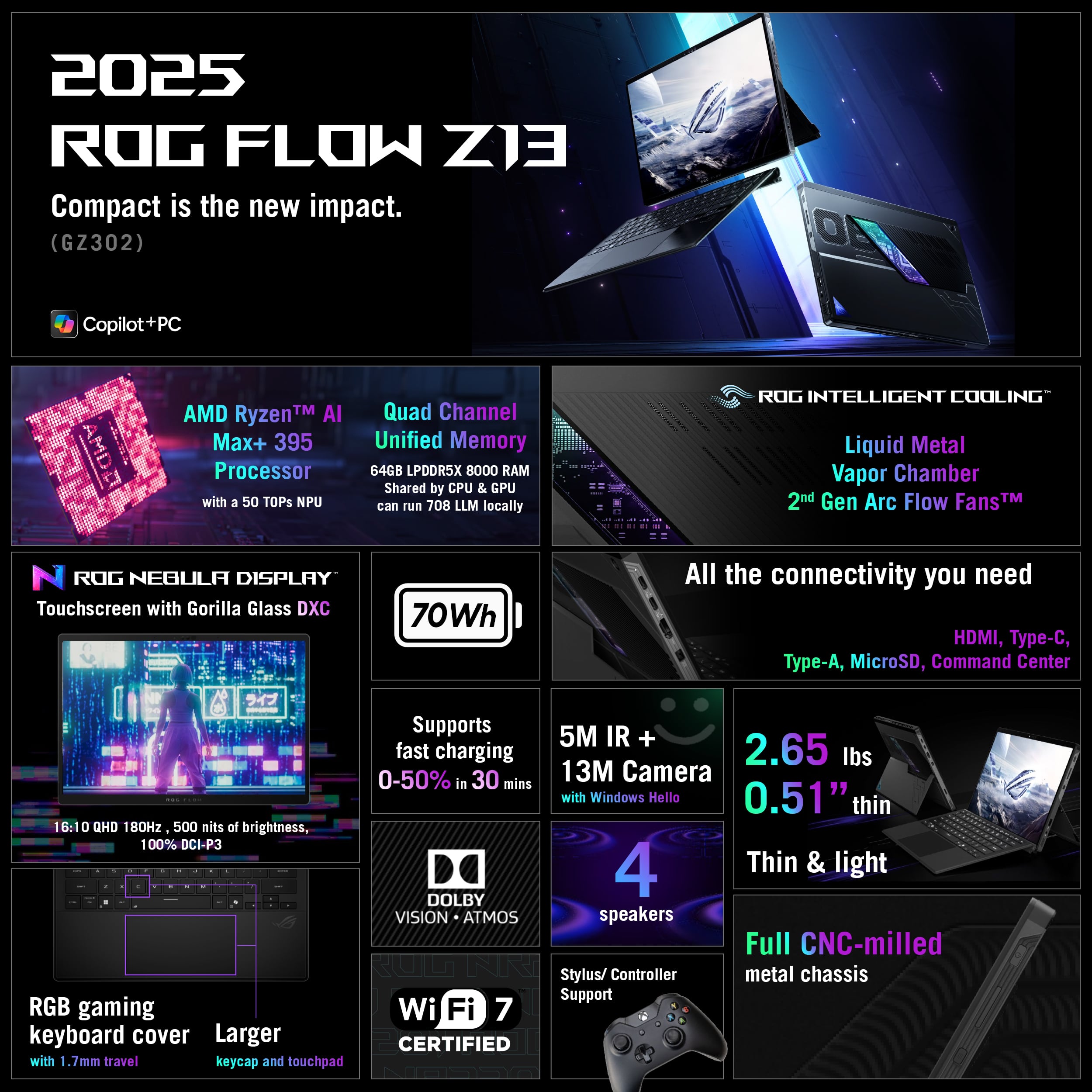
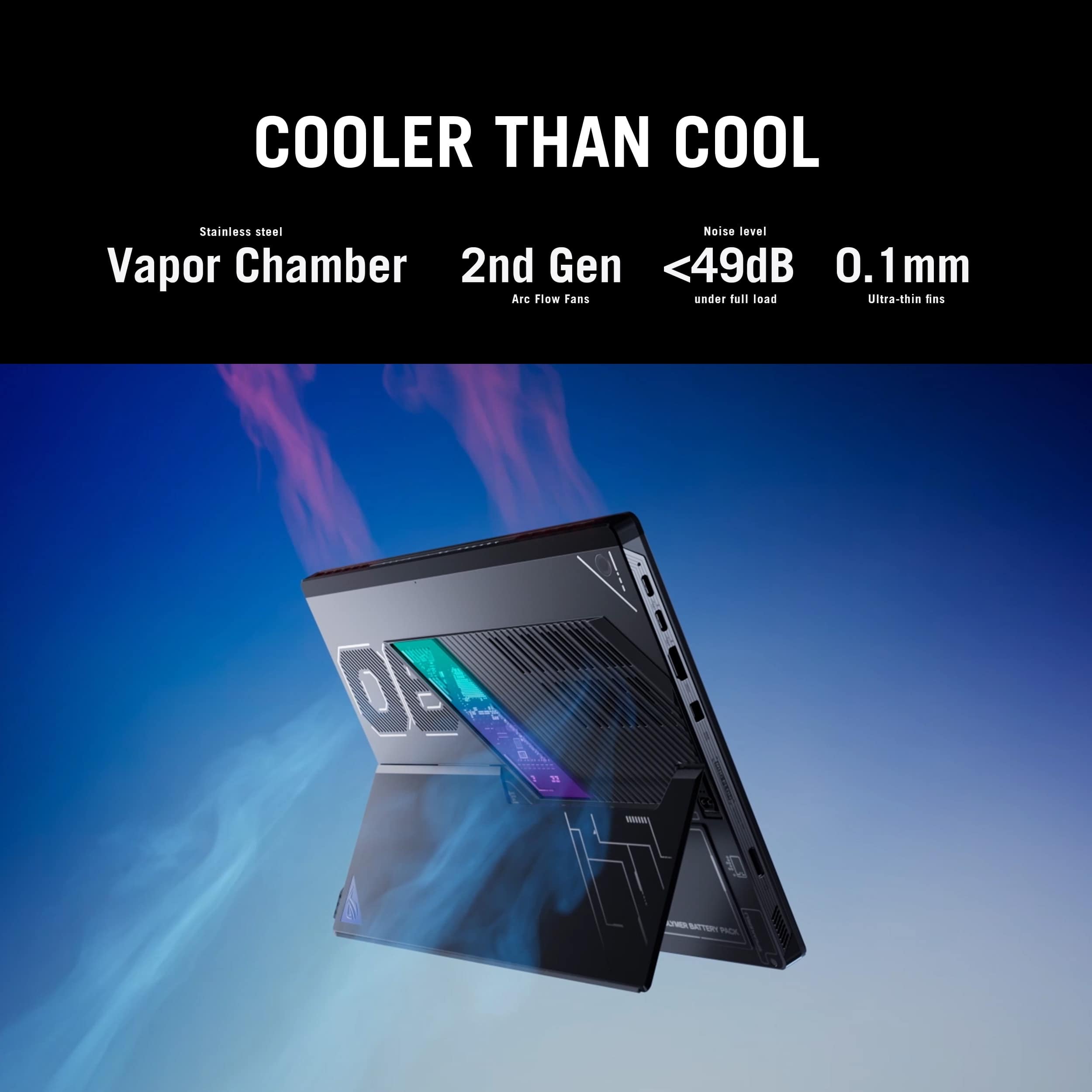
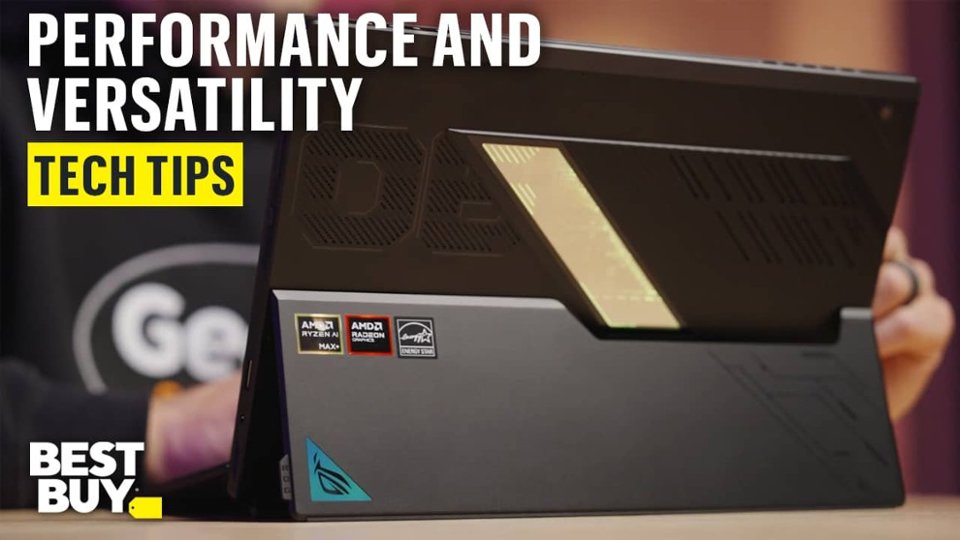
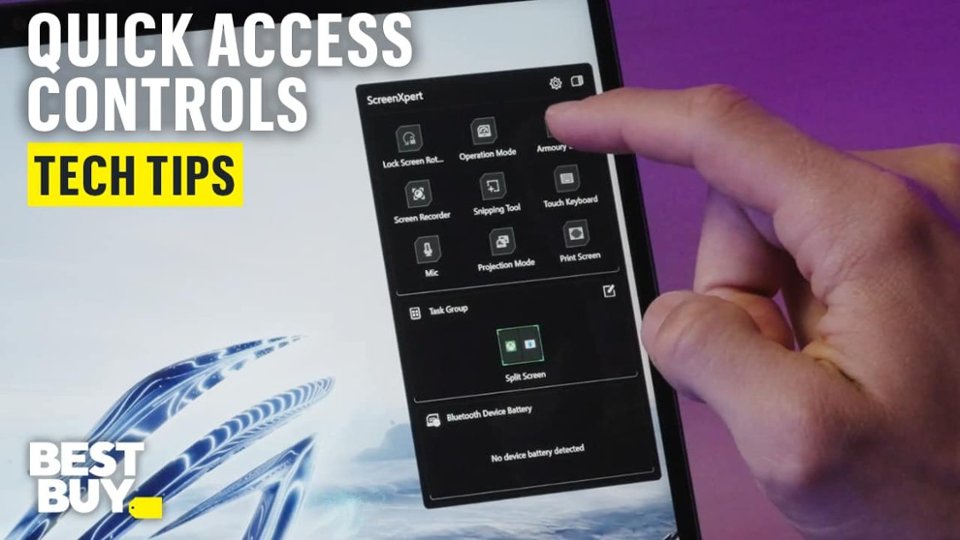
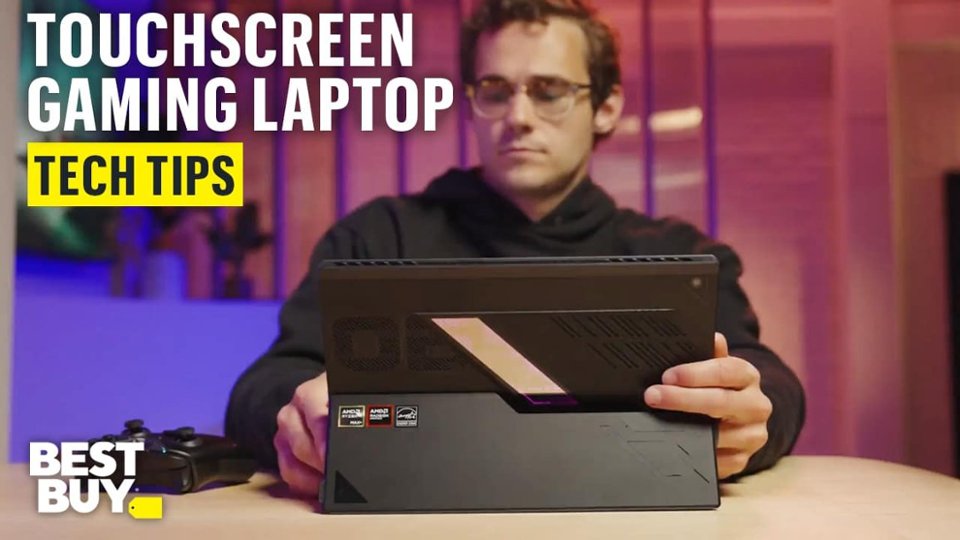
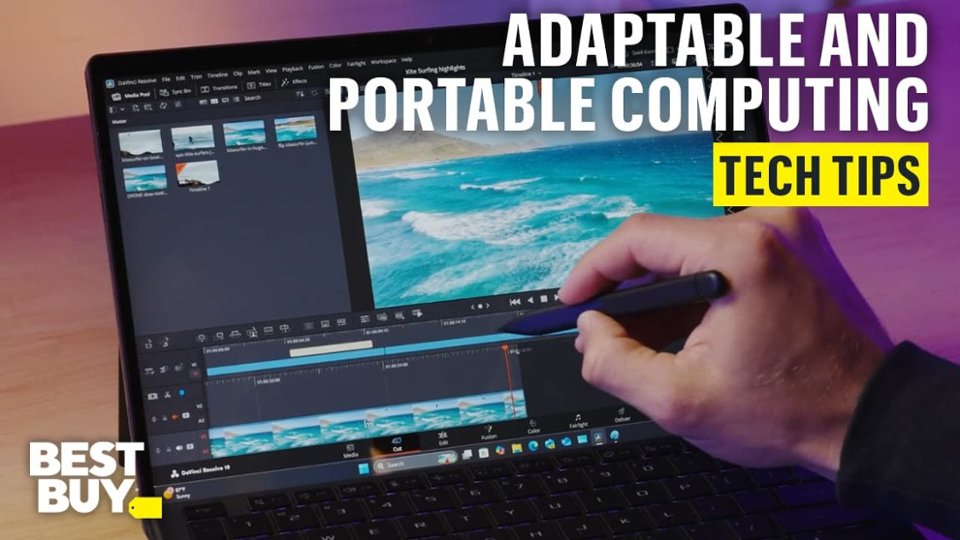
Customers admire the ROG Flow Z13 for its portability and excellent build quality. The device is also praised for its fast processor speed and solid gaming performance, even when running on battery. Some customers find the battery life to be just acceptable and the weight to be a bit heavy for a tablet. However, the ample port count and effective cooling system are appreciated features.
This summary was generated by AI based on customer reviews.
The vast majority of our reviews come from verified purchases. Reviews from customers may include My Best Buy members, employees, and Tech Insider Network members (as tagged). Select reviewers may receive discounted products, promotional considerations or entries into drawings for honest, helpful reviews.
Page 8 Showing 141-160 of 168 reviews
Rated 4 out of 5 stars
Powerful all in one device
|
|
Posted .
This reviewer received promo considerations or sweepstakes entry for writing a review.
Very versatile device that is powerful enough to get most jobs done. However, the chip is so new that you may still experience some driver issues.
I would recommend this to a friend
Rated 5 out of 5 stars
Great little device
|
|
Posted . Owned for 3 weeks when reviewed.
This reviewer received promo considerations or sweepstakes entry for writing a review.
Love my rog flow z13 so much flex ability and was of use with this device. Only thing I would change is add a TB 5 for the price.
I would recommend this to a friend
Cons mentioned:
Battery life
Rated 1 out of 5 stars
Biggest piece of garbage!
|
|
Posted . Owned for 1 month when reviewed.
This reviewer received promo considerations or sweepstakes entry for writing a review.
First off the battery lasts an hour at best… i edited 2 images in photoshop and that wasted 30% off the battery… do if you’re expecting to use this device as a portable workstation you are mistaken. Asus support is by far the worst, they are unethical and gove the same 1-2 business day response but never get back to you… I suggest staying clear of anything Asus… they are nothing but scam artist.
No, I would not recommend this to a friend
Brand response from ASUS Answers
Posted .
Dear Greg,
Thank you for your comment.
We do understand your dissatisfaction with the quality of the product and your recent customer service experience and the inconvenience this may have caused. This laptop has a battery life of approximately 10 hours of light to medium workload. To improve or prolong the battery charged time, please try to do battery calibration manually. To start with, please drain it completely then charge it fully without using the system. Once fully charged, please use the system, without the AC adapter connected, and drain it completely again. Please repeat the charging process thereafter. Also, please verify if this laptop is running with the most Windows, drivers and BIOS update. Updates for this laptop are available at: https://rog.asus.com/us/laptops/rog-flow/rog-flow-z13-2025/helpdesk_bios/. Additionally, no third-party battery draining applications are running in the background if not in use. Furthermore, setup power options into power-saving mode if not gaming or running resource-intensive applications.
We do value our customers and take negative customer service experience very seriously. This is not the quality of service expected from ASUS. We do support and stand behind our products, and we continuously strive to improve our approach and processes in order to achieve customer service excellence. If you need further assistance with the product, please email me at [email protected] and I would be more than happy to help. Or you are most welcome to call Product Support Hotline at: 1(888) 678-3688. Also, you can chat with an ASUS live support agent from the link: https://www.asus.com/us/support/article/1135/.
Thank you for choosing an ASUS product.
Regards,
Rodel ASUS Customer Loyalty
Rated 5 out of 5 stars
Great Buy!
|
|
Posted . Owned for 2 weeks when reviewed.
This reviewer received promo considerations or sweepstakes entry for writing a review.
Worth the price if your looking for something in a smaller form factor. I saw a review online that said a usb 4 port was dead. I haven had any issues with mine.
I would recommend this to a friend
Rated 3 out of 5 stars
Great, but returned.
|
|
Posted .
This reviewer received promo considerations or sweepstakes entry for writing a review.
Has all the power you could ask for in a tablet form. Hardest part to get over is the way you have to hold it on your lap. Needs an OLED, to much backlight bleed.
No, I would not recommend this to a friend
Brand response from ASUS Answers
Posted .
Dear EJS48,
Thank you for your feedback on the ASUS GZ302EA Gaming Laptop. We're pleased to know you valued its performance and tablet-style design. We understand your concerns about lap usability and backlight bleed, and we’ll share your comments with our product development team to help guide future improvements.
We stand behind our products and continuously strive to improve our products and processes to achieve customer service excellence. If you require any further assistance, please email us at [email protected] and include the case number "N2506008238-0004" as a reference. We will do our best to resolve your case quickly. Your feedback is very important to us, and it enables us to improve our support channels. Thank you for choosing ASUS.
Best Regards, Chantae ASUS Customer Loyalty US Support
Pros mentioned:
Build quality, Gaming performance, Portability
Rated 4 out of 5 stars
A Powerful, Sturdy Tablet for the Ryzen 9 AI Max+
|
Posted .
This reviewer received promo considerations or sweepstakes entry for writing a review.
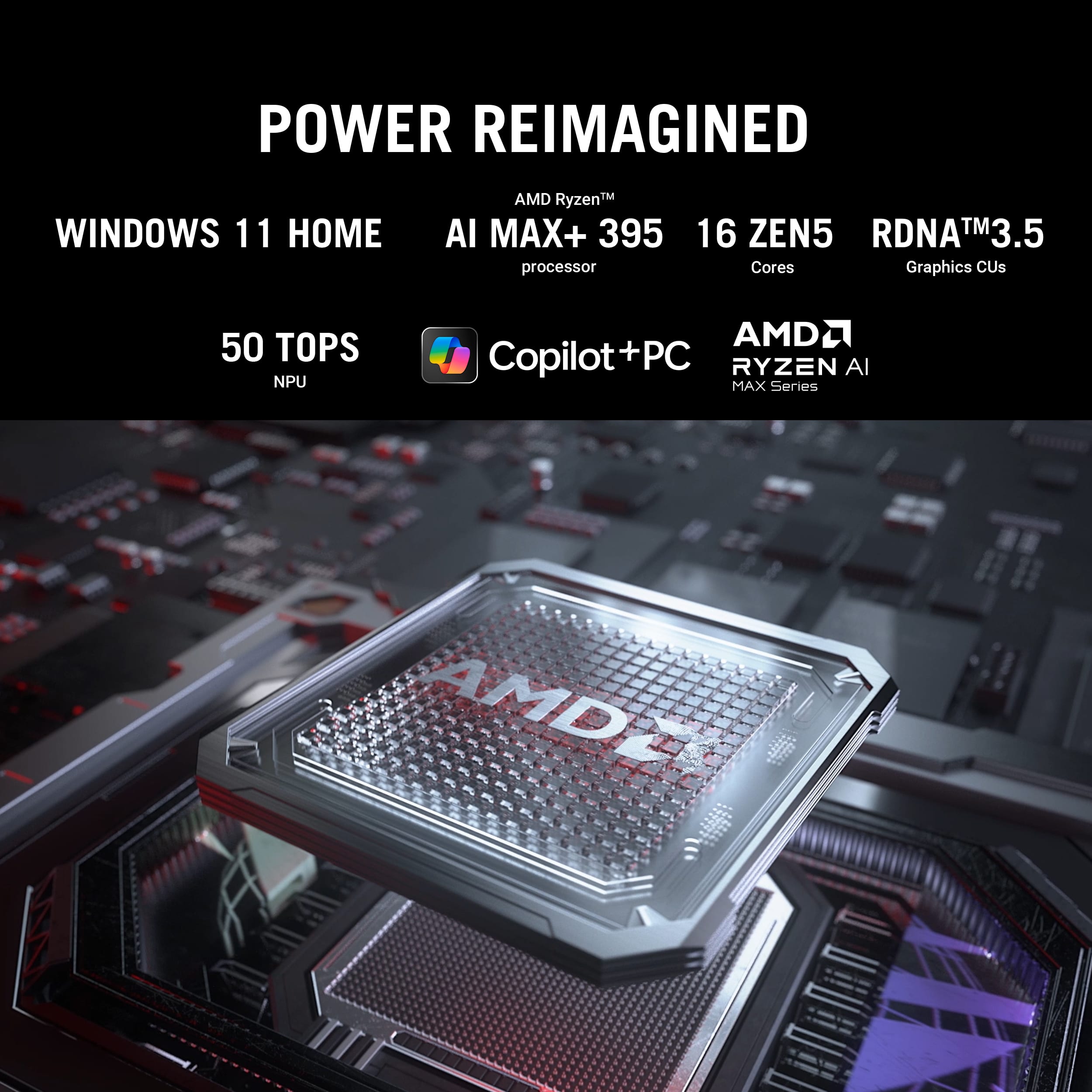
The new RoG Flow Z13 tablet is a redesign of their previous generation Flow Z-series, but featuring something totally new this year: An all-APU design with no actual dedicated graphics (dGPU), instead employing the most powerful AMD APU Technology available - based on the new “AMD Strix Halo” architecture, consisting of AMDs new Ryzen AI+ 395 processor, paired with a Radeon 8060S integrated graphics (APU) – The first time we’re seeing TRULY AAA gaming capabilities AND AI-capable NPU in the same die without a dedicated graphics card onboard! On paper, this thing is a beast. Does it make the same impression in person?
Let’s start with the packaging:
While this is a very different form factor than a typical gaming laptop, it has an unboxing experience that feels premium and familiar. One of the things I really like about the RoG Flow Z13 is how it seems to be a flagship product for ASUS/RoG. It arrives in a sleek, sturdy box adorned with bold RoG branding and metallic highlights. Inside, the tablet is separately packed in its own box, cushioned by custom cutouts, ensuring it remains pristine during transit. Accessories are thoughtfully arranged: the detachable keyboard is pre-attached, and the 200W overkill power supply is packaged separately. There is NO stylus included, but ASUS and Microsoft styli are supported by this unit, however it offers no pen storage abilities onboard. The literature is minimal and typical for RoG devices, but clear for such a streamlined setup.
Design and Build:
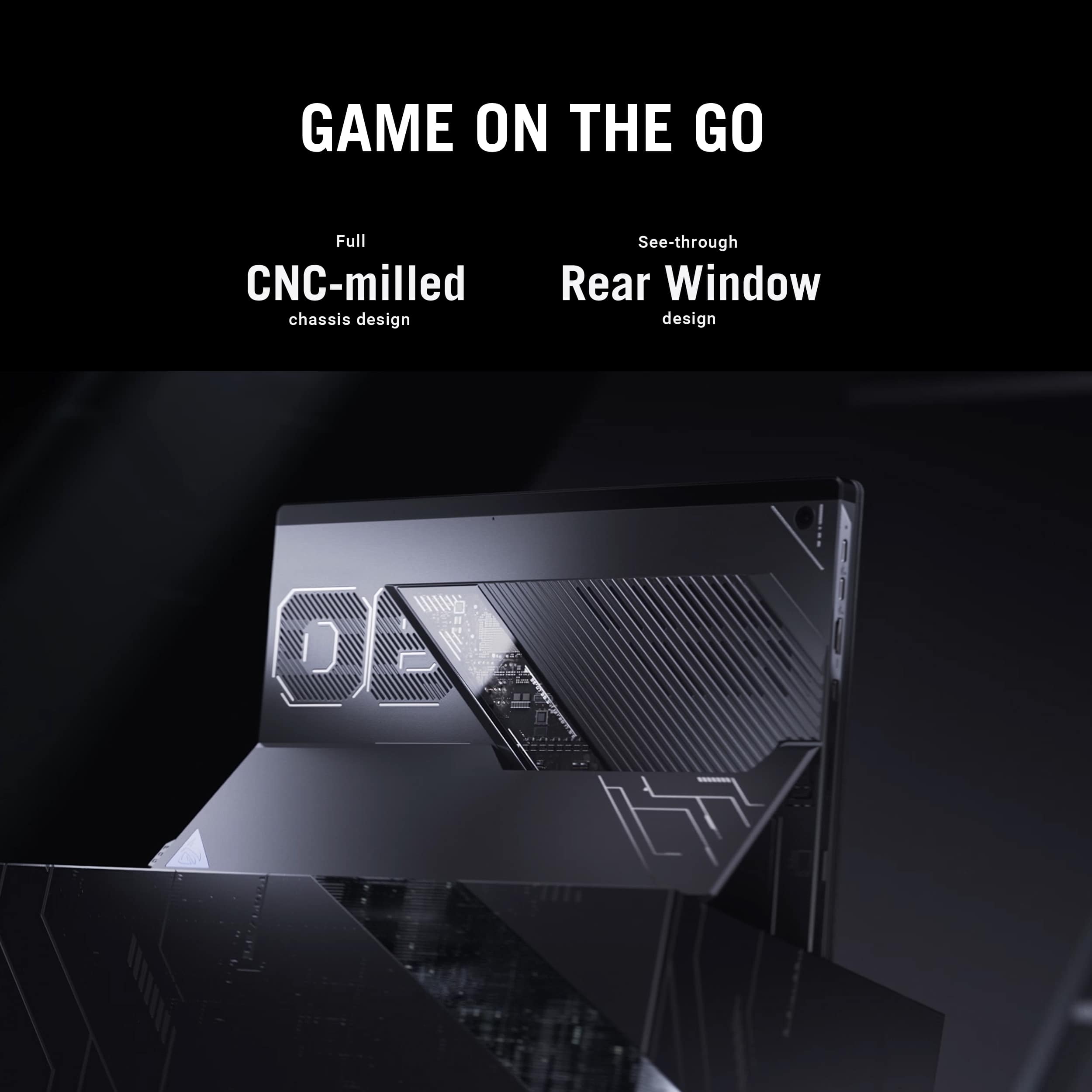
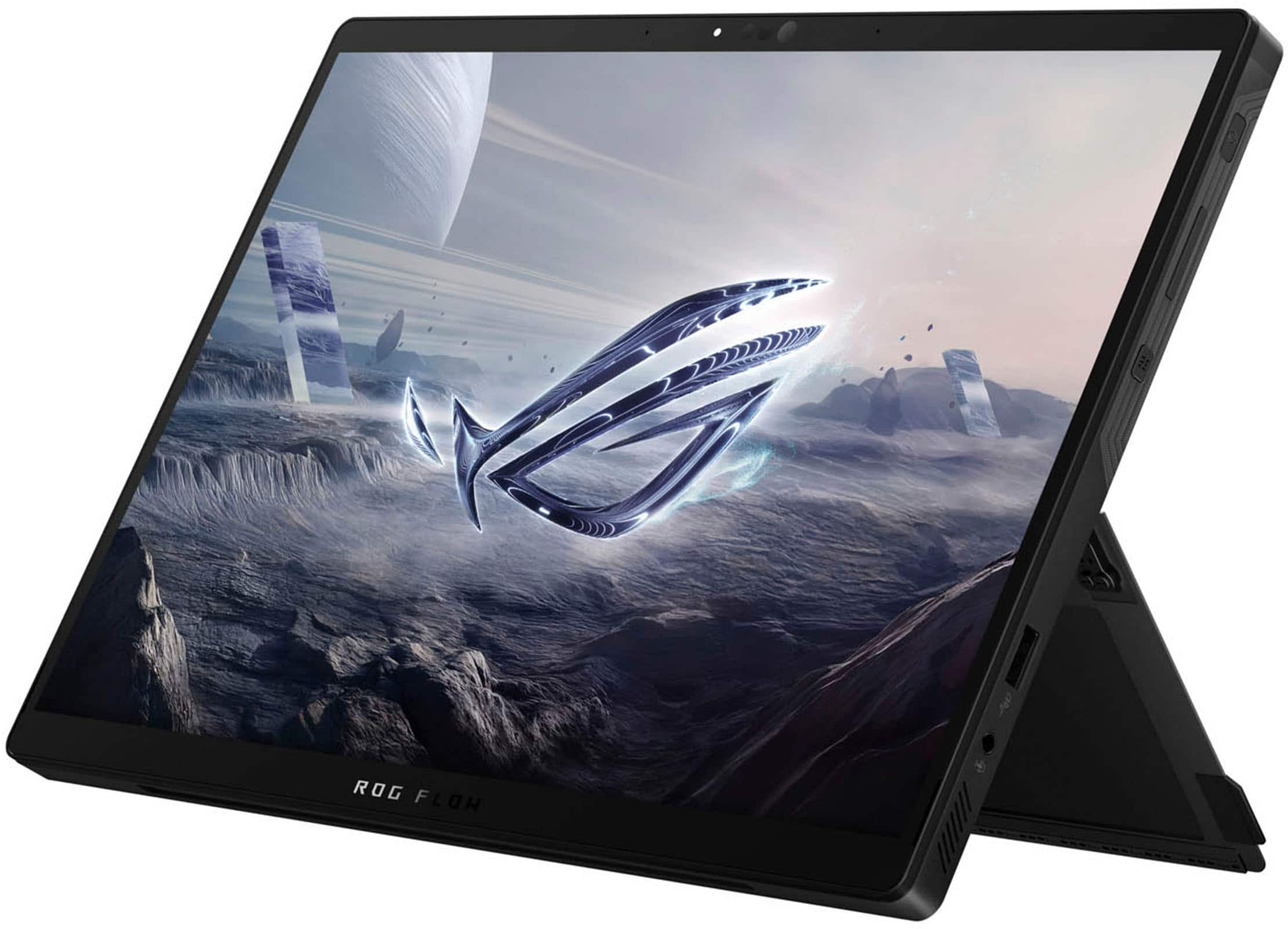
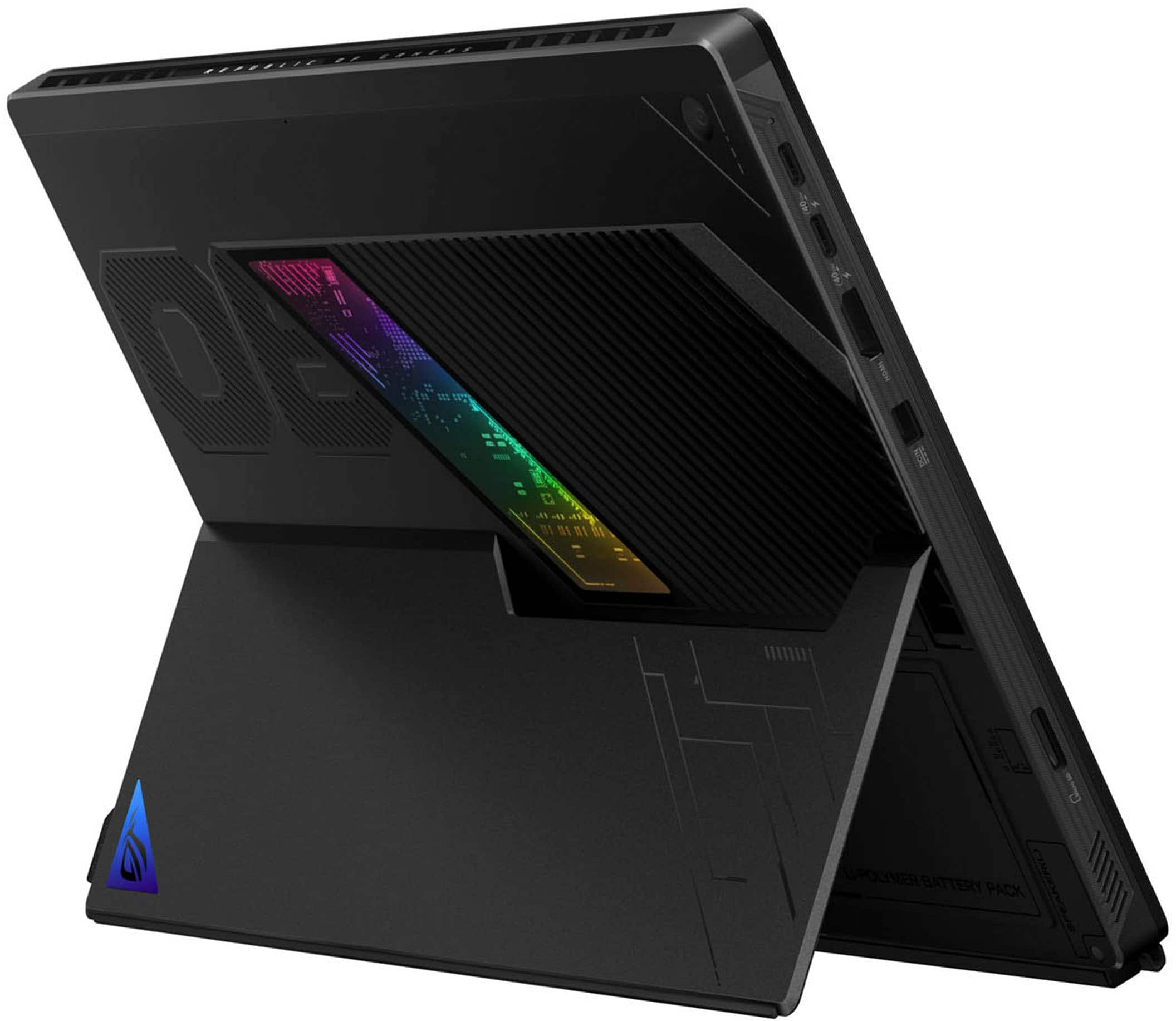
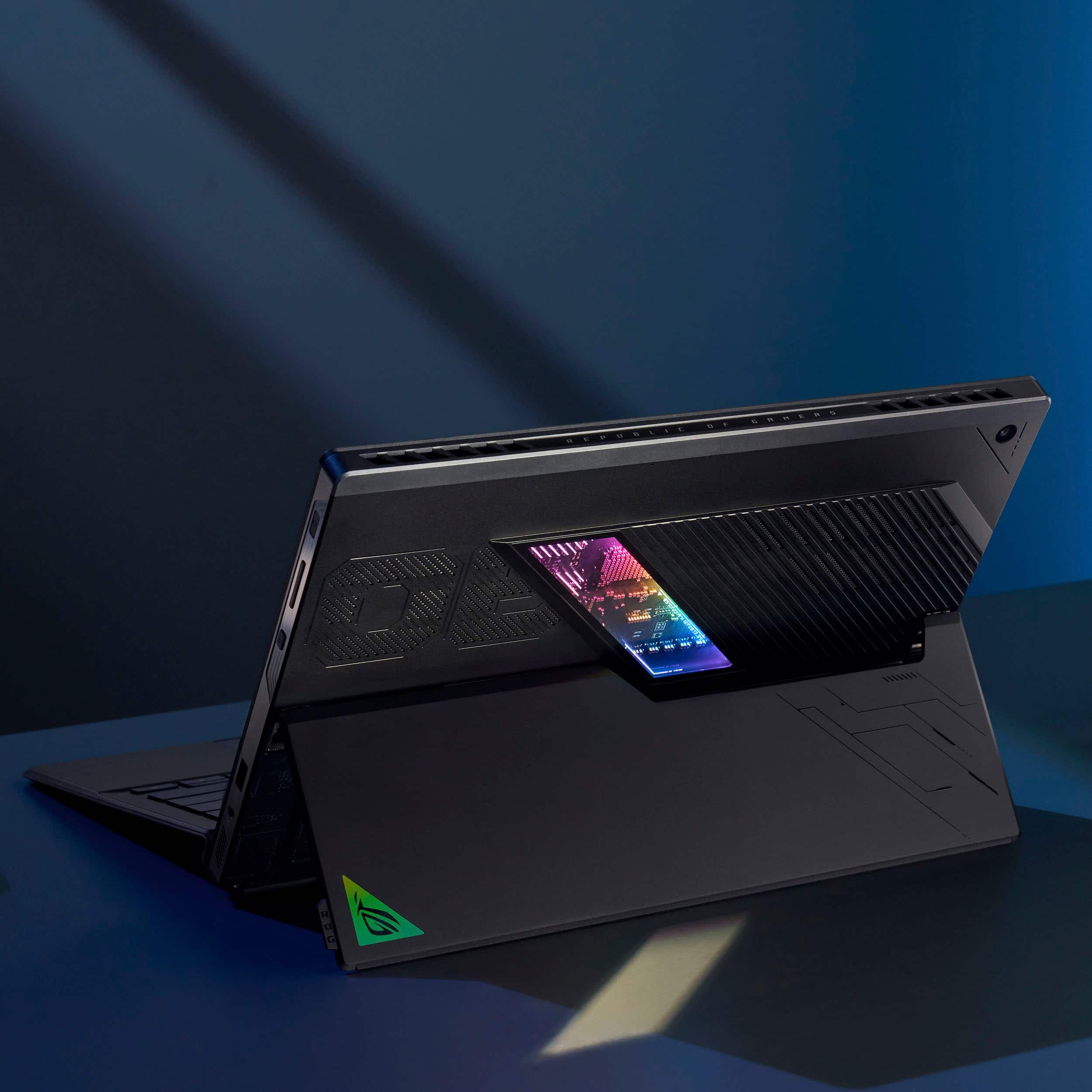
The Flow Z13 continues ASUS’s tradition (with RoG anyway) of marrying sturdy industrial design innovation with striking aesthetics. Its chassis, forged from aluminum alloy, exudes ruggedness – While being remarkably portable for a high-performance tablet. He’s a big, ”thicc boi”! The tablet’s lines are angular and aggressive, punctuated by a new RoG signature RGB window that gives a glimpse into the tablet’s internals—an eye-catching nod to it’s gaming pedigree, while keeping the RGB subtle – When turned off, its just a mirrored SLASH in the back of the chassis.. The kickstand is robust, and offers a unique shape that helps frame the ventilation ports and includes rubberized edges for comfort when lapped, or the avoidance of sliding when on a hard surface.
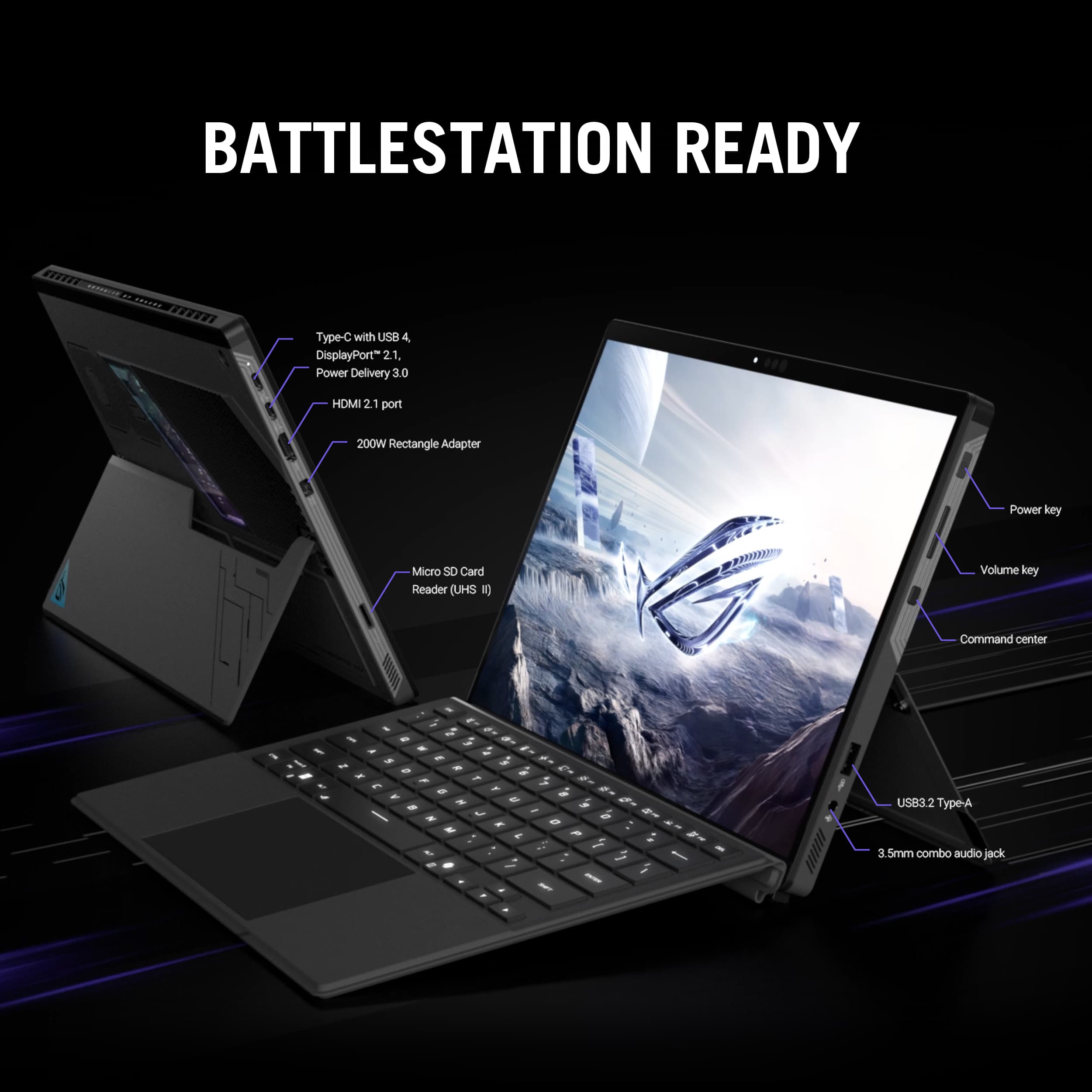
Ports are where you’d want them to be, and there are a good amount of them. 2x USB-C 4.0 ports on the upper left-hand side, while a single USB-A 3.2 port sits on the right lower quadrant of the edge for better headset/mouse dongle connectivity when needed. HDMI and ASUS’ new SlimPort charging port (From the Zephyrus G series) round out the left side, while the upper right manages the power button, volume rockers, and an Armoury Crate button to fire up the overlay in-game, or the AC application from the desktop. A 2.5mm standard headphone jack also adorns the right side next to the USB port.
The keyboard is an interesting component. MUCH more robust than comparable tablet magnetic keyboard from the likes of Microsoft, Lenovo or Dell, but with build that makes me feel like I can still treat it like a gaming device. The palm rest and core of the part seems to be metal-backed as it is VERY tensile and flexed minimally. It seems like it will last longer than some of those competing devices based on its sturdy build, and the finish on the board seems to be more durable than the competing rubberized or Alcantara of other such keyboard covers. They keyboard itself has GREAT travel for being a mag-board, and the RGB looks great, although compared to other gaming laptops, it’s a bit dimmer, and the key font makes it hard in some cases to read the secondary symbols in dark rooms – One thing of note about the keyboard – ASUS has listened to its users and BROUGHT BACK Fn-Lock that was gone from last year’s G-series laptops… You can now Fn-Lock your secondary functions with Fn+ESC again!
Display:
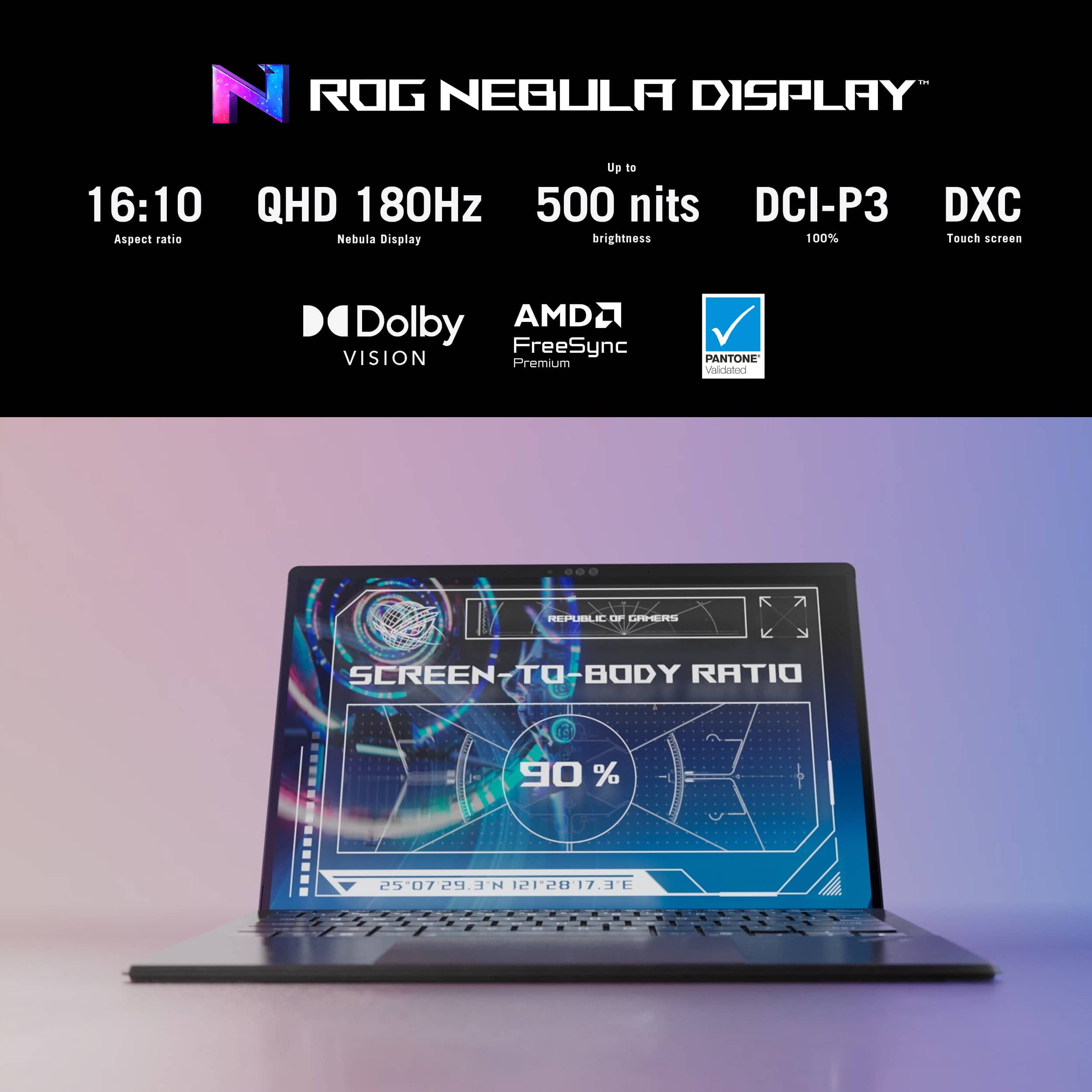
The 13.4-inch display is a standout feature, boasting a QHD+ (2560 x 1600) resolution with a 165Hz refresh rate. Colors are vibrant, blacks are reasonably deep for an IPS panel, and the brightness peaks at ~500 nits, making it comfortable for both indoor and some cloudy/covered outdoor use. Touch responsiveness is excellent, supporting both finger and stylus input with negligible lag (I have not yet been able to evaluate the stylus input from a delay/lag/jitter perspective, and I’ll update my review if I come across one to test with). The screen’s slim bezels look great, while the Gorilla Glass protection provides peace of mind during transport and use with a pen or your finger poking it all the time.
I did get an uncomfortable amount of light leak from the panel when I first received it, but realized some of this is caused by the strong magnets on the bottom of the screen pulling the glass away from the LCD – I was able to gently “massage” some of this away, so the most offensive “bright spots” in black/dark areas are hardly visible now. This is expected with most IPS displays.
Initial Overall Impressions:
From the moment you power it on, the Flow Z13 impresses with snappy boot-up and RoG-optimized Windows startup screen and POST animated logos. The device feels fast, cool, and surprisingly quiet, even during initial software installs and download of updates. One of the impressive things about this form factor is the ventilation setup. Unlike a gaming laptop or workstation, that gets its intake air from underneath and blows exhaust to the sides or back, this thing has its hottest components up at the screen level, so its breathing IN via vents in the upper-back, and exhausting via the top edge of the tablet. ASUS does this with brilliant RoG branded finesse, that, in my opinion looks very cool and sleek, and this form gives a HUGE advantage: You can use this device sitting on soft surfaces like a sofa, ottoman or bed without the fear of suffocating critical cooling! This would also be a boon to creatives using the tablet that don’t want to overheat the CPU or APU while running AI generation or rendering image filters, video or 3D content. This thing can always breathe so its always at its peak, and its intakes aren’t up against soft surfaces that can pull in lint and other dusty/dirty vent contaminants that can degrade airflow over time. It should be easier to clean out as needed as well since the vents and exhaust are all open and visible on the back and top of the system.
General Use:
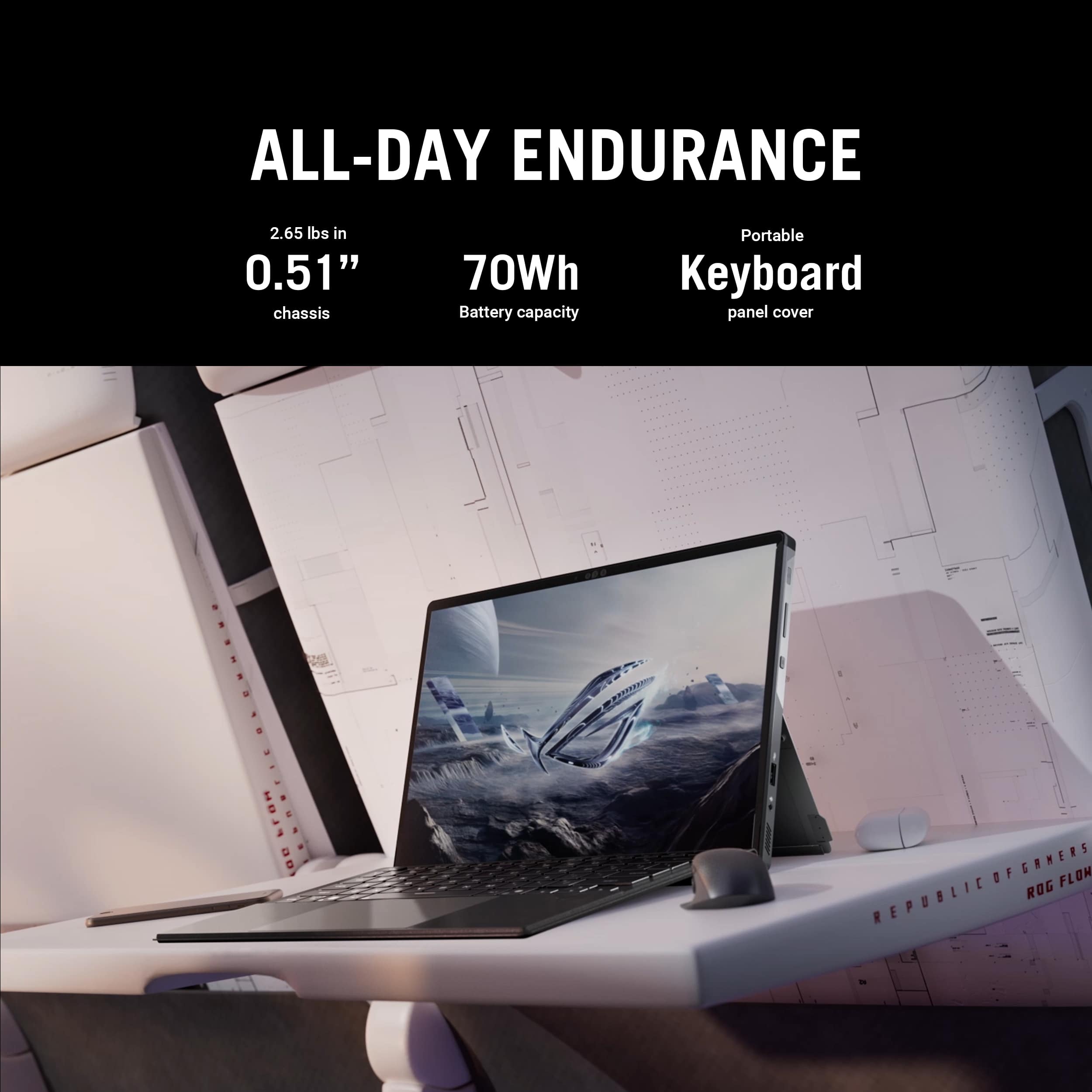
In everyday scenarios, the RoG Flow Z13 shines as a versatile, albeit thick and hefty companion. Web browsing is fluid, multitasking is effortless thanks to up its 64GB of RAM, and office tasks feel fluid and completely snappy on the latest AMD Ryzen 9 AI 395 processor. The included keyboard is good enough to allow the tablet to transform into a credible laptop replacement. Battery life, when using the silent operating mode, is solid for a device of this caliber, averaging 4-6 hours under real-world mixed use—enough to get through most of the work day unanchored from a power outlet, but lesser than similarly sized devices of the same form factor that don’t have the processing or graphics/neural chops of something this beefy.
Gaming Use:
Here’s where the Flow Z13 truly sets itself apart. Armed with this new AI MAX+ APU, which allows BIOS and software-set unified RAM allocation to the graphics processing and efficient thermal management, the tablet delivers legitimate AAA gaming on the go. Popular titles like Halo Infinite, The Master Chief Collection, Gears 5, and other PC Game Pass titles run smoothly at high settings, maintaining frame rates above 60fps. Some games were even doing great on Ultra settings at native res. For the best performance when using the 13” screen, I found setting things to FHD resolutions downscaled them a bit but its not noticeable on a screen this size and the performance was perfect and lag-free. The high-refresh screen complements fast-paced games, while the unified memory architecture, and the ability to allocate up to half of the RAM lent to the graphics muscle for those seeking near desktop-class performance (This thing benchmarks close to a mobile RTX4050 in real-world tests, and I’d validate that with my own testing!) as well as giving BIG graphics memory to the APU for model rendering and other non-gaming GPU tasks. Throughout my tests, the device stayed comfortable to hold, and fan noise, while audible, remained unobtrusive, and you never have to worry about suffocating those fans and vents due to the design points mentioned above.
Summary:
The ASUS RoG Flow Z13 (2025) is a testament to how far APUs, and gaming tablets, have come: A rare blend of portability, versatility, and raw power. Whether you’re a gamer, a creative professional, or someone who values flexibility without compromising on performance, the Z13 is a great choice. While the premium price reflects its cutting-edge credentials and almost a demonstration/prototype level of bleeding edge tech, the device delivers exceptional performance for anyone seeking one device that can truly do it all. I would recommend this device to anyone looking for a cutting edge, take-anywhere powerhouse experience.
I would recommend this to a friend
Rated 5 out of 5 stars
Perfect Gaming
|
|
Posted .
This reviewer received promo considerations or sweepstakes entry for writing a review.
The spec is too perfect good for high resolution gaming playstyle Go for it!!!
I would recommend this to a friend
Rated 3 out of 5 stars
Few bumb during setup,needed mandatory bios update
|
|
Posted .
This reviewer received promo considerations or sweepstakes entry for writing a review.
Took a lot longer to set up than I had expected. Not impossible just long process.
No, I would not recommend this to a friend
Brand response from ASUS Answers
Posted .
Dear KeithA, We understand your disappointment regarding the setup experience with your device, and we truly appreciate you bringing this to our attention. Your feedback is important to us, and I will be sharing your concerns with the appropriate department to support ongoing improvements to our product line. If you need any assistance, feel free to contact me at [email protected]. We'll be happy to provide a quick resolution to your case, and I will help you to the best of my abilities. I am here to assist our customers with our products and am dedicated to bringing resolution to all issues that they may come across. Your case for reference is [N2506008238-0006] for us to better assist you. Thank you for choosing ASUS! Best Regards, Schottky.S ASUS Customer Loyalty US Support
Rated 5 out of 5 stars
Device ive always asked for
|
|
Posted .
This reviewer received promo considerations or sweepstakes entry for writing a review.
Love this thing, you can even turn it into a handheld
I would recommend this to a friend
Rated 5 out of 5 stars
Compact MONSTER
|
|
Posted .
This reviewer received promo considerations or sweepstakes entry for writing a review.
Compact monster device...handles AAA titles and work stuff with ease
I would recommend this to a friend
Rated 5 out of 5 stars
Nice design.
|
|
Posted .
This reviewer received promo considerations or sweepstakes entry for writing a review.
Screen size and touch screen are exactly what I was looking for
I would recommend this to a friend
Pros mentioned:
Build quality, Gaming performance, Port count
Rated 5 out of 5 stars
Insane Power and Functionality meet in the Z13!
|
Posted .
This reviewer received promo considerations or sweepstakes entry for writing a review.
The ASUS ROG Flow Z13 is a sleek and capable machine. I've been using it for about a week, and I've come to love its blend of performance, style, and convenience; it has no problem being both my daily work computer and my dedicated gaming PC.
One of the first things you'll notice about this device is the design. This is not a traditional laptop; rather, it's a tablet with a removable keyboard and mouse that easily attaches via magnets. However, the tablet has a robust built-in stand, allowing the Z13 to be used similarly to a laptop on a desk or other solid surface.
The only con to this design is that using the Z13 as a laptop on your lap is pretty difficult. Thankfully, you can use the tablet as is with touch screen controls, which respond nicely and allow for even more flexibility.
As for the pieces that make up the Z13, each item is incredibly well-made, and feels like they have been precisely engineered for quality and durability. The tablet portion is solid and appears to be of a higher quality than many comparable laptops I’ve tried over the years. The removable keyboard is also nicely made, and the attaching/removing action is easy to accomplish and feels very robust.
The detachable keyboard feels surprisingly good considering its small size (depth), with good travel on the keys, and a nice tactile response. Somehow, they were even able to make the keyboard backlighting RGB, which is impressive. There is also a trackpad, which feels good, but not quite as upscale as one that might be built into actual laptops. That being said, the Z13 seems built to last, and has felt very premium during my daily testing with it.
The screen is arguably the main thing you’ll be interacting with on the Z13, and it is one gorgeous display. At 13.4”, and boasting a 2.5K resolution with a 180 Hz refresh rate, I found this display to look stunning when running demanding games, streaming HD content, or working with photo-editing software. Colors are vivid, details are crisp and defined, and the high refresh rate meant that games with a high framerate looked absolutely amazing. Add in the fact that this display is protected by Corning Gorilla Glass Victus, boasts an anti-glare coating, and is equipped with touchscreen functionality, and it’s pretty incredible what ASUS has managed to pull off with the Z13.
For ports, you have 2 USB 4.0 Type-C ports, an HDMI 2.1 port, a micro-SIM card reader, and a 3.5mm headphone jack. The Z13 also uses a proprietary charger, which is on the larger side, so there is a port for that connection as well. Additionally, the Z13 has 2 cameras: a 5 megapixel front webcam and a 13 megapixel rear-facing camera.
The chassis of the tablet is CNC-milled and feels incredibly sturdy. There is also a transparent window on the back of the device that allows you to see some of the circuitry on the inside. This window is completely unnecessary, but completely awesome at the same time. Definitely a cool detail that I was not expecting, and something that I’ve never seen on another laptop or tablet.
As for specs, the Z13 is equipped with:
- AMD Ryzen AI Max+ 395 Processor
- AMD Radeon Graphics
- Windows CoPilot+ PC
- 1TB SSD
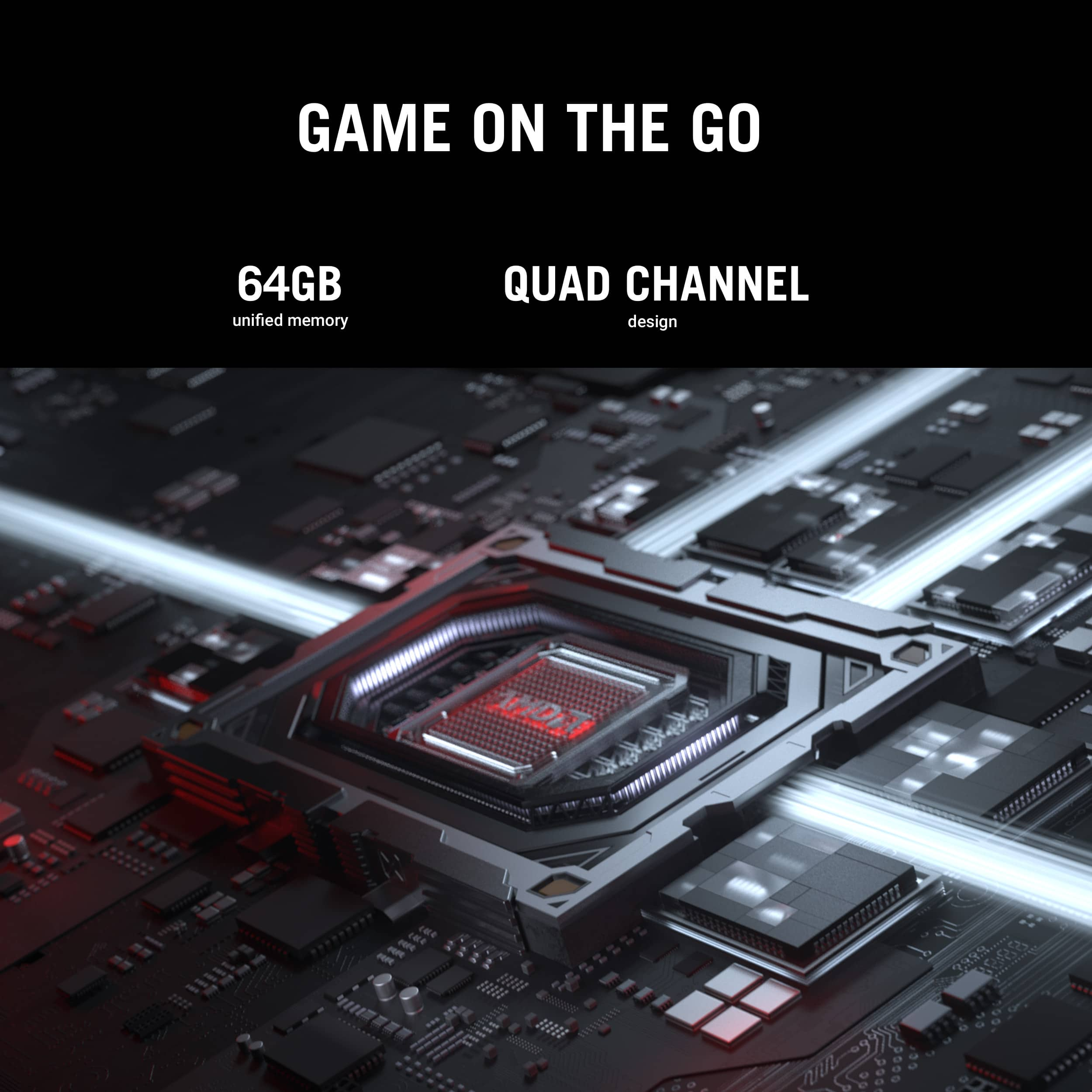
- 64 GB of LPDDR5X RAM
The main games that I used to test the Z13 were Cyberpunk 2077 and Starfield. On both of these titles, I was amazed at how well they ran on this hardware. With the settings approaching “ultra” on Cyberpunk, I was achieving ultra-smooth performance, with no lag, and no drops in framerate. On Starfield, I was easily able to get buttery smooth visuals, again with no lag or framerate hiccups, with the settings close to “ultra.” I also ran Fallout 4 and the Witcher 3, just to get even more of an idea of what the Z13 could do. As expected, Fallout 4 was a breeze to play on “ultra” settings, and the Witcher 3 also ran flawlessly with the settings turned up to “ultra.”
The only times I saw any hesitation in the framerate were during my testing of Cyberpunk; if I maxed out the graphics and maxed out Ray Tracing, the Z13 seemed a bit overwhelmed at times. Still, for daily gaming at reasonable/higher settings, I really can’t imagine anything the Z13 wouldn’t be able to handle brilliantly.
With gaming performance being this good, I think the Z13 would be a great PC for any creator looking for a powerful workstation. Between the advanced AMD processor and the 64 GB of RAM, this PC is ready to handle anything you can throw at it. Add in the portable factor of this unique design, and its real-world functionality gets another boost.
At the end of the day, I have to say that ASUS has created a stunning piece of hardware that handles demanding gaming titles with ease. Not only that, but its versatile design ensures that you can find new ways to use the Z13, beyond just playing your favorite PC games. From work, to school, to content creation, I’m excited to keep exploring the features of the Z13, and using its speed and power to help me with all of my daily tasks. If you are looking for a gaming PC that offers the functionality of both a laptop and a tablet, the ASUS ROG Flow Z13 should be at the top of your list!
Final Score: 5 Stars!!
I would recommend this to a friend
Rated 4 out of 5 stars
Its Great
|
|
Posted . Owned for 3 weeks when reviewed.
This reviewer received promo considerations or sweepstakes entry for writing a review.
Great device the only con i would give it is the price
I would recommend this to a friend
Rated 4 out of 5 stars
Performs well but accessory issue.
|
|
Posted .
This reviewer received promo considerations or sweepstakes entry for writing a review.
Keyboard doesn’t work at certain angles, only works laying flat.
I would recommend this to a friend
Rated 5 out of 5 stars
Good for Game
|
|
Posted .
This reviewer received promo considerations or sweepstakes entry for writing a review.
Good Product for Game, My son is love it. He take care it good
I would recommend this to a friend
Rated 4 out of 5 stars
Great product by asus
|
|
Posted .
This reviewer received promo considerations or sweepstakes entry for writing a review.
Great product, it can easily replace any computer.
I would recommend this to a friend
Rated 5 out of 5 stars
Worth every penny
|
|
Posted .
This reviewer received promo considerations or sweepstakes entry for writing a review.
Best performance and graphics on a tablet in 2025.
I would recommend this to a friend
Pros mentioned:
Build quality, Port count, Portability
Rated 5 out of 5 stars
Very impressive high-tech Device
|
Posted .
This reviewer received promo considerations or sweepstakes entry for writing a review.
Everyone knows Asus makes some of the best high-end Electronics, PCs and Laptops out there, I am a big fan and I own a few of their products.
So it’s no surprise that the Asus ROG FLOW Z13 delivers. Here are some key points and info:
Screen size,resolution, refresh rate:
13.4 inches. For a laptop this isn’t too big but it’s honestly big enough. One advantage it has is that it is very portable at that size. It’s exact resolution is 2560x1600 or 2.5k for short. All I can say is the screen is very clear, very crisp and overall perfect for this size. The aspectvratio is 16:10 WQXGA 180Hz ROG Nebula Display.
Processor:
AMD Ryzen AI Max+ 395. A very powerful and capable processor, can play any game out now, and in the future.
RAM:
64 gigabytes, yes 64GB. This is unheard of in stock laptops. you’ll never have to even think about upgrading the RAM.
Memory:
1TB. More than enough to download a few AAA games, or a few hours of 4k videos, or thousands of songs or pictures, or you can have a combination of all these things and even though 1TB is a lot, it will eventually run out if you download a bunch of stuff. But overall this very good for a laptop.
Build quality:
It has a very premium look and feel to it. some people consider this a tablet because the keyboard detaches, you stand up at an angle by using the kickstand in the back. But I like using it as a traditional laptop.
Misc:
It has a pretty good battery, 2 USB 4.0 Type-C ports, HDMI 2.1, a micro SIM card reader, 4 Dolby Atmos capable speakers, front and read webcams, Windows 12 Home, AI productivity with Windows Copilot+ to help you along with different tasks, and so much more where I could just go on and on about features.
I would recommend this to a friend
Rated 1 out of 5 stars
ASUS ROG FLow Z13 is a waste of money.
|
|
Posted .
This reviewer received promo considerations or sweepstakes entry for writing a review.
Not impressed with this product. When I start the laptop, I have to restart it to get the keyboard to work. I can't get ASUS to respond to enquiry why the keyboard doesn't work until I reset it.
No, I would not recommend this to a friend
Brand response from ASUS Answers
Posted .
Dear Robert P,
We apologize for the keyboard issue you’ve encountered with your ASUS GZ302EA gaming laptop, where functionality only resumes after a restart. We understand how disruptive this can be and regret any difficulty you've had reaching our support team.
To help resolve the issue, we recommend reviewing the steps in the troubleshooting guide linked below. If the issue continues, please email us at [email protected] and include the case number "N2505025726-0009" as a reference so that we can investigate this issue further. We know that maintaining a functioning unit is an urgent matter, and we are committed to helping you.
We stand behind our products and continuously strive to improve our products and processes to achieve customer service excellence. We will do our best to resolve your case quickly. Your feedback is very important to us, and it enables us to improve our support channels. Thank you for choosing ASUS.
Best Regards, Chantae ASUS Customer Loyalty US Support
This reviewer received promo considerations or sweepstakes entry for writing a review.
Cannot push 75" 4k Panel, Keyboard has no replacement and the Screen not OLED not sharp enough. Need bigger battery to be IPAD killer.
I would recommend this to a friend
Brand response from ASUS Answers
Posted .
Dear Felrobert415,
Thank you for sharing your experience with the ASUS GZ302EA gaming laptop. We apologize that the device did not meet your expectations in areas such as external 4K display support, keyboard serviceability, display clarity, and battery capacity. We appreciate your detailed feedback and will ensure your comments are passed along to our product development and quality assurance teams for further evaluation.
We stand behind our products and continuously strive to improve our products and processes to achieve customer service excellence. If you require any further assistance, please email us at [email protected] and include the case number "N2505025726-0008" as a reference. We will do our best to resolve your case quickly. Your feedback is very important to us, and it enables us to improve our support channels. Thank you for choosing ASUS.
Best Regards, Chantae ASUS Customer Loyalty US Support