Customer Ratings & Reviews
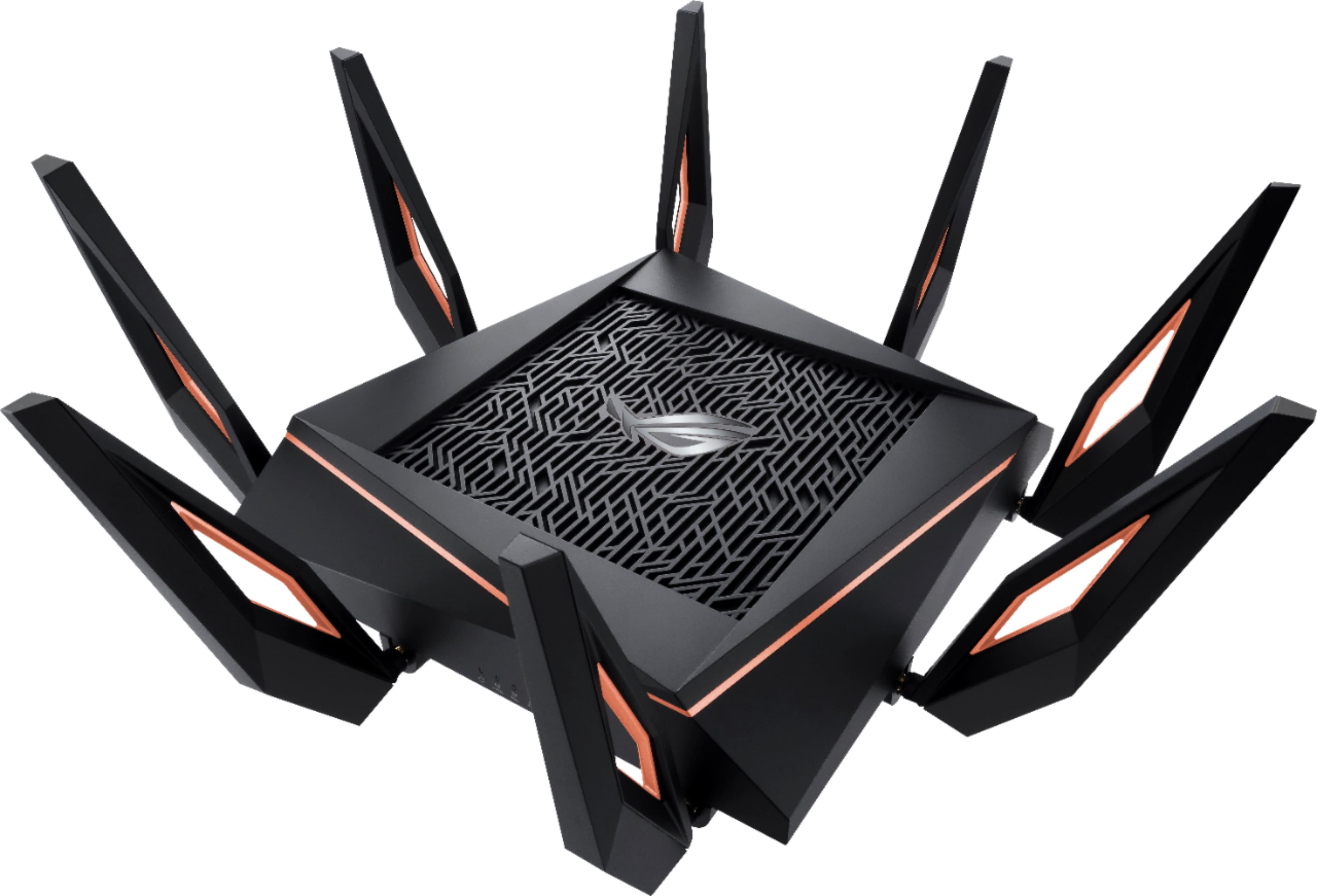
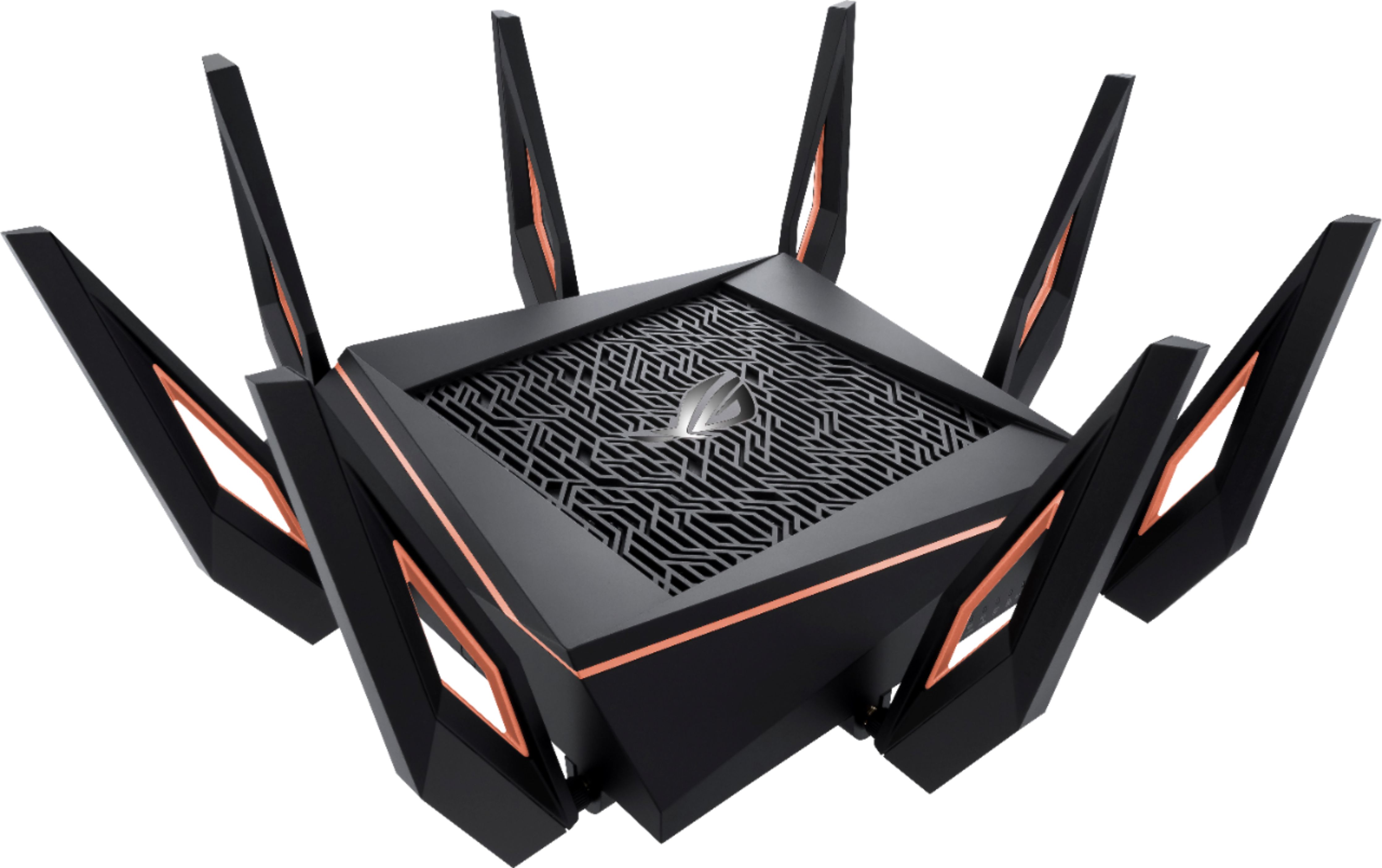
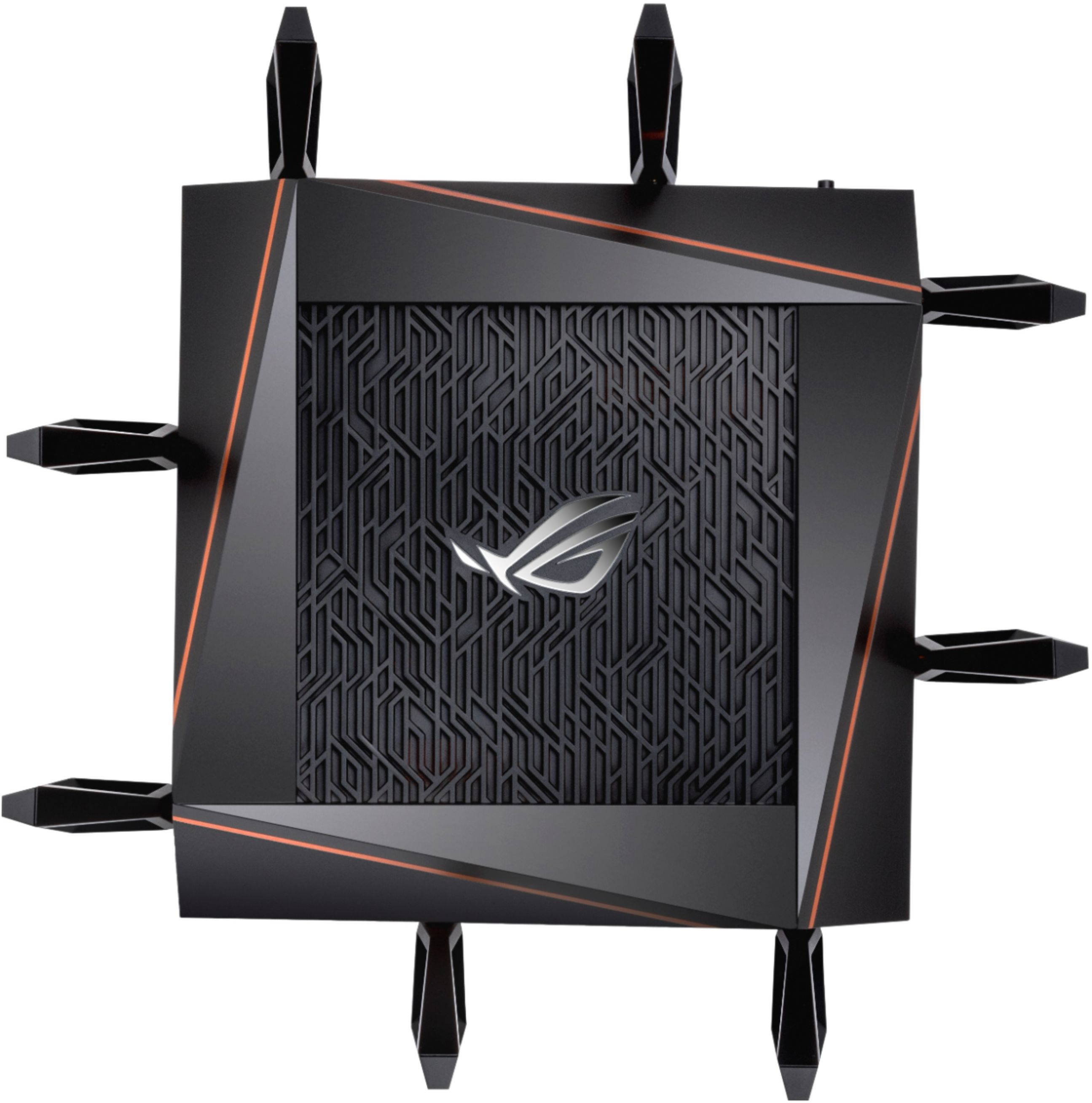
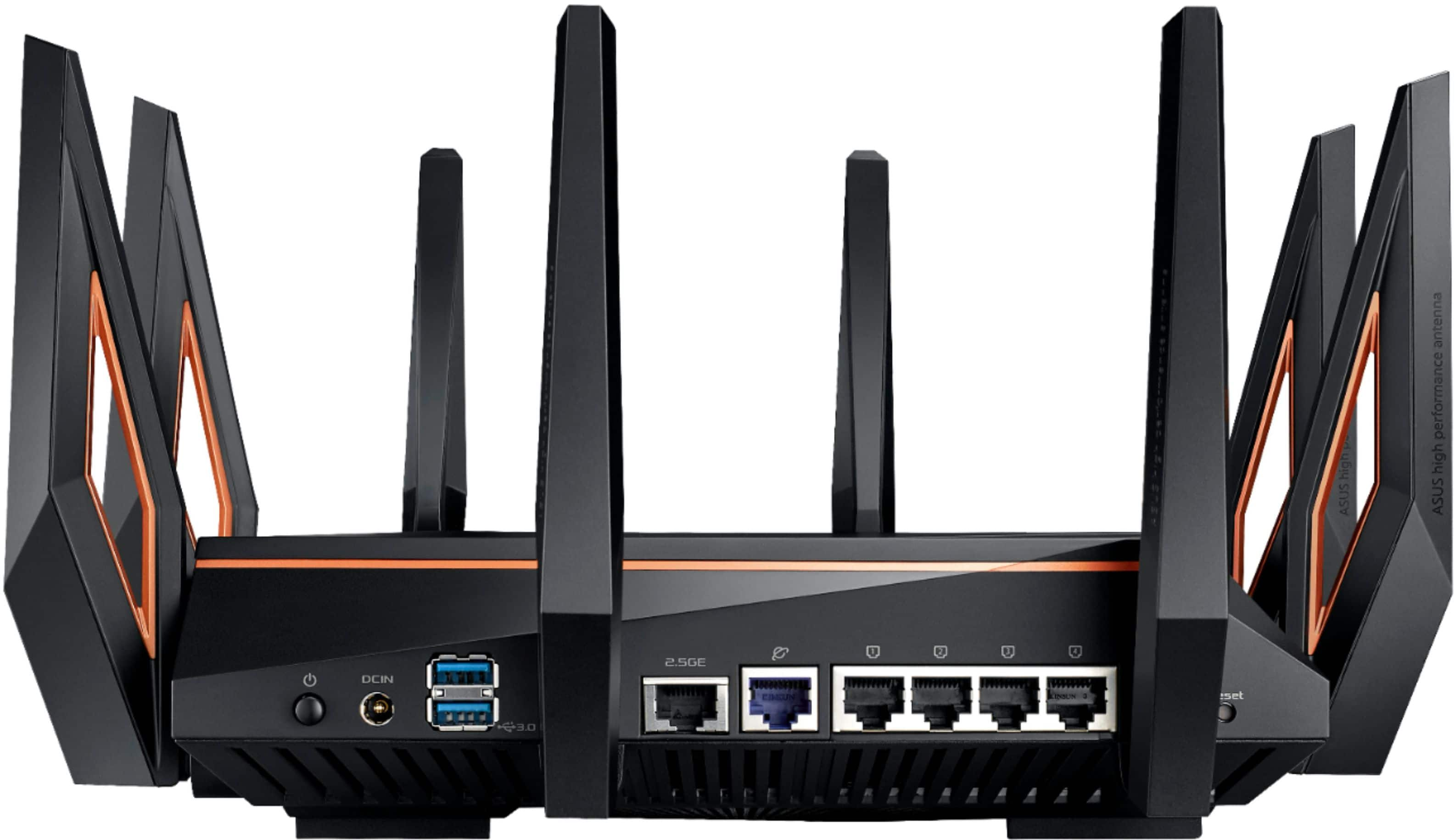

- Model:
- GT-AX11000
- SKU:
- 6321917
Rating by feature
- Setup
Rating 4.6 out of 5 stars
- Range
Rating 4.6 out of 5 stars
- Signal Strength
Rating 4.6 out of 5 stars
Customers are saying
Customers appreciate the ROG Rapture GT-AX11000's extensive range, strong performance, and ease of setup. Many found the improved signal strength and WiFi 6 capabilities beneficial, while some noted the router's large size and high price point as drawbacks. A few users experienced issues with firmware and the number of Ethernet ports. Overall, the positive feedback on performance and range outweighs the negative comments regarding size and cost.
This summary was generated by AI based on customer reviews.
Nice router
||Posted . Owned for 6 months when reviewed.This reviewer received promo considerations or sweepstakes entry for writing a review.This router is very powerful. Top of the line good.
I would recommend this to a friendEasy setup and works perfectly amazing range
||Posted . Owned for 1 month when reviewed.This reviewer received promo considerations or sweepstakes entry for writing a review.You wont be disappointed,Great Value and price match available
I would recommend this to a friendGreat speeds easy setup
||Posted . Owned for 1 week when reviewed.This reviewer received promo considerations or sweepstakes entry for writing a review.Would recommend this to anyone gamer or not !!!!!!!!
I would recommend this to a friendExcellent router
||Posted . Owned for 1 month when reviewed.This reviewer received promo considerations or sweepstakes entry for writing a review.Great router for gaming and large area. Tri-band WiFi
I would recommend this to a friendBest WAP on the market
||Posted . Owned for 3 weeks when reviewed.This reviewer received promo considerations or sweepstakes entry for writing a review.Best WAP on the market. I highly recommend this WAP
I would recommend this to a friendBeast
||Posted . Owned for 1 week when reviewed.This reviewer received promo considerations or sweepstakes entry for writing a review.This router is excellent. I upgraded from Netgear R9000
I would recommend this to a friendGreat Router, Many options
||Posted . Owned for 1 month when reviewed.This reviewer received promo considerations or sweepstakes entry for writing a review.No issues during setup or the last 4 weeks or so..
I would recommend this to a friendWorking great so far
||Posted . Owned for 1 month when reviewed.This reviewer received promo considerations or sweepstakes entry for writing a review.I have only had this router for about 3 weeks. So far so good. Was not hard to install but the directions was not clear either. The app is ok. It needs work but provides the info i need.
I would recommend this to a friendBrand response from ASUS Answers
Posted .Dear Hermitt,
We certainly value your feedback on this matter, and I will be letting the related department know about the issues you are experiencing for continuous improvements to the product line. What were the issues you've encountered that would reflect the 3-star review? Please provide us with any details so we can further assist. If you have any product inquiries you can reach me via email at cl-adrian@asus.com. Your case for reference is N2102018939-0003.
Thank you for choosing ASUS!
Best Regards,
Adrian
ASUS Customer Loyalty – US Support
Constant problems
||Posted . Owned for 6 months when reviewed.This reviewer received promo considerations or sweepstakes entry for writing a review.3rd router, all have constant problems and need to be reset and flashed back to factory settings regularly. Don’t buy.
No, I would not recommend this to a friendStarted out ok, has been nothing but problems for
||Posted . Owned for 6 months when reviewed.This reviewer received promo considerations or sweepstakes entry for writing a review.Started out ok, has been nothing but problems for the past 3 months. I've been in the IT industry for 15+ years, MCSA certified, and consider myself an expert in networking and technology. I've tried everything to get reliable internet. My wife and I are both working from home, and we're hosting a learning pod with 3 children and their laptops. I have 40 total devices mixed between Cat6 and WIFI, and at least 5 times a day, the network completely disconnects for several seconds. Note that I've also disabled all AX/Wifi6 features (and the reasons for purchasing this router) that make this router future proof, and it still drops. It's worth noting that I've had ASUS routers for 10+ years, and never had any issues. (AC68u, AC88u, AC5300). This AX11000 will be my last ASUS router. I do not recommend anyone purchase this router, and if it wasn't past the date
No, I would not recommend this to a friendBrand response from ASUS Answers
Posted .Dear Valued Customer,
Certainly, we understand your disappointment with the connection. All ASUS products undergo intensive quality control, testing, and inspections. What you've experienced was not intentional and this was a random case. I'm here to inspect this matter with you, feel free to reach out to me at customerloyalty@asus.com and provide this link for reference. I'll do my best to provide a quick resolution to your case. Your feedback is important as it helps with improvements to ASUS Support channels.
Thank you for choosing ASUS!
Best Regards,
Jamalie,
ASUS Customer Loyalty US Support
Does not work for some devices.
||Posted . Owned for 5 months when reviewed.This reviewer received promo considerations or sweepstakes entry for writing a review.Works for everything but my MyQ garage door opener and my ring camera. The MyQ won’t even connect to it and the ring can’t do live view and gets a motion alert every minute due to a bad connection. Those seem to work when connected to my ISP router. I can not recommend this because some items simply do not work on this router while others work just fine.
No, I would not recommend this to a friendBrand response from ASUS Answers
Posted .Dear Chuckynine,
We do understand the inconvenience this may have caused.
If you are having issues connecting the garage door opener, please verify if the device is compatible with the router and was setup corrrectly. We recommend contacting the device manufacturer for expert advice. Also, check it is within range to the router.
Should you need further assistance, please email me at cl-rodel@asus.com and I would be more than happy to help. Or, you are most welcome to call Product Support Hotline at: 1(888) 678-3688. Also, you can chat with an ASUS live support agent at: http://bit.ly/AsusLiveChat.
Thank you for choosing an ASUS product.
Regards,
Rodel
ASUS Customer Loyalty
- Cons mentioned:Ethernet ports, Price

Very Fast, Very Expensive, Very Half-Baked
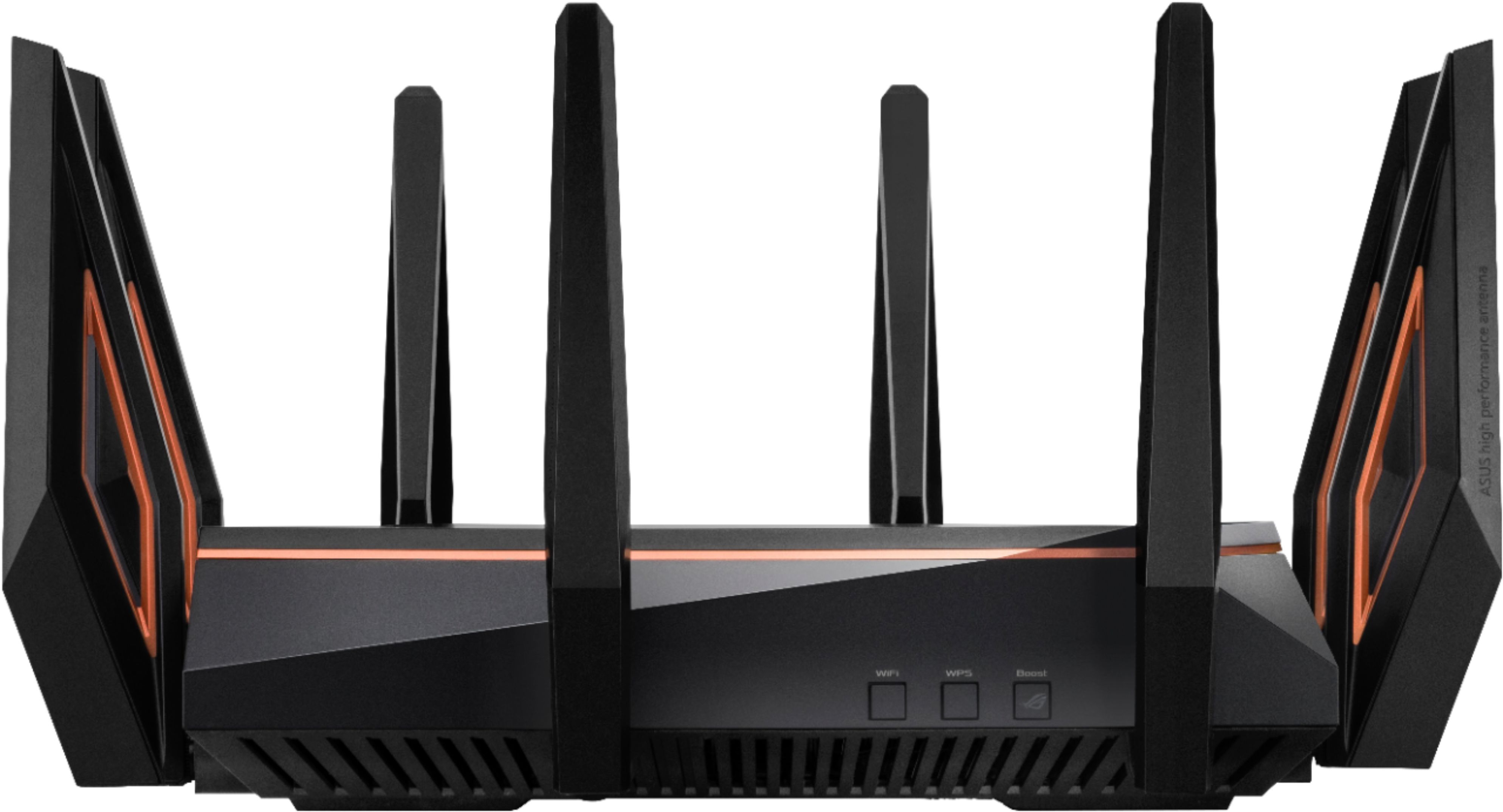
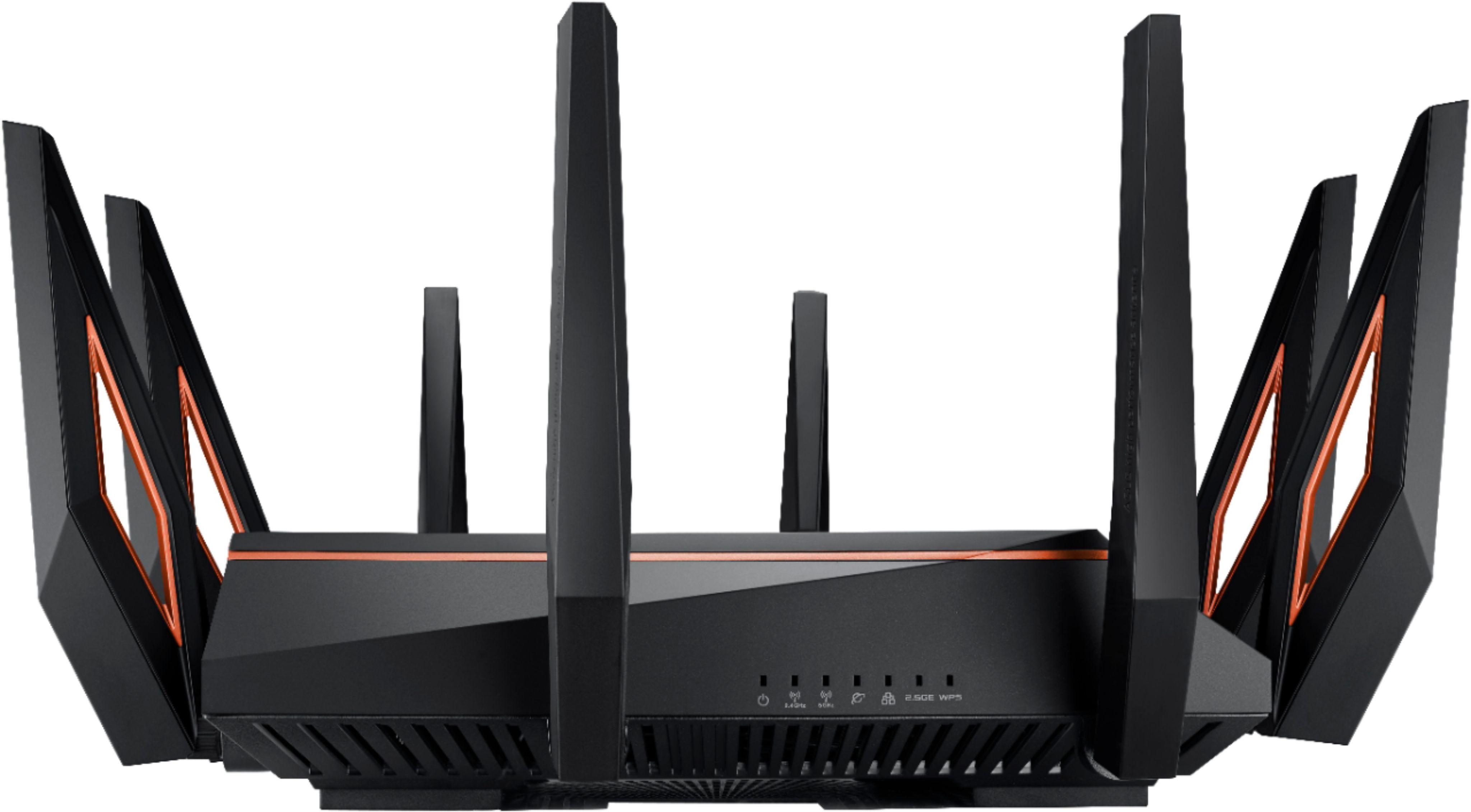
|Posted .This reviewer received promo considerations or sweepstakes entry for writing a review.PRO -AX Wireless support -Great wireless coverage -Can operate as router, bridge, access point, or mesh node with dedicated backtalk channel -Two USB 3.0 ports -Lots of network customization options ( device filtering, parental controls, time allocation ) -Dedicated game server monitoring -Doesn't require mobile app to setup/manage CON -Expensive -Only 4 wired LAN ports -No 10 Gbps port -Packaged cable is only Cat 5E -Huge footprint -Not wall mountable -You likely won't have wireless AX devices until 2020 -Sluggish web interface ( on current firmware ) -Some network settings not where you expect them -Documentation is lacking -Most QoS & smart routing features require sending info to Trend Micro TL/DR The Rapture AX11000 is the fastest router you probably don't need. It's ridiculously expensive, has a massive footprint that can't be mounted to a wall, and won't give any noticeable performance boost to most consumers. Plenty of $100-$200 routers, including Asus' venerable RT-AC68, will serve most single-family homes quite well. But if you demand speed no matter the price, and the bragging rights that comes with that, the Rapture may be to your liking. THE GOOD Yes, this thing has massive wireless bandwidth. The AX specs claim each 5 GHz band can support its own 4.8 Gbps of bandwidth and the 2.4 GHz can still go up to 1.1 Gbps. Even factoring in the difference between theoretical and real-world performance, that's still very fast. Unfortunately, I don't have an AX wireless device to test what you can expect. But even on normal AC wireless, the Rapture still beats my current router. Coverage is strong throughout my entire house and all my current devices are maxing out their individual network controllers. I haven't noticed any problems with dropped connections. The Rapture also sports 4x4 antennas and wireless techniques like OFDM and QAM, meaning it'll be ready to support more advanced wireless devices when they finally become available. The Rapture has all the network routing controls and features you'd expect ( DHCP server, port forwarding, network device filtering, parental controls, firewall, URL/port blocking, guest network, etc ) and a few that aren't as common on consumer routers ( device operation time limits, Alexa/IFTTT integration, excellent VPN support, and multiple guest wireless networks on both the 2.4 and 5 GHz bands ). It can operate as a router, access point, bridge, and mesh node with other Asus AIMesh routers. When operating in mesh, the router can be hardwired to other nodes or use one 5 GHz band as a dedicated backtalk channel so you don't lose effective wireless bandwidth. On top of this, the Rapture of course includes a lot of gaming-centric features, like a real-time server latency monitor for many popular games, dedicating one 5 GHz band for gaming traffic, QoS settings for prioritizing game traffic, and some free trial time for WTFast Gamers Private Network. If you want to be fancy, the router also has customizable RGB lighting. Apart from the four gigabit Ethernet jacks you get one 2.5 Gigabit jack and two USB 3.0 ports that can be used for external hard drives ( as network share, media server, and/or download manager ), sharing printers, or even tethering a cellular data dongle. The 2.5G port can be used for a WAN uplink if you have really fast internet service or used as a dedicated high-priority line, say to your gaming computer or as the previously mentioned mesh link between nodes. The side has three buttons, one for turning the wireless on/off, one for WPS pairing, and a Boost button. The latter can be configured for turn on/off the port status LEDs, RGB lights, and gaming traffic boost system. The antennas use standard connectors, so you can swap them out for aftermarket parts if you want. The back also has a power on/off button, something I appreciate, so you can power cycle the router without needing to unplug it. All in all, this is pretty impressive stuff, so what's the downside? THE BAD The first, and most obvious, is the price. Asus charges a premium for their ROG products and $450 for a router is more than most people are willing to spend. For such an expensive product, it skimps in some of the weirdest places. For starters, having only four wired gigabit ports ( five, if you count the 2.5 port ) on a router like this is a total head scratcher. Considering the massive size of this thing ( and no, it doesn't have any kind of mounting bracket for walls or ceilings ), it should have at least six ports, preferably eight. Considering the advertised "10 Gbps" wireless bandwidth, at least one of those ports should be 10 Gbps. Only four gigabit ports and one 2.5 Gbps jack greatly limits home office power users who want to use teaming for higher bandwidth connections to multiple servers. And despite the 2.5 jack, the network cable bundled in the box is also only Cat5e, not Cat6. The documentation is thorough in listing the Rapture's many features, but doesn't give a lot of info about how to use and configure them ( case in point, the manual mentions the 2.5G network port and what it can be used for, but not how to configure it for those uses ). Also, most of the QoS, firewall, game boost, and advanced traffic analyzer features are somehow managed by Trend Micro and can't be enabled unless you agree to allow some of your networking data to be sent to them. I also found the web interface to be quite slow, at least on the firmware as of this writing. On my previous Asus RT-AC68, navigating to the different pages and setting groups was quick and snappy. Here, you click on the link and wait for a few seconds until the new page loads. The network client list also was erratic and didn't always list all connected devices, even if that device was currently in use. Though the Boost button on the side is programmable, it has only three options, none of which are "turn guest wireless network on/off," like I would prefer. With so many different settings and features, the web interface has dozens of pages and tabs to organize them, which is understandable. For the most part the organization is logical, but some are buried, which means digging through lots of pages to find them. You can configure the various SSIDs in the basic wireless setup section, but the option to disable a particular radio is in another place entirely. The router does not save or commit a change when you move from one section to another. Again, with so many pages and tabs, this means making many small changes and hitting the save button before moving on. But each save usually requires a full router reboot, which slows down the configuration process a lot. It would be helpful if some configuration pages were expanded to include more related settings, allowing fewer reboot delays. Or perhaps Asus can do a similar thing they do on their motherboards, where changes are temporarily saved across all pages and when you hit the save button you see the full list of changes and then asked to confirm. The upside is that firmware updates could ( hopefully ) fix most of these complaints. THE UGLY As said above, the Rapture is complete overkill of a router for most people. They simply won't be able to use a lot of its features. The 2.5 Gbps port will only reach those speeds when it's connected to another 2.5G device. That's usually either a high-end desktop or home server, another router if you're setting up a large linked network system, or your modem if you have faster than gigabit internet service. The crazy wireless speeds are only realized when using high-end computers that have the antenna arrays, AX wireless controllers, and internal storage fast enough to keep up. Even when you finally hove those laptops and wireless desktops, you'd need to move a lot of data around your network to notice and appreciate the speed difference. That's not to say it's a bad idea to plan ahead and start building up your home network infrastructure. The Rapture will give you great wireless coverage in your home, will probably give you faster AC speeds than you have now, will be able to handle more devices more stably, and will set you up to handle those new AX devices when you finally get them. So you'll get a few small but immediate benefits, but it might take a year, maybe more, before you enjoy the other benefits. As with most new technologies, jumping in early costs you extra. For most people, I'd say the cost is too high at this point. Having only four LAN ports and no 10 Gbps jack severely limits the Rapture's appeal to the power user crowd. Those that have solid, even if aging, routers are probably better served waiting a year until AX support filters down to the mid-range consumer products and prices come down overall. For average consumers that need a new router right now because their current one is simply too old and slow, the Rapture is an expensive but forward-thinking bit of home networking, and hopefully new firmware can patch the interface problems soon.
No, I would not recommend this to a friend Returned, but worked fine
||Posted .This reviewer received promo considerations or sweepstakes entry for writing a review.It performed just fine but was returned because we did not want the pre-installed software that came pre-loaded with the router.
No, I would not recommend this to a friendBrand response from ASUS Answers
Posted .Dear Valued Customer,
We appreciate you sharing your feedback on this model. It's unfortunate that this model does not meet your expectations, this is absolutely not the experience we want you to have and that you have to return it. We do value our customers and take negative customer service experience very seriously.
For more information send us an email at customerloyalty@asus.com and provide the link of this review for reference. We’ll do our best to provide a quick resolution to your case. Your feedback is important as it helps with improvements to ASUS Support channels. Please refer to this case number (N2102018939-0009) for us to better assist you.
Thank you for choosing ASUS!
Best Regards,
Ramon,
ASUS Customer Loyalty US Support
- Pros mentioned:Performance
Good Router Terrible customer service
||Posted . Owned for 1 month when reviewed.This reviewer received promo considerations or sweepstakes entry for writing a review.This product works well. The reason for the 1 star rating is Best Buy or Asus fault because when I purchased the router the ad said I would get 2 free lifetime licenses for 2 devices. After the purchase I am told by both Asus and Best Buy that that promotion had expired. So be careful. This is a high end router and when you make such a purchase you expect high end service. NOT SO.
No, I would not recommend this to a friendBrand response from ASUS Answers
Posted .Dear Dewayne,
We certainly understand your disappointment with your recent customer service experience.
If you need further assistance, please email me at cl-rodel@asus.com and I will be more than happy to help. Or, you call Product Support Hotline at: 1(888) 678-3688. Also, you can chat with an ASUS live support agent at: http://bit.ly/AsusLiveChat.
Thank you for choosing an ASUS product.
Regards,
Rodel
ASUS Customer Loyalty
ASUS ax11000 - keeps dropping wireless clients
||Posted .This reviewer received promo considerations or sweepstakes entry for writing a review.At this point in time till ASUS comes out with a firmware upgrade to resolve my issues, I can’t recommend, and am even considering returning the unit. I have this unit as my primary WiFi router, it used in an aimesh configuration with An ASUS RT- AU5300 and RT-AU86U as mesh nodes, when it works it’s great nice and fast, but when it starts dropping WiFi devices it always seem to drop my IoT devices and keep about 30 devices connected. When functioning correctly I normally have 63 active devices in my house.
No, I would not recommend this to a friendBrand response from Asus_Answers
Posted .Dear Valued Customer,
I'm truly sorry to hear that the router drops connections often. There could be many factors that affect the connection at times. Please refer to the URL below. If you need further assistance, feel free to reach out to our ASUS Official Support Site. We are here to help you and all others with these issues, as our customer loyalty department dedicated to bringing a resolution to all issues related to our products.
Thank you for choosing ASUS!
Best Regards,
Jamalie,
ASUS Customer Loyalty US Support
[Troubleshooting] WiFi signal is often disconnected: https://www.asus.com/support/FAQ/1030641/
[ASUS Wireless Router] How to improve reception of wireless signals(reduce wireless interference): https://www.asus.com/support/FAQ/1030608/
NOT EVEN CLOSE
||Posted . Owned for less than 1 week when reviewed.This reviewer received promo considerations or sweepstakes entry for writing a review.I ordered the Asus ROG Rapture AX-11000 on Thursday, November 21 and paid for next day shipping. The evening of November 22 it had still not arrived and I called UPS and confirmed the package had not shipped. I then called Best Buy and stated I wanted a refund of the shipping charges. Waited for delivery until Monday, November 25. Ok so it finally arrives and I get to work on setting it up. I own an Asus RT-AC5300 which looks nearly identical and many of the options and settings are the same, tri-band, QoS, guest networks, and so on. I am not a gamer, I purchased the AX-11000 simply hoping to see some additional performance. My plan was to use the AX-11000 and the main router and move the RT-AC5300 to another room where I have an Asus RT-AC87 being used as an access point (receives signal hard wired with TP-Link powerline adapters). So I began the setup skipping the wizard as I am familiar with the interface and settings. Speaking of the interface, the AX-11000 is WAY to BUSY for my liking, too many colors, graphics and icons, etc. I could live with that, but so as not to write a book, I spent close to 8 hours going through each and every setting, and in the end could not get anywhere near the same performance of the RT-AC5300. Also, some of the settings would not take (stay as I set them), speed tests were HORRIBLE, WiFi connectivity was poor, etc. I honestly have nothing good to say about this device and am quite disappointed. I am a fan of Asus and buy both their computers and routers and have done so for years, but the AX-11000 is not ready for market. I am returning it today.
No, I would not recommend this to a friendBrand response from Asus_Answers
Posted .Dear abbarreto,
It's unfortunate to hear you're not completely satisfied with your router. You can change the Channel bandwidth of each band of 2.4 GHz to 20 MHz, and for 5GHz please select 60MHz. Test each of the channels first for improved stability. Also please verify you're using the same type of Ethernet cable throughout your network. If the issues persist, feel free to contact me if you have any technical or general questions. You can reach me at cl-adrian@asus.com. Your case for reference is N191178233.
Thank you for choosing ASUS!
Best Regards,
Adrian
ASUS Customer Loyalty – US Support
A number of well known issues ASUS just ignores!
||Posted . Owned for 1 week when reviewed.This reviewer received promo considerations or sweepstakes entry for writing a review.The router is amazing, when it works. I bought this to take over as the main node in an AiMesh setup. From day one, 3-5 times a day it would simply “forget” it had an active WAN connection. Looking through some stuff I found this has been an issue since the router was released in 2019 and ASUS appears to be ignoring it. Well here we are in 2021 and dropping a WAN connection multiple times a day means multiple times school assignments, work meetings, or virtual hangouts are getting interrupted. I don’t get why/when it became okay to release a product and when there are glaring issues, you are okay to deny and just look away as if people are making stuff up and didn’t just pay you a ton of money.
No, I would not recommend this to a friendBrand response from ASUS Answers
Posted .Dear Zhayes,
We do understand the inconvenience this may have caused if you are loosing WAN connection randomly.
To resolve the issue, we recommend checking with your internet service provider if internet connection or service are working properly from their end, specifically the ISP's modem/ gateway.
Should you need further assistance with the product, please email me at cl-rodel@asus.com and I would be more than happy to help. Or, you are most welcome to call Product Support Hotline at: 1(888) 678-3688. Also, you can chat with an ASUS live support agent at: http://bit.ly/AsusLiveChat.
Thank you for choosing an ASUS product.
Regards,
Rodel
ASUS Customer Loyalty
When it works, amazing
||Posted . Owned for 1 year when reviewed.This reviewer received promo considerations or sweepstakes entry for writing a review.I'm an Asus loyalist, but this router has burned me. This router performs very well for gaming and wired performance. The wifi performance was great, but at some point a software update occurred and now the 5GHz1-2 bands refuse to maintain a constant connection. I've done factory resets, verified connection quality, all to no avail.
No, I would not recommend this to a friendBrand response from ASUS Answers
Posted .Dear DTTaco,
We're sorry to hear that you are having issues with your 5GHz band on your router. This is not the quality of service expected from ASUS and not the experience we want you to have. Have you tried changing the channel bandwidth? Please follow the steps in the FAQ below.
For more information send us an email at customerloyalty@asus.com and provide the link of this review for reference. We’ll do our best to provide a quick resolution to your case. Your feedback is important as it helps with improvements to ASUS Support channels. Please refer to this case number (N200546934-0008) for us to better assist you.
Thank you for choosing ASUS.
Best Regards,
Ramon
ASUS Customer Loyalty US Support
Troubleshooting - https://www.asus.com/us/support/FAQ/1042211/
Geek squad is useless~
||Posted . Owned for 4 months when reviewed.This reviewer received promo considerations or sweepstakes entry for writing a review.Geek squad came out to connect, still not connected to mywifi.
No, I would not recommend this to a friendOverhyped
||Posted . Owned for less than 1 week when reviewed.This reviewer received promo considerations or sweepstakes entry for writing a review.Not sure why reviewer said this one of the best router because when I did have it it was not very fast and the gaming features are all through 3rd party which would risk your privacy. Comparing this to the rt 86u by Asus this router is definitely not worth the price. Not sure if mines was defective or not but I was truly disappointed.
No, I would not recommend this to a friendBrand response from ASUS Answers
Posted .Dear Maury
Thank you for your comment. Certainly, it's one of the best router in the market.
We certainly understand the inconvenience this may have caused if you are experiencing issues with the router. To resolve the issues, please verify if the PC or device connecting to the router is working properly and within range to the router, the router is within 30 feet to the ISP's modem, if not wired by a network cable, and ISP's internet service or connection is working properly or stable.
If you need further assistance with the router, please email me at cl-rodel@asus.com and I will be more than happy to help. Or, you are always welcome to call Product Support Hotline at: 1(888) 678-3688. Also, you can chat with an ASUS live support agent at: http://bit.ly/AsusLiveChat.
Thank you for choosing an ASUS product.
Regards,
Rodel
ASUS Customer Loyalty