Customer Ratings & Reviews

- Model:
- GT-AX11000
- SKU:
- 6321917
Rating by feature
- Setup
Rating 4.6 out of 5 stars
- Range
Rating 4.6 out of 5 stars
- Signal Strength
Rating 4.6 out of 5 stars
Customers are saying
Customers appreciate the ROG Rapture GT-AX11000's extensive range, strong performance, and ease of setup. Many found the improved signal strength and WiFi 6 capabilities beneficial, while some noted the router's large size and high price point as drawbacks. A few users experienced issues with firmware and the number of Ethernet ports. Overall, the positive feedback on performance and range outweighs the negative comments regarding size and cost.
This summary was generated by AI based on customer reviews.
To expensive and low performance
||Posted . Owned for 1 month when reviewed.This reviewer received promo considerations or sweepstakes entry for writing a review.I had, tested and used more than 15 routers in the last 10 years from AC 1750 to now AX11000, from Netgear, Linksys, D-link, TP-link, etc.. and this ASUS, my first one and far the most expensive, the performance is terrible, like I read in several reviews, fails, the signal through it fails, it is not continuous, so your internet became terrible, in all bands, but the worst one is 2.4 GHz, it amazing, we never used since it is not continuous signal.
No, I would not recommend this to a friendBrand response from Asus_Answers
Posted .Dear OmrfBrazil,
We appreciate your feedback on this matter and please accept our apologies for any inconvenience. ASUS ensures all products are designed for durability, with a lifespan that’s double the industry standard. Please ensure your using the latest firmware for improved optimization, you can find the file as our Online ASUS Help Desk: https://www.asus.com/us/Networking/ROG-Rapture-GT-AX11000/HelpDesk_BIOS/. If you need any further assistance, feel free to contact me at cl-adrian@asus.com.and I will help you to the best of my abilities. I am here to assist our customers with our products and dedicated in bringing a resolution to all issues that they may come across. Your case for reference is
Thank you for choosing ASUS!
Best Regards,
Adrian
ASUS Customer Loyalty – US Support
2.4ghz band has serious issues
||Posted . Owned for 1 week when reviewed.This reviewer received promo considerations or sweepstakes entry for writing a review.I really wanted to love this router. But the 2.4ghz band has TERRIBLE speeds if you're not in the same room. If I walk 1 room away, my 200-300 mb up/down turns into 1mb down and .05mb up. Tried contacting Asus and they had me try to disable almost every setting, but nothing worked. Either my unit is bad, or there are some serious issues with the firmware. I am going to try replacing my item with the same model and see if another unit works better, and if not I am giving up on this router.
No, I would not recommend this to a friendBrand response from Asus_Answers
Posted .Dear Valued Customer,
Certainly, we understand your disappointment with the 2.4Ghz band. Did you attempt to update the firmware to the latest? If not, feel free to reach out to me at customerloyalty@asus.com and lets discuss this matter to a solution. I'm here to help you and all others with these issues, as our customer loyalty department dedicated to bringing a resolution to all issues related to our products.
Thank you for choosing ASUS!
Best Regards,
Jamalie,
ASUS Customer Loyalty US Support
Does not reset status of schedule blocks
||Posted .This reviewer received promo considerations or sweepstakes entry for writing a review.Does not reset status of devices enabled with schedule blocks, have to reboot the router every time, and no self healing reboot
No, I would not recommend this to a friendI had gigablast I had to buy it.
||Posted . Owned for 1 month when reviewed.This reviewer received promo considerations or sweepstakes entry for writing a review.I just ran a speed test. I am getting now about about 25% of the speed I am supposed to get. I have to look into why.
No, I would not recommend this to a friendBusy
||Posted . Owned for 11 months when reviewed.This reviewer received promo considerations or sweepstakes entry for writing a review.Too many bells and whistles. I know my way around IT gear but there are to many settings. The GUI is very busy
No, I would not recommend this to a friendBrand response from ASUS Answers
Posted .Dear Valued Customer,
Thank you for taking the time to share your feedback on this model, We are terribly sorry that your having issues with the settings and for the inconvenience this has caused you. This model undergoes intensive quality control testing and final inspection for both hardware and software. ASUS provides a warranty for the unit in order to fix or repair any isolated issue. This information will be passed on to our development team for improvements. We will be very happy to assist you.
We truly appreciate your feedback. If you wish to discuss this issue further, please don't hesitate to contact us via email: customerloyalty@asus.com and provide this link for reference or contact our general support at https://www.asus.com/us/support. Our customer loyalty department is dedicated to bringing a resolution to all issues related to our products.
Thank you for choosing ASUS!
Best Regards,
Lamoya
ASUS Customer Loyalty US Support
Just average
||Posted . Owned for 8 months when reviewed.This reviewer received promo considerations or sweepstakes entry for writing a review.A little disappointed because it’s top of the line money but the product is just average.
No, I would not recommend this to a friendBrand response from ASUS Answers
Posted .Dear Josh, We appreciate you sharing your feedback on this model This is absolutely not the kind of experience we want any of our customers to have. I will be letting the related department know about this concern for continuous improvements to the product line. We hope its not a long lasting impression, and hope you purchase another product from if not this model, another. We value your feedback and concerns as this will aid in any improvements that need to be made. If you have any further technical concerns, feel free to reach out to me at customerloyalty@asus.com and provide this link for reference. I'll do my best to provide a quick resolution to your case. Thank you for choosing ASUS! Best Regards, Jonelle, ASUS Customer Loyalty US Support
Not impressive
||Posted .This reviewer received promo considerations or sweepstakes entry for writing a review.ASUS makes good products...and tat is perhaps their big flaw. We have an ancient ASUS ac68r router. I think it is 5 years old. We tried to replace it with this router, but only saw about a 10% spped increase. It is not that this routher worked poorly, it just wasn't that impressive for a $450 expense.
No, I would not recommend this to a friendBrand response from Asus_Answers
Posted .Dear Wonderfrog,
Thank you for your review and I certainly understand the inconvenience this may have caused, and we would like to offer our deepest apologies for the trouble you had with your ASUS product. When comparing the speeds for this unit were you using wireless or a wired connection. In most cases, for increased speed you would need to contact your internet provider as that may be the determining factor due to them limiting your speed. If you need any further assistance, feel free to contact me at cl-adrian@asus.com.and I will help you to the best of my abilities. I am here to assist our customers with our products and dedicated in bringing a resolution to all issues that they may come across. Please copy a link to this post as reference.
Thank you for choosing ASUS!
Best Regards,
Adrian
ASUS Customer Loyalty – US Support
OK Router
||Posted . Owned for 1 month when reviewed.This reviewer received promo considerations or sweepstakes entry for writing a review.OK router although did not help improve my wireless access. If needed a new one would buy
I would recommend this to a friend- Pros mentioned:SpeedCons mentioned:Size

Fantastic Router Ahead of its Time
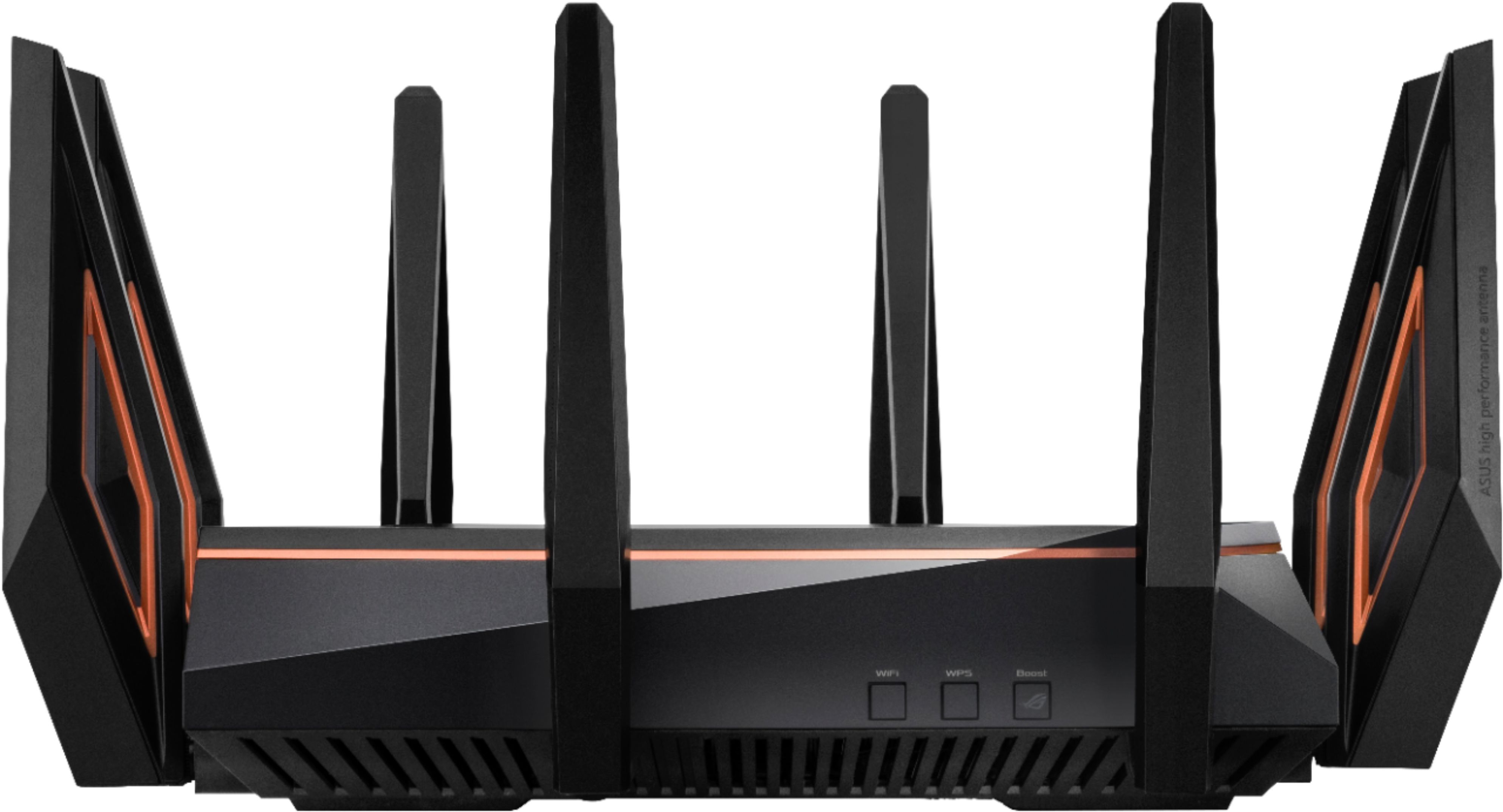
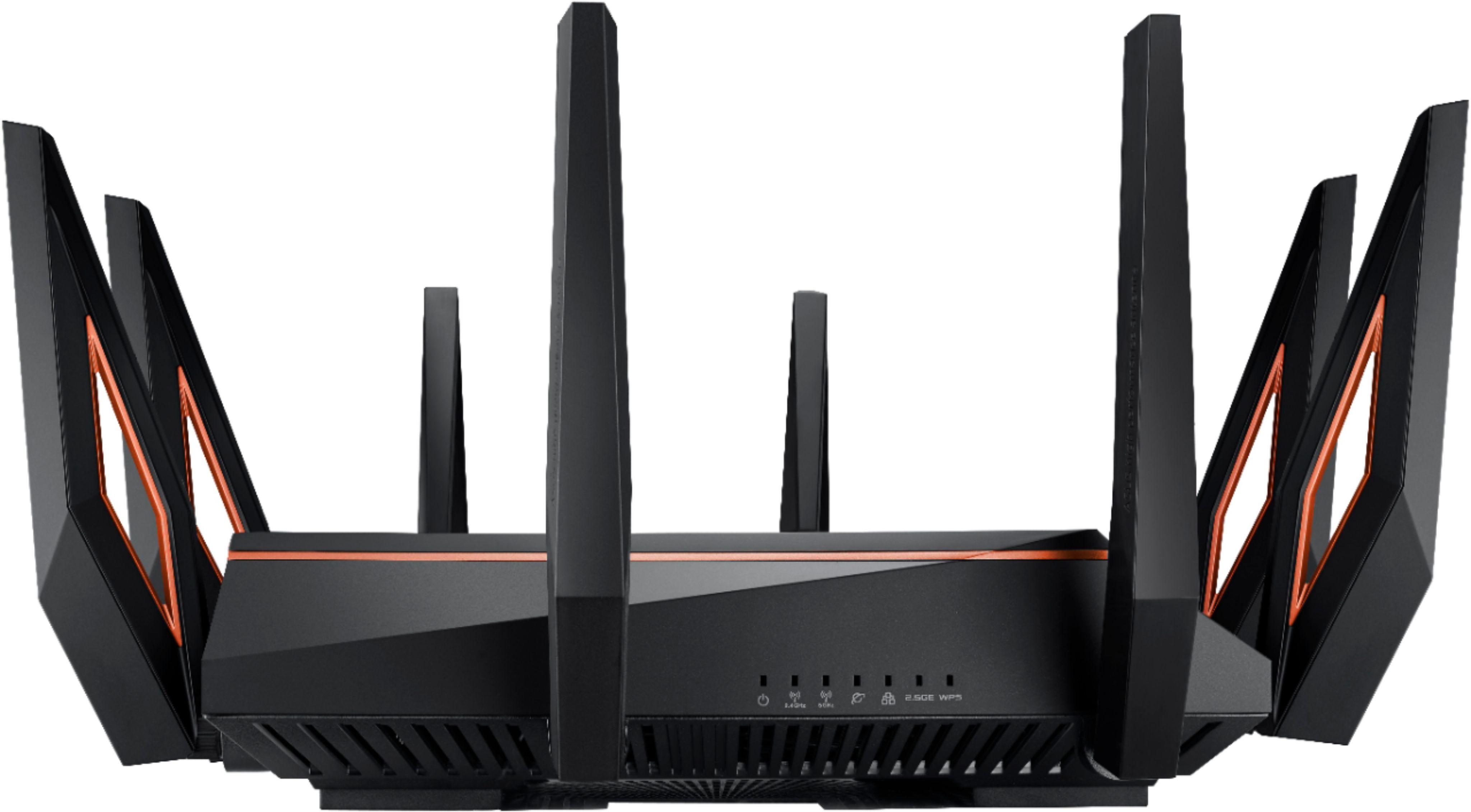
|Posted .This reviewer received promo considerations or sweepstakes entry for writing a review.I’m always blown away with the features ASUS packs into their routers. This one is no different. If you don’t mind the dead spider look of this awesome router, you shouldn’t need to shop for anything more for several years. This router has a lot of features, so I’ll focus on the ones that really stand out. Pros: - Aesthetically, I love it. It’s a power house router and it displays that very loudly. My wife however hates the looks and can’t wait to relocate it. Through the web-app you can control different features of the RGB logo on top. ASUS didn’t get lazy with the antennas either. They have a great design and really make this router look high end. - Speed of this router is blazing fast. My wireless AC negotiates at 866 mbps. That’s nearly gigabit speeds over the air. 108 MB/s transfer speeds. Perfect if you want to set up a media server, connect and backup to your NAS wirelessly, transfer files between devices over the network quickly. With wireless AX on the forefront, its speed has yet to reach its potential. - Gameboost / QOS feature is a must have if you game online. We do a lot of streaming in our home and knowing someone watching a video isn’t going to impact my game is reassuring. You can even set a dedicated button on the router to turn this on or off, depending on your bandwidth needs. - The auto port forwarding is very nice for someone who is used to going through the trouble to find the ports and manually forward them. - Traffic analyzer allows you to see what devices are using your network. This can be useful if you’re on a metered connection or want to see what devices are using the network at what times. - AiMesh Node was easy to set up. I have another ASUS router that was compatible with AiMesh. Once I changed the operation mode of the older router, the setup on the GT-AX11000 went smooth as butter. The router dedicates a band to maximize the throughput of the mesh node. Other Thoughts: It’s hard to find any real cons, maybe a couple of small improvements that could be made. - There’s no bottom mounting for this router. It would be nice to have a wall or ceiling option should I decide to clear up some desk space. - The router is big with all the antennas. This could be a problem for some who have a limited amount of space for networking hardware. - I did sign up for the Gamer Private Network through WTFast. Signup was easy enough, but I personally didn’t see a significant difference. I typically do pretty good on pings anyways, but I’ll be keeping an eye to see if I notice improvement. Final Thoughts: This is the router you want to complete the ultimate gaming setup accompanied by the ultimate gaming router. Theirs nothing subtle about this router and no compromises. It’s easily ahead of its time and will finally be able to fully stretch it’s legs later this year. I’m definitely looking forward to wireless gigabit networking.
I would recommend this to a friend - Pros mentioned:Speed
Not good
||Posted . Owned for less than 1 week when reviewed.This reviewer received promo considerations or sweepstakes entry for writing a review.Speed increased from old router but its range is bad and drops connctions all the time. Returned it. My 8 year old netgear works better and that is sad when this is a $400 router. Would not recommend
No, I would not recommend this to a friendBrand response from ASUS Answers
Posted .Dear Zack,
It's unfortunate to hear that you returned the router because the connection is dropping. All ASUS products undergo intensive quality control, testing, and inspections. What you've experienced was not intentional and this was a random case. I will forward your feedback to the product team for future improvements. If you have any concerns about another model, feel free to reach out to me at customerloyalty@asus.com and provide this link for reference. I'll do my best to provide a quick resolution to your case. Your feedback is important as it helps with improvements to ASUS Support channels.
Thank you for choosing ASUS!
Best Regards,
Jamalie,
ASUS Customer Loyalty US Support
Does not like Netgear switches
||Posted . Owned for less than 1 week when reviewed.This reviewer received promo considerations or sweepstakes entry for writing a review.Lightning fast wireless, and as long as you plug directly into the routers wired port is fast also. But plug in ANY Netgear switch (I have all sizes) and watch 300 mbs internet speed drop right down to 10 mbs. I tried different size switches, plugging into different router ports, using new cat6 wire, rebooting and still no good. My 7 year old laptop couldnt see the routers wireless signal (Had to buy a $30 Asus USB wireless dongle). Then it saw the routers wireless signal. Tell me I need ASUS switches!! All those settings and none of them relevant to what I needed (port forwarding etc.) Out the door this router is going. I'll go back to linksys. Plug and play. My router from 2014 was 30% slower and worked fine. I'll plug it back in and buy another linksys router again. ASUS is expensive junk. I AM NOT HAPPY WITH IT and what a waste of time.
No, I would not recommend this to a friendBrand response from Asus_Answers
Posted .Dear Valued Customer,
I’m sorry to hear you had such a frustrating experience with the internet speed. We ensure that the product undergo intensive quality control, testing and inspections. What you've experienced was not intentional or representative of our brand. If you wish to collaborate on this issue to find a solution, feel free to reach out to me at customerloyalty@asus.com and provide this link for reference. I'm here to help you and all others with these issues, as our customer loyalty department dedicated to bringing a resolution to all issues related to our products.
Thank you for choosing ASUS!
Best Regards,
Jamalie,
ASUS Customer Loyalty US Support
No technical support right now
||Posted . Owned for 1 month when reviewed.This reviewer received promo considerations or sweepstakes entry for writing a review.Had a problem, but no tech support, so returned. Will try another brand.
No, I would not recommend this to a friendFails on admin login for internet access
||Posted . Owned for 1 month when reviewed.This reviewer received promo considerations or sweepstakes entry for writing a review.Can only access by application on my phone. Have called ASUS tech support and they are worthless. Tech support was a waste of time. I want my 60 mins back in life. I will take it back. It's trash!!!
No, I would not recommend this to a friendBrand response from Asus_Answers
Posted .Dear Valued Customer,
Thanks so much for sharing your experience with us. We want you to feel comfortable sharing good or bad news with us. I'm so sorry that your experience with us fell short of expectations. We do value our customers and take negative customer service experience very seriously. This is not the quality of service expected from ASUS. We do stand behind our product and we continuously strive to improve our approach and processes in order to achieve customer service excellence.
If you wish to discuss this matter with me, feel free to reach out to me at customerloyalty@asus.com and provide this link for reference. I'm here to help you and all others with these issues, as our customer loyalty department dedicated to bringing a resolution to all issues related to our products.
Thank you for choosing ASUS!
Best Regards,
Jamalie,
ASUS Customer Loyalty US Support
- Pros mentioned:Performance
The weapon of choice if you know what you're doing
|Posted .This reviewer received promo considerations or sweepstakes entry for writing a review.Straight out of the box you're likely to be a little intimidated by this thing. It's massive, looks ominous, dark...foreboding...a bunch of things that are the exact opposite of how you'll be feeling once you get it up and running. Can it do the basics? Yes, in spades. If you just want coverage (and lots of it) this will provide it. But, that would be like owning a Ferrari and using it to drive to the end of your driveway to check your mail, then turning around and parking it back in the garage. The Rapture needs to stretch it's legs so throw a couple track days at it. There are a plethora of options, add-ons (included) and security back-ups that help with virus protection, prioritization of what it doing what and when, nearly limitless connectivity, etc etc -- it's nearly overwhelming when you first sit down and start to *really* go through the setup of fine tuning this for your specific home/needs. And this is where it becomes the weapon of choice, *if* you know what you're doing. This is where the price tag doesn't scare you off -- once you realize alllllll that the Rapture is capable of the price tag starts to become a little more warranted. I was finding myself Googling and Youtubing setting after setting just to make sure I was understanding and selecting the right things. Is that time consuming? YES. Is it worth it? YES. It's the difference between something working (or not working at all) adequately and it working AMAZINGLY well. Some of these features are simple button clicks and completely alter the performance of your speed and connectivity. Do. The. Research. Now, if that isn't what you're after (you just want a plug n' play device) - the price tag on this alone likely scared you off. But, if you really want to delve into making your network bullet *and* future proofed for the next few years, this is definitely worth your consideration.
I would recommend this to a friend Where do I even start…
||Posted . Owned for less than 1 week when reviewed.This reviewer received promo considerations or sweepstakes entry for writing a review.I had this router for 1.5 days and it was nothing but headaches (literally). This thing is FULL of bugs including DDNS issues, self bricking etc. I should have listened to the other reviews. There is a space race right now for who can come out with the fastest next gen gaming router and quality control overall is not a concern. These companies have just started pumping these things out and slapping “WiFi 6” and “Tri-band” all over them just for sales. It’s rather sad. For now, just like the last guy, I will be going back to my $130 router that’s more stable than the earth itself.
No, I would not recommend this to a friendBrand response from ASUS Answers
Posted .Dear Steve,
We appreciate you sharing your feedback on this model. We're sorry to hear about the unfortunate experience you had with this router. We do value our customers and take negative customer service experience very seriously. This is not the quality of service expected from ASUS. We do stand behind our product and we continuously strive to improve our approach and processes in order to achieve customer service excellence. We will make a note of this review and have it passed on to our team.
If you wish to discuss the matter with us, we would recommend that you reach out to us with your case number, send a tweet or direct message to our Official ASUS North America Support twitter at AsusHelpUS.
Thank you for choosing ASUS.
Best Regards,
Joan
ASUS Customer Loyalty US Support
- Pros mentioned:Range, Speed
ASUS doesn't disappoint with this router
|Posted .This reviewer received promo considerations or sweepstakes entry for writing a review.I am currently using this in place of my ISP router on my FIOS Gigabit connection and it has yet to disappoint me in terms of speed, customization, range and WIFI performance and speeds. Essentially, the AX11000 is a custom built computer, with a 64-bit quad core CPU and 1GB of RAM to handle everything that this router is capable of. I still haven't had the chance to read the owner's manual or dig through every last setting on this router yet, but having built a few computers myself and currently have an ASUS ROG Maximus VIII Hero Alpha in my case, the sheer amount of customizable features will be familiar to those that like to look through their UEFI BIOS settings on ASUS higher end boards. If you are looking for the best, this is it. I have had it about a month and it has worked flawlessly as my primary router. If you have near Gigabit internet speeds and have many wired and WIFI devices connected, the AX11000 does an excellent job of balancing out the network load, while pushing the WAN port to its limits. Don't rent your router. Don't settle for your ISPs so-so router. Buy this, because it has many of the features you would expect of a router in this price range, and then plenty more that may surprise you.
I would recommend this to a friend Difficult to contact anyone to ask a question...
||Posted .This reviewer received promo considerations or sweepstakes entry for writing a review.Could not speak to anyone. Very convoluted approach to problems. People in the stores don’t answer questions correctly. Will not shop here again. Improve website.
No, I would not recommend this to a friendBrand response from Asus_Answers
Posted .Dear Cros,
I'm sorry to hear that you are having issues getting support for your router. That is absolutely not the type of experience we want any of our customers to have. Can you please send me your serial number and related case numbers from ASUS Support so that I can investigate your case for quality control? I'd also be happy to answer any questions you have about your product. Please reach out to me at cl-lane@asus.com and include case #N200477432 in your email for reference.
Thank you for choosing ASUS!
Best regards,
Lane
ASUS Customer Loyalty – US Support
Drops WiFi signal repeatedly
||Posted . Owned for 1 week when reviewed.This reviewer received promo considerations or sweepstakes entry for writing a review.Had it for a week and WiFi not stable at all. Wired connections are fine. I have read and adjusted settings with no luck. Both 2.4 and 5ghz bands keep getting disconnected and have to enter password to reconnect. Also getting buffering when trying to watch tablo quad. Really disappointing and plan to return and will use old Asus 87u until better router is found. Must have cheap build quality and parts.
No, I would not recommend this to a friendBrand response from Asus_Answers
Posted .Dear Valued Customer,
I’m sorry to hear you had such a frustrating experience with the connection dropping. We ensure all products are designed for durability, with a lifespan that’s double the industry standard. Please attempt these steps within the faq below to resolve your issue otherwise If you wish to collaborate on this issue to a solution, feel free to reach out to me at customerloyalty@asus.com and provide this link for reference. I'm here to help you and all others with these issues, as our customer loyalty department dedicated to bringing a resolution to all issues related to our products.
Thank you for choosing ASUS!
Best Regards,
Jamalie,
ASUS Customer Loyalty US Support
[Troubleshooting] WiFi signal is often disconnected: https://www.asus.com/support/FAQ/1030641/
- Pros mentioned:Ease of use, Performance
Rapture - A feeling of intense pleasure or joy.
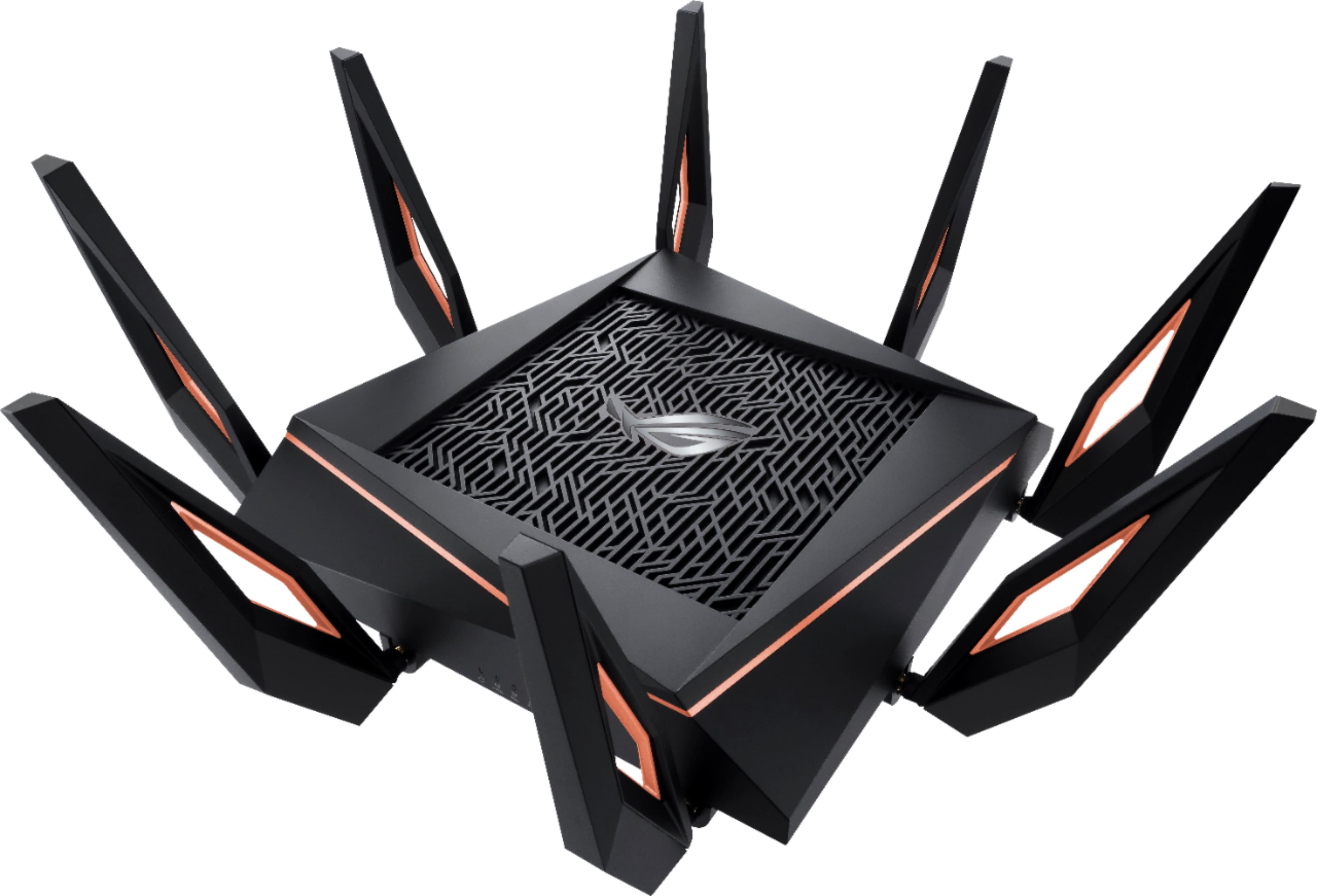
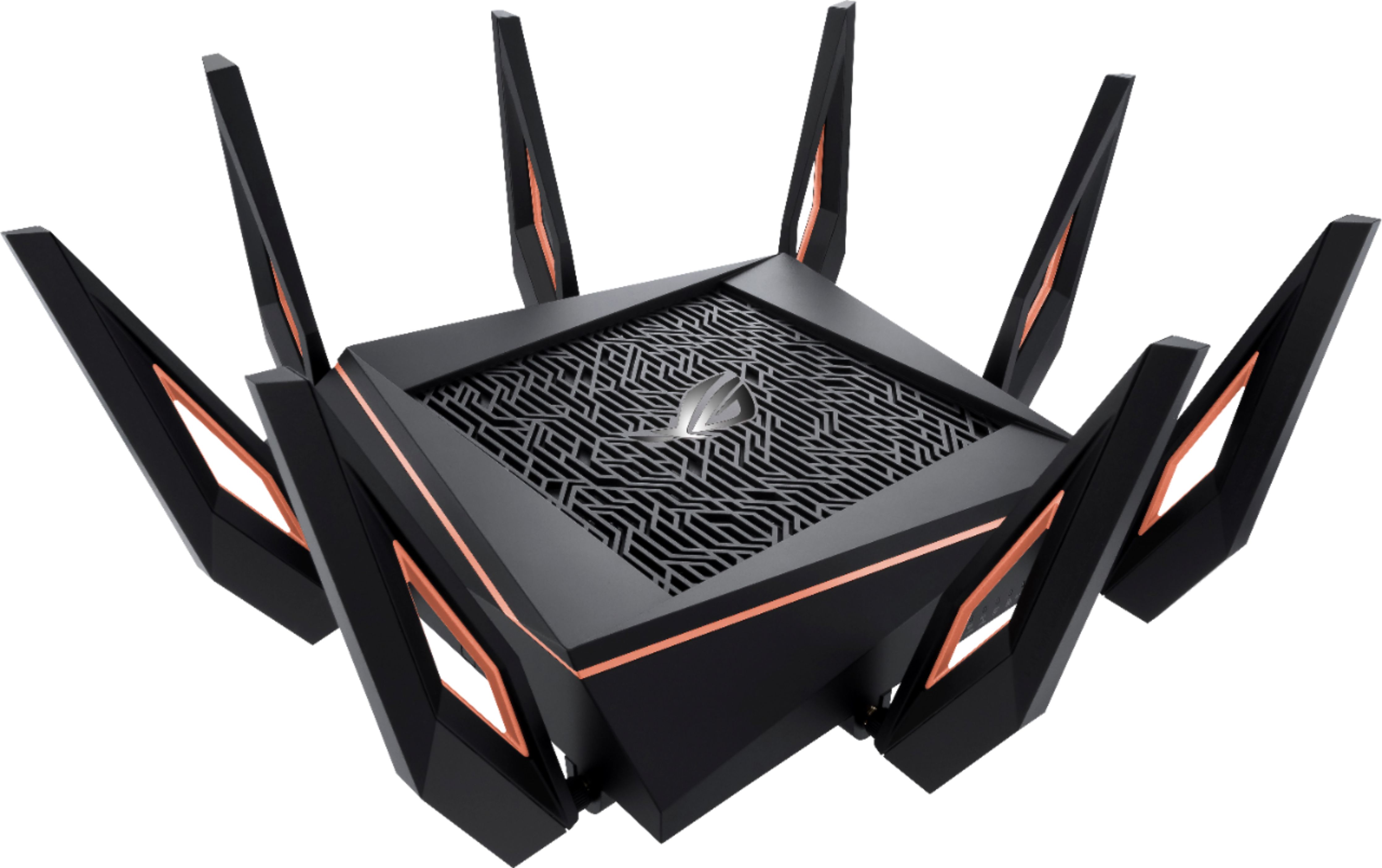
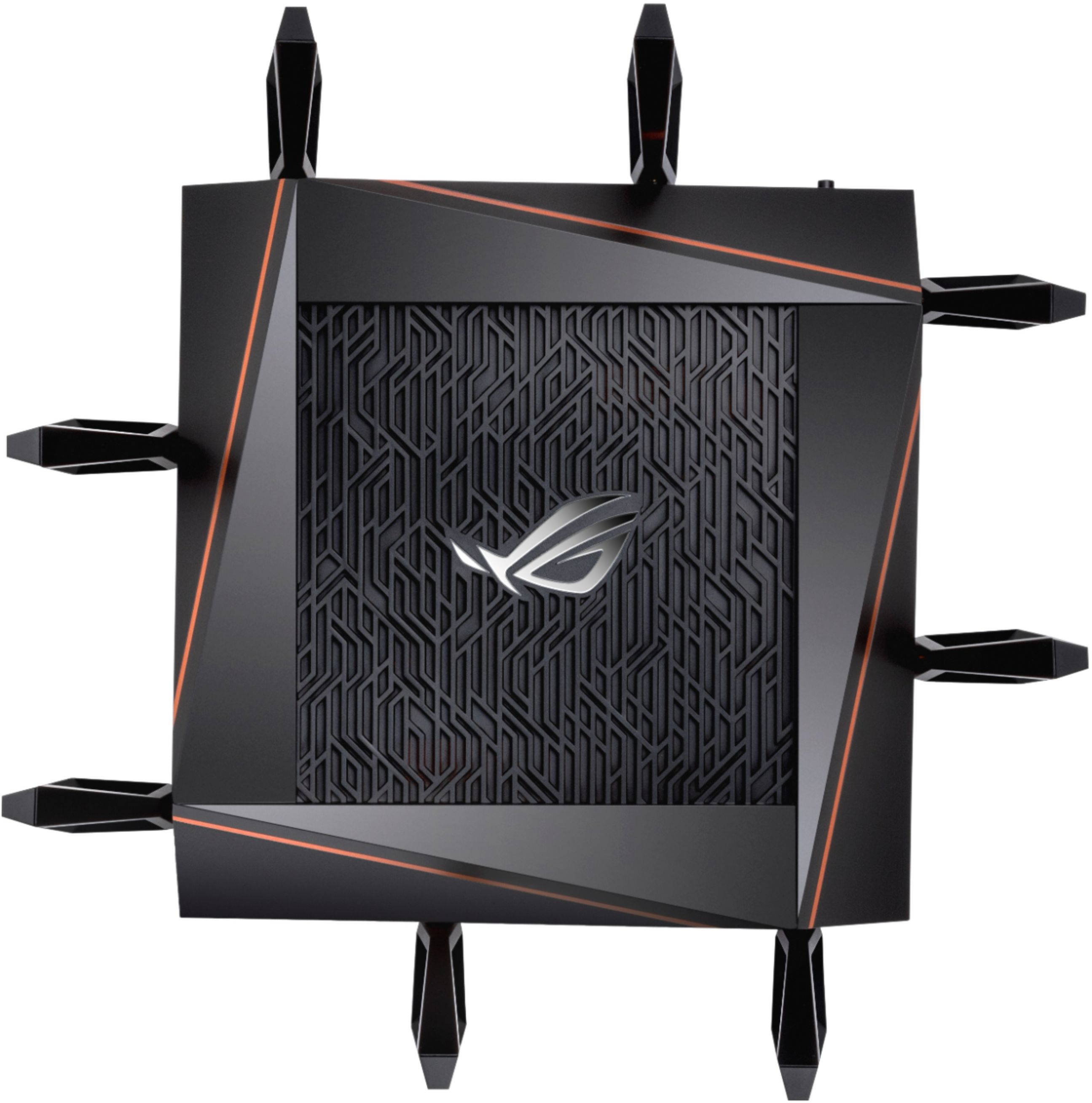
|Posted .This reviewer received promo considerations or sweepstakes entry for writing a review.The ASUS ROG Rapture AX11000 is a hulking beast! This Wi-Fi Router is an amazing piece of hardware, the device is heavy and very well built. The 8 antennas show those who see it that you mean business, if the size and antennas don't gain it enough attention, you can always use the RGB ROG logo to draw their eye in! I had replaced a previous Tri-Band Wi-Fi router in place but would get an occasional comment that streaming in the master bedroom would buffer from time to time. Since I have installed this Router, in the same spot as the previous, I have not heard a peep! I have also noticed a huge spike in download speeds over wireless. The setup of this Wi-Fi router can be easily done on a mobile app, you can plug it all in and jump on the wireless being broadcasted, download the ASUS Router app on your phone and follow the step by step to set up your login and wireless IDs (2.4GHZ and two 5GHZ are available). There is also a very robust configuration page for this, there are a TON of options that you can set up, as others have mentioned, there are a lot of setting that are not for beginners. I took the time to poke around, also played with the RGB settings for a little bit until I settled on my preferred static color. you can set up Alexa commands for this router also set up IFTTT within the router. To sum it up, I am really happy with the AX11000! The cost of the router may scare some, however the features, build quality and reliability I have experienced so far makes it more than worth it! I would recommend this to anyone that wants a serious gaming wireless router!
I would recommend this to a friend - Pros mentioned:Setup
ASUS designed a router with speed & awesome looks
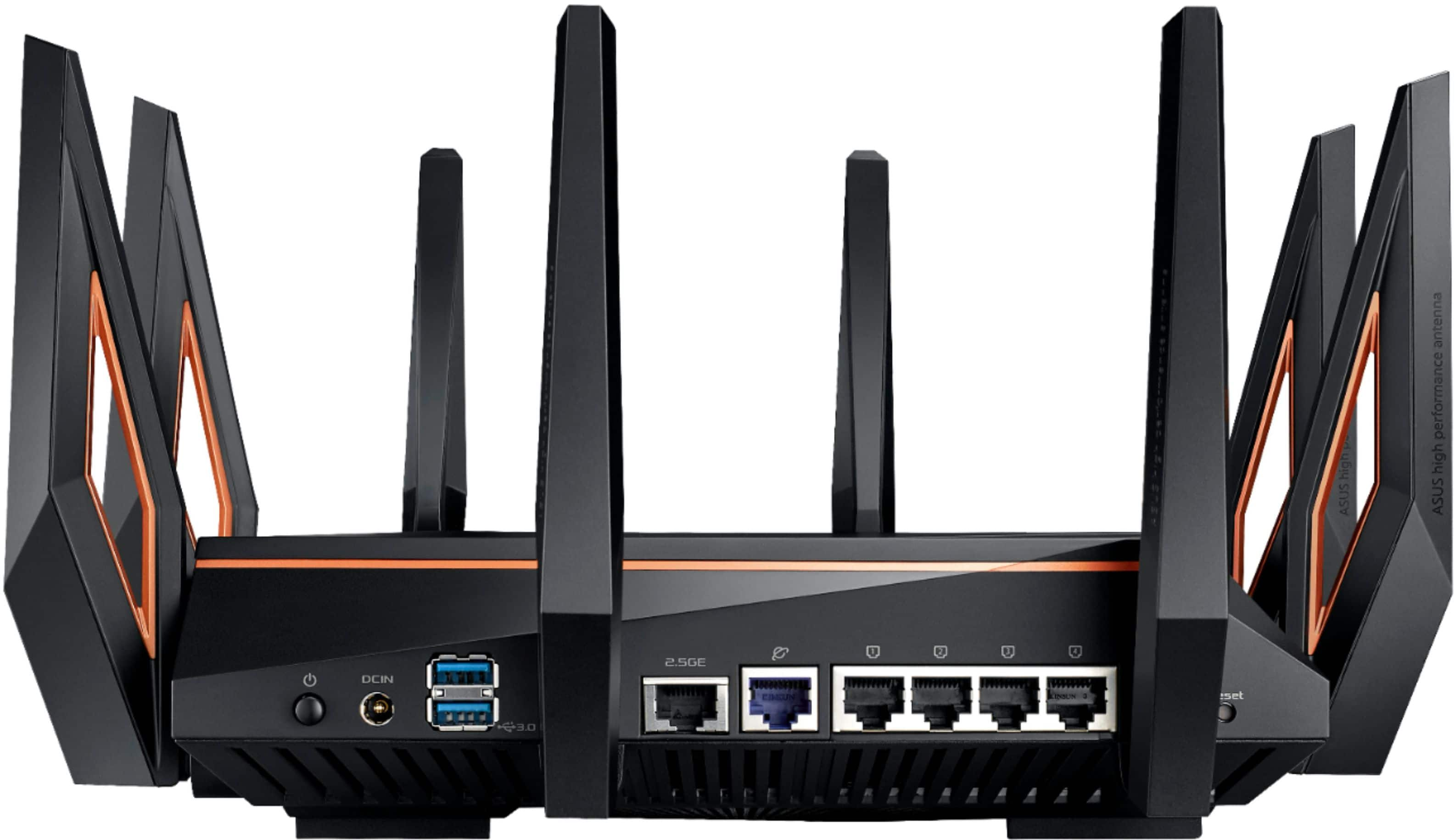
|Posted .This reviewer received promo considerations or sweepstakes entry for writing a review.First I have to applaud the styling of the ROG Rapture! The no nonsense face has white LEDs that quickly indicar=te the router's status. The RGB logo is especially suited for the gamer with options for solid, breathing, color changing or strobing light effects. Or OFF too. The eight (8) antenna do a great job punching the signal throughout the house. (And it looks so cool!) I don't mind showing off this piece of tech. Love the orange pin stripe. The built in dashboard allows you to configure the two (2) USB ports for different things: hard drives can become your own personal cloud; printers or scanners accessed via your network, even use as a cellular modem with the proper phone or dongle. There is a 2.5 GB port for expansion to high speed devices. My setup was fast and effortless. I turned off the moden, disconnected my old router, connected the Raptor and signed in the dashboard. A few screen prompts later (change password) I set my 2.4 and 5ghz radios to mimic my old ones (same SSID and passwords) and my devices all synced perfectly. Now that's how it should be! Simple! Video streaming from my OTA TV devices was great. No lag.
I would recommend this to a friend