Customer Ratings & Reviews

- Model:
- GT-AX11000
- SKU:
- 6321917
Rating by feature
- Setup
Rating 4.6 out of 5 stars
- Range
Rating 4.6 out of 5 stars
- Signal Strength
Rating 4.6 out of 5 stars
Customers are saying
Customers appreciate the ROG Rapture GT-AX11000's extensive range, strong performance, and ease of setup. Many found the improved signal strength and WiFi 6 capabilities beneficial, while some noted the router's large size and high price point as drawbacks. A few users experienced issues with firmware and the number of Ethernet ports. Overall, the positive feedback on performance and range outweighs the negative comments regarding size and cost.
This summary was generated by AI based on customer reviews.
Great Gaming Features, Lacking in one MAJOR area
||Posted . Owned for less than 1 week when reviewed.This reviewer received promo considerations or sweepstakes entry for writing a review.This is truly just a gaming router. I would love this if only it was smarter about actual NAS systems. If you have a legitamate NAS (i.e. RJ45 connected) this router will not permit access or configuration of UPnP settings. It does everything else, but not this. I refuse to connect my 84TB server via USB which is the ONLY way this router will directly interface with mass storage types. It breaks my heart that the RAX 200/120 family is so powerful but lacks advanced management features, and this one has all the management features except for unique UPnP settings.
No, I would not recommend this to a friend- Cons mentioned:Size

Powerful WiFi 6 Desk Spider
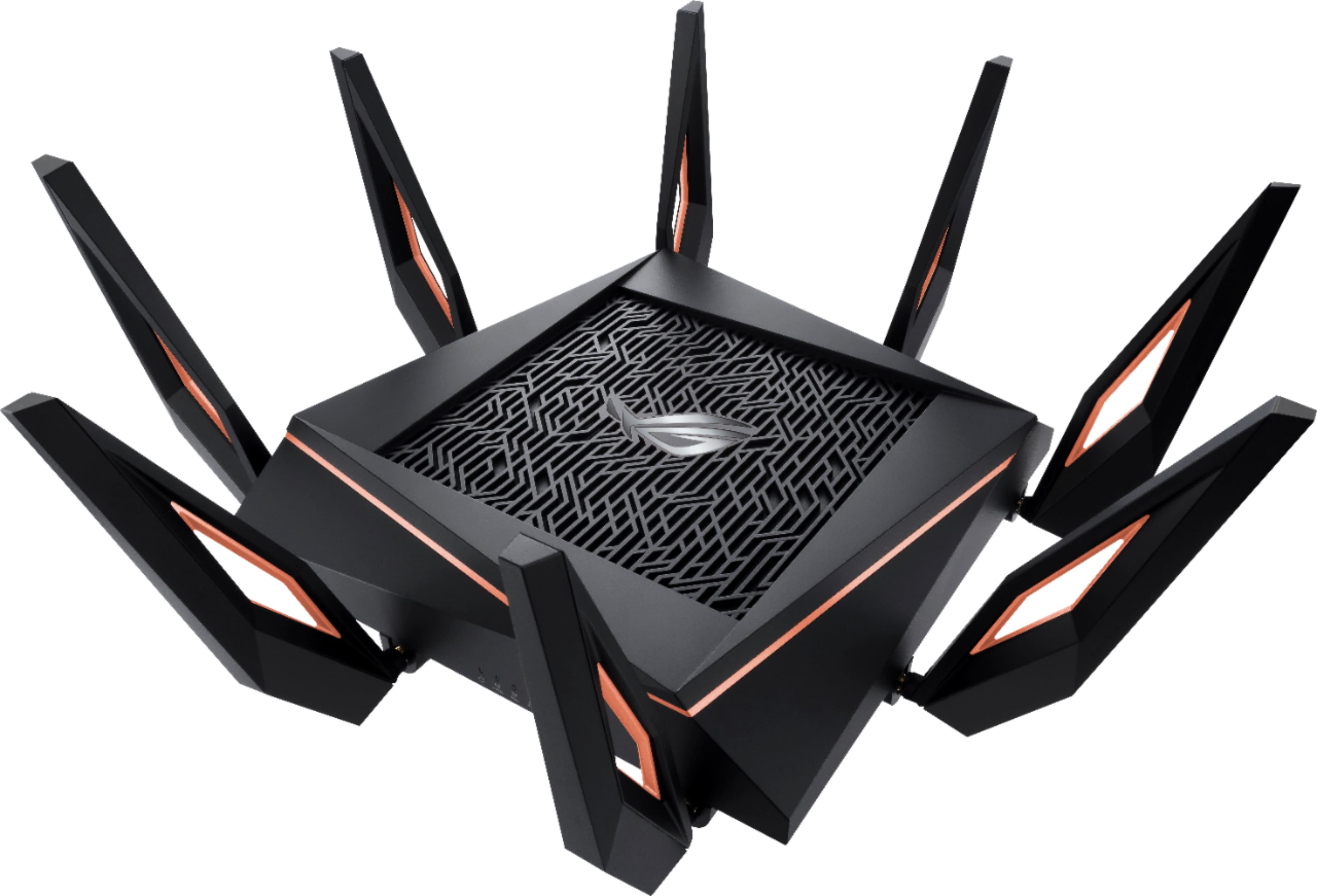
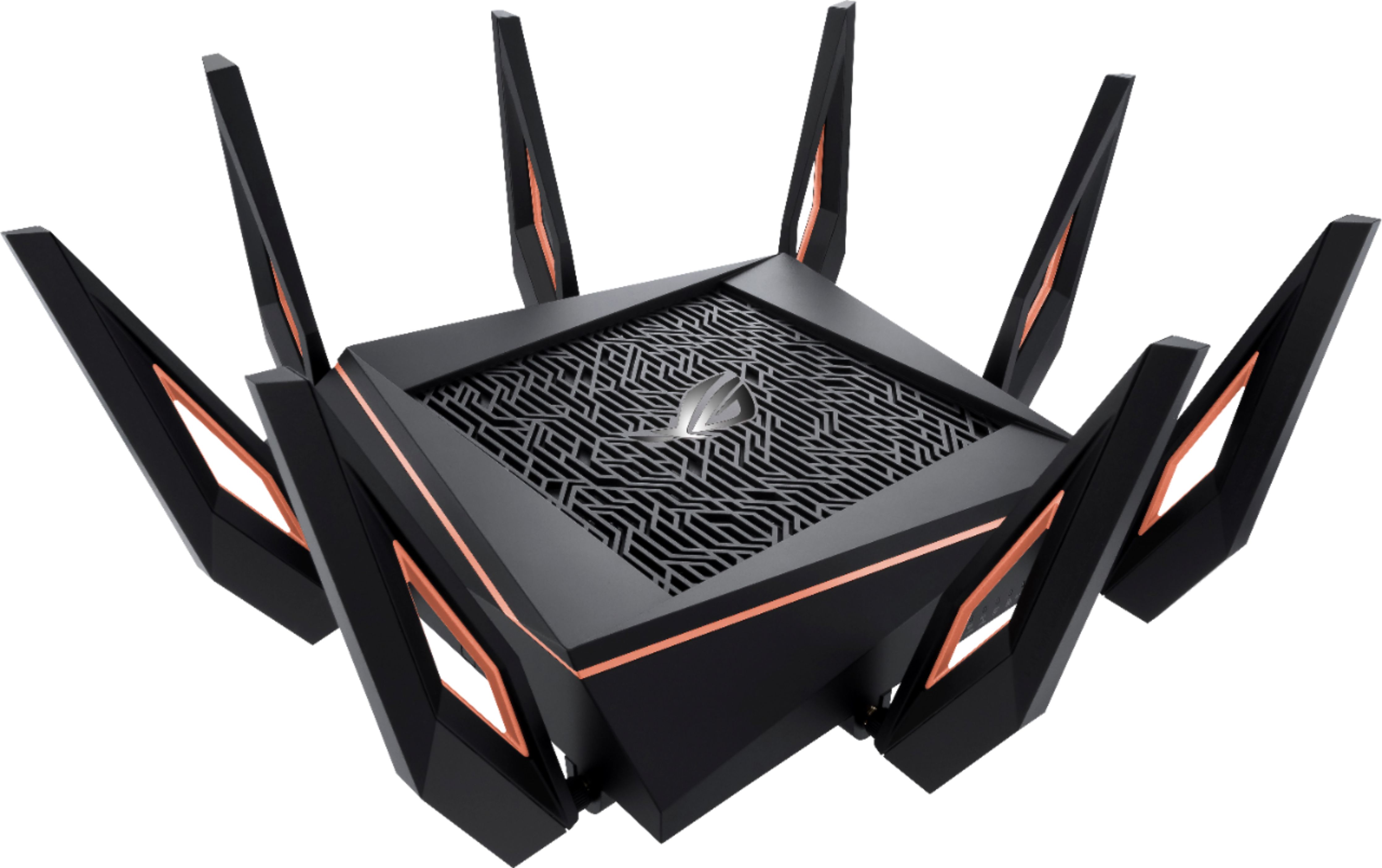
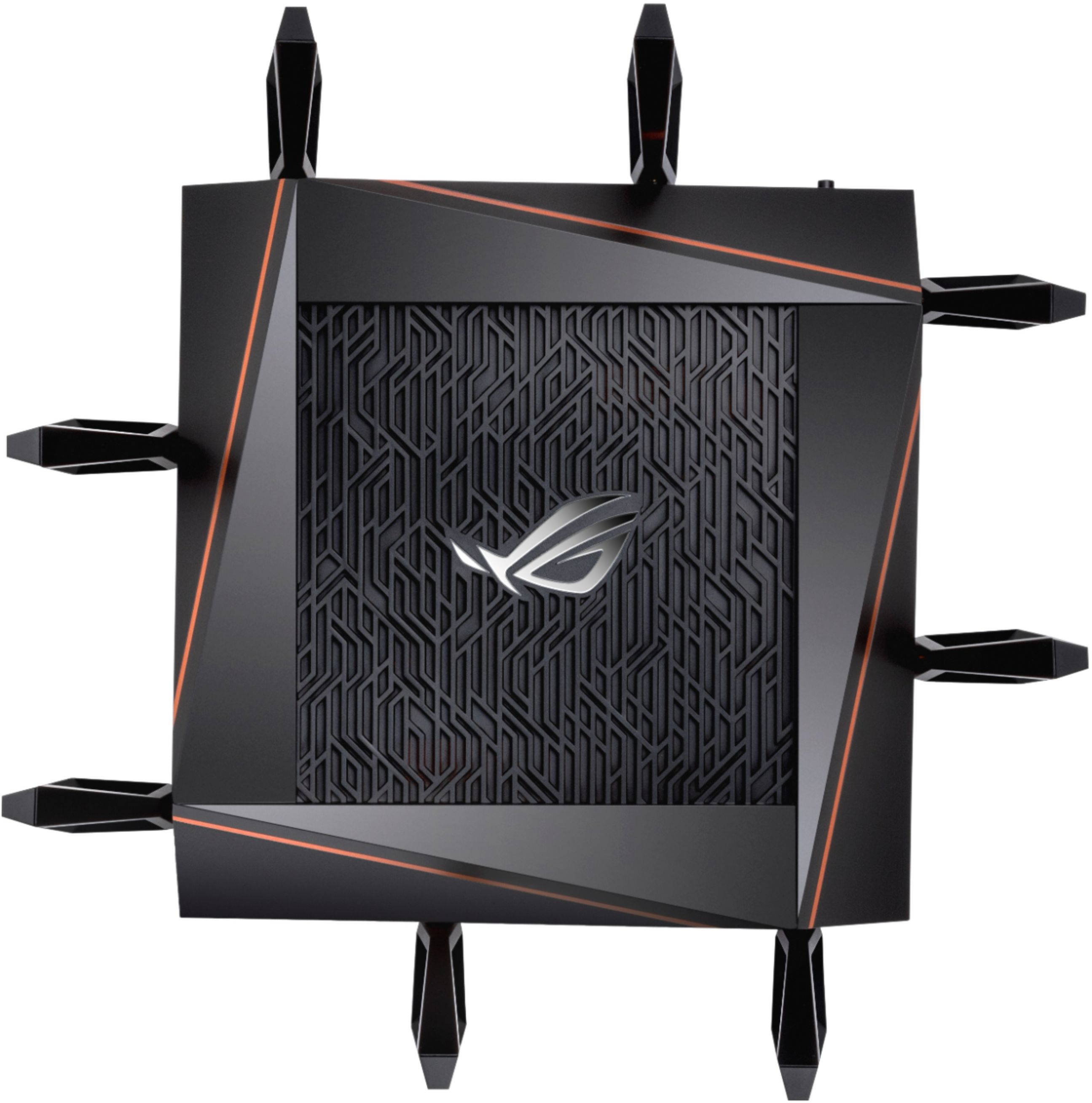
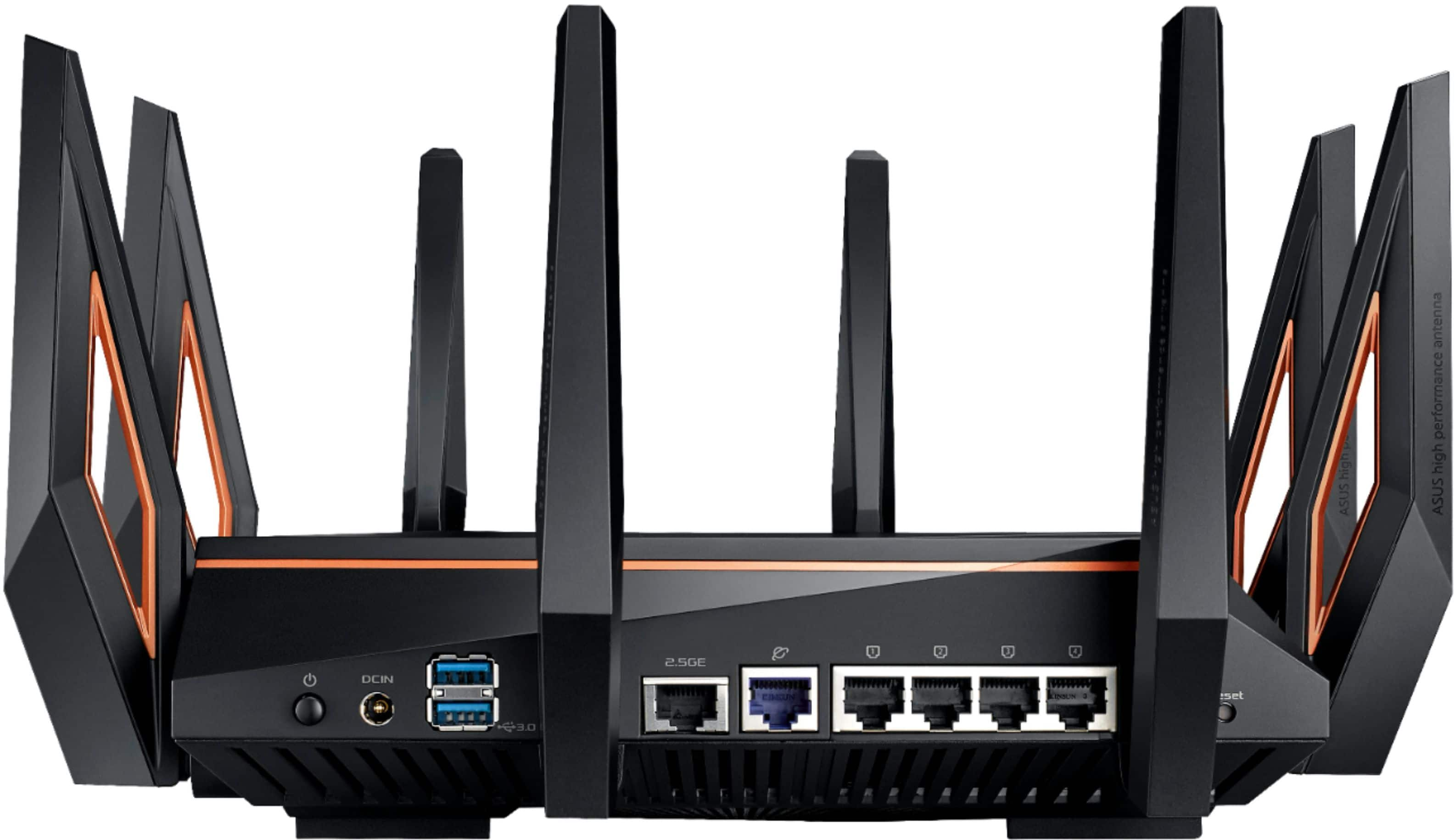
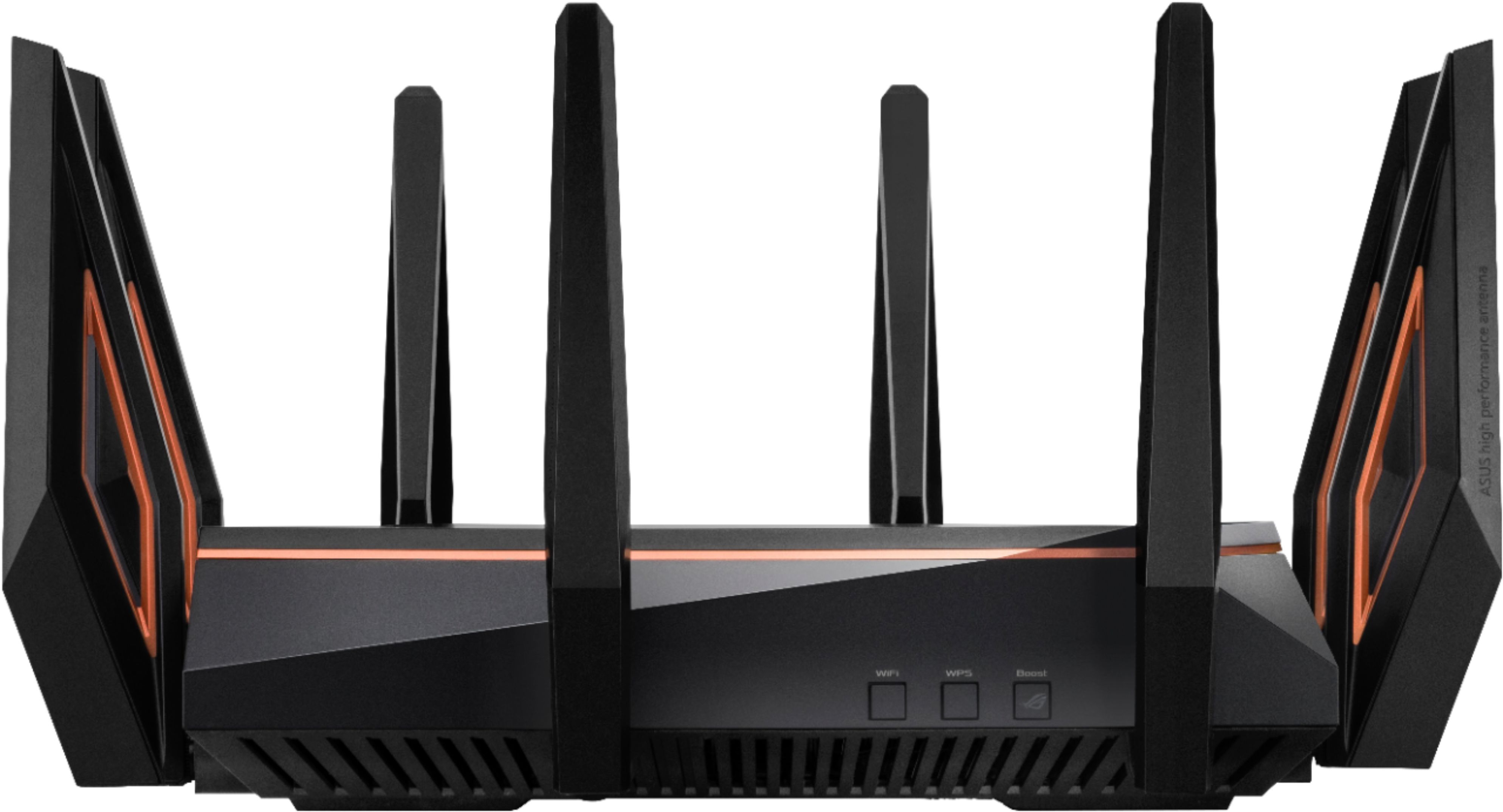
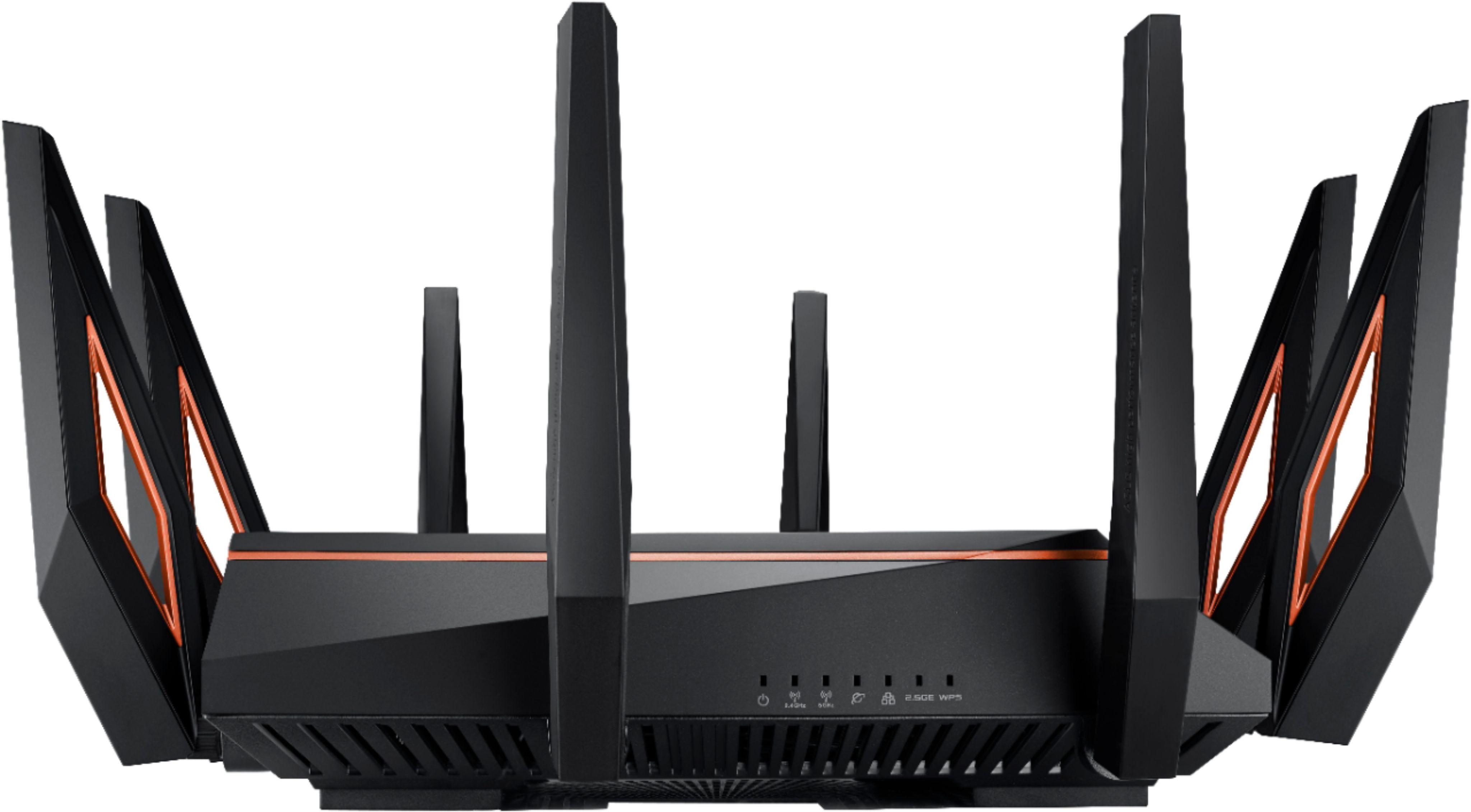
|Posted .This reviewer received promo considerations or sweepstakes entry for writing a review.The ASUS ROG Rapture GT-AX11000 is the latest and greatest home router from ASUS. It features the latest WiFi standard, 802.11ax, or WiFi 6 as it is being branded now to simplify WiFi generations for consumers. It is a router geared towards gamers and power users who want the fastest wireless performance as well as some new wired LAN features that are less commonly seen in consumer devices. To get the obvious out of the way, it’s huge. With antenna it is about 11 inches square and looks like a dead cyborg spider from your favorite dystopian sci-if movie. It is a matte black with satin metallic copper accents. Many of the pictures make it look like the accents are a red or orange color, but they aren’t. Given those possibilities the copper looks better….for a dead cyborg spider. On top is a big heat vent and a full RGB backlit ROG logo that you can customize in the UI. It’s OK, but I would really have liked to have the colors be sensitive to system load or something instead of 6 options that are just colors and flashing patterns and don’t relate to system activity. Personally, I’m not a huge RGB fan, so I turned it off. After a short assembly project to attach all 8 antennas, plug it in, push the power button, and it’s ready to go… After powering up, it advertises the default wireless networks. Connect to them with just about any device, head to the address listed in the quick start paperwork, and you are off to the races. I actually did the initial setup using an iPhone…. For some reason my PC on a wired connection using Edge just pulled up a blank screen. Chrome worked fine, but something to keep in mind if using Edge that it might not work and the router is fine, it’s just the Edge browser. Mine used an odd private IP range out of the box of 192.168.50.0/24. You may want to change that to match your old home network if you have any devices that had static IPs. After changing that and matching the SSIDs and pass phrases to my previous router, everything started connecting. I did have to reboot my ISP’s modem to get it to play nice and work with the router. For wired connectivity, there are interesting options. 4 local 1 gigabit ports, one 1 gigabit WAN port, and one 2.5 multigigabit port are on the back. In addition, there are two USB 3 ports that can be used to connect a hard drive to use as a NAS, a USB printer, or a cell data USB modem to provide WAN redundancy. The multigigabit port is interesting for things like a high performance NAS. Unless you are into custom building PCs though you may not find a lot of uses for it. If you are a gamer who is really picky about ping times, this router has some interesting options. For one, it will ping servers for some of the major games for you and let you know which ones are the best right now. It is also constantly running a ping and giving you general internet latency (the time it takes for a packet to go round trip) and jitter (the difference in round trip times between pings). Another feature is that you can set a single device on your network to having gaming traffic sent through a “GPN” that provides an optimized path to the servers for some games. For a fee you can enable it for more than one device. Finally, the wireless connectivity. With 8 antennas this router offers 1 2.4ghz 4x4, and 2 5ghz 4x4 Wifi 6 or 802.11ax radios. It can use the array for universal and explicit beam forming, and also supports the latest tricks in WiFi frequency manipulation that allows for multiple hosts to use the same channel at the same time instead of only allowing one host to communicate at a time….provided you have end hosts that support it. Coverage is about the same as the ASUS RT-3100 it replaced and it covers the inside of a 5000 sqft home with three levels well despite being located in a den near an outside wall instead of centrally located. Signal stability seems to be good as many of my smaller 2.4ghz only devices work well in random areas of the house. The two 5ghz bands give you the flexibility to have one channel only used by devices that are latency sensitive like gaming consoles, while having other devices that might be streaming on another channel. Another advantage is that you can have one channel for your WiFi 6 (ax) clients, allowing them to operate at full speed with all of their advanced features while relegating older clients to the other channel. This does bring up a point though about this router – it is a premium device at a premium price as it supports the latest WiFi standard, but most if not all of your devices are not likely to support it when the standard is still new and some smaller devices like WiFi plugs and sensors may not put in WiFi 6 radios for years, opting for older and cheaper technologies. Since WiFi 6 requires a hardware radio change, only through replacement of older devices will you be able to take full advantage of this router. ASUS has also gotten into the WiFi mesh system trend in home wireless where multiple wireless routers (or access points in they would be as mesh nodes) are chained to each other wirelessly to extend WiFi coverage in large homes or homes that structurally are difficult for a single router to cover. Since this router has 2 5ghz bands it can manage a mesh even more effectively, especially if the other nodes also have tri-band radios, although that can get very costly. I do like that ASUS has extended this “AiMesh” feature into almost their entire product line, even older routers now can be part of the mesh, giving life to older devices when a new one is put into the mix. Of course, mixing older access points and radios with new ones will result in an impact to performance for your devices. For security, this ASUS router has many of the features that the top tier ASUS routers have had for a while, including built in IPS and malicious site blocking. The site blocking is a very useful feature that will block bad links you (or a family member) might get in an email, or if you mistype a common URL and there is a malicious server camping out on the misspelled site name. It can also do some DoS attack mitigation and detect if there is malware on one of your devices that is trying to reach back to its command and control server or send out your data. It also supports several guest networks so you can give your guests access to your internet connection but not the rest of your network. Overall, this is a feature rich router that has excellent coverage and supports the latest WiFi standard, making it a solid choice for gamers and enthusiasts who want the very latest. For the average home user, many of the features are probably overkill and with consumer WiFi 6 (ax) clients only starting to come to market, it will be a while until most users can leverage everything this router has to offer. With the new WiFi 6 routers hitting the selves, the price on the older WiFi 5 (ac) routers are likely to fall, providing a good chance to pick up a very capable router at a lower price that will be more than enough for most users and homes. If you want an ultra high performance router that will support the latest standard well into the future and can convince your significant other (if you have one to convince) into accepting a cyborg desk spider, this is a solid choice.
I would recommend this to a friend Great if you get one that doesn't have issues.
||Posted . Owned for 3 months when reviewed.This reviewer received promo considerations or sweepstakes entry for writing a review.Good router, really enjoyed it but had problems restarting on its own. Firmware was up to date as well as reset after. Issue remained, Asus advised me to return it.
I would recommend this to a friendBrand response from ASUS Answers
Posted .Dear Valued Customer,
We're sorry o hear about the unfortunate experience you're having with this model. Based on the issue you described, we would recommend that you have this device sent in for servicing so our team can diagnose the issue and provide a solution. We do value our customers and take negative customer service experience very seriously. This is not the quality of service expected from ASUS. We do stand behind our product and we continuously strive to improve our approach and processes in order to achieve customer service excellence.For more information send a tweet or direct message to our Official ASUS North America Support twitter at AsusHelpUS. Also, we would recommend that you use the Asus Router App, go to "Settings", "System Settings" then "Feedback" and send feedback to us. We’ll do our best to provide a quick resolution to your case. Your feedback is important as it helps with improvements to ASUS Support channels. Please copy a link to this post as a reference.
Thank you for choosing ASUS.
Best Regards,
Joan
ASUS Customer Loyalty US Support
Expensive is not quality anymore
||Posted . Owned for 3 months when reviewed.This reviewer received promo considerations or sweepstakes entry for writing a review.Garbage! Don’t waste your money on it. Didn’t last 3 months. Plugged in my old dual band router and it works flawlessly. Expensive equipment use to mean a level of quality but that is no longer true and I’d recommend people staying away from high, overpriced products. I also have similar issues with my expensive Sony T.V., PS4 pro and my expensive modem. Most of these products are no longer in use as I’ve switched back to mediocre models. No longer have any issues.
No, I would not recommend this to a friendBrand response from ASUS Answers
Posted .Dear Kevin,
We appreciate you sharing your feedback on this model. We're sorry to hear about the unfortunate experience you're having with this model. Please allow us to make your experience with ASUS a better one. We do value our customers and take negative customer service experience very seriously. This is not the quality of service expected from ASUS. We do stand behind our product and we continuously strive to improve our approach and processes in order to achieve customer service excellence.
For more information send a tweet or direct message to our Official ASUS North America Support twitter at AsusHelpUS. Also, we would recommend that you use the Asus Router App, go to "Settings", "System Settings" then "Feedback" and send feedback to us. We’ll do our best to provide a quick resolution to your case. Your feedback is important as it helps with improvements to ASUS Support channels. Please copy a link to this post as a reference.
Thank you for choosing ASUS.
Best Regards,
Joan
ASUS Customer Loyalty US Support
Buy something better.
||Posted . Owned for 3 months when reviewed.This reviewer received promo considerations or sweepstakes entry for writing a review.I got this back in July 2022, i had nothing but issues with it. I was restoring it, and re-installing the firmware weekly. Nothing was working, I tried the official firmware and open source. Still nothing, I am member of the totaltech. I tried to set up appointment to get it looked at,But that was hassle and 3 total tech reps later before I could even get one.
No, I would not recommend this to a friendBrand response from ASUS Answers
Posted .Dear Ruiner,
We do understand your disappointment with the product and the inconvenience this may have caused if it didn't meet your expectations.
On the contrary, lots of satisfied customers, having positive experience using the product, will agree with me that it is a reliable router can will meet all networking needs. If it is being used to connect to the internet and was verified compatible with the ISP's modem, and was unstable after updating firmware and checking internet service is working properly, this may be a random issue with the router. If this is the case, we recommend sending the router in for further testing and analysis.
Should you need further assistance with the product, please email me at cl-rodel@asus.com and I would be more than happy to help. Or, you are most welcome to call Product Support Hotline at: 1(888) 678-3688. Also, you can chat with an ASUS live support agent at: http://bit.ly/AsusLiveChat.
Thank you for choosing an ASUS product.
Regards,
Rodel
ASUS Customer Loyalty
Asus support is the worst
||Posted . Owned for 9 months when reviewed.This reviewer received promo considerations or sweepstakes entry for writing a review.This device has several batches with hardware errors. Asus have taken 7 months to repair or refund for a faulty design. It actually took me to take legal action to get them to do the right thing. Also this thing sucks for gaming buy a reliable brand such as Ubiquiti. I assume Asus bots will reply to this comment with an apology for crappy service but I'll never get back my 40+ hours over the last 6 months its taken to deal with them. Buyer beware.
No, I would not recommend this to a friendBrand response from Asus_Answers
Posted .Dear sdhari,
I'm sorry to hear that you have been working with ASUS Support for a resolution for seven months. This is not a normal reflection of how our company handles customer service. I understand that you have initiated legal action, however I still need to investigate your case history for quality control. Please reach out to me at cl-lane@asus.com and include case #N201037584 in your email for reference.
Thank you for choosing ASUS!
Best regards,
Lane
ASUS Customer Loyalty – US Support
Not worth it
||Posted . Owned for 1.5 years when reviewed.This reviewer received promo considerations or sweepstakes entry for writing a review.Great once you get set up put extremely hard to set up and very frustrating and plus no one needs that speed unless they get it with internet provider
No, I would not recommend this to a friendBrand response from Asus_Answers
Posted .Dear Valued Customer,
It's unfortunate to hear that setup is very difficult. We do have a lot of tutorials on our official website that can provide you with detailed instructions. The router will also provide the speed you get directly from the internet service provider. If you wish for me to assist you, feel free to reach out to me at customerloyalty@asus.com and provide this link for reference. I'm here to help you and all others with these issues, as our customer loyalty department is dedicated to bringing a resolution to all issues related to our products.
Thank you for choosing ASUS!
Best Regards,
Jamalie,
ASUS Customer Loyalty US Support
- Cons mentioned:Firmware, Size
Great features, poor firmware at moment
|Posted .This reviewer received promo considerations or sweepstakes entry for writing a review.Feature rich router, but I believe there are still a lot of issues with the firm router. Unfortunately have had a lot of problems with this router, from dropping the speed of local ethernet clients, to randomly dropping it’s wifi signal on the 5G networks (both of them at least once a day). There are networking forums with others having similar issues, not just with this router, but the router model just under this one. It appears to be a firmware issue. My first issue was that while I am rated to get a 200Mbps download speed from my ISP, I would, from time to time, get only 15 - 30 Mbps, on a wired ethernet connection. Speaking with tech support solved nothing, as the router was so new they didn’t know what to do, other than for me to return the router to the store which it came. I then figured out that unplugging the ethernet port on the back of the router into another one of the ports, fixed it, but only temporarily. I then also then realized what seems to trigger the issue with wired ethernet clients dropping speed is having the router admin site open for long periods of time. My bigger issue with this router, is that for the very high price, I should not be having an even weaker 5g signal, which drops about once a day to all my devices. My house is not even that big, and my router is not even 50 feet away from the device that loses it’s 5g connection the most, my NVIDIA shield. When the NVIDIA Shield loses it’s 5g connection to this router, it usually cannot find it again, it just shows up as out of range, even after a reboot of the Nvidia shield itself. I literally need to reboot the router from the router login page. This router will be overkill for about 99 percent of home users, including gamers. It is great that the router does have so many features, but most people will totally be lost on what to do with them. They are far better served by getting a less expensive router, that has a more reliable firmware. This product is still relatively new, and there is currently a beta firmware that is being tested in the community right now, but only time will tell if ASUS has fixed the issues I have had with a firmware update. My last router did not have as much range of a connection, either on wireless N/B/G, or wireless AC (aka 5g). But it never randomly dropped it’s connections, either wired or wireless clients, like this router does. Also, as others have mentioned, this thing is HUGE. I mean it is massive. Make sure you have space for it if you do decide to get it, because ASUS did not include a way to mount it on a wall, like many other routers. Feature rich router, but I believe there are still a lot of issues with the firmware, that will hopefully be addressed via future updates. When it works, which is most the time, it is great, but otherwise, it is very annoying to have to reboot it to regain your wireless 5g networks.
No, I would not recommend this to a friendBrand response from Asus_Answers
Posted .Dear blah,
We appreciate your feedback on this matter and please accept our apologies for any inconvenience. We certainly value your feedback on this matter, and I will be letting the related department know about the issues you are experiencing for continuous improvements to the product line. Please ensure your using the latest firmware for optimal stability you can locate the files at ASUS Help Desk: https://www.asus.com/us/Networking/ROG-Rapture-GT-AX11000/HelpDesk_BIOS/. If the issues persist, with the newest firmware, please send any feedback via ASUSWRT(ASUS router Web UI) or ASUS Router App, or send email to cl-adrian@asus.com. Your case for reference is N190615492.
Thank you for choosing ASUS!
Best Regards,
Adrian
ASUS Customer Loyalty – US Support
Nope, no good...
||Posted . Owned for 11 months when reviewed.This reviewer received promo considerations or sweepstakes entry for writing a review.Bought 2 to extend distance, but couldn't get either on to get more than 400 out of 900mbps.. Had to return after no help from Asus...
No, I would not recommend this to a friendBrand response from ASUS Answers
Posted .Dear zRalphz,
We are truly sorry for the issue you have with the router range and for the inconvenience this has caused you and on behalf of our customer support team for not providing the best support. This model undergoes intensive quality control testing and final inspection for both hardware and software. ASUS provides a warranty for the unit in order to fix or repair any isolated issue. This information will be passed on to our development team. We truly appreciate your feedback. If you need any assistance, please don't hesitate to contact us via email: customerloyalty@asus.com and provide this link for reference or contact our general support at https://www.asus.com/us/support. Our customer loyalty department is dedicated to bringing a resolution to all issues related to our products.
Thank you for choosing ASUS!
Best Regards,
Lamoya
ASUS Customer Loyalty US Support
Just Not For Me
||Posted . Owned for 1 week when reviewed.This reviewer received promo considerations or sweepstakes entry for writing a review.I bought this due to the good reviews and quality company, but returned it a few days later since I could not get it set up. I am not the best, but have set up quite a few routers before and for some reason a DNS error would not let me get connected. Asus customer service was certainly not the best either and could also not figure it out. Maybe I got a dud, but I now have the Nighthawk AX6600 and love it!
No, I would not recommend this to a friendBrand response from ASUS Answers
Posted .Dear Buckeye384,
We are truly sorry you were having a hard time setting up the device and on behalf of our customer support team for not providing the best support and for any inconvenience this has caused you. ASUS products undergo intensive quality control testing and final inspections for both hardware and software before we send them out to the stores worldwide. ASUS provides a warranty for the unit in order to fix or repair any isolated factory escape defect. This information will be passed on to our development team.
We truly appreciate your feedback. If you need any assistance, please don't hesitate to contact us via email: customerloyalty@asus.com and provide this link for reference or contact our general support at https://www.asus.com/us/support. Our customer loyalty department is dedicated to bringing a resolution to all issues related to our products.
Thank you for choosing ASUS!
Best Regards,
Lamoya
ASUS Customer Loyalty US Support
Second unit just as dysfunctional as the first.
||Posted . Owned for less than 1 week when reviewed.This reviewer received promo considerations or sweepstakes entry for writing a review.Second unit has the same problems as the first. Unable to change any configuration settings to customize the setup. Primary and Level 2 support have been unable to identify or solve the problem.
No, I would not recommend this to a friendBrand response from Asus_Answers
Posted .Dear Welby,
Thank you for your feedback on this model, We truly appreciate you taking the time out to let us know. Firstly, We would like to extend our sincerest apologies for any inconvenience this may have caused you. We certainly understand your disappointment with the quality of the product that was received and the inconvenience this may have caused you. ASUS products undergo intensive quality control testing and final inspections for both hardware and software before we release it worldwide. ASUS provides warranty for the unit in order to fix or repair any isolated factory escape defect.We do apologize that our level two support could not resolve the issue.
Can you provide us with more details on the issue please? So we can have this issue resolved as soon as possible. If you wish to discuss the matter with us, please feel free to reach out to us at by email: customerloyalty@asus.com. Please use a link to this review as reference. Have an extraordinary day.
Thank you for choosing ASUS.
Best Regards,
Lamoya
ASUS Customer Loyalty US Support
Internet keep disconnected
||Posted .This reviewer received promo considerations or sweepstakes entry for writing a review.Router work fine for a few hours then disconnected from the internet. Ibupdated the router F/W but it doea not help. Router returned to Best Buy
No, I would not recommend this to a friendBrand response from Asus_Answers
Posted .Dear TinN,
Although you returned the GT-AX11000 we are thankful for giving ASUS a try. Your feedback is vital to our continuous improvements, please send us any details to ASUSWRT(ASUS router Web UI) or ASUS Router App, or send email to router_feedback@asus.com. Your case for reference is N190556840 and we'll get back to you as soon as we can.
Thank you for choosing ASUS!
Best Regards,
Adrian
ASUS Customer Loyalty – US Support
Poor signal coverage. Not as good as Netgear
||Posted . Owned for less than 1 week when reviewed.This reviewer received promo considerations or sweepstakes entry for writing a review.I have to say that all the tweaks and settings I researched and used did not improve the signal coverage of my home. My Netgear covers my backyard and my front yard on top of my entire house. For the cost of this router you can get better signal with a less expensive unit. I wouldn't recommend this unless you have a very small apartment.
No, I would not recommend this to a friendBrand response from Asus_Answers
Posted .Dear Valued Customer,
Thank you for your review. I’m sorry to hear you had such a frustrating experience, but I really appreciate you bringing this issue to my attention. Our products do go through an intensive quality control testing process to ensure that customers get units that are in proper working condition. And for customers who experience any isolated issues we do offer excellent warranty programs so that customers can feel safe while using our products. What you've experienced was not intentional or representative of our brand. We always aim to deliver a great experience. We are gutted when we miss the mark. Thanks for taking the time to bring this to our attention. We will use the feedback to make us better and to ensure this doesn’t happen again. Please attempt these steps within the faq below.
If you need further technical assistance or if you wish to discuss this matter with me, feel free to reach us out at customerloyalty@asus.com and provide this link for reference. I'm here to help you and all others with these issues, as our customer loyalty department dedicated to bringing a resolution to all issues related to our products.
Thank you for choosing ASUS!
Best Regards,
Jamalie,
ASUS Customer Loyalty US Support
How to improve reception of wireless signals(reduce wireless interference): https://www.asus.com/support/FAQ/1030608/
Didn't even make it a year
||Posted . Owned for 10 months when reviewed.This reviewer received promo considerations or sweepstakes entry for writing a review.Nov 10, 2020 this thing did not even make it a year and I getting horrible 2.4 drops.. I have tried updating the firmware, Rebooting etc.. the 2.4 if terrible and unfortunately all my smart home tech is 2.4 so my house is now dumb because this $400 paper weight.
No, I would not recommend this to a friendBrand response from ASUS Answers
Posted .Dear Valued Customer,
Thank you for sharing your feedback on this model. We're sorry to hear about the connection issues you're having with this model. Please allow us to make your experience with ASUS a better one. We would recommend that you try changing the channel bandwidth of each band of 2.4 GHz to 20 MHz, and for 5GHz please select 60MHz. Test each of the channels first for improved stability. You can also do the speed test for each. If you’re still experiencing issues, please send any feedback via ASUSWRT(ASUS router Web UI), or ASUS Router App, or send a tweet or direct message to our Official ASUS North America Support twitter at AsusHelpUS. We’ll do our best to provide a quick resolution to your case. Your feedback is important as it helps with improvements to ASUS Support channels. Please copy a link to this post as a reference.
Thank you for choosing ASUS.
Best Regards,
Joan
ASUS Customer Loyalty US Support
No wall mount holes!
||Posted . Owned for less than 1 week when reviewed.This reviewer received promo considerations or sweepstakes entry for writing a review.For the price you pay I expected better. Router web interface is very childish and hard to read. NO WALL MOUNT HOLES. This was a deal breaker for me because I like my routers mounted higher on the wall for better signal dispersion. Asus dropped the ball big time on this router. I could modify it to mount it like others have, but I shouldn't have to at this price.
No, I would not recommend this to a friendBrand response from Asus_Answers
Posted .Dear Valued Customer,
Thank you so much for your feedback, I'm truly sorry to hear about your experience with the web interface and you not being able to mount it on the wall. Our engineers do ensure to design the best units to suit our customers, rest assured that this feedback will not be unnoted and your information will be passed over to the relevant department.
If you have any technical issues, feel free to reach out to me at customerloyalty@asus.com and provide this link for reference. I'm here to help you and all others with these issues, as our customer loyalty department is dedicated to bringing a resolution to all issues related to our products.
Thank you for choosing ASUS!
Best Regards,
Jamalie,
ASUS Customer Loyalty US Support
not as good as it was
||Posted . Owned for 10 months when reviewed.This reviewer received promo considerations or sweepstakes entry for writing a review.after a year, i barely get wifi connection in my house in the same spots i used to.
No, I would not recommend this to a friendBrand response from ASUS Answers
Posted .Dear Chris,
We're sorry to hear about the connection issues you're having with this model. Please allow us to make your experience with ASUS a better one. We would recommend that you follow the steps in the FAQ below: https://www.asus.com/support/FAQ/1030641/
We do value our customers and take negative customer service experience very seriously. This is not the quality of service expected from ASUS. We do stand behind our product and we continuously strive to improve our approach and processes in order to achieve customer service excellence.
For more information, you can reach out to us at our Official ASUS North America Support twitter at AsusHelpUS. We’ll do our best to provide a quick resolution to your case. Your feedback is important as it helps with improvements to ASUS Support channels. Please copy a link to this post as a reference.
Thank you for choosing ASUS.
Best Regards,
Joan
ASUS Customer Loyalty US Support
Great when it works but always disconnecting
||Posted . Owned for 4 months when reviewed.This reviewer received promo considerations or sweepstakes entry for writing a review.For the price i paid for this im so upset with it. Ive only had it for a few months and now i continuously will lose internet. Not just wifi, like hardwire connection is lost as well. Im getting ahold of asus to give me a replacement but im sure it wont be a fun process. Can't believe this has so many issues.
No, I would not recommend this to a friendBrand response from ASUS Answers
Posted .Dear RobSiegel, We're sorry to hear about the issues you're having with the router. I would recommend that you try updating the firmware of the router, also try resetting the router to default and testing without any customized/personalize settings. Please use the following link as guidance: https://www.asus.com/support/FAQ/1008000/ For further technical concerns, feel free to reach out to me at customerloyalty@asus.com and provide this link for reference. I'll do my best to provide a quick resolution to your case. Your feedback is important as it helps with improvements to ASUS Support channels. Thank you for choosing ASUS! Best Regards, Jonelle, ASUS Customer Loyalty US Support
- Pros mentioned:Range
3 year owner approves
Posted .This reviewer received promo considerations or sweepstakes entry for writing a review.I've had this router for 3 years and I couldn't be happier. I live in a 1900 sq ft house and even w the master bedroom being on the other side of a brick fireplace, I still get good reception throughout the entire house. The software is easy to update. The features I use are easy to understand and utilize. I'm a point where I even wonder if I will actually need to update this router anytime in the near future.
I would recommend this to a friend Not ready for primetime
||Posted .This reviewer received promo considerations or sweepstakes entry for writing a review.The unit would reboot, lose passwords and for the price I'll either wait or go with prosumer grade.
No, I would not recommend this to a friendBrand response from Asus_Answers
Posted .Dear PeteB63,
Thank you for sharing your reviews and we're sorry to hear about the issues you've encountered with your GT-AX11000. ASUS ensures all products are designed for durability, with a lifespan that’s double the industry standard. For improved system stability proceed to update your firmware to version 3.0.0.4.384.6208. You can find the update file located on our Online ASUS Help Desk: https://www.asus.com/us/Networking/ROG-Rapture-GT-AX11000/HelpDesk_BIOS/. If the issues persist, feel free to contact me if you have any technical or general questions. You can reach me at cl-adrian@asus.com. Please copy a link to this post as reference.
Thank you for choosing ASUS!
Best Regards,
Adrian
ASUS Customer Loyalty – US Support
Showed up missing an antenna.
||Posted . Owned for less than 1 week when reviewed.This reviewer received promo considerations or sweepstakes entry for writing a review.Antenna was missing from the box. Contacted Bestbuy and was disconnected twice only and never called back to resolve the issue. Used the Chat option and was told they are going to resend me a new router but it will take 5 days. Ended up ordering from another retailer "Next day". First time I have ever had an issue! :(
No, I would not recommend this to a friend