Customer Ratings & Reviews
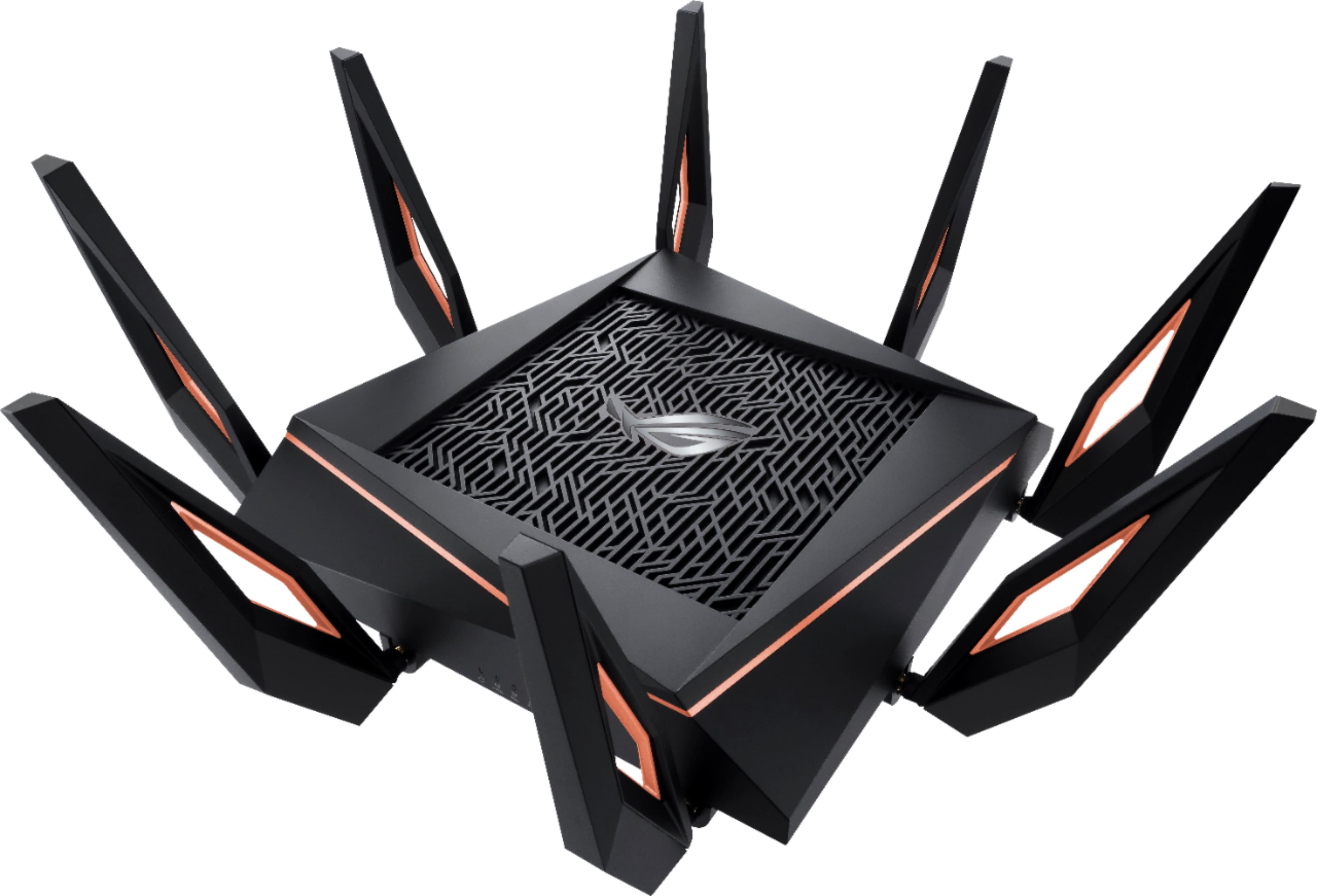
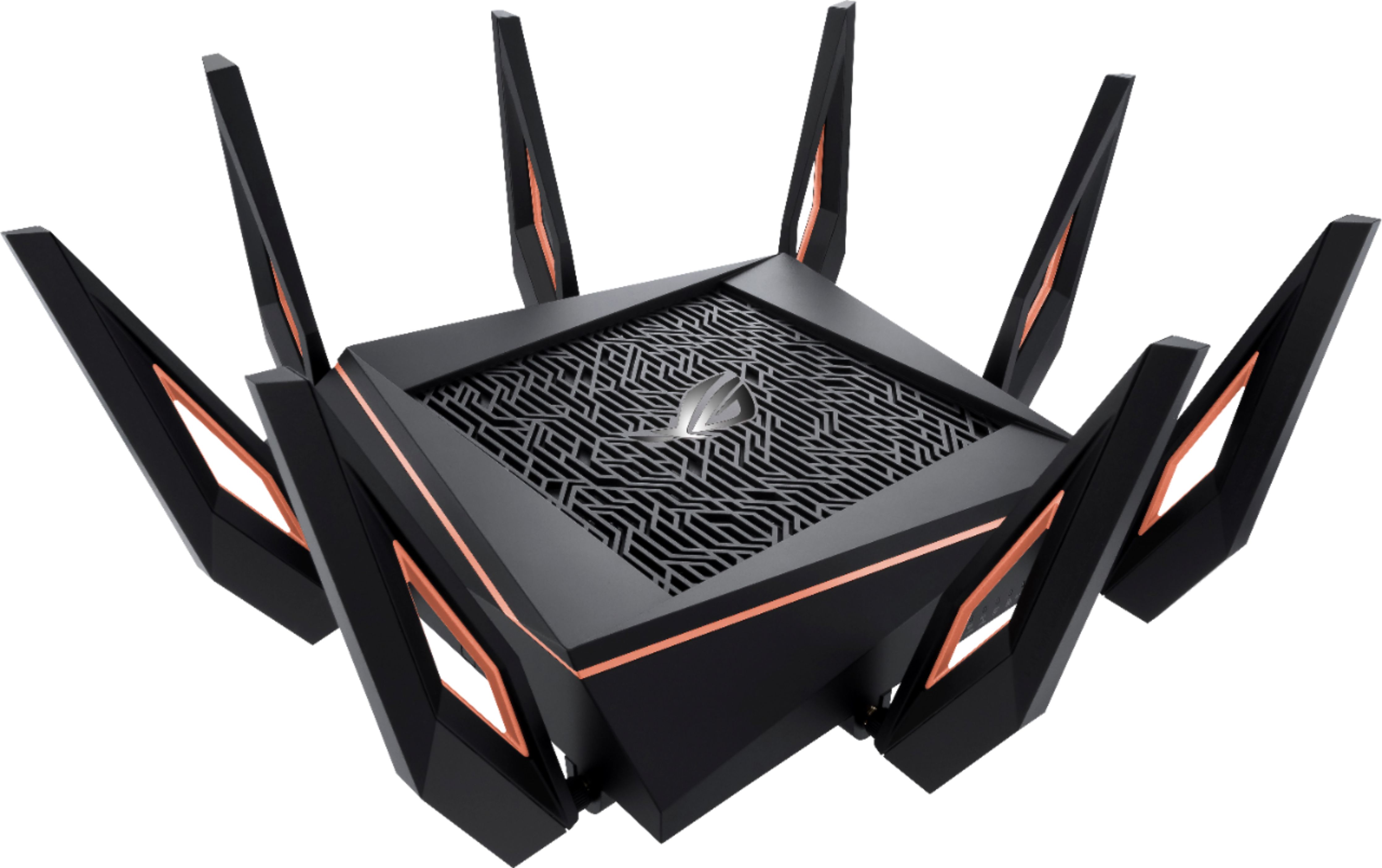
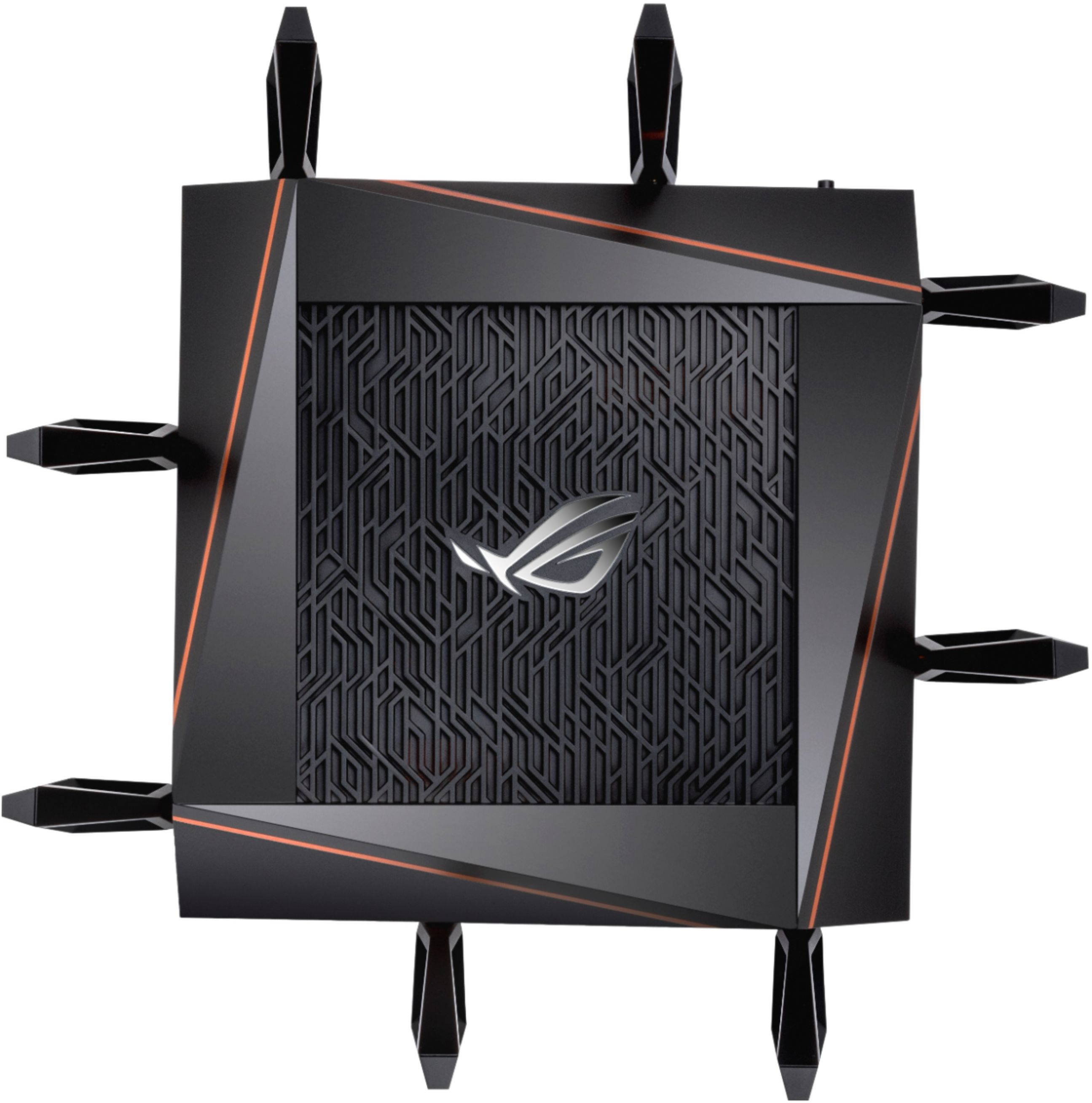

- Model:
- GT-AX11000
- SKU:
- 6321917
Rating by feature
- Setup
Rating 4.6 out of 5 stars
- Range
Rating 4.6 out of 5 stars
- Signal Strength
Rating 4.6 out of 5 stars
Customers are saying
Customers appreciate the ROG Rapture GT-AX11000's extensive range, strong performance, and ease of setup. Many found the improved signal strength and WiFi 6 capabilities beneficial, while some noted the router's large size and high price point as drawbacks. A few users experienced issues with firmware and the number of Ethernet ports. Overall, the positive feedback on performance and range outweighs the negative comments regarding size and cost.
This summary was generated by AI based on customer reviews.
nope
||Posted . Owned for 1 year when reviewed.This reviewer received promo considerations or sweepstakes entry for writing a review.nope dont do it it ehh and doesnot give you anymore power
No, I would not recommend this to a friendBrand response from ASUS Answers
Posted .Dear Valued Customer,
It's unfortunate to hear that it doesn't give you any power, this must be frustrating. Have you tried to use an alternative power outlet? For further troubleshooting, feel free to reach out to me at customerloyalty@asus.com and provide this link for reference. I'll do my best to provide a quick resolution to your case. Your feedback is important as it helps with improvements to ASUS Support channels.
Thank you for choosing ASUS!
Best Regards,
Jamalie,
ASUS Customer Loyalty US Support
Forget it - not ready for prime time
||Posted . Owned for 1 month when reviewed.This reviewer received promo considerations or sweepstakes entry for writing a review.Had ZERO luck with this router. Literally NOTHING but problems. HOURS on the phone with Asus tech support. I also had devices that wouldn't connect to it. Saw zero increase in throughput or range from my Asus RT-88U (AC3100).
No, I would not recommend this to a friendBrand response from Asus_Answers
Posted .Dear Valued Customer,
We are terribly sorry to hear that your device is unable to work perfectly. This must be very frustrated to you. Feel free to reach out to me at customerloyalty@asus.com and provide this link for reference. I'm here to help you and all others with these issues, as our customer loyalty department dedicated to bringing a resolution to all issues related to our products.
Thank you for choosing ASUS!
Best Regards,
Jamalie,
ASUS Customer Loyalty US Support
Worst router around
||Posted . Owned for less than 1 week when reviewed.This reviewer received promo considerations or sweepstakes entry for writing a review.Terrible router, had issues the second I plugged it in. Nothing loaded right, nothing connected 2 feet away, as soon as I got a basic Spectrum router, everything worked fine. Returning this pile of crap.
No, I would not recommend this to a friendBrand response from ASUS Answers
Posted .Dear Ozzy, We're sorry to hear about the unfortunate experience you're having with the router. This is absolutely not the kind of experience we want any of our customers to have. I will be letting the related department know about this concern for continuous improvements to the product line. We value your feedback and concerns as this will aid in any improvements that need to be made. If you have any technical concerns, feel free to reach out to me at customerloyalty@asus.com and provide this link for reference. I'll do my best to provide a quick resolution to your case. Thank you for choosing ASUS! Best Regards, Jonelle, ASUS Customer Loyalty US Support
Useless Junk. DO NOT BUY!!!!
||Posted . Owned for less than 1 week when reviewed.This reviewer received promo considerations or sweepstakes entry for writing a review.Piece of junk. I gave it a second chance but it still can't make it. Only performs 100 mbps with my 1000 mbps Internet plan, and always disconnected for no reason. So disappointed. Gonna return it tomorrow.
No, I would not recommend this to a friendBrand response from ASUS Answers
Posted .Dear Valued Customer,
I'm truly sorry to hear that your router connection is dropping, this must be frustrating. Have you tried to update the firmware? Please refer to the FAQ below. For further troubleshooting, feel free to reach out to me at customerloyalty@asus.com and provide this link for reference. I'll do my best to provide a quick resolution to your case. Your feedback is important as it helps with improvements to ASUS Support channels.
Thank you for choosing ASUS!
Best Regards,
Jamalie,
ASUS Customer Loyalty US Support
Troubleshooting - https://www.asus.com/us/support/FAQ/1042211/
Never buy this
||Posted . Owned for 3 weeks when reviewed.This reviewer received promo considerations or sweepstakes entry for writing a review.This is a scam. A regular modem from Atlantic gives me better speed than this $500 gadget. 15 days refund policy only confirms lack of customer service in Best buy. Will never come back here again.
No, I would not recommend this to a friendBrand response from ASUS Answers
Posted .Dear Valued Customer,
We appreciate you sharing your feedback on this model. We're sorry to hear about the unfortunate experience you're having. If you wish to discuss this matter with us, please feel free to reach out to us. We do value our customers and take negative customer service experience very seriously. This is not the quality of service expected from ASUS. We do stand behind our product and we continuously strive to improve our approach and processes in order to achieve customer service excellence.
For more information, you can reach out to us at our Official ASUS North America Support twitter at AsusHelpUS. We’ll do our best to provide a quick resolution to your case. Your feedback is important as it helps with improvements to ASUS Support channels. Please copy a link to this post as a reference.
Thank you for choosing ASUS.
Best Regards,
Joan
ASUS Customer Loyalty US Support
Bad router
||Posted . Owned for 2 weeks when reviewed.This reviewer received promo considerations or sweepstakes entry for writing a review.This router stops working any time we have a thunder storm. I live in Alabama so this is almost weekly. I have to go through a full reset to make it work again.
No, I would not recommend this to a friendBrand response from ASUS Answers
Posted .Dear Tider,
We're sory to hear about the unfortunate experience you're having with this model. Please allow us to make your experience with ASUS a better one. We do value our customers and take negative customer service experience very seriously. This is not the quality of service expected from ASUS. We do stand behind our product and we continuously strive to improve our approach and processes in order to achieve customer service excellence.
For more information send us an email at customerloyalty@asus.com and provide the link of this review for reference. We’ll do our best to provide a quick resolution to your case. Your feedback is important as it helps with improvements to ASUS Support channels. Please copy a link to this post as a reference.
Thank you for choosing ASUS.
Best Regards,
Joan
ASUS Customer Loyalty US Support
[Troubleshooting] Wi-Fi signal is often disconnected: https://www.asus.com/support/FAQ/1030641/
- Pros mentioned:Speed

Fast Performance with Gaming and Everything!
|Posted .This reviewer received promo considerations or sweepstakes entry for writing a review.I'm a huge fan of this router. I didn't know what to expect from the device, compared to my current Mesh Network, but went ahead with the setup. Once setup, I took down my current mesh network. Mind you, I had to use at least 4 of the eero nodes and beacons to get full coverage of my 2100 sq ft house (2 story). This thing was able to cover about 80% of my entire home, losing coverage in one of the farthest rooms, and about half my backyard. However, that's the great part. If you have one of the compatible Asus router's, there is a feature that allows you to use that router to create a mesh network. So, you have the option of re-using your existing Asus router, and expanding that coverage. I didn't have another one, so I wasn't able to test the feature, but will likely purchase one in the future. This best part about this, is the wired gigabit ports, and the in-network speeds! I have an HDHomeRun Prime DVR setup with a PC, CableCard, and Xbox One's for tuners to view. With my previous mesh network, there would be points of delay in connection to my tuner, or the recordings for viewing. I never thought about that delay, until I used this Asus router. The delay was pretty much gone. Within a couple of seconds, the app was up and connected. Changing channels was instantaneous. I was amazed, with this, as I'd never received that kind of performance on my mesh network. Overall, this was a big win for sharing media across rooms, over a WiFi connection, with just the one router. I only wish I had something that supported the newer WiFi standard. However, on AC, I was easily getting 300 to 400 Mb/s speeds on in network file transfers. WiFi devices were connecting a bit quicker, and playing games yielded no lag. Not one bit. My WiFi speeds were always close to my ISP offering of 300Mbps (speedtest.net tests), and buffering was fairly minimal. I'm extremely happy with this router. It's aggressive styling might not be for everyone, and you'll need to free up some counter space for it to sit on. However, it's great coverage, fast performance, easy setup (with some great advanced settings/features (like VPN)., and the price this is an easy win. Especially, if you have a previous generation Asus router.
I would recommend this to a friend Hot Garbage
||Posted . Owned for 4 months when reviewed.This reviewer received promo considerations or sweepstakes entry for writing a review.How many times do I need to reset and reconfigure? By calling it “rapture” I should have known it meant the “end times” to my wi-fi. Steer clear!
No, I would not recommend this to a friendBrand response from ASUS Answers
Posted .DearBoneterrific,
We're sorry to hear about the unfortunate experince you're having with the connection on this model. Please allow us to make your expernece with ASUS a better one. Is the router on the latest firmware version? If not, we would recommend updating the firmware to the latest version. Please click on the link below.
For more information send us an email at customerloyalty@asus.com and provide the link of this review for reference. Also, we would recommend that you use the Asus Router App, go to "Settings", "System Settings" then "Feedback" and send feedback to us. We’ll do our best to provide a quick resolution to your case. Your feedback is important as it helps with improvements to ASUS Support channels. Please copy a link to this post as a reference.
Thank you for choosing ASUS.
Best Regards,
Joan
ASUS Customer Loyalty US Support
ROG Rapture GT-AX11000 Firmware: https://rog.asus.com/networking/rog-rapture-gt-ax11000-model/helpdesk_bios
- Pros mentioned:Range, Speed
Great ASUS Router
Posted .This reviewer received promo considerations or sweepstakes entry for writing a review.Excellent Product from ASUS. Best replacement for my 7 year old router. Easy to manage setup and user-friendly dashboard interface. Once again I will always trust ASUS to build great products and the range and speed this monster puts out is insane! Highly Recommend all ASUS products
I would recommend this to a friend Worse purchae
||Posted . Owned for 5 months when reviewed.This reviewer received promo considerations or sweepstakes entry for writing a review.It sucks. No more one device on at a time. And that is not always the case sometimes not even once. Called support three times already. Worse than ever.
No, I would not recommend this to a friendBrand response from ASUS Answers
Posted .Dear Valued Customer,
I'm truly sorry to hear about your issue with the router. Have you updated the firmware? Did you try to reset the router? For further troubleshooting, feel free to reach out to me at customerloyalty@asus.com and provide this link for reference. I'll do my best to provide a quick resolution to your case. Your feedback is important as it helps with improvements to ASUS Support channels.
Thank you for choosing ASUS!
Best Regards,
Jamalie,
ASUS Customer Loyalty US Support
Bad luck
||Posted .This reviewer received promo considerations or sweepstakes entry for writing a review.I’ve had nothing but trouble with this, I could be my modem but I don’t know
No, I would not recommend this to a friendBrand response from Asus_Answers
Posted .Dear Valued Customer,
We are sorry that your experience with the product didn’t quite match your expectations. We would love to investigate this matter, so that we can put your mind at ease. Feel free to reach out to me at customerloyalty@asus.com and provide this link for reference. I'm here to help you and all others with these issues, as our customer loyalty department dedicated to bringing a resolution to all issues related to our products.
Thank you for choosing ASUS!
Best Regards,
Jamalie,
ASUS Customer Loyalty US Support
Asus AX1100 Failed!
||Posted . Owned for 1.5 years when reviewed.This reviewer received promo considerations or sweepstakes entry for writing a review.Purchase Date:Jul 03, 2020 Order Number:BBY01-806222289573. Failed! it doesn't broadcast SSID nor connects.
No, I would not recommend this to a friendBrand response from ASUS Answers
Posted .Dear Valued Customer,
It's unfortunate to hear that it failed to broadcast the SSID. This is not the kind of experience we want any of our customers to have. Have you tried to reset the router? Please attempt the steps from the FAQ below. For further troubleshooting, feel free to reach out to me at customerloyalty@asus.com and provide this link for reference. I'll do my best to provide a quick resolution to your case. Your feedback is important as it helps with improvements to ASUS Support channels.
Thank you for choosing ASUS!
Best Regards,
Jamalie,
ASUS Customer Loyalty US Support
Troubleshooting - https://www.asus.com/us/support/FAQ/1030645/
- Pros mentioned:Speed
Decent gaming router
|Posted .This reviewer received promo considerations or sweepstakes entry for writing a review.I have to say i was a little disjointed with this router compared to the hype before receiving it. Out of the box this router looks amazing. I love how it has RGB lighting similar to that found on most gaming computers. The appearance of this router looks like it means business. Setting it up was not extremely hard however, i had to tweak quite a few settings in order to get the speeds i wanted. Another downfall is that i currently am getting slower speeds than from my built in router to my modem. This is kind of disappointing because there is really no reason to have a second router if the speeds are slower. With a little more tweaking of the settings i believe that i will be getting the speeds that i want out of it. One other problem is that the computer hardware is not up to date with the ability to utilize the speeds this router is capable of. This is a positive thing though because i believe as gaming computers and hardware advance this router will still be capable. Overall i love the design of this router and if you are a gamer i highly recommend this to be part of your set up.
I would recommend this to a friend $500 paper weight.
||Posted . Owned for 9 months when reviewed.This reviewer received promo considerations or sweepstakes entry for writing a review.Useless after 9 months. Customer support is horrid. If you buy this dont make the mistake i did. Buy the protection plan!
No, I would not recommend this to a friendBrand response from ASUS Answers
Posted .Dear Valued Customer,
I'm sorry to hear that your router has failed after just 9 months. All ASUS products undergo intensive quality control, testing and inspections. What you've experienced was not intentional or representative of our brand. Can you please provide me with your case numbers from ASUS Support so that I can investigate your case for quality control? I'd also be happy to get an RMA started for you to have the unit repaired in warranty. Please reach out to me at cl-lane@asus.com and include case #N2101087656 in your email for reference.
Thank you for choosing ASUS!
Best regards,
Lane
ASUS Customer Loyalty – US Support
Impressive router that is WIFI 6 ready
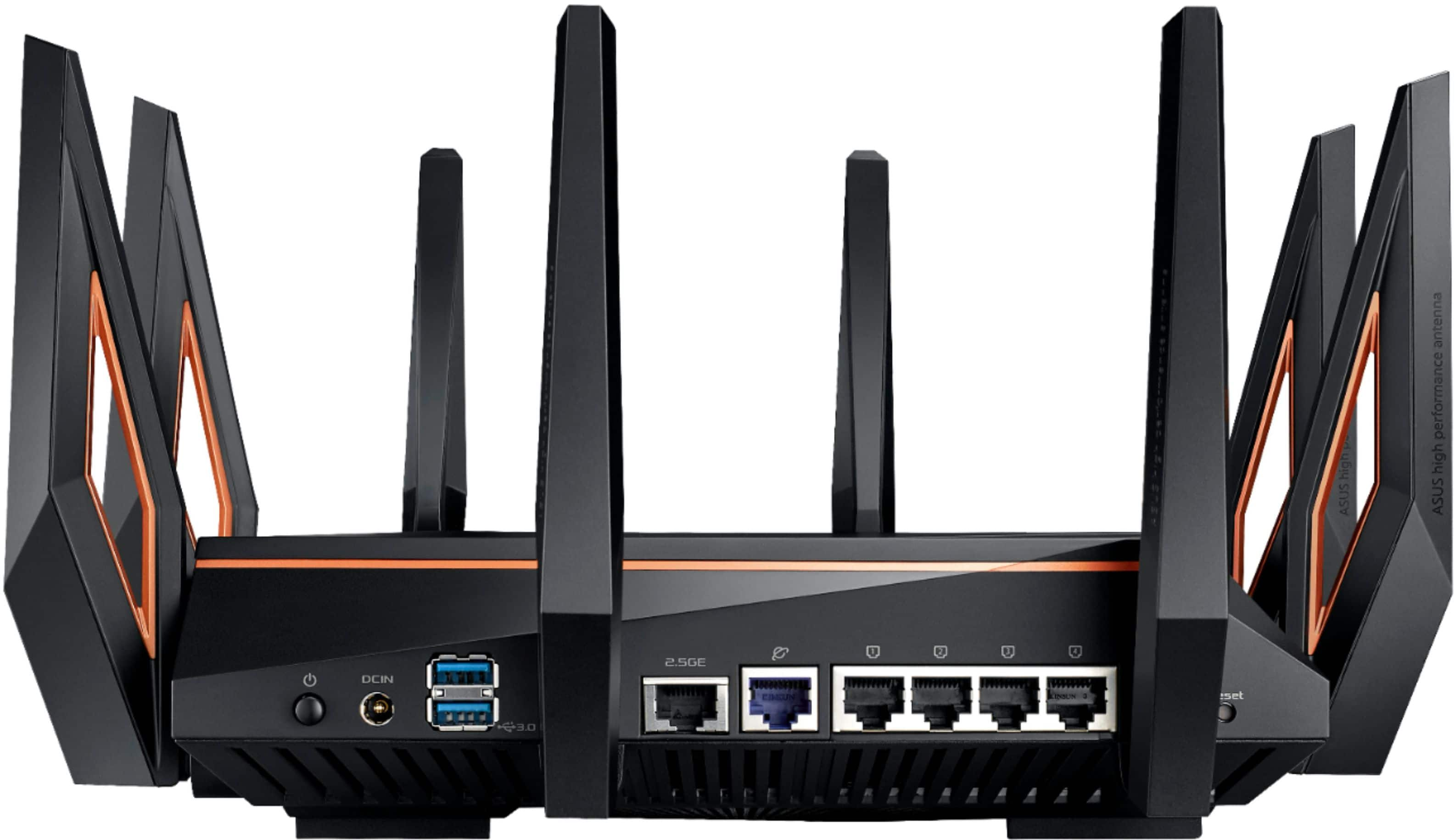
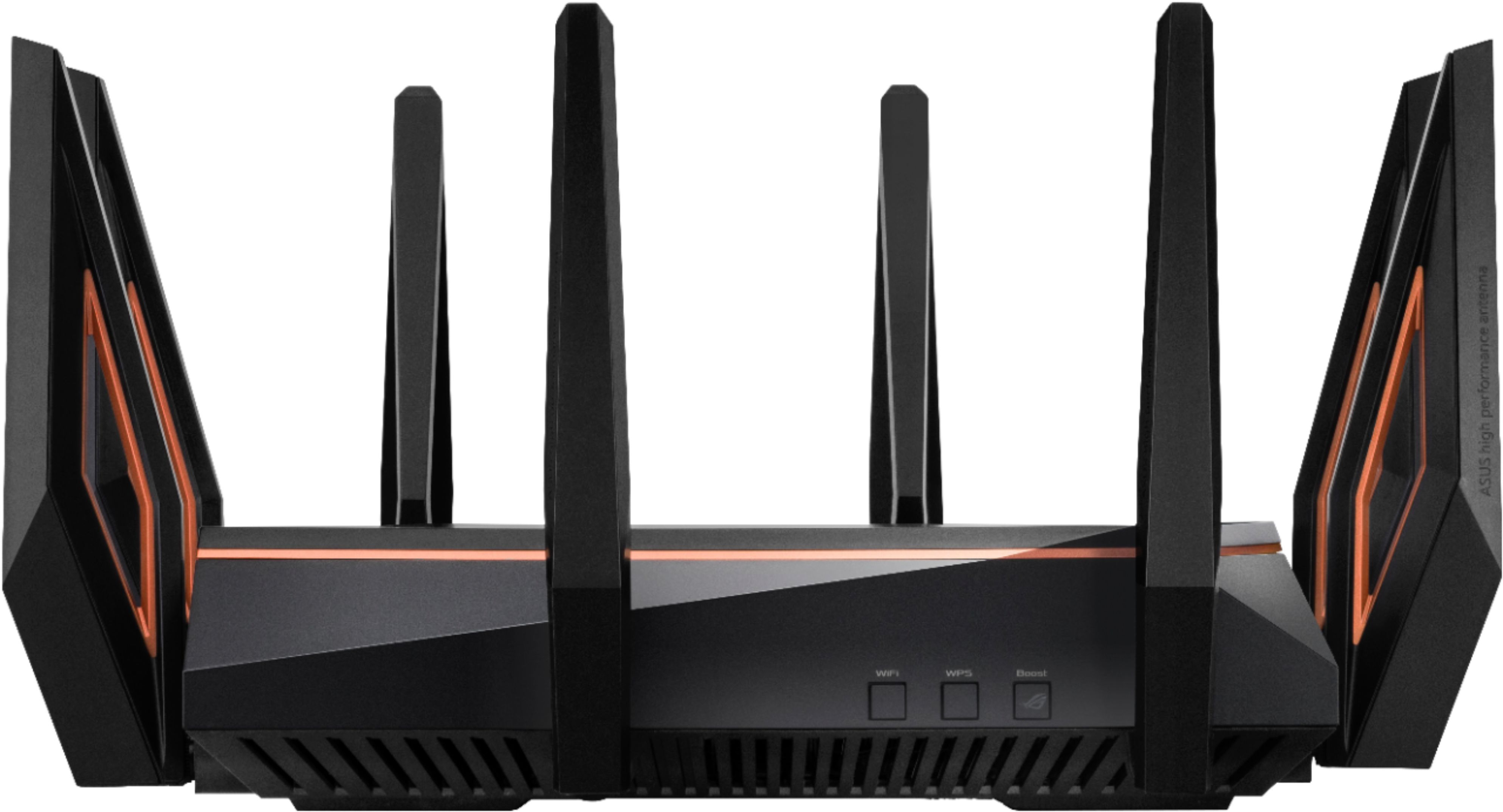
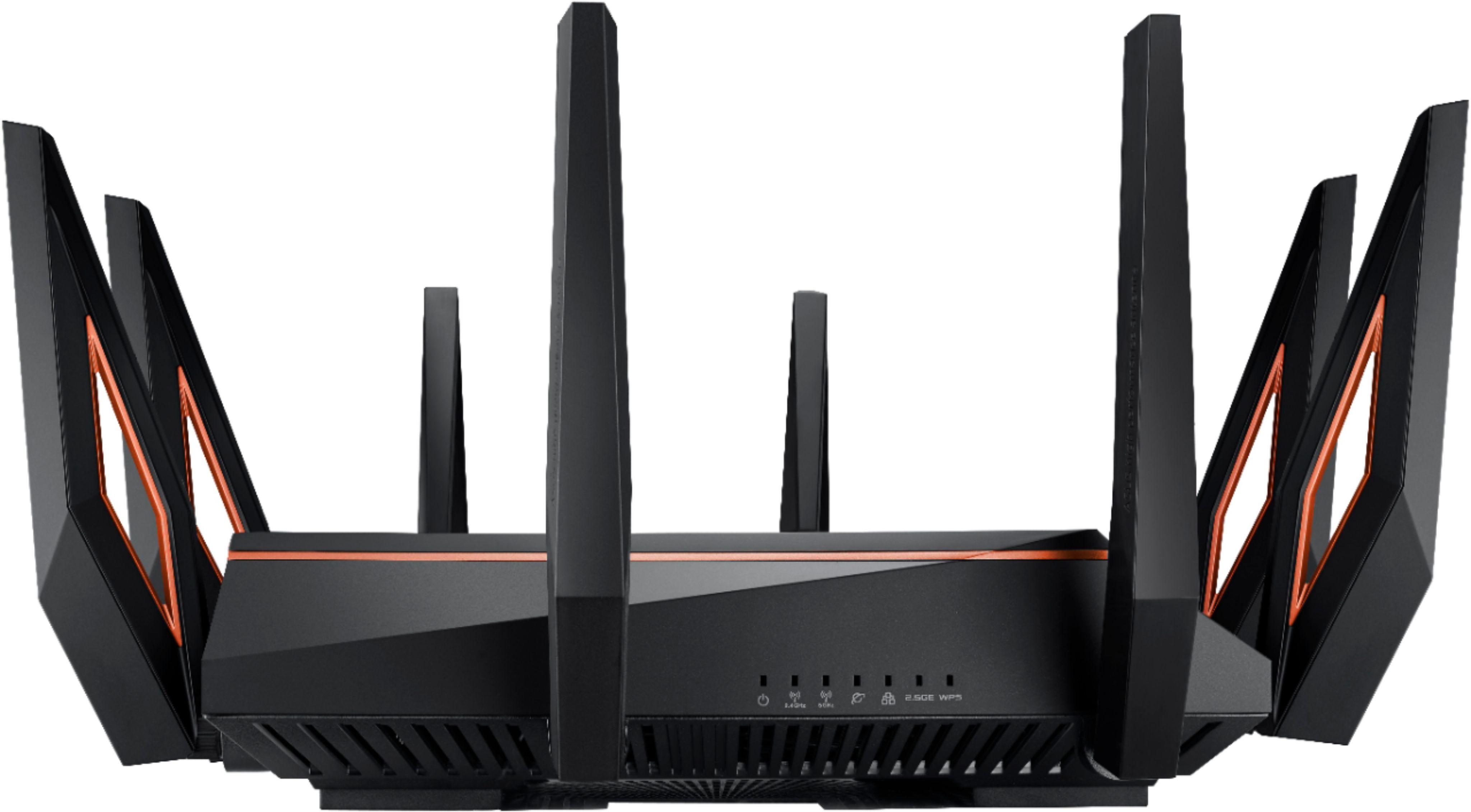
|Posted .This reviewer received promo considerations or sweepstakes entry for writing a review.In my network I have a multitude of devices within a 3000 sqft area that need consistent stable connectivity. A few examples of the devices on my network are WiFi cameras, smart TVs, smart lights, smart garage, computers, media server, gaming systems, WiFi speakers and phones. This week I was testing the ASUS ROG Rapture 11000, which comes with the newest WiFi standard to see if it fits my needs. Ill start by saying that it has a nice small, plug friendly, power adapter and there is a little assembly required. It comes with 8 pretty large antennas that you have to install yourself. Once the antennas were installed and the router was connected to the modem, it immediately detected the internet. **note - The blue Ethernet port is the one for internet** After my week of testing I found that the router had no problem in supporting the 32 devices that were connected to it. It provided excellent signal (between 32db and 61db.) excellent bandwidth and a stable connection. At the furthest point of my house the signal was a little low but it still managed to give me great bandwidth. Luckily, this router also supports Mesh WiFi so if I wanted, I can add a node to cover the undeserved area. Overall I was impressed by this router and would highly recommend it.
I would recommend this to a friend- Pros mentioned:Range, Speed
Great router for high traafic net needs!
Posted .This reviewer received promo considerations or sweepstakes entry for writing a review.It may look creepy like a spider, or just plain stupid, but it gets the job done! I purchased this a couple years ago because the built in wifi that is in my internet provider's modem is just garbage. This router is a tank. I get 2.4 signal all over my house, and even most of it is covered with the 5ghz band as well. And we have solid concrete cinder block walls behind all our drywall. No issue with signal. My internet speed is 1gigabit down and 50 megabit up. On 2.4 with solid signal I can usually get 120megbit down and the full 5 up without issues. On 5ghz I can get over 350 megabit down if I am within solid signal range. When hard wired to it, I have no issue with max speeds on all fronts. I have an android phone, and downloaded the app to control this router from it, and it is packed with great features. From the app, I can tunr on or off any of the 3 wifi attenas, I can block internet access to any device that is connected to it, and I can even limit how much time a certain device gets internet access, Another useful feature is, you can connect any device, and the assign it to a specific user, So if you have a house full of people who all have devices connected, you can make user profiles and assign the devices to the specific user that uses that device. So when little Johnny comes home to play video games while he chats on his phone, but didn't take out the trash, you can block all his devices from internet access all at once by turning off access to his profile. Just a few useful features for those with big families with several devices. These are just a few solid features of this router, It has gotten several firmware updates that have improved it's security and performance as well. Just make sure you do a full power down for at least 30 seconds and then do a full reboot. Some of the firmware updates have crippled my upload speed until I take this step, Overall, fantastic router! Been using it for over 3 years now!
I would recommend this to a friend - Pros mentioned:Performance
Great performance, graphics and processing time
|Posted .This reviewer received promo considerations or sweepstakes entry for writing a review.The ASUS - ROG Rapture AX11000 Tri-Band Wi-Fi 6 Router initially would not connect easily similar to a plug and play device. First, I attached the router to my dual Spectrum modem/router and plugged it in to the AC outlet. Instructions are to turn the router on and then install the Asus app on my android device to complete setup. Once installed, opening the app and tapping search for new router came up without any syncing of the ASUS - ROG Rapture AX11000 Tri-Band Wi-Fi 6. After several attempts to connect to Wi-Fi, I had to telephone ASUS customer service for assistance. I was instructed to close the Asus app and connect with use of my computer by typing the routers admin url address into the search command. I had to perform several steps, but eventually the router established a Wi-Fi connection and I was able to sync all my devices. My Xbox One had excellent performance with graphics and processing time of commands. Other devices connected had no lag from being overloaded on the same Wi-Fi address.
I would recommend this to a friend don't buy
||Posted . Owned for 1 month when reviewed.This reviewer received promo considerations or sweepstakes entry for writing a review.I have an 5300 Asus with no issues for 5 year. This new one get disconnected from my devices all there time. save your money
No, I would not recommend this to a friendBrand response from Asus_Answers
Posted .Dear Valued Customer,
It's unfortunate to hear that the connection drops. Please ensure that you on the latest firmware. If you need further technical assistance, feel free to reach out to me at customerloyalty@asus.com and provide this link for reference. I'm here to help you and all others with these issues, as our customer loyalty department dedicated to bringing a resolution to all issues related to our products.
Thank you for choosing ASUS!
Best Regards,
Jamalie,
ASUS Customer Loyalty US Support
How to do a firmware update on ASUS wireless router? (ASUSWRT): https://www.asus.com/support/FAQ/1005484/
Wired LAN ports were DOA!
||Posted .This reviewer received promo considerations or sweepstakes entry for writing a review.Ordered this router however the wired LAN ports were all not working and had to return it.
No, I would not recommend this to a friendBrand response from Asus_Answers
Posted .Dear Todd,
Thank you for sharing your reviews and we're sorry to hear about the issues you've encountered with your GT-AX11000. The ROG routers are designed for durability, with a lifespan that’s double the industry standard. What were the troubleshooting steps you've done to debug the issue? Try factory resetting your unit and verify if any of the LEDs are operating. If possible, please give me a detailed description to any specifics in regards to your current situation. If the issues persist, , please send any feedback via ASUSWRT(ASUS router Web UI) or ASUS Router App, or you can reach me at cl-adrian@asus.com. Please copy a link to this post as reference.
Thank you for choosing ASUS!
Best Regards,
Adrian
ASUS Customer Loyalty – US Support
Not for the money very disappointed
||Posted .This reviewer received promo considerations or sweepstakes entry for writing a review.I still can’t get iPhone or Tablet Wi-Fi as good as they said it would be a lot of money not very happy
No, I would not recommend this to a friendBrand response from ASUS Answers
Posted .Dear Valued Customer,
It's unfortunate to hear that you are unable to get internet connection on these devices, this must be frustrating. Are they trying to connect via the 2.4Ghz or 5Ghz band? Does your other devices like notebook is able to connect? I'm here to troubleshoot this matter with you, feel free to reach out to me at customerloyalty@asus.com and provide this link for reference. I'm here to help you and all others with these issues, as our customer loyalty department is dedicated to bringing a resolution to all issues related to our products.
Thank you for choosing ASUS!
Best Regards,
Jamalie,
ASUS Customer Loyalty US Support