Customer Ratings & Reviews
- Model:
- XG27UCDMG
- SKU:
- 10117445
Rating by feature
- Display Quality
Rating 4.9 out of 5 stars
- Ease of Use
Rating 4.8 out of 5 stars
- Features
Rating 4.8 out of 5 stars
Always worth checking out open box
||Posted . Owned for 1 week when reviewed.This reviewer received promo considerations or sweepstakes entry for writing a review.Monitor was just as described and has minimal flaws!
I would recommend this to a friendperfect for gaming
||Posted . Owned for 2 weeks when reviewed.This reviewer received promo considerations or sweepstakes entry for writing a review.amazing. perfect for single player gaming and multiplayer
I would recommend this to a friendGreat picture
||Posted . Owned for 3 weeks when reviewed.This reviewer received promo considerations or sweepstakes entry for writing a review.Awsome monitor. Looks great when playing with the games i own
I would recommend this to a friendLove it. 4K makes such a big difference.
||Posted . Owned for 3 weeks when reviewed.This reviewer received promo considerations or sweepstakes entry for writing a review.All I gotta say is the Proximity Sensor is so clutch!
I would recommend this to a friendSolid
||Posted .This reviewer received promo considerations or sweepstakes entry for writing a review.Price is steep but worthwhile if you can afford it
I would recommend this to a friendBeautiful panel
||Posted . Owned for 3 weeks when reviewed.This reviewer received promo considerations or sweepstakes entry for writing a review.Amazing colors on this qd oled compared to my LG oled.
I would recommend this to a friendPerfect Monitor
||Posted . Owned for 1 month when reviewed.This reviewer received promo considerations or sweepstakes entry for writing a review.This monitor is absolutely perfect. Will go buy 32 inch also.
I would recommend this to a friendOLED monitor
||Posted .This reviewer received promo considerations or sweepstakes entry for writing a review.A+ monitor! OLED provides amazing colors. Best monitor I’ve ever owned
I would recommend this to a friendTop notch product
||Posted . Owned for 1 month when reviewed.This reviewer received promo considerations or sweepstakes entry for writing a review.Love it so far! Amazing clarity and phenomenal performance
I would recommend this to a friendExcellant Monitor
||Posted .This reviewer received promo considerations or sweepstakes entry for writing a review.Besides the price, you can't go wrong with this monitor.
I would recommend this to a friendGreat Monitor
||Posted . Owned for 1 week when reviewed.This reviewer received promo considerations or sweepstakes entry for writing a review.Beautiful OLED screen that comes with excellent pre calibration.
I would recommend this to a friendGreat monitor
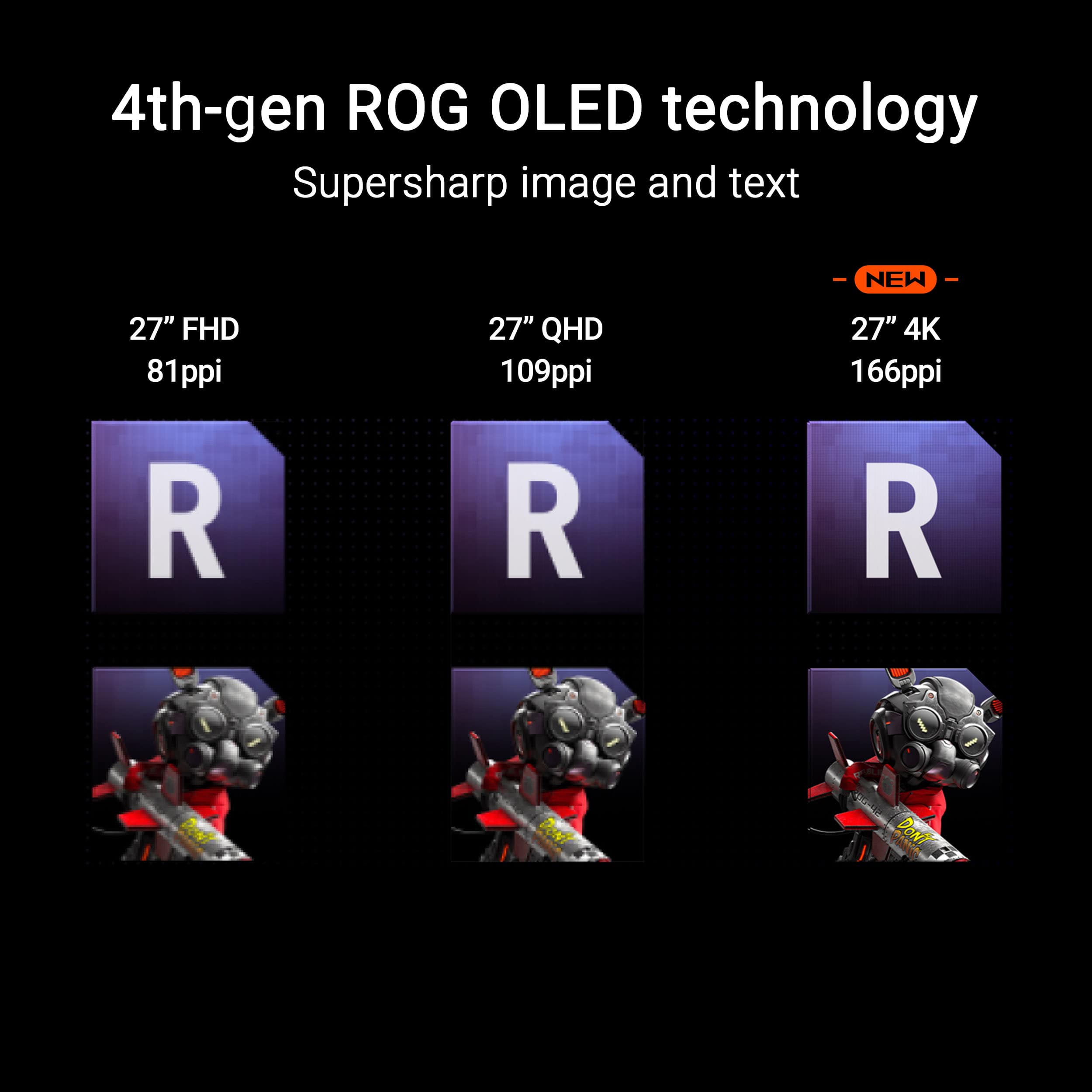
||Posted . Owned for 2 weeks when reviewed.This reviewer received promo considerations or sweepstakes entry for writing a review.Works great looks even better with the ppi in the 27inch 4k looks amazing
I would recommend this to a friendBest monitor of 2025
||Posted . Owned for 1 month when reviewed.This reviewer received promo considerations or sweepstakes entry for writing a review.Best monitor in the game. OLED is definitely worth it.
I would recommend this to a friendBest 4k 27 oled
||Posted .This reviewer received promo considerations or sweepstakes entry for writing a review.Really good monitor and also very competitively priced.
I would recommend this to a friend- Pros mentioned:Color quality, Design, Refresh rateCons mentioned:Speakers

Beautiful 4K OLED. Good Build. “Nearly” Perfect.
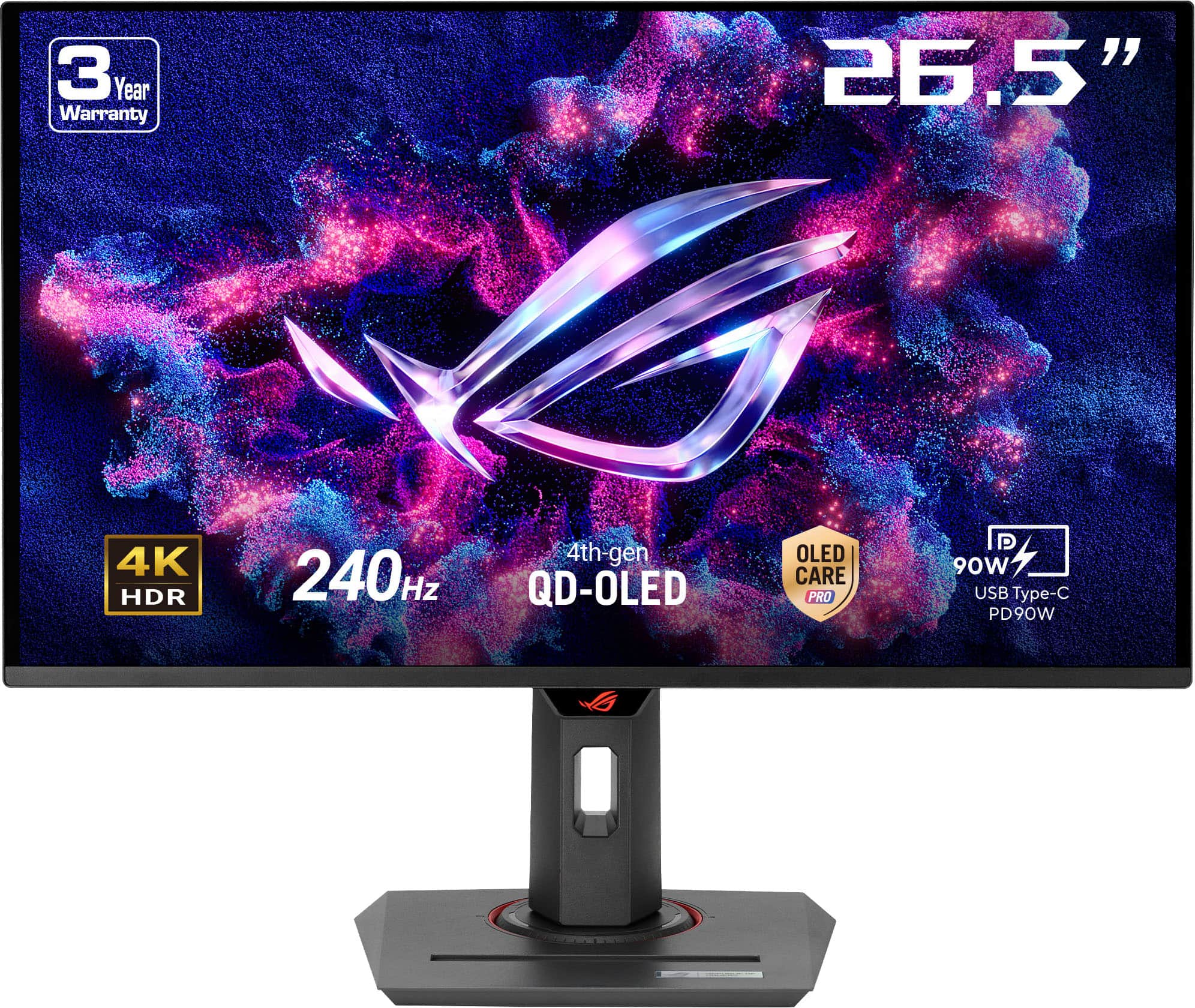
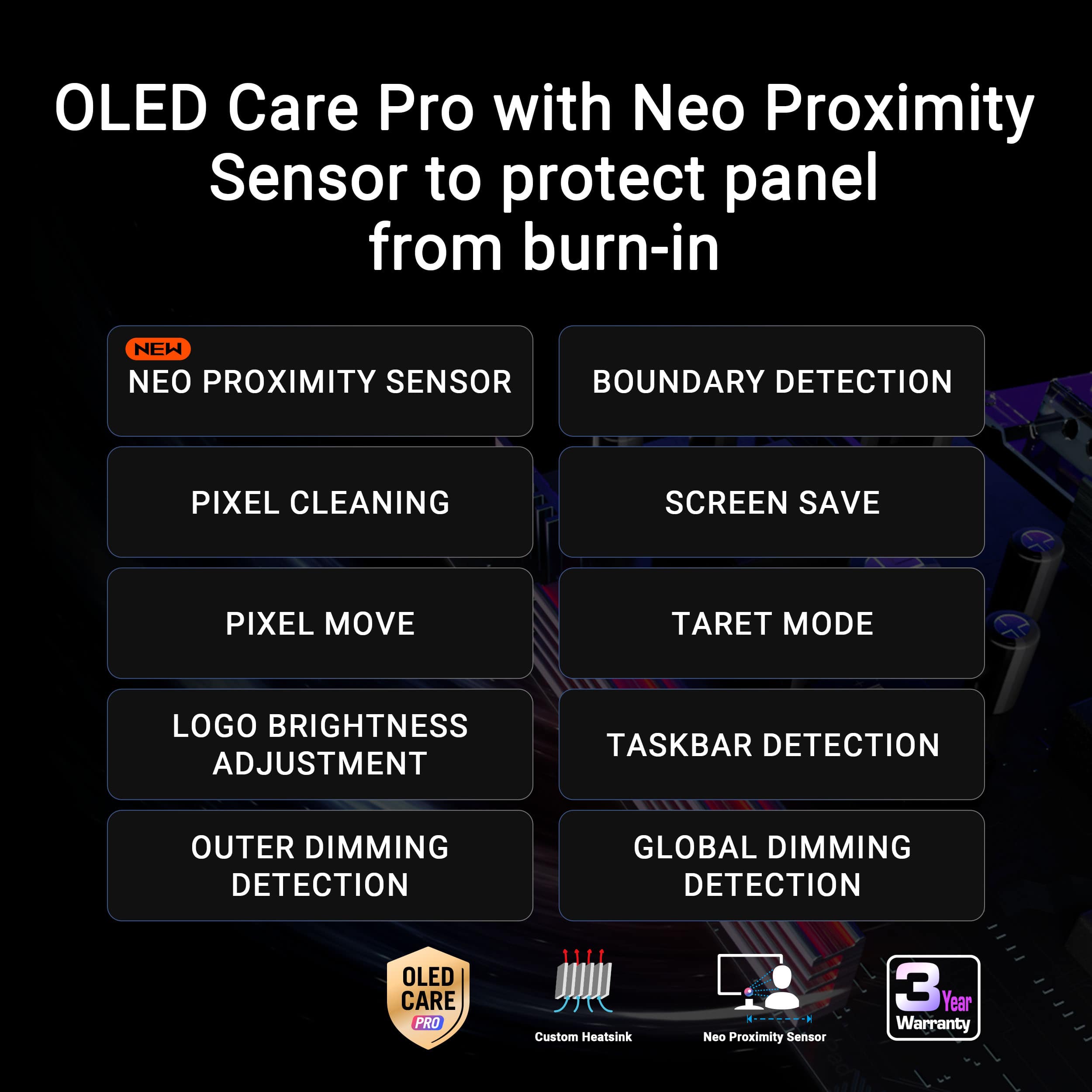
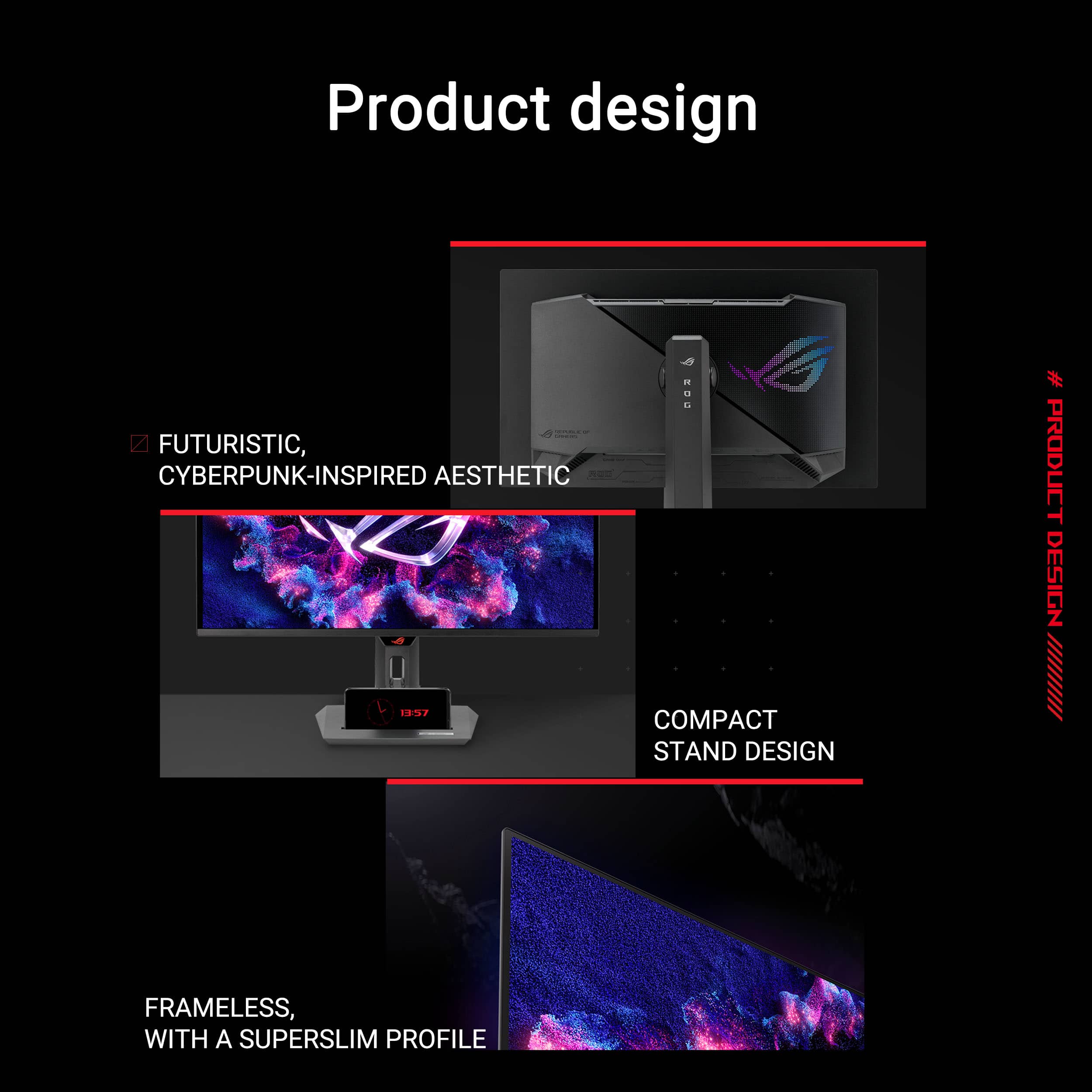
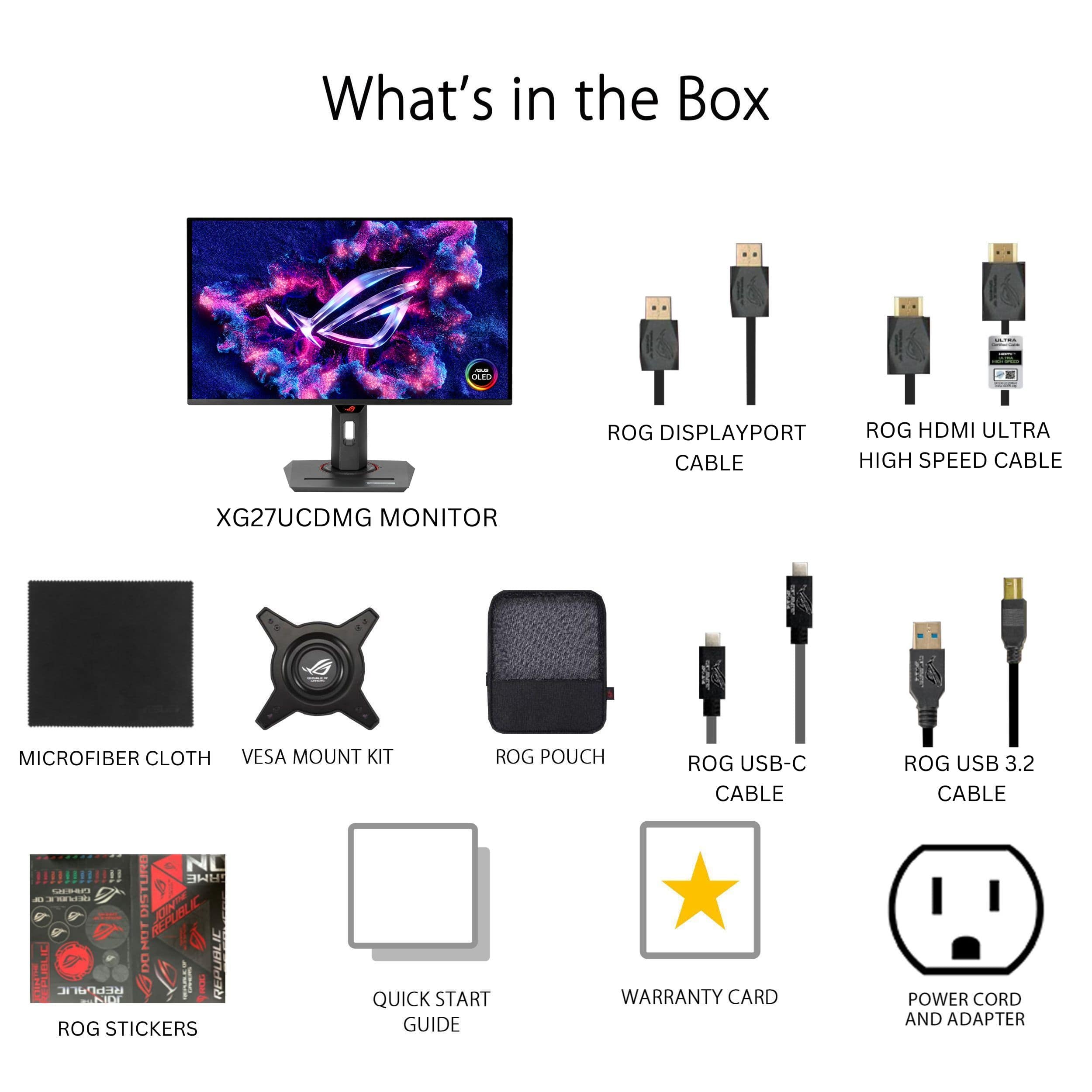
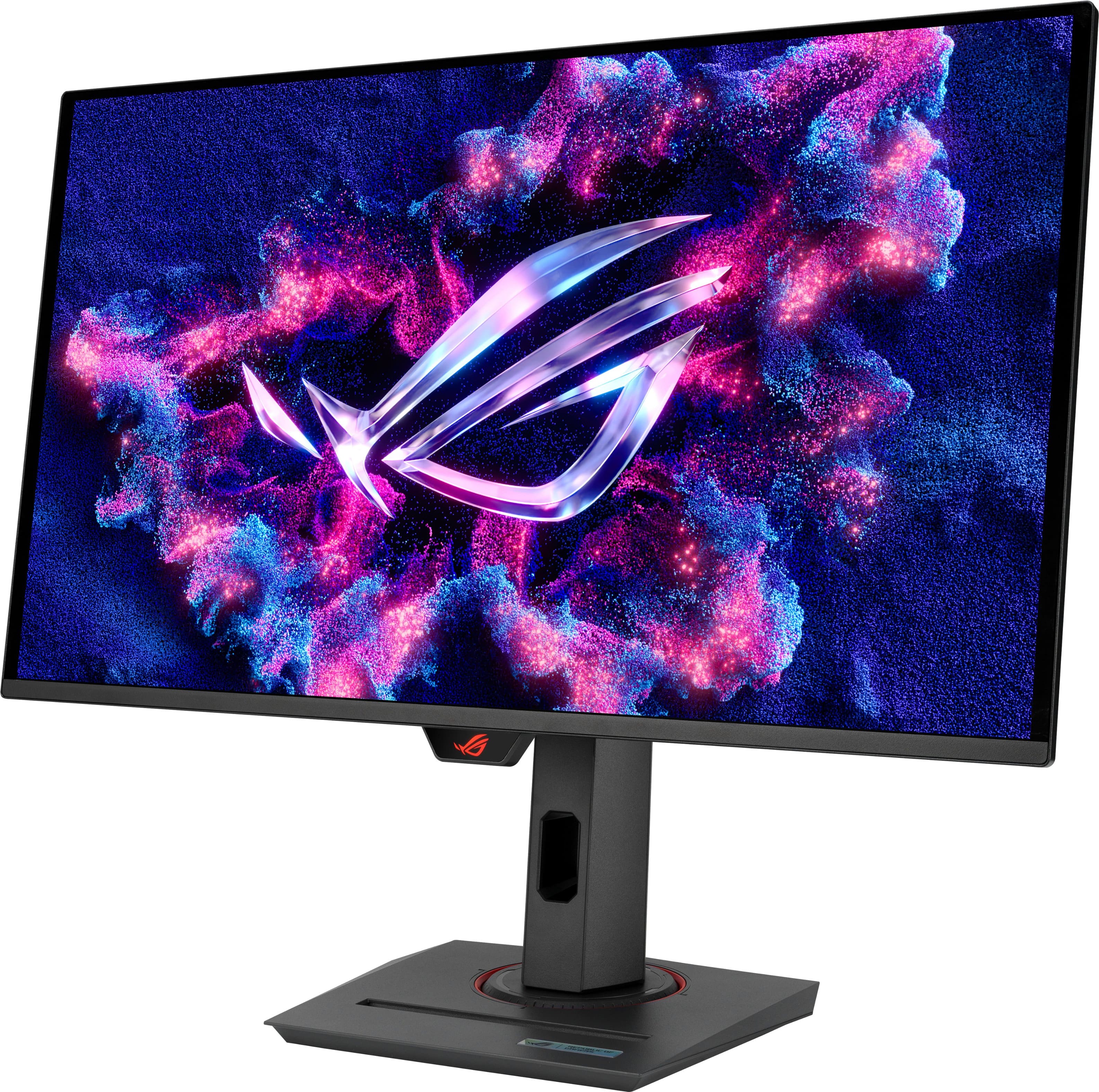
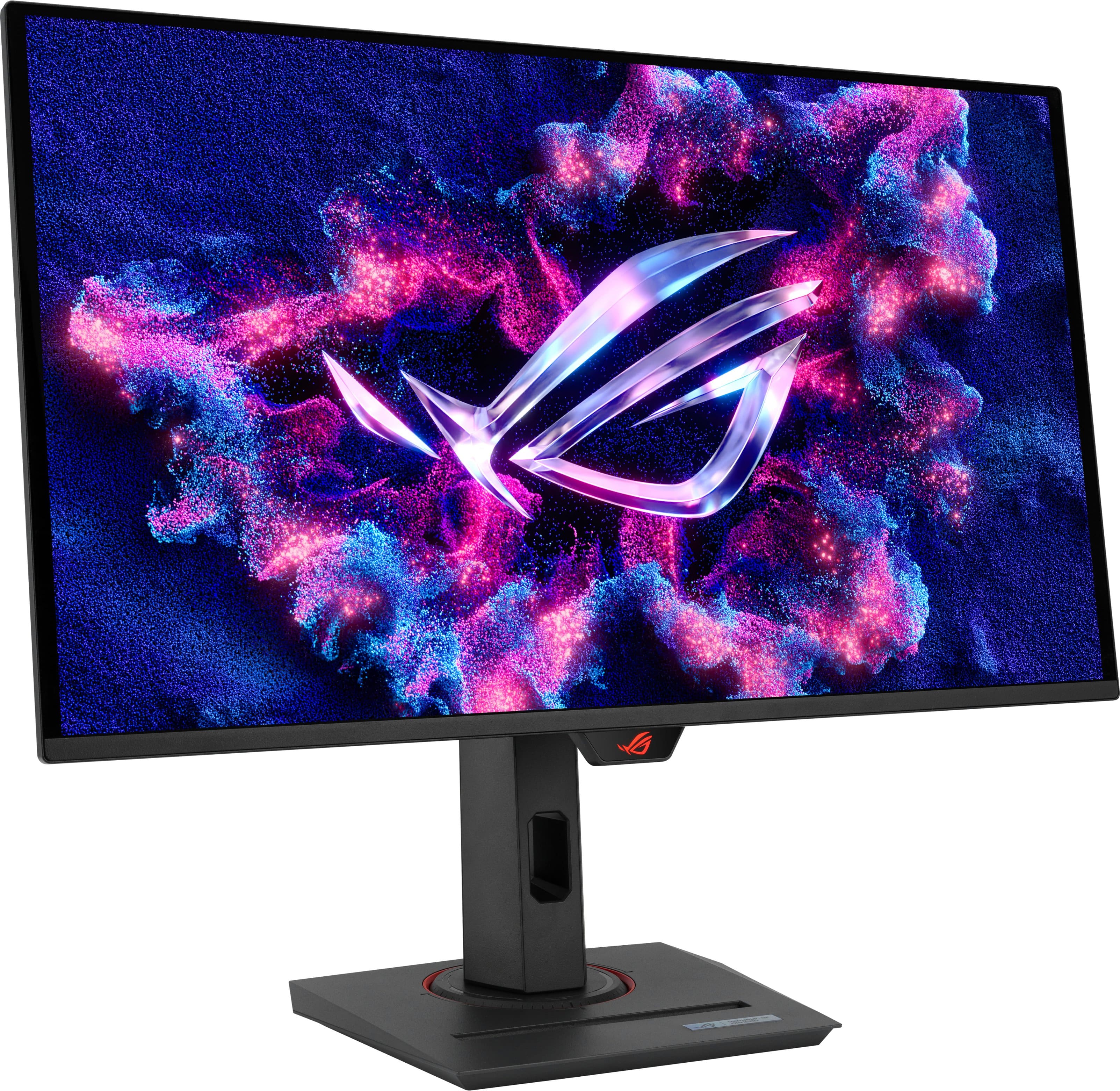
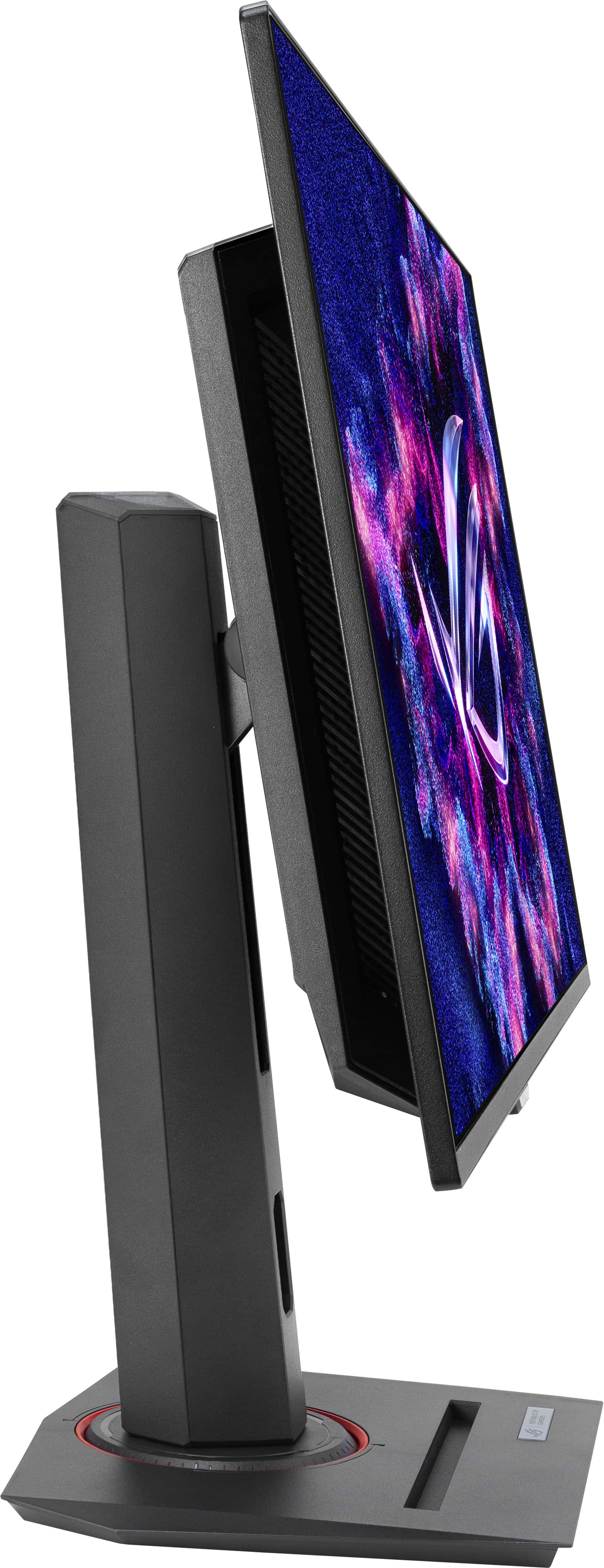
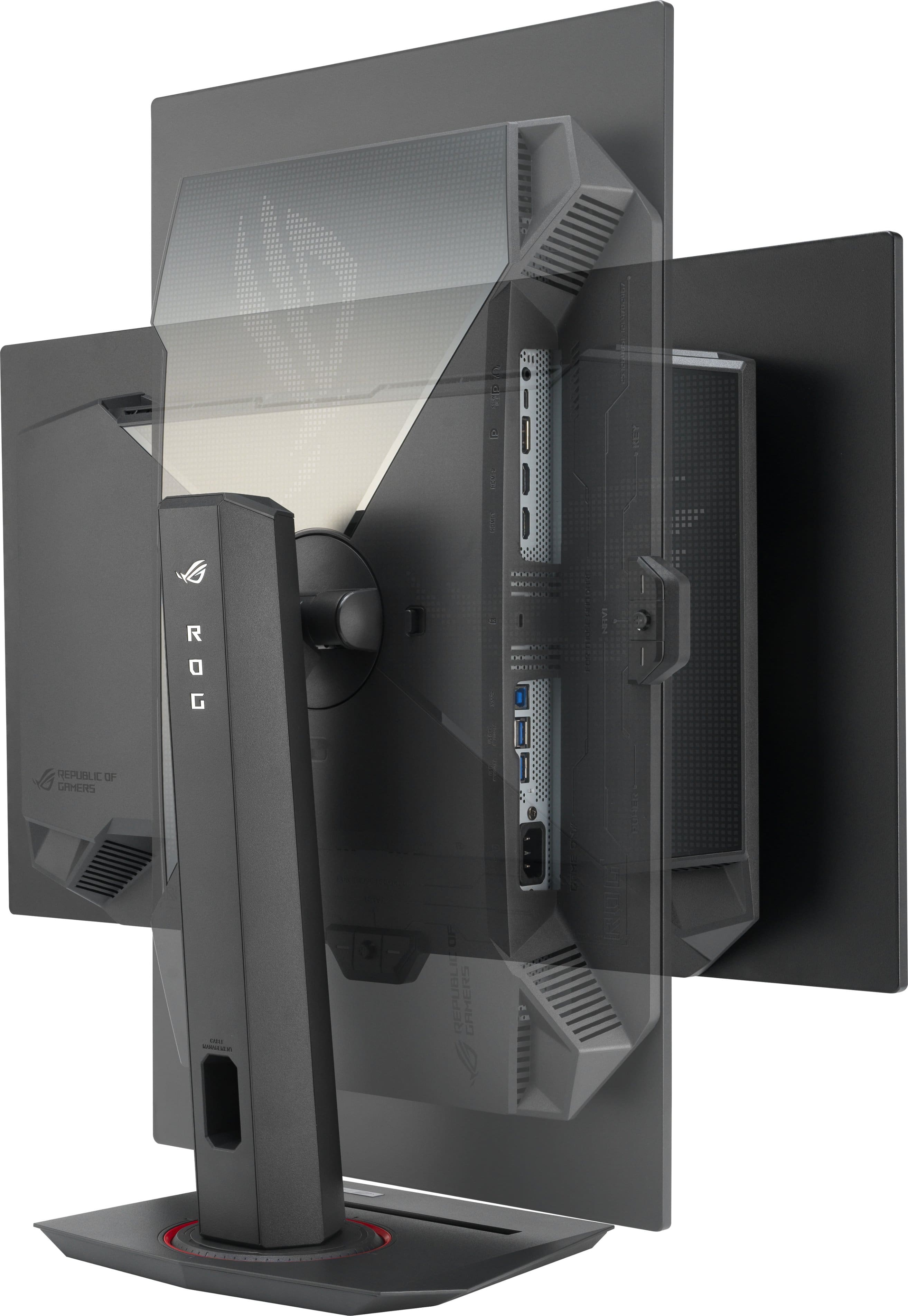
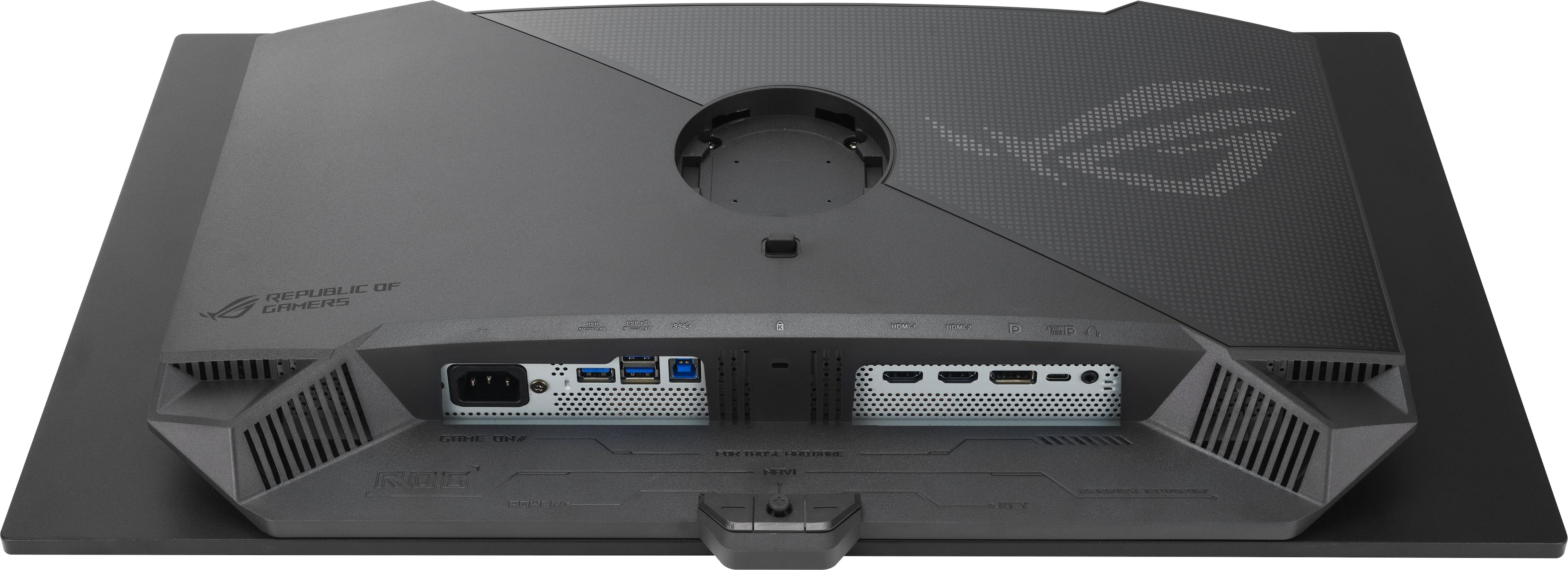
|Posted .This reviewer received promo considerations or sweepstakes entry for writing a review.This is the first OLED monitor I’ve had as a daily driver, and I can now say that I think all the OLED hype is warranted. The display looks ridiculously good. Beyond that, it supports a high refresh rate, is very sharp, and offers great connectivity (mostly). It comes with the monitor itself, a stand, VESA mount, manual, microfiber cloth, and all the cables you will need (Display Port, HDMI, USB-C, USB-B to A, power). I don’t normally comment on packaging, but they did a really nice job here. Neat, labeled, with a pouch. Not a big thing, but nice to see. As for the build, again, I think it is well done. Assembly is quite simple. Once together, it is solid and good weight. About what you would expect. It has a nice range of motion, with swivel, tilt and full 90 degree rotation. There is also a threaded mount on the top for cams, mics, or lights. I have never seen this before, perhaps it is a common thing, but I think that is a great add. As is the channel for cabling. There is a lot of plastic here, which is kind of the norm these days, but as a whole, i like the build and have zero concerns going forward. I do, however, wish it had speakers. I suppose I get the market, and headphones will be used a lot, but I think not being able to casually watch something and have sound natively is a really big miss from them. As for the look? Overall, I like it. To be clear, I like boring, plain, and clean. Which this mostly is. The stand is pretty basic, with a hint of “gamer,” and there is LED logo light on the back (which is very subtle), but it mostly has a clean look. The panel Is “slightly” thick, as is the stand, but that is only noticeable from the side. Just something to note. Connectivity is quite good and gives you options. 2 HDMI 2.1 inputs, 1 DisplayPort 1.4, 1 USB-C DisplayPort (which has 90W charging) and a USB hub of sorts. All in all, most will be covered and pleased here, but I don’t know why they went with an older DisplayPort spec, given the resolution of the panel. When it comes to the most important part, though, the picture quality, they did not miss. Full stop. It is fantastic. Colors are accurate, full, and detailed. HDR hits. Details are sharp and crispy. Everything is vivid and bright, and the blacks, well, are probably the best I have personally seen in my daily use. Further, it also performs well. I have not seen any tearing, flickering, lag, really any of it to this point while gaming. It has been very consistent. Lastly, it also does well in the day to day, be it media consumption, or simply general life tasks. Lastly, Asus offers a nice selection of software and tools to reduce the risk of burn in. Pixel cleaning, a number of auto detection tools, etc…and something they call a Neo Proximity Sensor that detects when no user it present and transitions the monitor to a black screen. So far, this has all worked well for me, although you will need to dial it in a bit. Given the nature of OLED, all of these are nice adds and welcome from me. Ultimately, I am very happy with this monitor, despite the lack of speakers. It is very well-built, looks good, has a nice feature set, and, most importantly, delivers an absolutely wonderful image. I, personally, would like to go with an even larger size, but that is just me. This is somewhat of a “premium” product, but for all the performance and specs you get, I think the value is definitely there and it’s easy for me to recommend it to anyone looking for 4K in this size.
I would recommend this to a friend Value open open box
||Posted .This reviewer received promo considerations or sweepstakes entry for writing a review.Worked great, had a pixel burn in scare but just used the clean pixels setting in its menu, and it all cleared up. No cables or power bricks were included.
I would recommend this to a friendBrand response from ASUS Answers
Posted .Dear Jesus G,
Thank you for sharing your experience with the ASUS XG27UCDMG Gaming Monitor. We’re glad to hear that the pixel issue was resolved using the built‑in clean pixels setting. We apologize for the initial concern this caused, as well as for the missing cables and power brick in your open‑box purchase.
We stand behind our products and continuously strive to improve our products and processes to achieve customer service excellence. If you require any further assistance, please email us at customerloyalty@asus.com and include the case number "N2506000475-0004" as a reference. We will do our best to resolve your case quickly. Your feedback is very important to us, and it enables us to improve our support channels. Thank you for choosing ASUS.
Best Regards,
Chantae
ASUS Customer Loyalty US Support
Monitor is great. Best Buy is a garbage company.
||Posted .This reviewer received promo considerations or sweepstakes entry for writing a review.Bought this monitor open box in excellent condition. Excellent condition means it comes with all accessories and cables, it came with none of it. The manager of the NW Wichita store told me they don't have to provide accessories or cables in open box situations. I said that their policy says different. I still bought the monitor and had to pay an additional $100 for a vesa mount that is supposed to come with the product. Horrible company!
I would recommend this to a friendBrand response from ASUS Answers
Posted .Dear Dexity,
Thank you for sharing your experience with the ASUS XG27UCDMG Gaming Monitor. We sincerely apologize for the inconvenience you encountered with missing accessories when purchasing the product open box, and for the frustration this situation caused. We understand how important it is to receive all included components to ensure proper use of the monitor.
While ASUS does not handle direct sales for purchases made through Best Buy, please be assured that your feedback will be passed along to the appropriate team for review.
We stand behind our products and continuously strive to improve our products and processes to achieve customer service excellence. If you require any further assistance, please email us at customerloyalty@asus.com and include the case number "N2508010042-0003" as a reference. We will do our best to resolve your case quickly. Your feedback is very important to us, and it enables us to improve our support channels. Thank you for choosing ASUS.
Best Regards,
Chantae
ASUS Customer Loyalty US Support
I'm not a fan of ASUS anymore due to firmware bugs
||Posted .This reviewer received promo considerations or sweepstakes entry for writing a review.The monitor is amazing (when it works). The monitor I got had issues and apparently needed many firmware updates (I had to do it via USB drive for my Mac) to work properly. This was so frustrating that I had to return it! Asus needs to step up its game as this monitor was not usable for me! I went with LG because it is plug and play and much easier to use. No drop in quality and got a larger size for same price!
No, I would not recommend this to a friendBrand response from ASUS Answers
Posted .Dear Sanket K,
Thank you for sharing your experience with the ASUS XG27UCDMG Gaming Monitor. We sincerely apologize for the frustration caused by the firmware update requirements and the difficulties you encountered in getting the monitor to function properly. We regret that this ultimately led you to return the device and choose another brand.
Your feedback is important to us and will be passed along to our product team for review.
We stand behind our products and continuously strive to improve our products and processes to achieve customer service excellence. If you require any further assistance, please email us at customerloyalty@asus.com and include the case number "N2508010042-0004" as a reference. We will do our best to resolve your case quickly. Your feedback is very important to us, and it enables us to improve our support channels. Thank you for choosing ASUS.
Best Regards,
Chantae
ASUS Customer Loyalty US Support
- Pros mentioned:Color quality, Design, Refresh rate
Smooth picture quality with a beautiful aesthetic
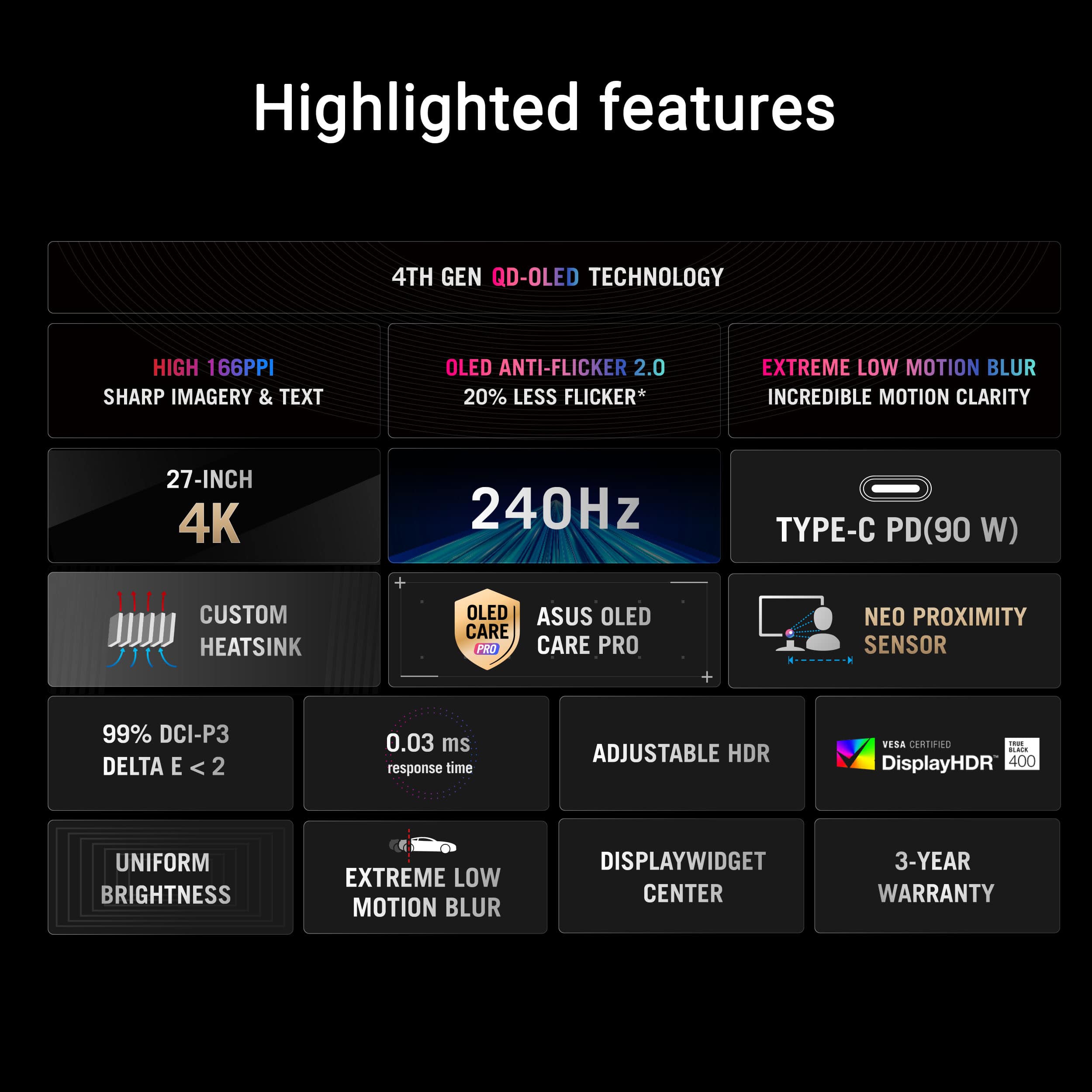
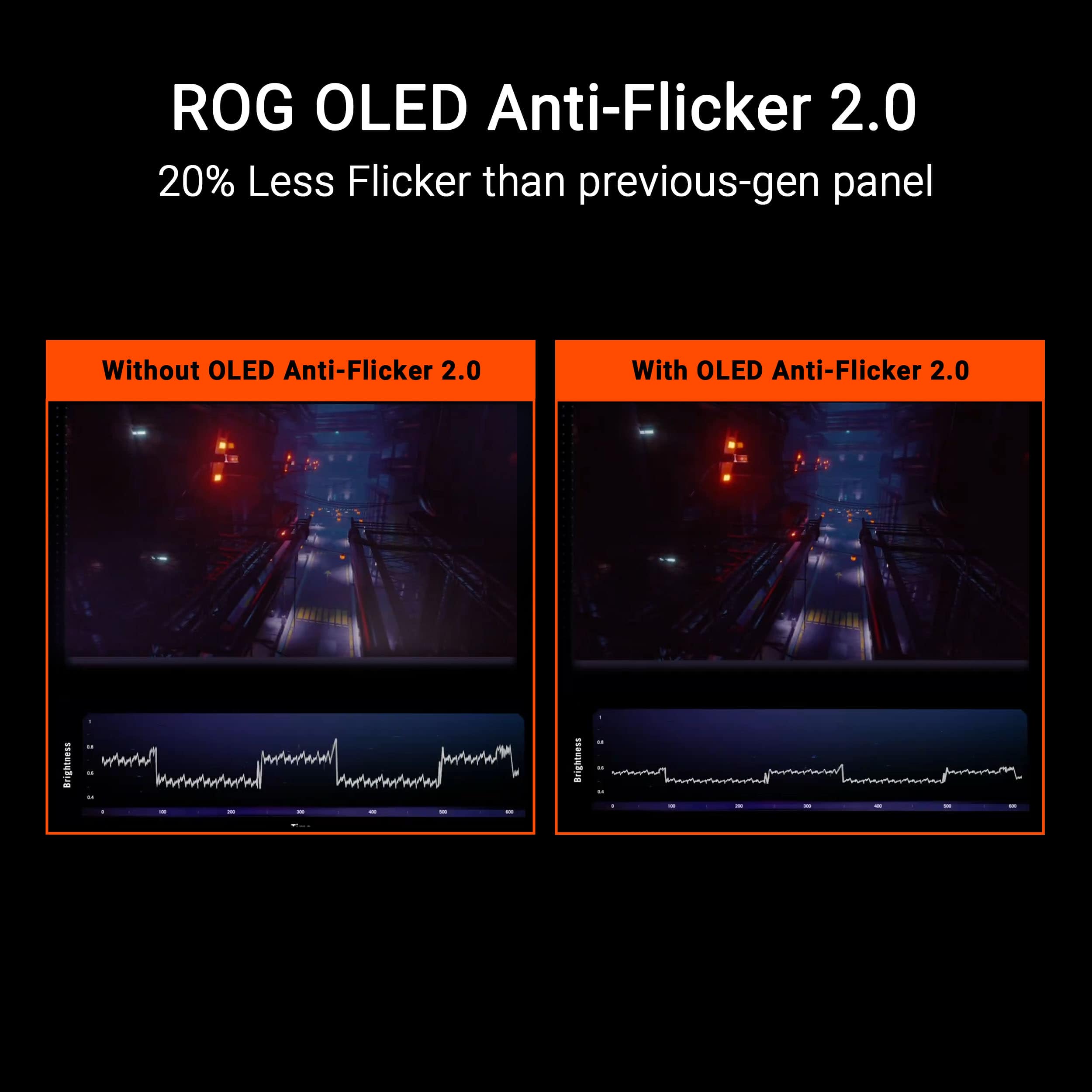
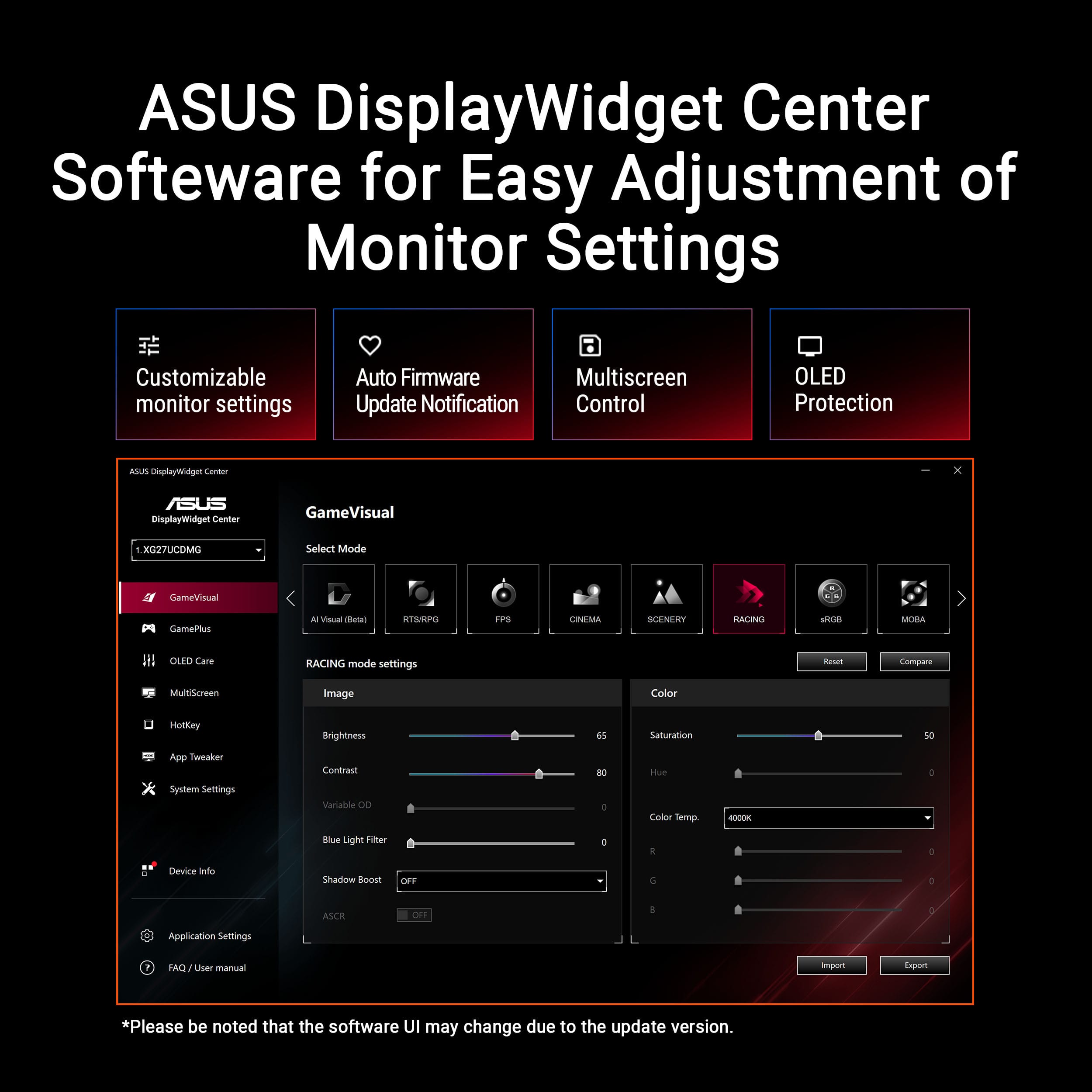
|Posted .This reviewer received promo considerations or sweepstakes entry for writing a review.A very powerful high-end 27-inch 4K 240Hz OLED gaming monitor. It maintains a sleek and stylish appearance with familiar ASUS design language, if you've used a prior Asus monitor, you'll feel right at home. Offering two placement options, an adjustable height, rotatable stand or VESA mount adapter. It brings to the table multiple placement options for end-users. Getting off the ground and going is very straightforward. Only referencing the diagram points on the packaging and very minimal diagram documentation found in the packaging. There is a QR code found inside the package for a quick start guide online if more assistance in fleshing out it's features or setup is needed. Combined with the two-piece stand with toolless assembly, it makes for a very easy setup. The OSD menu options are organized and easy to locate. With it's 2 buttons and directional found on the rear of the bottom frame, controlling most functions is a breeze. Going thru the menus to confirm and familiarize myself with the settings is simple. My only issue, and it may be an environmental factor in my space, was the aura light settings. I initially believed I was changing the lights on the panel, meaning the power button/ROG icon that highlights when powered on. Using "breathing" then "static" while setting a specific color that would become obvious that it's changed, was sorta baffling when it didn't. It wasn't until disabling the RGB puke coming out of my own case did I realize that the only thing I changed was the lights on the back of the panel, a little disappointing and slightly annoying that changing these aren't a function you could control. While running through the OSD menus, I stumbled onto the proximity sensor settings. I ended up using auto detection so it could measure distance between me sitting in front of the screen and know when I walked away, sadly I never could get this to trigger and ultimately assumed it were detecting my chair when I did walk away. The monitor offers 2 HDMI ports, 1 DisplayPort, several USB ports, and USB Type-C input with 90W Power Delivery for a versatile configuration. After setting up for success, enabling the highest refresh my machine could handle and a resolution that was workable for my eyes; 4k, 2k, 1080p for various tasks. I learned this had incredible performance for just about any task you throw at it. With its high refresh, vivid colors and one of the game visual presets, playing anything I've tested gives it impressive visuals. Vivid colors, sharp images, fluid motion, little to no blur, darks that are dark and brights that are... well, you get the idea. It's great for games, movies, text documents? and just about any other task you might want to throw at it. Incredibly fast and when paired with the screens vivid colors, this makes for a good combination for both fast paced games and visually driven game scenery. The panel offers some preset color modes, from fps, moba, scenery, night, and such. *** Highlights *** Design * Sleek and modern design with a sturdy aluminum frame * Compact footprint with a height-adjustable stand * Good cable management options Performance * Excellent gaming performance with fast response time and high refresh rate * Good color accuracy and wide color gamut * Supports NVIDIA G-Sync and AMD FreeSync Features * Excellent OLED display with crisp, smooth, and vibrant colors * Fast 240Hz refresh rate and 0.03ms response time for seamless gaming performance * USB Type-C input with 90W Power Delivery * KVM Support * VESA mount adapter for easy mounting * OLED care features, including anti-flicker mode and proximity sensor All in all, this hits all the right boxes, giving you an impressive image quality and a speed that keeps you competitive. You may need to tinker with it, between games and profiles, but this puts other panels in a similar price range to shame. This is worth 5-stars.
I would recommend this to a friend - Pros mentioned:Color quality, Refresh rateCons mentioned:Speakers
The Apex of Gaming Monitors
|Posted .This reviewer received promo considerations or sweepstakes entry for writing a review.I set up the ASUS ROG Strix 27” 4K QD-OLED and was immediately blown away just by how good THE DESKTOP looked. I immediately had to fire up the most beautiful games I own. I started with Clair Obsur: Expedition 33 and while the cutscenes were pre-rendered to not take full advantage of the full HDR color gamut and darkness of an OLED monitor, once the actual game started I was in awe of the beauty on display. Once the expedition was on the island you could see the incredible contrast of the god rays on the verdant green grass before a pitch black cave with glowing flora. My partner, who is a gamer but doesn’t care as much about graphical fidelity, walked by my office and literally said, “oh my god, the picture is beautiful.” It’s an absolute head-turner in visual fidelity. And with a ppi of 166, I was seamlessly able to switch over to my job as a programmer and not feel any eye-strain. Previous generations and I’m sure other manufacturers cut costs with a low ppi that can make text hard to read on the eyes. This one does not! This monitor has a 240hz refresh rate, .03ms response time, and G-SYNC/Freesync. All these add up to a buttery smooth experience in game. I wanted to test not only visual fidelity but also responsiveness so I ran two games to test this. First was Call of Duty: Black Ops 6, and with this monitor I never felt more in control. I was popping head shots like no one’s business and managed to get 1st place way more often than normal. Second game I tested was the indie game Haste, a game where you are running and flying through the air at extremely fast speeds in beautiful colorful environments. Again, I was blown away by the responsiveness, never feeling like I wasn’t fully in control. On the hardware side of things, I love that I can power my laptop through the monitor (with 90w of power through USB-C) cutting down on one more cord. Monitors can have really clunky menu systems, but ASUS has really honed this one in. I never felt unsure how to navigate and everything I needed was just a few clicks away. The stand is solidly built and even has a slot for my phone so I can watch something below while I work or game. And while this price tag is quite high (justifiably so) they sweeten the deal even more by throwing in every cable you could ever need for this monitor, USB-C, USB-B, HDMI, Displayport. I just have two small qualms with it, first being that due to the fact that it is an OLED display, they do want you to be doing the pixel refresh process quite often, more so than on an OLED tv due to the fact that you more often have static imagery on the screen that could burn in. It has a pop-up that will show up when it thinks you should run this process, but I find it slightly obnoxious how often it pops up, especially if I’m in a gaming session. I wish it would detect what I’m doing and suggest after a game is over. Again, not a huge problem, just a minor inconvenience. Lastly, no integrated speakers, which isn’t the end of the world since I’m either using my soundbar or headset but it would be nice to have for some. These are such small quibbles on what I can only describe as a masterpiece of a monitor. It makes my second monitor look like an old square CRT. I absolutely recommend this if you have the cash for it. I’m thinking about picking up a second… Pros: Jaw-dropping HDR QD-OLED display 240hz .03ms response time G-SYNC and Freesync High enough pixel density to enjoy both work and play 90w power delivery from the display itself Excellent use of RGB lighting on front and back Easy to navigate monitor menu So many cables and accessories that come in the box Display stand has a build in slot to prop your phone up Cons: The best monitor on the market does cost a chunk of change A little too frequent pop-ups to do OLED screen refreshing No integrated speakers
I would recommend this to a friend