Customer Ratings & Reviews


- Model:
- GS-BE18000
- |
- SKU:
- 6618204
Customer reviews
Rating 4.3 out of 5 stars with 153 reviews
(153 customer reviews)Rating by feature
- Setup4.4
Rating 4.4 out of 5 stars
- Range4.5
Rating 4.5 out of 5 stars
- Signal Strength4.6
Rating 4.6 out of 5 stars
Customers are saying
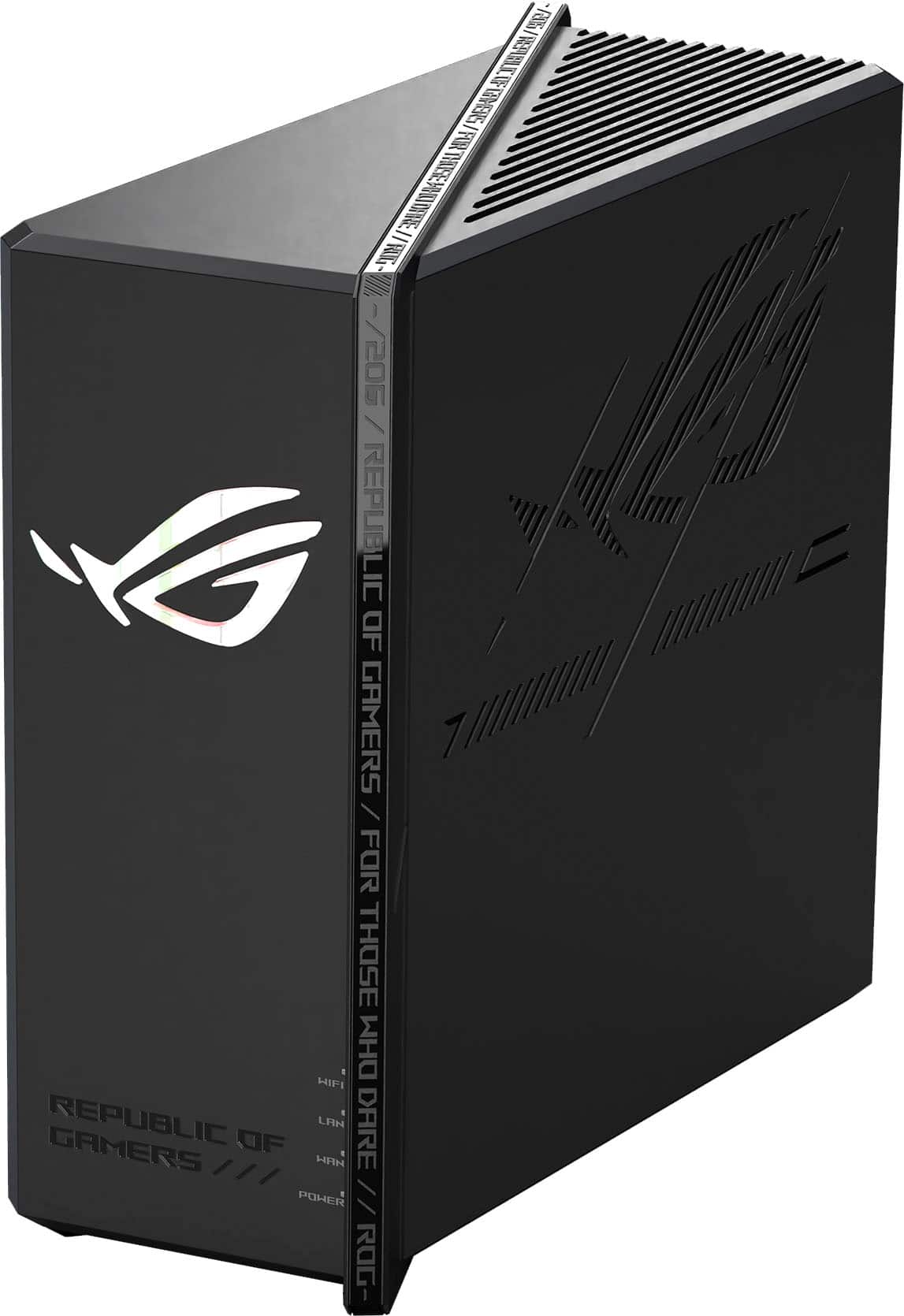
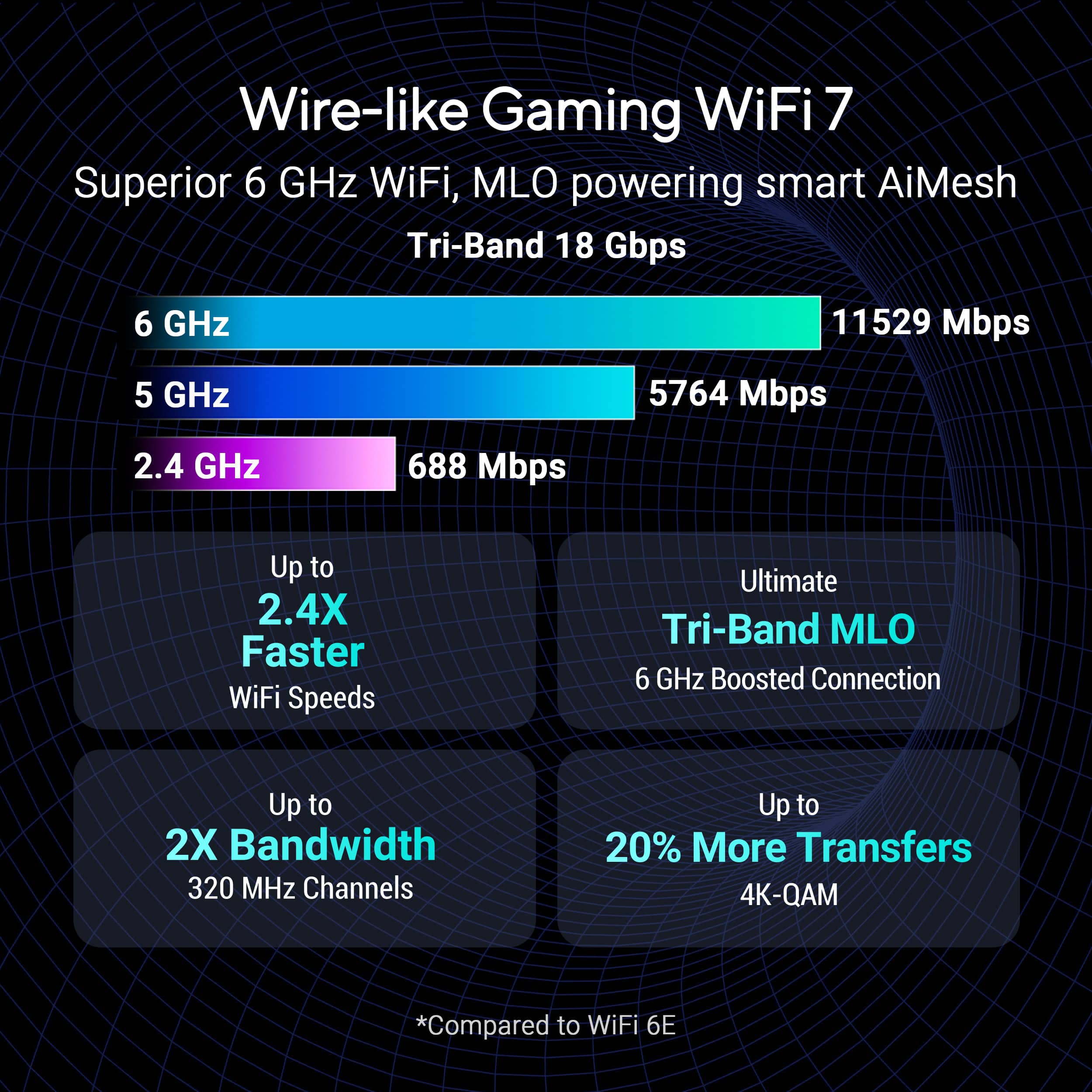
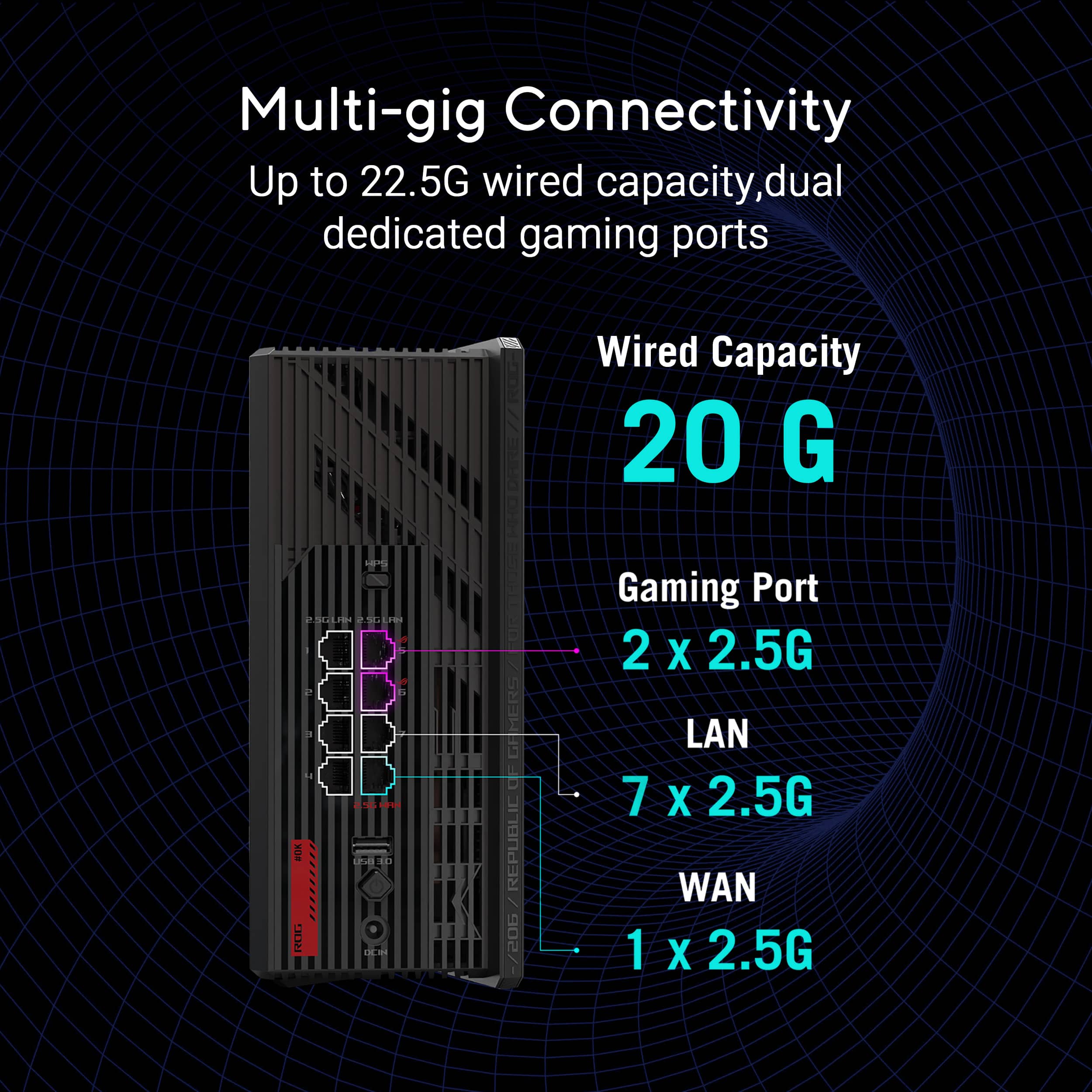
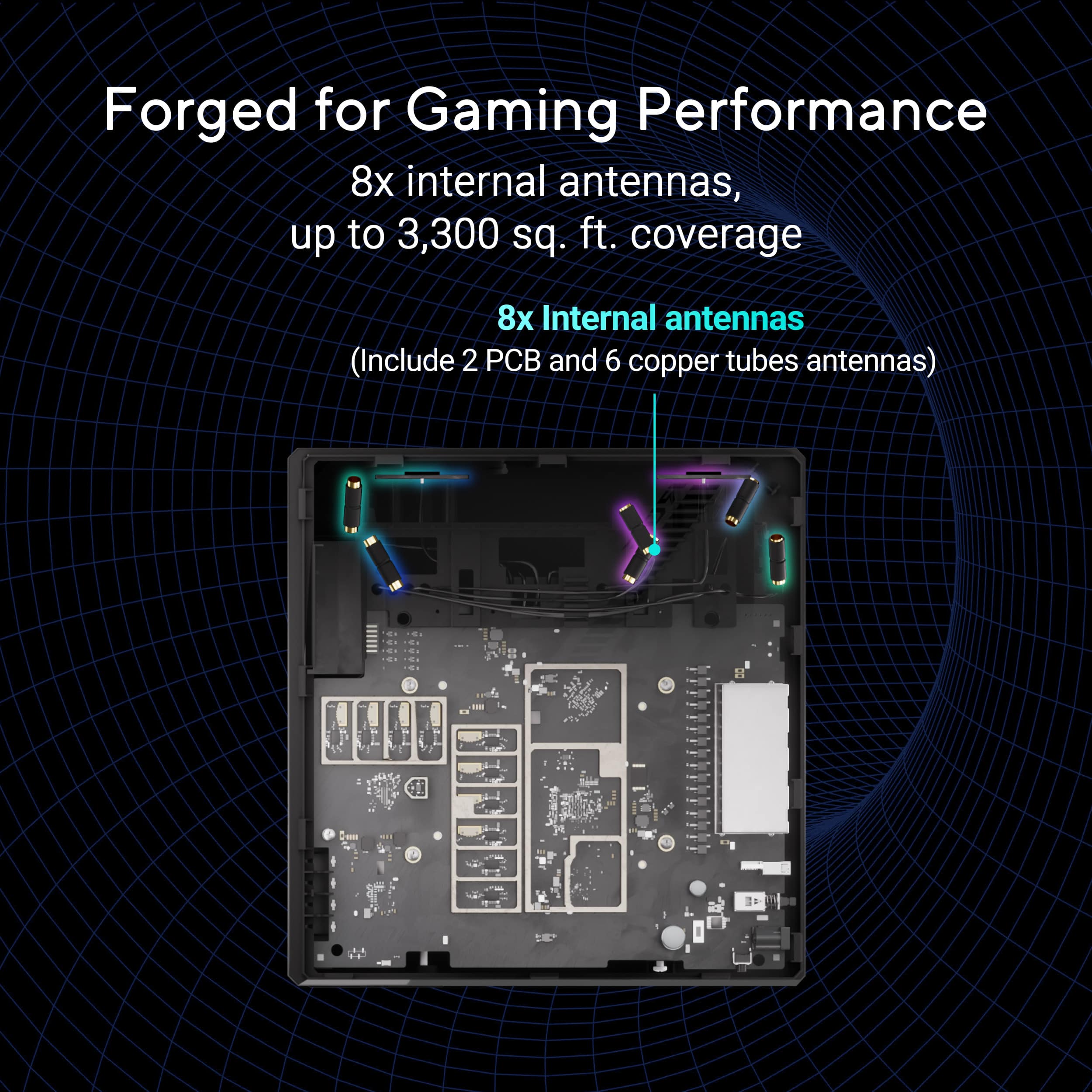
Customers commend the ROG Strix GS-BE18000 for its exceptional connectivity, overall performance, and cool design. Users appreciate the great speeds and the generous number of ports available. Furthermore, the router's signal strength, built-in security features, range, and coverage are well-received, with some customers also expressing satisfaction with its size.
This summary was generated by AI based on customer reviews.
- Pros mentioned:Design, Overall performance
Rated 5 out of 5 stars
A fantastic router!
||Posted . Owned for 1 week when reviewed.This reviewer received promo considerations or sweepstakes entry for writing a review.Works as intended and looks great! Download speeds are same as with my old router but the uploads speeds have increased 6-7x! Asus app also has impressive features.
I would recommend this to a friend Rated 5 out of 5 stars
Fast performance with strong range for gaming
||Posted . Owned for 2 weeks when reviewed.This reviewer received promo considerations or sweepstakes entry for writing a review.I bought the ASUS ROG Strix GS-BE18000 Wi-Fi 7 router to improve speed, coverage, and overall stability, especially for gaming and multiple devices at once. So far, it has delivered a fast and reliable connection, with better range and more consistent performance than the router I was using before. What I like most is how well it handles a busy network. Gaming feels smoother, downloads are quick, and the connection stays strong even with several devices connected throughout the house. The setup was also more straightforward than I expected, which was a nice surprise for a higher-end router. The main downside is the price, since it is definitely more of a premium option. Overall, I think it is a strong choice for anyone who wants faster wireless performance, solid coverage, and a router that can handle gaming and everyday use without slowing down.
I would recommend this to a friend- Pros mentioned:Speed
Rated 5 out of 5 stars
Nice surprise
||Posted . Owned for 6 months when reviewed.This reviewer received promo considerations or sweepstakes entry for writing a review.This router is fast. The amount of ports is great for gamers.
I would recommend this to a friend Rated 5 out of 5 stars
Happy Customer
||Posted .This reviewer received promo considerations or sweepstakes entry for writing a review.I have owned the router for three weeks. Setup was not difficult with Imac did not use Asus app. Unit applied the Firmware update and held the settings. Great coverage in multi level 2600sqft home. No dropouts after three weeks, 2.5 seems to have slowed a little. All devices are getting advertised speeds, except Iphone 16 pro because apple restricted it to 160mhz not full 320mhz. Very good buy at the Black Friday price. Best Buy did honor the price match guarantee for the holidays.
I would recommend this to a friend- Pros mentioned:Connectivity, Range
Rated 5 out of 5 stars
Beast
||Posted . Owned for 1 month when reviewed.This reviewer received promo considerations or sweepstakes entry for writing a review.Good product. It gives steady internet and strong coverage.
I would recommend this to a friend - Pros mentioned:Overall performance, Range
Rated 5 out of 5 stars
Easy setup
||Posted . Owned for 1 week when reviewed.This reviewer received promo considerations or sweepstakes entry for writing a review.Using this in a Mesh AI setup to extend the range of the WIFI network. Setup was easy and working great.
I would recommend this to a friend - Pros mentioned:Range, Speed
Rated 5 out of 5 stars
Best router to have
||Posted . Owned for 1 week when reviewed.This reviewer received promo considerations or sweepstakes entry for writing a review.Fastest speed and best router to have. The range, the speed and the looks are amazing.
I would recommend this to a friend - Pros mentioned:Overall performance
Rated 4 out of 5 stars
Great product with few flaws
||Posted . Owned for 2 weeks when reviewed.This reviewer received promo considerations or sweepstakes entry for writing a review.Been using for 3 weeks now and everything seems great but have had to restart it once with performance issues. Hopefully not a recurring problem. Also only getting around 1200 Mbps on my pixel 10 pro. Was expecting around 1800 with Wi-Fi 7. On a 2.5gb Internet plan
I would recommend this to a friend - Pros mentioned:Overall performance
Rated 5 out of 5 stars
Excellent gaming router!
||Posted . Owned for 1 week when reviewed.This reviewer received promo considerations or sweepstakes entry for writing a review.This is a great gaming router and whole house setup for internet/wifi. I am running a hard wired access point router on the opposite side of the house and it is all working great! Very pleased with this purchase and upgraded from the Nighthawk 600 to never look back. Having the ASUS app to setup and access the router at any time for adjustments and speeds is very convenient. No regrets on this purchase!
I would recommend this to a friend - Pros mentioned:Connectivity
Rated 4 out of 5 stars
ASUS GS-BE18000
||Posted . Owned for 1 month when reviewed.This reviewer received promo considerations or sweepstakes entry for writing a review.ASUS GS-BE18000 Router setting it up was easy. Had to take time and pay attention to updating the Bios to the current version. No manual available on the website to explain some of the settings but found a workaround on that. Other than that this thing screams and have plenty of internet connections.
I would recommend this to a friend Rated 4 out of 5 stars
Firmware Upgrade installed on 06.28.25
||Posted . Owned for 2 weeks when reviewed.This reviewer received promo considerations or sweepstakes entry for writing a review.All of what is written here is true- I went through the same steps that one of te reviewers went with isolating the AI issue and I di get it to work once I turned off that feature. The (good)? news is that that I instlled the new firmware todday (and performed the reccommended factoey reset). I reconfigured the wireless networks and and to reset and reconnect the ai mesh nodes. But the good news is that all of the featured benefits are working! They also powered the 6G network and it is much more powerful with the power added. What is a pain to handle? Yes! but all appears to work well now.
I would recommend this to a friend- Pros mentioned:Overall performance
Rated 5 out of 5 stars
Great, very fast router.
||Posted . Owned for 1 month when reviewed.This reviewer received promo considerations or sweepstakes entry for writing a review.Needed to upgrade to accommodate a new 2GB fiber connection; this did the trick. 2+ gigs on all wired ports with very, very fast tri-band wireless performance. No issues, no pauses, no downtime, no reboots - it just works.
I would recommend this to a friend - Pros mentioned:Speed
Rated 5 out of 5 stars
Great Router
||Posted . Owned for 2 weeks when reviewed.This reviewer received promo considerations or sweepstakes entry for writing a review.Bought this to replace a mesh system that was giving me trouble. This has completely met my expectations and is providing me great speeds with all the devices a family of 6 seems to accumulate. I haven't gotten into the fine tuning and assignment of devices yet, so I can't speak to that, but performance has been great.
I would recommend this to a friend Rated 5 out of 5 stars
Nice Router
||Posted . Owned for 1 month when reviewed.This reviewer received promo considerations or sweepstakes entry for writing a review.Nice router, easy to setup, much faster wifi than my old router. Able to setup a wifi network that will connect to any speed (2.4, 5, and 6E) depending on your distance from the router and available signal. This works seamlessly and on one speed test I achieved 916 Mb/sec on my phone. The ASUS Router i-phone App is a useful tool.
I would recommend this to a friendRated 4 out of 5 stars
Overall pleased with a few issues in the setup.
||Posted . Owned for 2 weeks when reviewed.This reviewer received promo considerations or sweepstakes entry for writing a review.I’m overall happy with the product. But we had some issues with setup and coverage at our house. Had to buy into the AI mesh system. have never had coverage issues before but in the same room the speeds are insane.
I would recommend this to a friend- Pros mentioned:Overall performance
Rated 4 out of 5 stars
Solid router, finicky setup
||Posted . Owned for 1 week when reviewed.This reviewer received promo considerations or sweepstakes entry for writing a review.This router has been pretty solid so far, setup was rather tricky, as I was unable to set up as a hard-wired AIMesh node.
I would recommend this to a friend - Pros mentioned:Overall performance
Rated 5 out of 5 stars
One of the best routers in the market
||Posted . Owned for 1 month when reviewed.This reviewer received promo considerations or sweepstakes entry for writing a review.This router is incredible. Plug and play, it instantly boosts my internet speed. If you stream games or play VR through Steam Link, it works perfectly.
I would recommend this to a friend Rated 5 out of 5 stars
Blazing fast
||Posted .This reviewer received promo considerations or sweepstakes entry for writing a review.So far so good. My old router was giving me 400mbps. This was has gone as high as 1700mbps. Would recommend Blazing fast and worth the extra money. Very high signal strength.
I would recommend this to a friend- Pros mentioned:Overall performance
Rated 5 out of 5 stars
Great Router
||Posted . Owned for 2 weeks when reviewed.This reviewer received promo considerations or sweepstakes entry for writing a review.Setup took a few tries. Make sure install the update when first configuring the router. Other than that, i do not have anything to complain about. Great router that will not need an upgrade in a few years.
I would recommend this to a friend - Pros mentioned:Overall performance
Rated 4 out of 5 stars
Good mesh and gaming router.
||Posted . Owned for 1 week when reviewed.This reviewer received promo considerations or sweepstakes entry for writing a review.Used for my mesh. It works great in my gaming room, low lag. It could be better if it has a 10G port.
I would recommend this to a friend