Customer Ratings & Reviews
![F1 F2 F3 F4 F5 F6 F7 F8 F9 F10 F11 F12
Home Ins Del PgUp PgDn
1 2 3 4 5 6 7 8 9 0 - =
Q W E R T Y U I O P [ ] \
Caps A S D F G H J K L ; '
Ctrl Z X C V B N M , . /
Alt Fn
Num / * - +
7 8 9 4 5 6 1 2 3
Home 8 A 9 PgUp +
End 0 O PgDn +
Ins Del
REPUBLIC OF GAMERS](https://pisces.bbystatic.com/image2/BestBuy_US/images/products/e9846a69-1bb6-42da-b617-2f730ea76bfc.png)

![Intuitive Control Knob
Play/ pause media, adjust volume, and keyboard lighting
ESC F1 F2 F3 F4 F5 F6 F7 F8 F9 F10 F11 F12
1 ! 2 @ 3 # 4 $ 5 % 6 ^ 7 & 8 * 9 ( 0 ) - _ + =
Q W E R T Y U I O P [ ] \
A S D F G H J K L ; '
Z X C V B N M , . /
Caps Lock Shift Ctrl Alt](https://pisces.bbystatic.com/image2/BestBuy_US/images/products/a595f108-c198-451f-8d55-ae2180eb6f50.jpg)
![Esc F1 F2 F3 F4 F5 F6 F7 F8 F9 F10 F11 F12 Home Ins Del PgUp PgDn N 1 2 3 4 5 6 7 8 9 0 - = + Num Cer caps .. ". t Le - Q W E R T Y U I O P [ ] \ A S D F G H J K L ; ' Z X C V B N M , . / Alt REPUBLIC OF GAMERS Ma - T G B Y H N - U J M e I O P T K L i < > / ? Alt Fn x Felos CC 3 < knoim I A LI V I 7 8 9 Home A PgUp 4 5 6 < > 7 2 3 End V PgDn > O Ins Del Mnners +](https://pisces.bbystatic.com/image2/BestBuy_US/images/products/eb9c350c-ab18-453b-9327-0c8915eda692.png)
![ESC F1 F2 F3 F4 F5 F6 F7 F8 F9 F10 F11 F12 Home Ins Del PgUp PgDn
1 2 3 4 5 6 7 8 9 0 - = Backspace
Q W E R T Y U I O P [ ] \
A S D F G H J K L ; ' Enter
Z X C V B N M , . / Shift
Caps Lock A S D F G H J K L : '
Ctrl Alt Fn Spacebar Alt
Num 7 8 9 + - * 4 5 6 1 2 3 0 . - Home 8 9 PgUp
End 2 3 PgDn
Ctrl Alt Fn
REPUBLIC OF GAMERS](https://pisces.bbystatic.com/image2/BestBuy_US/images/products/c66a918f-f0d7-4f45-a833-396c99da46f9.png)
![ESC F1 F2 F3 F4 F5 F6 F7 F8 F9 F10 F11 F12 Home Ins Del PgUp PgDn
1 2 3 4 5 6 7 8 9 0 - = Backspace
Q W E R T Y U I O P [ ] \
A S D F G H J K L ; '
Z X C V B N M , . /
Caps Lock Shift
Ctrl Fn Alt
Num / * - + 7 8 9 4 5 6 1 2 3
Home 8 9 End
PgUp PgDn
Alt
REPUBLIC OF GAMERS](https://pisces.bbystatic.com/image2/BestBuy_US/images/products/a2a85c10-d3b1-4d0f-9d5c-e66b5adcb744.png)
- Model:
- X903 STRIX MORPH 96 WL/NXSWV2
- SKU:
- 6668328
to a friend
Customers are saying
Customers are positive about the ROG Strix Morph 96% Wireless Mechanical RGB Gaming Keyboard's build quality, connectivity options, and low noise level. Many appreciate the extensive customization options, including the RGB lighting. The keyboard's battery life, compact size with a numeric keypad, and typing experience are also well-received, while some have expressed concerns about the keycaps.
This summary was generated by AI based on customer reviews.
- Pros mentioned:Noise level, Rgb lighting

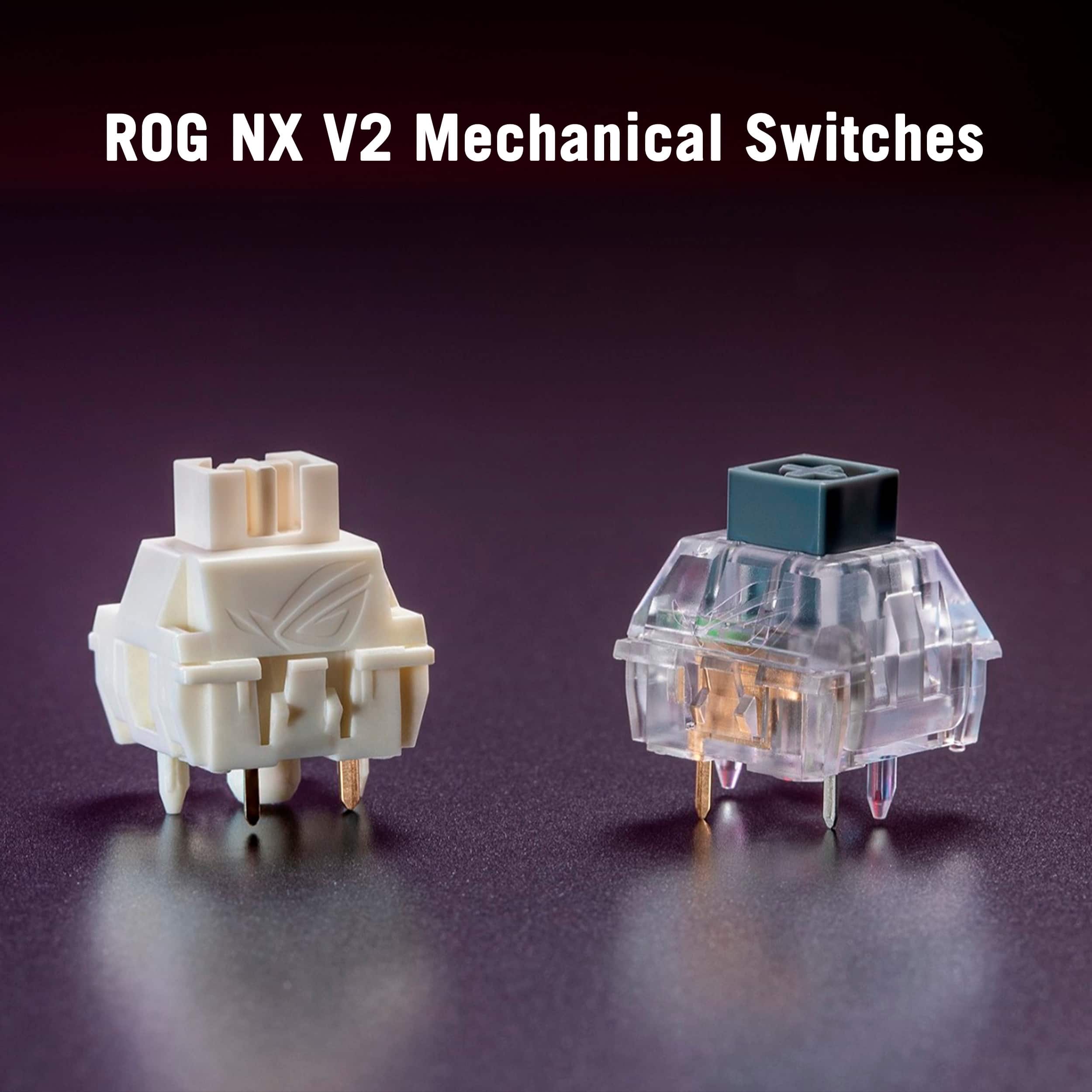
Very similar feel to Gateron G Pro Yellow switches
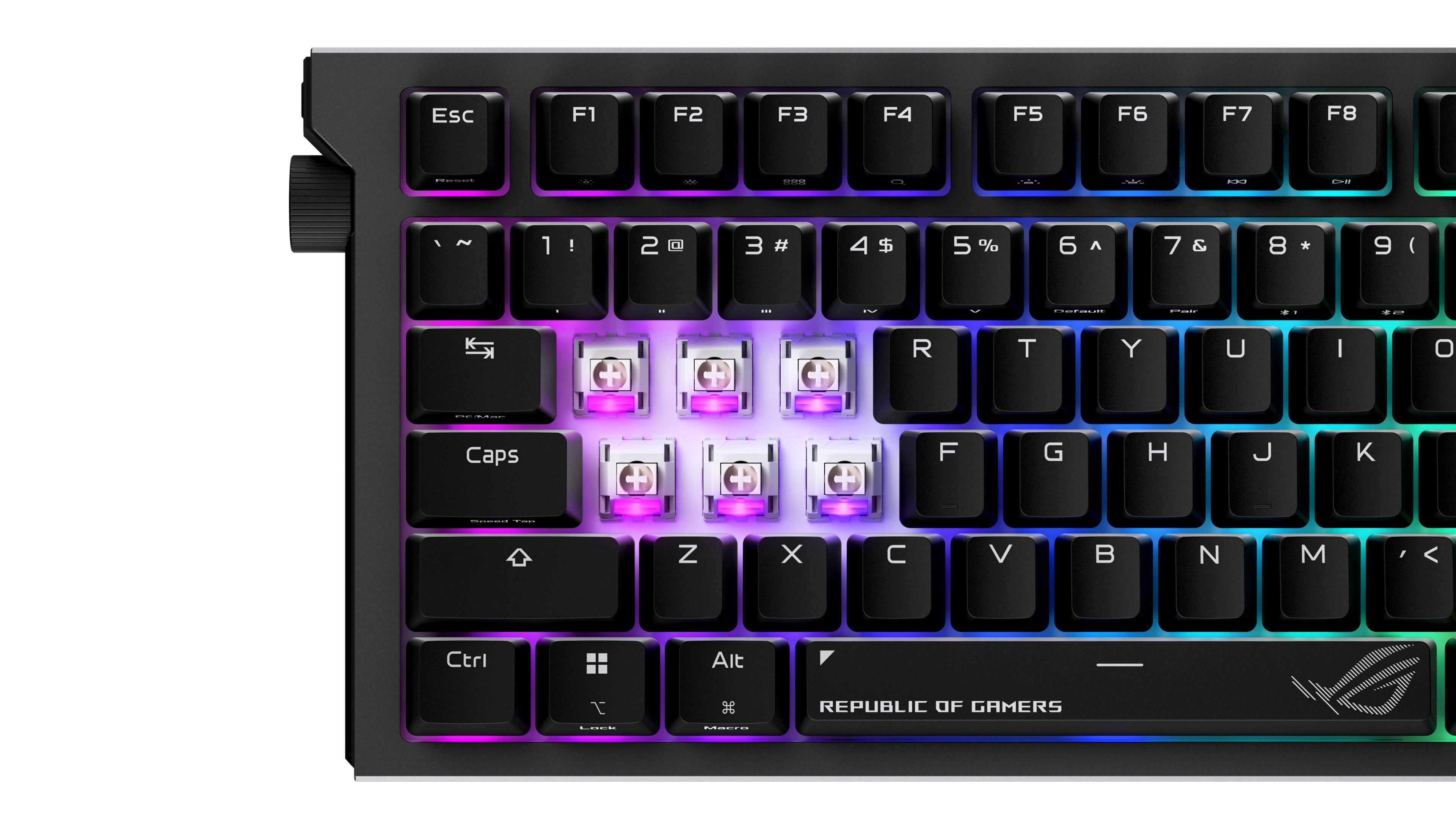
|Posted .This reviewer received promo considerations or sweepstakes entry for writing a review.A nice change from other keyboard brands! In the past few years I've mainly stuck with Logitech and Corsair keyboards, but all were mechanical. First thing, I was pleasantly surprised with the ASUS software. I've had issues with ASUS software (Mainly Armoury Crate) that comes with ASUS pre-built systems and motherboards. The keyboard software was pleasingly easy to use and non-intrusive. Extremely stable - where as the Armoury Crate bundled software is typically a thorn in my side. I usually install it, make my setups, then uninstall it - the keyboard only software I can see leaving installed! The RGB lighting is nice and bright and easy to see during the day or night. The keyboard switches (Hot-Swappable ROG NX Snow Switches) are very comparable to Gateron G Pro Yellow switches I have on another keyboard in feel and sound. Very mechanical "feeling" but without the noise that a lot of other mechanical switches have associated with them. Overall this keyboard is an absolute pleasure to use and I look forward to more ASUS keyboard options in the future!
I would recommend this to a friend High-end, full Aura RGB lighting, precise gaming
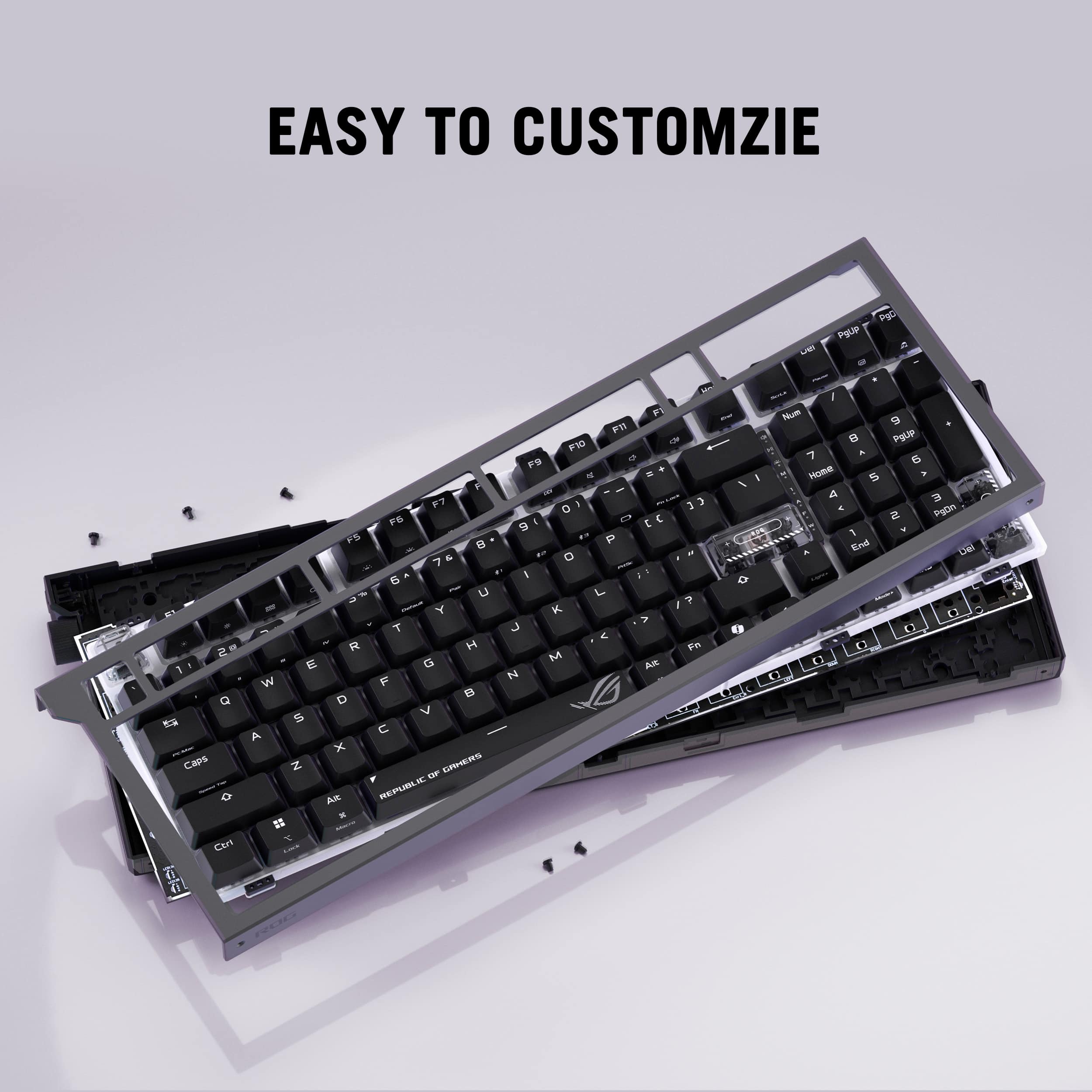
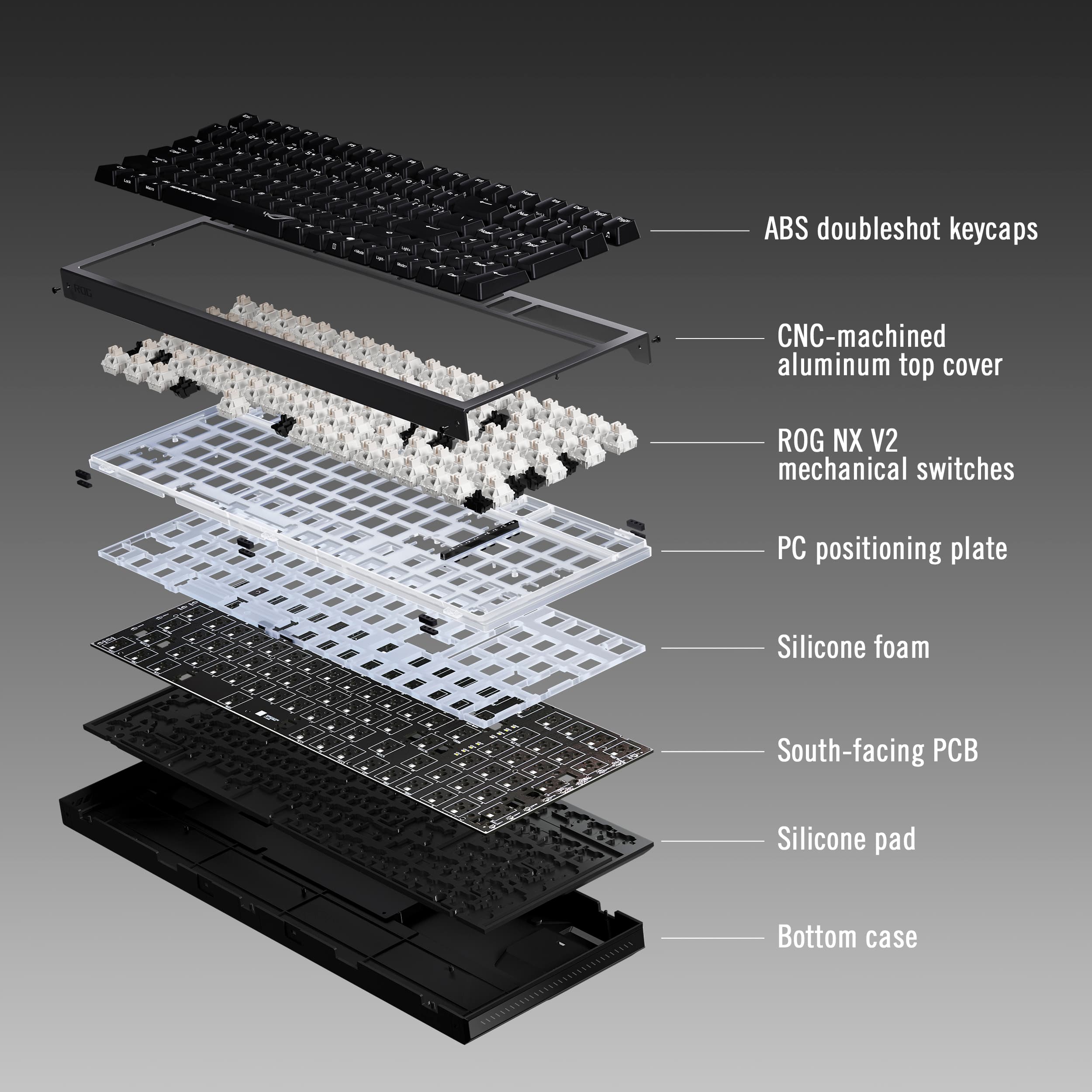
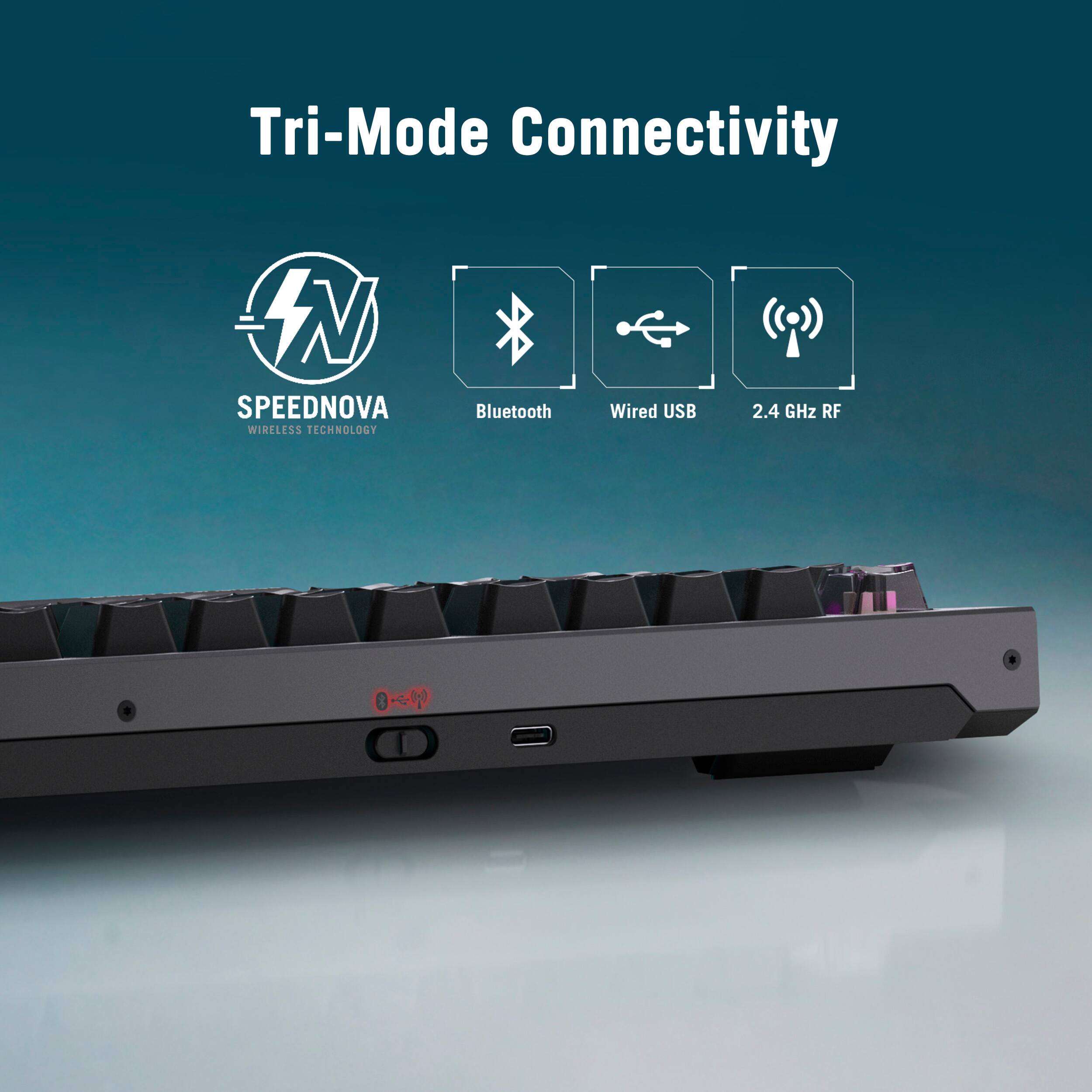
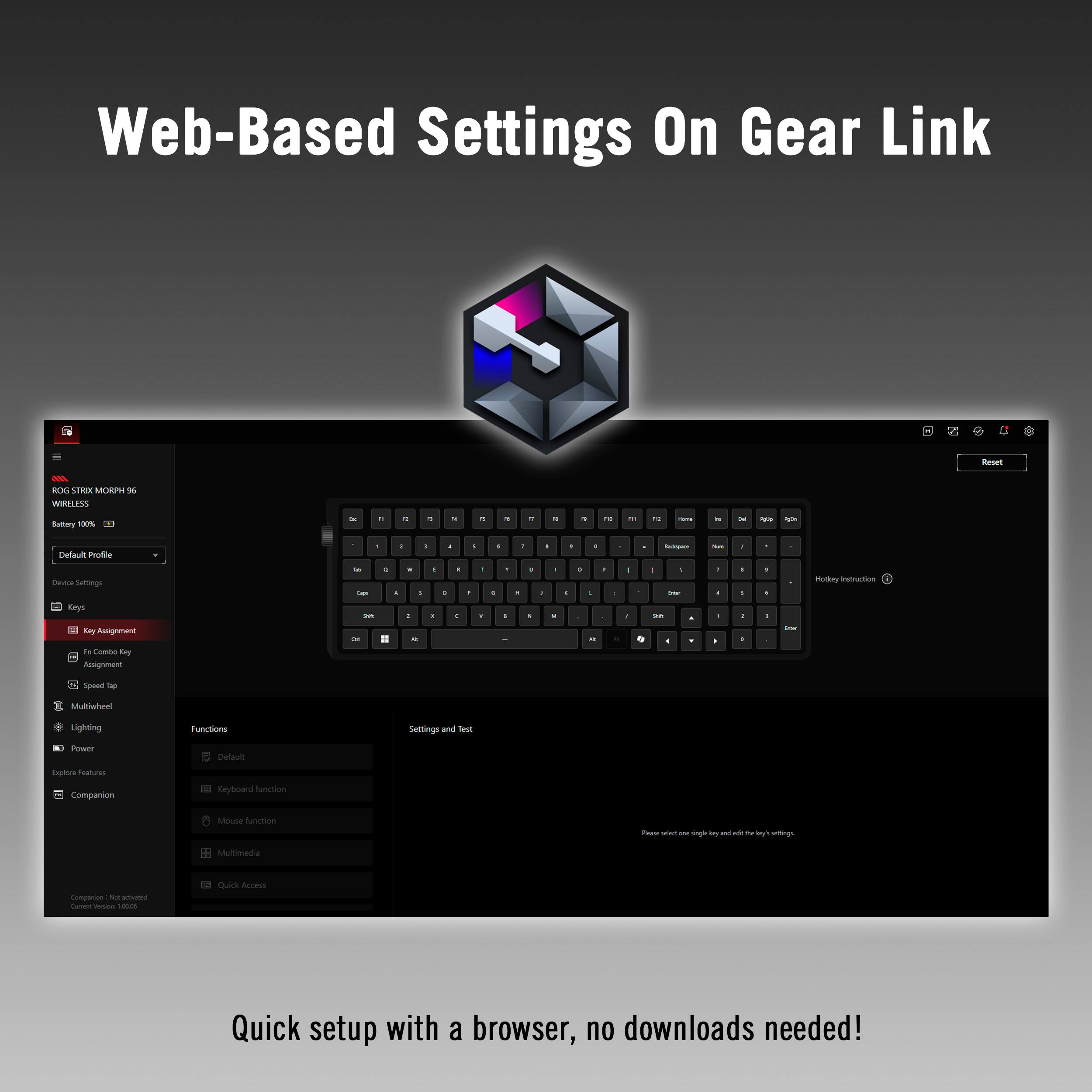
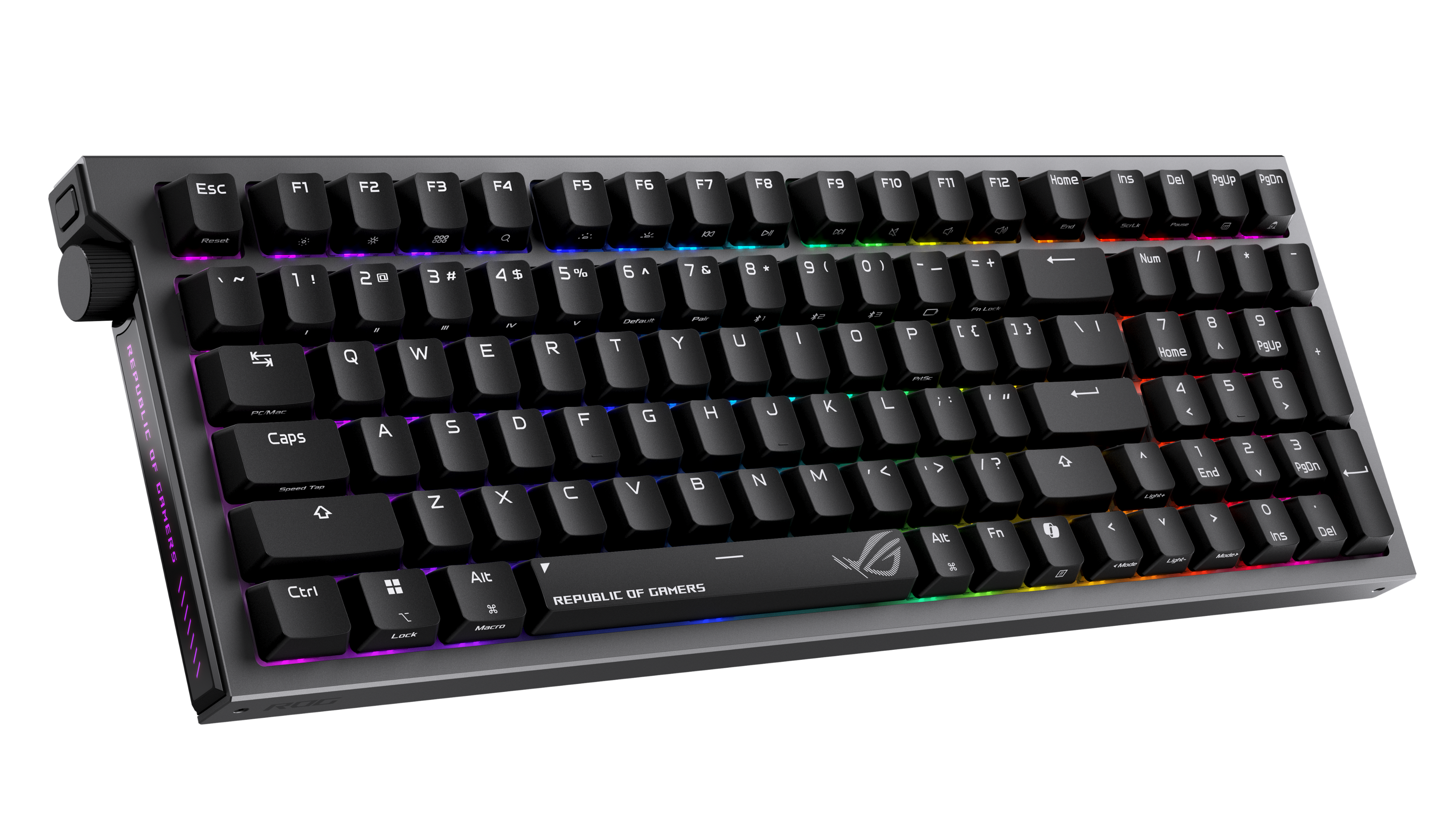
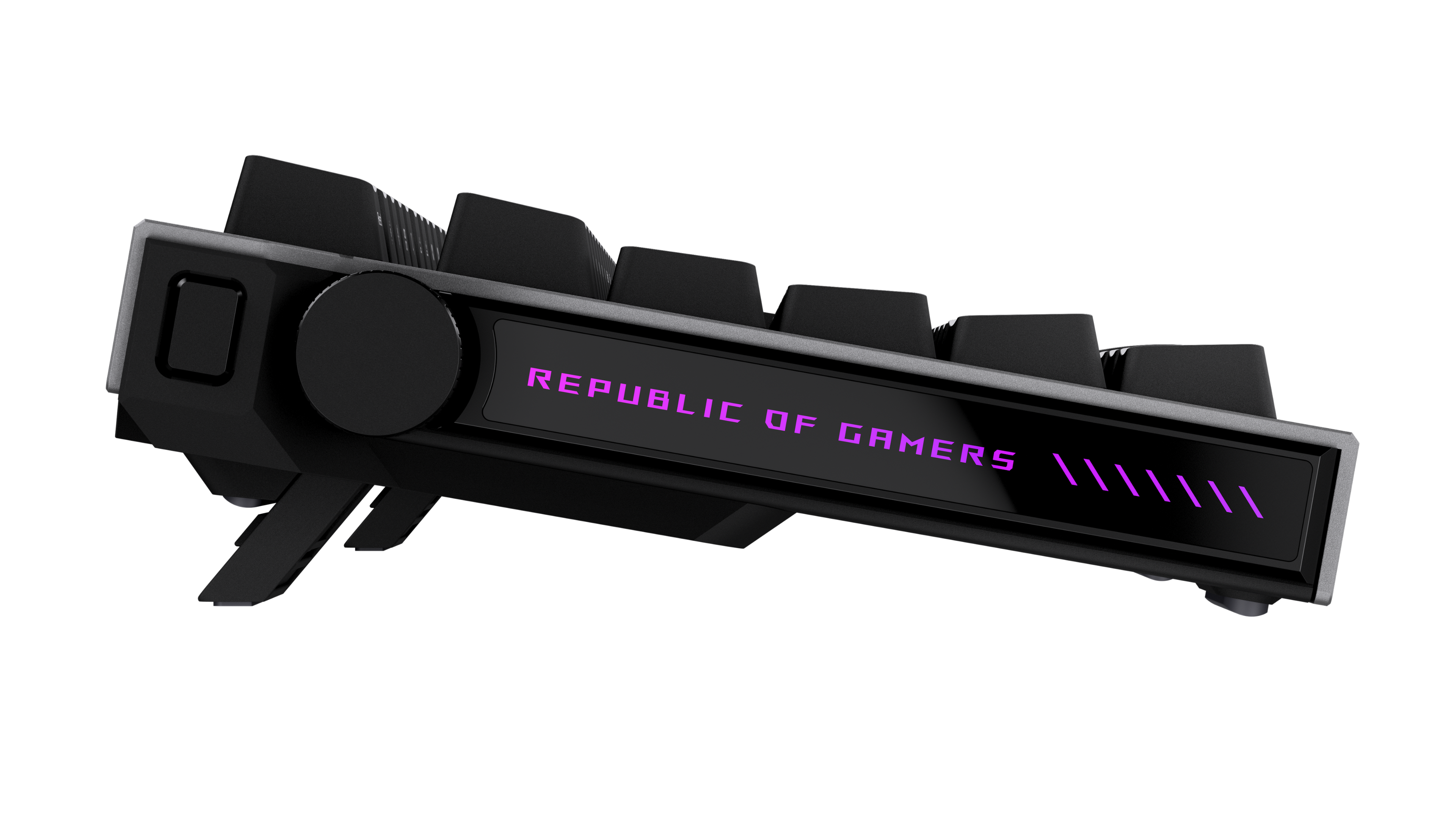
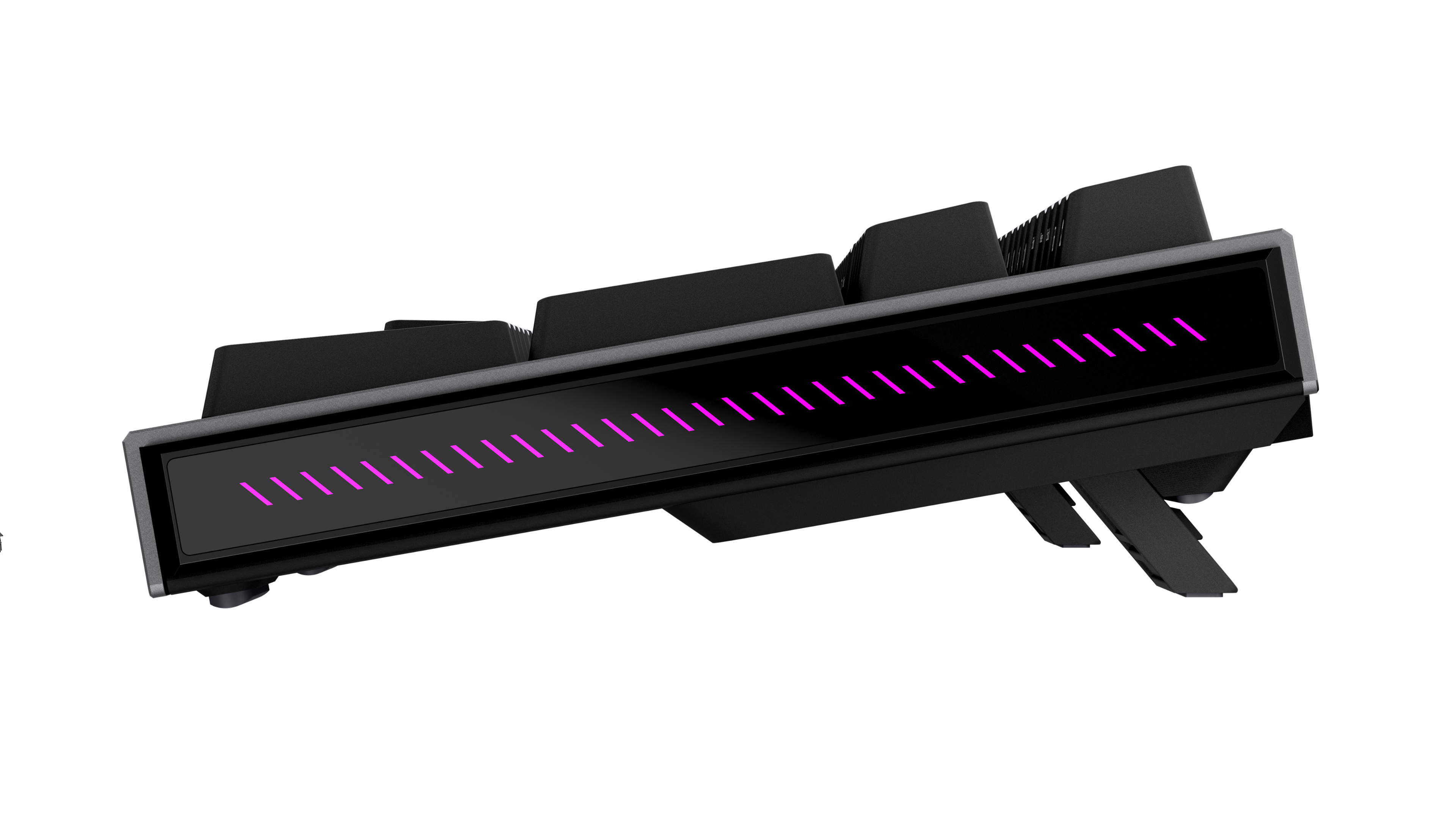
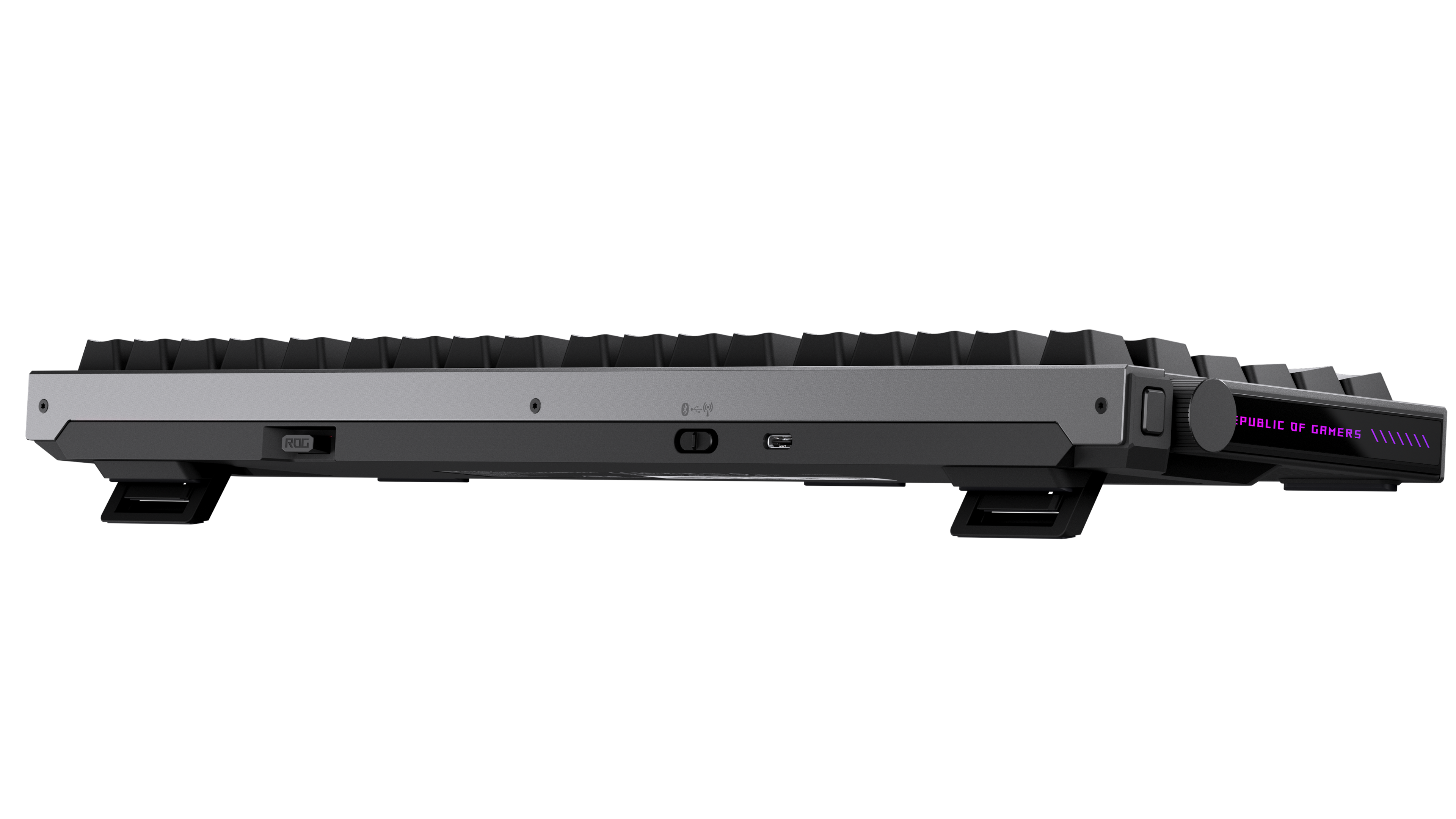
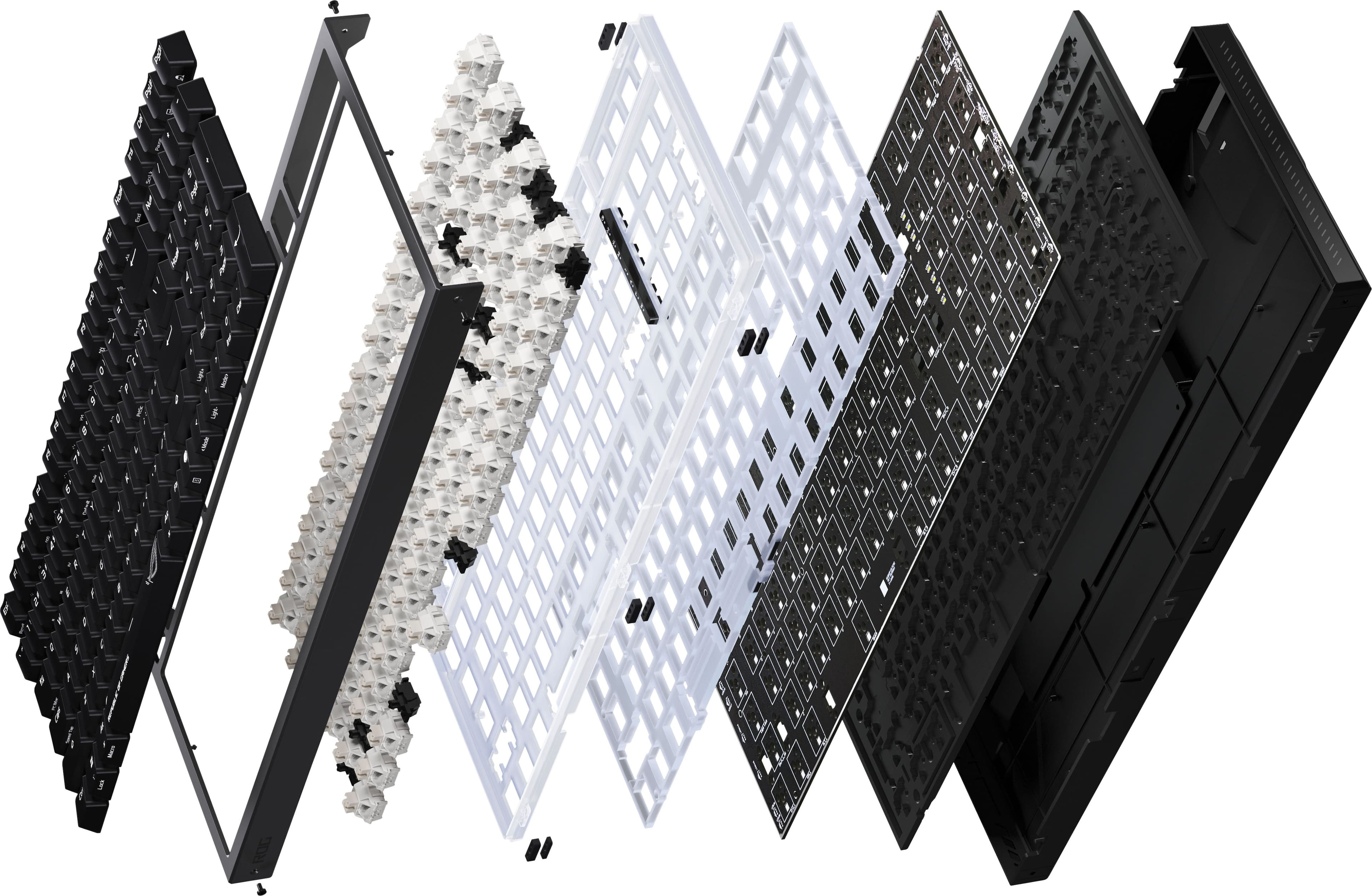
|Posted .This reviewer received promo considerations or sweepstakes entry for writing a review.ASUS is always at the top of my list for quality computer parts and in recent years accessories, especially keyboards. This ASUS ROG Strix Morph 96% Wireless Mechanical RGB Gaming Keyboard has a familiar but much more refined feel to me because I’ve been using another Asus RGB Gaming keyboard that came with my ASUS Republic Of Gamers Core-i7 gaming tower about a year ago. I've always had ergonomic challenges with full size keyboards being off-center because of the numeric pad making a keyboard wider than it needs to be. Luckily this ROG Strix Morph 96% is a more balanced fit being 4% less wide than a standard full-size keyboard. Unlike TKL keyboards with no numeric keypad, this one moves the Home, Ins, Del, PgUp, PgDn to the top row, to the right of the Function keys and squeezes the arrow keys next to the right Shift key and under the Enter key, then the num pad completes the right side of the keyboard. The Low-profile mechanical switches enable super quick, effortless key travel for both gaming and business typing. I like the linear, precise feel with some muffled clicking, nothing like those super-clicky old-school IBM keyboards... This ASUS keyboard is premium build quality and materials, looks, feels and IS high-end with aluminum metallic frame, and sturdy materials, easily removable keys and switches (specialty spares and tools included). Two pairs of keyboard feet of different heights provide up to three tilt positions for ergonomic flexibility. Additionally, there is excellent media control - super smooth control knob for volume, media control (play, pause, skip, mute) as well as keyboard lighting modes. Many other functions and macros are customizable which also allow for great levels of customization of function keys, gaming keys and on-the-fly macro recording. The per-key RGB lighting is Aura-Sync ready, so it will integrate very nicely with other Aura case and fans lighting products. Connectivity wise there are 3 ways of connecting via USB-C/A cable, wireless 2.4GHz low latency SpeedNova receiver (included) or Bluetooth that can easily be switched between 3 devices that are simultaneously connected. Battery life seems great, it can easily last a week or more, even with all the RGB lighting effects. This is a high-end gaming keyboard, if you can afford it, you will enjoy this keyboard a lot, both functionally and visually.
I would recommend this to a friendASUS ROG STRIX MORPH 96 WIRELESS GAMING KEYBOARD
|Posted .This reviewer received promo considerations or sweepstakes entry for writing a review.So I received my ASUS ROG Strix Morph 96 Wireless Gaming Keyboard a few days ago and have been putting it through its paces. First off, ASUS is an amazing brand that consumers like myself around the world have love over the years with a stellar product line. I've never purchased or received a bad product from them that I didn't like, so I knew this keyboard was gonna be nothing short of amazing and fun to use. Upon opening the package, you'll find: * ROG Strix Morph 96 Wireless Gaming Keyboard * USB-A to USB-C Cable * 3 ROG-themed Keycaps * 2-in-1 ROG Keycap & Switch Puller * 1 Ctrl Keycap * ROG Sticker * User Documentation Something that immediately drew my attention to this keyboard and made me fall in love with it was that even though it’s compact at 96%, that it still feels like a regular full sized keyboard with a numeric keypad on the right. Now let’s talk about the build quality - chef’s kiss 👨🍳💋. Very solid and sturdy build. Once you get everything unpacked, connect it to your Windows 11 PC, just load up your favorite game and get ready to be impressed. The RGB lighting is incredible. Once I got going it was hard to stop, this keyboard is amazing, the keys are easy to reach without any lag. With this being a compact keyboard (still full sized in my book), ASUS added another great feature the Multi-Function Button and Intuitive Control Button placed on the left side (spine) near the top. The button allows the consumers to change media playback, volume control, as well as tweak the RGB lighting. You can further tweak your keyboard to your liking using GearLink via the web. Everything just vibes so well together. You can't go wrong with this gaming keyboard. There also swappable keys included such as themed ROG keys (for both Enter keys - located with the regular keyboard layout and the other for the numeric keypad on the right) and a swappable Ctrl keycap. In everyday usage (especially at night), you’ll notice the softness and quietness of the keys while typing, which is great so it doesn’t disturb others/spouses. Overall I have enjoyed using this keyboard over the last couple of weeks and to be quite honest, it’s one of the best keyboards I’ve used in long time, probably one of my top 5 if not top 3.
I would recommend this to a friendCustom Feel
|Posted .This reviewer received promo considerations or sweepstakes entry for writing a review.I’ve used a lot of gaming keyboards from budget mechanical boards to higher-end and this wireless keyboard sits in the middle refined, customizable, and practical for everyday use. After using it I can say it mostly succeeds, but with a few caveats. Out of the box, the keyboard immediately feels very solid and expensive. The design is clean for a gaming keyboard and not cheesy so can be used as your everyday keyboard. Setup is straightforward whether you go wired or wireless. I tested it across all three connectivity modes—USB-C, 2.4GHz dongle, and Bluetooth—and switching between them is intuitive. Pairing with multiple devices was simple, which is great if you’re using this across a work laptop and a personal PC. The layout is one of the biggest highlights. You get a full number pad and function row, but everything is compressed just enough to save desk space. The ROG switches are smooth, consistent and they don’t feel hollow or scratchy like cheaper linear switches sometimes do. Typing feels controlled and smooth and not overly loud either. Doesn’t have the cheap clacky sound it’s has a, solid tone. Responsiveness is excellent. Key presses register quickly and reliably, and I didn’t notice any issues with missed inputs or lag. Even in wireless mode, performance feels consistent and stable. That’s something I was paying close attention to, and it held up well during longer sessions. The 2.4GHz connection is fast and reliable, making it perfectly suitable for gaming. Bluetooth is convenient for switching to secondary devices, and wired mode is there when you want to charge or ensure zero latency. Battery life is solid. With RGB lighting on, it holds up well for extended use, and turning the lighting down or off stretches it even further. It’s not something you’ll need to constantly worry about charging, which is important for a wireless keyboard. This flexibility is a big plus, especially for users who feel like they’ve outgrown entry-level gaming keyboards but aren’t ready to dive into the complexity of custom builds. RGB & Software The RGB lighting is bright, vibrant, and highly customizable. The effects are smooth, and the lighting is evenly distributed across the keys. ASUS Aura Sync integration makes it easy to match the keyboard with the rest of your setup if you’re already in the ecosystem. The keyboard feels solid overall. If you’re looking for better quality than entry-level gaming keyboards this is a great option.
I would recommend this to a friendDecent keyboard but warranty falls short
|Posted .This reviewer received promo considerations or sweepstakes entry for writing a review.There is an endless sea of gaming keyboards it is getting very hard to tell one from another. Frankly, keyboards in the same price range are all relatively comparable in feature sets so it comes down to build quality, latency, key type, comfort, software and backing of the manufacturer. With that said, Asus has always been in the upper echelon in build quality and performance in keyboards but does fall short in some areas. In review : Build quality – The Strix Morph 96 Wireless is a well-built board, with an aluminum top case in gunmetal gray. The bottom casing is black plastic. The entire package is solid and has very little flex. It is heavy at 2.5 lbs. but that is good thing. I cannot stand all plastic keyboards that move around because they are too light weight. Keys – For me, mechanical keys are the most important aspect of a keyboard. They are the most responsible, hold up the best and provide the best typing experience by far. It brings me back to the old days of IBM keyboards. The Asus ROG Strix has excellent mechanical keys. The travel is excellent and there is little to no latency. As a 96%, the keyboard has all full set number keyboard. For me, the 96% did not feel cramped at all. However, I did notice a difference between a full-size keyboard. It may be more noticeable for other users. Warranty – Asus falls short in the warranty and only offer 1 year. Most of the competition is 3 to 5 years, even on entry level keyboards. At this price range and quality, Asus needs to do a better job on the warranty. Features and accessories – The Strix Morph 96 has a customizable gear knob to control different functions. The default setting automatically adjusts to what you are doing. If you are typing in word or looking at web pages, it will act like a scroll wheel. If you are watching media, it will adjust volume. The Strix Morph 96 includes a Bluetooth dongle, several keys, a key tool and a USB tool. Like most of today’s gaming keyboards, it has a full set of LED lights. The ASUS ROG Strix Morph 96% Wireless offers 3 types of connectivity – Bluetooth, wi-fi and hardwired. All worked flawlessly. In conclusion, the overall typing and gaming experience was excellent but not anything special. Personally, I do not care about lights or extensive customization. For those that want customization, there is an online option called Gearlink. ASUS describes it as “A fast, web-based tool that helps you set up and customize your devices. Adjust key functions, lighting effects, and more — all without the need to download, so you're up and running in no time.” Personally, I could not care less nor would I want to give access to my computer if it can be avoided. The biggest disappointment is the 1 year warranty. While it is not deal breaker, the competition offers much better warrantees.
I would recommend this to a friendBrand response from ASUS Answers
Posted .Dear Valued Customer,
Thank you for sharing your thoughtful review of the ASUS ROG Strix Morph 96 Wireless Gaming Keyboard. We’re pleased to hear your positive impressions of the build quality, the solid aluminum top case, and the excellent mechanical keys that provided you with a responsive and enjoyable typing experience. It’s also great to know that the connectivity options and included accessories worked flawlessly for you.
We do, however, sincerely apologize for the disappointment regarding the warranty period. We understand your concerns and regret any inconvenience this may have caused. Please be assured that your feedback will be passed along internally for further review.
We stand behind our products and continuously strive to improve our products and processes to achieve customer service excellence. If you require any further assistance, please email us at customerloyalty@asus.com and include the case number "N2604005483-0002" as a reference. We will do our best to resolve your case quickly. Your feedback is very important to us, and it enables us to improve our support channels. Thank you for choosing ASUS.
Best Regards,
Chantae
ASUS Customer Loyalty US Support