Everything for Back to School — and then someShop now

Main Content

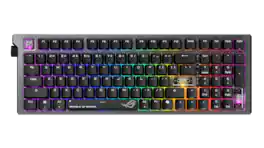
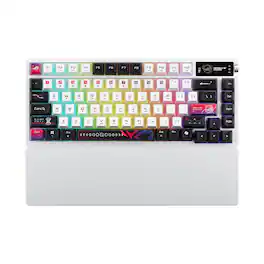
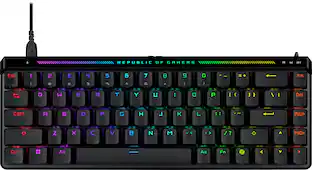
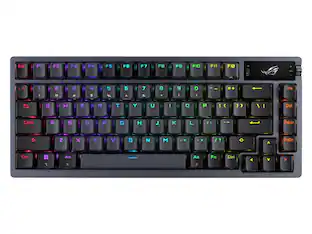
ASUS - ROG Strix Morph 96% Wireless Mechanical RGB Gaming Keyboard with Hot-Swappable ROG NX Snow Switches - Black

Model: X903 STRIX MORPH 96 WL/NXSWV2
SKU: 6668328
Sold byBest Buy

Customers are saying

Customers are positive about the ROG Strix Morph 96% Wireless Mechanical RGB Gaming Keyboard's build quality, connectivity options, and low noise level. Many appreciate the extensive customization options, including the RGB lighting. The keyboard's battery life, compact size with a numeric keypad, and typing experience are also well-received, while some have expressed concerns about the keycaps.

Generated by AI based on customer reviews.
Features
  • Full Customization Made Easy

    Easily access and reassemble every layer from top cover to PCB and beyond

  • Unique Lighting Design

    Light bars along both sides and a PC positioning plate provide even illumination across the entire keyboard

  • Hot-Swappable ROG NX V2 Mechanical Switches

    Support more keycap profiles, deliver soft acoustics, and a refined typing feel

  • South-Facing PCB

    Optimized for keycap compatibility and customization, allowing for personalized setups with custom keycaps and advanced lighting effects

  • Silicone Gasket Mount

    Gasket structure delivers a cushioned typing feel; underlying dampening foam can be swapped out to adjust gasket softness

  • Tri-Mode Connection

    Connect via Bluetooth (up to three devices simultaneously), 2.4GHz with ROG SpeedNova wireless technology, or wired USB

  • Ergonomic Design

    Two pairs of keyboard feet of different heights provide up to three tilt positions

  • MacOS Support

    Easily toggle between Windows and MacOS modes

  • Unique ROG-Themed Keycaps

    Redesigned 3 additional translucent keycaps with ROG markings for further customization

See all features
Specifications
  • Lighting Type
    RGB
    Form Factor
    96%
    Keyboard Technology
    Mechanical
    Key Switch Behavior
    Linear
    Connection Type
    Wireless, Wired
Sponsored

Reviews

Rating 4.6 out of 5 stars with 25 reviews

100% would recommend to a friend
Customers are sayingCustomers are positive about the ROG Strix Morph 96% Wireless Mechanical RGB Gaming Keyboard's build quality, connectivity options, and low noise level. Many appreciate the extensive customization options, including the RGB lighting. The keyboard's battery life, compact size with a numeric keypad, and typing experience are also well-received, while some have expressed concerns about the keycaps.
This summary was generated by AI based on customer reviews.
  • Build Quality (15)
  • Connectivity (14)
  • Noise Level (10)
  • Customization (8)
  • RGB Lighting (8)
  • Keycaps (3)

Customer Images

The vast majority of our reviews come from verified purchases. Reviews from customers may include My Best Buy members, employees, and Tech Insider Network members (as tagged). Select reviewers may receive discounted products, promotional considerations or entries into drawings for honest, helpful reviews.

  • Rated 5 out of 5 stars

    Full function keyboard in compact wireless frame

    This ROG Strix Morph 96% wireless keyboard is awesome. It fits a 96% full form wireless keyboard in a sleek and compact design without leaving out any of the essential features I’ve come to expect from any competitive gaming keyboard. It’s super compact and wireless but packs a punch with its hot swappable ROG NX Snow V2 mechanical switches. This is truly a gaming keyboard designed for esports enthusiasts and competitive gamers who desire the added functionality and portability of a wireless unit. Build Quality and Design: ASUS is quickly becoming my go-to favorite for all things gaming, both complete rigs and peripherals. This keyboard does not disappoint. This keyboard has gaming top of mind and delivers on every level. Design and overall functionality are top tier in my opinion. It’s considered 96% as it is basically a full keyboard with all keys and functions but trimmed down to a slightly smaller size without the dead space around the keyboard to keep it portable and wireless without wasted space. It maintains the numeric keypad to the right, but without the extra spacing between that and the main body, making it more compact and portable but still fully functional. This maintains great functionality for gamers who prefer a smaller footprint but still want the convenience of the numeric keypad and full-function multimedia keys for additional work. Also incorporates a multifunction button and control knob to switch the lighting, control media, and adjust volume on the fly. The frame has a sturdy frame with solid and durable feel while keeping things light and portable. RGB lighting adds a little flare for looks that can be fully customized and keeps the gamer feel and appearance while keeping battery life intact for long gaming and work sessions without sacrificing style and personalization. I also really like the 3-level customizable tilt/lift. It has low, medium, and high tilt depending on how I like to keep my wrists angled during any various situation. Multiple connectivity options including Bluetooth, RF Wireless, or wired USB. The Bluetooth, as always, is my favorite as it is a fast, reliable connection without taking up a USB port on my rig. It also functions flawlessly with the included RF USB dongle. Both with low latency and reliable connectivity from afar, no input lag either way. I love that there is a USB dongle slot on the back of the unit to store the dongle when not in use so it doesn’t get lost in the drawer. Of course this can also connect via the included USB cable for increased life span and productivity if my battery runs low at any point. This is also the charge method which I just plug in anytime I’m not using the keyboard and this has kept my battery going wirelessly whenever I need to disconnect. RGB Lighting: This features fully customizable RGB lighting, allowing me to personalize the lighting effects to match my gaming setup and sync all of my peripherals with that main rig as can be seen in the pictures. The RGB lighting is vibrant and adds a visually appealing aspect to my gaming experience but has a smart timeout that shuts down lighting while the keyboard isn’t in use to maintain battery life. Battery Life: Battery life for this keyboard is excellent and of course varies depending on usage and customized lighting settings. With my average use it typically lasts several days of heavy gaming on a single charge. I typically plug it in between uses so I’ve never had it “die” on me even if I forget to plug it in after several days of use. The tethered USB connection options also continues to work while charging if you run out of juice. Switch Customization: Fantastic feel, hot-swappable mechanical ROG NX Snow V2 switches. These switched provide a pleasant soft/smooth and quiet experience with some tactically feedback without the loud slapping. It comes fully equipped and fully customizable with hot-swappable switches which can easily be changed to replace them and tailor the keyboard to your preferred typing experience. This customization is excellent for gamers who want to experiment with different switch types without buying a whole new keyboard. The keyboard comes with several ROG themed keycaps to further customize and really make the appearance exactly how I like it. Overall, this ROG Strix Morph 96% wireless keyboard has been really great. Fantastic addition to my setup and complete functionality in a compact wireless unit. It’s thoughtfully designed and feature-packed for full functional use for any setting. The customization options, wireless performance, and build quality make it a great choice for competitive gamers who want a versatile and high-performance keyboard for everyday use.

    Posted by Steven

  • Rated 5 out of 5 stars

    Well designed, full featured and quality keyboard

    As someone who spends most of the working day at a computer - and someone who enjoys playing casual PC games with mouse and keyboard - having a pleasurable keyboard experience means a lot to me. I enjoy the tactile feel of a mechanical keyboard and I appreciate little design touches that enhance the experience and capabilities of my keyboard. This ROG keyboard really checks all the boxes. IN THE BOX The keyboard comes in a nice little bag for protection. Underneath that you will find a compartment that houses a few extra keycaps (it comes with a few select, clear keycaps with the ROG branding), a USB extender dongle (more on that later) a USB-C to USB-A cable, as well as a keycap and switch removal tool. And a small allen wrench looking screwdriver to remove switches. Note that the actual USB transponder is conveniently stored in the back of the keyboard itself - a very nice design touch in my opinion. DESIGN This feels like a premium keyboard. Its frame is metal, it has some heft which I love. It does not move a millimeter in use. It has 3 levels of height to adjust the angle. There’s two tabs on the back that flip out for your desired height. The keyboard is a 96 percent design, meaning you’re getting the keypad to the write, but the keyboard has a smaller size than a full size keyboard. For those that don’t know what that means, there’s no separate 6 keys for the INS, DEL, HOME, END, PG UP and PG DN keys. The arrow keys are directly below the right shift key. It took me a little getting used to - as my old keyboard was full size, but I very much prefer the compactness of the 96 layout (by compact, I’m just referring to a full size one, obviously there’s smaller keyboards). There’s a function knob on the left side which I absolutely love. My old keyboard had a similar dial. It allows me to control volume with ease. There’s a function key that changes what the knob does, and that button sits directly above the knob. You can switch between controlling volume, play/pause, lighting, and then there’s a customizable function. In playing around with it, it can scroll on your screen (on the manual function) but I pretty much keep mind on volume. It’s just really convenient. The keyboard has RGB lights, which you either like or don’t. It’s pretty much you’re only source of backlight. But if you prefer a more modest approach, you can change the mode to just white. There’s a lot of information on the keyboard itself, which is a great thing IMO. What I mean by that is the function of each key (beyond the letter/number) is displayed. On the side of the key facing you. For example, Bluetooth pairing and battery level are displayed on the horizontal number keys. It’s just nice because you don’t have to memorize the function of each key. FEATURES You can use this keyboard wireless via the USB dongle or Bluetooth (the latter you can pair up to 3 devices). You can also hard wire it. The battery life is rated for about 90 hours with the lights on, and I’ve seen 1000 hours with no lights. It goes into sleep mode when not in use, well at least the lights turn off after a while, to conserve battery life. The big feature for me are the NX snow mechanical switches. As I said, I type a lot for work and I really enjoy the clickiness sound and feel of a mechanical keyboard. At the same time, the switches aren’t overly loud. It’s a subtle sound that isn’t overbearing. The keys are extremely stable and there’s no wobble in them. The switches are replaceable, for those that care (I wouldn’t replace these unless for some reason they broke). They have 1.8mm actuation point and high force, meaning they react quickly for gaming, but have enough resistance to prevent accidental key presses. This is nice both for gaming when you want a quick response and doing work when you don’t want a keyboard so sensitive you are accidentally hitting keys. The USB dongle is a ROG Omni receiver, meaning it can connect your wireless keyboard and compatible ROG mouse, if you have one - saving on USB ports. There’s an extension dongle that plugs into a USB cord and which allows you to plug in the actual receiver if you have connection issues and need to get the receiver closer to the keyboard from your computer. TYPING AND GAMING EXPERIENCE As I said, I had to adjust my typing going from the full size keyboard to the 96 layout, so there was a little bit of an adjustment, but the typing experience truly is phenomenal. I really enjoy using it. For gaming, while I typically game with a controller, I found it to be highly responsive when playing Battlefield. I’m no professional gamer and I can’t say that it actually made me “better,” point being, it worked great. CONCLUSION This is a terrific high end keyboard meant for gaming (because of the aesthetics) but has plenty of features that make it worthwhile for all professionals or anyone who enjoys a premium typing experience. It’s gaming centric with the design and RGB colors, but it matches my gaming rig and I find it overall to be professional looking despite the ROG design aesthetics. The battery life is great. I’m personally a big fan of ROG products, I have several of them in my custom built PC and am rocking a ROG gaming laptop. But even if I wasn’t predisposed to ROG products, I would definitely consider this keyboard based on its features and design.

    Posted by callmeageeth

  • Rated 5 out of 5 stars

    96% Gaming Keyboard That Types Like a Sportscar

    The ASUS ROG Strix Morph 96% Wireless Mechanical Keyboard blew me away with its build quality. It’s constructed from high‑quality materials—dense plastic, solid metal accents, and a frame that feels substantial without being too backbreaking to move around. The 96% layout is fine: full function row, dedicated arrows, and nav cluster in a compact footprint that doesn’t feel cramped. I’d love ASUS to make this exact design in a 70% form factor someday because that's what I prefer. What really makes it shine is the typing experience. Gaming keyboards have loose actuation that leads to typos when doing real work, but this one nails it for both gaming and touch typing. The ROG NX Snow V2 “Refined Linear” switches are absolutely fantastic—smooth with just enough friction for confidence, like an upgraded Cherry Red but more CONFIDENT and refined. They’re dead silent (no clicky noise) unlike a Blue switch. For anyone wanting a non‑clicky key that still feels premium, these are perfect. They're closer to a Brown switch without the positive down feeling, but bottoming out will give you that feedback. Wireless connectivity is good: USB dongle (USB‑A, which is great since it's 2026 and we haven't gotten rid of A yet), Bluetooth multi‑device pairing, and wired USB‑C all deliver low latency. Battery life seems to be very good. They claim weeks of heavy use before needing a charge. The RGB lighting is customizable without being distracting. Hot‑swappable switches mean I can easily experiment with different linear or tactile options down the road but honestly I love these switches and probably won't do that. The only real downside for me is the squarish ROG gamer typeface. It looks gamer and thematic, but in low light, I’m squinting to distinguish keys. A cleaner, more legible font like ASUS’s ProArt line keyboards would be ideal for my aging eyes. Weight, size, and overall feel are all spot‑on for desk use. This is a magnificent, versatile keyboard that I wholeheartedly recommend for anyone wanting wireless freedom with top‑tier typing and gaming performance. I can't recommend it enough. It types very very very premium!

    Posted by wizozzie

  • Rated 5 out of 5 stars

    It took a week, but it has really grown on me!

    When I first unboxed this keyboard, the first thing I noticed was the sheer weight of it. It’s exceptionally heavy and dense, but in a good way. It has a really solid, almost insulated feel that immediately makes it feel premium. At first, I was confused by what “96%” meant. It sounds like it would be 96% of the size of a normal keyboard, but it actually means 96% of the standard keys are present. Everything is just compressed together. That also explains what happened to my beloved Print Screen button, which is missing. That’s honestly the only real negative I have with this keyboard. I work from home and also game in my spare time, so I use the same keyboard all day, every day. When I first started using this, I didn’t have strong feelings about it. It just felt like I had switched keyboards. But over the course of a week, I started noticing small details that I’ve really come to appreciate. The biggest one is the feel and sound of the keys. The typing is dampened, but still has that satisfying mechanical feedback. The keys feel soft, but still give you the recoil you expect. I didn’t realize how much of a difference that sound dampening made until I used it for a full week. People on the other end of my calls no longer hear my keyboard like they did before. This has actually been huge for work. I type very fast, and I’ve had people complain that it sounds like a machine gun in the background. With this keyboard, that’s no longer an issue. The RGB on this board is also one of the best I’ve seen. The side lighting, the brightness, and the overall customization are excellent. I also really appreciate that the Gear Link software runs through a browser instead of requiring a full install. That’s a big win for me. I love the tri-mode connection as well. It makes the keyboard very versatile, and the wireless performance has been great. It also claims up to 500 hours of battery life with RGB off, but I’ll probably never test that because the lighting just looks too good to turn off. One of my favorite features is that this is a compact board that still includes a 10 key number pad. That’s huge for me since I also do accounting. Another thing I really appreciate is how approachable this keyboard is. Anyone can pick it up and use it without feeling overwhelmed. I’ve bought high-end gaming keyboards for my staff before, and they ended up going back to cheap wired ones because they didn’t want to deal with all the extra features and complexity, or they were accidentally hitting buttons that opened random apps . This keyboard does a great job of bridging that gap between work and gaming. As for the Gear Link app, it’s very easy to use for lighting customization, but I did find macros a bit confusing. Setting them up isn’t as intuitive as I expected. One of my litmus tests is whether I need to look up instructions to figure something out. If I do, most people probably will too. I was able to get it working, but it took more effort than it should have, and I did have to read some instructions. Overall, I’ve been extremely happy with this keyboard. I’m pretty confident this will be my main keyboard going forward. The compact layout with a number pad, the feel of the keys, the reduced noise, the weight that keeps it from sliding around, and the excellent RGB all come together really well. To me, this keyboard is a huge win in terms of versatility. It works just as well in a professional office setting as it does in a gaming setup.

    Posted by CatCity

  • Rated 4 out of 5 stars

    Great for gaming, decent for work

    I have very much enjoyed using this gaming keyboard for gaming and work. It works great for both use cases but takes some getting used to due to some non-traditional layouts. It feels extremely high quality and is a solidly built mechanical keyboard. Pros: - Build quality - Key travel - Customizability Cons: - Crowded layout - Software isn't intuitive First impressions: The keyboard feels like it is built like a tank. It has great weight to it with a mix of build materials including metal and high-quality plastic. The lighting is present on all keys as well as on the left and right sides. I like the volume knob location on the left-hand side. I quickly noticed that the arrows keys are very close to the enter key and the NUM pad so mistakes in my typing were apparent as a result at first. Also, the DEL key is in a non-traditional location on the top right of the keyboard. Software: If you are using ArmouryCrate on your Asus machine, you can download plugins for the keyboard to update firmware and customize the keyboard at the basic level. For advanced customization, you will need to follow the link to their “Gearlink” web interface which allows you to mess with everything. It is not very intuitive to get to (and does not support all browsers), but it gets the job done. Connectivity: I wanted to use this connected to my gaming PC as well as my work laptop which are both connected to the same monitor. The keyboard makes it easy as I use the RF dongle on my home PC and Bluetooth on the work laptop. This is changed with a simple switch, so it is easy to move back and forth as needed. There is also the ability to use a wired connection if wished, there is an included cable in the box. Typing & gaming: Key travel is outstanding if you enjoy mechanical keyboards. Keys are easily swappable with custom keys; some clear ROG themed ones are included in the box. The clear ones have a smooth finish, so they are easier to find by touch than the default black keys. I was a bit annoyed with the Windows key when gaming initially as it is missing a left-hand FN key which messed up my muscle memory. Definitely use the right FN key to disable the WIN key before gaming or else you will be getting out of your game constantly by accident. Also, as stated earlier, the number arrows are in a spot which makes them a bit crowded. It is not an issue once you get used to it but requires some retraining for most. I see pros to having the keys all close together as well as everything is easier to get to quickly in a faced paced game. Typing accuracy improved for me compared to my older, non-mechanical shallow keyboard. There is the usual click sound but it is somewhat muted due to the design and gaskets inside.

    Posted by psyclopps

Compare similar products

ASUS - ROG Strix Morph 96% Wireless Mechanical RGB Gaming Keyboard with Hot-Swappable ROG NX Snow Switches - Black
4.6(25)

The ROG Strix Morph 96 Wireless gaming keyboard is designed for customization, featuring easy disassembly from top plate to PCB, hot-swappable mechanical switches, South-facing PCB, and GearLink web-based configuration. Enjoy peak gaming performance on tri-mode connection with ROG SpeedNova technology and SpeedTap mode. MacOS supported.

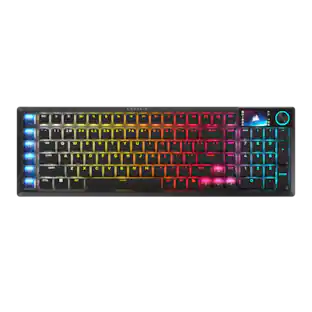
ASUS - ROG Azoth 96% Wireless Magnetic Hall Effect RGB Gaming Keyboard with Hot-Swappable ROG HFX V2 Switches - Black
4.6(45)

The ROG Azoth 96 HE is a wireless analog gaming keyboard with hot-swappable ROG HFX V2 magnetic switches, adjustable actuation, and tri-mode connectivity for up to five devices. It features up to 8000 Hz polling, an OLED touchscreen, intuitive control knob, six-layer dampening, and a premium metal frame.

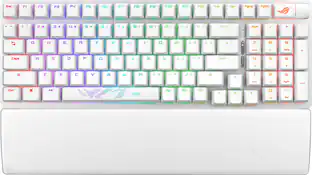
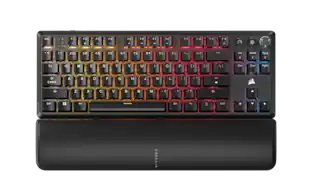
ASUS - ROG Strix Scope II 96 96% Wireless Mechanical Gaming Keyboard with Hot-Swappable ROG NX Snow Switches - White

ROG Strix Scope II 96 Wireless gaming keyboard with tri-mode connection, streamer hotkeys, multifunction controls, hot-swappable pre-lubed ROG NX Snow & Storm mechanical switches, ROG keyboard stabilizers, PBT doubleshot keycaps and silicone dampening foam, three tilt angles, and wrist rest.

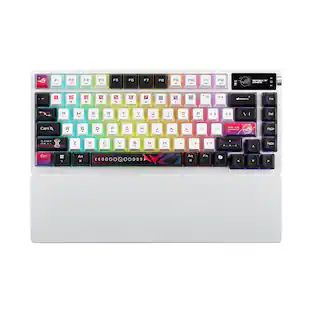
ASUS - ROG Azoth X 75% Wireless Mechanical RGB Gaming Keyboard with Hot-Swappable ROG NX Snow Switches - White
4.8(49)

ROG Azoth X is a 75% wireless gaming keyboard with DIY-level customization and premium features keyboard. It features a metal top cover, south-facing PCB, silicone gasket mount, FR4 positioning plate, and five-layer dampening for a smooth, cushioned keystroke feel. Hot-swappable, pre-lubed ROG NX switches V2 ensure consistent, responsive typing, while three-sided translucent keycaps enhance aesthetics.

Pros for ASUS - ROG Strix Morph 96% Wireless Mechanical RGB Gaming Keyboard with Hot-Swappable ROG NX Snow Switches - Black
Build Quality, Connectivity, Noise Level, RGB Lighting, CustomizationBuild Quality, Connectivity, Battery Life, Switch Performance, Typing FeelBuild Quality, Noise Level, Battery Life, Size, FeelBuild Quality, Battery Life, Switch Performance, Connectivity, RGB Lighting
Cons for ASUS - ROG Strix Morph 96% Wireless Mechanical RGB Gaming Keyboard with Hot-Swappable ROG NX Snow Switches - Black
KeycapsKey LayoutBacklighting, Software PerformanceWrist Rest Comfort

Specs

Questions & Answers
  • Are the rechargeable batteries replaceable?

    The ROG Strix Morph 96 Wireless Gaming Keyboard’s rechargeable battery is built‑in and not user‑replaceable.

    Answered by ASUS Answers
    ASUS Answers response
  • Does this keyboard have adjustable tilt?

    Yes, this keyboard features an adjustable tilt function.

    This question and answer was generated by AI based on customer and product data.
  • Does this keyboard have customizable lighting?

    Yes, this keyboard has customizable RGB lighting.

    This question and answer was generated by AI based on customer and product data.
  • Are batteries included with this keyboard?

    Yes, batteries are included with this keyboard.

    This question and answer was generated by AI based on customer and product data.
  • Is the cable detachable from this keyboard?

    Yes, the cable is detachable from this keyboard.

    This question and answer was generated by AI based on customer and product data.
Ask a question
No content

Customers often buy these together

Sponsored

Finance Options

My Best Buy® Credit Card
Buy Now, Pay Later

Finance Options

My Best Buy® Credit Card
Buy Now, Pay Later

Special Offers

Top Offers
Included with Purchase

Special Offers

Top Offers
Included with Purchase