Ultimate Upgrade SaleEnds Sunday. Limited quantities. No rainchecks.Shop now

Skip to contentGo to Product Search
Main Content

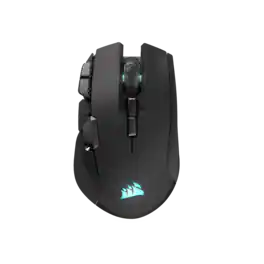
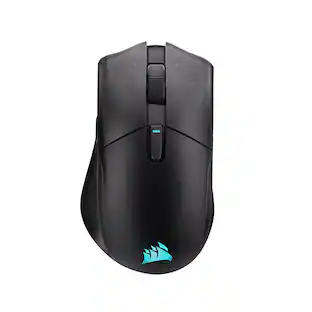
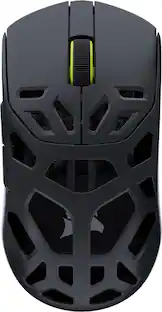
CORSAIR - IRONCLAW WIRELESS SE FPS/MOBA/MMO Optical Gaming Mouse - Wireless - Black

Model: CH-9317110-WW
SKU: 6666378
New Limited Time Deal
$69.99
Save $20
The comparable value is $89.99
or
Accidental Geek Squad Protection
95% of reviewers would recommend
Warranty Protection Plans
Availability
Pickup at
Act fast - Only 1 left at your store!
Sold by Best Buy

Key Accessories:

Specifications
  • Connection Type
    Wireless

      Sponsored

      Compare similar products

      CORSAIR - IRONCLAW WIRELESS SE FPS/MOBA/MMO Optical Gaming Mouse - Wireless - Black
      CORSAIR - IRONCLAW WIRELESS SE FPS/MOBA/MMO Optical Gaming Mouse - Wireless - Black
      4.8(35)

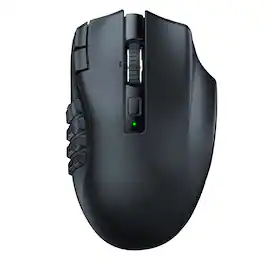
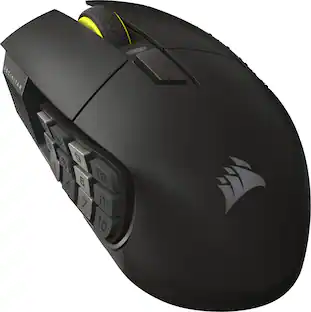
      The CORSAIR IRONCLAW WIRELESS SE Gaming Mouse was designed to deliver comfortable control for right-handed players that prefer palm grips. Its uniquely-sculpted shape and textured grips are built to give players secure, comfortable control. The precise 26k DPI sensor provides amazing accuracy for MOBA, FPS, and MMO gameplay. IRONCLAW WIRELESS SE is all about longevity with up to 285 hours over 2.4GHz, 532 hours over BT, and switches rated for up to 100 million clicks. Versatile tri-mode connectivity connects via robust 2.4GHz wireless, convenient Bluetooth®, or USB-C cable. CORSAIR IRONCLAW WIRELESS SE Gaming Mouse – Comfortable Control in the Palm of Your Hand.

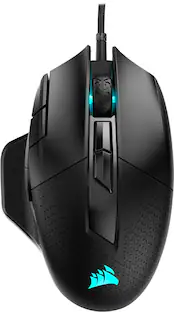
      CORSAIR - M65 RGB Ultra Tunable Wired FPS Optical Gaming Mouse with Adjustable Weights - Wired - Black

      The CORSAIR M65 RGB ULTRA Tunable Gaming Mouse boasts a durable aluminum frame and pinpoint accuracy powered by a 26,000 DPI MARKSMAN optical sensor and optical OMRON switches. Sensor fusion technology enables convenient tilt gestures for in-game actions, while CORSAIR AXON Hyper-Processing Technology transmits those actions up to 8x faster than other gaming mice. With customizable weight between 97g and 115g, a lightweight paracord cable, and CORSAIR QUICKSTRIKE buttons, all your movements and actions register with the utmost speed. Take control with iCUE software to program the M65 RGB ULTRA’s eight buttons, customize its dynamic RGB backlighting, and save your profiles to onboard storage to take on the go. Pick up the M65 RGB ULTRA to make all your clicks count.

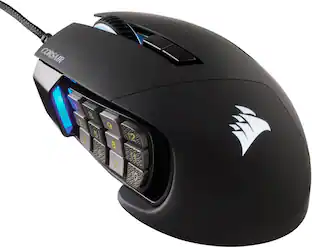
      CORSAIR - DARK CORE RGB PRO Wireless FPS/MOBA/MMO Optical Gaming Mouse with Slipstream Technology - Wireless - Black

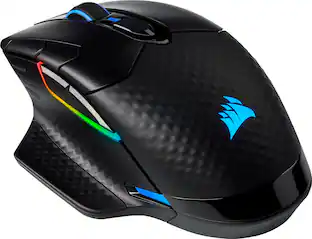
      Take out enemies with sniper shots using this CORSAIR DARK CORE RGB PRO wireless gaming mouse. The 18,000 DPI optical sensor provides pinpoint precision, while the contoured shape fits comfortably in the palm of your hands. This CORSAIR DARK CORE RGB PRO wireless gaming mouse features up to 50 hours of battery life for uninterrupted gameplay.

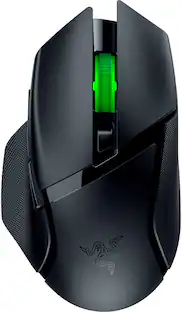
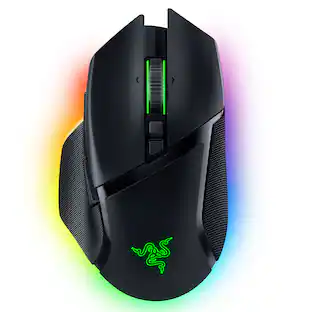
      Razer - Basilisk V3 Pro Optical Gaming Mouse with HyperScroll Tilt Wheel - Wireless - Black

      The king returns to raise the game. Enter the Razer Basilisk V3 Pro—the most advanced gaming mouse. Armed to the teeth with industry-leading technology, unlock your maximum potential with a weapon that pushes the known limits of performance, customization, connectivity, and control.

      Pros for CORSAIR - IRONCLAW WIRELESS SE FPS/MOBA/MMO Optical Gaming Mouse - Wireless - Black
      Ergonomics, Battery Life, Build Quality, Weight, ConnectivityWeight, Build Quality, Comfort, DPI, FeelBattery Life, Comfort, RGB, Wireless, ResponsivenessErgonomics, Battery Life, Weight, Overall Performance, RGB Lighting
      Cons for CORSAIR - IRONCLAW WIRELESS SE FPS/MOBA/MMO Optical Gaming Mouse - Wireless - Black
      Button AccessibilitySoftware, Price, Left ClickSoftware, Lag, Scroll Wheel, ConnectionPrice, Lag, Size, Mouse, Charging Dock

      Specs

      Reviews

      Top Mentions

      • Ergonomics (13)
      • Battery Life (10)
      • Connectivity (8)
      • Button Accessibility (6)

      Customer Images

      The vast majority of our reviews come from verified purchases. Reviews from customers may include My Best Buy members, employees, and Tech Insider Network members (as tagged). Select reviewers may receive discounted products, promotional considerations or entries into drawings for honest, helpful reviews.

      • Rated 5 out of 5 stars

        Corsair Ironclaw multipurpose mouse

        The Corsair Ironclaw Wireless SE is Corsair’s answer for gamers and creators who want a large, ergonomic mouse with strong wireless performance and plenty of customization. I usually lean toward simpler mice for everyday use, but as my digital content workload keeps growing — especially in DaVinci Resolve — I needed something with more programmable buttons and a shape that supports long editing sessions. The Ironclaw SE definitely checks those boxes. This is a big mouse, if you have smaller hands, the size and height might feel like a handful (get it ?) at first, but for me it actually fits surprisingly well. I like how they managed to pack the same number of programable buttons and stayed within the boundaries of a standard mouse shape. Setup was straightforward, the mouse paired immediately over Bluetooth, but to really unlock the custom button assignments and DPI tuning the iCUE software needs to be installed. Once installed, the software opened up all the expected options, DPI settings, RGB tweaks - though iCUE is definitely more “gamer‑centric” than creator‑centric. Still, it got the job done. Now, onto the hardware. The Ironclaw SE feels like a hybrid between a classic ergonomic mouse and a lightweight FPS mouse. The textured side grips are comfortable without being that rubberized, lint‑collecting material I can’t stand. The main clicks are crisp, the scroll wheel is solid, and the side buttons are large enough to hit reliably without accidental presses. I assigned my usual DaVinci Resolve shortcuts — Ctrl‑B for blade cuts and Ripple Delete — to two of the side buttons, and the responsiveness has been excellent. The high‑resolution sensor and smooth glide make timeline navigation feel quick. Battery life is rated around 50 hours depending on lighting and connection mode. Charging is via USB‑C, which is always appreciated. You also get three connectivity options: 2.4GHz wireless, Bluetooth, and wired USB‑C. I stuck with Bluetooth to avoid dongles eating up ports, but the 2.4GHz mode is definitely the better choice for gaming or low‑latency work. One thing I appreciate is that Corsair didn’t go overboard with gimmicks. No weird haptic thumb buttons or experimental features — just a straightforward, powerful mouse with enough customization to matter. Overall, the Ironclaw Wireless SE is a quality build and feels solid good and not designed radically and stays true to a standard mouse form factor. It’s not as creator‑focused as Logitech’s MX line, but for gaming‑plus‑editing workflows, it’s a very capable tool. >>> Pros >> Large, comfortable standard mouse shape (great for bigger hands) >> Multiple connectivity options (Bluetooth, 2.4GHz, wired USB‑C) >> Responsive sensor and crisp buttons >> Plenty of programmable buttons for editing or gaming >> USB‑C charging >> Solid build quality without sticky rubberized surfaces <<< Cons << Size may be overwhelming for smaller hands << iCUE software can only configure mouse settings with a wired or 2.4ghz wireless connection.

        Bappy Posted

      • Rated 5 out of 5 stars

        Solid Gaming Mouse with All the Comfort

        I’d been wanting to swap out my current gaming mouse for a different grip, one that was more focused on FPS and MMO. I wanted to keep it within the ecosystem of software that I’ve already got installed, as I’ve got ICue already for my case fans, I decided to check out what was available from Corsair. That’s when I stumbled across the Ironclaw Wireless SE Gaming Mouse and decided to give it a try. Pros: - Comfortable Palm Grip for MOBA, FPS, and MMO. - Good weight in hand & Smooth surface motion. - 10 Programable buttons. - Works with iCue software. Cons: - None. Out of the Box: Right away I could tell I would really like the Ironclaw mouse, the way it just fit into your hand really impressed me. The mouse is on the heavier side than the average wireless mouse at 130 grams, but the weight is evenly distributed across the mouse which makes it very comfortable in hand. One of the often-overlooked features I look for in a mouse is being plug-and-play, Corsair doesn’t disappoint ensuring the Ironclaw has the capability. I find it very important for a wireless gaming mouse if you’re going to use it with a gaming laptop or on the go, as being able to connect via Bluetooth without needing any extra software running in the background does make a difference when playing on battery power. You do have to install iCUE to customize the mouse settings, but I consider it worth it at least once to setup the mouse. Software: I’ve used Corsair iCUE for many years now, mainly for fans and lighting but also for other accessories controls like mice and keyboards. The current version of iCUE is a massive improvement over prior versions, with a very standard approach to all devices and running stable. As I already had the iCUE installed for my case fans, I didn’t need to install another software, but I did need to update it to get the newest drivers for the Ironclaw. Once updated, the Ironclaw displayed on the home page with my other devices. iCUE allows you to modify the lighting effects, key assignments for the 10 programable keys, the DPI, and the surface calibration of the Ironclaw. One of the first adjustments I always make on a new mouse is to update the DPI settings, adjusting to my preferred levels. The Ironclaw has 4 DPI settings, including a Sniper setting for lower DPI for those critical long distant shots. The mouse has 3 onboard profiles you can configure and switch between on the fly, allowing you to adjust the lighting, key assignments, and DPI. Feel & Use: As mentioned, right away I noticed the Ironclaws palm grip was very comfortable and provided great mouse control, especially with the side grips. This was great for those quick snap shots and close combat encounters, providing enough grip to quickly move the mouse without losing control. I had to adjust my DPI a bit, but once I settled in on the right DPI I was able to get the right movement down with the mouse weight and grips to move quickly but not over correct my movements. The only consideration that needs to be had is to regularly clean the grips as the grooves are deep enough to collect gunk over time. My only concern at first was the choice for material on the top shell with the left & right buttons, as the plastic felt a bit cheap and too smooth, like the kind of plastic that get slick after gaming for a bit. But after using the Ironclaw for the last few days, I was happy to find that was an unfounded concern. I had no issues with grip on the clicks nor did I find the shell to have any performance issues. Usually when I hear 10-programable buttons on a mouse, I think back to those old Corsair Mouses that had 12 buttons all on the one side of the mouse, and the impracticality of pressing anyone of the buttons at the right time. The Ironclaw on the other hand has each button in an easy to find and practical placement, where one finger is not going to be doing all the work. I mostly like the 2 extra buttons at the bottom of the left click as they’re right inline with where my finger rests, which works perfectly for remapping common buttons to. Connectivity & Battery Life: The Wireless Slipstream dongle worked perfectly on my desktop, with zero noticeable latency even while playing competitive FPS games. I was able to just as easily connect the mouse to my laptop using the Bluetooth, without any noticeable issues either. A USB-C to USB-A cable is included for charging the mouse but can also be used to wire the mouse directly. This allows for zero down time if you forget to charge the mouse when the battery is low. I’ve only had to charge the mouse once so far, with continuous use over about 4 days with the battery still at high status. I did disable to Lighting, as that greatly extends the battery life of the mouse according to Corsairs results from 54hrs on Wireless 2.4GHz with lighting on to 285hrs without lighting. You can get up to 532 hrs via Bluetooth without lighting, but I will primarily use this mouse with the wireless dongle for the best performance while gaming. Conclusion: If you’re looking for a gaming mouse that excels at FPS, MMO, and MOBA games while feeling great in the palm of your hand, the Corsair Ironclaw wireless SE gaming mouse is a great consideration. The 10-programable buttons and DPI up to 26K allow for customization to fit your gaming style. I’ll be gripping the Ironclaw daily for the foreseeable future and will be recommending it.

        BradfordBT Posted

      • Rated 5 out of 5 stars

        Highly Customizable with Excellent Battery Life

        While it has a large arching design profile, you’ll find that it’s comfortable and easy to reach the many extra buttons strategically placed. Design, Ergonomics, and Buttons Corsair has a consistent design which I’ve grown to love. The mouse is made of plastic that doesn’t feel cheap or fragile. It’s sturdy and giving the mouse a squeeze offers up little flex. The buttons have a nice tactile feedback. There is also stippling on the sides to offer up some additional grip. What was odd is that the stippling on the left is smoother and more comfortable while the right side is a bit more aggressive and noticeable. Not sure why they decided to do two different types of grip but I’m more of a fan of the smoother style where the thumb rests. It wouldn’t be corsair without some RGB lighting. The sails on the palm rest of the mouse is customizable and is diffused very nicely through the plastic. You can also find on the front of the mouse RGB in what is designed to look like vent fins on the front (their not, but designed to look like), but it adds some flair and a bit more color customization to the mouse. This mouse has a few extra buttons, but some of the more important ones. The thumb buttons are easy enough to get to, most would refer to these at the forward and back buttons, which are the first two to likely get remapped for gaming. There is a third button centered and above these two which can be best pressed using the first “pad” of your index finger. For me, these were quickly remapped in Battlefield 6 to use my gadgets. Any chance to keep my fingers on the movement buttons is going to be an advantage for me. If you like to be able to switch your sensitivity or DPI settings on the fly, depending on if you’re running around close range or trying to line up a sniper shot across the map, you can do that as well with the two buttons just to the left of the left click button. Obviously these can be remapped as well, but I’ve been leaving mine as I frequently swap classes based upon what will be more strategic and having a sensitive response to movement is very important in close quarters, you might want something more precise and steady when aiming across the map. Finally, you can swap between 3 different profiles, using the two buttons just below the scroll wheel. There are 3 status indicator lights on the left hand side to let you know what you have selected (also used for DPI setting). You may have different button mappings for different games or applications. If you include the scroll wheel but not the profile or left and right mouse buttons, this leaves you with 6 customizable buttons you can switch between, which means you could potentially map those 6 across 3 profiles, giving you 18 different commands you could cycle between. Wild. Software – iCUE Peripheral software, you either love it or you hate it, and I have done both for almost all that have existed for the last 10-15 years. However, iCUE I believe has a more refined product than most, with a focus on deep integration with RGB lighting, system monitoring, as well as compatibility with other lighting companies to create a whole room theme. They also offer a lot of device customization which is where the Iron Claw comes in. Each button, with the exception of the left click, can be customized to perform a multitude of tasks. You can remap the buttons to imitate a keystroke, a keystroke combination (think opening Xbox Gamebar or Steam overlay), a series of keystrokes, text, media control, or disable it altogether if you don’t need it. What is also neat is how you can have these customizations take over when you’re connected to a PC running iCUE or you can save these profiles to the mouse and you can keep these customizations when running on a PC without iCUE. Just keep in mind that you may have to connect the mouse to your PC with the included cable (along with the dongle) the first time you use it just so iCUE can properly detect the wireless adapter and mouse pairing. Connectivity and Other Thoughts I love that this comes with both a USB and Bluetooth connectivity. The long battery life benefits come from the 2.4ghz USB adapter without backlighting, touting up to 285 hours of uptime, just under 12 days. Also, if you use across multiple devices, just being able to swap from one to another using Bluetooth is handy as well. Getting it back into Bluetooth pairing mode after you’ve paired once isn’t very obvious, I had to look it up, but hold the profile up button when powering on the mouse into Bluetooth mode gets it done, however, there is plenty of room on the bottom for a dedicated button. I do wish the dongle was a flush type C instead of the typical Type A nubbin. The cable is a Type A to Type C as well, but I can appreciate how nicely built corsair’s included cables are with their products, I have many of them and they’re still holding up well. I didn’t talk much about how well it glides across the surface, sensor responsiveness, or how you can calibrate the sensor for the surface you’re using. It wasn’t standout for me compared to other modern gaming mice I’ve used and I didn’t notice a discernable difference after calibrating to my mouse pad. However, a more trained eye or pro gamer might be able to tell these differences. This will probably become my go to mouse for gaming, and since I game on a laptop, it becomes my travel mouse. While it’s a little bit large for travel, the versatility and customization is hard to ignore and having such awesome battery life keeps me playing longer without having to charge every other day.

        TravisJ Posted

      No content
      Sponsored

      Similar products from outside of Best Buy

      sponsored

      Finance Options

      My Best Buy® Credit Card
      Buy Now, Pay Later
      4 payments starting at $17.50

      Special Offers

      Included with Purchase