Customer Ratings & Reviews























- Model:
- GA403WR-G14.R95070TI
- SKU:
- 11277578
Rating by feature
- Battery Life
Rating 4.1 out of 5 stars
- Speed
Rating 4.8 out of 5 stars
- Display
Rating 4.8 out of 5 stars
ASUS and Best Buy Issues
||Posted . Owned for 1 month when reviewed.This reviewer received promo considerations or sweepstakes entry for writing a review.I did not have this laptop for very long because Best Buy sold me an Open Box that had the motherboard replaced and they did not transfer the Windows 11 product key onto the new motherboard. Because of this, I could not activate Windows and I had limited use of the laptop. I called ASUS for assistance, but they could not assist me. They opened a ticket to get the product key, but I never heard from them.
I would recommend this to a friendBrand response from ASUS Answers
Posted .Dear Erik,
Thank you for your comment.
We certainly understand your disappointment with the pen box laptop you purchase from your vendor and the inconvenience this may have caused you if you are unable to activate WINDOWS successfully. If the motherboard was replaced, you need to do a factory reset. For helpful tips on how to factory restore this laptop, visit our Product Support page: https://www.asus.com/us/support/faq/1041621/ . Since the SLC(Software License Code) is embedded in the BIOS and WINDOWS activation process is automatic. Entering the Windows product key manually is not required, authentication or activation process is automatic after the initial WINDOWS setup completed and the laptop connects to the internet
Should you need further assistance with the product, please email me at cl-rodel@asus.com and I would be more than happy to help. Or, you are most welcome to call Product Support Hotline at: 1(888) 678-3688. Also, you can chat with an ASUS live support agent from the link: https://www.asus.com/us/support/article/1135/.
Thank you for choosing an ASUS product.
Regards,
Rodel
ASUS Customer Loyalty
Must buy
||Posted . Owned for 3 weeks when reviewed.This reviewer received promo considerations or sweepstakes entry for writing a review.Great product! Seed is very fast. I would definitely recommend.
I would recommend this to a friend- Cons mentioned:Noise level
Serious Shutdown Issue Despite Excellent Condition
||Posted .This reviewer received promo considerations or sweepstakes entry for writing a review.I bought this laptop open-box and its condition was excellent. However, I was surprised to find that when I shut it down and turn it back on, the screen stays black while the fan runs at full speed. It doesn’t turn off no matter what I do, and the only way to stop it is to wait until the battery completely drains. This issue has happened three times so far.
No, I would not recommend this to a friendBrand response from ASUS Answers
Posted .Dear KareemE,
Thank you for your comment.
We do understand your disappointment and the inconvenience this may have caused if this laptop will not boot up or it's just black screen but the fan. To resolve this issue, do the following. Do a power cycle by pressing and holding down the power button to shut it down completely, then power on. If it powers on but stays on black screen after at least 10 minutes, repeat the power cycle process again. If the laptop is applying updates in the System Registry, it will black screen temporarily until the update is applied successfully. Additionally, try to disconnect the power cable and let the unit drain for 24 hours to clear the memory. This will reset the hardware to default settings. After doing this, reconnect your AC adapter, do not power on the laptop until the battery is charged. If the problem persists and you need further assistance, please email me at cl-rodel@asus.com and I will be more than happy to help. Or you are most welcome to call Product Support Hotline at: 1(888) 678-3688. Also, you can chat with an ASUS live support agent from the link: https://www.asus.com/us/support/article/1135/.
Thank you for choosing an ASUS product.
Regards,
Rodel
ASUS Customer Loyalty
Unstable
||Posted .This reviewer received promo considerations or sweepstakes entry for writing a review.Lot of optimization issues, won't go to sleep and drain the battery, hard to configure to make sure the dedicated gpu doesn't work on battery, screen brightness flickering sometimes. Problems...
No, I would not recommend this to a friendBrand response from ASUS Answers
Posted .Dear Asad,
We’re sorry to hear about the issues you’re experiencing with your ASUS GA403WR laptop. This is not the kind of quality to expect from our products and it's not the norm.
To help resolve the concerns you've described, we suggest performing a BIOS update. Before starting, be sure to back up any important data, as this process may reset your current settings, apps, or files. Keep the device plugged in throughout, and avoid closing the lid during the update. You can follow the steps outlined in the FAQ linked below. If problems continue, please contact our support team at https://www.asus.com/us/support/callus/ for further assistance.
We stand behind our products and we continuously strive to improve our products and processes to achieve customer service excellence. For more information, send us an email at customerloyalty@asus.com and provide the case number "N2505028230-0010" for reference. We’ll do our best to provide a quick resolution to your case. Your feedback is important as it helps with improvements to ASUS Support channels. Thank you for choosing ASUS.
Best Regards,
Chantae
ASUS Customer Loyalty US Support
How to update BIOS in Windows - https://www.asus.com/support/faq/1008276/
Really wanted to keep this laptop
||Posted . Owned for 1 month when reviewed.This reviewer received promo considerations or sweepstakes entry for writing a review.This laptop has some serious hardware flaws that support cannot even figure out. If you get one that hard freezes just give us and try another laptop. I am on my second G14 the issues are not as worse with the 5070ti model, but 1-2 lock ups a day I have had enough. There are no event logs that capture what's going on, the laptop will freeze, fans spin up and then you need to hard shutdown. This happens from just web browsing, support is no help and even after installing windows fresh, no bloatware, the problems still exist. Batter life is less than 4 hours on eco mode
No, I would not recommend this to a friendBrand response from ASUS Answers
Posted .Dear JM1985,
Thank you for your comment.
We do understand your disappointment with this laptop and the inconvenience this may have caused.
If the system freeze or system lockup continues even after resetting Windows to factory, ensure Windows, drivers, BIOS and the Armoury Crate utility software are up to date. Updates for this laptop are posted at: https://rog.asus.com/us/laptops/rog-zephyrus/rog-zephyrus-g14-2025/helpdesk_download/ . The most current version of the Armoury Crate utility software posted at: https://www.asus.com/supportonly/armoury%20crate/helpdesk_download/ . Additionally, ensure this laptop has access to an established router and internet service is working properly since this will definitely affect system stability and performance. If these steps were performed to no avail, please try to run a diagnostics or optimization test using the "My ASUS" utility software or application. If this is not pre-installed on the laptop, please download the application at the Microsoft Store. For details on how to use "My ASUS", please go to: https://www.asus.com/support/FAQ/1041686/.
If you need further assistance with the product, please email me at cl-rodel@asus.com and I would be more than happy to help. Or, you are most welcome to call Product Support Hotline at: 1(888) 678-3688. Also, you can chat with an ASUS live support agent from the link: https://www.asus.com/us/support/article/1135/.
Thank you for choosing an ASUS product.
Regards,
Rodel
ASUS Customer Loyalty
Best laptop
||Posted . Owned for 1 week when reviewed.This reviewer received promo considerations or sweepstakes entry for writing a review.Amazing worth it guys. Doesnt overheat. Its fantastic
I would recommend this to a friendGreat Laptop!
||Posted .This reviewer received promo considerations or sweepstakes entry for writing a review.My son is happy with his new laptop for school this fall.
I would recommend this to a friendAzus laptop
||Posted .This reviewer received promo considerations or sweepstakes entry for writing a review.I love this laptop, the best for gaming, very fast and reliable
I would recommend this to a friendIssues right away
||Posted . Owned for 3 weeks when reviewed.This reviewer received promo considerations or sweepstakes entry for writing a review.I had issues with it right away with its motherboard needing to be replaced. but other than that it has been good since.
No, I would not recommend this to a friendBrand response from ASUS Answers
Posted .Dear Frank,
Thank you for sharing your experience with the ASUS GA403WR gaming laptop. We're sorry to hear about the initial issue with the motherboard and appreciate your patience during the repair process. We're glad to know the device has been performing well since then.
We stand behind our products and continuously strive to improve our products and processes to achieve customer service excellence. If you require any further assistance, please email us at customerloyalty@asus.com and include the case number "N2505028230-0012" as a reference. We will do our best to resolve your case quickly. Your feedback is very important to us, and it enables us to improve our support channels. Thank you for choosing ASUS.
Best Regards,
Chantae
ASUS Customer Loyalty US Support
- Pros mentioned:Design, PortabilityCons mentioned:Noise level

Great Gaming Laptop Upgrade for Me
|Posted .This reviewer received promo considerations or sweepstakes entry for writing a review.In the box is the laptop, the charging cord/brick, information guides. Disclaimer – This laptop is an upgrade for me, as I have been using the same gaming laptop since 2021. I am also switching because my previous laptop is 17 inches and I wanted to downsize since I am traveling a lot more now. I normally play my action RPG game heavily (at least 6 hours per day after an 8 hour day of work) and either upstairs with a lap desk or at my gaming desk with a gaming monitor. I wanted something that was smaller (since I fly more often now and the 17 inch laptop was taking room and adding more weight) and lighter for my carry on. Also, this is my first time playing on an ASUS, as most of my family members own and use ASUS. First Impression – The laptop is super sleek, thin and very lightweight. I love the design shape but I don’t like the design of the air vents for the fans on the whole bottom of the laptop. Since I play more using my lap desk, I already had a riser for my laptop. The good news, it fits my laptop riser but the bad news, I am scared that it will cover some of the air vents. I played on the ASUS laptop (open) for numerous days and although the laptop got really hot around the screen, my fingers stayed really cool. You can feel air blowing through the keys on the keyboard. You can also feel the air blowing through the vents on the bottom but even on turbo, it is not as loud as my airplane landing previous laptop. When the laptop was closed, it still gets warm in the same areas but I never lost any visual or play time due to the heating. I would also like to add that I had way less game crashes and the visual to my game is ABSOLUTELY stunning. My husband noticed right away that my visuals were so much better as well. Now, I get more of a 3D character instead of the grainy 2D visual. It took me a minute to get used to but that quickly subsided and now I will expect nothing less. The battery life is said to be up to 10 hours for regular usage, however, I am accustomed to using all of my laptops with the power cord, so I never got a true estimate of how long the laptop lasts without the power cord. The sound is incredible. I normally use headphones but now I switch to either or, mostly using the speakers. The sound is immersive and you can even hear a little bass. I used the mic as well on the laptop and although they heard the sound of the game I was playing, they could still hear me very well and clearly. Overall, I am definitely a fan of ASUS now and I would happily recommend this laptop to friends and family.
I would recommend this to a friend Impressive hardware, several issues
||Posted . Owned for 1 month when reviewed.This reviewer received promo considerations or sweepstakes entry for writing a review.Overall the hardware is good to run any workload you need. I did some local LLM stuff and games. The issues are related to the stability of the device (black screen after sleeping), looping restart (Asus logo forever). The construction of this device is gorgeous, it is a shame to have some issues like this. I've replaced already my device with same issues.
No, I would not recommend this to a friendBrand response from ASUS Answers
Posted .Dear Jorge J,
Thank you for sharing your experience with the ASUS GA403WR Gaming Laptop. We're pleased to hear you were satisfied with the hardware and design, but we sincerely apologize for the stability issues you encountered, including black screens and restart loops. We understand you’ve already replaced the device and regret that the same issues persisted. Your feedback is important and will be shared with our product and engineering teams to help improve future reliability.
To help resolve the screen blackouts and restarts, we recommend reviewing the steps in the troubleshooting guide linked below. If the issue continues, please contact our support team at https://www.asus.com/us/support/CallUs so we can assist you further or arrange repair service if necessary.
We stand behind our products and continuously strive to improve our products and processes to achieve customer service excellence. For more information, email us at customerloyalty@asus.com and include the case number "N2506027921-0008" as a reference. We will do our best to resolve your case quickly. Your feedback is very important to us and enables us to improve our support channels. Thank you for choosing ASUS.
Best Regards,
Chantae
ASUS Customer Loyalty US Support
[Windows 11/10] Troubleshooting - Automatic Shutdown/Restart Issues - https://www.asus.com/support/faq/1046480/
Fantastic but mediocre
||Posted . Owned for 1 week when reviewed.This reviewer received promo considerations or sweepstakes entry for writing a review.The quality was fantastic, however it ran very hot every scenario and lagged a ton.
No, I would not recommend this to a friendBrand response from ASUS Answers
Posted .Dear TheRunesmen,
Thank you for your feedback on the ASUS GA403WR Gaming Laptop. We're glad to hear that you found the overall quality impressive, though we’re sorry to learn about the thermal performance and lag issues during use.
To help resolve theese issues , we recommend reviewing the steps in our system troubleshooting guide linked below. If the issue continues, please contact our support team at https://www.asus.com/us/support/CallUs so we can assist you further or arrange repair service if necessary.
We stand behind our products and continuously strive to improve our products and processes to achieve customer service excellence. For more information, email us at customerloyalty@asus.com and include the case number "N2505028230-0005" as a reference. We will do our best to resolve your case quickly. Your feedback is very important to us and enables us to improve our support channels. Thank you for choosing ASUS.
Best Regards,
Chantae
ASUS Customer Loyalty US Support
[Windows 11/10] Troubleshooting - Overheating and Fan issues - https://www.asus.com/support/faq/1015064/
[Windows 11/10] Troubleshooting - Resolving System Error Messages or Unresponsiveness (Freeze/Black Screen/White Screen during usage) - https://www.asus.com/us/support/faq/1038855/
- Pros mentioned:Overall performance
Deplorable Service
||Posted .This reviewer received promo considerations or sweepstakes entry for writing a review.Computer works as intended. However Asus service is deplorable. I had a unique issue in upgrading to windows pro for work and their only solution was to return it to Best Buy for service on day 2 of ownsership A simple reformating fixed it after zero support from Asus.
No, I would not recommend this to a friendBrand response from ASUS Answers
Posted .Dear LanceR,
Thank you for taking the time to share your experience. While we're pleased to hear that your computer is performing as expected, we're genuinely sorry that support did not meet your needs especially during such a crucial moment early in your ownership.
Your feedback regarding the Windows Pro upgrade issue is valuable, and we appreciate you resolving it through a reformat. We strive to provide timely and effective solutions.
If you're open to further discussion, we’d welcome the opportunity to review your concerns and ensure they’re properly addressed. Please feel free to contact us at customerloyalty@asus.com, and include a link to this review along with your case number"N2506022409-0009", if available.
Thank you again for choosing ASUS. Your input helps us improve and better serve our customers.
Best regards,
Schottky
ASUS Customer Loyalty US Support
- Cons mentioned:Noise level
Could be better
||Posted .This reviewer received promo considerations or sweepstakes entry for writing a review.Very loud cooling, performance is avegare for this price tag. Issues with GPU switching and power consumption
No, I would not recommend this to a friendBrand response from ASUS Answers
Posted .Dear KonradT,
Thank you for sharing your experience with the ASUS GA403WR gaming laptop. We sincerely apologize for the inconvenience caused by the loud cooling, performance concerns, and the issues you’ve encountered with GPU switching and power consumption. We understand how important consistent performance is for a gaming laptop and regret that this has impacted your satisfaction.
Your feedback is greatly appreciated and will be shared with our product team for review.
To further investigate the issues you're experiencing, we recommend contacting our support team at https://www.asus.com/us/support/callus/. Our team will be able to assist you with diagnostics and provide the appropriate solution.
We stand behind our product and we continuously strive to improve our products and processes in order to achieve customer service excellence. For more information send us an email at customerloyalty@asus.com and provide the case number "N2506022409-0015" for reference. We’ll do our best to provide a quick resolution to your case. Your feedback is important as it helps with improvements to ASUS Support channels. Thank you for choosing ASUS.
Best Regards,
Chantae
ASUS Customer Loyalty US Support
Disappointing Experience with the Asus Zephyrus
||Posted . Owned for 3 months when reviewed.This reviewer received promo considerations or sweepstakes entry for writing a review.I bought an Asus Zephyrus and it has had many issues, mainly with the speakers. It has been sent in for warranty repair three times. I honestly do not recommend it at all.
No, I would not recommend this to a friendBrand response from ASUS Answers
Posted .Dear JosemauricioM,
Thank you for reaching out.
We do understand your dissatisfaction with the quality of the product you received from repair and the inconvenience this may have caused if problems persisted after service. All ASUS products undergo intensive quality control testing and inspections during the repair or service process. We do value our customers and take negative customer service experience very seriously. This is not the quality of service expected from ASUS. We do support and stand behind our products, and we continuously strive to improve our approach and processes in order to achieve customer service excellence. If you need further assistance with the warranty service for the product, please email me at cl-rodel@asus.com and I would be more than happy to help. Or you are most welcome to call Product Support Hotline at: 1(888) 678-3688. Also, you can chat with an ASUS live support agent from the link: https://www.asus.com/us/support/article/1135/.
Thank you for choosing an ASUS product.
Regards,
Rodel
ASUS Customer Loyalty
Excellent laptop
||Posted . Owned for 1 month when reviewed.This reviewer received promo considerations or sweepstakes entry for writing a review.However it has hdmi problems and real fix available so i had to return it
No, I would not recommend this to a friendBrand response from ASUS Answers
Posted .Dear Shawn,
Thank you for sharing your experience with the ASUS GA403WR Gaming Laptop. We’re glad to hear that you found it to be an excellent device overall, but we sincerely apologize for the HDMI issues you encountered and the inconvenience this caused, ultimately leading to your decision to return it.
Your feedback is very valuable to us, and we will ensure it is passed along to our product and engineering teams for further review.
We stand behind our products and continuously strive to improve our products and processes to achieve customer service excellence. If you require any further assistance, please email us at customerloyalty@asus.com and include the case number "N2510034406-0024" as a reference. We will do our best to resolve your case quickly. Your feedback is very important to us, and it enables us to improve our support channels. Thank you for choosing ASUS.
Best Regards,
Chantae
ASUS Customer Loyalty US Support
- Pros mentioned:Overall performance, PortabilityCons mentioned:Heat dissipation, Noise level
Big power for on the go
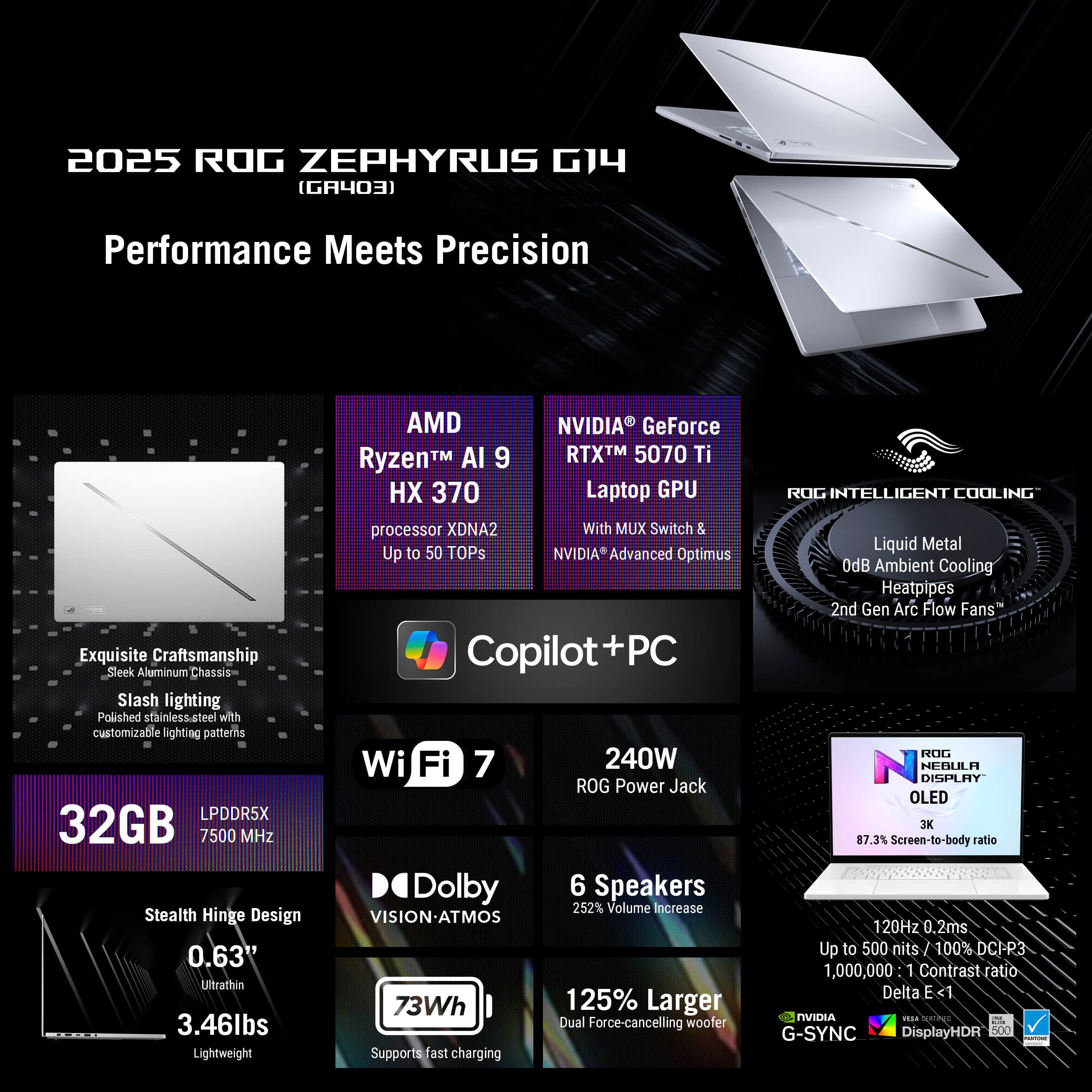
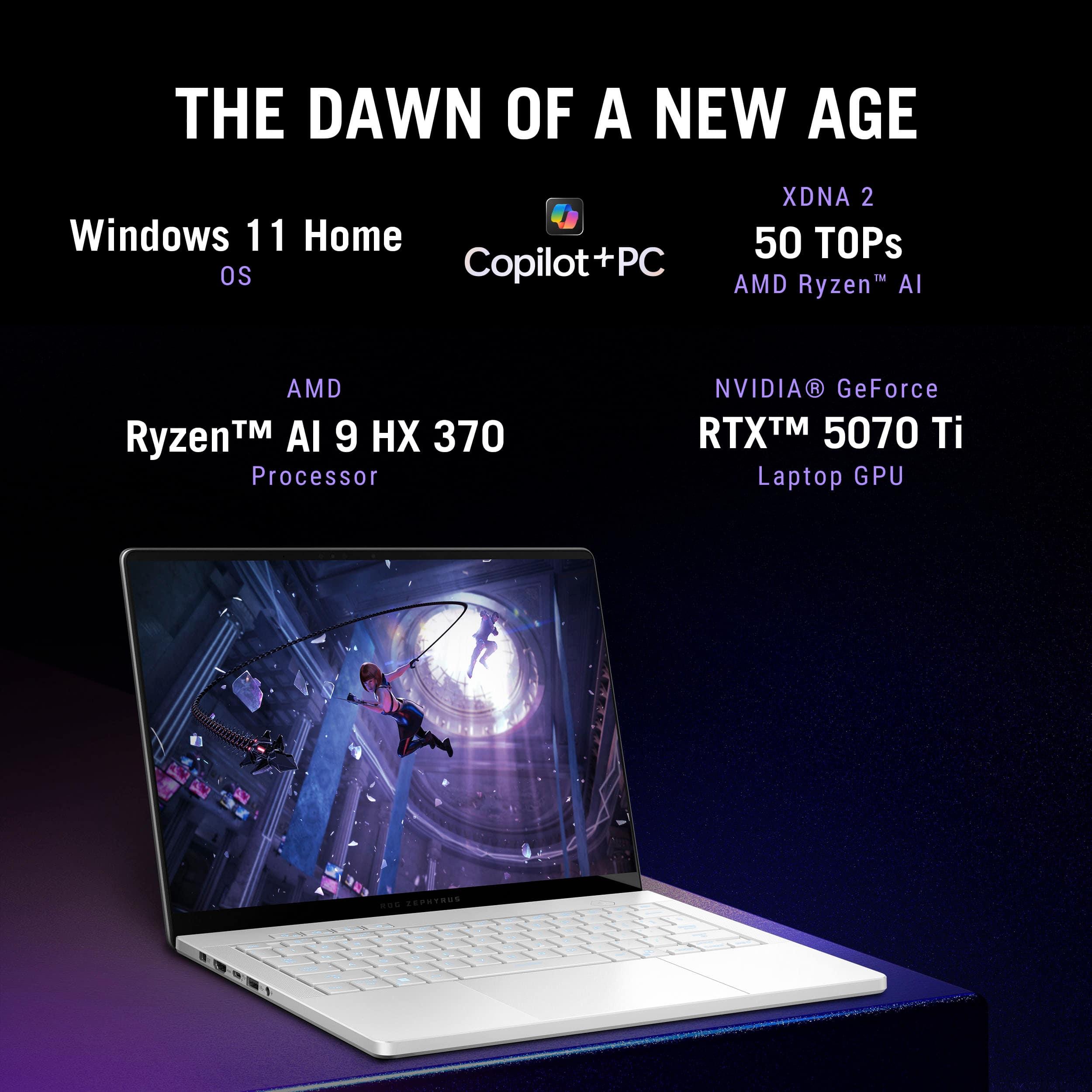
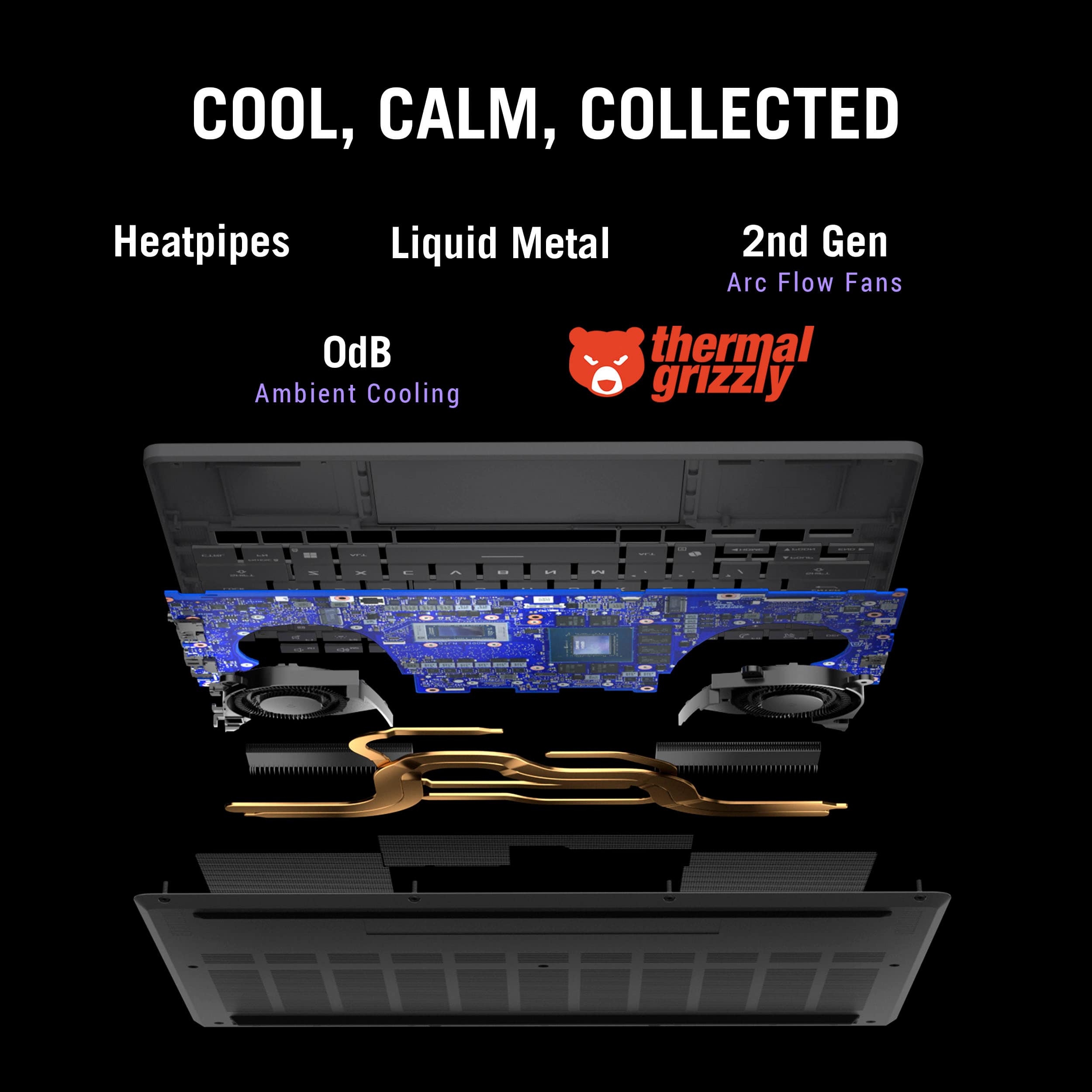
|Posted .This reviewer received promo considerations or sweepstakes entry for writing a review.If you like gaming on the go or need a smaller size laptop with desktop power the ASUS Zephyrus may be what youre looking for. With the Ryzen AI 9 running demanding games and design programs and normal everything in between has been seamless and fast. And with its RTX 5070 ti the graphics are stunning. Internal 1tb SSD and 31gb of ram give this little guy plenty of space for even some of the largest games. And makes it run smooth. RGB backlit key board adds some fun nighttime effects along with the slash lighting on the back of the monitor. These features are fully customizable as well. There is plenty of venting and fans packed in the sleak silver case, when the fan is in turbo mode it gets pretty loud. During long gaming sessions the computer gets pretty hot as well so having something to set it on is recommended. Overall for a small compact gaming computer this one checks all the boxes in my opinion. As an owner of multiple other ASUS gaming computers this one did not disappoint. I would definitely recommend this as a great on the go gaming computer. Only reason Im giving it a 4 star rating is, it gets hot while playing. Much hotter than other laptops I own. But other than the heat I love the Zephyus.
I would recommend this to a friend - Cons mentioned:Port count, Screen size
A Laptop That Is Worth Gaming On
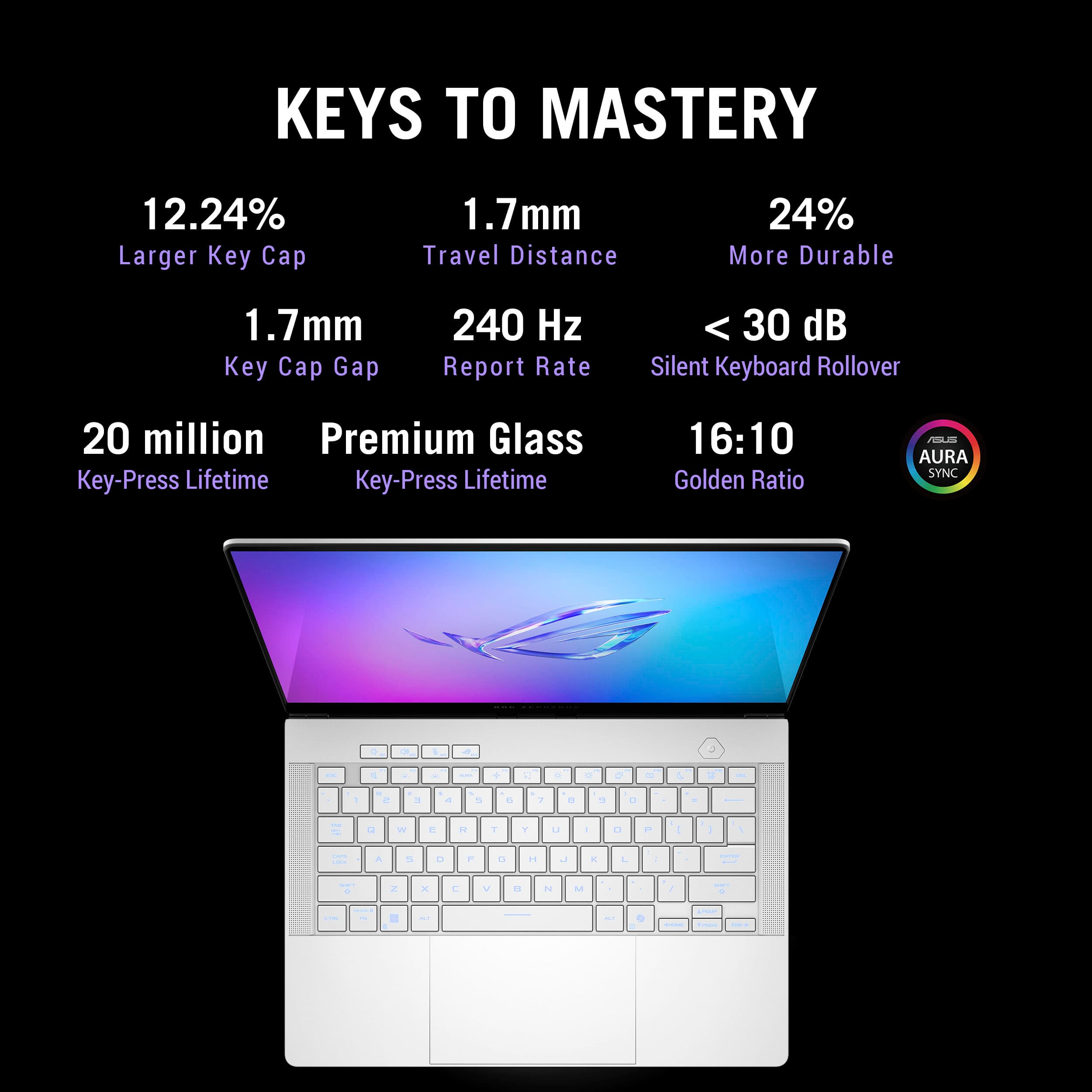
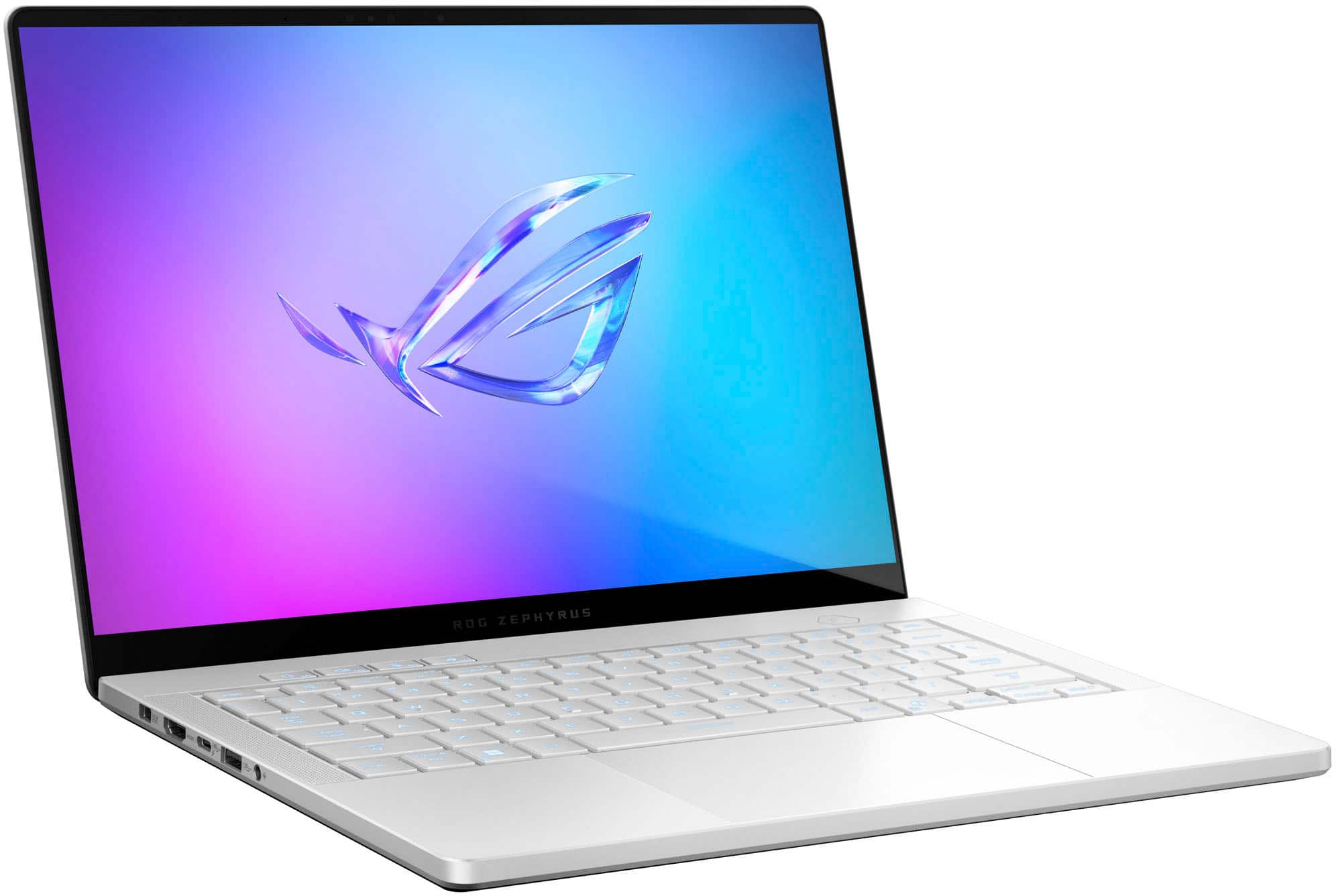
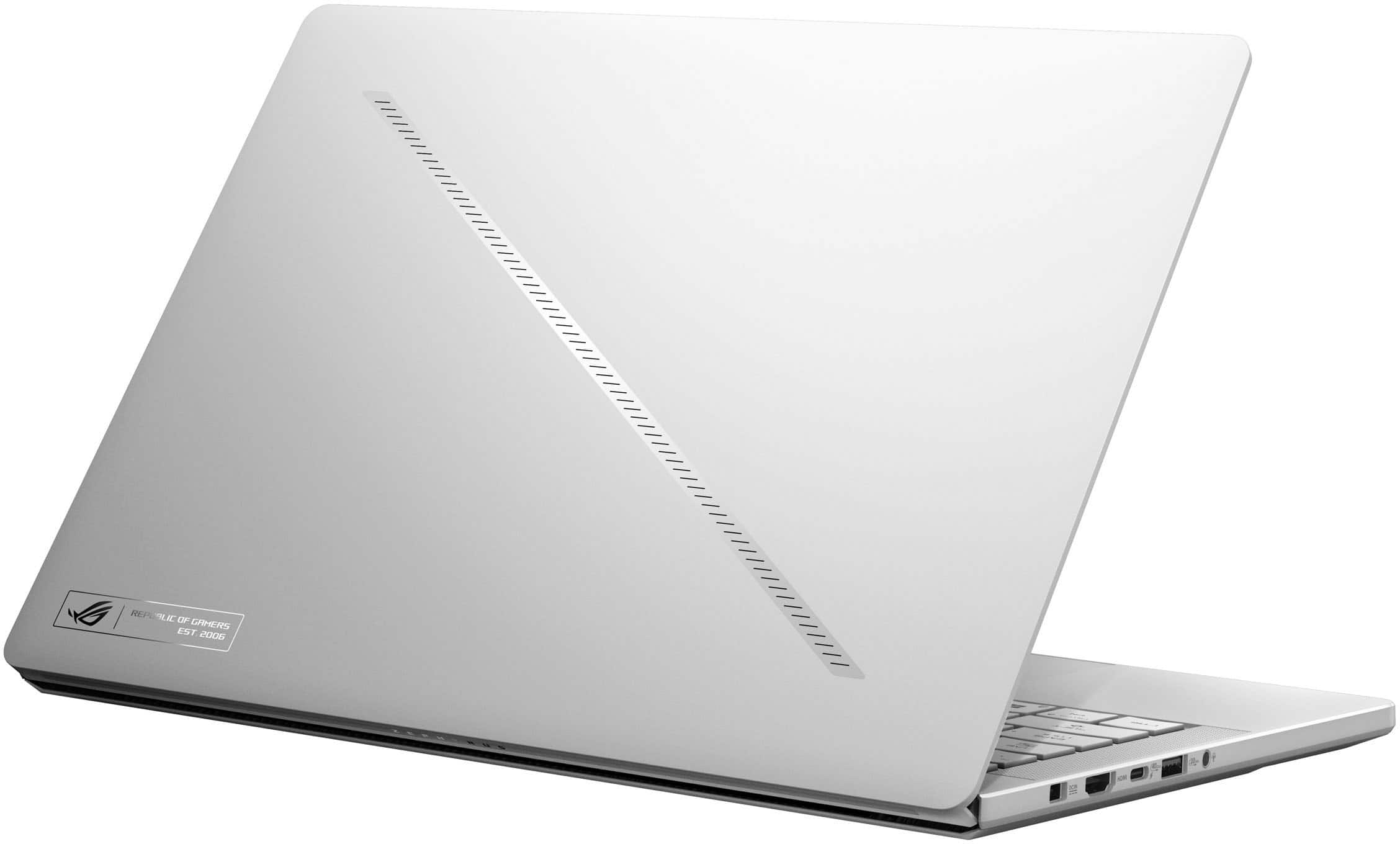
|Posted .This reviewer received promo considerations or sweepstakes entry for writing a review.There are some gaming laptops that allow you to have fun and play games such as CoD, FortNite, and others. And they work fine for that. You can rack up pretty good stats and will have fun. And then there are other gaming laptops which take it to a whole other level. The ASUS ROG Zephyrus G14 Gaming laptop takes it to a new level. From the time you take it out of the box, you know there is something special with this system. The aesthetics are remarkable. The outside has a sleek LED lit stripe going across the outside which has a bit of a cool factor. Then when you open it up and turn the system on, the mutli-color backlit keyboard comes to life, it just makes you want to turn it off and turn it on again to see the keyboard light up. This is the best-looking gaming computer I have had. Boot up with the computer is very fast. With a 1TB SSD, you have a fast, responsive drive with a decent amount of memory. You won’t be able to load every game you own if you have a big library, but you will be able to put a lot on here. So download what you want and get started. As my games were downloading, I did connect my peripherals. There is one HDMI port so you can add a monitor to your system. There are also 2 USB-A and 2 USB-C ports. This allowed me to connect to another keyboard and mouse. I also used one of the ports to connect a DS 5 to it (you can use BT for this if you prefer). The one glaring omission is there is no Ethernet port on this system. If you want to run wired (and I usually do), you will need an adapter which allows you to do this. That being said, for the purposes of trin out the system, I just ran Wi-Fi and had zero problems do this. So now down to game play. The ASUS ROG G14 runs amazingly with all the games I tried. I ran CoD, FortNite, and Rocket League with no difficulty. The 3K video at 120 FPS was silky smooth on the OLED screen. I was amazed how responsive the base keyboard was as well. There is no noticeable lag in the keyboard commands. With all of that though, the image is a little small on a 14-inch screen. I like playing on a bigger screen, but it is doable. Some people don’t mind playing these games on a Switch with a much smaller screen, so this may not be an issue for many. When hooked up to a 27-inch 4K monitor, all I can say is wow. This really brought out how nice the system was overall. The NVIDIA GeForce Graphics RTX 5070 Ti performed amazingly. In the end, I really love the ASUS – ROG Zephyrus G14 Gaming Laptop. While I would prefer to have a built-in Ethernet connection and bigger screen, the rest of the system more than makes up for it. From the beautiful aesthetics to the remarkable speakers to the smooth picture on a 3K, OLED screen, gameplay on the go is fun. You don’t have to miss out on the fun when on travel. And with this system weighing less than 3.5 pounds, it is easy to take with you. IF you are in the market for a gaming laptop, I highly recommend this one.
I would recommend this to a friend - Pros mentioned:Design, Overall performanceCons mentioned:Noise level
Massive Upgrade from Older Laptop
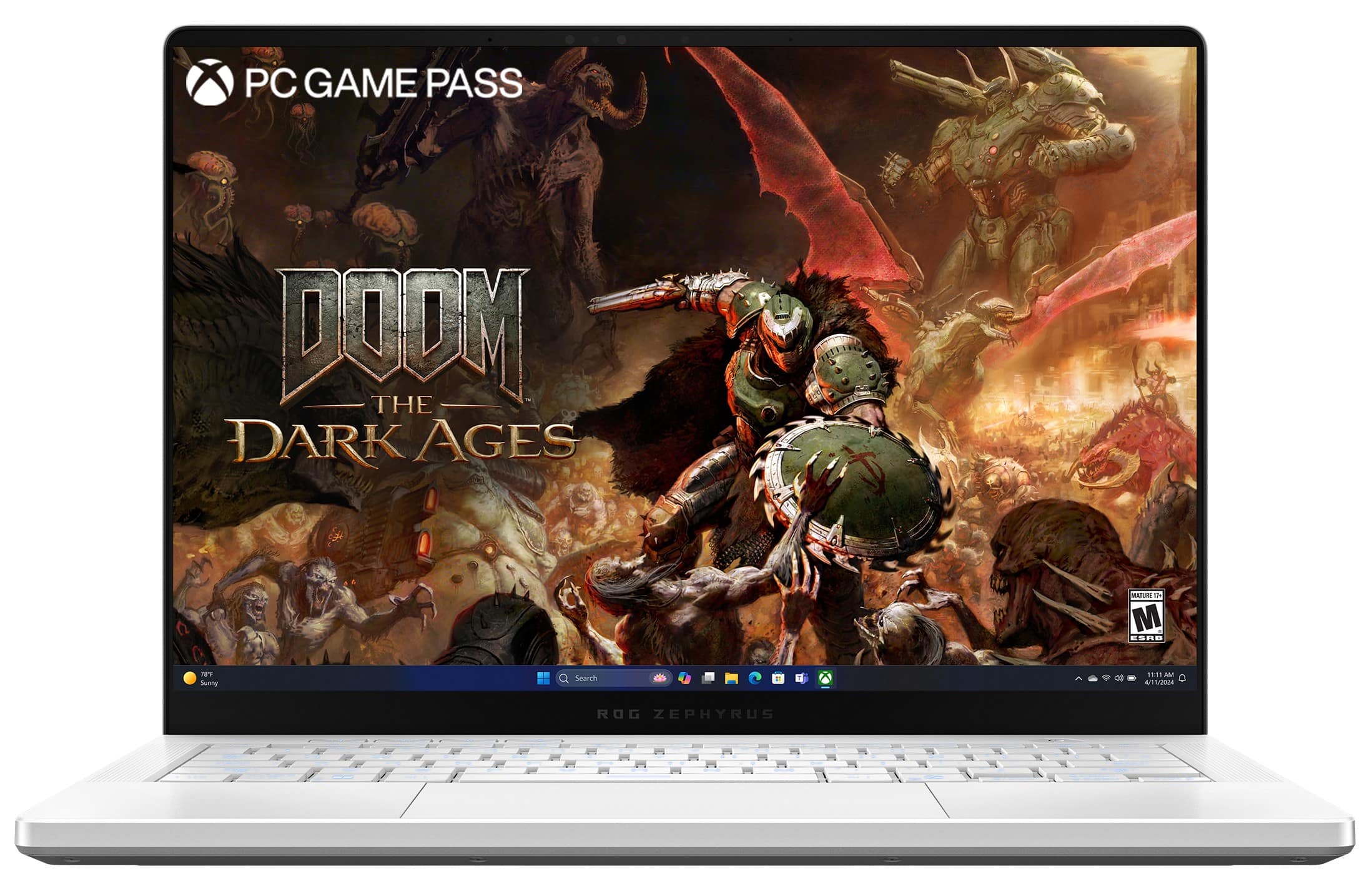
|Posted .This reviewer received promo considerations or sweepstakes entry for writing a review.Asus 2025 Review I’ve been a happy Asus ROG Zephyrus gamer for a bit. This thing has been able to play everything I’ve thrown at it on Steam. However, the upcoming release of Doom: The Dark Ages made me take a hard look at the specs of my 2021 version, and made the choice to upgrade to the 2025 option an easy choice. After some time with the 2025 version, and looking closely at the specs and gaming performance, it’s clear that the 2025 version is the better choice for me as a gamer. Before I get into the hardware, I have to talk about the physical design. This thing is beautiful. It doesn’t have the clunky, beefy feel of some gaming laptops. It feels like an ultrabook or something very high end. The trackpad feels like it’s made of glass and is super responsive. A big difference between the 2021 version I upgraded from to this is that the 2025 version also includes an integrated webcam. This means I can take advantage of Windows Hello and essentially use my face to authenticate. It’s not as fool proof as other versions of biometric authentication, it has a hard time recognizing me when I wear glasses or a hat, for example. But it’s still a welcome change to not have to get an extra webcam. Now, in terms of the guts between these machines, the 2021 model came equipped with a Ryzen 9 5900HS processor and a RTX 3060 GPU, which were, and still are, solid. No issues and no notes. But with titles now demanding more processing, and GPU power, it meant going from playing games at recommended settings to minimum here sooner rather than later. In contrast, the 2025 version is packed with beefier hardware in a more streamlined package. The Ryzen AI 9 HX 370 CPU and a RTX 5070 GPU offer a crazy leap in terms of what you can throw at the machine, easily handling games like Doom: Eternal, Final Fantasy 7 Rebirth, or Devil May Cry 5 at high or ultra settings with features like ray tracing fully enabled. But, the reason I was most looking forward to this new beauty was the screen! The new OLED display is a game-changer, both literally and figuratively. OLEDs are the best screen choice to deliver sharp contrast, true black, and wider colors. It’s sharper and supports HDR, although, I do usually tend to leave the Windows HDR setting off and then use the Armoury Crate app to tweak the display’s colors to my liking. While the jump from 16GB to 32GB of faster RAM was nice, I did read around the web that the RAM is soldered in, meaning you’re locked into the RAM you get at purchase. The 2021 version had both RAM and SSD upgradability in its favor. I haven’t opened this thing up to confirm, so do your own research here if RAM upgradability is a deal breaker for you. Speaking of the SSD, Asus upgraded to a PCIe 4.0 SSD, which means shorter load times and smoother gameplay. It’s also runs more efficiently and with better cooling, running quieter and cooler than the 2021 version. Now, that doesn’t mean this thing can run a modern AAA title at whisper quiet noise. When I switched it to Turbo mode in Armoury Crate, the fans were so loud that it sounded like the laptop was going to take off like a helicopter. Silent mode is just that, silent, and Performance mode had some audible white noise from the fans. But, if you’re going with Turbo, then you’re going to want headphones. In terms of IO ports, the 2025 version boasts: - 1 HDMI 2.1 output - 1 combo 3.5mm Headphone / microphone jack - MicroSD Card Reader - 2 USB A 3.2 ports - 1 USB C 3.2 port with DisplayPort, power - 1 USB C 4 port with DisplayPort, Power, and 40 GB data - 1 dedicated power port, supports 200W I should also say that when I plugged in a USB-C power cord connected to a brick that pumps out 100W, I get a warning on the screen that I’m using a “Slow Charger”, but I also like having only 1 cable to connect, and I have a hub that does everything over one cable. I also like the new AI features, including Windows Copilot, which open up new possibilities for background task management without tanking performance. I’m not extremely hip into letting the computer, or AI in general take the wheel, but the capabilities are nice to tinker around with. In terms of cars, it’d be like chasing a stick shift over an automatic transmission. Copilot’s cool and all, but it wasn’t a factor in me deciding to pick this thing up. It was all about the screen, the processing power, and the SSD. I love this machine - it hits all the right notes for me in terms of power, performance, design, and capabilities.
I would recommend this to a friend - Cons mentioned:Noise level
Issues with the right fan.
||Posted .This reviewer received promo considerations or sweepstakes entry for writing a review.Facing issues with the right fan making a weird crunchie sound all the time during low rpm. Inaceptable with such an expensive device.
No, I would not recommend this to a friendBrand response from ASUS Answers
Posted .Dear Mateo M,
Thank you for bringing this to our attention regarding your ASUS GA403WR Laptop. We sincerely apologize for the inconvenience caused by the unusual noise from the right fan, especially on a premium device where quiet and reliable performance is expected.
To help resolve this issue, we recommend reviewing the steps in our troubleshooting guide linked below. If the issue continues, please contact our support team at https://www.asus.com/us/support/CallUs so we can assist you further or arrange repair service if necessary.
We stand behind our products and continuously strive to improve our products and processes to achieve customer service excellence. For more information, email us at customerloyalty@asus.com and include the case number " N2506022409-0004" as a reference. We will do our best to resolve your case quickly. Your feedback is very important to us and enables us to improve our support channels. Thank you for choosing ASUS.
Best Regards,
Chantae
ASUS Customer Loyalty US Support
[Windows 11/10] Troubleshooting - Overheating and Fan issues - https://www.asus.com/support/faq/1015064/