Customer Ratings & Reviews

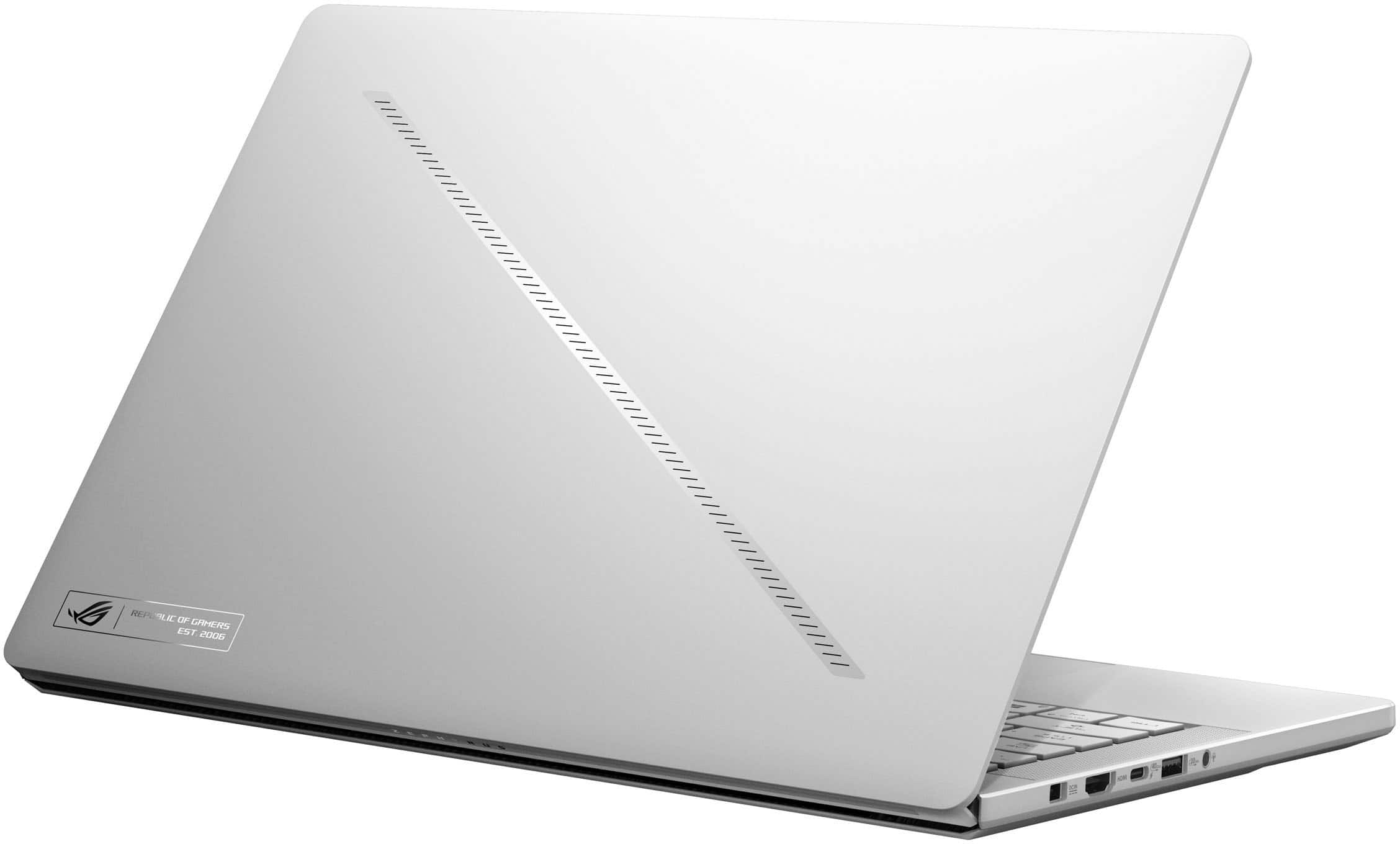




















- Model:
- GA403WR-G14.R95070TI
- SKU:
- 6613954
Rating by feature
- Battery Life
Rating 4.1 out of 5 stars
- Speed
Rating 4.8 out of 5 stars
- Display
Rating 4.8 out of 5 stars
Customers are saying
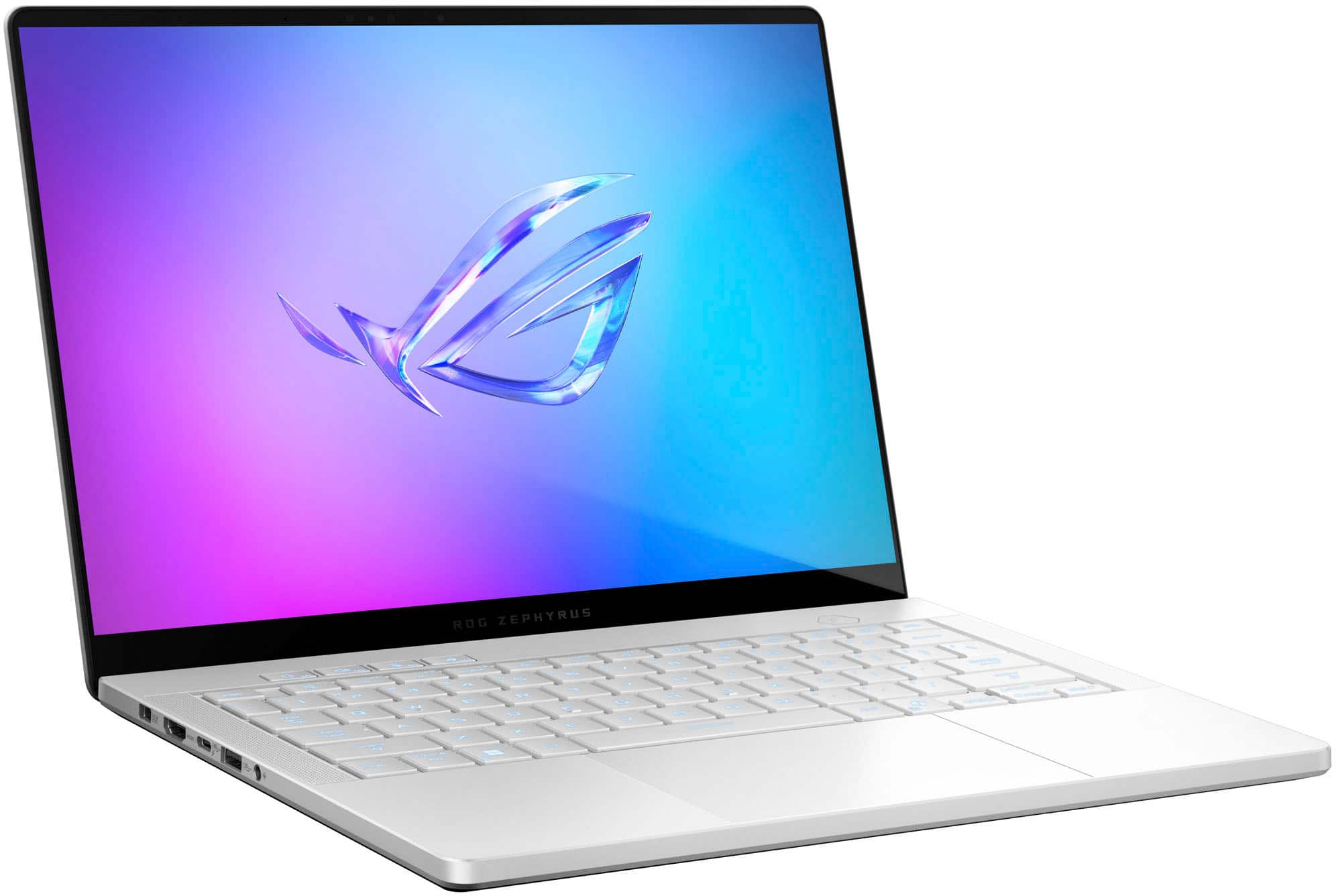
Customers love the ROG Zephyrus G14 for its phenomenal build quality and portability. Many are impressed with the battery life, gaming performance, processor speed, and OLED screen quality. However, some customers have expressed concerns about fan noise and heat dissipation. A few customers mentioned the screen size may be too small and the port count is limited.
This summary was generated by AI based on customer reviews.
- Pros mentioned:PortabilityCons mentioned:Heat dissipation
Almost Perfect
||Posted .This reviewer received promo considerations or sweepstakes entry for writing a review.Great performance for such a small package. I returned this laptop because the bottom of the chassis was not level and it wobbled when it was on flat, hard surfaces. Best Buy was great about honoring their warranty and replaced it right away. The replacement has the same defect, but not near as pronounced and the give in the rubber feet takes up the slack enough that it doesn't wobble. Still a little ridiculous for such an awesome machine to not be flat on the bottom. The issue doesn't seem all that rare- there are several reports online of others having the same problem. Performance-wise, the laptop is a dream once all of the bloatware is cleaned out of it- Eldenring ran like a top with the settings maxed out. The fans were working hard, but the temps never broke 89C. Two brief stutters in over 3 hours of playing- maybe 0.25 seconds- brief. The display is beautiful, and the keys are downright pleasant to type on. The track pad is enormous and behaves predictably. The speakers are incredible for their size. Yes, it can get hot sitting on your lap if it's really working hard.
I would recommend this to a friend - Pros mentioned:Overall performanceCons mentioned:Heat dissipation, Noise level
Powerhouse
||Posted .This reviewer received promo considerations or sweepstakes entry for writing a review.Extremely powerfull machine, it does get loud and hot on some games but runs very smoothly. Would recommend getting a cooling pad that lifts it up for more air return.
I would recommend this to a friend - Pros mentioned:Battery lifeCons mentioned:Noise level
Portable high performance laptop
||Posted .This reviewer received promo considerations or sweepstakes entry for writing a review.Handles every game at medium to high settings. Weird fan noise but apart from that it’s all good. Maybe the g16 will have better cooling than this. Surprisingly good battery life.
I would recommend this to a friend Powerful and Slick
||Posted . Owned for 3 weeks when reviewed.This reviewer received promo considerations or sweepstakes entry for writing a review.I've only been using the laptop for a week, and I put Garuda Linux on it after redeeming all the included Steam Games, but so far, this is the best laptop I've owned. Great build quality, great screen, pretty good keyboard layout (even though the FN key is not in the far corner like I expect from years on Macs and Thinkpads), and smooth trackpad. Using a pretty standard ROG Control Center app, you can control all of the features (slash lighting, keyboard RGB, fan curves), and it can be as quiet or noisy as you let it. My only hiccup so far, and the only reason it doesn't rate better (and it may be something fixable with software) is that switching between dedicated and integrated graphics outside of the auto "Hybrid" mode requires a full restart. And when the dGPU is running, there is basically no battery life. If left in Hybrid mode, lots of things (e.g. starting a GPU-accelerated browser, the inital opening of some large documents, downloads of games) seem to trigger the switch to the dGPU, which drains the battery faster, and nearly unexpectedly. But it can charge via the USB-C port, so it's easy to top it up while on the move.
I would recommend this to a friend- Cons mentioned:Heat dissipation
Good but just shy of amazing
||Posted .This reviewer received promo considerations or sweepstakes entry for writing a review.I'm sorry but 16gb just isn't enough anymore. It the box it was using 65-70% of its ram just idling. See the Pic It also gets hot. I traded it in for the higher tier that has better cooling and double the ram. I was impressed by how well it games but again way too hot... if you want something that will still be good in a couple years i recommend the 32gb vapor chamber cooling models
No, I would not recommend this to a friend - Pros mentioned:Oled quality, Overall performance, PortabilityCons mentioned:Heat dissipation, Noise level, Storage capacity

Asus Brings the Performance and the Heat
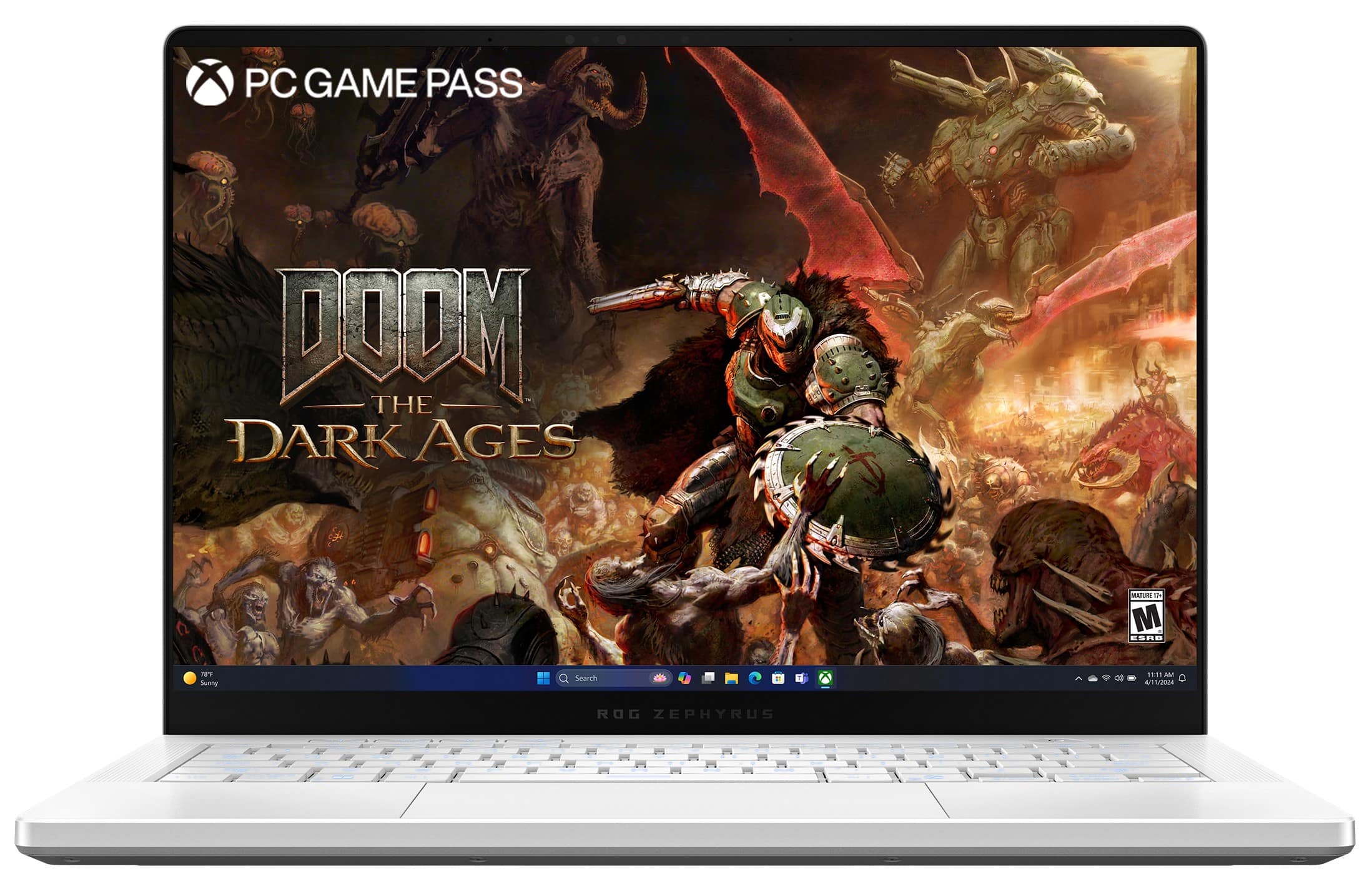
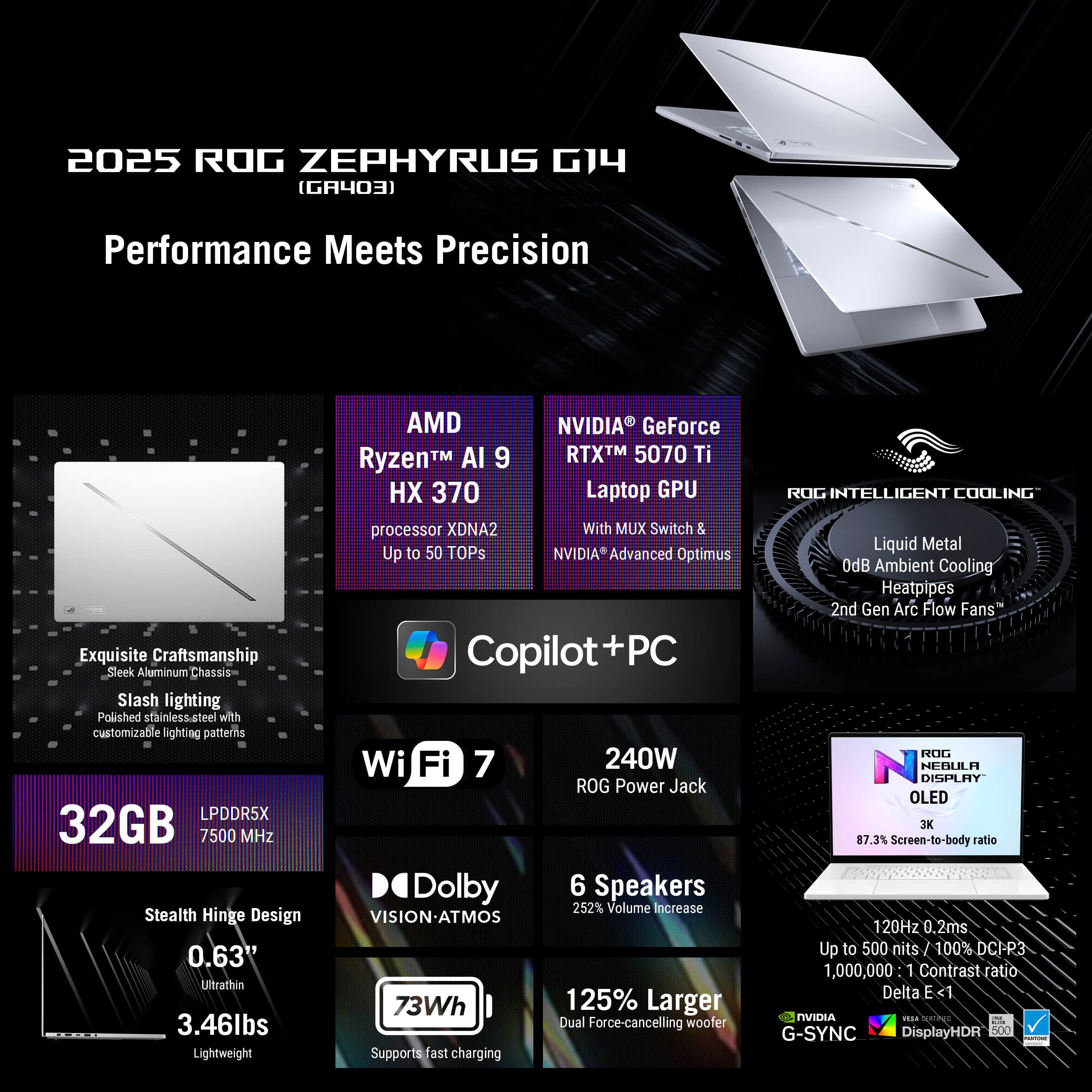
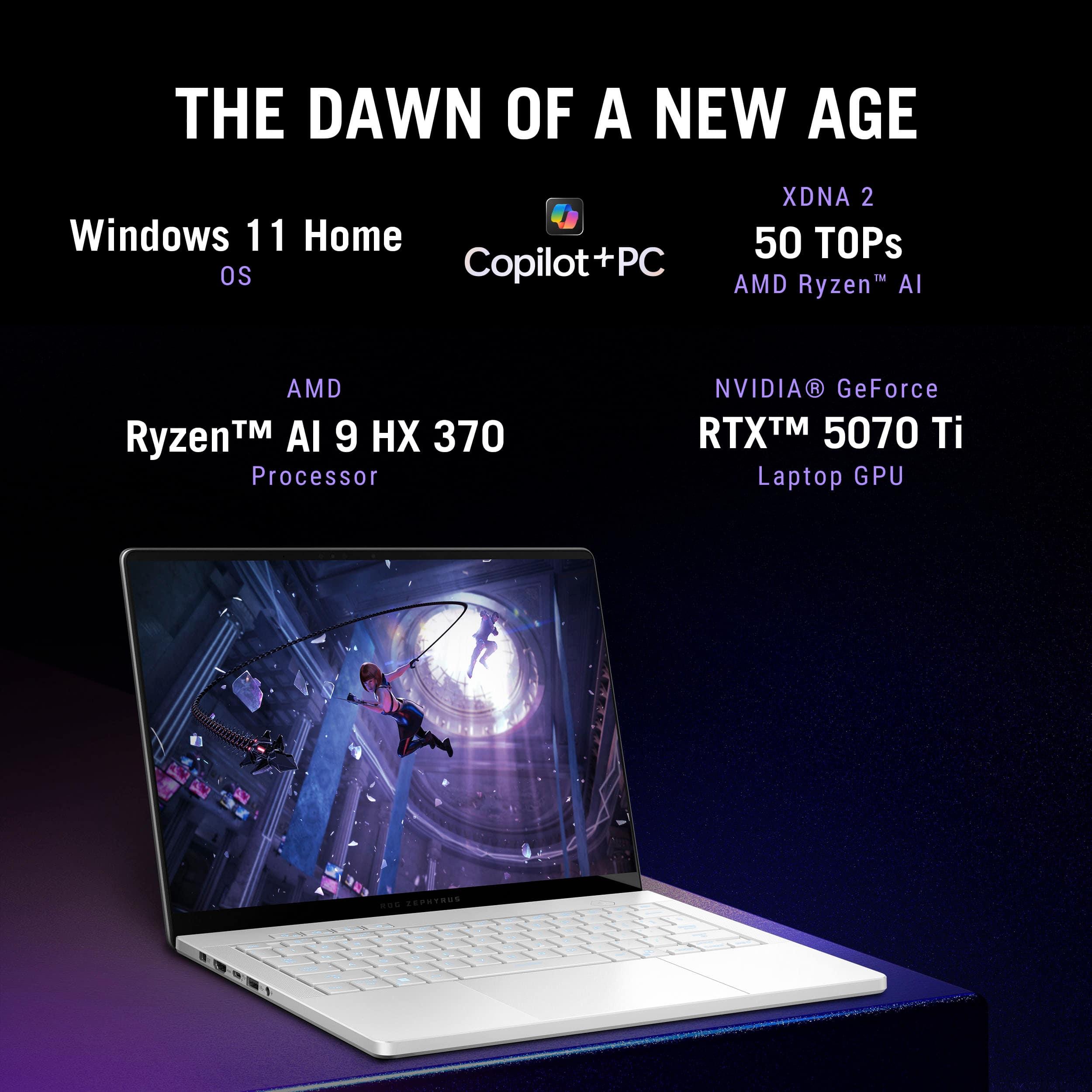
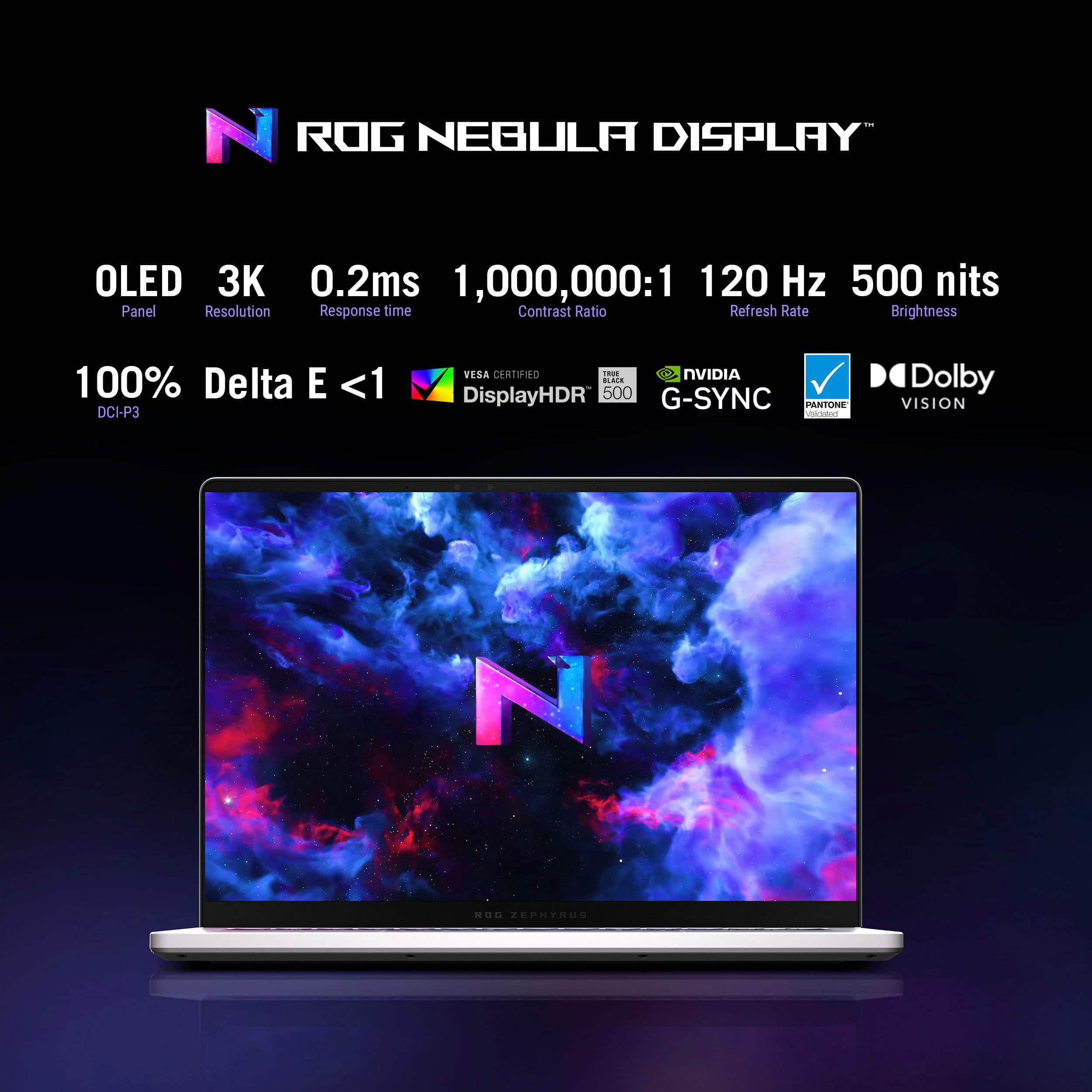
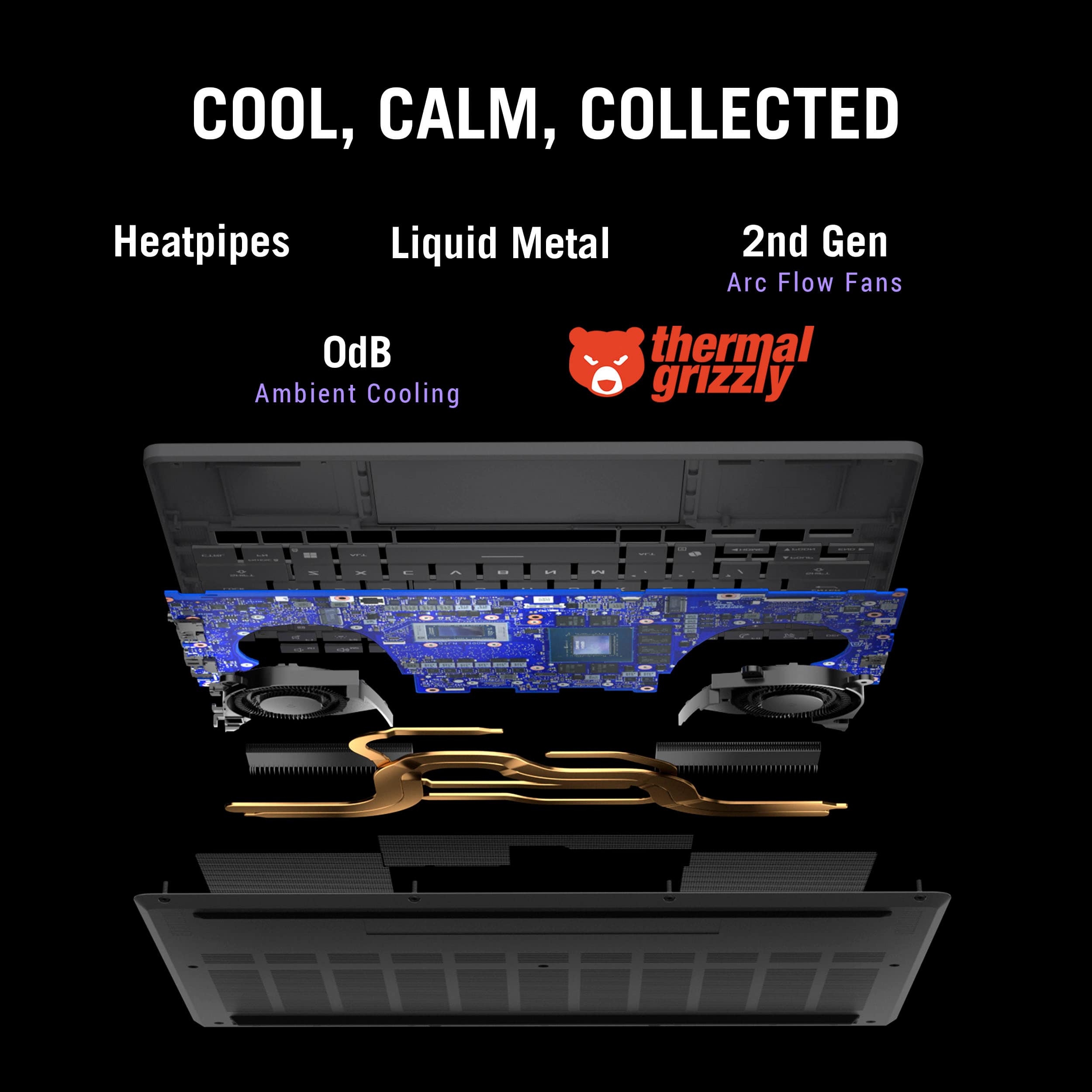
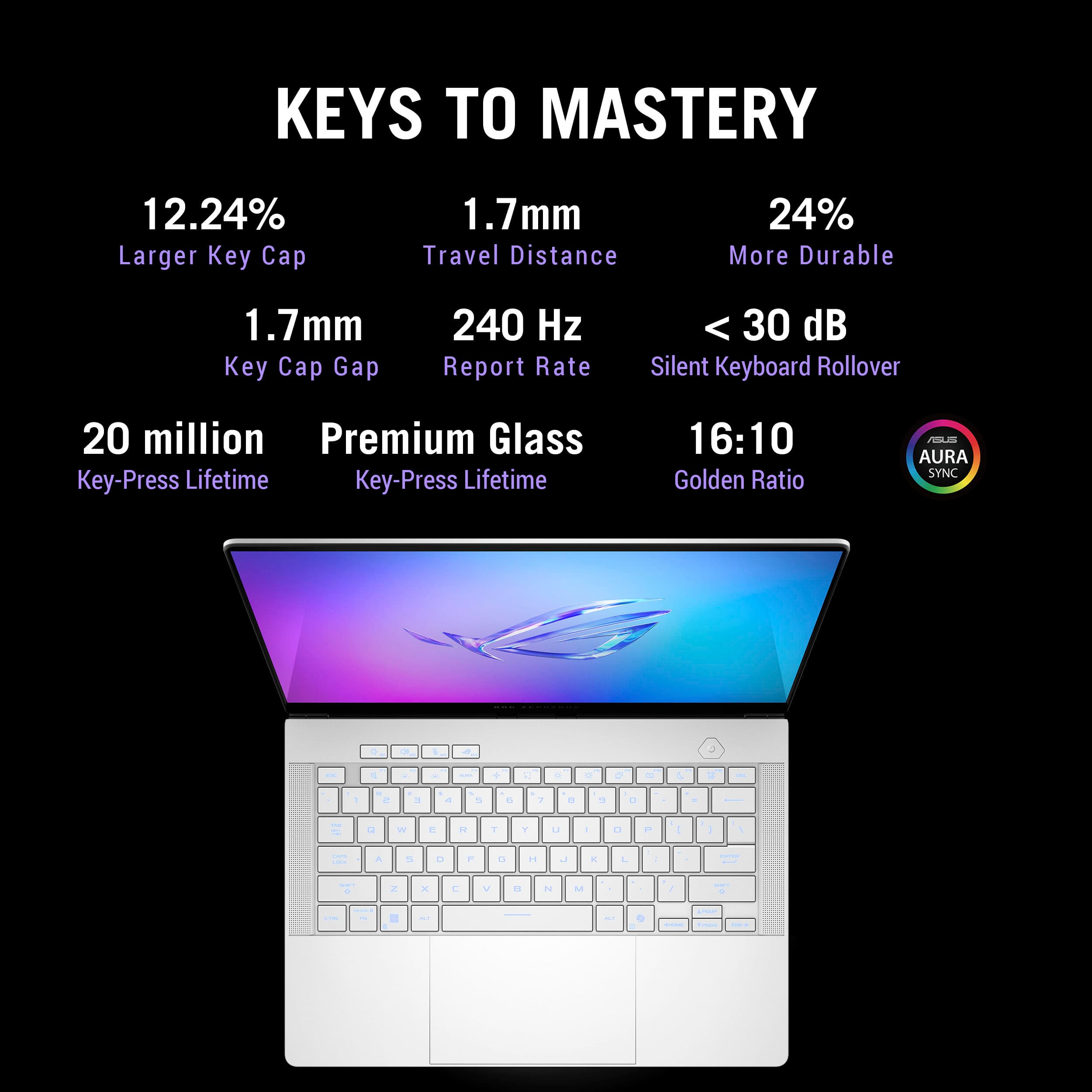
|Posted .This reviewer received promo considerations or sweepstakes entry for writing a review.ASUS ROG Zephyrus G14 (GA403WR‑G14.R95070TI) Review "Asus Brings the Performance and the Heat" ASUS’ 14‑inch Zephyrus G14 line has long been regarded as a benchmark for portable desktop power. The 2024 GA403WR variant tested (SKU GA403WR‑G14.R95070TI, available at Best Buy) pairs AMD’s new Ryzen AI 9 HX processor with an RTX 5070 Ti Laptop GPU and tops it off with a 14‑inch 120 Hz OLED panel. In my hands‑on testing, I found a machine that absolutely flies, so long as its thermals are kept in check. Specifications: • CPU: AMD Ryzen AI 9 HX (Strix Point, 12 cores / 24 threads, up to 5.1 GHz, integrated NPU) • Integrated GPU: Radeon 890M (RDNA 3, 16 CUs) • Discrete GPU: NVIDIA GeForce RTX 5070 Ti Laptop GPU (12 GB GDDR6, 90–105 W TGP) • Memory: 32 GB LPDDR5X‑6400 (soldered, dual‑channel) • Storage: 1 TB PCIe 4.0 NVMe SSD (M.2 2280, user‑replaceable) • Display: 14‑inch 2880 × 1800 OLED, 120 Hz, 16:10, Pantone‑validated, Gorilla Glass with AR coating • I/O Ports: – 2 × USB‑A 3.2 Gen 2 (10 Gbps) – 1 × USB‑C 3.2 Gen 2 (DP 1.4, 100 W PD) – 1 × USB‑C 4 (40 Gbps, DP 1.4, 100 W PD) – 1 × HDMI 2.1 (4K120 / 8K60) – 3.5 mm combo audio jack – micro‑SD (UHS‑II, up to 312 MB/s) • Charging: 240 W proprietary barrel charger included; supports up to 100 W USB‑C PD input • Wireless: Wi‑Fi 7 (802.11be 2 × 2) + Bluetooth 5.4 • Battery: 73 Wh 4‑cell Li‑ion Design and Build: At 3.5 lb and clad in magnesium alloy, the G14 feels rock solid yet backpack friendly. A beveled front edge keeps the palm rest comfortable while the firm hinge allows almost effortless one‑hand opening. Under the lid, the glossy OLED panel is surprisingly resistant to reflections thanks to a subtle anti‑reflection coating. Its rich colors, true blacks, and punchy contrast are every bit as impressive as reviewers across the web have claimed, making games and HDR video look outstanding. Inputs and Audio: Typing is classic Zephyrus: shallow but crisp keys with single‑zone RGB. The edge‑to‑edge glass touchpad is large, silky smooth, and flawlessly responsive. Side‑firing speakers deliver shockingly full‑bodied sound until heavy loads force the cooling system to drown them out. Performance: Out of the box (Windows 11 with Armoury Crate set to Ultimate for dGPU only) the RTX 5070 Ti flexes real muscle. 3DMark results: • Time Spy: 13 702 (86 FPS) – Legendary • Time Spy Extreme: 7 339 (49 FPS) – Legendary • Speed Way: 3 957 (40 FPS) – Legendary • Steel Nomad (DX12): 3 468 (35 FPS) – Excellent • Fire Strike Ultra: 9 669 (60 FPS) – Legendary • Port Royal: 10 008 (46 FPS) – Legendary In real‑world play Overwatch 2 at 1440p Ultra holds at the 120 FPS limit of the screen. Thermals and Acoustics: Fast hardware creates serious heat. Surface temperatures reached 94 °F (34 °C) on the palm rests during web work, 109–111 °F (43 °C) around the WASD area while gaming, and 119 °F (48 °C) at the rear exhaust after consecutive benchmark loops. Fans peak around 50 dBA during heavy loads, which noticeably muffles the otherwise impressive speakers. In warm rooms sustained loads will throttle clocks unless you elevate the rear, add a cooling pad, or reduce settings. Software Experience: ASUS ships a refreshingly clean Windows image. Boot to desktop takes about 15 seconds with 167 GB already used. Automatic GPU switching introduced one‑ to two‑second freezes and a single BSOD while starting Time Spy Extreme. Setting Armoury Crate to Ultimate (dGPU only) before gaming removes the hiccups, though changing modes requires a full reboot. Webcam, Ports, and Storage: The 720p webcam is serviceable for calls and includes an IR sensor that enables fast Windows Hello log‑ins, but image quality trails newer 1080p options. Port selection is solid with USB‑C 4, HDMI 2.1, and micro‑SD, yet the single 1 TB SSD fills quickly. Power users should plan on a larger NVMe drive or a fast USB‑C 4 enclosure. Advice for New Owners: •Lock the GPU to dGPU‑only mode in Armoury Crate (System > GPU Mode > Ultimate) before launching demanding games or benchmarks. This eliminates the freezes and the BSOD observed when the system auto‑switched graphics. Changing this setting forces a reboot. • Reboot each time you adjust Armoury Crate power or fan profiles. Many options do not apply until after a restart. • Elevate the rear edge or use a cooling pad. Better airflow dropped surface temps by several degrees and kept clocks from throttling in long sessions. • Game on an external keyboard and mouse. Deck temperatures can exceed 110 °F under sustained GPU load, making the built‑in keys uncomfortable. • Keep the system in an air‑conditioned space. High ambient temperatures quickly push the chassis into the thermal limit. • Update NVIDIA drivers directly (no login required) for the best performance and bug fixes. • Budget for storage expansion. A fast USB‑C 4 or Thunderbolt NVMe enclosure can double as an external Steam or Epic library with only a minor load‑time penalty versus the internal drive. Verdict: After several days with the GA403WR, I see it as a pint‑sized powerhouse that lives up to the Zephyrus reputation, provided you keep it cool. On a desk with AC and external peripherals it rivals bulkier sixteen‑inch rigs, but on your lap in summer it quickly becomes uncomfortable. During my years of constant travel I longed for a laptop I could slip into a carry‑on, connect to a hotel TV over HDMI 2.1, and enjoy full PC gaming at night. This G14 finally fits that role. It remains efficient on integrated graphics for flights and cafés, then unleashes the RTX 5070 Ti once plugged in. Buy if: • You want desktop‑class RTX 5070 Ti performance in a portable form factor. • A vibrant 120 Hz OLED panel is essential. • You game on AC power with external keyboard, mouse, and added ventilation. Skip if: • Fan noise and hot surfaces are deal breakers. • You need an excellent webcam for frequent video calls. • Your game library easily exceeds 1 TB of storage.
I would recommend this to a friend - Pros mentioned:Overall performanceCons mentioned:Heat dissipation, Noise level
Impossible to ask more from a 14" gaming laptop, w
|Posted .This reviewer received promo considerations or sweepstakes entry for writing a review.This little ASUS - ROG Zephyrus G14 powerhouse is a wonderful addition to my gaming options. I also own an ASUS GT15CF-I73080VR Gaming Desktop with an Nvidia RTX 3080. I’ve been very impressed and happy with Asus products so I jumped at this opportunity. The G14 sports a NVIDIA GeForce RTX 5070 Ti with 12gb of GDDR7 VRAM, and WOW does it deliver. I only get a few hours per week to game with life getting in the way. I’ve strictly been using this laptop to game for the last week. It’s been great and it’s handled everything I’ve thrown at it. For whatever reason, I’ve been stuck playing Cuphead again. Just kidding, I know the reasons, it’s such a beautiful well-made game for one, and it’s still a great challenge even after beating it previously. The 14” 16:10 OLED display just pops, especially with Cuphead. The colors are so extremely vivid, I’ve never experienced anything like it. The speakers are so loud, I almost forgot to test them as I was use my headphones for the majority of my gaming. Asus knocked this one out of the park as well, as it’s considerably clearer than my desktop speakers. Outside construction is very sturdy and the laptop itself is slim, lightweight, and feels great all-around. From my count there is 1- HDMI port, 1- USB-C port, 2 total USB-A , audio jack input, 1- USB-C Gen 2, micro SD reader. The power input is something I’ve never seen before, it’s a square port/plug-in that reminds me of Apples lightning connection. The plug is both female and male, likewise with the port on the laptop. The port on the laptop is female with an internal male connection. I would put money on this being proprietary to Asus, unless I’m just behind the times? I like the function / shortcut keys and the fact there are so many available options at the touch of a button. That said, literally as I type this review, I pressed the function key + F5 to change the operating mode, and the PC froze up. This is the second time now this laptop has frozen and it’s very concerning since it’s only a week old. The first time it froze when I was initially setting up the laptop. The keyboard strokes are very pleasant and quiet. Trackpad is well made and responsive.During gameplay, and also when I was bench testing, the very top material above the keyboard is getting extremely hot. The middle of the keyboard itself also seems to generate quite a bit of heat. I like face recognition, as it opens up the laptop without a password. That said, I don’t like the fact that you cannot physically close the camera. Paranoid, maybe, even still, I want the option to physically close off the camera. Trivial and by no means not even close to a deal breaker. This is a Copilot+ PC, I’ve been having a lot of fun using the Paint app with Copilot. The AI-based image generation is insane, and I cannot wait to see what this will bring in the future as AI continues to get better. My family is getting annoyed with me showing them the images I’ve been generating with this. For testing I was also playing Days Gone. Switching the Operating mode to Turbo is where this little beast really started working hard. At one point the CPU temps were into the high 80 degrees Celsius. The fans started kicking in and having a hard time keeping things at bay. The decibels were coming around 40-45 dBA. But honestly if you’re going to run a laptop like this for gaming, you should have a fan cooled laptop pad or stand. At the very least get it up and off a flat surface. The vents cover 2/3 of the bottom of the laptop. I can’t say enough good things about this laptop, sturdy, state of the art, powerful to handle anything you can dish out at it, and just a joy to use. Rating for this is a 4.5 due to the crashing issues I’ve experienced personally, otherwise it would be a solid 5/5.
I would recommend this to a friend - Pros mentioned:Oled quality, PortabilityCons mentioned:Heat dissipation
Great compact gaming laptop
||Posted .This reviewer received promo considerations or sweepstakes entry for writing a review.I chose this laptop because I wanted a powerhouse gaming laptop that was smaller, lighter, and easier to travel with after having a 16" Lenovo Legion for over 5 years. The weight and size are perfect for what I was looking for. The power adapter is a decent weight, but nothing unexpected. The OLED is very crisp, with multiple lighting styles to suit different needs. I love the feel of typing on the keyboard and while the trackpad is reasonably large, it never gets in the way while typing. Gaming is smooth and visual-intensive games (Witcher III, Skyrim) look great on this screen with no noticeable issues on gameplay so far. This laptop does everything that is promised, but there are a few things buyers should be aware of: - The laptop gets warm-hot to the touch if sitting flat on a desk or lap. A stand/riser ($15-20) is a necessity and it runs smoother when performing heavy tasks if tweaks to the fan profiles are made in the ArmoryCrate (for gaming, video editing, etc). - A graphics driver update is not performed as part of the initial setup, but I would highly recommend performing one ASAP. There are known issues with ASUS computers that the graphics driver update should (more often than not) resolve. - Battery life is decent--using silent mode--when working on daily tasks (internet browsing, Microsoft 365 products, streaming). I've typically gotten ~3-4 hrs before it hits 40%. - For the platinum white color, the backlit color of the keyboard can be hard to see in bright light. Overall, it's a great purchase, but for the few reasons given above, it's not perfect. That said, the amount of power they've crammed in this frame is astounding and it's still the best for its size/weight/style.
I would recommend this to a friend - Pros mentioned:Oled quality, Overall performance, Portability
Powerful and Portable, Nearly Perfect
||Posted . Owned for 1 week when reviewed.This reviewer received promo considerations or sweepstakes entry for writing a review.The ASUS ROG Zephyrus G14 (RTX 5070 Ti, 32GB RAM) is honestly an amazing laptop. Its biggest strengths are portability and battery life. For a gaming machine, it’s surprisingly light and easy to carry around, which makes it perfect for both work and travel. It also doesn’t scream “gaming laptop,” which I really appreciate. The clean Platinum White design looks sleek and professional. Performance-wise, it handles everything I throw at it. I use it for work during the day and gaming at night, and it has no problem running AAA titles smoothly. The 3K OLED display is beautiful, with vibrant colors and sharp visuals, making both games and everyday tasks look great. My only issue, and the reason I’m giving it 4 stars instead of 5, is the keyboard backlight. The lighting is uneven across the keyboard, and when set to white, it appears more light green than true white. It’s not a dealbreaker, but it is noticeable and a bit disappointing on a premium device. Aside from that, this laptop would easily be a 5-star machine. If ASUS fixes the keyboard backlight consistency, it would be nearly perfect.
I would recommend this to a friend - Pros mentioned:Oled quality, PortabilityCons mentioned:Port count
Great beginner laptop
||Posted . Owned for 2 weeks when reviewed.This reviewer received promo considerations or sweepstakes entry for writing a review.Great gaming laptop I am a beginner gamer and well this particular laptop is a bit on the pricey side. It is perfect for everything that a gamer would need as I’ve learned with many other gaming laptops. This one does get pretty hot pretty quickly, but the fans on there work really well. I would definitely recommend this laptop. 10 out of 10 my only flaw would be. It’s probably missing one USB a port, but that’s my personal problem that I have with it but an easy workaround would be to purchase a dock separately for my overall great little laptop, convenient portable OLED great. Oh and if you can find it on sale, try to the original retail is about $2400. I ain’t got it on sale at Best Buy for 1800 and I have seen them as low as 1600 went on sale.
I would recommend this to a friend - Pros mentioned:Overall performance, PortabilityCons mentioned:Noise level, Storage capacity
Better than Razer in every aspect.
||Posted .This reviewer received promo considerations or sweepstakes entry for writing a review.The definition of a portable desktop system, great aesthetics, great performance. Only downside is that it sounds like a jet engine if you want to keep it cool. Would've been better if it came with 2TB instead of 1TB of storage.
I would recommend this to a friend - Pros mentioned:PortabilityCons mentioned:Heat dissipation, Noise level
Good laptop for portability and versatility
||Posted . Owned for 1 month when reviewed.This reviewer received promo considerations or sweepstakes entry for writing a review.Very powerful portable gaming laptop. If you are looking to use it strictly for gaming I would go with the 16in version as 14 is a bit small however if you are a student and use it for school as well this is your go to. Out of the box it runs very hot and very loud. I recommend getting ghelper and setting gpu and cpu temperature limits as well as turning off cpu boost and when using it in public id set the cpu power limit down also. Gaming wise very powerful especially when you dont have power limits on. I get about 60-70 fps in arc raiders but it could go higher, only downside is that it gets very got and the fans get very loud. Cpu can get to high 90s without limits. I can usually get through a regular school day off the battery alone but I bring a charger just in case.
I would recommend this to a friend - Pros mentioned:Overall performance, PortabilityCons mentioned:Noise level
Works Great with CachyOS
||Posted . Owned for 2 weeks when reviewed.This reviewer received promo considerations or sweepstakes entry for writing a review.First thing I did when I got this home was put CachyOS on it so have no idea what the windows experience is on it but so far everything works great on Linux, All the lighting and everything works and can be adjusted as well. Haven't had any real issue with it but share the common sentiment that this thing is LOUD while playing anything. Only time will tell how it stands up over use but so far I have been enjoying it and been using it between work and play. I look at this as a luxury purchase as for the money you can get some more bang for the buck in other laptops but I really liked the size here for travelling and got tired of using a 18" that this is replacing. I also had that other machine for 5 years and that one is falling apart at the hinges. I hope the materials here last longer and through airports and hotels.
I would recommend this to a friend - Pros mentioned:Battery life, Overall performance
Great laptop when plugged in using an AC adapter!
||Posted .This reviewer received promo considerations or sweepstakes entry for writing a review.This laptop is definitely a beast when it comes to gaming. It definitely deserves the praise it's currently getting from the various YouTube influencers. When on battery and running in ECO mode, it's also very efficient. When I bought it, it was my intention to use it as a replacement for my 2023 Asus Strix Scar 16 with a 4080. Performance-wise, it was not that much different. Where it differed was in its overall weight and size. Significantly smaller and half the weight of my Scar 16, it felt like a good match. However, my new requirement was also to have something that could run off of a USB-C charger in a low-power mode when using on an international flight while plugged into a 100W power outlet. Unfortunately, testing using HWiNFO revealed that the laptop does not support PD Bypass; the USB-C charger charges the battery at the same time the laptop is being powered by the battery. This is regardless of whether Asus Battery Care is enabled or disabled as well as whether the battery is 100% charged (a trick mentioned on some Reddit forums). The end result is significant wear on the battery in this use case, potentially shortening the battery's overall life. In the end, as it didn't suit this use case, I opted to keep the Scar 16 and ended up returning the G14.
I would recommend this to a friend - Pros mentioned:Oled qualityCons mentioned:Heat dissipation, Noise level
Amazing little hot machine.
||Posted .This reviewer received promo considerations or sweepstakes entry for writing a review.This machine is great for the most part. Build quality is solid with no flex. Screen is 3k OLED 120hz with excellent contrast and fast response time. Keyboard has excellent travel and wide key caps. Trackpad is glass and has smooth tracking and is very accurate. The issue is the heat and fan noise. In Performance and Turbo modes this thing will get toasty. It can handle and game you throw at it but the APU and dGPU will both reach the 90s. If you get a cooling pad this may help but I didn't so I returned it. Battery life in silent mode is average around 6 hours max...nothing exceptional.
I would recommend this to a friend - Pros mentioned:Oled quality, Overall performance, Portability
G14 5070ti review
||Posted .This reviewer received promo considerations or sweepstakes entry for writing a review.I got the g14 5070ti version, and am honestly very impressed. It runs all my games better than I thought it would, including modded Minecraft at 1440p 144fps. Oled screen is slick, and the laptop is nice and light. Only reason it’s not getting 5 stars is because it has been a little buggy with starting up and shutting down, I get the occasional freeze. But nothing power reboot can’t fix. I don’t use it without it being plugged in so I can’t speak to battery life, but I’m sure running it in eco mode using ghelper would make it last a long time.
I would recommend this to a friend - Pros mentioned:Oled quality
Who Expects Greatness from a 14-Inch Laptop?
||Posted . Owned for 1 week when reviewed.This reviewer received promo considerations or sweepstakes entry for writing a review.So I bought this laptop at $1,480+tax - a steal compared to the original price. Since then, I've been doing a lot of gaming and editing. Games played so far: Marvel's Spider-Man 2, Resident Evil 4 (2023), Indiana Jones and the Great Circle, and Marvel Rivals. Notably, I've had to do a little tinkering with settings; I've had a few GPU crashes on Rivals, Outer Worlds 2, and Spider-Man. However, that doesn't stop this from being a beast that can handle games at high settings at 1440p (with DLSS). The extra RAM and storage is very helpful with all of my tasks, the OLED screen is gorgeous, and most of all, the design is sleek yet professional enough for me to take it with me to work.
I would recommend this to a friend - Pros mentioned:Overall performance, PortabilityCons mentioned:Noise level
Best portable gaming laptop
||Posted . Owned for 1 week when reviewed.This reviewer received promo considerations or sweepstakes entry for writing a review.⭐️⭐️⭐️⭐️⭐️ – Small Laptop, Big Attitude This thing blew me away the second I opened it. It’s light, sleek, and feels like it was built by someone who actually games. The screen is gorgeous—colors jump out and everything looks super smooth. It starts up fast, loads games even faster, and hasn’t stuttered once on me. The fans do kick in when things get intense, but that’s just it letting you know it’s working hard. It’s easy to carry around, doesn’t feel bulky, and still makes every game look and run amazing. Honestly, it’s the first laptop I’ve owned that feels just as good for relaxing on the couch as it does for serious gaming sessions. If you want power without the backpack workout, this is the one.
I would recommend this to a friend - Pros mentioned:Overall performance, Processor speedCons mentioned:Heat dissipation
Great laptop, good quality
||Posted .This reviewer received promo considerations or sweepstakes entry for writing a review.This laptop has worked great for the games I've played on it so far. The boost that the 2.0ghz rated CPU gets runs most games quite smoothly. It does get very hot. A cooling pad/fan is suggested but overall. This is a great choice for gaming. A bit pricey.
I would recommend this to a friend - Cons mentioned:Heat dissipation, Noise level
Dead silent when needed, but hot/loud at 100%
||Posted .This reviewer received promo considerations or sweepstakes entry for writing a review.It's a absolutely great looking laptop. You will just want to take it out of the bag and enjoy the appearence everyday. It can go dead silent when just turning off the dGPU and use silent mode from ghelper. The iGPU can handle the 120hz screen with no issue. And you get 8+hours of battery If anything not 5 star is the noise and heat if you go with dGPU at 100% (I mean, that's why we pay the premium for a 5070TI right?). It can be very loud and kind of hot, while that's expected. I think it can be great if the 5070ti can be downvolted or limited below the min 80W on its power drain to keep the device cooler. But that defeats the purpose of such an expensive laptop anyway. After owning it, I do admit a 5070 or 5060 today can be a better pair with it. But I need the vram so bad. Maybe a 5070 super is the best match.
I would recommend this to a friend