Customer Ratings & Reviews

- Model:
- RT-AX58U
- SKU:
- 6377908
Rating by feature
- Setup
Rating 4.7 out of 5 stars
- Range
Rating 4.7 out of 5 stars
- Signal Strength
Rating 4.7 out of 5 stars
Customers are saying
Customers often highlight the ease of use, impressive range, and strong performance of the AX3000 router. Many appreciate the straightforward setup and reliable signal strength, resulting in excellent coverage throughout their homes. Positive feedback also mentions the benefits of WiFi 6 technology and the included lifetime internet security. While some users experienced connection issues, the majority reported positive experiences with minimal buffering or lag.
This summary was generated by AI based on customer reviews.
New wifi
||Posted .This reviewer received promo considerations or sweepstakes entry for writing a review.Works great! My download speed is ridiculously fast.
I would recommend this to a friendLess than a week NOTHING but headaches.
||Posted . Owned for less than 1 week when reviewed.This reviewer received promo considerations or sweepstakes entry for writing a review.So, decided to cut the cable BUT use some of the money to subscribe to a VPN. The VPN company stated the ISP router would not be adaptable unless I did a bunch of tech stuff like flash it. I can build PCs, I can do very basic things and when shown or told I can pretty much make anything work. Chose Asus because I like their product, just built a PC with an Asus mobo (Z490 ROG Strix E) and an Asus monitor (PA278) This router is supposed to work well with the VPN company I chose. First upon the simple (and it is simple) set-up, I received no signal from the modem to the router. Called Asus and they helped me get a signal. I was willing to put that down as perhaps I made a mistake. Tried to install the VPN and when VPN was activated a loss of internet on the PC but not the 2 Rokus. Contacted the VPN company who worked on it from their end and couldn't find an issue. Contacted Asus again and again, they helped but when the VPN was on the PC was offline EVEN hardwired into the router. Had a professional come in to set up the network. He did but VPN drops download from 200+MBPS - >50. He told me to contact the VPN company again... they had me run some configs and nothing. I would call again, but and I know it is something that companies do to keep prices down, but when I can't understand a single word the phone help is saying (because I can't be online if working on the internet with possible outages, due to the working on it.) So, I won't call them, asking them to repeat and talk slower makes me feel embarrassed. I rarely complain about the telephone outsources because it is what it is, but Asus' by far the worst. So, while it FINALLY, gets me signals to everything I need the fact that a hardwired PC's download speed drops 75% is frustrating and I would return it but with the market the way it is with stock on shelves down (bought the last one) and the need for one that handles wifi6 AND VPN there may not be anything else available. It breaks my heart to have to write this review because as I stated I truly like Asus products.
No, I would not recommend this to a friendBrand response from ASUS Answers
Posted .Dear PanCDCA,
We do understand the disappointment and inconvenience this may caused if you are experiencing stability and connection speed issue.
The router supports speed of 574 Mbps on the 2.4GHz band and 2402 Mbps on the 5GHz band, it will provide the maximum speed the ISP provides. If speed is slow and connection is unstable, please verify if the ISP modem is working properly, meets the system requirements of the ASUS router and configured correctly.
Should you need further assistance with the router, please email me at cl-rodel@asus.com and I would be more than happy to help. Or, you are most welcome to call Product Support Hotline at: 1(888) 678-3688. Also, you can chat with an ASUS live support agent at: http://bit.ly/AsusLiveChat.
Thank you for choosing an ASUS product.
Regards,
Rodel
ASUS Customer Loyalty
Nice router
||Posted . Owned for 3 weeks when reviewed.This reviewer received promo considerations or sweepstakes entry for writing a review.Nice router just did not speed up my Xbox game play
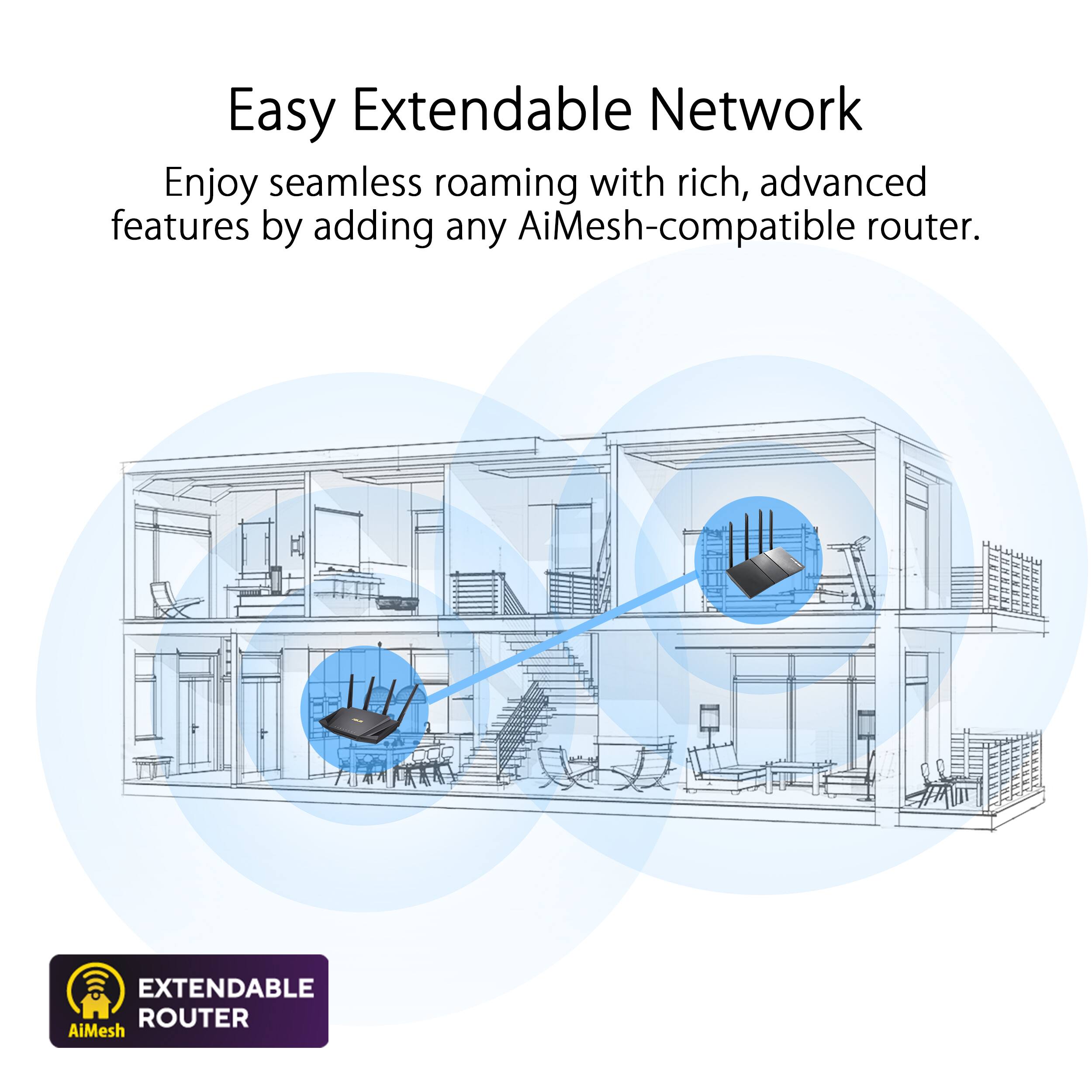
I would recommend this to a friendGood router... issues with aiMesh
||Posted . Owned for 1 week when reviewed.This reviewer received promo considerations or sweepstakes entry for writing a review.Upgrade over Netgear 6400 Nighthawk that it replaced but some issues with management especially aiMesh. I can see the AX-55 that's client but cannot access it.
I would recommend this to a friendBrand response from ASUS Answers
Posted .Dear Nads,
We are sorry to hear about the issues you're having with the Aimesh on this model. Please attempt the steps in the FAQ below to resolve this issue. We do value our customers and take negative customer service experience very seriously. This is not the quality of service expected from ASUS. We do stand behind our product and we continuously strive to improve our approach and processes in order to achieve customer service excellence. For more information send us an email at customerloyalty@asus.com and provide the link of this review for reference. We’ll do our best to provide a quick resolution to your case. Your feedback is important as it helps with improvements to ASUS Support channels.
Thank you for choosing ASUS.
Best Regards,
Joan
ASUS Customer Loyalty US Support
Troubleshooting: https://www.asus.com/us/support/FAQ/1035087/
- Cons mentioned:Connection
GARBAGE
||Posted . Owned for 1 month when reviewed.This reviewer received promo considerations or sweepstakes entry for writing a review.Garbage router. I always heard buying a router will make your internet faster vs using the router from your internet provider. Well I must have picked the wrong router because this thing constantly crashes and can barely hold a connection while just watching Netflix. Do not buy. I’m
No, I would not recommend this to a friendBrand response from ASUS Answers
Posted .Dear Adam,
We appreciate you sharing your feedback on this model. We're sorry to hear about the unfortunate experience you're having with the connection issue on this model. Please allow us to make your experience with ASUS a better one. We would recommend that you try changing the channel bandwidth of each band of 2.4 GHz to 20 MHz, and for 5GHz please select 60MHz. Test each of the channels first for improved stability. You can also do the speed test for each. If you’re still experiencing issues, please send any feedback via ASUSWRT(ASUS router Web UI), or ASUS Router App, or send a tweet or direct message to our Official ASUS North America Support twitter at AsusHelpUS. We’ll do our best to provide a quick resolution to your case. Your feedback is important as it helps with improvements to ASUS Support channels. Please copy a link to this post as a reference.
Thank you for choosing ASUS.
Best Regards,
Joan
ASUS Customer Loyalty US Support
- Pros mentioned:Performance
Returned
||Posted . Owned for less than 1 week when reviewed.This reviewer received promo considerations or sweepstakes entry for writing a review.The performance of the router was great but it kept dying after about a week and had to reboot the router to get it to work again. I returned it after 3 consecutive weeks of this happening.
No, I would not recommend this to a friendBrand response from ASUS Answers
Posted .Dear Valued Customer,
It's unfortunate to hear that you had to return the router due to the issues you were experiencing. All ASUS products undergo intensive quality control, testing, and inspections. What you've experienced was not intentional and this was a random case. If you have any concerns to purchase another unit, feel free to reach out to me at customerloyalty@asus.com and provide this link for reference. I'm here to help you in choosing the right one that suit your needs.
Thank you for choosing ASUS!
Best Regards,
Jamalie,
ASUS Customer Loyalty US Support
- Cons mentioned:Connection
Works great then locks up
||Posted . Owned for 1 week when reviewed.This reviewer received promo considerations or sweepstakes entry for writing a review.Had it for 9 days now. When it works it's great with no lag with a bunch of devices streaming but i have had to restart the thing twice now because it locks up. I realize it's not working when I check the cameras and can't see anything. Then i can't check cameras until I get home because i have to restart the router. Nothings working until I get home. Very disappointing
No, I would not recommend this to a friendBrand response from Asus_Answers
Posted .Dear Valued Customer,
We are sorry that your experience with the product didn’t quite match your expectations. We would love to investigate this matter, so that we can put your mind at ease. Feel free to reach out to me at customerloyalty@asus.com and provide this link for reference. I'm here to help you and all others with these issues, as our customer loyalty department dedicated to bringing a resolution to all issues related to our products.
Thank you for choosing ASUS!
Best Regards,
Jamalie,
ASUS Customer Loyalty US Support
Very basic for the price
||Posted . Owned for 8 months when reviewed.This reviewer received promo considerations or sweepstakes entry for writing a review.It's "OK", has some issues with some of my smart home devices, doesn't really do anything special to justify the cost.
No, I would not recommend this to a friendPoor support from the manufacturer.
||Posted .This reviewer received promo considerations or sweepstakes entry for writing a review.I can't rate it high because I have not yet gotten it to work. Can a member of the Geek Squad come to my house and get it working? I tried calling ASUS Support but got a guy in India that I couldn't understand.
No, I would not recommend this to a friendFailed after warranty ended
||Posted . Owned for 1.5 years when reviewed.This reviewer received promo considerations or sweepstakes entry for writing a review.Bought this on 5/4/2020 it is now 7/22/22, 2 years and 2 1/2 months later. Always had trouble with it connecting to 5 GHz band, but it still did what I wanted, though slower, so I ignored the problem. Now it doesn't connect to the internet, tells me it is an issue with my ISP, only thing is I have the cable from my modem that was connected to the router connected to my computer and am writing this review on the internet. Funny how the router crapped 2 months after the warranty ran out.
No, I would not recommend this to a friendBrand response from ASUS Answers
Posted .Dear Mike,
I'm sorry to hear that the router failed to connect to the 5Ghz band and also doesn't connect to the internet. All ASUS products undergo intensive quality control, testing, and inspections. What you've experienced was not intentional and this was a random case. I will forward your feedback to the product team for future improvements. Have you updated the router firmware? Please attempt the steps from the FAQ below. For further troubleshooting, feel free to contact me at customerloyalty@asus.com and provide this link for reference. I'll do my best to provide a quick resolution to your case. Your feedback is essential as it helps with improvements to ASUS Support channels.
Thank you for choosing ASUS!
Best Regards,
Jamalie,
ASUS Customer Loyalty US Support
Troubleshooting - https://www.asus.com/support/FAQ/1030645/
Service or Router?
||Posted . Owned for 3 weeks when reviewed.This reviewer received promo considerations or sweepstakes entry for writing a review.I am not sure if it is the router or the wireless service, but I am not impressed. I have 500 MBPS and it works worse than my old service with 250 MBPS. Go figure!
No, I would not recommend this to a friendBrand response from ASUS Answers
Posted .Dear GREG,
Allow us to extend our humblest apologies for the inconvenience you are experiencing with slow speeds. We do value our customers and take negative customer service experience very seriously. Have you tried changing the channel bandwidth? Please attempt the steps from the FAQ below. For further troubleshooting, feel free to reach out to us at customerloyalty@asus.com and provide this case number (N2105047131-0012) for reference. We'll do our best to provide a quick resolution to your case. Your feedback is important as it helps with improvements to ASUS Support channels.
Thank you for choosing ASUS!
Best Regards,
Ramon,
ASUS Customer Loyalty US Support
How to improve wireless speed by setting Channel Bandwidth in Wireless Router? - https://www.asus.com/us/support/FAQ/1011431/
- Pros mentioned:Ease of use
Works great
||Posted . Owned for 1 month when reviewed.This reviewer received promo considerations or sweepstakes entry for writing a review.Worked out of the box great and the companion app tracks really well.
I would recommend this to a friend Was a great router until I got updates
||Posted . Owned for 11 months when reviewed.This reviewer received promo considerations or sweepstakes entry for writing a review.This was a very nice capable router when I first bought it and put it into service. I also bought a second one and put it in a mesh. However, with each update over the last 6 months it got increasingly unstable to the point I could not keep an internet connection to my gigabit FIOS for more than a couple of days. I would often wake up in the morning to "no internet" messages. A reboot DOES NOT fix it and it requires a power cycle to re-establish a connection to the ISP. Wireless connections are also unstable requiring a reboot to regain connections, especially to SMART phones. All of this occurs with nothing in the log to indicate a problem other than an occasional "Your ISP's DHCP is broken" message! Other issues were DDNS registrations stopped working with one update. IPv6 tunnelling stopped working and other issues. I'm really disappointed in their firmware and wish they could get it right because there is a lot to like about it IF it was stable and updates didn't make things worse. I tried resetting to factory and reconfiguring with no luck. I'm out hundreds for two of these that are no longer useable.
No, I would not recommend this to a friendBrand response from ASUS Answers
Posted .Dear MadMac,
It's unfortunate to hear that after the update the router become unstable. This is not the kind of experience we want any of our customers to have. Have you tried to downgrade the firmware? If not, please refer to the links below. For further troubleshooting, feel free to reach out to me at customerloyalty@asus.com and provide this link for reference. I'll do my best to provide a quick resolution to your case. Your feedback is important as it helps with improvements to ASUS Support channels.
Thank you for choosing ASUS!
Best Regards,
Jamalie,
ASUS Customer Loyalty US Support
Troubleshooting - https://www.asus.com/support/FAQ/1000814/
Ok but not as fast as expected
||Posted . Owned for less than 1 week when reviewed.This reviewer received promo considerations or sweepstakes entry for writing a review.This didn’t perform any better than my spectrum router. I’d be as bold as to say it was worse in some instances. Ended up returning and keeping the spectrum issued router.
No, I would not recommend this to a friendBrand response from ASUS Answers
Posted .Dear Pablizzy, thank you for bringing this to our attention and please allow us to apologize for the inconveniences caused and that you had to return the router. We do appreciate your feedback as this will aid in any improvements that need to be made to the model. We'd love nothing more than to improve your perception of our products and of course, our brand. If you should have any other concerns or feedback we would love to hear it, you can reach out to me directly at customerloyalty@asus.com and provide this link for reference. I'll do my best to provide a quick resolution to your case. Thank you for choosing ASUS! Best Regards, Jonelle, ASUS Customer Loyalty US Support
- Cons mentioned:Connection
Havent been able to use it yet
||Posted . Owned for 2 months when reviewed.This reviewer received promo considerations or sweepstakes entry for writing a review.Have had this for over 2 months and couldnt figure out how to get it to connect. Im sure its great if youre savvy to connecting routers.
No, I would not recommend this to a friendBrand response from ASUS Answers
Posted .Dear Valued Customer,
Thank you for sharing your feedback on this model. We're sorry to hear about the unfortunate experience you're having with this model. We would recommend that you reach out to us so we can assist you further. For more information send a tweet or direct message to our Official ASUS North America Support twitter at AsusHelpUS. Also, we would recommend that you use the Asus Router App, go to "Settings", "System Settings" then "Feedback" and send feedback to us. We’ll do our best to provide a quick resolution to your case. Your feedback is important as it helps with improvements to ASUS Support channels. Please copy a link to this post as a reference.
Thank you for choosing ASUS.
Best Regards,
Joan
ASUS Customer Loyalty US Support
- Pros mentioned:Ease of use
great router
||Posted . Owned for 2 weeks when reviewed.This reviewer received promo considerations or sweepstakes entry for writing a review.this has alot of features an simple to setup really advanced
I would recommend this to a friend Just ok no improvement
||Posted . Owned for 7 months when reviewed.This reviewer received promo considerations or sweepstakes entry for writing a review.Product is fine upgrade from ac2900 to this but honest didn’t see any improvement. Still get slow speed from certain time during the night l. Needed to reboot every time to fix the issue.
No, I would not recommend this to a friendThe router is good but Parental feature sucks
||Posted . Owned for 2 months when reviewed.This reviewer received promo considerations or sweepstakes entry for writing a review.Blocking a device never worked since the time I used AC58. Thought it would be better with this model. What makes it so hard for that feature. Shame ASUS. Should have bought the Linksys 3200.
No, I would not recommend this to a friendPoor signal.
||Posted . Owned for 3 months when reviewed.This reviewer received promo considerations or sweepstakes entry for writing a review.Not a strong signal. The signal is strong with in 35 feet but poor beyond that
No, I would not recommend this to a friendBrand response from ASUS Answers
Posted .Dear Dennis K,
Our sincere apologies for the signal issue you have had with the router and the inconvenience this has caused you. This is not the kind of quality to expect from ASUS products and it's not the norm. All ASUS products undergo intensive quality control, testing, and inspections. What you've experienced was not intentional or representative of our brand. Customer satisfaction is our top priority, and we strive to make every purchase enjoyable. Please allow us to make your experience with ASUS a better one.
To troubleshoot the issue described, we recommend following the steps in the FAQ below. Should the issue persist, we recommend contacting our support team at https://www.asus.com/us/support/CallUs for further assistance.
We stand behind our products and continuously strive to improve our products and processes to achieve customer service excellence. For more information, email us at customerloyalty@asus.com and include the case number "N2105047131-0034" as a reference. We will do our best to resolve your case quickly. Your feedback is very important to us and enables us to improve our support channels. Thank you for choosing ASUS.
Best Regards,
Chantae
ASUS Customer Loyalty US Support
https://www.asus.com/support/FAQ/1030608/
asus terrible router
||Posted . Owned for 10 months when reviewed.This reviewer received promo considerations or sweepstakes entry for writing a review.I purchase this router in February 2020, I started having problems in May 2020, I called my internet provider thinking it was there problem. After 8 technician visits, it was escalated to a higher level tech, he was in my house over 2 hours and showed me the readings he was getting from the cable and modem, it was from 1100 to over 1200 mbps, when he connected to the router the signal was unstable and readings were from 54 to 400 mbps. Asus customer service is terrible, I don't recommend this router or company. stability issues.
No, I would not recommend this to a friendBrand response from ASUS Answers
Posted .Dear Valued Customer,
I'm truly sorry to hear that speed is not as expected. This is not the type of experience we want any of our customers to have. Have you tried updating the firmware? You can submit your case via the Asus Router App, go to "Settings" > "System Settings" > "Feedback" > and send a Feedback mail to us. We are here to help you and all others with these issues, as our customer loyalty department dedicated to bringing a resolution to all issues related to our products.
Thank you for choosing ASUS!
Best Regards,
Jamalie,
ASUS Customer Loyalty US Support