Customer Ratings & Reviews
- Model:
- X1404VA-I38128
- |
- SKU:
- 10858288
Customer reviews
Rating 4.5 out of 5 stars with 347 reviews
(347 customer reviews)Rating by feature
- Battery Life4.5
Rating 4.5 out of 5 stars
- Speed4.4
Rating 4.4 out of 5 stars
- Display4.5
Rating 4.5 out of 5 stars
to a friend
Rated 4 out of 5 stars
Good light duty laptop
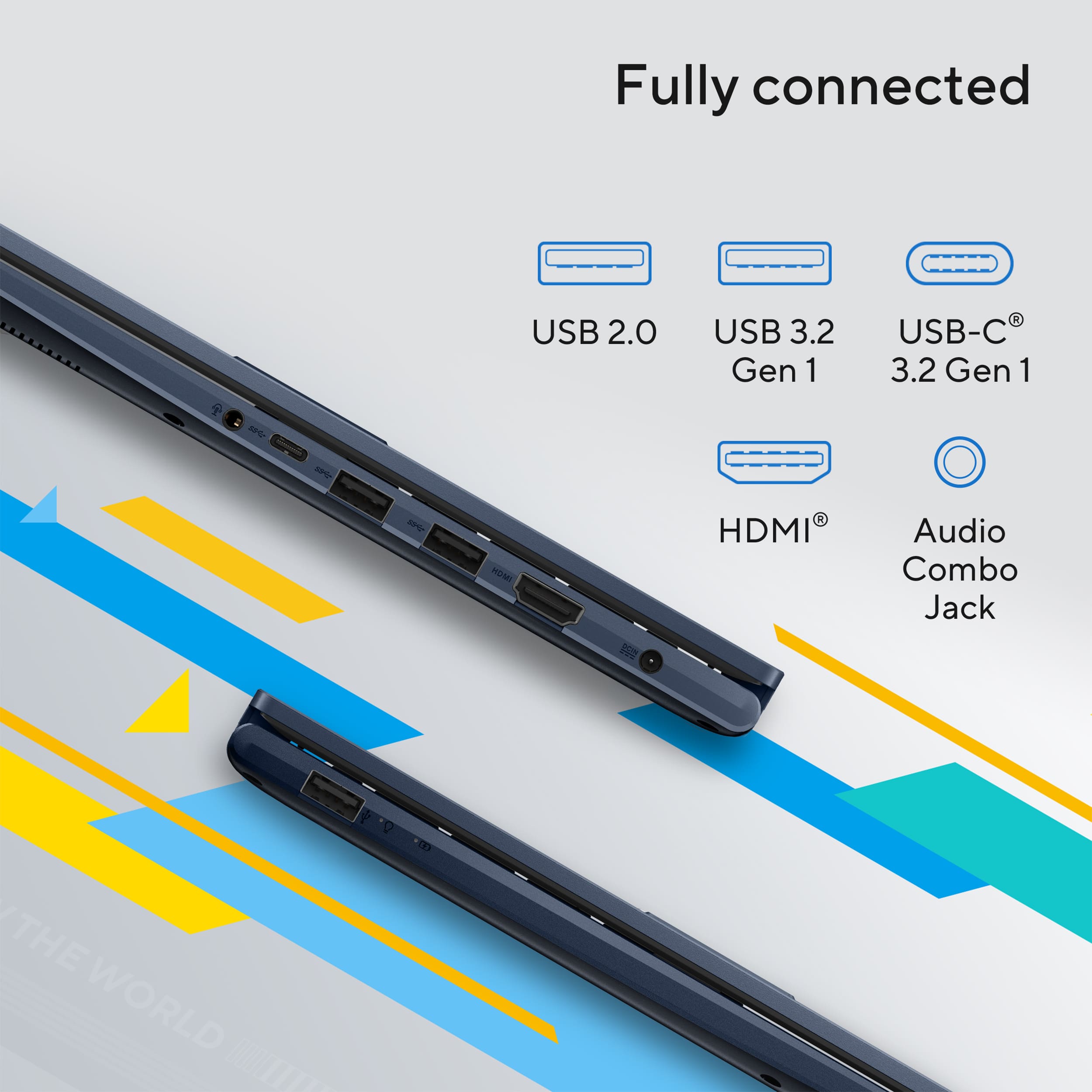
|Posted .This reviewer received promo considerations or sweepstakes entry for writing a review.This is a pretty decent light duty laptop for just about anyone. Spec wise, it's pretty basic but it does the job for web surfing, word doc and light photo editing tasks. Good travel laptop if you're looking for one. With the specs on this laptop, it's no AI powerhouse or gaming rig but for simple, light duty tasks, this will be more than enough for any user. The i3 processor and 8GB RAM are pretty light in terms of functionality, as is the 128GB hard rive but, for this model, that's not what the intended use is. I sdee this more as a student laptop or travel/backup laptop. It's inexpensive enough where this would be a great laptop for your student. It'll be more than enough for their day to day tasks and assignments. Also, if you already have a laptop/desktop, then this could be a travel/work laptop as well. As far as ports, there's a surprising amount of ports for this which is nice. Most laptops these days come with 1 or 2 ports (either USB-C/A or Thunderbolt) and this one has 3 USB-A ports, 1 USB-C, HDMI and headphone jack. Good for using/charging any of your accessories without issue and you could also extend to another monitor with the HDMI. Good thing to note is that this laptop is upgradeable in terms of RAM and HD. I've seen some users state the RAM can max out at 32GB or 40GBsso I'm not 100% sure on max capacity. HD is listed as SSD so you can easily upgrade that to a larger size if needed. Overall, nice light duty laptop if you're in the need for one. Battery life seems OK though I wouldn't say it's an all day battery. Size wise, it's a little thicker than I was expecting for such a light duty laptop and the weight does seem a little heavier than expected as well. But the price point for this is a big factor IMO as it's low enough where these minor inconveniences are worht it.
This review is from ASUS - Vivobook 14 14" FHD Laptop - Intel Core i3 - 8GB Memory - 128GB SSD - Quiet Blue
I would recommend this to a friendRated 1 out of 5 stars
Defective at 60 Days
||Posted . Owned for 2 months when reviewed.This reviewer received promo considerations or sweepstakes entry for writing a review.The laptop died on the 60 day mark from purchasing. We luckily had the Plus membership with extended return window so we weren’t out any money on the defective laptop.
This review is from ASUS - Vivobook 14 14" FHD Laptop - Intel Core i3 - 8GB Memory - 128GB SSD - Quiet Blue
No, I would not recommend this to a friendBrand response from ASUS Answers
Posted .Dear Ivoldus,
Thank you for sharing your experience with the ASUS X1404VA laptop. We’re very sorry to hear that the device stopped working so soon after purchase. That’s certainly not the experience we aim to deliver. We’re glad to know your extended return membership helped resolve the situation, and we appreciate you taking the time to provide this feedback. It will be shared with our product team for further review.
We stand behind our products and continuously strive to improve our products and processes to achieve customer service excellence. If you require any further assistance, please email us at customerloyalty@asus.com and include the case number "N2506015759-0015" as a reference. We will do our best to resolve your case quickly. Your feedback is very important to us, and it enables us to improve our support channels. Thank you for choosing ASUS.
Best Regards,
Chantae
ASUS Customer Loyalty US Support
Rated 1 out of 5 stars
Awful
||Posted . Owned for 2 months when reviewed.This reviewer received promo considerations or sweepstakes entry for writing a review.Avoid this ASUS. Battery life is misleading; it drops from 5 hours to 2 hours in minutes. Forget online support; it takes too much time. I am pleading with the store to take it back. VIVOBOOK 14 126gb
This review is from ASUS - Vivobook 14 14" FHD Laptop - Intel Core i3 - 8GB Memory - 128GB SSD - Quiet Blue
No, I would not recommend this to a friendBrand response from ASUS Answers
Posted .Dear Mumbles,
Thank you for your comment.
We certainly understand your disappointment with this laptop and the inconvenience this may have caused regarding the short battery charge life. The battery life on this laptop model is approximately 10 hours of light to medium workload. To improve or prolong the battery charged time, try to do battery calibration manually. To start with, please drain it completely then charge it fully without using the system. Once fully-charged, use this laptop without the AC adapter connected, and drain it completely again. Repeat the charging process thereafter. Additionally, ensure this laptop is running with the most Windows, drivers and BIOS update. Updates for this laptop are available at:  https://www.asus.com/me-en/supportonly/x1404va/helpdesk_download/. Furthermore, no third-party battery draining applications are running in the background if not in use. If you need further assistance, please email me at cl-rodel@asus.com and I would be more than glad to help. Or you are most welcome to call Product Support Hotline at: 1(888) 678-3688. Also, you can chat with an ASUS live support agent from the link: https://www.asus.com/us/support/article/1135/ .
Thank you for choosing an ASUS product.
Regards,
Rodel
ASUS Customer Loyalty
Rated 1 out of 5 stars
Bad quality
||Posted .This reviewer received promo considerations or sweepstakes entry for writing a review.I just want to return it and get my money back I wouldn’t be using it very slow and blurry
This review is from ASUS - Vivobook 14 14" FHD Laptop - Intel Core i3 - 8GB Memory - 128GB SSD - Quiet Blue
No, I would not recommend this to a friendBrand response from ASUS Answers
Posted .Dear SarahH,
Thank you for your commennt.
We do understand your disappointment with this laptop and the inconvenience tis may have caused if you are experiencing slow system speed or performance issue. To resolve this, ensure Windows, drivers and applications are up to date. Updates for this laptop are posted at:  https://www.asus.com/laptops/for-home/vivobook/asus-vivobook-14-x1404/helpdesk_download?model2Name=X1404VA . Keeping Windows updated will maintain optimum system stability and performance. Additionally, while accessing web applications, ensure this laptop has access to an established router and internet service is working properly since poor and unstable internet connection will affect system stability and performance. If these steps were performed to no avail, please try to run a diagnostics or optimization test using the "MyASUS" utility software or application. If this is not pre-installed on the laptop, please download the application at the Microsoft Store. For details on how to use "My ASUS", please go to: https://www.asus.com/support/FAQ/1041686/.
If you need further assistance, please email me at cl-rodel@asus.com and I would be happy to help. Or you are most welcome to call Product Support Hotline at: 1(888) 678-3688. Also, you can chat with an ASUS live support agent from the link: https://www.asus.com/us/support/article/1135/.
Thank you for choosing an ASUS product.
Regards,
Rodel
ASUS Customer Loyalty
Rated 4 out of 5 stars
Basic, effective and CHEAP
|Posted .This reviewer received promo considerations or sweepstakes entry for writing a review.This is not a powerhouse laptop for gaming...but what it is a very efficient lower-level laptop that would be perfect for a high school or college student to use for schoolwork, excel, and watching YouTube. Out of the box, it’s a sleek and lightweight machine. It weighs less than 4 pounds. The screen is crisp, clear and bright but only has a 60hz refresh rate…so again…not for high powered gaming but just fine of videos and shows. Charges quickly, but it took forever to update…so I don’t know if that is a representative of performance or how many and big the updates were. I do not like having to register everything, but for warranty and all that stuff it’s required. It is Wi-Fi 5 compatible, so it’s not the latest and greatest but I had no speed or connectivity issues. It does have a front facing camera with a 720p resolution with a built-in microphone. I haven’t really used either of those features. The speakers seemed to be very good quality and gave off very clear sound with no distortion or static. There are plenty of ports : 1 HDMI, 4 USB (1 – USB-A (2.0), 2 – USB-A (3.2) and 1 – USB-C (3.2), and a headphone jack. Overall – This is a great basic laptop that has power enough to tackle most student needs other than video editing (past basic needs) or gaming. It has a good display, and the speakers are above quality from what I could tell. For the price I don’t think you can go wrong with this.
This review is from ASUS - Vivobook 14 14" FHD Laptop - Intel Core i3 - 8GB Memory - 128GB SSD - Quiet Blue
I would recommend this to a friendRated 1 out of 5 stars
Not a good unit.
||Posted . Owned for 1 week when reviewed.This reviewer received promo considerations or sweepstakes entry for writing a review.It doesn't work right. Im not at all happy with iit and will be returning it.
This review is from ASUS - Vivobook 14 14" FHD Laptop - Intel Core i3 - 8GB Memory - 128GB SSD - Quiet Blue
No, I would not recommend this to a friendBrand response from ASUS Answers
Posted .Dear Eric A,
We're very sorry to hear that your experience with the ASUS X1404VA has not met expectations. We understand how frustrating it can be when a device doesn’t perform as intended, and we sincerely apologize for the inconvenience. Before proceeding with a return, we recommend contacting our support team at https://www.asus.com/us/support/callus/ so we can investigate the issue and explore possible solutions.
We stand behind our products and we continuously strive to improve our products and processes in order to achieve customer service excellence. For more information, send us an email at customerloyalty@asus.com and provide the case number "N2506015759-0009" for reference. We’ll do our best to provide a quick resolution to your case. Your feedback is important as it helps with improvements to ASUS Support channels. Thank you for choosing ASUS.
Best Regards,
Chantae
ASUS Customer Loyalty US Support
Rated 1 out of 5 stars
Russell anderegg
||Posted . Owned for 1 month when reviewed.This reviewer received promo considerations or sweepstakes entry for writing a review.Well it only lasted less than a month so I returned it and don’t want another one
This review is from ASUS - Vivobook 14 14" FHD Laptop - Intel Core i3 - 8GB Memory - 128GB SSD - Quiet Blue
No, I would not recommend this to a friendBrand response from ASUS Answers
Posted .Dear RussellA,
We're truly sorry to hear that your device didn’t meet expectations. All ASUS products undergo intensive quality control, testing, and inspections. What you've experienced was not intentional or representative of our brand. I understand that you have returned the unit for a replacement, but I will forward your feedback to the product team for review. If you have any general or technical questions, send us an email at customerloyalty@asus.com. Please refer to this case number (N2506015759-0008) for us to better assist you. Thank you for choosing ASUS.
Best regards,
Schottky
ASUS Customer Loyalty US Support
Rated 4 out of 5 stars
Great value PC
|Posted .This reviewer received promo considerations or sweepstakes entry for writing a review.Had the opportunity to daily drive this device for a week in tax season. I can say, it is great value for money. DESIGN The case is made of hard plastic. The base is solid, and a little on the heavy side. There is some hollowness on the top cover but it is not squeaky. In fact, the cover is a little solid, even with average materials as its shell. It does have a smudge resistant surface. The hinges are nice and firm. I cannot open it with one finger, but the combination of the hinge strength and the sturdiness of the cover works with each other. It has a mainstream look—quite fitting for the retail price of the laptop. The bezels are decently thin vs. overall balance of the laptop and it perfectly houses the camera with the security cover, which has a nice clear indicator that the camera is closed. The overall pc looks good with the keyboard —and I am saying this with the idea that this is an i3 device; so entry level specs but mid-tier looks, is a plus. PERFORMANCE It is not fast. But that’s what to expect on an i3 with 8gb of ram. Updates took a while. I literally took all night to do windows updates. The progress bars do not seem to refresh live so it seems like I was waiting forever. If you are used to faster machines and mobile device snappiness, you will not be happy with the response times on this machine. I tried running the tax app using the network with files picking up from the server. It is insanely slow so I installed the app on this laptop then only picked up indexed database files. The performance was much better which makes me say, the network card on this is horribly slow. So, although 16gb is a standard nowadays, the performance of apps are reasonable once they are open, even on its 8gb ram. I just cannot trust it to run fast on its network card. The laying down screen is a good idea, so I can put this at the bottom of the monitor and just slide the screen back. However, the monitor angle is so narrow, I cannot really lay the screen down on a flat position and see clearly. It is not touchscreen either, so even though it has the flat feature, I do not see the value. The colors are decent, but I need to slide the display brightness way up to make the most of the screen especially that my desk is by a large window. Resolution is nice and crisp. The keyboard is wonderful: the response of the clicks, the feel and texture of the keys, and the size of each key. It does not have lighting, which is fine. The pad is great, however, the number pad on the touchpad as a feature did not work well for me. First of all, clicks are important when I input numbers. I need to know that when I tap, a number comes up. The touch is responsive for mouse movements—but it is not to be trusted for number operations. Besides the fact that the number zero, which is usually wider, lies on the same space as the decimal point, I found myself having to check back if the numbers are right. Because the pad works great if I only use the touch numpad since my fingers need to get used to the tapping. However, there is a good 20 percent of my numbers not coming up right because I am switching my finger muscles between tapping the pad and clicking the keyboard keys. So it ends up adding work to verifying my numbers. And if you are doing taxes, bad numbers is a no-no. CONNECTIVITY This PC does not support external screen on a USB dock, which is a bummer, and I am stuck to the power adapter vs. simple USB C charging. It does have an HDMI port so I can easily hookup one monitor to extend. The camera is actually pretty good for a device like this, and like I mentioned, it does come with a privacy switch. Speakers are usable but it does come with a headphone jack. So I can hook it up to speakers if I need to, but most speakers are Bluetooth these days. Bluetooth is reliable at least for my headphones. For my peripherals though, I use a dongle and the USB-As on this device do not disappoint. Battery life is okay. Drain is definitely much better than my power hungry devices. With this device however, it will be limited to daily web surfing, word processing and basic office apps, so it will fair well in terms of battery life. Overall it is a decent machine for light users. One would have to understand, this has entry level specs with a decent build. I was able to do basic tax work for a good hundred clients in a week. Customer service through emails, calendar scheduling, tax prep, bookkeeping spreadsheets, were easy on this PC. That is already more to ask for from a basic processor. It can be a daily driver for daily admin tasks. It is more of a consumption machine vs. a creation machine. It can find its way into a fleet of admin workers, or basic office work desks. It is good value device, and for people and offices on a tight budget, this is a hidden gem.
This review is from ASUS - Vivobook 14 14" FHD Laptop - Intel Core i3 - 8GB Memory - 128GB SSD - Quiet Blue
I would recommend this to a friendRated 1 out of 5 stars
Slow frozen waste
||Posted .This reviewer received promo considerations or sweepstakes entry for writing a review.Slow and froze. Had to return it. It wouldn’t allow me to do anything.
This review is from ASUS - Vivobook 14 14" FHD Laptop - Intel Core i3 - 8GB Memory - 128GB SSD - Quiet Blue
No, I would not recommend this to a friendBrand response from ASUS Answers
Posted .Dear Kenqc,
We apologize for the inconvenience caused by the notebook’s slow performance. What you've experienced was not intentional or representative of our brand. Having returned the notebook, we hope that you were able to obtain a functional replacement.
We stand behind our products and continuously strive to improve our products and processes to achieve customer service excellence. If you require any further assistance, please email us at customerloyalty@asus.com and include the case number "N2506015759-0004" as a reference. We will do our best to resolve your case quickly. Your feedback is very important to us, and it enables us to improve our support channels. Thank you for choosing ASUS.
Best Regards,
Chantae
ASUS Customer Loyalty US Support
Rated 5 out of 5 stars
Right price for the right job
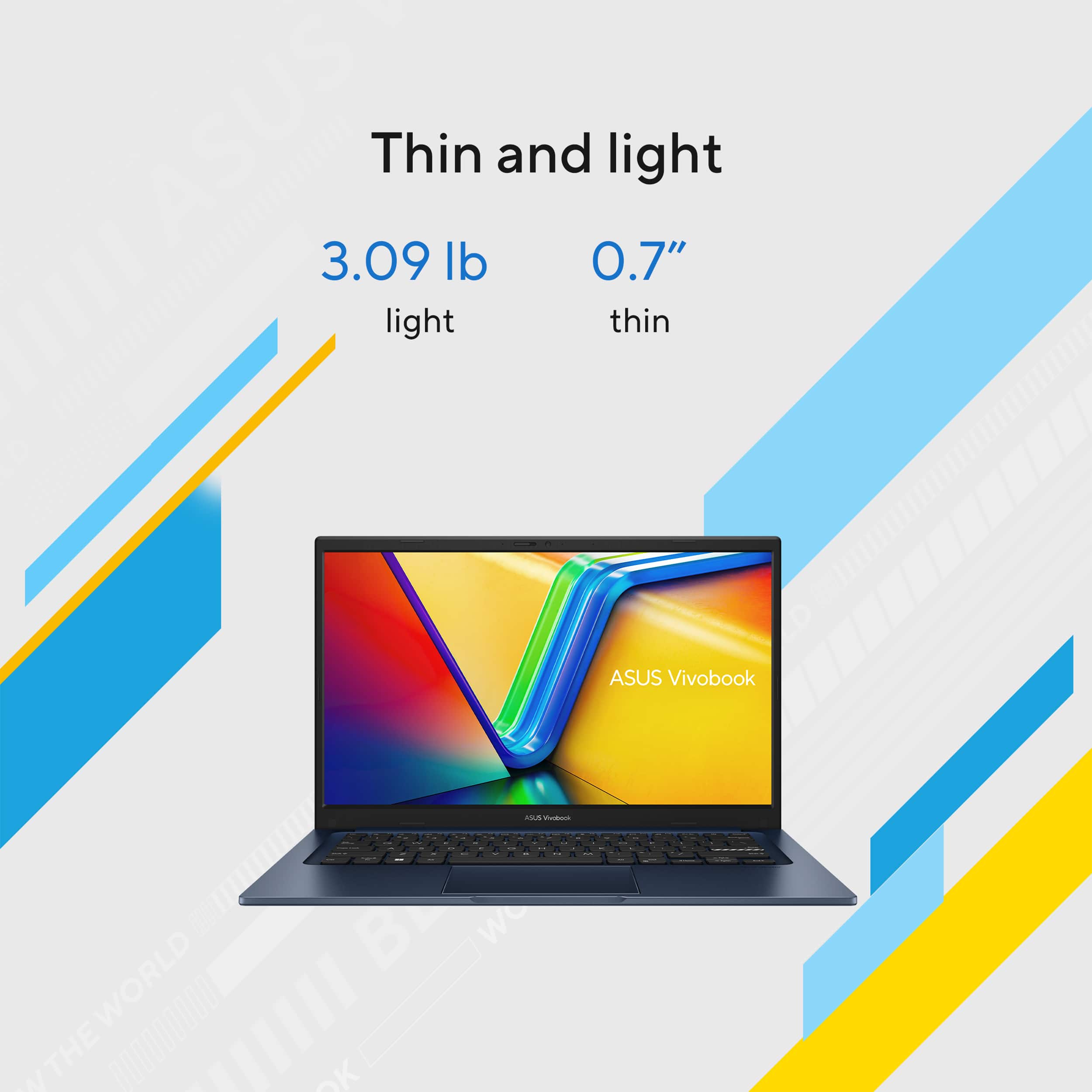
|Posted .This reviewer received promo considerations or sweepstakes entry for writing a review.SUMMARY: Priced like a chromebook, but a laptop running Windows 11, I am impressed with how far ASUS stretched the dollar with the Vivobook 14. Admittedly it has no dancing keyboard lights and there are very few specs that couldn’t be improved with more money, but ASUS’s target is a well-constructed budget computer, and they nailed it. The Vivobook 14 has it where it counts for students, good keyboard, good screen, low weight and enough horsepower for reports, web research, and video streaming. It's not a gaming or creator powerhouse, so you need to dig into the details (below) to figure out if this is for you, but it is good value if it is. PRO’s - Runs routine tasks like email, office apps, web browsing and YouTube watching. - 3 lbs light, reasonably compact, easy to carry, looks good - Good screen (1920 x 1080 FHD resolution) - Good keyboard (responsive, easy to type on and not too cramped) - Decent Speakers (I was surprised) - Decent 720p webcam - Empty RAM slot for DYI upgrade - Number pad as part of the trackpad. - Fingerprint reader built into the trackpad - Windows 11 - A MATTER OF TASTE (usually I don’t give a caveat, but here it is, this is a BUDGET computer, I am not going to list something as a con just because with more money it could be better) - Low Ram (8 Gb) and storage (128 gb) means you need to juggle requirements and not run too many apps at once. - Not a touch screen - Relatively short battery life (half day at most) - WiFi 5. Gets the job done, just not the fastest. - Reasonable number of ports, most are legacy, only 1 USB-C 3.2 port (not for charging) - Nearly constant fan operation. CON’s - Non-standard charging cord (NOT usb-c) MORE WORDS – At first it is hard to get overly excited about this laptop, because it’s not designed to excite. It’s designed to get the student’s job done. It does that fine. Well made for the price, it looks more than it costs. And there are unique touches, including built in number pad and fingerprint reader in the trackpad, a keyboard that’s a joy to use, and a good sharp screen that lets you know someone was thinking when they designed this laptop. It not just a reduced cost version of something else. It’s made to be productive. No one is going to thank you for its lack of real game playing ability. But heck, they have their phones for that. For entertainment purposes it will stream movies fine. But you will thank yourself for it being relatively robust (won’t break easily with responsible use) and easy on the wallet. The only negative I will warn about is that the charger is nonstandard (USB-C). If the student loses that, it must be replaced with time lost. Good price, good build, good screen, good keyboard, low price… now, let’s get to the no frills part. 8 gb ram and 128 storage (almost half taken by the OS) means you need to juggle requirements and not run too many apps at once. If you want to open 100 tabs in chrome, rethink that. Cloud storage is strongly recommended, but if you are using MS office, as you probably will be with this laptop, that will be built in. But if you don’t use cloud storage then you will want to use an external drive. Pick your poison. Couple that with an I3 with integrated graphics, we are back to talking only basic games. BOTTOM LINE: ASUS means quality, and the Vivobook 15 is no exception. I have a student in mind for this and know it will get the job done without providing too many distractions. But for business I can use it as a second computer in tight places like a plane tray table. Not for movie editing or game playing, but the price is right.
This review is from ASUS - Vivobook 14 14" FHD Laptop - Intel Core i3 - 8GB Memory - 128GB SSD - Quiet Blue
I would recommend this to a friendRated 4 out of 5 stars
Solid economy laptop
|Posted .This reviewer received promo considerations or sweepstakes entry for writing a review.Lets get the rating out of the way. This is a compact laptop made for casual use. If it not for the charging cable, I would have given 5 stars based on quality, and the class of device it is. In this day in age there should be no and I mean NO device that uses anything other than a USB C input for charging. Ok, now that that is out of the way. ASUS products have always preformed well and have been durable in my experience. The base is plastic and the top seems to be metal. Generally with these lower end laptops there is a lot of flex and if you pick them up by just the corner, the touch pad is sometimes activated. Not the case here! I love this size for traveling and if you are on a short trip and don't need to charge or don't mind keeping another cable in your bag of wires this would also be a good choice. It did take over two hours to initialize so go do laundry and let it cook. Once it is finished it works and responds well. The keyboard is pleasant to use and the touch pad can double as a number pad. This seems to be a new trend and I am on board especially if I am going for something small and compact. The display is nice and bright with acceptable sound. I almost always use ear buds or head phones so, for me this is usually not important. This is a good value for the money.
This review is from ASUS - Vivobook 14 14" FHD Laptop - Intel Core i3 - 8GB Memory - 128GB SSD - Quiet Blue
I would recommend this to a friendRated 5 out of 5 stars
Great value with unique features sets it apart
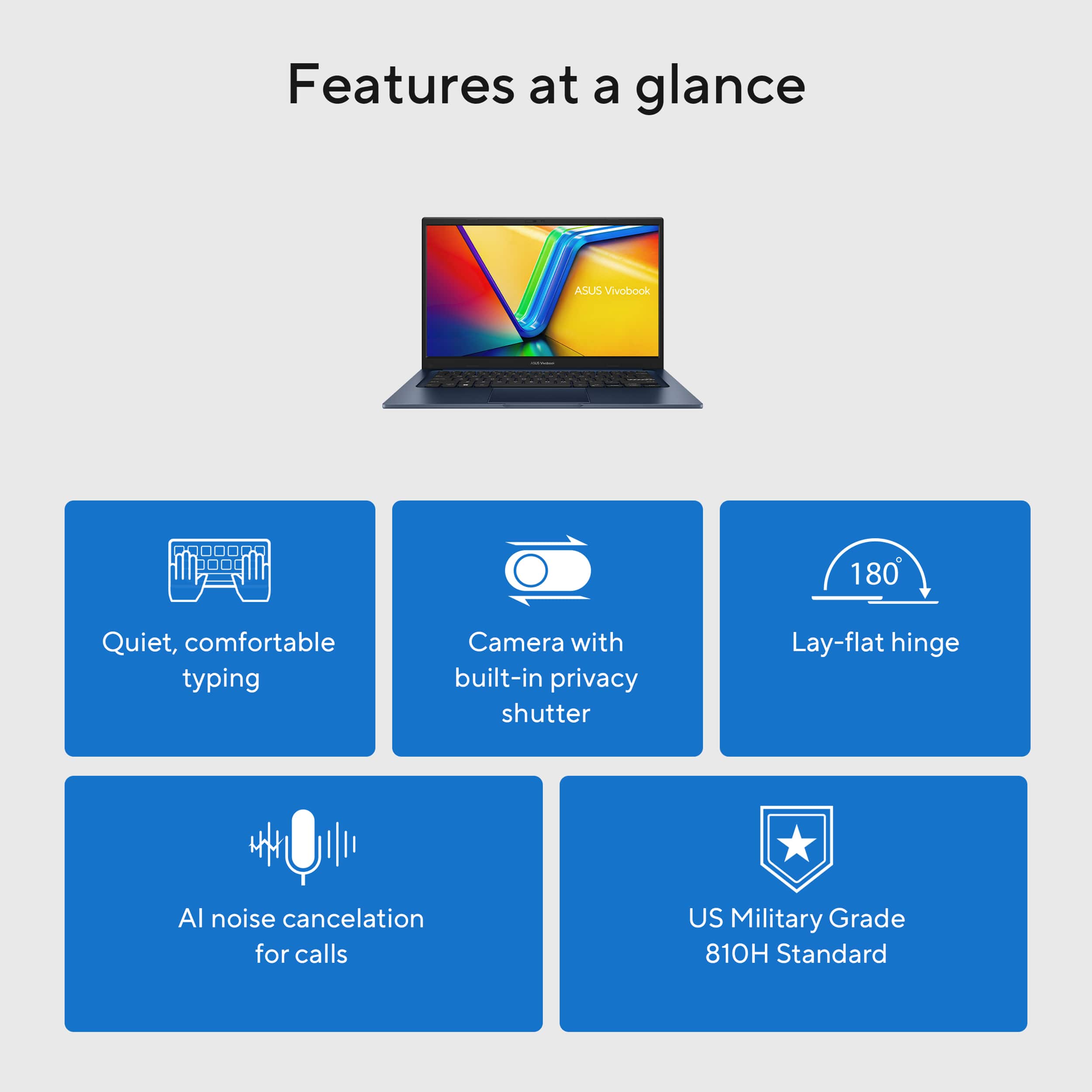
|Posted .This reviewer received promo considerations or sweepstakes entry for writing a review.I found this laptop to have the right combination of value and features for home, school or work purpose. Setup was easy and seamless, with enough storage for a range of applications. It's lightweight and easy to carry around. It sports a full range of USB options, and includes HDMI. In everyday use it’s the design details that I appreciated. A full size keyboard with a great feel. A display that’s flicker free and low blue light levels. After a long day of usage, my eyes didn’t feel exhausted. It has unique features that set this one apart for me. A trackpad that turns into a number pad is a very useful feature. In the past I’ve used external number pads and having one built in saved me quite the hassle. When using it for remote work sessions or video conferencing, the AI audio noise canceling feature really cleared things up. The webcam has a feature called 3DNR which improves the clarity during those calls. It keeps your best face forward! I found those features worked really well. Keeping it easy to use, it has a fingerprint reader built into the touchpad, which I found to be very reliable. It even has a coating to help stop the spread of germs. If you’re looking for a gaming laptop, this isn’t it. As a daily use system for web browsing, business apps, email, and keeping connected with family and friends, this laptop does it all very well.
This review is from ASUS - Vivobook 14 14" FHD Laptop - Intel Core i3 - 8GB Memory - 128GB SSD - Quiet Blue
I would recommend this to a friendRated 5 out of 5 stars
Great daily laptop. Light and portable!
|Posted .This reviewer received promo considerations or sweepstakes entry for writing a review.What a nice little laptop. It meets most my check list for a daily use machine. Size is nice at 14" screen. Nice size, not to small or to large, making it heavy to lug around or rest on your lap for couch use. Good brightness and usefull in sunlight with not a lot of glare. Keyboard is good and responsive. Large mousepad - but my FAVORITE thing is the numberpad built into the mousepad. I type numbers for work and this made it much easier! Love this option! Build quality through out the rest of the machine was good. Backlit keyboard for night use, good audio quality with decent volume before clipping. Works good at home, recommend earbuds for public. love the built in camera shield - no little stick on slider at the top. Here is the downside - Its an i3 processor. So its on the slower side. But the machine handled all my entertainment and work needs. I did have a few seconds wait on some of the larger tasks such as launching a new app or handling multiple apps at once for work I would sometimes get a small lag. Nice product, works well, good size. Lots of ports for addons so no need for a hub.
This review is from ASUS - Vivobook 14 14" FHD Laptop - Intel Core i3 - 8GB Memory - 128GB SSD - Quiet Blue
I would recommend this to a friendRated 2 out of 5 stars
I do love the color
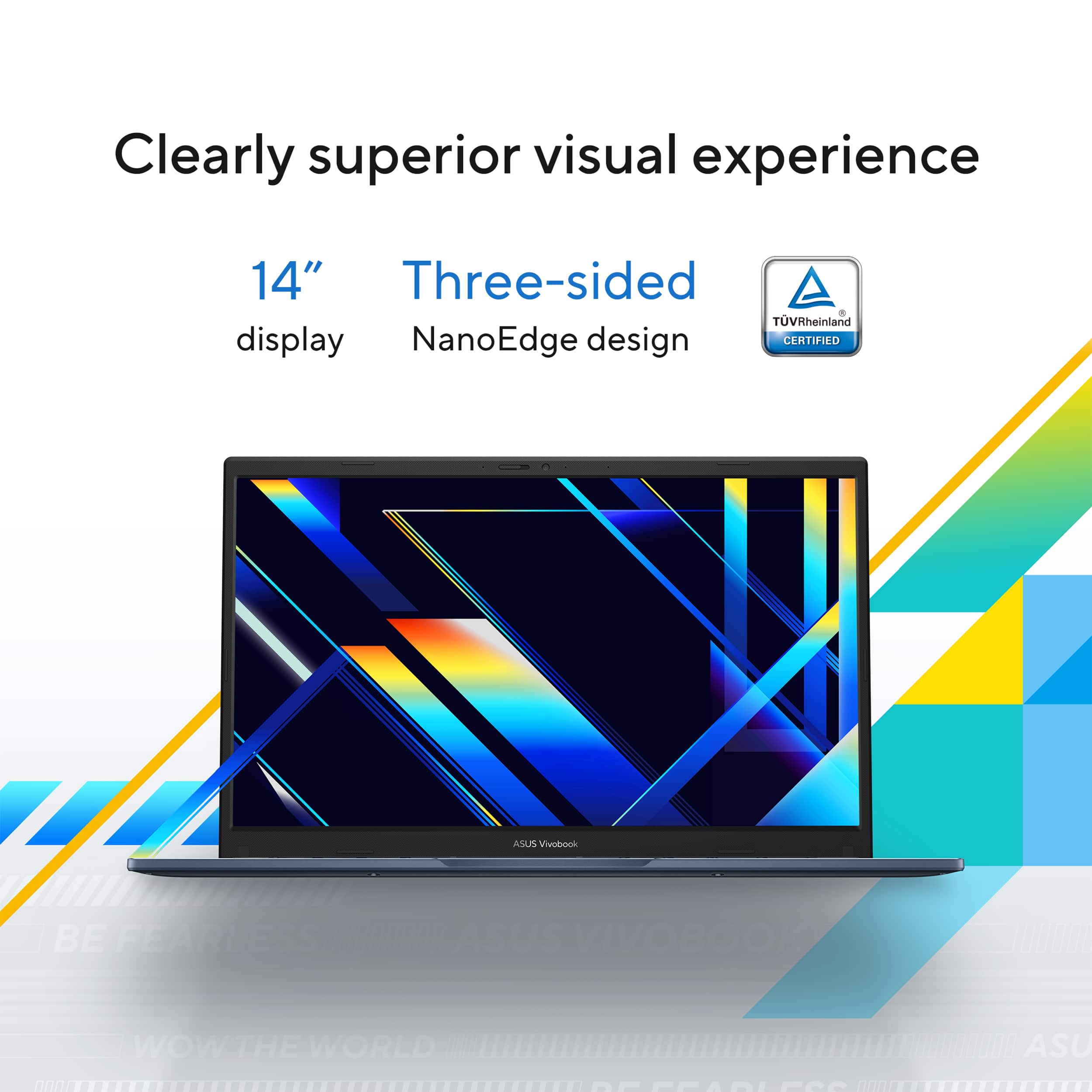
|Posted .This reviewer received promo considerations or sweepstakes entry for writing a review.Oh Asus! Budget friendly laptop displays should not be this bad! It doesn’t matter what technical specs exist inside the laptop, I can’t get past the display being a white-wash of muted greyscale from every angle. At least Asus gives me an HDMI slot to connect the laptop to a functional monitor. To be fair I did not expect the laptop to have a gorgeous eye popping display; after all the Vivobook is a budget-friendly line of products from Asus designed to save a casual PC user some money when purchasing a laptop. I did hope for something better than what I got. The design choice to use an LCD screen with 250 nits is the laptops worst compromise and undermines what otherwise is a solid laptop. Ignoring the white-washed display, and one other hiccup I will come to in a moment, this is a nice little laptop which is why I’m disappointed by the display. Asus describes the laptop shell color as “Quiet Blue” which I love. The 14” form factor is a great size to weight ratio making it a breeze to port this thing around. It’s solid build quality without being heavy. In the configuration I have the laptop is a 13th Gen Intel Core i3 with 8GB of RAM and the SSD makes Windows 11 feel snappy. For daily use of Windows 11 and web browsing, this is a solid machine for the casual PC user. Asus, why are you making laptops that still use a pin-charger? There should be a second USB-C connection on this laptop for charging so that I do not need to carry an extra power brick that only works with your laptop. My final pet peeve with this laptop is the number-pad built onto the top of the trackpad. The trackpad is functional without this non-sense. Either add physical keys to create a number pad or leave it off. I spent some time in calculator then Excel attempting to use this number pad monstrosity. I can only press the numbers ever so gently before the laptop misinterprets the number for a click of the mouse. As soon as I got up to my normal number keying speed it turned into a train wreck. Figuring it was my bulky heavy fingers I passed the laptop to my wife, than to my son, then to a couple of neighbors and asked them to try their hand at complex multiplication using this touch-sensitive number-pad. Same results. Everyone agreed that the best feature of this number pad is that it is off by default and very difficult to turn on by accident. Asus, I applaud your engineering team for the engineering wizardry to pull this off but no thank you. Perhaps you could eliminate this feature and invest the money saved into a better display.
This review is from ASUS - Vivobook 14 14" FHD Laptop - Intel Core i3 - 8GB Memory - 128GB SSD - Quiet Blue
No, I would not recommend this to a friendBrand response from ASUS Answers
Posted .Dear Vortex0007,
Thank you for sharing your comments regarding the ASUS Vivobook 14 Laptop. We understand that it didn't meet your full expectations, and we sincerely apologize for that as we do understand your concerns. We are committed to providing our customers with the highest-quality products and we will forward your review to our Product team for review.
To troubleshoot the display issue described, we recommend following the steps in the FAQ below. Should the issue persist, please contact our support team at https://www.asus.com/us/support/CallUs to further investigate the problem.
We stand behind our products and continuously strive to improve our products and processes to achieve customer service excellence. For more information, email us at customerloyalty@asus.com and include the case number "N2504007925-0002" as a reference. We will do our best to resolve your case quickly. Your feedback is very important to us and enables us to improve our support channels. Thank you for choosing ASUS.
Best Regards,
Chantae
ASUS Customer Loyalty US Support
[Windows 11/10] Troubleshooting - Main (Internal) Display problem -  https://www.asus.com/support/faq/1015072/
Rated 5 out of 5 stars
Excellent laptop
|Posted .This reviewer received promo considerations or sweepstakes entry for writing a review.This laptop checks all my boxes! It’s light and easy to carry and carries out tasks quickly and efficiently. I like that it is so easy to use and there is not really a learning curve to it, just charge, get set up, and go! This laptop has been excellent for use for work and for other projects. It can load up most programs, editing software, and browse with ease and efficiency, so it is also ideal if you are a content creator. I could see this being great for students because of how lightweight it is and the webcam capabilities and its ability to load downloaded programs quickly. It is convenient to travel with as well and is very slim so it doesn’t take up a lot of space in your luggage or in a backpack or feel heavy. This makes it perfect to take with you to campus! If you are a heavy gamer, you might need something more catered to that in terms of graphics, but it runs most simple computer games OK. Overall, I have really enjoyed this laptop from Asus and it has helped me keep both work and play all in one place.
This review is from ASUS - Vivobook 14 14" FHD Laptop - Intel Core i3 - 8GB Memory - 128GB SSD - Quiet Blue
I would recommend this to a friendRated 4 out of 5 stars
Good value, but could use more storage
|Posted .This reviewer received promo considerations or sweepstakes entry for writing a review.Low-budget laptops can be risky. There are lots of different places a manufacturer can cut costs to bring the laptop to a lower price point, and some impact everyday use and performance a lot more than others. Thankfully, Asus manages to keep this Vivobook under $500 and still be very usable for basic computing needs. While many sub-$500 laptops use low-res 720p displays, especially those with smaller screens, Asus uses a 1080p panel here, which helps the screen look crisper. However, it's a less expensive TN panel, so off-angle viewing is pretty bad. The case is all plastic, which is expected at this price point, but it feels sturdy enough. The keyboard has the typical feel of a cheap chiclet laptop keyboard. Thankfully, Asus kept the Delete key at the top right corner of the layout instead of placing the power button there. The power button instead is one key to the left. This makes it much less likely to accidentally power off the laptop when typing. One clever addition is that the touchpad can act as a tenkey. This is quite helpful for number entry and spreadsheets. Understand, this is still a very basic laptop. It's fine for basic school use, checking email at home, light web browsing, and typing up classwork and assignments. But anything other than that is well outside its intended purpose. The two biggest limitations for extended performance are system RAM and storage capacity. As you won't be gaming or video editing on this laptop, the 8 GB RAM will mostly show its limits when web browsing with lots of tabs open. And nearly half of the 128 GB storage is already utilized out of the box, so you'll likely depend on external drives or cloud storage services for your files. The laptop has a good selection of USB ports, so connecting an external drive is easy. Oddly, Asus uses a proprietary charger instead of a standard USB-C charger. Altogether, this is a good compromise for a low-budget laptop. It's small, light and very portable, but still powerful enough for basic tasks. This is a smart option for a college student on a tight budget, or a parent who doesn't want to risk a lot of money on a laptop that may or may not get destroyed by their children in high school.
This review is from ASUS - Vivobook 14 14" FHD Laptop - Intel Core i3 - 8GB Memory - 128GB SSD - Quiet Blue
I would recommend this to a friendRated 5 out of 5 stars
Great for on the Go
|Posted .This reviewer received promo considerations or sweepstakes entry for writing a review.If you are in the market for a mobile and lightweight laptop then the ASUS Vivobook 14" fills that market and need. Lets start off with the Pros: 1. Small and Lightweight 2. Vibrant Screen 3. Built for daily computing needs The Cons: 1. CPU/Ram combo weak 2. Computer stress when having alot of programs open As you can see from the pros and cons list this pc is not meant to be a true desktop replacement, but one that fits the gap for doing simple homework, typing, web browsing etc. The CPU here is the i3 which is on the low end of processors and being paired with 8 GB of ram doesn't exactly make this a potent applications combo. It will however handle the Google, Edge and Windows applications just fine. To keep it in perspective, at this price point it isn't aiming to run graphic extensive games or photoshop applications and rendering. Testing: I ran this laptop through a gambit of trials: Microsoft Word: Ran smooth with one internet browser open and Word running and typed with ease. It did have the PC running at almost 70 percent capacity of its computing power in this mode. You tube and PowerPoint test ran about the same saw no hitches in video quality or rendering issues as i tried to make slides in PowerPoint. Conclusion: This laptop preforms well for its price point and makes a strong argument for a decent daily on the go laptop or just sitting on the couch browsing. It will handle my school papers when I'm on the go and has enough USB c ports I need and all the connections for modern connections when I neeed more.
This review is from ASUS - Vivobook 14 14" FHD Laptop - Intel Core i3 - 8GB Memory - 128GB SSD - Quiet Blue
I would recommend this to a friendRated 3 out of 5 stars
Middle of the road
|Posted .This reviewer received promo considerations or sweepstakes entry for writing a review.I was cleaning out my closet last week and actually came across some old netbooks and laptops. It was crazy looking at them and seeing how far things have come in just the last 5–10 years. In a way, using the Vivobook 14 reminded me of those computers. And let’s be real, that’s not really a good thing. A higher price tag for limited features. The biggest problem for me is this falls right in the middle of being either a cheaper but efficient option or starting to edge into a little bit nicer computer with a price tag to match. The problem is it’s a little expensive to be a cheap option, but it doesn’t have enough features to make it stand out. This might be a little harsh, but I’ve come to expect more from Asus. I’m actually a huge fan of their products overall. I just feel like they fell a little short on this one. Now, the good news is, you’ve got an i7 processor and 12GB RAM. That’s pretty good. But these days, a 512GB hard drive won’t get you that far. I know we have the cloud but the second you want to download anything, you’ll be eating into that space quick. Don’t get me wrong, this is a solid computer, but I’m just not sure what it’s trying to be here. I wavered between three or four stars on this rating. I went with three stars because it’s although it’s a reasonably solid computer that will get the job done, I just wanted to see more from a brand that I know can bring it normally.
This review is from ASUS - Vivobook 14 14" FHD Laptop - Intel Core i3 - 8GB Memory - 128GB SSD - Quiet Blue
No, I would not recommend this to a friendBrand response from ASUS Answers
Posted .Dear Glspark2007,
Thank you for sharing your comments regarding the ASUS Vivobook 14 Laptop. We understand that the design and quality of the product didn't meet your full expectations, and we sincerely apologize for that, as we do understand your concerns. Our top priority is providing our customers with high-quality products, and we'll forward your feedback to our team for review.
We stand behind our products and continuously strive to improve our products and processes to achieve customer service excellence. If you require any further assistance, please email us at customerloyalty@asus.com and include the case number "N2504005745-0017" as a reference. We will do our best to resolve your case quickly. Your feedback is very important to us and enables us to improve our support channels. Thank you for choosing ASUS.
Best Regards,
Chantae
ASUS Customer Loyalty US Support
Rated 4 out of 5 stars
Great and Affordable for Basic Tasks
|Posted .This reviewer received promo considerations or sweepstakes entry for writing a review.In the past a budget friendly laptop meant it had a lot of compromises and performance was the biggest one. Nowadays, even lower-end laptops can perform basic tasks better than many high-end ones of just five or six years ago. Thus, unless you are doing video editing or hardcore video games, you probably won't be complaining much about the performance of this ASUS Vivobook Corei3 laptop. It can handle average Excel spreadsheets and all Microsoft office products for instance, and of course, web browsing. And although it can't do much video editing, I noticed no issues watching YouTube and other video streaming services. Perfect for my 16-year-old daughter to use for school and beyond. As for compromises, I'm glad performance was not one of them considering its budget target, but the plastic feel was the first thing I noticed right out of the box. The design is not bad, and it is slimmer than most budget laptops. However, once you have it in your hands, you know that it is not something to brag about even though I like ASUS products. The screen is fine, but the resolution is the old 1920x1080. I didn't expect an OLED screen at this price point, but that resolution is on the low side for anything bigger than 10 inches in my opinion. Although it is not an issue per se, I spent almost 30 minutes trying to make the screen respond to my finger touch until I realized it was not a touchscreen. I am just so used to using that type of screen. But again, not an issue for a budget laptop. Do I recommend it? The majority of laptop users need it for basic document editing and browsing the internet when their phone screens are too limited for their needs. Same for most students. In those cases, I do recommend it. If you're like me and do a lot more than just the basic, I do not recommend it. In addition to the limitations I mentioned earlier, 128GB of storage is just too little even if you store your files online.
This review is from ASUS - Vivobook 14 14" FHD Laptop - Intel Core i3 - 8GB Memory - 128GB SSD - Quiet Blue
I would recommend this to a friendRated 3 out of 5 stars
Its simple and it works
|Posted .This reviewer received promo considerations or sweepstakes entry for writing a review.The ASUS - Vivobook 14 14" FHD Laptop - Intel Core i3 - 8GB Memory - 128GB SSD - Quiet Blue, is an affordable lightweight laptop that gets the job done. It isn't speedy, but it does have enough power for daily usage and entertainment such as checking your email, social networks, watching You tube, and streaming video. The battery life is reasonable, it doesn't weigh very much, and it's gota pretty decent feature set, wsithout including a bunch of bloatware. It uses real Windows 11 software, not a phone or android open source OS so you get all the support and feature set that Windows is known for. The negatives are unavoidable at this price is no backlit keyboard, there is no side number pad. (There is one on the touchpad, but it doesn't always work) The touchpad is a bit finicky, the whole laptop is flexy and not very ridgid. I don't mind the keyboard although it's not the best. Overall its a great bargin buy for the price, and would make a great first laptop for a young student, or someone who just needs something to check their email and order things online.
This review is from ASUS - Vivobook 14 14" FHD Laptop - Intel Core i3 - 8GB Memory - 128GB SSD - Quiet Blue
I would recommend this to a friendBrand response from ASUS Answers
Posted .Dear Chris,
We are pleased to hear that you are satisfied with the ASUS Vivobook 14 Laptop. At ASUS, we take quality control, testing, and inspections seriously to ensure our products meet high standards. Your feedback is greatly appreciated and will be passed to our Product Team for review.
It is our hope that the device continues to operate normally and that you enjoy using it.
We stand behind our products and continuously strive to improve our products and processes to achieve customer service excellence. If you require any further assistance, please email us at customerloyalty@asus.com and include the case number "N2504005745-0004" as a reference. We will do our best to resolve your case quickly. Your feedback is very important to us and enables us to improve our support channels. Thank you for choosing ASUS.
Best Regards,
Chantae
ASUS Customer Loyalty US Support


![ASUS Vivobook Esc 2 F1 F2 F3 F4 F5 F6 F7 FB 8 F9 F10 F11 F12 Prt Sc and Delete - & I 1 Q 2 # 3 $ 4 % 5 A 6 & 7 * 8 I 9 - O - I + = Backspace Tab Q W E R T Y U I O P I [ ] | / Ctrl Lock A S D F G H J K L : : I Enter Shift Z X C V B N M V ? / Shift Ctrl Fn Alt Alt Ctrl Home A PgUp PgDn End b ON/Off SonicMaster 7 8 9 / 4 5 6 * 1 2 3 I % 0 Enter + =](https://pisces.bbystatic.com/image2/BestBuy_US/images/products/590718ff-3c92-4e3a-9253-355eb67098a5.jpg;maxHeight=54;maxWidth=54;format=webp)