Customer Ratings & Reviews



![ASUS Vivobook Esc 2 F1 F2 F3 F4 F5 F6 F7 FB 8 F9 F10 F11 F12 Prt Sc and Delete - & I 1 Q 2 # 3 $ 4 % 5 A 6 & 7 * 8 I 9 - O - I + = Backspace Tab Q W E R T Y U I O P I [ ] | / Ctrl Lock A S D F G H J K L : : I Enter Shift Z X C V B N M V ? / Shift Ctrl Fn Alt Alt Ctrl Home A PgUp PgDn End b ON/Off SonicMaster 7 8 9 / 4 5 6 * 1 2 3 I % 0 Enter + =](https://pisces.bbystatic.com/image2/BestBuy_US/images/products/590718ff-3c92-4e3a-9253-355eb67098a5.jpg)

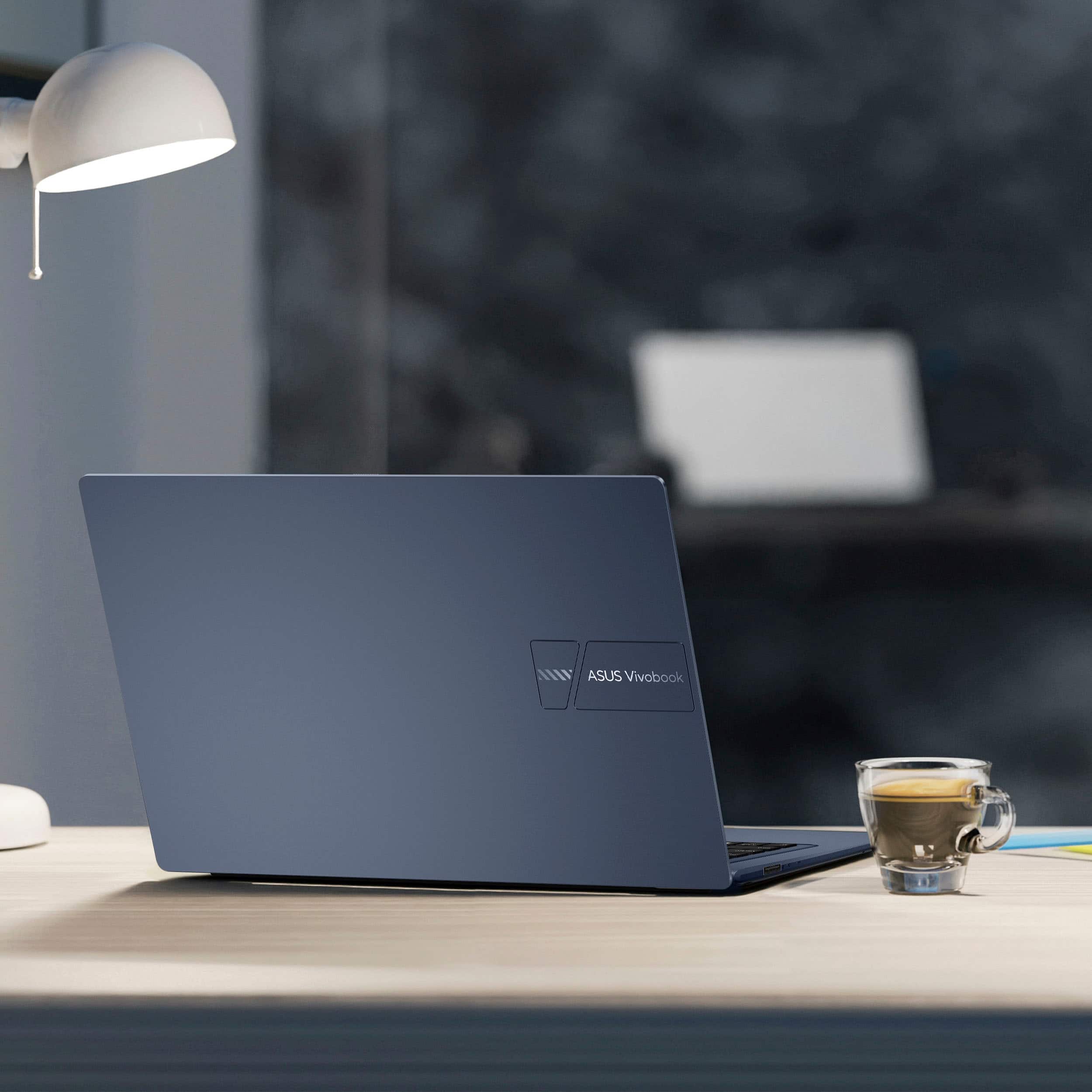

- Model:
- X1404VA-I38128
- SKU:
- 10858288
Rating by feature
- Battery Life
Rating 4.5 out of 5 stars
- Speed
Rating 4.4 out of 5 stars
- Display
Rating 4.5 out of 5 stars
Customers are saying
Customers are positive about the Vivobook 14's overall performance and portability, finding it capable of handling various tasks with ease. The screen quality and processor speed also receive praise, alongside its reasonable battery life. However, the limited storage capacity is a concern for some users.
This summary was generated by AI based on customer reviews.
Returned it
||Posted .This reviewer received promo considerations or sweepstakes entry for writing a review.Light weight and compact, but the touch pad / number pad is funky to use. It doesn't really come with Office, just a trial version with a required yearly subscription. Can't use the laptop without connecting it to a Microsoft account. What happened to being able to buy a computer and just use it the way you want.?.
No, I would not recommend this to a friendBrand response from ASUS Answers
Posted .Dear VeryNice,
Thank you for sharing your experience with the ASUS X1404VA laptop. We sincerely apologize for the inconvenience you encountered with the touch pad/number pad functionality, the Office trial subscription, and the requirement to connect with a Microsoft account. We understand how important ease of use and flexibility are when choosing a device, and regret that this did not meet your expectations.
Your feedback is valuable and will be passed along to our product team for review.
We stand behind our products and continuously strive to improve our products and processes to achieve customer service excellence. If you require any further assistance, please email us at customerloyalty@asus.com and include the case number "N2506015759-0019" as a reference. We will do our best to resolve your case quickly. Your feedback is very important to us, and it enables us to improve our support channels. Thank you for choosing ASUS.
Best Regards,
Chantae
ASUS Customer Loyalty US Support
Good basic laptop
||Posted .This reviewer received promo considerations or sweepstakes entry for writing a review.Works well for what I need it for which is just basic word application.
I would recommend this to a friendAlright
||Posted . Owned for 1 month when reviewed.This reviewer received promo considerations or sweepstakes entry for writing a review.Battery dies rather quickly unfortunately. Could be better
No, I would not recommend this to a friendBrand response from ASUS Answers
Posted .Dear RoderickS,
Thank you for sharing your feedback on the ASUS X1404VA laptop. We sincerely apologize that the battery performance did not meet your expectations, and we regret the inconvenience this has caused.
To help improve battery life, we recommend following the steps outlined in our FAQ guide linked below. If the issue persists after these steps, we recommend contacting our support team directly at https://www.asus.com/us/support/callus/ so we can assist further with advanced diagnostics or warranty service.
We stand behind our products and continuously strive to improve our products and processes to achieve customer service excellence. For more information, email us at customerloyalty@asus.com and include the case number "N2504005745-0058" as a reference. We will do our best to resolve your case quickly. Your feedback is very important to us and enables us to improve our support channels. Thank you for choosing ASUS.
Best Regards,
Chantae
ASUS Customer Loyalty US Support
[Windows 11/10] Troubleshooting - Short Battery Life (Rapid Battery Drain) - https://www.asus.com/support/faq/1043914/
Pretty Good!
||Posted .This reviewer received promo considerations or sweepstakes entry for writing a review.This is a pretty good, cheap laptop for beginners!
I would recommend this to a friendlittle memory
||Posted .This reviewer received promo considerations or sweepstakes entry for writing a review.nice laptop but a bit too expensive and no finger scanning
No, I would not recommend this to a friendlaptop
||Posted .This reviewer received promo considerations or sweepstakes entry for writing a review.I like this laptop and it does everything I want it
I would recommend this to a friendLenovo Laptop
||Posted .This reviewer received promo considerations or sweepstakes entry for writing a review.This is a good Laptop. Response time is quick. I like it.
I would recommend this to a friendDon't Bother
||Posted . Owned for 3 months when reviewed.This reviewer received promo considerations or sweepstakes entry for writing a review.There is nothing about this computer that is worth the low cost. The camera quality is poor, the audio crackles and why did they think adding a number pad to the track pad was a good idea? I use this for presentations for school - none of the features are up to par. It's also slow for an SSD hard drive.
No, I would not recommend this to a friendGood with caveats
||Posted .This reviewer received promo considerations or sweepstakes entry for writing a review.Screen is kind of dim, the mic is not great, otherwise it's a solid laptop. You get what you pay for! I'd recommend using it indoors due to the screen.
No, I would not recommend this to a friendBrand response from ASUS Answers
Posted .Dear Andrew S,
Thank you for your feedback on the ASUS X1404VA Laptop. We're glad to hear the laptop meets your needs overall. We appreciate your comments regarding the screen brightness and microphone performance, and will share them with our product team for future improvement.
We stand behind our products and continuously strive to improve our products and processes to achieve customer service excellence. If you require any further assistance, please email us at customerloyalty@asus.com and include the case number "N2504005745-0032" as a reference. We will do our best to resolve your case quickly. Your feedback is very important to us, and it enables us to improve our support channels. Thank you for choosing ASUS.
Best Regards,
Chantae
ASUS Customer Loyalty US Support
Liked service, not product
||Posted .This reviewer received promo considerations or sweepstakes entry for writing a review.Delivery was perfect. I received the laptop the next day as was indicated, it was also double boxed, which is good and safe. But this laptop tends to freeze anytime, a lot more than my older Windows 10 laptops. Does anyone else seem to have this problem?
I would recommend this to a friendBrand response from ASUS Answers
Posted .Dear User935020LappyTappy,
Thank you for sharing your experience with the ASUS X1404VA Laptop. We’re pleased to hear that the delivery process was smooth and secure, and we sincerely apologize for the issue you’ve encountered with the system freezing.
To assist with troubleshooting, we recommend following the steps outlined in our FAQ guide linked below. If the issue continues, please contact our support team at https://www.asus.com/us/support/CallUs so we can assist you further or arrange repair service if necessary.
We stand behind our products and continuously strive to improve our products and processes to achieve customer service excellence. For more information, email us at customerloyalty@asus.com and include the case number "N2504007925-0016" as a reference. We will do our best to resolve your case quickly. Your feedback is very important to us and enables us to improve our support channels. Thank you for choosing ASUS.
Best Regards,
Chantae
ASUS Customer Loyalty US Support
[Windows 11/10] Troubleshooting - Resolving System Error Messages or Unresponsiveness (Freeze/Black Screen/White Screen during usage) - https://www.asus.com/support/faq/1038855/

Great everyday laptop
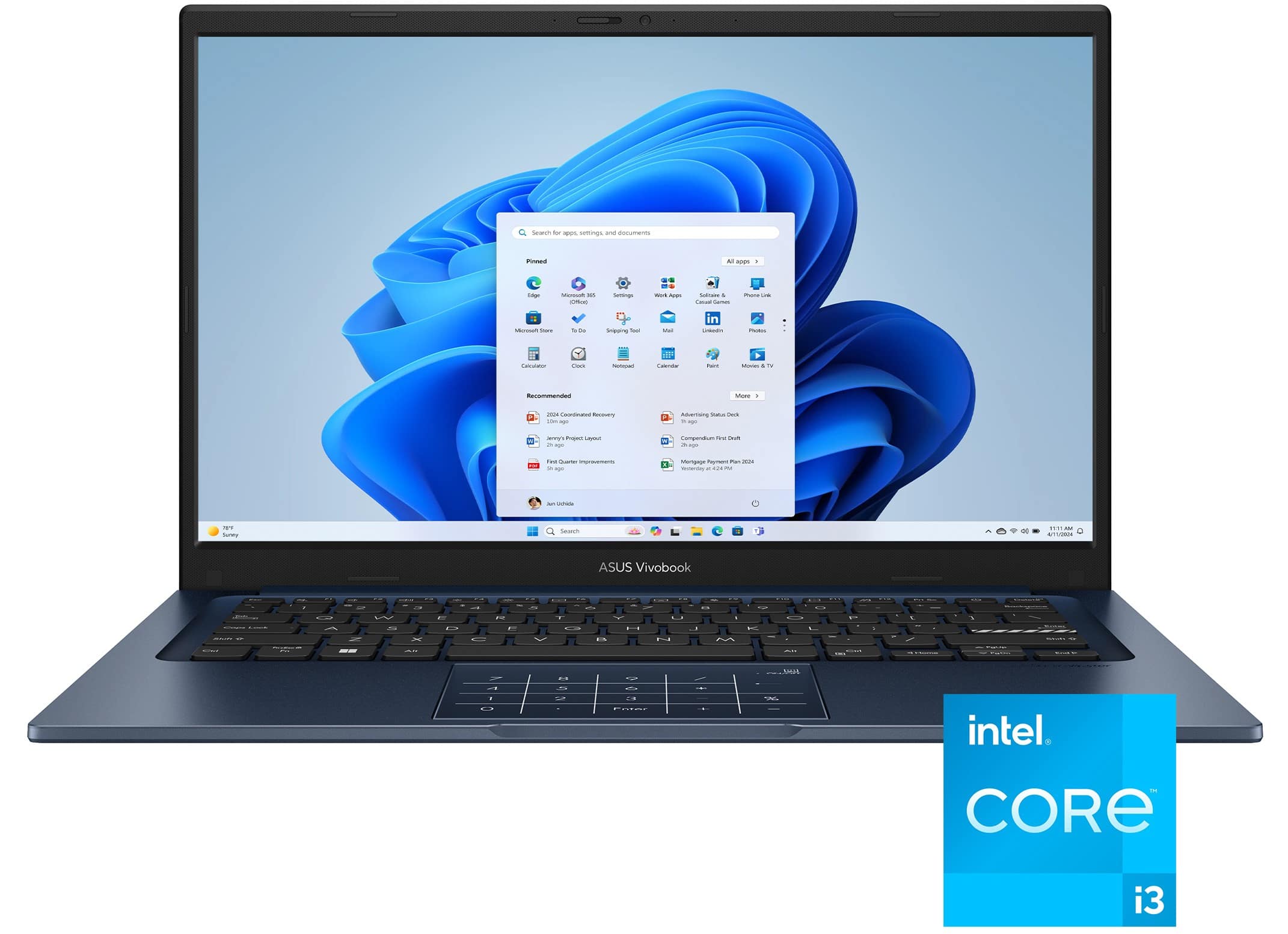
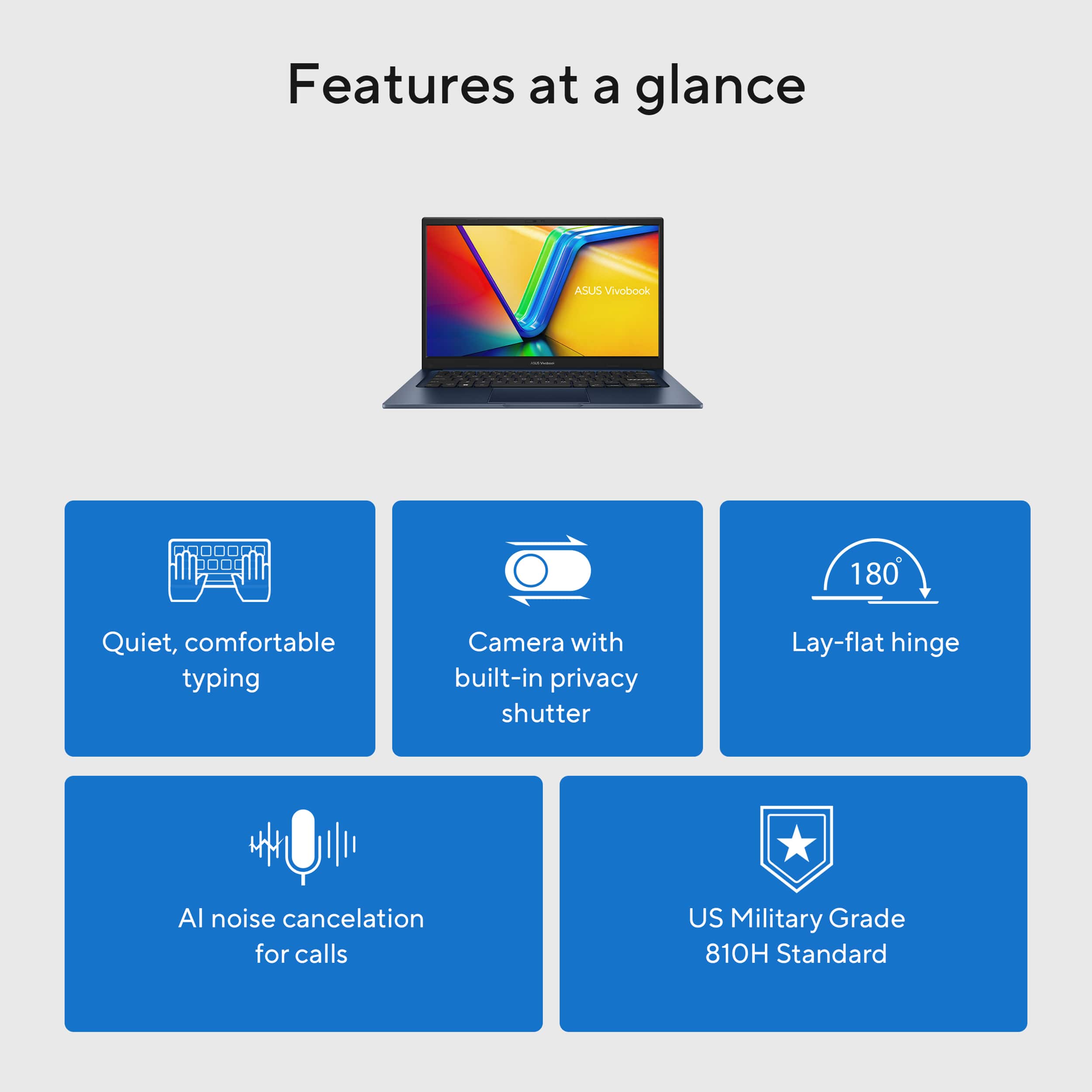
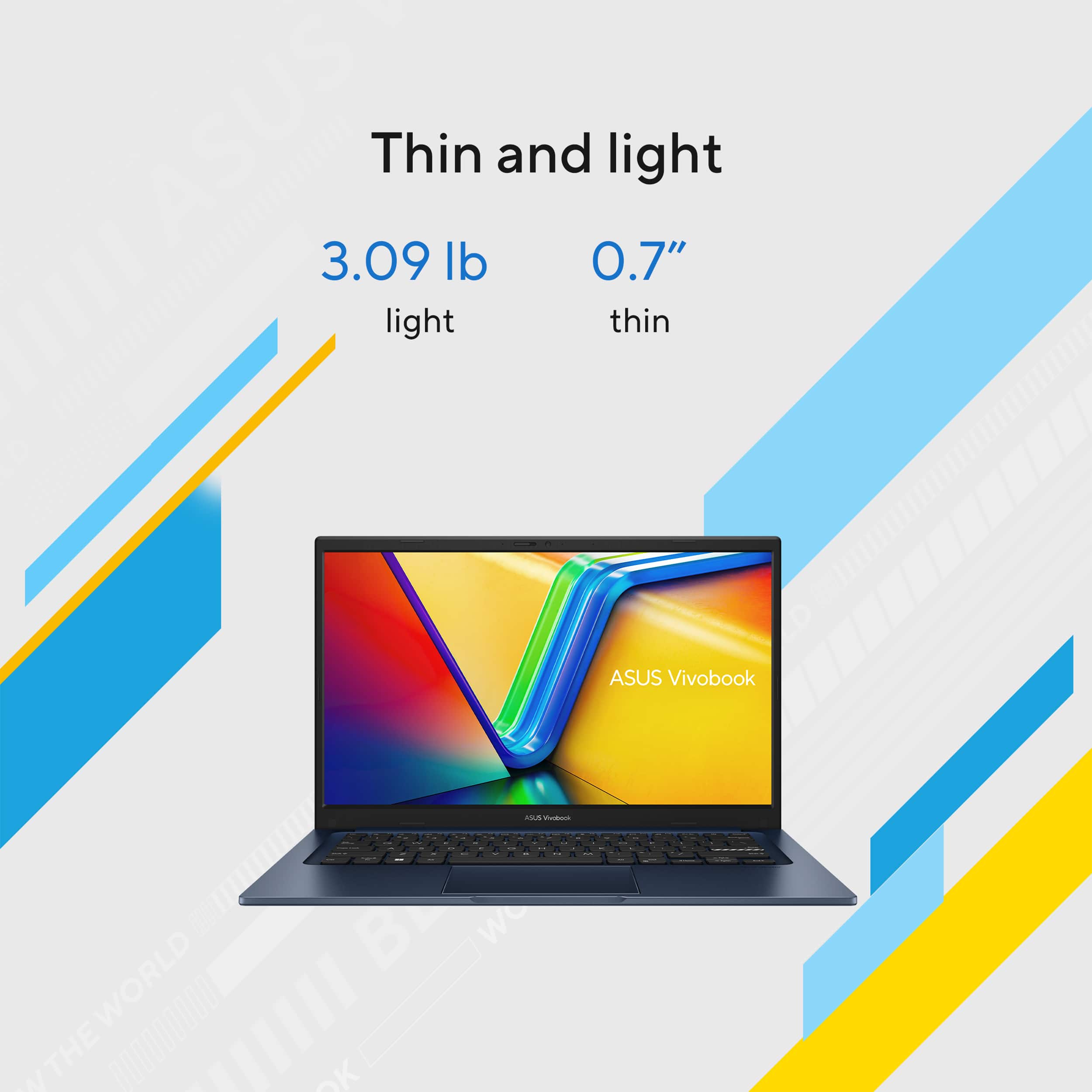
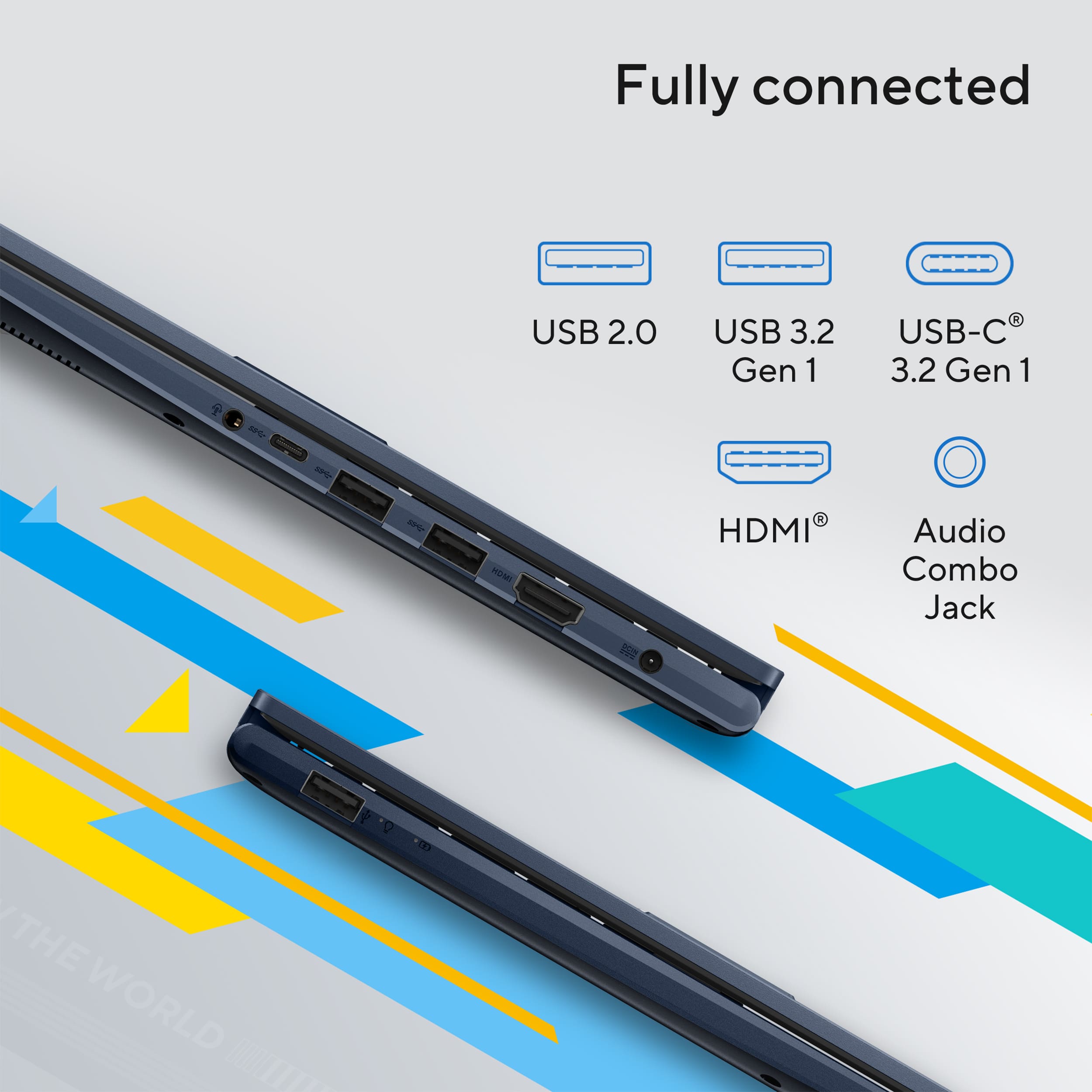
|Posted .This reviewer received promo considerations or sweepstakes entry for writing a review.ASUS - Vivobook 14 14" FHD Laptop - Intel Core i3 - 8GB Memory - 128GB SSD - Quiet Blue Very nice laptop! Very portable and full functioning in a lightweight frame. Plenty powerful to do all your everyday routine things. For me, this is great as a standard work computer to get through the daily routine. Not the higher end of processing performance but definitely gets the job done with its Intel Core i3 1315U processor. Certainly holds the same level of performance with its 8GB DDR4 3200 MHz memory. Integrated graphics work well for everyday use paired with the its beautiful full HD screen. Performance: This Intel i3 with its 8GB of ram and integrated graphics do a lovely job at all of the typical daily tasks. Can run multiple programs and windows simultaneously without any issue. Great for work or play or even very mild casual gaming, but realize this should not be considered a gaming PC. Works tremendously well for anything else though. Storage: the 128GB ssd is fast and opens/runs things quick and smoothly. Fine for pictures and documents, but not a huge drive if that’s what you need. This gets the job done well for the basics. Connections make it simple to add an external drive for storing all of your larger files like movies or a big audio collection. Design and Build This laptop was built with durability and functionality in mind. A well-built and functional machine ideal for work, school, or just the dailies around the house. It has a very durable and clean build in a compact, small footprint frame. Elegant appearance, thin and lightweight with minimal screen bezel which I always like when compared to a thick screen outline. It’s built to US military-grade durability standards so it’s rough and tough to stand up to some punishment if needed. Display Beautiful 60 Hz 14-inch full HD 1920x1080 display. ASUS always seems to have excellent displays. You can find higher resolutions out there but at this size I think 1080 is more than sufficient and utilizes the space well, anything more is overkill. It’s great for general computing but also works great for media viewing or editing. Connectivity This laptop has one USB-C port, two additional USB-A 3.2 ports, a USB-A 2.0, HDMI 1.4, and headphone jack. Plenty of options for connecting additional drives, displays, or any other external devices you may want to attach. Also with speedy Wi-Fi 5 as well as Bluetooth for wireless connections. All work great. Keyboard, Touchpad, Camera The keyboard and touchpad are very nice a ergonomic. I really like the touchpad’s integrated numeric keypad that can be switched on and off. I really appreciate this feature and I’ve not seen it before but it basically adds a full size keyboard’s numeric pad for use when needed without adding the increased space requirement of a dedicated numeric pad, pretty slick. 720p Front-Facing Camera with built in mic work well for smooth and clear conference calls and meetings. Cam has a solid built-in privacy shutter that can easily be slid open or close depending on what you’re doing in order to maintain privacy, which I really like too. Battery Life The battery life is great with the included components. This definitely outlasts any of my other “processor heavy” laptops with their heftier CPUs and GPUs. This is a great feature if that’s what you’re going for over a more unnecessarily powerful laptop. Charge time is excellent as well and doesn’t take long to recharge the battery on the go. Conclusion This ASUS - Vivobook 14 14" FHD Laptop is a great performer for its size and specs. Ideal for work, school or daily routine computing. Not a gaming powerhouse but it’s not meant to be. Quality ASUS construction, a economy friendly components make it a great system all around at a low price.
I would recommend this to a friend
Decent but not enough memory and overheat
|Posted . Owned for 1 month when reviewed.This reviewer received promo considerations or sweepstakes entry for writing a review.[Employee of bestbuy] It's okay but not enough memory it's going to get full fast and then starts to slow down and also overheats if you do a lot on it
I would recommend this to a friendBrand response from ASUS Answers
Posted .Dear Michael,
Thank you for sharing your experience with the ASUS X1404VA and we sincerely apologize for the inconvenience caused by limited memory and overheating concerns. To help resolve this issue, we recommend reviewing the steps in our troubleshooting guide linked below. If the issue continues, please contact our support team at https://www.asus.com/us/support/CallUs so we can assist you further or arrange repair service if necessary.
We stand behind our products and continuously strive to improve our products and processes to achieve customer service excellence. For more information, email us at customerloyalty@asus.com and include the case number "N2504005745-0026" as a reference. We will do our best to resolve your case quickly. Your feedback is very important to us and enables us to improve our support channels. Thank you for choosing ASUS.
Best Regards,
Chantae
ASUS Customer Loyalty US Support
[Windows 11/10] Troubleshooting - Overheating and Fan issues - https://www.asus.com/support/faq/1015064/
[Windows 11/10] How to free up drive space - https://www.asus.com/support/faq/1049096/
good laptop
||Posted . Owned for 1 month when reviewed.This reviewer received promo considerations or sweepstakes entry for writing a review.good laptop for the money but wish it had more memory
I would recommend this to a friendBrand response from ASUS Answers
Posted .Dear RAYF,
Thank you for your feedback on the ASUS X1404VA laptop. We're glad to hear you find it a good value. We understand that memory capacity is an important factor for many users, and we appreciate your input. Your comments will be shared with our product team as we continue to improve future models.
We stand behind our products and continuously strive to improve our products and processes to achieve customer service excellence. If you require any further assistance, please email us at customerloyalty@asus.com and include the case number "N2504005745-0034" as a reference. We will do our best to resolve your case quickly. Your feedback is very important to us, and it enables us to improve our support channels. Thank you for choosing ASUS.
Best Regards,
Chantae
ASUS Customer Loyalty US Support
Not so new
||Posted .This reviewer received promo considerations or sweepstakes entry for writing a review.I bought the computer brand new, but when it came it had a password on it and i couldnt even get in. I got connected with geek squad and they couldnt figure out why and then i was pretty much told to send it in for a new one. Which i didnt have time to do because i needed it for my sons school work. Anyway after nobody could figure out why my brand new computer wasnt actually brand new and had a password on it i googled and figured out how to factory reset everything myself. The computer updates also take long. I recommend getting a different computer.
No, I would not recommend this to a friendBrand response from ASUS Answers
Posted .Dear Summers,
Thank you for your feedback.
We certainly understand your disappointment with the quality of the product your received from your vendor and the inconvenience this may have caused if this laptop has a user account already setup. Normally, if a brand-new product was ordered and paid for and a used item was delivered to you, please contact your seller for a resolution. If you need further assistance with the product, please email me at cl-rodel@asus.com and I will be more than happy to help. Or you are most welcome to call Product Support Hotline at: 1(888) 678-3688. Also, you can chat with an ASUS live support agent from the link: https://www.asus.com/us/support/article/1135/.
Thank you for choosing an ASUS product.
Regards,
Rodel
ASUS Customer Loyalty
Eh, not so great. Returned mine.
||Posted .This reviewer received promo considerations or sweepstakes entry for writing a review.Its not really worth it it for anyone. With its 8gb ram it feels like 4gb. It processes and freezes frequently. Id save your money and buy somdthi g well into a more waulity laptop. The price tells you everything and you get what youre paying for.
No, I would not recommend this to a friendBrand response from ASUS Answers
Posted .Dear DominicR,
Thank you for your comment.
We do understand your disappointment with this laptop and the inconvenience this may have caused if it did not meet your expectations. On the contrary, lots of satisfied customers, having positive experience using the product will agree that it is a decent entry-level laptop. It runs basic and light computing applications, without compromising system stability and performance if Windows is always up to date and this laptop has access to a working and stable internet services. Should you need further assistance with the product, please email me at cl-rodel@asus.com and I would be more than happy to help. Or, you are most welcome to call Product Support Hotline at: 1(888) 678-3688. Also, you can chat with an ASUS live support agent from the link: https://www.asus.com/us/support/article/1135/.
Thank you for choosing an ASUS product.
Regards,
Rodel
ASUS Customer Loyalty
Headache.
||Posted .This reviewer received promo considerations or sweepstakes entry for writing a review.The computer kept going through a reboot cycle and it took me hours to get it started fresh out of the box. I contacted Best Buy geek squad and the fix they gave me was to turn it off and back on if that didn’t work bring it to the store. They then asked me if there was anything they could help me with. I politely told them they didn’t help me at all in this scenario. Both goods and services were a major letdown from the time it was delivered.
I would recommend this to a friendBrand response from ASUS Answers
Posted .Dear Loudhousedad,
Thank you for your comment.
We do understand your dissatisfaction with the quality of your recent customer service experience with your vendor and the inconvenience this may have caused if they were not able to help you resolve the issues with this laptop.
If you experiencing issues with this laptop and need further assistance, please email me at cl-rodel@asus.com and I would be happy to help. Or you are most welcome to call Product Support Hotline at: 1(888) 678-3688. Also, you can chat with an ASUS live support agent from the link: https://www.asus.com/us/support/article/1135/.
Thank you for choosing an ASUS product.
Regards,
Rodel
ASUS Customer Loyalty
complete disappointment
||Posted .This reviewer received promo considerations or sweepstakes entry for writing a review.I used to think highly of Asus. This laptop is a complete disappointment. The screen quality is very poor. You can’t even use something like Word or Excel without lagging or freezing. I wish I could return it.
No, I would not recommend this to a friendBrand response from ASUS Answers
Posted .Dear Sakir,
We sincerely apologize for the issues you’ve encountered with your ASUS X1404VA laptop. We regret that the screen quality has not met your expectations and that you’ve experienced lagging and freezing even when using basic applications such as Word and Excel. We understand how disruptive these problems can be and how disappointing it is when a device does not perform as intended.
To assist with troubleshooting, we recommend following the steps outlined in our FAQ guide linked below. If the issue persists after completing these steps, please contact our support team directly at https://www.asus.com/us/support/callus/ so we can assist with further diagnostics or provide warranty service if necessary.
We stand behind our products and continuously strive to improve our products and processes to achieve customer service excellence. For more information, email us at customerloyalty@asus.com and include the case number "N2506015759-0024" as a reference. We will do our best to resolve your case quickly. Your feedback is very important to us and enables us to improve our support channels. Thank you for choosing ASUS.
Best Regards,
Chantae
ASUS Customer Loyalty US Support
[Windows 11/10] Troubleshooting - Resolving System Error Messages or Unresponsiveness (Freeze/Black Screen/White Screen during usage): https://www.asus.com/support/faq/1038855/
NOT for me!
||Posted .This reviewer received promo considerations or sweepstakes entry for writing a review.I have discovered that I loathe Windows 11. It is too demanding in its setup and security requirements and I do not want to ask permission from Microsoft each time I use my computer. I got locked out the first day. The reset to factory process did not work. The Asus system reset also did not work. Also, I did not like the numeric keypad integrated into the middle of the touchpad because I kept inadvertently activating it sending the system into a frenzy. I returned it today.
No, I would not recommend this to a friendBrand response from ASUS Answers
Posted .Dear User339678,
Thank you for sharing your experience with the ASUS X1404VA, and we’re truly sorry to hear about the challenges you encountered. We understand your frustration with the Windows 11 setup and security requirements, as well as the difficulties you faced with system resets and the integrated numeric touchpad. Your feedback is valuable and will be shared with our product and software teams for further review.
We stand behind our products and continuously strive to improve our products and processes to achieve customer service excellence. If you require any further assistance, please email us at customerloyalty@asus.com and include the case number "N2506015759-0003" as a reference. We will do our best to resolve your case quickly. Your feedback is very important to us, and it enables us to improve our support channels. Thank you for choosing ASUS.
Best Regards,
Chantae
ASUS Customer Loyalty US Support
Fast purchase
||Posted . Owned for 1 month when reviewed.This reviewer received promo considerations or sweepstakes entry for writing a review.Nothing fantastic, I needed to access SPSS and had to get something quickly.
No, I would not recommend this to a friendBrand response from ASUS Answers
Posted .Dear ReseNS,
Thank you for sharing your experience with the ASUS X1404VA Laptop. We understand you required quick access to SPSS software and appreciate you choosing ASUS. We hope the laptop is working well for the software and supporting your tasks effectively.
We stand behind our products and continuously strive to improve our products and processes to achieve customer service excellence. If you require any further assistance, please email us at customerloyalty@asus.com and include the case number "N2504007925-0013" as a reference. We will do our best to resolve your case quickly. Your feedback is very important to us, and it enables us to improve our support channels. Thank you for choosing ASUS.
Best Regards,
Chantae
ASUS Customer Loyalty US Support
Don't recommend
||Posted .This reviewer received promo considerations or sweepstakes entry for writing a review.After two weeks it started making a noise and it's beyond the 15 day return
No, I would not recommend this to a friendBrand response from ASUS Answers
Posted .Dear Shakisla E,
Thank you for reaching out, and we sincerely apologize for the inconvenience you've encountered with your ASUS X1404VA laptop. We understand how concerning it can be to experience unexpected noise from your device, especially so soon after purchase.
To further investigate this issue and provide appropriate assistance, we recommend reaching out to our support team directly at https://www.asus.com/us/support/callus/.
We stand behind our product and we continuously strive to improve our products and processes in order to achieve customer service excellence. For more information send us an email at customerloyalty@asus.com and provide the case number "N2506015759-0013" for reference. We’ll do our best to provide a quick resolution to your case. Your feedback is important as it helps with improvements to ASUS Support channels. Thank you for choosing ASUS.
Best Regards,
Chantae
ASUS Customer Loyalty US Support