Save up to 50% on 3-Day Sale deals.Ends 12/7.Shop now

Skip to content
Gift Ideas
Main Content

Customer Ratings & Reviews
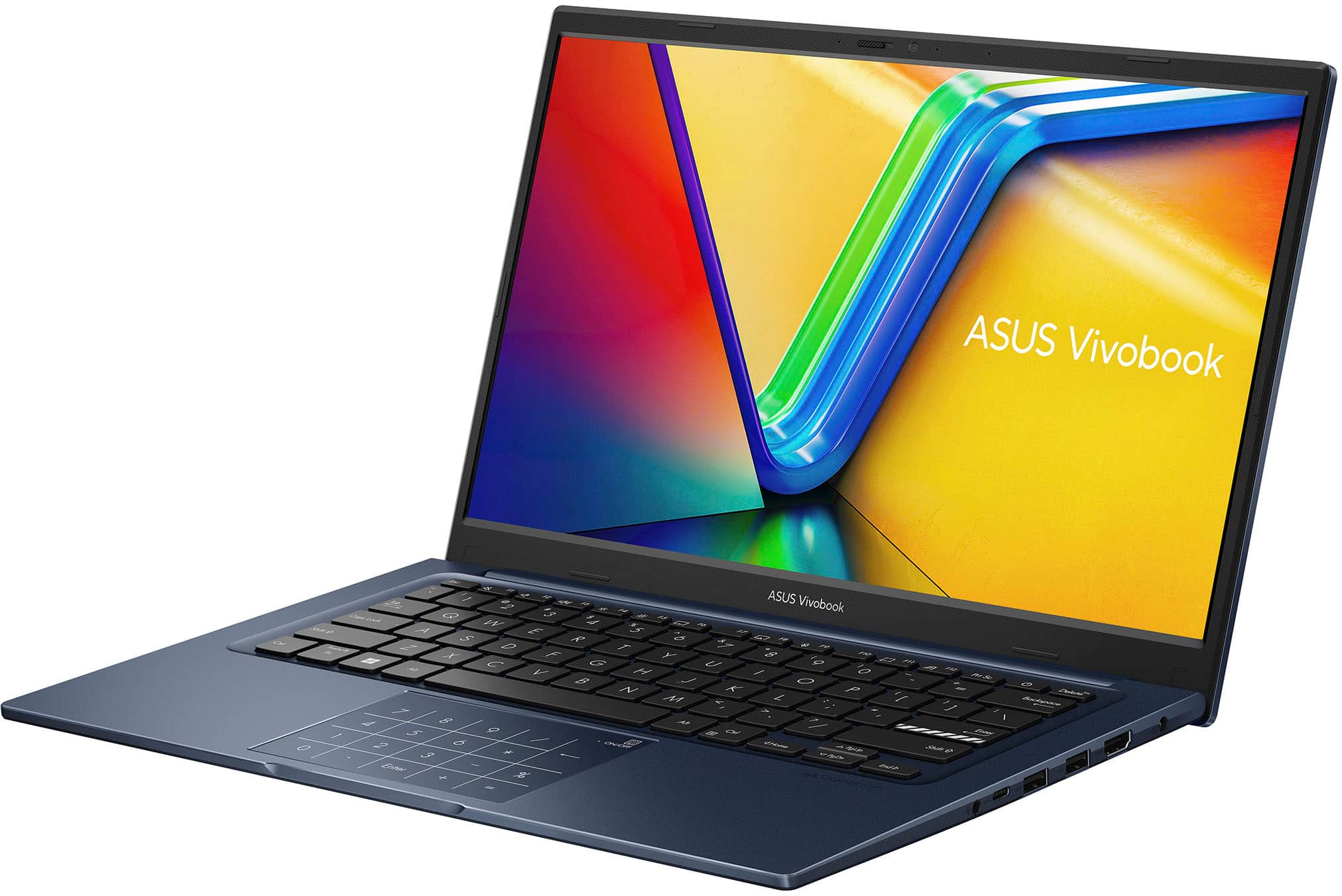
Your price for this item is $359.99
The comparable value price is $599.99

Customer reviews

Rating 4.6 out of 5 stars with 262 reviews

Rating Filter

Rating by feature

  • Battery Life

    Rating 4.5 out of 5 stars

  • Speed

    Rating 4.5 out of 5 stars

  • Display

    Rating 4.4 out of 5 stars

93%
would recommend
to a friend
The vast majority of our reviews come from verified purchases. Reviews from customers may include My Best Buy members, employees, and Tech Insider Network members (as tagged). Select reviewers may receive discounted products, promotional considerations or entries into drawings for honest, helpful reviews.
Page 13 Showing 241-260 of 262 reviews
  • Rated 2 out of 5 stars

    Don't like IPS screen

    |
    |
    Posted .
    This reviewer received promo considerations or sweepstakes entry for writing a review.

    Returned because I cannot go from an OLED screen from my last laptop to this laptop's IPS screen

    No, I would not recommend this to a friend
    • Brand response from ASUS Answers
      Posted .

      Dear PedroG,

      Thank you for your feedback on the ASUS X1404VA laptop. We're sorry to hear the IPS display didn’t meet your expectations after using an OLED screen previously. We understand how important screen quality is, and we hope you're able to find a replacement that better suits your preferences.

      We stand behind our products and continuously strive to improve our products and processes to achieve customer service excellence. If you require any further assistance, please email us at customerloyalty@asus.com and include the case number "N2504007925-0011" as a reference. We will do our best to resolve your case quickly. Your feedback is very important to us, and it enables us to improve our support channels. Thank you for choosing ASUS.

      Best Regards,
      Chantae
      ASUS Customer Loyalty US Support Asus

  • Tech Insider Network Member

    Rated 4 out of 5 stars

    A wonderful laptop for daily needs/activities

    |
    Tech Insider Network Member
    Posted .
    This reviewer received promo considerations or sweepstakes entry for writing a review.

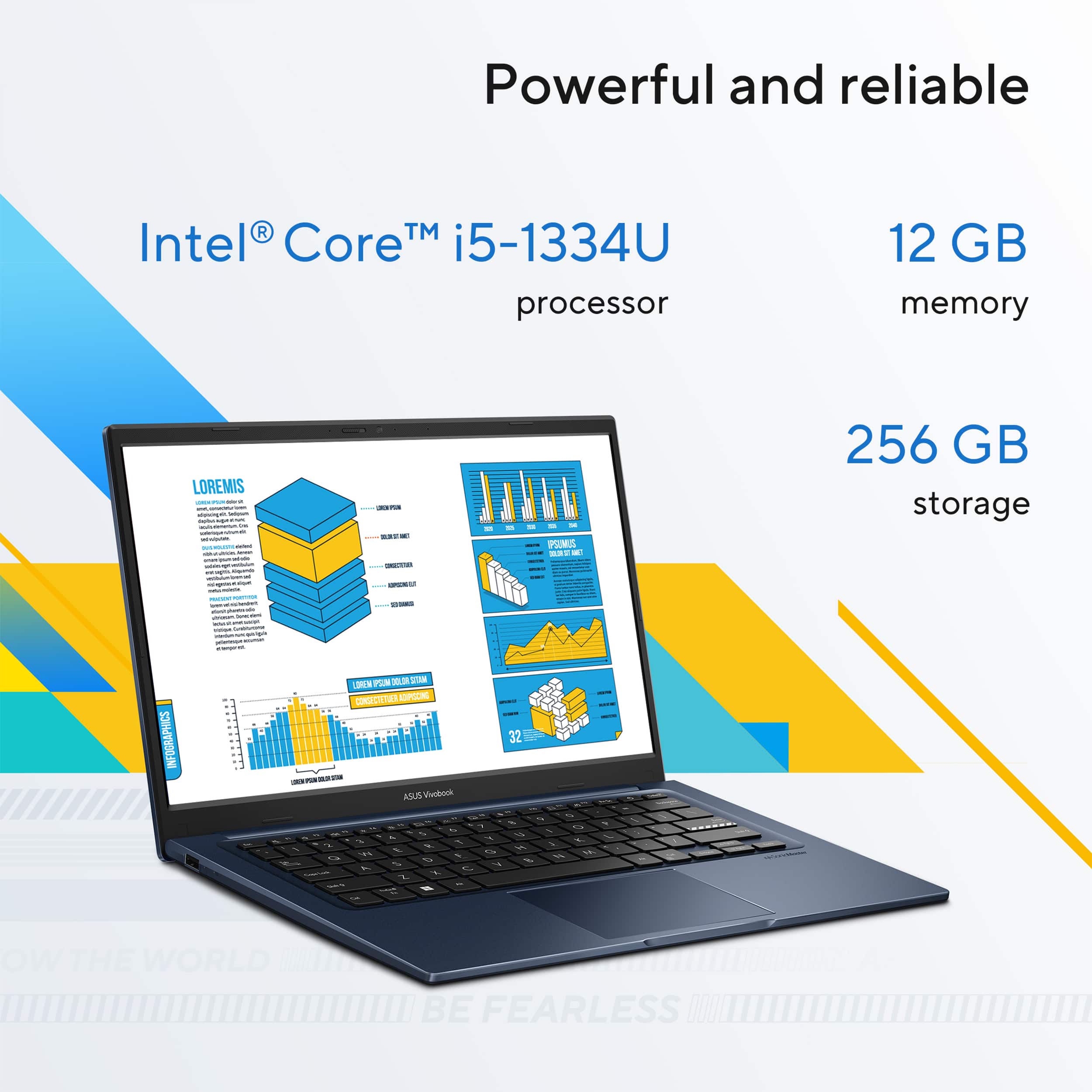
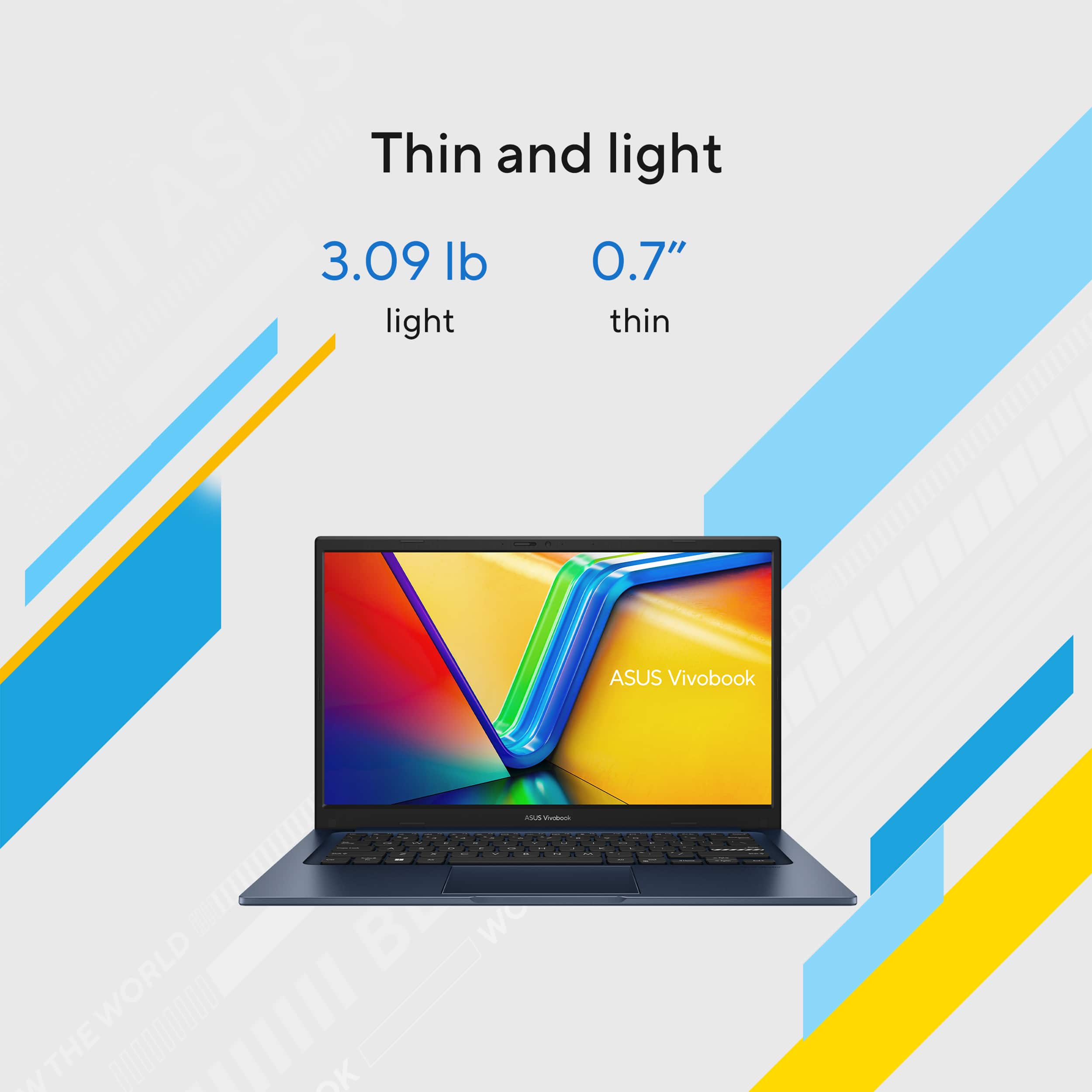
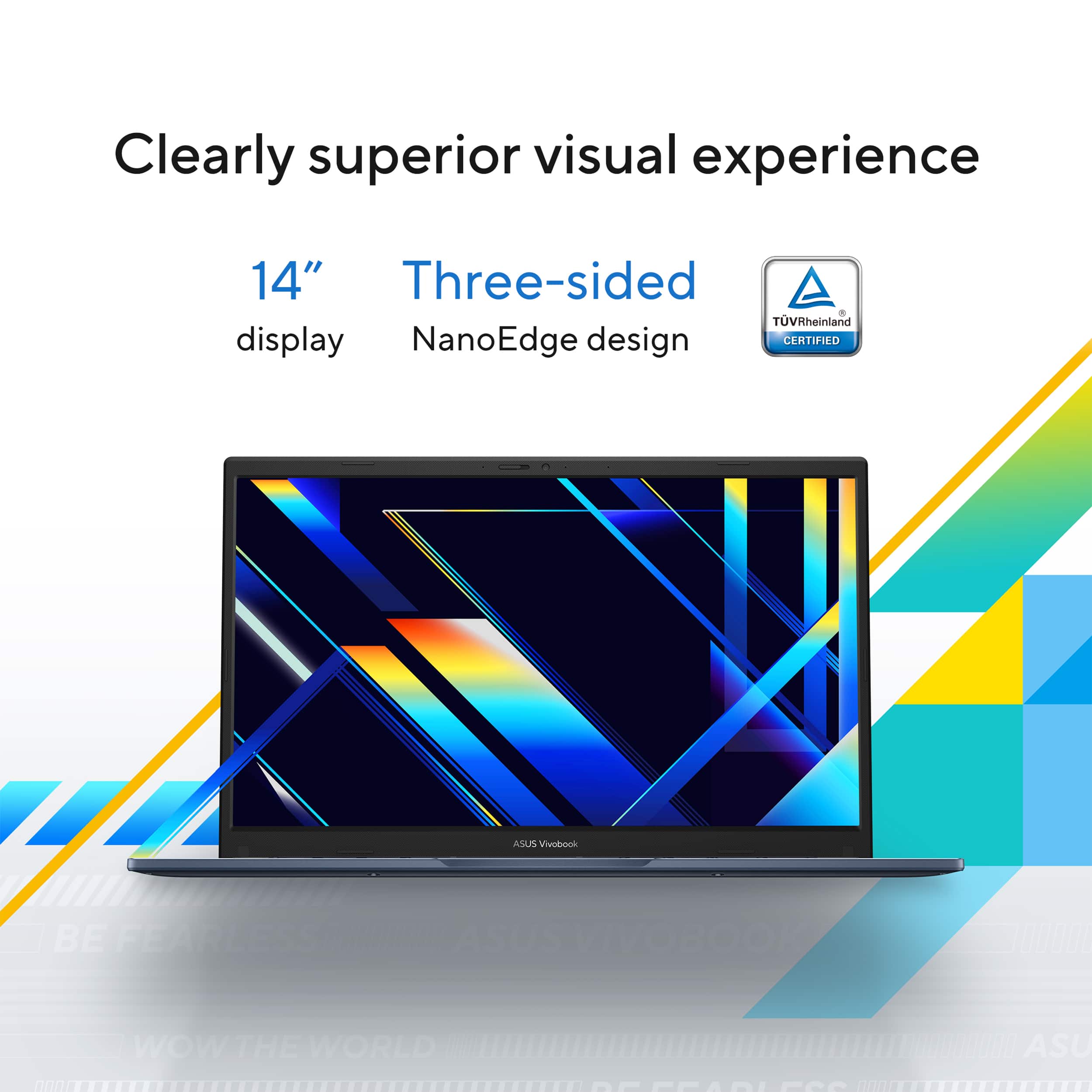
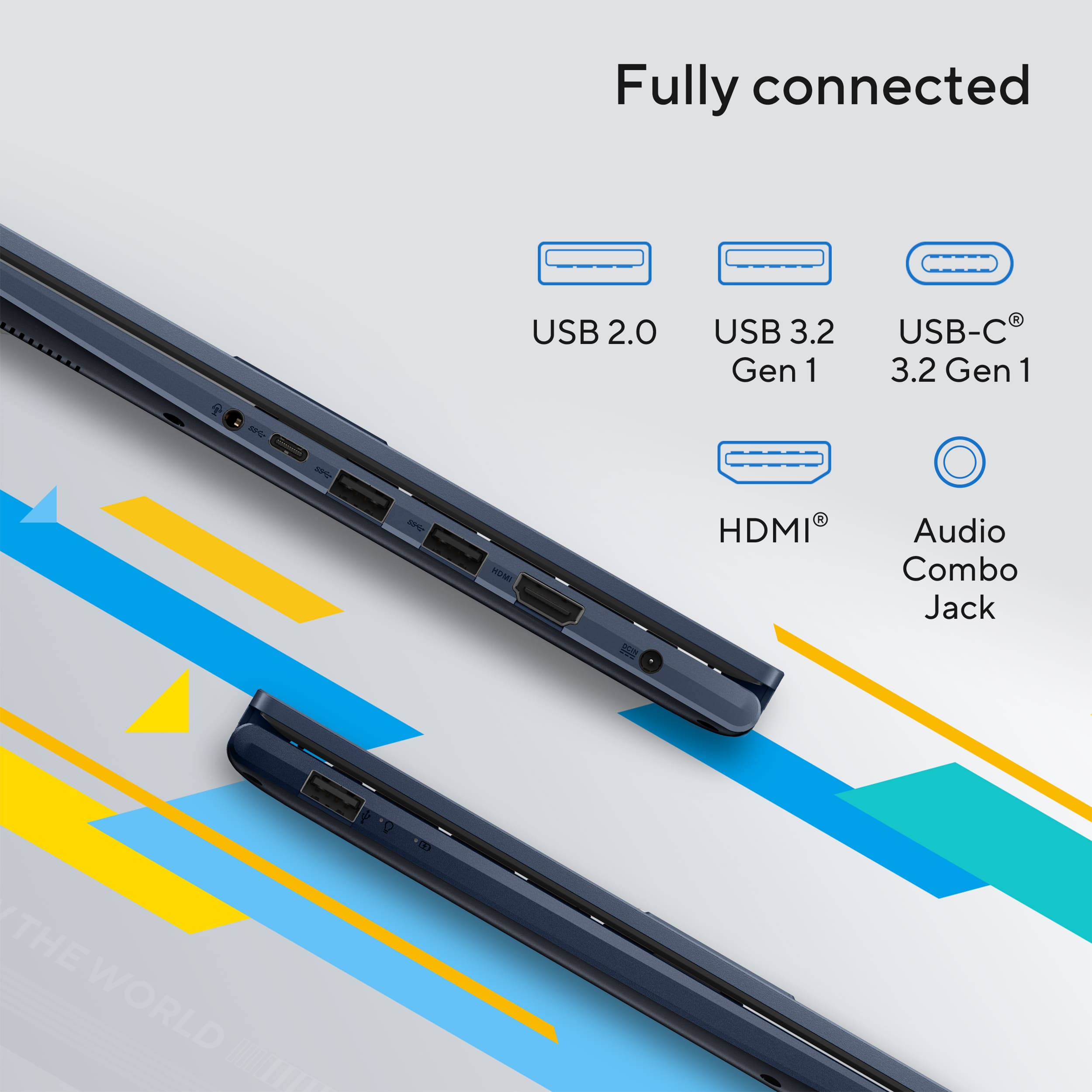
    I must say that the packaging of this laptop is great, it is just so nice. I found the box clean, modern, and aesthetically pleasing as soon as I opened it up. It made me like the laptop before I had even opened it. The box itself was sturdy and kept the laptop secure. Inside, everything fit together quite tidily. The laptop itself was secure in place with some padding so it wouldn’t get in the way or get destroyed on the journey. The charger and other accessories had their own dedicated places as well, so it was easy enough to see what you were looking for. The box had high-quality, solid materials in it. It did not feel cheap at any stage. I also liked that it hadn’t wasted excessive amounts of plastic and waste. Overall, the packaging made a great impression. It reflected that the company cares about the customer as well as the product. It made it easy enough to unbox the laptop because the packaging is so nice. ASUS Vivobook 14 14" FHD Laptop Intel Core i5 is the ideal solution if you need a light, slim notebook for normal usage. ASUS made the Vivoobooks line progressively superior, and this is no exception. One of the standout features is the Full HD (1920 x 1080) display, an improvement significantly better than the previous models riddled with poor screen display. Another of this laptop's strongest selling features is how portable it is. It's lightweight and slim, easy enough to take in either a messenger bag or backpack. It's especially ideal for students, office workers, or someone who's on their feet most of the day. This is built fairly decently for the cost, but some users will be able to feel some flex in the keyboard while typing on it for hours on end at a time. Performance-wise, the Vivobook 14 is ideal for such light tasks as web surfing, media streaming, word processing, as well as light multitasking. Intel Core i5 combined with 12GB RAM can provide responsive performance for running conventional applications. It can even support certain casual games like Roblox smoothly as well. It is not designed for gaming or serious creative applications as it uses Intel UHD Graphics. This is different from somemore pricey Vivobook models, which come equipped with NVIDIA GPUs, this one makes do with totally integrated graphics and may struggle somewhat with more intensive programs. Storage is also something that needs to be considered. The 256GB SSD offers fast boot times and quick access to files, but for those with a high demand for storage capacity because of big applications, media files, or games, the storage will appear limited. An external hard drive or cloud storage can be utilized for additional space. The screen is an improvement over earlier models of Vivobook, although it still has some limitations. The 250 nits of the screen's brightness can be hard to work with in outdoor environments or very brightly lit rooms. That 45% NTSC color gamut also translates to fewer full and accurate colors, which might not be ideal for creative professionals requiring color accuracy for photo or video editing. A standard 60Hz refresh rate is adequate for everyday work but will not provide the smoothest experience for users who are used to high-refresh-rate monitors. Battery life is also somewhat of a mixed bag. ASUS estimates as much as 8 hours of use, but in regular usage, users can likely expect to see 4-5 hours, particularly when streaming or multitasking. This is what one would anticipate from a laptop of this type, but those who require an all-day battery will need to bring a charger along. Security options on this model are a bit disappointing. There isn't a fingerprint reader, so users have to fall back to classic passwords or PINs. There isn't an IR camera for Windows Hello either, which means that facial recognition isn't possible. Even though these aren't must-haves for every user, they do provide an extra level of convenience and security for users who use biometric login. The other area where this laptop lags behind is audio. The speakers available on the laptop are adequate for normal usage but are not as sharp or deep, particularly when listened to on high volumes. The frequent watchers of movies, listeners of music, or users of video calling need to use separate speakers or headphones to get a satisfactory sound output. Even with these limitations, the ASUS Vivobook 14 has some strengths. It delivers strong all-round performance for everyday use, making it ideal for students, office professionals, and mainstream consumers. Wi-Fi 6 built in translates to speedier and safer internet connectivity, which is a godsend for streaming, video conferencing, and working remotely. The keyboard, while rather pliable, is a delight to type on, and the touchpad also features a NumberPad for people who need to deal with figures. Connectivity-wise, the laptop is well equipped with USB ports such as USB-C, HDMI port, and headphone jack. These make it easy to connect peripherals, accessories, and external displays. The ASUS Vivobook 14 is generally a budget laptop that meets the balance requirement between portability, performance for general use, and affordability. It is best for office workers, students, and general users who need a fast machine for work and entertainment. It is not the best for users who need high graphics, high storage, or additional battery life. Even though it's not a beast, it's still the best option for a person who needs a reliable, portable, and tough laptop without breaking an arm and a leg

    I would recommend this to a friend
  • Tech Insider Network Member

    Rated 4 out of 5 stars

    Good Office Laptop

    |
    Tech Insider Network Member
    Posted .
    This reviewer received promo considerations or sweepstakes entry for writing a review.

    This is a great laptop for office use and light tasks. It comes with a 13gen Intel Core i5 not the best of the core i5 but with a decent performance. The laptop is light weight compared to others in its class. The battery may last about 2-3 hours doing light intensity task, that’s typical for a laptop at this price range. It comes with a front facing camera that you can block with a “switch” for privacy. This camera is good for zoom and Microsoft teams meetings. Regarding video, the display of this laptop is 1080p resolution. The internal video graphics GPU on this laptop was powerful enough to play videos in 4K smoothly in YouTube and Plex. There are a few items that you need to have into consideration that may or may not matter to you. The laptop comes with (1) HDMI port, you can connect an external monitor and use the monitor of your laptop and an external monitor with it. However, if you want to add a second external monitor (3 total) you can’t because the USB C port does not support display port via USB C. It comes with Wi-Fi 5, under today’s standards at least Wi-Fi 6 or 6E is the standard but to be honest for light task Wi-Fi 5 shall work fine as long you are not dealing with huge number of files over the network. You may be able to play some games, but I don’t recommend buying it for that. I believe this laptop was not designed with that intention in mind. The reason is the SSD that it came with is only 256 GB and a great part of that capacity is taken by Windows 11. Computer games these days take up a lot of space in your hard drive, once you install 1 or 2 games you may not have more space in your hard drive for anything else. The only options will be to add an external hard drive or upgrade the internal SSD with more capacity but be warned that upgrading the internal SSD may void the warranty. It does not have a docking station port. This is very useful in office environments. This basically converts your laptop into a desktop with more USB ports and multimonitor displays. To summarize, in my opinion it is a good office computer for someone on the go. If you need one with a docking station port, I suggest something different. If you plan to use it as a gaming computer I suggest other options. Do I recommend this computer? A BIG YES, if you use it for basic office task and some entertainment like streaming. However, I will remove 1 star because at this time and age Wi-Fi 5 is basically a little bit obsolete, and 256 GB of SSD is not enough these days.

    I would recommend this to a friend
  • Rated 2 out of 5 stars

    Can't use it

    |
    |
    Posted .
    This reviewer received promo considerations or sweepstakes entry for writing a review.

    I have not used the laptop yet because it's too small for reading . I would like to change it for a big size if only you allow.

    I would recommend this to a friend
    • Brand response from ASUS Answers
      Posted .

      Dear Laura A,

      Thank you for reaching out. We understand that screen size is an important factor for your comfort and usability, and we're sorry to hear that the ASUS X1404VA laptop does not meet your needs. As ASUS does not directly handle exchanges for purchases made through retailers, we recommend contacting Best Buy's customer support at (1-888-237-8289) to inquire about their return or exchange policy.

      We stand behind our products and continuously strive to improve our products and processes to achieve customer service excellence. If you require any further assistance, please email us at customerloyalty@asus.com and include the case number "N2504007925-0005" as a reference. We will do our best to resolve your case quickly. Your feedback is very important to us, and it enables us to improve our support channels. Thank you for choosing ASUS.

      Best Regards,
      Chantae
      ASUS Customer Loyalty US Support Asus

  • Rated 1 out of 5 stars

    Don't buy

    |
    |
    Posted .
    This reviewer received promo considerations or sweepstakes entry for writing a review.

    Was missing an audio driver that Asus support had me install Wifi connection poor Battery good 2 to 3 hours only

    No, I would not recommend this to a friend
    • Brand response from ASUS Answers
      Posted .

      Dear KarenV,

      We apologize for the inconvenience you've experienced with your ASUS X1404VA laptop. While we're glad to hear the audio driver issue was resolved and the system is functioning, we understand your concerns regarding poor Wi-Fi connectivity and limited battery performance.

      To help improve both Wi-Fi stability and battery life, we recommend reviewing the steps in the troubleshooting guide linked below. If the issue continues, please contact our support team at https://www.asus.com/us/support/CallUs so we can assist you further or arrange repair service if necessary.

      We stand behind our products and continuously strive to improve our products and processes to achieve customer service excellence. For more information, email us at customerloyalty@asus.com and include the case number "N2506015759-0014" as a reference. We will do our best to resolve your case quickly. Your feedback is very important to us and enables us to improve our support channels. Thank you for choosing ASUS.

      Best Regards,
      Chantae
      ASUS Customer Loyalty US Support

      [Windows 11/10] Troubleshooting - Wireless Network (Wi-Fi) Issues -  https://www.asus.com/support/faq/1015073/
      [Windows 11/10] Troubleshooting - Short Battery Life (Rapid Battery Drain) -  https://www.asus.com/support/faq/1043914/ Asus

  • Tech Insider Network Member

    Rated 4 out of 5 stars

    Exceptionally good everyman's computer

    |
    Tech Insider Network Member
    Posted .
    This reviewer received promo considerations or sweepstakes entry for writing a review.

    This computer is strongly recommended for anyone who just needs a good, reliable, reasonably future-proof laptop. The build and software check off all the right boxes, but people with specialized interests or to needs might want to look elsewhere. Very good for people interested in productivity who don't need advanced graphics chips or stereo-grade speakers. The build quality is decent without being remarkable. This will survive ordinary wear and tear for years, but I wouldn't recommend dropping it from too great a height. The screen is pretty good, with good color reproduction and viewing angles. You'll be very happy streaking video or watching a movie with this display. The keys have good travel and feel alright when typing, but don't always feel so sturdy. Sound and speakers are above average, too, without really standing out that much. USB port availability is adequate. In short, this laptop meets all the important criteria for a good, reliable everyday use machine. The laptop, at least with a minimum i5 configuration, is fast enough for everyday use, student, and work needs. Browsing the web or doing basic office work (even some advanced office work) is a snap. It's also reasonably future proof, so you don't need to worry about compatibility issues down the road. 12gb RAM is more than enough for regular use, but the internal storage is a little limited. If you have to upgrade this machine at all down the road, it will be because of internal storage, but of course the cloud, hard drive upgrades, and external storage devices will give you plenty of means of accomplishing this when you need to. Battery life seems to be pretty good, too. The real test is how the battery performs after several months of use, but I haven't reached that point yet. On the software side, the machine includes everything you get with a standard Windows install and reasonably unobtrusive proprietary software. There's minimal bloatware, in other words. In general, this is really great, lightweight machine for anyone with general or business needs who just wants to get a decent computer. You don't need to go overboard with an expensive model that will include features you won't use - this computer will do what you need it to without costing an arm and a leg.

    I would recommend this to a friend
  • Rated 2 out of 5 stars

    ASUS Vivobook 14" laptop

    |
    |
    Posted . Owned for 1 week when reviewed.
    This reviewer received promo considerations or sweepstakes entry for writing a review.

    Hated it! Returned to BB. It was slow, graphics were fuzzy and very cumbersome.

    No, I would not recommend this to a friend
    • Brand response from ASUS Answers
      Posted .

      Dear CompRich,

      We sincerely apologize for the issues you've faced with the notebook and for the inconvenience this has caused you. What you've experienced was not intentional or representative of our brand. Having returned the notebook, we hope that you were able to obtain a functional replacement.

      We stand behind our products and continuously strive to improve our products and processes to achieve customer service excellence. If you require any further assistance, please email us at customerloyalty@asus.com and include the case number "N2504007925-0004" as a reference. We will do our best to resolve your case quickly. Your feedback is very important to us, and it enables us to improve our support channels. Thank you for choosing ASUS.

      Best Regards,
      Chantae
      ASUS Customer Loyalty US Support Asus

  • Rated 1 out of 5 stars

    Asus

    |
    |
    Posted . Owned for 1 week when reviewed.
    This reviewer received promo considerations or sweepstakes entry for writing a review.

    Stalled out repeatedly during initial set up. Returned for full refund

    No, I would not recommend this to a friend
    • Brand response from ASUS Answers
      Posted .

      Dear JohnS,

      Thank you for your comment.

      We do understand your disappointment and the inconvenience this may have caused if you are experiencing system hang during the Windows initial setup. Windows 11 requires an internet connection to complete the initial setup successfully. To resolve this issue, check if this laptop has access to an established wireless router or Hotspot and internet service is working properly. If you need further assistance, please email me at cl-rodel@asus.com and I would be happy to help. Or, you are most welcome to call Product Support Hotline at: 1(888) 678-3688. Also, you can chat with an ASUS live support agent from the link: https://www.asus.com/us/support/article/1135/.

      Thank you for choosing an ASUS product.

      Regards,

      Rodel
      ASUS Customer Loyalty Asus

  • Rated 1 out of 5 stars

    Chat Agent Lied and Tricked

    |
    |
    Posted . Owned for 1 week when reviewed.
    This reviewer received promo considerations or sweepstakes entry for writing a review.

    1 Star - Because i am yet to get it delivered. The agent on the chat support asked to order the product despite showing as "Out of Stock".

    No, I would not recommend this to a friend
    • Brand response from ASUS Answers
      Posted .

      Dear PrashantS,

      Thank you for your feedback.

      We do understand your dissatisfaction with the quality of your recent customer service experience and the inconvenience this may have caused if the laptop you are planning to purchase was out of stock. Hopefully, it will be available soon. If you need further assistance with this laptop or other ASUS products, please email me at cl-rodel@asus.com and I will be more than happy to help. Or you are most welcome to call Product Support Hotline at: 1(888) 678-3688. Also, you can chat with an ASUS live support agent from the link: https://www.asus.com/us/support/article/1135/.


      Thank you for choosing an ASUS product.


      Regards,


      Rodel

      ASUS Customer Loyalty Asus

  • Tech Insider Network Member

    Rated 4 out of 5 stars

    Good for the everyday, but I question the value…

    |
    Tech Insider Network Member
    Posted .
    This reviewer received promo considerations or sweepstakes entry for writing a review.

    This laptop is clearly in the mid-range space, so I do think it is important to keep that in mind when taking a look at what it bring to the table. With that said, I still think there are some aspects that make me question the overall value it provides. I more or less had an idea how this machine would perform going in, and in most cases, it met my expectations. I could generally multitask, play some media, handle day to day tasks, deal with my “open tab problem,” and edit some pictures without issue. There was the occasional pause and or hiccup here and there, but not that often and nothing egregious. Just something to note. Build-wise, it is a bit hit and miss. It is fairly compact, a nice weight, and it feels solid enough as a whole, although I think the keyboard has a little more give than I was expecting. Additionally, I found the typing experience to be a bit lacking. Spacing was good, and I liked the keys themselves (although not so much the added texture they have), but I didn’t like the responsiveness. Similarly, the trackpad struggled a bit with accuracy. The lack of backlighting is a big miss for me. Separately, while I can see added value in the num pad feature, and I think it is done well, it just isn’t for me. The display, while a good size, is bright, and delivers a fairly crisp picture; but it struggles with accuracy. Moreso with viewing angles. Overall, it is still “good,” but definitely temper your expectations here. Generally, same with the speakers. Honestly, it is about what you would expect in this space. Loud, but without much bass. I will need a bit more time to get a true handle on battery life, but it seems to be about as rated. There are so many factors that go into this with how you use your machine, but I don’t think this will be an issue going forward. Connectivity is also somewhat of a mixed bag. I give them credit for providing variety, with USB-A, USB-C, HDMI, and the audio jack…BUT, at the very least I would have loved to see an additional USB-C port. Combined with the fact that there is no USB-C charging, it is only by the barrel port, this is just a big miss for me. As is WiFi 5. Ultimately, I think that is what holds me back from truly liking this laptop. It does perform well in the day to day, and for what it is, but I struggle with some spec choices and value. With a change here or there, I could definitely feel better about it. Maybe give 16GB RAM, 512 GB SSD, PD charging, WiFi 6, etc… I think with some of that, with what it already delivers, it would be a good choice. As is, while I still will rate it a 4 (although I would go 3.5 if that were a choice), i just think better value can be found elsewhere.

    No, I would not recommend this to a friend
  • Tech Insider Network Member

    Rated 5 out of 5 stars

    Clear & Crisp Display / Perfect for Coffee Shop!

    |
    Tech Insider Network Member
    Posted .
    This reviewer received promo considerations or sweepstakes entry for writing a review.

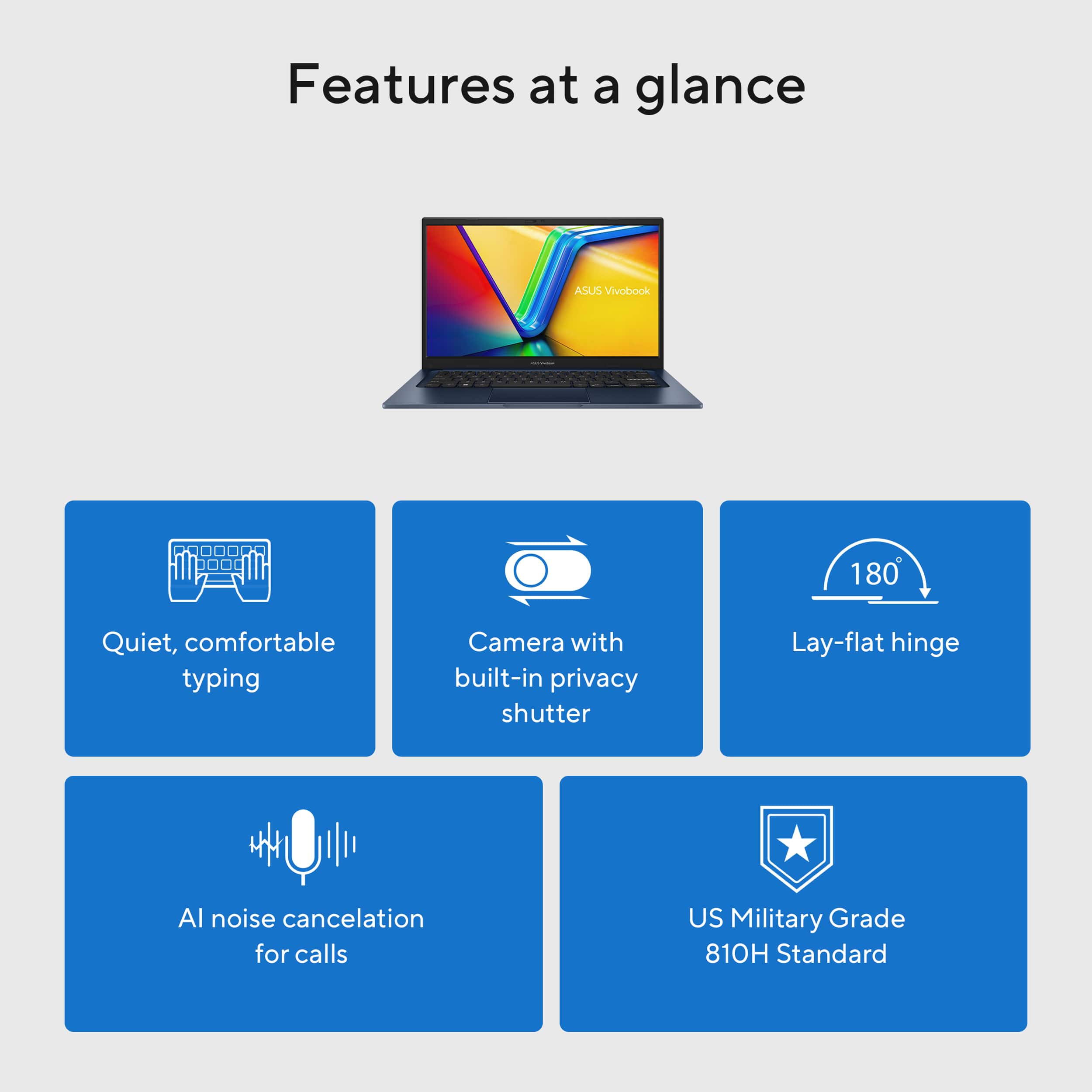
    ASUS never disappoints. Love ASUS laptops! What I love is the clear crisp display. At first it looked like the display on the Vivo didn’t have the great crispness. It turns out it was the angle of the screen. When the screen was perpendicular to the keyboard there was a white shadow type of effect. Simply titling the screen back 10 to 15 degrees took care of that whiteness and that beautiful clear crisp display that makes every detail visible was on the screen. It seems obvious, but the built in webcam cover is genius. I’m always breaking those stick on ones. ASUS has an integrated one with a simple slider. The mouse pad has a built in numeric pad with an on/off spot in the upper right hand corner of the mouse pad. There’s a little light that lets you know the numeric pad is activated. It takes a little practice to use the built in number pad but is quite handy when doing several calculations. The screen folds flat to 180 degrees. Hanging out a coffee shop, want to show something to someone across the table? Easy, fold the screen flat. The keyboard on this Vivobook has a nice easy touch and to me is noiseless. And of course it is lightweight! When first turning on the Vivobook, it took over an hour to install all the updates. It did install as a new laptop (selection I made) so it didn’t bring forward any files from my other computers. Perfect. All in all, easy setup, very portable, fabulous display, nice little extras (webcam cover, number pad).

    I would recommend this to a friend
  • Tech Insider Network Member

    Rated 3 out of 5 stars

    Lightweight with good-enough performance

    |
    Tech Insider Network Member
    Posted .
    This reviewer received promo considerations or sweepstakes entry for writing a review.

    This Asus Vivobook 14 laptop is lightweight and features reasonable specs and performance for a budget-friendly portable computer. It’s pretty good for productivity, internet browsing, streaming and video calls, but it’s not going to keep up with more highly powered models at tasks like gaming or graphics intensive applications. The speakers get sufficiently loud but can be a bit “tinny” at higher volumes. The display is full HD, and reasonably bright, with slim bezels all around, but the viewing angle isn’t fantastic. There’s no touchscreen, which I don’t mind at all but others might miss. The webcam looks pretty sharp, even in relatively low-light situations, and includes a physical privacy shutter. The keyboard is comfortable, and the trackpad is responsive, although I’m not finding the number pad option (that shares space with the trackpad) to be much of a value-add. If I have a task that needs a numeric keypad, I’d want it to be real, tactile buttons, not just regions of a touch surface (but that’s just me). I was also disappointed to see there is no backlit keyboard, and that there are more USB-A ports than USB-C ports – that seems a bit outdated in 2025. Also, the single USB-C port doesn’t support Power Delivery (so it can’t be used to charge the laptop), meaning this is now the only device in my travel bag that needs its own proprietary charging adapter. Overall, this isn’t a bad entry level model and will certainly get the job done for many people who focus on productivity and browsing. If you want more bells and whistles, or just creature comforts, maybe the next model up will be more your style.

    I would recommend this to a friend
    • Brand response from ASUS Answers
      Posted .

      Dear Eric Jay,

      Thank you for sharing your comments regarding the ASUS Vivobook 14 Laptop. We understand that the design of the product didn't meet your full expectations, and we sincerely apologize for that as we do understand your concerns. Our top priority is providing our customers with high-quality products, and we'll forward your feedback to our team for review.

      We stand behind our products and continuously strive to improve our products and processes to achieve customer service excellence. If you require any further assistance, please email us at customerloyalty@asus.com and include the case number " N2504005745-0014" as a reference. We will do our best to resolve your case quickly. Your feedback is very important to us and enables us to improve our support channels. Thank you for choosing ASUS.

      Best Regards,
      Chantae
      ASUS Customer Loyalty US Support Asus

  • Tech Insider Network Member

    Rated 4 out of 5 stars

    Performance trumps build

    |
    Tech Insider Network Member
    Posted .
    This reviewer received promo considerations or sweepstakes entry for writing a review.

    I've actually been more surprised by this laptop than any other I've tried. Let me explain... I'll start with the performance: it's fantastic. It chews through browser tabs like they're not even there and app switching is buttery smooth. It handles light gaming (think Stardew Valley and Balatro) with no hiccups, and I was able to edit some audio files in Adobe Audition with no problems at all. Battery life has been excellent for me as well, able to go an entire day without needing to plug it in. So fantastic performance is the good...that means the build is the bad. This laptop is all plastic, and it's not the greatest feeling plastic. Every touch will leave fingerprints on the lid and keyboard deck. I gave up trying to keep it clean after only a day. The keyboard is not backlit, but the typing experience is fine; there are certainly worse ones out there. The trackpad is average as well - it's decently large, but all plastic and it builds up oils over time and the tracking experience isn't all that pleasant. It also has the number pad burned into it, with the button on the top right to turn that function on and off. As someone who has no need for a number pad I've found this feature to be an annoyance, since I've accidentally turned it on by clicking. The speakers are also not great (but what laptop speakers are?) for anything but spoken word. You'll definitely want to go with headphones to listen to music here. Lastly, the screen...the viewing angles aren't great. It honestly reminded me of the old LCD panels in laptops from a decade ago. The color spectrum & contrast aren't ideal either, though I'm always able to find an angle & setting that has worked. All that said...the performance is genuinely shocking for a computer of this price. If your primary focus is that performance and you're willing to compromise on a sub-par screen and average build, your money will go a long way with this laptop.

    I would recommend this to a friend
  • Tech Insider Network Member

    Rated 4 out of 5 stars

    Good but low-end display hurts value

    |
    Tech Insider Network Member
    Posted .
    This reviewer received promo considerations or sweepstakes entry for writing a review.

    Unboxing was straightforward. Included was the laptop and charging cable. Set up and use: I found the setup pretty straightforward. I did encounter a smooth Windows 11 login experience but assume that is mostly the operating system. I did not like the barrel connector provided. I feel like for this price point they could have included a USBC charger just for ease of compatibility. Otherwise, everything else was smooth. I did find it frustrating to have to set up an Asus account for special updates. I wish this was optional. Use: I found the laptop good for schoolwork and home use. I feel like the build quality is mid-range for this price point. I found the keyboard to be accurate and have minimal flex. I do feel like they cut corners on the HD screen. It is very washed out and seems to be more of a TN panel vs the IPS type. The Number Pad function built into the trackpad seems good but in practice it is very odd to type on the keyboard then lift your hands to type on the trackpad and back to the keyboard. I just stopped using it. I think they could have included just an optional Bluetooth one which would have felt more natural. I do like the color vs the standard black/silver colors that are normally available. I did find the keyboard unresponsive a few times but just rebooting it fixed the issue, and it has not returned so maybe it was from a Windows update or something. The battery life is good for the size of the laptop. I found a solid 4hrs of use with everything on best performance which is how I use laptops. When put on balanced I was able to get through 6.5hrs with it sleeping occasionally. I found the wireless connection solid and the 12gb of ram more than enough. The webcam and ports were pretty standard. Not fantastic but not horrible. Just enough to get through web meetings and connect my peripherals without feeling like I needed a dock or usb hub. The weight was just ok. I feel like they could have saved some more weight here since 3lbs still felt heavy. In summary I like the laptop but just wish the display and charger were better and more to the standards of a $6-800 laptop price point.

    I would recommend this to a friend
  • Tech Insider Network Member

    Rated 3 out of 5 stars

    Basic but functional budget laptop

    |
    Tech Insider Network Member
    Posted .
    This reviewer received promo considerations or sweepstakes entry for writing a review.

    When it comes to no-frills laptops, this is about as close as you're going to get to it. ASUS has trimmed many flourishes to keep this laptop cost effective but still functional. It's a nice compact and light laptop with decent battery life making it good for portability. It has 12gb of RAM which is definitely better than 8gb that some budget laptops include, but you're still not going to do a whole ton of multi-tasking. It's fairly generous on ports, with 3 USB-A ports, 1 USB-C, and 1 HDMI. Power is provided via a typical barrel connector, and USB-C is not a backup option for power, which is disappointing, because that means you'll have to remember to carry the power adapter with this laptop on your travels. The keyboard is perfectly fine to type on, but no backlight, so your typing accuracy might take a hit in dark environments. The touchpad is nice, smooth and accurate, and also doubles as the numberpad. It's not really explained anywhere, but you tap and hold on the on/off calculator icon in the top right of the touch pad to turn it into a numberpad/trackpad. That is, while it's on, you can still use it as a mouse, but you can also tap the numbers and symbols to actually type that number/symbol. It actually seemed fairly intuitive, but don't know how often I'd use it. Now, for the screen. I almost gave this laptop 3 stars, because the screen is just... poor. It has poor color, poor contrast, poor viewing angles. It gets the job done, but leaves a lot to be desired, and certainly not going to be any good for accurate photo editing or watching vibrant Netflix videos. It's actually disappointing in an otherwise adequate budget laptop. Overall, this laptop doesn't particularly stand out tall in any category, but will get the job done for most people.

    I would recommend this to a friend
    • Brand response from ASUS Answers
      Posted .

      Dear ILikeVideoGames,

      Thank you for sharing your comments on the ASUS X1404VA Vivobook 14 Laptop. We understand that it didn't meet your full expectations, and we sincerely apologize for that as we do understand your concerns. Your feedback is greatly appreciated and will be passed to our Product Team for review.

      We stand behind our products and continuously strive to improve our products and processes to achieve customer service excellence. If you require any further assistance, please email us at customerloyalty@asus.com and include the case number "N2504005745-0013" as a reference. We will do our best to resolve your case quickly. Your feedback is very important to us and enables us to improve our support channels. Thank you for choosing ASUS.

      Best Regards,
      Chantae
      ASUS Customer Loyalty US Support Asus

  • Tech Insider Network Member

    Rated 5 out of 5 stars

    Great laptop great for work, school, or everyday!

    |
    Tech Insider Network Member
    Posted .
    This reviewer received promo considerations or sweepstakes entry for writing a review.

     ASUS - Vivobook 14 14" FHD Laptop - Intel Core i5 - 12GB Memory - 256GB SSD is the perfect laptop for everyday use. I have owned a few of the Vivobooks and I have never been disappointed with them. They have been flawless in their operating abilities, with everything from your normal web browsing to a little more meticulous workflow process. The battery life is pretty amazing as long as you keep the power-saving features on such as turning the screen off after 10 minutes of no use and allowing it to sleep after 20 minutes or less of no use. However, that's just how I set it when I'm on battery power. Generally, if I'm on battery that means I'm actively engaged with the laptop. Just like any laptop it does require some charging, but it does not take very long at all to get a full battery after almost draining the battery completely. There is also quite a bit of warning to let you know, that you are about to run out of battery life. Overall, I would highly recommend this laptop to anyone whether they are a student or a colleague. I am truly enjoying utilizing this laptop for my everyday use.

    I would recommend this to a friend
  • Tech Insider Network Member

    Rated 5 out of 5 stars

    Great device for browsing and productivity!

    |
    Tech Insider Network Member
    Posted .
    This reviewer received promo considerations or sweepstakes entry for writing a review.

    This is a great little laptop with a 14" screen that has a Full HD Display. It is a mid-tier device in that it has a mid range Intel processor, a decent amount of RAM, and a small hard drive, but it's fast. It was easy to setup and once Windows updated, it was quick to start using. It's really fast when it comes to web browsing or streaming online content. You can also use the Microsoft Office Suite within Windows and that works really well too. Combine that with cloud storage and you can avoid ever needing to worry about running out of space. So far it does a great job allowing me to have multiple programs over while listening to or streaming music on the device. It also does works well with having a lot of tabs open in your preferred browser. Overall, it's a great mid-tier device for web browsing, streaming music and video content and also utilizing productivity suites like Office. Combined with the Full HD screen, it's perfect for those tasks and even some light gaming. Overall, I highly recommend this laptop.

    I would recommend this to a friend
  • Tech Insider Network Member

    Rated 3 out of 5 stars

    Just an ok computer for the price

    |
    Tech Insider Network Member
    Posted .
    This reviewer received promo considerations or sweepstakes entry for writing a review.

    ASUS is one of my preferred brands for computers. Although not usually the sleekest looking devices, ASUS is a good brand for quality hardware. While this laptop has some good features, this model is a bit lacking for the price. PERFORMANCE ------------------------ The specs are good. The i5 processor is a good mid-range model and scores well on Passmark. It also has 12GB of RAM, better than the typical 8GB. It's not the thinnest or lightest in its category, but it's not bad. It also has 3 USB-A ports and 1 USB-C, along with a standard size HDMI. Performance varies however. Windows 11 is a slug. Unfortunately this operating system really seems to weigh it down. After setting everything up on the computer and using it a few times, I found that after starting it up and letting everything settle down, performance was ok, but not spectacular. I did a lot tweaking, uninstalling of extras I don't need or want, and a few other enhancements to try to improve it. I could run office applications, multiple tabs in the browser, and a couple of other basic apps. I also installed Steam and played a couple of Indie games on it - not extreme in graphics, but games that sometimes spin up the fans on my other computers. It ran them without stuttering, and while I heard the fan run a few times, the games performed well. Straight out of the box, however, I could not say the same. I should also mention that I was able to set up Windows with a local account, which helped with the background tasks. The difference really showed when I dual-booted it with Zorin OS, one of my favorite Linux versions. Once installed and configured, Zorin was very snappy. I did not have any issues doing many of the same tasks simultaneously, but the computer felt so much snappier. If you want this computer to install a Linux distro, it should perform well. Battery life is...ok. Unfortunately it seems to lose a lot of battery even in sleep mode. I spent more time using it in Windows than Zorin, but I know that Zorin is much lighter on the system and I would probably get more out of it. FEATURES ----------------- This is not a feature packed computer, but it has a couple of items I appreciate. The camera includes a shutter on it, which is always appreciated but honestly should be standard. I appreciate the number of ports, with 3 USB-A and a USB-C. It also uses a barrel-jack for the power supply, but it's at least a standard size and easier to replace if you need and extra or lose it. The feature I found the most unique was the number pad built into the touch pad. I am a 10-key user, so while I appreciate smaller laptops for portability, that usually means no number pad. I thought this would be a nice feature to have, but unfortunately it lacked the sensitivity to make it extremely useful. Like typing, keying on a number pad is tactile, so using a completely smooth surface for this purpose would benefit from greater sensitivity. I realize this is a balance between responding to tracking vs keystrokes, so I don't discredit the feature, only that it may not prove to be as useful as intended. If you "hunt and peck" on a number pad however, this may be a huge bonus. I also found that due to the size of the touch pad, my finger would track into the top-right corner where I would accidentally activate the touch pad, resulting in undesired input. Note that this feature does not work in Zorin OS, and while I didn't look, I don't expect there are drivers for it. CHASSIS AND OTHER COMPONENTS ------------------------------------------------------- The case of this computer is a very smooth plastic, while the keys are very heavily textured. The smooth plastic does feel a bit more premium, but the keys immediately make this feel like a laptop that should be priced at half of what it is. Additionally, the smooth plastic is a fingerprint magnet. just picking it up and moving it into another location leaves smudges and smears anywhere it's been handled, even though I had just washed my hands. It's going to very quickly look greasy and grimy if not wiped frequently. The keyboard is very clicky. You get a good tactile feeling when typing on it, and while the keys themselves feel cheap, typing on it not a bad experience. They are also surprisingly quiet. Not silent, but not terribly noisy. However, they are not backlit, and this is a dark colored laptop, so typing in the dark is not a good experience. I appreciate the 3 USB-A ports on this computer, since even at the time of this writing, you can never have enough. However, I found with multiple devices (wireless receiver for a mouse, SD card reader, and USB flash drives), the ports are very tight. Since I had this issue with every device I plugged into all 3 ports, this is a manufacturing issue and not an issue with my accessories. It takes some effort to insert and remove them, and there is definitely a "scraping" feeling when removing them. Finally, the screen on this laptop is underwhelming. It's clear when you are looking directly at it, but the viewing angles are terrible, especially from the top. If the laptop is sitting on your lap and the screen is not angled backward enough, it's hard to see. I tried brightening and dimming the screen to see if there was any improvement, but there wasn't much. The default settings on this laptop (Windows-based) are to change the brightness based on screen content to save battery life. This means every time Windows prompts you to approve an action, or if you go back and forth between websites that are mostly dark in color and then light, the screen is constantly brightening and dimming in a way that is very distracting. You will likely want to change this in the display settings. OVERALL EVALUATION ---------------------------------- Overall, this is not a bad computer, especially if you are looking for a small, light-weight device to carry on the go. However, it lacks some features and an overall feeling of quality for its price. For field work, a classroom laptop, or just something to take with you to the coffee shop, it has decent specs for getting your work done and maybe some light gaming. If you are not bothered by the physical issues (case materials, keyboard texture, etc), I would recommend this computer when it's on sale. However, for the same price or slightly more, you can likely get a much higher quality laptop, probably with a bigger battery.

    I would recommend this to a friend
    • Brand response from ASUS Answers
      Posted .

      Dear GirlsCanTechToo,

      Thank you for sharing your comments regarding the ASUS Vivobook 14 Laptop. We understand that it didn't meet your full expectations, and we sincerely apologize for that as we do understand your concerns. Our top priority is providing our customers with high-quality products, and we'll forward your feedback to our team for review.

      We stand behind our products and continuously strive to improve our products and processes to achieve customer service excellence. If you require any further assistance, please email us at customerloyalty@asus.com and include the case number "N2504005745-0002" as a reference. We will do our best to resolve your case quickly. Your feedback is very important to us and enables us to improve our support channels. Thank you for choosing ASUS.

      Best Regards,
      Chantae
      ASUS Customer Loyalty US Support Asus

  • Tech Insider Network Member

    Rated 3 out of 5 stars

    Good laptop, but better options available

    |
    Tech Insider Network Member
    Posted .
    This reviewer received promo considerations or sweepstakes entry for writing a review.

    My wife was in need of a laptop that she could use for occasional work and for browsing. The opportunity came up to give the ASUS - Vivobook 14 14" FHD Laptop a try, so I went for it. One very important thing to keep in mind is that there are color options that you can choose if you are looking to personalize your computer even further. My wife loved the blue color and how sleek the ASUS - Vivobook 14 14" FHD Laptop looks. My first impressions were that this is a nice laptop for the money. Unfortunately, when I saw the display quality, I have to admit that I was a bit disappointed. With SO many display options that Asus could have gone with, they went with a not so great display. The image quality leaves SO much to be desired. My other Asus laptops have displays that are 10x better than this. Yes, they are more expensive laptops, but I feel like Asus could have done so much better with the ASUS - Vivobook 14 14" FHD Laptop. The imaging quality is lacking. Something that I did like about the ASUS - Vivobook 14 14" FHD Laptop is the number keypad that is built into the trackapd. I love that feature and hope that they use on a large percentage of their products in the future. As for performance, as I mentioned before, it is great for some work and more browsing. You don't have lots of memory here, with only 256gb of memory storage. I wouldn't keep so many tabs open on this one like I do with my other computers. Overall, the ASUS - Vivobook 14 14" FHD Laptop is good, but I would say that there are better options out there for the money.

    No, I would not recommend this to a friend
    • Brand response from ASUS Answers
      Posted .

      Dear Jordan,

      Thank you for sharing your comments regarding the ASUS X1404VA Vivobook 14 Laptop. We understand that it didn't meet your full expectations, and we sincerely apologize for that as we do understand your concerns. Our top priority is providing our customers with high-quality products, and we'll forward your feedback to our team for review.

      We stand behind our products and continuously strive to improve our products and processes to achieve customer service excellence. If you require any further assistance, please email us at customerloyalty@asus.com and include the case number "N2504005745-0011" as a reference. We will do our best to resolve your case quickly. Your feedback is very important to us and enables us to improve our support channels. Thank you for choosing ASUS.

      Best Regards,
      Chantae
      ASUS Customer Loyalty US Support Asus

  • Rated 5 out of 5 stars

    Upgrade

    Posted .
    This reviewer received promo considerations or sweepstakes entry for writing a review.

    I always love Asus. I used one in high school and now that I need to get a newer and better device. I’m very impressed with this one. I would recommend this to anyone.

    I would recommend this to a friend