Customer Ratings & Reviews
![ASUS Vivobook Esc 2 F1 F2 F3 F4 F5 F6 F7 FB 8 F9 F10 F11 F12 Prt Sc and Delete - & I 1 Q 2 # 3 $ 4 % 5 A 6 & 7 * 8 I 9 - O - I + = Backspace Tab Q W E R T Y U I O P I [ ] | / Ctrl Lock A S D F G H J K L : : I Enter Shift Z X C V B N M V ? / Shift Ctrl Fn Alt Alt Ctrl Home A PgUp PgDn End b ON/Off SonicMaster 7 8 9 / 4 5 6 * 1 2 3 I % 0 Enter + =](https://pisces.bbystatic.com/image2/BestBuy_US/images/products/8785ef94-8fa8-4d9a-bfb8-9c161c09ab91.jpg)

- Model:
- X1404VA-I512256
- SKU:
- 11297689
Rating by feature
- Battery Life
Rating 4.5 out of 5 stars
- Speed
Rating 4.5 out of 5 stars
- Display
Rating 4.4 out of 5 stars
Mediocre
||Posted .This reviewer received promo considerations or sweepstakes entry for writing a review.It was ok…. Simply ok. If you want it for just school work or simply just to browse the web then it’s perfect. However if you want it to play any game or run more than 2 things at once then I wouldn’t get it.
No, I would not recommend this to a friendBrand response from ASUS Answers
Posted .Dear Michael S,
Thank you for sharing your experience with the ASUS X1404VA laptop. We appreciate your honest feedback and regret that the device did not fully meet your performance expectations beyond basic tasks such as schoolwork and web browsing. Your comments have been noted and will be shared with our product development team for further evaluation.
We stand behind our products and continuously strive to improve our products and processes to achieve customer service excellence. If you require any further assistance, please email us at customerloyalty@asus.com and include the case number "N2504005745-0049" as a reference. We will do our best to resolve your case quickly. Your feedback is very important to us, and it enables us to improve our support channels. Thank you for choosing ASUS.
Best Regards,
Chantae
ASUS Customer Loyalty US Support
ASUS laptop
||Posted .This reviewer received promo considerations or sweepstakes entry for writing a review.Nice looking .Fast computer for decent price . Like it .
I would recommend this to a friendGood laptop for a good price
||Posted . Owned for 1 week when reviewed.This reviewer received promo considerations or sweepstakes entry for writing a review.Not a bad laptop. Haven’t had any issues yet. Runs fast
I would recommend this to a friendGood Laptop at Great Price.
||Posted .This reviewer received promo considerations or sweepstakes entry for writing a review.Not the highest in technology, but sufficient for my needs.
I would recommend this to a friendCheap but would not recommend.
||Posted . Owned for 3 months when reviewed.This reviewer received promo considerations or sweepstakes entry for writing a review.Not enough CPU to run a single application that integrates streaming.
No, I would not recommend this to a friendBrand response from ASUS Answers
Posted .Dear AlysseC ,
We certainly understand your disappointment with the performance of the unit. We certainly value your feedback on this matter, and I will be letting the related department know about the issues you are experiencing in terms of continuous improvements to the product line. However, there are other units that would have an upgraded CPU that best suits your needs. If you need any assistance, feel free to contact me at customerloyalty@asus.com. We'll be happy to provide a quick resolution to your case, and I will help you to the best of my abilities. I am here to assist our customers with our products and am dedicated to bringing resolution to all issues that they may come across. Your case for reference is [N2602014459-0001] for us to better assist you. Thank you for choosing ASUS!
Best Regards,
Anya M.
ASUS Customer Loyalty US Support
Bargain
||Posted .This reviewer received promo considerations or sweepstakes entry for writing a review.Bargain for the price!!!!!!!!!!!!!!!!!!!!!!!!!!!!!
I would recommend this to a friend- Pros mentioned:Portability, Processor speed, WeightCons mentioned:Screen quality

A wonderful laptop for daily needs/activities
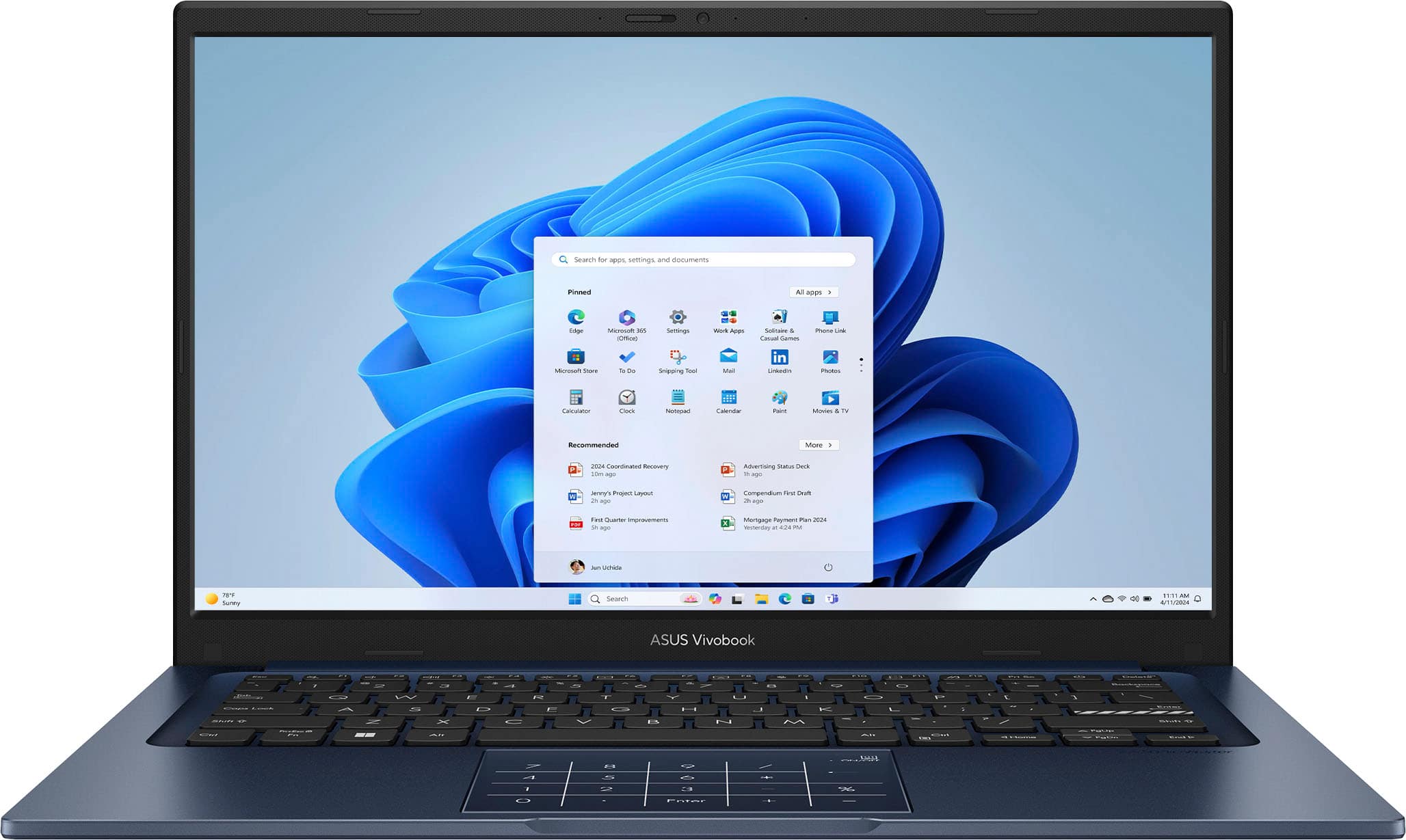
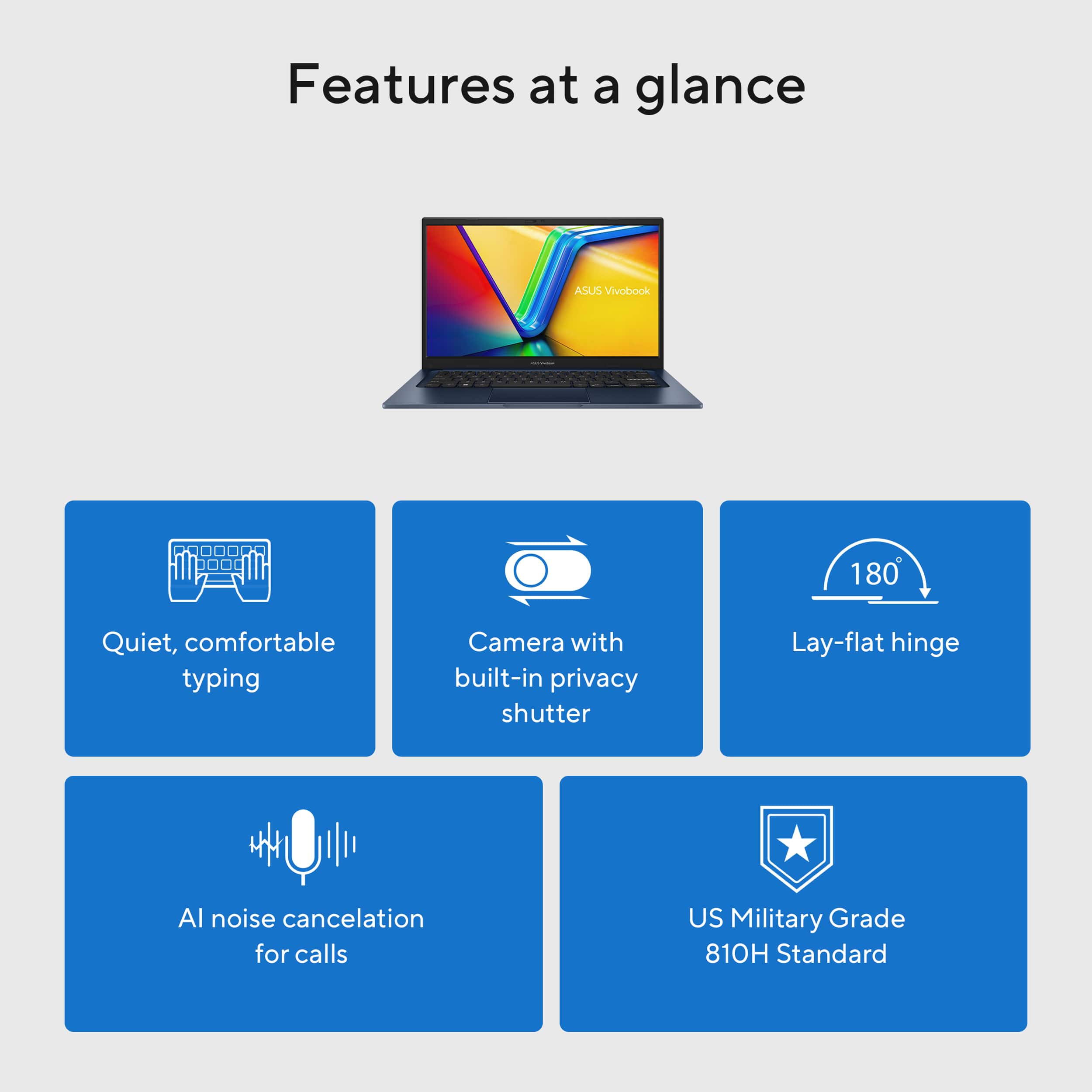
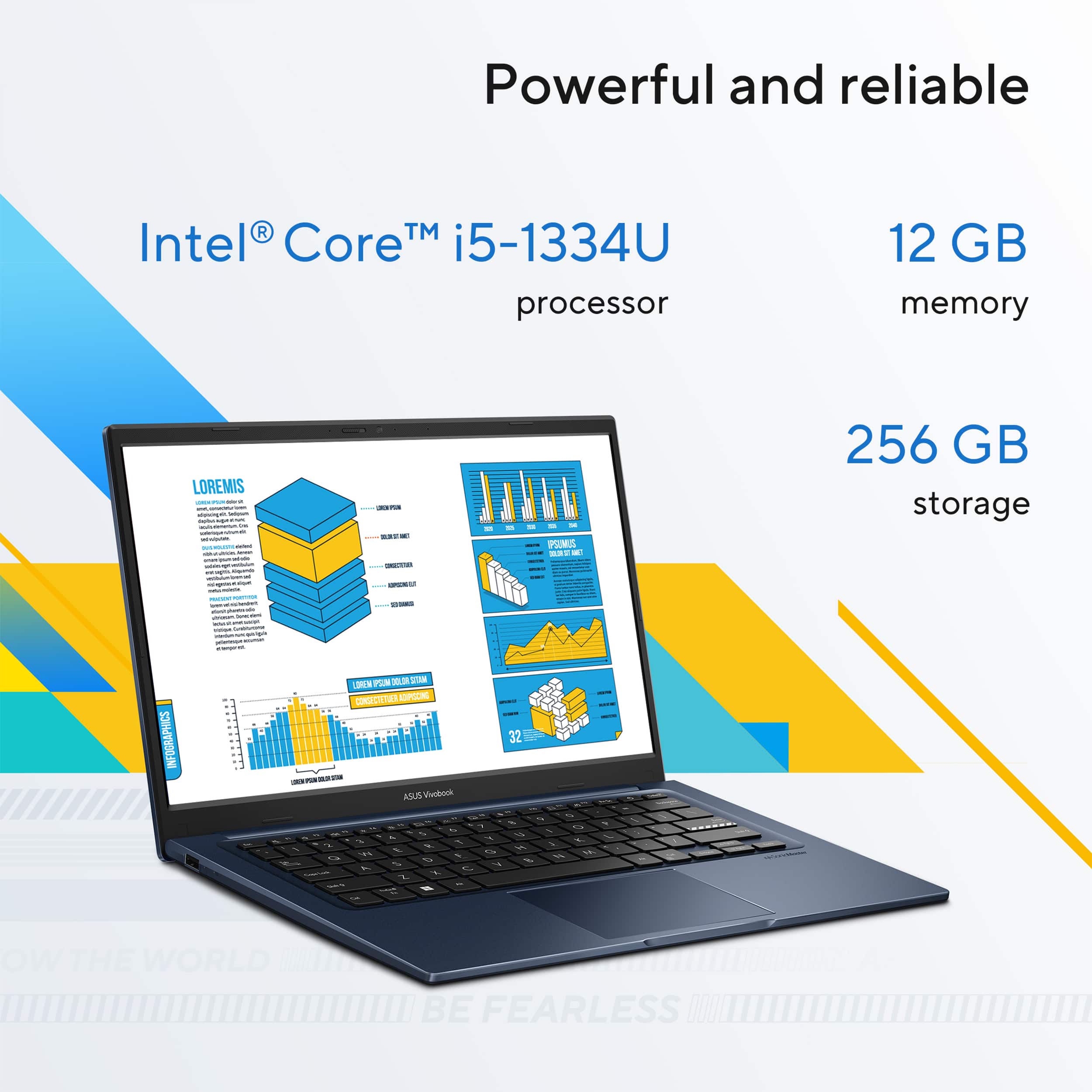
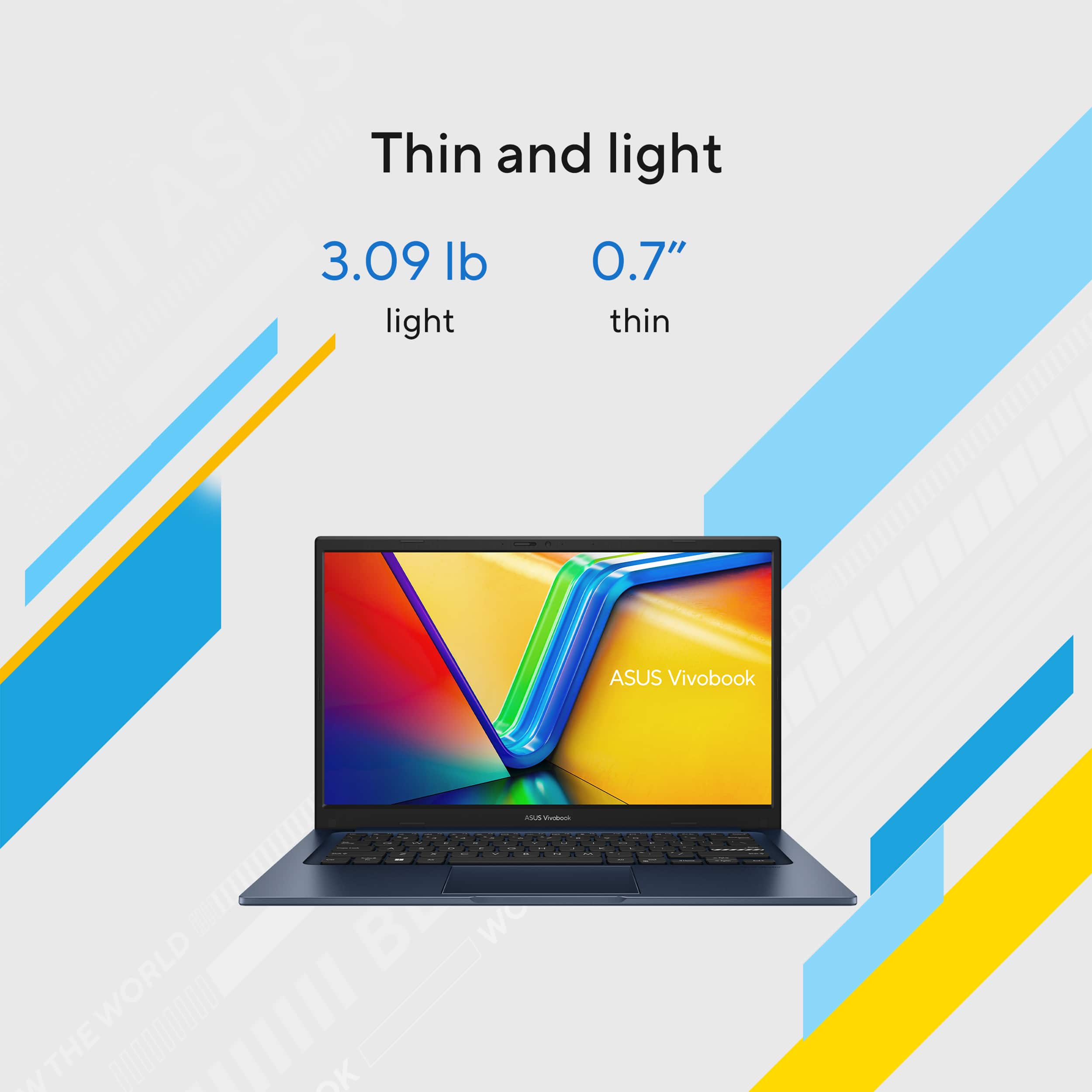
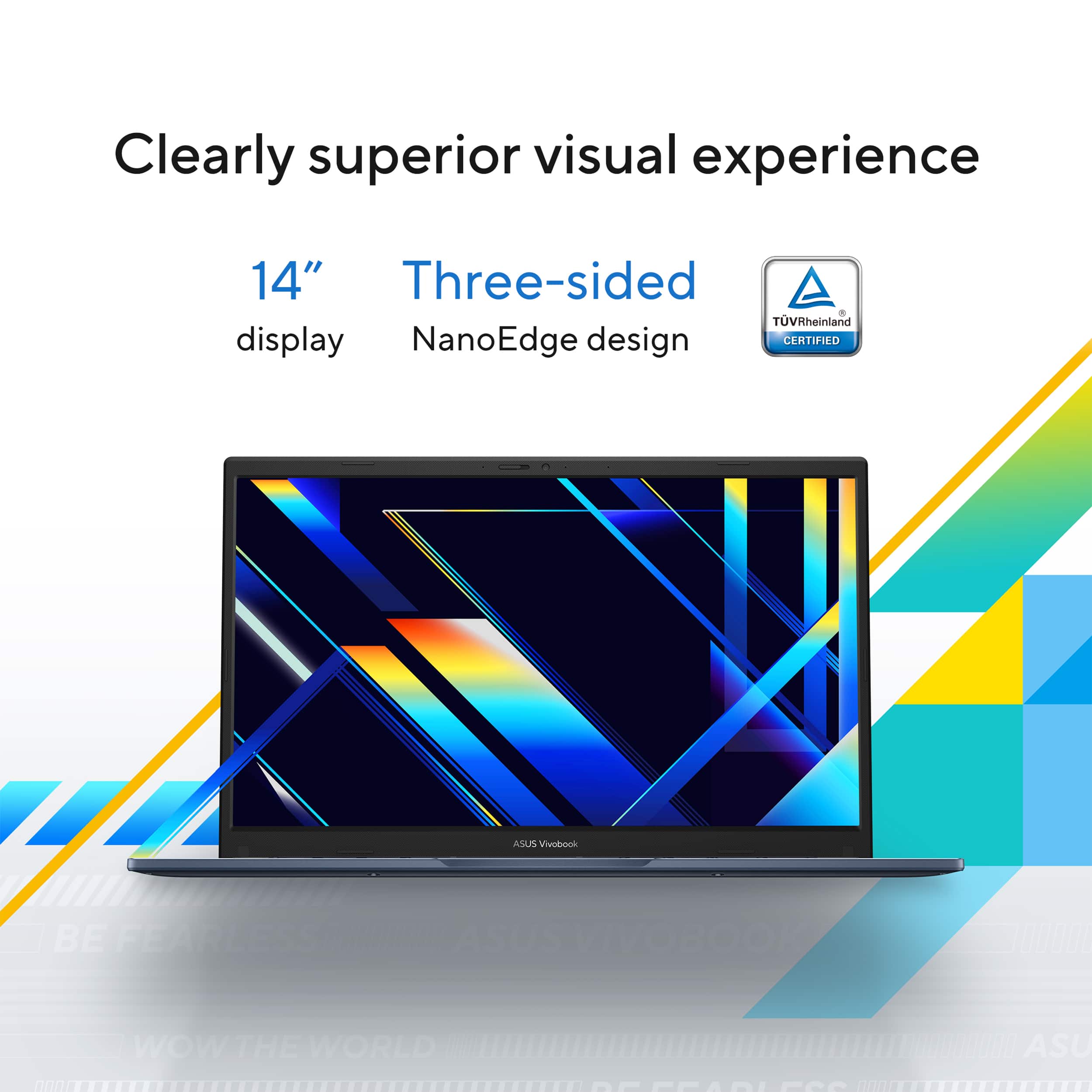
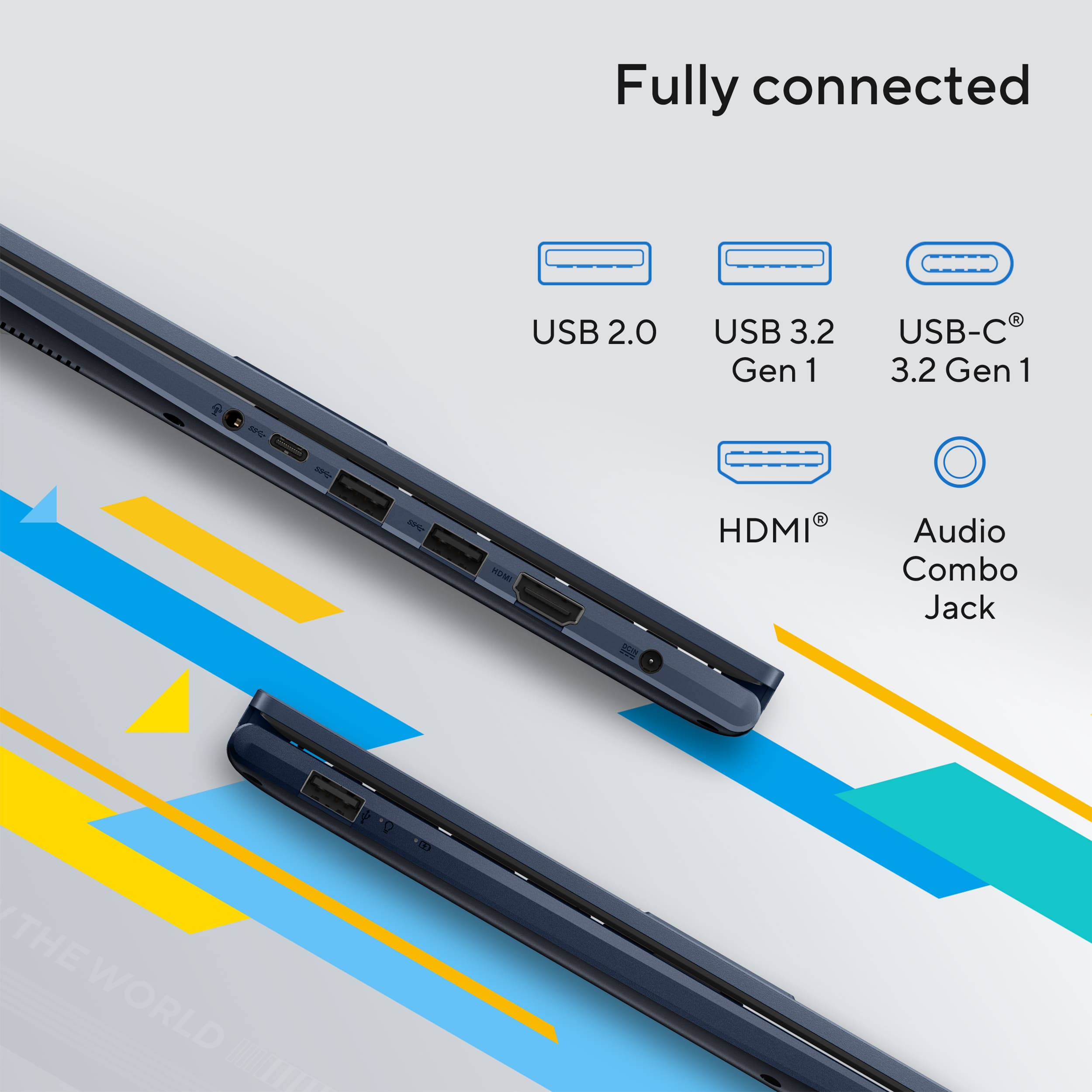
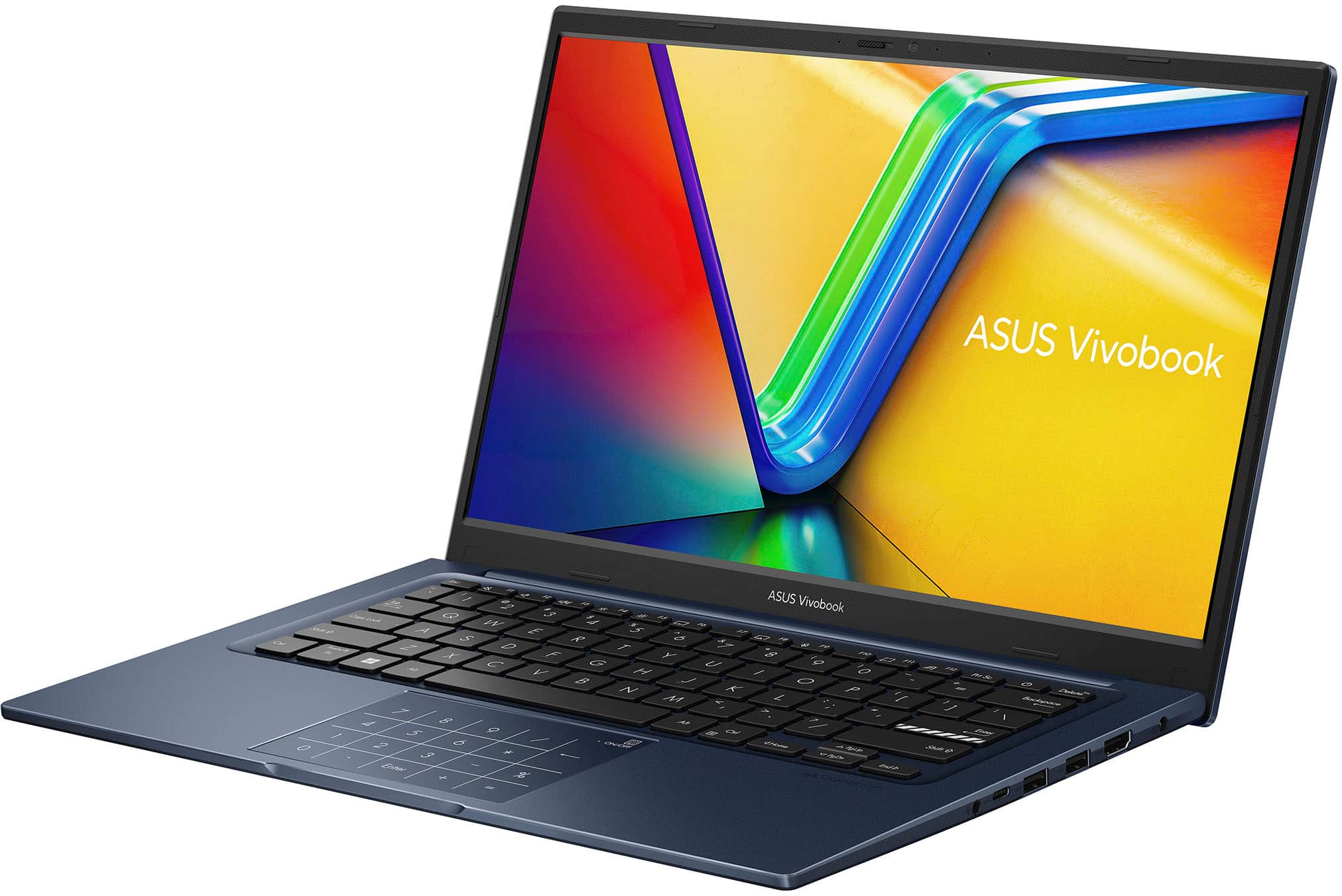
|Posted .This reviewer received promo considerations or sweepstakes entry for writing a review.I must say that the packaging of this laptop is great, it is just so nice. I found the box clean, modern, and aesthetically pleasing as soon as I opened it up. It made me like the laptop before I had even opened it. The box itself was sturdy and kept the laptop secure. Inside, everything fit together quite tidily. The laptop itself was secure in place with some padding so it wouldn’t get in the way or get destroyed on the journey. The charger and other accessories had their own dedicated places as well, so it was easy enough to see what you were looking for. The box had high-quality, solid materials in it. It did not feel cheap at any stage. I also liked that it hadn’t wasted excessive amounts of plastic and waste. Overall, the packaging made a great impression. It reflected that the company cares about the customer as well as the product. It made it easy enough to unbox the laptop because the packaging is so nice. ASUS Vivobook 14 14" FHD Laptop Intel Core i5 is the ideal solution if you need a light, slim notebook for normal usage. ASUS made the Vivoobooks line progressively superior, and this is no exception. One of the standout features is the Full HD (1920 x 1080) display, an improvement significantly better than the previous models riddled with poor screen display. Another of this laptop's strongest selling features is how portable it is. It's lightweight and slim, easy enough to take in either a messenger bag or backpack. It's especially ideal for students, office workers, or someone who's on their feet most of the day. This is built fairly decently for the cost, but some users will be able to feel some flex in the keyboard while typing on it for hours on end at a time. Performance-wise, the Vivobook 14 is ideal for such light tasks as web surfing, media streaming, word processing, as well as light multitasking. Intel Core i5 combined with 12GB RAM can provide responsive performance for running conventional applications. It can even support certain casual games like Roblox smoothly as well. It is not designed for gaming or serious creative applications as it uses Intel UHD Graphics. This is different from somemore pricey Vivobook models, which come equipped with NVIDIA GPUs, this one makes do with totally integrated graphics and may struggle somewhat with more intensive programs. Storage is also something that needs to be considered. The 256GB SSD offers fast boot times and quick access to files, but for those with a high demand for storage capacity because of big applications, media files, or games, the storage will appear limited. An external hard drive or cloud storage can be utilized for additional space. The screen is an improvement over earlier models of Vivobook, although it still has some limitations. The 250 nits of the screen's brightness can be hard to work with in outdoor environments or very brightly lit rooms. That 45% NTSC color gamut also translates to fewer full and accurate colors, which might not be ideal for creative professionals requiring color accuracy for photo or video editing. A standard 60Hz refresh rate is adequate for everyday work but will not provide the smoothest experience for users who are used to high-refresh-rate monitors. Battery life is also somewhat of a mixed bag. ASUS estimates as much as 8 hours of use, but in regular usage, users can likely expect to see 4-5 hours, particularly when streaming or multitasking. This is what one would anticipate from a laptop of this type, but those who require an all-day battery will need to bring a charger along. Security options on this model are a bit disappointing. There isn't a fingerprint reader, so users have to fall back to classic passwords or PINs. There isn't an IR camera for Windows Hello either, which means that facial recognition isn't possible. Even though these aren't must-haves for every user, they do provide an extra level of convenience and security for users who use biometric login. The other area where this laptop lags behind is audio. The speakers available on the laptop are adequate for normal usage but are not as sharp or deep, particularly when listened to on high volumes. The frequent watchers of movies, listeners of music, or users of video calling need to use separate speakers or headphones to get a satisfactory sound output. Even with these limitations, the ASUS Vivobook 14 has some strengths. It delivers strong all-round performance for everyday use, making it ideal for students, office professionals, and mainstream consumers. Wi-Fi 6 built in translates to speedier and safer internet connectivity, which is a godsend for streaming, video conferencing, and working remotely. The keyboard, while rather pliable, is a delight to type on, and the touchpad also features a NumberPad for people who need to deal with figures. Connectivity-wise, the laptop is well equipped with USB ports such as USB-C, HDMI port, and headphone jack. These make it easy to connect peripherals, accessories, and external displays. The ASUS Vivobook 14 is generally a budget laptop that meets the balance requirement between portability, performance for general use, and affordability. It is best for office workers, students, and general users who need a fast machine for work and entertainment. It is not the best for users who need high graphics, high storage, or additional battery life. Even though it's not a beast, it's still the best option for a person who needs a reliable, portable, and tough laptop without breaking an arm and a leg
I would recommend this to a friend I didn't know about S Mode
||Posted .This reviewer received promo considerations or sweepstakes entry for writing a review.This is a okay computer. One thing I didn't know ahead nor in detail about the S mode for windows. S mode is a one time in situation. Choosing to opt out will effect the way the laptop process task. You can only download apps from the Microsoft store. I have a old printer that still works and I can't use it because Microsoft doesn't offer a download for it. This is not kool at all.
No, I would not recommend this to a friendBrand response from ASUS Answers
Posted .Dear Shanda,
Thank you for sharing your feedback regarding the ASUS X1404VA Laptop. We sincerely apologize for the inconvenience caused by Windows S Mode and the limitations you’ve encountered, particularly with installing applications and connecting your older printer.
Please note that switching out of Windows S Mode does not affect the way your laptop processes tasks. Once you opt out, your device will continue to function normally, while allowing you to install applications outside of the Microsoft Store. For assistance, we recommend following the steps outlined in our FAQ guide linked below.
We stand behind our products and continuously strive to improve our products and processes to achieve customer service excellence. If you require any further assistance, please email us at customerloyalty@asus.com and include the case number "N2504007925-0019" as a reference. We will do our best to resolve your case quickly. Your feedback is very important to us, and it enables us to improve our support channels. Thank you for choosing ASUS.
Best Regards,
Chantae
ASUS Customer Loyalty US Support
[Windows 11/10] Introduction - Windows S mode & related FAQ - https://www.asus.com/us/support/faq/1034213/#Win11
- Cons mentioned:Screen quality
Don't like IPS screen
||Posted .This reviewer received promo considerations or sweepstakes entry for writing a review.Returned because I cannot go from an OLED screen from my last laptop to this laptop's IPS screen
No, I would not recommend this to a friendBrand response from ASUS Answers
Posted .Dear PedroG,
Thank you for your feedback on the ASUS X1404VA laptop. We're sorry to hear the IPS display didn’t meet your expectations after using an OLED screen previously. We understand how important screen quality is, and we hope you're able to find a replacement that better suits your preferences.
We stand behind our products and continuously strive to improve our products and processes to achieve customer service excellence. If you require any further assistance, please email us at customerloyalty@asus.com and include the case number "N2504007925-0011" as a reference. We will do our best to resolve your case quickly. Your feedback is very important to us, and it enables us to improve our support channels. Thank you for choosing ASUS.
Best Regards,
Chantae
ASUS Customer Loyalty US Support
- Cons mentioned:Screen quality
Display resolution is not good
||Posted .This reviewer received promo considerations or sweepstakes entry for writing a review.The display is not good. Had to return because clarity was not good
No, I would not recommend this to a friendBrand response from ASUS Answers
Posted .Dear KrishnakumarR,
Thank you for sharing your feedback on the ASUS X1404VA Laptop. We sincerely apologize for the inconvenience you experienced with the display clarity and regret that the product did not meet your expectations, which ultimately led to a return. Your comments are important and will be passed along to our product team for further review.
We stand behind our products and continuously strive to improve our products and processes to achieve customer service excellence. If you require any further assistance, please email us at customerloyalty@asus.com and include the case number "N2504007925-0014" as a reference. We will do our best to resolve your case quickly. Your feedback is very important to us, and it enables us to improve our support channels. Thank you for choosing ASUS.
Best Regards,
Chantae
ASUS Customer Loyalty US Support
It’s Good
||Posted . Owned for 3 weeks when reviewed.This reviewer received promo considerations or sweepstakes entry for writing a review.It was a good laptop so basic needs just wasn’t right for me as an architecture student. Also beware there’s no backlight on the keyboard and the screen is very dim
No, I would not recommend this to a friendBrand response from ASUS Answers
Posted .Dear LakyiaW,
We certainly understand your disappointment with this product. We certainly value your feedback on this matter, and I will be letting the related department know about the issues you are experiencing for continuous improvements to the product line. If you need any assistance, feel free to contact me at customerloyalty@asus.com. We'll be happy to provide a quick resolution to your case, and I will help you to the best of my abilities. I am here to assist our customers with our products and am dedicated to bringing resolution to all issues that they may come across. Your case for reference is [N2504005745-0030] for us to better assist you. Thank you for choosing ASUS!
Best Regards,
Schottky.S
ASUS Customer Loyalty US Support
Asus vivoworkbook
||Posted . Owned for 3 weeks when reviewed.This reviewer received promo considerations or sweepstakes entry for writing a review.Purchased this item due to practicality and cost efficiency, but unfortunately it was not up to standard for what i use it. Speed isn't the best and the feature it has (calculator pad) didn't work properly.
No, I would not recommend this to a friendBrand response from ASUS Answers
Posted .Dear YajaydaM,
Thank you for your comment.
We do understand your disappointment and the inconvenience if you are experiencing slow system speed or performance with the laptop. To resolve this, ensure Windows, drivers, applications and BIOS are up to date. Keeping this laptop updated will maintain optimum system stability and performance. Additionally, while accessing web applications, ensure this unit has access to an established router and internet service is working properly since poor and unstable internet connection will affect system stability and performance. If these steps were performed to no avail, try to run a diagnostics or optimization test using the "MyASUS" utility software or application. If this is not pre-installed on the laptop, please download the application at the Microsoft Store. For details on how to use "My ASUS", please go to: https://www.asus.com/support/FAQ/1041686/.
If you need further assistance, please email me at cl-rodel@asus.com and I would be happy to help. Or you are most welcome to call Product Support Hotline at: 1(888) 678-3688. Also, you can chat with an ASUS live support agent from the link: https://www.asus.com/us/support/article/1135/.
Thank you for choosing an ASUS product.
Regards,
Rodel
ASUS Customer Loyalty
Not worth it
||Posted . Owned for 1 month when reviewed.This reviewer received promo considerations or sweepstakes entry for writing a review.No instructions for use. Not that easy to learn how to use it. I sincerely wish I had just bought a Chromebook from Amazon!!
No, I would not recommend this to a friendBrand response from ASUS Answers
Posted .Dear Richard L,
Thank you for your feedback on the ASUS X1404VA. We're sorry to hear that your initial experience has been frustrating and that the setup process hasn’t met your expectations. To assist with getting started, we recommend referring to the official ASUS user manual for the X1404VA linked below, which provides step-by-step guidance on setup, features, and usage.
We stand behind our products and continuously strive to improve our products and processes to achieve customer service excellence. If you require any further assistance, please email us at customerloyalty@asus.com and include the case number "N2504005745-0024" as a reference. We will do our best to resolve your case quickly. Your feedback is very important to us, and it enables us to improve our support channels. Thank you for choosing ASUS.
Best Regards,
Chantae
ASUS Customer Loyalty US Support
User manual ASUS X1404VA - https://www.asus.com/laptops/for-home/vivobook/asus-vivobook-14-x1404/helpdesk_manual?model2Name=X1404VA
- Pros mentioned:Battery life, Overall performanceCons mentioned:Screen quality, Speakers
Performance trumps build
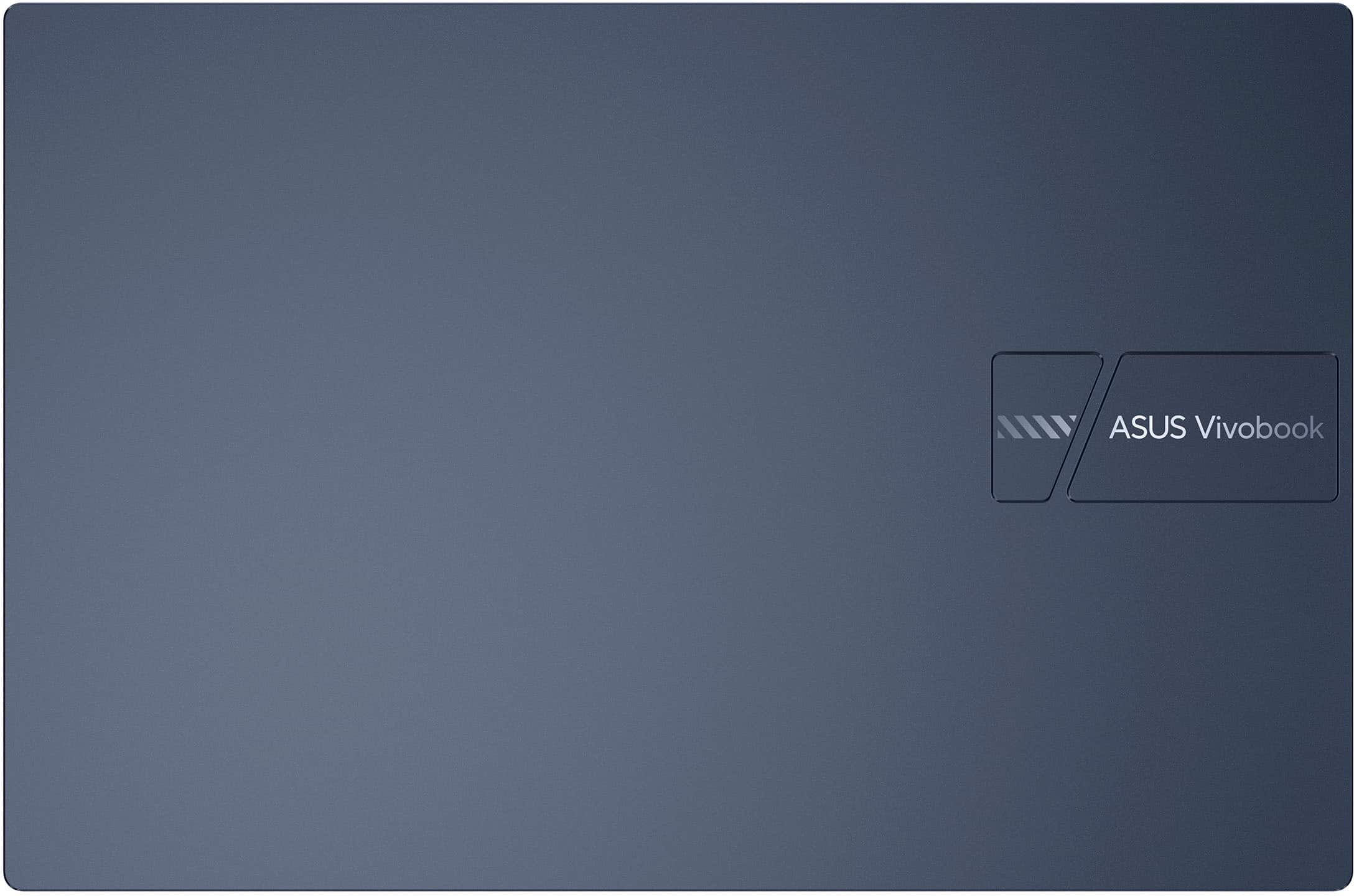
|Posted .This reviewer received promo considerations or sweepstakes entry for writing a review.I've actually been more surprised by this laptop than any other I've tried. Let me explain... I'll start with the performance: it's fantastic. It chews through browser tabs like they're not even there and app switching is buttery smooth. It handles light gaming (think Stardew Valley and Balatro) with no hiccups, and I was able to edit some audio files in Adobe Audition with no problems at all. Battery life has been excellent for me as well, able to go an entire day without needing to plug it in. So fantastic performance is the good...that means the build is the bad. This laptop is all plastic, and it's not the greatest feeling plastic. Every touch will leave fingerprints on the lid and keyboard deck. I gave up trying to keep it clean after only a day. The keyboard is not backlit, but the typing experience is fine; there are certainly worse ones out there. The trackpad is average as well - it's decently large, but all plastic and it builds up oils over time and the tracking experience isn't all that pleasant. It also has the number pad burned into it, with the button on the top right to turn that function on and off. As someone who has no need for a number pad I've found this feature to be an annoyance, since I've accidentally turned it on by clicking. The speakers are also not great (but what laptop speakers are?) for anything but spoken word. You'll definitely want to go with headphones to listen to music here. Lastly, the screen...the viewing angles aren't great. It honestly reminded me of the old LCD panels in laptops from a decade ago. The color spectrum & contrast aren't ideal either, though I'm always able to find an angle & setting that has worked. All that said...the performance is genuinely shocking for a computer of this price. If your primary focus is that performance and you're willing to compromise on a sub-par screen and average build, your money will go a long way with this laptop.
I would recommend this to a friend - Cons mentioned:Screen quality
Don’t buy
||Posted . Owned for 3 weeks when reviewed.This reviewer received promo considerations or sweepstakes entry for writing a review.Terrible screen quality. Completely washed out when brightness increased. Returned after two weeks.
No, I would not recommend this to a friendBrand response from ASUS Answers
Posted .Dear Katb,
Thank you for sharing your experience with the ASUS X1404VA Laptop. We sincerely apologize that the screen quality was disappointing and appeared washed out when brightness was increased, which ultimately led to you returning the device after two weeks. We regret that this impacted your overall experience. Your feedback will be passed along to our product team for review.
We stand behind our products and continuously strive to improve our products and processes to achieve customer service excellence. If you require any further assistance, please email us at customerloyalty@asus.com and include the case number "N2506015759-0021" as a reference. We will do our best to resolve your case quickly. Your feedback is very important to us, and it enables us to improve our support channels. Thank you for choosing ASUS.
Best Regards,
Chantae
ASUS Customer Loyalty US Support
Good price, ok laptop
||Posted . Owned for 1 week when reviewed.This reviewer received promo considerations or sweepstakes entry for writing a review.Reasonable laptop, but only would buy it at the sale price. Current list price is too high.
I would recommend this to a friendBrand response from ASUS Answers
Posted .Dear Gingi R,
Thank you for your feedback on the ASUS X1404VA. We’re glad to hear you found the laptop reasonable and appreciate your thoughts on pricing. Your input will be shared with our team as we continue to evaluate customer expectations and market trends.
We stand behind our products and continuously strive to improve our products and processes to achieve customer service excellence. If you require further assistance, please email us at customerloyalty@asus.com and include the case number "N2504005745-0028" as a reference. We will do our best to resolve your case quickly. Your feedback is very important to us and enables us to improve our support channels. Thank you for choosing ASUS.
Best Regards,
Chantae
ASUS Customer Loyalty US Support
- Pros mentioned:Battery life
Don't buy
||Posted .This reviewer received promo considerations or sweepstakes entry for writing a review.Was missing an audio driver that Asus support had me install Wifi connection poor Battery good 2 to 3 hours only
No, I would not recommend this to a friendBrand response from ASUS Answers
Posted .Dear KarenV,
We apologize for the inconvenience you've experienced with your ASUS X1404VA laptop. While we're glad to hear the audio driver issue was resolved and the system is functioning, we understand your concerns regarding poor Wi-Fi connectivity and limited battery performance.
To help improve both Wi-Fi stability and battery life, we recommend reviewing the steps in the troubleshooting guide linked below. If the issue continues, please contact our support team at https://www.asus.com/us/support/CallUs so we can assist you further or arrange repair service if necessary.
We stand behind our products and continuously strive to improve our products and processes to achieve customer service excellence. For more information, email us at customerloyalty@asus.com and include the case number "N2506015759-0014" as a reference. We will do our best to resolve your case quickly. Your feedback is very important to us and enables us to improve our support channels. Thank you for choosing ASUS.
Best Regards,
Chantae
ASUS Customer Loyalty US Support
[Windows 11/10] Troubleshooting - Wireless Network (Wi-Fi) Issues - https://www.asus.com/support/faq/1015073/
[Windows 11/10] Troubleshooting - Short Battery Life (Rapid Battery Drain) - https://www.asus.com/support/faq/1043914/
Purchased for child. We returned it
||Posted .This reviewer received promo considerations or sweepstakes entry for writing a review.Purchased for my daughter didn't work as intended. Ran slowly though had great storage for the 279.99 price. Would buy again for school or lite at home work.
I would recommend this to a friendBrand response from ASUS Answers
Posted .Dear QuaneekaS,
Thank you for sharing your experience with the ASUS X1404VA laptop. We sincerely apologize that the device did not perform as intended for your daughter and understand how disappointing it must have been to return it. We appreciate your positive remarks regarding the storage capacity and overall value at its price point. Your feedback is valuable and will be passed along to our product team for review.
We stand behind our products and continuously strive to improve our products and processes to achieve customer service excellence. If you require any further assistance, please email us at customerloyalty@asus.com and include the case number "N2504007925-0012" as a reference. We will do our best to resolve your case quickly. Your feedback is very important to us, and it enables us to improve our support channels. Thank you for choosing ASUS.
Best Regards,
Chantae
ASUS Customer Loyalty US Support
Can't use it
||Posted .This reviewer received promo considerations or sweepstakes entry for writing a review.I have not used the laptop yet because it's too small for reading . I would like to change it for a big size if only you allow.
I would recommend this to a friendBrand response from ASUS Answers
Posted .Dear Laura A,
Thank you for reaching out. We understand that screen size is an important factor for your comfort and usability, and we're sorry to hear that the ASUS X1404VA laptop does not meet your needs. As ASUS does not directly handle exchanges for purchases made through retailers, we recommend contacting Best Buy's customer support at (1-888-237-8289) to inquire about their return or exchange policy.
We stand behind our products and continuously strive to improve our products and processes to achieve customer service excellence. If you require any further assistance, please email us at customerloyalty@asus.com and include the case number "N2504007925-0005" as a reference. We will do our best to resolve your case quickly. Your feedback is very important to us, and it enables us to improve our support channels. Thank you for choosing ASUS.
Best Regards,
Chantae
ASUS Customer Loyalty US Support
ASUS Vivobook 14" laptop
||Posted . Owned for 1 week when reviewed.This reviewer received promo considerations or sweepstakes entry for writing a review.Hated it! Returned to BB. It was slow, graphics were fuzzy and very cumbersome.
No, I would not recommend this to a friendBrand response from ASUS Answers
Posted .Dear CompRich,
We sincerely apologize for the issues you've faced with the notebook and for the inconvenience this has caused you. What you've experienced was not intentional or representative of our brand. Having returned the notebook, we hope that you were able to obtain a functional replacement.
We stand behind our products and continuously strive to improve our products and processes to achieve customer service excellence. If you require any further assistance, please email us at customerloyalty@asus.com and include the case number "N2504007925-0004" as a reference. We will do our best to resolve your case quickly. Your feedback is very important to us, and it enables us to improve our support channels. Thank you for choosing ASUS.
Best Regards,
Chantae
ASUS Customer Loyalty US Support