Customer Ratings & Reviews
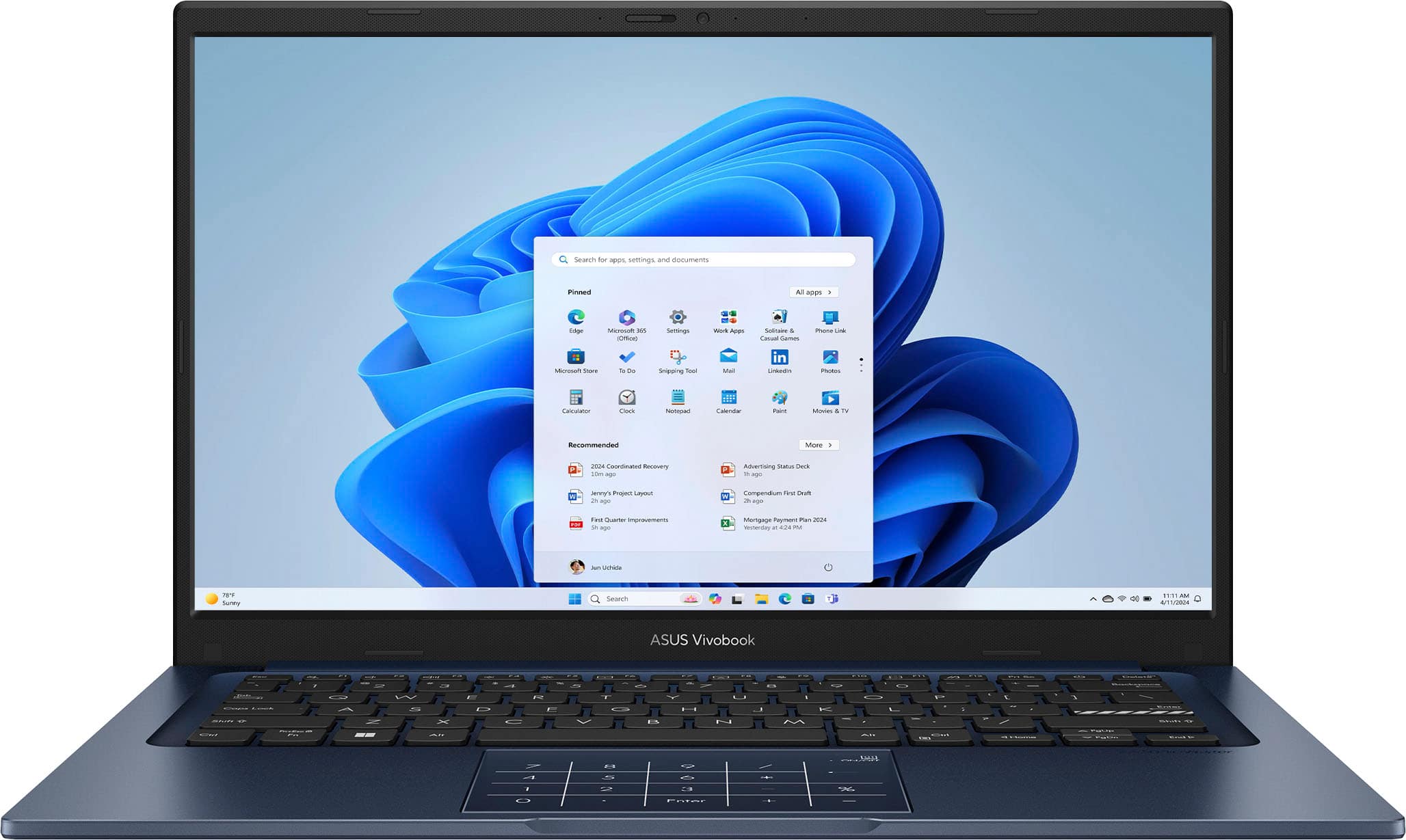
![ASUS Vivobook Esc 2 F1 F2 F3 F4 F5 F6 F7 FB 8 F9 F10 F11 F12 Prt Sc and Delete - & I 1 Q 2 # 3 $ 4 % 5 A 6 & 7 * 8 I 9 - O - I + = Backspace Tab Q W E R T Y U I O P I [ ] | / Ctrl Lock A S D F G H J K L : : I Enter Shift Z X C V B N M V ? / Shift Ctrl Fn Alt Alt Ctrl Home A PgUp PgDn End b ON/Off SonicMaster 7 8 9 / 4 5 6 * 1 2 3 I % 0 Enter + =](https://pisces.bbystatic.com/image2/BestBuy_US/images/products/03070455-28fc-46c7-a122-4df688c481bc.jpg)

- Model:
- X1404VA-I712512
- SKU:
- 10858368
Rating by feature
- Battery Life
Rating 4.5 out of 5 stars
- Speed
Rating 4.7 out of 5 stars
- Display
Rating 4.5 out of 5 stars
to a friend
Nice affordable workhorse
||Posted .This reviewer received promo considerations or sweepstakes entry for writing a review.Nice size and fast and functional. Perfect for college, portable, good battery and perfect for note taking and essay writing.
I would recommend this to a friend
Dim screen and underwhelming performance
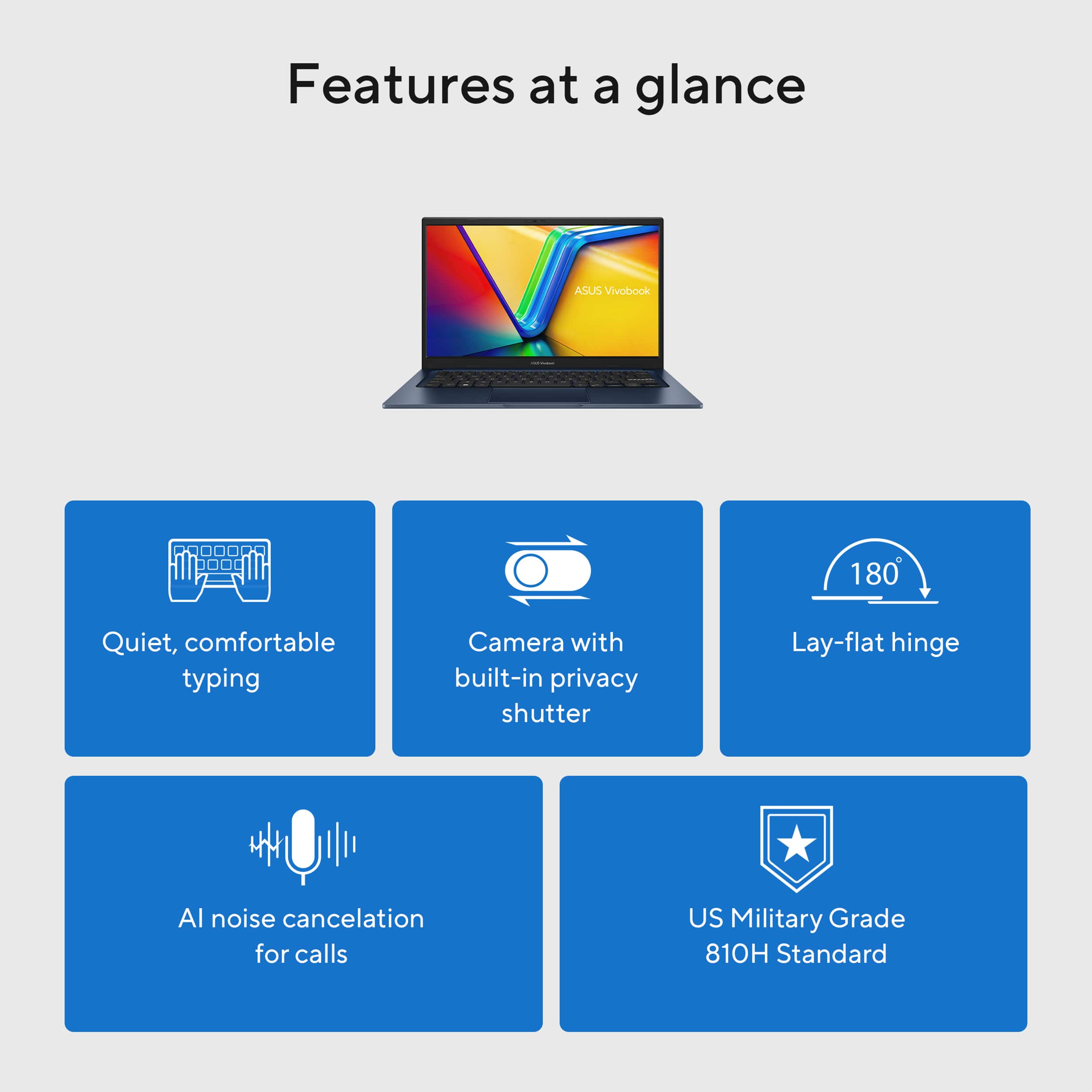
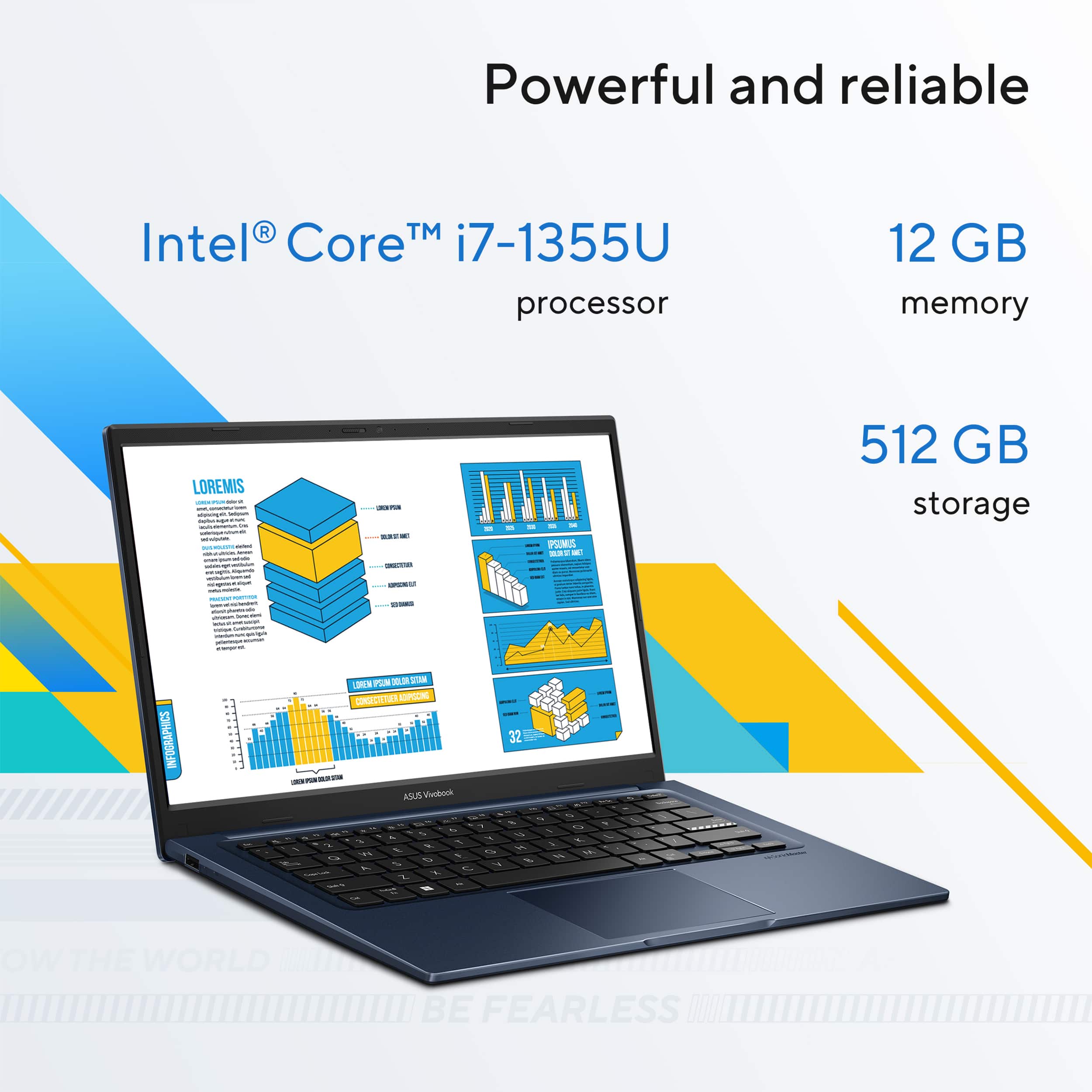
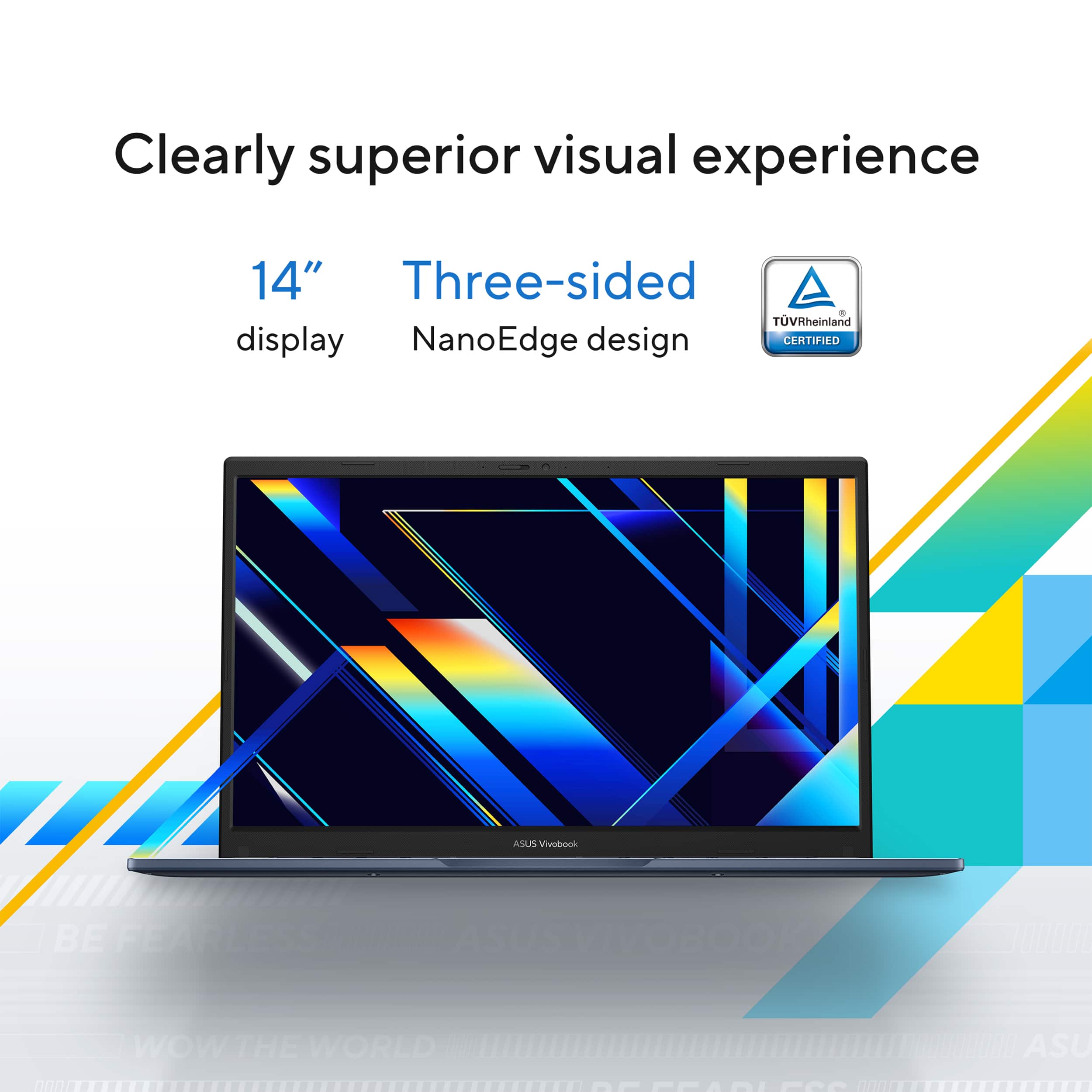
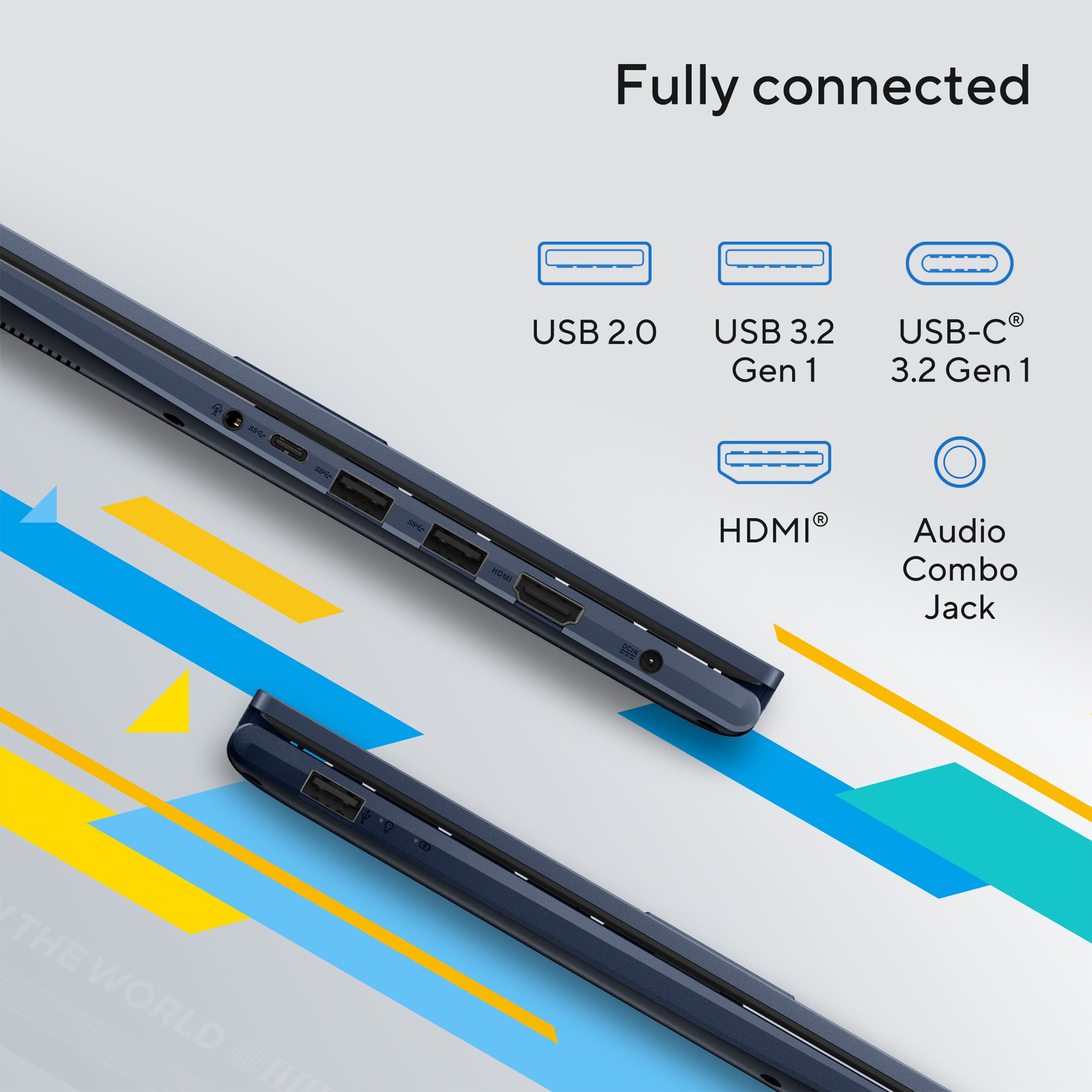
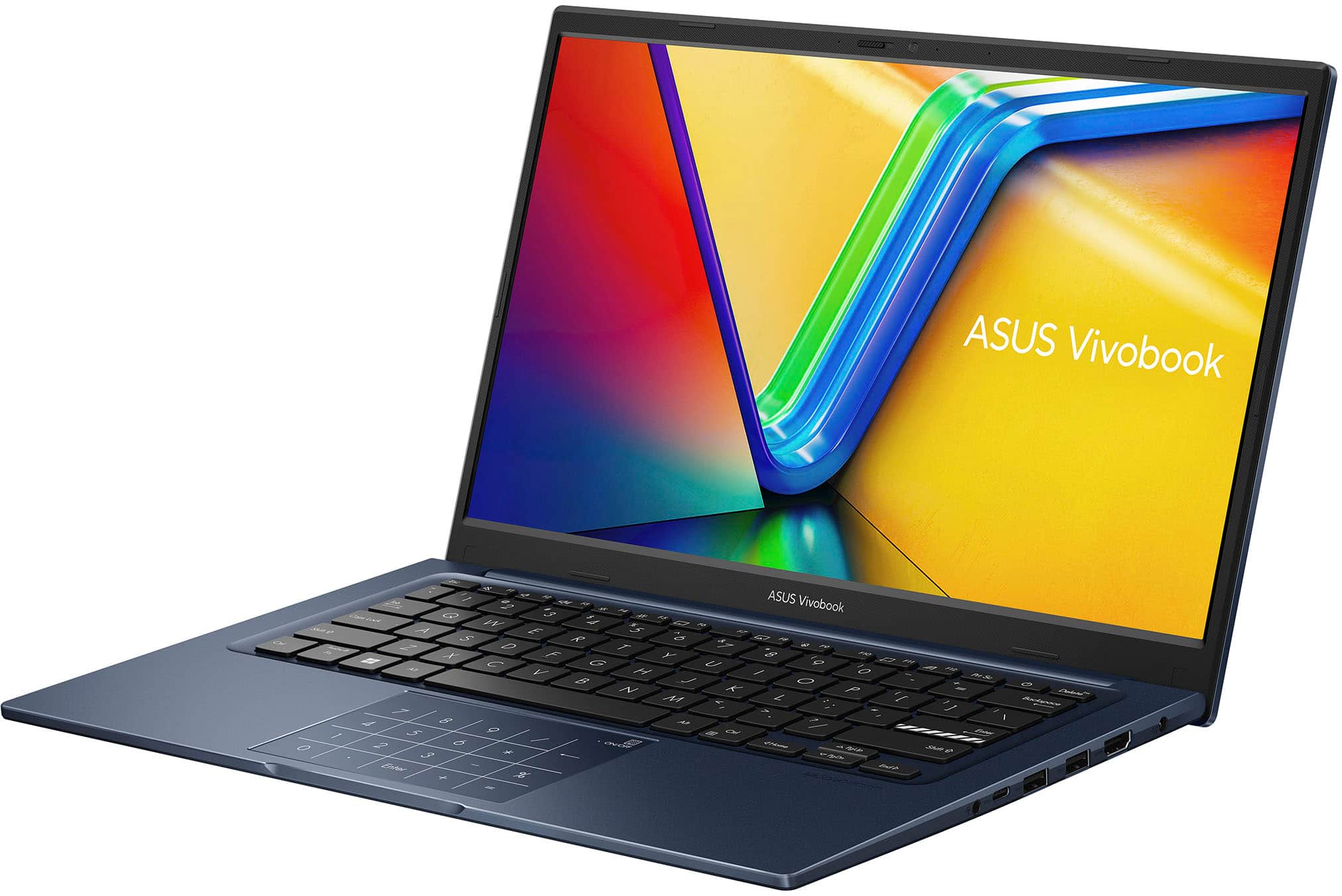
|Posted .This reviewer received promo considerations or sweepstakes entry for writing a review.Fourteen-inch laptops are the sweet spot in size for me. I carry one as a work laptop and another for personal use. They’re more versatile than a tablet, yet nearly as easy to tote around thanks to their small size. That is a huge benefit for mobile users like myself who are constantly on the go with a PC riding shotgun. This Asus Vivobook 1404 model has a comfortably small form factor that easily fits into all my existing bags and cases designed specifically for 14-inch laptop models. Build Quality: The Vivobook X1404VA feels solidly constructed despite being encased inside an all-plastic shell. I haven’t noticed any quality issues like excessive flex or creaking from the plastic panels or hinges. Internal components include a 13th generation i7-1355U CPU, 12GB of DDR4 RAM, 512GB M.2 drive, Wi-Fi 5, and Bluetooth 5.1. External features include a 250-nit 60Hz matte display, spacious trackpad, non-backlit keyboard, and the following ports: USB-A (2.0 ), USB-A ( 3.2), USB-C (3.2 gen 1), HDMI , and 3.5mm combo audio port. There is no ethernet nor DisplayPort. The keyboard is not backlit, but the keys are large, have great travel and a good typing feel. I easily type comfortably and accurately on it with. The trackpad has an integrated touch sensitive number pad that can be toggled on and off. The 45W power brick has a barrel style connector rather than USB-C, but is thankfully small and easy to tote along. Performance: Cutting right to the chase, performance has been somewhat disappointing. I wouldn’t classify it as poor, just disappointing compared to expectations. I noticed immediately that the machine occasionally struggles to keep up with workflow. I’ve experienced some latency in certain apps and the laptop has also frozen on me once already. Hard to tell if Windows or the machine is to blame, but neither Windows nor ASUS’s troubleshooting tools have been much help with pinpointing the culprit. Data Transfer rates on the 512GB SSD feel satisfactory, and the 12GB RAM feels sufficient in most instances. However, I feel like there’s a noticeable performance bottleneck on occasions. The calculator keyed trackpad is one glaring example of inconsistency. It seems like a great idea in theory, but in reality is more hit or miss. Most times, it’s not worth the trouble to use due to latency and accuracy issues. However, my biggest disappointment by far was the quality of the video panel. The screen is dim, has bad viewing angles, poor contrast, and colors appear dull and washed out. It’s also not a touch panel, but I can’t stand touch screens anyhow, so whether that’s a pro or con is a matter of personal opinion. On the plus side, it doesn’t have any noticeable in-screen defects like light bleed or stuck pixels. I find this machine most suitable for web browsing, productivity apps, desktop applications and light to moderate photo/video editing. It can also handle less demanding games. Forget about GPU intensive games with demanding ray tracing and high-end particle effects. I’d hoped this would at least be a decent media playback machine, but it’s lacking there as well. The speakers sound barely passible. They are sufficient for video chatting, but media playback sounds subpar. Music sounds flat with no bass or warmth. The same is true when watching cinema. External speakers are a must if planning to use regularly for music and film media consumption. The 720p web camera was the lone surprise with better-than-expected quality. It has good sharpness, clarity and low light performance. It also has a hardware shutter that can be closed to ensure privacy when the camera isn’t in use. Battery life and power management is another hit or miss area. I initially thought power management was pretty good after several days of moderate use barely put a dent in the remaining battery life. However, I subsequently powered it off with over 50% battery capacity remaining. When I attempted to power it back on two days later, nothing happened. I plugged it in and still nothing. After letting it charge for about 15-20 minutes, it finally booted and indicated battery capacity was nearly 80%. This makes me curious why it wouldn’t boot and whether the battery was in fact drained. Closing Opinion: The Vivobook X1404VA is a nicely sized and highly portable machine. However, that’s about where the compliments end. If it were priced more aggressively, it might be worth it, but I cannot and would not recommend it at the current price point. There are just too many similarly priced machines that are nicer and have better specs and features. The dim screen, odd RAM amount, and slightly older underperforming tech components all add up to an underwhelming and disappointing experience.
No, I would not recommend this to a friendBrand response from ASUS Answers
Posted .Dear JMan,
Thank you for sharing your comments regarding the ASUS Vivobook 14 Laptop. We understand that it didn't meet your full expectations, and we sincerely apologize for that as we do understand your concerns. Your feedback is greatly appreciated and will be passed to our Product Team for review.
To troubleshoot the performance issue described, we recommend following the steps in the FAQ below. Should the issue persist, please contact our support team at https://www.asus.com/us/support/CallUs to further investigate the problem.
We stand behind our products and continuously strive to improve our products and processes to achieve customer service excellence. For more information, email us at customerloyalty@asus.com and include the case number "N2504005745-0009" as a reference. We will do our best to resolve your case quickly. Your feedback is very important to us and enables us to improve our support channels. Thank you for choosing ASUS.
Best Regards,
Chantae
ASUS Customer Loyalty US Support
[Windows 11/10] Troubleshooting - Resolving System Error Messages or Unresponsiveness (Freeze/Black Screen/White Screen during usage) - https://www.asus.com/us/support/faq/1038855/
Gets the Job Done
|Posted .This reviewer received promo considerations or sweepstakes entry for writing a review.This is a laptop that does the basic chores of Internet, email, streaming, and Office applications and does them fine, but the most important thing to realize is that for a new model, its technology is somewhat outdated, especially for the price. Physical Attributes: The build quality is decent, but made completely of plastic and it shows. It has the feel of a cheaper very basic laptop. The screen somewhat flexes when you move it. It is very small and lightweight, so it is easy to travel with. Performance: It performed well when using email, Internet, and Office applications. The responsiveness was good with no lag at all when using it. Streaming at FHD worked fine as well. It is worth noting that it has an i7 processor which is older than the new Core Ultra 7 processor. I’m not sure why this decision was made on a new laptop. It also has 12GB of memory instead of the typical 16GB that you find on other laptops now. It is enough if you don’t push it with too many applications at once or use memory hungry applications. It includes a 512GB SSD which is standard for this type of device. It is also worth noting that while the fan is not loud or obnoxious, it does seem to run all the time. Screen: The screen is quite good and is one of the best aspects of it. It is only FHD and not QHD which again is standard nowadays. It does appear very sharp and clear with vibrant colors, so it is very appealing to the eye even though the resolution is lower. You can’t really tell that the resolution is lower when using it. Sound: I have had several Asus laptops, and I find that the sound quality is much better than other brands, especially for laptops. While this has good speakers compared to other laptops, it is not as good as other Asus laptops I’ve heard. While it has decent bass and midrange, it is still a bit tinny. Of course, this is still a laptop so you will never get the same sound as external speakers. Keyboard and Touchpad: The keyboard is probably the worst part of this. First off, the keys are not lighted which makes it very difficult to use in the dark. Except for the absolute cheapest laptops, most have lighted keyboards, especially at this price point. The key caps also move around a lot making the keyboard feel cheap. It does get the job done for typing without much mistyping. The touchpad is responsive with movement and tapping and works well. It does have a keypad on it which I honestly don’t get. Just use the numbers on the keyboard which feels much better. Power and Battery: The battery takes around an hour to charge and I was able to get around 4 hours of use with basic applications, email, and Internet. Decent but there are better. A big problem with it is that it uses a proprietary power supply with a special connector. You need to carry this special power supply with you. Most laptops of this type have USB-C power supplies. Wi-Fi: It is very slow and again outdated. It uses Wi-Fi 5 instead of Wi-Fi 6 and the slow speed shows it, especially when trying to download something which takes a long time. I was able to get an Internet speed of around 290 Mbps speed instead of 850 Mbps on my other Wi-Fi 6e laptops. Another real disappointment. Connections: It has three USB-A, one USB-C, HDMI, headphones, and a special power connector. This is pretty standard (except for the power supply), and all work as expected. Conclusion: This laptop performs fine with most basic applications. It has outdated specs and a poor keyboard and slow Wi-Fi. It just feels like a laptop at a much lower price point. The most impressive part of the screen. My feeling is get something else at this price or spend a little more.
No, I would not recommend this to a friendBrand response from ASUS Answers
Posted .Dear Dalton,
Thank you for sharing your comments regarding the ASUS Vivobook 14 Laptop. We understand that it didn't meet your full expectations, and we sincerely apologize for that as we do understand your concerns. We are committed to providing our customers with the highest-quality products and we will forward your review to our Product team for review.
To troubleshoot the wireless connectivity issue described, we recommend following the steps in the FAQ below. Should the issue persist, please contact our support team at https://www.asus.com/us/support/CallUs to further investigate the problem.
We stand behind our products and continuously strive to improve our products and processes to achieve customer service excellence. For more information, email us at customerloyalty@asus.com and include the case number "N2504005745-0006" as a reference. We will do our best to resolve your case quickly. Your feedback is very important to us and enables us to improve our support channels. Thank you for choosing ASUS.
Best Regards,
Chantae
ASUS Customer Loyalty US Support
[Windows 11/10] Troubleshooting - Wireless Network (Wi-Fi) Issues - https://www.asus.com/support/faq/1015073/
Small, light, and sleek
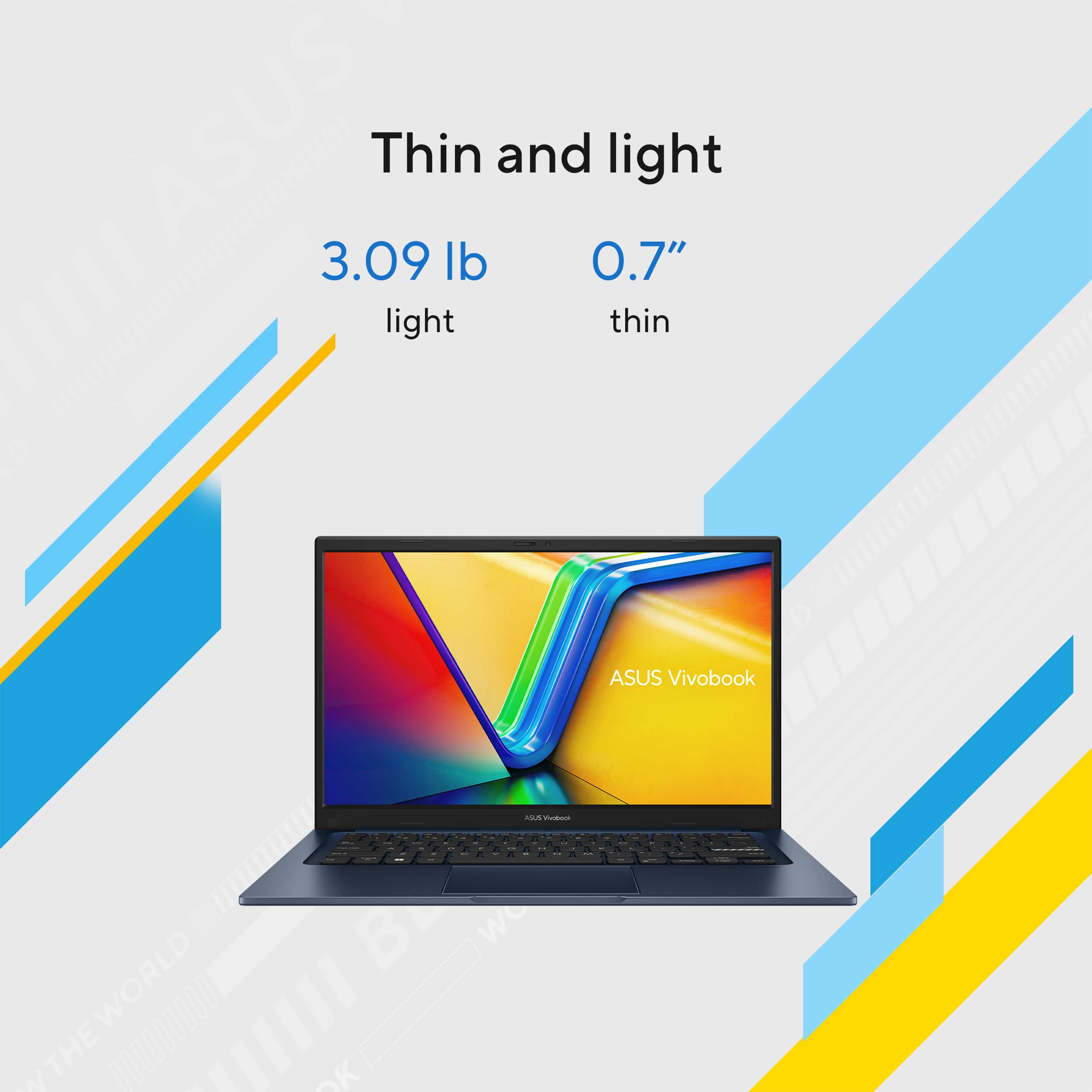
||Posted . Owned for 1 month when reviewed.This reviewer received promo considerations or sweepstakes entry for writing a review.Light weight, small, easy to carry, descent battery life the screen isn't the brightest but for the affordable price it's worth the money. The only negative I have is I wish the hadn't put the number pad on the mouse pad otherwise this a wonderful laptop and worth the purchase price.
I would recommend this to a friendGood features but middle of the road
|Posted .This reviewer received promo considerations or sweepstakes entry for writing a review.The revival book 14 is a mid to mid lower range laptop, depending on the build and model. This particular laptop has a decent internal build, but false short in some aspects. The external case and hinge are what you would expect of a laptop. I do like the case in that there’s a raised foot on the back to give it a slight angle and lifted off the flat surface you’re working on for cooling. It is tested to US military grade durability standards so I don’t have any worries in that respect. Screen: Here’s where I feel this laptop falls a little short. In my opinion, a laptop screen right out of the box should be clear bright, and you shouldn’t have to tinker with it too much. Knowing that everybody has different needs out of a screen I do appreciate when you can adjust certain features. The screen and display on this is just OK. With a little fiddling, I can get it exactly where I want it. Sound: Here’s another area where this laptop could’ve used an upgrade. Knowing you don’t buy a laptop for necessarily high, Fidelity is understood. However, these speakers are pretty basic in terms of movie watching and or music. For virtual meetings, they seem to fit the bill. Battery life: The jury is still out here, under heavy usage, multiple programs and music running in the background. I got a solid two hours. Long-term of having this plugged in, I would assume battery life will decrease. Keyboard I do like the keyboard layout and feel of the keys. The numerical keypad on the track is a good idea. The big downfall of this in the keyboard area is the keyboard is not back lit. This comes standard with all the normal ports however, as customary with aces, they use a proprietary pin charger instead of USB-C. In this day and age, I don’t need to carry another charger around with me. Overall, at this price point and build this laptop is just OK. I do appreciate ASUS support And have had good luck in terms of quality with their products. Overall, not a bad choice, but there are plenty out there, which would compete with this.
No, I would not recommend this to a friendBrand response from ASUS Answers
Posted .Dear Justjohnne,
Thank you for sharing your comments regarding the ASUS Vivobook 14 Laptop. We understand that it didn't meet your full expectations, and we sincerely apologize for that as we do understand your concerns. We are committed to providing our customers with the highest-quality products and we will forward your review to our Product team for review.
We stand behind our products and continuously strive to improve our products and processes to achieve customer service excellence. If you require any further assistance, please email us at customerloyalty@asus.com and include the case number "N2504005745-0019" as a reference. We will do our best to resolve your case quickly. Your feedback is very important to us and enables us to improve our support channels. Thank you for choosing ASUS.
Best Regards,
Chantae
ASUS Customer Loyalty US Support
Punches Way Above Its Weight Class
||Posted . Owned for 6 months when reviewed.This reviewer received promo considerations or sweepstakes entry for writing a review.If you are on the fence about the ASUS Vivobook 14, let me save you some time: just buy it. Finding the right balance between performance, portability, and price is usually an exercise in compromise, but this laptop somehow manages to nail all three effortlessly. Performance That Actually Keeps Up The absolute standout feature here is the engine under the hood. Snagging an Intel Core i7 processor at this price point is impressive enough, but pairing it with 12GB of Memory is what makes this machine truly shine. That extra RAM over the standard 8GB you usually find in this tier means you can actually keep those 20+ browser tabs open while streaming music and working on a heavy spreadsheet without the laptop breaking a sweat. Combined with the 512GB SSD, boot times are virtually instant, and launching applications feels remarkably snappy. Sleek Design and Sharp Display The "Quiet Blue" finish is a massive breath of fresh air. It is subtle and professional enough for an office or classroom setting, but it has just enough personality to stand out in a sea of boring silver and gray laptops. The 14-inch FHD (Full HD) display hits the absolute sweet spot for portability. It’s crisp, perfectly vibrant for daily tasks, and sized just right for tossing into a backpack without feeling like you're hauling around a flat-screen TV. Unbeatable Value To get this specific configuration—an i7 processor, 12GB of RAM, and a half-terabyte SSD—for roughly $400 is an absolute steal. It performs and feels like a machine that should easily cost twice as much. The Verdict: Whether you are a heavy-multitasking student, a remote worker, or just someone who wants a lightning-fast daily driver without emptying your savings account, this ASUS Vivobook configuration is a complete triumph. Highly recommended!
I would recommend this to a friendCheap i7.
||Posted . Owned for 1 week when reviewed.This reviewer received promo considerations or sweepstakes entry for writing a review.So far so good. Seem fast enough. A lot of bang for the price. Battery life is great. Only thing I wish is that it had a touch screen.
I would recommend this to a friendBrand response from ASUS Answers
Posted .Dear ZacharyK,
Thank you for sharing your experience with the ASUS X1404VA laptop. We're glad to hear you're enjoying its performance, value, and battery life. We also appreciate your suggestion regarding the touch screen feature. Your feedback will be passed along to our product team.
We stand behind our products and continuously strive to improve our products and processes to achieve customer service excellence. If you require any further assistance, please email us at customerloyalty@asus.com and include the case number "N2504005745-0046" as a reference. We will do our best to resolve your case quickly. Your feedback is very important to us, and it enables us to improve our support channels. Thank you for choosing ASUS.
Best Regards,
Chantae
ASUS Customer Loyalty US Support
Excellent
||Posted .This reviewer received promo considerations or sweepstakes entry for writing a review.The laptop has been performing reliably and meets my expectations for daily use. It is fast, responsive, and capable of handling multitasking without major issues. The display quality is clear, and the keyboard is comfortable for long working hours. Battery life is reasonable, and overall the device offers good value for its price.
I would recommend this to a friendRecommend for others
||Posted .This reviewer received promo considerations or sweepstakes entry for writing a review.I love the feature and design. Battery life is too good and display is wonderful
I would recommend this to a friendFloor model Laptop
||Posted . Owned for 3 weeks when reviewed.This reviewer received promo considerations or sweepstakes entry for writing a review.This computer is so light weight with such a vivid resolution! I bought a floor model, the last one because I wanted it so much. Unfortunately, due to it being a floor model, the screen started to go, so I retuned it quickly with no problems.
I would recommend this to a friendSolid machine
||Posted . Owned for 1 week when reviewed.This reviewer received promo considerations or sweepstakes entry for writing a review.Excellent product for office productivity. Great for general business applications (presentations, word processing, databases, research). I7 processor and 12 mb of ram (upgradable) and 512 Gb of storage (also upgradable) has this machine moving fast. Excellent price! I only have 4 stars because USB 3.0 port has no charging capability.
I would recommend this to a friendASUS - Vivobook 14
||Posted .This reviewer received promo considerations or sweepstakes entry for writing a review.I love the price and configuration on that price . Its around 1 month of using no noise and its fast in working. Screen sometimes look not that bright but when i changed the setting its good. Only thing if it has USB C powered cable then i it will be way better.
I would recommend this to a friendGreat laptop
||Posted .This reviewer received promo considerations or sweepstakes entry for writing a review.I’m really happy with my ASUS VivoBook 14! It’s fast with the Intel Core i7, handles multitasking easily with the 12GB memory, and the 512GB SSD makes everything load quickly. The 14” Full HD screen looks super clear, and it’s lightweight enough to take anywhere. Great for both work and everyday use!
I would recommend this to a friendPerfect laptop
||Posted .This reviewer received promo considerations or sweepstakes entry for writing a review.Fast, lightweight, and easy to use laptop. Good performance and a sharp Full HD display and the stylish Quiet Blue color makes it a great choice for work, everyday tasks, and light gaming — modern games run smoothly on medium settings.
I would recommend this to a friendGood kids computer if you can find it on sale
||Posted .This reviewer received promo considerations or sweepstakes entry for writing a review.I wanted to like this laptop but after 4 days of bad viewing angles that seemed to worsen each day along with the poor color resolutions (reds appeared violet) I started to question my decision on buying this laptop but I really liked the speed of the i7 and I liked the blue (almost black) case so I planned on keeping it until the 5th day the track pad became unresponsive. After a restarting it was fine again then it happened a few more times and that's when I made the decision to pack it up and take it back. Customer service was great and the return went smoothly thanks to Best Buys 14 day return policy. I'm not recommending this particular laptop but I do recommend purchasing from Best Buy.
No, I would not recommend this to a friendBrand response from ASUS Answers
Posted .Dear Reviewer713,
Thank you for sharing your experience with the ASUS X1404VA laptop. We apologize for the inconvenience you encountered with the display quality and trackpad responsiveness, which led to your decision to return the product. Your feedback is very valuable to us, and we will ensure it is passed along to our product team for review.
We stand behind our products and continuously strive to improve our products and processes to achieve customer service excellence. If you require any further assistance, please email us at customerloyalty@asus.com and include the case number "N2504005745-0050" as a reference. We will do our best to resolve your case quickly. Your feedback is very important to us, and it enables us to improve our support channels. Thank you for choosing ASUS.
Best Regards,
Chantae
ASUS Customer Loyalty US Support
more than happy with this product
||Posted .This reviewer received promo considerations or sweepstakes entry for writing a review.I am a basic computer user I do browsing, email banking and stream video I occasionally have documents and pictures but just basic stuff no work related or gaming so I don't need a super laptop. I have had a Asus before and loved it tried Acer and HP hated them both and short longevity. So when it came time to purchase a new laptop I wanted Asus and nothing else. I am very happy works great for all my needs much better than previous brands no issues. dont' know how this would be for extensive work use for gaming but for my basic needs I will neve have anything but Asus.
I would recommend this to a friendASUS Vivobook 14: An incredible Pure Magic
||Posted .This reviewer received promo considerations or sweepstakes entry for writing a review.Exceptional 18+ hour battery life Snappy performance with Copilot+ AI perks Comfortable keyboard and spacious trackpad Lightweight, durable build with solid ports Vibrant display and great speakers for the price
I would recommend this to a friendWorking well.
||Posted . Owned for 3 weeks when reviewed.This reviewer received promo considerations or sweepstakes entry for writing a review.My new computer works just fine.And the geek squad set it up to look just like my old one did.So it's easy for me.The one drawback is that it is not touchscreen.
I would recommend this to a friendLaptop
||Posted .This reviewer received promo considerations or sweepstakes entry for writing a review.Laptop is compact and has everything I need in a laptop. So far I am very happy with my purchase and very happy with the ordering process with Best Buy.
I would recommend this to a friendLove this laptop!
||Posted .This reviewer received promo considerations or sweepstakes entry for writing a review.I was not familiar with ASUS brand, but I am so happy with this laptop... it's size, weight, the screen clarity is amazing!
I would recommend this to a friend