Customer Ratings & Reviews
- Model:
- X1404VA-I712512
- |
- SKU:
- 10858368
Customer reviews
Rating 4.5 out of 5 stars with 188 reviews
(188 customer reviews)Rating by feature
- Battery Life4.5
Rating 4.5 out of 5 stars
- Speed4.7
Rating 4.7 out of 5 stars
- Display4.6
Rating 4.6 out of 5 stars
to a friend
Rated 5 out of 5 stars
Great laptop
||Posted .This reviewer received promo considerations or sweepstakes entry for writing a review.Love the number pad on the mouse pad very convenient. Laptop is perfect size and weight for a person on the go.
This review is from ASUS - Vivobook 14 14" FHD Laptop - Intel Core i7 with 12GB Memory - 512GB SSD - Quiet Blue
I would recommend this to a friendRated 5 out of 5 stars
Good value
||Posted .This reviewer received promo considerations or sweepstakes entry for writing a review.Great bang for your buck, especially if you catch it on sale. Good variety of ports. Not flimsy. Perfect for an everyday computer. Not sure I'd use it for business or heavy computing, but seems spec'd to last a while if you don't overwork it.
This review is from ASUS - Vivobook 14 14" FHD Laptop - Intel Core i7 with 12GB Memory - 512GB SSD - Quiet Blue
I would recommend this to a friendRated 5 out of 5 stars
Windows 11 ASUS LapTop ... Pretty good deal
||Posted . Owned for 1 month when reviewed.This reviewer received promo considerations or sweepstakes entry for writing a review.This laptop replaced my Windows Visa Laptop. What a deal.
This review is from ASUS - Vivobook 14 14" FHD Laptop - Intel Core i7 with 12GB Memory - 512GB SSD - Quiet Blue
I would recommend this to a friendRated 5 out of 5 stars
Excellent gadget
||Posted . Owned for 1 month when reviewed.This reviewer received promo considerations or sweepstakes entry for writing a review.Excellent gadget for normal daily users, even for the beginners
This review is from ASUS - Vivobook 14 14" FHD Laptop - Intel Core i7 with 12GB Memory - 512GB SSD - Quiet Blue
I would recommend this to a friendRated 5 out of 5 stars
Good buy
||Posted . Owned for 3 weeks when reviewed.This reviewer received promo considerations or sweepstakes entry for writing a review.Does what I need it to do. Appreciate the proffesionals at the Denton Store.
This review is from ASUS - Vivobook 14 14" FHD Laptop - Intel Core i7 with 12GB Memory - 512GB SSD - Quiet Blue
I would recommend this to a friendRated 5 out of 5 stars
Asus
||Posted . Owned for 1 week when reviewed.This reviewer received promo considerations or sweepstakes entry for writing a review.Nice laptop computer for the price. Tech was very informative and helpful.
This review is from ASUS - Vivobook 14 14" FHD Laptop - Intel Core i7 with 12GB Memory - 512GB SSD - Quiet Blue
I would recommend this to a friendRated 4 out of 5 stars
Good Product
||Posted . Owned for 1 month when reviewed.This reviewer received promo considerations or sweepstakes entry for writing a review.Good purchase, great price vs quality/performance relation
This review is from ASUS - Vivobook 14 14" FHD Laptop - Intel Core i7 with 12GB Memory - 512GB SSD - Quiet Blue
I would recommend this to a friendRated 5 out of 5 stars
Asus vivo book 14 great fast does the job
||Posted . Owned for 2 weeks when reviewed.This reviewer received promo considerations or sweepstakes entry for writing a review.I like everything about it needs backlit keyboard and a better videocard for gaming tho!
This review is from ASUS - Vivobook 14 14" FHD Laptop - Intel Core i7 with 12GB Memory - 512GB SSD - Quiet Blue
I would recommend this to a friendRated 5 out of 5 stars
Good laptop
||Posted .This reviewer received promo considerations or sweepstakes entry for writing a review.Good performance. I love the numpad on trackpad, It's really useful.
This review is from ASUS - Vivobook 14 14" FHD Laptop - Intel Core i7 with 12GB Memory - 512GB SSD - Quiet Blue
I would recommend this to a friendRated 5 out of 5 stars
Cool guy
||Posted .This reviewer received promo considerations or sweepstakes entry for writing a review.I'm sure it's a great product but I had to return it because it was just too small. I need a larger keyboard and screen
This review is from ASUS - Vivobook 14 14" FHD Laptop - Intel Core i7 with 12GB Memory - 512GB SSD - Quiet Blue
No, I would not recommend this to a friendRated 5 out of 5 stars
ASUS
||Posted . Owned for 1 week when reviewed.This reviewer received promo considerations or sweepstakes entry for writing a review.I really like my new ASUS and I'm having fun exploring on it!
This review is from ASUS - Vivobook 14 14" FHD Laptop - Intel Core i7 with 12GB Memory - 512GB SSD - Quiet Blue
I would recommend this to a friendRated 5 out of 5 stars
ASUS 2025
||Posted .This reviewer received promo considerations or sweepstakes entry for writing a review.GOOD PRICE ! VERY GOOD LAPTOP! I LOVE IT! EXCELLENT PURCHASE!
This review is from ASUS - Vivobook 14 14" FHD Laptop - Intel Core i7 with 12GB Memory - 512GB SSD - Quiet Blue
I would recommend this to a friendRated 5 out of 5 stars
DELL 14
||Posted .This reviewer received promo considerations or sweepstakes entry for writing a review.Great product so far. But the sceen rotation is not as smooth as expected.
This review is from ASUS - Vivobook 14 14" FHD Laptop - Intel Core i7 with 12GB Memory - 512GB SSD - Quiet Blue
I would recommend this to a friendRated 4 out of 5 stars
Not what I expected, that's all.
||Posted . Owned for 1 month when reviewed.This reviewer received promo considerations or sweepstakes entry for writing a review.I returned this computer within an hour of taking it out of the box because it doesn't have a touch-screen monitor. If I'd realized that, I wouldn't have bought it. Otherwise the computer seemed to be working fine, it just wasn't what I need. I'm sure it would work fine for someone who doesn't need a touch screen.
This review is from ASUS - Vivobook 14 14" FHD Laptop - Intel Core i7 with 12GB Memory - 512GB SSD - Quiet Blue
No, I would not recommend this to a friendRated 4 out of 5 stars
Good
||Posted .This reviewer received promo considerations or sweepstakes entry for writing a review.Cheap but gets the job done.what I expect at this price
This review is from ASUS - Vivobook 14 14" FHD Laptop - Intel Core i7 with 12GB Memory - 512GB SSD - Quiet Blue
I would recommend this to a friendRated 5 out of 5 stars
Good laptop for price
||Posted .This reviewer received promo considerations or sweepstakes entry for writing a review.Very capable laptop and durable. Runs on windows and isnt limited from running programs like some snapdragon smartbooks
This review is from ASUS - Vivobook 14 14" FHD Laptop - Intel Core i7 with 12GB Memory - 512GB SSD - Quiet Blue
I would recommend this to a friendRated 2 out of 5 stars
Returned for poor keyboard design
||Posted .This reviewer received promo considerations or sweepstakes entry for writing a review.I returned it. The calculator on the Touchpad was impossible. I kept accidentally turning it on. Poor design. The On button should be on top right corner, not on the inside of another button. And please include the keyboard light. Using Windows was ok, installation easy, specs good for me, but not the Keyboard. I was trying to save money instead of getting another MacBook Air, but I got one now and I’m so happy with it.
This review is from ASUS - Vivobook 14 14" FHD Laptop - Intel Core i7 with 12GB Memory - 512GB SSD - Quiet Blue
No, I would not recommend this to a friendBrand response from ASUS Answers
Posted .Dear Jeff A,
Thank you for your feedback on the ASUS X1404VA laptop. We apologize for the inconvenience caused by the Touchpad and keyboard design. Your comments have been noted and will be shared with our product team.
We stand behind our products and continuously strive to improve our products and processes to achieve customer service excellence. If you require any further assistance, please email us at customerloyalty@asus.com and include the case number "N2504007925-0009" as a reference. We will do our best to resolve your case quickly. Your feedback is very important to us, and it enables us to improve our support channels. Thank you for choosing ASUS.
Best Regards,
Chantae
ASUS Customer Loyalty US Support
Rated 5 out of 5 stars
Perfect budget-friendly laptop
||Posted .This reviewer received promo considerations or sweepstakes entry for writing a review.Love the size and weight. It's so smooth and perfect for my daily tasks. Highly recommended!
This review is from ASUS - Vivobook 14 14" FHD Laptop - Intel Core i7 with 12GB Memory - 512GB SSD - Quiet Blue
I would recommend this to a friendRated 5 out of 5 stars
Great laptop
||Posted .This reviewer received promo considerations or sweepstakes entry for writing a review.Good quality, great price. Easy to use, low noise.
This review is from ASUS - Vivobook 14 14" FHD Laptop - Intel Core i7 with 12GB Memory - 512GB SSD - Quiet Blue
I would recommend this to a friendRated 5 out of 5 stars
Fast, small, and lots of ports!
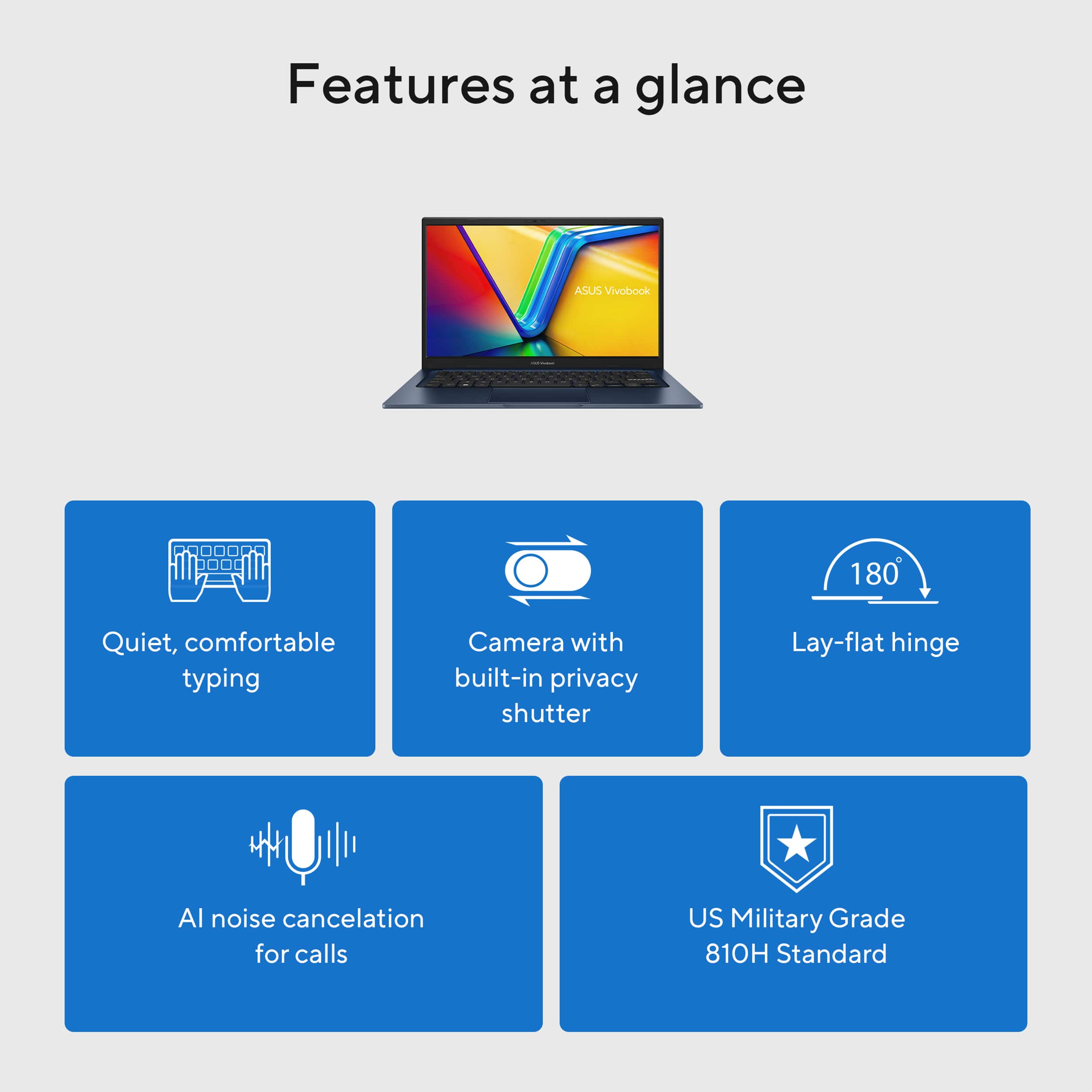
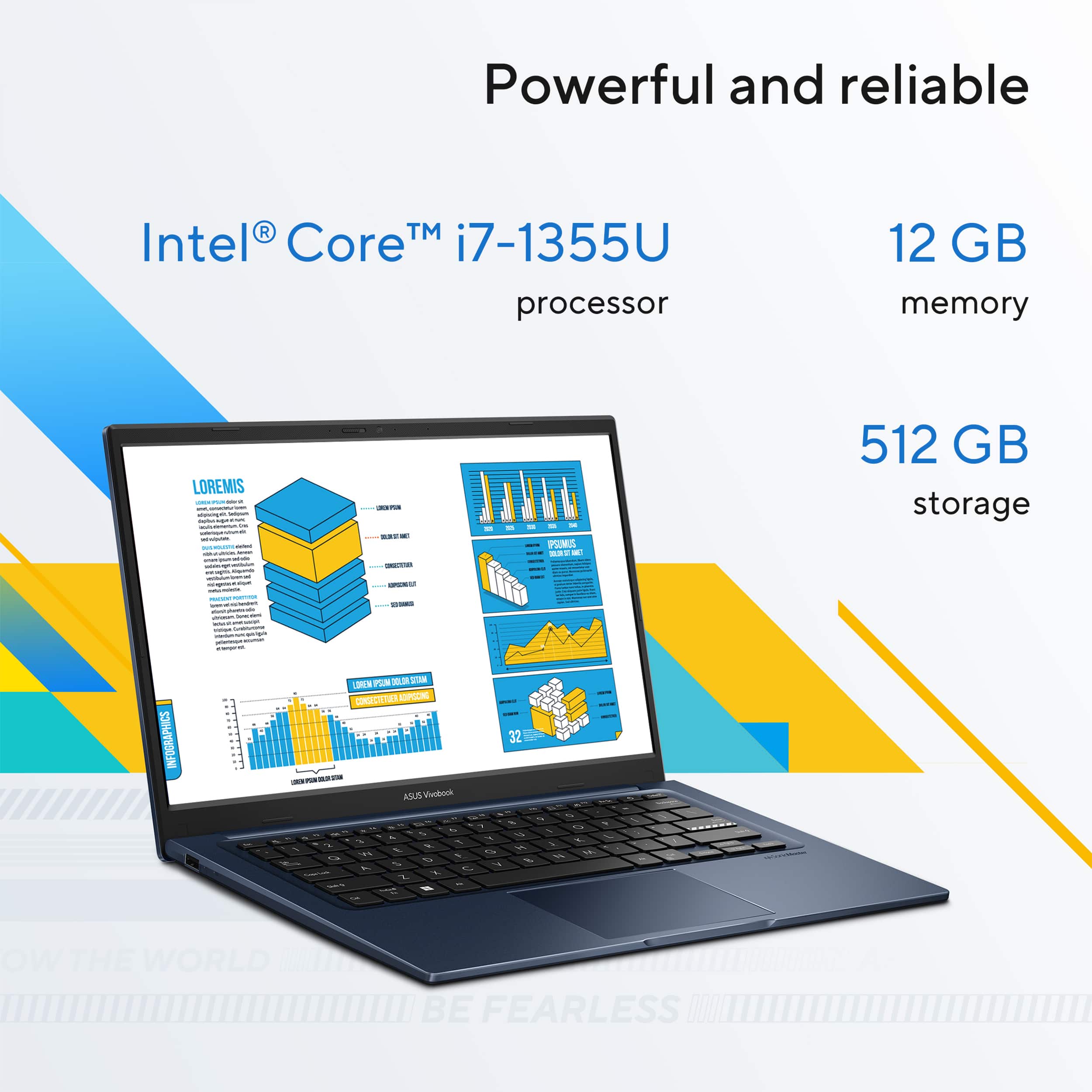
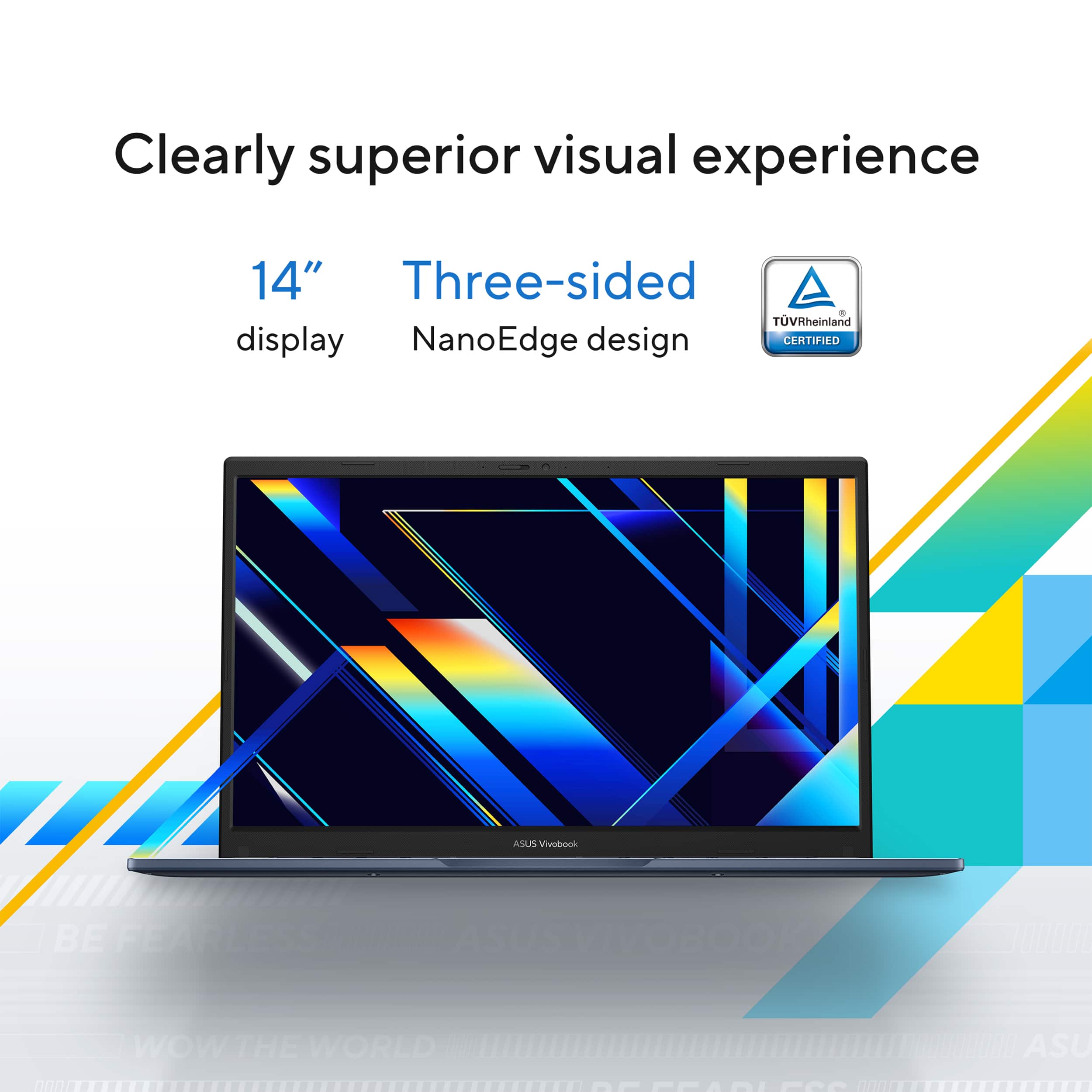
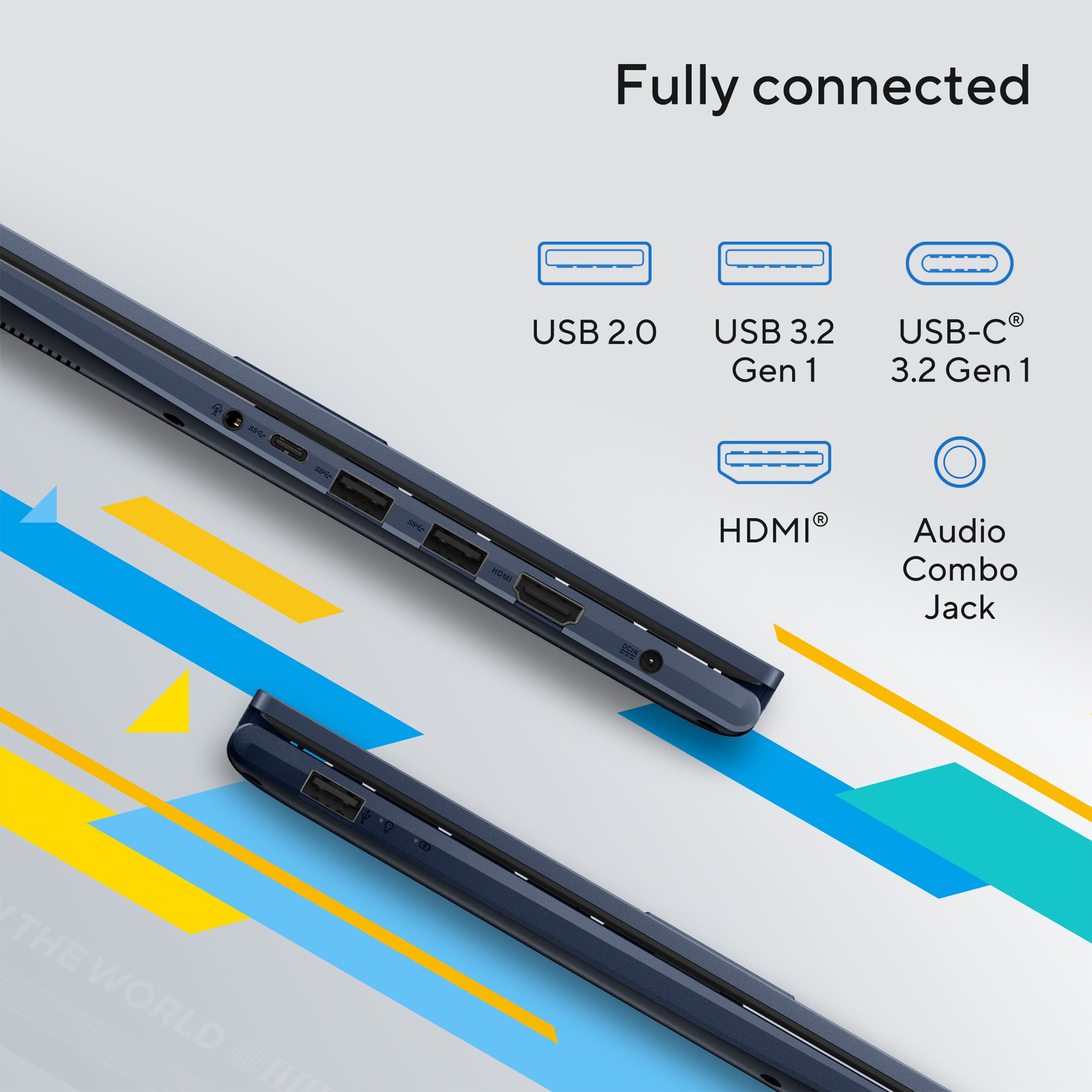
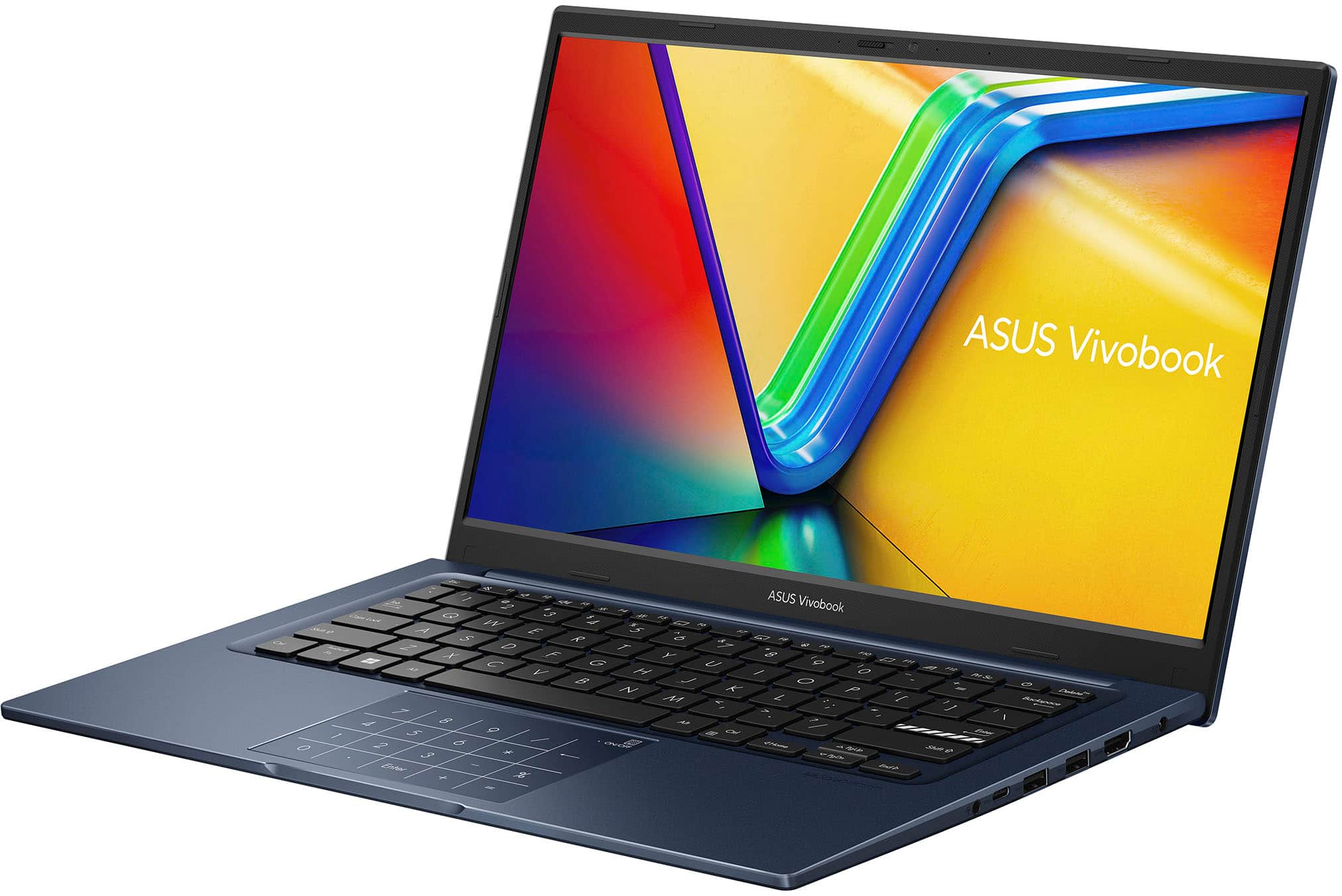
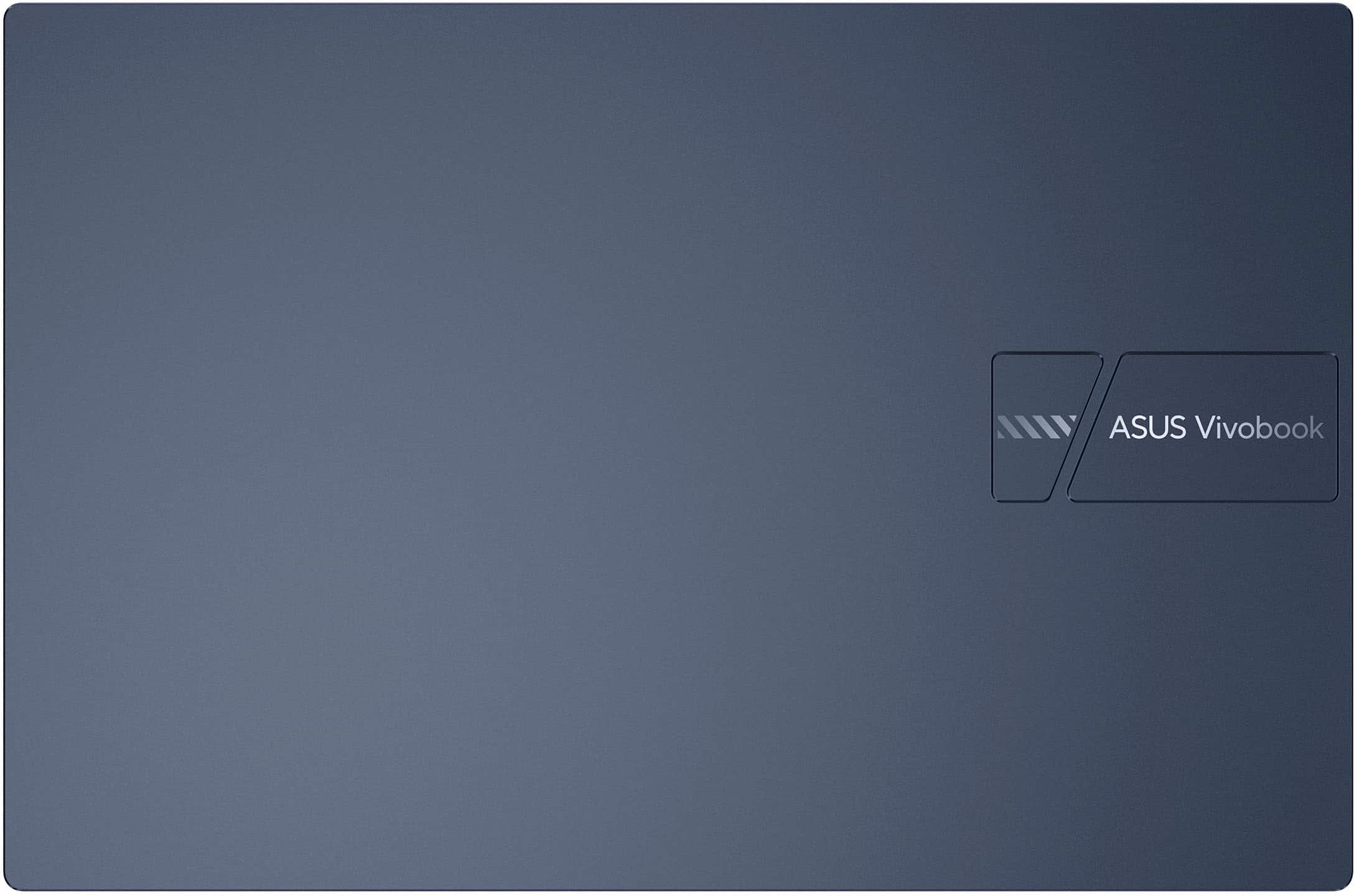
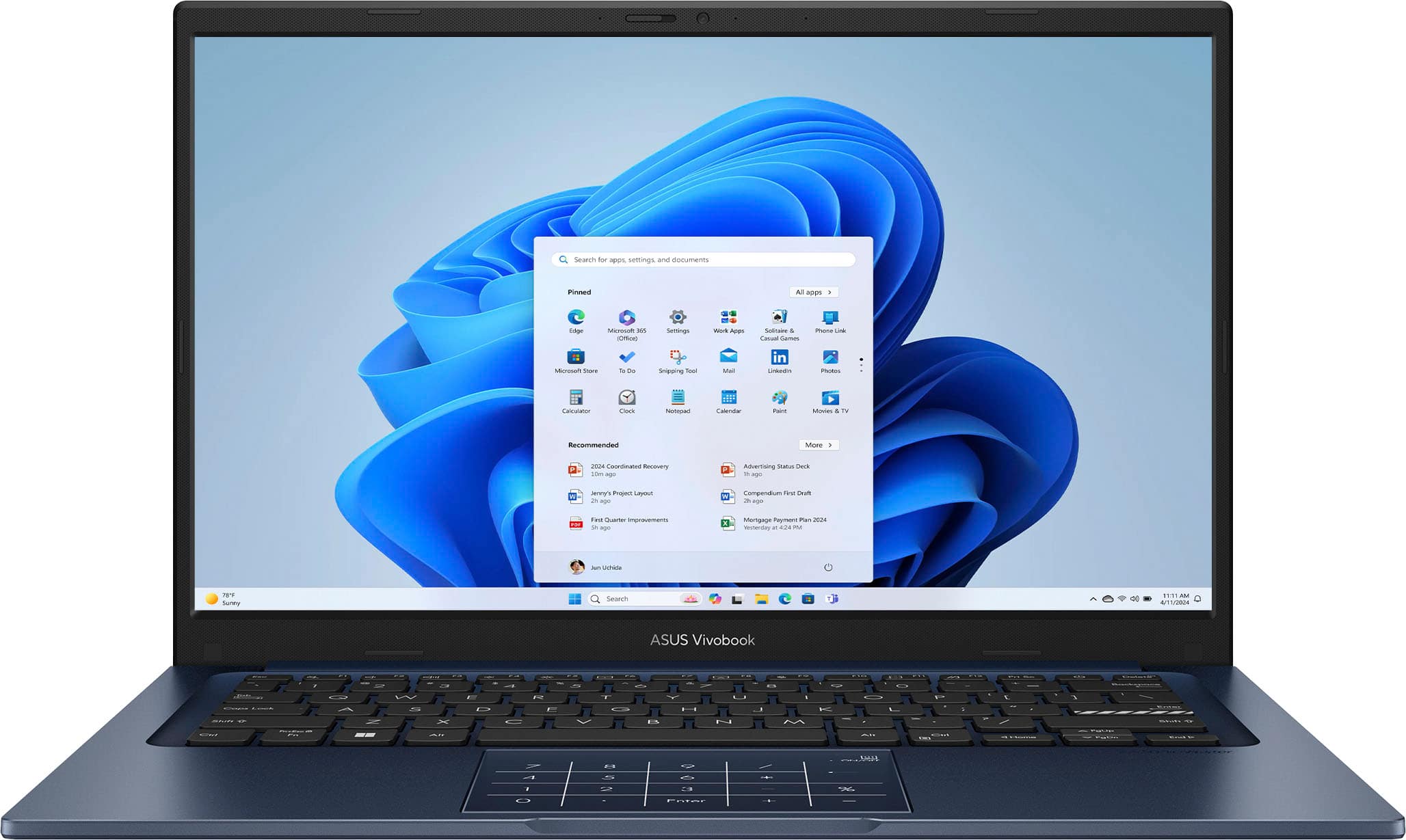
|Posted .This reviewer received promo considerations or sweepstakes entry for writing a review.The ASUS Vivobook 14 i7 is a small, light, and fast laptop with a lot of ports! Design There's a raised design on the lid with the logo on it, that gives it a more refined look. The hinge is designed so the display can fold back 180 degrees, so it's flat on the table or desk surface. There are a lot of ports for a smaller laptop. I'll talk about them more later. The feel of the keyboard has a very good feel to it. Asus calls it an "ErgoSense" keyboard. The keys are very slightly concave, the space from the middle of one key to the middle of the next is the same as that of a full sized keyboard, key travel is good and each press has a good feel to it, though its pretty quiet. Apparently there's also a coating on the keys to help them hold up well over time. I've had some keyboards that the letters wear off the keys, so maybe that will not happen with this. The <Enter> key has a bold, broken white line on the lower portion of it that makes it stand out. The touchpad has a numeric keypad printed on it, which I think is a cool idea. You enable or disable it by touching the top right of the touchpad for a second or so, and a light comes on to let you know it's enabled. Touchpad The touchpad works very well. I was a bit skeptical of the combined Touchpad/numeric keypad, but I didn't have issues activating it by accident and when activated, touching the keys on it works very well. You can actually use the touchpad as a pointing device while the numeric keypad is active too. If you move it moves the mouse. Pressing the touchpad to click, then clicks the mouse. Tapping gives you the numbers, but you can always turn it off. I do usually turn it off, for general use, and just turn it on when I need it. A numeric keypad usually isn't a built-in option on a laptop this small so this is cool to see! Hardware This laptop has a 13th Gen Intel Core i7 1355U which has 10 physical cores and 12 logical cores. It also has Iris Xe integrated graphics, which is better than Intel HD and capable of running many games, though not usually at the highest quality. It also has 12 GB of RAM, and 512 GB SSD (475 GB total space in Windows). The box suggested, and I actually opened the laptop to confirm, the 12 GB of RAM is in the form of one 8 GB of RAM built-in on the motherboard (not removable) and single RAM slot with a 4 GB DDR4, 3200 MT/s, SO-DIMM. So the 4 GB module could be replaced, for instance with an 8 GB module to increase this to 16 GB of RAM without spending a lot of money. The display is a 14" 1920x1080 display. I think it's bright and color is vibrant. The viewing angles are not great, it looks best straight on. There are also two speakers facing down, towards the front corners. They sound good for laptop speakers! You can customize audio with the MyASUS app or the DIRAC Windows utility. Don't get me wrong, it's still a bit tinny and I didn't get any amazing bass out of it, but there is a fullness to the sound and the volume was better than I expected for a laptop. Ports In a world where many small laptops only have a few USB C ports, I was happily surprised to find the following: - USB A 2.0 (480 Mbps) - Two USB-A 3.2 Gen 1 (5 Gbps) - USB C 3.2 Gen 1 (5 Gbps, maybe 10 Gbps) (tested and it does not support DisplayPort or charging the laptop) - HDMI 2.1 (Tested 4K 60 Hz) - 1/8" stereo/headphone jack - Dedicated barrel port for charging Performance I found the performance to be very good with the latest version of Windows 11 and the i7, 12 GB of RAM, and fast storage. I wasn't sure how it would do with 12 GB but it's not bad at all! This computer actually feels very fast. Startup and shutdown is fast, installing apps is fast, and general use of opening applications and loading web pages is fast. I haven't been running lots of things at a time, but things like normal use with typing documents, lots of web browsing, and even some light gaming worked very well. I was able to average around 60fps in some Windows racing games. They looked good and played smoothly. It's not a gaming PC but may do better than you would expect when you throw some games at it here and there. For that, upgrading the RAM, as mentioned above, may help but I did all this with the 12 GB. The WiFi is WiFi 5 and worked fine but seemed to top out at around 300 Mbps up and down in my testing, which may be a limit of WiFi 5. I checked the refresh rates of the HDMI 2.1 video output and found it will do the following: 60 Hz on the built-in display at 1080p 120 Hz on an external display at 1080p 60 Hz on an external display at 4k MyASUS Windows App The MyASUS app lets you check and configure a number of system settings. It makes it easy to check for and install system updates too. You can turn on the "Battery Care" mode, which I did, and turn on on the "Performance mode" profile for the fan - to make sure it doesn't make your computer slower just so the fan isn't as loud, which I also turned on. There are other settings for audio and the display as well. You can even prioritize the WiFi for things like media streaming, Games, or Extending the screen using GlideX. GlideX is an included tool you can install for free on your PC and your phone or tablet. Then you can use that device as a second monitor. You can mirror or extend to that device and it worked very well for the little I tried it. The latency seemed to be very low and video playback to that device looked excellent! Tapping the screen on that device works like a mouse click as well. GlideX can do other things like file transfers, remote access to your PC, and shared your camera from There's also another tool called "ScreenXpert" that lets you assign applications to different displays, as a way to help manage a multi-monitor desktop. Odd issue during initial setup During the initial setup, the first time I turned it on, I went through as you would expect, putting in my Microsoft Account and letting it install updates. As it started this everything went as expected, but after it restarted the first time, not done with the setup but to continue installing/updating, I realized I couldn't use the touchpad. There were just two or three on-screen buttons I needed to select but I couldn't move the mouse pointer to click them. So I used the <Tab> and the <Space> or <Enter> keys to move around and select items respectively. That worked fine, again it was only for a few options I needed to select, and then it restarted again, and after that restart the touchpad worked without issue for the remainder of the setup and since. Personally, I think it's a Windows 11 setup bug, maybe even a bug in one of the updates that it downloaded during install. Thankfully, I didn't need to do anything to fix it and the Windows install has worked perfectly. But just so you know, if you have the same issue just you <Tab> and <Space> or <Enter> to push the buttons on screen. And maybe this was only a bug that happened for me, on this specific laptop, this one time. Summary The display is best viewed straight on, but otherwise it's a bright 1080p display with vibrant colors. There was the touchpad issue I had during setup, but I think that was more likely Microsoft than Asus, and it went away after a reboot as part of setup. What I love about this laptop is the speed along with the size, weight, and all the ports! That can be hard to find in a smaller laptop. Even the numeric touchpad implementation is a great feature. Really, I wish all laptops had this because it takes nothing away and can be very helpful. I found myself using it just to enter PINs sometimes. If you're looking for a smaller laptop with lots of ports and even a numeric keypad, the ASUS Vivobook 14 is a great option!
This review is from ASUS - Vivobook 14 14" FHD Laptop - Intel Core i7 with 12GB Memory - 512GB SSD - Quiet Blue
I would recommend this to a friend


![ASUS Vivobook Esc 2 F1 F2 F3 F4 F5 F6 F7 FB 8 F9 F10 F11 F12 Prt Sc and Delete - & I 1 Q 2 # 3 $ 4 % 5 A 6 & 7 * 8 I 9 - O - I + = Backspace Tab Q W E R T Y U I O P I [ ] | / Ctrl Lock A S D F G H J K L : : I Enter Shift Z X C V B N M V ? / Shift Ctrl Fn Alt Alt Ctrl Home A PgUp PgDn End b ON/Off SonicMaster 7 8 9 / 4 5 6 * 1 2 3 I % 0 Enter + =](https://pisces.bbystatic.com/image2/BestBuy_US/images/products/03070455-28fc-46c7-a122-4df688c481bc.jpg;maxHeight=54;maxWidth=54;format=webp)