Customer Ratings & Reviews
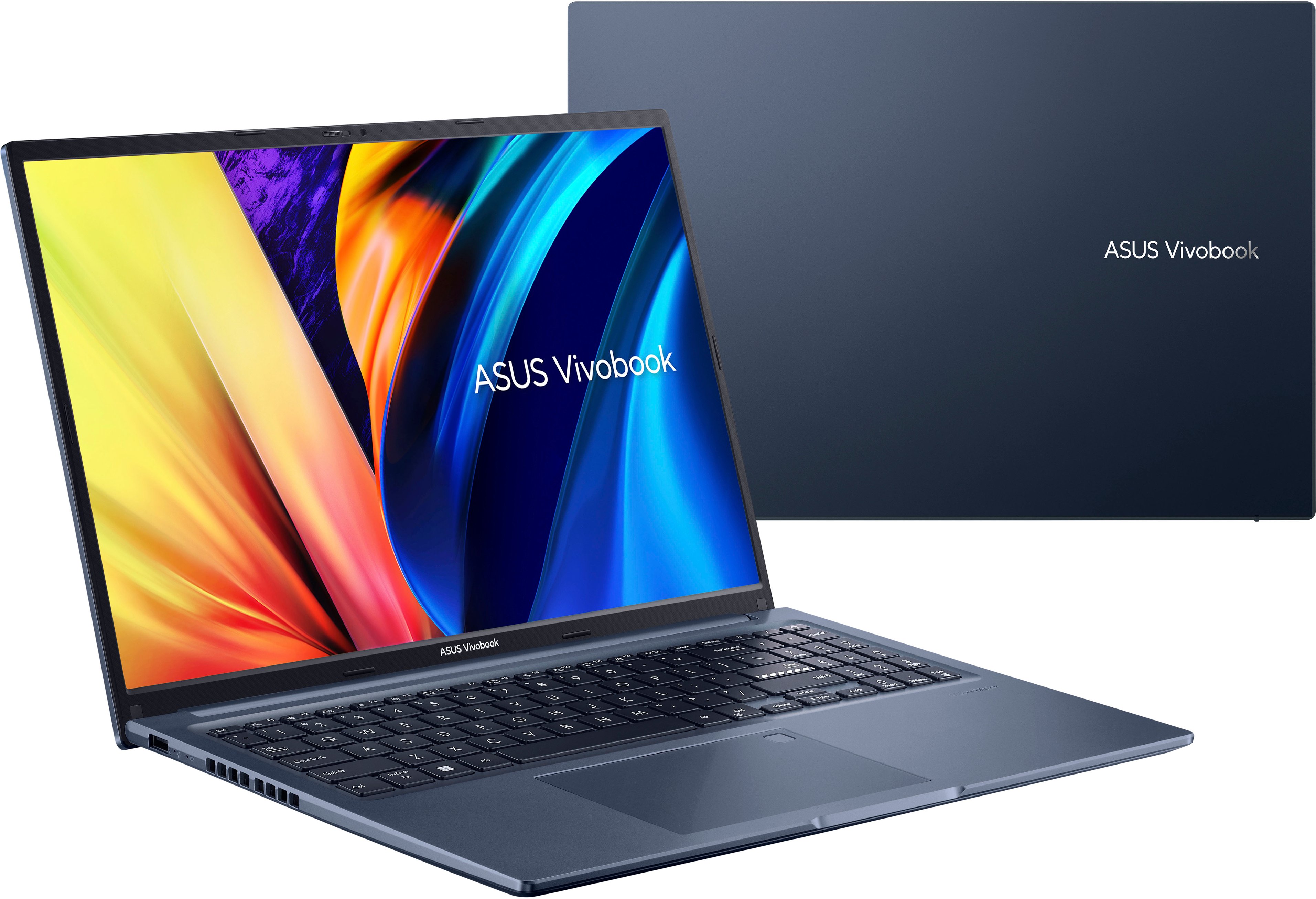


- Model:
- M1603QA-R712512
- SKU:
- 6535990
Rating by feature
- Battery Life
Rating 4.6 out of 5 stars
- Speed
Rating 4.7 out of 5 stars
- Display
Rating 4.7 out of 5 stars
Customers are saying
Customers are pleased with the Vivobook 16" laptop's performance, battery life, ease of use, and screen size. Many appreciate its affordability and the ample RAM and storage it offers. However, some users noted that the keyboard lacks backlighting and that the speakers and number pad could be improved. A few also expressed dissatisfaction with the pre-installed operating system.
This summary was generated by AI based on customer reviews.
I recommend Asus
||Posted . Owned for 3 weeks when reviewed.This reviewer received promo considerations or sweepstakes entry for writing a review.I bought this Asus computer for my wife, she loved it, it has been very useful for her work.
I would recommend this to a friend2years
||Posted . Owned for more than 2 years when reviewed.This reviewer received promo considerations or sweepstakes entry for writing a review.It was a good laptop for my small business for 2 years then it crashed out of nowhere deleting all my files that i did not back up, luckily im a graphic designer so i can just recreate.
No, I would not recommend this to a friendAsus Vivobook
||Posted . Owned for 1 month when reviewed.This reviewer received promo considerations or sweepstakes entry for writing a review.Great product ! Great value price for this laptop Asus Vivobook.
I would recommend this to a friendmy asus laptop
||Posted . Owned for 3 weeks when reviewed.This reviewer received promo considerations or sweepstakes entry for writing a review.The ease of choosing my laptop on line with a best buy agent was perfect. The laptop arrived in a day after the order was placed and in excellent condition.
I would recommend this to a friendBestbuy does it again!!
||Posted . Owned for 2 months when reviewed.This reviewer received promo considerations or sweepstakes entry for writing a review.Typical Bestbuy product, perfect!! I only come to Bestbuy for my electronics, I also refer anyone looking for electronics to come to Bestbuy. Seriously I love you guys!!
I would recommend this to a friend10/10
||Posted . Owned for 6 months when reviewed.This reviewer received promo considerations or sweepstakes entry for writing a review.Smooth operating system, have had no issues out of this computer at all. Very good quality
I would recommend this to a friendGreat laptop
||Posted . Owned for 7 months when reviewed.This reviewer received promo considerations or sweepstakes entry for writing a review.I bought this for my girlfriend for her work. She loves it and it works great.
I would recommend this to a friendValue for money
||Posted . Owned for 1 year when reviewed.This reviewer received promo considerations or sweepstakes entry for writing a review.Value for money. Suitable both for office and school work
I would recommend this to a friend- Pros mentioned:Battery life, Processor speedCons mentioned:Keyboard backlight

A Great Everyday Laptop
|Posted .This reviewer received promo considerations or sweepstakes entry for writing a review.'ve been testing out the 16-inch Asus Vivobook with the Ryzen 7 5000 series processor for the past week. This laptop is equipped with 12GB of RAM, a 512GB SSD, Wi-Fi 6, and a 3-cell 50WH battery. Setup The setup process was straightforward. I was able to connect to a Wi-Fi network and log into my Microsoft account. After setup, I noticed that I was in Windows S mode, which only lets you use apps from the Microsoft Store. I prefer to use apps from outside the Store, so I switched to regular mode. The laptop didn't come with much bloatware, just the standard Asus stuff. Build quality The Vivobook is constructed of mostly plastic, but it feels very solid and premium. The hinge for the screen moves very smoothly and holds the monitor securely. The keys have good travel and there is very little flex on the top plate. The fans are also very quiet. Performance For a mid-range laptop, the Vivobook performed very well. It booted fast, loaded applications quickly, and was rarely bogged down when the processor was being pushed to its limits. The matte finish monitor is bright enough for outdoor use. The color reproduction is good, but the monitor tends to display colors at a cooler temperature. This means that skin tones may appear pale and colors may be vibrant but not very saturated. The battery life is excellent. I was easily able to work for 8 hours and still had some battery to spare. When I wasn't using it for work, I was able to get about 3 days of casual use out of it. When it came time to recharge the laptop, it was fully charged in about an hour. The Wi-Fi connection was great. It quickly connected to my router and never lost connection. The built-in speakers are very good quality. Voices are clear and at 30% power, they are loud enough to be used in a busy office setting. Drawbacks The power brick is on the smaller side, which is a good feature. However, the negative is that it uses a barrel connector to charge and the laptop does not support USB-C charging. There is also no backlight on the keyboard and I would have preferred that the power button was its own button and not integrated into the keyboard. Overall, I do recommend this laptop. It's a great everyday laptop for someone who doesn't need all the bells and whistles that come with higher-end laptops.
I would recommend this to a friend Noice
||Posted . Owned for 3 months when reviewed.This reviewer received promo considerations or sweepstakes entry for writing a review.This seems to be a very good daily machine. Ive had 0 problems after owning for a few months now.
I would recommend this to a friend- Pros mentioned:Battery life, Screen size
High-Value laptop.
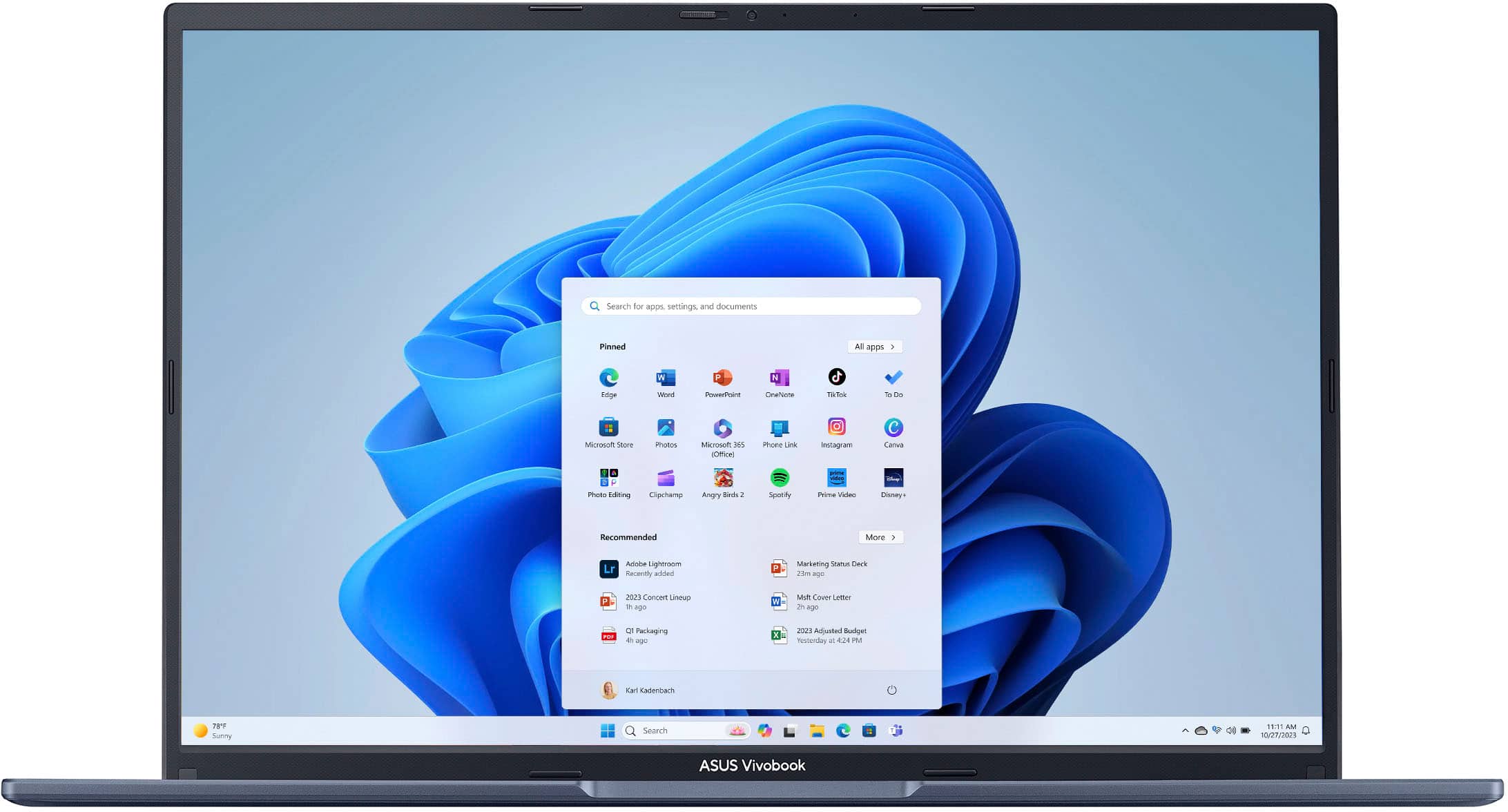
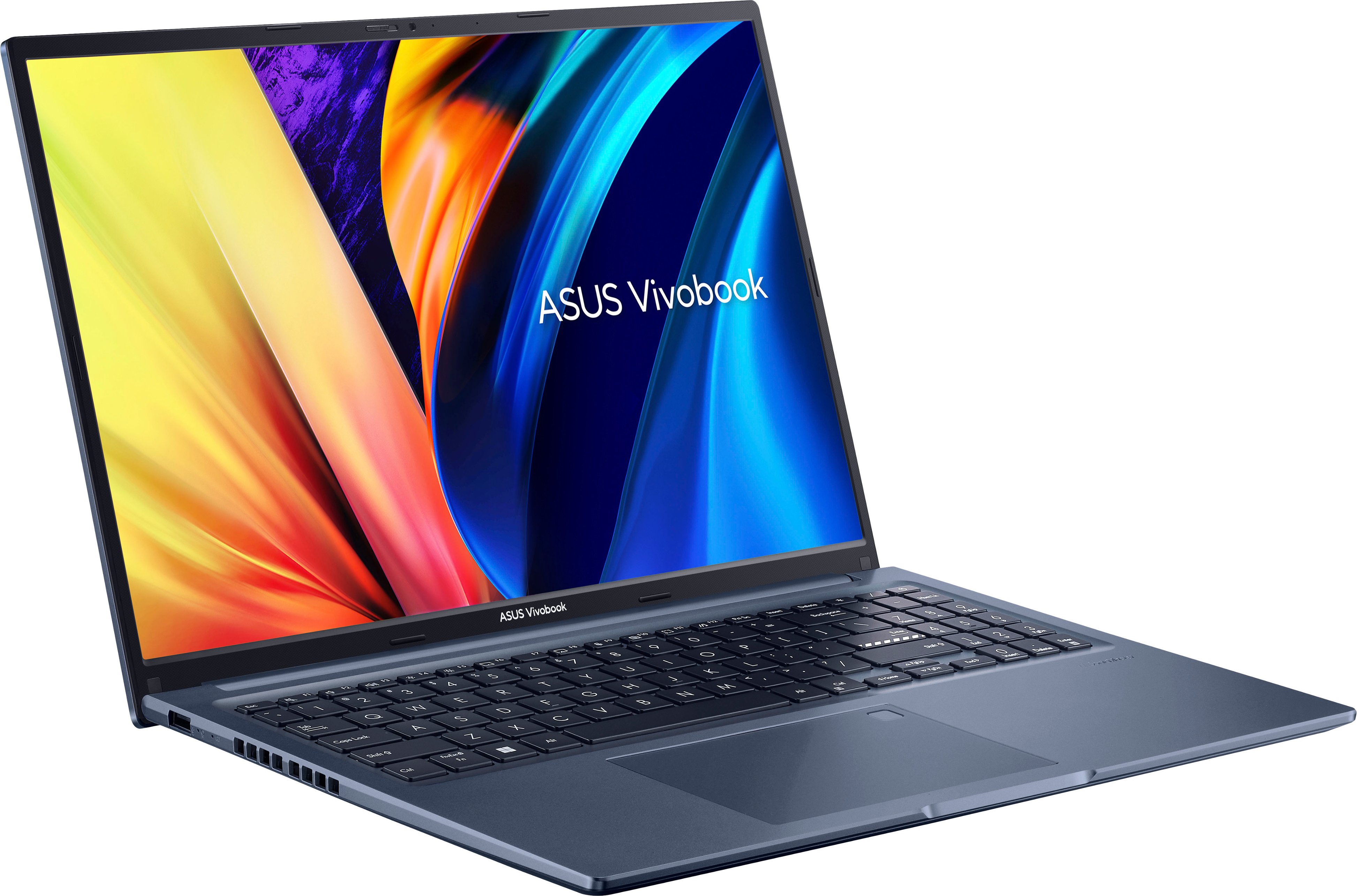
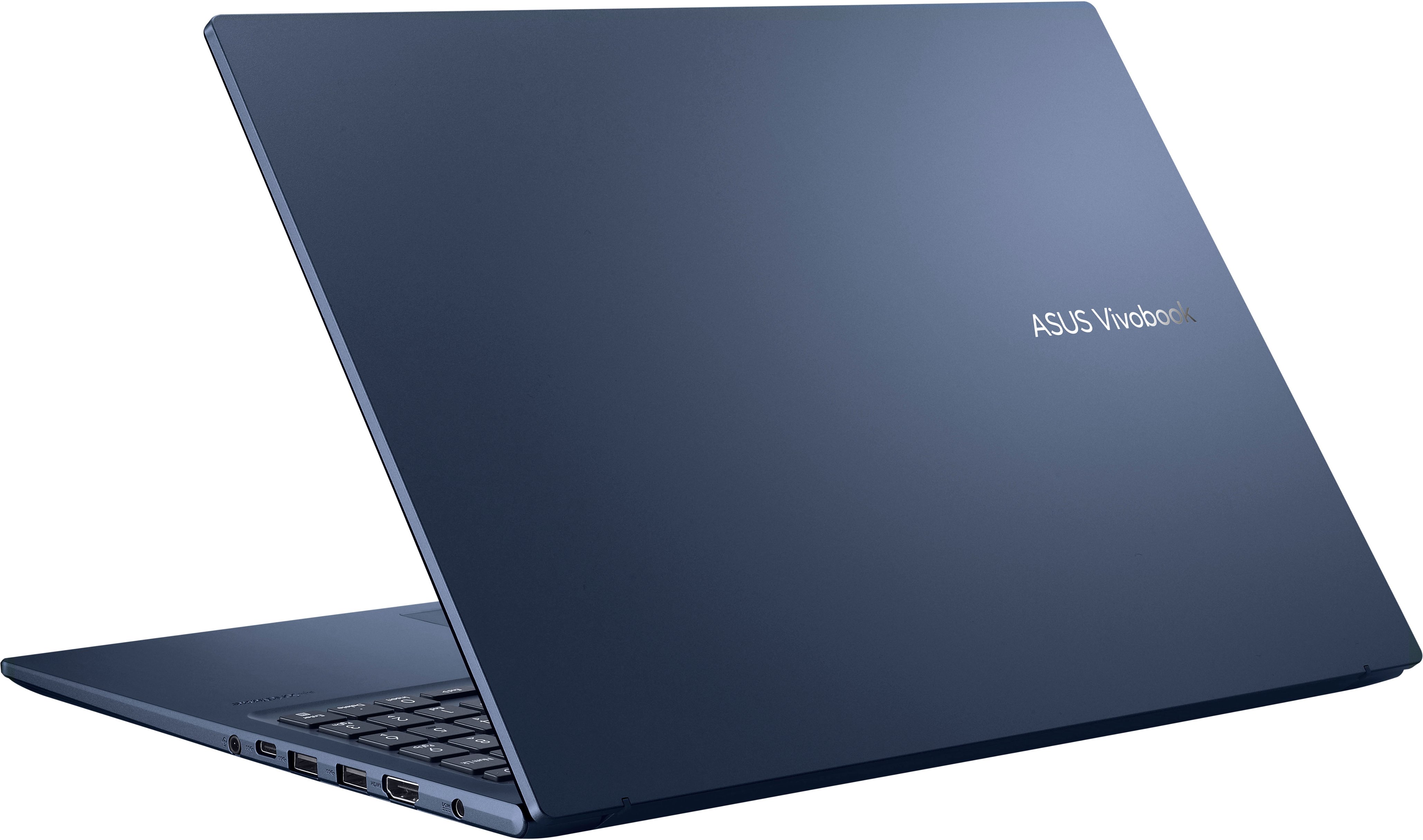
|Posted .This reviewer received promo considerations or sweepstakes entry for writing a review._____ *Pros: -Clean, low-key design that is functional and comfortable to carry around and use. -Nice big and bright 16" screen. -Spaciously laid-out keyboard with a number pad on the side. -Comfortable to type on and low noise. -Large Windows Precision touchpad area with accurate and responsive tracking. -Excellent system and app performance. -Speedy NVME hard drive for fast transfers. -Very low fan noise for a quiet operation. -Physical webcam privacy slider. -Easy to remove the bottom cover for upgrades and maintenance. -Good speakers. _____ *Neutral: -Too many stickers on the palm rest area (can be peeled off). -Webcam is only 720P. -Not a touchscreen display. -Comes with 12GB of RAM instead of 16GB (1 slot is upgradeable). -Not Windows Hello facial recognition certified. _____ *Cons: -No keyboard backlighting. ==== My Impression - Build quality and materials. ==== I've been a laptop user since 2005 and I've gone through 16 so far, from entry-level models to high-end gaming ones that cost over $3,000. My most recent experience with a "value" laptop was an HP Pavilion 14" from 2012 that cost me about $600 back then. My first impression of the Asus VivoBook M1603QA was positive, and I was surprised by how much progress laptops in this price range have made. The approximately 4-lb VivoBook feels well-balanced both when it's folded shut or with the display open. It has an understated and low-key design that is clean and functional. Every surface you'll touch and interact with is plastic, but the laptop doesn't make any cheap-sounding creaking sounds. The in-hand feel is also nice as the plastic is smooth, dense and not cheap and grainy. I do a lot of typing and swiping and fortunately, both the keyboard and touchpad are comfortable and satisfying to use due to the keyboard's spacious layout, well-dampened keys with a quick uptake, and the touchpad's relatively large and smooth surface area. A glass-covered touchpad would've been nicer, of course, but that's not really expected at this price range. There is a somewhat cramped number pad to the right, and I'm glad to have it as I do some number-crunching every once in a while. It's not very fun to use but it gets the job done. There is one big thing missing on the keyboard, and they're backlit keys which I find very surprising. Even my laptop from 2012 came with them so I’m kind of disappointed with Asus for cutting corners there. On the bright side, the VivoBook comes with many ports so I don't have to use any adapters or dongles. There is one USB-A port on the left edge, and two more on the right. On the right edge, there's also one HDMI port, one audio jack, and one USB-C port (not Thunderbolt, no power delivery). There are no ports on the back, and the air vents are located in two places - on the bottom panel and on the left edge of the keyboard deck. The 16" 1920x1200 IPS 60Hz display is big and bright, and good enough for my productivity tasks (Office, Zoom, HTML, photo editing). Even on the front porch where there is a lot of light, I never struggled with visibility. Windows 11 set display scaling at 125%, and it was right-on. With a 16" display, I can snap two windows side-by-side for more efficient multitasking without feeling too cramped, which felt really nice coming from a 14" laptop. I wish the display was a touchscreen, though, so it would make signing documents with my finger possible. I do Zoom and Microsoft Teams meetings frequently, and the VivoBook handled those sessions just fine. It's a shame that the webcam is only 720P but the apps offer touch-up options that improve clarity and fidelity that kind of make up for the blurriness. The camera is not Windows Hello facial recognition certified so you won't be able to sign in via the front camera. There’s also no fingerprint scanner. The speakers can get loud and clear, and the microphone performed satisfactorily. The MediaTek Wi-Fi 6 module provided a fast and stable connection to the Internet. ==== Performance ==== The Asus VivoBook M1603QA is my first all-AMD laptop, and I was pleasantly surprised by its performance, stability, and battery life. The 8-core, 16-thread Ryzen 7 5800HS CPU, Radeon integrated graphics, 12GB DDR4-3200, and Intel 512GB PCIe 3.0 x4 NVME drive (440.02GB usable) harmoniously worked together to provide a frustration-free and performant experience. I normally run Chrome and Edge with about 30 tabs between them with music streaming in the background and all was well - no stutters or micro-lags. With the laptop unplugged on battery and on the Best Performance power plan mode, my Geekbench 6 score was 1547 single-core and 5540 multi-core. When plugged in, it improved to 1818 single-core and 6702 multi-core. My Geekbench 6 Vulkan GPU score was 14,514. As a point of reference, my AMD desktop with a Ryzen 7 5800X CPU, Radeon 6700XT GPU, and 32GB DDR4 scored 2052 single-core, 9056 multi-core, and 100,664 Vulkan. Since I don't do any gaming on the VivoBook, I've been running the laptop in the Balanced power plan mode in Windows 11, which nets me about 7 hours of screen time with the display at about 60% brightness. This is more than enough for my needs and I'm quite happy with the VivoBook's stamina. ==== Windows 11 and App Experience ==== My copy of Windows 11 Home arrived in the "Windows 11 in S Mode" running version 22H2. The first thing I did was to uninstall all the unwanted bloatware apps, then go to the Microsoft Store to deactivate the S Mode so I could download third-party apps, such as Google Chrome. If you'd like to remove the S Mode as well, then go to Settings > System > Activation > S Mode > Open Store. Once that app is installed, you can launch it to deactivate the S Mode. Asus includes its MyAsus app and it's quite useful. With it, you can check up on the health level of the battery, change battery charging levels (Full, Balanced/up to 80%, Maximum Lifespan), change fan profiles, turn on and off the AI-Noise cancelling feature for the mic and speakers, switch between screen color profiles, and alter how the function keys behave (e.g., F1-F12, hotkeys). The VivoBook is my third PC that came preloaded with Windows 11, and I still don't like and find it difficult to get used to its drastic UI changes after using Windows 10 for so many years. To restore the Windows 10-style Start Menu and Taskbar, I downloaded and installed an app called ExplorerPatcher (author Valinet) to get the Windows 10 interface back, thus improving my quality of life tremendously. As for everything else, all of my usual apps installed and worked perfectly out of the box on the VivoBook. No complaints there. ==== Is it a good buy? ==== I would definitely say so. At this price point, the VivoBook is missing only a few premium features I've taken for granted, such as an OLED display with high dpi, a glass surface touchpad, 1080P webcam, and Thunderbolt and USB-C PD support. The VivoBook manages to get most of the basics right while keeping the price affordable and reachable for the masses. The AMD CPU and integrated graphics are fast and efficient, and so is the NVME hard drive that powers Windows 11 and apps. The keyboard and touchpad, which is where most people will spend the majority of their time interacting with the VivoBook, are excellent and responsive. The bright 16” display offers a lot of screen real estate for efficient multi-tasking, and the long battery life should get most people through their day without needing a recharge. I give the VivoBook M1603QA a solid 4-Star rating.
I would recommend this to a friend Wonderful
||Posted . Owned for 3 weeks when reviewed.This reviewer received promo considerations or sweepstakes entry for writing a review.Got this to work with my new embroidery machine and it has been great!!
I would recommend this to a friendGreat every day laptop.
||Posted . Owned for 3 months when reviewed.This reviewer received promo considerations or sweepstakes entry for writing a review.I really enjoy Asus Vivobook. It help my with my needs.
I would recommend this to a friendMy Best Buy laptop deal
||Posted . Owned for 2 weeks when reviewed.This reviewer received promo considerations or sweepstakes entry for writing a review.Best Buy is the best place to explore your electronic world experience
I would recommend this to a friendasus vivobook 16
||Posted . Owned for 1 month when reviewed.This reviewer received promo considerations or sweepstakes entry for writing a review.excellent for college work, productivity, even some light gaming
I would recommend this to a friendBest computer
||Posted . Owned for 1 month when reviewed.This reviewer received promo considerations or sweepstakes entry for writing a review.I love this computer!!! It’s awesome for school and etc..must buy
I would recommend this to a friendNOT GOOD FOR OFFICE WORK
||Posted . Owned for 1 year when reviewed.This reviewer received promo considerations or sweepstakes entry for writing a review.Bought this laptop in April 2024. Within 6 months, it kept giving error such as WIFI connectivity and few others. Got it serviced within warranty period but still same problems resurfaced again.
No, I would not recommend this to a friendPersonal Laptop
||Posted . Owned for 2 weeks when reviewed.This reviewer received promo considerations or sweepstakes entry for writing a review.Love my computer. Works perfectly. Fast and reliable.
I would recommend this to a friendDoesn't suck ASUS
||Posted . Owned for 1 month when reviewed.This reviewer received promo considerations or sweepstakes entry for writing a review.Decent laptop with good specs for the price. I would recommend it to others.
I would recommend this to a friendEducation purposes
||Posted . Owned for 3 weeks when reviewed.This reviewer received promo considerations or sweepstakes entry for writing a review.Does what I need it to do. Price is good. Pretty fast start up.
I would recommend this to a friend