Customer Ratings & Reviews



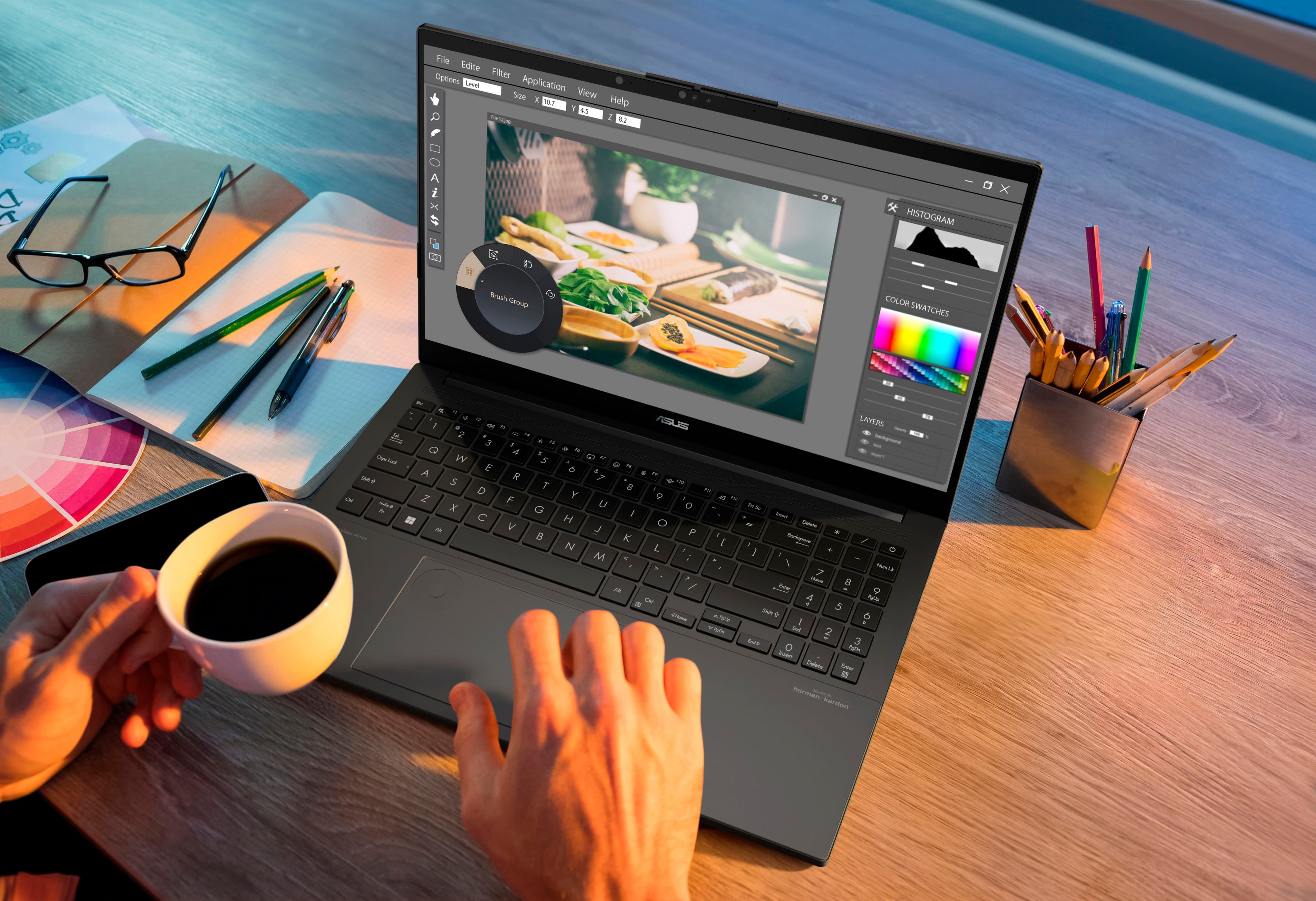


- Model:
- Q533MJ-U73050
- SKU:
- 6568760
Rating by feature
- Battery Life
Rating 4.3 out of 5 stars
- Speed
Rating 4.6 out of 5 stars
- Display
Rating 4.7 out of 5 stars
Customers are saying
Customers love the Vivobook Pro 15 for its overall performance, impressive screen quality, and fast processor. Many are also pleased with the battery life, ample RAM, and lightweight design. Some customers have noted concerns about the refresh rate, fan noise, and occasional lag with the GPU.
This summary was generated by AI based on customer reviews.
ASUS Issue
||Posted . Owned for 3 weeks when reviewed.This reviewer received promo considerations or sweepstakes entry for writing a review.Had to return the first ASUS due to screen not coming on. Best Buy employees were helpful in replacing unit. Second ASUS had system lock up, and again employees were very helpful in replacing the unit with a different make and model.
No, I would not recommend this to a friendBrand response from ASUS Answers
Posted .Dear Valued Customer,
We sincerely apologize for the issues you've faced with the ASUS Vivobook Pro15 Laptop model and for the inconvenience caused. What you've experienced was not intentional or representative of our brand. Our top priority is providing our customers with high-quality products, and we'll forward your feedback to our team for review.
As you have returned the laptop for a different model, we hope that it functions normally and you will enjoy using it.
We stand behind our products and continuously strive to improve our products and processes to achieve customer service excellence. If you require any further assistance, please email us at customerloyalty@asus.com and include the case number "N2406011242-0012" as a reference. We will do our best to resolve your case quickly. Your feedback is very important to us, and it enables us to improve our support channels. Thank you for choosing ASUS.
Best Regards,
Chantae
ASUS Customer Loyalty US Support
- Pros mentioned:Battery life, Processor speed, Screen quality

A Great/Thin powerhouse
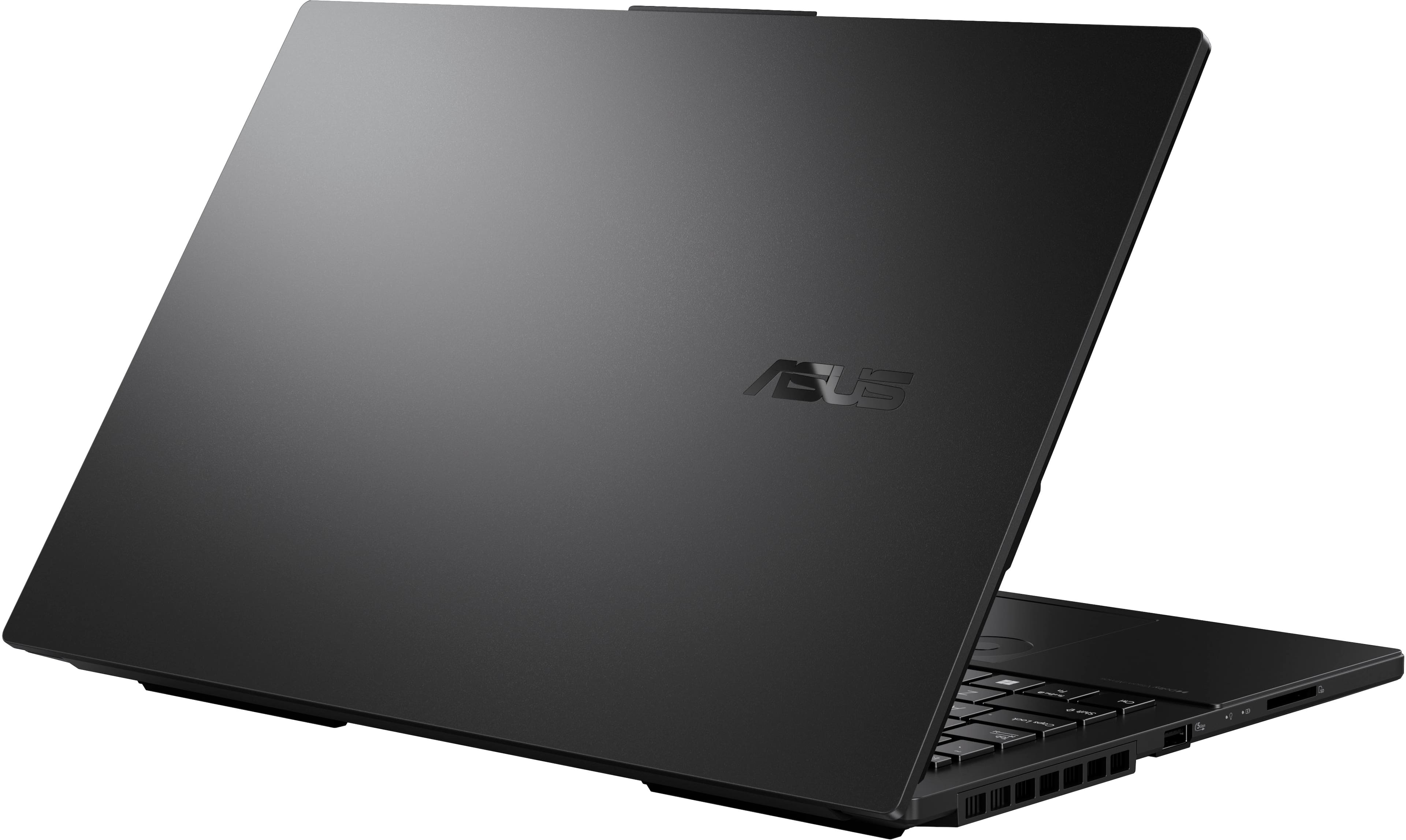
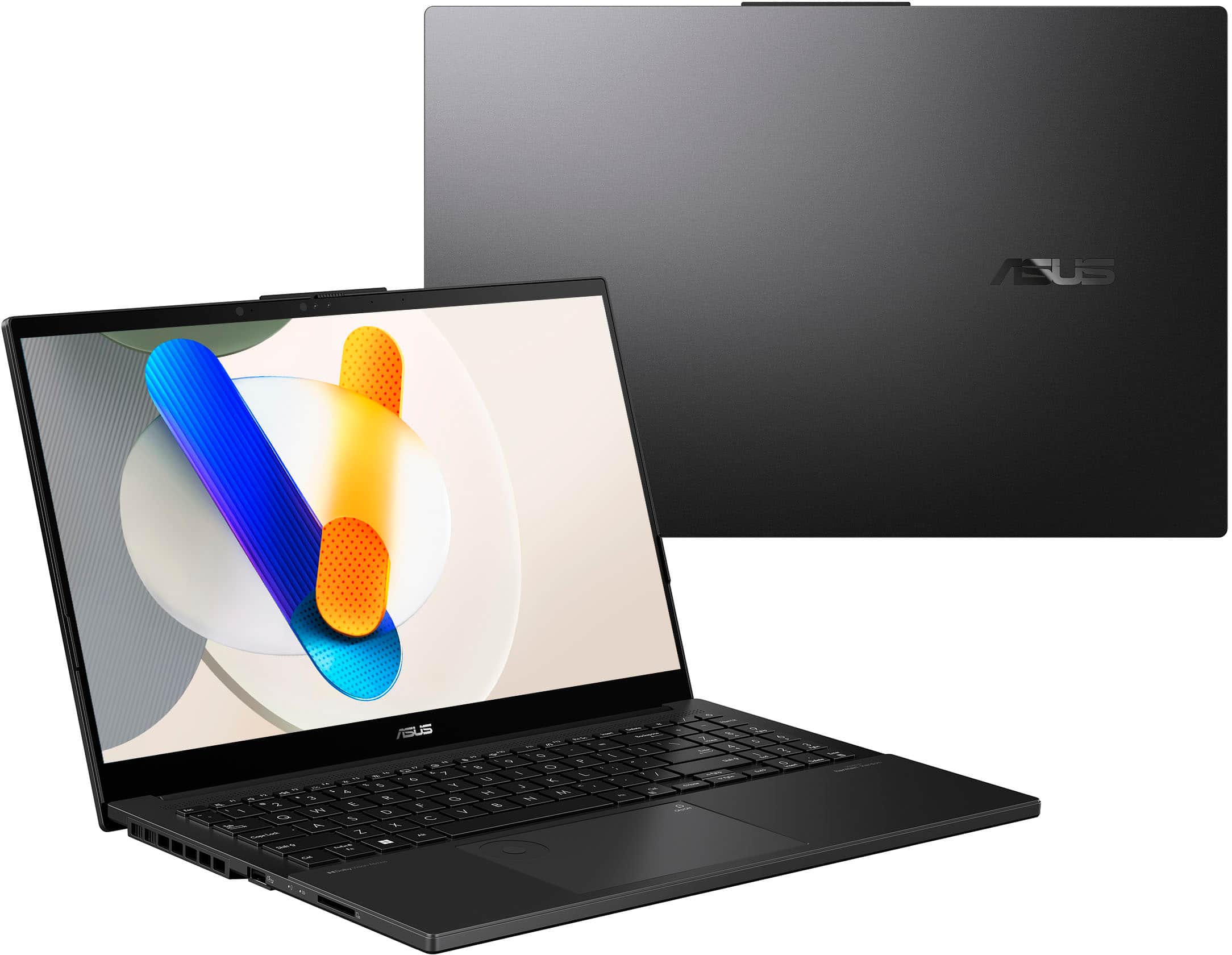
|Posted .This reviewer received promo considerations or sweepstakes entry for writing a review.Okay, here is the deal... I am old enough to remember when you need a powerhouse of a laptop, you didn't need to go to the gym to workout, just carry your laptop around. That is no longer the case. This laptop has a massive sized screen for a portable system, clear... crystal clear, beautiful colors and plenty of space for gaming, development, or work... what ever. Edge to edge, fast repose screen, shows everything you need.. Powered by Windows 11, you get the common interface right out of the box that we are accustomed too, and all the abilities to install your games, productivity software. Office is already loaded, so if you have it on your Windows Account already (Office 365 subscription) it immediately identifies that and you are good to go. Fast... I was able to get blazing fast WiFi speeds on my home network (that supports WiFi6, so ws getting 500+mbs, so my game downloads were great. So far only tried some of our tried and true STEAM based games, and they all played without a hiccup. Easy to add our bluetooth controllers. This is super thin for a laptop, probably thiner than my MacBook Pro. The power supply isn't outrageously big, but the batter last for a good long while. So you may be able to go a good amount of time without a charge, depending on your usage. I don't like that it is still a pin style charger port, but you do have the USB-C's that can all be used to charge the laptop. This is going to be great as we head into the summer months, so I can take this to my extended camping trips, and still stay connected to do some work, entertainment, and other things... without taking a bunch of space. ASUS has been a great manufacturer for a long time, and this one certainly seems to keep their standards high, and will give us multiple years of usage. The only downside, which is common nowadays... don't plan on upgrading this. No obvious means to quickly do any type of updating. So make sure you are getting the memory and storage space you want. Storage space can always be done via USB-C, but that is still external.
I would recommend this to a friend ASUS FAIL
||Posted . Owned for 3 months when reviewed.This reviewer received promo considerations or sweepstakes entry for writing a review.According to a technician I took this too, the motherboard died after less than 3 months. It performed really well up until then. The battery appeared to stop taking a charge and then would not power up at all using multiple different chargers. Do not buy
No, I would not recommend this to a friendBrand response from ASUS Answers
Posted .Dear Dana D,
We're sorry to hear that the notebook's motherboard failed within 3 months and we apologize for the inconvenience caused. This is not the kind of quality to expect from our products and it's not the norm. To further investigate this problem or obtain assistance with repairing the device, we recommend contacting our support team at https://www.asus.com/us/support/CallUs.
We stand behind our products and continuously strive to improve our products and processes to achieve customer service excellence. For more information, email us at customerloyalty@asus.com and include the case number "N2406011242-0007" as a reference. We will do our best to resolve your case quickly. Your feedback is very important to us and enables us to improve our support channels. Thank you for choosing ASUS.
Best Regards,
Chantae
ASUS Customer Loyalty US Support
- Pros mentioned:Battery life, Overall performance, Screen quality
Super impressive laptop
|Posted .This reviewer received promo considerations or sweepstakes entry for writing a review.I am very impressed with the performance of this laptop. Once everything is set up, it is smooth sailing. I am not a huge fan of Windows 11, but it is really not a big deal. I use programs like Cricut Design, Canva, etc. and I love how crisp and clean the screen is. It is very high definition. I also wanted to see how well it would do with video games, so I tested an older game first, no issues, great performance. I tested a newer game (released within the past year) and everything worked really well. Graphics weren't foggy. The refresh rate holds up. Video conferencing went well. Camera is great. The sound quality is also really impressive. For a 15" laptop, I did not expect a lot of boom or clarity. I was wrong. This laptop really surprised me with how well it delivered. It was a lot of fun playing games and listening to music. The keyboard is another thing I really like. The keys are easy to press down. It is a full size keyboard. I really like the feel of it. I am also a fan of the num pad. I do a lot of spreadsheets at home and it's just easier to have it there. The battery holds up really well and charges quickly. If I'm just doing internet browsing or light performance things, I can be on it all day and the battery still won't be depleted. If I'm playing a game, it lasts for about hours at full high performance. Great battery life. The only thing that I'm not a fan of is the weight of the laptop. It is a little heavier than what I expected, but honestly, it's not that bad. With as much power as it puts out, I would expect it to be a little heavy. It's a little under 4 lbs if my scale is correct. Overall this is a great product. It would be good for anyone needing a high performance, high definition laptop.
I would recommend this to a friend Newer is not better
||Posted . Owned for 1 month when reviewed.This reviewer received promo considerations or sweepstakes entry for writing a review.Replacing a 15year old desktop computer I use with a few graphic programs This laptop being so much newer so much more high-tech is absolutely no difference in the speed of the way programs run.
No, I would not recommend this to a friendBrand response from ASUS Answers
Posted .Dear Ltomaniac,
Thank you for sharing your comments regarding the ASUS Vivobook Pro 15 Laptop. We understand that it didn't meet your full expectations, and we sincerely apologize for that as we do understand your concerns. We are committed to providing our customers with the highest-quality products and we will forward your review to our Product team for review.
We stand behind our products and continuously strive to improve our products and processes to achieve customer service excellence. If you require any further assistance, please email us at customerloyalty@asus.com and include the case number "N2406011242-0010" as a reference. We will do our best to resolve your case quickly. Your feedback is very important to us and enables us to improve our support channels. Thank you for choosing ASUS.
Best Regards,
Chantae
ASUS Customer Loyalty US Support
- Pros mentioned:Battery life, Processor speed, Screen quality
Nice laptop
|Posted .This reviewer received promo considerations or sweepstakes entry for writing a review.I am enjoying my laptop so far. The color looks like a charcoal grey, not quite black. It is a brushed metal, so fingerprints are not a problem. It is thin, not bulky at all. The charging cord is a bit bulky, with the brick charging piece, not sure what to call it. I was surprised at the time it took for the laptop to initially come on. I charged it before starting it up. It’s started up pretty slow. Connecting to my WiFi also took a while. Once connected to WiFi it still took a long time to start up. At least 15 to 20 minutes, which I thought was unusual. With some of my preventives it didn’t take nearly as long to get started. Not a deal breaker. The display is amazing. The colors are rich and pictures very crisp and clear. There is no lag when loading files or surfing websites. This is a pretty fast machine. I have other devices that it synced with, with no problems. Using Edge has been ok. I usually switch to google chrome, but so far using Edge has been fast, with no issues. The computer is pretty quiet. The keyboard is backlit. I am really enjoying this keyboard, typing on it is very comfortable and the layout is great. Navigating on it has been seamless. So far, I have no complaints. The size, although it is larger than some of my other devices is not overwhelming, mainly due to the thinness and weight. It fits nicely in my backpack sleep. The cord is a little cumbersome but it too fits in my bag. So far, the battery life has been pretty good. No complaints there. You can’t go wrong with this laptop, it’s cute, and works great. I would definitely recommend it.
I would recommend this to a friend ASUS vivobook 15 pro oled
||Posted . Owned for 1 month when reviewed.This reviewer received promo considerations or sweepstakes entry for writing a review.The laptop lags a lot; it really stutters every now and then, which is so annoying.
No, I would not recommend this to a friendBrand response from ASUS Answers
Posted .Dear Abdelrahmanm Mohamed,
We sincerely apologize for the performance issue you've faced with the notebook and for the inconvenience caused. This is not the kind of quality to expect from ASUS products and it's not the norm. At ASUS, we take quality control, testing, and inspections seriously to ensure our products meet high standards. What you've experienced was not intentional or representative of our brand. The decision to make a purchase can be important, and we want to ensure that our customers receive the best products and services. We understand the impression this may have created and we hope this will not be a long-term lasting impression as you have chosen ASUS as a trusted brand for excellence. Please allow us to make your experience with ASUS a better one.
To troubleshoot the lagging issue described, we recommend following the steps in the FAQ below. Should the issue persist, please contact our support team at https://www.asus.com/us/support/CallUs to further investigate the problem or assist with repairing the device.
We stand behind our products and continuously strive to improve our products and processes to achieve customer service excellence. For more information, email us at customerloyalty@asus.com and include the case number "N2406011242-0003" as a reference. We will do our best to resolve your case quickly. Your feedback is important to us and enables us to improve our support channels. Thank you for choosing ASUS.
Best Regards,
Chantae
ASUS Customer Loyalty US Support
https://www.asus.com/support/faq/1038855/
Open box-keypad issue
||Posted . Owned for 1 month when reviewed.This reviewer received promo considerations or sweepstakes entry for writing a review.Open box return. Mouse keypad did not work, so I returned it for a refund 5 weeks later.
No, I would not recommend this to a friendBrand response from ASUS Answers
Posted .Dear Lori S,
We sincerely apologize for the touchpad issue you've faced with the ASUS Vivobook and for the inconvenience caused. What you've experienced was not intentional or representative of our brand. We understand that you have returned the notebook, and we hope that you were able to obtain a functional replacement.
We stand behind our products and continuously strive to improve our products and processes to achieve customer service excellence. If you require any further assistance, please send us an email at customerloyalty@asus.com and include the case number "N2406011242-0009" as a reference. We will do our best to resolve your case quickly. Your feedback is very important to us, and it enables us to improve our support channels. Thank you for choosing ASUS.
Best Regards,
Chantae
ASUS Customer Loyalty US Support
- Pros mentioned:Screen quality
Picture & Sound - Incredible!
|Posted .This reviewer received promo considerations or sweepstakes entry for writing a review.When you unbox the laptop, be sure to plug in the PC. There will be a couple of steps when updates are done. The second and longest update requires the laptop to be plugged in. To get started, I plugged in the laptop and after a few minutes I got a screen that says “Please select boot device:” Choices were: Windows Boot Manager, UEFI: PXEIPv4 Network Card, UEFI: PXEIPv4 Realtek PCIe GBE Family Controller, Enter Setup. Since I had no idea I of course looked for a ”Get Started” guide. “Get Started” guide consisted of one page describing how to plugin the power supply. I decided to be adventurous and choose “Enter Setup”. It then went to a screen that gave me some hardware information, informed me that all items were on (network, wireless, HD Audio, USB external port, camera), the screen title was “My ASUS in UEFI”. Immediately I thought, “What the heck is UEFI”? It stands for Unified Extensible Firmware Interface. I expect UEFI is the reason I experienced something very different when turning the laptop on for the first time than I have experienced with other PCs/laptops in the last few years. Choose the save and reset option and then the laptop went into a “normal” setup process and asked me what country. I didn’t choose quickly enough because a “voice” started telling me how to setup up a screen reader. So of course, I took my time on the next screen waiting for the “voice” but alas she did not continue to help. Two setup questions, country and keyboard layout and then I connected to my home network very easily. Next ASUS checked for updates and then a quick reboot. Next accept the license agreement. And then the dreaded name. I hate naming the PC because down the road I never like the name given at setup. The ASUS has a “Skip for now” option, woo hoo. A few more screens and then another update. And then you must sign in to your Microsoft account. Once I was signed in, I was told I have backups saved and it could bring over my apps (notice this is apps not software) and files to this PC. Wait, I don’t want that!! Choosing more options it shows me my other PCs (yes I have a few!). Finally, I see the option to “Set up as a new PC”. A few more screens and then another update. You can setup the “Hello” option where the computer recognizes you. You will also be prompted for a pin in case it doesn’t recognize you. Review the privacy settings, you may not want all the data it can collect and send. A few more questions, offers for Microsoft 365 Office, Cloud storage, etc. A few more screens and then another update. During setup the graphics are simple, no extra pictures. The verbiage on the screen is pretty to the point. Be sure to read everything before making a choice. The choice you want may be at the bottom and or a second screen. The second update at the end of setup took about a half hour. What a surprise I got when it came back up. There on the screen ALL my files from my desktop PC. Wait! I told it to setup as a new PC, it should not have retrieved data from the cloud. As previously stated, no software is copied/loaded. Therefore all those Word and Excel files could not be opened on the ASUS. Took about a half hour to delete them all. Finally, ready to use the laptop. With an nVIDIA grahics card I expected a great picture, but WOW! I watched several BBC animal videos, nice. When I watched a TV show I normally watch I was really wowed. It’s so amazing, it’s like you are in the room with the TV characters. The sound is equally phenomenal. You hear every single sound, things I’ve never heard on the TV and it has a soundbar attached. You hear things like the sound of someone walking away while they are talking, never noticed that before. And it’s an episode I’ve seen at least five times. After two hours I thought the laptop might have gotten pretty hot, like my gaming laptop. A bit warm yes, hot no. That’s good, I can see watching movies on this laptop in my future. I decided to compare my email on the ASUS to the same email on my Mac. I adjusted the brightness on my Mac and went to my email account. Went to the same email account on the ASUS. The ASUS seemed a bit brighter and crisper. Then I adjusted the brightness on the ASUS to highest setting (where the Mac was) and wow! It was like having a desk light on. The difference was really obvious. Granted my Mac is two years old, but wow what a difference. Also, the Function (FN) key and F4 at the same time will turn on the keyboard backlighting and you can adjust the brightness of the backlighting, nice. It’s lightweight so easy to travel with. This ASUS is my new video viewing laptop during travel. Couple things to note: The ASUS keyboard includes a number pad built in on the right side. My typing is a bit off because I’m not used to the keys. The volume does not seem to go as loud as I would like but I’m sure with headphones it will be plenty loud.
I would recommend this to a friend - Pros mentioned:Battery life, Screen quality
Entry level gaming power, desktop replacement
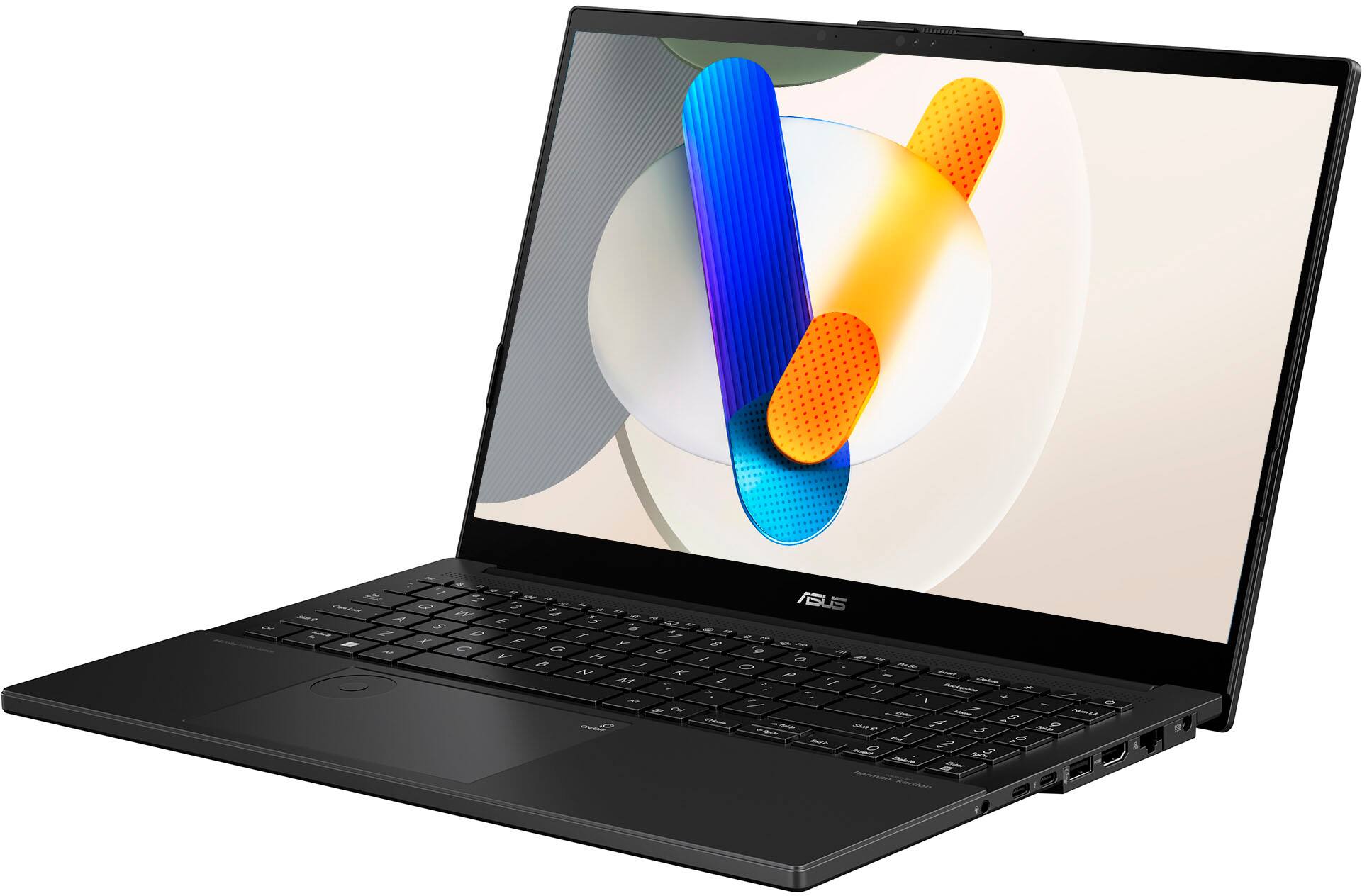
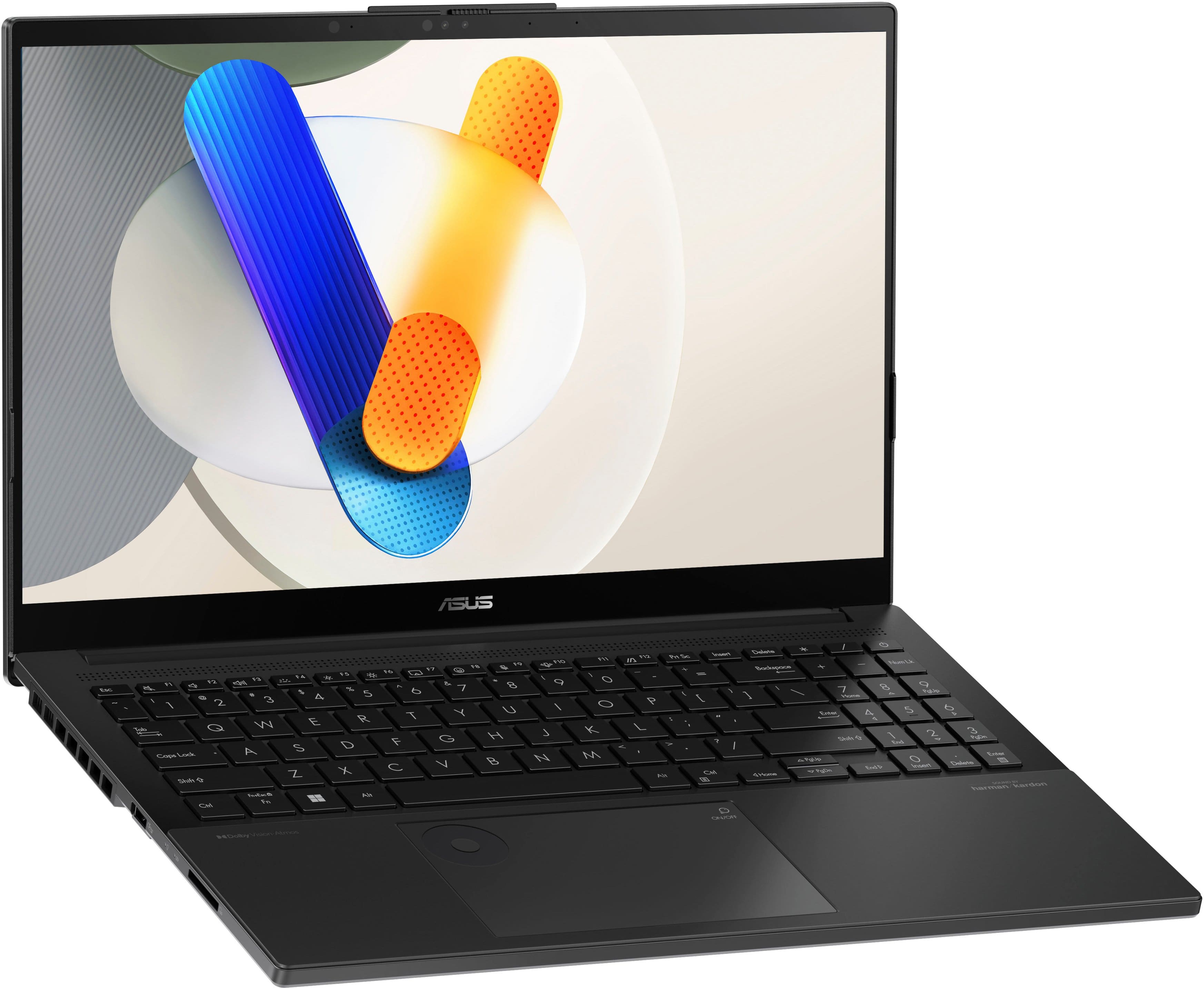
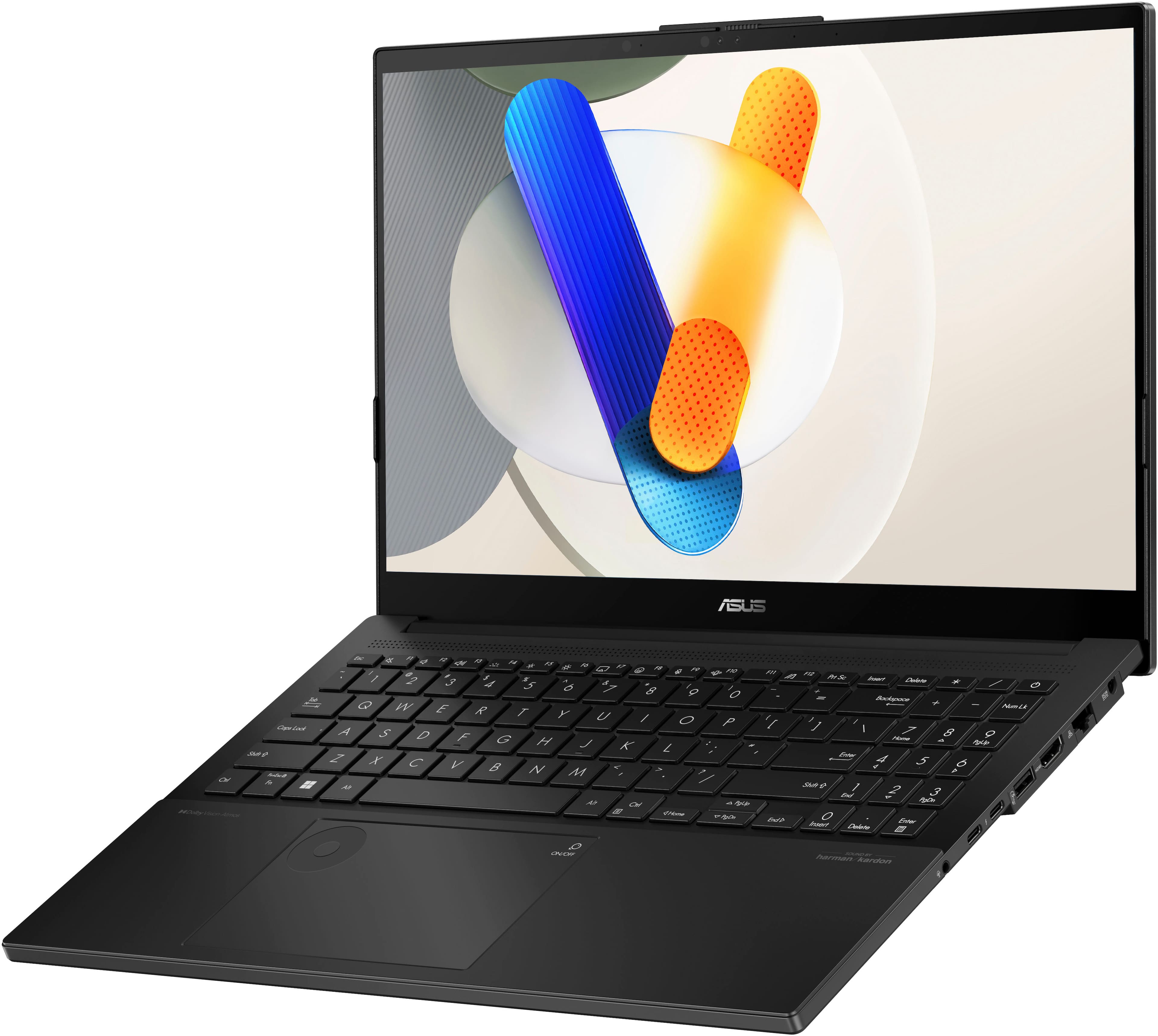
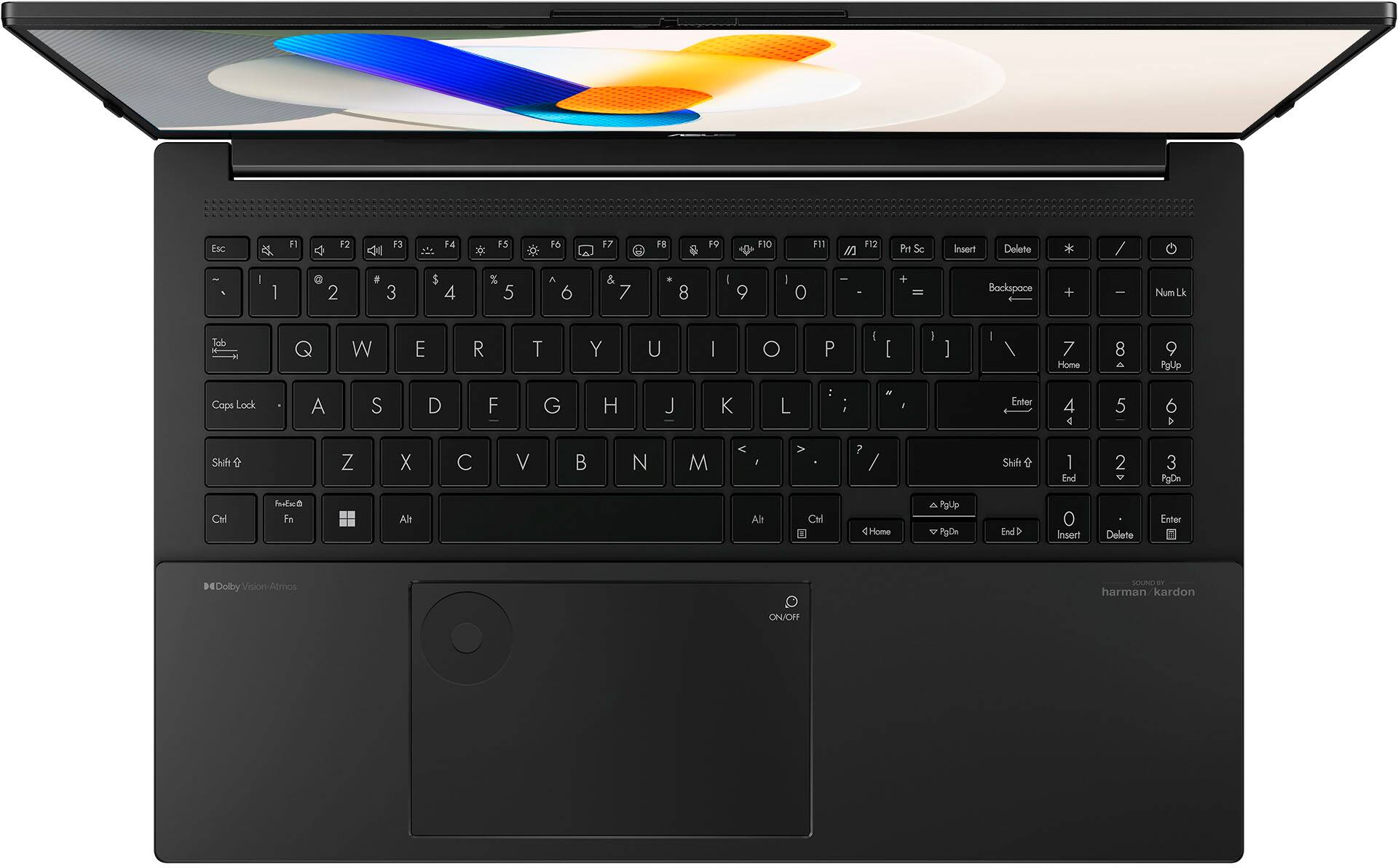
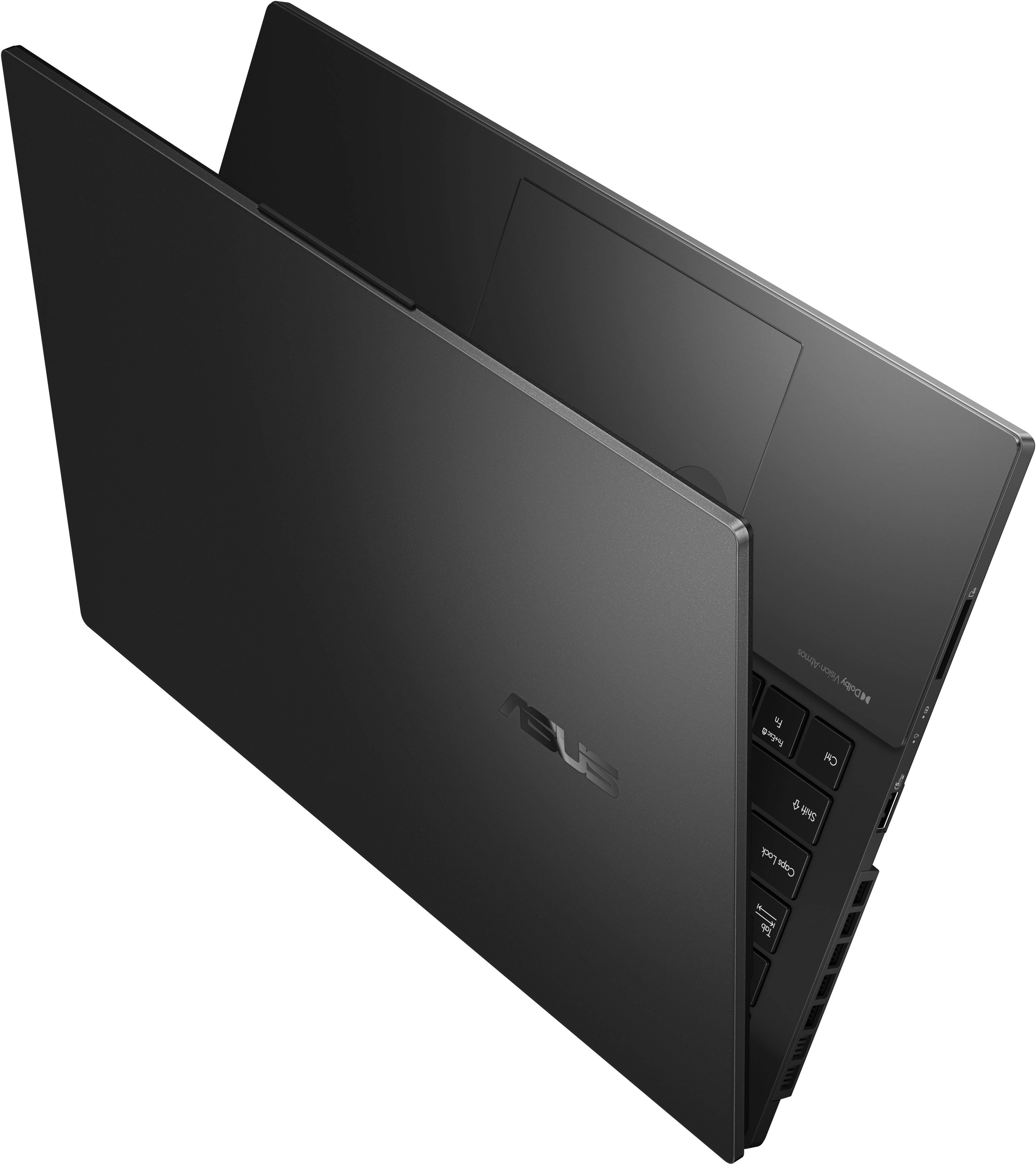
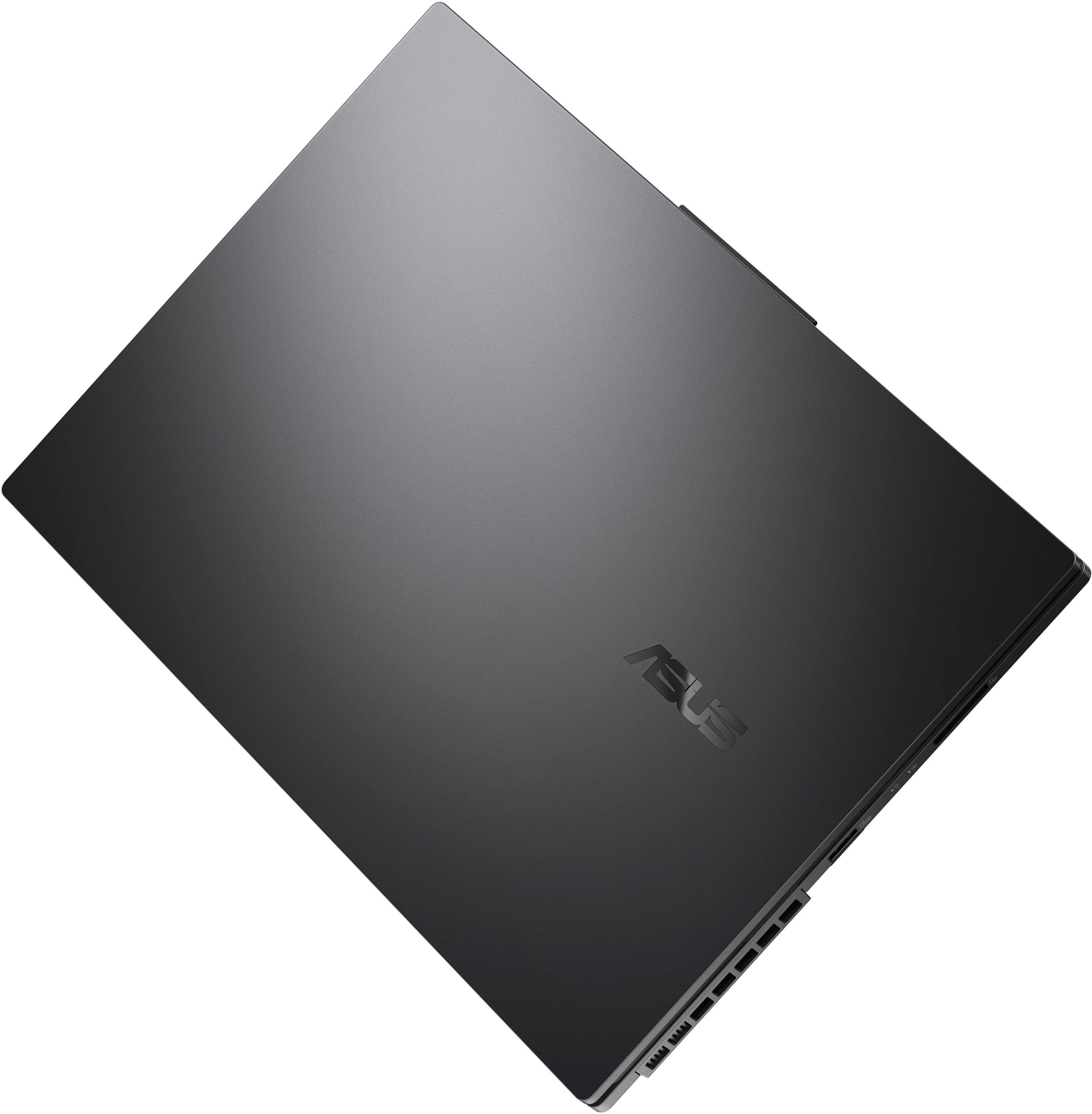
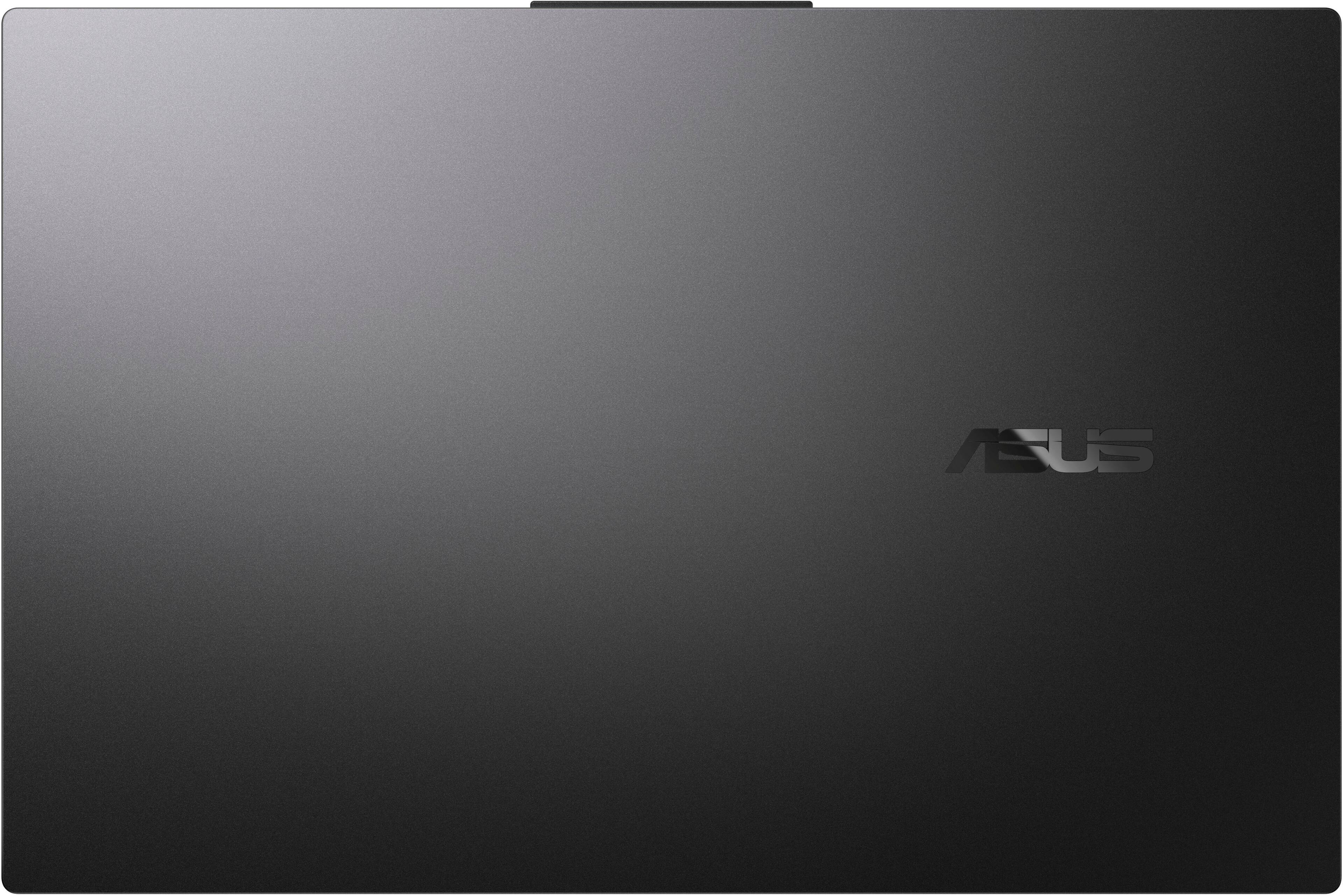
|Posted .This reviewer received promo considerations or sweepstakes entry for writing a review.If you need a good desktop replacement that's slim and portable, then this is the laptop for you. In my mind, Asus is one of the best computer companies out there, making high performing units with consistent quality and this Vivobook Pro doesn't disappoint. The matte black metallic finish on top with ASUS emblazoned in a black mirror finish looks real high end. The bottom and typing area is a sturdy plastic with large, well spaced keyboard with enough real estate for a full number pad. The screen is all gloss to the edges with the viewable area only becoming visible once it boots up. It has more ports than I know what to do with; 2 USB-A 5Gbps, an SD slot, ethernet port, 2 USB-C, HDMI. There's also vents to the left and back for the 2 high output fans that engage when plugged in. The OLED screen is what really sets this apart from the rest. It looks like a normal screen when doing mundane tasks like emailing and spreadsheets but wakes up when watching HD video or viewing/editing photos. The true black created by organic LED technology is an exclusive feature that makes even this 1080p screen seem almost 4k in quality. The major reason for these wonderful colors is the super-fast Intel core Ultra 7 CPU and Nvidia RTX3050 GPU. Nvidia makes the best GPUs in my opinion; that's how you know you have a gamer capable rig. Mind you the RTX3050 is good, though not very good for gaming. I would say it's entry level at best for 2024, but well suited for this 1080p display and should easily handle 120hz (this is only a 60hz screen). The inclusion of this graphics card with its dedicated 6gb memory is meant as a nod to Asus' gaming line of ROG PCs and in this case, serves its purpose for use in video and photo editing for the creative fine arts and photography college students and/or content creators. Even plugged in with the MUX switch on, it was a bit laggy and minor ghosting playing Diablo IV (thanks to the free Xbox gamepass ultimate), though expected with AAA games and the very limited refresh rate. I suppose you could get the version of the Vivobook with higher specs for not too much more that could give any gamer a run for his money, but this is not that. That said, it makes for a great desktop replacement and I can connect my ultra widescreen monitor with HDMI allowing greater use of the GPU's ability. The Intel Ultra 7 is great at sipping power while on battery in optimized mode at 1.4ghz giving you great battery life for surfing the web or writing content. It can boost to 4.8ghz on power mode, great for video editing or playing an older game. Thanks to the 2 powerful fans siphoning heat from the CPU and GPU, this laptop doesn't burn your lap or even get hot. The fans are also barely noticeable on battery and only slightly noisy when plugged in. The speakers sound great with good surround reproduction with the help of Dolby Atmos algorithms. The touchpad is large and responsive and incorporates a programmable dial that's really useful as a shortcut when using video editing software or photo studio. A great laptop for entry level gamers and college students. Such a great touchable screen with no touchscreen, a glaring omission at this price point. Would've been better if the screen was 120hz, matching the GPU's capabilities. Otherwise, a very capable laptop for business and productivity.
I would recommend this to a friend The worst ever
||Posted . Owned for 2 months when reviewed.This reviewer received promo considerations or sweepstakes entry for writing a review.The worst ever 1,378 dollars in a computer that after 2 months won’t even turn on.
No, I would not recommend this to a friendBrand response from ASUS Answers
Posted .Dear Smerlyn,
We're sorry to hear that the notebook is unable to power on and for the inconvenience caused. This is not the kind of quality to expect from ASUS products and it's not the norm. At ASUS, we take quality control, testing, and inspections seriously to ensure our products meet high standards. What you've experienced was not intentional or representative of our brand. The decision to make a purchase can be an important one, and we want to ensure that our customers receive the best products and services. We understand the impression this may have created and we hope this will not be a long-term lasting impression as you have chosen ASUS as a trusted brand for excellence. Please allow us to make your experience with ASUS a better one.
To troubleshoot the power issue described, we recommend following the steps in the FAQ below. Should the issue persist, please contact our support team at https://www.asus.com/us/support/CallUs to further investigate the problem or assist with repairing the device.
We stand behind our products and continuously strive to improve our products and processes to achieve customer service excellence. For more information, email us at customerloyalty@asus.com and include the case number "N2406011242-0001" as a reference. We will do our best to resolve your case quickly. Your feedback is very important to us and enables us to improve our support channels. Thank you for choosing ASUS.
Best Regards,
Chantae
ASUS Customer Loyalty US Support
https://www.asus.com/support/faq/1014276/
- Pros mentioned:Processor speed
Yep...This Is The One!!
|Posted .This reviewer received promo considerations or sweepstakes entry for writing a review.I am writing this review for the ASUS Vivobook Pro 15.6" OLED Laptop, equipped with Intel Core Ultra 7 processor and the NVIDIA RTX3050 6GB video card. It also comes with 16GB Memory and 1TB SSD storage. First of all I would like to say that this is not my first ASUS laptop. I have had the privilege of owning two others, one of which has been my go-to laptop for the past couple of years. I have several other laptops, but my ASUS is just simply better. That is why I was excited about getting the Vivobook Pro. And in short, I have not been disappointed. The Vivobook arrived in a very stylish briefcase-like cardboard container, complete with a carrying handle. I say this only to make the point that ASUS is obviously concerned about the entire process of delivering top-notch products to its customers, paying attention to every step of that process to ensure outstanding quality. The ASUS Vivobook itself is quite elegant in appearance, yet also very simple. The ASUS logo is stylishly placed across the center of the top in ASUS traditional fashion. Very nice, very visually appealing. Setting up the Vivobook is unremarkable. Nothing complicated, nothing frustrating…a very, very typical set up. It comes with Windows 11, Home Edition preinstalled. Which leads me to this point, it is difficult in many ways to separate the performance of the laptop from the performance of Windows. In every way, the Vivobook lives up to its own stellar reputation, while simultaneously having to deal with the many shortcomings of the Windows operating system. And that is all I am going to say about that. After completing the initial setup, I installed several other software packages, including a high-end photo editor, video editor, and audio editor, in addition to two resource-taxing video games. It was time to see if the Vivobook was going to deliver. I spent the next several days basically throwing everything I could at the Vivobook, especially in regard to video editing and online gaming. The Vivobook returned the challenge by delivering super fast response times, seamless multi-tasking, and wonderful gaming experiences. I love the OLED display…its richness, natural brightness, and contrast make working and gaming enjoyable…beyond the norm. And the true black color with unbelievably sharp contrast and separation of colors!! All I can say is Wow!! But did I experience anything negative? Yes I did… but it had nothing to do with ASUS. In multiplayer gaming I had to deal with a bit of lagging. At first I thought that I had stretched the laptop to its limits, only to discover my internet provider was going through some technical issues, and was delivering sub-par bandwidth speeds. It was like owning a Lamborghini and being restricted to driving in a parking lot. The potential is obvious there, but being able to use it… You get the picture. So, when it is all said and done, is the ASUS Vivobook Pro 15.6" OLED Laptop a good investment? I mean, does it truly deliver an experience which leaves one satisfied and pleased? Is it a product that you not only would recommend, but a product that you WANT to recommend to others? For me, the answer is a loud and resounding YES!! The Vivobook offers a small library chocked full of remarkable features and specs and boasts. But when it is all said and done, when you have read all the specs and data there is about the Vivobook Pro, none of that matters…UNLESS it lives up to all the boasting. And it absolutely does!! This is one of those products that I will be gloating over for years to come. The design and build are top of the line. Its appearance is second to none. And most importantly, its performance is mind-blowing. If you are wondering if this is the one for you, wonder no longer…it is. Do yourself a huge favor, and get one for yourself. You most certainly will pat yourself on the back once you get it!
I would recommend this to a friend Great Laptop at reasonable price
Posted .This reviewer received promo considerations or sweepstakes entry for writing a review.I recently purchased this laptop from Best Buy, and I’m extremely satisfied with my choice. The price is very reasonable, especially considering the features and performance it offers. It’s a great value for the money.
I would recommend this to a friendGood, But Then the Audio
|Posted .This reviewer received promo considerations or sweepstakes entry for writing a review.I would give this laptop 3.5 stars (but I can't give halves so that's why you see 4). I will tell you off the bat that the biggest reason I am removing 1.5 stars is because of the audio. Yes, the Dolby is great; but the audio does this popping thing. I'll get back to this later. Laptop is basically black and is a fingerprint magnet. It looks like black steel. It is not glossy, but it looks nice. I like black laptops (not white, not silver). It is super heavy. It also comes with a big rectangle block for the power. A 3-pronged plug on one end, and the other corded end goes into an old school hole/circle port in the laptop for power and charging (as opposed to usb-c charging). Ports -- 2 USB-A (one on the left, one on the right; glad there are two, even though it's old school), 2 USB-C (glad there are two), 1 HDMI, 1 ethernet, 1 audio jack, 1 power jack; and all of those are on the right side. There is also an SD card reader on the left side. The setup was super easy, as it should be. It seems to get quicker every few years. I am surprised and disappointed that there is no fingerprint sign-in. I don't mess with that Hello recognition, or any facial recognition for that matter. The keyboard keys feel fine. The character on each key is huge! I am so glad there is a number pad. It's small though... in its space and spacing. And every time my hand/fingers go for the number pad, I mess up. I realized that is because the "0" is under the "1" instead of under the "2." Why did you all do that? Foolish. I don't get that at all. Also, I noticed that if I power on the laptop from it being fully shut down, the number keys undoes Num lock by default (it defaults to off). So, I just start typing away on numbers, and it is doing everything but putting the numbers I am hitting. That's annoying. The touchpad seems to work well for now. It is responsive. It also has the Asus Dial on it (reminds me of my iPod classic). I have not used it, but it is supposed to be great for certain applications like Adobe. I understand. If I reactivate my Adobe subscription, I will have the chance to actually check it out. Battery life seems typical. I am able to get into and use applications just fine. I love that the webcam has a slider to open it and close it (or rather, cover it and uncover it). No touchscreen -- why not? I had mentioned before that the power port/jack on the laptop is the kind that is like a jack (a hole/circle). This is as opposed to it being a USB-C. I kind of like having all the important ports free for me to have at my disposal, so I think I am glad that the power port is like a jack. Keep all my USBs free!! The BEST thing about this laptop is the video. It produces a great picture. Blacks are very black. Colors are very vivid. I was able to test the Dolby Vision using the samples/demos in the Dolby Access app. The visual is wonderful... just the way I like it. HOWEVER, this brings me back to the audio. So the Dolby Atmos is pretty amazing for this laptop. Dolby Atmos is how I like to watch movies in my living room, so the Dolby sound that this laptop is able to produce is pretty impressive... with all the surrounds even though all the speakers are in front of you in this laptop. It's lovely. BUT, with that said, the audio has this problem where it does this popping. Almost as though there is not enough space for all the sound that you created to come out of these speakers, so then this popping-type sound occurs. It is particularly heard when someone is talking. I have to stop YT videos sometimes because it is so displeasing to my ear. If you want a specific example, go to the Dolby Access app and go to the demo called "The Hunter - Call of the Wild." It does it through the whole thing. So on the one hand, Asus is able to produce this nice immersive Dolby Atmos sound with all this surround sound. But then on the other hand, at what cost? I would rather regular speakers, that are louder, that do not do that popping all through out videos. Overall, this is a good laptop. But for me, the audio (which is always a big deal for me) ruins it a bit. Would I recommend, it depends on what matters most to you. I didn't separate out my pros and cons but they are all mixed in. So... that's that. Peace.
I would recommend this to a friend- Pros mentioned:Screen quality
Good laptop
Posted .This reviewer received promo considerations or sweepstakes entry for writing a review.Screen is fantastic. Laptop doesn’t get too hot on lap when watching videos and multi tasking through things like browser, Excel, and things like that. Battery is average and definitely not above average. Speakers on first one were blown and had to exchange it. Second one’s speakers have an infrequent popping sound and it seems to be common. The webcam and microphone are very good. I didn’t know laptop mics were so good these days. I like how the keys are slightly bigger than most laptops, yet still have room for numpad on the side. My main issue is the speaker quality. And some freezing here and there when on battery.
I would recommend this to a friend - Pros mentioned:Screen quality
Just a great laptop
Posted .This reviewer received promo considerations or sweepstakes entry for writing a review.Just a great machine. I bought this for a very specific fx, including maintaining a very large data base. For my uses, I couldn’t be happier. The screen is beautiful, the backlit keyboard is a joy to use and the 3/16 or so feet that provide a slight angle from the screen provides excellent airflow for the fan. The speakers are quality which my songwriting wife can attest to when she’s used it during her co-writing sessions. The machine is slender and combined with a Tom Toc bag, easy to carry and hardly noticeable by weight. I’ve already recommended it to a family member.
I would recommend this to a friend I like it
Posted .This reviewer received promo considerations or sweepstakes entry for writing a review.This is my first laptop and so far I like it. I use it for general internet but I also run programs that play backup songs to practice my guitar. I run a line from the headphone jack to the cd in on my guitar amp. Big fun. The only problem is the battery seems to run down pretty fast. I only get about 1 1/2 hours. This is my first laptop so I don't know if this is normal.
I would recommend this to a friendNeeds service after one month
Posted .This reviewer received promo considerations or sweepstakes entry for writing a review.Spent 2 weeks salary on this laptop to use for working from home, its one month old and the speaker is emitting a horrific static sound, constantly and at full blast so it already has to go in for service. I've spent way less on laptops and this one feels much cheaper
No, I would not recommend this to a friendBrand response from ASUS Answers
Posted .Dear Geneva L,
We sincerely apologize for the speaker issue you've faced with the notebook and for the inconvenience caused. This is not the kind of quality to expect from ASUS products and it's not the norm. At ASUS, we take quality control, testing, and inspections seriously to ensure our products meet high standards. What you've experienced was not intentional or representative of our brand. The decision to make a purchase can be important, and we want to ensure that our customers receive the best products and services. We understand the impression this may have created and we hope this will not be a long-term lasting impression as you have chosen ASUS as a trusted brand for excellence. Please allow us to make your experience with ASUS a better one.
To troubleshoot the issue described, we recommend following the steps in the FAQ below. Should the issue persist, please send us an email at customerloyalty@asus.com and include the case number " N2406011242-0002" as a reference so that we can further investigate this issue. We know that maintaining a functioning unit is an urgent matter, and we are committed to helping you.
We stand behind our products and continuously strive to improve our products and processes to achieve customer service excellence. We will do our best to resolve your case quickly. Your feedback is very important to us, and it enables us to improve our support channels. Thank you for choosing ASUS.
Best Regards,
Chantae
ASUS Customer Loyalty US Support
https://www.asus.com/support/faq/1015070/