Customer Ratings & Reviews
![Esc F4 F2 F3 F5 F6 F7 F11 F12 PrtScn Shift Delete A I 1 2 # 3 $ 4 % 5 A 6 & 7 8 - 9 - 0 | - + - Backspace Tab Q W E R T Y U I O P I [ I ] I / Ctrl Lock A S D F G H J K L ; I M Enter Shift Z X C V N M ? / Shift Command F1 F2 F3 F4 F5 F6 F7 F8 F9 F10 F11 F12 PgUp PgDn End b Dolby Atmos SOUND - harman kardon](https://pisces.bbystatic.com/image2/BestBuy_US/images/products/6c9c7f98-50f1-4bd7-928e-029dd9a57aa1.jpg)


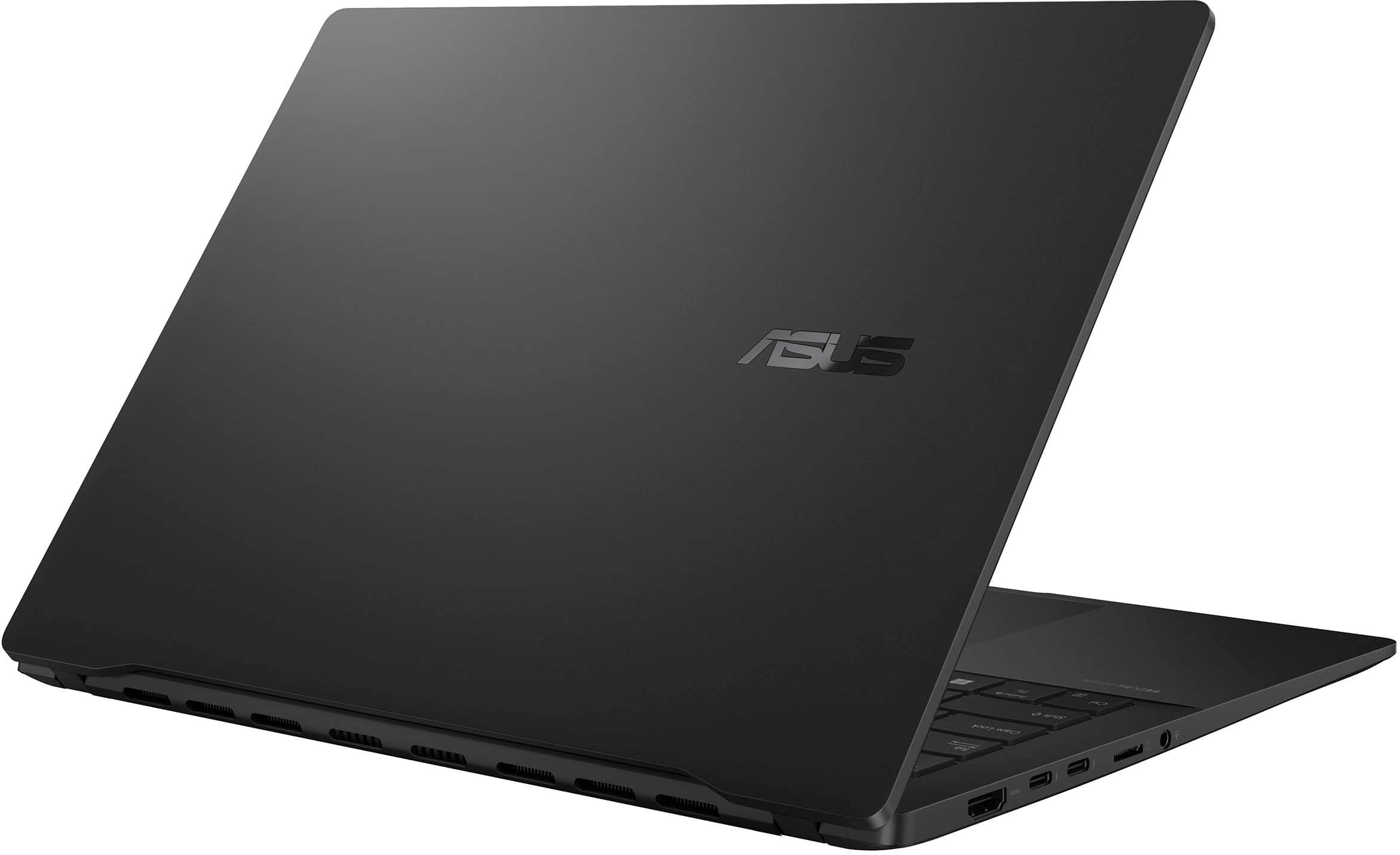
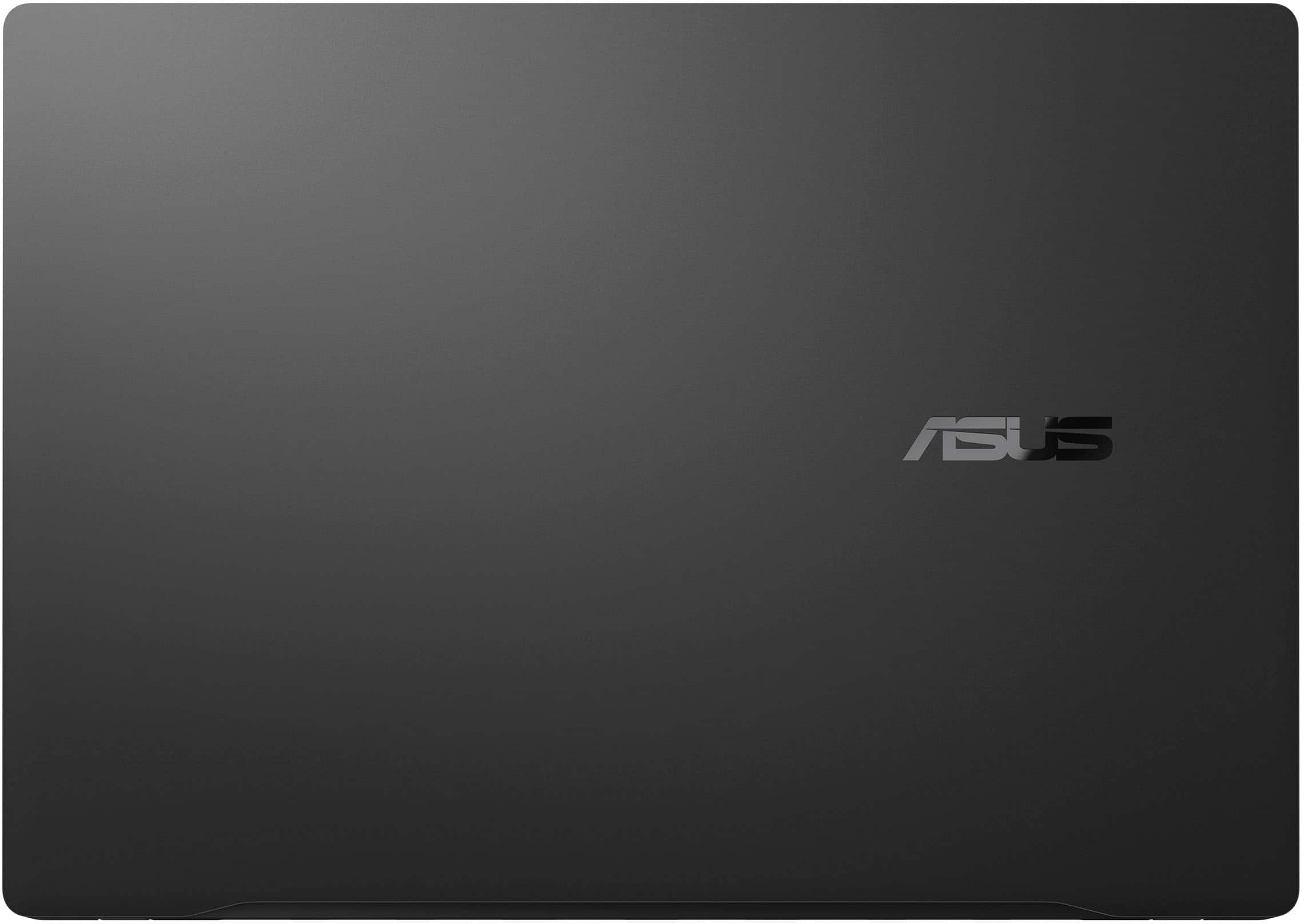












- Model:
- Q423SA-U5512
- SKU:
- 6595523
Rating by feature
- Battery Life
Rating 4.7 out of 5 stars
- Speed
Rating 4.6 out of 5 stars
- Display
Rating 4.7 out of 5 stars
Customers are saying
Customers frequently mention the Vivobook S 14's excellent screen quality, long battery life, and convenient portability. Positive feedback also highlights its strong performance and light weight, making it ideal for both work and travel. The ample RAM and selection of ports are also frequently praised. However, some users note that the laptop's finish is susceptible to fingerprints.
This summary was generated by AI based on customer reviews.
Mid build quality
||Posted . Owned for 2 weeks when reviewed.This reviewer received promo considerations or sweepstakes entry for writing a review.Build quality not as good as ZenBook. Laptop lid is plastic and flimsy
I would recommend this to a friendBrand response from ASUS Answers
Posted .Dear Watcher,
Thank you for sharing your comments regarding the ASUS Vivobook. We understand that the design of the product didn't meet your full expectations, and we sincerely apologize for that as we do understand your concerns. Our top priority is providing our customers with high-quality products, and we'll forward your feedback to our team for review.
We stand behind our products and continuously strive to improve our products and processes to achieve customer service excellence. If you require any further assistance, please email us at customerloyalty@asus.com and include the case number "N2501023605-0003" as a reference. We will do our best to resolve your case quickly. Your feedback is very important to us and enables us to improve our support channels. Thank you for choosing ASUS.
Best Regards,
Chantae
ASUS Customer Loyalty US Support
LAPTOP
||Posted .This reviewer received promo considerations or sweepstakes entry for writing a review.Great desktop! Love it! Don't know about the battery life yet.
I would recommend this to a friendGreat laptop
||Posted . Owned for 1 month when reviewed.This reviewer received promo considerations or sweepstakes entry for writing a review.Easy to set up. I've had about two months and working fabulously.
I would recommend this to a friendFirst Asus Laptop
||Posted . Owned for 2 weeks when reviewed.This reviewer received promo considerations or sweepstakes entry for writing a review.Amazing, first Asus Laptop and very happy. Display is great.
I would recommend this to a friendAsus S14
||Posted . Owned for 1 week when reviewed.This reviewer received promo considerations or sweepstakes entry for writing a review.Wife loves this device. Fast with grest connectivity
I would recommend this to a friend- Pros mentioned:Screen quality
I wanted to like this laptop!
||Posted .This reviewer received promo considerations or sweepstakes entry for writing a review.Good display, nice keyboad and decent sound. However, laptop randomly goes to sleep and does not wake when pressing any buttons. It eventually comes back on, but is not reliable. Was not able to use and returned after a week.
No, I would not recommend this to a friendBrand response from ASUS Answers
Posted .Dear Joey32,
Thank you for your comment.
We do understand your disappointment with the product and the inconvenience this may have caused if this laptop randomly goes to sleep. This commonly occurs while updates are being installed and applied in the System Registry. Once all updates(Windows, drivers) installed completely, this issue will go away.
On the contrary, lots of satisfied customers, having positive experience using the product, will agree that this motherboard stands out as a top choice for those seeking a high-performance motherboard with future-proofing capabilities. On the contrary, lots of satisfied customers, having positive experience using the product, will agree with that it is a decent laptop. It runs popular computing applications, without compromising system stability and performance as long as Windows is up to date. Should you need further assistance with the product, please email me at cl-rodel@asus.com and I would be more than happy to help. Or, you are most welcome to call Product Support Hotline at: 1(888) 678-3688. Also, you can chat with an ASUS live support agent from the link: https://www.asus.com/us/support/article/1135/.
Thank you for choosing an ASUS product.
Regards,
Rodel
ASUS Customer Loyalty
Christmas Present
||Posted . Owned for 1 month when reviewed.This reviewer received promo considerations or sweepstakes entry for writing a review.Great Buy at $650! Purchased for my niece for college!
I would recommend this to a friendGot issues, needed to return
||Posted . Owned for 1 month when reviewed.This reviewer received promo considerations or sweepstakes entry for writing a review.After a few days screen went black and needed to return. Ended up choosing another product 16”. The screen had some warping as well, which didn’t compromise usability, but still would prefer that it was fully flat.
I would recommend this to a friendBrand response from ASUS Answers
Posted .Dear Fernandosilvame,
We sincerely apologize for the issues you've faced with the ASUS Vivobook S 14 Laptop and for the inconvenience this has caused you. What you've experienced was not intentional or representative of our brand. Our top priority is providing our customers with high-quality products, and we'll forward your feedback to our team for review.
Having returned the laptop, we hope that you were able to obtain a functional replacement.
We stand behind our products and continuously strive to improve our products and processes to achieve customer service excellence. If you require any further assistance, please email us at customerloyalty@asus.com and include the case number "N2501023605-0005" as a reference. We will do our best to resolve your case quickly. Your feedback is very important to us, and it enables us to improve our support channels. Thank you for choosing ASUS.
Best Regards,
Chantae
ASUS Customer Loyalty US Support
Gods
||Posted . Owned for 1 week when reviewed.This reviewer received promo considerations or sweepstakes entry for writing a review.Gooddddddd godddddd godddddddddd goddddddddddddddddd
I would recommend this to a friendEnjoy the product for work
||Posted . Owned for 2 weeks when reviewed.This reviewer received promo considerations or sweepstakes entry for writing a review.Great product for work would definitely recommend.
I would recommend this to a friendGood laptop... if you want i3-level performance.
||Posted . Owned for less than 1 week when reviewed.This reviewer received promo considerations or sweepstakes entry for writing a review.It's kinda a garbage laptop, especially for the price. You wouldn't know it by the "core ultra 5" moniker, but you're actually getting i3-level performance with the WEAKEST chip in the Lunar Lake lineup. 4 x 4.5 GHz Intel Lion Cove P-cores and 4 x 3.5 GHz Intel Skymont E-cores, with only 8MB of L3 cache shared between them makes it slower than, maybe every single core 5 100 series, i5-14th gen, and i5-13th gen laptop processor. Doesn't boost very high. Screen looks alright, but that's at the bare minimum for this price range. It's only 60Hz, but I suppose that's just because the absolute cheapest OLED they could find was only 1080p (extended to 1200) and 60Hz. 512GB SSD is a bit disappointing. 8 total cores means running some tasks will take more processing power than you'd expect. You'd think the saving grace would be the 75Wh battery, but even then it only charges at 65W, putting this laptop firmly back in the 2020-era. The placement of the two thunderbolt ports is also rather annoying, as it's not on any of the ends, but in the middle of the laptop, and both on the same side, so it doesn't make any sense not to have the charging port be in the corner. Overall seems like a laptop designed to mislead and is optimized for AI, as the biggest focus on the manufacturer page seems to be the Copilot and AI Capability, with the processor reaching an "AI Boost" of up to 40TOPS. Keep in mind, that this is when the chip boosts up to 37W, which is higher than most of the past three generations of efficient core 5 or i5 processors need to go, and just for the "AI features". Yes, this will significantly drain the battery. Not impressed, but unfortunately I needed a laptop and chose hastily, just looking at the specs, without doing more research on the recent chips and features this laptop touted.
No, I would not recommend this to a friendBrand response from ASUS Answers
Posted .Dear Hamz,
Thank you for sharing your comments regarding the ASUS Vivobook S 14 Laptop. We understand that it didn't meet your full expectations, and we sincerely apologize for that as we do understand your concerns. Our top priority is providing our customers with high-quality products, and we'll forward your feedback to our team for review.
We stand behind our products and continuously strive to improve our products and processes to achieve customer service excellence. If you require any further assistance, please email us at customerloyalty@asus.com and include the case number "N2411009759-0007" as a reference. We will do our best to resolve your case quickly. Your feedback is very important to us and enables us to improve our support channels. Thank you for choosing ASUS.
Best Regards,
Chantae
ASUS Customer Loyalty US Support
- Pros mentioned:Battery life, Portability, Processor speed

ASUS does it again! WOW!
|Posted .This reviewer received promo considerations or sweepstakes entry for writing a review.I am a big fan of ASUS products. Once that I had decided that I wanted to get a COPILOT Laptop, as I am a huge fan of everything AI, and unapologetic about it as well. I have used a lot of AI Chat of course, like most of us, but as a creator I have also begun to seriously explore AI Art, and other ways to utilize AI as a tool in our bag of technical weapons that we can use for both work and play. This laptop is the essence of simplicity and ease. When you open up the box all that you are going to see is this beautifully designed laptop, a few small notes for warranty, etc and the power connector (USB-C to plug). Setting it up was very easy, pretty much just inputting your email ID, your password and letting it go at it and voila, in a few minutes you're ready to use the laptop. The screen is just seriously beautiful to look at. Everything is very, very fast, lighting fast in fact, and I was surprised, yes shocked, to see that this also has two more USB ports than one might think, and they are the old style USB-A as well, in addition to the USB-C's that one would expect. Now you may wonder how this laptop is different than a regular laptop. Well AI on-board isn't just marketing, all Copilots have a special, dedicated AI chip, that allows the machine to specifically process the AI, and do it without having to send any data upstream across the internet. In fact, one doesn't even have to be connected to use most of these programs, although doing so may tap into additional resources. The best way to experience this laptop is to actually just look at the ASUS site and see what you can do with this laptop using AI, that is what makes this machine different. The first big one is paint, it's a special paint program that has you create a word prompt to generate what you desire to paint, then paint it the best that you can and the AI can use what you created to go off what was found. It's a little difficult to describe but seeing it in person makes it quite easy. I'm very happy with this machine, it's beautiful, yet understated, it is very fast and light on it's feet, it's actually very light overall, and battery life is outstanding. This one is a winner and so far I've loved everything about it. I am very happy with this machine and think anyone looking for a new CoPilot should check this unit out. A great machine, ASUS has done it again!!
I would recommend this to a friend Possibly good
||Posted . Owned for 1 month when reviewed.This reviewer received promo considerations or sweepstakes entry for writing a review.After a month or so, I have dropped my rating from 4 to 3. The screen reflects too much light in daylight and the track pad has issues with left clicks. Does anyone want to buy mine?
No, I would not recommend this to a friendBrand response from ASUS Answers
Posted .Dear Jason S,
We sincerely apologize for the issues you're experiencing with the ASUS Vivobook S 14 Laptop and for any inconvenience this may have caused you. This is not the kind of quality to expect from our products and it's not the norm. To further investigate the problems described, we recommend contacting our support team at https://www.asus.com/us/support/CallUs.
We stand behind our products and continuously strive to improve our products and processes to achieve customer service excellence. For more information, email us at customerloyalty@asus.com and include the case number "N2501023605-0004" as a reference. We will do our best to resolve your case quickly. Your feedback is very important to us and enables us to improve our support channels. Thank you for choosing ASUS.
Best Regards,
Chantae
ASUS Customer Loyalty US Support
Asus Vivobook review
||Posted . Owned for 1 month when reviewed.This reviewer received promo considerations or sweepstakes entry for writing a review.Nice computer, good value, but paint is already flaking off.
I would recommend this to a friendBrand response from ASUS Answers
Posted .Dear EKKO,
Thank you for sharing your feedback on the ASUS Vivobook S 14 Laptop, and we're sorry to hear that the paint is peeling off the case. To further investigate this problem, we recommend contacting our support team directly at https://www.asus.com/us/support/CallUs.
We stand behind our products and continuously strive to improve our products and processes to achieve customer service excellence. For more information, email us at customerloyalty@asus.com and include the case number "N2501023605-0006" as a reference. We will do our best to resolve your case quickly. Your feedback is very important to us and enables us to improve our support channels. Thank you for choosing ASUS.
Best Regards,
Chantae
ASUS Customer Loyalty US Support
Buyer beware, warranty not honored, problem model
||Posted . Owned for 10 months when reviewed.This reviewer received promo considerations or sweepstakes entry for writing a review.I had this laptop 9 months before it wouldn't power on at all. I sent it in for warranty service and they said it was my fault the usb-c and hdmi ports had burned out. They tried to charge me almost the cost of the laptop to have it fixed. Beware, this is a common problem with this model.
No, I would not recommend this to a friend- Pros mentioned:Screen quality
Slow and buggy
||Posted . Owned for 2 weeks when reviewed.This reviewer received promo considerations or sweepstakes entry for writing a review.Nice screen, but a bit slow (stutters in windows) and buggy (cursor disappears on some websites in chrome).
No, I would not recommend this to a friendBrand response from ASUS Answers
Posted .Dear Ned P,
We sincerely apologize for the slow performance issue you're experiencing with the notebook and for the inconvenience caused. To troubleshoot the issue described, we recommend following the steps in the FAQ below. Should the issue persist, please contact our support team at https://www.asus.com/us/support/CallUs to further investigate the problem or assist with repairing the device.
We stand behind our products and continuously strive to improve our products and processes to achieve customer service excellence. For more information, email us at customerloyalty@asus.com and include the case number "N2412015968-0001" as a reference. We will do our best to resolve your case quickly. Your feedback is very important to us and enables us to improve our support channels. Thank you for choosing ASUS.
Best Regards,
Chantae
ASUS Customer Loyalty US Support
[Windows 11/10] Troubleshooting - System is running slowly - https://www.asus.com/support/faq/1042398/
Camera was dead on arrival
||Posted . Owned for less than 1 week when reviewed.This reviewer received promo considerations or sweepstakes entry for writing a review.Despite no visible damage, the camera was completely non functional. Windows could not detect that it even existed. Windows Hello facial recognition also disabled. I tried all sorts of solutions, checked drivers, checked Device Manager, updated everything, etc etc. Very disappointing given the laptop was sold to me as open box "works like new" and only missing "non-essential" parts. I asked Best Buy to repair it given it had only been a few days since I bought it, but they said they'd only repair it if I paid for a Geek Squad membership. I guess they don't stand behind their open box promises. They also didn't weren't able to replace it with a new one because there was no inventory in store. I ended up returning it on the spot, losing out on what could've been a great laptop for a great price.
No, I would not recommend this to a friendBrand response from ASUS Answers
Posted .Dear ETCC,
We sincerely apologize for the camera issue you've faced with the notebook and for the inconvenience this has caused you. What you've experienced was not intentional or representative of our brand. Having returned the notebook, we hope that you were able to obtain a functional replacement.
We stand behind our products and continuously strive to improve our products and processes to achieve customer service excellence. If you require any further assistance, please email us at customerloyalty@asus.com and include the case number "N2411009759-0004" as a reference. We will do our best to resolve your case quickly. Your feedback is very important to us, and it enables us to improve our support channels. Thank you for choosing ASUS.
Best Regards,
Chantae
ASUS Customer Loyalty US Support
Flimsy Laptop With Hardware Issue
||Posted . Owned for 4 months when reviewed.This reviewer received promo considerations or sweepstakes entry for writing a review.Probably the most flimsy laptop in the market. The top frame is bent out of the box with so much flex, and this is not just the one I got as many people complain online of the same issue. The laptop would crash often with barely just Windows running. Performance wise, they are all comparable with the specs like this one. Battery is ok, too, as it is mostly similar between Asus, Dell, HP, from similar specs. The flimsy body of the laptop is pretty much the negative point of this laptop. OLED screen does flicker, and the burnt-in issue is there. At this price point, I'd say check out the other laptops with stronger built.
No, I would not recommend this to a friendBrand response from ASUS Answers
Posted .Dear SrilT,
Thank you for your comment.
We certainly understand your disappointment with this laptop and the inconvenience this may have caused. All ASUS products are manufactured in compliance to ISO standard and each one undergo intensive quality control testing and inspections, and are built to last. this is a random problem. ASUS provides warranty coverage for the product. We recommend you send the product in for service to determine if this is a hardware issue so this may be resolved immediately. An RMA number is required to send it in for service. For RMA details, please go to: https://www.asus.com/us/support/article/818/.
If you are experiencing stability issue or performance issues with this laptop, check if Windows, drivers, BIOS and games are up to date. Updates for this laptop are posted at: https://www.asus.com/us/supportonly/q423sa/helpdesk_download/ . Additionally, while accessing web applications, ensure this laptop has access to an established router and internet service is working properly since poor and unstable internet connection will affect system stability and performance. Keeping the device always updated will maintain optimum system stability and performance. If these steps were performed to no avail, please try to run a diagnostics or optimization test using the "MyASUS" utility software or application. If this is not pre-installed on the laptop, please download the application at the Microsoft Store. For details on how to use "My ASUS", please go to: https://www.asus.com/support/FAQ/1041686/.
If you need further assistance with the product, please email me at cl-rodel@asus.com and I would be more than happy to help. Or you are most welcome to call Product Support Hotline at: 1(888) 678-3688. Also, you can chat with an ASUS live support agent from the link: https://www.asus.com/us/support/article/1135/.
Thank you for choosing an ASUS product.
Regards,
Rodel
ASUS Customer Loyalty
Good laptop for general purpose.
||Posted . Owned for 2 months when reviewed.This reviewer received promo considerations or sweepstakes entry for writing a review.this asus laptop has good sound system, good display and is reasonably ok for general tasks.
I would recommend this to a friendBrand response from ASUS Answers
Posted .Dear Richard H,
We are pleased to hear that you are satisfied with the Vivobook S 14 Laptop. At ASUS, we take quality control, testing, and inspections seriously to ensure our products meet high standards. It is our hope that the device continues to operate normally and that you enjoy using it.
We stand behind our products and continuously strive to improve our products and processes to achieve customer service excellence. If you require any further assistance, please email us at customerloyalty@asus.com and include the case number "N2501023605-0001" as a reference. We will do our best to resolve your case quickly. Your feedback is very important to us and enables us to improve our support channels. Thank you for choosing ASUS.
Best Regards,
Chantae
ASUS Customer Loyalty US Support
Waste of money
||Posted . Owned for 11 months when reviewed.This reviewer received promo considerations or sweepstakes entry for writing a review.Month 11 and it won't start up. It's not the first time either but I've always been able to get past it. I feel like I wasted my money. And of course I don't have time for this because I have a conference on Friday. People you get what you pay for..
No, I would not recommend this to a friend