Customer Ratings & Reviews













- Model:
- Q5507QA-S15.X1P512
- SKU:
- 6585180
Rating by feature
- Battery Life
Rating 4.7 out of 5 stars
- Speed
Rating 4.5 out of 5 stars
- Display
Rating 4.7 out of 5 stars
Customers are saying
Customers admire the Vivobook S 15's impressive battery life and stunning 3K OLED screen quality. Its lightweight design and ample RAM also receive high praise. However, some users have reported challenges with software compatibility due to the ARM architecture.
This summary was generated by AI based on customer reviews.
- Pros mentioned:Battery life, Processor speed, Screen quality
One of the "best buys" I've ever made!
||Posted .This reviewer received promo considerations or sweepstakes entry for writing a review.This laptop has WILDLY exceeded my expectations. Typical of ASUS, the all-metal build quality is great, the battery life is INSANE at somewhere between 10 and 14 hours typically under a typical workload for me - at least coming off a 13th Generation i7 Zenbook that could barely muster 5.5 hours with battery saver on and my screen barely bright enough to see - and the screen is just gorgeous and with a 120hz refresh rate to boot. The trackpad isn't haptic but it feels great is is very responsive and the keyboard has a wonderful feel to it, just the right amount of key travel. I like the customizable backlight as well. I really have nothing substantial to complain about with this PC. I guess just to balance things out, if I had to mention some things, it's a major fingerprint magnet (doesn't bother me), it has downward facing speakers (not a huge deal), and the number pad while nice to have is a little to narrow for my fingers. With my personal workflow I don't need a touchscreen, so if you personally do need that or need pen support, that may be something that has you look elsewhere. I'm also incredibly impressed by the supposedly budget-tier Snapdragon X Plus. I've been working under heavy load *on battery* and this thing hasn't even stuttered or lagged one bit. This processor can really multitask well. I personally don't use any hugely graphics heavy programs, so maybe that has something to do with it. But even video editing seems to come to this device easily. I easily get through a fully day with decent amounts of battery to spare. This device has me fully convinced that Snapdragon/ARM is the future, I'm not gonna lie. My only apprehension before on buying a Snapdragon system was the fact that Google Drive for Desktop hadn't been available but with it's recent native ARM release, I decided to take the plunge and I am NOT disappointed. I previously had a Zenbook Pro, which I actually mostly loved, but as I mentioned before, the battery life was atrocious when not plugged in, and it would often blow so much hot air out, it made the room I was in uncomfortable. It got really laggy and stuttery after waking from sleep sometimes, and I had to restart the whole device to get it working properly again. The trackpad at times also did weird stuff, and although the screen was also an OLED and gorgeous, it seemed to be an older technology that looked AWFUL in bright sunlight and had horrible color distortion and shimmering effect. I've got none of that with this screen, it seems like an improved quality OLED and its just so smooth and beautiful and accurate. I have yet to run into any significant app compatibility issues, however, I don't game on this device at all, nor use any really specialized legacy programs or programming software, which is where I hear a lot of issues lie. I have experienced no issues with DaVinci Resolve, with Affinity Photo, or with Streamlabs Desktop livestreaming software, in case anyone is wondering. At the sale price I got this PC of about $600 it is an absolute steal. I couldn't be happier with my purchase. This is satisfying me completely as my new daily workhorse.
I would recommend this to a friend - Pros mentioned:Battery life, Processor speed, Screen quality
Better than any Chromebook
||Posted . Owned for 1 week when reviewed.This reviewer received promo considerations or sweepstakes entry for writing a review.This is truly an Incredible masterpiece of a Laptop! The fact that so much performance can be packed into a laptop that is smaller than most Chromebooks is phenomenal. Weighing in around 3 pounds, this thing is super quick and has one of the best screens I have ever looked at period. This hosts a 15 inch OLED screen that has some of the richest Colors and the deepest Blacks I've ever seen in my life, including televisions and monitors. It is truly a treat to be able to watch my Movies and TV shows on such a high quality screen. Battery life is also top notch, I recently took this with me on a trip to Florida, I didn't even have to charge it after my roundtrip. Absolutely top of the line quality and the pinnacle of Portability and Performance! I cannot recommend this beast enough to all my friends and families. The Snapdragon processor makes light work of all my office needs and makes using spreadsheet and documents actually a lot smoother than my desktop. For the price, I don't think any other laptops can provide this kind of value for what you're getting here. This is how the future looks and it's a true delight to experience!
I would recommend this to a friend - Pros mentioned:Battery life, Processor speed
Best 120Hz Copilot+PC laptop from ASUS
||Posted . Owned for 1 week when reviewed.This reviewer received promo considerations or sweepstakes entry for writing a review.I bought this laptop for $499 during the black Friday sale for my wife. She does only basic tasks, such as watching videos, streaming, taking notes, and light browsing. I could have gotten her a Chromebook but I did not want to compromise on the performance if I wanted to use it. Despite its lower-specced eight-core chip (3.2/3.4GHz), this Snapdragon Asus laptop delivers impressive performance for everyday tasks, achieving over 8 hours of video streaming on a single charge. It features soldered memory but easily replaceable m.2 NVME storage and an accessible battery. The understated design includes 2x 5Gbps USB 3 A-type ports, 2x USB-C 4.0 ports, and a full-sized HDMI, with a high-quality DAC for exceptional audio. The OLED screen, supporting 120Hz and Apt-X HD, offers a rich media experience, though HDR requires manual calibration. Performance settings in MyASUS affect core clock throttling; optimal conditions yield a Cinebench R24 score of 700, comparable to a Ryzen 7 5800H at lower power draw. Efficiency mode parks two cores, reducing frequency to 2.18GHz and scoring ~350. The laptop excels in web browsing, conference calls, and light editing, with AI features limited to camera effects and noise cancellation. Despite its gaming limitations, this laptop is a great-value, efficient device for everyday use.
I would recommend this to a friend - Pros mentioned:Battery life, Processor speed, Screen quality
Check out video review
||Posted . Owned for 3 weeks when reviewed.This reviewer received promo considerations or sweepstakes entry for writing a review.https://youtu.be/DljlWeZ1eP8?feature=shared Check out my video review Amazing screen quality just as fast if not faster then i7 battery life is great and it stays cool never gets hot. Good sound nice quality build feel doesn't feel cheap. Only concern is those hinges seem very thin and it's fingerprint magnet. check out my video I made on YouTube laptop review. https://youtu.be/DljlWeZ1eP8?feature=shared
I would recommend this to a friend - Pros mentioned:Battery life, Processor speed
ASUS Vivobook: A Stylish Performer for Everyday
||Posted . Owned for 1 month when reviewed.This reviewer received promo considerations or sweepstakes entry for writing a review.The ASUS Vivobook S 15 with a Qualcomm Snapdragon X Plus processor is a compelling choice for anyone seeking a laptop that combines stunning visuals, robust performance, and long battery life. This sleek device features a beautiful metal finish, making it suitable for both personal and professional use. One of the standout features is its 15.6-inch 3K OLED display, offering a vibrant and sharp viewing experience with a resolution of 2880x1620. The color calibration ensures stunning contrast and vibrancy, perfect for content consumption and creation. The display is truly immersive, making it a joy to watch movies or work on creative projects. Performance-wise, the Snapdragon X Plus processor delivers solid results for day-to-day tasks and multitasking. The laptop is equipped with 16GB of high-speed DDR5 memory and a 512GB SSD, providing fast data access and sufficient storage for most users. However, the memory is soldered and not upgradeable, which might be a drawback for some. The battery life is exceptional, making it perfect for on-the-go use. The Vivobook S 15 also features audio developed in partnership with Harman/Kardon, providing some of the best audio quality in laptops. As part of the Copilot+ program, it supports AI tools like Microsoft Copilot, though these features are still evolving. While it may not excel in gaming or heavy-duty tasks due to the lack of a dedicated GPU, it is an excellent choice for general use and content consumption. Overall, the ASUS Vivobook S 15 offers great value for its price, making it a strong contender in the mid-range laptop market.
I would recommend this to a friend - Pros mentioned:Battery life, Screen quality
Best laptop super portable nice battery life
||Posted . Owned for 3 weeks when reviewed.This reviewer received promo considerations or sweepstakes entry for writing a review.Amazing laptop very good screen quality awesome battery life very portable it's awesome
I would recommend this to a friend - Pros mentioned:Battery life, Screen quality
Sweet sweet asus
||Posted . Owned for 1 month when reviewed.This reviewer received promo considerations or sweepstakes entry for writing a review.I was hesitant at first being a Mac user for many many years but I love love this , too be honest my only draw back is size I wish this was a 13 even 14 but everything else is awesome charging last a long time, screen is sharp and keyboard feels nice. You can change the colors of the rbg back light . So worth it with copilot I used it for English papers. Super neat !
I would recommend this to a friend - Pros mentioned:Battery life
Light, great battery with a few hiccups
||Posted . Owned for 2 weeks when reviewed.This reviewer received promo considerations or sweepstakes entry for writing a review.This is a stunning piece of hardware. Its sleek design, thin bezels, and lightweight form factor are truly impressive. The black accents add a touch of elegance, though they do seem to attract fingerprints like magnets. The battery life is excellent, and the device runs cool, even under moderate load. However, while the performance is generally solid, I encountered some frustrating freezes, particularly during critical moments like online quizzes and assignments. While occasional hiccups during YouTube playback are understandable, freezing during important tasks is unacceptable. This unreliable performance has forced me to rely on my older, more stable laptop for crucial work. Given my need for a reliable device for both work and light gaming, I'm considering returning this laptop and opting for a Core Ultra 7. While I admire the design and performance of [Laptop Model Name], its occasional instability makes it unsuitable for my specific needs. Overall, this is a great laptop for casual users who prioritize style and portability. However, for those who require consistent performance, especially during demanding tasks, it may not be the best choice.
I would recommend this to a friend - Pros mentioned:Battery life
Great with some issues
||Posted . Owned for 2 weeks when reviewed.This reviewer received promo considerations or sweepstakes entry for writing a review.Very good machine, but with a couple of drawbacks I've noticed so far. Definitely a fingerprint magnet. Some compatibility issues with ARM system. Keyboard light bleeds too much under the keys, which is all we can see unless looking at the keyboard from on top. Yet, beautiful OLED display, silent (haven't heard the fan come on yet), and good battery life.
I would recommend this to a friend - Pros mentioned:Ram
Asus vivobook s15 + co-pilot
||Posted . Owned for 1 month when reviewed.This reviewer received promo considerations or sweepstakes entry for writing a review.This was an excellent computer especially for the price I got it for.. once I got the computer I realized I wanted Play games. Well this laptop will play games, But like any laptop you can't play games too long. Remember it's just a laptop.. It's fast with plenty of memory and keyboard has RGB lights with a co-pilot button.. excellent computer.. I almost purchased two.. I would definitely recommend this laptop for anybody for almost anything..
I would recommend this to a friend - Pros mentioned:Processor speed, Screen quality
Seemed great until it wasn't!
||Posted . Owned for less than 1 week when reviewed.This reviewer received promo considerations or sweepstakes entry for writing a review.Bought an "Excellent" open box. Looked new, set up easy and ran nice and fast. Beautiful OLED screen, nice full lighted keyboard. Ran MS Office with no issues. Then Asus initiated a firmware update, and the laptop crashed and would not boot into Windows 11. I had to do a reset and lost everything, so I returned it. Asus did the firmware update automatically, so there's no way to refuse it.
No, I would not recommend this to a friendBrand response from ASUS Answers
Posted .Dear Dave B,
We sincerely apologize for the issues you've faced with the ASUS Vivobook S 15 Laptop and for the inconvenience caused. What you've experienced was not intentional or representative of our brand. Your feedback is greatly appreciated and will be passed to our Product Team for review.
Having returned the notebook, we hope that you were able to obtain a functional replacement.
We stand behind our products and continuously strive to improve our products and processes to achieve customer service excellence. If you require any further assistance, please email us at customerloyalty@asus.com and include the case number "N2410027070-0006" as a reference. We will do our best to resolve your case quickly. Your feedback is very important to us, and it enables us to improve our support channels. Thank you for choosing ASUS.
Best Regards,
Chantae
ASUS Customer Loyalty US Support
- Pros mentioned:Screen quality
Good work laptop with a GREAT screen!
||Posted . Owned for 1 week when reviewed.This reviewer received promo considerations or sweepstakes entry for writing a review.Amazing screen, nice design and solid build. beware of Snapdragon processor - while it supports most of the apps Amd or Intel does there are a few that are yet to be added. in my case it was some no-name vpn I use -but it's not a big deal
I would recommend this to a friend - Pros mentioned:Screen quality
ASUS Vivobook OLED. All around great!
||Posted . Owned for 8 months when reviewed.This reviewer received promo considerations or sweepstakes entry for writing a review.Very reliable nice laptop with an oled screen. Backlit keys and excellent resolution perfect for multimedia lite gaming. Nice construction build quality.
I would recommend this to a friend I love Qualcomm's Snapdragon X Plus.
||Posted . Owned for 2 weeks when reviewed.This reviewer received promo considerations or sweepstakes entry for writing a review.I love Qualcomm's Snapdragon X Plus. I waited 6 months to purchase this, and It did not disappoint. OLED graphics are amazing, and they have a wide range of network connections due to Qualcomm's adapters; they are also great for ethical hacking if you have experience in that area.
I would recommend this to a friend- Pros mentioned:Battery life, Screen quality, Weight

Asus, co-pilot, AI, long lasting battery
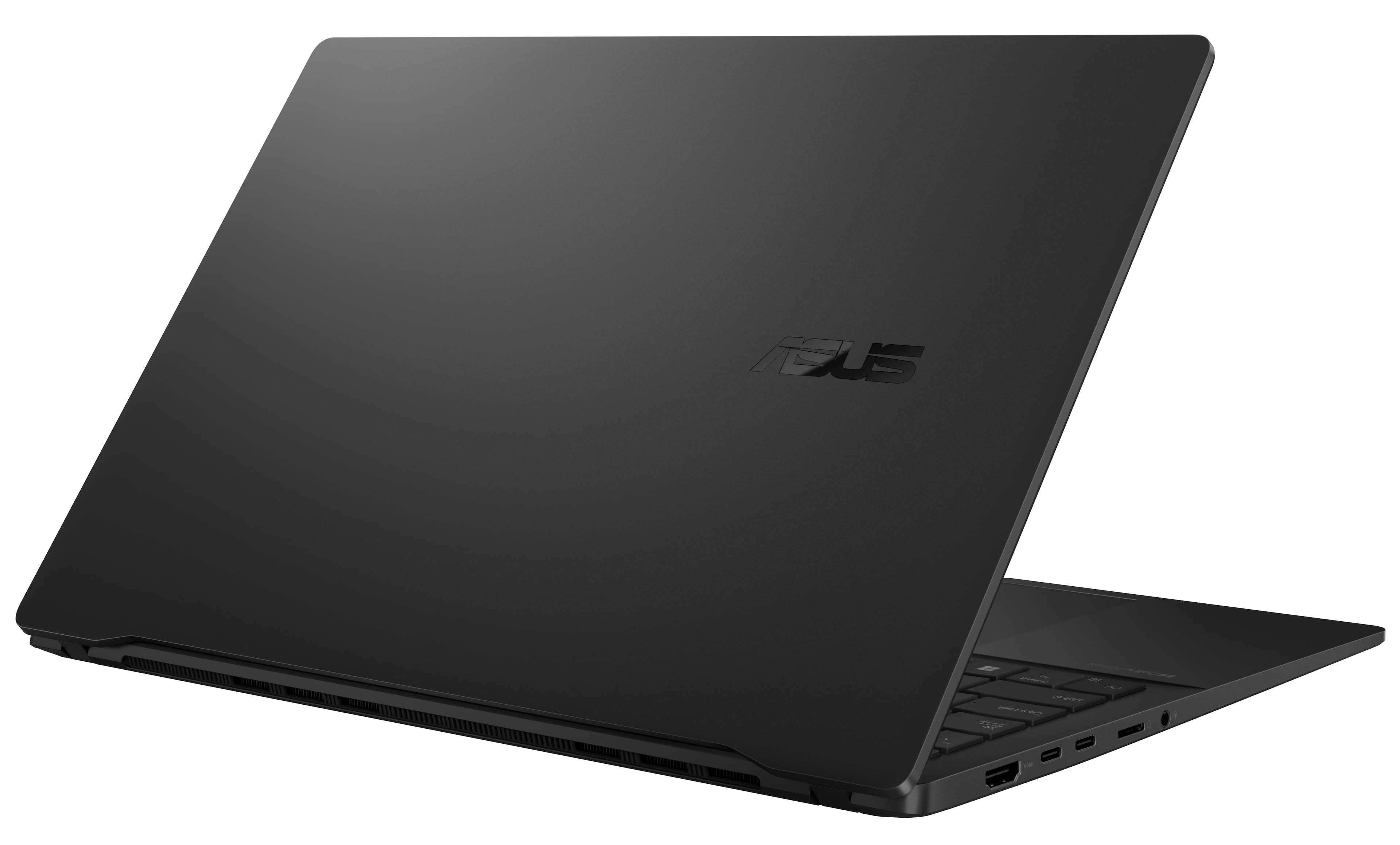
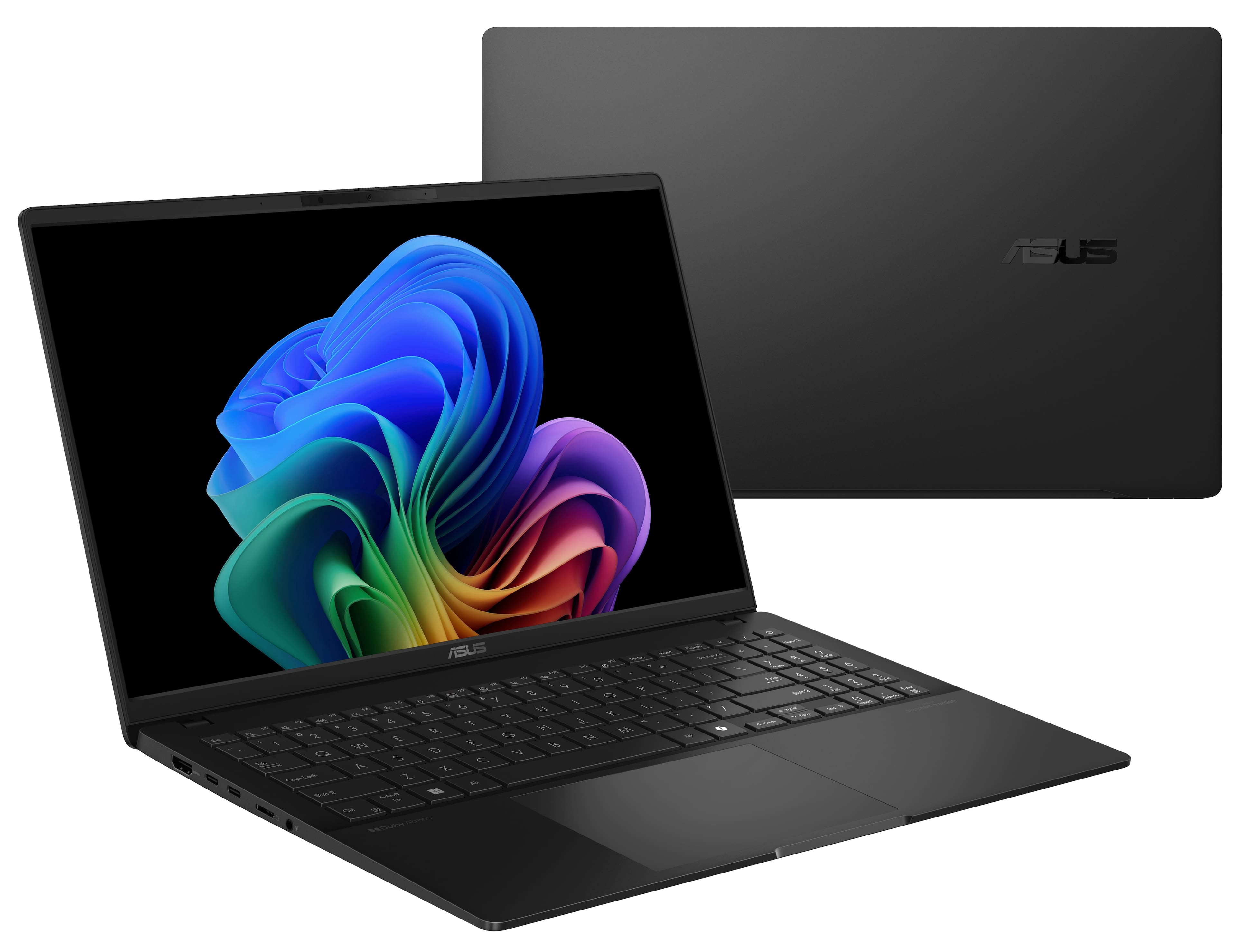
|Posted .This reviewer received promo considerations or sweepstakes entry for writing a review.Asus, like most computer manufacturers, is using universal packaging. In this case, there was more packaging than what was included in the box. There were actually only two things in the box it arrived in. The system itself and the charger. If you pay close attention, in the lid of the box, there's instructions on how cut and use as a stand for tour machine to store when not in use. Before first use, did my standard overnight power charge test, this did not do much as it arrived with a full charge already. The unit weighs less than 5 lbs and just over 3 lbs; very noticeable that this is very light and thin. It does not take much space at all in a laptop bag or carry case. The charger is not very big and doesn’t take up much space and could be more travel-friendly. A folding plug and a USB-C cable that can be disconnected as it already uses this as the main charging standard. Setup. Out of the box, there were initial Asus updates to firmware, BIOS, and software. This did require the use of the power adapter to ensure the machine did not lose power or have any glitches during the updates. Once these were done, there were your standard Windows updates that it needed. The Asus updates were quick while the Windows updates…we all know about the wait times and how variable they are. The machine did manage to take the latest WinOS 11 24H2 without having any issues or being bricked. Added Webroot to the machine as the preferred anti-virus program we use in our household. Once all scans were completed, signed into my Microsoft account and immediately everything was activated from binding the machine to my account to the Office Suite converting to 2021 from what was installed with the machine. Installed the commonly used PDF viewer for use and Google Chrome with no issues as the defaults. All additional software I used every day was easily installed or had an update to utilize the ARM processor appropriately. Power. Overall, the machine is pretty reactive during use and requests to open programs. I’ve not had any issues where I had long wait times or even a freeze-up during normal use. Coming out of a sleep state is quick. Asus is holding true to the advertised time of around 18 hours use time as I can get a little over 2 days of and even more of use out of the machine before it needs a charge. Size. The size and dimensions of the machine are very nice with it coming in at just over a half-inch in thickness and not taking up a lot of baggage space as noted earlier. The weight is great and not noticeable when being carried around for a day’s travel. Design. The screen has a nice clarity to it at 3k resolutions and displays very clearly from working documents, PowerPoint presentations, videos, and even a little gaming. You do have current standards of 2x USB-C ports (charging may done from either port), 1x HDMI, 1 MicroSD card slot for adding storage or use to read cards, 2 USB 3.0 5GB ports, and 1x stereo/mic combo 3.5mm jack. It is good to see the standard-sized USB 3.0 ports as Asus understands not everyone is transitioned to USB-C and people do still utilize USB 3.0 ports. The built-in webcam is very clear and adjusts nicely to the room's lighting. There’s also the included privacy slide for when the webcam is not in use and is a nice brightly colored orange to indicate it is on; covering the lens. The machine does come with facial recognition as an option. Co-Pilot, Microsoft (MS). Integration with MS Co-pilot is done very well as Co-pilot has come a long way from the early days in its everyday uses. Uses from scheduling events to helping with reviewing documents, taking quick notes, and providing additional plug-ins to take full advantage of various machine use scenarios. The AI is becoming more and more user-friendly while learning from the user what is used most via prompts.
- Pros mentioned:Battery life, Processor speed, Ram
Best large-display Copilot in old school factor.
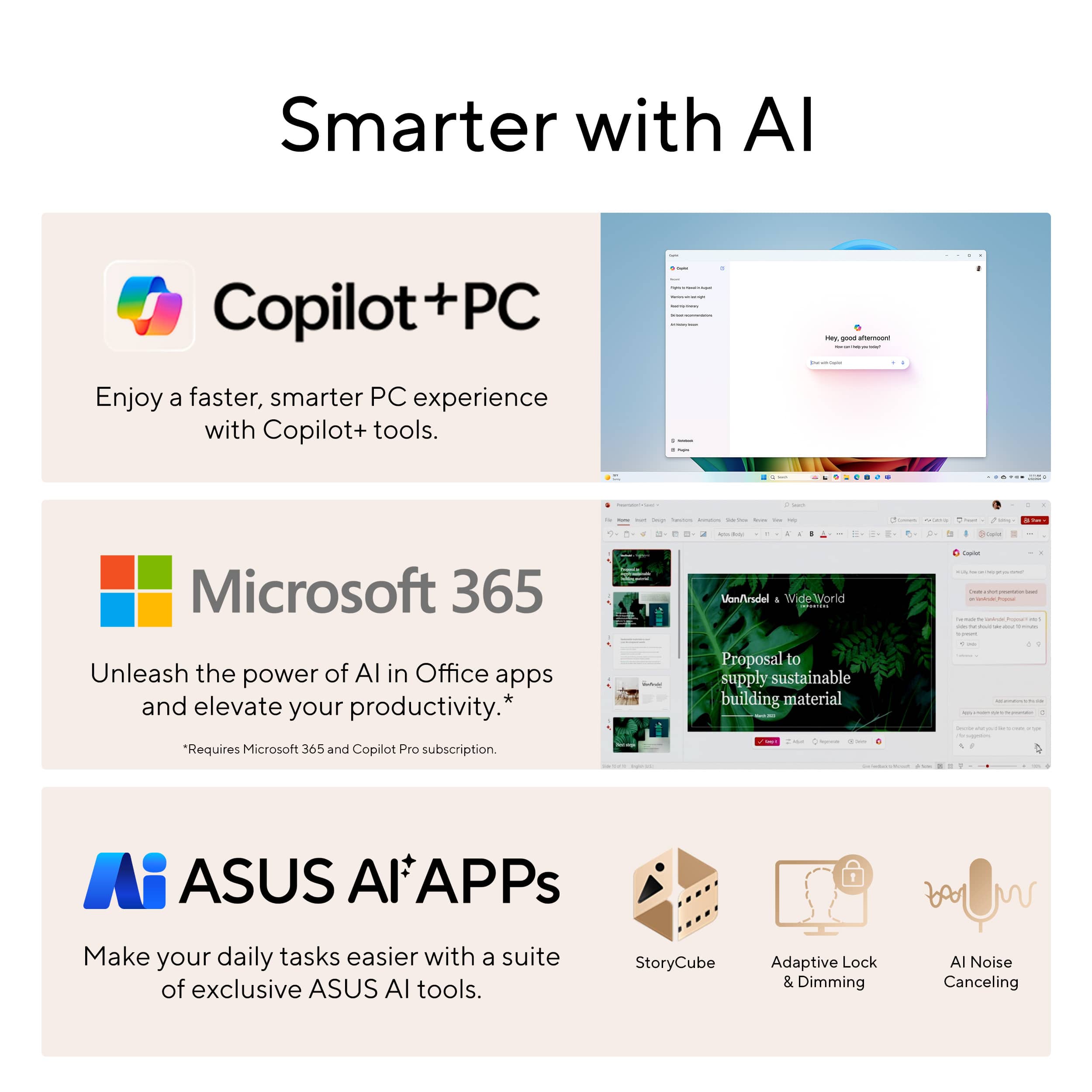
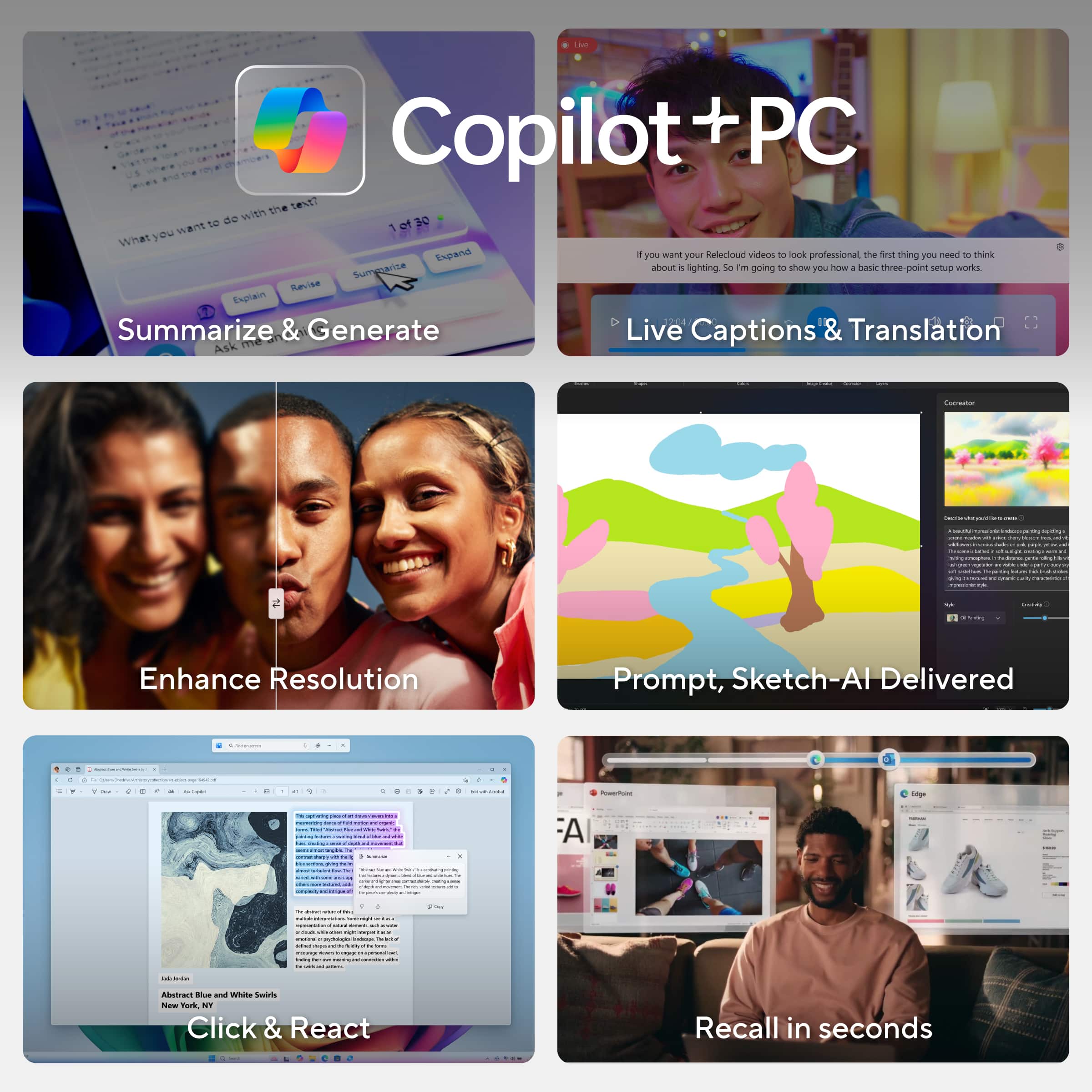
|Posted .This reviewer received promo considerations or sweepstakes entry for writing a review.The Asus Vivobook S 15 is a Qualcomm-based Copilot+ PC with a traditional 16:9 aspect ratio. It's fast, has good battery life, and is reasonably priced. If you don't mind the non-conventional display, it's a solid option for a 15-inch laptop that meets the CoPilot+ specifications. The design is impressive, featuring a clean and crisp aesthetic with a beautiful metal finish and subtle Asus branding, making it ideal for professional use. Upon opening the Vivobook, you'll find an outstanding OLED display with sharp, vibrant colors and a 2880x1620 resolution running at 120 Hz. In addition, Asus has color-calibrated the display, resulting in stunning contrast and vibrancy. Coupled with sound developed in partnership with Harman/Kardon, the Vivobook S 15 offers some of the best audio quality available in a laptop, positioning itself as a strong contender in the market. The most notable component of the hardware is the Qualcomm Snapdragon X Plus processor. It is an Arm-based system-on-a-chip (SoC) similar to Apple’s M3 line of chips found in the MacBook Air. It features an incredibly low 45W power draw. This processor is paired with 16GB of 8,440 MHz DDR5 memory, which is exceptionally high speed even by current desktop PC standards, and 512GB of PCIe 4.0 storage. With a variety of connectivity options and a relatively affordable price tag, this laptop is one of the best options for general day-to-day work. However, it has some limitations. It struggles in games due to the lack of a dedicated GPU, although AI upscaling can help improve performance. Additionally, the general AI features are somewhat limited at the moment, with only Microsoft Copilot and Co-creator being the most developed features. The keyboard on the Vivobook has large keycaps and takes up most of the available space on the wide keyboard deck. The numeric keypad, which is becoming outdated, is quite small, and the wider chassis allows for a comfortable keyboard. However, my main issue with it is that the switches are a bit loose and feel wobbly. They also lack the snappiness of some other keyboards, making them feel mushy. In comparison to other Copilot+ laptops I've reviewed, the keyboard on this one falls short. The touchpad is adequately sized, and its buttons are reasonably quiet. I would consider it similar to most mechanical touchpads I've reviewed recently, but more and more laptops are moving to the vastly superior haptic touchpads. The webcam is 1080p, which has become the new standard, and it also features an infrared camera for Windows 11 Hello facial recognition. The fast NPU with up to 45 tera operations per second (TOPS) exceeds the Copilot+ specification of 40 TOPS, and currently supports Copilot+ features like enhanced Microsoft Studio Effects, Live Captions, and Cocreator. However, the controversial Recall feature, which was the standout when the Copilot+ PC initiative was announced, remains on hold. Asus also includes a host of utilities that might use the NPU to some extent, but it’s hard to quantify at this point. Overall, this is a great OLED Windows ARM Based Co-Pilot laptop for work and productivity. However, if you're looking for a gaming laptop, I would recommend looking elsewhere unless you plan to game on cloud services such as Xbox Cloud Gaming or nVidia cloud gaming (which requires a monthly subscription to those cloud gaming services). In that case, this laptop would be perfect with its crisp display and sound with the only con being the keyboard could of been a bit better thus the rating for 4 stars out of 5.
I would recommend this to a friend - Pros mentioned:Battery life, Ram, Screen quality
Great all around laptop & incredible battery life!
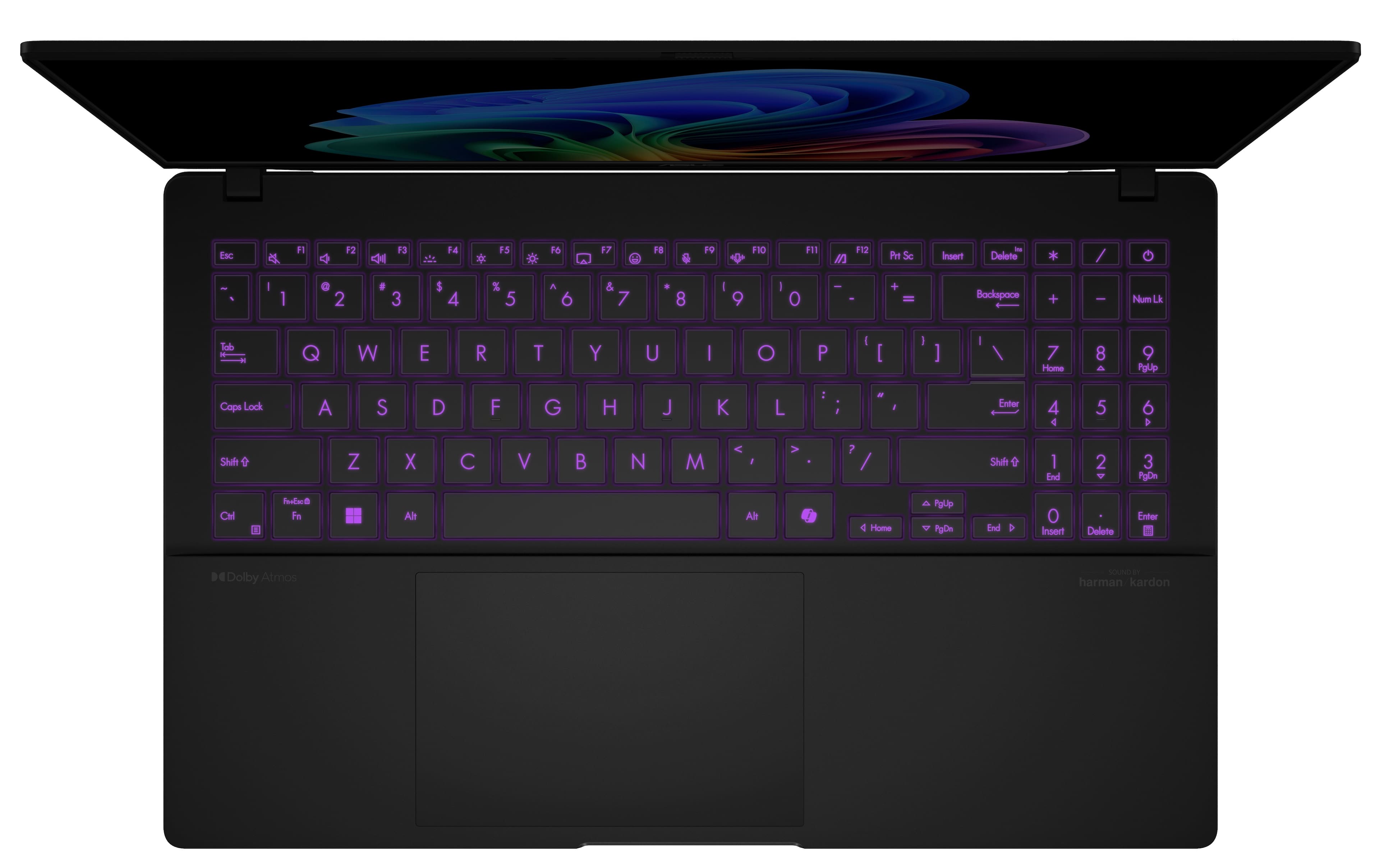
|Posted .This reviewer received promo considerations or sweepstakes entry for writing a review.Since I primarily use a laptop while travelling / on the go and dislike being tied to a plug (who does like that, really), I've followed the development of Windows for ARM devices with keen interest. ARM devices are designed for low power usage - it's why they dominate the smart phone and tablet world and why newer Apple laptops have such great battery life. But until recently, Windows on ARM has been disappointing to say the least. These new Snapdragon X chips change all that though - they combine the tremendous battery life of ARM with solid performance and a Windows experience that's shockingly (almost) normal. This ASUS Vivobook S 15 is the pick of the litter as well when it comes to finding the sweet spot for these laptops - you get great performance out of the Snapdragon X Plus chip and good multi-tasking with 16GB of high speed DDR5 memory (the memory is NOT upgradeable on these models as it's soldiered to the motherboard BUT because of the speed of the memory at 8,448 MT/s, it's not the bottleneck you would think it might be even if you're used to having 32 or 64GB of RAM) for a solid mid-range laptop price (unlike the earlier Elite models that didn't add much more performance but came at a higher price tag). The included M.2 NVMe SSD is a fast one (a WD SN740 in 2280 size) but you might find the 512GB limiting - do note that with removing some screws, you can remove the bottom of the laptop (see picture attached) and the SSD is the one "user replaceable" part so that can be upgraded, though since there is only one M.2 slot available, you'll have to image copy the current SSD to the new one so you don't lose your Windows install / files (or, I suppose, you could re-install Windows from scratch on the new SSD). The screen is a standout here as well with the OLED screen producing vibrant colors and great contrast ratios at the 3K resolution and up to 120Hz refresh rate - 15" isn't road warrior size usually, but this laptop is so thin and light that it still works on the go and I love having the extra screen real estate anywhere I'm working. The keyboard is quite good - I do usually like ASUS keyboards and this is one of their better models at that with nice single zone RGB light that's just enough without being too much - and the trackpad is fast and accurate though note that it's centered under the spacebar rather than the center of the laptop (the keyboard is offset due to the inclusion of a number pad which is skinnier than full-size, and I actually think this is a nice compromise in keeping the num pad but not having it fully shift the keyboard). The speakers are loud and clear ("sound by harman/kardon" after all) though they are downward firing and so work best when the laptop is on a hard surface vs on your lap and the laptop supports Dolby Atmos. There's no fingerprint reader but the webcam, which is quite good both with and without the copilot+ AI trickery, does support Windows Hello for facial recognition if you prefer. I do love that ASUS went with a full set of ports here and not the "all USB-C" look that is more common in super thin laptops - you get 2 USB-C 4.0 ports, 2 USB-A 3.1 ports, a full-size HDMI port, headphone/microphone combo jack and a microSD card reader. I do wish there was a USB-C port on both sides of the laptop for easier cable routing when charging (both are on the left side), but that's not too big an issue. All that's well and good, but what you really get an ARM laptop for is for the battery life (yes, and technically the Windows Copilot+ experience too - and the AI is good and very helpful in things like summarizing long documents / suggesting text) and the battery life here is AMAZING. With a few tweaks and normal (web browsing, office, email, sometimes video / music streaming) use, I'm seeing well over 12 hours of real world battery life without having to go crazy on tweaking settings. I did change a couple things (limiting the screen to 60Hz when on battery is key and not something you notice if you're not gaming anyhow and turning the keyboard backlighting off when you're in a brightly lit room and don't need it), but those were easy from the Windows power efficiency suggestions. Having such long battery life really changes how you use the laptop - even my prior laptop that had a good solid 7 hours still had me checking to make sure it was charged overnight and still hunting for a plug towards the end of the day if I was on it all day. This laptop doesn't have either of those things - I don't worry about the level of charge (too much) before going out for the day and if it's more than 2/3rds full or so, I don't have to worry about charging during the day if I don't want to (I do still keep it generally charged as a habit - and I feel like this is the first laptop that I could use the "80% battery charge level / lifespan increase" setting if I wanted to without really hurting the usability of the thing). So HUGE plus there. At the beginning of the review, I did say that you get and almost normal Windows experience - and it's VERY close at the moment to being like the non-ARM experience. The two big "gotchas" are (1) optimized software and (2) software that is tied closely to the hardware. While most software does just work, to really optimize the battery life you'll want to pick the "ARM64" version of various software when you can (it's installed by default for Microsoft Edge, Office and such, but for any new software you download, you'll want the ARM version). It's not a huge thing - and the Windows emulation layer does mean that "x86" software will work, but it might be a bit slower or use a bit more battery. This includes games, where non-ARM games will run through emulation and might suffer a performance penalty. THAT brings me to the second gotcha - anything that is very tied to the hardware might have issues. This is particularly impactful for things like hardware drivers - for example, my Canon all in one printer doesn't currently have a driver that works on ARM (it fails on install) and so I have to use the default Windows driver which works fine for printing but doesn't have all the scanning features. This will get better over time as more and more companies optimize for ARM and is one of the pitfalls of being an early adopter. All in all, even with a few gotchas, this is a GREAT all around laptop particularly if you're one who uses your laptop on the go and you can take advantage of the great battery life. So if that sounds great to you, give this one a try today!
I would recommend this to a friend - Pros mentioned:Screen quality, Weight
A Standout Copilot+ Laptop from ASUS!
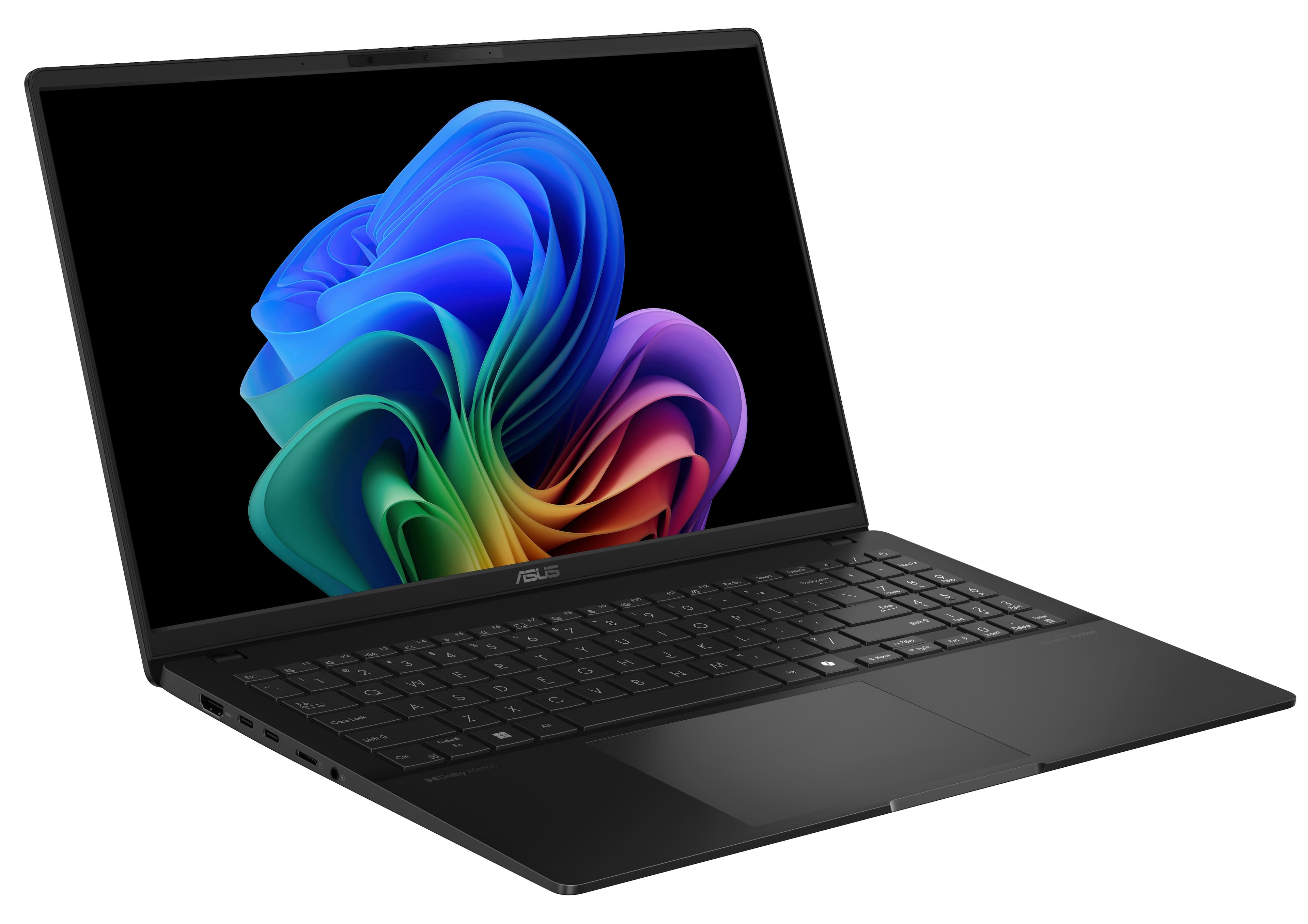
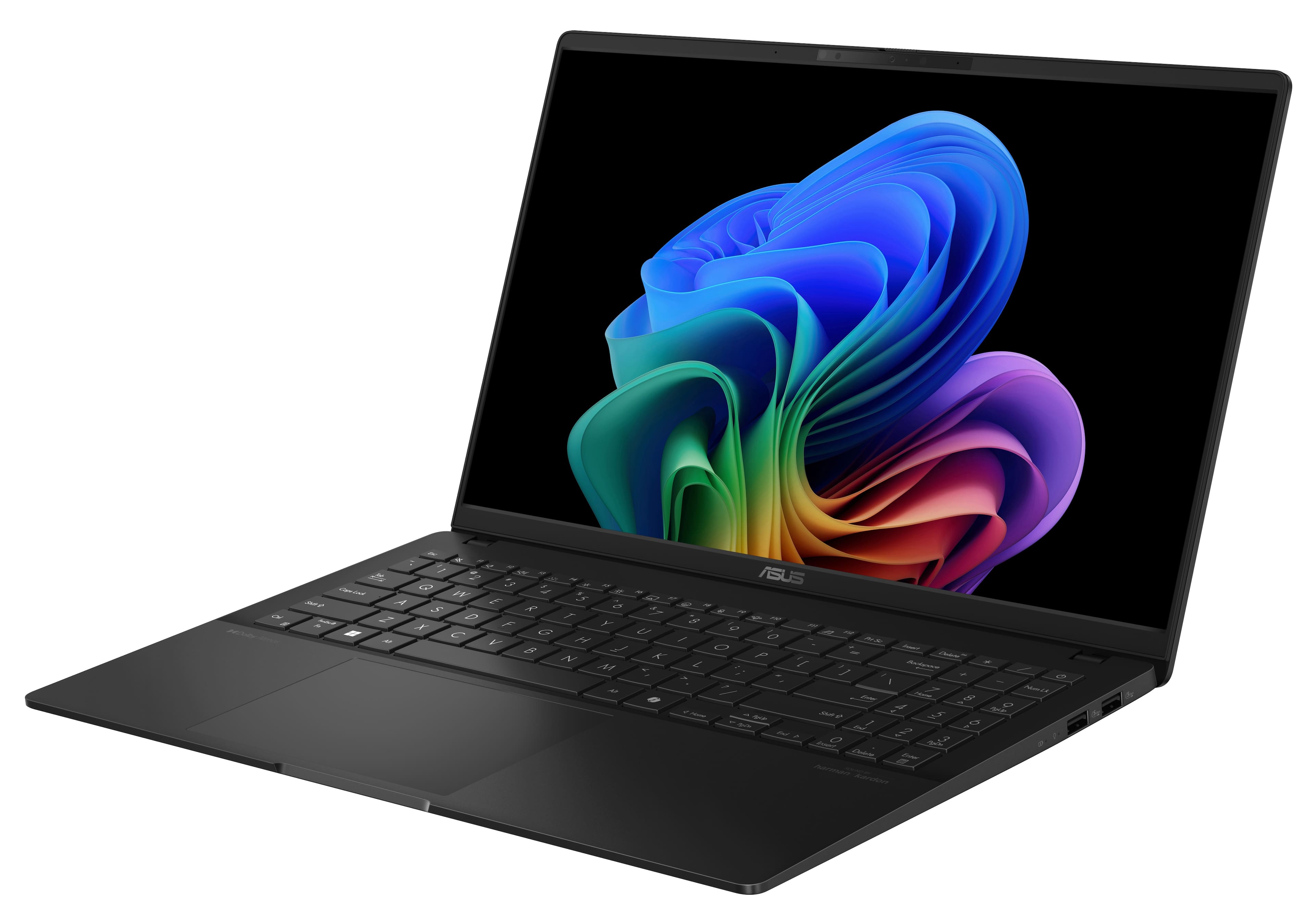
|Posted .This reviewer received promo considerations or sweepstakes entry for writing a review.I’ve tested a number of laptops over the past few years, and at times they can all start to look the same, with slightly different specs, and randomized bits of technical data. The ASUS Vivobook is one of those instances in which a PC is very obviously separated from the pack of less-than-memorable machines; this is a laptop that excels in several areas, and looks fantastic doing so. Upon unboxing, you are met with one of the sleekest, thinnest, and lightest 15” laptops I’ve ever seen (or felt). Over the years I seem to gravitate towards using 13” laptops on a daily basis; the ASUS Vivobook S 15 is probably the first 15” laptop that I’ve seriously mistaken for a smaller size, just due to how slim and light it is. At .58” inches thick, and weighing barely over 3 pounds, this laptop is the definition of portable, even though it boasts a 15.6” screen. The material of the laptop case feels slightly cool to the touch, but I'm not sure it's actually made of aluminum. I couldn’t find anything online regarding what the PC is made of, so I'll assume it's some sort of plastic. That being said, if it’s plastic, it’s some of the nicest I’ve come across, as it’s so smooth it very well could be metal. The black finish looks classy, although it is a slight fingerprint magnet, at least for me it was. As you open up the laptop you are greeted with one of the nicest displays in any laptop I have ever tested. The 3K OLED display looks absolutely stunning, and the 120Hz refresh rate adds to the smoothness and overall clarity. This screen ensures that no matter what you are doing or watching, it’s simply going to look amazing on this laptop. Since it’s 15.6” as well, it really hits that sweet spot of being a great display that’s noticeably bigger than any 13”, but remains more portable than comparable 17” and 18” machines. While I’ve always stuck with laptops in the 13” range for daily use, the Vivobook is the first laptop to make me reconsider this choice. The keyboard and trackpad are also very good on this laptop, with the inclusion of a 10-key set being a nice change. The keys feel great, and they are all backlit, which can be customized to your liking. While the trackpad feels pretty standard for a device like this, I found it to be responsive and well-sized. As for specs, here’s what the ASUS Vivobook S 15 has: - Qualcomm Snapdragon X Processor running @ 3.4 gigahertz - Qualcomm Snapdragon X Elite Adreno Graphics - Copilot+ PC Functionality - 16 gigabytes of RAM - 512 gigabytes SSD - 3K OLED screen with 2880 x 1800 resolution I've used PCs with Copilot+ features before, and this experience was very similar, which is not a bad thing at all. The Qualcomm Snapdragon processor allows the Vivobook to process a wide range of AI-related tasks under the Copilot+ umbrella. While I think that some of these tasks still need a bit of work (trying to get the AI to spell specific words without errors takes quite a bit of prompting, patience, and perhaps luck), I overall find that these features are pretty amazing. If you’re looking for a new laptop that has the Copilot+ functionality, the Vivobook should be at the top of your list. I found that while Copilot+ features were handled easily, the overall entire user experience with this laptop is just smooth, fast, and straightforward. Windows 11 is a great operating system, and it combines perfectly with the specs and hardware in this laptop. Everything from work to entertainment; this PC is perfectly capable of doing it all with ease. The only area that I found a bit lacking was gaming, as I wouldn’t really recommend running any demanding titles on this machine. I don’t hold that against the Vivobook though, as it’s clearly not marketed as a gaming laptop. Still, it’s something to consider, if being able to play games is one of your top concerns. There are a number of other cool features packed into this device, such as a sound system designed by Harman Kardon, facial recognition for unlocking, a slide-cover for the front-facing camera, 4 USB ports (two A, two C) - along with charging that is done with a rather sleek USB-C charger, and a proximity sensor that can be used to customize how you interact with the laptop. I honestly can’t think of anything that could have been added to make this PC better, it just seems to have everything it needs to be a great laptop. As I mentioned earlier, I have been able to test a wide variety of laptops, and the ASUS Vivobook S 15 has definitely made an impression on me. This machine excels in so many areas, to the point where I truly believe it would be hard to improve upon, given how incredible it is at this price point. In this new world of Copilot+ PCs, the ASUS Vivobook S 15 stands at the forefront of what these devices are capable of. I wholeheartedly recommend it to anyone who is looking for an amazing laptop, with amazing performance and features to match!
I would recommend this to a friend - Pros mentioned:Battery life, Ram, Screen quality
A College Must
|Posted .This reviewer received promo considerations or sweepstakes entry for writing a review.I had recently gone back to school to work towards an advanced degree and have been using this laptop for over a week now. I have used several ASUS products in my past but have never used one that leverages copilot such as this one. This laptop has AI built into it, which saves me (at least) one step when researching a topic or doing a quick searching engine query. This AI has several features that touches on everything from editing, to video calling to basic searching inquiries. Aside from the AI capability, this laptop has an OLED screen which really makes the dark colors such as black and dark blues pop. Its truly something eye-opening if you have never experienced this technology. Be sure to use in a pitch black room if you want the full effect. In terms of the technical side, it has 16 GB of ram and a 512 GB SSD. This is a tad low in terms of storage in my opinion, but since I am only using this for my schooling it ends up working sufficiently. Battery life has been pretty solid too but I want to call out that battery life tends to usually be pretty solid straight out of the box. From a build standpoint the laptop is sturdy structurally. Some laptops that I have used in the past give me a cheap feeling but this one has not given me that feeling in the least. All in all, this laptop is a must have if you are looking to leverage all that AI has to offer. Its vivid OLED screen is bright and beaming. The onboard software/hardware is also sufficient for my needs as a student.
I would recommend this to a friend - Pros mentioned:Battery life
Efficient, all-day use & media consumption!
|Posted .This reviewer received promo considerations or sweepstakes entry for writing a review.I'm generally very pleased with this laptop, at its price point, relative to other Snapdragon offerings. It does have the lowest specced chip out of the bunch (so far anyway), with "just" eight cores at a maximum of 3.2/3.4ghz, but I don't feel hampered at all by that. It will easily clear 8+ hours of video streaming or other general web-based work on a single charge, just like all the rest, and while, yes, the maximum possible multicore performance is lower in comparison, you’re rarely going to care about that with the type of workloads these laptops are really designed for anyway. As with other Snapdragon laptops, the memory is soldered, and cannot be upgraded, but the storage is a standard m.2 NVME drive and can be replaced rather easily. The battery is also equally accessible, so that can be replaced in the future when needed. Aesthetically, it’s understated and pleasing, with a more-than-expected amount of I/O for the price point and trend of laptops these days. 2x 5gbps USB 3 A-type ports and 2x USB-C 4.0 ports should be enough for the vast majority of laptop user’s needs, including most power users. A full-sized HDMI is great to have as well. It can be charged from and charge other devices from either of its C type ports, and the inclusion of a 3.5mm jack is more than an afterthought – the onboard DAC is one of the highest quality DACs in a mobile device that I’ve ever listened to. There’s almost zero discernable baseline background noise on the most sensitive earbuds I own, which is an accomplishment matched by no mobile device’s built-in audio in my possession, other than my beloved LG V20 smartphone, may it rest in peace. It passes the one-finger open test as well! The trackpad is pretty large, and quite responsive, with some of the extra area configured to adjust the brightness, volume, and seek in videos. The sensitivity for those functions is a little bit hit and miss though, you have to target the right area so it doesn't act like you're just trying to use the trackpad normally. The keyboard is typical laptop fare, with above average key stability. The numpad is a bit too squashed horizontally to be super useful, though. It seems more like a space-filler. But I'd prefer it to be there than not, and other laptops sometimes choose to make the main keyboard uncomfortably wide to fill space instead, but this should be a good size for most people to type well. This laptop is clearly built as an option for high-quality mobile media consumption, with its OLED screen and quality speakers. At the end of the day, they’re still laptop speakers, but the full audio spectrum is about as present as it can be given the form factor, and I haven’t minded using them over earbuds in my time with this laptop so far. There’s no notable distortion at max volume, and max volume is decently loud. As a Qualcomm device, it also supports Apt-X HD for Bluetooth audio, which is another plus in comparison to most other PCs. Hardware accelerated video decoding was working flawlessly out of the box, and I was playing back 4k60 HDR youtube using only a small handful of watts. It could keep going for hours, and hours, and hours… And it did. You can easily get 12+ hours of video playback off of a single charge, depending on how bright your screen is set. When your system power draw is in the very low single watts, screen brightness variance can make an outsized relative difference in battery life. I’m also very glad to have a 120hz screen, particularly OLED. The lower response time and smooth feeling operation is a benefit in all aspects of computing life, not just in gaming. Once you experience it, it’s hard to go back to 60hz even for basic document editing, in my opinion. It should be noted, however, that HDR is not on by default, and there is not a pre-calibrated profile in Windows when you do turn it on. You will have to download the HDR calibration tool from the Windows store for the best experience on your device. Also, as is typical of most OLED screens, it is glossy, not matte, so take that into account if it matters to you. It’s not a touchscreen, which I don’t mind personally. The pixel density is also high enough to avoid the text fringing that some people perceive on other QD-OLED displays. It can get bright enough to use in direct sunlight, but I’d avoid it if you can – brightness reduces OLED lifespan, heat reduces OLED lifespan, and both of those factors increase power draw and dig into your battery life! While Snapdragon X chips are already not the best for gaming, this is by far the worst of the bunch, and it should be known that this is even less of a gaming laptop than the others – although that’s fine, it’s not advertised as a gaming laptop anyway. You’d be lucky to get decently modern games running at 30fps, 720p, with XeSS or FidelityFX upscaling on top of those restrictions. If your chosen game even launches at all, that is – Windows’ x86 emulation is still not flawless, particularly when it comes to gaming. I’d describe the games that I did try – Hitman World of Assassination, Baldur’s Gate 3, Beamng.drive, and Minecraft Java as “playable in a pinch”, but not a good experience overall. I tried to play Satisfactory, and it didn’t work. BG3 didn’t work with Vulkan. Minecraft needed some OpenGL compatibility collection from the Microsoft store. Your mileage may vary with other x86 applications or games in general. As for the AI elephant in the room... There's still not much software that most people will use that actually uses the NPU. There is a dedicated button to open the same copilot interface that all Windows 11 installs have access to. As far as I observed, the only things that actually use the NPU are the camera effects to blur your background and the slightly disturbing feature to edit your eyes to look at the camera in real time. There is also ASUS’ noise cancelling, which they claim to be powered by AI, but I did not observe any use of the NPU or any other notable amount of system resources while testing that. Regardless, it does do a very good job of canceling out rather loud room fan noise, random table banging, keyboard usage, etc, with no notable power draw increase... So that’s good! It’s pretty great, probably the best stock noise cancelling implementation I’ve seen so far. The built-in webcam is more decent than usual, and the microphone is among the best I've seen in a laptop. I have some notes to make about the performance settings in Windows, and the fan settings in MyAsus, and how that affects the core clocks. Contrary to what it says in MyAsus, the “fan” settings appear to affect more than just how aggressively the fan cools the laptop – it affects the core clock throttling as well, without a clear mapping to core temperature, as far as I can tell. Long term, you won’t get max all-core clocks unless Windows is set to prefer Best Performance in Power & Battery, and the fan speed setting is also set to at least Performance in MyASUS. For reference, under the best circumstances, it can score about 700 points in the Cinebench R24 benchmark, which is about the same as a very well cooled Ryzen 7 5800H, but at a significantly lower power draw. The maximum clock speed on this chip is 3.24Ghz on four cores, and then 3.41Ghz on another four cores. Under Windows’ Efficiency mode, and the Whisper setting in MyASUS, two cores get parked from the 3.41Ghz sector, and the remaining six run at a maximum frequency of 2.18GHz, which results in an R24 score of ~350. Under Performance mode in Windows, with Standard fan settings in MyASUS, the maximum all-core frequency is 2.7GHz. From a full charge, you can get more than 3 hours out of a 100% fully loaded Whisper/Efficiency CPU load. For a max performance load, it’s around 2-ish. Depends on how much, if any, GPU/NPU use you have, whether or not the display is on, its brightness, etc. The power management is so good that for casual use, I don’t think it really makes a difference what performance mode you choose. For long-term heavy-duty processing you will theoretically get more performance per watt in Efficiency mode than Performance, though, of course. To my ears, the maximum fan speed under maximum power consumption is still barely audible. The theme with these types of laptops is, of course, efficiency, and performance-per-watt is higher on the higher end chips. But, if you don’t need that level of performance, and for most people, you absolutely do not, this tier of chip is far more than sufficient for day-to-day web browsing, conference calling, document work, coding, photo and video editing – though power-users in those domains will definitely run into issues with 16GB of memory and the GPU performance on this particular model. Overall, this is a great-value laptop that will last average users quite a while – both in terms of hardware longevity, and battery life for daily use.
I would recommend this to a friend