Customer Ratings & Reviews













- Model:
- Q5507QA-S15.X1P512
- SKU:
- 6585180
Rating by feature
- Battery Life
Rating 4.7 out of 5 stars
- Speed
Rating 4.5 out of 5 stars
- Display
Rating 4.7 out of 5 stars
Customers are saying
Customers admire the Vivobook S 15's impressive battery life and stunning 3K OLED screen quality. Its lightweight design and ample RAM also receive high praise. However, some users have reported challenges with software compatibility due to the ARM architecture.
This summary was generated by AI based on customer reviews.
Happy with Purchase
||Posted . Owned for less than 1 week when reviewed.This reviewer received promo considerations or sweepstakes entry for writing a review.Great buy. Screen is reflective, but not a problem.
I would recommend this to a friendNot the best
||Posted . Owned for 6 months when reviewed.This reviewer received promo considerations or sweepstakes entry for writing a review.The computer doesn't have a good procesing capacity. It disconected from the internet for no reason and since it's a newer system it was harder for some technicians had a hard time understanding how to fix it and actually recommended me to change it:(
No, I would not recommend this to a friendLaptop
||Posted . Owned for 2 weeks when reviewed.This reviewer received promo considerations or sweepstakes entry for writing a review.Feels cheap and I don’t want to spend money on the new ones but if I do I’ll buy one for myself and then I’ll get one of those new ones for my mom
No, I would not recommend this to a friendBrand response from ASUS Answers
Posted .Dear BestBuyUser,
Thank you for sharing your comments regarding the ASUS Vivobook S 15 Laptop. We understand that it didn't meet your full expectations, and we sincerely apologize for that as we do understand your concerns. We are committed to providing our customers with the highest-quality products and we will forward your review to our Product team for review.
We stand behind our products and continuously strive to improve our products and processes to achieve customer service excellence. If you require any further assistance, please email us at customerloyalty@asus.com and include the case number "N2412023698-0010" as a reference. We will do our best to resolve your case quickly. Your feedback is very important to us and enables us to improve our support channels. Thank you for choosing ASUS.
Best Regards,
Chantae
ASUS Customer Loyalty US Support
unreliable, worried it might break soon
||Posted . Owned for 1 month when reviewed.This reviewer received promo considerations or sweepstakes entry for writing a review.keeps freezing on me saving grace is that it is cheap, just get the intel version it feels very unreliable
No, I would not recommend this to a friendBrand response from ASUS Answers
Posted .Dear Daniel,
We're sorry to hear that the laptop is freezing and we apologize for the inconvenience this may have caused you. To troubleshoot the issue described, we recommend following the steps in the FAQ below. Should the issue persist, please contact our support team at https://www.asus.com/us/support/CallUs to further investigate the problem or assist with repairing the device.
We stand behind our products and continuously strive to improve our products and processes to achieve customer service excellence. For more information, email us at customerloyalty@asus.com and include the case number "N2412023698-0014" as a reference. We will do our best to resolve your case quickly. Your feedback is very important to us and enables us to improve our support channels. Thank you for choosing ASUS.
Best Regards,
Chantae
ASUS Customer Loyalty US Support
[Windows 11/10] Troubleshooting - Resolving System Error Messages or Unresponsiveness (Freeze/Black Screen/White Screen during usage) - https://www.asus.com/support/faq/1038855/
Best Buy at Conyers Georgia is scamming customers
||Posted . Owned for 1 week when reviewed.This reviewer received promo considerations or sweepstakes entry for writing a review.The bad review is for Beat Buy at Conyers Georgia not this laptop. Computer is beautiful and works great but after 1 week of use my wife opened the laptop to find a cracked screen. This is a common issue with new laptops some screens just crack. My issue is that Beat Buy customer service at the Conyers Georgia location refused to honer their return policy. Instead they attempted to up sale me a warranty. We only had the laptop for ten days so we were well within our 14 day window. However the manager refused to honor their return policy but instead wanted me to pay for a warranty. There was zero physical damage on the laptop. I had to call Bestbuy.com and now have to wait 24 to 48 hours for a return instead of the store that actually sold the laptop to honor their return policy.
I would recommend this to a friendBrand response from ASUS Answers
Posted .Dear FullMetal,
We regret to hear that the laptop screen broke, as well as the difficulties you have encountered with the reseller team. We sincerely apologize for the inconvenience you may have suffered. This is not the kind of experience we want our customers to have with our resellers. If you wish to file a formal complaint, we recommend contacting BestBuy customer service at 1-888-237-8289.
We do stand behind our products and continuously strive to improve our products and processes to achieve customer service excellence. If you require any further assistance, email us at customerloyalty@asus.com and include the case number "N2412000428-0002" as a reference. We will do our best to resolve your case quickly. Your feedback is very important to us and enables us to improve our support channels. Thank you for choosing ASUS.
Best Regards,
Chantae
ASUS Customer Loyalty US Support
A reasonable laptop
||Posted . Owned for 3 weeks when reviewed.This reviewer received promo considerations or sweepstakes entry for writing a review.The display is still worse than Macbook or Samsung. The camera area design looks not very stylish. Don't see heating issues.
I would recommend this to a friendBrand response from ASUS Answers
Posted .Dear Fred,
Thank you for sharing your comments regarding the ASUS Vivobook S 15 Laptop. We understand that the design of the product didn't meet your full expectations, and we sincerely apologize for that as we do understand your concerns. We are committed to providing our customers with the highest-quality products and we will forward your review to our Product team for review.
We stand behind our products and continuously strive to improve our products and processes to achieve customer service excellence. If you require any further assistance, please email us at customerloyalty@asus.com and include the case number "N2412023698-0004" as a reference. We will do our best to resolve your case quickly. Your feedback is very important to us and enables us to improve our support channels. Thank you for choosing ASUS.
Best Regards,
Chantae
ASUS Customer Loyalty US Support
Snapdragon Windows machines can't run all apps.
||Posted . Owned for 3 weeks when reviewed.This reviewer received promo considerations or sweepstakes entry for writing a review.A Windows laptop with Snapdragon processor is not completely compatible with all applications. Be aware before you buy.
No, I would not recommend this to a friendBrand response from Snapdragon team
Posted .Hi IndraS,
Thanks for letting us know, everyday more and more applications are being supported either via emulation or natively. Please check https://www.qualcomm.com/products/features/windowsapps to see the most popular apps that are supported.
Brand response from ASUS Answers
Posted .Dear Indra S,
Thank you for sharing your comments regarding the ASUS Vivobook S 15. We understand that it didn't meet your full expectations, and we sincerely apologize for that as we do understand your concerns. Your feedback is greatly appreciated and will be passed to our Product Team for review.
We stand behind our products and continuously strive to improve our products and processes to achieve customer service excellence. If you require any further assistance, please email us at customerloyalty@asus.com and include the case number "N2412023698-0006" as a reference. We will do our best to resolve your case quickly. Your feedback is very important to us and enables us to improve our support channels. Thank you for choosing ASUS.
Best Regards,
Chantae
ASUS Customer Loyalty US Support
Stalls and bogs down a lot
||Posted . Owned for 4 months when reviewed.This reviewer received promo considerations or sweepstakes entry for writing a review.Have had it for 4 months. I use it as a desktop. When it's not stuck it's decent... But it frequently stalls and bogs down a lot. Mouse disappears for 30+ seconds, a behavior I did not experience with my other much older laptop. Frustrating! Also RAM is not expandable... I would not recommend.
No, I would not recommend this to a friendBrand response from ASUS Answers
Posted .Dear Ahmad,
Thank you for your comment.
We certainly understand your disappointment and the inconvenience this may have caused if the laptop stalls and bogs down. To resolve these issues, check if Windows is up to date. Keeping the laptop updated will maintain optimum system stability and performance. Additionally, while accessing web applications, please ensure this laptop has access to an established router and internet service is working properly since poor and unstable internet connection will definitely affect system speed and performance. Also, clearing internet cache or browsing history will improve system performance. If these steps were performed to no avail, please try to run a diagnostics or optimization test using the "My ASUS" utility software or application. If this is not pre-installed on the laptop, please download the application at the Microsoft Store. For details on how to use "My ASUS", please go to: https://www.asus.com/support/FAQ/1041686/.
If you need further assistance with this laptop, please email me at cl-rodel@asus.com and I would be more than happy to help. Or, you are most welcome to call Product Support Hotline at: 1(888) 678-3688. Also, you can chat with an ASUS live support agent from the link: https://www.asus.com/us/support/article/1135/.
Thank you for choosing an ASUS product.
Regards,
Rodel
ASUS Customer Loyalty
Not quite ready yet
||Posted . Owned for 1 month when reviewed.This reviewer received promo considerations or sweepstakes entry for writing a review.The newer generation of ARM CPUs from Qualcomm still aren't where I'd like them to be. I also had issues with trying to get some of the new Windows AI features enabled. I ultimately returned the device. Battery life was only okay. Maybe my unit was defective in some way, but it's turned me away from Qualcomm's CPUs for now.
No, I would not recommend this to a friendBrand response from ASUS Answers
Posted .Dear Andrew,
Thank you for your comment
We do understand your disappointment with the laptop and the inconvenience this may have caused if you are having issues with the new Windows AI features. Certainly, the ARM CPU is ready for primetime and is fully optimized to run Windows AI features without problem just ensure Windows 11 is always up to date. Additionally, while accessing web applications, please ensure the laptop has access to an established router and internet service is working properly since poor and unstable internet connection will definitely affect system stability and performance. If these steps were performed to no avail, please try to run a diagnostics or optimization test using the "My ASUS" utility software or application. If this is not pre-installed on the laptop, please download the application at the Microsoft Store. For details on how to use "My ASUS", please go to: https://www.asus.com/support/FAQ/1041686/.
If you need further assistance with the product, please email me at cl-rodel@asus.com and I would be more than happy to help. Or, you are most welcome to call Product Support Hotline at: 1(888) 678-3688. Also, you can chat with an ASUS live support agent from the link: https://www.asus.com/us/support/article/1135/.
Thank you for choosing an ASUS product.
Regards,
Rodel
ASUS Customer Loyalty
ASUS Vivobook
||Posted . Owned for 1 week when reviewed.This reviewer received promo considerations or sweepstakes entry for writing a review.The display is excellent. However the drag on graphic processing is very noticeable.
I would recommend this to a friendBrand response from ASUS Answers
Posted .Dear Bully3,
Thank you for sharing your feedback on the ASUS Vivobook S 15, and we apologize for the issue you've encountered with the GPU. To further investigate the problem described, we recommend contacting our support team at https://www.asus.com/us/support/CallUs.
We stand behind our products and continuously strive to improve our products and processes to achieve customer service excellence. For more information, email us at customerloyalty@asus.com and include the case number "N2412023698-0005" as a reference. We will do our best to resolve your case quickly. Your feedback is very important to us and enables us to improve our support channels. Thank you for choosing ASUS.
Best Regards,
Chantae
ASUS Customer Loyalty US Support
Great machine but flimsy
||Posted . Owned for 1 week when reviewed.This reviewer received promo considerations or sweepstakes entry for writing a review.The screen is beautiful and the battery life is incredible but this laptop is very flimsy and easily bends. After one day in my bag and not being rough on it the thing was warped and wouldn't close all the way. huge gap on one side when closed I mostly do browser based activities so the app compatibility was perfect for me.
No, I would not recommend this to a friendBrand response from ASUS Answers
Posted .Dear Melva G,
Thank you for your comments regarding the ASUS Vivobook S 15 laptop. We understand that the quality of the laptop didn't meet your full expectations, and we sincerely apologize for that as we do understand your concerns. Providing our customers with a high level of satisfaction is our top priority, and we'll forward your feedback to our team for review.
We stand behind our products and continuously strive to improve our products and processes to achieve customer service excellence. If you require any further assistance, email us at customerloyalty@asus.com and include the case number "N2410027070-0002" as a reference. We will do our best to resolve your case quickly. Your feedback is very important to us and enables us to improve our support channels. Thank you for choosing ASUS.
Best Regards,
Chantae
ASUS Customer Loyalty US Support
Black screen, can’t restart.
||Posted . Owned for 1 month when reviewed.This reviewer received promo considerations or sweepstakes entry for writing a review.I bought this computer for my mom. Based on good reviews and also it was a good price. She used it for one month and no issues and now she is getting a black screen. Can’t restart it, no buttons works, can’t even start in safe mode. After 2 days , start works again. And like this happened 4 times already. I guess we will just return it and buy another model. Very unhappy about quality because otherwise comp looks good and easy to use
No, I would not recommend this to a friendBrand response from ASUS Answers
Posted .Dear Sana,
We're sorry to hear that the notebook is unable to boot and we apologize for the inconvenience caused. This is not the kind of quality to expect from ASUS products and it's not the norm. Based on the issue described, we recommend performing a Hard Reset.
Hard Reset
1. Remove the AC adapter.
2. Press and hold the power button for 60 seconds.
3. Reconnect AC adapter.
4. Turn on the power of the device.
Should the issue persist, please contact our support team at https://www.asus.com/us/support/CallUs to further investigate the problem or assist with repairing the device.
We stand behind our products and continuously strive to improve our products and processes to achieve customer service excellence. For more information, email us at customerloyalty@asus.com and include the case number "N2412000428-0004" as a reference. We will do our best to resolve your case quickly. Your feedback is important to us and enables us to improve our support channels. Thank you for choosing ASUS.
Best Regards,
Chantae
ASUS Customer Loyalty US Support
- Pros mentioned:Battery life, Ram

Asus Vivobook with a Copilot + PC, something new
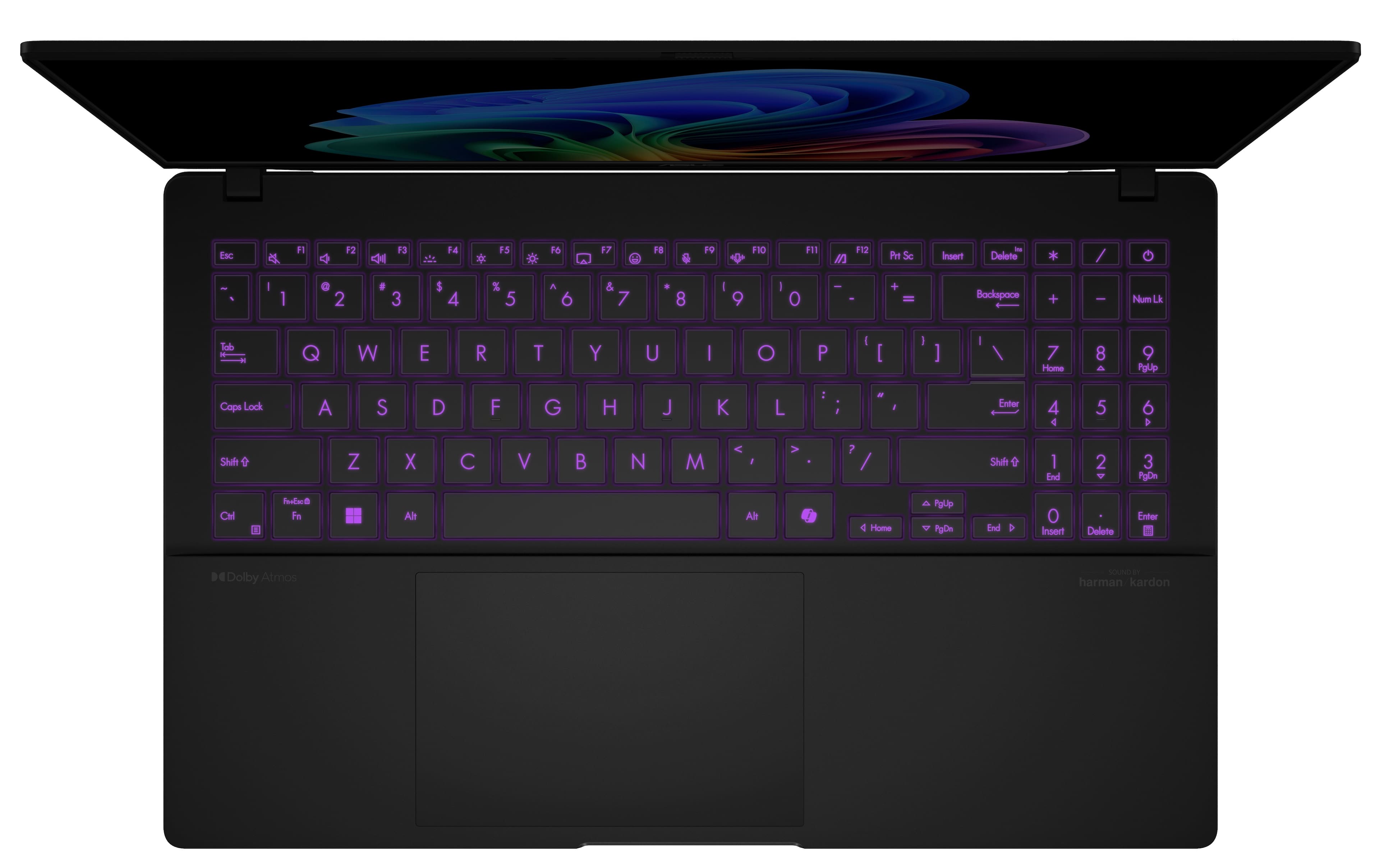
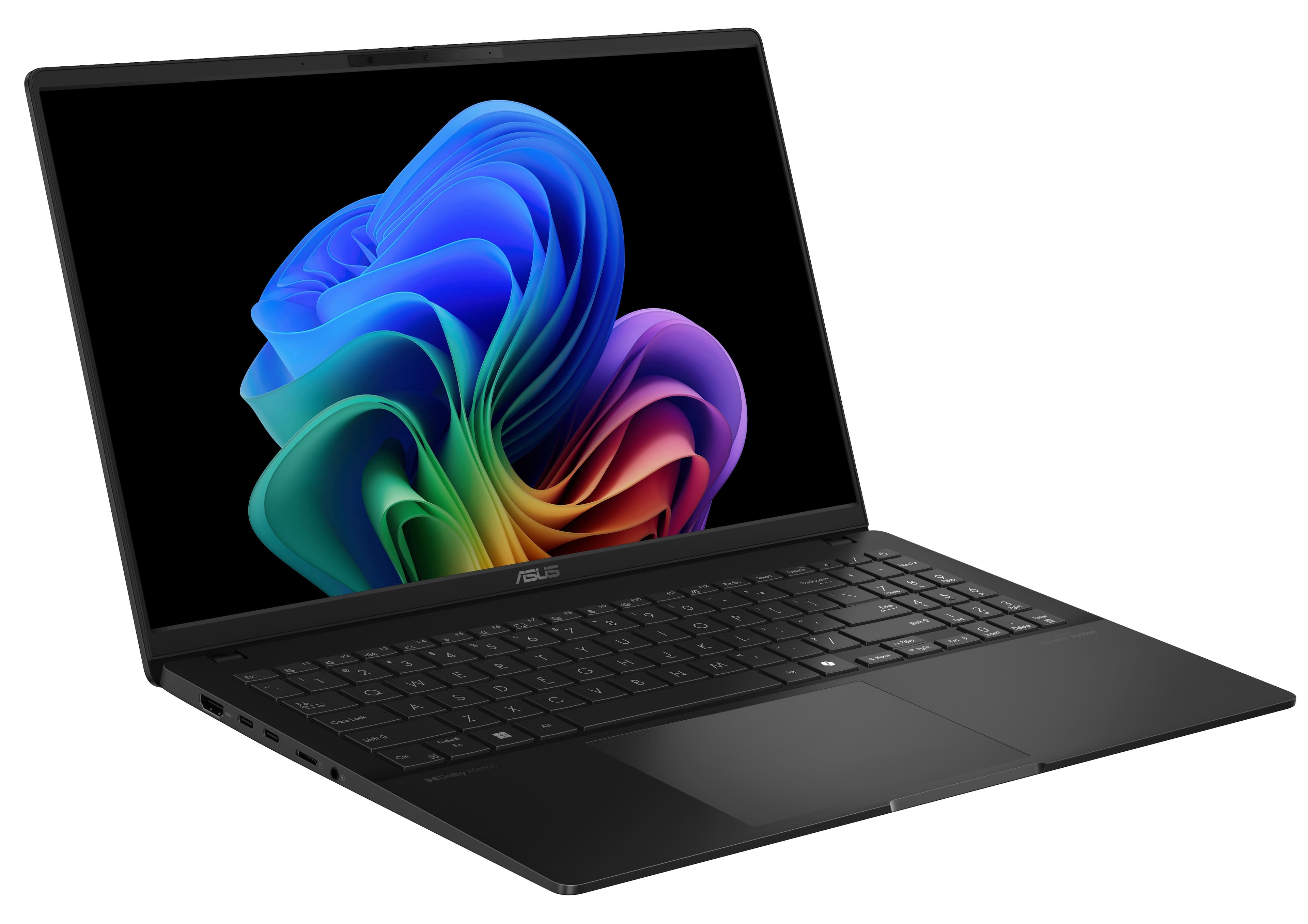
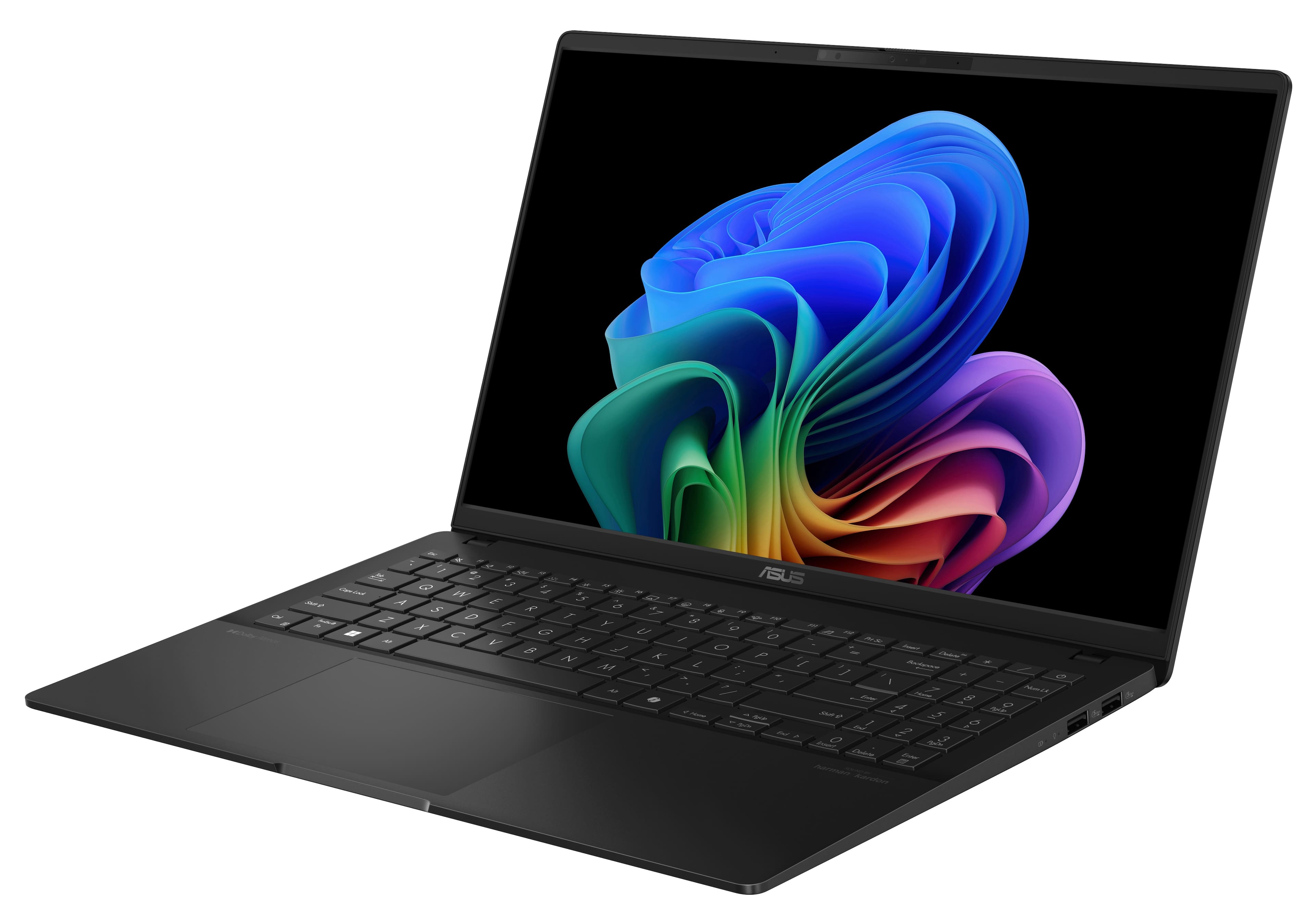
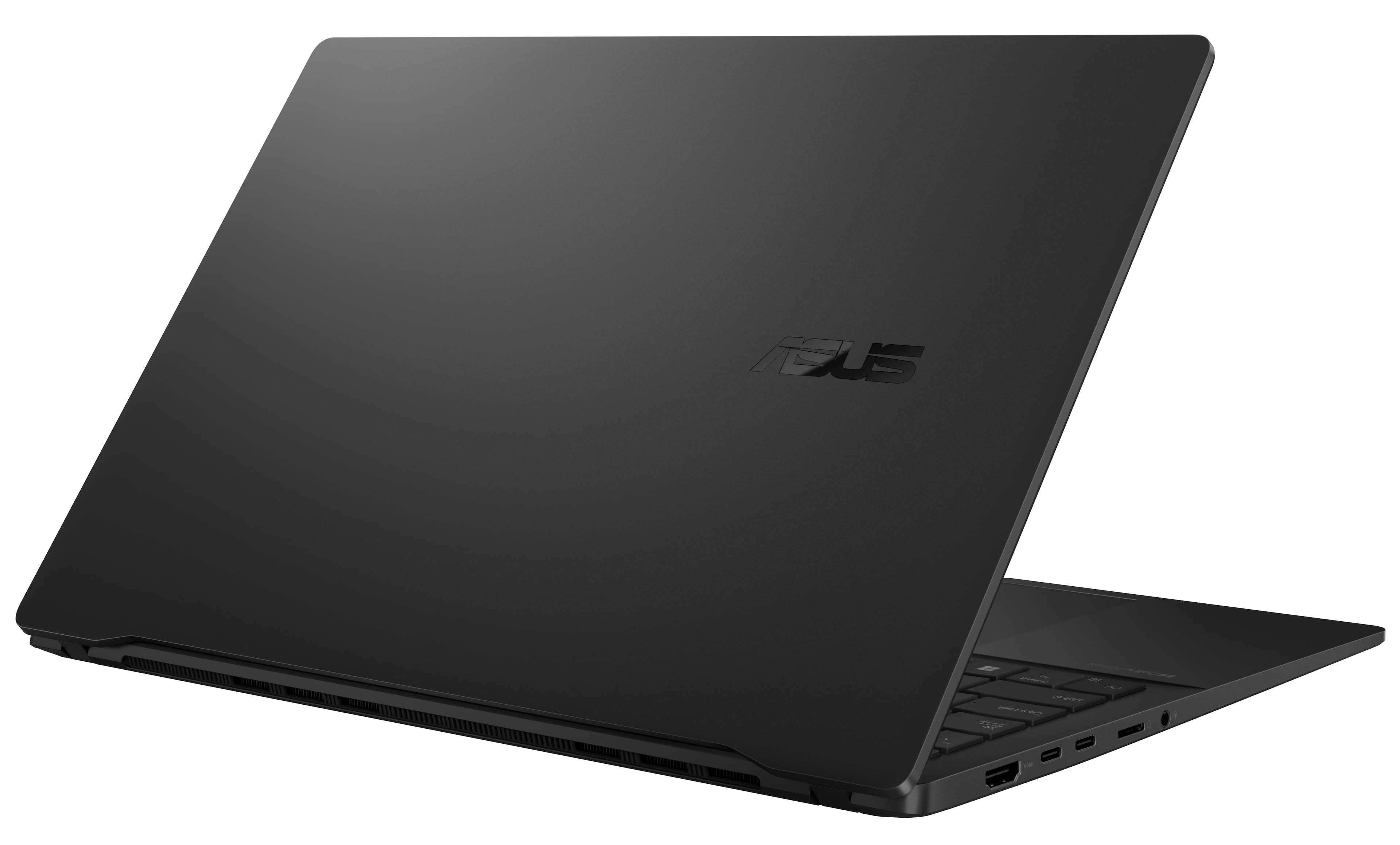
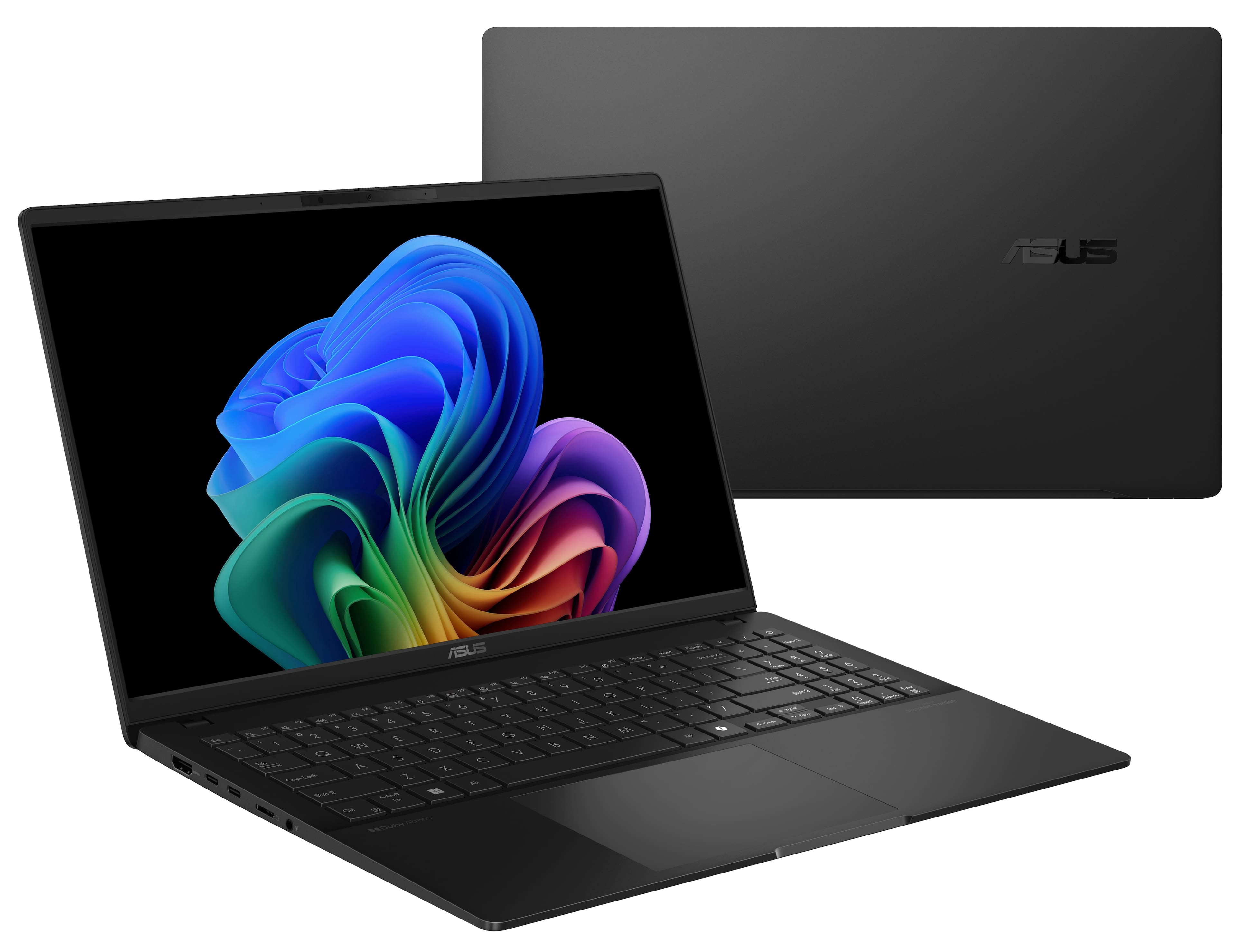
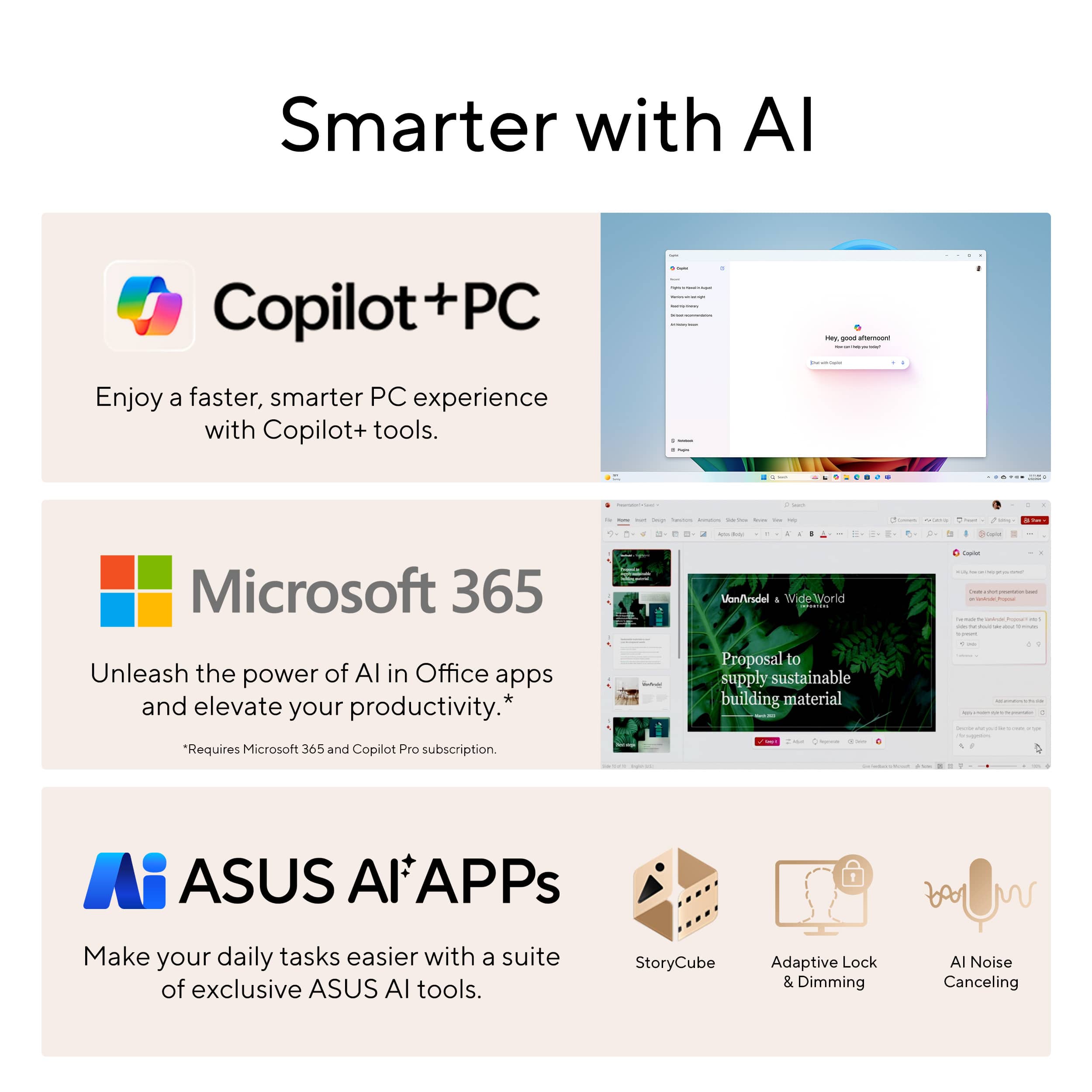
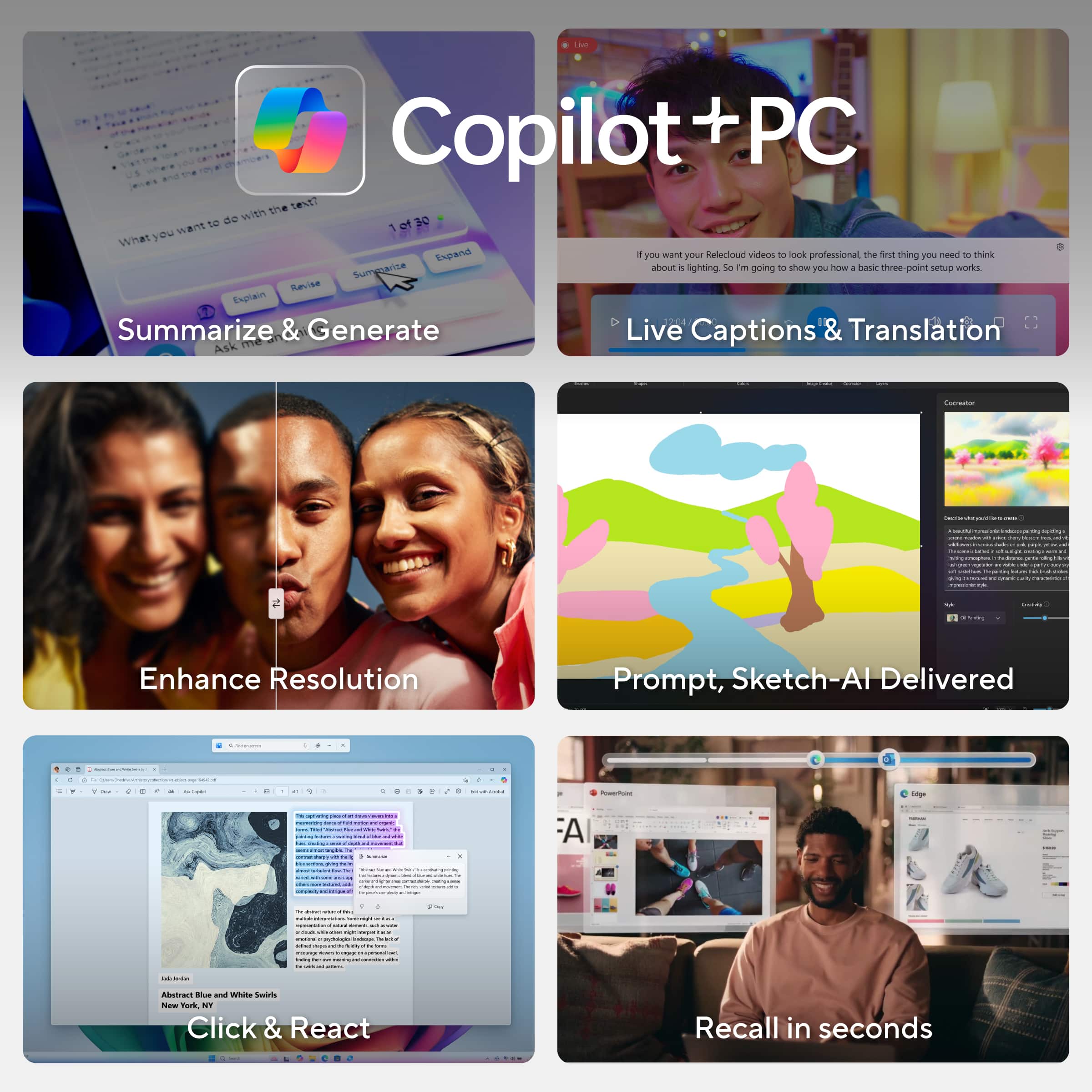
|Posted .This reviewer received promo considerations or sweepstakes entry for writing a review.Having owned a previous slightly older 14” Asus Zenbook, this Vivobook is quite newer and for the most part a much different experience regarding much higher resolution display, introduced Windows Copilot AI and more ram and performance along with this Snapdragon X Processor by Qualcomm (big difference from the AMD Ryzen series); Where a few similarities could only be just be the form factor shape and keyboard layout by a bit. It's an ASUS design. Out of the box, of course went through the necessary software updates (of course took some time but still zippy with my IP speed going through my WIfi 7 router, which this Vivobook has also WIFi 7 connectivity so I’m getting fast speeds a little over 1gb /sec), and the feel of this and weight isn’t that much heavy being around 3.13 lbs., its near the same bit a tad bit lighter compared to my 15” Macbook Air being 3.3 lbs. Its pretty thin, maybe a bit too thin but nothing to worry about it being fragile. Looking at the nice neutral black type of finish, depending if your hands are clean or not, yes it attracts fingerprints and they do show more commonly on a dark type of color such as this one and unfortunately at times my palms aren’t sweaty but a bit damp so the fingerprint was almost instant. Same somewhat problem with my Macbook Air (just need the habit to wipe it down from time to time). There’s a lot of connectivity with 4 usb ports – 2 being your A-type (3.2 speed) on one side and the other two being USB-C 4, plus an HDMI connector on the other side. HDMI on a laptop is a bonus somewhat for connecting another display via HDMI. It comes with 16gb of ram and 512gb of SSD space (perhaps for the Vivbook line), being the starting point, a lot more preferable than your much common economy 256gb SSD capacity and 8gb of memory. Plus this is a full size backlit keyboard with a number pad on the very right side; very beneficial if you’re 10-key proficient (and wouldn’t have to carry around a separate 10 key number pad). Typing was comfortable and quiet, and responsive smooth trackpad. This also has dual fans, and were relatively quiet and not that loud, but the fan noise increased by a little and this was during the whole software updating process but this was very brief anyway. As I have tested with this laptop, it supports more than 1 external monitor (my MacBook Air so far supports just up to 1); I have tried it with both my portable LG 16” monitor via UBC-C and a Acer monitor connected to the HDMI, which extends the workspace across those and rearranging any way you like. This model supports up to a total of 3 monitors; so that’s 4 displays including the Vivobook’s built in display. I’d love to change over my current portable WFH (or work from anywhere mobile) to this setup using the benefit of a second display, but very busy with all kinds of work at the moment so we’d have to wait for downtime when IT can configure it with the VPN which does take a bit of time. Regards to the main built in displace, it’s a pretty smooth 120hz display and the colors were vibrant and everything looking sharp, as its 3k. I’m used to terms of FHD or 1080p, QHD or 2560 x 1440, and 4K 3840 x 2160), but 3k was something new I learned (or 2880 x 1620) after obtaining this Vivobook. So this resolution lies in between QHD and 4K, but seemingly had to tell the difference almost when comparing this Vivobook to a 4k display, then again the 4k laptops I’ve seen are usually at a display size starting at 16”. While this Vivobook is 15”, I think it’s great of a resolution packed in for a 15” size display. With regards to the Windows environment being windows 11, the copilot is new and seems interesting yet something I would not be using that often, yet. This would be a first time for me. I’ve been mostly familiar with win 10 and 11. I would have to continue to play around. There is that copilot key to the right of the right alt key right of the spacebar, and when pressed it brings up the copilot experience. You can ask it anything and so I just asked for summarizing the weather for the next week and what’s recommended to wear, and it did that for me. And also, I have used MS paint drawing app, which I drew an apple and with the cocreator option in the upper right, AI made it much better of an artist/photoshop quality type of an actual apple. There’s more that it can do but I’ll have to go through the motions of the tutorial. So far overall, I’ve only used this laptop for about several hours almost, and copilot AI is again something new and something to learn. It can simply a lot of things. I think it’s a great budget laptop under 1k that will help especially with students with school/college (that AI will NOT do schoolwork for them but make researching a bit easier however not sure if it will make challenges less challenging, which takes out the fun in that) and some work from home applications, depending on the employer on specifics on OS requirements and so on. I have yet to game on this but from seeing the specs, casual gaming it would be fine for although there is the higher model version of this being the snapdragon elite it could benefit with more graphic intense games, but still not enough compared to an actual dedicated gaming laptop. The battery was near fully charged (about 80%) and so far using without it being plugged (and this was just four hours) battery was around 73 or 70% though I wasn’t really doing much being intensive, just updates and exploring. By far it’s a real good battery and perfect on the go. In conclusion it is a good laptop for these types of activies but anything more extreme, may have to consider the similar yet more priced model with the Elite version of the processor, if your into heavy photo and video editing. Nonetheless this model serves great for the casual user that does a bit more in productivity.
I would recommend this to a friend - Pros mentioned:Battery life, Screen quality, Weight
ASUS Vivobook S 15 3K OLED - My New Daily Driver
|Posted .This reviewer received promo considerations or sweepstakes entry for writing a review.The ASUS Vivobook S 15 3K OLED Laptop is designed for those who are seeking performance, creativity, and an immersive experience. Whether you’re editing videos, designing graphics, or an office power user, the ASUS Vivobook Pro 15 OLED has you covered. Unboxing & Setup: In the box is the laptop, a charging cord, the 65W charging block and warranty paperwork and user’s manual. The laptop was well packaged for shipping and most of the box material is recycled, which is a plus. First Impressions: This is a really well-built laptop; it feels solid yet is super slim and lightweight which makes it ideal for taking it on the road for work or play. The keyboard is full sized and there’s also a numeric keypad to the right of the keyboard. The numeric keypad is not full sized which I really liked as it didn’t offset the overall keyboard too much. The trackpad is a good size and is slightly offset to the left to align with the keyboard. Whether you’re editing photos, watching movies, or working on creative projects, the visuals are breathtaking, and the colors are rich and true on the 15” 3K Lumina OLED display. The Harman / Kardon certified speakers compliment the 3K OLED screen with immersive output considering the price point of this system. The ErgoLift hinge adds an ergonomic typing experience, and the single-zone RGB backlit keyboard enhances both style and functionality. Specs & Performance: Under the hood, this laptop runs on the Qualcomm Snapdragon X Plus processor, which handles multitasking efficiently. Paired with 16GB of LPDDR5 RAM, it provides seamless performance for a variety of applications, from productivity tasks to light gaming. The Qualcomm Adreno graphics add to the visual capabilities, handling basic graphic tasks smoothly. The VivoBook S 15 comes with 512GB of SSD storage. This not only provides ample space for your files and applications but also ensures quick boot times and fast data access. Battery life is above average compared to similar laptops I’ve owned or used over the years. I streamed videos, edited photos, ran spreadsheets and just about everything else I could think to do and the battery was at 50% after more than half a day’s use. I was thoroughly impressed. That combined with the small and light charging cube and cord, this system is ideal for taking on the road. Battery charging was also above average. The Vivobook S 15 also features Copilot+ PC technology to enhance AI integration, performance, battery life, security and AI-powered features like real-time language translation. One other area that really shined on the Vivobook S 15 is the number of connectivity options for a laptop this size and price point. There are 2 x USB-C ports, 2 x USB-A ports, MicroSD card reader, 1 x HDMI and 1 x 3.5mm combo audio jack. Pros: • Brilliant 3K Lumina OLED display is the centerpiece of this laptop • Outstanding performance with support for AI – CoPilot+ Computer • Immersive audio experience while watching movies or gaming • Impressive build-quality with a sleek overall design, perfect for users on the go • Small ridge on the leading edge of the display makes it easy to open the lid • Full-sized keyboard and responsive touchpad • Multiple outputs including USB-C, HDMI and USB-A • 65W Charging brick and power cord is small and perfect for travel Cons: • The black finish is a fingerprint magnet, but hey, it’ still beautiful! In summary, if you’re looking for a laptop that combines power, style, and versatility, the ASUS Vivobook S 15 3K OLED is an excellent choice that I would recommend to anyone. With its sleek design, impressive specs, and stunning display, it’s a laptop that sparks creativity and elevates your computing experience.
I would recommend this to a friend Slow!
||Posted . Owned for 5 months when reviewed.This reviewer received promo considerations or sweepstakes entry for writing a review.I bought this less than a year and have taken good care of it. The computer is super slow even with updates and lags when just browsing. I would save the money and buy something better next time. This just fits into the narrative that PC's are junk for the most part.
No, I would not recommend this to a friendBrand response from ASUS Answers
Posted .Dear Kevin A,
We're sorry to learn you're experiencing slow performance with your ASUS Vivobook. This does not reflect the standard we strive to uphold. To help address the issue, we recommend reviewing the steps in our system troubleshooting guide. If the issue continues, please contact our support team at https://www.asus.com/us/support/CallUs so we can assist you further or arrange repair service if necessary.
We stand behind our products and continuously strive to improve our products and processes to achieve customer service excellence. For more information, email us at customerloyalty@asus.com and include the case number "N2412000428-0014" as a reference. We will do our best to resolve your case quickly. Your feedback is very important to us and enables us to improve our support channels. Thank you for choosing ASUS.
Best Regards,
Chantae
ASUS Customer Loyalty US Support
[Windows 11/10] Troubleshooting - System is running slowly - https://www.asus.com/support/faq/1042398/
- Pros mentioned:Battery life, Ram, Weight
Good power for a large-screen light laptop!
|Posted .This reviewer received promo considerations or sweepstakes entry for writing a review.I have used and tested this ASUS Vivobook laptop for about a week now. It very much reminds me of a slightly thicker Windows 11 version of my wife’s 15” MacBook Air (and the ASUS is actually a little lighter). The black color finish is nice and I can see the keys clearly. Some fingerprints on it, but not a big deal. The trackpad is very smooth and I like the gestures that can be set as well. Very responsive in my use. 120hz display is really nice for motion and mouse pointer movement and accuracy. Display resolution is VERY sharp as well (and tiny if set to 100% in Windows settings...I set it to 175% for my eyes and size preference). While the display is quite glossy it is very clear and the colors and contrast is great. I set my brightness at 70% and the power setting to peak performance (slider all the way to the right). Responsiveness and opening apps seemed very fast in all uses. The 16GB RAM and 512GB storage is perfect for my needs (I also have OneDrive storage for pics and video backup). Logging in is nice and fast with the facial recognition via the small cam at the top edge of the screen. I also like that this has WiFi 7 built in which was “ethernet-fast” on my home WiFi 7 mesh network. Plenty of ports on this laptop as well which is great...many now only offer USB-C which would require a dongle. Battery life with this combo paces out at over 8 hours for me. I'm sure I will get much longer life if I dial it back a bit, but this isn't terrible at these settings. Most usage was web browsing, email, MS Office apps, and light YouTube watching. Testing out CoPilot has worked ok so far, but I can see this improving over time as well. In summary, I think it is a good and light laptop for home or on the go use. Certainly has more than enough power, speed, and smoothness for all the apps I have used so far. And a VERY good price as well. Recommend!
I would recommend this to a friend - Pros mentioned:Processor speed, RamCons mentioned:Software compatibility
Beautiful Appearance, Not universally compatible
|Posted .This reviewer received promo considerations or sweepstakes entry for writing a review.First and foremost, I want to say that this is an absolutely beautiful machine. From the construction, to the layout, and most notably the screen, the Asus Vivobook is stunning. I have began to heavily rely on ASUS devices to complete everyday tasks and work for my small business. I also enjoy using them for pleasure as a casual gamer. Now this laptop is more of an entry level contender and won't give you the performance of a gaming pc. However it is not marketed or prices as something that will. This Asus Vivobook is about assisting you and getting more done, and this is where it excells. With AI assistance, a speedy Snapdragon processor, 16gb memory and an ample SSD, this laptop will be your friend in productivity. With a BEAUTIFUL OLEN screen, it will even be your best friend. Now like anything else, there are a few downsides. First, I have ran into some compatibility issues with the Snapdragon processor and graphics. Some programs, mainly entertainment programs or low level games have proven to crash and/or fail to load. From moderate research I have found workarounds installing different DirectX versions as there has been translation and compatibility issues noted with the Snapdragon CPUs. I wouldn't let this really drive you away from this otherwise amazing laptop as this can be corrected in software updates. The other minor issue I run into is that this laptop does skimp on some of the connections ports. I regularly need a LAN port to directly connect to IPCs and managed switches for my small business, but I do carry a USB to Ethernet adapter for this reason. Overall, this is a laptop that is well worth the money, and I would definitely recommend it for those that want to be more productive.
I would recommend this to a friend Windows 11 not compatible
||Posted . Owned for 1 week when reviewed.This reviewer received promo considerations or sweepstakes entry for writing a review.Very nice laptop. I really like the lighted keyboard. But Windows 11 is not compatible with Big Fish games and that is the reason I bought it; to play games.
No, I would not recommend this to a friendBrand response from ASUS Answers
Posted .Dear Valued Customer,
Thank you for sharing your comments regarding the ASUS Vivobook S 15. We understand that it didn't meet your full expectations, and we sincerely apologize for that as we do understand your concerns. We are committed to providing our customers with the highest-quality products and we will forward your review to our Product team for review.
We stand behind our products and continuously strive to improve our products and processes to achieve customer service excellence. If you require any further assistance, please email us at customerloyalty@asus.com and include the case number "N2410027070-0003" as a reference. We will do our best to resolve your case quickly. Your feedback is very important to us and enables us to improve our support channels. Thank you for choosing ASUS.
Best Regards,
Chantae
ASUS Customer Loyalty US Support
Brand response from Snapdragon team
Posted .Thank you for your feedback. We’re continually adding more games to our list of supported titles. Please visit https://www.worksonwoa.com/games/ to see the games currently supported by Snapdragon.
Not good
||Posted . Owned for 2 weeks when reviewed.This reviewer received promo considerations or sweepstakes entry for writing a review.This pc says it has 16gb of ram but acts like it has 4. It is a total waste of money do not buy
No, I would not recommend this to a friendBrand response from ASUS Answers
Posted .Dear KingHolden,
We sincerely apologize for the issues you're experiencing with the notebook and for the inconvenience this has caused. This is not the kind of quality to expect from our products and it's not the norm. To further investigate the problems, we recommend contacting our support team at https://www.asus.com/us/support/CallUs.
We stand behind our products and continuously strive to improve our products and processes to achieve customer service excellence. For more information, email us at customerloyalty@asus.com and include the case number "N2410027070-0007" as a reference. We will do our best to resolve your case quickly. Your feedback is very important to us and enables us to improve our support channels. Thank you for choosing ASUS.
Best Regards,
Chantae
ASUS Customer Loyalty US Support
Good but eaisly dirty and annoying
||Posted . Owned for less than 1 week when reviewed.This reviewer received promo considerations or sweepstakes entry for writing a review.Overall good laptop for the price but fingerprint magnet and the screen beautiful but reflection to high. Was cleaning more then using it
No, I would not recommend this to a friendBrand response from ASUS Answers
Posted .Dear Alex,
Thank you for sharing your feedback on the laptop. We understand that the design of the product didn't meet your full expectations, and we sincerely apologize for that as we do understand your concerns. Providing our customers with a high level of satisfaction is our top priority, and we'll forward your feedback to our product team for review.
We stand behind our products and continuously strive to improve our products and processes to achieve customer service excellence. If you require any further assistance, email us at customerloyalty@asus.com and include the case number "N2410027070-0001" as a reference. We will do our best to resolve your case quickly. Your feedback is very important to us and enables us to improve our support channels. Thank you for choosing ASUS.
Best Regards,
Chantae
ASUS Customer Loyalty US Support