Customer Ratings & Reviews



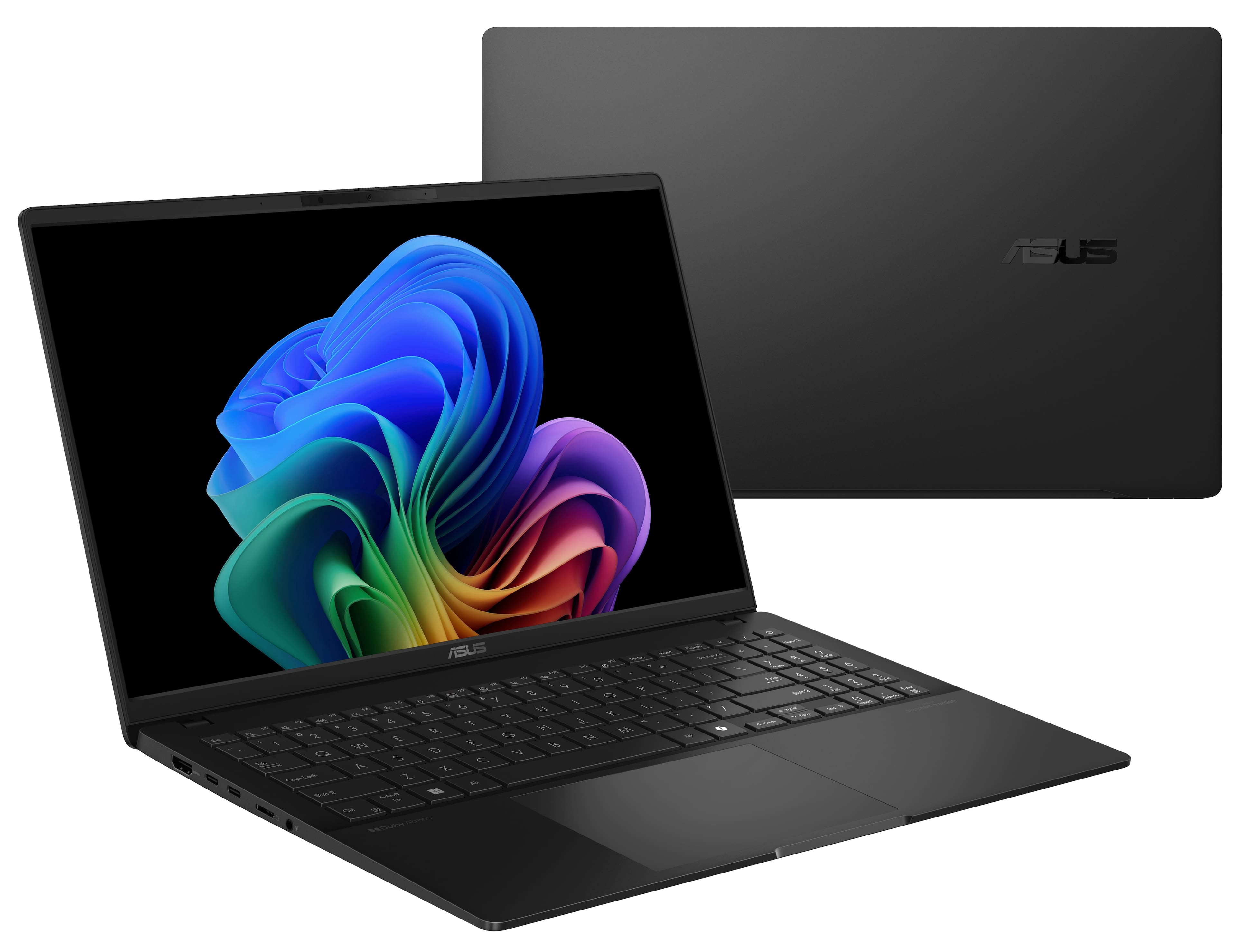


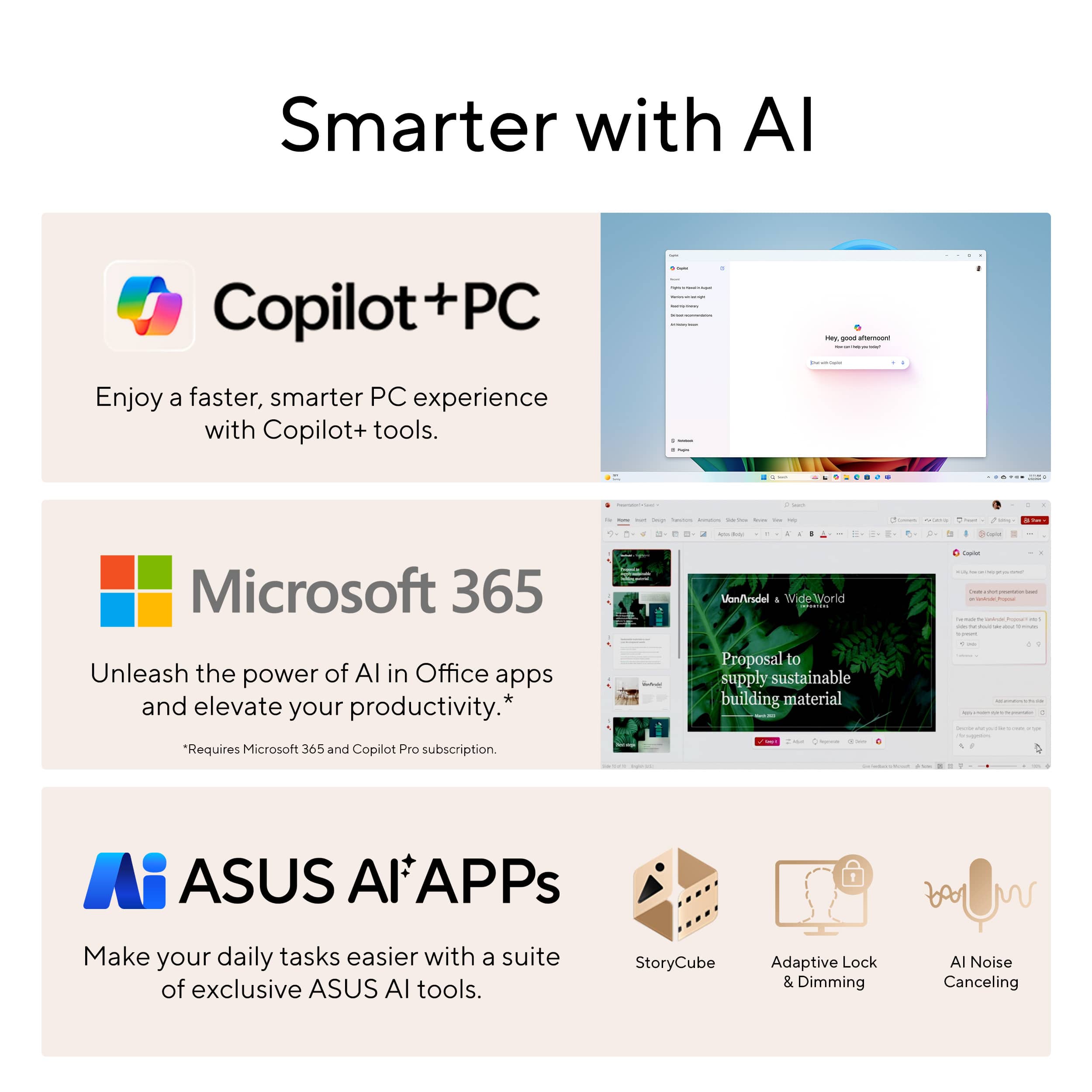
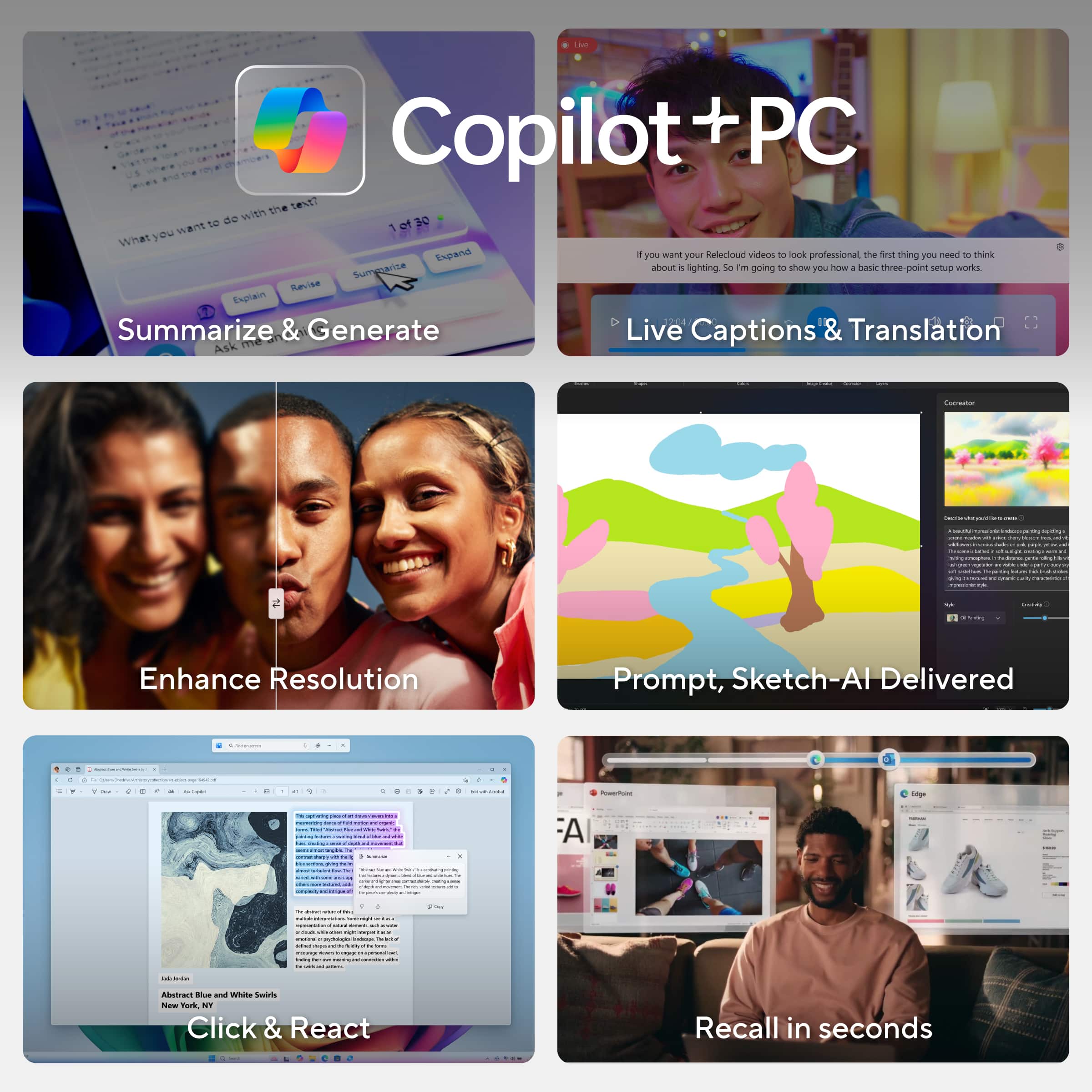








- Model:
- Q5507QA-S15.X1P512
- SKU:
- 6585180
Rating by feature
- Battery Life
Rating 4.7 out of 5 stars
- Speed
Rating 4.5 out of 5 stars
- Display
Rating 4.7 out of 5 stars
Customers are saying
Customers admire the Vivobook S 15's impressive battery life and stunning 3K OLED screen quality. Its lightweight design and ample RAM also receive high praise. However, some users have reported challenges with software compatibility due to the ARM architecture.
This summary was generated by AI based on customer reviews.
Wrong laptop received
||Posted . Owned for 1 week when reviewed.This reviewer received promo considerations or sweepstakes entry for writing a review.Returned. Ordered open box-excellent contion from Tustin. When I received it the S/N on the laptop didn't match the box, and the screen was kind of dirty. When I returned it the customer service staff gave me some excuse that it happens sometimes. Excellent condition on their website says its in original packaging.
No, I would not recommend this to a friendBrand response from ASUS Answers
Posted .Dear Tress,
Thank you for your comment.
We certainly understand your disappointment and the inconvenience this may have caused if you received the wrong laptop. Typically, we recommend to contact your seller for a resolution if a different item was delivered to you. Should you need further assistance with the product, please email me at cl-rodel@asus.com and I would be more than happy to help. Or you are most welcome to call Product Support Hotline at: 1(888) 678-3688. Also, you can chat with an ASUS live support agent from the link: https://www.asus.com/us/support/article/1135/.
Thank you for choosing an ASUS product.
Regards,
Rodel
ASUS Customer Loyalty
Cannot recommend
||Posted . Owned for 1 month when reviewed.This reviewer received promo considerations or sweepstakes entry for writing a review.Used this laptop for one week. It then lost the ability to find or recognize any wireless networks. Brought it back to Best Buy. They were very helpful, and told me it was irreparable. They gave me a full refund on this item.
No, I would not recommend this to a friendBrand response from ASUS Answers
Posted .Dear Howard G,
We sincerely apologize for the wireless connectivity issue you've faced with the ASUS Vivobook S 15 Laptop and for the inconvenience this has caused you. What you've experienced was not intentional or representative of our brand. Having returned the notebook, we hope that you were able to obtain a functional replacement.
We stand behind our products and continuously strive to improve our products and processes to achieve customer service excellence. If you require any further assistance, please email us at customerloyalty@asus.com and include the case number "N2412000428-0007" as a reference. We will do our best to resolve your case quickly. Your feedback is very important to us, and it enables us to improve our support channels. Thank you for choosing ASUS.
Best Regards,
Chantae
ASUS Customer Loyalty US Support
60 days of use and broke
||Posted . Owned for 3 months when reviewed.This reviewer received promo considerations or sweepstakes entry for writing a review.with less than 60 days of use, took it back to the store which sent to favtory for repair. 30 days have passed and i still dont have my laptop.
No, I would not recommend this to a friendBrand response from ASUS Answers
Posted .Dear Carlosortiz,
Our sincere apologies that the laptop has stopped working and that you have still not received it from repairs. We understand the impression this may have created and we hope this will not be a long-term lasting impression as you have chosen ASUS as a trusted brand for excellence. We would like to make your experience with ASUS a better one.
Please send us an email at customerloyalty@asus.com and include the case number "N2412000428-0012" as a reference so that we can further investigate this issue. Maintaining a functioning unit is an urgent matter, and we are committed to helping you.
We stand behind our products and continuously strive to improve our products and processes to achieve customer service excellence. We will do our best to resolve your case quickly. Your feedback is very important to us, and it enables us to improve our support channels. Thank you for choosing ASUS.
Best Regards,
Chantae
ASUS Customer Loyalty US Support
slowest thing on the planet
||Posted .This reviewer received promo considerations or sweepstakes entry for writing a review.worst processor ever performance is disgusting on normal use don't spend a penny on snapdragon piece of crap
No, I would not recommend this to a friendBrand response from ASUS Answers
Posted .Dear Michael,
Thank you for sharing your experience with the ASUS Q5507QA Laptop. We’re truly sorry to hear that the device’s performance has not met expectations during standard use, and we apologize for any inconvenience this may have caused. Your feedback is important and will be forwarded to the appropriate teams for further evaluation.
To help improve performance, we recommend reviewing the steps in our system troubleshooting guide linked below. If the issue continues, please contact our support team at https://www.asus.com/us/support/CallUs so we can assist you further.
We stand behind our products and continuously strive to improve our products and processes to achieve customer service excellence. For more information, email us at customerloyalty@asus.com and include the case number "N2412000428-0013" as a reference. We will do our best to resolve your case quickly. Your feedback is very important to us and enables us to improve our support channels. Thank you for choosing ASUS.
Best Regards,
Chantae
ASUS Customer Loyalty US Support
[Windows 11/10] Troubleshooting - System is running slowly - https://www.asus.com/support/faq/1042398/
Cheaply Made
||Posted . Owned for 3 months when reviewed.This reviewer received promo considerations or sweepstakes entry for writing a review.Weak brackets snapped and physical damage was caused to the computer so its not covered. Very fragile. Low picture quality. Slow if watching videos or streaming.
No, I would not recommend this to a friendBrand response from ASUS Answers
Posted .Dear Bear,
We sincerely apologize for the issues you're experiencing with the ASUS Vivobook and for any inconvenience this may have caused you. This is not the kind of quality to expect from our products and it's not the norm. To obtain assistance with repairing the laptop or to further investigate the problems described, we recommend contacting our support team directly at https://www.asus.com/us/support/CallUs.
We stand behind our products and continuously strive to improve our products and processes to achieve customer service excellence. For more information, email us at customerloyalty@asus.com and include the case number "N2412000428-0008" as a reference. We will do our best to resolve your case quickly. Your feedback is very important to us and enables us to improve our support channels. Thank you for choosing ASUS.
Best Regards,
Chantae
ASUS Customer Loyalty US Support
Brand response from Snapdragon team
Posted .Hi Bear, We value your input and thank you for sharing your experience with the Snapdragon processor. Your feedback is crucial to us, and we will ensure it is communicated to our team.

Snapdragon is ARM64 architecture
||Posted . Owned for 3 weeks when reviewed.This reviewer received promo considerations or sweepstakes entry for writing a review.The snapdragon processor is giving me a hard time installing the drivers. not found for all printers, unable to locate it or get any support.
No, I would not recommend this to a friendBrand response from ASUS Answers
Posted .Dear Ayman,
We're sorry to hear that you're having issues installing drivers on the notebook and we apologize for any inconvenience this may have caused you. To further investigate this issue, we recommend contacting our support team at https://www.asus.com/us/support/CallUs.
We stand behind our products and continuously strive to improve our products and processes to achieve customer service excellence. For more information, email us at customerloyalty@asus.com and include the case number "N2412000428-0006" as a reference. We will do our best to resolve your case quickly. Your feedback is very important to us and enables us to improve our support channels. Thank you for choosing ASUS.
Best Regards,
Chantae
ASUS Customer Loyalty US Support
Snapdragon is terrible
||Posted . Owned for 1 month when reviewed.This reviewer received promo considerations or sweepstakes entry for writing a review.No apps are compatible with this CPU. I regret going with snapdragon should’ve stayed with AMD or Intel.
No, I would not recommend this to a friendBrand response from ASUS Answers
Posted .Dear Michael,
Thank you for sharing your comments regarding the ASUS Vivobook S 15 Laptop. We understand that it didn't meet your full expectations, and we sincerely apologize for that as we do understand your concerns. We are committed to providing our customers with the highest-quality products and we will forward your review to our Product team for review.
We stand behind our products and continuously strive to improve our products and processes to achieve customer service excellence. If you require any further assistance, please email us at customerloyalty@asus.com and include the case number "N2412000428-0003" as a reference. We will do our best to resolve your case quickly. Your feedback is very important to us and enables us to improve our support channels. Thank you for choosing ASUS.
Best Regards,
Chantae
ASUS Customer Loyalty US Support
Brand response from Snapdragon team
Posted .Hi Michael,
Thanks for letting us know, everyday more and more applications are being supported either via emulation or natively. Please check https://www.qualcomm.com/products/features/windowsapps to see the most popular apps that are supported.
- Pros mentioned:Battery life, Processor speed

Sleek AI-capable laptop with all day battery life
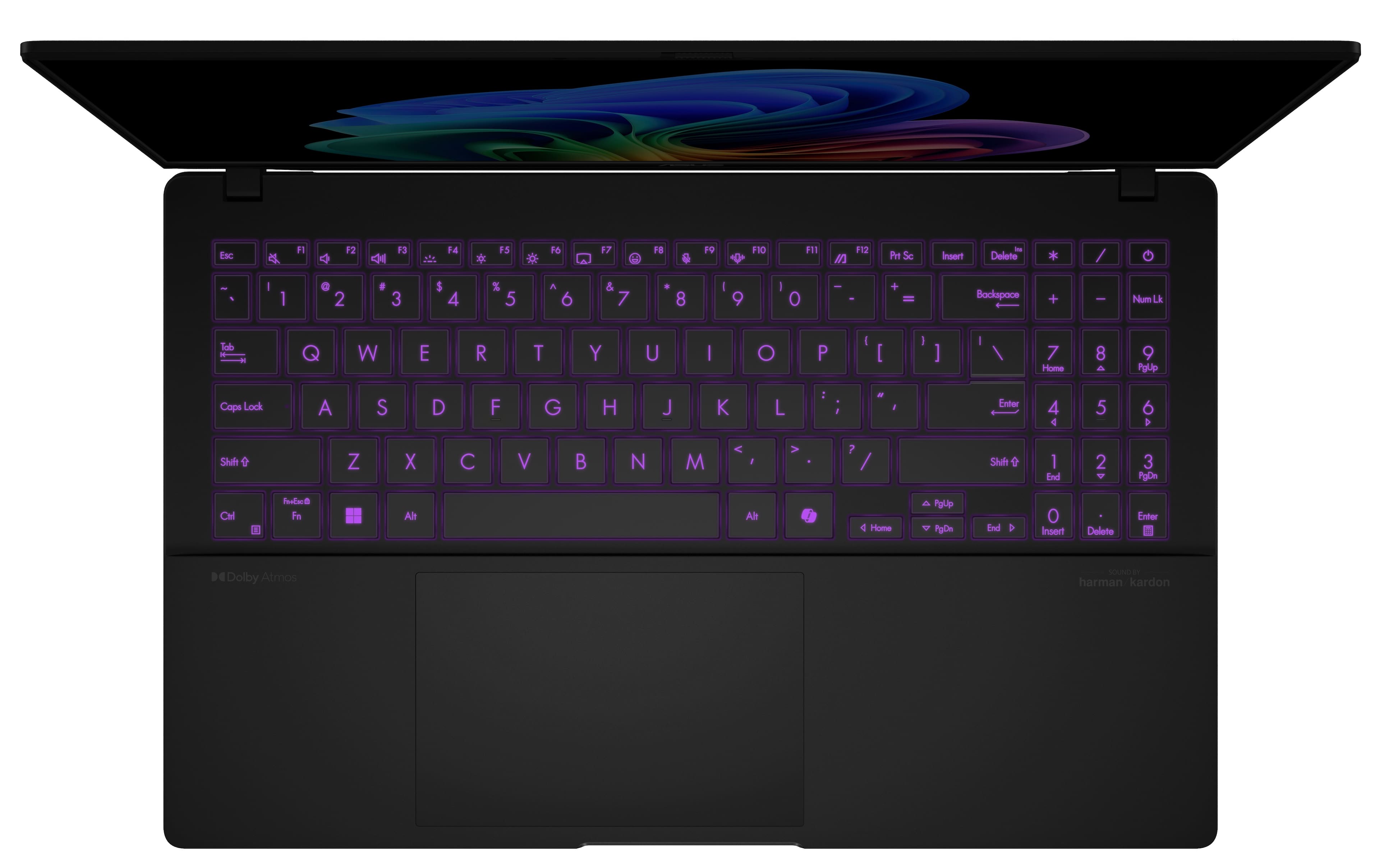
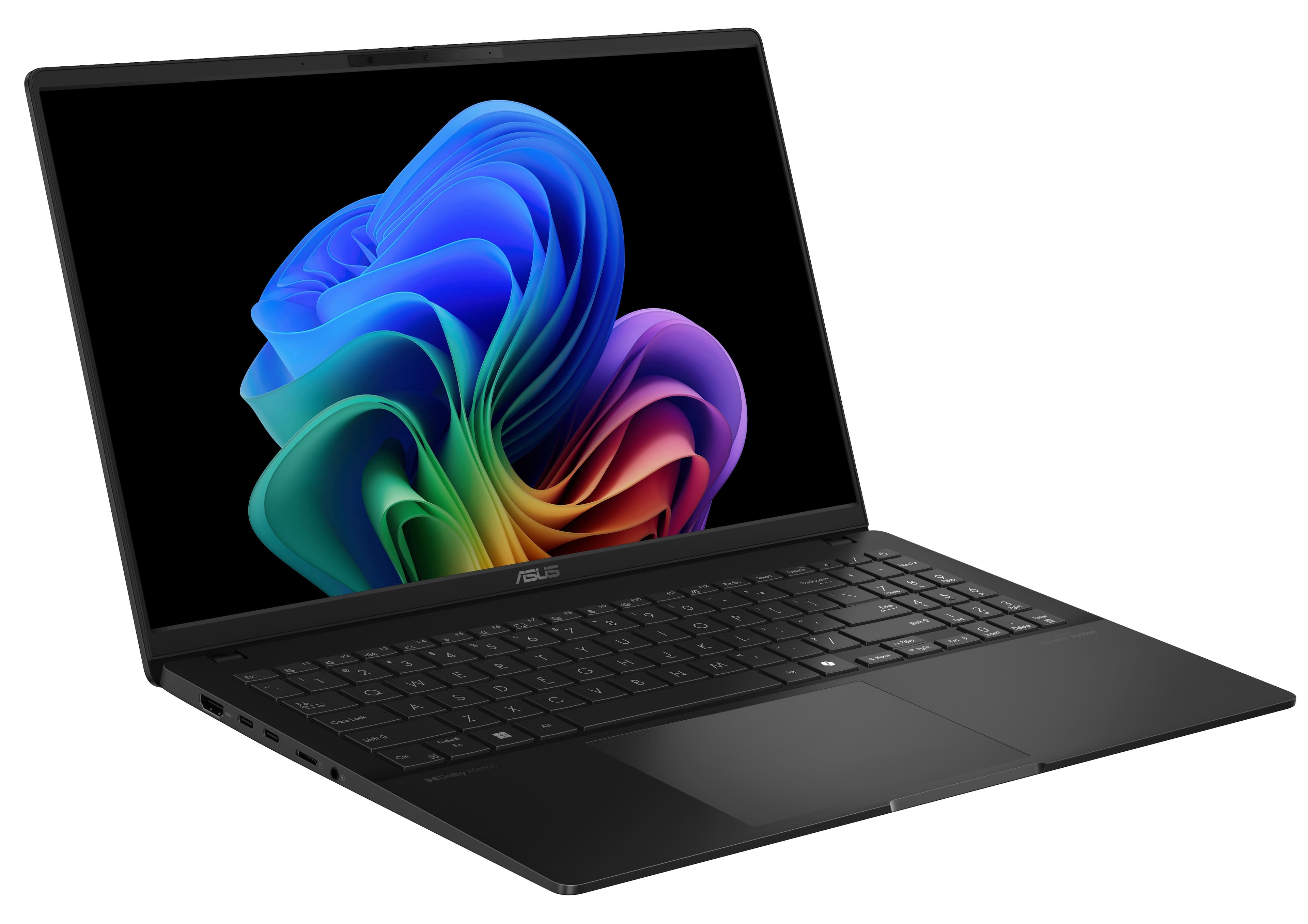
|Posted .This reviewer received promo considerations or sweepstakes entry for writing a review.Battery life has always been a thorne on the side of Windows-based laptops, and being a full time PC user, for both work and personal use, there was always a compromise. Either the laptop was thin and light (ultraportable), but has abysmal battery life when proper work needs to be done. On the other hand, for proper work I had to lug around a 7lbs behemoth that could only work for 1 hour with a battery. The Qualcomm Snapdragon X Plus based laptops offer a new paradigm, and one of the 1st ones is the Vivobook S15 from Asus. I have been using this for the last month as my daily driver, and to be honest I’m more than surprised by the battery life and capability it has to offer. This in no sense a perfect laptop, but for casual day-to-day home use this ticks most of the boxes, and for the price a very good entry way into this new breed of laptop and Windows experience. Design and Build The Vivobook S 15 is sleek and modern in terms of design, but I won’t say it breaks any barriers. The shell does not feel metallic and is soft to the touch, and has the usual curves and subtle design that is common among a lot of recent Asus laptops. However, with a 15” form-factor, it is quite thin and lightweight: 0.63” thin and 3.13 lbs according to Asus website. It’s well built and the fit and finish is exquisite. However it is a fingerprint magnet and I had to wipe it continuously to keep it looking good. Display One of the standout features of the Vivobook S 15 is its 15.6-inch 3K OLED display. With a resolution of 2880 x 1620 and a 120Hz refresh rate, it looks absolutely gorgeous. Once I got used to the combo effect of OLED and 120Hz, there was no going back. Everything else looked dull and stuttery. Performance Since this is an Arm-based CPU, I was very skeptical at first. I have had the opportunity to use the previous attempt at ARM-based PCs and the experience was horrible. However, even though this is the 1st generation of Snapdragon X Plus processor from Qualcomm, I think they have cleared the hurdle quite well. It’s fast and snappy and I never felt that I was using a non-X86 machine. Paired with 16GB LPDDR5X RAM and 512GB of SSD, I think it provides some future proofing as well. However, the RAM is not upgradable, so that’s something worth considering before buying. AI Capabilities The Vivobook S 15 is equipped with Microsoft's Copilot AI, which is supposed to enhance “productivity and creativity”. Now this new wave of AI is still in early stages and even though I’ve been using them more and more for both my professional work and some personal things, it is not my primary use case. The dedicated AI shortcut in the keyboard is not being used all the time. However, the potential is there, especially since the CPU boasts 45 TOPS of power which is supposed to increase AI-based workload efficiency and speed, and for that, I believe this laptop will be ready for future demands. There are a suite of AI-based tools, from Microsoft, being preloaded, and I’m yet to test all of them. Battery Life Thanks to the power-efficient Snapdragon X Plus chip, the Vivobook S15 has a pretty long battery life, reducing lifelong woes of PC users. The 70Wh battery can reportedly last up to 18 hours, and even though I was not doing any measurement logging, it lasted all-day for me doing my regular usage, like web browsing, some streaming and music, and document editing. This makes an ideal travel laptop and for that reason I’ve brought it along to two overseas trips Connectivity and Ports The Vivobook S 15 comes with a variety of ports, including two USB-A 3.2 Gen 1 ports, two USB-C ports which are USB4 rated, an HDMI 2.1 port, a 3.5mm audio jack, and a microSD card reader. For a slim laptop, this array of ports is very impressive. From the wireless connectivity side, it supports Wi-Fi 7 and Bluetooth 5.4 so I’m getting the latest and the best. Conclusion The ASUS Vivobook S 15 Qualcomm X Plus is a well-rounded laptop that combines powerful performance, a stunning display, and advanced AI capabilities. Its sleek design and long battery life make it an excellent choice for professionals and students alike. While the AI features are still evolving, they show great potential for enhancing productivity and creativity. Overall, the Vivobook S 15 is a solid investment for anyone looking for a versatile and efficient laptop, and as such this is my daily driver both at home and on the go.
I would recommend this to a friend - Pros mentioned:Screen quality, Weight
Great Value for Higher Level Tech!
|Posted .This reviewer received promo considerations or sweepstakes entry for writing a review.This is an excellent new entry in the ASUS Windows laptop lineup with some great features at an affordable price point. Unboxing and physical: The unit is extremely well packaged and protected for safe shipping. Easy to open as well. Included in the box is simply the laptop, charger, and standard warranty and setup information. The laptop itself is very light and easy to carry with a sleek external look giving an impression of a higher end machine. The keyboard is smooth and comfortable to use as well. All the ports are easily accessible. Usage and Setup: Setup as always nowadays is very easy. If you are transitioning from an older Windows environment, it's as easy as logging in to your Microsoft account and everything is right there. Once you are logged in, the experience is very familiar, but with the added benefit of Copilot. The AI assistance in helping you get things going, assisting in searches and helping you with any work you are doing is incredibly supportive without being invasive. Of course, preinstalled are all of your Office apps for productivity, saving the time of installing them. Overall, the experience was extremely easy especially with the added Copilot support. Overall: The ASUS Vivobook S powered by the new Snapdragon provides excellent value at it's price point. It's not going to be a powerhouse gaming machine, so don't try to run Cyberpunk at max settings or anything. It will perform great for everyday tasks and productivity work. The screen is also very nice for streaming video content. Definitely recommend this unit if you are looking for some great technology and portability at a reasonable price.
I would recommend this to a friend - Pros mentioned:Battery life, Screen quality
My usage highlights
Posted .This reviewer received promo considerations or sweepstakes entry for writing a review.This review is for Asus Vivobook S15, 2880x1800 OLED, Snapdragon X Plus, 16G ram, 512G SD. Best Buy delivered the unit in one day. Thanks. Please check Best Buy frequently for a best buy - I paid $499 for it. I owned two Macbook Air - 13 and 15 units. I just want to find out what the hype of OLED is all about, and am not disappointed! The unit: It is pretty solid except it makes indent noise when holding in closed position. It is light weight, Battery: I watched youtube videos continuously with 80%+ brightness, 120 Hz, and HDR settings. It lasted seven hours with 10% battery remains. The 100% charging time is two hours and a little less from 10%. Display: Very NICE! it's compatible to MBAs. I hated the display of HP and Dell laptops at the SJSU bookstore, and the display models caused headache with head movements due to uneven lighting effect. Paying more simply for the display, please. Keyboard: The backlight keyboard is not as good as any others including my $20 cheapy one for Samsung S6 lite. Sound: It is flat until I found the "Dolby Access" app which is included but not mentioned. Afterward, it sounds quite good but nothing compared to MBA/15 inch. No headache after 7 hours of listening. Display diming and normal: Lots of Asus complaints in the web. I found the solution after playing with the Windows Settings, Please follow this priceless instructions: (smile! RU bored yet?) -- System, Power & Battery, (and adjusted followings) -- 1. Turn off screen when I leave. -- 2. Wake my device when I approach. -- 3. Dim my screen when I look away. Power up security: 1. typing in password. 2. The face security is similar to iPhone. The majority of reviews by others are very genuine. Please refer to them for detailed. As ususal, Windows is annoying. But one can not argue it's usefulness for corporation due to the amount of commercial made applications. It complaints about not enough free 5G storeage on my first day after all updates. It did not automatically wifi connected. The settings are not user friendly and bury underneath.
I would recommend this to a friend - Pros mentioned:Battery life, Ram
OLED screen is stunning Snapdragon has arrived
|Posted .This reviewer received promo considerations or sweepstakes entry for writing a review.It does seem like Qualcomm got it very right this time. They may have an answer to the “M” chip. So far, this is a very very powerful laptop and I am getting a solid days worth of work out of it while running the processor at the best performance. So I would imagine that if you were to throttle down the performance a bit you could do better than a day and that is incredible. I really like the color of this laptop although, like most black laptops, it is a fingerprint magnet. The screen on this laptop is what really sells this machine. I personally can’t go back to LCD after using OLED laptops for years now. When you do, it’s very noticeable. Even some of the best LCD displays look washed out compared to this OLED screen. I’ve had no problems running Adobe suite, including Photoshop, Acrobat Pro, In design and Illustrator. The 16 gigs of RAM is more than adequate to run at least 20 Chrome tabs and even though this is the entry processor, I have not been able to slow it down one iota. This is an all day work horse that will keep you productive while on the go and also provide stunning visuals for play.
I would recommend this to a friend - Pros mentioned:Screen quality
OLED Laptop without touch screen
|Posted .This reviewer received promo considerations or sweepstakes entry for writing a review.This ASUS laptop is a bit different than many of my previous laptops. Most of my last laptops have had a touch screen. I don’t use the touch screen a lot, but I noticed that I do miss it every now and then when it might be easier to use the touch screen than use the mouse or keypad. So if you like using a touch screen, you may miss it with this laptop. The keyboard has a very nice feel to it. I really like using this keyboard. The keys react very well and don’t require too much pressure. The keys are backlit, which is nice. If you don’t use the keyboard for a little while, the lighting turns off to conserve energy. This laptop has the 10 key, keypad on it as well. I’m not used to seeing that on a laptop. While I don’t 10 key myself, it would be useful to those that would use it. The keypad is much larger than I am used to. It works well and the larger size is nice. You can change the brightness by sliding up and down on the right side of the mouse. I think there are other functions you can do with the mouse as well. The speakers are under the front corners. If you have it on a hard surface and are listening to music or watching a movie, the sound is fine. If you set the laptop on your lap, the sound is muffled. I noticed that if I put my hands under the corners, the sound would reflect and sound better. So keep that in mind if you are using the laptop speakers. The OLED screen is glossy, but I really don’t notice that much glare. The bezels are pretty narrow on the sides and not too wide at the top and bottom. They really did maximize the screen size. Performance wise, it starts up from off pretty quickly. Navigating to files and opening files works pretty quickly. For general everyday use, I have been very happy with it.
I would recommend this to a friend - Pros mentioned:Battery life
Great for everything but gaming
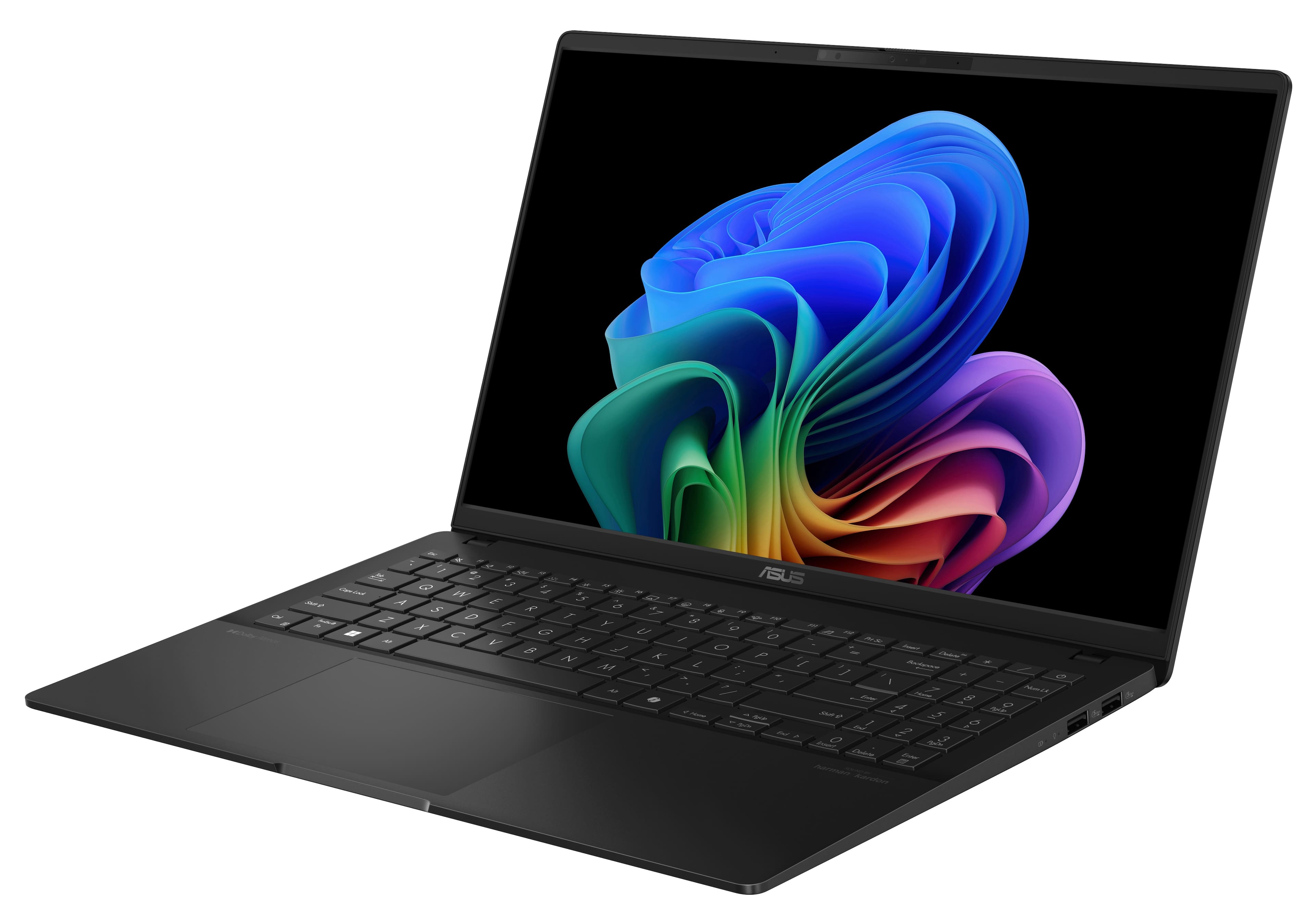
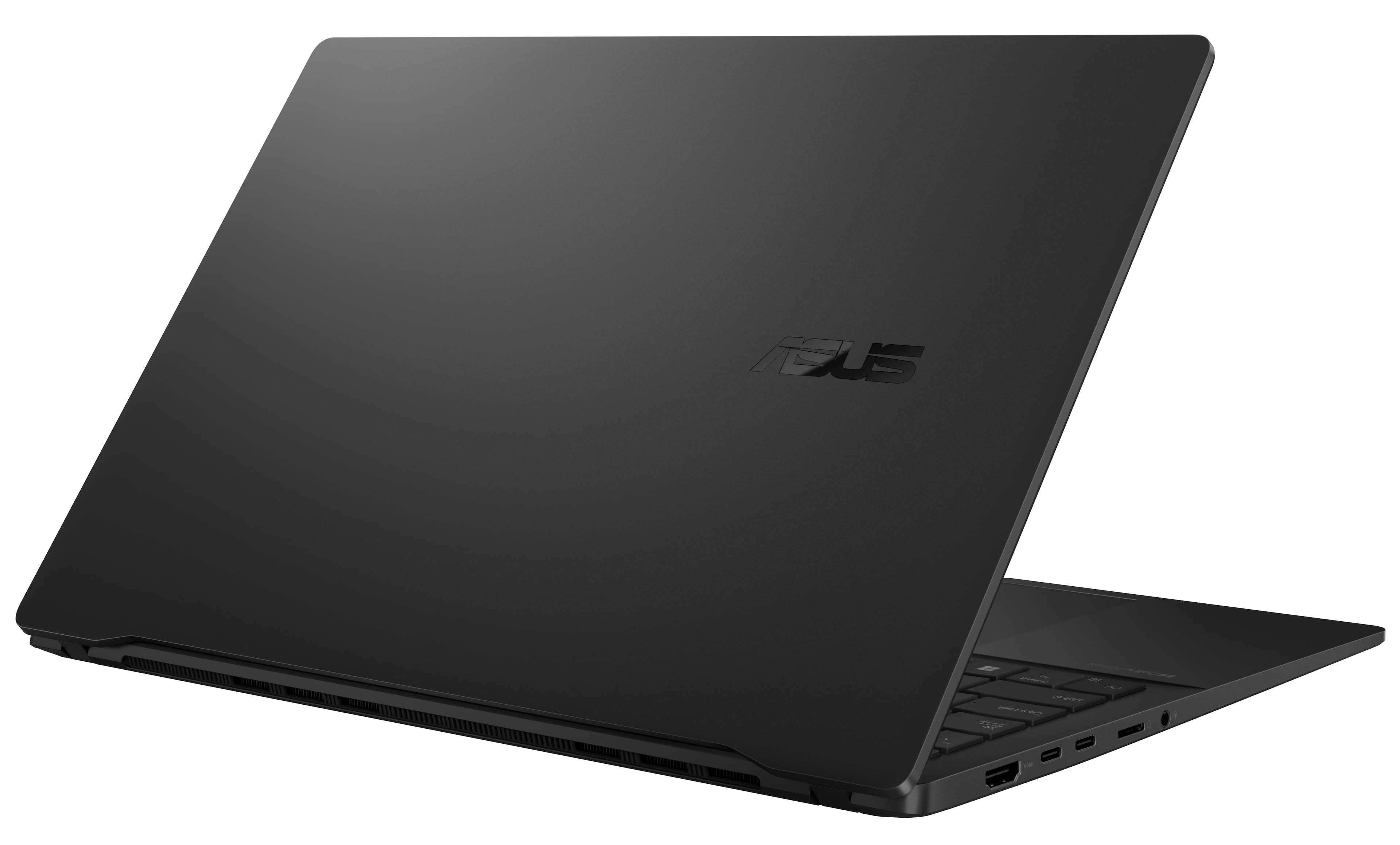
|Posted .This reviewer received promo considerations or sweepstakes entry for writing a review.I have been enjoying this laptop so far. It is a fast boot up which is great if you go to meetings or just want it on after you press the button. It just about takes me longer to input my code to log on then it does to boot up. The graphics card has no Vram for it. But first why 4 stars. Well first reason, it's not 4k. It is 3k and that is pretty decent, but I was still hoping to be 4k. Especially as it does not do gaming. The charging cord is ok length, but I would personally like it a little longer. It also has 2 USB-C and 2 USB-A ports; however, the 2 USB-A ports are on the right side. I would like to see all the ports on the left side personally and then maybe a slim power port on the right side that does not get in the way if you use a USB mouse. This does not use your typical power cord like most laptops so one of the USB-C ports gets used when you have to charge it. So not too much a fan for that myself. Also, would like to have seen maybe at least a sleeve for this. The size of the SSD. What I do love about it. I love having the OLED screen. Although not 4k it still has 3k, so movies still look great. It is super slim and light so easy to take around. For a 15 inch, it has a full keyboard with keypad. I like that they have a few extra functions with the touchpad, like turning up and down the volume and brightness. Battery life is long. I was able to use it all day to take notes for a convention. Granted I was not watching movies or playing old games. It can play some games that do not need a high-end Graphics card. If you are looking for a nice compact laptop for schoolwork, movies, and maybe work and you do not want one to do gaming on, then this is perfect. But if you want to play games as well, then do not get this.
I would recommend this to a friend - Pros mentioned:Screen quality
ASUS - Vivobook S 15 15" 3K OLED laptop-CoPilot+PC
|Posted .This reviewer received promo considerations or sweepstakes entry for writing a review.ASUS - Vivobook S 15 15" 3K OLED laptop-CoPilot+PC is a really good laptop. Packaging - came in an outer shell packed with the laptop box inside safe and secure Overview - Laptop feels like quality and is very durable. I like the screen clarity and how everything pops. I have used it by itself on my lap and on my desk at home without any heat issues. Screen is amazing. Have used it to watch a couple of movies and the sound is really good and the colors on the screen pop. Keyboard - number keys is really good, just had to get used to where the enter key is located. TrackPad - Very nice features on the trackpad for volume up and down which came in very handy. Scrolling is fluid and feels very accurate to reach every part of the screen without issue. Dolby Atmos - Sounds great and full every time. I have played music and enjoyed you tube videos on this device. Screen size is perfect for me and easy to carry around as needed. The black casing is very good and gives it a feel of finess. The harmon/Kardon system is full and rich, impressive coming from a 15" laptop to say the least.
I would recommend this to a friend I Love This Laptop!
|Posted .This reviewer received promo considerations or sweepstakes entry for writing a review.I am writing this review for the ASUS VivoBook S15 15” 3K OLED Laptop. This particular model comes equipped with CoPilot+, the Qualcomm Snapdragon X Plus processor, 16GB RAM memory, and 512GB SSD storage. I have the Snapdragon X Elite processor on one of my other laptops, so I was very curious about how the Snapdragon Plus would perform, especially considering how amazingly well the Elite performs. But I’ll get into that in a bit. The S15 is quite stunning in its design and visual appeal. It is very sleek and amazingly thin. It’s really just one of those rare products that once you hold it in your hands, you know for sure you are holding something special. Even the ASUS logo is stunning! The S15 sports one HDMI 2.1 port, two USB-C and two USB-A ports for a total of four USB ports, a micros SD card reader, and one headphone jack. Although it is amazingly sleek, it feels substantial. When opening it up, you don’t have that cheap experience of the entire laptop coming up off the table, it actually stays right in place, and opens quite smoothly. The incredible design extends to the interior, and you are greeted by an almost edgeless display, and a very generous full-sized keyboard, including a separate number pad. Looking into the screen is almost like looking into an obsidian mirror, with very little distortion. In addition to the full-sized keyboard, there is also a front-facing 1080p camera (which has its own built-in shield to prevent unwanted outside viewing in the form of a very well placed slider across the top edge of the display), and a built-in microphone. The on/off switch comes in the form of an additional keyboard button located at the top right of the keyboard. I just want to comment a bit more on the keyboard… As you press the keys, you instantly notice how utterly responsive they are to the touch. They seem to possess a character of boldness. When you depress a key it almost pushes the finger back. There is no wishy-washy, weak feeling keys on this keyboard! And one more thing I want to point out is you can open up the laptop until it lies fully flat on the desk, with zero wobble of any kind. Many other laptops will open only so far, a little over 90 degrees. The S15 opens up a full 180 degrees! As I stated earlier, the S15 comes with a built-in headphone jack, but for non-headphones listening, it comes with a Harman/Karden certified stereo sound system with speakers offering crystal-clear sound, supporting Dolby Atmos! Spoiler alert… the sound is unbelievably good for laptop speakers! All right, so I have gushed on and on about how beautiful and well-made the ASUS VivoBook is, and I have done that for a very specific reason… I knew that if ASUS poured that much attention and quality into the way the S15 looks, it was abundantly clear the best was still yet to come as I reached over and turned on the power. Setup was uneventful and quick. Of course there is all the Microsoft stuff you have to go through, wi-fi setup, and the option to transfer everything over from an existing account to give the S15 a very familiar look and feel, which I like in a way as I don’t really like muddling through all the ‘getting-used-to-a-new-computer’ thing. I also like the way in which you can bring over all your installed applications from another computer. This is a wonderful capability as it eliminates all the going back and forth to make sure you have all the apps you want. Okay, so everything is set up and ready to go. Time to test it out! The S15 comes equipped with the Qualcomm Snapdragon Plus processor. The Plus boasts 10 cores. Although I am not knowledgeable enough to get into all the specifics of multiple-core processors, I can say that the more cores a processor has, the more powerful it is. With 10 cores, the S15 can handle multiple tasks at the same time, and provide a smooth operating experience while doing so. No lags, no buffering…just an enjoyable computing experience. This is not only because of the multiple cores, but also because of the high clock speed of the processor, which is rated at 3,84GHz… not the world’s fastest, but certainly fast enough to handle almost anything thrown at it with no problems at all. I found this to be true as I loaded multiple software apps and had them running at the same time. This included a music streaming app, video editing app, an online game app, all while using a word processor and several web active web pages. I figured this would be about the max most folks might be using at the same time. To its credit, the VivoBook performed flawlessly! Of course, at this stage in our computing evolution, it would be almost impossible to expound upon all the virtues of the S15’s abilities without mentioning the built-in AI capabilities. I have to admit that my experiences with AI as it relates to search engines, web browsers, and apps has been less than remarkable. After all, it is difficult to get all excited about the concept of artificial intelligence when you are limited to using it to simply search the web for what you hope are accurate results, or to the creation of sometimes really cool images. More recently, with AI “built in” to the Snapdragon Plus processor, there has been a noticeable increase in efficient system performance, most notably by improving battery life and enhancing the onboard camera’s capabilities via some pretty cool tools. The truth of the matter is that it really does. Regarding battery life, I have been using the S15 quite a bit over the past several days, and the battery is still sitting at 69%. Yesterday I was using a different laptop at work, and after about four hours, I began getting low battery messages, so it’s pretty crazy how long the S15’s battery is holding up. I have yet to use it nonstop for several hours in a row, so I can’t really speak yet on how it would hold up under continuous use for long periods of time. Now as far as the camera enhancements go, I am pretty excited about the different studio effects that are available for video, especially the creative filters. For video calls, video clips, etc., the filters and enhancements make a huge difference in the way the video appears. But for still shots, there doesn’t seem to be much of anything to brag about. I mean, it seems that with the use of AI and all its supposed capabilities, there ought to be at least some included filters and effects, but there aren’t any. Yes, there are photo editing apps that can be used for that, but if you can sit in front of the S15 and transmit amazing video using the included filters I would think the same should be true of snapshots. But that is a minor issue in my book. Getting back to the Snapdragon processor… I really do appreciate the neat apps and features of the S15 as they make using the VivoBook an enjoyable experience. Hands down it is one of the coolest laptops I have ever used, from the way it looks to its long list of amazing features. But the glue that holds all of these features together is the speed at which it is capable of completing anything you want it to do. We have all been there…using a computer with “great features” that was slower than frozen molasses. The S15 is not one of those slow machines, however. Not only does it handle multiple applications simultaneously, it does so with lightning speed! I know that this particular Snapdragon processor is not the top of the line edition of the Qualcomm line of Snapdragon processors, but it is a Snapdragon, and it leaves you with no doubts about that. It is not only reliable, it truly is quick. There is no lagging, no waiting, no wanting to pull your hair out because of freeze-ups. The S15 is everything it says it is…and more. And I think that is probably the most important point that can be made. It performs like a top-notch workhorse, and does it all with the speed of a thoroughbred. Is there anything I would like to see added or changed on this particular laptop? I suppose that regardless of whichever model we happen to buy, there will always be another model with a feature or two that we wished we had. So my answer is no. This ASUS, from top to bottom, is like poetry in motion. Its look is mesmerizing, and its performance is amazing. You get the best of both worlds with the S15. And for the cost? There are laptops on the market right now at three times the price that can’t compete with the S15. It’s a winner all the way around. It isn’t often that I offer such high praise for a product, but in this case I can’t help myself. If you are looking for an amazing experience and you aren’t into all the heavy gaming, this is the laptop for you. And it is the one I will be recommending to anyone who will listen.
I would recommend this to a friendPerfect 15" Laptop from ASUS, Light, Fast, OLED
|Posted .This reviewer received promo considerations or sweepstakes entry for writing a review.The ASUS Vivobook S 15" is Windows ARM (Snapdragon X Plus) laptop. It's near perfect, being incredibly thin and light, all day battery life, and enough ports for all you need. Great for work, school, travel and some light old school gaming. Having used a Windows ARM PC on a Snapdragon 850, I can tell you Windows ARM is now ready for everyone. In the box - ASUS Vivboook S15 - 65W USB C Power Cable First Impressions As it's a laptop, worth noting the ports. You get 1x HDMI (full size), 2x USB C, 2x USB A, microSD slot, headphone jack. The camera also has a privacy switch. There's no fingerprint reader but the camera does support Windows Hello sign-in. Powering on the 3K OLED screen is amazing (I now also want an OLED external monitor) and the RGB backlit keyboard is nice and subtle. The keyboard also features a CoPilot key - to use Microsoft's AI offering. Setup Easy. There's no bloat. You will be prompted to create an ASUS account (needed to get automatic firmware updates). There was one BIOS update. The BIOS update was the only time I heard the fan run and the fan hasn't run since. What's good? Fast, Everything Works, Amazing Screen I've been using the ASUS Vivobook S OLED all day and aside from the 3K OLED display that makes everything seem amazing (blacks are so black), it's FAST. Like screamingly fast. I was also able to download Windows 11 programs and install them directly without any issue. If you're coming from an older Snapdragon processor (like me) you will be happy to know there's no issue installing any Windows software. In use, Office (Word and Excel) were fast and no stutter or lag. Edge and Chrome could handle multiple tabs open and background Spotify sounds amazing on the Harman/Kardon speakers. The Snapdragon processor means there's no heat, no fan noise, and no weight - it's the ASUS Vivobook S 15" is the first time I have used a 15" laptop that feels like and can be used as a laptop. I'm sitting on the couch with this on my lap typing away! What's not so good? If I had to pick something, and it's minor - there's no fingerprint reader. The camera does support Windows Hello so you can sign in with your face, but I prefer to keep the camera closed (it does have a privacy close function) and using fingerprints. You could use an external fingerprint reader if you really wanted. Other small things, I wish the USB C ports were on the left and right side (they're all on the left) and my power outlet is on the right - so the included 65W charger has a cord that's a little too short. Not a deal breaker, just something to note. Overall. Small things aside, the ASUS Vivobook S 15" Snapdragon X Plus is an incredible laptop. If you're after a 15" laptop for work or school that's light, fast and built for the future, get this ASUS laptop. After years of using 13" laptops, I think I'm ready to go back to 15" because this is light, portable, and with that amazing 3K OLED screen shows you can have the best of everything. Love it!
I would recommend this to a friendSleek and long battery life
|Posted .This reviewer received promo considerations or sweepstakes entry for writing a review.If your looking for a lightweight laptop that lasts all day you have found it! One thing is that it is a fingerprint magnet. Setup Just like most items these days as soon as you get something home it needs updated. So, make sure you get the provided power supply and attach it to the computer and power it on. Then just let it update all the software and hardware. Performance Overall, this laptop handled itself well. Opening and closing multiple programs and browers didn't seem to slow this thing down. This laptop has the Qualcomm Snapdragon X Plus, 512GB PCIe 4.0 SSD and 16GB of RAM which makes this thing well rounded. Display The 15.6” 3K OLED display has vibrant colors and great contrast ratios. With a resolution of 2880 x 1620 and a 120Hz refresh rate, everything feels incredibly smooth. Design and Portability This laptop is not only sleek but also very lightweight—at just 3.13 lbs and 0.63” thin, I can easily slip it into my bag and take it anywhere. The keyboard is another highlight; the RGB backlit keys are customizable, allowing me to set the mood while I work or game. Plus, there is a dedicated Copilot key for instant AI assistance if you are interested in AI. Battery Life Battery life has been impressive too. With a 70 WH high-capacity battery, I rarely find myself reaching for the charger. I actually have been getting about 18 hours of battery life. Conclusion Overall, the ASUS Vivobook S 15 has exceeded my expectations. It’s a sleek, powerful, and versatile laptop that excels in both work and play. Whether you’re a student, a professional, or someone who just wants a reliable machine for everyday use, I highly recommend giving this laptop a try. It’s definitely worth the investment!
I would recommend this to a friendAlmost the perfect laptop!
|Posted .This reviewer received promo considerations or sweepstakes entry for writing a review.The ASUS - Vivobook S 15 15" 3K OLED Laptop - Copilot+ PC - Qualcomm Snapdragon X Plus - 16GB Memory - 512GB SSD - Neutral Black is one of the fastest laptops to the home screen I've ever used. I don't know how they did it but I can go from closed lid, been off all day, to the desktop in less than 5 seconds... It's litterally like a second to the launch screen, less than a second to go to the pin screen, then less than a second to go to the home screen. The longest part is entering in my pin. This thing is crazy fast. What's even more impressive is how fast it is while also being dead quiet... it makes absolutely no noise whatsoever... and It isn't blowing hot air all over my desk/lap either.... The Harmon Speakers have amazing sound, and somehow seem to throw the sound all around me with a nice wide and high sound stage. The OLED screen is drop dead gorgeous as well... there is a demo mode that has paint and bright colors swirling around that is so beautiful I could just watch it go for hours... The only thing I found that this laptop doesn't knock out the park is Gaming... it WILL play games, but the resolution needs to be lowered and the quality needs to be turned way down. Overall I really enjoy this laptop, and highly recommend it to anyone who wants a fast silent workstation with a beautiful screen and killer sound!
I would recommend this to a friendgreat laptop for browsing school general use
|Posted .This reviewer received promo considerations or sweepstakes entry for writing a review.This Asus Laptop is a very good laptop for use for school, browsing, and general use. It is medium weight and easy to setup out of the box. It will take you 15-30 minutes to setup and will be faster if you already have a Windows account you are adding onto. It comes with the laptop and charging block with cord out of the box. Mine had a moderate charge out of the box and did not need a charge to get started (although I plugged it in anyway to be safe). I am sure some will vary depending how long they have sat on the shelf. It was easy to setup. It uses the standard Windows installation setup standard for most laptops and desktops. It comes with the standard Windows apps and internet ready to add anything additional you may need. It will walk you through syncing up your existing Windows account if you already have one and can bring over all your existing settings, apps and files if you choose. The laptop is 15" so small enough for portability but not a large screen. It is average weight so not light-weight or slim. This is used for school primarily and works well. I would not use this for online gaming but is very good for average browsing and MS Office use. I would definitely recommend this laptop.
I would recommend this to a friend- Pros mentioned:Screen quality
great laptop
Posted .This reviewer received promo considerations or sweepstakes entry for writing a review.This laptop is smooth and top tier. The keys are soft, the graphics are vibrant and the functionality is beast mode.I wanted an apple macbook but opted to get this and very happy with my purchase.
I would recommend this to a friend