Customer Ratings & Reviews













- Model:
- Q5507QA-S15.X1P512
- SKU:
- 6585180
Rating by feature
- Battery Life
Rating 4.7 out of 5 stars
- Speed
Rating 4.5 out of 5 stars
- Display
Rating 4.7 out of 5 stars
Customers are saying
Customers admire the Vivobook S 15's impressive battery life and stunning 3K OLED screen quality. Its lightweight design and ample RAM also receive high praise. However, some users have reported challenges with software compatibility due to the ARM architecture.
This summary was generated by AI based on customer reviews.
- Pros mentioned:Battery life, Screen quality, Weight

Light and Powerful
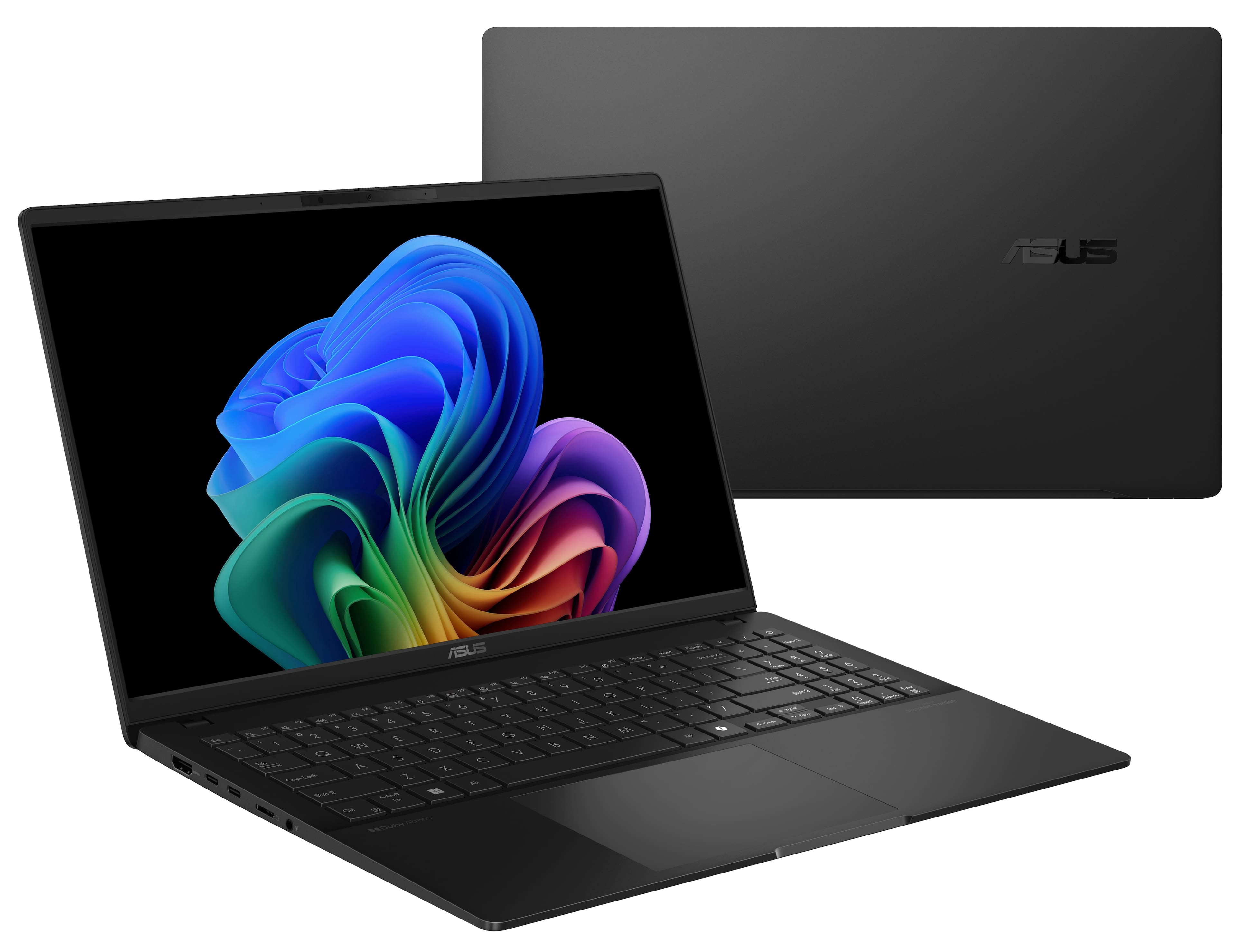
|Posted .This reviewer received promo considerations or sweepstakes entry for writing a review.The ASUS Vivobook S15 is as light as it comes for a 15 inch laptop. This is the first laptop I've used with a Qualcomm processor, and it doesn't miss a beat. It has no problem handling everyday tasks, from surfing the web, streaming video, and even gaming. The laptop is also quiet, as the fan is hardly noticeable, and I haven't experienced much heat from the unit during use. It comes with a beautiful OLED screen that provides rich colors and looks great streaming HD video, although the lack of the screen handling 4k/HDR/Dolby Vision content is a missed opportunity. The Harman Kardon speakers sound great, and even support Dolby Atmos spatial audio. As far as ports go, it comes with 2 USB-C and 2 USB-A ports. Most new laptops skip including USB-A ports these days, as devices usually come in USB-C format these days, so not sure why they wasted space for 2 USB-A ports. If charging, the charger occupies on of the USB-C ports, leaving only one to use. Battery Life is pretty great so far. I used it off and on for about a 9-hour period and didn't need to recharge. Other than the ports, the only other thing that I will note is that the keyboard feels a bit cramped. Like the USB-A ports, I find the inclusion of a number pad to be unnecessary. I takes up space and is a feature that I think is dated and not used very much. All in all, a really light and powerful laptop that can accomplish everything you need.
I would recommend this to a friend - Pros mentioned:Battery life, Screen quality
Incredible value,battery life, and compatibility
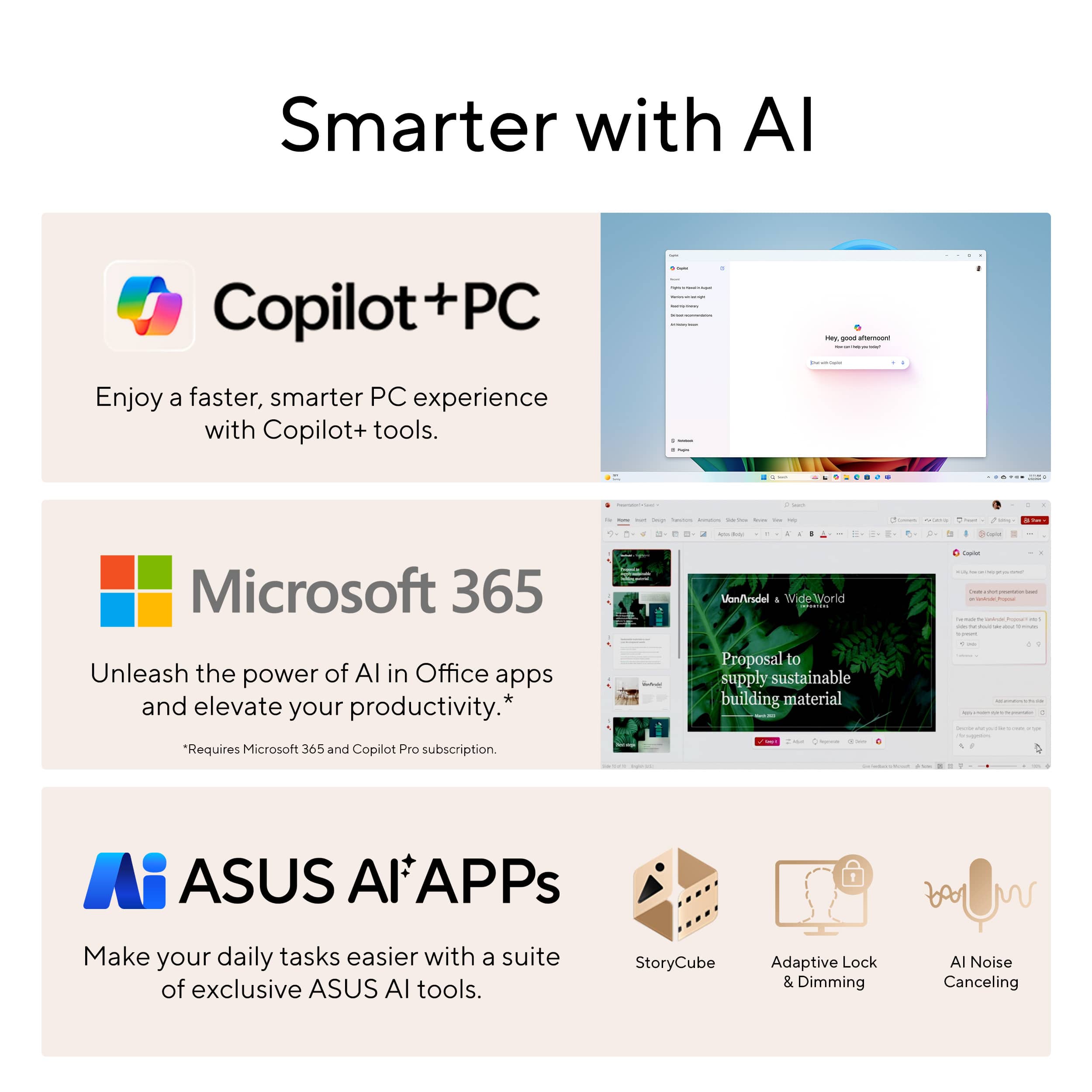
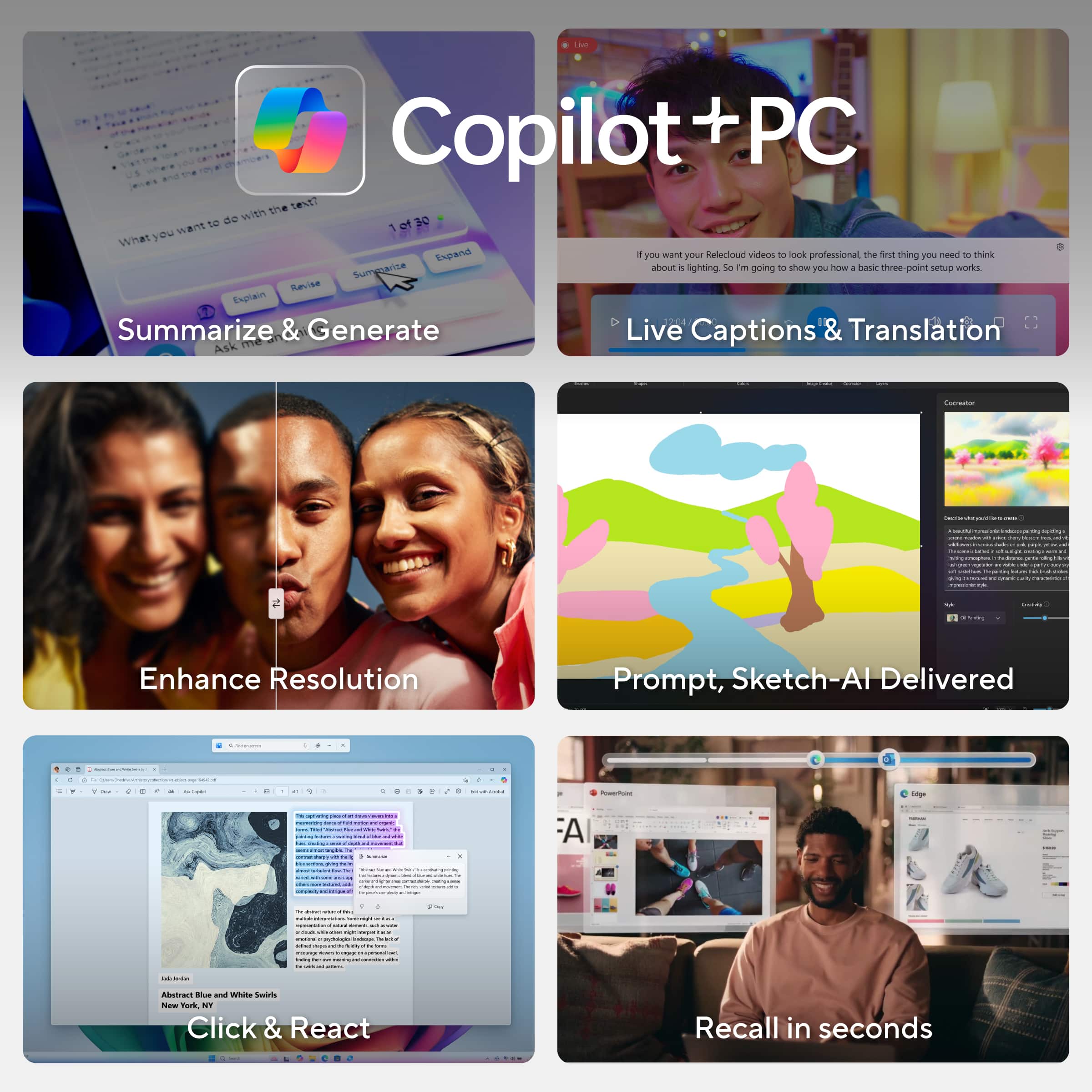
|Posted .This reviewer received promo considerations or sweepstakes entry for writing a review.This Asus Vivobook S15 and Copilot+ laptops in general are something I've been dying to review since they came out earlier this year. Snapdragon X is the most exciting thing to happen to the Windows PC space in a long time and I am stoked to say that it exceeds all of my expectations and then some. #Unboxing, physical first impressions# The Asus Vivobook S15 is a strange bird in that it has a larger 15.6in screen but it is an extremely thin and light profile. My unit arrived in a larger overpack box and I was honestly shocked that the laptop box itself was so small. This is a dramatically smaller laptop than the (more powerful) 16" OLED laptop w/ discrete GPU I have been using as my personal device. The Vivobook is actually not much bigger than my 14" Latitude corporate laptop - it's thinner than my corporate workhorse and a tiny bit heavier and wider - with a significantly larger and better display plus the numberpad on the keyboard. I love the font on the keyboard. I do want to point out that one of the key pluses of the Vivobook is that it has an all-metal case, but this is also a downside as the black metal shows oil smudges really easily and it's hard to make this look clean. Much worse than ABS plastic even. Something to keep in mind, though the _feel_ is fantastic. #Performance# The display on the Vivobook S15 is fantastic. It's a 120hz, 2880x1620 600 nit HDR screen that has Vesa DisplayHDR 600 certification. Asus includes a color profile for Windows and out of the box this laptop just looks amazing in HDR mode. I did my movie test with my favorite HDR demos (Encanto and Interstellar) and it handles highlights along with the perfect HDR blacks just like you'd hope for a premium display. Battery life is the major benefit touted for Snapdragon X and the Snapdragon X Plus in the Vivobook S15 does not disappoint. I'm a Windows and Linux systems engineer by trade so getting a Macbook has always been out of the question for me and I've always been jealous of the battery life of the M CPUs in the Macbook Air and pro - the Vivobook has blown me away. I received my Vivobook 2 days before leaving on a family trip. I haven't charged my Vivobook since I left on Saturday morning. My wife and I connected it to our hotel TV to watch a movie last night and it's still at 90% battery. For standard productivity and media consumption, this thing is just incredible. I did some gaming tests with trepidation as the initial reviews of Windows gaming on ARM weren't all that great when Copilot+ laptops launched a few months ago. I'm happy to say that the experience was very good, especially considering the sub $1000 price point of the Vivobook S15 (and that it has a Snapdragon X Plus rather than the top of the line Elite). In Overwatch 2, a non-"AI super resolution" game, I was able to get a _solid_ 45 FPS in medium/low settings at 1080p with FSR2 50% scaling. The game was totally playable in the QP game I played - I even got Play of the Game on Juno :). I then tried Witcher 3, which is on the official AI Super Resolution support list. The game looks amazing with AI Super Resolution - this is clearly superior quality to even the DLSS algorithm. It wsan't playable though, even at the lowest settings. Again, not suprising given this isn't even the high end Snapdragon X Elite chip. So, while I wouldn't buy the Vivobook S15 as a gaming laptop, it's not marketed that way and it can certainly game if you feel the need in a pinch with this as your road warrior laptop. #Copilot+ and other features# As mentioned above, AI Super Resolution is amazing. The AI noise cancelling on the microphone for meetings is also very good, at least as good as the GPU accelerated features from AMD and Nvidia, while using less power. As for the dedicated Copilot button, it's an interesting thing. It does have a PWA for Copilot pre-loaded that's tied to the button on the keyboard or the icon on the taskbar. The NPU on the Vivobook allows it to generate images locally. I do use Github Copilot enterprise at work, but I don't use ChatGPT or copilot much in my personal life. I gave one of my favorite image generation prompts to the onboard Copilot+ and it did a pretty sweet job ("create an image of a flaming skull motorcycle rider with a leather jacket and brass knuckles in the style of the_pack on reddit"). The fact that it's doing it locally is impressive to me given the low power usage from using the feature vs however many GPUs you're engaging if you send that prompt to the cloud. As for other features: I love the presence sensor and Windows Hello camera on the Vivobook. It's so cool how I can sit down in front of it and it will wake up and log me in before I even touch it as long as I'm looking at the laptop when I sit down. I also am a big fan of the included numberpad, even if it's not a standard 10key layout. For a non-"gamer" laptop. I think it's really cool that Asus included (single zone) RGB backlighting for the keyboard. The MyAsus app lets you customize a breathing or strobing pattern for the lights. In general, I found the MyAsus app to be pretty useful and well integrated compared to the OEM apps for some other laptop makers. #Conclusion# So... who is the Asus Vivobook S15 for? I think this is the ideal laptop for a student or knowledge worker/freelancer who doesn't need strong gaming capability (but likes to game sometimes). Especially for the kind of person who might have been tempted by the battery life of an M2/M3 Macbook but doesn't want to switch to Apple, the Vivobook S15 is a STRONG choice. I'd feel 100% confident leaving the hotel without my charger with this laptop on a business trip. That's just not a thing I'd do with any windows laptop I've ever used. The Vivobook has an amazing display for watching HDR movies and TV, and in general is perfect for media consumption on the go. This will be my go to personal laptop for the foreseeable future.
I would recommend this to a friend - Pros mentioned:Battery life, Processor speed, Screen quality
A versatile work and media laptop
||Posted . Owned for 1 month when reviewed.This reviewer received promo considerations or sweepstakes entry for writing a review.I would say that I am pleasantly surprised by this laptop. I bought this one while looking for something lightweight, with a decent sized screen, and with a good battery life since I fly a lot and work away from a desk. PROS: The Snapdragon X is far more versatile of a chip than expected. Reviews state that this chip doesn't work well with a lot of productivity software, which is true, but if you're primarily using web-based software, MS Suite, or ARM supported programs, it is surprisingly snappy. The battery life is insane, at over 2 days working without a charge. This has been the most impressive aspect. I also love the 3K OLED, it is stunning to look at, even more so than my other premium laptops with LCD screens. CONS: Again, some software is not compatible. Discord runs a little slow when typing, and most games won't play. However, I did get the Elder Scrolls IV working at decent frame rates. Just don't expect to game. Speakers are "meh" and the keyboard feels somewhat cheap. There's some flex in the lid. The track pad lacks any kind of haptics. Overall this is a great value laptop that punches above its weight and price. Worth a buy.
I would recommend this to a friend - Pros mentioned:Processor speed, Ram
Another winner from Asus - recommended
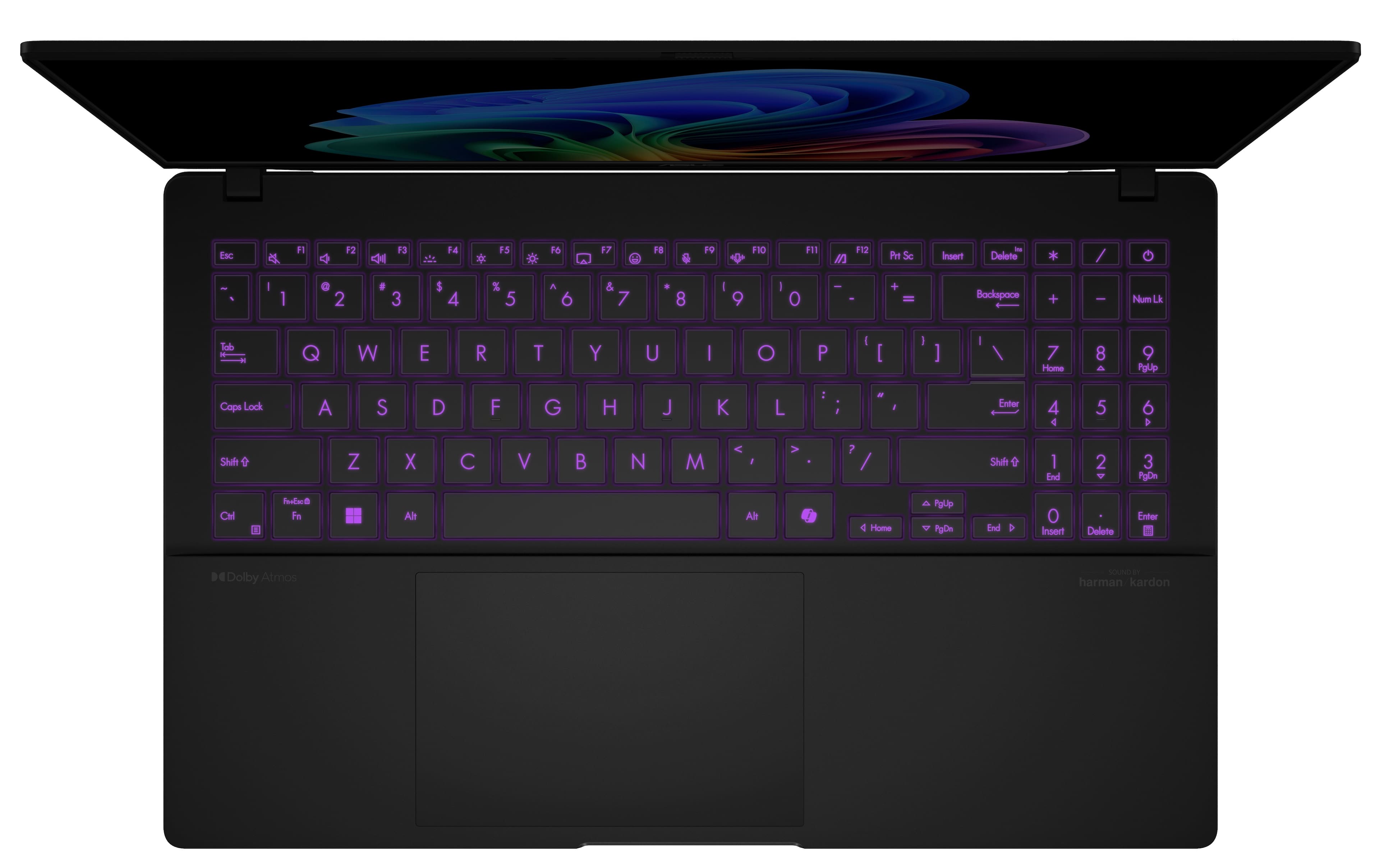
|Posted .This reviewer received promo considerations or sweepstakes entry for writing a review.Asus does it again! A gorgeous 15.6 Vivobook S Laptop. The windows setup was very quick, and it was up and running in short order. First, the screen is 2880 X 1800, 120 Hz, and 600 nits, so it gets extremely bright. And with the 3K AMOLED display, it brings videos and streaming movies to life with saturated colors and deep blacks. The processor is a Qualcomm Snapdragon X Plus 8 core running at 3.4Ghz. Although I have not used a computer with a Snapdragon processor before, this was very quick running multiple apps, and didn't slow down. Along with the 16Gb LPDDR5X ram, it makes for a very snappy performance. The keyboard is multi-color backlit. You can personalize backlight colors, modes, and brightness levels on the ergonomic single-zone RGB keyboard with number-key for a comfortable, customized typing experience The track pad has extra functions - if you scroll on the sides or top, you can instantly change settings such as screen brightness ,and volume. The Asus app allows for setting battery charge level, get updates etc. Storage is 512Gb SSD, but there is a micro card slot for extra storage. Other ports are: 1 HDMI, 2USB A, 2 USB C, headphone and microphone. Copilot + PC is designed to deliver AI-powered assistance in a convenient manner, enabling you to seamlessly engage with generative AI on Windows. As I used the computer, the computer zipped through daily tasks without any slowdown. And I enjoyed the vibrant screen while watching videos, and Netflix. Overall, quite an awesome choice.
I would recommend this to a friend - Pros mentioned:Battery life, Processor speed, Screen quality
Absolutely worth it for $500
||Posted .This reviewer received promo considerations or sweepstakes entry for writing a review.I spent a couple weeks looking for a new laptop. I tested about 20 different laptops in person trying to decide the best bang for the buck and I can happily say this is the one. Do NOT get this laptop if you want to play any sort of video games or do any video editing. For everything else, this thing is a power-house for $500. There are plenty of softwares that are ARM native, and even the non-native ones run very smooth. Pros: Beautiful screen with great brightness Nice touchpad Nice keyboard Wifi 7 is blazing fast Very fast computer in general Above average webcam Great battery life and fast charging Excellent ports Cons: Video gaming is non-existent Video editing would be a struggle Fingerprint magnet Neutral: Some may have difficulty with the keyboard backlight, but I thought it was fine
I would recommend this to a friend - Pros mentioned:Battery life, Processor speed, Screen quality
Awesome! No software compatibility issue.
||Posted . Owned for 1 week when reviewed.This reviewer received promo considerations or sweepstakes entry for writing a review.I purchased this laptop in the Black Friday promotion for $499 with a little bit worry about the software compatibility, CPU performance and overall quality. You know most reviews on youtube or tech website were for this machine with a higher spec Qualcomm Snapdragon X Elite. This is X Plus. After one week's usage, one word of my experience is AWESOME !!! The 3K OLED screen is gorgeous! HDR is really bright. Windows font display works so well, the color and the brightness are satisfying. Applications run snappy. I even installed Solidworks (3D modeling software) and it runs well. Solidworks currently run in emulator mode, but the performance is totally acceptable although 3D movement is tangibly slower than my RTX 3070 laptop. Google driver also provides a beta ARM64 version which works perfectly. So, I don't have any issue about the software compatibility. I won't play Overwatch 2 on this machine :) The speakers are so good, totally out of my expectation. And, the power efficiency is impressive too!!! The laptop runs quietly and always stays cool, just like I put my hands on may M1 MacBook Pro. One afternoon 4-5 hour casual usage just kills 30% battery. And it's easy to set charge up to lower percent in Asus tool for battery protection. I measured the total input power through USB-C, it didn't exceed 20W with setting screen brightness not-so-bright. So don't worry about the 65w usb-c charger. Keyboard responses good. I have to get used to the shifted keyboard layout because of the numpad, but not a deal-breaker. Although the screen chassis design is old school without one piece flat glass, but it's not ugly at all for this black version. I like the all metal feeling in hand, and resting my hands on the keyboard palm area. The build quality is very good regarding to the price. If it meets the same price again, just buy it (no for fps gaming). You will not regret.
I would recommend this to a friend - Pros mentioned:Battery life, Screen quality
The perfect daily laptop
||Posted . Owned for 2 months when reviewed.This reviewer received promo considerations or sweepstakes entry for writing a review.Laptop is great, light, easy to pack and great build quality. It has a fully aluminum chassis, nice rubber feet and fairly thin (don’t have anything to compare to but think TI-84 calculator. It has two usb a ports and type c ports which is always great because unlike many other laptops at this price you won’t need to buy adapters (looking at you apple…) the screen on this device is incredible and very good to just binge watch a show here and there. I don’t use the front camera so don’t have much to say there, but speakers are good and it has windows hello. The keyboard is also nice, pretty similar to my previous Lenovo ideapad while not feeling mushy. The speed of this laptop is great, I use it for general school work and occasionally some games and it meets everything I need it to do, and windows on ARM has improved greatly so I’m able to use around 95% of the apps I would use normally, excluding Adobe InDesign and Adobe Bridge (now I just use Lightroom) and it’s able to run them really well even with my 16gb ram model. Battery life on this thing is great, even with my leaving it in my car occasionally while getting cold it usually lasts a week with 2-3 hours a day of use. Charging is also great and will get 75% in around 1.5 hours. Been no issues with my device and it you use it for basic school work stuff like browsing, Microsoft applications, adobe suite, and occasional gaming it’s would be great.
I would recommend this to a friend - Pros mentioned:Battery life
A Great Buy!
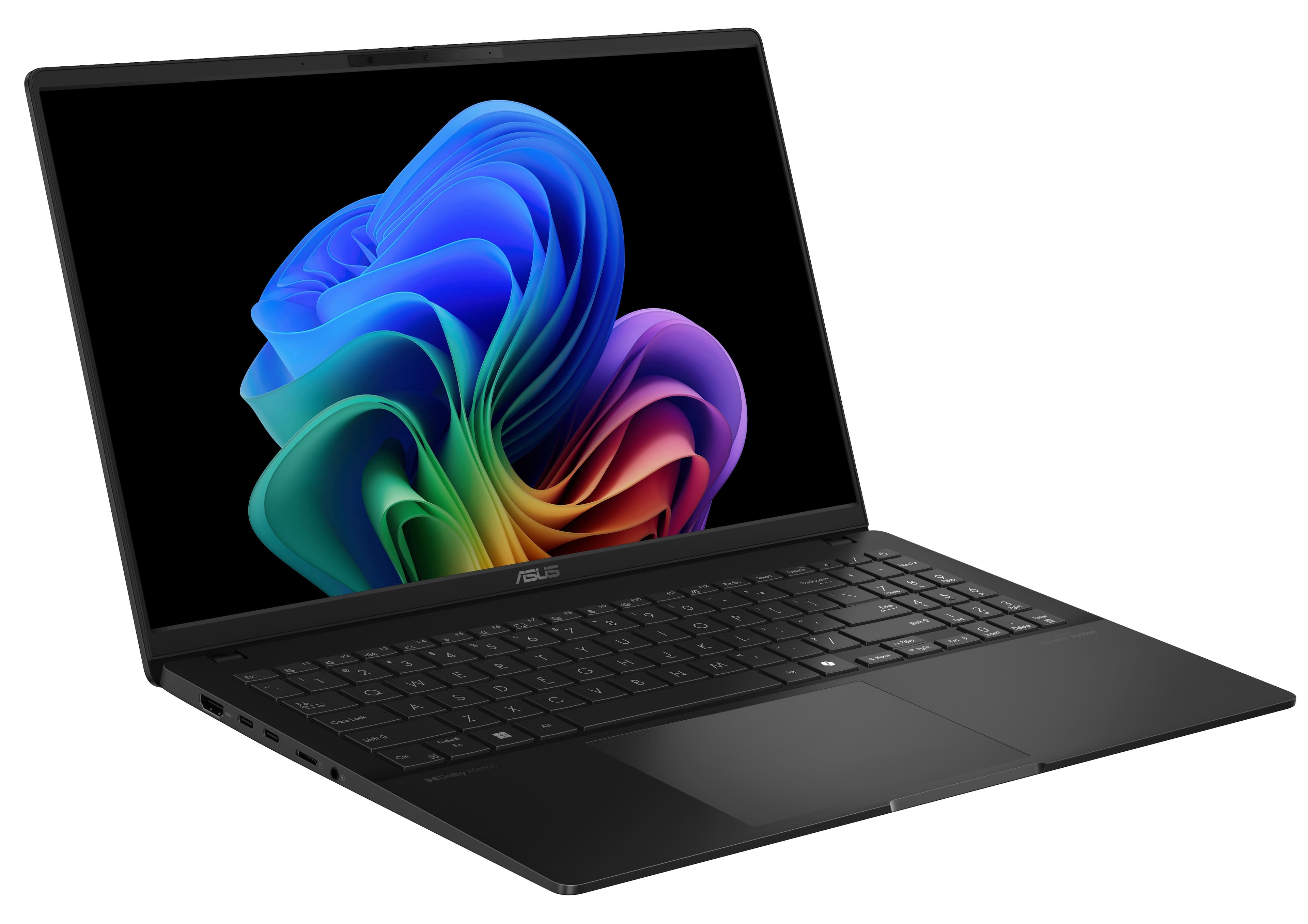
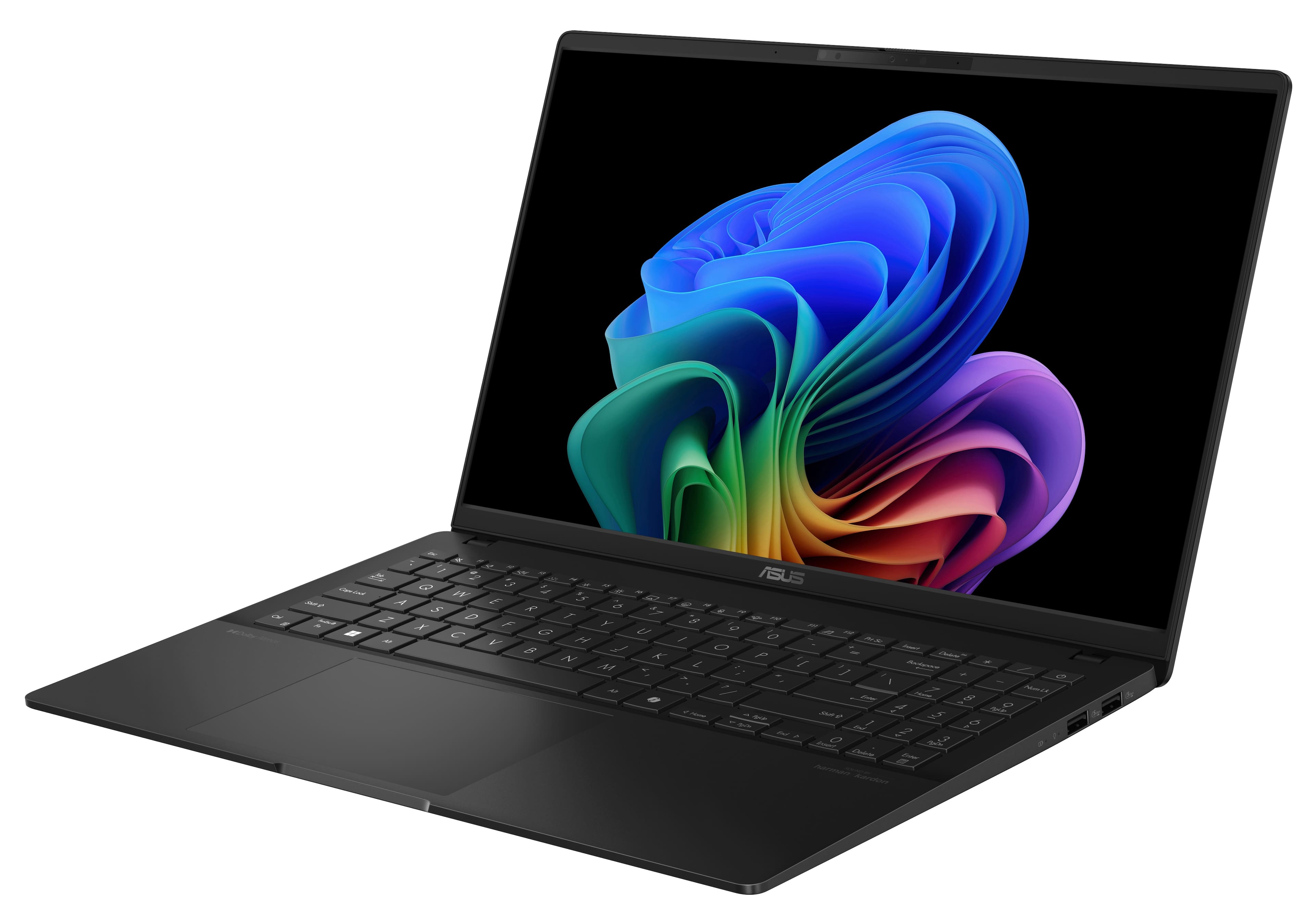
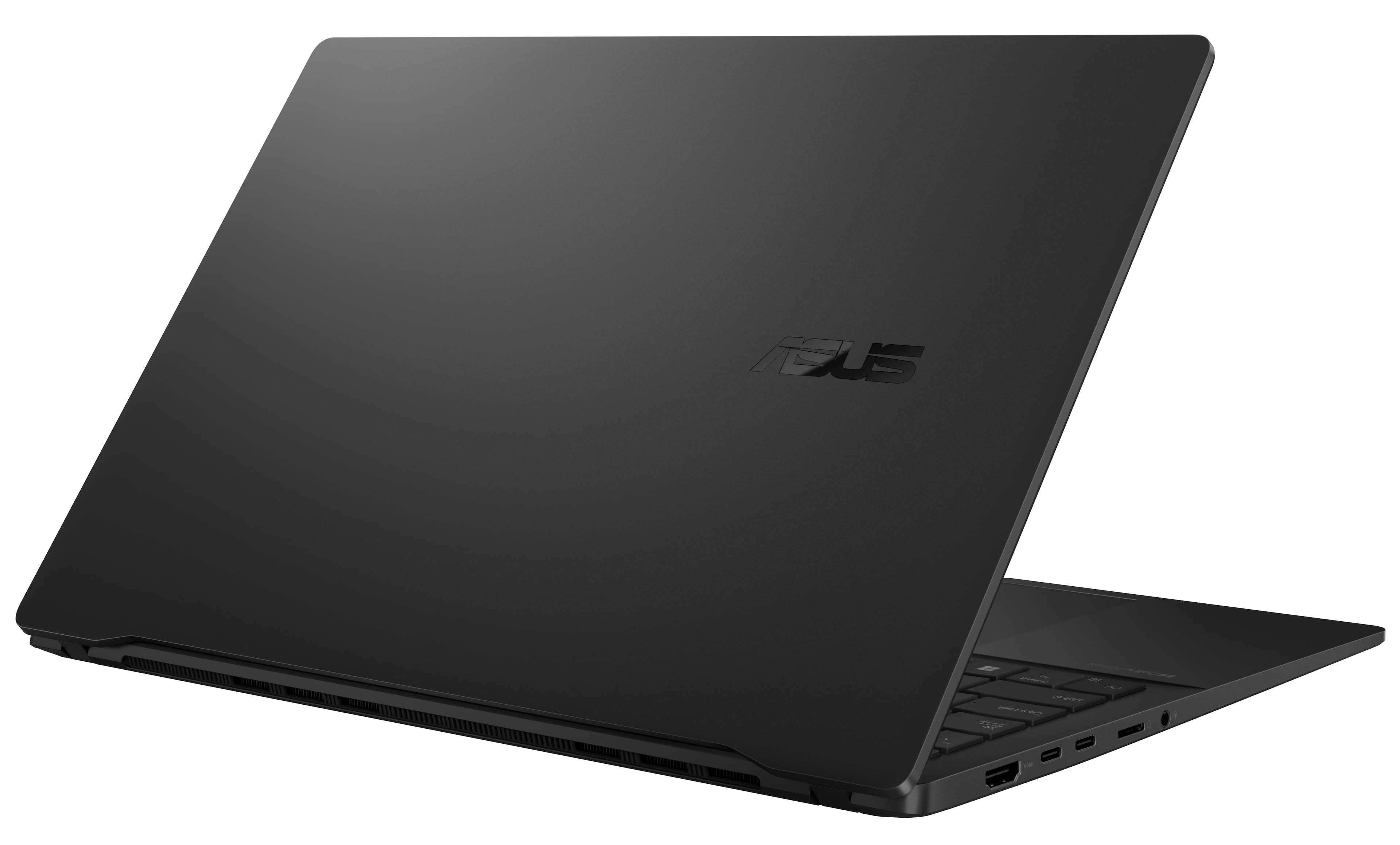
|Posted .This reviewer received promo considerations or sweepstakes entry for writing a review.ASUS knocked it out t of the park with this Laptop! Just buy it already if you want a lightweight lasting all day laptop! The biggest negative with it is it attracts fingerprints. It's a fingerprint magnet! I don't care for that because I use my laptops. The color of the laptop is attractive to the eye. The thin factor while not compromising on the ports. You still get the average amount of ports like HDMI, USB-A x2, USB-C x2, and a micro SD card slot. You even get a headphone jack. A lot of thin and light laptops are cutting back on the ports. Thank you, ASUS for not doing this. The star of the show is the O-LED screen. ASUS put the right screen on the Vivobook S 15! The deep blacks and richness of colors. While watching and taking in material it looks amazing! It truly has to be viewed with your own eyes to see why everyone brags about it. The keyboard and trackpad are also nice. ASUS didn't skimp out here. The trackpad feels so smooth. It was very nice to click on. Not once did I have unregistered clicks. The device is also very snappy and fast. Don't get me wrong it's not a multicore machine that's going to eat up 4k video editing. It is capable of doing creative tasks considering your application works on the ARM-based system. This is a fantastic everyday laptop, for school, business, or photo editing. You get a lot in this package performance-wise. You get an all-day battery life. I got 12 hours just using it doing daily operations. This was a 40% screen brightness. The speakers are quality as well. For the price, this is very hard to beat. The only flaw again, this thing is a fingerprint magnet! You won't go wrong if you purchase this laptop. It's my new daily driver and rightly shows! It's a fantastic package for what you pay for!
I would recommend this to a friend - Pros mentioned:Battery life, Processor speed, Ram
Powerful,Stylish,and Future-Ready Copilot+ Laptop!
||Posted . Owned for 2 months when reviewed.This reviewer received promo considerations or sweepstakes entry for writing a review.The ASUS Vivobook S 15 is an impressive Copilot+ PC, delivering cutting-edge performance, stunning visuals, and exceptional efficiency in a sleek, ultra-thin design. Powered by the Qualcomm Snapdragon X Plus processor, 16GB of RAM, and a fast 512GB SSD, this laptop ensures smooth multitasking, rapid app launches, and all-day productivity. The 15-inch 3K OLED display is absolutely gorgeous, offering deep blacks, vibrant colors, and ultra-sharp details, making it perfect for content creation, media consumption, and professional work. With AI-enhanced capabilities and seamless Windows Copilot+ integration, it enhances productivity like never before. The ultra-portable design, premium build, and long-lasting battery life make it an ideal choice for those who need power on the go. If you're looking for a future-ready laptop that combines performance, efficiency, and premium display technology, the Vivobook S 15 is an outstanding option! Highly recommended!
I would recommend this to a friend - Pros mentioned:Processor speed, Screen quality, Weight
Solid Purchase
||Posted .This reviewer received promo considerations or sweepstakes entry for writing a review.Overall, I really pleased with this purchase. The screen is a perfect size, runs smooth and fast, and is very light. Only downside is the finger print marks, but that was expected from previous reviews.
I would recommend this to a friend - Pros mentioned:Battery life, Screen quality
Good everyday laptop with a beautiful screen
||Posted . Owned for 3 weeks when reviewed.This reviewer received promo considerations or sweepstakes entry for writing a review.Grabbed this when the price came down to $500. It is perfect for your everyday use. Excellent screen and battery life. If you are not doing anything intensive this is it. Lightweight build, yet solid. The snapdragon x plus is fine for your typical tasks but will not get you performance if you need it. Plus the application support is still very new. I wouldn't recommend this at the normal price as there is nothing special that would warrant that price tag. Just know what you are using this for and don't expect too much.
I would recommend this to a friend - Pros mentioned:Battery life, Screen quality
great budget option for media consumption
||Posted . Owned for 2 weeks when reviewed.This reviewer received promo considerations or sweepstakes entry for writing a review.I bought this laptop open box excellent for 505 + tax, now lets talk about the screen its 3k +120hz so its smooth as butter while scrolling but the laptop is non touch meaning its useless, as you cant really game on this thing aswell, but movie watching is just pure delight on this laptop absolutely silent so no distraction, no the speakers are decent enough with loudness and average bass, but as the speakers are bottom firing, the laptop just mutes itself as soon as its kept on the mattress, now I know you shouldn't use a laptop on a mattress but remember this is snapdragon processor, its very efficient and doesn't produce much heat when ideling or doing basic tasks, The battery, it just keeps going, I used this one on around 60-70% brightness and the battery life was around 8-10 hrs, which is not bad, but I returned it, because got a good openbox deal on the vivobook pro which has a 3050 in it, so I can game and under 1000 dollars, so I had to get that one, hence the initial questions and rant about how asus put the best display in a laptop that cant game, and but an average on in the one that can! so only buy this if you want to do chrome, MS office, and media consumption, because the Intel core ultra series 1/2 Is a better option for around the same price and battery performance because it has better compatibility and similar thermal performance.
I would recommend this to a friend - Pros mentioned:Battery life, Screen quality
Impressive machine for the price
||Posted . Owned for 3 weeks when reviewed.This reviewer received promo considerations or sweepstakes entry for writing a review.I was impressed with the performance of this computer, considering it's based on a new architecture. All the software I use worked—some perfectly (Chrome, Office, Google Drive, NordVPN, Anaconda, Spyder, Jupyter, and Python in general), while others showed some slowdown (Matlab, Stremio, and Origin). The screen is outstanding, the best I’ve ever seen. I was watching a horror movie, which is slightly dark, on my MacBook Air and switched halfway through to this laptop. The difference was like night and day. It’s truly an impressive screen. The trackpad and build quality are the biggest issues. The trackpad rattles. I replaced the first unit, thinking it was defective, but the second one had the same issue. Maybe I’m just spoiled by the trackpad quality on MacBooks. The build quality, while excellent on paper—aluminum, military-grade certification, etc.—doesn’t feel robust. However, for the promotional price I paid, it’s well worth it. In the end, you get more build quality than what you paid for. Lastly, the battery. In continuous use, while monitoring background activity and closing unused programs, the battery was exceptional: I got over 12 hours of use. The problem arises when you use the sleep function, close the computer, put it in your bag, and decide to use it later. Sometimes the laptop was hot when I went to use it again, and the battery had lost 20% of its charge (SoC) without being used. The major issue here is how Windows handles the sleep function and background activities. On paper, this is an impressive machine and definitely worth the price. But in practice, it has a few quirks.
I would recommend this to a friend - Pros mentioned:Battery life, Screen quality
Good value
||Posted . Owned for 1 month when reviewed.This reviewer received promo considerations or sweepstakes entry for writing a review.I bought it. I use it mainly for web browsing, streaming, and light photo editing. Nothing too crazy for multi core performance. I am so far very happy with it. I value screen quality, battery life and portability. I don't have performance concern with my use case. Pros: I am impressed with the screen quality and light weight and battery life. Built quality is better than expected. Cons: Black cover is easily with finger prints.
I would recommend this to a friend - Pros mentioned:Battery life
Great machine for the price
||Posted . Owned for 1 week when reviewed.This reviewer received promo considerations or sweepstakes entry for writing a review.I was looking for a new laptop for my 9 yo daughter and was not considering an arm PC at all, but the sale price (almost 50% off) was irresistible. I was also curious. If I had bought the laptop for me, I would have returned it, but my daughter loves it, so it's a keep. What's great: - unbeatable sales' price for specs and quality - light weight - nice display. I didn't like it initially, the colors seem over-saturated. After a while I got used to it, but see my "not so great" comments. On the good side, it is super bright. - long battery life, 10+ hours easily with internet browsing mostly and screen at about half brightness. I have not tried "heavy" applications yet, but as a software developer, I am curious to see what mileage I can get when coding/compiling/running/debugging some "big" applications. I will try one of these days... - the quality seems okay with what I assume is an aluminum body, but only time will tell if it holds up - The machine is snappy, 16Gb and 512GB SSD is more than enough for the needs of my daughter What's not so great: - the display: for one it is 16:9. I have switched to 16:10 exclusively and didn't realize how much of a difference it makes. This is a personal preference, most people probably don't care. More bothersome is the glossy finish. It is really reflective. All my other machines displays and monitors are matte finish or semi glossy (with some anti reflective coating). Seeing myself in the display of the Asus laptop under every day conditions is absolutely killing me. My daughter doesn't care though, so it might only be a "me" thing again. - the trackpad has this clicking movement and sound with the lightest of touch. It doesn't actually trigger a software click (which is good), but it is so annoying because it basically happens almost every time you start to move the cursor. Not sure this is only on that machine, but it just drives me nuts. - the keyboard lighting seems to vary at times (it just goes very dim no matter what). Hopefully this will be solved with some software fix. Also, the first time you start the laptop, the keyboard shows different colors, but I couldn't find a way to do it in Windows. I installed armory crate, but it doesn't find the keyboard. Something else that hopefully will be solved. - the keyboard typing is average, not great, but not the worst. I don't type super fast, so most keyboard are fine for me, but people who type at the speed of light might not like that keyboard at all. - finally, software support is still not there for me. That's not an issue with the machine, just know what you are getting into and do your research. I don't use Windows, so I don't care about software support on that OS, but I would like to be able to run Linux (which I use personally all the time and for work whenever possible). It might be a while before I can do so. Even on Windows, if I want for example test the battery life using some of my usual development apps, I am not sure everything will run natively (or even run at all). For my daughter needs, software support is not an issue at this time. She spends all her time in a browser and she has a separate machine to play games (which luckily she doesn't do often), so she is the typical user for which this machine is more than perfect. Overall, a great machine for every day use. I am excited to see another CPU for PCs and even of the software side (speaking of Windows), I am impressed by how well things works. I will probably stay on x86 for the next couple of years though until the Arm PCs ecosystem gets stronger and more options (Linux) are available. My daughter score: 5/5 My score: 3/5 (this is if I had bought the machine for myself, which I would not have done anyway)
I would recommend this to a friend - Pros mentioned:Battery lifeCons mentioned:Software compatibility
Great as Chromebook, not usable as full computer
||Posted . Owned for 1 week when reviewed.This reviewer received promo considerations or sweepstakes entry for writing a review.ASUS Snapdragon X Elite Laptop Review: A Potential Game-Changer with Critical Flaws The ASUS Snapdragon X Elite Laptop, powered by Qualcomm's ARM-based Snapdragon X Elite processor, has been marketed as an energy-efficient powerhouse that promises exceptional performance and battery life. After using the laptop extensively, I can confidently say that while it excels in some areas, it falls significantly short in others—especially when it comes to fulfilling the needs of professional users. Energy Efficiency and Basic Performance One of the most impressive aspects of the ASUS Snapdragon X Elite is its energy efficiency. Thanks to the ARM architecture, the laptop runs cool and delivers an outstanding battery life, easily outlasting many competitors in the x86 laptop space. For everyday tasks like browsing the web, streaming videos, and managing documents, it performs admirably. Using Chrome and other light applications feels smooth, and the experience is on par with high-end Chromebooks. If you’re someone who primarily uses their laptop for basic, Chromebook-level tasks, this device could be an excellent choice—albeit at a much higher price point than a typical Chromebook. The Achilles Heel: ARM Architecture and Software Compatibility However, the Snapdragon X Elite’s reliance on ARM architecture is where the honeymoon ends. Unlike x86-based processors, ARM chips lack broad native software support for Windows applications. While Microsoft has made strides in optimizing Windows 11 for ARM, the ecosystem is still far from mature. Many applications designed for x86 architecture require emulation to run on ARM, leading to a noticeable drop in performance and stability. For professionals relying on software like Adobe Premiere Pro and After Effects, the Snapdragon X Elite is not up to the task. Video editing on this laptop is a frustrating experience due to compatibility issues and sluggish performance. These applications either run poorly under emulation or fail to function altogether. Given that video editing is a critical part of my workflow, this limitation renders the laptop virtually unusable for my professional needs. A Questionable Product Strategy One of the most disappointing aspects of this laptop is the apparent lack of rigorous pre-release testing. By releasing a device with such glaring software compatibility issues, ASUS and Qualcomm seem to have shifted the burden of quality assurance onto their customers. This approach erodes trust and undermines the user experience. It’s one thing to release a product with minor flaws; it’s another to release one that fails to fulfill its core promise as a versatile, high-performance laptop. Pricing vs. Value Given its significant limitations, the ASUS Snapdragon X Elite is more comparable to a high-end Chromebook than a full-powered Windows laptop. While it may excel as a Chromebook alternative, its price tag suggests otherwise. For its current price, one could purchase a laptop with x86 architecture that delivers far superior compatibility and performance across a wide range of professional applications. Unless your usage is confined to light, web-based tasks, the Snapdragon X Elite fails to justify its cost. Final Verdict The ASUS Snapdragon X Elite Laptop is a tale of two extremes. Its energy efficiency and performance in light tasks are outstanding, making it an excellent choice for casual users or those looking for a high-end Chromebook experience. However, its lack of mature software support and poor performance in professional applications make it a poor choice for anyone seeking a true Windows laptop. ASUS and Qualcomm should have delayed the release of this product until the ARM software ecosystem matured enough to handle professional workloads. Releasing a product that feels half-baked and asking users to be de facto beta testers is not the way to win over customers. Pros: Exceptional energy efficiency and battery life Smooth performance for light, Chromebook-level tasks Sleek and lightweight design Cons: Significant software compatibility issues due to ARM architecture Poor performance in professional applications like Adobe Premiere Pro and After Effects Price is too high for what is essentially a Chromebook-level device Overall Rating: 2.5/5 This laptop has potential but is not ready for prime time. If ASUS and Qualcomm want to compete in the Windows laptop market, they need to address these critical shortcomings. Until then, the Snapdragon X Elite is better suited for casual users and should be priced accordingly.
No, I would not recommend this to a friend - Pros mentioned:Processor speed, Screen quality
Amazing OLED Screen
||Posted . Owned for 1 week when reviewed.This reviewer received promo considerations or sweepstakes entry for writing a review.Pros: This laptop has a beautiful OLED screen. 4k movies look great and the speakers are very good for a laptop. Snapdragon X processor is plenty fast for most day to day tasks. Cons: Windows on Arm64 is still not supported by most software companies as of late 2024. This should be less of a problem in 2025 and beyond. The performance to battery life just makes sense for laptops and I think more companies will wake up and start supporting Windows on Arm. Apple showed it was worth it, and early adopters had to wait a little while as well. Hopefully, this won’t be a con for long. The other con is with gaming performance, the game I can play casually with the kids, Roblox, runs perfectly fine on an Arm Macbook Air M1, but stutters terribly on snapdragon. Hopefully, this will he fixed with patches in the future as well and wont be a con. Dont expect to play AAA titles on this, but casual lower demanding and older titles should eventually run fine. Overall, this is a great multimedia and productivity laptop. The screen more than makes up for the cons. If you can get it at the black friday and early December pricing it is a steal.
I would recommend this to a friend - Pros mentioned:Battery life, Processor speed, Screen quality
Love this laptop
||Posted .This reviewer received promo considerations or sweepstakes entry for writing a review.I’ve been using this laptop for a little while now and honestly, I love it. It’s fast, super quiet, and feels really well-built. The screen is gorgeous and the battery life easily gets me through the day, and it handles all my work and streaming without a hitch.
I would recommend this to a friend - Pros mentioned:Battery life, Processor speed, Screen quality
Great quick laptop with nice display and battery
||Posted . Owned for 1 month when reviewed.This reviewer received promo considerations or sweepstakes entry for writing a review.Excellent. Great battery life, nice realistic high resolution display. Navigating the internet and watching youtube (mainly what I use it for) everything is very snappy/fast. Setup was easy. The keyboard feel is nice and the touchpad is pretty sleek. The small number pad to the right of the keyboard is a nice feature for a laptop.
I would recommend this to a friend - Pros mentioned:Processor speed, Ram
Nitro Laptop Review
||Posted . Owned for 1 month when reviewed.This reviewer received promo considerations or sweepstakes entry for writing a review.Love this laptop!! It's fast (Nvidia RTX 4060), plenty of RAM (16gb) for multitasking and keeping many windows and apps open, plenty of storage (1TB). Reasonably priced ($500-800). Although i found a flaw. When using the mouse to the right of the touchpad, pulling it back off of the laptop for some reason throws system into hibernation/sleep mode. Magnet issue perhaps? Unsure if different mouse would be better. (Will try that next before replacing laptop) *Currently using a scimitar gaming mouse $85). Only other gripe i have is the battery life. It drains very quickly. Would help to have a battery protection mechanism installed to be able to keep plugged in without hurting battery. I rate it an B+/A- overall! Solid Buy!
I would recommend this to a friend