Customer Ratings & Reviews




- Model:
- Q425MA-U71TB
- SKU:
- 6568761
Rating by feature
- Battery Life
Rating 4.6 out of 5 stars
- Speed
Rating 4.7 out of 5 stars
- Display
Rating 4.8 out of 5 stars
Customers are saying
Customers have good things to say about the Zenbook 14's battery life, screen quality, lightweight design, and performance. Many appreciate its portability and the ample RAM. However, some users have noted issues with heat generation, the limited number of USB-C ports, and occasional keyboard or speaker problems.
This summary was generated by AI based on customer reviews.
Wonderful laptop
||Posted . Owned for 1 week when reviewed.This reviewer received promo considerations or sweepstakes entry for writing a review.Love this OLED screen laptop! And its touchscreen!
I would recommend this to a friend
Good laptop
|Posted . Owned for 3 weeks when reviewed.This reviewer received promo considerations or sweepstakes entry for writing a review.Really good laptop!!! Exactly what I wanted !!!!!!
I would recommend this to a friendDisappointing
||Posted . Owned for 5 months when reviewed.This reviewer received promo considerations or sweepstakes entry for writing a review.I've used this laptop for several months now and it's been very disappointing, Especially at this price point. The Zenbook runs very hot even with minimal use. The CPU does great on benchmarks but my older 11th Gen Intel i7 runs much cooler and seems faster on most tasks. The Intel Core Ultra 7 155H in the Zenbook stutters and lags constantly. The battery life is also disappointing. The reviews I read/saw implied the Zenbook had great battery life but that's not been my experience. It does have a beautiful OLED screen but that's the only positive it has going for it.
No, I would not recommend this to a friendBrand response from ASUS Answers
Posted .Dear Mike,
We sincerely apologize for the issues you've faced with the notebook and for the inconvenience caused. What you've experienced was not intentional or representative of our brand. We would like to make your experience with ASUS a better one.
Based on the issues described, we recommend updating the BIOS. Please back up all valuable data before proceeding as this may result in the loss of any current settings, apps, and data. Ensure the unit is plugged in and do not close the lid. The following FAQ below provides the troubleshooting steps.
If you already have the latest BIOS version installed, we recommend reaching out to our support team at https://www.asus.com/us/support/CallUs to further investigate the problems you're experiencing or to assist with getting the device repaired.
We do stand behind our products and we continuously strive to improve our products and processes to achieve customer service excellence. For more information, send us an email at customerloyalty@asus.com and provide the case number "N2405021960-0004" for reference. We’ll do our best to provide a quick resolution to your case. Your feedback is important as it helps with improvements to ASUS Support channels. Thank you for choosing ASUS.
Best Regards,
Chantae
ASUS Customer Loyalty US Support
How to update BIOS in Windows - https://www.asus.com/support/FAQ/1008276/
Excellent
||Posted . Owned for 1 week when reviewed.This reviewer received promo considerations or sweepstakes entry for writing a review.Good laptop perfect recommend everyday gooodddddds
I would recommend this to a friendMy review
||Posted . Owned for 1 month when reviewed.This reviewer received promo considerations or sweepstakes entry for writing a review.Cursor disappears frequently. Camera stopped functioning. I will need to bring in for reinstall of camera. A lot of screen minimizing by itself, without user action. Response times are good.
I would recommend this to a friendBrand response from ASUS Answers
Posted .Dear Thomas,
We sincerely apologize for the issues you've faced with the notebook and for the inconvenience caused. This is not the kind of quality to expect from ASUS products and it's not the norm. At ASUS, we take quality control, testing, and inspections seriously to ensure our products meet high standards. What you've experienced was not intentional or representative of our brand. The decision to make a purchase can be important, and we want to ensure that our customers receive the best products and services. We understand the impression this may have created and we hope this will not be a long-term lasting impression as you have chosen ASUS as a trusted brand for excellence. Please allow us to make your experience with ASUS a better one.
To troubleshoot the touchpad and camera issues described, we recommend following the steps in the FAQ below. Should the issue persist, please contact our support team at https://www.asus.com/us/support/CallUs to further investigate the problems or assist with repairing the device.
We stand behind our products and continuously strive to improve our products and processes to achieve customer service excellence. For more information, email us at customerloyalty@asus.com and include the case number "N2404011008-0014" as a reference. We will do our best to resolve your case quickly. Your feedback is important to us and enables us to improve our support channels. Thank you for choosing ASUS.
Best Regards,
Chantae
ASUS Customer Loyalty US Support
https://www.asus.com/support/faq/1042539/
https://www.asus.com/support/faq/109836/
- Pros mentioned:Battery life, Screen quality, Weight

Lightweight, understated workhorse
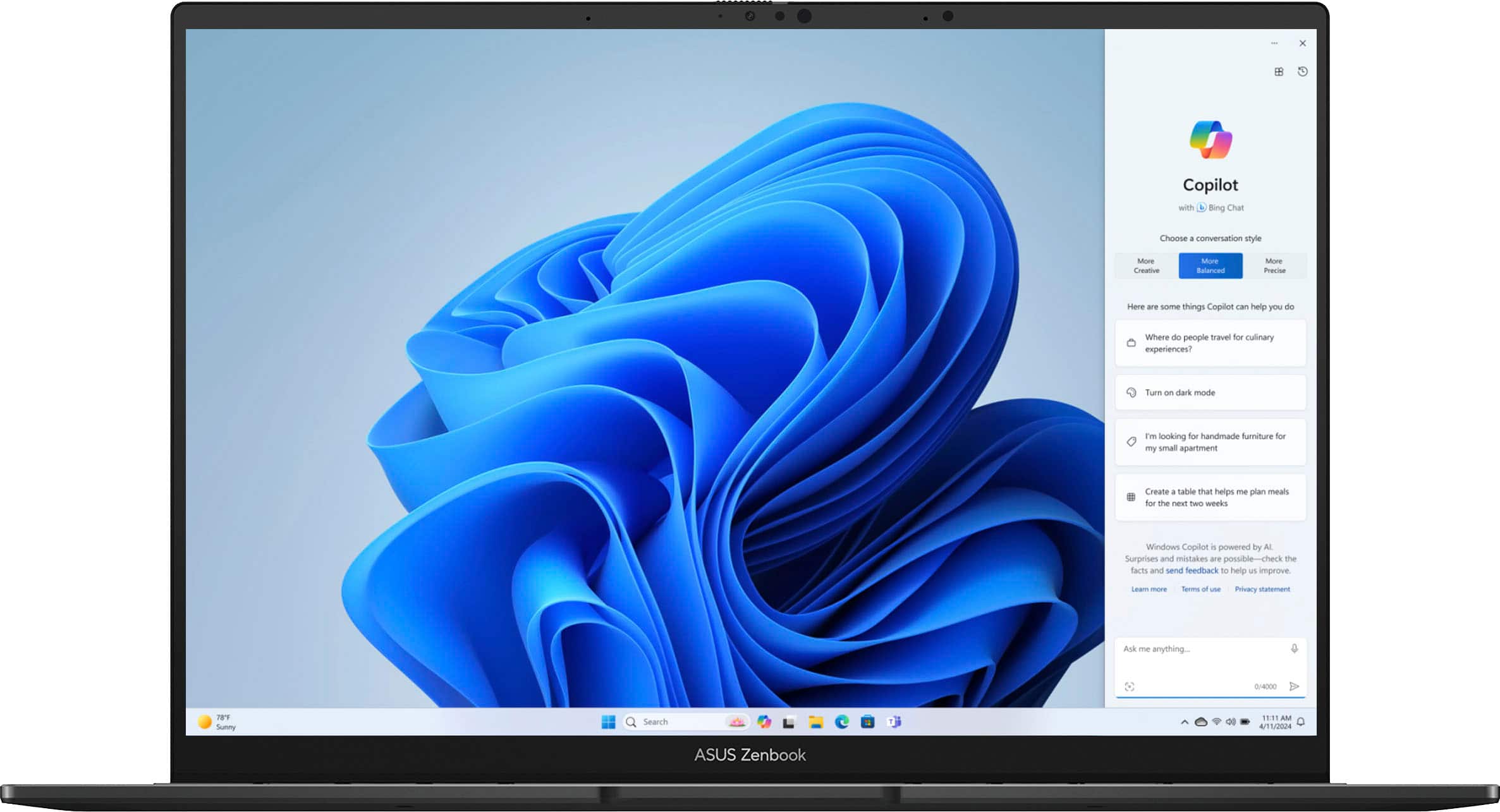
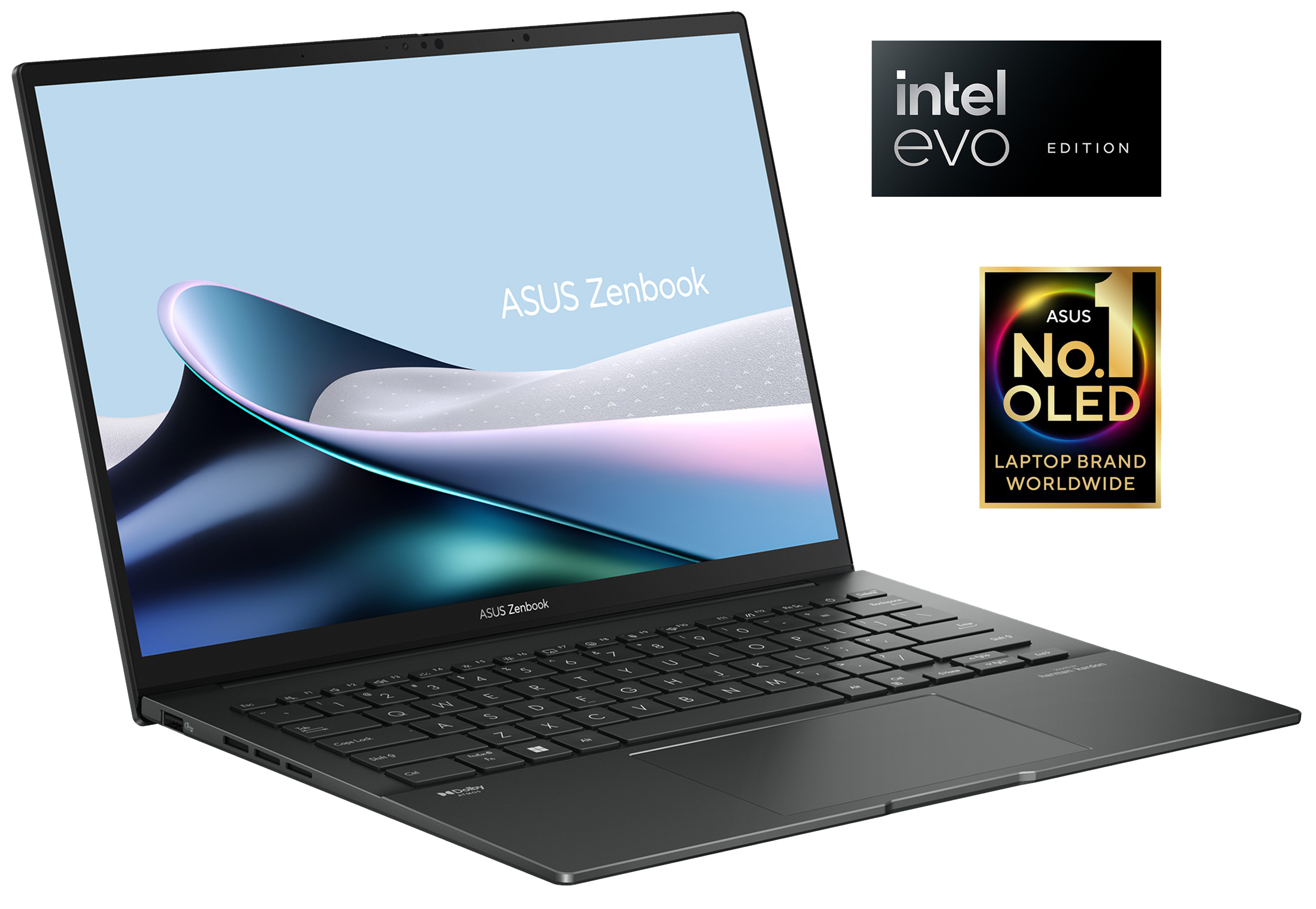
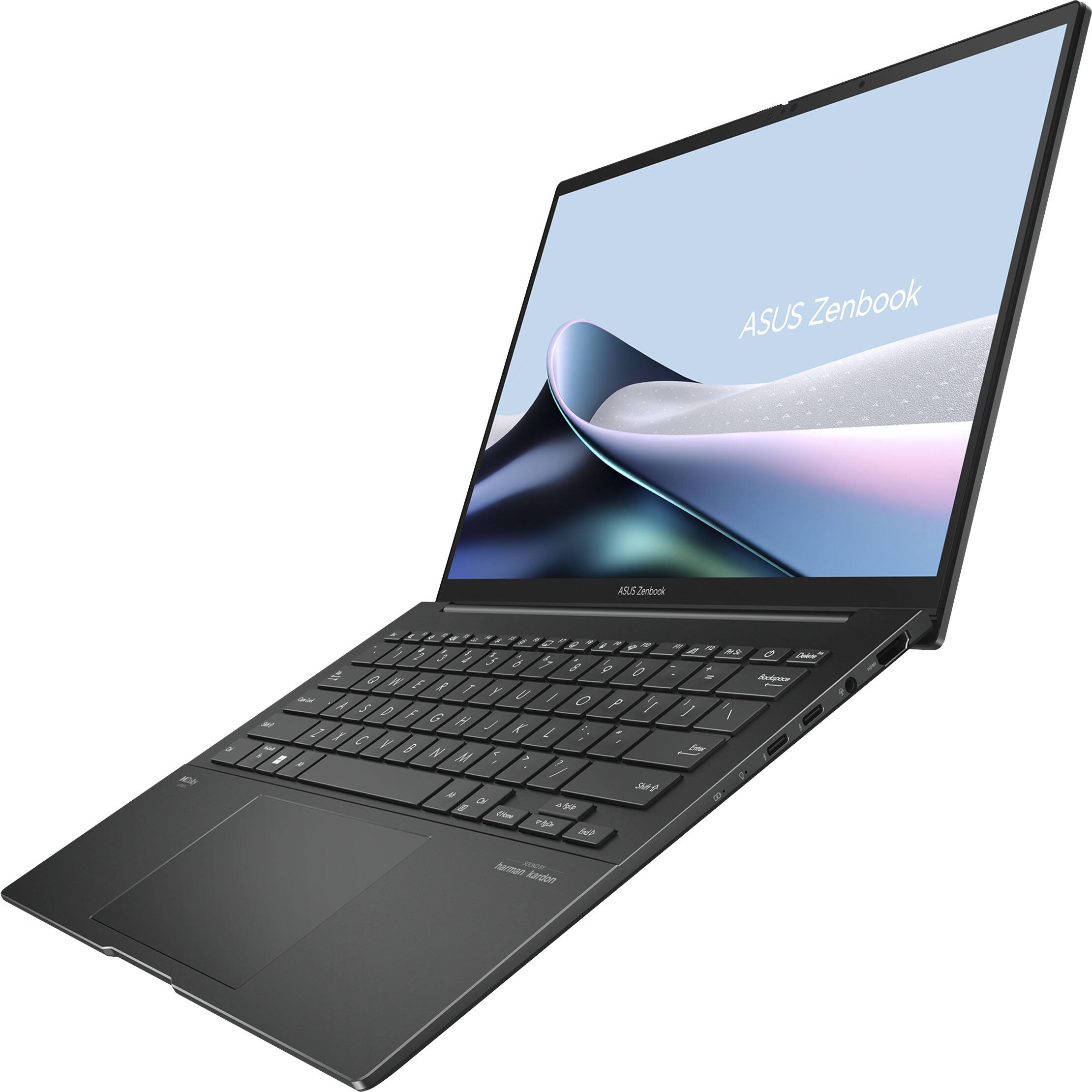
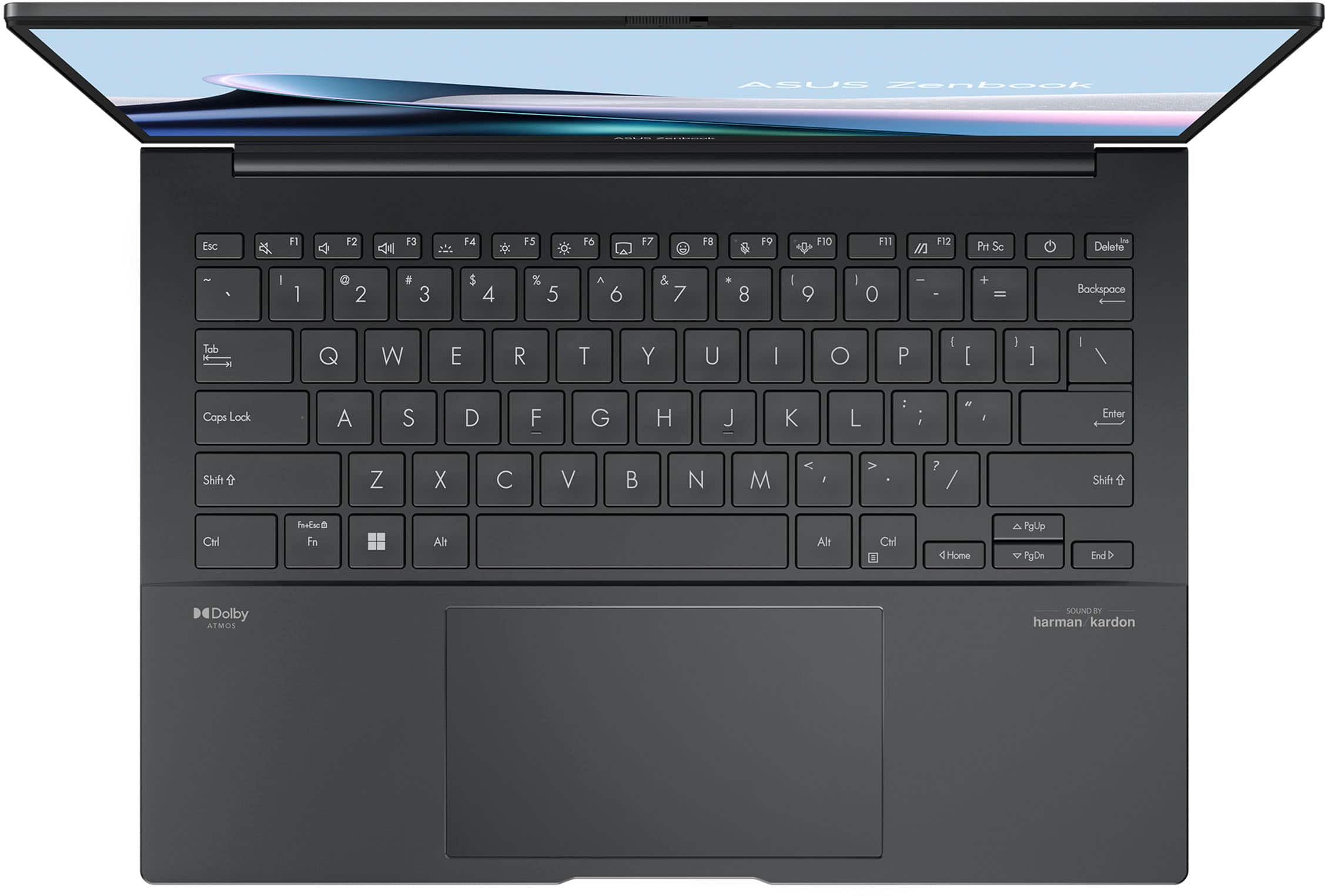
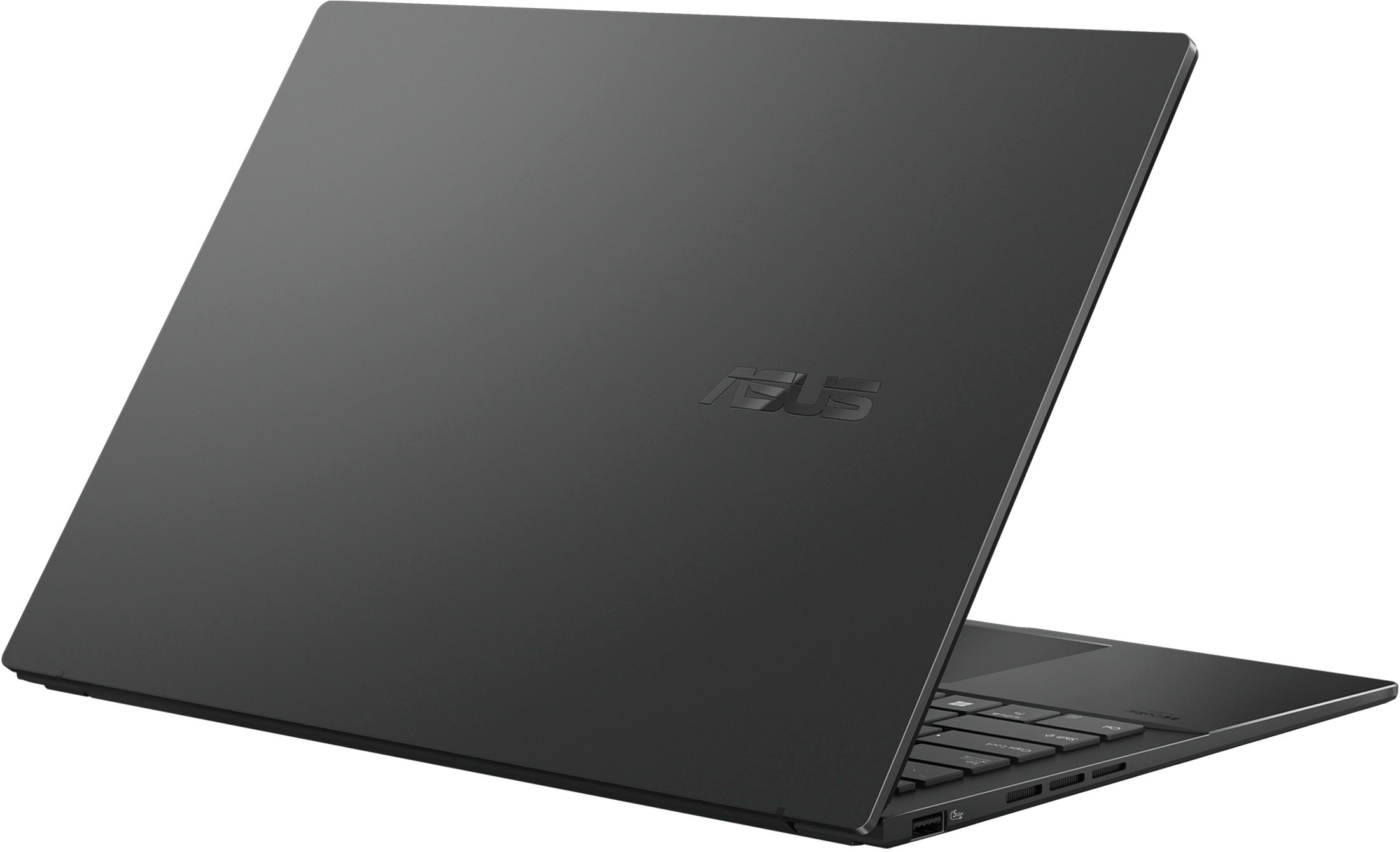
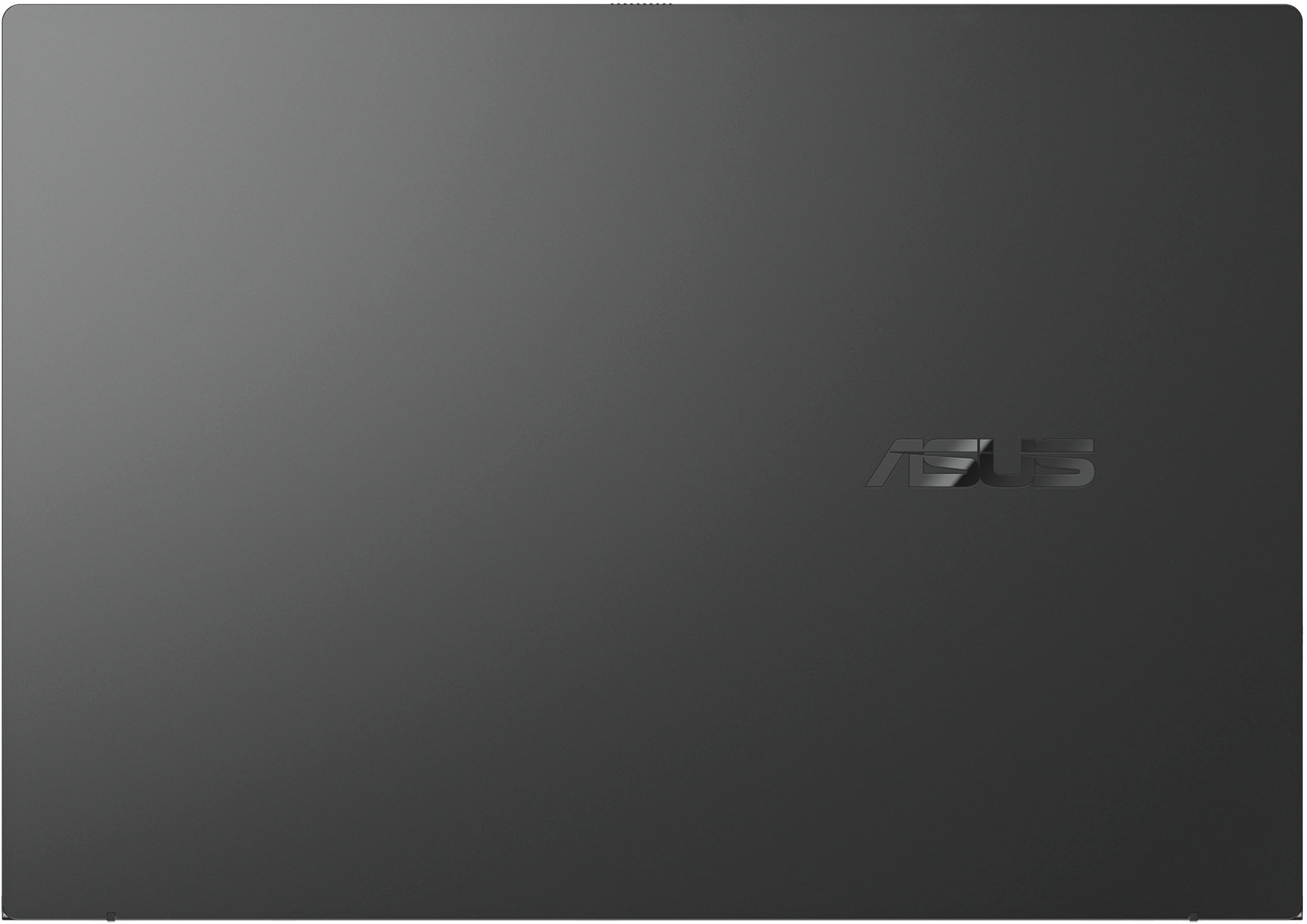
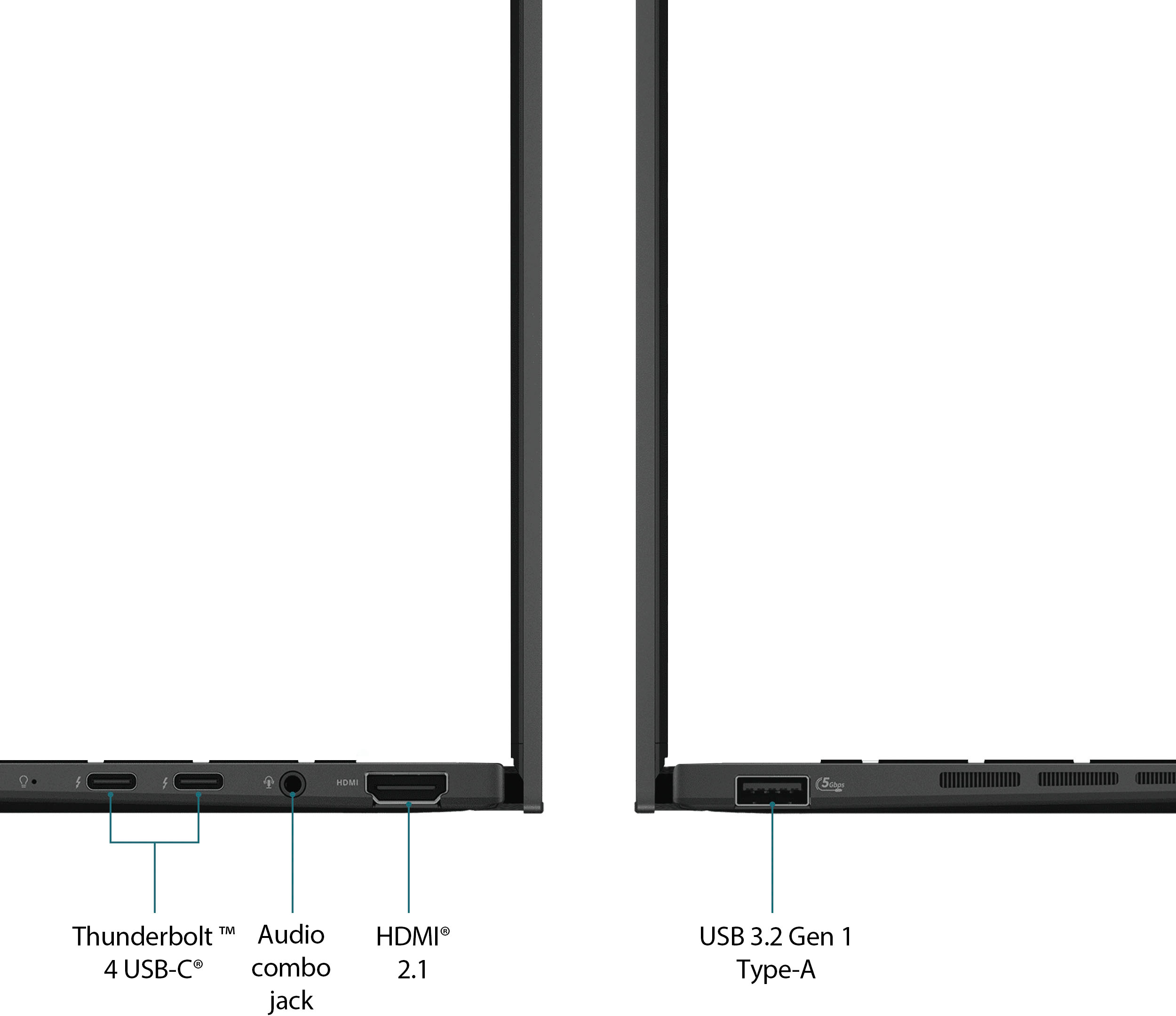
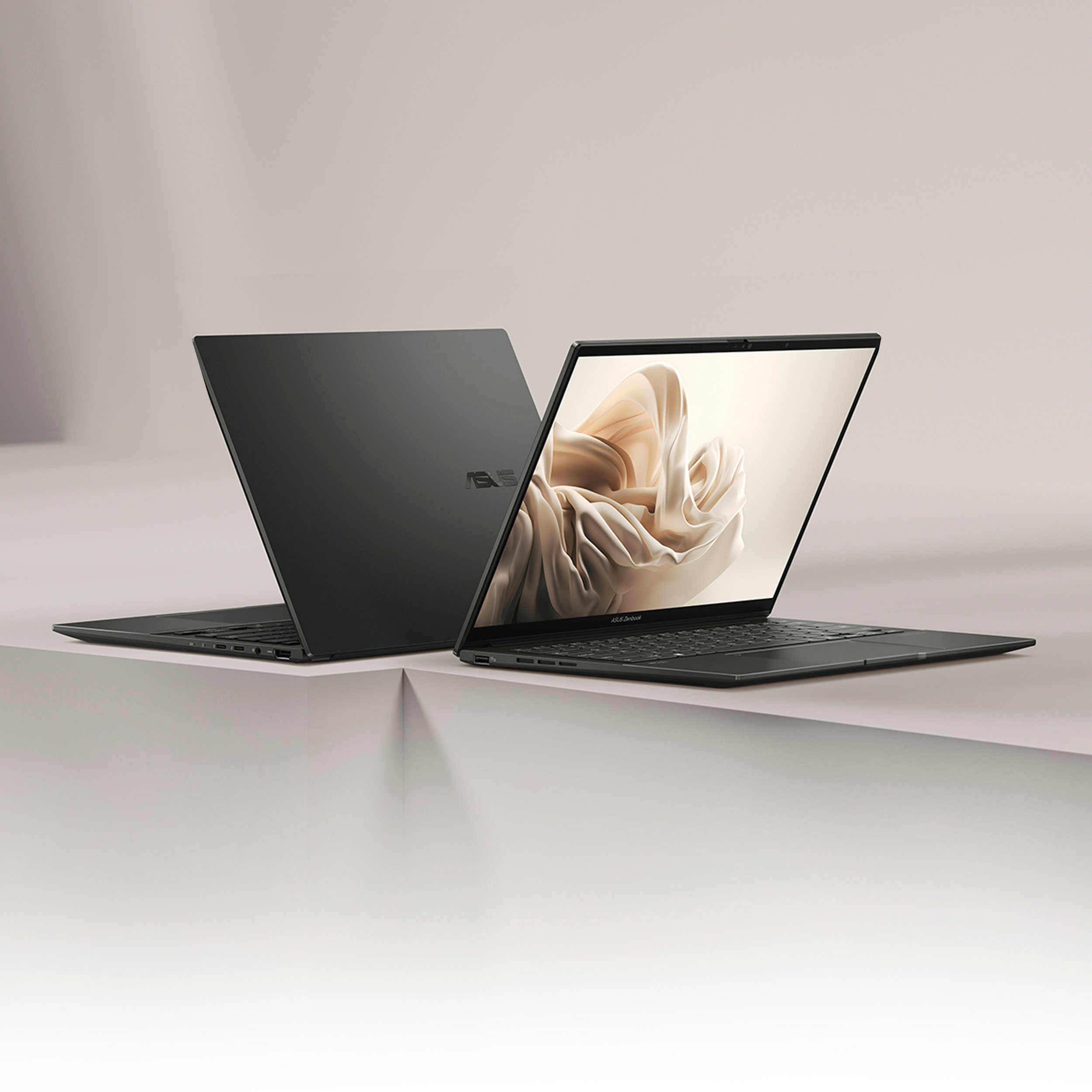
|Posted .This reviewer received promo considerations or sweepstakes entry for writing a review.There is a lot to like on this laptop. After using it for about a week, it has been great. It's very light, and has an excellent battery for a Windows laptop. It's rated for 14 hours with average use and it's likely true. The laptop comes in all-metal dark gray. The top is flat with the logo on the side. It's very understated and classy. There is another Asus Zenbook in the house that has a nice pattern on the lid. This is flat. Very discreet. There are two Thunderbolt-4 ports on one side, and charging is via either of the two ports (or via a Thunderbolt or USB-C dock). It also comes with an HDMI port and a multi-function audio jack. On the other side there is a standard USB 3 port (5Gbps). The screen is excellent: OLED 1920x1200 resolution with HDR. It's not a 4K screen, but I at only 14 inches wide, it's really not needed. I really like that the aspect ratio is 16:10, so it's a bit taller, and it's much better for work. That extra size makes a big difference. It's also better when watching videos because the controls don't need to overlay the image. The screen is touchscreen and works with a Windows pen. It doesn't need pairing, it just works. It doesn't come with a pen, but already had one on my desk. The screen is Gorilla glass (Like most phones). On top of the screen, there is a "Windows Hello" camera. The camera has a physical cover that goes inside the glass. The keyboard is as would expect at this grade, with full-size island keys and backlight. Note that it does not have a fingerprint sensor. The trackpad is quite large and it works well, clicking without too much pressure. There are no gimmicks nor unique features like in other Zenbooks. Everything works and has a purpose. The CPU is the latest generation Intel Ultra 7, and certified for Intel EVO (Which means that the WiFi6E radio and other components are also made by Intel). It has 16 Gb RAM and 1TB SSD. These CPUs are Intel's first generation incorporating an 'NPU', which are specialized cores dedicated to AI functions. While this might not make much difference for most everyday tasks, it helps with video editing and other functions. The video driver is Intel's Arc which is their latest embedded video. It's good for light gaming and 3D. The video refresh is 60Hz, so it's not the fastest, but being OLED, the image quality is excellent, and this is not a gaming laptop, so perfect for work and hobbies. Also it's interesting that the screen opens 180 degrees, so it can stay flat. This might be useful when using it with a pen, but it's not a 2-in-1 device. Weights less than 3 pounds and less than 1 inch thick. Audio is nice, and it comes with Dolby Atmos. Sound comes from the bottom and since its rubber feet are thick, there's plenty of space for the audio to come through. It comes with its own USB-C charger. The charger is nice, black and square with a nice texture. What I don't like about the charger is that the cable is not removable (not really an issue), but the prongs are not foldable. It would've been more convenient if they do. Initial setup is like any other Windows laptop. It sets up fairly quickly, then there are multiple windows upgrades that one has to go through. I'm happy to inform there isn't much bloat at all on this. Besides some Asus support and some extra control panels from Asus, is as a clean Windows install as I've seen. No pushy antivirus and no weird pre-installed stuff. So, overall, it's an excellent, and very powerful laptop for everyday use in my home office and very portable. It's also very quiet, barely noticed fans when going through major Windows updates, and almost never when using the web browser. The OLED screen is very good, it really pops, it's an obvious difference from LCD screens.
I would recommend this to a friend - Cons mentioned:Keyboard
Not good. Avoid this one
||Posted . Owned for 1 month when reviewed.This reviewer received promo considerations or sweepstakes entry for writing a review.Probably the worst computer I've ever ordered new. The keyboard actually doesn't work--in order to get a key to maybe work, I have to hold it down for about 8 seconds. It's already overheating and feels like it's burning up. Avoid.
No, I would not recommend this to a friendBrand response from ASUS Answers
Posted .Dear LWCF,
We sincerely apologize for the keyboard and overheating issues you're experiencing with the notebook and for the inconvenience this has caused. This is not the kind of quality to expect from our products and it's not the norm.
To troubleshoot the issue described, we recommend following the steps in the FAQ below. Should the issue persist, don't hesitate to get in touch with the place of purchase for an exchange or return if you are still within the return window. Please rest assured that if you cannot gain resolution when contacting the place of purchase, we will be glad to provide further assistance.
We stand behind our products and continuously strive to improve our products and processes to achieve customer service excellence. For more information, email us at customerloyalty@asus.com and include the case number "N2404040409-0013" as a reference. We will do our best to resolve your case quickly. Your feedback is very important to us and enables us to improve our support channels. Thank you for choosing ASUS.
Best Regards,
Chantae
ASUS Customer Loyalty US Support
Troubleshooting - Built-in Keyboard Issues - https://www.asus.com/support/faq/1015071/
Troubleshooting - Overheating Issue - https://www.asus.com/support/faq/1015064/
- Cons mentioned:Fan noise
Not worth it
||Posted . Owned for less than 1 week when reviewed.This reviewer received promo considerations or sweepstakes entry for writing a review.I recently switched mac to asus due to broken screen. As a pragrammer I was hoping to get good performance performance. Sadly this device crashed couple of times whenever tried to run codes. Reason you shouldn’t buy this 1. Fan noise 2. Cheap keyboard materials 3.Performance/Often crashes 4. Need two hands to open/not well weight 5. Price/expensive
No, I would not recommend this to a friendBrand response from ASUS Answers
Posted .Dear Jason G,
We sincerely apologize for the issues you've faced with the notebook and for the inconvenience caused. This is not the kind of quality to expect from ASUS products and it's not the norm. At ASUS, we take quality control, testing, and inspections seriously to ensure our products meet high standards. What you've experienced was not intentional or representative of our brand. Customer satisfaction is our top priority, and we strive to make every purchase enjoyable. The decision to make a purchase can be an important one, and we want to ensure that our customers receive the best products and services. We understand the impression this may have created and we hope this will not be a long-term lasting impression as you have chosen ASUS as a trusted brand for excellence. Your feedback is greatly appreciated and will be forwarded to our Product Team for review.
Please allow us to make your experience with ASUS a better one. To troubleshoot both the crashing and fan noise issues described, we recommend following the steps in the FAQ below. Should the issue persist, please contact our support team at https://www.asus.com/us/support/CallUs to further investigate the problem or for assistance with getting the device repaired.
We stand behind our products and continuously strive to improve our products and processes to achieve customer service excellence. For more information, email us at customerloyalty@asus.com and include the case number "N2404040409-0002" as a reference. We will do our best to resolve your case quickly. Your feedback is very important to us and enables us to improve our support channels. Thank you for choosing ASUS.
Best Regards,
Chantae
ASUS Customer Loyalty US Support
https://www.asus.com/support/faq/1038855/
https://www.asus.com/us/support/faq/1015064/
I got a dud or an unstable processor.
||Posted . Owned for less than 1 week when reviewed.This reviewer received promo considerations or sweepstakes entry for writing a review.It seemed like a good deal, but 20 minutes into use, the device started freezing up. No error message...only a hard reset would fix it. It could be processor instability or a bios issue, but I updated the BIOS, repaired Windows, updated all of the drivers and ran the processor under load, but the device would still freeze up randomly while browsing or productivity. It even froze while performing a system reset.
No, I would not recommend this to a friendBrand response from ASUS Answers
Posted .Dear Turma,
We're sorry to hear that the notebook is constantly freezing and we apologize for the inconvenience this has caused you. What you've experienced was not intentional or representative of our brand.
To troubleshoot the issue described, we recommend following the steps in the FAQ below. Should the issue persist, you can contact the place of purchase for an exchange or return if you are still within the window. Please rest assured that if you cannot gain resolution when contacting the place of purchase, we will be glad to provide further assistance.
We stand behind our products and continuously strive to improve our products and processes to achieve customer service excellence. For more information, email us at customerloyalty@asus.com and include the case number "N2405021960-0010" as a reference. We will do our best to resolve your case quickly. Your feedback is very important to us and enables us to improve our support channels. Thank you for choosing ASUS.
Best Regards,
Chantae
ASUS Customer Loyalty US Support
[Windows 11/10] Troubleshooting - Resolving System Error Messages or Unresponsiveness (Freeze/Black Screen/White Screen during usage) - https://www.asus.com/support/faq/1038855/
Asus Zenbook 14
||Posted . Owned for 1 month when reviewed.This reviewer received promo considerations or sweepstakes entry for writing a review.good computer but has a couple of little glitches.
I would recommend this to a friendGood value, when on sale
||Posted . Owned for 1 month when reviewed.This reviewer received promo considerations or sweepstakes entry for writing a review.Overall the design looks very sleek, with amazing matte finish and great color. Performance wise, there seem to be minor heating issues while charging, however no compromise in the performance. Good value for money when on sale
I would recommend this to a friendBrand response from ASUS Answers
Posted .Dear Sarang,
Thank you for sharing your experience with the laptop, and we apologize for the heating problem you've encountered. This is not the kind of quality to expect from ASUS products and it's not the norm. At ASUS, we take quality control, testing, and inspections seriously to ensure our products meet high standards. What you've experienced was not intentional. Customer satisfaction is our top priority, and we strive to make every purchase enjoyable. The decision to make a purchase can be important, and we want to ensure that our customers receive the best products and services. We understand the impression this may have created and we hope this will not be a long-term lasting impression as you have chosen ASUS as a trusted brand for excellence. Please allow us to make your experience with ASUS a better one.
To troubleshoot the issue described, we recommend following the steps in the FAQ below. Should the issue persist, please contact our support team at https://www.asus.com/us/support/CallUs to further investigate the problem.
We stand behind our products and continuously strive to improve our products and processes to achieve customer service excellence. For more information, email us at customerloyalty@asus.com and include the case number "N2404011008-0010" as a reference. We will do our best to resolve your case quickly. Your feedback is very important to us and enables us to improve our support channels. Thank you for choosing ASUS.
Best Regards,
Chantae
ASUS Customer Loyalty US Support
https://www.asus.com/support/faq/1015064/
Awful
||Posted . Owned for 2 weeks when reviewed.This reviewer received promo considerations or sweepstakes entry for writing a review.This laptop has been nothing but a headache since I pruchased it! It took almost an hour for it to set up when I first turned it on. The audio cuts out constantly!! Bootup is slow and my 7 year old laptop runs just as fast as this. Skip this one if you can!
No, I would not recommend this to a friendBrand response from ASUS Answers
Posted .Dear Rose,
We sincerely apologize for the issues you're experiencing with the Zenbook and for the inconvenience caused. This is not the kind of quality to expect from our products and it's not the norm.
To troubleshoot the audio and slow boot issue described, we recommend following the steps in the FAQ below. Should the issue persist, please contact our support team at https://www.asus.com/us/support/CallUs to further investigate the problem or assist with repairing the device.
We stand behind our products and continuously strive to improve our products and processes to achieve customer service excellence. For more information, email us at customerloyalty@asus.com and include the case number "N2405021960-0009" as a reference. We will do our best to resolve your case quickly. Your feedback is very important to us and enables us to improve our support channels. Thank you for choosing ASUS.
Best Regards,
Chantae
ASUS Customer Loyalty US Support
[Windows 11/10] Troubleshooting - Sound (Speakers/Microphones) problems - https://www.asus.com/in/support/faq/1015070/
[Windows 11/10] Troubleshooting - System is running slowly - https://www.asus.com/support/faq/1042398/
Review - ASUS - Zenbook 14 OLED 14” WUXGA Touch
||Posted . Owned for 2 weeks when reviewed.This reviewer received promo considerations or sweepstakes entry for writing a review.the volume/audi is not working well, sometimes it has volume sometimes not. audio Youtube videos and school videos are not working. it is also weird why youtube and school videos are not playing. ive contacted Asus support and never gave me a resolution
No, I would not recommend this to a friendBrand response from ASUS Answers
Posted .Dear RoiP,
We sincerely apologize for the audio issue you're experiencing with the notebook and for the inconvenience caused. To troubleshoot the issue described, we recommend following the steps in the FAQ below. Should the issue persist, please send us an email at customerloyalty@asus.com and include the case number "N2405021960-0008" as a reference so that we can further investigate this issue. We know that maintaining a functioning unit is an urgent matter, and we are committed to helping you.
We stand behind our products and continuously strive to improve our products and processes to achieve customer service excellence. We will do our best to resolve your case quickly. Your feedback is very important to us, and it enables us to improve our support channels. Thank you for choosing ASUS.
Best Regards,
Chantae
ASUS Customer Loyalty US Support
[Windows 11/10] Troubleshooting - Sound (Speakers/Microphones) problems - https://www.asus.com/in/support/faq/1015070/
- Cons mentioned:Fan noise
Overheating & loud
||Posted . Owned for less than 1 week when reviewed.This reviewer received promo considerations or sweepstakes entry for writing a review.Just purchased this laptop and got it all set up. It has been 30 minutes since I’ve set it up and the fans are going crazy and the keyboard is already crazy hot. All I’ve done so far is log into my accounts and downloaded Spotify. Really that’s all it takes? 30 minutes of emailing and music for it to overheat?
No, I would not recommend this to a friendBrand response from ASUS Answers
Posted .Dear Arthur,
We sincerely apologize for the overheating and fan issue you're experiencing with the notebook and for the inconvenience this may have caused you. This is not the kind of quality to expect from our products and it's not the norm.
To troubleshoot the issue described, we recommend following the steps in the FAQ below. Should the issue persist, don't hesitate to get in touch with the place of purchase for an exchange or return if you are still within the window. Please rest assured that if you cannot gain resolution when contacting the place of purchase, we will be glad to provide further assistance.
We stand behind our products and continuously strive to improve our products and processes to achieve customer service excellence. For more information, email us at customerloyalty@asus.com and include the case number "N2404040409-0010" as a reference. We will do our best to resolve your case quickly. Your feedback is very important to us and enables us to improve our support channels. Thank you for choosing ASUS.
Best Regards,
Chantae
ASUS Customer Loyalty US Support
[Windows 11/10] Troubleshooting - Overheating and Fan issues - https://www.asus.com/support/faq/1015064/
Mac book
||Posted . Owned for 3 months when reviewed.This reviewer received promo considerations or sweepstakes entry for writing a review.Waited at Bestbuy too long for them to tell me they didn’t have the computer state wide, glad i got to order it online !
I would recommend this to a friendNice Laptop with limitations
||Posted . Owned for 1 month when reviewed.This reviewer received promo considerations or sweepstakes entry for writing a review.It's ok. Limited regarding ports and it's missing a nut. There is no GPU. A 4060 would be great. And if it could bend to tablet mode. Otherwise it's limited
I would recommend this to a friendBrand response from ASUS Answers
Posted .Dear Valued Customer,
Thank you for sharing your feedback on the laptop. We understand that the the design of the product did not meet your full expectations and we sincerely apologize for that as we do understand your concerns. At ASUS, we take quality control, testing, and inspections seriously to ensure our products meet high standards. The decision to make a purchase can be an important one, and we want to ensure that our customers receive the best products and services. Providing our customers with a high level of satisfaction is our top priority, and we'll forward your feedback to our Product Team for review. If you require any further assistance, don't hesitate to get in touch with our support team at https://www.asus.com/us/support/CallUs.
We stand behind our products and continuously strive to improve our products and processes to achieve customer service excellence. For more information, email us at customerloyalty@asus.com and include the case number "N2404011008-0008" as a reference. We will do our best to resolve your case quickly. Your feedback is very important to us and enables us to improve our support channels. Thank you for choosing ASUS.
Best Regards,
Chantae
ASUS Customer Loyalty US Support
- Pros mentioned:Battery life, Screen quality
A great performing laptop
|Posted .This reviewer received promo considerations or sweepstakes entry for writing a review.First impression: My first impression of the Asus Zenbook Q245M laptop is that it is a very well-made, high-performance laptop. When I saw the specs and then the price, I couldn’t wait to see if the laptop performed as well as the specs read. The Asus Q425M 14” laptop is the updated version of the Q425, introducing the new Intel Core Ultra chipset. It updated the CPU to the Ultra 7, increased RAM to 16GB, and the storage to an M.2 1TB drive. It also updated the speakers to Harman Kardon with Dolby Atmos, introduced the Smooth Keyboard. Quality. The laptop has an aluminum body that feels very sturdy and strong. The hinges are tight and seem strong; only time will tell. The case has an attractive glossy Jasper Gray finish. It picks up fingerprints easily, but it also cleans easily. I like the finish a lot. Setup: The setup was just like any Windows 11 setup. It was quick and easy, even after finding necessary updates during the initial configuration. Following configuration, I had about an hour with updates and installing software. Performance: This laptop is fast. The intel Ultra 7 CPU is very responsive when doing just about anything. Searching for and opening files was almost instantaneous. Programs opened fast, including slower programs like drafting software. Most of my testing was done editing 360° video with InstaStudio 4 and stitching video together in Davinci Resolve. The performance during editing was excellent. The programs responded instantly, and playback was flawless. I don’t want to leave the impression that the laptop is a gaming level laptop, but I find the performance spectacular when you realize how much technology was put in such a small package. With this performance also comes heat. The bottom of the laptop got warmer than most when editing videos. The display panel looks incredible. The colors are bright, sharp, and crisp, but never tiring. The color is very accurate when viewing pictures, watching 4K Netflix, and editing video. This laptop has Asus’s ErgoSense Keyboard and touchpad. The ErgoSense touchpad is 5” x 3”. The touchpad does have an anti-fingerprint coating which is nice, and it does support multitouch gestures as well. The touchpad is like running your fingers across glass. It is super smooth, allowing your fingers to run freely across it creating smooth cursor movements. The keyboard is one of my favorites. The keys are a nice size and not jammed together like a gaming keyboard. It has a very low travel, but a balanced resistance eliminating key-bounce. This allows for faster, more accurate typing on the keyboard, especially for 2-finger typists. The audio from this laptop is amazing. The Asus Q425M has Harman Kardon super-linear speakers with certified Dolby Atmos and two-way AI noise cancellation. Anxious to hear how the audio system sounded, I used my Apple Music playlist playing a diverse mix of music genres to see how well is stood up to the music, but also to see if there are any genres that these speakers did better with, and if there were any genres that it struggled with. I played easy listening, rock, metal, funk, freak folk, and even some EDM. The audio system handled every genre tested beautifully with no distortion or weak areas. It is the best sounding laptop I have ever listened to. Battery life is said to be 15 hours. I didn’t record the battery life; however, I know I get at least 15 hours when performing the tasks I mentioned in the review as well as use it for Internet surfing and general office use. I did not play any games on it, so I don’t know how it would hold up, but this is not a gaming laptop. Conclusion: The Asus Q245M ZenBook 14 is an amazing laptop at a great price. Asus packed a tremendous amount of technology in such a small package, including the new intel Ultra 7 CPU, a bright, colorful OLED display, 16 GB of RAM, a 1 TB M.2 drive, a nice selection of ports, and a 15± hour battery. I was impressed at every test I ran on this laptop, and all of this comes in under $1000. I highly recommend this laptop.
I would recommend this to a friend - Cons mentioned:Usb-c ports
Bad design for the only usb port
||Posted . Owned for 5 months when reviewed.This reviewer received promo considerations or sweepstakes entry for writing a review.The usb port becomes loose and not functional after few months.
No, I would not recommend this to a friendBrand response from ASUS Answers
Posted .Dear Hanhsuan W,
We're sorry to hear that the USB ports on the laptop stopped working and we apologize for any inconvenience this may have caused you. To obtain assistance with repairing the ports or to further investigate the problem described, we recommend contacting our support team directly at https://www.asus.com/us/support/CallUs.
We stand behind our products and continuously strive to improve our products and processes to achieve customer service excellence. For more information, email us at customerloyalty@asus.com and include the case number "N2404040409-0017" as a reference. We will do our best to resolve your case quickly. Your feedback is very important to us and enables us to improve our support channels. Thank you for choosing ASUS.
Best Regards,
Chantae
ASUS Customer Loyalty US Support
- Cons mentioned:Heat
Disappointed
||Posted . Owned for 1 month when reviewed.This reviewer received promo considerations or sweepstakes entry for writing a review.was not as expected, Item heats up to fast. Does not have a well-designed cooling system. Because of this defect I am concerned of how long the item will last.
No, I would not recommend this to a friendBrand response from ASUS Answers
Posted .Dear Eugenia L,
We sincerely apologize for the overheating issue you've faced with the notebook and the inconvenience caused. This is not the kind of quality to expect from ASUS products and it's not the norm. At ASUS, we take quality control, testing, and inspections seriously to ensure our products meet high standards. What you've experienced was not intentional or representative of our brand. The decision to make a purchase can be important, and we want to ensure that our customers receive the best products and services. We understand the impression this may have created and we hope this will not be a long-term lasting impression as you have chosen ASUS as a trusted brand for excellence. Providing our customers with a high level of satisfaction is our top priority, and we'll forward your feedback to our Product Team for review.
Please allow us to make your experience with ASUS a better one. To troubleshoot the issue described, we recommend following the steps in the FAQ below. Should the issue persist, please contact our support team at https://www.asus.com/us/support/CallUs to further investigate the problem or assist with repairing the device.
We stand behind our products and continuously strive to improve our products and processes to achieve customer service excellence. For more information, email us at customerloyalty@asus.com and include the case number "N2404040409-0003" as a reference. We will do our best to resolve your case quickly. Your feedback is very important to us and enables us to improve our support channels. Thank you for choosing ASUS.
Best Regards,
Chantae
ASUS Customer Loyalty US Support
https://www.asus.com/support/faq/1015064/
Amazing PC but annoying sound issues.
||Posted . Owned for 1 month when reviewed.This reviewer received promo considerations or sweepstakes entry for writing a review.The computer would be an easy 5/5 if it wasn't for the constant audio issues. The audio cuts off for days at a time and comes back. Bluetooth doesn't always work. After using Bluetooth it will usually mess with the functionality of the speakers. They go mute.
No, I would not recommend this to a friendBrand response from ASUS Answers
Posted .Dear RamonG,
Thank you for your comment.
We do understand your disappointment and the inconvenience this may have caused if you are experiencing issues with the audio using Bluetooth connection. To resolve the issue, please check if the Bluetooth device is working properly, its battery
has ample amount of charge and was paired or connected successfully. Additionally, check if Windows, audio and Bluetooth drivers for this laptop are updated. Updates are available at: https://www.asus.com/us/laptops/for-home/zenbook/asus-zenbook-14-oled-q425/helpdesk_download?model2Name=Q425MA .
Should you need further assistance with the product, please email me at cl-rodel@asus.com and I would be more than happy to help. Or you are most welcome to call Product Support Hotline at: 1(888) 678-3688. Also, you can chat with an ASUS live support agent from the link: . Thank you for choosing an ASUS product.
Regards,
Rodel
ASUS Customer Loyalty