Customer Ratings & Reviews

- Model:
- UX3405CA-U9321TB
- SKU:
- 10512917
Rating by feature
- Battery Life
Rating 4.7 out of 5 stars
- Speed
Rating 4.8 out of 5 stars
- Display
Rating 4.7 out of 5 stars
- Pros mentioned:Oled quality, Overall performance, Portability

Sometimes, you really can't miss!
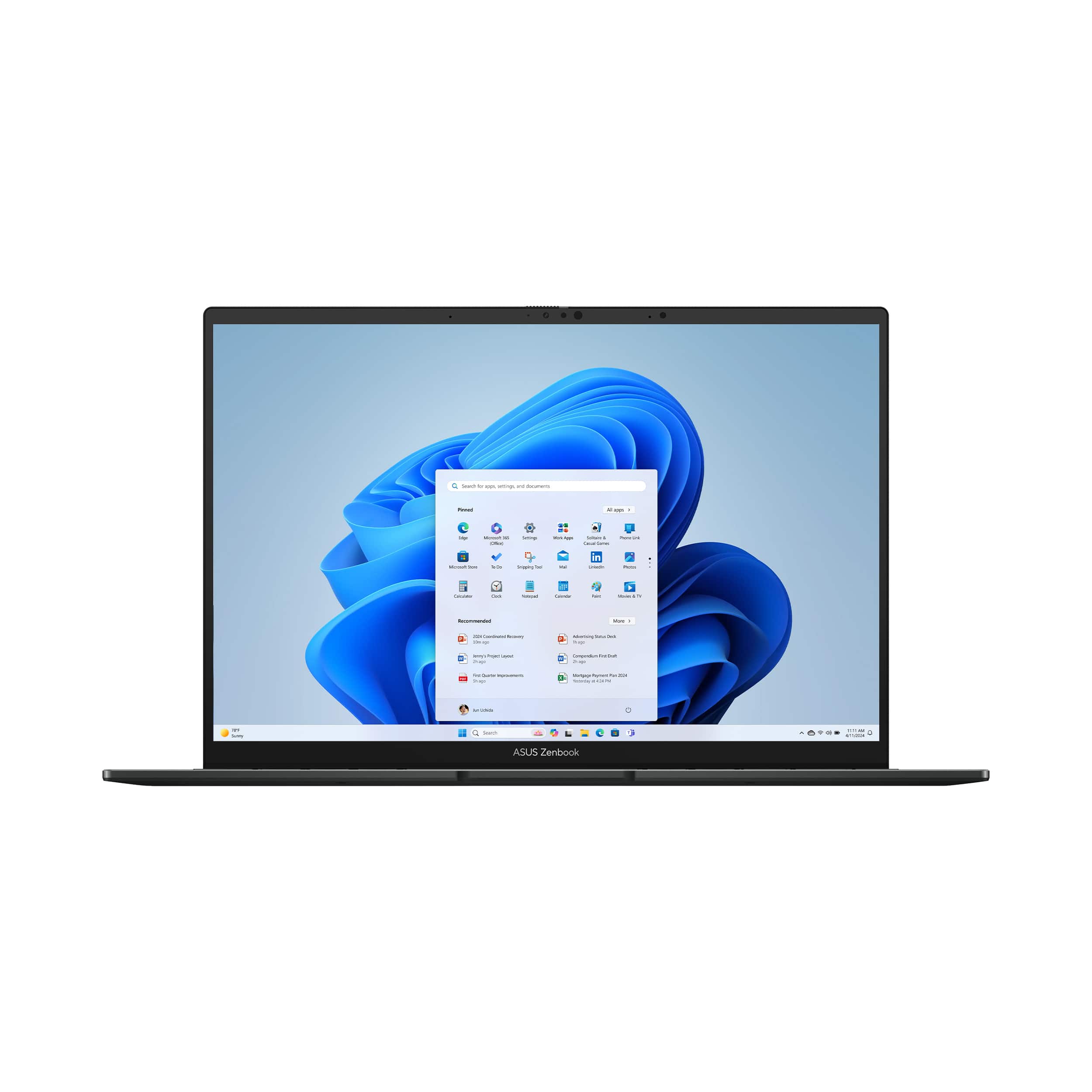
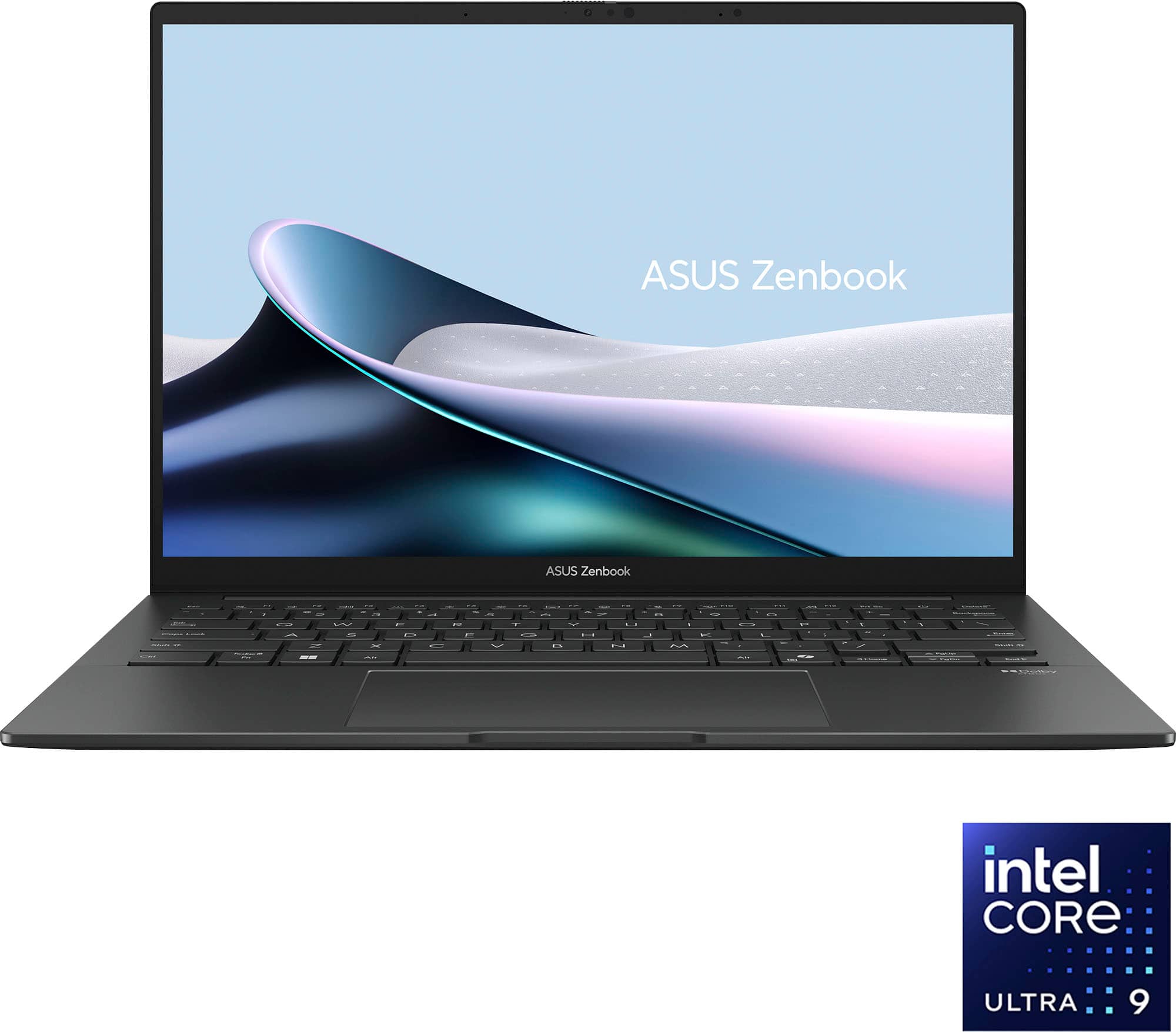
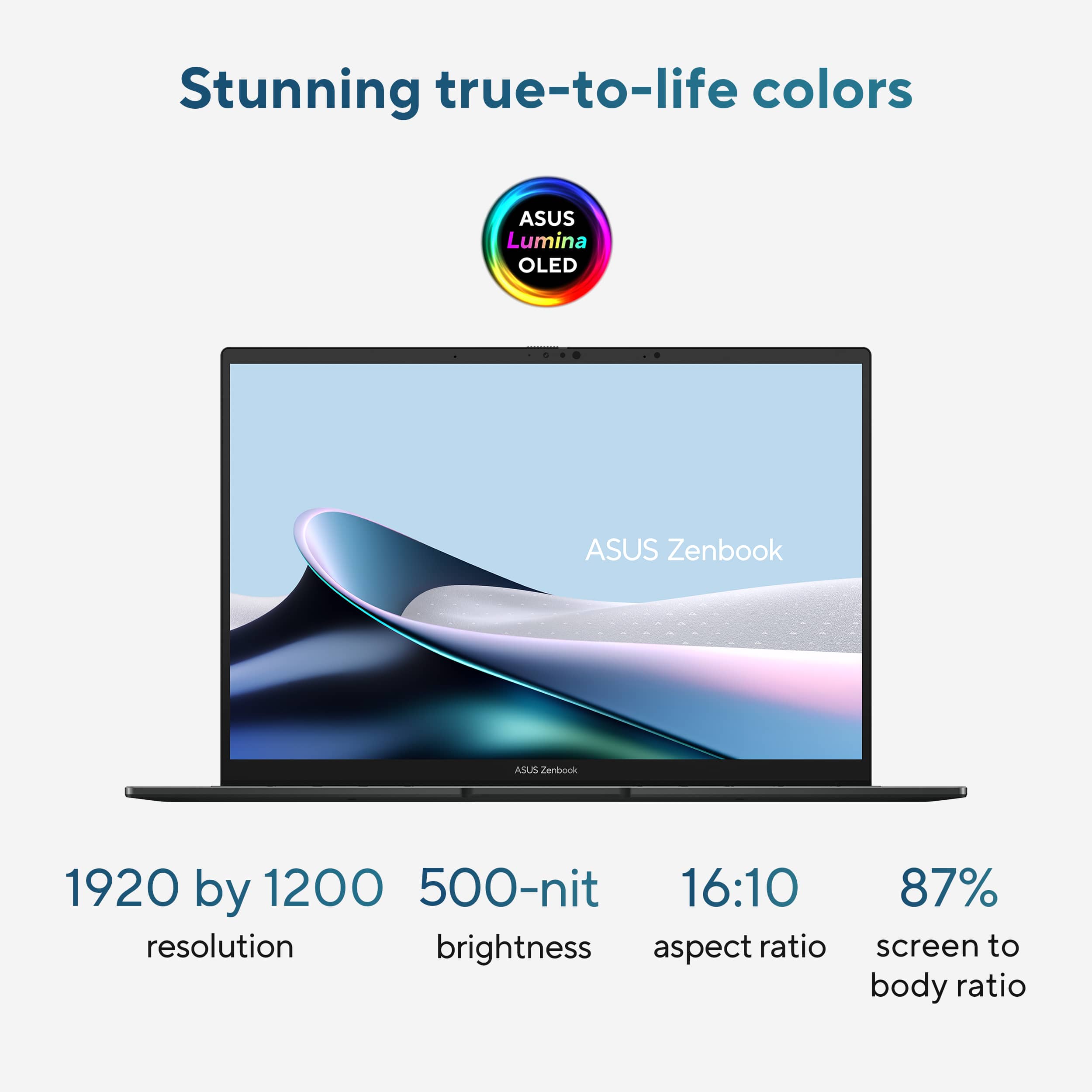
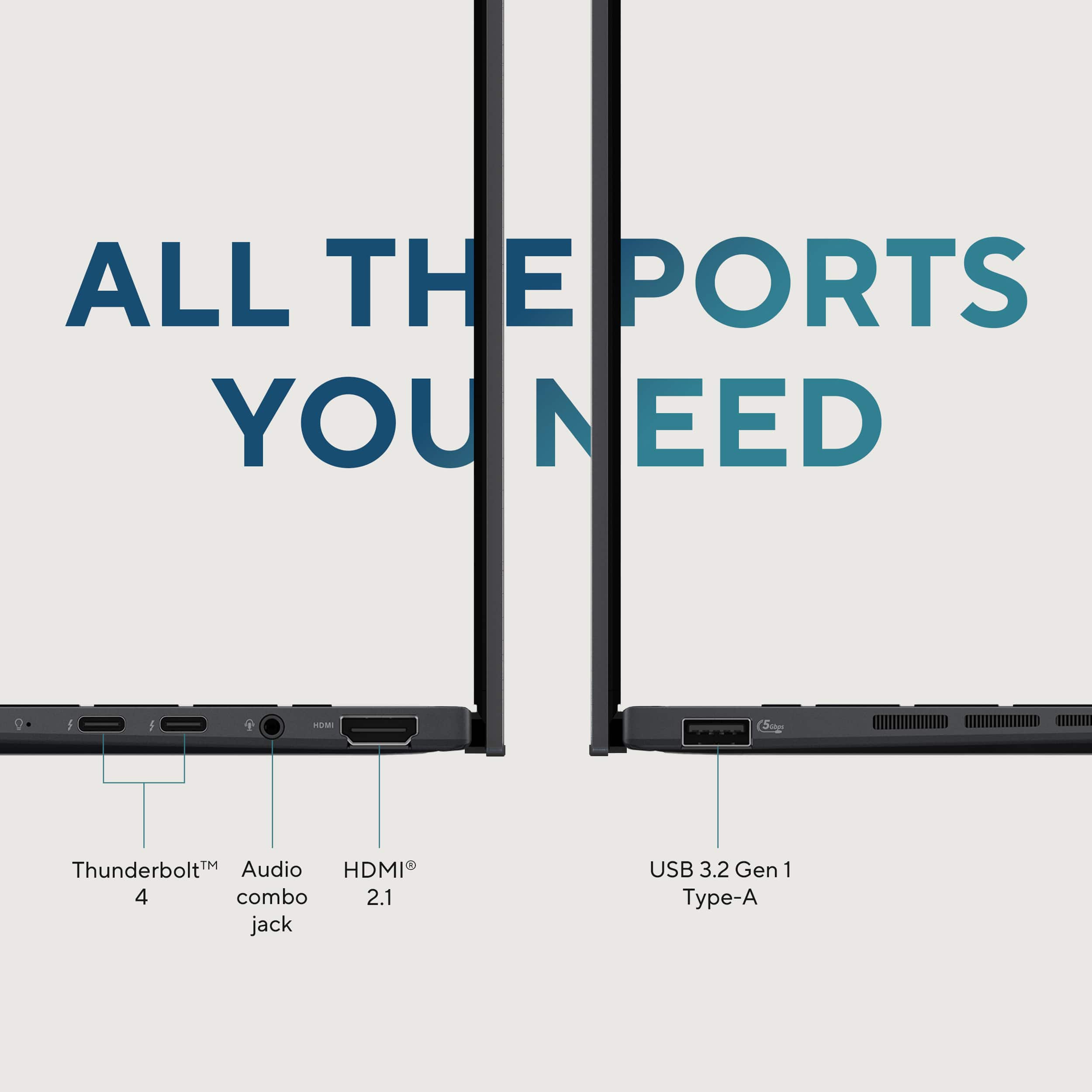
|Posted .This reviewer received promo considerations or sweepstakes entry for writing a review.I needed a new portable PC to serve as a bit of a workhorse while being light-weight and having a small footprint in my travel bag of choice. An ASUS Zenbook seemed to be the perfect option if it could live up to its claims as a sleek and powerful laptop for productivity and creativity. Well, enter the 14” Zenbook UX3405C. I’m a package guy. I’m of the belief that the way a manufacturer packages their product sends the consumer a message about the quality of their products and their commitment to safe delivery. With that said, my Zenbook was well packaged in standard colored cardboard – tight, firm, and shock protected. Open it and the inner-box is actually a cardboard mechanism with hinges and a working pop-up platform – neat. Considering the amount of material used for the box compared to the size of the Zenbook itself, your laptop is well protected from bumps, short drops, etc. while in route. My first impression after opening the box and removing the Zenbook: Man, this thing is small, thin, and premium! Sleek. Compact. Well-built. These are the terms that come to mind when first handling this laptop. It’s heavy and sturdy enough to give it a feeling of worth, but not too heavy to feel like a tote burden. There are plenty of ports available (2 USB-C thunderbolt), but the ones that stand out are the full-sized HDMI port, the old-school USB-A port, and the headset jack. These are all more than welcome, in my book, as they make specific connectivity a breeze when wireless options aren’t available. There is quite a bit of ventilation on the bottom, with air intake holes stretching across almost the width of the laptop. Opening the Zenbook reveals a near edge-to-edge screen, a nice keyboard, and a more than adequately sized trackpad. Overall, not only does this Zenbook look the part, but it gives me a sense of satisfaction as an owner before even turning it on. I think ASUS did a fantastic job with the design, with attention to detail, good port decisions, and build quality. The only other hardware item in the box was a USB-C charger – it’s simple, and welcome. Once I stopped gawking at it and turned it on, my first thoughts were O-L-E-D. It didn’t take long at all to see that beautiful screen in action. The Zenbook start up is a pulsating white graphic on a solid black canvas, and the top-notch local dimming and light-source shading are on full display. In a word, the screen is exceptional. Colors are vibrant and rich. Contrast is distinct. It’s not only visually stunning, but animations and transitions are buttery-smooth. This Zenbook is a Windows 11 machine, so you know what that means – updates! Yep, get ready to go through the update trenches. One thing I will say is these updates give a good sense of the laptop’s response when it’s pushed or is working hard. The fan is real, and it’s got a little umph to it (more on that later). Some are put off by a good fan, but I tend to like it because it gives me the feel that my machine can get some heavy lifting done. The keyboard is comfortable, feels good, but not great. It’s not quite as smooth and tactile as I prefer. The key travel is fine, but the stiffness and inconsistency are the issues I have. I think it’s a decent typing experience, but I expected something a little more refined and feel-friendly. I’m a developer, so I installed the latest version of Visual Studio and VS Code along with a couple of database management clients. I also do some media editing (video and photo), so I installed Filmora for now – a couple of photo editing tools to come. This Zenbook comes with a 1TB SSD, a specification I truly salivated over. You have about 932GB of storage at your disposal. Once I installed my software, I still had over 800GB of storage remaining. Another literal delight in the specs was the 32GB of RAM – yep, 32, not 16. This means you have onboard memory for a better video editing experience. All sitting on top of an Intel Core Ultra 9 processor with 16 cores. Normal, everyday tasks like checking email, browsing the web, using Office-like productivity tools, feel snappy and responsive. When using development tools such as Visual Studio, the Zenbook handles it like a champ. I usually have solutions containing multiple projects and run multiple projects in debug simultaneously due to their dependency on one another. This laptop handles this taxing environment, also hitting a local (run on the laptop as well) database server, without issue. It has also been surprisingly capable when editing video. It’s a little workhorse, I tell ya! Back to the fan on this workhorse. The Intel processor in this Zenbook can get a little warm when pushed, and the fan, along with the ventilation design, works in concert to do a good job cooling the unit. When I first looked at the laptop, I thought the vents along the left side were a custom dock port – sad, I know. The air flow might be the best I’ve experienced in a small notebook. Using the MyASUS app, you can set a fan profile, review status and performance statistics, and choose a performance profile. The fan profile allows you to have the fan quiet when needed and wide open when performance is needed. Even though this Zenbook includes MyASUS in its pre-installed software, ASUS did a great job in not loading this device down with bloatware. There are options to install additional entertainment software and tools, but nothing forced upon you as I’ve seen in the past. I really hope they keep taking this approach! Not much more I can add. This laptop does much more than handle simple computing and everyday tasks – web surfing, email, video conferencing, and office productivity apps. It serves as a viable portable desktop for most, if not all. It has snappy performance and provides enough processing power and RAM to get what many call “real work” done. The design is elegant, yet solid, and that OLED display is the icing on the cake. Add to that plenty of ports and USB-C charging, and it’s a can’t miss. Kudos to ASUS!
I would recommend this to a friend Great computer
||Posted . Owned for 2 weeks when reviewed.This reviewer received promo considerations or sweepstakes entry for writing a review.I really like my new computer. Chase at Best Buy Salem was very helpful helping me pick it out an answered my many questions. Shipping was fast and everything arrived in perfect condition. I wasn’t so sure about getting a touch screen but I have gotten used to it. Would definitely go back to Best Buy for an Asus.
I would recommend this to a friend- Pros mentioned:Overall performance
ASUS zen book
||Posted . Owned for 3 weeks when reviewed.This reviewer received promo considerations or sweepstakes entry for writing a review.It’s fantastic. Everything about this laptop is perfect. Must not miss out. PURCHASE IMMEDIATELY!!!
I would recommend this to a friend - Pros mentioned:Overall performance
I bought a laptop, iPad
||Posted . Owned for 2 weeks when reviewed.This reviewer received promo considerations or sweepstakes entry for writing a review.Wonderful service and I’m happy with this pay all the time. Great service make it better deal
I would recommend this to a friend - Pros mentioned:Overall performance
Technology department workers are cool
||Posted . Owned for 3 weeks when reviewed.This reviewer received promo considerations or sweepstakes entry for writing a review.Helpful employee, patient and knowledgeable. Very polite and understanding.
I would recommend this to a friend asus zenbook
||Posted .This reviewer received promo considerations or sweepstakes entry for writing a review.This product is absolutely wonderful—I love it! It is powerful, slim, and lightweight, making it perfect for travel.
I would recommend this to a friendAwesome customer service and purchased an awesome
||Posted .This reviewer received promo considerations or sweepstakes entry for writing a review.This laptop is beautiful and has a lot of features for the value. I work from home, office and on the road and it has done a great job. The screen is beautiful and the sound quality is good. I would recommend purchasing at Best Buy because they have outstanding customer service!
I would recommend this to a friend- Pros mentioned:Oled quality, Overall performance, PortabilityCons mentioned:Heat dissipation
Moving Towards Perfection...
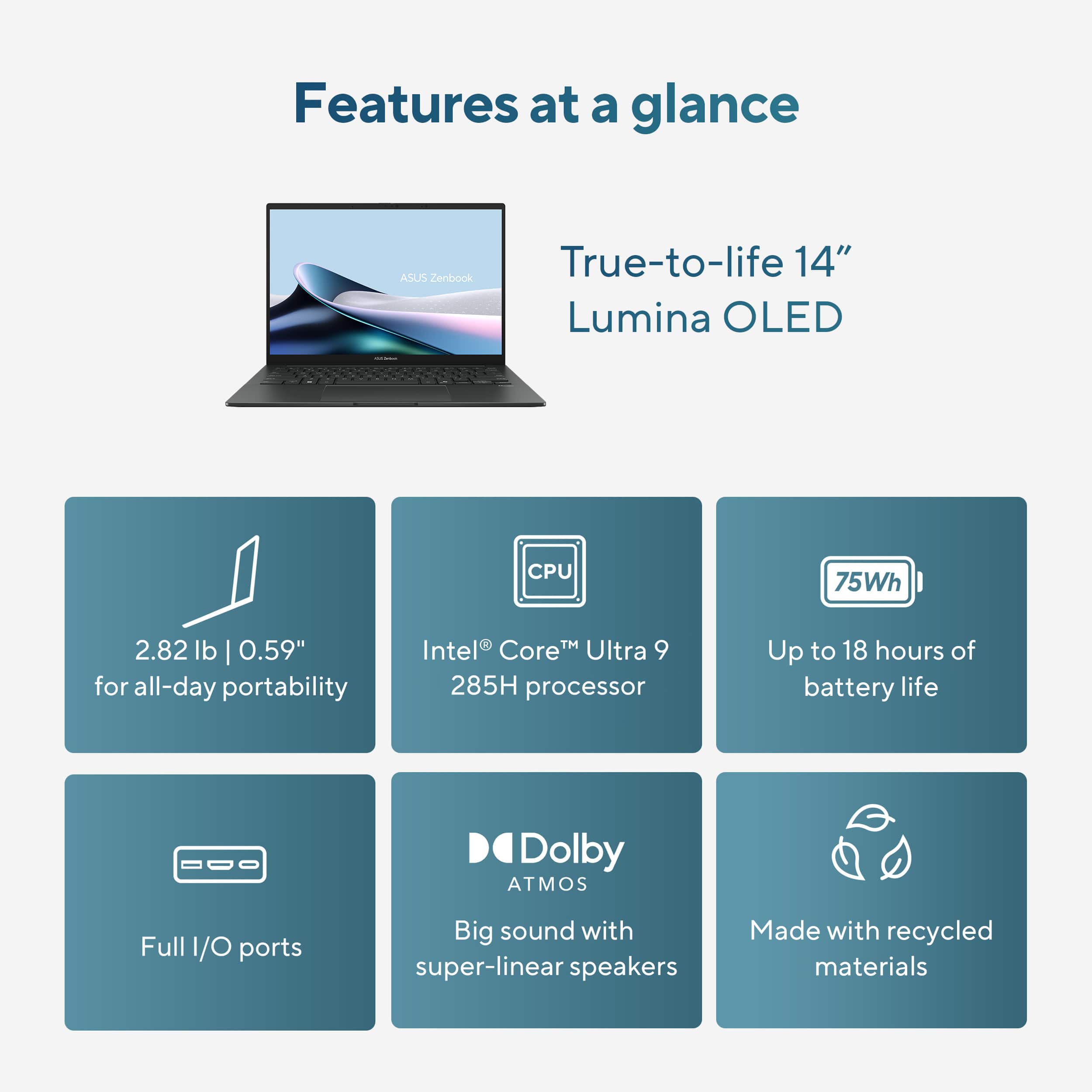
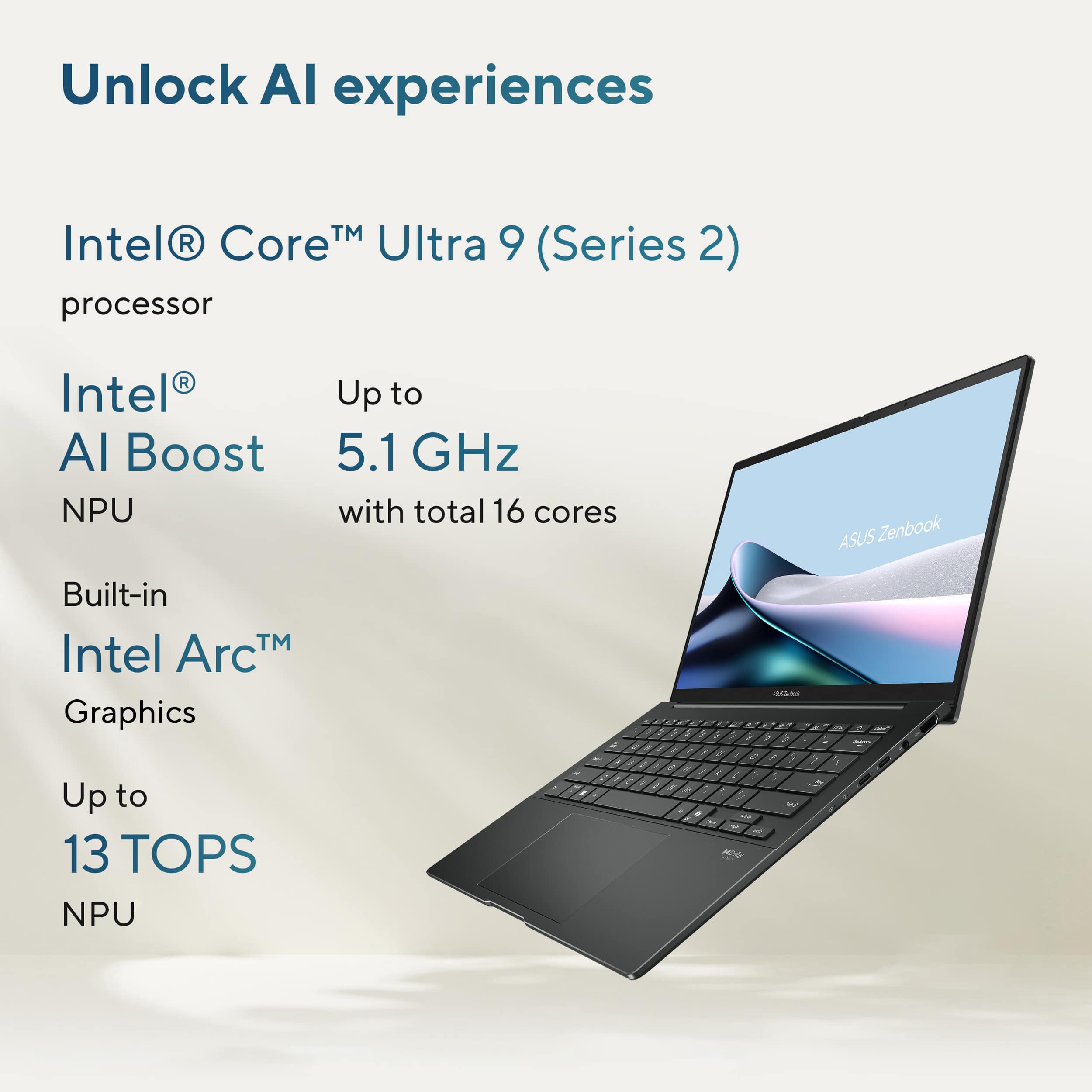
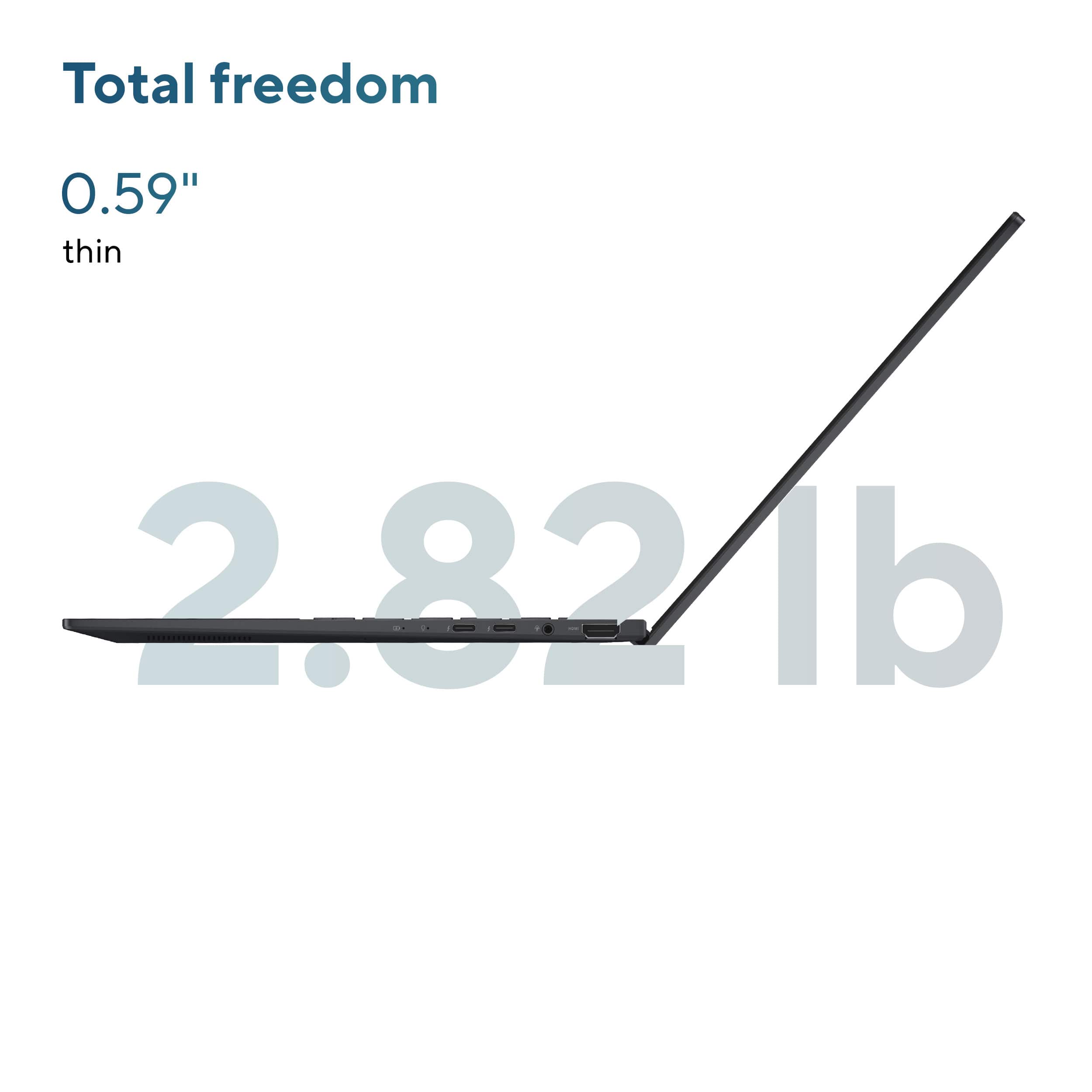
|Posted .This reviewer received promo considerations or sweepstakes entry for writing a review.As a user of an older ASUS Zenbook 14” laptop for the last 3+ years, this latest iteration makes small improvements over an already very compact, competent laptop that handles everyday tasks with ease. The Zenbook 14 is a very thin, premium looking and feeling laptop in hand. It measures just .59” thick and weighs just 2.82lbs. Interestingly, this is roughly the same thickness as the older Zenbook I have been using however it is a tad lighter. The Jasper Gray color looks fantastic and would fit in any work environment. As soon as you boot up the computer for the first time you are presented with one of the biggest upgrades, the FHD+ OLED screen! This screen gets bright, vibrant, and has great contrast with inky blacks and vivid colors. This is also a touch screen which is nice for certain styluses or software that requires touch support. The hinge allows the laptop to lay flat but does not rotate past 180 degrees for a foldable experience. This laptop has most of the ports that I would like for an everyday laptop. These include two Thunderbolt 3 USB-C, one 3.2 USB-A, one HDMI 2.1, and one headphone jack. The only port missing that I like to have is an SD card reader. Some notable improvements to hardware include a physical webcam privacy slider and a Full HD IR webcam with AiSense that allows quick face login, background blur, automatic framing and eye-tracking. It is worth noting that the laptop charges via USB-C so if you want to use two USB-C devices at once, you will have to use battery power at that time. Under the skin, this laptop is powered by an Intel Core Ultra 9 285H (Series 2) Processor with 32GB of DDR5X RAM and 1TB SSD storage. This hardware features CoPilot AI support out of the box and should be ready to support any future versions of software over the coming years. This is certainly something to consider anymore is how future proof laptops are and this one should last many years to come! With active cooling on the side of the laptop, it helps to keep temperatures within reason under heavy usage but with thinner laptops, it is inevitable you will feel some heat. This occurs under charging and moderate/heavy usage. Performance was never an issue through everyday tasks such as web browsing, emails, or watching videos. Once you start using video editing software and rendering 4K videos with several layers or doing more than light/moderate gaming this is where you will start to see the performance or limitations of the hardware start to show given this processor doesn’t have a dedicated GPU. The great news is the myASUS software has several layers of customization for the fan speed profiles, performance profiles, and other settings to dial in this laptop for certain use cases. Likes: Slim, Premium Design OLED Screen Physical Camera Slider Quick, IR Facial Recognition Dislikes: No SD Card Reader Power Button/Delete Button Position Swapped Overall, this laptop has resolved most of my complaints with older versions. The OLED screen is a huge upgrade and the hardware should perform flawlessly for years to come. If you’re looking for a premium, compact laptop, I would add this one to the list.
I would recommend this to a friend Great school workhorse
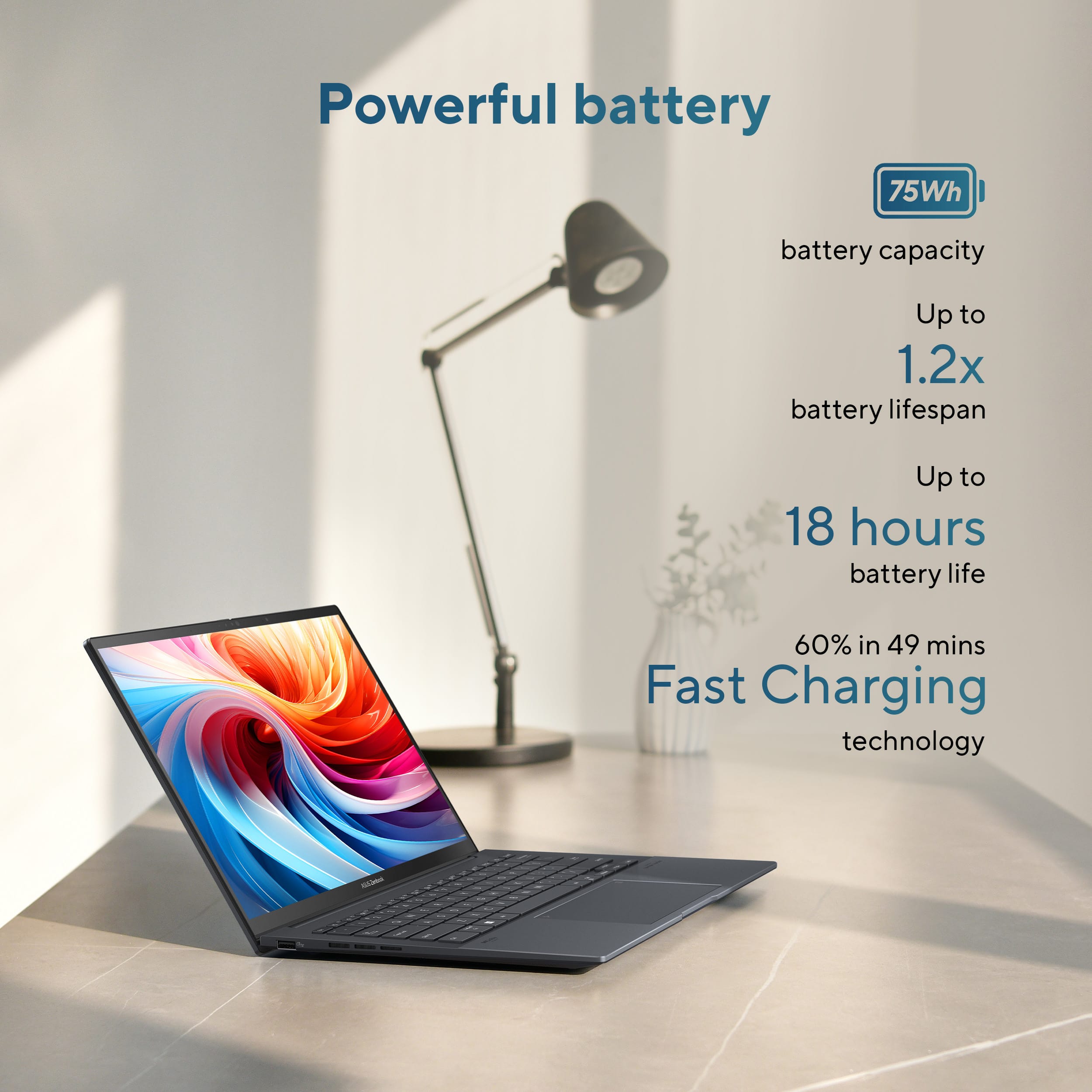
||Posted .This reviewer received promo considerations or sweepstakes entry for writing a review.Perfect for any engineering majors. Has ran perfectly for the last couple of semester’s running auto cad and long battery life.
I would recommend this to a friendGood for school
||Posted . Owned for 1 month when reviewed.This reviewer received promo considerations or sweepstakes entry for writing a review.Pretty nice laptop, it’s lightweight and fast. The design is sleek and the display is vibrant
I would recommend this to a friendLove my new Asus Zenbook
||Posted . Owned for 3 weeks when reviewed.This reviewer received promo considerations or sweepstakes entry for writing a review.My new Asus is amazing!! So much faster and battery lasts so much longer
I would recommend this to a friend"Zenbook 14: Core Ultra 9, 32GB RAM, 1TB. Top notc
||Posted . Owned for 2 weeks when reviewed.This reviewer received promo considerations or sweepstakes entry for writing a review."Zenbook 14: Core Ultra 9, 32GB RAM, 1TB. Top notch"
I would recommend this to a friendIt lit
||Posted . Owned for 1 month when reviewed.This reviewer received promo considerations or sweepstakes entry for writing a review.I love it it’s a great sturdy laptop it does everything I need it to do especially for school.
I would recommend this to a friendGreat computer for student.
||Posted . Owned for 7 months when reviewed.This reviewer received promo considerations or sweepstakes entry for writing a review.I received my asus zen book last year and it has been a great computer. I unfortunately received a defective product so right now it's being taken care of, for free, because of my year warranty. But the computer is very lightweight but holds a lot of charge. Make sure you keep it tight and snug in a bag because it is a little slick.
I would recommend this to a friendBrand response from ASUS Answers
Posted .Dear ETHANF,
Thank you for sharing your experience with the ASUS Zenbook UX3405CA. We’re pleased to know you’ve enjoyed its lightweight design and reliable battery performance.
We do regret, however, that you encountered a defect with your unit. We’re glad this is being addressed under your warranty, and we hope the repair process is completed promptly so your Zenbook can be returned to you in excellent working condition.
We stand behind our products and continuously strive to improve our products and processes to achieve customer service excellence. If you require any further assistance, please email us at customerloyalty@asus.com and include the case number "N2505019960-0021" as a reference. We will do our best to resolve your case quickly. Your feedback is very important to us, and it enables us to improve our support channels. Thank you for choosing ASUS.
Best Regards,
Chantae
ASUS Customer Loyalty US Support
ASUS Zenbook Review by WW
||Posted . Owned for 1 week when reviewed.This reviewer received promo considerations or sweepstakes entry for writing a review.The ASUS Zenbook 14 with Touch Screen is great. The power and the storage space makes me very content with my purchase. My last three computers have been ASUS and I bought one for my son for college. The touch screen is great for on the go and quick decision making when checking emails and visiting important sites.
I would recommend this to a friendAsus zenbook
||Posted . Owned for 3 months when reviewed.This reviewer received promo considerations or sweepstakes entry for writing a review.I think it's a good product, but the materials feel very cheap or low-quality. In terms of performance, it has very good specifications, but I don't think they're fully utilized. It also froze a couple of times.
No, I would not recommend this to a friendAsus laptop
||Posted . Owned for 3 weeks when reviewed.This reviewer received promo considerations or sweepstakes entry for writing a review.Nice laptop with bright clear picture and good sound
I would recommend this to a friendVery clear pictures
||Posted . Owned for 1 month when reviewed.This reviewer received promo considerations or sweepstakes entry for writing a review.So far I like it, but still learning some of the things that I don’t know I would recommend it to a friend.
I would recommend this to a friendMy experience at Best Buy
||Posted . Owned for 2 weeks when reviewed.This reviewer received promo considerations or sweepstakes entry for writing a review.Staff overall knowledge and kindness was top notch.
I would recommend this to a friend- Pros mentioned:Battery life, Oled quality, Overall performance
Satisfied with the build quality and performance
||Posted . Owned for 3 weeks when reviewed.This reviewer received promo considerations or sweepstakes entry for writing a review.I bought the Asus Zenbook 14 (UX3405C) after careful research. I wanted something that would last me 4-5 years, so it had to be (near) cutting edge. I didn't want to pay for a gaming machine, but that's what it looked like I had to do until I found this machine. I like the fact that it has the latest Intel I9. I wanted 32gb of ram, which this has - it would be nice if it weren't soldered onto the motherboard, but I got what I wanted. The display is fantastic! sharp, crisp, brilliant - and no lags. The SSD (1 TB) was my minimum spec, and I'm happy I can change that as needed. I didn't want a touchscreen, which this machine has - but I knew I could turn off that functionality in Windows. It hasn't been an issue at all. Battery life has been fantastic! I did want a dedicated video card, which this doesn't have - but again, not a gamer (well, I don't want to spend the time gaming, anyway). I have downloaded some basic games (StarCraft, Skyrim, Counter Strike, Fortnite), and the performance has been great (no issues). I do notice much shorter battery life when playing, so keep that in mind. My only other concern was with the track pad - I have larger hands and didn't want to have the unintentional cursor movements and random clicks. It has not been an issue at all. I'm really satisfied with the build quality and performance of this machine.
I would recommend this to a friend