Early Black Friday DealsNew Doorbusters through SundayShop now

Main Content

Customer Ratings & Reviews
Your price for this item is $1,299.99

Customer reviews

Rating 4.7 out of 5 stars with 367 reviews

Rating Filter

Rating by feature

  • Battery Life

    Rating 4.7 out of 5 stars

  • Speed

    Rating 4.8 out of 5 stars

  • Display

    Rating 4.7 out of 5 stars

Pros mentioned filter

Cons mentioned filter

95%would recommend to a friend

Customers are saying

Customers regard the Zenbook 14 as a high-performing and portable laptop, highlighting its fast processor and long-lasting battery. The OLED screen quality and ample storage capacity also receive positive feedback. Some customers have expressed slight disappointment with the trackpad and noted that the laptop can run a little hot, with a lower refresh rate.

This summary was generated by AI based on customer reviews.

The vast majority of our reviews come from verified purchases. Reviews from customers may include My Best Buy members, employees, and Tech Insider Network members (as tagged). Select reviewers may receive discounted products, promotional considerations or entries into drawings for honest, helpful reviews.
Page 2 Showing 21-40 of 367 reviews
  • Pros mentioned:
    Overall performance

    Rated 5 out of 5 stars

    ASUS zen book

    |
    |
    Posted . Owned for 3 weeks when reviewed.
    This reviewer received promo considerations or sweepstakes entry for writing a review.

    It’s fantastic. Everything about this laptop is perfect. Must not miss out. PURCHASE IMMEDIATELY!!!

    I would recommend this to a friend
  • Pros mentioned:
    Overall performance, Portability, Processor speed
    Tech Insider Network Member

    Rated 5 out of 5 stars

    Sometimes, you really can't miss!

    |
    Tech Insider Network Member
    Posted .
    This reviewer received promo considerations or sweepstakes entry for writing a review.

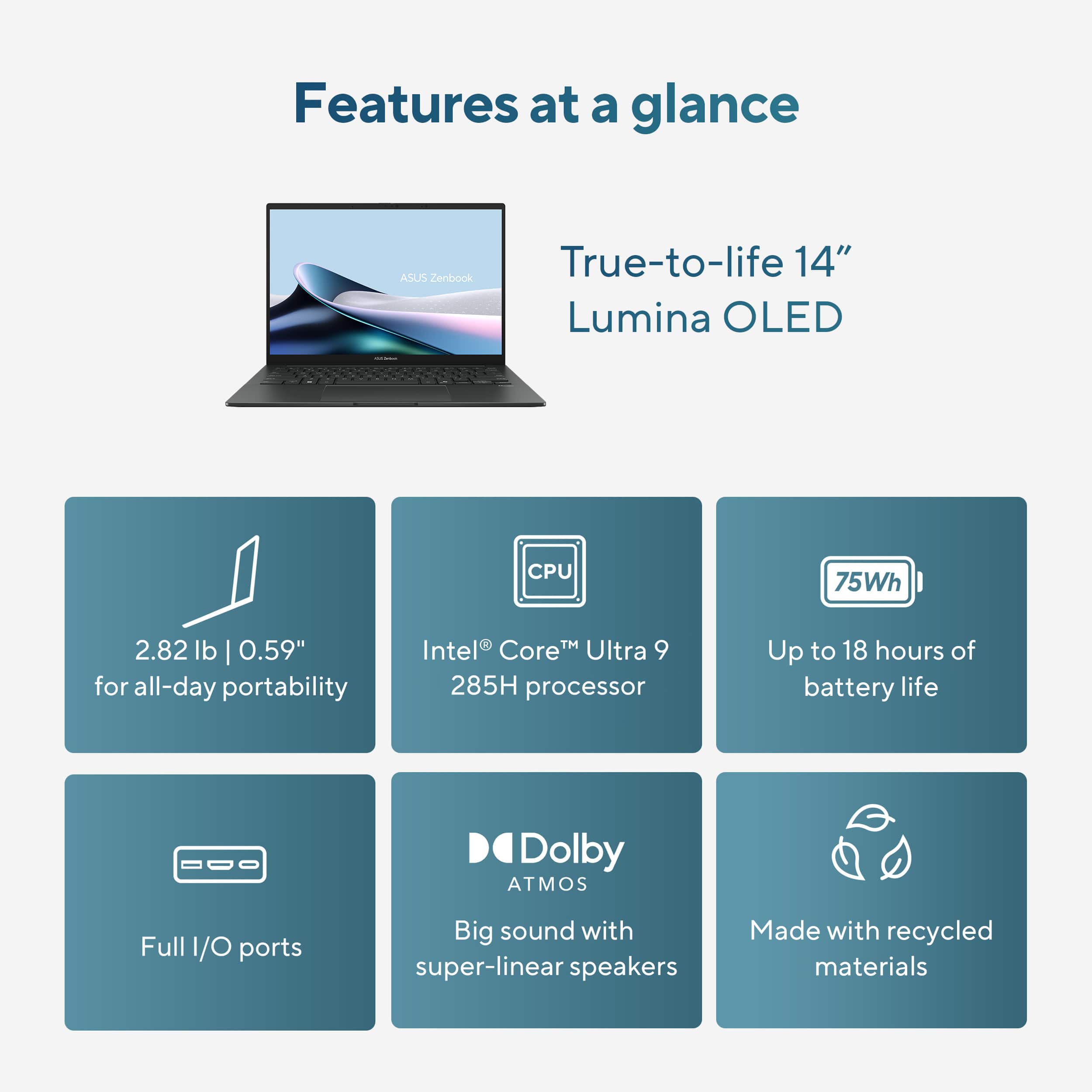
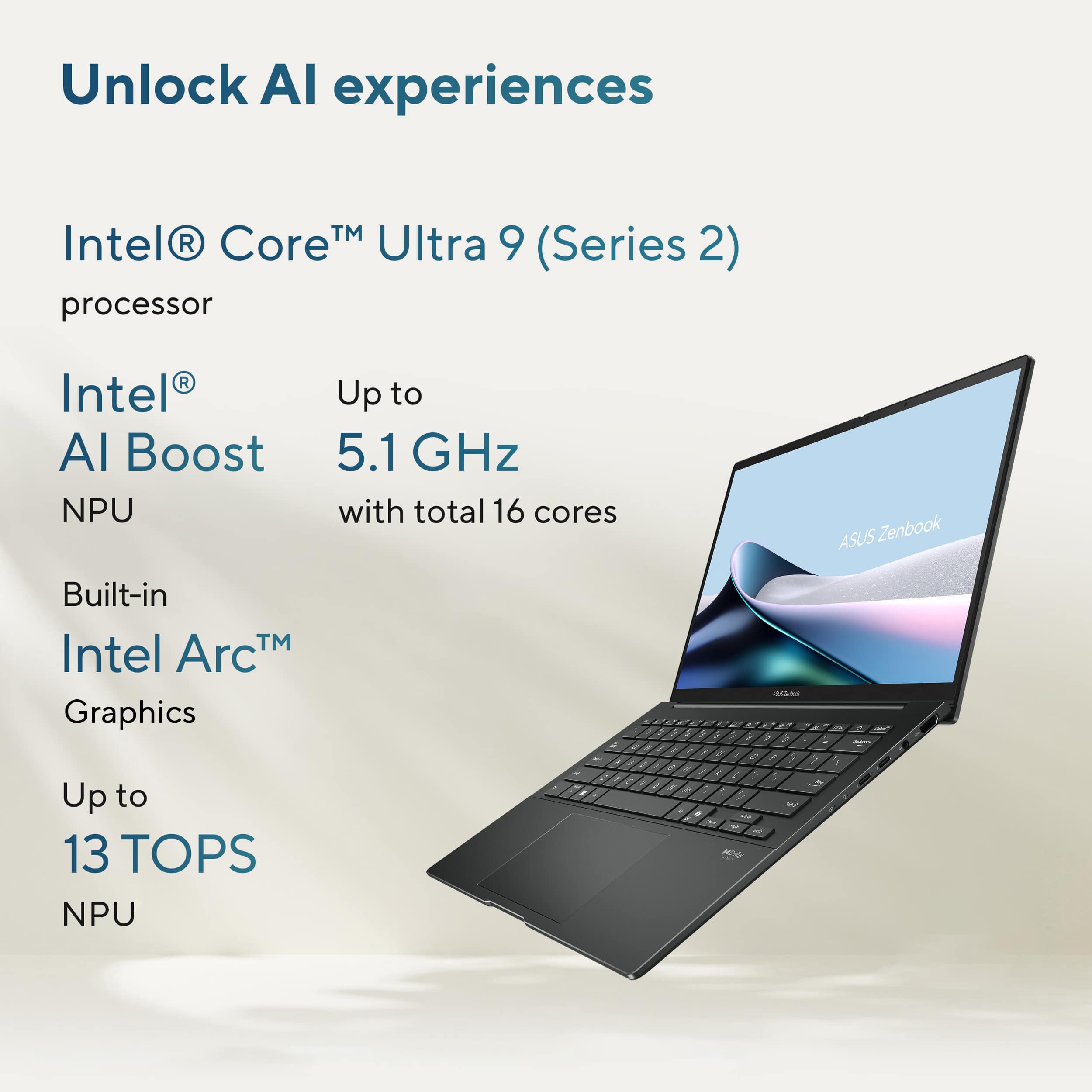
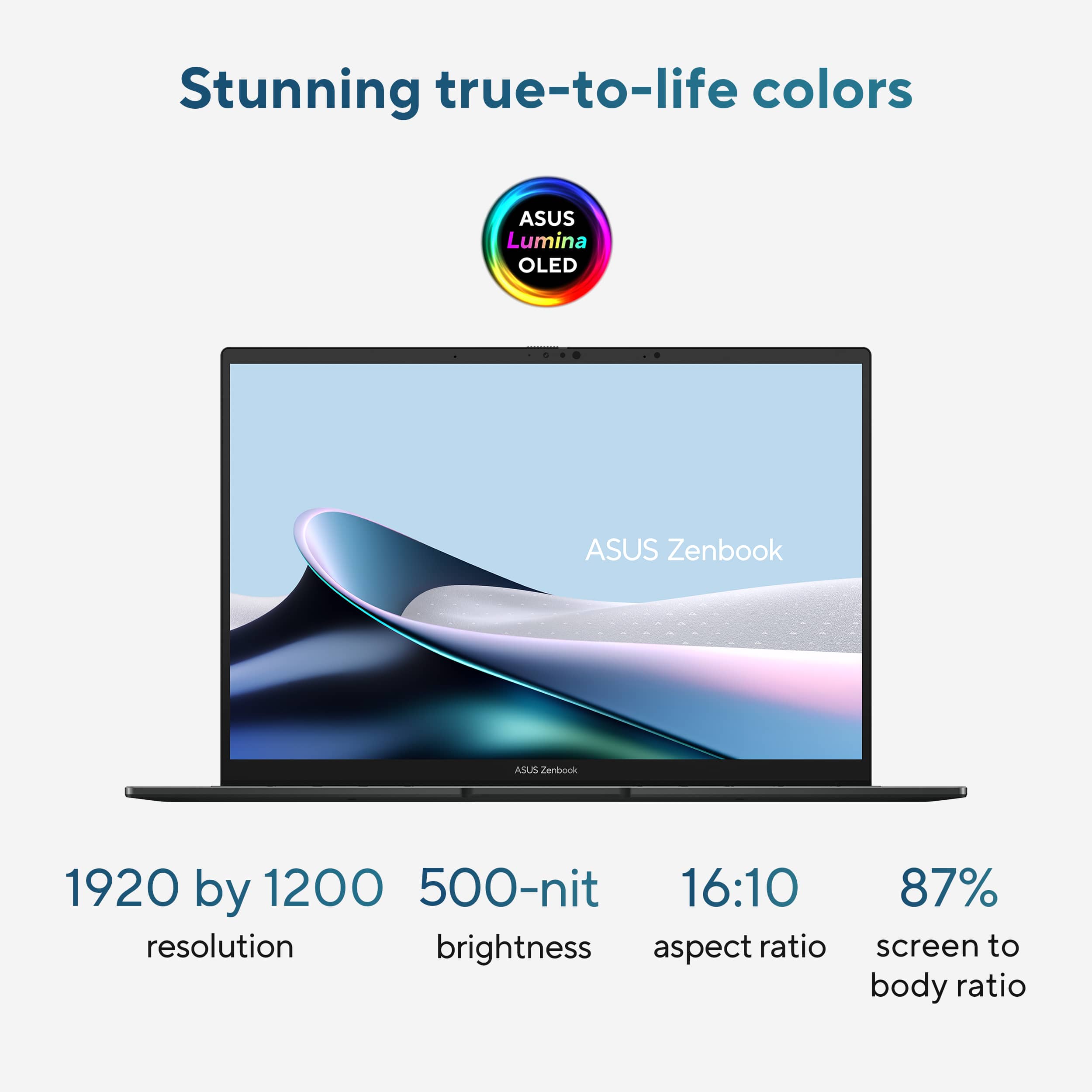
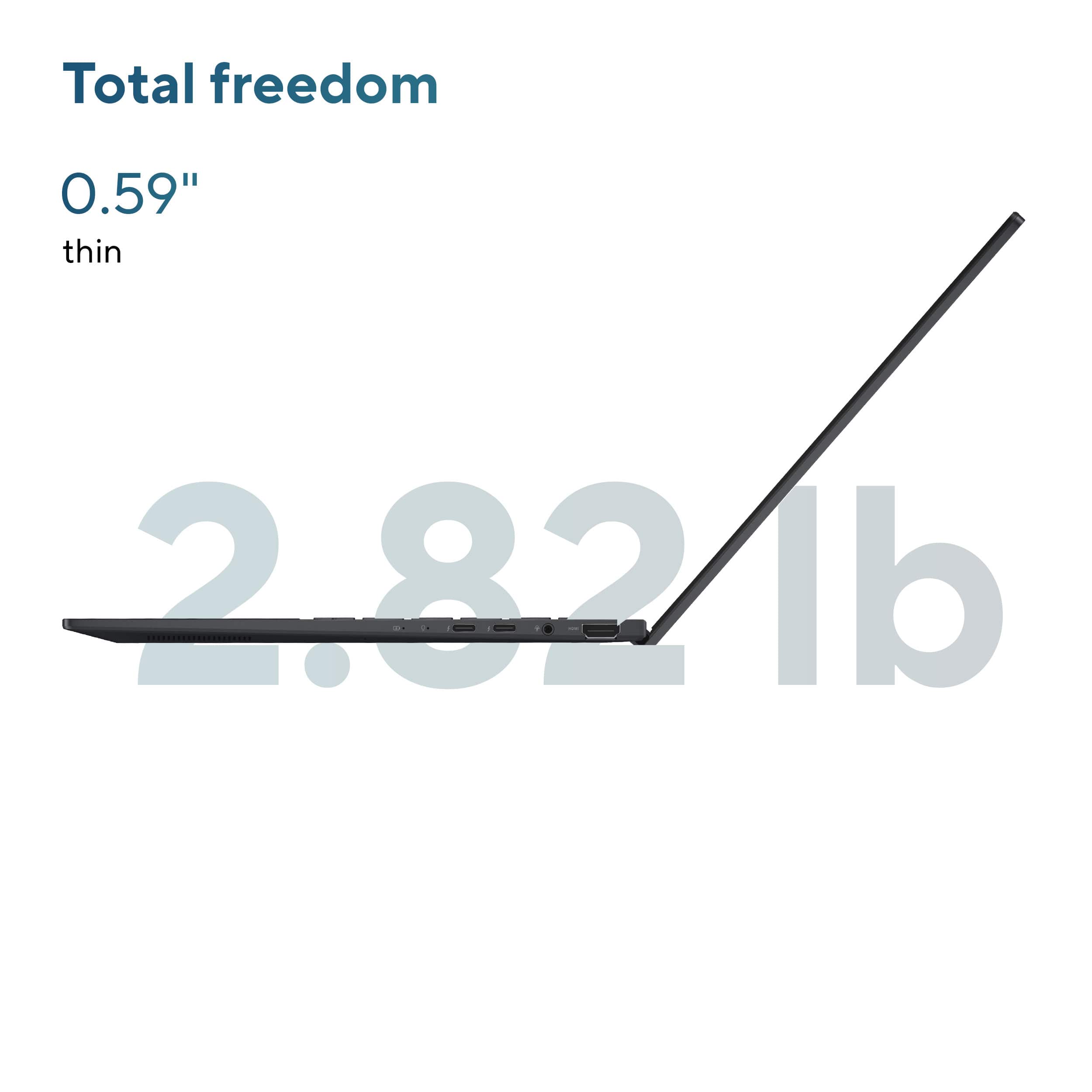
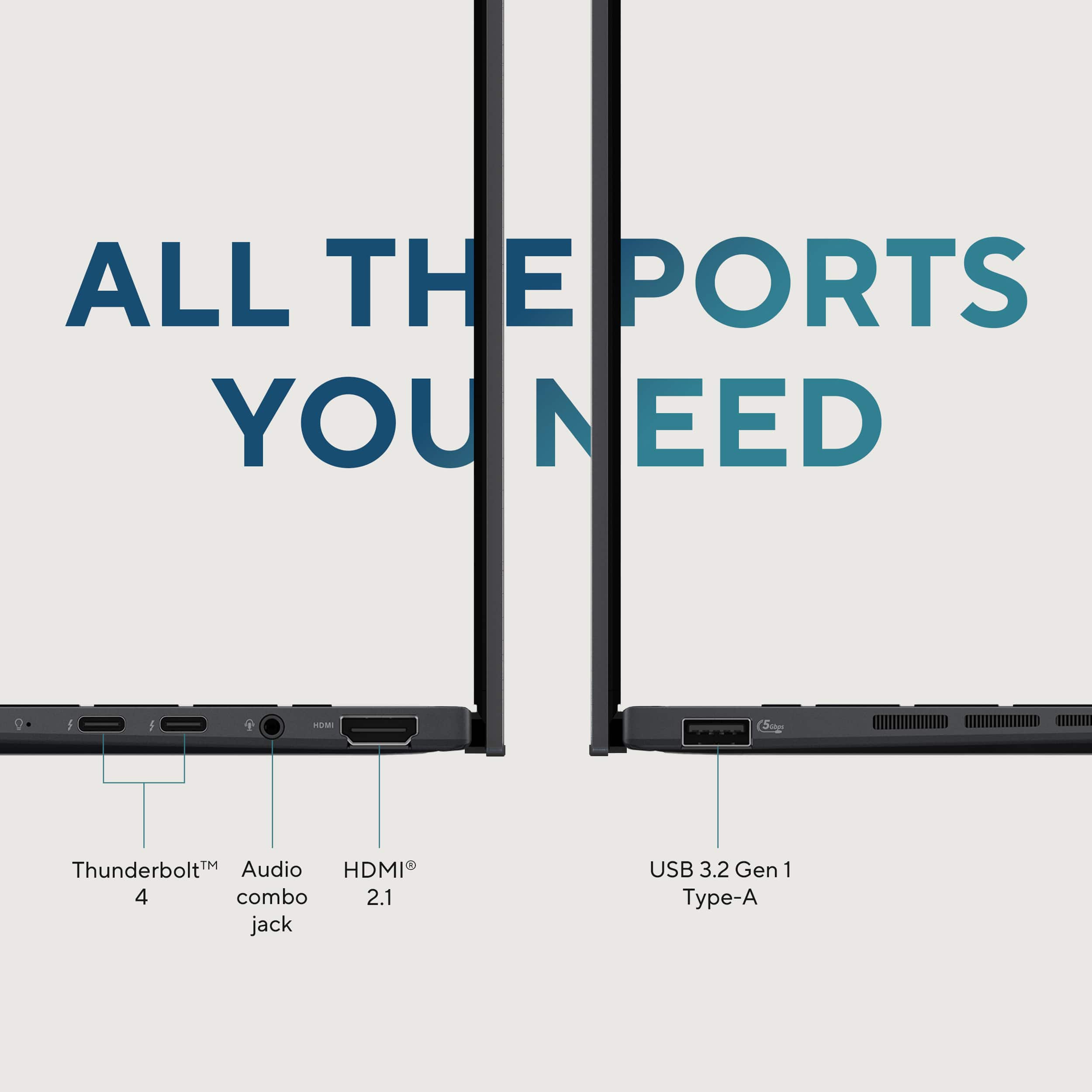
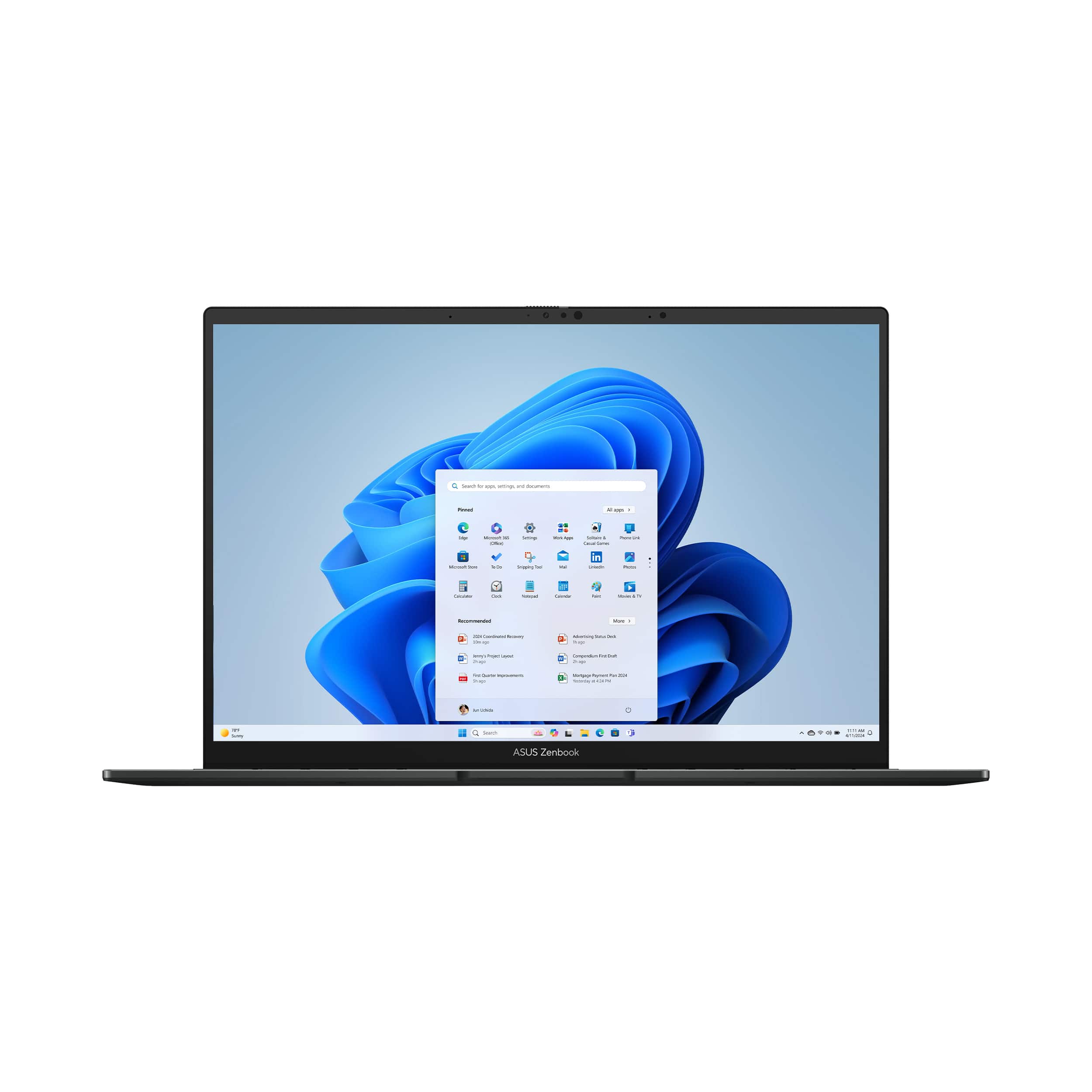
    I needed a new portable PC to serve as a bit of a workhorse while being light-weight and having a small footprint in my travel bag of choice. An ASUS Zenbook seemed to be the perfect option if it could live up to its claims as a sleek and powerful laptop for productivity and creativity. Well, enter the 14” Zenbook UX3405C. I’m a package guy. I’m of the belief that the way a manufacturer packages their product sends the consumer a message about the quality of their products and their commitment to safe delivery. With that said, my Zenbook was well packaged in standard colored cardboard – tight, firm, and shock protected. Open it and the inner-box is actually a cardboard mechanism with hinges and a working pop-up platform – neat. Considering the amount of material used for the box compared to the size of the Zenbook itself, your laptop is well protected from bumps, short drops, etc. while in route. My first impression after opening the box and removing the Zenbook: Man, this thing is small, thin, and premium! Sleek. Compact. Well-built. These are the terms that come to mind when first handling this laptop. It’s heavy and sturdy enough to give it a feeling of worth, but not too heavy to feel like a tote burden. There are plenty of ports available (2 USB-C thunderbolt), but the ones that stand out are the full-sized HDMI port, the old-school USB-A port, and the headset jack. These are all more than welcome, in my book, as they make specific connectivity a breeze when wireless options aren’t available. There is quite a bit of ventilation on the bottom, with air intake holes stretching across almost the width of the laptop. Opening the Zenbook reveals a near edge-to-edge screen, a nice keyboard, and a more than adequately sized trackpad. Overall, not only does this Zenbook look the part, but it gives me a sense of satisfaction as an owner before even turning it on. I think ASUS did a fantastic job with the design, with attention to detail, good port decisions, and build quality. The only other hardware item in the box was a USB-C charger – it’s simple, and welcome. Once I stopped gawking at it and turned it on, my first thoughts were O-L-E-D. It didn’t take long at all to see that beautiful screen in action. The Zenbook start up is a pulsating white graphic on a solid black canvas, and the top-notch local dimming and light-source shading are on full display. In a word, the screen is exceptional. Colors are vibrant and rich. Contrast is distinct. It’s not only visually stunning, but animations and transitions are buttery-smooth. This Zenbook is a Windows 11 machine, so you know what that means – updates! Yep, get ready to go through the update trenches. One thing I will say is these updates give a good sense of the laptop’s response when it’s pushed or is working hard. The fan is real, and it’s got a little umph to it (more on that later). Some are put off by a good fan, but I tend to like it because it gives me the feel that my machine can get some heavy lifting done. The keyboard is comfortable, feels good, but not great. It’s not quite as smooth and tactile as I prefer. The key travel is fine, but the stiffness and inconsistency are the issues I have. I think it’s a decent typing experience, but I expected something a little more refined and feel-friendly. I’m a developer, so I installed the latest version of Visual Studio and VS Code along with a couple of database management clients. I also do some media editing (video and photo), so I installed Filmora for now – a couple of photo editing tools to come. This Zenbook comes with a 1TB SSD, a specification I truly salivated over. You have about 932GB of storage at your disposal. Once I installed my software, I still had over 800GB of storage remaining. Another literal delight in the specs was the 32GB of RAM – yep, 32, not 16. This means you have onboard memory for a better video editing experience. All sitting on top of an Intel Core Ultra 9 processor with 16 cores. Normal, everyday tasks like checking email, browsing the web, using Office-like productivity tools, feel snappy and responsive. When using development tools such as Visual Studio, the Zenbook handles it like a champ. I usually have solutions containing multiple projects and run multiple projects in debug simultaneously due to their dependency on one another. This laptop handles this taxing environment, also hitting a local (run on the laptop as well) database server, without issue. It has also been surprisingly capable when editing video. It’s a little workhorse, I tell ya! Back to the fan on this workhorse. The Intel processor in this Zenbook can get a little warm when pushed, and the fan, along with the ventilation design, works in concert to do a good job cooling the unit. When I first looked at the laptop, I thought the vents along the left side were a custom dock port – sad, I know. The air flow might be the best I’ve experienced in a small notebook. Using the MyASUS app, you can set a fan profile, review status and performance statistics, and choose a performance profile. The fan profile allows you to have the fan quiet when needed and wide open when performance is needed. Even though this Zenbook includes MyASUS in its pre-installed software, ASUS did a great job in not loading this device down with bloatware. There are options to install additional entertainment software and tools, but nothing forced upon you as I’ve seen in the past. I really hope they keep taking this approach! Not much more I can add. This laptop does much more than handle simple computing and everyday tasks – web surfing, email, video conferencing, and office productivity apps. It serves as a viable portable desktop for most, if not all. It has snappy performance and provides enough processing power and RAM to get what many call “real work” done. The design is elegant, yet solid, and that OLED display is the icing on the cake. Add to that plenty of ports and USB-C charging, and it’s a can’t miss. Kudos to ASUS!

    I would recommend this to a friend
  • Rated 5 out of 5 stars

    Laptop nice

    |
    |
    Posted . Owned for 1 month when reviewed.
    This reviewer received promo considerations or sweepstakes entry for writing a review.

    It is a very good laptop for the price paid. It had a good discount . very good investment . it is fast and the best its screen

    I would recommend this to a friend
  • Rated 4 out of 5 stars

    Asus zenbook

    |
    |
    Posted . Owned for 3 months when reviewed.
    This reviewer received promo considerations or sweepstakes entry for writing a review.

    I think it's a good product, but the materials feel very cheap or low-quality. In terms of performance, it has very good specifications, but I don't think they're fully utilized. It also froze a couple of times.

    No, I would not recommend this to a friend
  • Rated 5 out of 5 stars

    ASUS Zenbook Review by WW

    |
    |
    Posted . Owned for 1 week when reviewed.
    This reviewer received promo considerations or sweepstakes entry for writing a review.

    The ASUS Zenbook 14 with Touch Screen is great. The power and the storage space makes me very content with my purchase. My last three computers have been ASUS and I bought one for my son for college. The touch screen is great for on the go and quick decision making when checking emails and visiting important sites.

    I would recommend this to a friend
  • Rated 5 out of 5 stars

    Very clear pictures

    |
    |
    Posted . Owned for 1 month when reviewed.
    This reviewer received promo considerations or sweepstakes entry for writing a review.

    So far I like it, but still learning some of the things that I don’t know I would recommend it to a friend.

    I would recommend this to a friend
  • Rated 5 out of 5 stars

    I bought a laptop, iPad

    |
    |
    Posted . Owned for 2 weeks when reviewed.
    This reviewer received promo considerations or sweepstakes entry for writing a review.

    Wonderful service and I’m happy with this pay all the time. Great service make it better deal

    I would recommend this to a friend
  • Rated 5 out of 5 stars

    Technology department workers are cool

    |
    |
    Posted . Owned for 3 weeks when reviewed.
    This reviewer received promo considerations or sweepstakes entry for writing a review.

    Helpful employee, patient and knowledgeable. Very polite and understanding.

    I would recommend this to a friend
  • Rated 5 out of 5 stars

    My experience at Best Buy

    |
    |
    Posted . Owned for 2 weeks when reviewed.
    This reviewer received promo considerations or sweepstakes entry for writing a review.

    Staff overall knowledge and kindness was top notch.

    I would recommend this to a friend
  • Pros mentioned:
    Battery life, Overall performance, Portability

    Rated 5 out of 5 stars

    Outstanding Laptop and Service!

    Posted .
    This reviewer received promo considerations or sweepstakes entry for writing a review.

    The ASUS Zenbook 14 is fast, powerful, and has a stunning OLED display. Everything runs smoothly, and the lightweight design and long battery life make it perfect for daily use. Plus, the customer service at Best Buy Asheville South was excellent, with staff providing clear guidance and support. Highly recommend!

    I would recommend this to a friend
  • Pros mentioned:
    Battery life, Processor speed
    Tech Insider Network Member

    Rated 5 out of 5 stars

    Fantastic upgrade over my previous Zenbook

    |
    Tech Insider Network Member
    Posted .
    This reviewer received promo considerations or sweepstakes entry for writing a review.

    These days there are SO many 14 inch laptops offering a ton of different specs and from a bunch of manufacturers that its hard to know exactly what to buy when you’re in the market for a new laptop. Last year I chose an Asus Zenbook 14 for using at both work and home. I travel and meet with clients and the Zenbook has been great for that, its very lightweight and portable, it has long battery life, and its been fantastic for my work applications and internet use/streaming. These days however, I’m starting to get more into video editing and with an Intel Core Ultra 5 processor and 8GB of RAM my computer was just not cutting it. So I decided to step up to the new Asus Zenbook 14 (UX3405C) which comes with 32GB of RAM, an Intel Core Ultra 9 processor Intel Arc graphics, and 1TB of storage hoping to get better, faster performance. After a few days of usage I can say that the switch to the new Zenbook 14 has been awesome! Upon unboxing (packaging was very solid and provided excellent protection) I sat the new Zenbook 14 next to my 1-year old laptop to compare the two. Aesthetically, they are virtually identical. The new Zenbook says “ASUS Zenbook” on it, my older laptop just says “ASUS”, other than that I see no differences. Both are identical in terms of size, width and ports (1 USB-A port and two Thunderbolt ports which is plenty for my needs). In comparing the screens I don’t notice a huge difference either. Both are beautiful FHD+OLED touchscreens and the colors, resolution and vibrancy are wonderful. I would say the new Zenbook’s screen does look a bit brighter than my older laptop, but the difference is not significant. During general usage of both computers, I notice the fan on my older laptop runs much more frequently than the new Zenbook. The new Zenbook just handles things much easier and never seems to struggle. My new Zenbook handles all my work applications much quicker than my old laptop. I also created a couple of new videos on the new Zenbook using Adobe Premiere and the difference between my older laptop and the new Zenbook was like night and day. My old laptop struggled making videos, Premiere would crash, and video rendering took forever. The new Zenbook with its 32GM of RAM and the Intel Ultra 9 processor made video creation a pleasure! It was fast, smooth, video rendering went flawlessly and very fast. This was the main reason I wanted to upgrade my laptop, and after a few days of usage I’d say this upgrade was exactly what I was hoping for. Not only that, but the new Zenbook supports Wi-Fi 7 and I have a Wifi 7 mesh system at my home. The result is astonishingly fast! No lag, no delays using the internet whatsoever, including streaming services, Youtube, etc. It is actually quite remarkable how fast pages load. It is literally instantaneous vs the lag I get when using my older laptop. Truth be told, the lag loading pages on my older laptop isn’t terrible, its like a second or two, not that big a deal, but the difference using Wifi 7 on the new Zenbook and its lightening-fast page loads is extraordinary. The touch pad on the new Zenbook feels very much like my older laptop’s touch pad, both are very responsive and easy to use. However, the new Zenbook’s pad offers additional features allowing you to increase/decrease both the volume and the screen brightness and scrolling through videos and these come in quite handy. The new Zenbook has no SD or microSD card slot which would be nice to have, but neither did my older laptop so I already have a Thunderbolt card reader ready to go. Overall, I am extremely happy that I upgraded to the new Zenbook 14. While my older Zenbook served me well over the past year, this new model outperforms it in every way that matters to me. It's a significant upgrade and one I highly recommend.

    I would recommend this to a friend
  • Pros mentioned:
    Battery life, Processor speed
    Tech Insider Network Member

    Rated 5 out of 5 stars

    Powerhouse in a small package that feels big!

    |
    Tech Insider Network Member
    Posted .
    This reviewer received promo considerations or sweepstakes entry for writing a review.

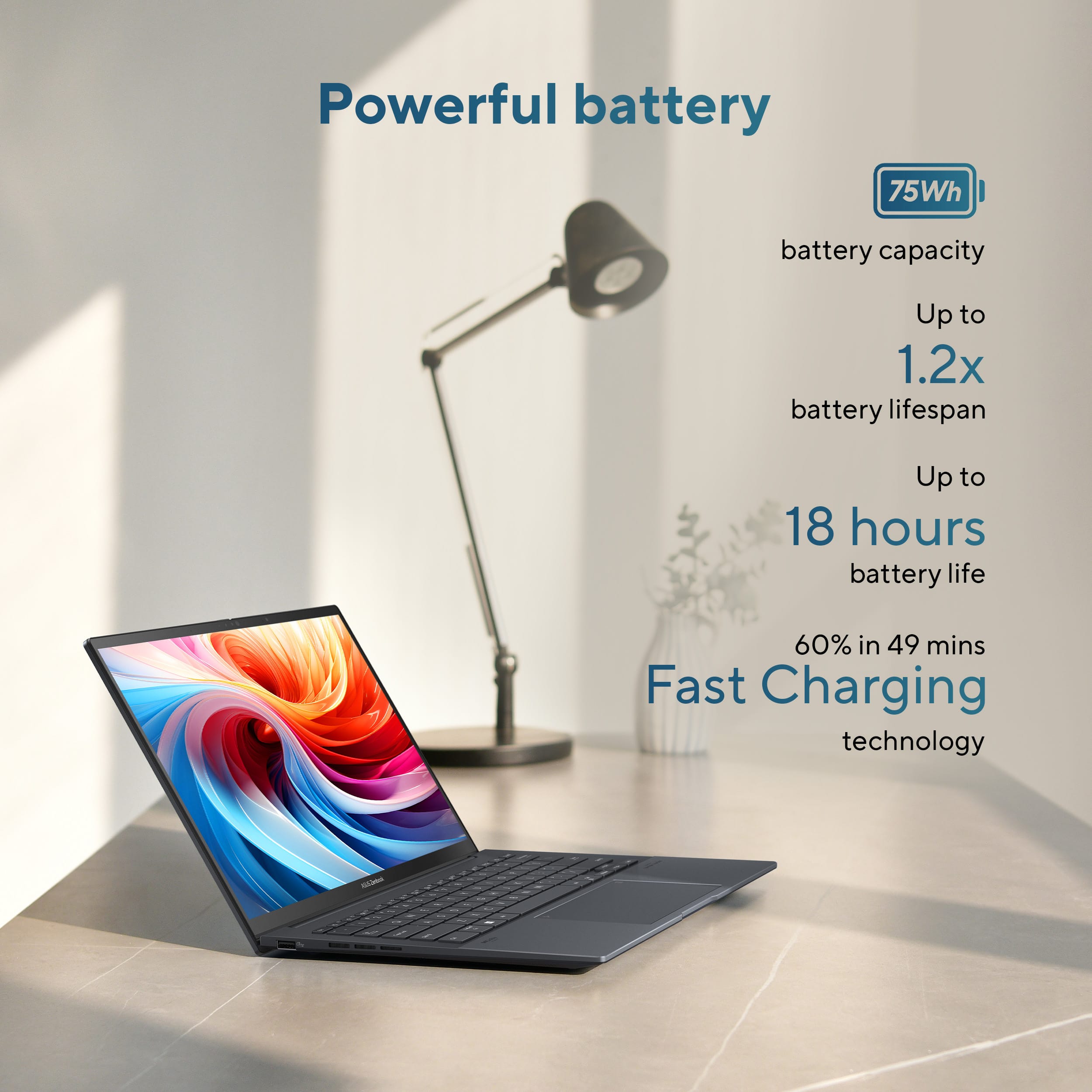
    I wanted a lightweight, powerful computer with exceptional battery life that charged via USB-C, and I found it. The FHD+ OLED screen has fantastic colors and deep blacks, and the built-in Asus tools function great to prevent burn-in! The laptop charger is a small format easily stored, but given the long battery life I’ve experienced, I’ve stopped carrying it with me! The battery life is rated up to 18 hours, and I’ve easily gone 5 days without dipping below a 40% battery level watching videos, working, and gaming. During some simple benchmark testing, the laptop received high marks for the CPU and Graphics speed, which was great considering this isn’t marketed as a gaming laptop. The Intel Core Ultra 9 CPU, along with Intel ARC graphics coupled with 32 GB of system RAM, results in seamless multitasking. Since it uses a standard 65-watt USB-C power supply, it can easily be charged mobilely without a proprietary charger. The keyboard can be backlit and set to auto-backlight based on room conditions, and is very comfortable to use. The touchpad is large and responsive, but I also haven’t experienced many “ghost” actions through random and unintended “touches”. The built-in camera is very clear and precise, and there is a dedicated key to change the microphone from single presenter mode to group presenter mode for better quality. The sound is so good, I’ve stopped carrying my portable speaker with me! This is a great lightweight laptop with great battery life that has the power to take on almost any task it is used for!

    I would recommend this to a friend
  • Pros mentioned:
    Battery life
    Tech Insider Network Member

    Rated 4 out of 5 stars

    Power and feature filled in a sleek light body

    |
    Tech Insider Network Member
    Posted .
    This reviewer received promo considerations or sweepstakes entry for writing a review.

    The Asus Zenbook 14 is a highly capable machine in a sleek, lightweight package. Its a nice dark gray/slate with HDMI, 2 USB-C on 1 side, with a USB-A on the other. I'm glad they still put this because not all my devices have been moved over to USB-C or BT yet, so its nice to not need an adapter all the time or be short ports in general. On that note, the BT works great, my mouse popped up almost instantly and I was able to pair and go immediately. The touch screen is very responsive. The hinge is quite strong and keeps the screen firm. while you shouldn't regularly push hard, I was able to put much more pressure than I normally would or is needed and the screen did not give and go backwards, so don't worry about an unusable touch feature. For those that don't like or need a touch screen, the mousepad is very large and works well. i do like the gestures on it. Slide up/down on left hand edge to adjust volume, right side for brightness, and along the top edge to slide your cursor along. never seen this before and i like this more than just rapidly tapping the arrow keys on the keyboard. The keyboard feels nice. Solid and satisfying feel without being too noisy. Keys are a really good size and laid out well. I prefer having the FN second in, and not first followed by Control. My muscle memory is too set in its ways to adjust, so I'm glad those aren't switched as I've seen on other computers. One issue I am having is with the USB-C ports. They don't seem to draw enough power for my portable monitor. I have a 15.4" USB-C monitor that I have had for 2 years. It works with 1 cable for power and output on my other laptop, but in order to make it work on the Zenbook, it needs additional power plugged in to its 2nd USB-C port. Funny enough, if I'm on the go and don't have a second wall plug, I can use the USB-A port for additional power. It's messy having 2 cables go from laptop to monitor, but it's a workaround I can live with for now. Just a heads up if you frequently use portable monitors. That being said, the battery is excellent on this. I got about 10 hours of regular/literal constant use of watching media, general browsing and work (without the monitor). I never stopped having YouTube play in the background while I worked/stepped away. So this would be great for students or workers on the go that may not want to carry a charger or if you forget it. though the charger itself is pretty small, so its not taking up too much space. With 32GB of RAM and the Ultra 9, this laptop blazes through. No slowing down even if I overload too many applications that I'd never use at once, for the sake of it, so the average user should have no issues. With a TB of storage, I don't see myself running out of space anytime soon. Since most media now is usually streamed and I'm not the biggest gamer, so I likely won't be filling this with too many games. With a TB of space, I don't see myself running out of space anytime soon since most media now is usually streamed and I'm not the biggest gamer, so I likely won't be filling this with too many games. Overall, highly spec'd out and feature filled for a great price. You're going to be getting close to double the cost to get a similar comp build from fruit based alternates

    I would recommend this to a friend
  • Pros mentioned:
    Battery life, Overall performance, Portability

    Rated 5 out of 5 stars

    Belindas great laptop

    |
    |
    Posted . Owned for 3 weeks when reviewed.
    This reviewer received promo considerations or sweepstakes entry for writing a review.

    Great computer. Windows 11 runs amazingly fast thanks to the 32gb of ram. My business applications run smoothly. Also the computer itself is not heavy. It is very portable, easy to move around with. The processor runs very fast and the battery life is great. The oled screen is really nice. A must buy especially for business enthusiasts.

    I would recommend this to a friend
  • Pros mentioned:
    Battery life, Processor speed

    Rated 5 out of 5 stars

    Just the best laptop

    Posted .
    This reviewer received promo considerations or sweepstakes entry for writing a review.

    Best laptop so far the specs is the Intel Ultra 9 285H with the intel arc 140V intergrated graphics. 32GB LPDDR5X ram clocked at 7467 MT/S. 1TB of Nvme ssd. This is honestly a fast laptop after the setup. It blazes through everyday tasks. It can even do light gaming, medium ti low settings on triple A titles and can do some old triple a titles while also demolishing E sports games. The 32GB of ram really comes in handy when it comes with productivity and on heavy tasks. This has terrific battery life i maxed it around 14 hours of battery life and on heavy use 4 hours max, and mixed is around 8 - 10 hours of battery life. Pretty good for a arrow lake cpu along side the 75Wh battery. I kind of ignored the ai stuff and really didnt do much but for the sake of the review i was able to run some local ai models and it ran pretty good. The design is, meh. It does for sure look clean which is pretty good, though the Jasper grey(i think thats the color name?) is a fingerprint magnet though it can be wiped easy. The port selection is pretty basic, you may want a dongle for a sd card reader if youre a creator, editor or something. The camera is alright, kind of expected for windows cameras. The only thing that honestly sucks is probably just the box. Literally the zenbook S series, duo Series, and the new A Series all have a custom box after opening the first brown box. Kind of needs some love when it comes to presentation especially when paying around $999 - $1299. Either way a 10/10 laptop.

    I would recommend this to a friend
  • Pros mentioned:
    Overall performance, Portability, Processor speed

    Rated 5 out of 5 stars

    Lightweight powerhouse

    |
    |
    Posted .
    This reviewer received promo considerations or sweepstakes entry for writing a review.

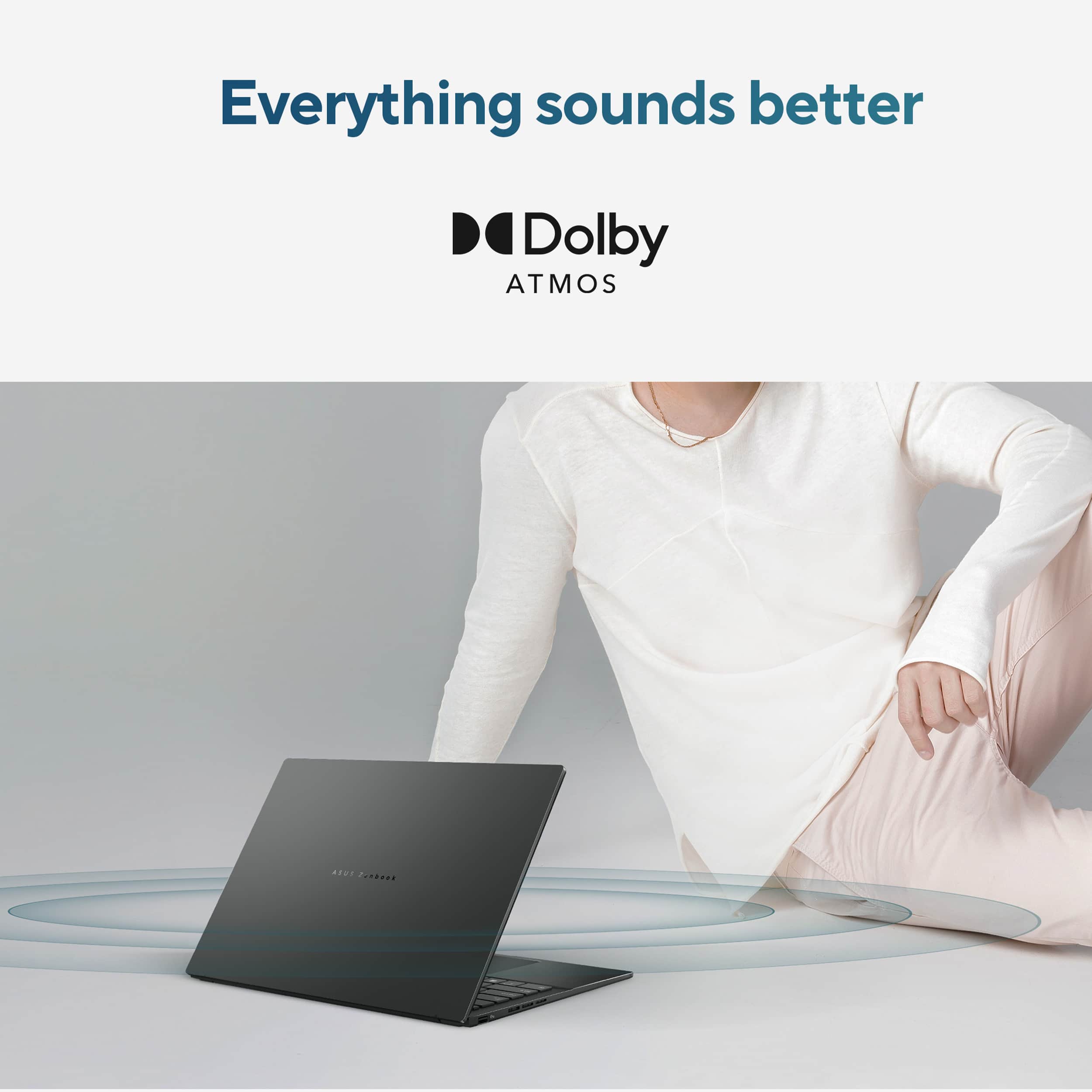
    Overall I am very pleased with this machine. If you want performance, gaming and top features at a small weight ASUS is the way to go. I have tried the asus 16" AMD ai 9 Vivobook s but this is the better machine. I love the screen quality, the 180 screen hinge, the CPU is incredibly fast, finally a cooler running machine, great for photo and video editing, and even gaming works well, plays all games acceptably. I was astonished how good the speakers sound and the amount of bass tones. Has an old usb plug and a webcam shutter which are awesome. There are a couple negatives, textured finish would be better it is easy to slip out of your hand and drop this, it is really optimized for a catastrophe with this frost-smooth finish, wrapping, enclosing is highly recommended. Runs a preinstalled software utility to give you grief and slow charging times unless your charger device was made by ASUS. you may uninstall it but then you cant change important settings and updates lacking. Premium low power ssd would have been nice, like sk gold, c'mon Asus you got this if you wanted.

    I would recommend this to a friend
  • Pros mentioned:
    Portability
    Tech Insider Network Member

    Rated 4 out of 5 stars

    Great ultraportable, versatile work/play laptop

    |
    Tech Insider Network Member
    Posted .
    This reviewer received promo considerations or sweepstakes entry for writing a review.

    TL;DR - This is a great choice for an ultraportable, light machine for all your work and play needs. The Ultra 9 chipset and new Copilot features pair nicely together. Just needs a matte screen and minor nitpick for the power adapter not having folding prongs. The Intel Ultra 9 chipset with Arc graphics is powerful enough for everyday use, including video streaming /playback and light duty gaming without slowing down. The Ultra 9 is capable for the occasional video edit, but this is certainly not a production workhorse. The included 32GB of RAM ensures even the most tab-obsessed browser will run smoothly and 1TB (954 GB available) of storage provides a lot of capacity for files and downloads. The chassis is light and easy to carry, and the greyish titanium color scheme is handsome and elegant. The lid features a built in physical camera shutter and the camera fully supports Windows Hello and the latest human-presence detection to make login and security a breeze. although I did experience a few occasions where the camera failed to detect my presence properly. The connectivity options include a good selection of one USB-A, two USB-C (with TB4 capability), and one full-size HDMI, along with a standard 3.5mm audio jack. Networking out of the box is limited to just WiFi, but at least it's the latest WiFi 7 standard - no WLAN/5G capability is available. My three issues with this machine and what kept it from getting a full 5 star rating (two are minor nitpicks) are, in order of importance to me: 1. The screen is limited to 60Hz and glossy. I'd prefer a matte option be available and 120Hz is really table stakes at this point in windows ultraportable premium laptops. 2. The underside of the laptop has two rubberized "stands" that run nearly the width of the laptop. Most laptops have smooth undersides, and the ridge that the legs creates can be uncomfortable and or make holding it harder. 3. The included US AC power adapter is a fixed plug on the wall wart brick - no folding prongs.

    I would recommend this to a friend
  • Tech Insider Network Member

    Rated 5 out of 5 stars

    A True Productivity Workhorse with Copilot

    |
    Tech Insider Network Member
    Posted .
    This reviewer received promo considerations or sweepstakes entry for writing a review.

    The ASUS Zenbook 14 OLED (UX3405) powered by Intel Core Ultra 9 is one of the most balanced laptops I’ve used in a long time. It’s lightweight, powerful, and built for today’s multitasking and AI-powered tasks without sacrificing portability or user experience. It was preloaded with Windows 11 Pro. What Stood Out Right Away • Intel Ultra 9 with Neural Processing Unit (NPU): I immediately noticed how quickly AI-enhanced tasks like summarizing documents, Copilot code prompts, and meeting transcriptions ran without any hiccups - they didn’t interrupt everything else I was working on. With the NPU handling AI in the background, I could keep Teams, Edge, Photoshop, and Excel open without feeling any performance dip. I loved that I could use Copilot to summarize meeting notes, action items, etc., during the Teams meeting without having to worry my Teams or any application crashing. The NPU does boost the battery life given how efficiently it handles various tasks without having to run the PC fan all the time. • OLED Display for all day work or for watching movies: I spend hours reviewing documents and jumping between dashboards — and this 14" 3K OLED 120Hz display makes a noticeable difference. The colors are vibrant, and the higher refresh rate makes scrolling feel smoother and more natural. The adaptive sync automatically adjusts the refresh rate for smooth visuals. After using this, my older displays feel sluggish. And with Dolby Atmos and ASUS Audio Booster, watching movies on this 3K OLED screen is actually fun. • Feels Light. Works Heavy. I travel a lot for work, and the 2.8 lb all-metal build meant I could toss it in my bag without thinking twice. The Zasper Gray finish gave it a premium look at an affordable cost. I used it for back-to-back meetings and content edits during a recent trip. I was able to charge it to 60% in under 50 minutes, which was super useful when you're constantly running between meetings and don’t want to carry the charger around all the time. What I think sets this Zenbook Itself Apart 1) Built for AI, Not Just Faster Apps I’ve used plenty of fast machines, but this is one of the first where AI is built into the workflow. The NPU offloads tasks like Studio Effects in Teams, Copilot commands, and smart app enhancements — freeing the CPU and saving battery. I didn’t need to change how I work, it just made everything feel smoother and more responsive. 2) OLED + 120Hz = Visual Comfort All Day Whether I’m reading long-form content, working in Power BI, or reviewing a video edit, the OLED panel with 120Hz makes a difference. It’s one of the first displays I’ve used that strikes a perfect balance between vibrant visuals and work-friendly brightness. After long sessions, I definitely felt less visual fatigue. 3) Hardware-First Premium Build with Thoughtful Upgrades Has great spec across the board • 2x Thunderbolt 4 ports for display, data, and charging • 75Wh battery that balances power with portability, supported by 65W USB-C fast charging • 32GB LPDDR5X RAM and 1TB Gen 4 SSD — a configuration you don’t often see this refined at under 3 lbs. Final thoughts on technical highlights Component Description Tier & Relevance CPU Intel Ultra 9 185H, 16-core, up to 5.1GHz Very High – Snappy multitasking & AI NPU Intel AI Boost – handles on-device Copilot+ features Very High – Native AI offloading Memory 32GB LPDDR5X (soldered) Very High – Heavy workloads & no slowdowns Storage 1TB PCIe 4.0 SSD Very High – Fast load times & capacity Display 14” OLED, 2880 × 1800, 120Hz, HDR, 100% DCI-P3 Very High – Media, design, and reading Graphics Intel Arc (integrated) Mid – Fine for visuals, not for intense gaming Ports 2x Thunderbolt 4, HDMI 2.1, USB-A, audio jack Very High – No dongles needed Connectivity Wi-Fi 6E, Bluetooth 5.3 Very High – Solid wireless performance Build 2.82 lbs, 14.9mm thin, all-metal chassis Very High – Premium feel & travel-ready Final Verdict The ASUS Zenbook 14 OLED (UX3405) is built for modern productivity — not just in terms of speed, but in how it offloads AI tasks, manages power, and lets you get more done without compromise. If you’re looking for a premium Copilot+ PC that’s built for real multitasking, AI-powered enhancements, and day-long usability in a travel-friendly form factor, this machine delivers across the board. This one feels like the most well-rounded, future-ready option in the premium ultrabook space. It’s built for how we work today and ready for what’s next

    I would recommend this to a friend
  • Pros mentioned:
    Portability, Processor speed

    Rated 5 out of 5 stars

    Fast, Sleek, and Affordable

    |
    |
    Posted . Owned for 1 month when reviewed.
    This reviewer received promo considerations or sweepstakes entry for writing a review.

    I recently purchased the ASUS UX3405CA in Jasper Gray, and it’s one of the best laptops I’ve used in this price range. Powered by the Intel Core Ultra 9 processor and a generous 32GB of RAM, this machine delivers incredibly fast performance. Whether I’m running multiple heavy applications, editing large files, or multitasking across browser tabs, everything runs smooth and lag-free. The laptop boots up in seconds, handles demanding tasks effortlessly, and stays cool and quiet even under pressure. It’s a productivity powerhouse that’s also perfect for creative or technical work. Visually, the Jasper Gray finish gives it a clean, professional, and modern look. The build quality is excellent, and it’s surprisingly lightweight, making it perfect for working on the go. At this competitive price point, you’re getting premium specs and performance that rival much more expensive models. I highly recommend this laptop for professionals, students, and anyone who needs speed, reliability, and style.

    I would recommend this to a friend
  • Pros mentioned:
    Battery life
    Cons mentioned:
    Heat dissipation

    Rated 5 out of 5 stars

    No issues

    |
    |
    Posted .
    This reviewer received promo considerations or sweepstakes entry for writing a review.

    Sleek design, looks and feels solid. Keyboard and pad not as easy to use (for me) as my Dell Latitude. Can run a little hot. Display is gorgeous. Battery life impressive. Plenty ports. With the memory and storage I think I’ll be using this for quite some time. Disconnects and reconnects from my DisplayLink hub seamlessly once I figured out how to disable sleep on lid close. Drives three monitors, logi Bluetooth keyboard and mice, running win 11 with m365.

    I would recommend this to a friend
Sponsored