Customer Ratings & Reviews
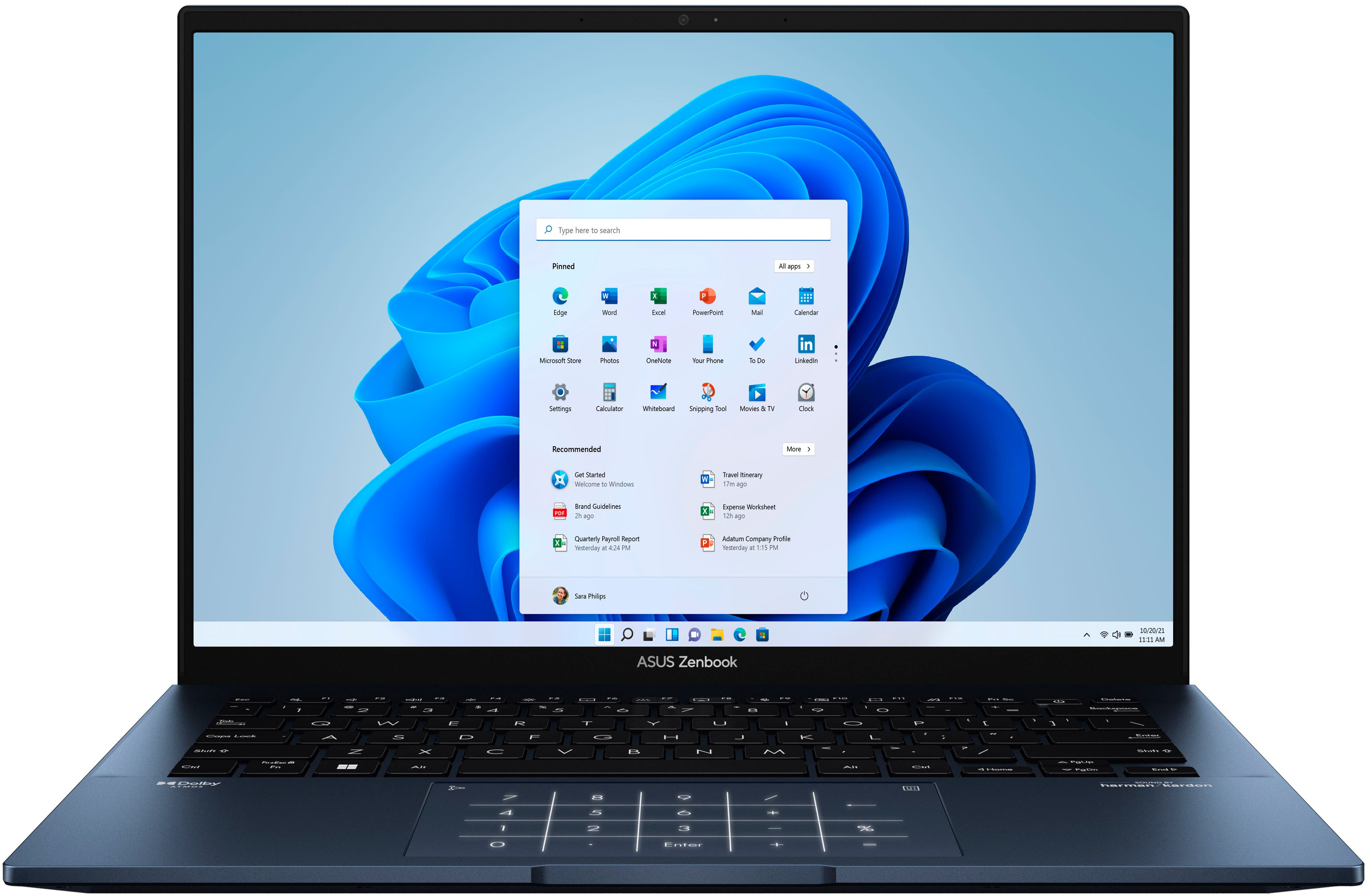
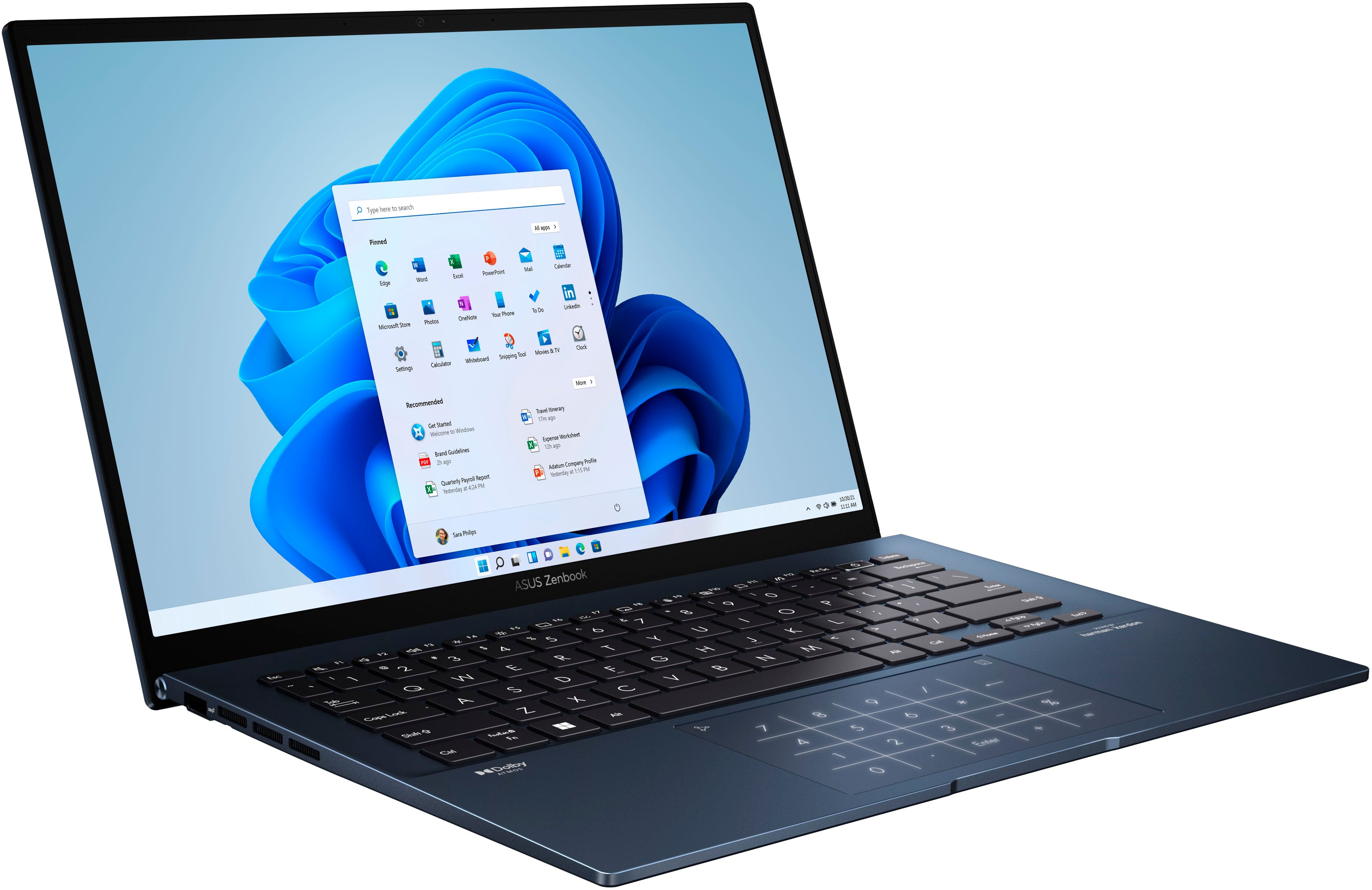
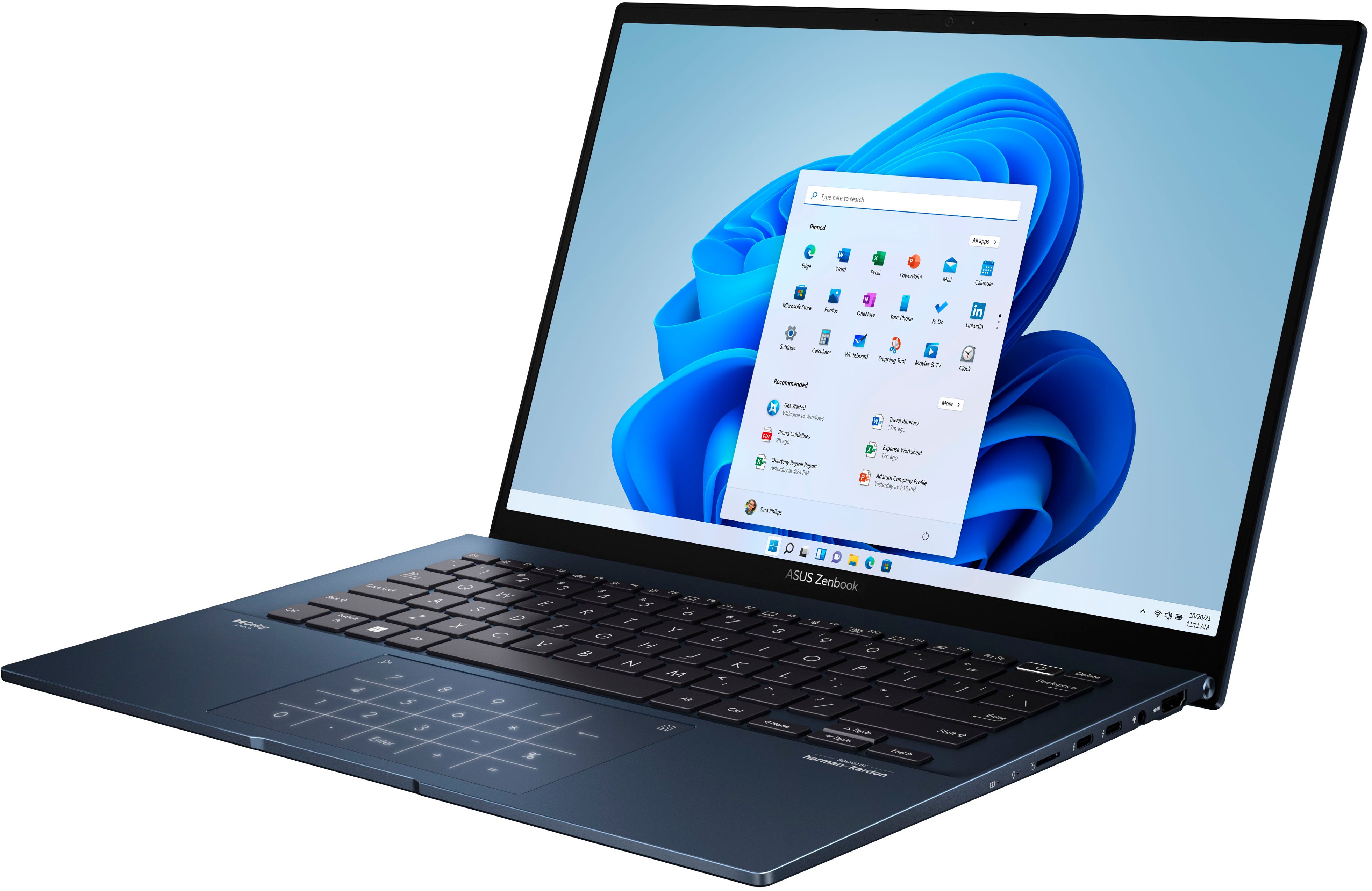




- Model:
- Q409ZA-EVO.I5256BL
- SKU:
- 6494331
Rating by feature
- Battery Life
Rating 4.3 out of 5 stars
- Speed
Rating 4.4 out of 5 stars
- Display
Rating 4.7 out of 5 stars
Customers are saying
Customers often highlight the superb screen quality, light weight, and excellent battery life of the Zenbook 14" laptop. Positive feedback also mentions the strong performance and modern design. However, some users point out concerns regarding the soldered RAM, heat generation, and occasional fan noise. A few customers also reported issues with the speakers.
This summary was generated by AI based on customer reviews.
ASUS - Zenbook 14" 2.8K OLED 12TH Gen i5 8GB 256
||Posted . Owned for 1.5 years when reviewed.This reviewer received promo considerations or sweepstakes entry for writing a review.I am satisfied with the product. Just for more domestic use... without a lot of technology... but there are things that don't charge... but that I can charge on my cell phone... so it depends on what you want to use it for...
I would recommend this to a friendGood Laptop - Don't Buy Open Box
||Posted . Owned for 3 weeks when reviewed.This reviewer received promo considerations or sweepstakes entry for writing a review.For starters, I want to clarify the laptop itself is pretty great, all things considered. This is more a review that is concerning a poor open box experience. I thought I got a steal on the laptop, I paid about $200 for mine in open box fair condition. I thought that I had won the lottery since it was a display unit, meaning it wasn't a customer return with any possible number of defects. Unfortunately, as the saying goes, if something seems too good to be true... That's because it is. I had this experience. I received the laptop and it's charger in a brown box (no original box) and to me, no problem. There were few scratches on the body which was great although the screen has some deep scratches; however, I still thought no problem. I start setting up the laptop at home and then there it was: problem. My display had quite noticable burn in along the edges with an Asus logo and QR icon (permanently etched into the display). Apparently, the display units get a lot of use on a static image, not good for OLED. But there's more of course. The right speaker was entirely blown out and the hinge made creaking and cracking noises (not to mention the presence of audible coil whine). Despite all of these shortcomings, I had a plan. I intended to buy an extended warranty fory laptop as it was only $80 for three years since the purchase price was low. Here's the real problem: Best Buy is unclear whether or not burn in is even convered by their warranty. Not to mention, I learned that if you file a claim there is around a $75 deductible to pay in addition to a turn around time for repair of about 4 weeks. I bought the laptop to use, not to be at a repair center. Also, numbers do not lie. Adding the warranty cost and the deductible to hopeful fix these issues, the laptop cost would be around $350, and that is no longer a steal. The newer version of this very laptop, with a better and larger 14.5" screen, more storage, and in new condition frequently costs $500. At that point, I figured I would just buy that model should I choose to buy a device like this again. So, I returned this one. Best Buy, you let down a computer in pretty good shape with poor OLED management, even a screen saver or simplying cycling the advertisements on display would have prevented the most major of my grievances from happening in the first place.
No, I would not recommend this to a friend- Pros mentioned:Weight
OLEDB Asus Notebook
||Posted . Owned for 1 week when reviewed.This reviewer received promo considerations or sweepstakes entry for writing a review.Amazing light weight. Less glare due to new OLED screen. Open box but still like new. Great outer box had everything in for the notebook
I would recommend this to a friend - Pros mentioned:Processor speed, Screen quality, WeightCons mentioned:Fan noise

A lot to like
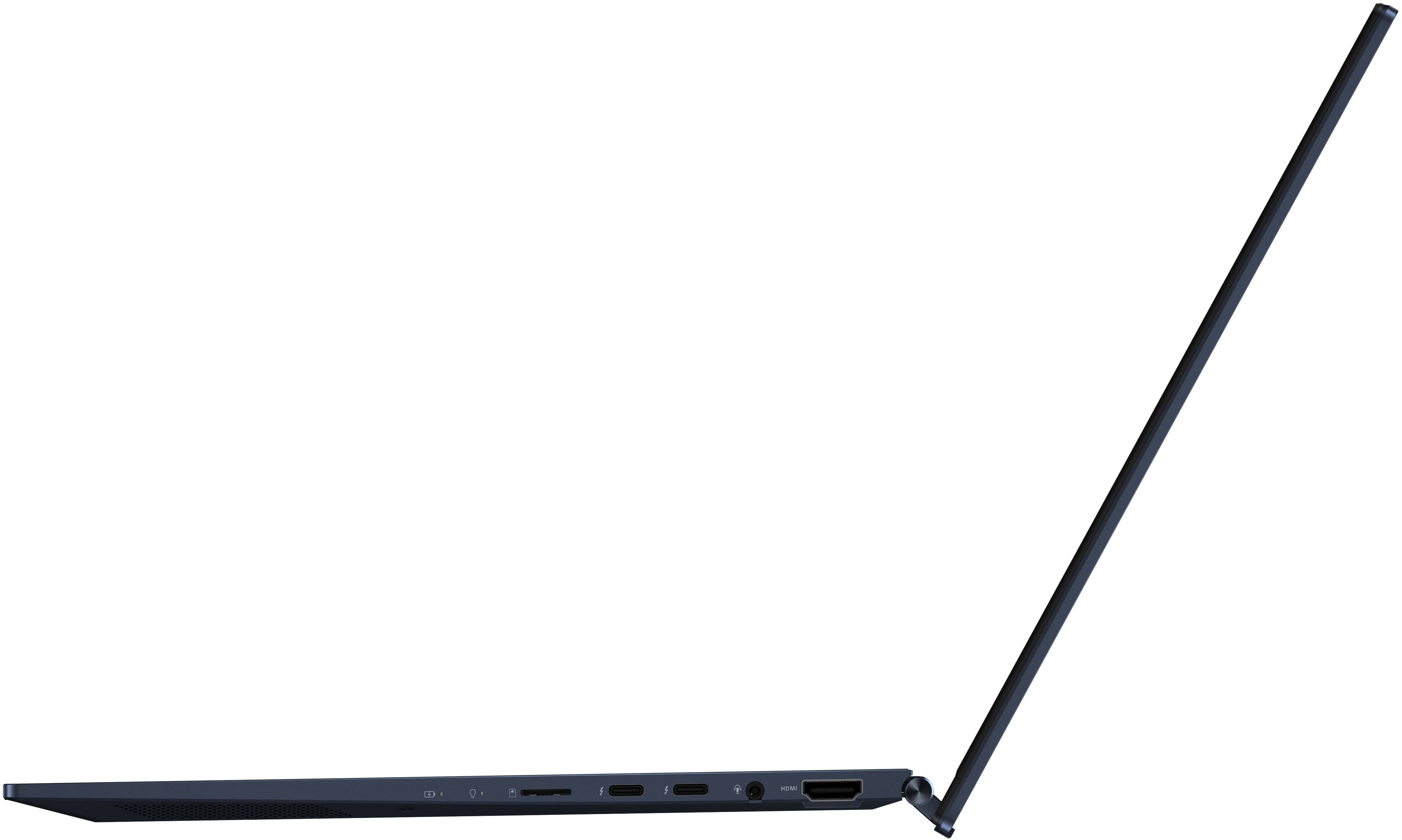
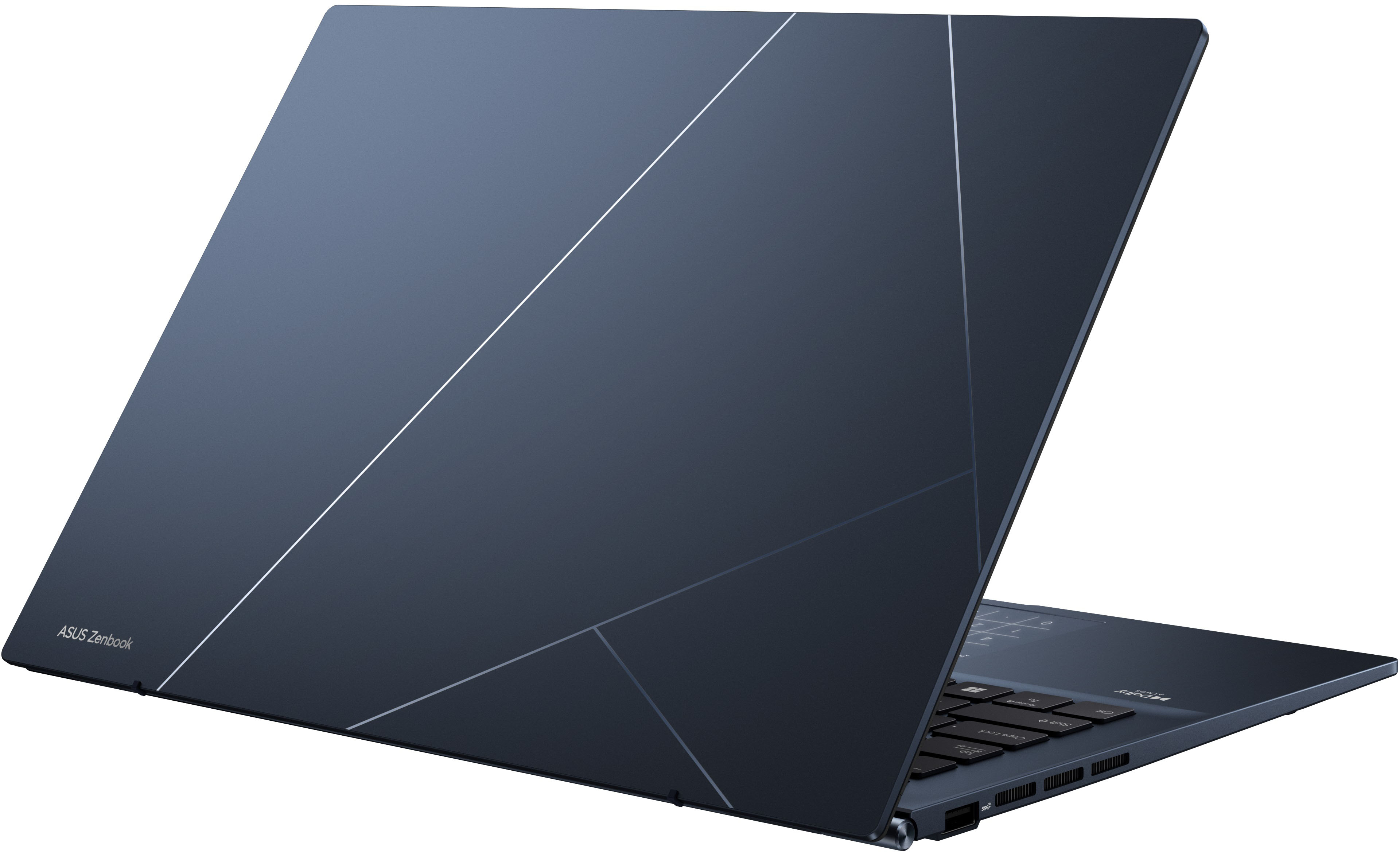
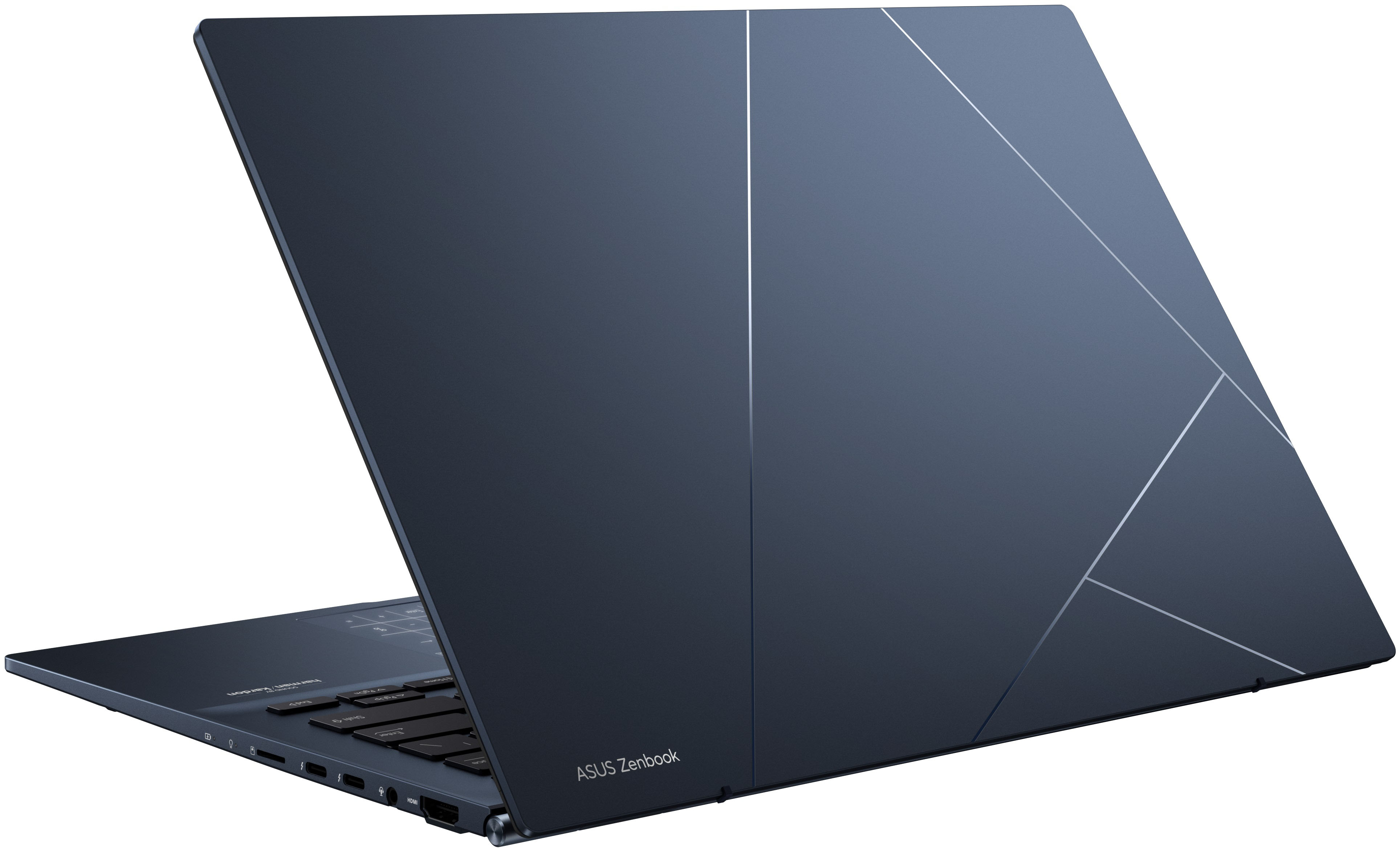
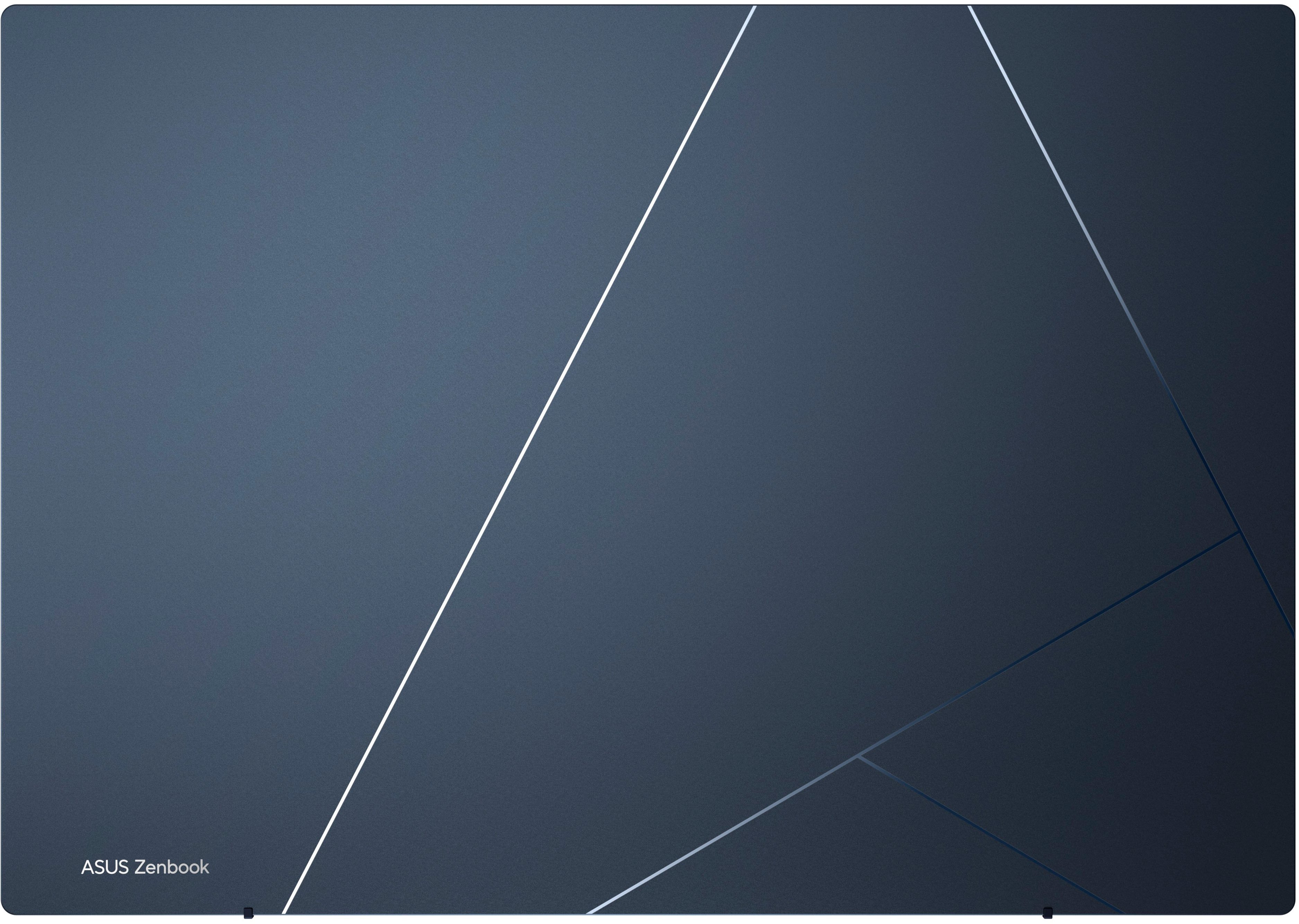
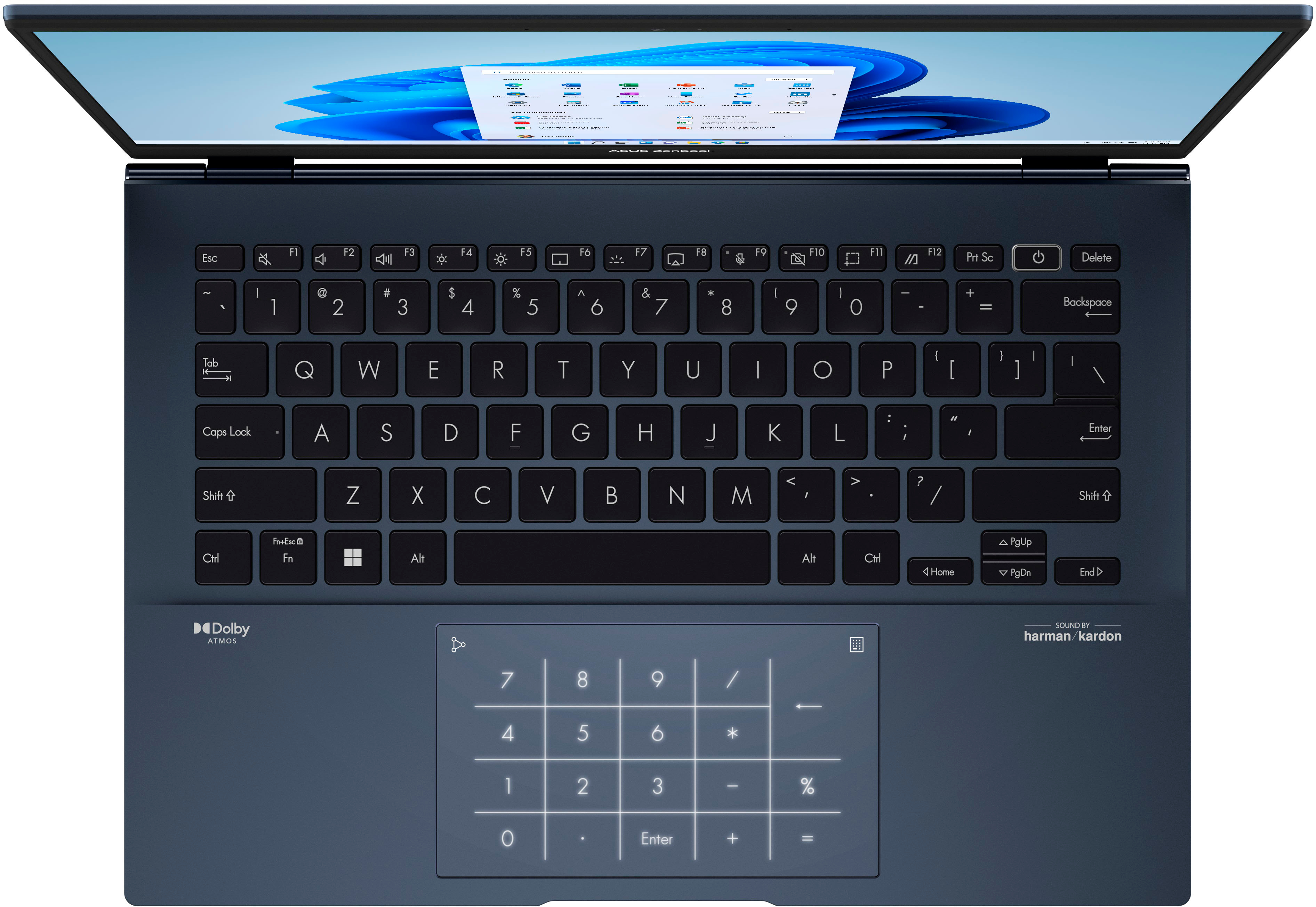
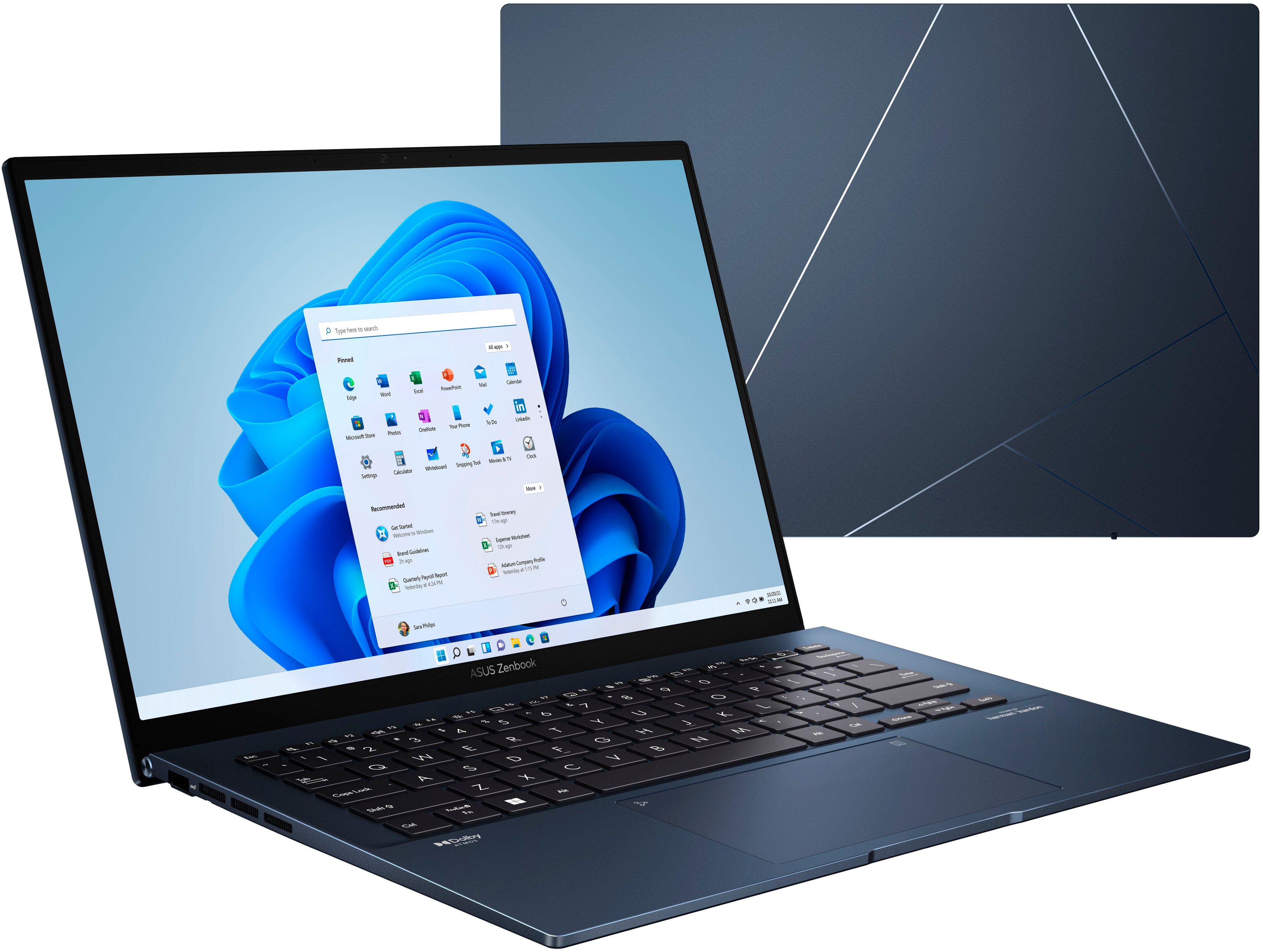
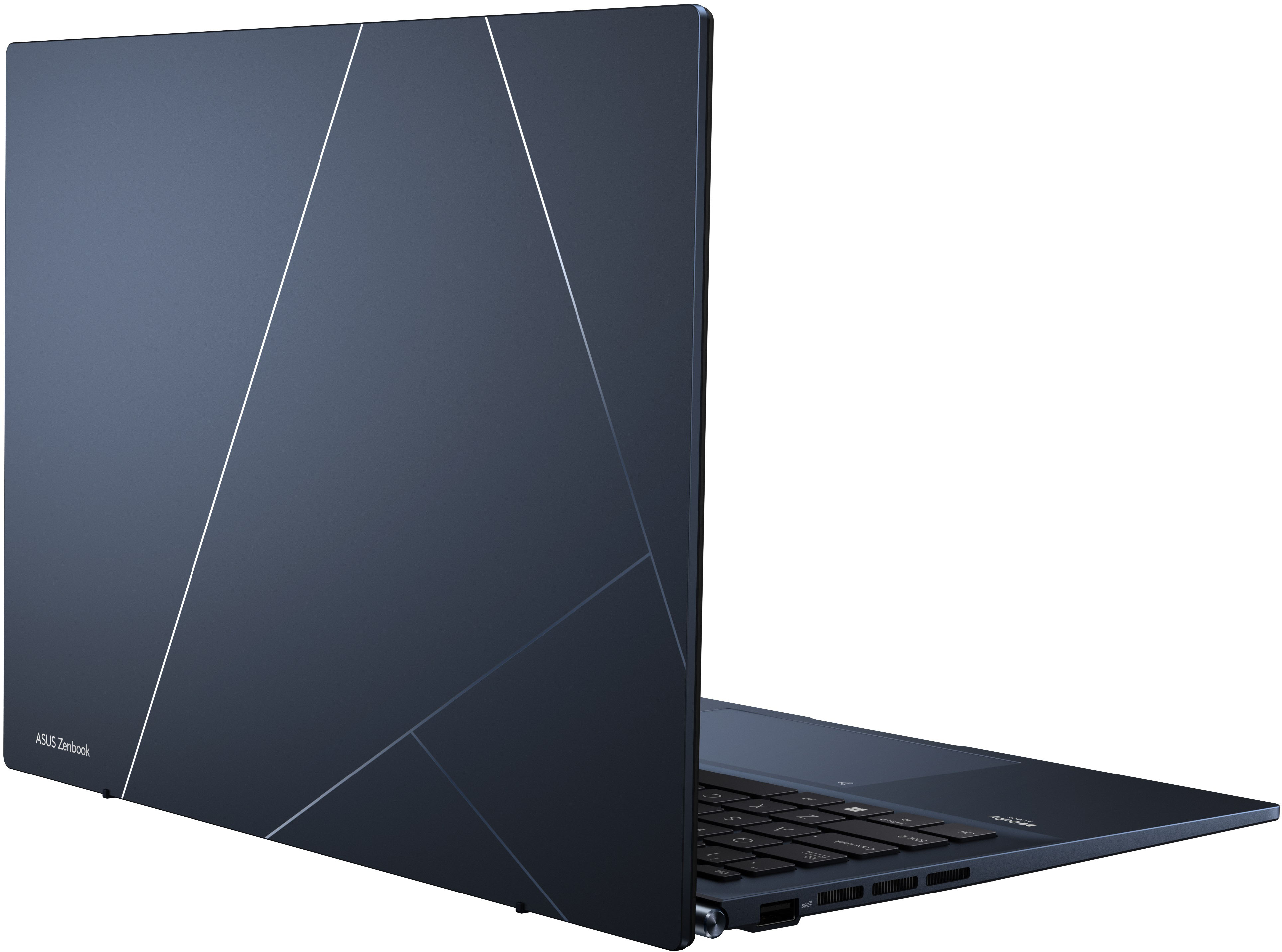
|Posted .This reviewer received promo considerations or sweepstakes entry for writing a review.There is a lot to like on this laptop. First impression: The blue pattern on the aluminum shell is very distinct and personally I like it. Very distinct and good looking in a sea of gray. Actual packaging is also smart: The cardboard box has a built-in lever so when opening the box it lifts the laptop. First impressions are important. Screen: The screen is above what one would expect in this category: It's a high-resolution 2880*1800 OLED with HDR, high refresh rate (90Hz) and a 4:3 format. The screen being 4:3 makes a huge difference, particularly on a small laptop like this. There is just more space, and it's better for email, spreadsheets or documents. When watching videos, the controls on YouTube and others appears below the image so it's less distracting. Also note this is a laptop, not a 2-in-one and the screen is not touchscreen. The screen can lay flat in the same angle as the keyboard but does not fold like 2-in-1s. Like in other OLED laptops, the colors can appear overly saturated at times. Keyboard: Backlit, comfortable keys with good travel. The power button is at the left of the delete, which I find a bit unusual. The power button is also the fingerprint sensor for Windows Hello. Trackpad: Very large, and there's a neat trick on this: pressing the top right corner, a numeric keypad lights up on the trackpad itself. Swiping from the left brings up the calculator. Not sure how much I'll use it but I do appreciate the innovative design. Webcam: is what one would expect with a 720p resolution. Resolution could be higher but it works very well in darker rooms, much better than expected. There is no IR camera for Windows Hello (fingerprint only). Simultaneously connecting the computer to an external 1080p camera and comparing both at the same time, the built-in camera actually provided a crisper and better lit image. Audio: Speakers are located on the bottom cover. It produces a loud and clear audio although not the highest fidelity, it gets the job done on a laptop. It's labeled as Harman-Kardon speakers with Dolby Atmos support. However it still sounds like one would expect from a laptop speaker. Performance: It's a 12-gen Intel CPU so it will be more than fast enough for normal use. Graphics is Intel embedded which is fine for light occasional games. This version also has 8 Gb RAM and SSD drive. Ports: On the left, one USB-A. On the right: HDMI, 3.5mm audio, two thunderbolt4/USB4 ports (USB-C) and a microSD reader. Charging is via either one of the USB-C/Thunderbolt ports. The included charger is USB-C 65W PD. Thunderbolt/USB-C ports can also be used to connect monitors. I used different thunderbolt and USB-C docks with video out and works fine without issue. It drives two external monitors plus the built-in screen with no issues, via a dock. Notes: It comes with Windows 11 Home and installation was smooth. This is also an 'Intel EVO' laptop, so it means that the Wireless (6 AX) is Intel and other components are also validated by Intel with the expectations that things should continue working as they should. Software: Did not come with much bloat. Refreshingly, no forced 3rd party anti-virus. Windows Defender is activated by default. There are some other Asus programs for remote desktop and window management and some other Asus-specific control tools but that's it. Serviceability: The bottom panel is hard to remove. Although there are plenty of exposed screws on the bottom cover, two screws are hidden under the rear rubber legs, so the cover cannot be removed without peeling off the rubber legs. This is unnecessary. There are already enough visible screws. This is just to make it harder to service. Wile the SSD is replaceable, the memory is soldered. I was planning on eventually adding more memory but now it will be just 8 GB. Weak points: I was surprised how often the fans turn on. Anything but the lightest activity, and expect the fan to turn on. It's not too loud, but it's noticeable, and distracting. If I have to nitpick: When turning it on, only the power indicator on the side lights up for some seconds until the screen turns on. I was expecting more visual feedback. Then there are too many stickers on the palm rest: Intel EVO, Pantone Verified (OLED Screen) and another large sticker with the features for this model. I can't understand why such a beautiful industrial design has to be marred with ill-positioned permanent stickers. Conclusion: Overall it's a great little laptop. Very compact and lightweight, with a beautiful OLED screen that pushes it above its class. I'm disappointed by the lack of serviceable memory modules and how noisy it can get, but otherwise great design. The inclusion of Thunderbolt ports really opens up a lot of options. For someone looking for something light that they are going to be using daily, this is a great choice. This quality screen is above its price point.
I would recommend this to a friend - Pros mentioned:Screen quality
Asus zenbook
||Posted . Owned for 1 month when reviewed.This reviewer received promo considerations or sweepstakes entry for writing a review.The product is awesome. It is built strong and easy to carry
I would recommend this to a friend - Pros mentioned:Battery life, Performance, Screen qualityCons mentioned:Fan noise, Ram
Beautiful, solid built, laptop
|Posted .This reviewer received promo considerations or sweepstakes entry for writing a review.The Asus Zenbook is a compact and lightweight OLED laptop with a 14” colorful screen. This has many features that I was looking for in a form factor such as this. Long battery life, great bright screen, Intel processor, 256GB SSD, 8GB RAM, backlit keys, and a bonus that I wasn’t aware that I needed, but the 10-key functionality that the trackpad can replicate. I have never seen this last feature on such a device before and I have to say that it is my favorite thing about this laptop. I use it constantly and I hope it is a feature that makes its way on more devices. Specs: the CPU is a 12th Gen Intel i5 processor, the RAM is soldered on, which is a bummer. It does have Wi-Fi 6E, upgradeable M.2 SSD (256GB included). A 14” 2880x1800 2.8K 16:10 OLED screen with an incredibly fast .2ms response time and 400-600 nits brightness. Included ports include a USB type A 3.2 Gen 2, microSD card reader, 2 USB type C ports (data, display out, charging), 3.5mm headphone/microphone jack, HDMI 2.0, and 720p camera. These are great specs all wrapped up in a 3.1 lbs. package. Daily use: I have been very happy with the everyday performance of this laptop. It’s very portable and the multimode backlit keyboard works great and is very comfortable to type on with good travel. One handed opening of the display is a very welcome addition as well. The power button also serves as the fingerprint reader and is very reliable and it will cache the fingerprint as you power it on and logs you directly into windows with windows hello. Unfortunately, the camera doesn’t appear to be windows hello compatible at this time. Microsoft office products run great and have not had any issues with them. Web browsing has been a great experience as well and running videos via NetFlix, Disney+ and Hulu apps have been butter smooth as well. At times during intensive processor use, the single fan will spin up and become more noticeable, but not bad. Overall, this laptop has great specs, build quality at a great price. My only gripe with this laptop is the soldered-on RAM. Everything else is a great laptop for a non-gamer and someone who is looking for a portable, powerful, and long lasting computer.
I would recommend this to a friend ASUS
||Posted . Owned for 7 months when reviewed.This reviewer received promo considerations or sweepstakes entry for writing a review.The best laptop in my opinion for everything that you might need, I do my college work and also play video games on it . Lots of storage the only thing is you’ll need a cooling pad because it gets hot fast.
I would recommend this to a friendQK
||Posted .This reviewer received promo considerations or sweepstakes entry for writing a review.Nice everyday laptop. Good for streaming and light work
I would recommend this to a friend- Pros mentioned:Processor speedCons mentioned:Fan noise
Great laptop
||Posted . Owned for 2 months when reviewed.This reviewer received promo considerations or sweepstakes entry for writing a review.loving the laptop so much the display is out of this world it is fast the only issue is the battery life and the fan is sometimes loud but i don't mind it
I would recommend this to a friend - Pros mentioned:Battery life, Performance, Screen qualityCons mentioned:Ram, Speakers
Be aware of the reality before purchasing.
||Posted . Owned for 1 week when reviewed.This reviewer received promo considerations or sweepstakes entry for writing a review.I won't be returning mine, but go into this head first: other glowing reviews could have you purchasing an item which doesn't actually suit you. Read on to find out why. THE SCREEN: The star of the show is the screen, as at this price point, you'll have a hard time finding an OLED (though another ASUS from last year has this screen - with an older processor and worse ports). If you are used to something that already has OLED like a Samsung phone or tablet, you could find this hard to look at. Without significant tinkering (in My Asus and Intel Graphics Command Center), the screen has far too much red pop. Even then, it's still clear the screen has been designed for entertainment rather than office work. My Surface Laptop 2 had perfect colors and brightness out of the box; this had me contemplate returning it. Max brightness is barely adequate with proper color calibration. 2880 x 1800 at this price is truly impressive, but you HAVE to keep in mind that Windows (11 in this case) is a fractured environment. Android, iOS and MacOS have been DESIGNED for high pixel density from the ground up. Windows and its programs are NOT like this, and even on something SUPER HIGH DPI like this, you WILL run into low-quality text, borders, effects and graphics. It's honestly jarring when some things are so perfectly crisp (due to the high pixel count of 2.8K). Keep in mind this is also on a small screen. It says 14", but that isn't very big with this aspect ratio. For that reason alone, if you're a little older or have not-so-good eyesight, find a competent 15". SIZE: Seriously. It's a small computer. It is VERY thin, with a flat lid (not a compound shape), causing flexibility which has me far more cautious with it's handling than my Surface Laptop 2. It is light, so if that's your primary concern, you won't be disappointed - though I'm going to find a case for this. I won't be putting it straight into the backpack sleeve like my Laptop 2 (or the MacBook Air before it). KEYBOARD: Excellent. I miss the Alcantara top of the Laptop 2, but this keyboard has more functionality, including a toggle for the F keys. Backlight is great, travel is great, spacing and shape are great, as is layout. TRACKPAD: Awesome. There was a video reviewer who said the built in touch keys (for a numpad/calculator) didn't work very well, but he was wrong. It works how it should. SPEAKERS: Get headphones. Video conferencing is possible without, but don't do it. Get headphones. Same for content consumption. PERFORMANCE: This is a big one. On Balanced or Performance modes, this computer is fast, including graphics for light gaming (way better than old Intel). However, if you have it on anything other than Whisper mode, it will get loud. If you have it on Whisper mode, it will leave a huge chunk of performance on the table. From benchmarking I determined you could lose over half of the processor speed by keeping it in Whisper. If you want to get the full performance... NOISE: You're going to have to live with a bit of noise. Even on Balanced, the fan will crank up with sustained use. It isn't too much to handle if you're processing in bursts, and it isn't as loud as a gaming machine, but your office/SO are going to hear it. Being 12th Gen, living with 1/3 the processing speed might not affect you much, so it could be worth it. Your call. BATTERY: Seems good. Keep it on 60Hz, keep it in Whisper, you're golden. PORTS: Ports are excellent. No question. This has everything I need, including future upgradability with Thunderbolt compatible USB C. MEMORY: THE MEMORY IS NON-UPGRADEABLE. WHAT YOU GET IS WHAT YOU WILL HAVE GOING INTO THE FUTURE - FOREVER. THIS IS A BIG DEAL. 8GB isn't very much in 2022, especially with Windows. STORAGE: Off the back of the Memory situation, keep in mind that you only have ONE NVMe port. If you want to upgrade, you're going to need to have some significant technical skills and additional hardware. If you just need mass storage without speed, it is possible to use a small USB stick or MicroSD card, but those will stick out. SUMMARY: Get a bigger laptop if you don't travel. Get a regular LCD if you hate tinkering. Get a MacBook if you need good speakers. Get a gaming machine for quiet performance/better FPS in games of all types. Get a Surface Laptop if you want the ultimate comfy typing experience. Get this if you want thin, light, OLED and Thunderbolt at a low price. It's good and attractive.
I would recommend this to a friend I love my computer…but
||Posted . Owned for 1 month when reviewed.This reviewer received promo considerations or sweepstakes entry for writing a review.I love it. But today all I see is a black screen! This is the second time this has happened - I’m otw to the store now!
No, I would not recommend this to a friendStill going strong
||Posted . Owned for 1 year when reviewed.This reviewer received promo considerations or sweepstakes entry for writing a review.Perfect laptop to meet all my needs, purchased a little while back and it is still going strong.
I would recommend this to a friend- Pros mentioned:Battery life, Processor speed, Screen quality
Cutting Edge of Tech: Screen, Power and Speed
|Posted .This reviewer received promo considerations or sweepstakes entry for writing a review.A break from the mundane, the ASUS Zenbook 14” OLED Laptop is a daily champ for an incredible screen images, finishing projects, working with Apps, surfing the web and taking it on the go! OLED 14” Display – OLED (organic light-emitting diode)! Typically OLED TVs, where you hear most about the TV screen’s brilliance in color and quality. But ASUS has done something incredible! A 14” computer OLED display, with optional HDR. At 2.8K (2880 pixels x 1800 pixels) running at 90 Hz, its not quite 4K, but it is astounding for sure. This ASUS Zenbook HDR specification is rated as “True Black” in its specification standard, meaning better contrast on the computer screen. The ASUS Zenbook laptop screen is made up of 400 nits that provide the color and brightness. Although this laptop is toward the lower half of nits for a laptop screen (could go up to and exceed 700 nits), it still beams and really looks astounding with the proper lighting and color. This particular laptop isn’t a “touch screen”. I think that is great, so you see the best picture possible without finger print or other dust. I did have to manually turn on the HDR. It is not hard to do and it makes the laptop screen even more detailed and bright without any slowdown of the laptop processors. I went to Settings, Display, and moved HDR slider to on. This also provides the best possible viewing for games as well as any YouTube videos. Not every media works with HDR, but that is quickly changing. If you move the HDR slider to on and a component of what you are watching or playing is not compatible, the laptop simply won’t let you select the slider to on. Games/Movies – With a resolution of 2880 Pixels x1800 Pixels and HDR selected I played some games on ASUS Zenbook. If I didn’t do this, it would be a waste of an amazing OLED screen! I played Ultimate Marvel vs Capcom 3 game, I watched Disney+ for movie clips of the Avengers: Infinity War and Guardians of the Galaxy. This is where the ASUS Zenbook really shines. The picture was so clear, clean, distortion free, bright and balanced colors. The game and movie clips showed just how great the OLED screen really is. Wow! And let’s no forget the sound! Dolby Atmos, read on…. Dolby Atmos - Music, YouTube, Games, all the sounds you get from the ASUS Zenbook are provided from Harman/Kardon. Dolby Atmos is here!! It still needs to make some steps to be more inclusive than just A/V setups. In gaming situations if a character is behind you, you actually hear them behind you! The quality presentation, sounds from games and music sounds really, really good. I love the dynamics and detailed sound of music on the ASUS Zenbook. Dolby Atmos shoot sound in different directions, like bouncing off the ceiling, walls and coming right at you. Right now it is the best thing going in audio reproduction. New music is also coming out now and in the future that will change the way we listen to everything. Dolby Atmos on the ASUS Zenbook? Oh Yeah! Intel Evo Platform – The ASUS Zenbook has some of the best tech around. The Intel Evo Platform fits into that formula. The weight (so light!) and the thinness is smaller than the height of a nickel standing on its edge. Much of the thanks can go to the Intel Evo Platform. This feature helps the user to gain computing power with Connections, Game play, Word processing, remembering pathways taken to go from programs. The Battery also last longer than standard laptops (those without Intel Evo Platform) even when used quite a bit for a several a days. I liked the battery life even when challenged with complex graphics! It also boots up quickly. No one likes waiting on their laptop to start. Just about everything is in the ASUS Zenbook enhanced by the Intel Evo Platform. 12 Gen Core i5 Processor with 8 GB RAM – The fastest and newest Intel i5 chip blazes computing power that has the strength to work on several projects at once along with multiple tabs open and searching the web. I was researching a gift for my Nephew and had 8 tabs open and I continued to search for his gift. I also had Word document open to copying and pasting the websites for a centralized list of things he wanted. There was not a single issue that took from the ASUS Zenbook’s performance. This same performance also helps plowing through streaming movies, YouTube, Music or game playing. It also handles proficiently operations at the same time with the help of the 8GB RAM. I got a website for music which requires a lot of tedious work (if you play guitar, you will know what I mean. Practice!), and Steam for game play. At first, the games I played were only in a small window with a high amount of pixels. It didn’t make sense to me so I went into options and was able to have full screen access at optimal viewing levels (This requires a lot of RAM – 8GB here). The 12th Generation Core i5 Processor had no trouble handling the movement or business of researching or gaming if I choose to do so. I worked on long list of guitar pedals with the price, website, and product. I again, cut and pasted links on a Word document. Even with all the Tabs open – no problem. In gaming, the only thing that could hinder full screen play, would be if the ASUS Zenbook would not be able to handle all the fast paced action and advanced graphics. Well, this ASUS Zenbook had no trouble playing full screen, almost 2k and no lag in video motion. It is really outstanding. This is by far the best screen I have ever seen on a Laptop! HDMI – A great connection in this ASUS Zenbook is a HDMI port! Hook up a HDMI cable from the laptop to a HDMI equipped device like a TV. What appears on the laptop screen can now be seen on the the TV screen. (14” on the laptop turns your 55” TV) The HDMI is also useful for Monitors or even connecting more than one screen! I was able to hook up the HDMI port from the ASUS Zenbook to my Dell 27” monitor. It looked really good but more importantly it was easier to see when working on projects that require typing or watching a movie. 256 GB SSD (PCI-e) – This is the fastest hard drive to store and move larger files as well; The real difference between the SSD (PCI-e) is that it provides a direct connection to like your printer, mouse, external hard, external CD Drive reader, games and hubs. It doesn’t have to be thread through the Motherboard first, so that makes the SSD (PCI-e) a better choice. The ASUS came a with 256GB hard drive, but after all installed software and programs, you actually start with 237GB, after only a few programs and games GB dropped to 200GBs quickly. Kind of a small hard drive but it is a SSD (PCI-e) so you know you are getting the best. An external hard drive to provide additional space is in the realm of possibility. That would help the overall appeal of the ASUS. Windows 11 Home Operating System – I installed overall firmware after setting up the Laptop. Windows 11 Home edition is truly an upgrade from Windows 10. One of the first things I did was setup a 4 digit passcode to get into the ASUS laptop. The operating system makes every effort get the most out of the ASUS laptop. Windows 11 Home edition is definitely faster when moving between Tabs, programs, movies or music than previous versions. And of course the more you use it, the easier gets. I really like the new setup of icons on the bottom of the screen add/remove and open the programs I use and even getting to the Settings menu! Whether you need Bluetooth turned on/off or need to check your security, download pictures from your cellphone, this ASUS laptop with Windows 11 Home edition can handle it. Weight and Thickness – Rich and beautiful the dark blue and overall finish is a showstopper. It weighs an incredibly lightweight 3.06 lbs and the overall height is an amazing 0.67” with the screen closed. The overall footprint is small and looks great on a desk. The one issue I have (not a deal breaker) is the laptop is really light. When opened up with the screen at the 90 degree angle, the ASUS laptop just feels, for lack of a better word, “not as sturdy as I would have liked.” I know the laptop was built “with US Military grade durability,” but to achieve the weight of just over 3 lb something has to get cut (I realize there is no CD Drive). In this case, I believe the exterior protection of the ASUS laptop is a little too thin. Some people will have no issue with this, but overtime Laptops suffer wear and tear, just like any computer. I think if it were a little sturdier, it would have a longer lifespan. I would take a slightly heavier ASUS Zenbook laptop just for the protection from that use everyday wear and tear. Built in Webcam & Microphone – More often than not, video chats with doctors, counselors, those who work from home use will like the built in Webcam and microphone. The picture from the camera was very good but not great when video chatting. The lights are on either side of the top bezel with the camera in the middle. This is an important component because COVID has changed the way we do we interact. This ASUS Zenbook will make you ready for these types of interactions. Keyboard – What strikes you with the keypad when you use it? A cool useful backlight keyboard (which used to be rare). The backlight keyboard turns on when you strike a button with a touch. It shuts off in a second when you are able to release any key. This is not only nice for night work but it is a nice feature to have in daylight too. But the real surprise is the “hidden numeric pad!” By simply touching the upper right hand side of the keypad, the number keyboard appears. To hide it, touch the same spot. It even has a brightness control on the left upper side of the keypad. Just above the keypad is the keyboard. The strokes on the buttons have a great bounce and snappiness to them. They are very responsive, just needing a light touch. The keyboard works wel
I would recommend this to a friend - Pros mentioned:Processor speed, Screen quality, WeightCons mentioned:Heat, Ram
Excellent Choice for School or Business
|Posted .This reviewer received promo considerations or sweepstakes entry for writing a review.The main selling point of this laptop is the screen, and it's completely worth it. It doesn't just come with an OLED display; it comes with a well-calibrated OLED panel with absolutely fantastic color that really pops. This is a fantastic device for viewing content on, especially if you're working with (or creating) multimedia presentations. The i5 is no slouch, either, and seems to perform just as well as i7s from previous generations. Build quality is also a plus - despite possessing an ultrabook form factor, the chassis is sturdy and for once provides adequate structural support for that flagship display (i.e. not too thin, like certain other manufacturers). They keys also have decent travel and are not the stubby, shallow type seen in some other models. Audio is decent as well, even though max volume isn't that loud. Port selection and availability is more than adequate, but be advised that Asus is opting primarily for USB-C ports on this model. Hinge design and maneuverability is also excellent; you not only get an excellent range of motion but the mechanism simply feels more sturdy than the ones present on rival models. Brightness controls are nice and robust, too - you can really dim the display when necessary to avoid screen burn. The laptop also has a nice weight and feel and isn't uncomfortable to work with over extended periods. The only minor issue, which is unfortunately present on other Ultrabooks, is heat buildup. When first downloading the battery of updates after initial setup, this thing got really warm. Every subsequent use has avoided the problem, though. There's a sizable ventilation opening along the left side of the body, which thankfully expels a lot of the heat away from the back vents (where anyone would definitely feel it). One caveat - the box clearly shows there's 8gb of RAM on bd, meaning RAM is not upgradeable on this device. This is not a deal breaker for business or school use, but gamers and power users will obviously want to look elsewhere. For most people, though, this won't be an issue, and the fast performance of the laptop is testament to this. Strongly recommended for students and business professionals.
I would recommend this to a friend Great Laptop with worst Battery life
||Posted . Owned for 2 weeks when reviewed.This reviewer received promo considerations or sweepstakes entry for writing a review.Lapotp looks great, slim sleek poweful. So stylish. Screen resolution ultimate, powerful speaker, downside battery is worst it doesnt hold even 2-4 hours of charging, we need to plugin all day, and it generates heat getter more hot on chargign mode. So if you lookig for powerful machine with battery downside you can go with this one.
No, I would not recommend this to a friendBrand response from ASUS Answers
Posted .Dear Tejha.
We are sorry to hear that you are experiencing issues with the battery draining . Please allow us to make your experience with ASUS a better one. We would love to have your issues resolved in a timely manner. Please follow the troubleshooting steps in our FAQ: below, if not resolved please send us an email at customerloyalty@asus.com and provide the link of this review for reference. We’ll do our best to provide a quick resolution to your case. Your feedback is important as it helps with improvements to ASUS Support channels. Please refer to this case number (N2205024397-0024) for us to better assist you.
Thank you for choosing ASUS.
Best Regards
Schottky
ASUS Customer Loyalty US Support
https://www.asus.com/support/FAQ/1043914/
Perfect For College
||Posted . Owned for 3 weeks when reviewed.This reviewer received promo considerations or sweepstakes entry for writing a review.Id definitely recommend this laptop for college. Enough storage, Nice Display if you like watching shows on the go, and Reliable
I would recommend this to a friendGreat choice for options list
||Posted . Owned for 5 months when reviewed.This reviewer received promo considerations or sweepstakes entry for writing a review.Has great resolution, great oled screen and portable size.
I would recommend this to a friend- Pros mentioned:Processor speed, Screen quality, WeightCons mentioned:Ram
Good light fast laptop
|Posted .This reviewer received promo considerations or sweepstakes entry for writing a review.This is great smaller laptop for getting work and schoolwork done. The blue color is nice, and the laptop is light. Is has USB-A, USB-C (2), Micro SD, a 3.5mm jack, and HDMI connections for getting connected. The USB-C ports are the right side of the computer. I hooked up the included 65w charger through a small usb dongle to get wired Ethernet and has no issues with power or the extra ports working. Wireless connected with no issues at full AX speed. The laptop is great for office, so you can use it for most work and school applications. With only 8GB RAM, it doesn't leave room for VMs or other large programs to use a lot of RAM. The memory cannot be upgraded, whatever you buy the machine with it what you get. The M.2 SSD is upgradable. It comes with a 256GB M.2 stick. Taking off the bottom of the laptop is not hard. Remove the visible screws and 2 more under the rear pads. Then pry open from the hinges around to the front and it comes right off. The M.2 slot is a full 2280 in length, but I wouldn’t put anything with a heatsink on it as it probably won't fit. The picture shows the insides, the M.2 slot is under the silver cover in the back middle/left of the board. The external screws are hex, and the internal screws to remove the M.2 cover are Philips. After installing Samsung Migration, and using a USB M.2 device, I transferred everything to a 1TB drive with no issues (make sure encryption is off). The stick slid right in. Closing the cover was easy. The drive takes advantage of the slot, and it gets tops transfer speeds. The screen is outstanding. Colors really pop and at 2.8K, you can put a lot on the screen. The video memory is shared, there is not a discrete card, so it can do older or more basic games with no issues. Another nice feature is the touchpad. It doubles as a numpad. Click the upper right of the touchpad and a numpad is displayed on it. This makes entering in numbers and IP address a lot easier. Its responsive and once done, you tap the corner again the numpad goes away. This is nice way to add a numpad without increasing the laptop width. Overall, with the i5 12gen Intel processor it's very responsive, programs come up quick and runs through tasks without the computer getting too hot. The built-in audio and camera are good and perform well for listening and doing video calls. Hooking up a second monitor via HDMI was simple and works fine. The laptop comes with Windows 11 Home standard. No real bloatware, anti-virus etc, just Asus’s care program, so nothing to remove. Windows 11 was responsive and operated well. This is a good mid-level laptop, no touch screen or extras, which helps to cut down on the price. The amount of non-upgradable memory is only a concern only if you are going to do more intensive work above office, browsing, calls etc. Upgrading the SSD is easy and lets you have a lot more space to store items or add programs. The screen really shines and makes everything look great. For the price it has a lot of features and superb screen to do you work or schoolwork on.
I would recommend this to a friend Google Zenbook hinge issue before buying
||Posted . Owned for less than 1 week when reviewed.This reviewer received promo considerations or sweepstakes entry for writing a review.I was excited to buy the Q409ZA for my daughter's graduation gift seeing so many rave reviews, but unfortunately, I have to return it to BB. I opened it once to start the setup process, & when I attempted to close it, I heard a cracking noise. I realized the frame was separating from the display at the bottom left, around the hinge. I searched online & found many complaints about hinge issues with Asus laptops. I would love to think that we got the 1 "bad apple", but online complaints say differently. I'm extremely disappointed because this is a beautiful laptop with all the features that we wanted, at a great price.
No, I would not recommend this to a friendBrand response from ASUS Answers
Posted .Dear Flynnstone,
We certainly understand your disappointment and the inconvenience this may have caused.
All ASUS products undergo intensive quality control testing and inspections. The hinges are subject to 20,000 open and close cycle, this is a random problem. Normally, ASUS provides one year warranty coverage, if product was purchased brand-new, in order to fix or repair any hardware or part that stop working prematurely under normal usage.
If you need more information or further assistance with the warranty for the product, please email me at cl-rodel@asus.com and I would be more than happy to help. Or, you are most welcome to call Product Support Hotline at: 1(888) 678-3688. Also, you can chat with an ASUS live support agent at: http://bit.ly/AsusLiveChat.
Thank you for choosing an ASUS product.
Regards,
Rodel
ASUS Customer Loyalty
Excellent OLED screen
||Posted . Owned for 6 months when reviewed.This reviewer received promo considerations or sweepstakes entry for writing a review.Excellent OLED screen and decent CPU. Highly recommended for kid's school laptop
I would recommend this to a friend