Customer Ratings & Reviews
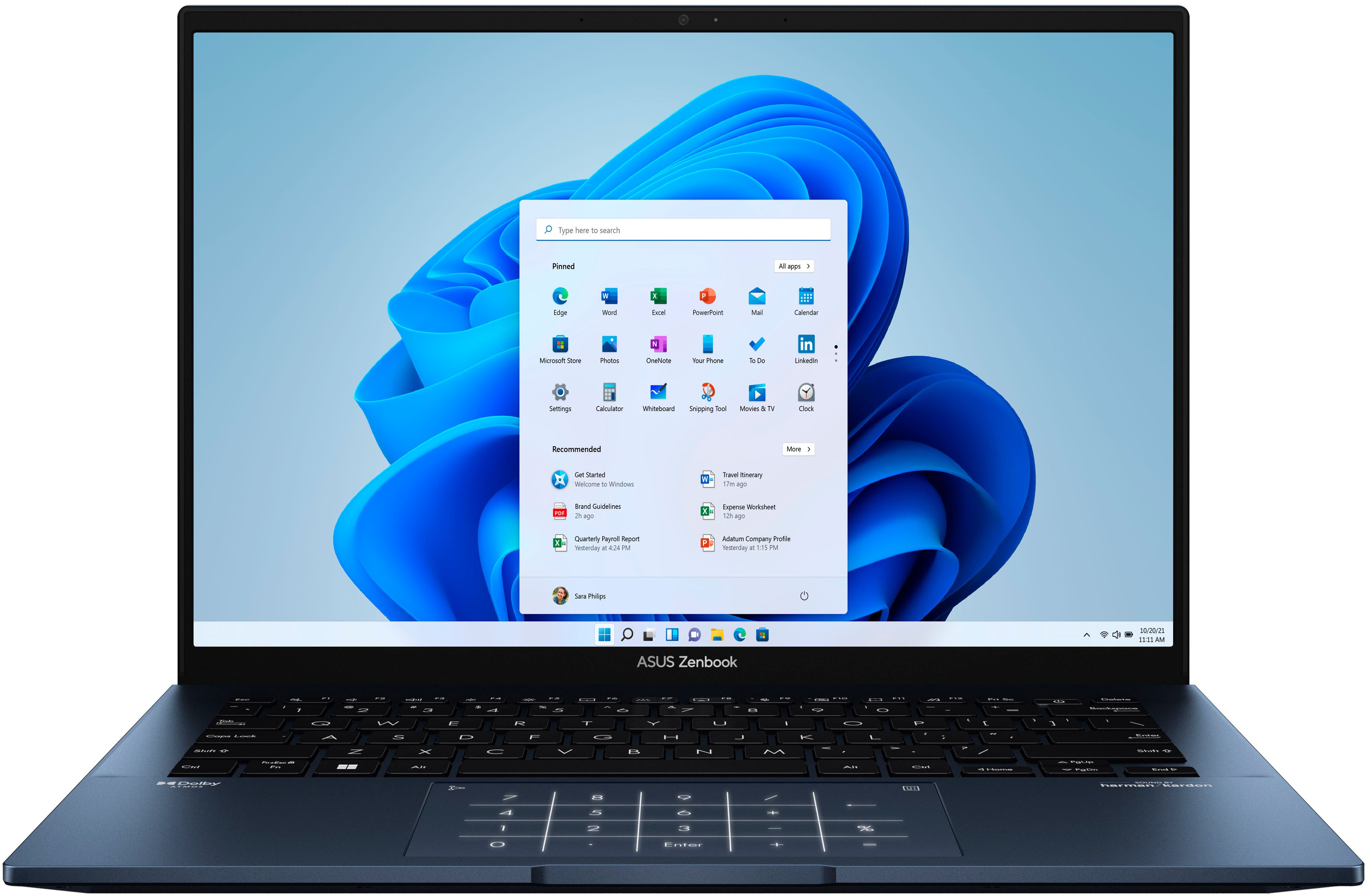
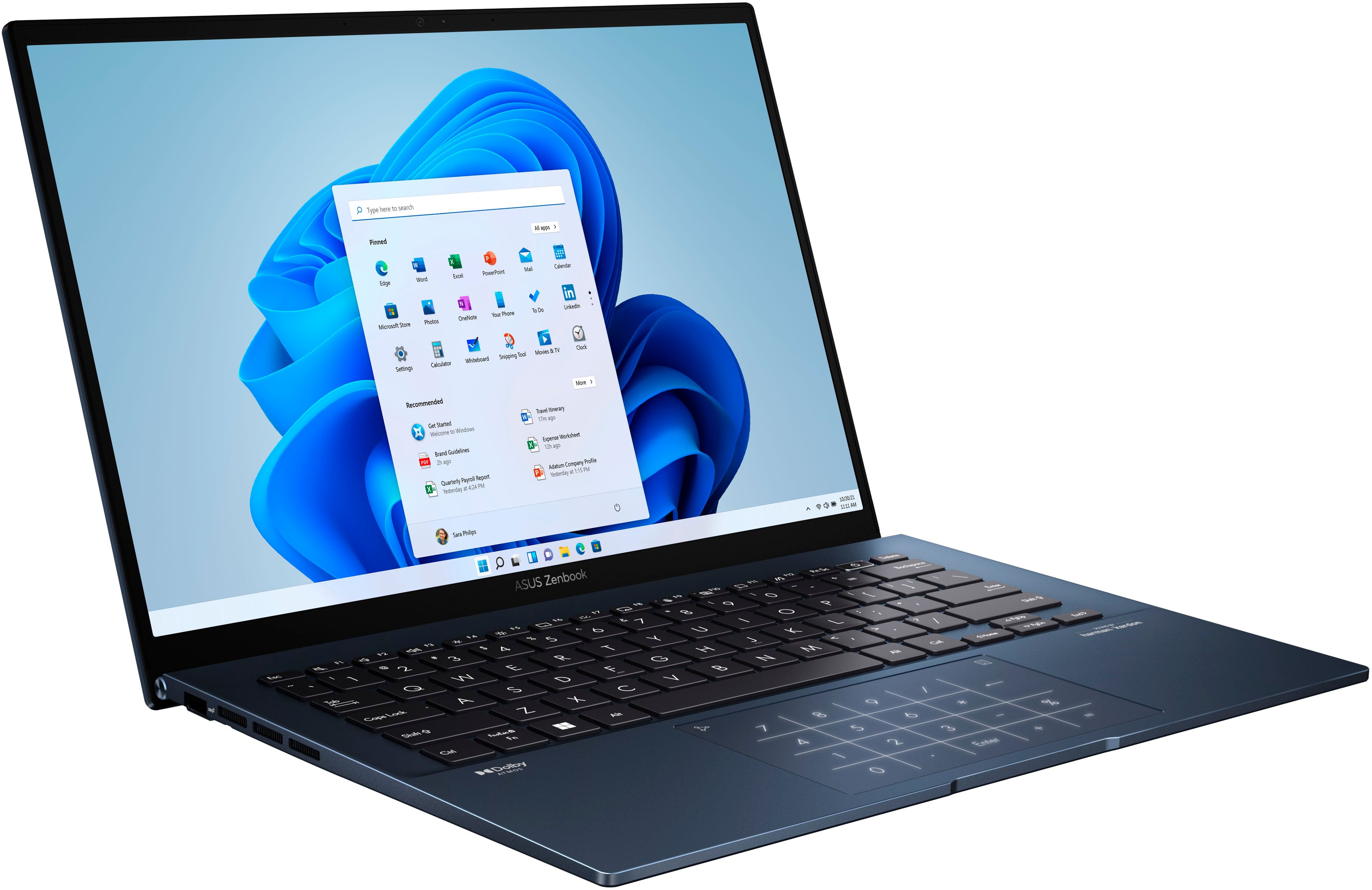
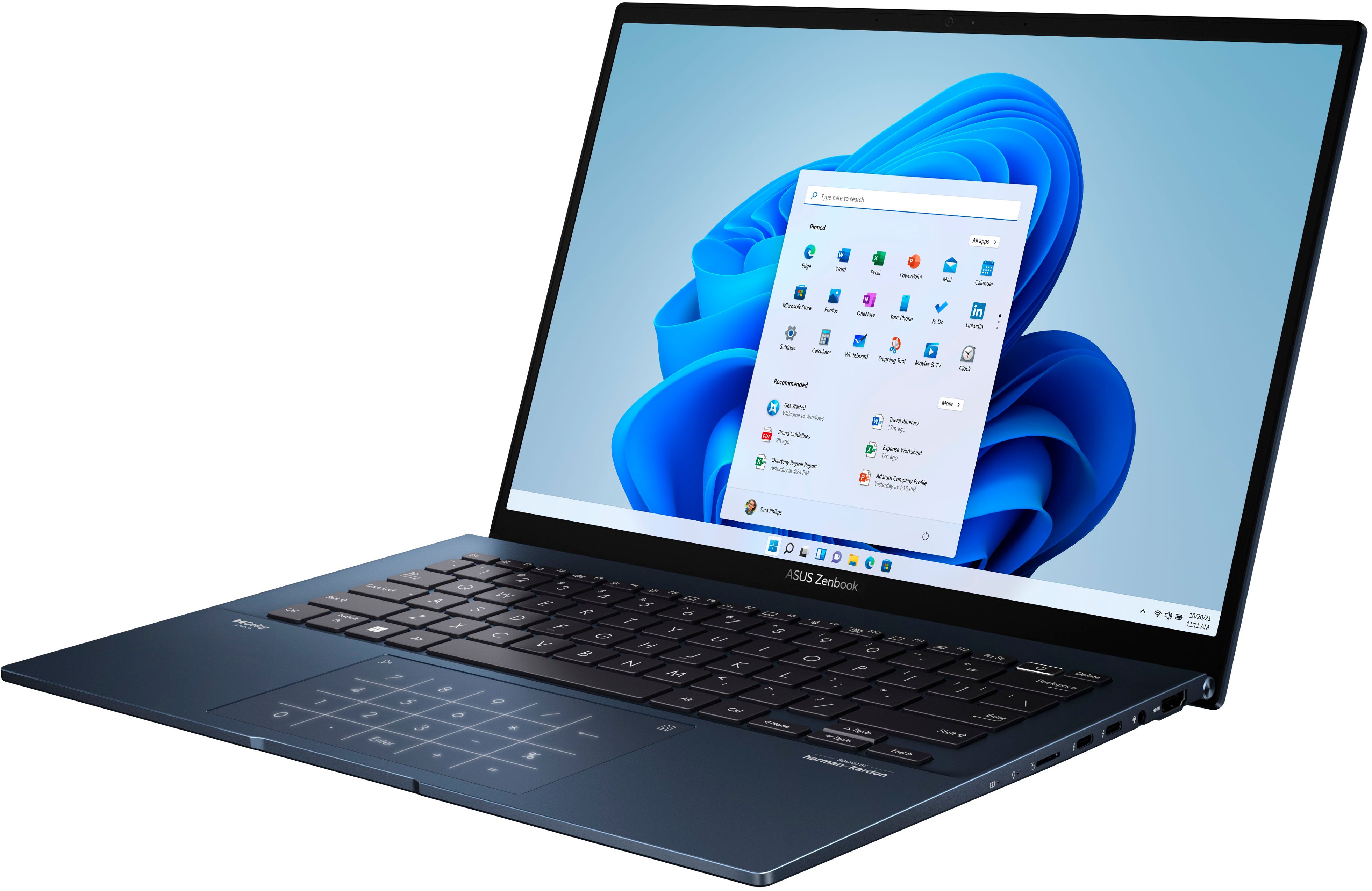


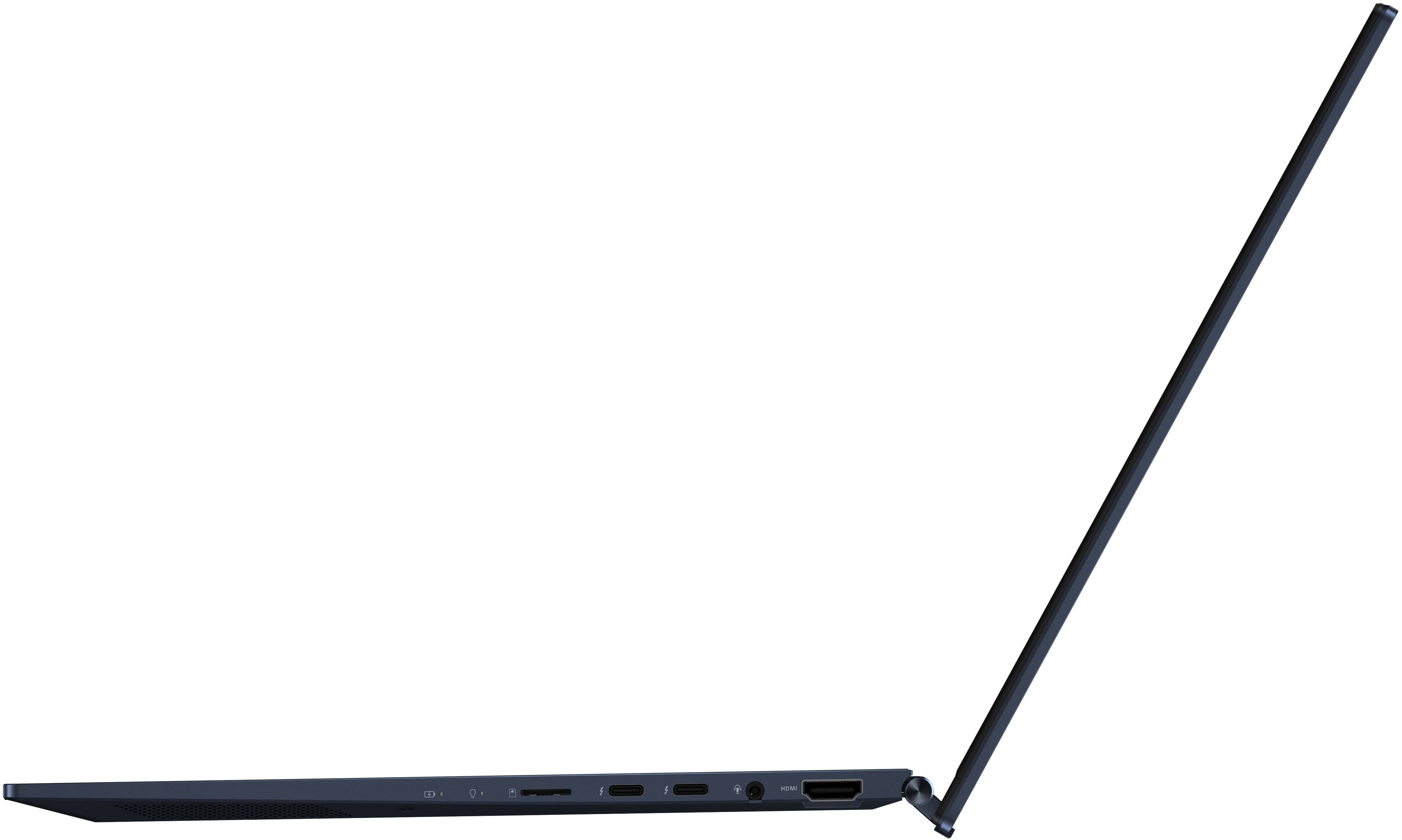


- Model:
- Q409ZA-EVO.I5256BL
- SKU:
- 6494331
Rating by feature
- Battery Life
Rating 4.3 out of 5 stars
- Speed
Rating 4.4 out of 5 stars
- Display
Rating 4.7 out of 5 stars
Customers are saying
Customers often highlight the superb screen quality, light weight, and excellent battery life of the Zenbook 14" laptop. Positive feedback also mentions the strong performance and modern design. However, some users point out concerns regarding the soldered RAM, heat generation, and occasional fan noise. A few customers also reported issues with the speakers.
This summary was generated by AI based on customer reviews.
- Pros mentioned:Processor speed, Screen quality, WeightCons mentioned:Ram

Portable along with a beautiful OLED screen
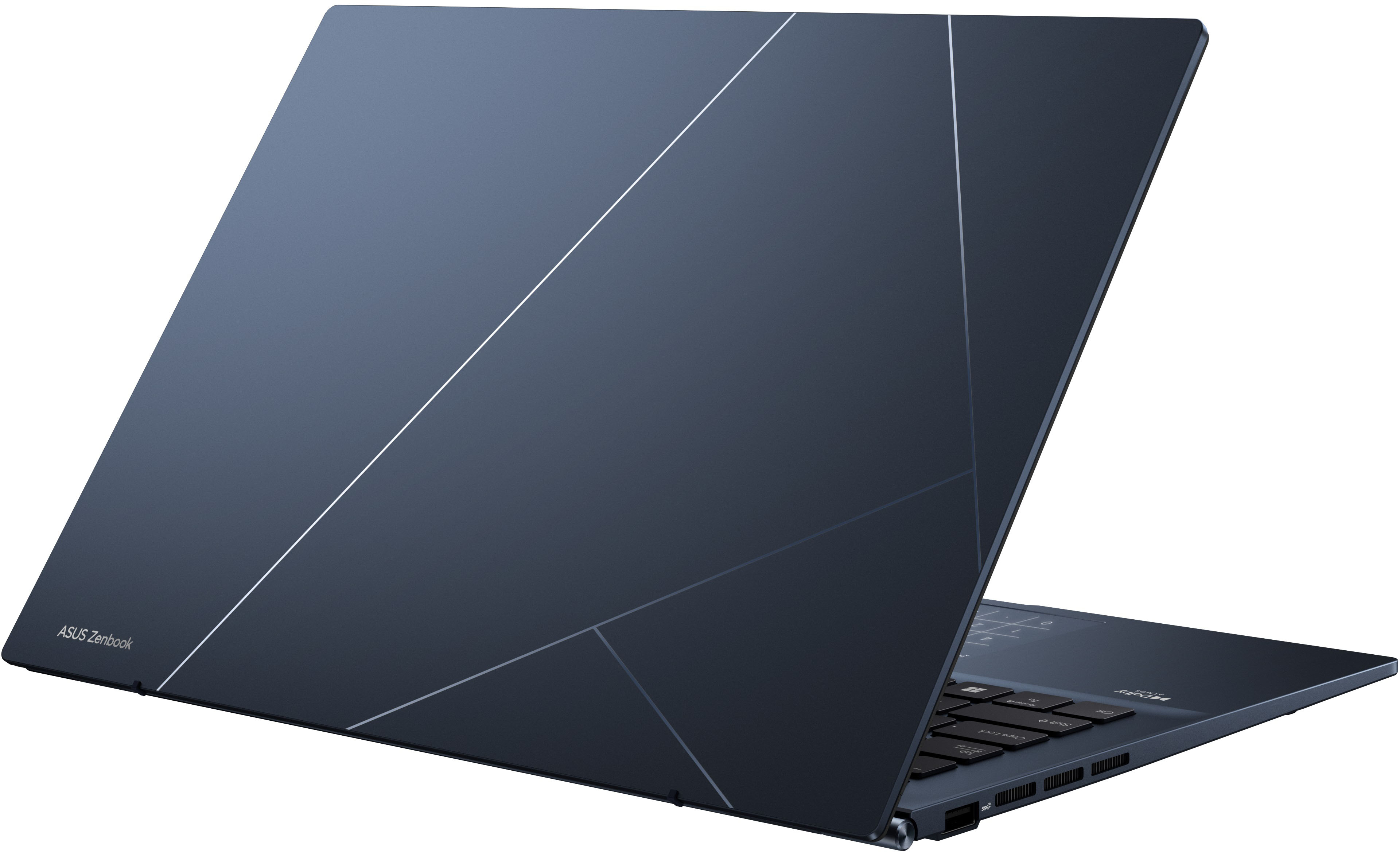
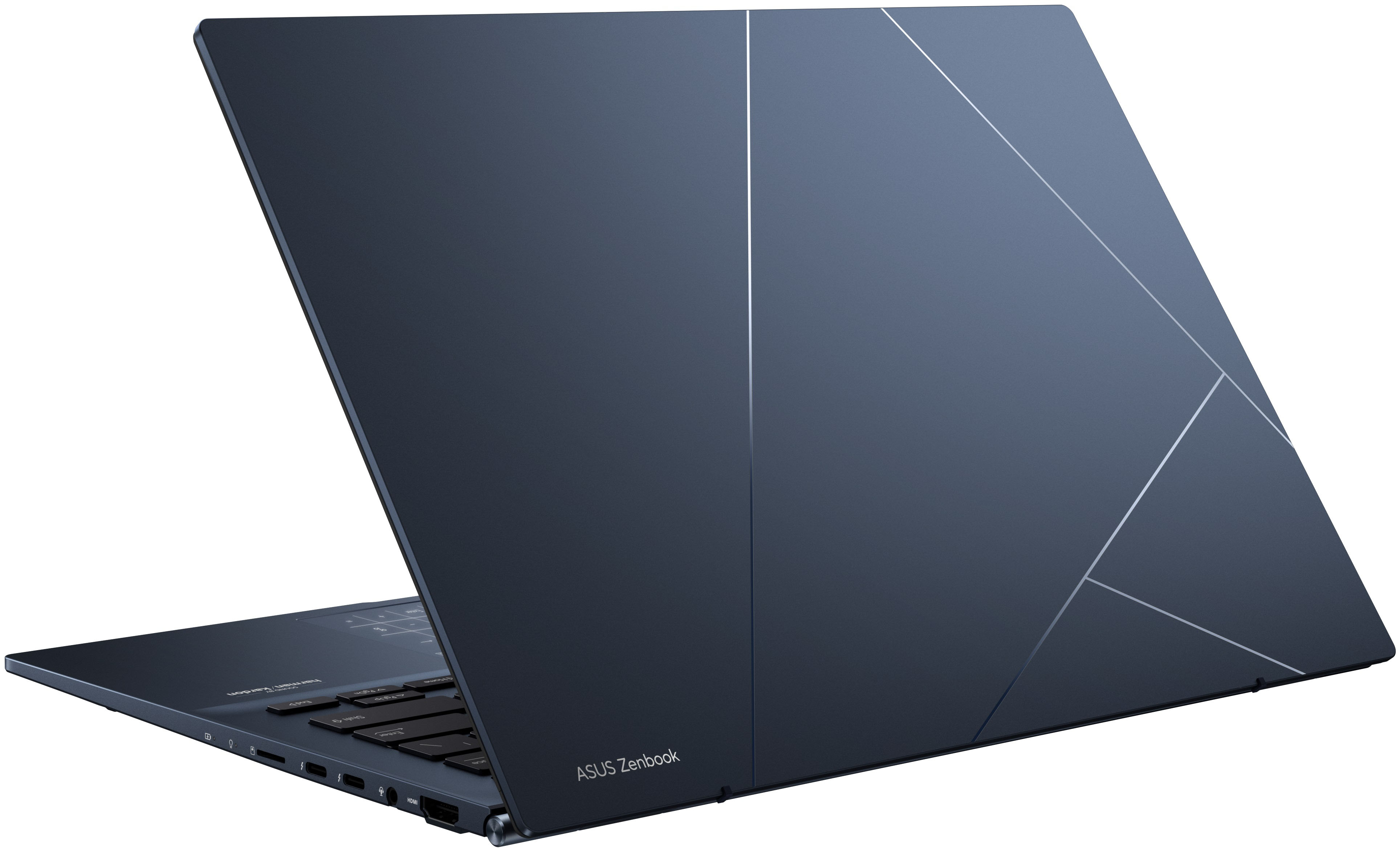
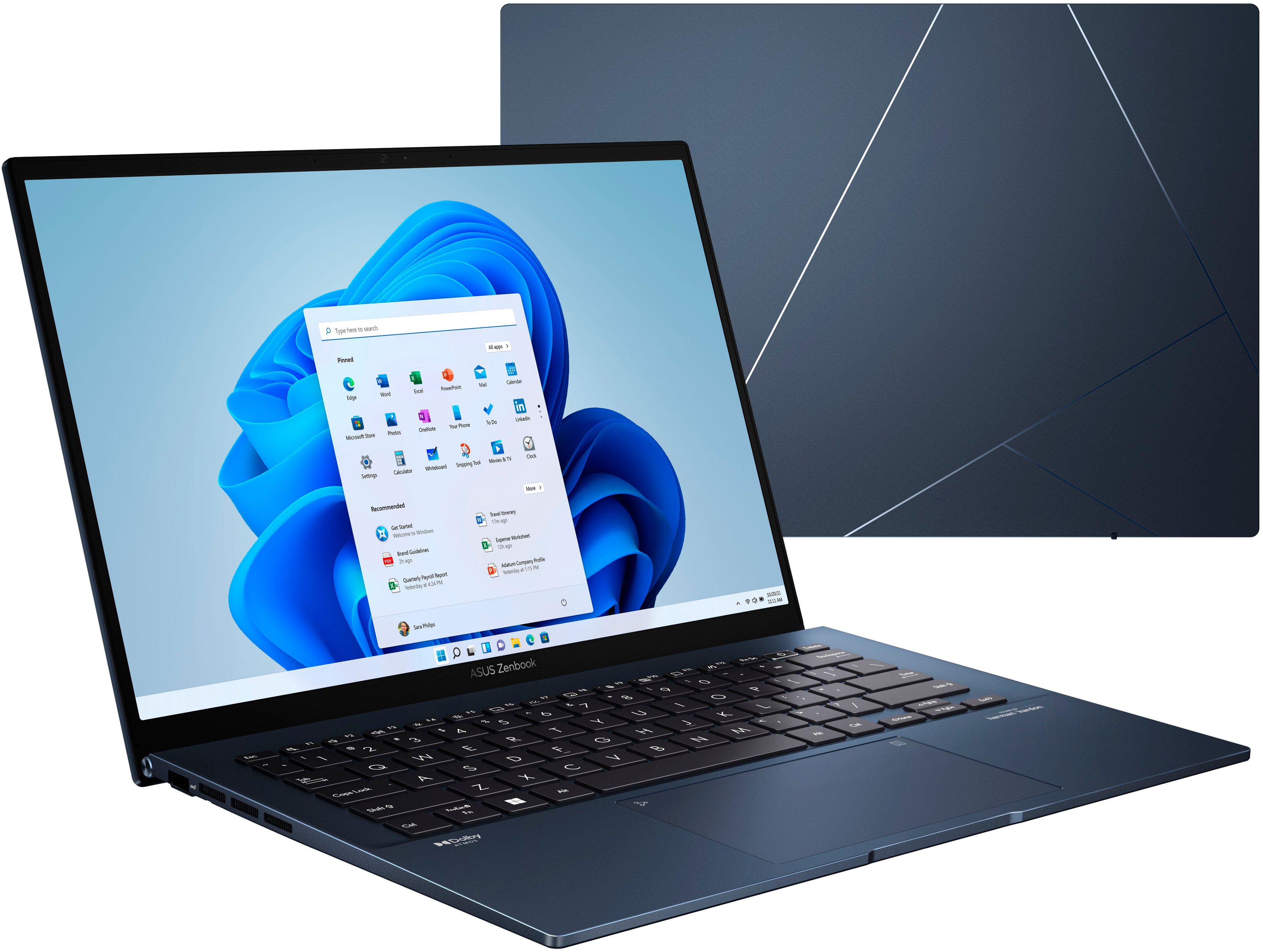
|Posted .This reviewer received promo considerations or sweepstakes entry for writing a review.This is a beautiful laptop in color, design, form, and specs. Right out of the box I loved the way this machine looked with its dark slate blue colored shell. Open up that lid and be blown away with the impressive OLED screen which seems to be the main attraction for this Asus laptop. Included here is a USB-A port, 2 USB-C ports, HDMI port, audio input jack, and a micro SD card reader. In the box you will find the Asus Zenbook laptop and a laptop charger cable brick. The OLED screen has a 2880 x 1800 resolution and a 90hz refresh rate display which looks incredibly bright and is a joy to work on and also use for entertainment. The 14" OLED has the color and clarity on this portable and lightweight laptop, which are perfect for everyday multitasking duties for work and play. The Intel Evo 12th gen Intel Core i5 processor is fast and responsive under various tasks and I've been impressed at its snappy response time. You'll get the 256 SSD harddrive in this compact laptop, along with Windows 11 for the operating system. 8GB of RAM seems to work ok on this machine for this price point, but I do wish it came with 16GB for prolonging my longevity with this laptop. Portable size and taking it with me on the go is a must for me. This Asus Zenbook is 3.06 pounds in weight and .67" thin. I love the backlit keyboard for working at various hours of the day and night. I really have loved the touchpad and the ability to activate the illuminated number pad as I work on spreadsheets and formulas most of my day. The illuminated number pad can be turned on or off with the touch of a virtual button and took me some getting used to, but I love having this with the compact keyboard design. Another feature that was new to me was the Pantone Validated sticker on this machine. This simply means that this computer is up to par for designers and technicians since it's been verified to have adequate color correction technology to properly simulate the full range of Pantone colors. At a price of $749.99 this is a fantastic mid-tier computer that works well for so much of what I do for work from home tasks and also personal web browsing and shopping. This machine can also be used for light gaming and it still performs well, but it isn't meant for heavy usage on gaming. I have loved using the OLED screen, Dolby Atmos, and Harmon Kardon speakers to enjoy watching streaming movies and shows. The picture and sound are fantastic in my opinion. The laptop also has a nice hinge on the clamshell which allows for a 180-degree lay-flat design and also makes typing and keyboard feel more comfortable. PRO: Color design 14" OLED screen clarity Portable and lightweight Intel Evo i5 Great price and functionality for most users CON: More RAM and larger SSD would have been nice
I would recommend this to a friend - Pros mentioned:Battery life, Processor speed, Screen qualityCons mentioned:Ram
Dreamy Screen
|Posted .This reviewer received promo considerations or sweepstakes entry for writing a review.If your buying this laptop its for the OLED in the name, at the price its a steal with the i5 EVO 12th Gen chipset. I will definitely be upgrading the storage, 256GB won’t last very long, and will throw another stick of RAM in as well, the 8GB On Board is soldered. I could use Crucials system scanner to determine what the max RAM limit is; not sure if this is a Windows 11 Edge vs Chrome issue or the ASUS is too new. I don’t want to talk too long about Win 11, getting used to it; this is the first laptop that came with Win 11 I have actually used, typically I upgrade the NVME out of the box and install Win 10 instead. We shall see which Win will win. The screen is wonderful! The 2.8K resolution (2880 x1800) is set natively, but at a 200% scale, which makes the 14” feel really cramped. The 16:10 format gives it a more 4:3 feel and definitely a bit better for productivity and still gives the full screen experience without distortion or black bars on 16:9 content (of course a lot of movies are in 21:9). I’m running the scale at 150%, which is at the limit for me when running full resolution; 100% was extremely tiny. Of course, you can the change resolution and play with the scale to suit your needs. Changing the resolution being OLED could help with battery life, as it does on a smartphone/tablet, I wanted to have my first week of use at its native to see how the processor handles it and doing my normal daily routines. The 90Hz is definitely smooth and not a flicker or glitch when reading or scrolling. The screen is definitely the premium here and it delivers as an OLED should, its great to just stare at or watch movies on (make sure to turn HDR on in the Windows settings). The Harmon/Kardon speakers are quite rich, definitely no bass, but the treble and mid are really good and definitely sufficient for most tasks, they are quite loud too, so full volume won’t be necessary for private view use. This is my third ASUS laptop as I’ve been upgrading my household, and I love the MY ASUS apps ability to change settings. I have found that not all laptops have as many setting changes available but the Zenbook 14 OLED has had the most. It is nice to know there are OLED specific features that can help protect from burn in. There is a pixel shift (on by default) and I have not noticed it at all with letters/words, etc. I’m running a clean desktop and auto taskbar hide to remove the potential for burn-in. As well as an ASUS feature that allows the window being used to remain at the set screen brightness and dims others not on top. Its this latest bit, that I didn’t really think about when getting this laptop. Coming at this from a mobile standpoint, we use OLED smartphones and tablets for years and we don’t talk about burn in with those devices, so I wasn’t expecting a caution of use with the documentation when it comes to use, treating it more like a TV. I don’t know if this out of an extreme abundance of caution or not. I definitely wouldn’t leave the screen on all the time, but I don’t do that for any of my computer screens. Lastly, the build quality of the computer is pretty good, the keyboard keys are great and weight and all are wonderful. The trackpad features are something I haven’t experienced before, and the calculator feature is quite nice. I would lke to setup a macro to shortcut the Calc App to make it a more seamless process. So far the only negative I have found is the lower chassis is a little creaky. Sitting on your lap or even a table it creaks a little under pressure or when holding in one hand with the screen open. It’s not loud, but noticeable. I can definitely recommend this laptop.
I would recommend this to a friend Decent
||Posted . Owned for 3 weeks when reviewed.This reviewer received promo considerations or sweepstakes entry for writing a review.Good display. Could be better for price. Low memory and storage. Heavy. Thick.
No, I would not recommend this to a friendBrand response from ASUS Answers
Posted .Dear JustinC,
We certainly understand your disappointment with the product, We certainly value your feedback on this matter, and I will be letting the related department know about the issues you are experiencing for continuous improvements to the product line. If you need any assistance, feel free to contact me at customerloyalty@asus.com. We'll be happy to provide a quick resolution to your case. , and I will help you to the best of my abilities. I am here to assist our customers with our products and dedicated in bringing a resolution to all issues that they may come across. Your case for reference is [N2205024397-0026 ] for us to better assist you. Thank you for choosing ASUS!
Best Regards,
Schottky,
ASUS Customer Loyalty US Suppor
Random SSD failure after 22 days, warranty useless
||Posted .This reviewer received promo considerations or sweepstakes entry for writing a review.Briefly three weeks after receiving the laptop, I get an error saying the ssd is broken and the device needs to be replaced. Note that this could happen to any random buyer. Bestbuy refused to help as the problem spontaneously appeared 3 days after return period. And their warranty team suggested I pay a huge price for the repair even though the laptop already came broken like that. After many long hours wasted with customer support, I took it to a repairshop and had it fixed for a 100.
No, I would not recommend this to a friendBrand response from ASUS Answers
Posted .Dear BradG,
We're sorry to hear about the unfortunate experience you're having with the SSD on this model. Please contact our support so this issue can be resolved under warranty, you can find our contact details below. We do value our customers and take negative customer service experience very seriously. This is not the quality of service expected from ASUS. We do stand behind our product and we continuously strive to improve our approach and processes in order to achieve customer service excellence. For more information send us an email at customerloyalty@asus.com and provide the case number "N2206003226-0015" for reference. We’ll do our best to provide a quick resolution to your case. Your feedback is important as it helps with improvements to ASUS Support channels. Thank you for choosing ASUS.
Best Regards,
Leonardo
ASUS Customer Loyalty US Support
https://www.asus.com/us/support/callus
New Laptop
||Posted . Owned for more than 2 years when reviewed.This reviewer received promo considerations or sweepstakes entry for writing a review.did like that laptop that why i had got my dell to be up date
I would recommend this to a friend- Pros mentioned:Screen qualityCons mentioned:Ram
This Is An Incredible Machine
|Posted .This reviewer received promo considerations or sweepstakes entry for writing a review.I’m not supposed to compare a product to another product in my reviews. But to date this is the only laptop that I think can compete with the Apple MacBook Air for bang for your buck. As it does almost everything right. Great trackpad, great screen, great keyboard, lightweight, attractive design, good port selection, thin, and lightweight. Unfortunately, I wish it came with a better processor and the battery life while solid isn’t great. But for the price is a 10/10 and an easy recommendation. SCREEN: The absolute best part of this device is the screen. And I don’t say that casually as I tend to be hyper critical of screens. Usually, laptop screens are bad. Like really bad. Unless if you’re buying a flagship device. This breaks the mold by providing one of THE BEST laptop screens I’ve ever seen. In fact, it is probably the second-best screen in my entire house and even better than the one on my MacBook Air. Literally everything you do on this is a treat as the contrast ratio is insane, the colors are punchy and accurate, text is sharp and clear at all levels of zoom, and it supports HDR (with up to 550 nits). Viewing angles are fantastic. The blacks with white text are delectable. I could go on and on. But simply put the screen is a 10/10. They also give you a TON of features to further tweak the screen which is often completely missing on other laptop displays. The 16:10 aspect ratio and resolution also helps a ton for productivity work. Where I was easily able to see a lot of information and with the OLED screen being extremely sharp and crisp nothing was ever blurry or hard to see. TOUCHPAD: The touchpad is excellent as well. I tend to be very critical of these as well. The MacBook Air still has a better trackpad by a significant margin, but this is one of the best windows trackpads I’ve tried and is quite large. It is smooth (but I don’t think it is glass), clicks feel good, don’t require a lot of pressure, and it is very responsive. If you hold the top right, it gives you access to a numpad which is awesome and a neat feature. Pressing the top left of the touchpad allows you to change the brightness of that numpad. You can still use the touchpad as normal when the numpad is active which blows my mind. Great feature. Zooming in and out of things was also extremely responsive and quick. KEYBOARD: Keys are large with easy-to-read font and the backlighting (white, adjustable in three brightness levels) is even throughout. Shortcut keys are in the right spot. It feels great to type on as they are spaced well with just the right amount of actuation pressure (mild/moderate), with good overall travel (moderate distance), and give a nice tactile bump. They are also very quiet meaning you can easily use it in a quiet room and not distract people. My only real complaint is that there is no dedicated page up/page down button. PROCESSOR: It comes with the Intel 12th gen Core I5-1240P which is a mid-grade processor that for most people will be more than enough (especially at this price point). However, power users will notice that it just can’t keep up. I am one of those individuals and noticed lag when doing normal everyday tasks (which for me includes multiple things open, multiple tabs open in chrome, and wanting to switch between them instantly) which is just couldn’t do without some slowdown. Likely due to the limited RAM. This was highly dependent on CPU/Cooling settings. Main take away is that this CPU is solid and for most people will be more than enough. But was the biggest negative for me as it just couldn’t fully keep up with what I wanted out of it as a power user. Gaming is not recommended. As the Intel Iris Xe graphics can’t keep up with most modern games. But would be fine for mobile and maybe older games. I didn’t try it as that really isn’t what this laptop is made for. The 90 Hz made things a lot smoother, and I liked that a lot. Since people always ask if it can edit videos. I think yes (if you are doing very simple 1080p or lower videos). For example, I have a YouTube channel and my edits tend to be very basic. I edited a video on here and while it was perfectly doable, I’d recommend bumping to a higher tier processor as it would easily be worth the price increase. Personally, I had two 4K streams going (A Roll and B Roll) and had to put the resolution to 1/8 and slow downs happened regularly. Also adding titles and transitions was a lengthy process as it would often have to load and would skip through them. Export time also took a while. When I tried to create a thumbnail in Adobe Photoshop it also crashed multiple times after getting hung up. The processor itself handled most of this just fine however the Iris Xe graphics got destroyed trying to keep up and was the main factor in holding it back. As the DDR5 ram is extremely fast (albeit limited at 8 GB, I’d recommend 16 for photo/video editing minimum), and the 256 GB SSD kept up just fine (but you run out of storage quickly). Fans were also on during all this but kept the laptop adequately cooled. I also don’t think it is reasonable to expect a machine at this price point to handle video/photo editing flawlessly but know people tend to be curious about such things. Especially, since the screen on this guy is so fantastic and makes it perfect for a video/photo editing machine. But you’ll want to buy the upgraded variant for that type of work. RAM: It comes with the newest DDR5 ram and it is very fast. For most people this will be enough. However, if you are a power user having 16 GB will get you a lot further. As I found the ram on this to be almost always full. Even when I was doing a single task (such as browsing chrome with a tab or two open) it would be sitting at 7/8 GB. The worst part is that this IS NOT upgradable. As it is soldered onto the motherboard. So, you get what you get. STORAGE: It comes with a Gen 3 NVME SSD that puts up solid scores. I didn’t have any issues with it. This computer does support a Gen 4 NVME but it only has one slot. BATTERY: I got about 6 hours out of it with multi-tasking on conservative settings (watching videos, writing documents, email, web searching). Pretty much no matter what I tried I ended up at that number (lower screen brightness (30 – 50%, turning off the backlit keyboard, lowering volume, turning down the fan, turning down the CPU performance, etc). They say it comes with a 75 Wh battery that is supposed to last up to 18 hours and get to 60% charge in 49 minutes. I didn’t find this to be the case. As charge time also seemed to take a long time compared to my other laptops (about 2.5 hours). SPEAKER: The speakers on this are quite impressive. They get quite loud and are very clear. I was able to watch videos without many problems. There were still times that dialogue was a bit hard to hear. But I’d say they are better than my MacBook Air which is saying something. As most people consider those to be great. I think most people will really enjoy these and they get plenty loud (usually at about 30 – 50%). PORTS: It comes with great port selection which includes MicroSD card reader, two thunderbolt 4 USB-C ports (fast charging, 4K UHD external display, and up to 40 Gbps data transfer), 3.5 mm audio jack, HDMI 2.0b port, and 1 USB A 3.2 Gen 2. The only complaint I have here is that the USB-C ports are on the right side of the device in the middle which really get in the way when you have anything plugged into them (such as the power cable or a dock). As most people are right-handed and use a mouse on that side. BUILD QUALITY: The build quality is adequate. It appears to be made from mostly plastic which has some give to it, and I notice some creaking to the body. There is also some flex on the screen itself. The hinge is stiff and keeps the screen in place wherever you place it and can go to 180 degrees which is cool. You can open it with one finger. But the screen wobbles easily when pressed. Overall, I don’t have any real reservations of it breaking or cracking but to say those thoughts don’t come to my mind on a semi-regular basis would be a lie. I think the color and aesthetics of this guy are great as well. The deep blue is really attractive and I like the lines on the lid. Overall footprint is small while still having a HUGE screen (for the size of the device). And it is very lightweight and thin at like 3ish lbs. Making it hyper portable. OTHER: The laptop doesn’t turn on when you open the lid. I enjoy that feature so it missing is a bit of a bummer. Boot time is extremely fast. Wake time is good where sometimes it is ready instantly and other times, I have to press the power button (as the keyboard keys don’t register) to wake it up which then takes a very short amount of time to get back in. It would get warm when using but never hot. When I first got the device, the fan was on regularly and was moderately loud. After I tweaked some settings and settled into normal use this happened less often with the fan only turning on occasionally unless I was doing high load tasks. At which time it would be full boar. The pitch of the fan wasn’t all that annoying for me. Overall temperatures of the CPU was good even when I was video editing and pushing it hard so I don’t have any complaints on that end. It comes with a 65 Watt USB-C charging brick. The entire device also picks up smudges rather easily and I had to clean it regularly. CONCLUSION: This is a fantastic laptop. Truly one of my favorites of all time and goes head-to-head with my MacBook Air. The price to performance ratio here blows my mind and makes it an easy recommendation. I especially like that there are multiple price points for this laptop with varying internals but the same external hardware. I wish it was more user upgradable (as I would love to put more ram in it and a second drive). So, make sure that before you buy that you have the correct internals for your needs.
I would recommend this to a friend - Pros mentioned:Battery life, Processor speed, Screen quality
Checks off all the boxes.
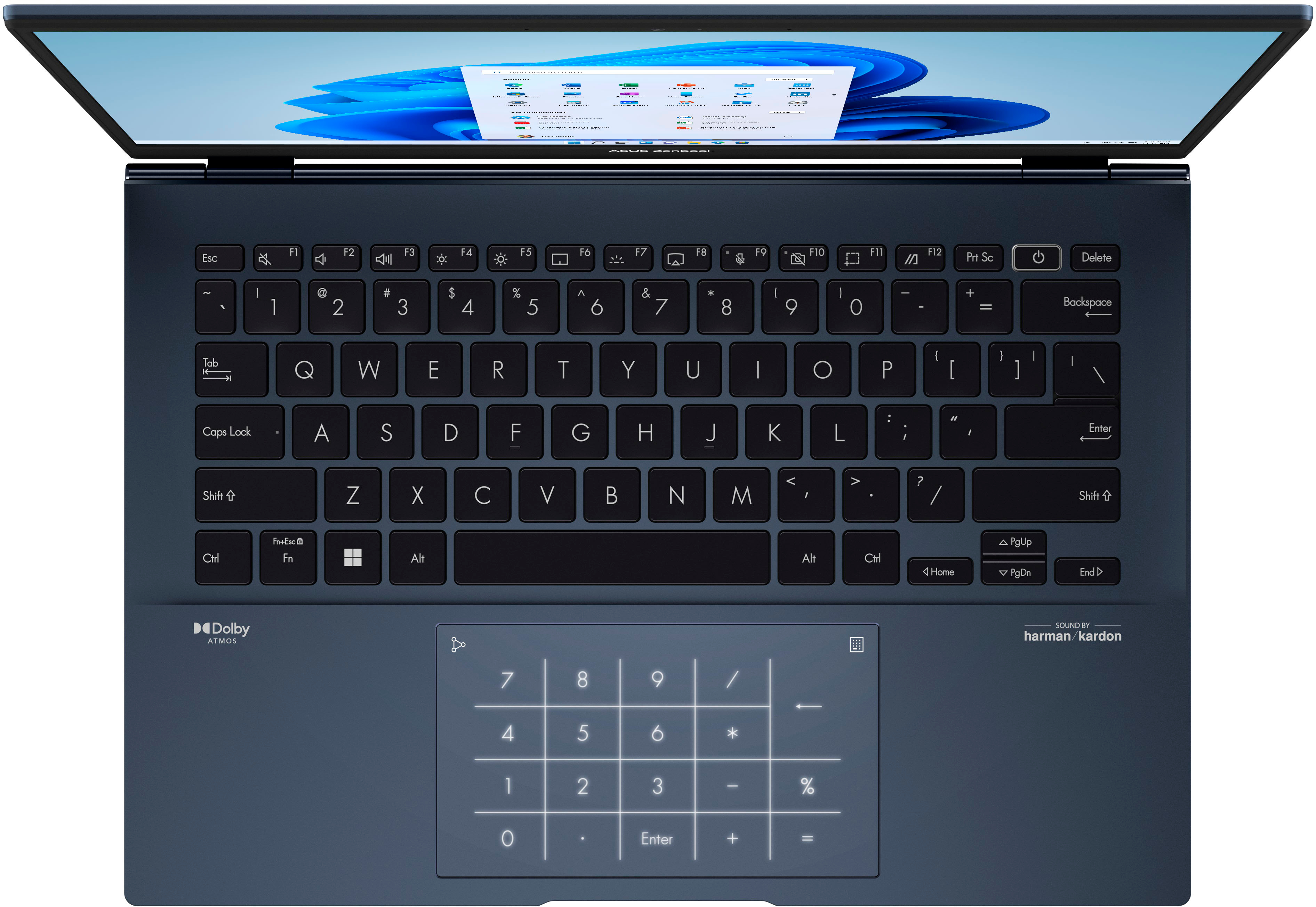
|Posted .This reviewer received promo considerations or sweepstakes entry for writing a review.It isn’t everyday that there is a laptop that comes to the market that excite but today I most certainly found it. The Asus Zenbook 14 is a thin and light and has a lot going for it. Without further ado I will go on to talk about what I liked, disliked and whether you should go pick one up. :::Initial impressions::: I must admit that I was super excited to receive this because of the OLED display. Upon opening the box there really isn’t a whole lot in the box. You have your USB type C charger, Laptop and documentation. I love the soft touch of the metal, the metallic blue color gives it a nice appearance. All in all so far two thumbs up so I’ll jump into the next topic. :::Display & Keyboard::: :Display: Now the sweet OLED display here is the meat and potatoes of this device along with the I&O. On this device you’ll find a 14 inch OLED display with a 16:10 ratio and 2880x1800. And much like some modern phones you’ll find a 90Hz refresh rate. But be aware that it isn’t enabled by default but that is due to the power management limitations that were put in place by Asus and the operating system. By default the display is set to 60Hz so go and change that along with the HDR settings and change the bit depth from 8 bit to 10 to really utilize the screen to its full potential. The display can reach a max of 617 nits which is better than some standalone gaming monitors. Now along with the display the hinge is sturdy and doesn’t wobble and when opened it elevates the main body for better ventilation and this with most certainly help with thermals. :Keyboard: The keyboard is backlit and it also has a great feel to it. I can really appreciate the large keys and their amount of space between each key is sufficient. Due to small space Asus implemented a full-sized number keypad in the trackpad. You can toggle that with touch of the touchpad in the top right corner. Speaking of the trackpad it is roughly 13cm wide and is big enough for even someone like myself who has big hands. The power button also doubles as a fingerprint reader for added security. And don’t worry once you register your fingerprint it is read immediately by the sensor. :::I&O::: My model has a 12th Gen Core i5 1240P. This a 12-core processor with 4 Performance cores and 8 Efficiency cores along with 16 threads. 8 GB DDR5 Ram, 256GB SSD, Three USB (2 type C and a single type A) If I am not mistaken the type C is also thunderbolt. HDMI, Micro SD card reader and as far as connectivity you’ll find an 802.11ax card and Bluetooth 5.2. Battery life is great I managed to squeeze out a little more than 8 hours which I believe is the combination of the 12th gen i5 & the OLED panel I could be wrong about the display but I am not an expert on OLED displays. I just know that I prefer them for their picture quality. :::Pros & Con’s::: Pros: - OLED display - Display ratio & high resolution (2.8K & 16:10) - 12th Gen Intel processors (big improvement on battery & efficiency) - Lightweight body and thin - Full sized I&O Cons: - I don’t have any complaints :::General thoughts::: Overall, I am genuinely impressed with this offering from Asus. Personally, I would prefer to have continued using Windows 10 because I am not fond of Windows 11. I want to take this to see if I can add more hard drive storage and RAM. I am not willing to open my laptop and possibly mess it up. The Dolby speakers are pretty good for a thin and light and better than most but it isn’t mind blowing so I still like and the camera is 720p but It is not that important as long as I can see and hear the other person. I know this is not really a gaming laptop but I will definitely try out some light games that aren’t taxing on the system like Minecraft, and some older titles just to see how it runs maybe even Half Life 1 & 2. TL;DR This laptop has great battery life, plenty of I&O, different CPU/RAM/Memory configurations. This will look phenomenal whether you have media, work or school. The battery can get you through a day of school or work. Check this out if you are searching for a new laptop
I would recommend this to a friend - Pros mentioned:Battery life, Screen qualityCons mentioned:Fan noise, Ram
Mesmerizing mid-range Ultrabook, WOW
||Posted . Owned for less than 1 week when reviewed.This reviewer received promo considerations or sweepstakes entry for writing a review.I deal with a lot of computers in my life. I am definitely an expert. I really thought I was too jaded to ever be impressed again. Particularly at this price point. Neck and neck with the MacBook Air M1 for best laptop under $1000. The keyboard is an joy to type on. The trackpad is genuinely good (the mousing, the gestures, the clicking). I like what they've done with Windows 11, I think the keyboard shortcuts are good. F11 is the Snipping tool for example which is decent. This computer is a nerd's delight. I think Asus should have worked out more kinks and marketed this higher, but instead we get a laptop that gives back to advanced users what they put in. Issues & Possible Resolutions: Fan noise. I was very alarmed with the fan noise at first on this laptop. I was plugged in to the wall, and performance mode and this thing is loud in that mode. It's also FAST in that mode. Doom 2016 was looking amazing. Hades also. These games fail on battery on this laptop. It's like two laptops in one in a sense... it's a buttoned up productivity machine that runs Office like a dream, and is quiet. Crank it to performance mode and the grunt pays dividends, while plugged in. I think many advanced users will enjoy this flexibility. Sport mode for 30 miles per gallon, or Eco mode for 50 miles per gallon. Windows 11 comes encrypted which is great. However, I unencrypted it and removed Secure Boot from the delightful UEFI bios. I installed Ubuntu as a 60 Gig partition and it has been delightful. Trying to do this with Microsoft laptop is very painful. This was nice, this was easy. The screen is mesmerizing, it trades blows with the 14" MacBook Pro M1Pro Micro LED display. That display is better, but the fact that this is even a thought is bizarre given the price. Playing games on the OLED is amazing, and just everything is just kind of fun with this screen. Teams, Outlook, Excel, it's all just more enjoyable than you thought it could be. The packaging is praiseworthy, and I think what they've managed to bring to the table at this price point is a very delightful indeed machine. A machine with settings that may confuse some users but will be actually rewarding. The screen is the best PC laptop screen I've ever seen below $1000. For certain. 90Hz is such a mic drop. 10 bit color. the resolution allows for games to be 900P at 4 pixels per pixel. This computer goes from ridiculously loud and kinda capable for video rendering or gaming.... to quiet ultrabook. I have complaints and I have pet peeves. Asus makes you remove the rubber feet which are glued on in order to open the back and upgrade the SSD. The 8GB of RAM is soldered on. And biggest pet peeve is that Asus didn't use two fans for a quieter cooling system. Then I remind myself that it isn't a 14" MacBook Pro in price either, not even half the price. The port selection is amazing, if you disagree, you are misinformed... please educate yourself. Nothing is perfect yet. But this is close. Then I remember the low price and it's even closer. At $1500 I would have a list of complaints. At $750 this is 100% a sober five-star product. I have never ever been disappointed in OLED and this is no different. The 400 Nit brightness feels high end as hell, when you watch HDR content it is even brighter and it's hard to believe this is where we're at. I am constantly finding myself wanting to grab for this one for its X-Factor. There's a 16" MacBook Pro 2021 at arms reach ... to me this is like Rasberi Pi, meets Intel NUC, meets 12th gen, meets a $350 screen upgrade on a $750 laptop. Let me say that again: A $350 screen upgrade that I would pay $350 for all day every day. On a $750 laptop. Like everything else in this advanced user's machine, the battery life will vary insanely. You can keep the 60Hz rate it comes with out of the box which will greatly increase battery. I think we're talking about a 5 hour battery life with mid-settings. I have no interest in extending the battery and run 90Hz. It's easy to quickly charge this laptop. I can't speak to the charger in the box, I simply have no use for it as I am primarily a MacBook user with an abundance of USB-C chargers in my life.
I would recommend this to a friend - Pros mentioned:Battery life, Processor speed, Screen qualityCons mentioned:Ram
OLED Zenbook hits the mark
||Posted . Owned for 1 week when reviewed.This reviewer received promo considerations or sweepstakes entry for writing a review.I purchased this device during the recent promotion in order to get the OLED screen in a 14" form factor, to gain some experience with Windows 11 and the intel i5-1240P processor, and to see whether the 8 gb RAM/250 gb SSD configuration was limiting for my uses since that clearly allowed a very favorable price point while still getting the other features. On the whole I have been satisfied. My comparison is to an LG-Gram 17" with the 10th generation Intel i7 processor and a Samsung Flex 2 Alpha with an 11th generation Intel i7. Both of the latter computers are configured with 16gb RAM and 512 gb SSDs. The screen on the Zenbook, of course, is a delight compared to other two devices, which are each very nice in their own right. It is sharper than the QLED on the Samsung due to its higher resolution and brighter than the good IPS screen on the LG Gram. The Windows 11 adjustments to increase scale, text, pointer, and cursor size work well to optimize sizes of things that would be too small at the screen's high native resolution. The ASUS Zenbook feels quicker than both the previous devices despite the decreased RAM and SSD size while simultaneously using multiple open browser tabs in both Explorer and Chrome, Microsoft office 365, Evernote, and a virtualized cloud-based EHR application running through Citrix Workspace. The Zenbook runs hotter than the 11th generation i7 Samsung, but cooler than the i7 10th generation in the LG-Gram. Fan noise using balanced mode is minimal. As others have noted it is higher the first couple of days while many updates are being installed in the background, but even then was not obtrusive. In balanced mode during periods of low processer use and lower fan activity Task Manage shows the processor to be running at 1.2-1.4 GHz. During more demanding work it runs around 2.8-3.8 GHz with the fan commensurately increased. The bottom of the computer is quite warm at that point. I have not tested Performance mode where the processors and fan speed would be commensurately higher. No real need for that in any normal use I have. WiFI 6 is very fast and connectivity is good, but the signal strength seems to be a little lower than on the other two devices at longer distances, maybe due to configuration of the internal antennas. Keyboard is very comfortable and roomy making it easy to type without errors.. Numeric keypad built into the mousepad is cute and works nicely while not interfering with normal mousepad functions. I wouldn't have imagine I would have much use for it, but it works so well I am starting to take advantage of it. The 3 lb. weight is not the lightest possible for this form factor, but is very comfortable to use and carry. The 14.5" screen provides a usefully larger work area than my 13.3" Samsung without a big increase of size, but the Samsung would clearly by much better for airline seat trays. Neither of them matches the comfort of working with the 17" LG Gram for things that benefit from a large amount of screen real estate, but that is a different beast entirely, so each has its ideal application. Fingerprint sensor on the keyboard power button works great and is reasonable positioned. My main use situations do not challenge battery run time. I mainly work in very well lit areas attached to AC so I am most interested in having a bright easy to read screen rather than in dimming it to maximize run time. I also keep the battery charge level to no more than 80% to maximize battery lifetime and on the Zenbook, which has a 60% setting, have been using that. When I disconnect from AC BatteryBar shows similar energy use to the other devices (running comparable progreams) and the battery in the ZenBook is as large as the one in the LG Gram and much larger than the one in the Samsung, so I am comfortable that run time will be very workable when I need to use it disconnected. Windows 11 interface is a step back from Windows 10 in usability, but, fortunately, there is a great available utility program available for download on the web, StartAllBack, that quickly restores all Windows 10 taskbar functionality and also optionally provides the Windows 7 style smart menu I prefer. The MyAsus utility that came with the computer allows nice optimization of battery charging patterns to preserve battery life and screen options to prevent OLED burn-in. I have been using the disappearing taskbar, which works fine although rarely it gets stuck in the 'on' position and needs to be corrected by restarting Windows Explorer from Task Manager. Relative to concerns that have been raised in other reviews: -- There is no creakiness of the hinges in the computer I have. -- Various updates including BIOS have gone smoothly. I have not had to long press the power button to force hard reboots, but reboots particularly after BIOS updates can be slow, so best to be patient and allow them to happen on their own. -- No Bluetooth issues with mice or headphones as of yet. -- Speaker sound is deep and rich for this size computer as pointed out by others. No static issues as of yet. Much better sound than on the LG Gram, which took a year for its speakers to 'break-in' and sound up to their capacity, but is still much poorer than the Zenbook speakers.
I would recommend this to a friend Do Not Purchase
||Posted . Owned for 6 months when reviewed.This reviewer received promo considerations or sweepstakes entry for writing a review.I bought this Laptop on 7/31/22 and used it sparingly but it is already broken due to a bad hinge. The manufacturer is reviewing pictures to make a determination on if this is a user or manufacturer issue but I cannot recommend purchasing this laptop. Essentially, I have a $700.00 paper weight.
No, I would not recommend this to a friendBrand response from ASUS Answers
Posted .Dear EricK,
We certainly understand your disappointment and the inconvenience this may have caused.
If it was already sent in for service ASUS repair technician will determine if this was damaged under normal usage. If you need further assistance with the warranty service, please email me at cl-rodel@asus.com and I would be more than happy to help. Or, you are most welcome to call Product Support Hotline at: 1(888) 678-3688. Also, you can chat with an ASUS live support agent at: http://bit.ly/AsusLiveChat.
Thank you for choosing an ASUS product.
Regards,
Rodel
ASUS Customer Loyalty
- Pros mentioned:Battery life, Processor speed, Screen quality
A very Nice Laptop with some limitations
|Posted .This reviewer received promo considerations or sweepstakes entry for writing a review.The Zenbook 14 OLED (UX3402, 12th Gen Intel) is a very nice laptop that has great features but also has some limitations. The features of this laptop are as follows: • An Evo platform core i5-1240p processor 1.7 GHz (12M cache, up to 4.4 GHz, 4P+8E cores) • 8 GB of RAM • 256 GB SSD • a 14" 2880x1800 OLED 90 Hz Display (2.8K) • a 75Wh Lithium Ion Battery. • a Harmon Kardon Dolby Atmos Audio System • ASUS AI Noise-cancelling audio for clear speech • 180 degree Lay-flat ErgoLift Hinge • US military-grade durability. • Left side has a 10 GB/Second USB 3.0 port. • Right side has: charging and backlight indicators, a microSD slot, 2 Thunderbolt(TM) 4 ports for display/power delivery port, a 3.5mm Combo Audio Jack, and an HDMI 2.0b port. This laptop weighs in a 3.06 lbs. and is 0.67" thin, making it highly portable. The included power supply is a 65W type-C AC Adapter and works in either of the thunderbolt ports. This model has windows 11 Home preinstalled. This Zenbook laptop has all of the typical WIFI and Bluetooth features one would expect in a system. The chicklet keyboard is nice and types well. The Harmon Kardon sound system sounds wonderful and is a really nice feature of this laptop. The included 2.8K OLED display is gorgeous and easy on the eyes. It would be a fantastic option in this series to have a touchscreen option available as that would make this an extremely awesome system, albeit at a high price point. The included thunderbolt ports along with the HMDI port makes for a useful set of external monitor options. I tested with my home setup that includes a USB - C based multiport display adapter and this laptop was able to drive primary laptop display and the 3 external monitors that I have connected to it at their recommended resolutions (main Screen 2880 x 1800, 2x 24"at 1920x 1200, and a 27" 4k monitor 3840 X 2160). I added a 4th external monitor via the HDMI port and was not able to drive this monitor with the other 3 - which is what I expected to happen but I had to give it a shot (on my home system this monitor is run via a USB based DisplayLink adapter). The most unique feature of this laptop is a special feature of the very large - some might say massive - 3" x 5" trackpad (my SurfaceBook's track pad is slightly larger than 4" x 3" for a much larger device as a comparison). When triggered this feature turns the trackpad into a keypad for quick data entry - this keypad can be activated in two ways - clicking and holds for a short press, on the upper right activates the key pad for what ever app you have open and also deactivates the keypad functionality once you are done with it. If you slide right from the upper left corner not only do you activate the keypad, but you also open the calculator app within the operating system. This upper left area can also be used to toggle the brightness of this keypad functionality between two brightness levels. Overall, I find that this device fits well for anyone who needs basic office automation functionality, along with some light picture and video editing capabilities along with portability. This could be professionals who are on the go, or students, or even parents who have a need for computing on the go. This is a very nice device and it would suit a large number of users and use cases. The only improvement I could wish for would be a touchscreen, but that would likely increase the price tag a bit.
I would recommend this to a friend - Pros mentioned:Processor speed, Screen quality, Weight
Nice powerful and portable laptop
|Posted .This reviewer received promo considerations or sweepstakes entry for writing a review.For those in the market for a lightweight, portable laptop; might want to check this one out. This Zenbook pretty much checks off all the boxes if you're in the market for a small, yet powerful, laptop for work or personal use. As one would expect in a 14" laptop, this is very small, thin and lightweight. You can easily carry this around with one hand and easily stuff it in your backpack/tote bag without taking up too much space. After botting this laptop up, the first that might jump out at you is the screen. The OLED screen is vibrant and the colors just seem to pop on this display. Viewing Netflix or movies on this just seem to look so much nicer than on your typical laptop display. Colors seem true and vibrant without them being too washed out or over saturated. Normally I have a black background as my wallpaper but this screen is so nice I had to find something more colorful to take advantage of it. While normally not something high on my list, the speakers on this laptop are as equally good as the screen. I rarely use the laptop speakers as I usually have a headset or earphones connected to my laptops. However, the speakers on this are surprisingly good. The speakers are downward firing but they sound pretty good. Good range on the speakers and adds a nice little touch to this laptops features. If you have the laptop on the carpet or something then the sound does get a bit muffled but, overall, really nice speakers on this laptop. As far as specs, they're quite good. Latest process from Intel, 8Gb of DDR5 RAM Wifi 6 and NVME drive. While you won't be playing any AAA games on this laptop, for the general, average consumer, this will fit the bill quite nicely I think. While there are several use cases for this laptop, I think this would be ideal for a student or maybe as a personal laptop. Size is great, power usage is pretty solid, decent specs and good screen/speakers. i think this is a great pickup for just about anything (aside from a gamer).
I would recommend this to a friend Amazing display, terrible computer for today
||Posted . Owned for 4 months when reviewed.This reviewer received promo considerations or sweepstakes entry for writing a review.Not enough memory for today’s needs. Constant crashes, even after attempting to optimize Windows 11 for low memory. Cannot recommend. Poor battery life, and the battery test shows that there is a problem with the battery.
No, I would not recommend this to a friendBrand response from ASUS Answers
Posted .Dear Valued Customer,
We sincerely apologize for the issues you've faced with the notebook and the inconvenience caused. This is not the quality of service we aim to provide. At ASUS, we take quality control, testing, and inspections seriously to ensure our products meet high standards. What you've experienced was not intentional or representative of our brand. Customer satisfaction is our top priority, and we strive to make every purchase enjoyable. We understand that purchases can be an important decision and we want to ensure that our customers are receiving the best products and services. Please allow us to make your experience with ASUS a better one.
In the following FAQs, we recommend following the steps for troubleshooting both the battery and the crashing issue. Should the issue persist, we recommend contacting our support team at https://www.asus.com/us/support/CallUs to investigate the problem further or assistance with getting the device repaired.
We stand behind our products and continuously strive to improve our products and processes to achieve customer service excellence. For more information, email us at customerloyalty@asus.com and include the case number "N2206003226-0048" as a reference. We will do our best to resolve your case quickly. Your feedback is very important to us and enables us to improve our support channels. Thank you for choosing ASUS.
Best Regards,
Chantae
ASUS Customer Loyalty US Support
https://www.asus.com/support/FAQ/1043914/
https://www.asus.com/in/support/FAQ/1038855/
- Pros mentioned:Battery life, Screen qualityCons mentioned:Fan noise, Ram
Unbeatable in its class
||Posted . Owned for 3 weeks when reviewed.This reviewer received promo considerations or sweepstakes entry for writing a review.Very happy with this laptop. Pros: The screen is gorgeous! Bright, colour accurate and high refresh. Flips out 180 degrees and props up the laptop body. Very low minimum brightness available. Excellent battery life - Battery Eater Pro: 2h35m full load, 13h22m reader @ 50% brightness, 2h45m to recharge from empty Fast CPU - many cores, beats even some older gen desktop CPUs Lots of ports - eGPUs are plug and play over Thunderbolt. No problem using a GTX 1080 in an external enclosure. Good build quality and design. Metal outer case, stylish lid design, minimal deck flex and lightweight Good keyboard with 1.4mm travel, slightly cupped keys and 3 backlight levels Huge, smooth and responsive touchpad with gesture support Toggleable, backlit number pad with a gesture to open/close the calculator app. Loud and clear speakers - can get a little muddy on the low end but there is some bass Good 720p webcam and 2 microphone array - quality is not great on screen though because it's more than double the webcam res Removable SSD, WiFi card, battery under bottom cover. UEFI BIOS with device testing and cloud restore over WiFi. Cons: Soldered RAM Intel Xe graphics are weak Stock storage is rather small - but easily replaceable and can be supplemented by microSD Glossy, reflective screen Runs hot and the fan is loud in performance mode Wall wart adapter without folding prongs or ground pin Set to 60Hz and 8 bit colour out of the box Average Realtek DAC Somewhat easy to enable numberpad unintentionally The MicroSD card protrudes about 1mm from the case while inserted 1 thunderbolt port on both sides would've been nice Charging and power LED indicators are on the side, given there are indicators for webcam and microphone are disabled on the keyboard
I would recommend this to a friend Laptop get showdown it will get power up
||Posted . Owned for 1 month when reviewed.This reviewer received promo considerations or sweepstakes entry for writing a review.I personally don’t recommended this laptop now …….
No, I would not recommend this to a friend- Pros mentioned:Battery life, Processor speed
Very Fast, Solid Laptop
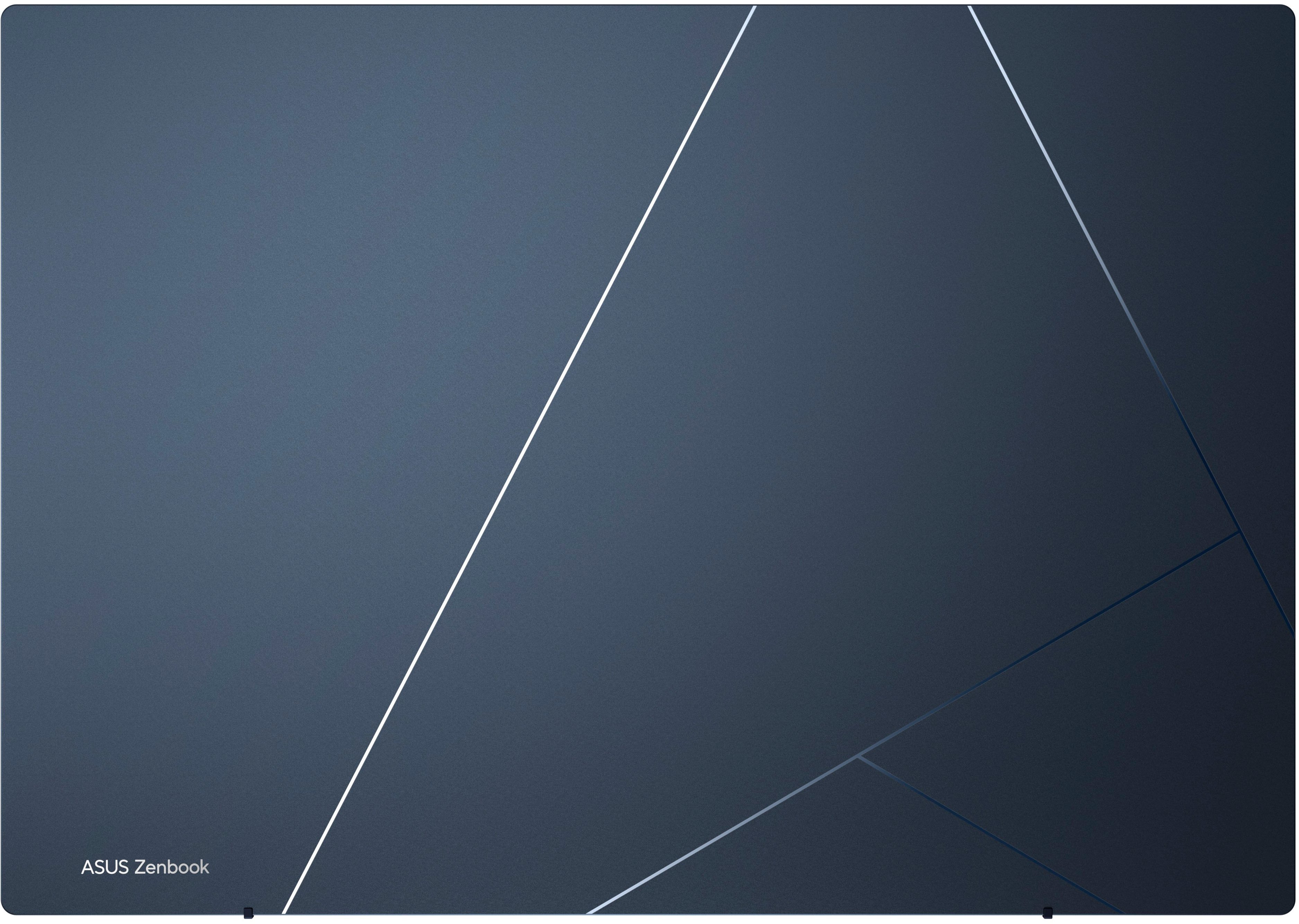
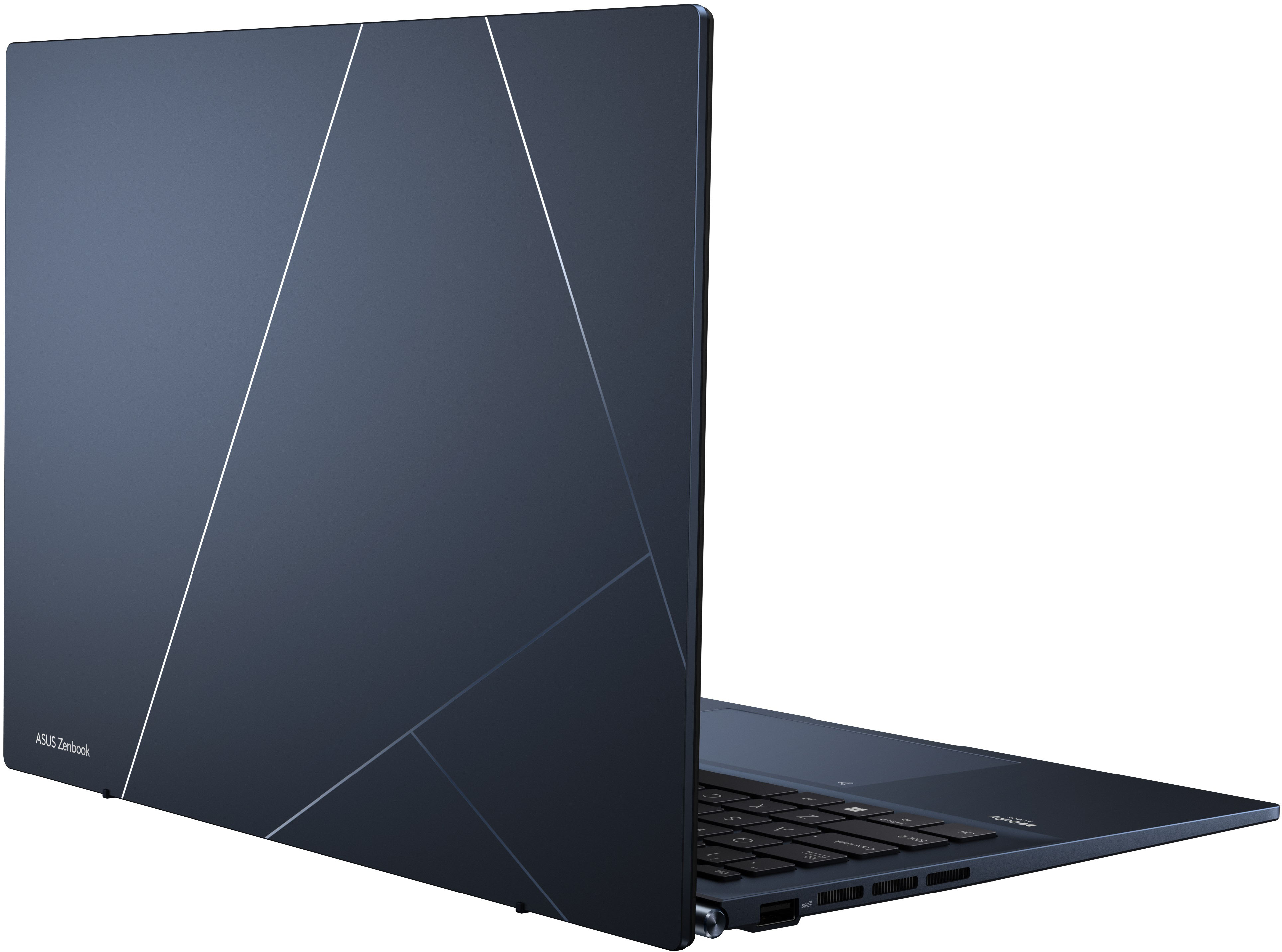
|Posted .This reviewer received promo considerations or sweepstakes entry for writing a review.This is the second Asus laptop I’ve owned. The first one was great but had battery life issues. So far this Zenbook has been fantastic. It has great styling, super fast, Windows 11, and has some cool features. I’ll start with the styling. It is a very deep blue with some sharp angled pinstripes. No big blaring logo on the back, just “ASUS Zenbook” in small print in the lower corner. The finish is smooth and matte, the pinstripes are more glossy so they pop out a little. I really like the look but the matte finish does absorb oils so if you eat anything the slightest bit greasy then touch the laptop you will see it. The 12th gen i5 is very fast and Windows 11 seems to move quickly on it. I thought the 8gb of RAM might be underpowered but I haven’t been bogged down by anything so far. I don’t game on it though so that may be why. The screen is gorgeous! It’s a 2.8k resolution OLED and I’ve never seen blacks so dark and contrast so high on a laptop before. I think the OLED helps with battery life as well since it uses less energy than traditional LCD or LED panels. One of the coolest features for me though is the 10-key virtual keyboard that you can make appear in the trackpad! Yes, pressing for about a second in the top right of the trackpad will illuminate a 10-key keypad that you can use to type with. It’s great with a wireless mouse (which I believe most people use anyway) on a spreadsheet. I almost always buy laptops with 10-key keyboards because I do use a lot of spreadsheets. The problem is you usually end up with at least a 15+ inch screen which makes the laptop bigger and heavier. This is the best of both worlds for me.
I would recommend this to a friend - Pros mentioned:PerformanceCons mentioned:Fan noise, Heat, Ram
Great display with potentially mediocre specs.
||Posted . Owned for 1 month when reviewed.This reviewer received promo considerations or sweepstakes entry for writing a review.Excellent value for the money. OLED screen with 90Hz refresh rate is so good. HDR content is amazing on this screen. Performance is great for normal tasks like checking email, social media, watching videos. Moderate tasks like Office suite also works great on this laptop. It does heat up on your lap which may be a concern but you can minimize this by ramping up the fans which makes it significantly louder. But at home or an office environment, this should work without any problem. It falls short for video editing or heavy photo editing workloads which is expected considering the lack of dedicated graphics card. No expandable RAM is a huge let down for me but the screen is so good and only need this laptop on the go. I have a powerful desktop where I spend my time most of the day. Thunderbold 4 ports are great with 65W charging and high speed data transfers.
I would recommend this to a friend - Pros mentioned:Battery life, Performance, Screen qualityCons mentioned:Heat, Speakers
Powerful slim laptop at a great price
||Posted . Owned for 1 month when reviewed.This reviewer received promo considerations or sweepstakes entry for writing a review.I'm very happy with this machine, great performance and quality for a competitive price. Keyboard and touchpad are excellent. The screen is superb. The weight and the battery time are fantastic. The only problems so far is the speakers and the heat generated when used at high performance.
I would recommend this to a friend - Pros mentioned:Battery life, Weight
Light weight
|Posted .This reviewer received promo considerations or sweepstakes entry for writing a review.Asus Zenbook 14” OLED laptop loved it as soon as I opened the box, besides the laptop it has a wall charger with c type connection, a manual. Upon picking it up out of the box it’s satin matt smooth midnight blue color with simple shadow design, it’s ultra thin & super light weight at 3 lbs, it has connections for 1 usb, 2 C type, 1 HDMI, 1 microSd card slot & 1 headphone Jack. It was the easiest set up I think I’ve ever done, it offers fingerprint recognition via the power button for added security I thought that was awesome, has 10 key pad on the mouse track, the OLED display is so bright & clear vivid colors watched a movie it was great, windows 11 operating system, 12th generation Intel EVO processor, 256GB, 8GB storage, keys are nice & big soft touch, it’s also has backlit keyboard with I rally like cause I prefer working in dim lit room, battery life is 7 hours, Photo editing is awesome easy, I feel everything I’ve done & used my Asus laptop for has been so easy I just know I’m gonna need more storage. FYI this is not a touch screen laptop which I kinda like cause my other laptop is the. I have the glare/smudge of finger prints on the screen.
I would recommend this to a friend - Pros mentioned:Battery life, Processor speedCons mentioned:Ram
Excellent notebook, especially on clearance
||Posted . Owned for less than 1 week when reviewed.This reviewer received promo considerations or sweepstakes entry for writing a review.I was on the market for a notebook. I first tried a Chromebook, and it was fine, but the Vudu Android app was causing issues, so I didn't really have access to my digital movie library. It would play movies back, but the colors would be washed out. Then the colors of my Chromebook would be washed out until I rebooted it. Chromebooks are fine, and I probably would have been ok with one, but I didn't like the buggy nature of some Android apps running on it (and the Google TV app is currently broken). I took it back to the store for a return and saw that they had this one, open box, in-stock. The condition said acceptable with scratches. That wasn't the case and I think an employee mislabeled it because there are designs laser etched into the back of the lid. The final price for the notebook was less than the Chromebook I purchased. Granted, this doesn't have a touch screen, only 8GB of RAM, and the 256GB SSD fills up quickly. But the 12th gen Intel chip is more powerful than what's in most Chromebooks, it has a microSD card reader, and the 2.8K OLED display is great to use. I ended up ordering a 1TB PCIe 4 NVMe SSD and swapping it out for the 256GB one. The total price was still less than the Chromebook I purchased and half the cost of the latest model, which just adds a 13th gen Intel, and has more storage. I will get the main negative out of the way: the RAM. 8GB is fine for casual browsing and for what I do (surf the net, shop online, watch movies, sometimes work in Office, lightly edit photos). Anyone wanting to do more demanding tasks should spring for something with 16GB of RAM as the system uses 60-70% of its 8GB of RAM idling. That being said, I only play on keeping this notebook for a year or so, it will be fine. The 12th gen Intel chip easily handles any task not limited by the RAM. The fans spin up letting you know this is a 12th gen Intel chip, but that's fine. I thought this would affect battery life since Intel's 12th gen chips upped the power with little performance gain (I wish this ran an AMD APU). Battery life has actually been fine. I easily get 6-12 hours out of this depending on what I'm doing. I can watch movies off the SSD for about 12 hours, 8-10 hours when streaming videos (YouTube, Netflix, Paramount+, Max), and 6-8 hours when working in Word, browsing through Chrome, and various other tasks. That's all with the screen brightness set to 75%, I could drop it down to 50% and get even more. This screen is bright. Asus rates it at 600 nits and, when set to the DCI P3 color setting, it looks great. HDR videos pop, it's OLED so blacks are truly black, and the 90Hz refresh rate is a nice compromise between the efficiency of a 60Hz panel and the (usually) power hungry nature of 120Hz displays. That was the main reason I purchased this notebook: the display. I knew that, for what I paid, it couldn't be beat. I don't really care that it isn't a touch panel, the trackpad is big enough for my needs. It includes a button to enable the number pad, which I've done quite a bit. You can still use it as a trackpad with the numbers on but tapping them will register as a number press. Asus includes an icon in the upper left of the trackpad that will open the calculator when you tap and slide on it. It's a neat feature and I really think they've nailed the trackpad with this. The Zenbook 14 is made of machined aluminum and the laser etched lines on the back of the lid are a nice touch. There are two Thunderbolt 4 ports, either one can be used for charging, a USB A port, microSD card slot, Kensington slot, and HDMI 2 port. The Ponder Blue color was another reason I like this notebook. It stands out from the sea of black and silver notebooks trying to mimic what Apple is doing. The built-in speakers are serviceable. They have a nice Atmos effect, but completely lack bass. That's fine for a thin and light notebook. This system is thinner and lighter than the Chromebook I had. It weighs just above 3lbs and is a hair thicker than a MacBook Air (just with a much better display). The keyboard is backlit and you can adjust the level with a function key. This was, surprisingly, light on bloatware. I did need to uninstall Spotify, Facebook Messenger, Instagram, whatsapp, and various other apps. Asus includes three apps, I uninstalled all of them except for the My Asus app because that handles some system updates. There was an app to arrange open programs, I didn't need it, and another app to sync your phone to your PC (I have an iPhone so this wouldn't work). Really, this is the best money I've spent on a notebook. I wouldn't pay the full price for it, not with 8GB of RAM, but the open-box price is hard to beat. My store was selling it for even lower, check with your stores (that have it) and see what the actual scan price is. For what I paid, no other notebook or Chromebook can beat this combination of battery life, performance, trackpad quality, and display. The 2.8K OLED 90Hz panel is the star of the show and it makes everything from watching movies, viewing/editing photos, and surfing the web into an experience. The aspect ratio and size are perfect for portability.
I would recommend this to a friend