Customer Ratings & Reviews


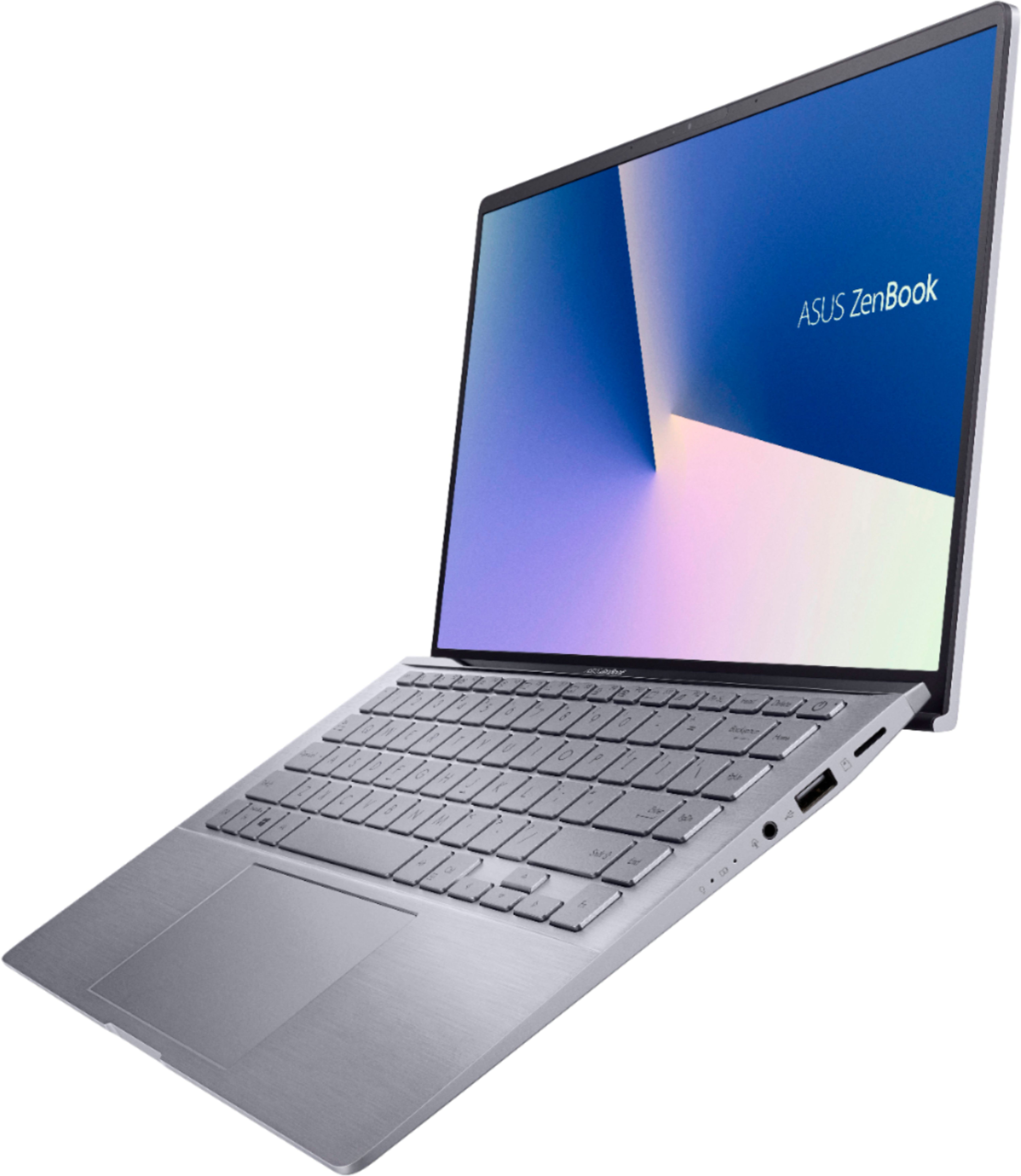
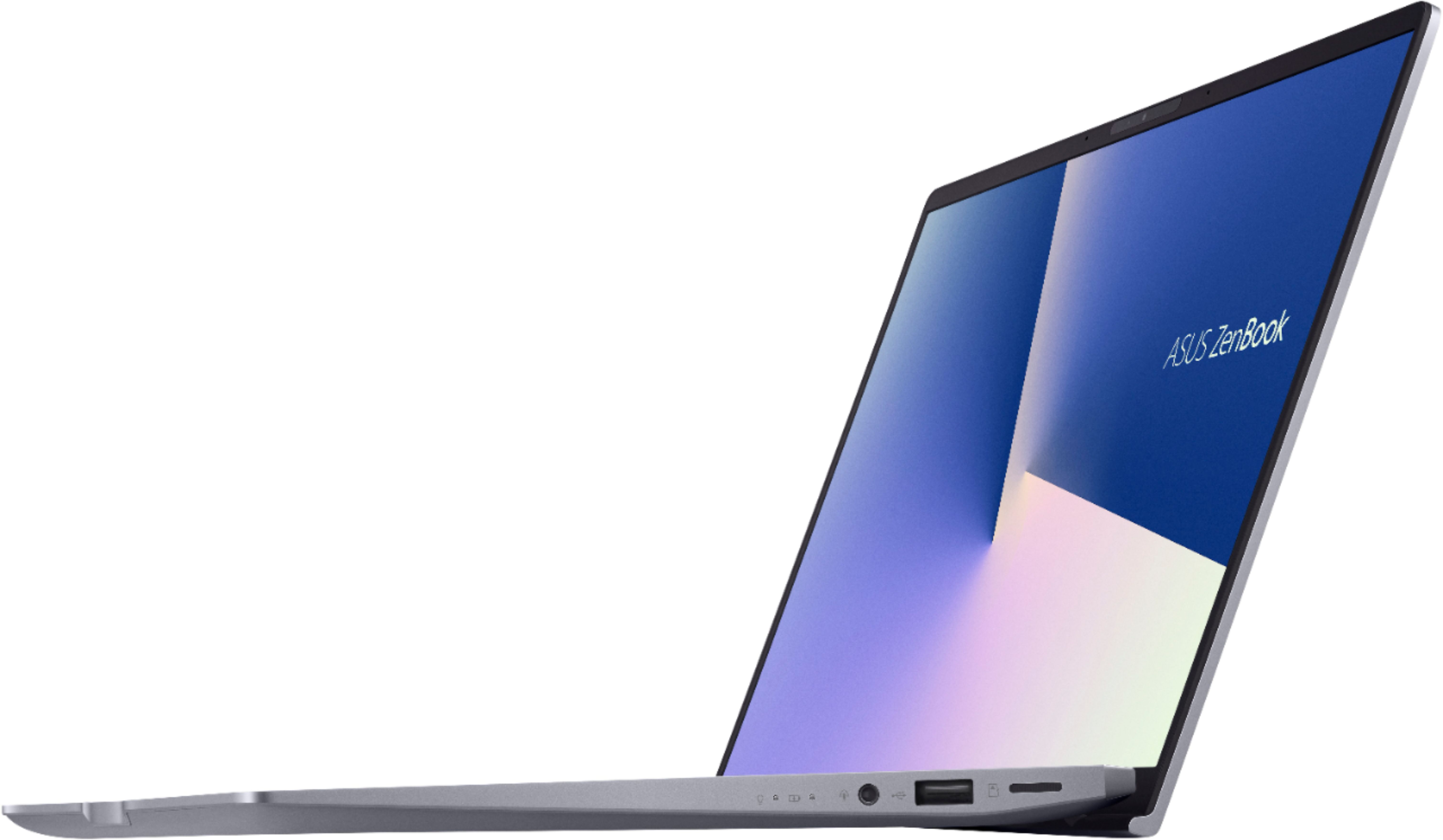





- Model:
- Q407IQ-BR5N4
- SKU:
- 6403819
Rating by feature
- Battery Life
Rating 4.4 out of 5 stars
- Speed
Rating 4.4 out of 5 stars
- Display
Rating 4.4 out of 5 stars
Customers are saying
Customers are positive about the lightweight, price, battery life, and performance of the Zenbook 14" Laptop. They appreciate its portability, affordability, long battery life, and ability to handle daily tasks and simple gaming. However, customers are negative about the keyboard, fan noise, soldered RAM, heating issues, and key visibility. They find the keyboard difficult to use due to poor backlighting and faint print, and express concerns about the laptop's cooling and RAM expandability.
This summary was generated by AI based on customer reviews.
NO.
||Posted . Owned for 5 months when reviewed.This reviewer received promo considerations or sweepstakes entry for writing a review.Purchased due to sale even though didny need till augusy. Mistakently waited till August to set up. Open and and used 10 weeks before it totally gave out. Itll power on and thats it. Cant use any programs. Missed return window and now im stuck with a totally non working laptop. Im going to change my 1 star if best buy will simply give me an in store credit. I bought another laptop aloy mote $, at best buy to replace this zenbook joke of a laptop. Its not a laptop. Period.
No, I would not recommend this to a friendBrand response from ASUS Answers
Posted .Dear Musicislife,
We do understand your disappointment and the inconvenience if you are experiencing issues with the laptop.
If you cannot open programs or applications, please verify if the laptop is running with the most current Windows update. By keeping Windows updated, it will maintain optimum system stability and performance. If these steps were already performed to no avail, please try to run a diagnostics or optimization test using the "My ASUS" utility software or application. If this is not pre-installed on the laptop, please download the application at the Microsoft Store. For details on how to use "My ASUS", please go to: https://www.asus.com/support/FAQ/1041686/. Also, while accessing web applications, please make sure the unit has access to an established router and internet service is working properly since this will definitely affect system speed and performance.
If you need further assistance, please email me at cl-rodel@asus.com and I would be happy to help. Or, you are most welcome to call Product Support Hotline at: 1(888) 678-3688. Also, you can chat with an ASUS live support agent at: http://bit.ly/AsusLiveChat.
Thank you for choosing an ASUS product.
Regards,
Rodel
ASUS Customer Loyalty
Dissatisfied
||Posted . Owned for 1 month when reviewed.This reviewer received promo considerations or sweepstakes entry for writing a review.My 8 yr old is having glitching problems with this labtop while remote learning...the rep told us that this device is compatible with remote learning..we are very disappointed and planning on returning this device..
No, I would not recommend this to a friendBrand response from ASUS Answers
Posted .Dear Valued Customer,
We appreciate you sharing your feedback on this model. We're sorry to hear about the issues you're having with your computer glitching. Can you please provide us with more information on the issues you're having? We would recommend that you back up your data and perform a system reset.
For more information, you can reach out to us at our Official ASUS North America Support twitter at AsusHelpUS. We’ll do our best to provide a quick resolution to your case. Your feedback is important as it helps with improvements to ASUS Support channels. Please copy a link to this post as a reference.
Thank you for choosing ASUS.
Best Regards,
Joan
ASUS Customer Loyalty US Support
not the best
||Posted . Owned for 8 months when reviewed.This reviewer received promo considerations or sweepstakes entry for writing a review.A little frustrated with this lap top. I can be in the middle of writing and it will bounce me to the middle of a page or back to the beginning.. really frustrating.. I dont think I would buy this one again.
No, I would not recommend this to a friendBrand response from ASUS Answers
Posted .Dear Lisac,
We do understand the inconvenience this may have caused if you are experiencing issues while typing.
To resolve the issue, please avoid hitting the touchpad accidentally while typing
Should you need further assistance with the product, please email me at cl-rodel@asus.com and I will be more than glad to help. Or, you are always welcome to call Product Support Hotline at: 1(888) 678-3688. Also, you can chat with an ASUS live support agent at: http://bit.ly/AsusLiveChat.
Thank you for choosing an ASUS product.
Regards,
Rodel
ASUS Customer Loyalty
Cannot find storage device
||Posted . Owned for 7 months when reviewed.This reviewer received promo considerations or sweepstakes entry for writing a review.So we have had this zenbook since April and have been happy with it until recently. We should have gotten the HP but took a chance on the ASUS since other ASUS products had worked well for us in the past. This system for the most part is on all the time. The other day I put the unit into sleep mode at night so our guest could use the room it is used in. The next morning we found the system stuck the BIOS utility with the indication the storage device could not be found. Taking it to the GeekSquad for evaluation. We shall see.
No, I would not recommend this to a friendBrand response from ASUS Answers
Posted .Dear Valued Customer,
We certainly understand your disappointment and the inconvenience this may have caused.
All ASUS products undergo intensive quality control testing and inspections, the storage device not detected is a random problem. To resolve the issue, simply perform a power cycle by turning off the laptop completely, wait for about 10 seconds then power on. Another power cycle may be needed if the storage device was still not detected.
If you need further assistance with the product, please email me at cl-rodel@asus.com and I would be more than happy to help. Or, you are most welcome to call Product Support Hotline at: 1(888) 678-3688. Also, you can chat with an ASUS live support agent at: http://bit.ly/AsusLiveChat.
Thank you for choosing an ASUS product.
Regards,
Rodel
ASUS Customer Loyalty
- Cons mentioned:Keyboard, Ram
Great laptop with excellent screen
Posted .This reviewer received promo considerations or sweepstakes entry for writing a review.Bought this laptop when it was on sale for $550. I’ve been using it daily for a few weeks straight now and its much better than expected Pros: Nice and bright screen AMD CPU performs great Nvidia MX350 is surprisingly powerful and I’ve played many games at 720p at medium settings with pretty impressive results Nice and quiet even under load Great battery and for my uses lasts 6-7 hours Very light and extremely portable Cons: Backlit keyboard is hard to see Only 8GB’s of RAM but at least its dual channel
I would recommend this to a friend Great laptop but NO SOUND like others hav emention
||Posted . Owned for 1 week when reviewed.This reviewer received promo considerations or sweepstakes entry for writing a review.Here is my full review on Youtube: https://youtu.be/XZOHX4AbJuU As others have mentioned I have no sound coming from this laptop. I have tried to reinstall Windows and still no sound. It did have sound originally but then nothing. It doesn't work through headphone jack either
No, I would not recommend this to a friendBrand response from Asus_Answers
Posted .Dear Joshva,
Certainly understand your disappointment and the inconvenience this may have caused you.
All ASUS products undergo intensive quality control testing and inspections, the audio problem being reported is random.
To resolve the sound problem, please install all feature or cumulative update if Windows is not current. After update, please check the Volume Control properties and verify if the volume level was not muted and set to the correct listening level. Verify, if the correct output device or source was selected inside the Volume Control Properties.
If the problem persisted after doing the troubleshooting tip, we recommend sending the product in for service. Normally, ASUS provides one year warranty coverage, if product was purchased brand-new, in order to fix or repair any hardware or, part that stop working prematurely under normal usage.
If you need more information or further assistance with the warranty for the product, please email me at cl-rodel@asus.com and I would be more than happy to help. Or, you can speak to an ASUS live support agent at http://bit.ly/AsusLiveChat.
Thank you for choosing an ASUS product.
Regards,
Rodel
ASUS Customer Loyalty
Defective
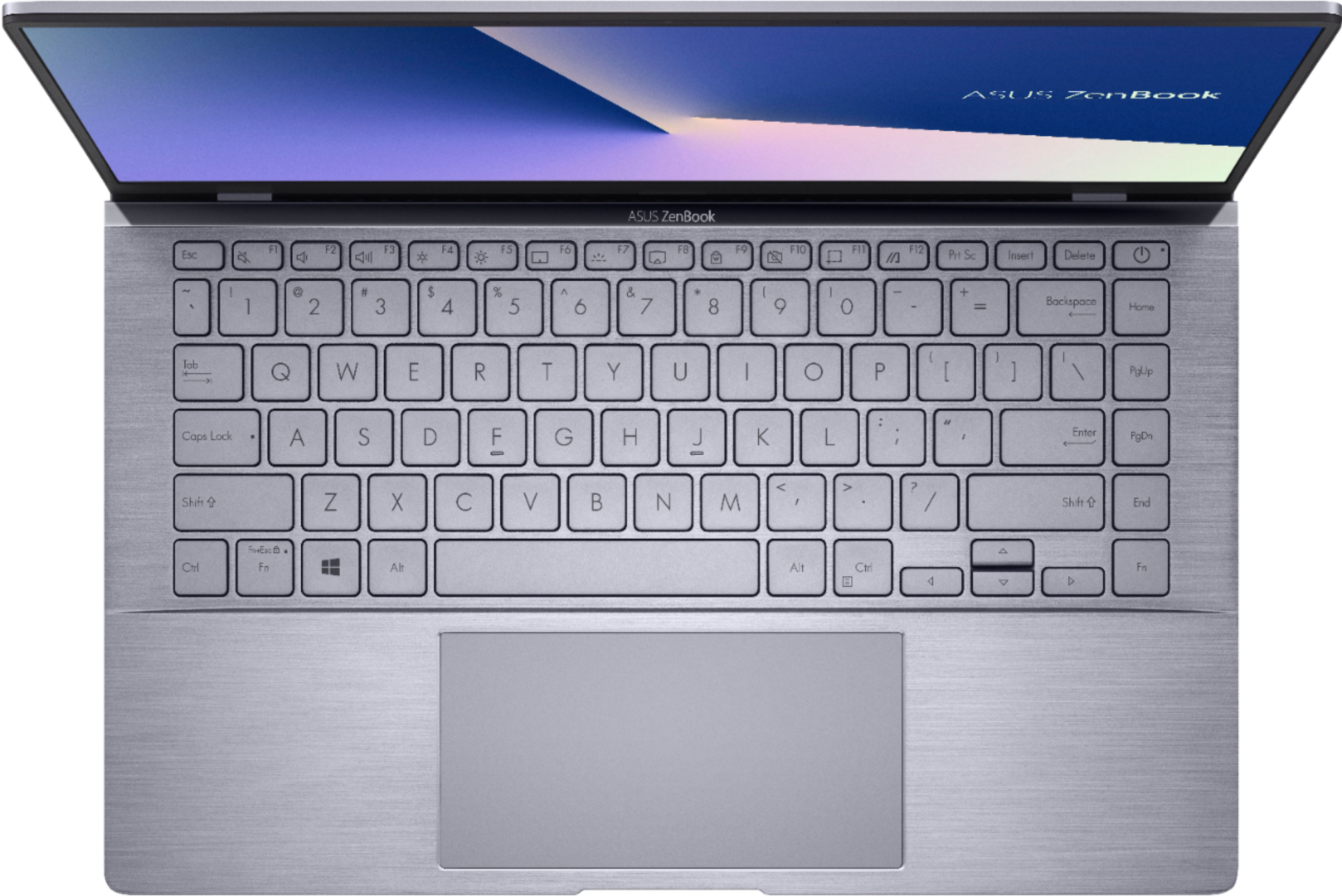
||Posted . Owned for 3 weeks when reviewed.This reviewer received promo considerations or sweepstakes entry for writing a review.It looks like a high quality machine and I would give it high ratings, except there is definitely something wrong, and I'll need to take it back. The kicks on and just never stops. The moment I turn on the laptop it starts. Rebooting, restarting, nothing helps. The keyboard is a bit disappointing; the characters on it are very difficult to see, as others have mentioned.
No, I would not recommend this to a friendBrand response from ASUS Answers
Posted .Dear Bordeaux,
We do understand your disappointment if you are experiencing rebooting or restarting, or performance issue with the laptop.
This issue is temporary during the initial WINDOWS setup and before installing cumulative WINDOWS Update, regardless what brand name of computer this may be. This may take a longer time depending on the network traffic from the update server and the stability of your high-speed internet service. Also, laptop will do several system reboot, black screen temporarily or restart during the update process.
Once initial setup and WINDOWS Update installation completed, system speed or performance will be optimized. Keeping Windows updated will maintain optimum system stability and performance.
If the above-mentioned steps were already performed to no avail, please try to run a diagnostics or optimization test using the "My ASUS" utility software or application. If this is not pre-installed on the laptop, please download the application at the Microsoft Store. For details on how to use "My ASUS", please go to: https://www.asus.com/support/FAQ/1041686/. While accessing web applications, please make sure the unit has access to an established router and internet service is working properly since this will definitely affect system speed and performance. Also, clearing internet cache or browsing history will improve system performance.
Regarding the backlit keyboard, it is recommended to turn it off or adjust the keyboard brightness level while working in a well illuminated room or area, by tapping the hotkeys, "Fn + F7", repeatedly. Also, try to adjust the brightness level on the keys base the illumination of your workplace.
If you need further assistance, please email me at cl-rodel@asus.com and I will be more than happy to help. Or, call Product Support Hotline at: 1(888) 678-3688. Also, you can chat with an ASUS live support agent at http://bit.ly/AsusLiveChat.
Thank you for choosing an ASUS product.
Regards,
Rodel
ASUS Customer Loyalty
Low Memory
||Posted . Owned for 3 months when reviewed.This reviewer received promo considerations or sweepstakes entry for writing a review.This laptop is woefully low on installed memory. I keep getting alerts and the machine now needs reboots to get it working again. I will be trading it in or out and out replacing it.
No, I would not recommend this to a friendBrand response from ASUS Answers
Posted .Dear Valued Customer,
Thank you for sharing your feedback on this model. We're sorry to hear about the unfortunate experience you're having with this model. We would recommend that you back up your data and perform a system reset.
For more information, you can reach out to us at our Official ASUS North America Support twitter at AsusHelpUS. We’ll do our best to provide a quick resolution to your case. Your feedback is important as it helps with improvements to ASUS Support channels. Please copy a link to this post as a reference.
Thank you for choosing ASUS.
Best Regards,
Joan
ASUS Customer Loyalty US Support
Would not recommend
||Posted . Owned for 1.5 years when reviewed.This reviewer received promo considerations or sweepstakes entry for writing a review.Would not recommend. I had to reset it a couple times. Slow as hell, camera resolution is the worst. Just look great, but the actual device sucks.
No, I would not recommend this to a friendBrand response from ASUS Answers
Posted .Dear Flash,
We're sorry to hear about the unfortunate experience you're having with the camera and the unit running slow. Please allow us to make your experience with ASUS a better one. We would recommend that you attempt the steps in the FAQ below to resolve this issue.
For more information send us an email at customerloyalty@asus.com and provide the link of this review for reference. We’ll do our best to provide a quick resolution to your case. Your feedback is important as it helps with improvements to ASUS Support channels. Please copy a link to this post as a reference.
Thank you for choosing ASUS.
Best Regards,
Joan
ASUS Customer Loyalty US Support
[Notebook/Desktop/AIO] Troubleshooting - System is running slowly: https://www.asus.com/support/FAQ/1042398/
[Notebook/Desktop/AIO] Troubleshooting - How to fix Camera problem: https://www.asus.com/us/support/FAQ/109836/
Ok for Everyday Use
||Posted . Owned for 1 month when reviewed.This reviewer received promo considerations or sweepstakes entry for writing a review.I was getting used to the computer. What I didn't like was, it would update whenever it wanted too, regardless of when I had it set for. Somehow there was also a system error on it.
I would recommend this to a friendBrand response from Asus_Answers
Posted .Dear Chatty14
Absolutely, it's a great laptop for daily use.
To control on how updates are installed, please go to, Settings > Advanced options > Update options. From here, you can customize update settings.
However, keeping Windows updated will maintain optimum system stability and performance. This may resolve the system error you are getting.
If the above-mentioned steps were already performed to no avail, please try to run a diagnostics or optimization test using the "My ASUS" utility software or application. If this is not pre-installed on the laptop, please download the application at the Microsoft Store. For details on how to use "My ASUS", please go to: https://www.asus.com/support/FAQ/1041686/.
If you need further assistance, please email me at cl-rodel@asus.com and I will be more than happy to help. Or, call Product Support Hotline at: 1(888) 678-3688. Also, you can chat with an ASUS live support agent at http://bit.ly/AsusLiveChat.
Thank you for choosing an ASUS product.
Regards,
Rodel
ASUS Customer Loyalty
OK laptop, but BB service was awful.
||Posted . Owned for 3 weeks when reviewed.This reviewer received promo considerations or sweepstakes entry for writing a review.12 days in and a constant clicking sound started coming, went to best buy to return but they refused to take the product as I was 1- ONE day past the two week return window. Spoke to the Manager, but to no use. Absolutely, not getting anything from BB again. The laptop itself is fine, just maybe i got a bad device, but the fact that BB refused a return One day after the window is beyond me. Two things that i have a negative about the lapop is that the keys are not visible even with the backlight.
No, I would not recommend this to a friendBrand response from ASUS Answers
Posted .Dear SaqibKhan,
We certainly understand your disappointment and the inconvenience this may have caused you.
All ASUS products undergo intensive quality control testing and inspections, the clicking sound is a random problem. Normally, ASUS provides one year warranty coverage, if product was purchased brand-new, in order to fix or repair any hardware or, part that stop working prematurely under normal usage.
About the keyboard backlit, it is recommended to turn it off or adjust the keyboard brightness level while working in a well illuminated room or area, by tapping the hotkey, "Fn + F7", repeatedly. Also, try to adjust the brightness level on the keys base the illumination of your work place.
If you need more information or further assistance with the warranty for the product, please email me at cl-rodel@asus.com and I would be more than happy to help. Or, call Product Support Hotline at: 1(888) 678-3688. Also, you can chat with an ASUS live support agent at http://bit.ly/AsusLiveChat.
Thank you for choosing an ASUS product.
Regards,
Rodel
ASUS Customer Loyalty
nice laptop poor keyboard design
||Posted . Owned for 1 month when reviewed.This reviewer received promo considerations or sweepstakes entry for writing a review.my daughter had 2 asus laptops that were great and had no issues at all so decided to get one -very unhappy with the gray keys and silver characters which make it impossible to see the characters why not stick to the black keys with white characters which make more sense. my husband who is primary user has not been able to use the laptop due to this problem. after paying $750 we need to paint the keys to see them with hopes this will work. what a stupid design!!
No, I would not recommend this to a friendBrand response from Asus_Answers
Posted .Dear Cloud51,
Do understand your disappointment with the quality of the keyboard and the inconvenience this may have caused you.
If the color contrast of the keys and letters didn't meet your expectaions, we recommend to turn it off or adjust the keyboard brightness level while working in a well illuminated room or area, by tapping the hotkeys, "Fn + F7", repeatedly.
Should you need further assistance with the product, please email me at cl-rodel@asus.com and I would be more than happy to help. Or, you can speak to an ASUS live support agent at http://bit.ly/AsusLiveChat.
Thank you for choosing an ASUS product.
Regards,
Rodel
ASUS Customer Loyalty
Only worked for 6 months
||Posted .This reviewer received promo considerations or sweepstakes entry for writing a review.Do not purchase this unless you plan on buying a warranty as well. It quit working turning on after a little over 6 months with minimum use. Geek squad was unable to help since there was not a warranty on it and because we brought it in a year after we purchased it there is nothing that they can do. I was advised to buy a PC or Dell instead.
No, I would not recommend this to a friendHard Drive Died in under six months.
||Posted . Owned for 6 months when reviewed.This reviewer received promo considerations or sweepstakes entry for writing a review.Bought this Asus laptop brand new in August 2020 to do a work from home job and in February 2021 the hard drive died. For it to be covered under the Best Buy warranty it would take 2-3 weeks to replace the item. They know they sold a faulty item and won't cover it.
No, I would not recommend this to a friendBrand response from ASUS Answers
Posted .Dear Valued Customer,
It's unfortunate to hear about the failure of the hard drive, this must be frustrating. All ASUS products undergo intensive quality control, testing, and inspections. What you've experienced was not intentional and this was a random case. Certainly, you can have this issue resolved through your place of purchase. If you have any concerns, feel free to reach out to me at customerloyalty@asus.com and provide this link for reference. I'll do my best to provide a quick resolution to your case. Your feedback is important as it helps with improvements to ASUS Support channels.
Thank you for choosing ASUS!
Best Regards,
Jamalie,
ASUS Customer Loyalty US Support
- Cons mentioned:Keyboard
Trash
||Posted .This reviewer received promo considerations or sweepstakes entry for writing a review.K keyboard would not light up and would not work after one day it
No, I would not recommend this to a friendBrand response from ASUS Answers
Posted .Dear Valued Customer,
It's unfortunate to hear that the keyboard doesn't light up. This is not the kind of experience we want any of our customers to have. Was it able to work from out of the box? I'm happy to assist you, feel free to reach out to me at customerloyalty@asus.com and provide this link for reference. I'll do my best to provide a quick resolution to your case. Your feedback is important as it helps with improvements to ASUS Support channels.
Thank you for choosing ASUS!
Best Regards,
Jamalie,
ASUS Customer Loyalty US Support
- Pros mentioned:Weight

Small and Sturdy Laptop
|Posted .This reviewer received promo considerations or sweepstakes entry for writing a review.After using my Zenbook for a little over a week now, I have to say I'm pretty pleased with it so far. Probably the lightest laptop I've ever owned but it still feels sturdy and well built. After letting the battery charge for a while, I opened it up and pressed the power button and it was ready to go. Just a few setup steps to go through, the regular first time Windows 10 stuff. After some Windows updates and installing some virus protection, I use Norton, I was ready to start using my new Zenbook. Keyboard feels nice. I like that you can change the level of light that comes from the keys or turn it off completely, depending on your preference. Wish it was a full-sized keyboard (numpad included), but I've been spoiled by larger laptops so it's no big deal. For a 14-inch screen, everything was exceptionally clear. Loaded a few photos from my camera to use a background pics and they looked phenomenal on it. Videos looked great as well. Camera works well. Had a Zoom call with a few friends the other night and didn't have any problems. Haven't set up the facial recognition for login yet. Still kind of old fashioned and prefer a password, but I may give it a try soon. Sound is acceptable. Wasn't expecting music studio level sound from this machine. When using the sound from the speakers, it's clear and loud enough to not be drowned out by competing noise. I've been using my Bluetooth set anyway, which was super easy to pair and start using. Haven't really pushed this machine further than just web-surfing, email and streaming services. It handles all three exceptionally. This will probably turn into the road trip laptop. Something small to use at the hotel for a night or two. In conclusion, if you're looking for a laptop that's on the smaller side, look no further than the ASUS Zenbook. You'll get all of the functionality you get by having a laptop while enjoying the size/weight you'd get out of some of the bigger tablets. Great for the casual PC user in you home.
I would recommend this to a friend Bad laptop
||Posted . Owned for 1 month when reviewed.This reviewer received promo considerations or sweepstakes entry for writing a review.Laptop is probably the worst so far that I've ever owned, thought it would be worth it since it was an asus
No, I would not recommend this to a friendBrand response from ASUS Answers
Posted .Dear MarkusM,
We are terribly sorry for the experience you've had with the device and the inconvenience this has caused you. This model undergoes intensive quality control testing and final inspection for both hardware and software. ASUS provides a warranty for the unit in order to fix or repair any isolated issue. This information will be passed on to our development team. Please allow us to make your experience better. Can you provide us with detailed information about the issue you're experiencing with the device?
We truly appreciate your feedback. If you wish to discuss this issue further, please don't hesitate to contact us via email: customerloyalty@asus.com and provide this link for reference or contact our general support at https://www.asus.com/us/support. Our customer loyalty department is dedicated to bringing a resolution to all issues related to our products.
Thank you for choosing ASUS!
Best Regards,
Lamoya
ASUS Customer Loyalty US Support
Amazing
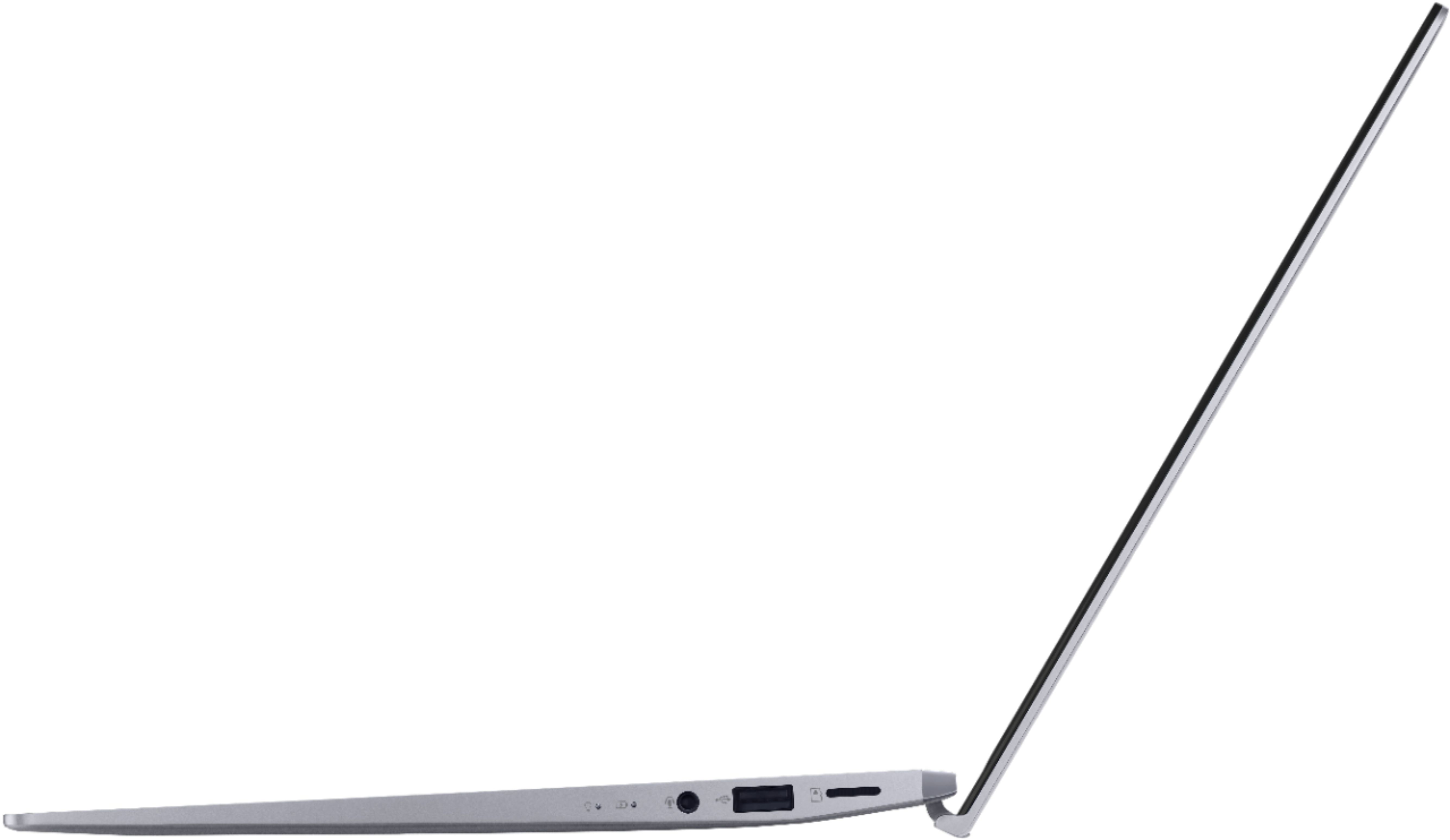
Posted .This reviewer received promo considerations or sweepstakes entry for writing a review.When it comes to combining unparalleled performance, breathtaking design, and cutting-edge technology, the ASUS ZenBook 14 Ryzen 5 4000 Series stands head and shoulders above the competition. This sleek and stylish ultrabook is not just a laptop; it's a portal to endless possibilities. From its jaw-dropping display to its powerhouse performance, the ZenBook 14 is a masterpiece that deserves every bit of praise. First and foremost, the 14-inch Full HD NanoEdge display is a visual feast that immerses you in your work, entertainment, and creativity. The ultra-thin bezels ensure that your focus remains firmly on the content, while the vivid colors and impressive clarity make every image come to life. Whether you're editing photos, streaming movies, or working on intricate design projects, the ZenBook 14's display is a canvas of brilliance. Under the hood, the AMD Ryzen 5 4000 series processor is a force to be reckoned with. Its lightning-fast speeds and exceptional multitasking capabilities transform your workflow into a seamless experience. From heavy-duty software applications to demanding gaming sessions, this laptop handles it all with ease, never skipping a beat. The power efficiency of the Ryzen processor ensures that you can accomplish more on a single charge, allowing you to stay productive even on the go. The ZenBook 14's sleek and lightweight design is a testament to ASUS's commitment to elegance and portability. Crafted from premium materials, its exquisite finish not only turns heads but also ensures durability. Carrying it around is a breeze, making it your perfect companion for both professional endeavors and leisure activities. Typing on the ZenBook 14's keyboard is a tactile delight. The ergonomically designed keys provide a comfortable and precise typing experience, enhancing your productivity during long working sessions. The touchpad is responsive and intuitive, incorporating smart gestures that streamline navigation and multitasking. ASUS has also gone the extra mile in prioritizing your privacy and convenience. The innovative IR camera with facial recognition technology enables secure and swift login, while the built-in privacy shutter lets you physically block the camera when not in use. These thoughtful features showcase ASUS's dedication to safeguarding your data and personal space. In terms of connectivity, the ZenBook 14 leaves no stone unturned. With an array of USB ports, including the fast and versatile USB-C, along with HDMI and microSD card reader, you have all the options you need to connect to a variety of devices seamlessly. In conclusion, the ASUS ZenBook 14 Ryzen 5 4000 Series is a technological masterpiece that seamlessly blends style, power, and innovation. Whether you're a professional, a creator, or a student, this laptop caters to your every need. Its stunning display, impressive performance, and thoughtful features make it a true winner in the world of ultrabooks. With the ZenBook 14, you're not just buying a laptop; you're investing in a gateway to limitless inspiration. This laptop is a game-changer, and owning one will undoubtedly elevate your digital experience. So, why wait? Embrace the future with the ASUS ZenBook 14 Ryzen 5 4000 Series and witness a new era of computing excellence. Your journey to unparalleled productivity and creativity begins here.
I would recommend this to a friend- Cons mentioned:Heating
False advertisement
||Posted . Owned for 3 weeks when reviewed.This reviewer received promo considerations or sweepstakes entry for writing a review.The screen is not 14". The laptop is hot and the fan runs continuously.
No, I would not recommend this to a friendBrand response from Asus_Answers
Posted .Dear Venom,
The screen size of the Q407IQ is 14 inches, measured diagonally.
Do understand your concern about the fan running at full throttle and laptop is hotter than normal. It is normal for the laptop to generate heat and triggers fan to spin at full-throttle while the laptop is under heavy load while WINDOWS Update are being installed, during an antivirus scan or when gaming.
When system resource utilization is high, this will generate more heat than normal and tends to trigger the fan to spin at full-throttle. It does decreases or normalizes once utilization goes down.
If you need further assistance with the product, please email me at cl-rodel@asus.com and I will be more than happy to help. Or, call Product Support Hotline at: 1(888) 678-3688. Also, you can chat with an ASUS live support agent at http://bit.ly/AsusLiveChat.
Thank you for choosing an ASUS product.
Regards,
Rodel
ASUS Customer Loyalty
Setup not so great
||Posted .This reviewer received promo considerations or sweepstakes entry for writing a review.You have to enter your email account just to start the laptop. Returned it. Nonsense!
No, I would not recommend this to a friendBrand response from ASUS Answers
Posted .Dear Valued Customer,
I'm truly sorry to hear that you are not pleased with the setup and you had to return it. Originally, it is the recommended way to set up your computer for security purposes. We do hope that your impression will not be long everlasting. If you have any concerns, feel free to reach out to me at customerloyalty@asus.com and provide this link for reference. I'm here to help you and all others with these issues, as our customer loyalty department is dedicated to bringing a resolution to all issues related to our products.
Thank you for choosing ASUS!
Best Regards,
Jamalie,
ASUS Customer Loyalty US Support