Customer Ratings & Reviews


- Model:
- Q408UG-211.BL
- SKU:
- 6460365
Rating by feature
- Battery Life
Rating 4.5 out of 5 stars
- Speed
Rating 4.5 out of 5 stars
- Display
Rating 4.4 out of 5 stars
Customers are saying
Customers appreciate the Zenbook 14" Laptop for its great value, lightweight design, long battery life, comfortable keyboard, and reliable performance. It is suitable for general productivity, light gaming, and college courses. On the downside, some users have concerns about the limited RAM upgradability, occasional heating issues, limited number of USB ports, small storage capacity, and fan noise.
This summary was generated by AI based on customer reviews.
Do not buy
||Posted . Owned for 3 months when reviewed.This reviewer received promo considerations or sweepstakes entry for writing a review.Used it once just installed steam and the GPU is fried 3 months later when I'm going on a trip
No, I would not recommend this to a friendBrand response from ASUS Answers
Posted .Dear Charles,
We're sorry to hear about the unfortunate experience you're having with this model. We would recommend that you habe this unit sent in for servicing so we can have our team look into this issue. We do value our customers and take negative customer service experience very seriously. This is not the quality of service expected from ASUS. We do stand behind our product and we continuously strive to improve our approach and processes in order to achieve customer service excellence.
For more information send us an email at customerloyalty@asus.com and provide the link of this review for reference. We’ll do our best to provide a quick resolution to your case. Your feedback is important as it helps with improvements to ASUS Support channels. Please copy a link to this post as a reference.
Thank you for choosing ASUS.
Best Regards,
Joan
ASUS Customer Loyalty US Support
Choose ANYTHING ELSE but this!
||Posted . Owned for 1 year when reviewed.This reviewer received promo considerations or sweepstakes entry for writing a review.First one fell apart within a week of receiving. Returned for a new one and within 6 months the screen started delaminating, falling apart. Dont waste your money.
No, I would not recommend this to a friendUsed less than 6 times before it broke
||Posted . Owned for 7 months when reviewed.This reviewer received promo considerations or sweepstakes entry for writing a review.I use this computer maybe half a dozen times and now the battery will no longer charge
No, I would not recommend this to a friendBrand response from ASUS Answers
Posted .Dear Hungsolongdong,
It's regrettable to hear that the battery failed to charge. This is not the kind of experience we want our customers to have. Have you tried to use a different power outlet? Please attempt the steps from the FAQ below. For further troubleshooting, feel free to reach out to me at customerloyalty@asus.com and provide this link for reference. I'll do my best to provide a quick resolution to your case. Your feedback is important as it helps with improvements to ASUS Support channels.
Thank you for choosing ASUS!
Best Regards,
Jamalie,
ASUS Customer Loyalty US Support
How to fix the battery cannot provide power/be charged - https://www.asus.com/us/support/FAQ/1012793/
this laptop broke and is worthless
||Posted . Owned for 1 month when reviewed.This reviewer received promo considerations or sweepstakes entry for writing a review.Stopped turning on. worthless piece of garbage. every tech piece i buy from here breaks completely within a month of getting it. Why bother.
No, I would not recommend this to a friendBrand response from ASUS Answers
Posted .Dear Valued Customer,
I'm sorry to hear that the notebook failed to turn on. This is not the kind of experience we want our customers to have. Please attempt the steps from the FAQ below. For further troubleshooting, feel free to contact me at customerloyalty@asus.com and provide this link for reference. I'll do my best to provide a quick resolution to your case. Your feedback is essential as it helps with improvements to ASUS Support channels.
Thank you for choosing ASUS!
Best Regards,
Jamalie,
ASUS Customer Loyalty US Support
Troubleshooting - https://www.asus.com/support/FAQ/1014276/
- Pros mentioned:Lightweight

A great laptop ruined by a poor cooling system
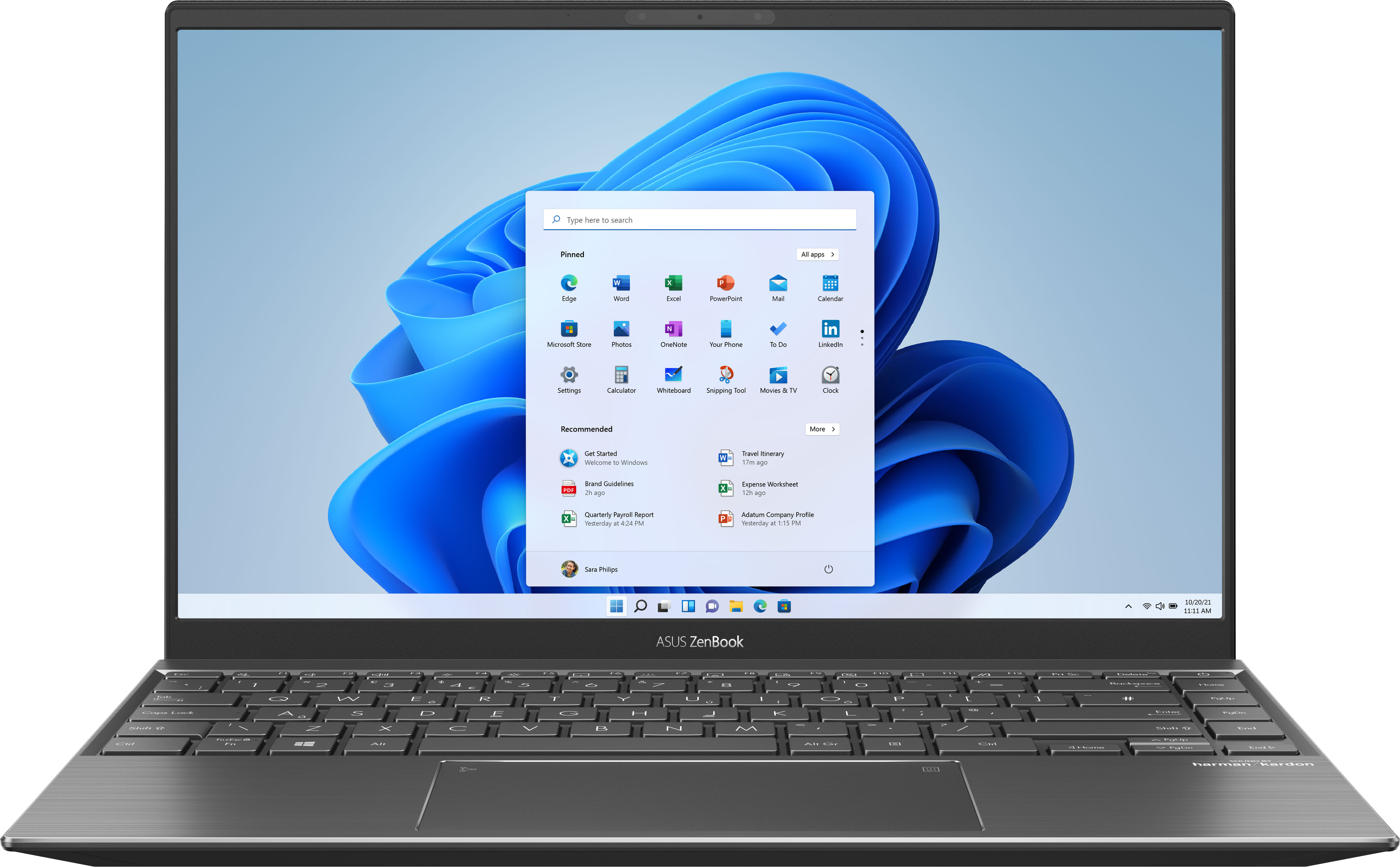
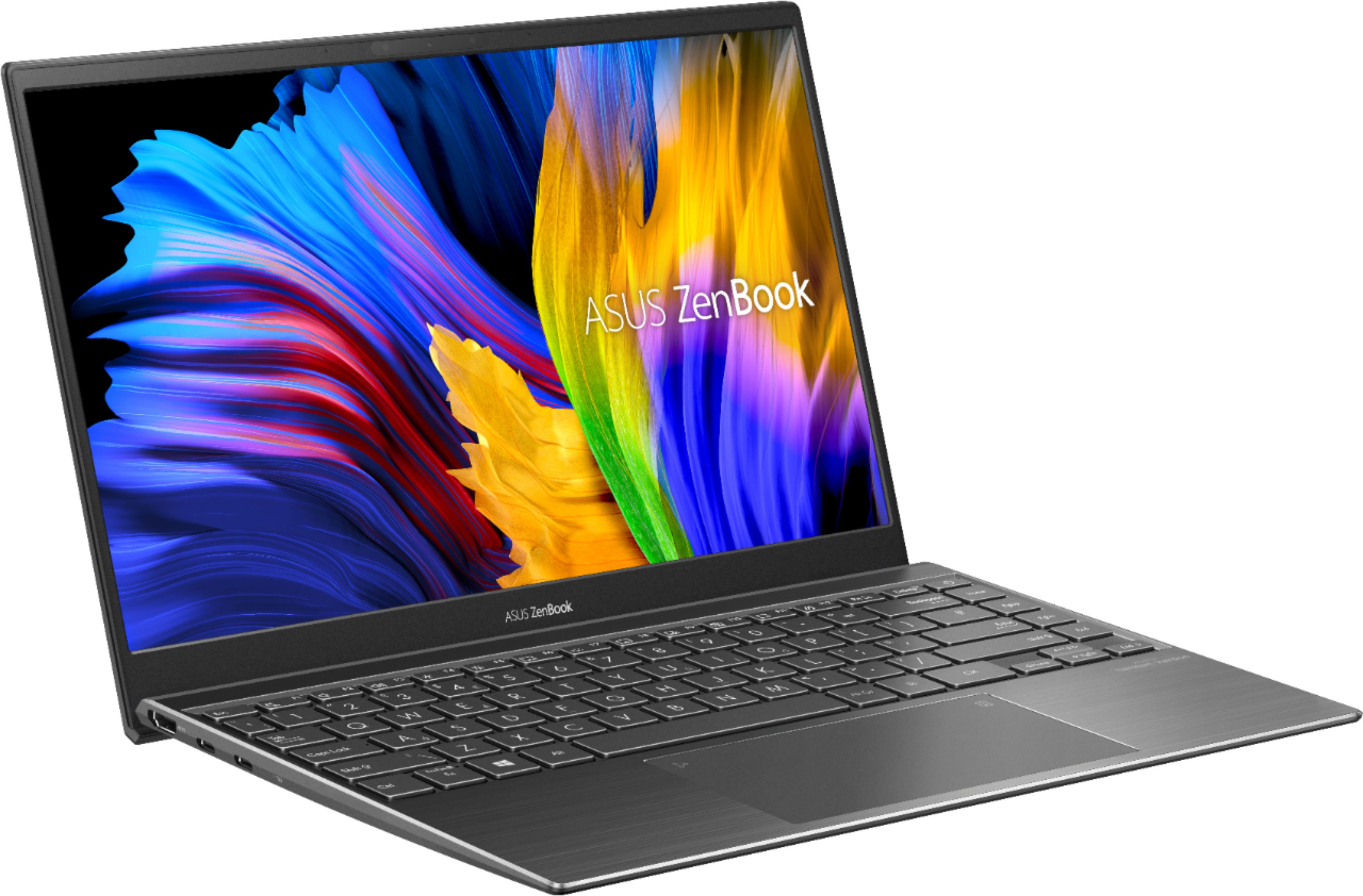
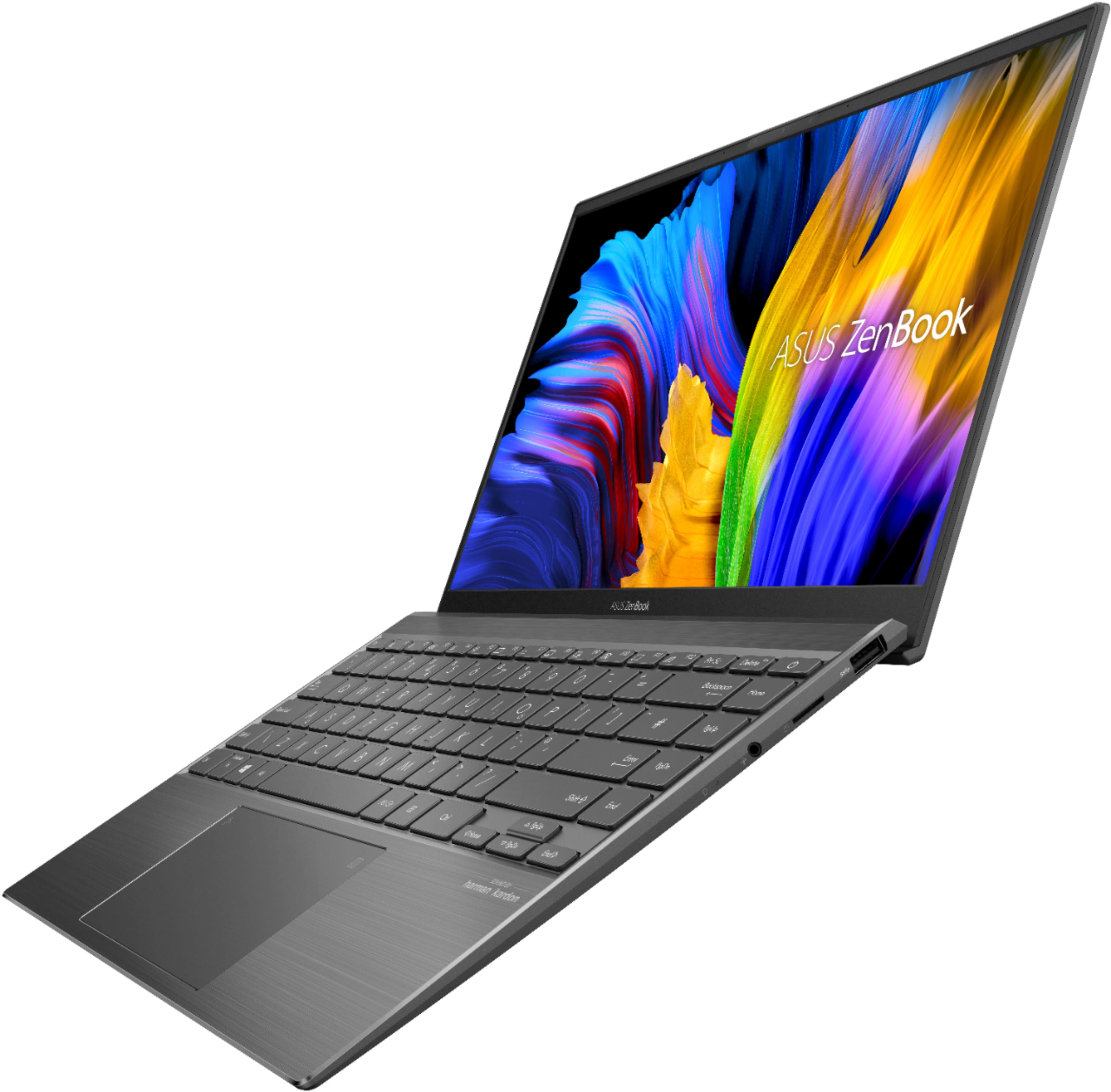
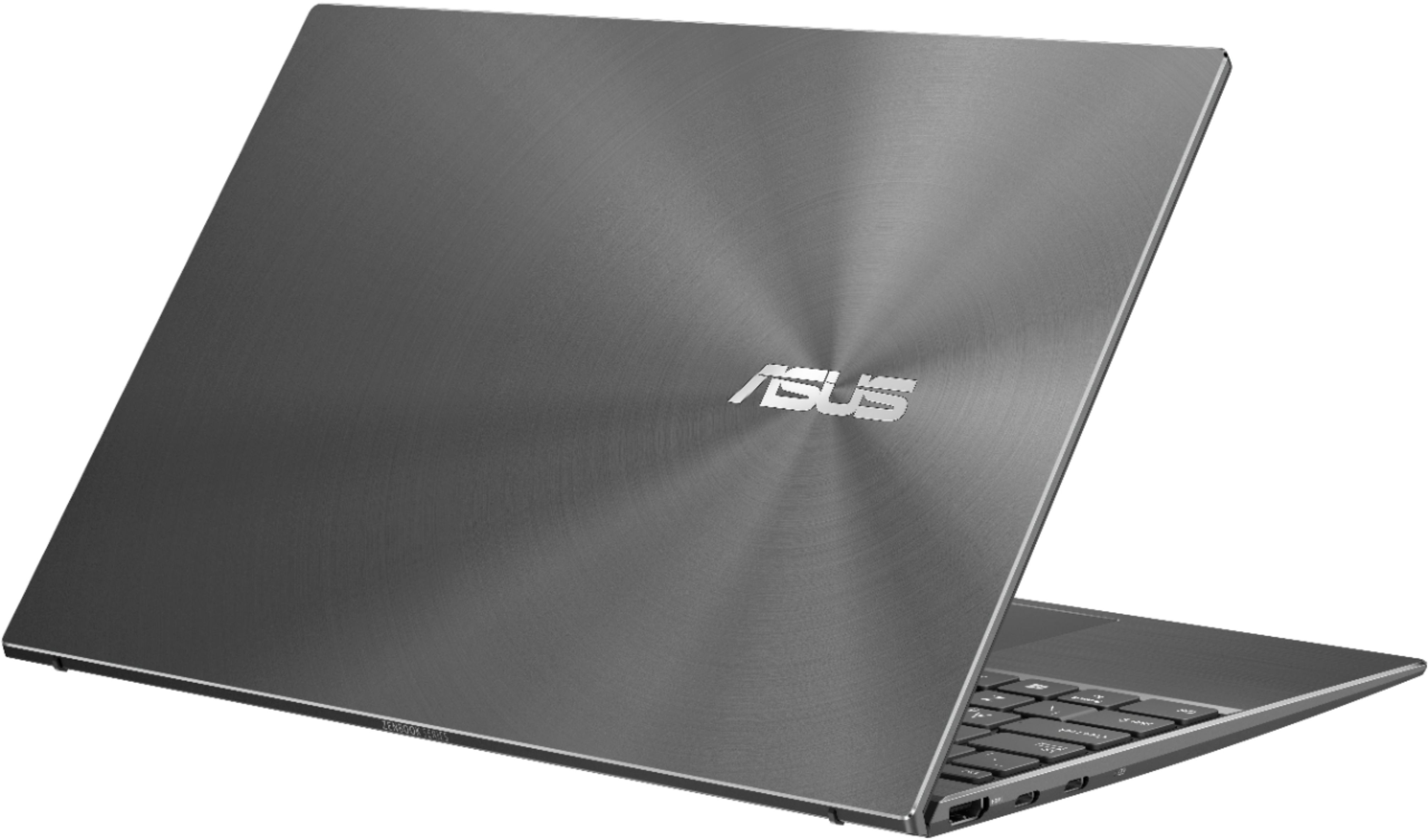
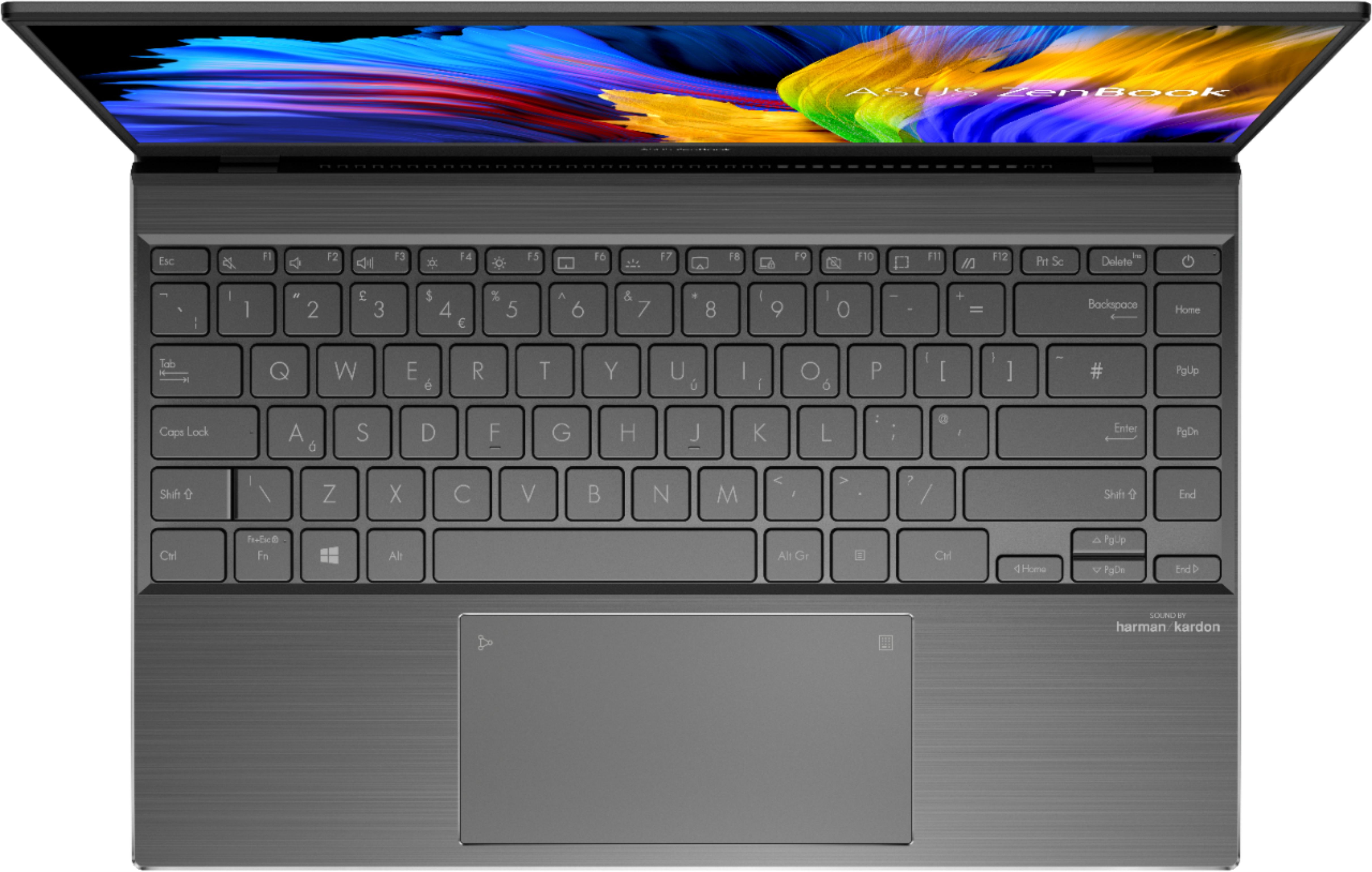
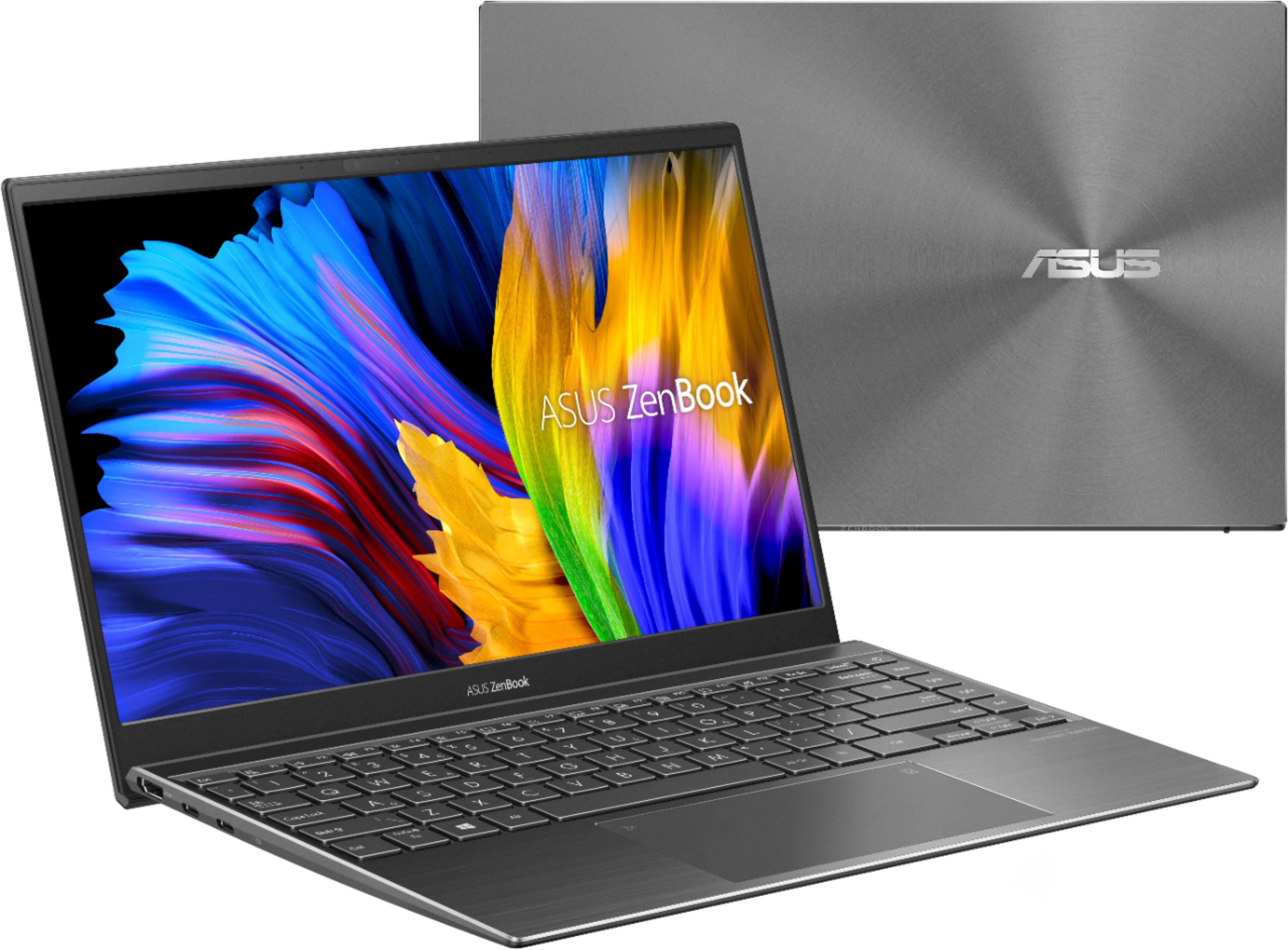
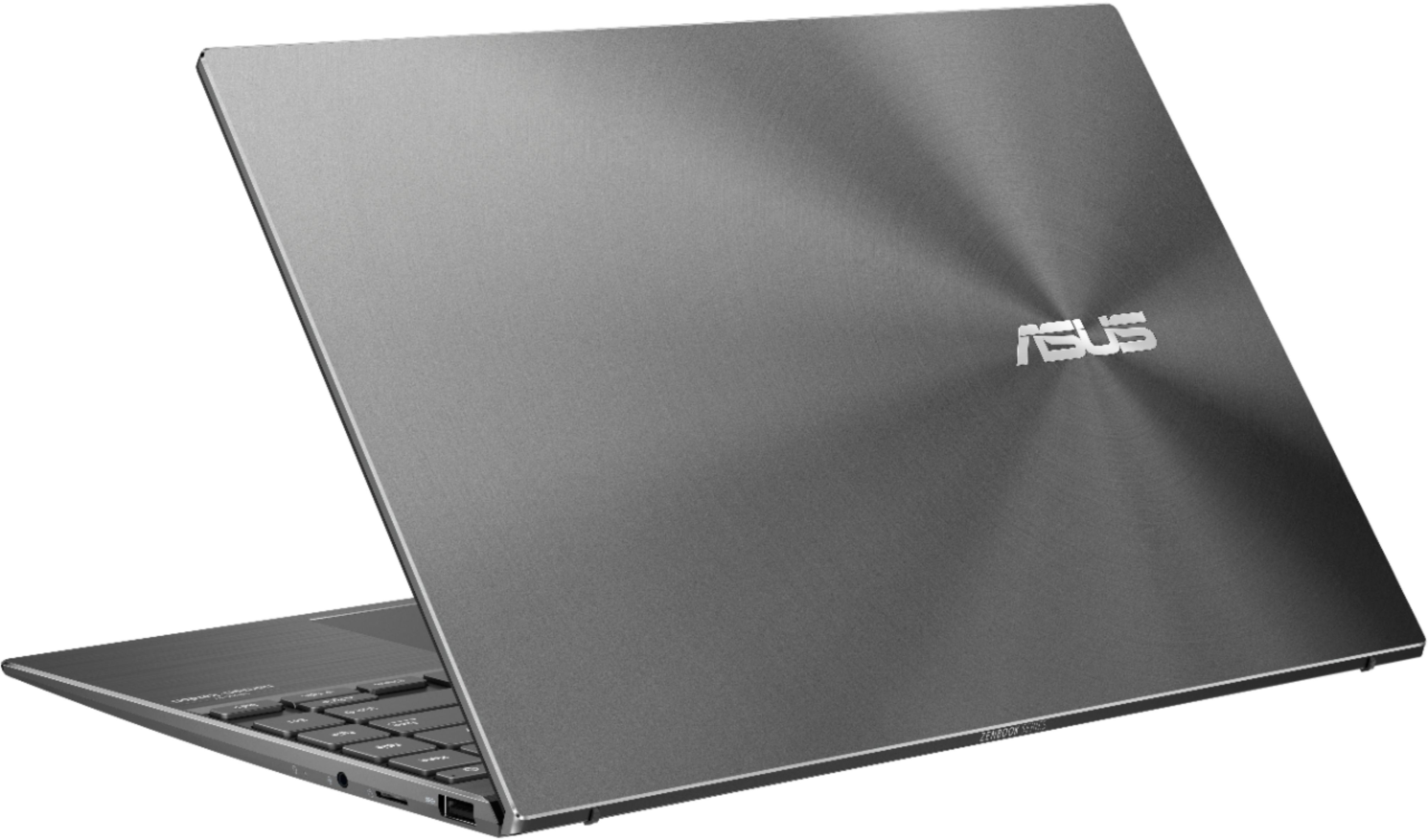
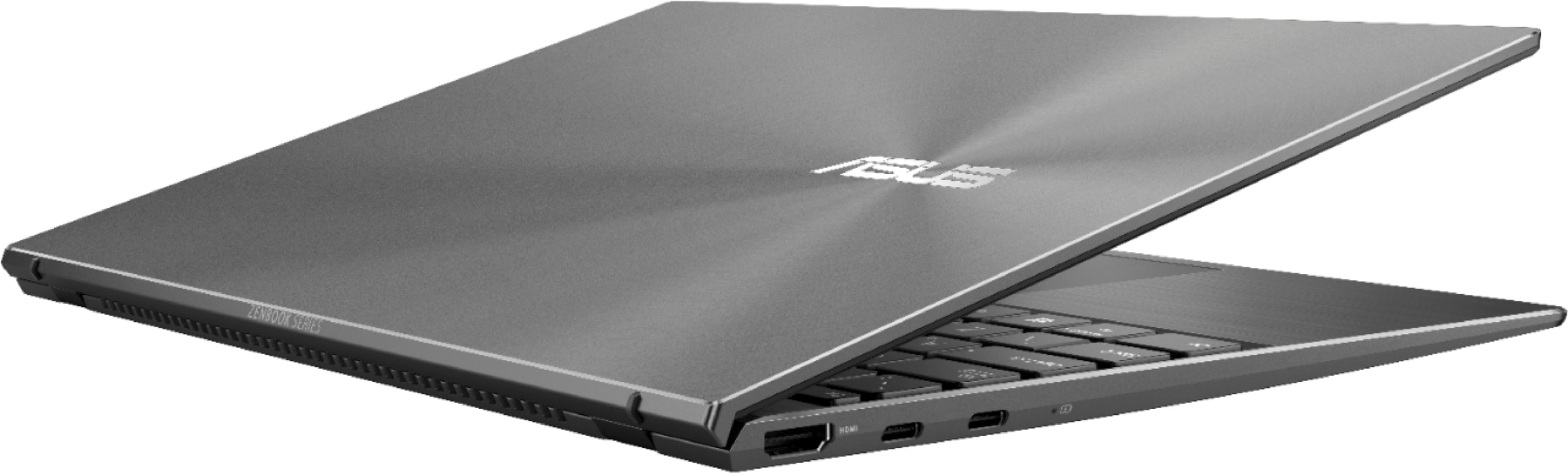
|Posted .This reviewer received promo considerations or sweepstakes entry for writing a review.The ASUS ZenBook 14 model Q408UG is a compact, well constructed laptop. It is very thin but it's built solid. There is no cheap plastic feeling to the laptop and no flexing. The top of the lid and the keyboard area have a nice brushed aluminum look. The keyboard is spacious for a 14 inch laptop. Keys are large and spaced out enough that you don’t feel cramped while typing. They managed to fit full size Home, Page Up, Page Down and End keys on the keyboard. The key travel is very short so typing feels different than other laptop keyboards. The keyboard has 3 levels of backlighting and the key letters and numbers are large and allow plenty of back lighting through. The track pad is very wide so it's easy to use multi-touch gestures while navigating. It's very responsive and the wide track pad gives you plenty of area that is defined as the right-click function. The screen has a narrow bezel surrounding the 1080 LCD panel. The screen handles contrast very well giving you good detail even in dark video. Viewing angle is not a problem with the screen. There is a built in webcam at the top of the screen and a IR webcam to use Windows Hello face login. The screen is hinged so that opening the laptop makes the bottom edge of the screen rest on the surface and pushes the keyboard area up. This ensures that the laptop gets plenty of air into the intake on the bottom of the laptop. It also places the keyboard at a slight angle which can make typing easier. Audio comes from two speakers on the bottom angled areas that are near the front. The audio sounds very good for laptop speakers. The processor speed for this size of a laptop is impressive. It has an AMD Ryzen 5 5500U. When running on battery the CPU is capped to 1.8Ghz to increase the battery life. When the laptop is plugged in it was able to turbo up to 3.25Ghz. Plugged in and running Cinebench R23 the score was 7097 pts which out performed a 12 Core/24 Thread @ 2.66Ghz Intel Xeon CPU X5650 according to the reference Cinebench benchmarks. For connections, you have 2 USB C ports, ( either one can be used to charge the laptop), one HDMI port, one USB type A port, a micro-SD slot and a headphone/microphone port. Now the downside. The cooling fan in this laptop turns on with just the slightest bit of usage. When running on battery the fan will come on occasionally even when you are just browsing the web or watching YouTube. When plugged in, the CPU is uncapped so the fan runs pretty much all the time. This wouldn’t be a problem if it was a normal fan noise but this laptop fan has a very annoying Brrr… sound to it. Loud enough that it distracts you while working or watching videos. You can change the fan settings to Whisper mode in the MyASUS app but this just delays the time before the fan turns on. It doesn’t change the speed or the sound of the fan. There is no way to adjust the fan settings in the UEFI either. If it wasn’t for the fan problem this would be a 4 star laptop.
No, I would not recommend this to a friend Construction needs improvement
||Posted . Owned for 1 month when reviewed.This reviewer received promo considerations or sweepstakes entry for writing a review.Screen became detached due to glue failing holding hinge on.
No, I would not recommend this to a friendBrand response from ASUS Answers
Posted .Dear Valued Customer,
We're sorry to hear about the hinge on this model. Please allow us to make your experience we're having with this model. Rest assured we will have this information passed on to our team for a review. We do value our customers and take negative customer service experience very seriously. This is not the quality of service expected from ASUS. We do stand behind our product and we continuously strive to improve our approach and processes in order to achieve customer service excellence.
For more information, you can reach out to us at our Official ASUS North America Support twitter at AsusHelpUS. We’ll do our best to provide a quick resolution to your case. Your feedback is important as it helps with improvements to ASUS Support channels. Please copy a link to this post as a reference.
Thank you for choosing ASUS.
Best Regards,
Joan
ASUS Customer Loyalty US Support
My first and last ASUS.
||Posted . Owned for 6 months when reviewed.This reviewer received promo considerations or sweepstakes entry for writing a review.My first and last ASUS. After five months motherboard died and needed to be replaced
No, I would not recommend this to a friendBrand response from ASUS Answers
Posted .Dear Fernando,
We're sorry to hear that the motherboard on this model stopped working. We do value our customers and take negative customer service experience very seriously. This is not the quality of service expected from ASUS. We do stand behind our product and we continuously strive to improve our approach and processes in order to achieve customer service excellence. We would recommend that you reach out to Best Buy technical support so they can look int this issue. For more information send us an email at customerloyalty@asus.com and provide the link of this review for reference. We’ll do our best to provide a quick resolution to your case. Your feedback is important as it helps with improvements to ASUS Support channels. Please copy a link to this post as a reference.
Thank you for choosing ASUS.
Best Regards,
Joan
ASUS Customer Loyalty US Support
Not happy
||Posted . Owned for 3 weeks when reviewed.This reviewer received promo considerations or sweepstakes entry for writing a review.After a few weeks screen has blacked lut a few times and has trouble restarting. Exchanging it tomorrow.
No, I would not recommend this to a friendBrand response from ASUS Answers
Posted .Dear Felicia,
If the laptop will no longer boot up or it's just black screen, please do the following.
Verify if the AC adapter is connected properly from the laptop to a known good power outlet or AC source. Try another power source. Try to press and hold down the power button to shut it down completely, just in case laptop is not in hibernate mode, wait for at least 10 seconds then power on. Please wait, if the system is applying updates in the System Registry, it will black screen temporarily. If it still black screen after a few minutes, at least 10 minutes, please repeat the power cycle process again. Also, please try to disconnect the power cable and let the unit drain for 24 hours to clear the memory. This will reset the hardware to default settings. After doing this, please reconnect your AC adapter, do not power on the laptop until the battery was charged.
If you need further assistance, please email me at cl-rodel@asus.com and I will be more than happy to help. Or, you are always welcome to call Product Support Hotline at: 1(888) 678-3688. Also, you can chat with an ASUS live support agent at: http://bit.ly/AsusLiveChat.
Thank you for choosing an ASUS product.
Regards,
Rodel
ASUS Customer Loyalty
Don't buy
||Posted .This reviewer received promo considerations or sweepstakes entry for writing a review.Screen died after 10 days. I was on a business trip and could not return.
No, I would not recommend this to a friendBrand response from ASUS Answers
Posted .Dear Briamah,
We're sorry to hear that the screen died on this model. Please allow us to make your experience with ASUS a better one. Please perform a hard restart
1. Unplug the charger
2. Press and hold the power button for 1 full minute
3. Plug in only the charger and start up normally
If the issue persist, we would recommend that you have the unit return for a replacement model. For more information send us an email at customerloyalty@asus.com and provide the link of this review for reference. We’ll do our best to provide a quick resolution to your case. Your feedback is important as it helps with improvements to ASUS Support channels. Please copy a link to this post as a reference.
Thank you for choosing ASUS.
Best Regards,
Joan
ASUS Customer Loyalty US Support
Heat
||Posted . Owned for 1 week when reviewed.This reviewer received promo considerations or sweepstakes entry for writing a review.It was over heating so much I thought it’s gonna turn into lava
No, I would not recommend this to a friendBrand response from ASUS Answers
Posted .Dear Baby,
It's regrettable to hear you've encountered thermal issues with your notebook. Please ensure your laptop is on a flat hard surface with nothing obstructing the airflow of your unit. You can also try making sure you've closed out any unnecessary applications running in the background for improved performance. If the issues persist, feel free to contact me if you have any technical or general questions. You can reach me at cl-adrian@asus.com. Your case for reference is N2107022965-0001.
Thank you for choosing ASUS!
Best Regards,
Adrian
ASUS Customer Loyalty – US Support
Great all around laptop for work/personal use
|Posted .This reviewer received promo considerations or sweepstakes entry for writing a review.The Asus Zenbook 14 is an impressive looking silver grey 14" laptop in a suprisingly compact package. This unit is powered with an AMD Ryzen 5 processor, 8GB of RAM, NVIDIA Geforce MX450, and 256GB SSD. Unboxing is pretty straightfoward and it doesn't need any more, the laptop itself is pretty captivating. I can only hope the metallic looking finish will last and survive day to day wear and tear. The chassis itself is plastic. Weight is around 2.5lbs which is pretty good for something of this size. Though you can definitely tell the CPU and GPU are towards the back (which is pretty much all cooling fins) as there is a noticeable weight bias. But only really noticeable when holding the laptop with the screen open. Sitting on your lap one doesn't notice. This is a subtle thing, but on other laptops, I've noticed there's a bit of difficulty opening or repositioning the screen one-handed when the base doesn't have it's weight more evenly distributed. Asus does a good job here, either with hinge design or with some other magic. And speaking of magic, the finish on here is not a fingerprint magnet! Once past the looks, you'd notice that this compact laptop is also slim where it comes to ports. Four USB, with two being USB-C, two a regular USB 3.0, one micro SD and one headphone port. That's it. You'll charge through USB-C. What's nice is that you don't need a high power charger. Yes, other laptops may charge at 20W. . . but only with the laptop off. While for work, I sometimes have way more devices than ports, I also have a USB-C docking station. So mostly, I'm just connected with one USB-C connection. Looking at the screen, there's still some bezel with a bigger bulge at the top. One can definitely tell that there's some extra space for the IR camera. In fact, when setting up windows, you'll make use of that if you choose to configure face sign in. I happened to "train" it while wearing glasses then after it completed setup, locked the screen and attempted to log back in without my glasses. It worked and pretty quickly. After setting the DPI to 100%, I took a closer look at the screen. It's a 1080p panel (1920 x 1080 resolution). I noticed when looking at the windows menus/settings that something looked a bit off. At first I thought it was related to the screen resolution or pixel depth, but comparing to my 15" 1080p laptop and looking at several websites and youtube videos showed that it was the same sharpness. But the comparison did show that the screens have different contrast ratios and so, it is noticeable that the ASUS does not have as wide a dynamic range screen as you might expect. This results in thing seeming a bit muted. It's a bit subtle, but it was immediately noticeable to me as I working with my 15" laptop screen and two external monitors on a daily basis. Since I was at youtube, I decided to put the speakers through their paces. This is a down facing harman kardon set. Sound can be a muffled on laptops like these when on a lap. Contrary to expectations, the zenbook was pretty loud on the lap, yes a bit muffled but still pretty good sound output. Quality is good here. If you're listening to music during your day or doing a lot of video calls, you won't ditch the laptop speakers for a headset. Turning the laptop back over, I realized why. The speakers are positioned at the far end of the palmrest near the front of the laptop. A smart design choice as they won't get blocked much when on a lap. Another thing, then open, the screen necessarily elevates the laptop a bit allowing for more air flow. As one who has experienced a toasty lap from a high powered laptop, this is a welcome design element. While the Ryzen 5 is not as powerful as the core i9 in my other laptop, it performed well through my initial usage period - no stuttering streaming 1080p videos and pretty smooth running performance/graphics benchmarks. And again, just a 0.5lb difference to my 15" laptop and yet I just keep marveling at the size, weight, and finish each time I pick up this laptop. With a slight tweak in balance, once could start to wonder if they were handling a laptop or a tablet. Battery life seems to be good. I can't say I did a particularly scientific test. Mainly from a full charge on Sunday morning, use it until it was close to dead. One of my goto weekend device is an android tablet which still ekes out 8 hours of life on a vibrant screen. I gae the ASUS a fighting chance. So 75% brightness, default performance settings. It handled a normal morning and afternoon of web browsing, watching some videos, running google docs and a few hours of browsing homes on redfin. A solid 5 hours of this plus 2 more hours kinda on "standby" as I did other things at home. So 7+ hours of real world battery life which is pretty awesome. During this process, I noticed a few things - by default, the screen timeout is low so it will try to turn off the screen at first opportunity. I suspect it's a bit aggressive on the power saving front which may be how it reaches the 12 hour battery life claim prominent on the sticker next to the trackpad. I also did some research. While the Zenbook series has some laptops with a led backlit trackpad that has a numpad feature - this unit does not have that. The keyboard is full - like for real. In fact, it is more spacious than the one on my 15" laptop and has similar spacing to my mechanical keyboard. I did find myself stretch a bit as I'm just apparently used to typing on slightly smaller keyboards. So great news for those who find compact laptops compromise on the keyboard front - none such here and you get great key travel for what's a pretty thin laptop. The arrow keys are a bit small so if you're taking advantage of the NVIDIA card for gaming, you'd probably want to use a bluetooth keyboard or controller. As a work/personal machine though, I was very pleased. The wifi also worked well. I didn't experience any signal strength or connection issues. While there were a few times during my Sunday session that the laptop bottom was a bit warm to the touch when I picked it up, there was nothing excessive and heat remained manageable during the periods it sat on my lap or on my couch cushions. I have to conclude that I'm really impressed by this laptop and configuration from ASUS. Great mix of performance and battery life. Default settings are a bit aggressive on power savings even when continuously connected to a power source which may point to a need to mitigate heat (it does have pretty quiet fans). THis is rare for me and honestly surprising in a laptop, but the Asus Zenbook has earned five stars.
I would recommend this to a friendLimited space
||Posted . Owned for 1 month when reviewed.This reviewer received promo considerations or sweepstakes entry for writing a review.Not a lot of memory wouldn’t think 2 games would fill it up.
No, I would not recommend this to a friendBrand response from ASUS Answers
Posted .Dear Valued Customer,
It's unfortunate to hear that you are not pleased with the memory. Are you referring to the RAM or storage? You can upgrade your current storage to 512GB or 1TB. As it relates to the RAM, please ensure to close all background apps while running games. If you have any technical concerns, feel free to reach out to me at customerloyalty@asus.com and provide this link for reference. I'll do my best to provide a quick resolution to your case. Your feedback is important as it helps with improvements to ASUS Support channels.
Thank you for choosing ASUS!
Best Regards,
Jamalie,
ASUS Customer Loyalty US Support
- Pros mentioned:Battery life
Excellent for the Basic User!
|Posted .This reviewer received promo considerations or sweepstakes entry for writing a review.Likes: Sleek Style, Keyboard buttons, battery life, screen size and resolution, lite weight, Face Id Dislikes: Camera, screen brightness Overall this is an excellent sleek laptop for all the basic needs. Bootup time is good, Alexa, if you use, is very active. It's very lite weight and it's not power hungry. I love the face ID, so simple. You will have to adjust brightness out the box and face id is nice but the camera is very grainy. If you have to zoom, make sure your in a lit room because in the dark, all you see is a dark grainy image. The computer screen gives some light but it's better in sunlight. I got a good 3 days of battery life of constant basic use. Watched a lot of YouTube as well. Great option for the basic user.
I would recommend this to a friend - Pros mentioned:Lightweight
Just what we needed
|Posted .This reviewer received promo considerations or sweepstakes entry for writing a review.We were looking for a laptop that would be portable yet hold up to regular work. The ASUS fits. The set up was quick and easy and adding additional software was no problem, well from the laptop perspective, do not get me started on my recent internet connection issues, darn squirrels. It is lightweight so is easy to carry from work to home and the touchpad eliminates the need for a mouse if you prefer not to carry one with you. The keys have a good solid feel to them so typing reports is quick and easy. The screen is a nice size as well. Overall, we're happy with this laptop and confident it will hold up and do that job we want it to do.
I would recommend this to a friend Attractive, Metal Design. Fast Facial Recognition.
|Posted .This reviewer received promo considerations or sweepstakes entry for writing a review.The ASUS Zenbook 14" Laptop is a great mid-range laptop for students, traveling, working professionals, or just personal use. Design: This Zenbook’s design is very sleek and has a very attractive light gray finish. The keyboard makes use of the entire space it has available so it is fairly large for a 14” laptop. The keys have good travel for the type of laptop it is and they are backlit which makes using it in low light easier. The trackpad works well and has good responsiveness and accuracy. I tend to favor a mouse more than the trackpad but for use on the go it works well. Performance: This laptop has what I would consider mid-range specs so it should easily handle most day to day tasks with ease. The AMD Ryzen 5 5500U with 8GB of RAM and a 256GB SSD paired with an NVIDIA GEFORCE MX450 should be able to handle web browsing, video viewing, many applications and light video editing work with ease. This is not meant to be a gaming setup but it can handle basic games with less intensive processing/graphic use if needed. The 256GB SSD has right at 200GB of free space after all operating system requirements. I would prefer a 512GB SSD or higher with how much space everything takes these days. The screen is a nice anti reflective material so it is easy to view in most cases, although the brightest is not the greatest, it works well and the 1080p resolution is a minimum at this price point. Just remember this is not a touch screen laptop. This laptop has two 3.1 USB Type C and one 3.1 USB port, a micro SD card slot, headphone jack, HDMI. Charging can be done via either Type C port which is nice. I would have liked to have seen one additional USB A port. I like the fact it has a micro SD card slot because this is not the case on all laptops. The facial recognition via an IR camera works VERY well and it very quick to unlock the computer. Usage: Right out of the box I had the laptop plugged in and charging while doing some window updates and I noticed the bottom of the laptop got EXTREMELY hot. It was too hot to place on bare skin safely in all honesty. After the updates were done the laptop cooled to normal levels so this might only occur when the processor running in higher load scenario’s. The charger design is not the best. It integrates the normal “brick” into the plug portion which makes the plug bulky are hard to plug into certain outlets or next to another plug in use. It also would have been nice to be able to wrap the cord around the brick with this type of design. Likes: - Light, Slim, Attractive Design - Facial Recognition Quick - Speakers work well Dislikes: - Charger design (Prongs do not fold, Brick will not fit into some outlets due to design) - Laptop gets extremely hot while under load and/or charging at same time (Too hot to place on bare skin) - 256GB SSD Size (200GB usable) - Lack of ambient light sensor to adjust screen brightness automatically Overall, I really have enjoyed this laptop thus far. If you are looking for a slim laptop without a touch screen but still a smaller screen size, I would add this one to the list to consider.
I would recommend this to a friendGreat Machine, Wish Keyboard Design Was Better
|Posted .This reviewer received promo considerations or sweepstakes entry for writing a review.I’ll keep it nice and simple! Pros: The size makes it extremely easy to take with you anywhere! The power hiding under it is amazing! Screen is nice and bright and uses all the edges Battery is respectable I was able to play F1 2020 with HD settings reasonably well! (love this!) Cons: The keyboard design is ugly and just doesn’t feel as nice as the looks of this laptop. The microphone and speakers are not super loud but expected for a computer this small. This is my first ASUS laptop, and I don’t plan on using it as my daily, but instead as my traveling laptop. For this purpose, it’s a great little machine. It gets the job done and I can even game on it once I am done with conferences or work meetings (win-win for me!). AMD continues to amaze me with their Ryzen series, so I am confident this will stay fast over time specially if I don’t clog it up with a bunch of junk. Honestly, the only negative for me is the keyboard, but I can live with that. Everything else – the battery, the graphics card, the color, and design – makes this a super attractive little slim computer. If you plan on using this as your daily, I suggest you go in a store and try out the keyboard because it could make it or break it for you depending on how picky you are!
I would recommend this to a friend- Pros mentioned:Battery life
ASUS Zenbook q408ug-211
Posted .This reviewer received promo considerations or sweepstakes entry for writing a review.My ASUS Zenbook q408ug-211 is extremely light and compact. I have no problem playing games online, like Fortnite. Battery life is decent. I have no complaints with this product.
I would recommend this to a friend Great Travel Companion
|Posted .This reviewer received promo considerations or sweepstakes entry for writing a review.Impressive right out of the box. Slim, rugged and light weight. Initial set up was quick and without complications. Extremely pleased to NOT see unnecessary bloatware that eats up memory resources. This is NOT a gaming laptop but one that is perfect to take on the road, for web surfing and keeping in touch with on-line friends. This laptop came equipped with one USB A, one USB C (Second USB C for AC Power Input) and a Micro SD slot for peripheral devices. Overall, a nice mid-level laptop for those not concerned about gaming and wanting a capable device for everyday tasks.
I would recommend this to a friendExcellent all-purpose laptop
|Posted .This reviewer received promo considerations or sweepstakes entry for writing a review.This is a great option if you need a laptop to do most tasks effortlessly. It can handle several tabs open at a time, has a good battery life, has a speedy processor and enough memory to run several background processes at once. The screen is crisp and vibrant, with no ghosting or hot spots. The Zenbook can also run a good number of games, but obviously not the high requirement ones.The 256GB SD might be a little small on capacity, but it sure is fast. Overall, a very solid choice for a variety of uses.
I would recommend this to a friendASUS - Zenbook 14" Laptop - AMD Ryzen 5 - 8GB Memo
Posted .This reviewer received promo considerations or sweepstakes entry for writing a review.This Laptop has served me well the only problem that I have had is the hinge had broken off a few times even after getting it fixed.
No, I would not recommend this to a friend