Customer Ratings & Reviews
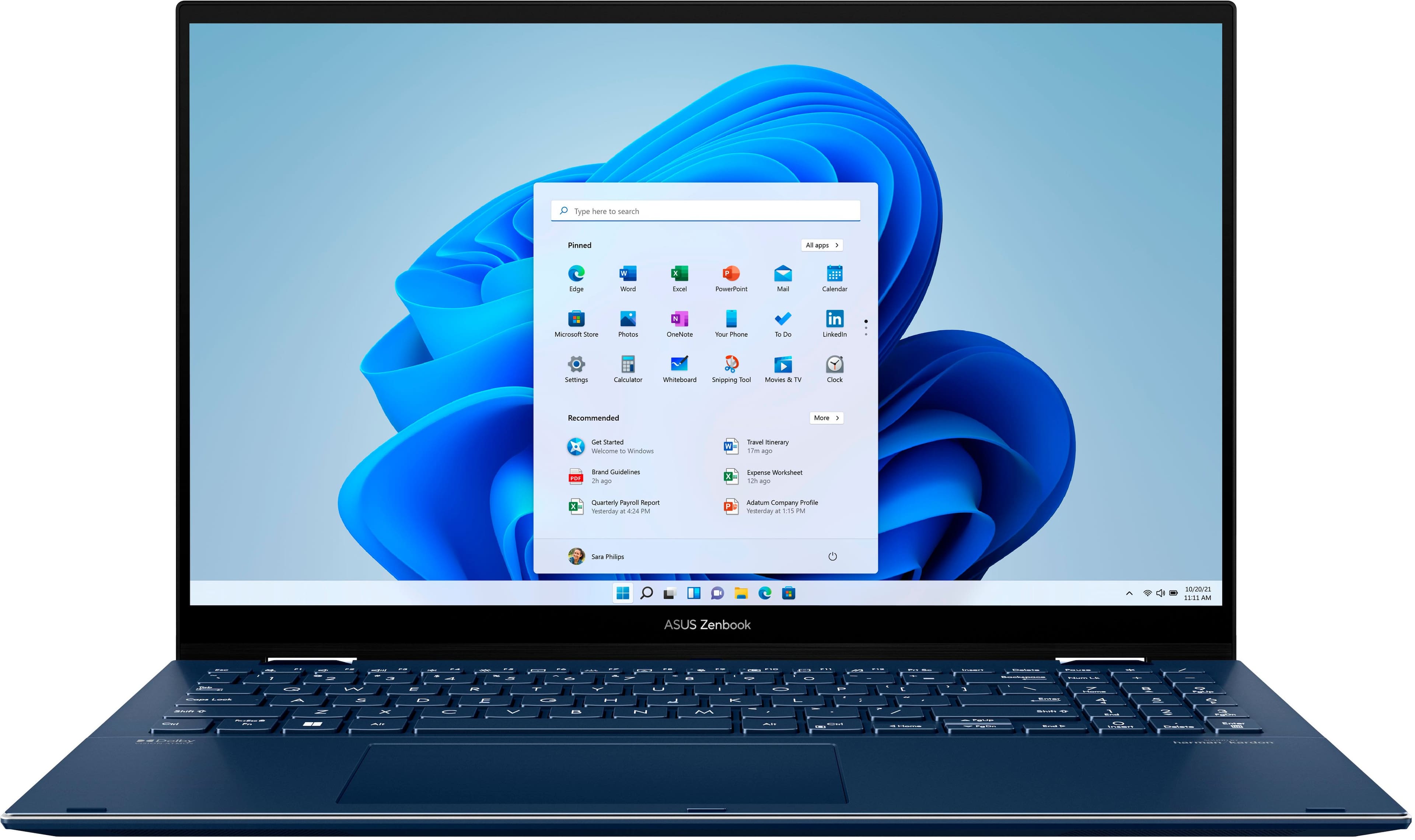
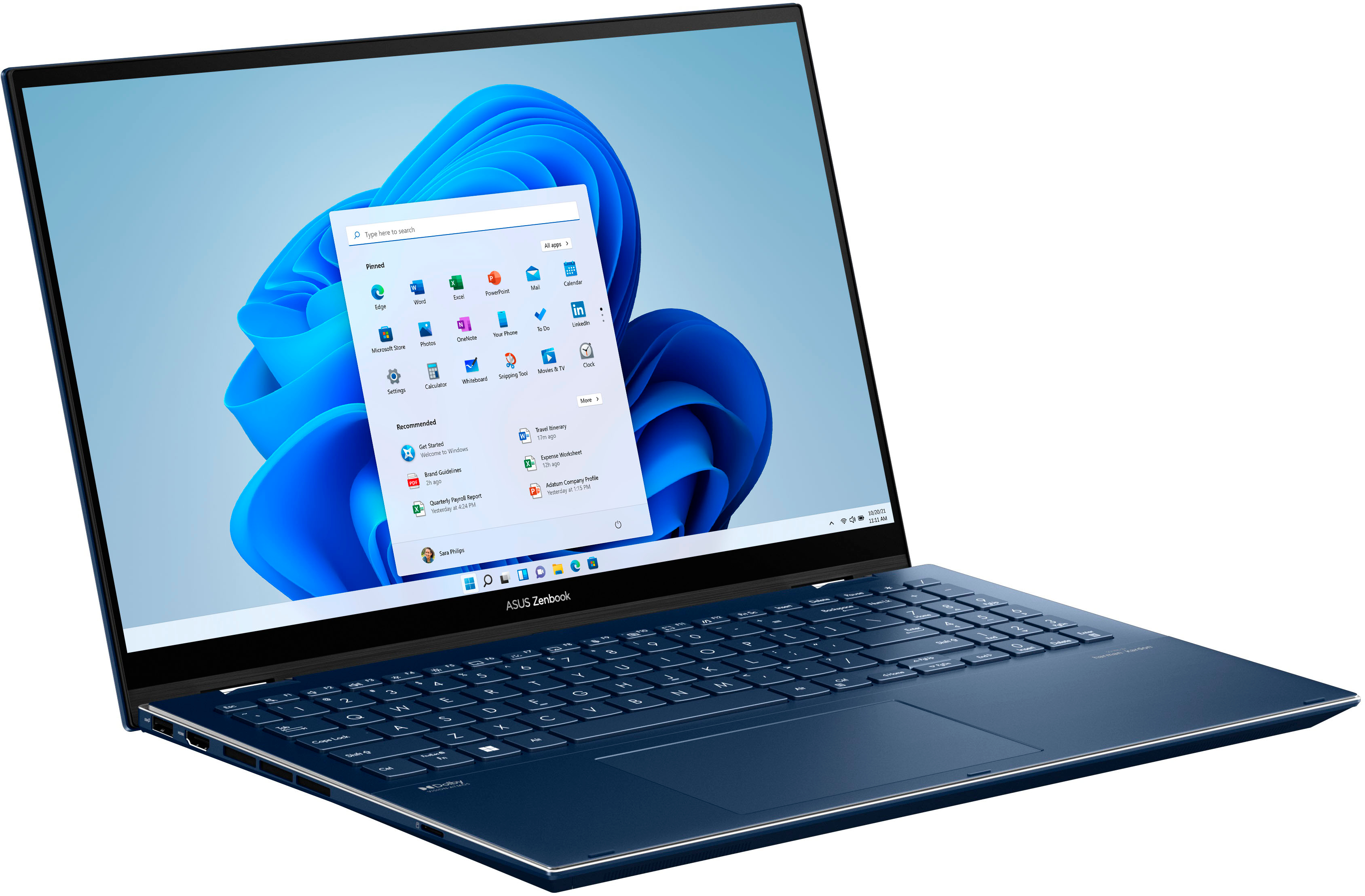
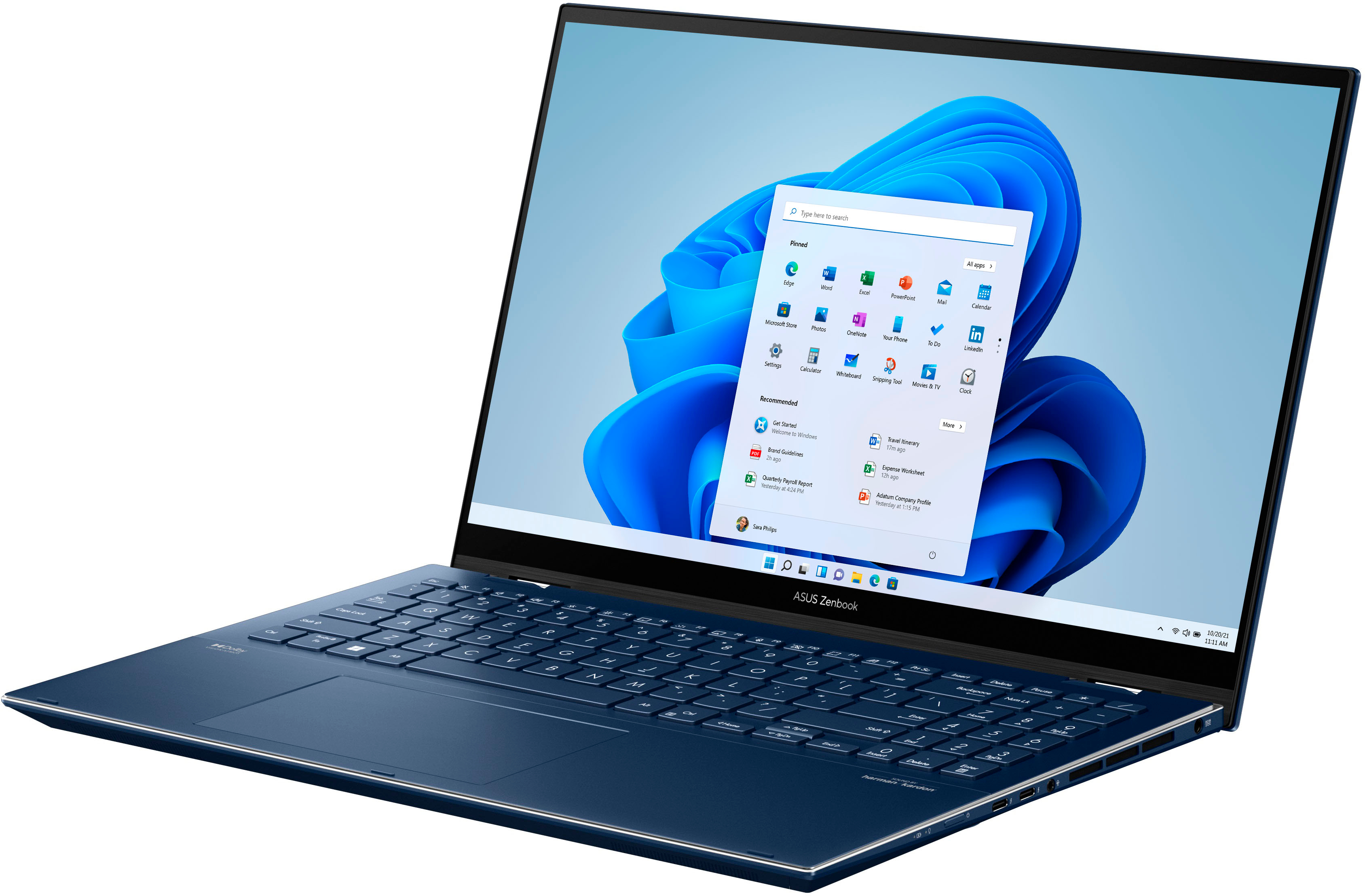

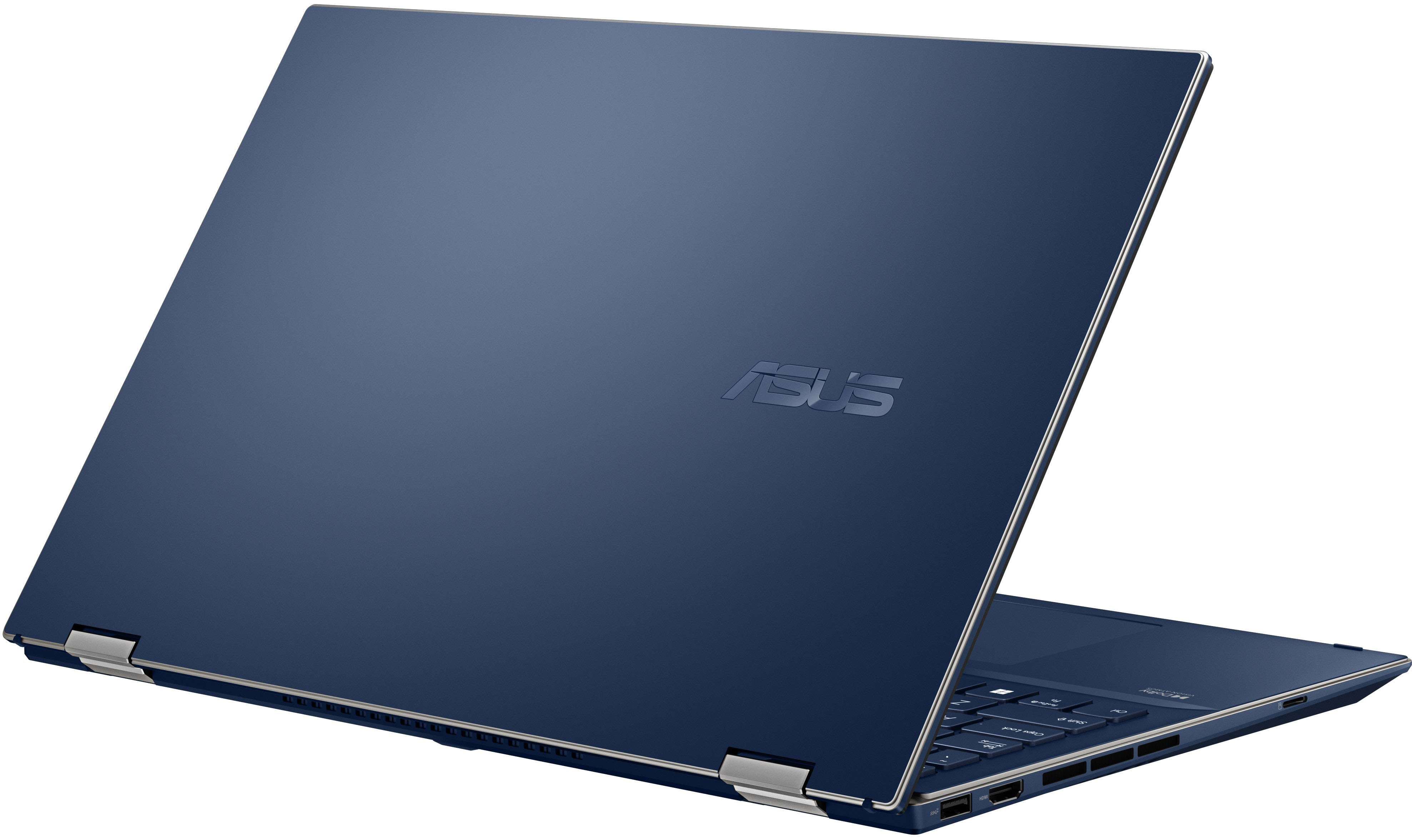
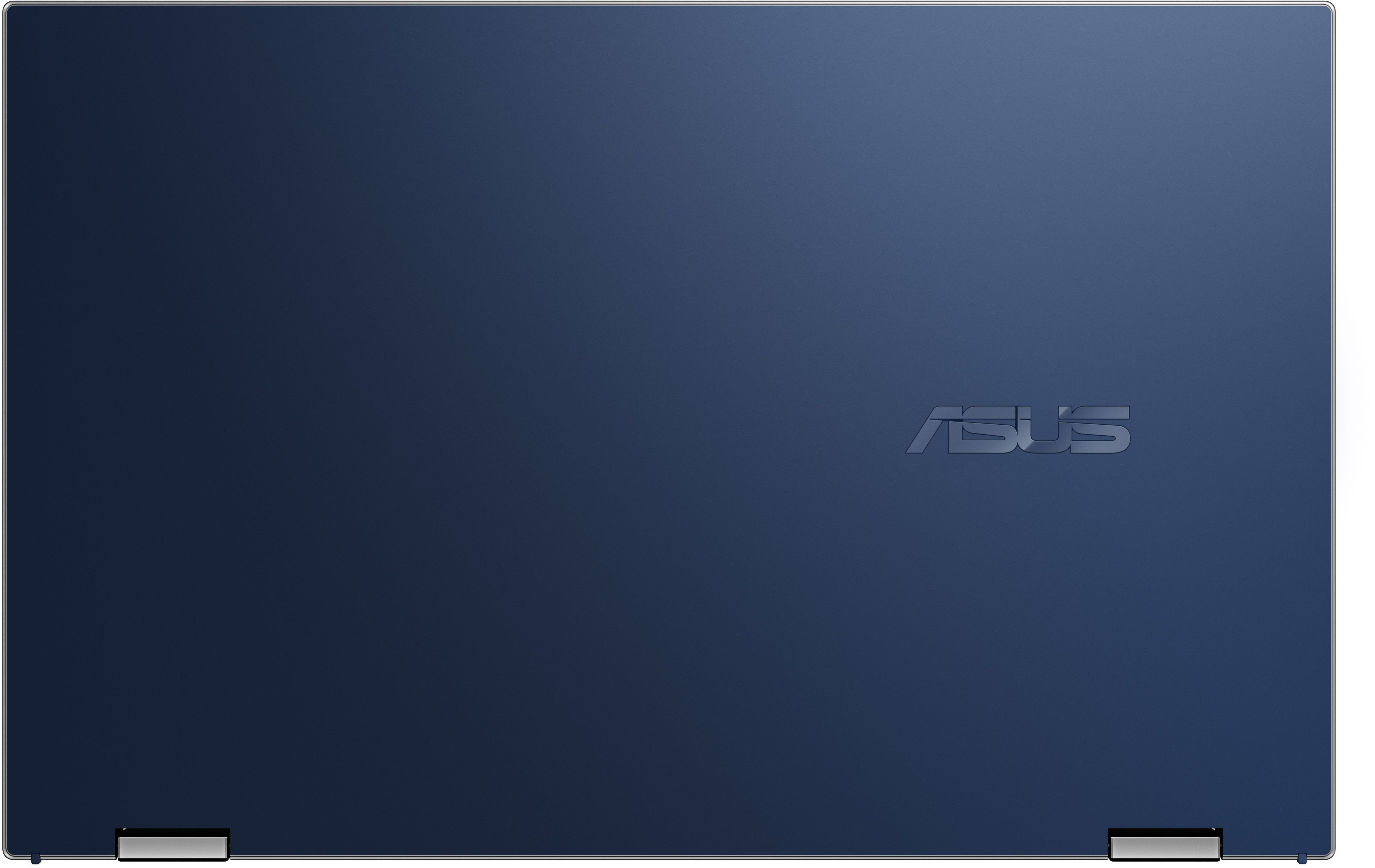

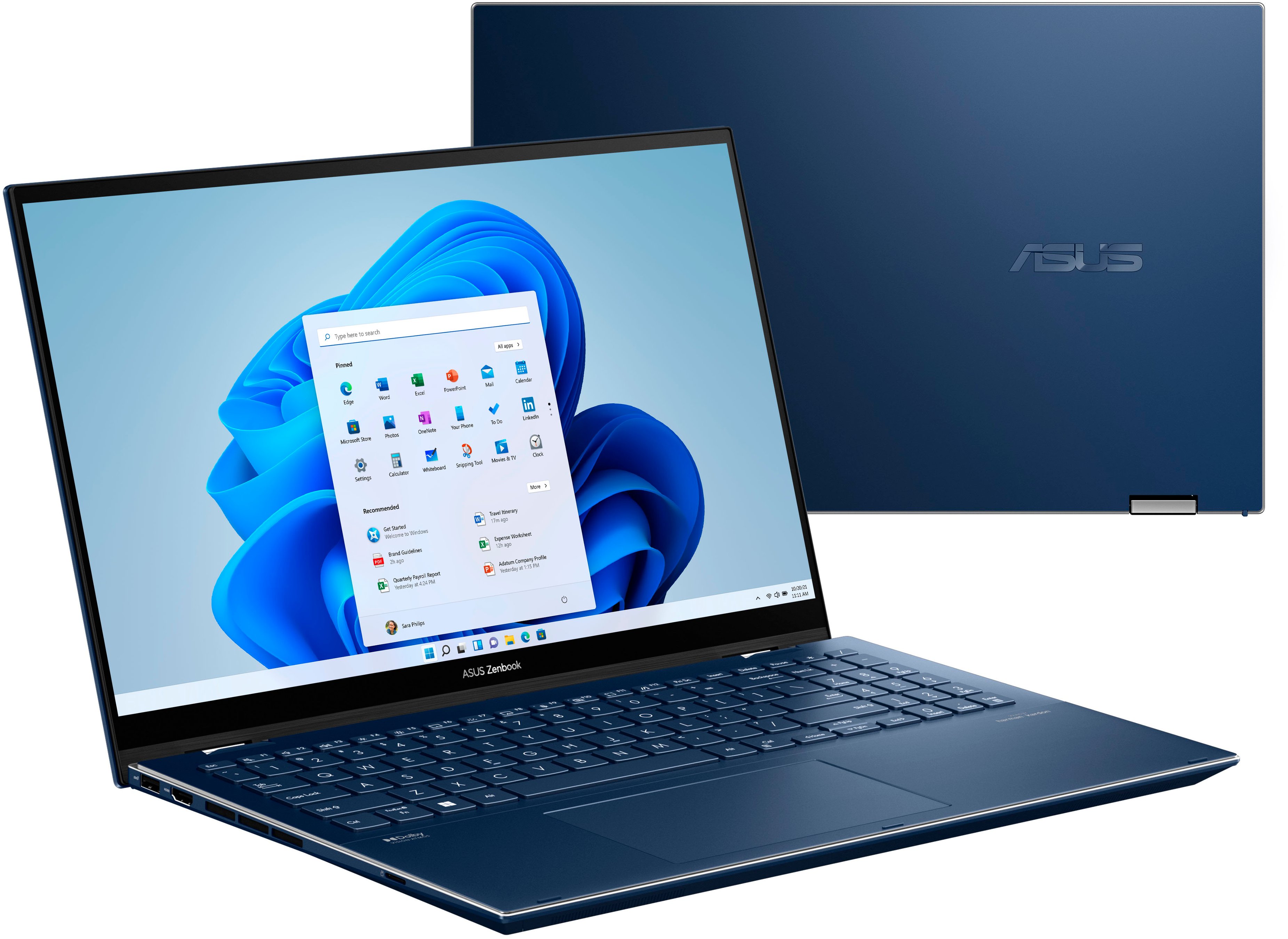
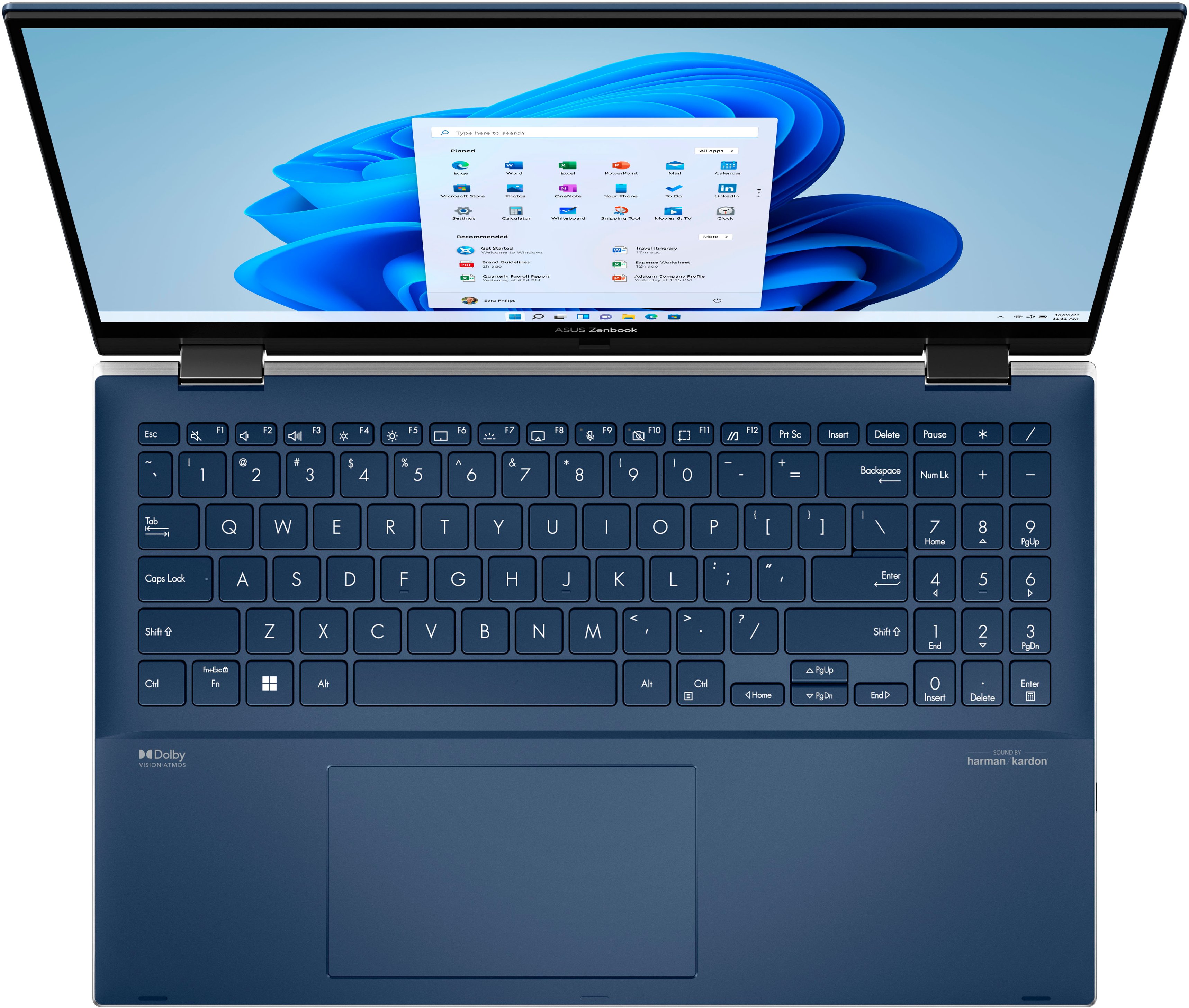

- Model:
- Q539ZD-EVO.I71TBL
- SKU:
- 6501009
Rating by feature
- Battery Life
Rating 4.4 out of 5 stars
- Speed
Rating 4.6 out of 5 stars
- Display
Rating 4.8 out of 5 stars
Customers are saying
Customers regard the Zenbook Flip's OLED display, touch screen, and battery life as phenomenal, frequently praising its responsiveness, gorgeous visuals, and impressive longevity. The laptop's lightweight design and performance also receive positive feedback, with many appreciating its ease of use and speed. However, some users express concern about the device's tendency to overheat. A few also mention a desire for more ports and a slightly less bulky design.
This summary was generated by AI based on customer reviews.
Quality Control Problems
||Posted .This reviewer received promo considerations or sweepstakes entry for writing a review.I ordered the Zenbook online and picked it up at a local BestBuy. The box showed no signs of physical damage, but the keyboard was mounted properly to the laptop, resulting in some of the keys being more depressed into the laptop than other keys. It's most noticeable in the L and P keys (see photo). I've worked in a very large IT shop for 20+ years, and have seen thousands of Dell Latitude laptops, but not one time have we ever received a Dell laptop in this condition.
No, I would not recommend this to a friendBrand response from ASUS Answers
Posted .Dear Ronaldo,
I'm sorry to hear about your experience with the keys looking more depressed than others. What you've experienced was not intentional and this is a random case. In this case, you should be able to return for a replacement model. If you have any concerns, feel free to contact me at customerloyalty@asus.com and provide this link for reference. I'll do my best to provide a quick resolution to your case. Your feedback is important as it helps with improvements to ASUS Support channels.
Thank you for choosing ASUS!
Best Regards,
Jamalie,
ASUS Customer Loyalty US Support
- Pros mentioned:Battery life

Amazing Laptop with a beautiful display
|Posted .This reviewer received promo considerations or sweepstakes entry for writing a review.I haven’t purchased a Windows-based laptop in ages and this one is a rockstar! TL;DR for my frequent readers and details below. Pros: Thin Screen Clarity Screen Brightness Battery Life 2-in-1 Slim Bezel Wifi 6 / 6E / 6GHz Cons: Not USB-C PD / charging Meh: Keypad creates off-centered touchpad Lid is a fingerprint magnet Recommended resolution doesn’t take advantage of full resolution Alexa I’ve been using a lot of Chromebook and iPads over the years and this is the first time I’ve had a non-gaming Windows laptop - and Windows 11 at that. Immediately, I was greeted with the cool Asus packaging that pitches up the laptop when you open the box and after unwrapping it, I hooked up the charger & let it be. I was a little disappointed that they’re still using proprietary / plugs vs a USB-C style PD charger, but it’s not a deal breaker. I came back a few hours later to a full battery and ran through the Windows 11 setup, which was pretty painless & now it’s easier to skip a Microsoft.com account login & use local accounts. After a few moments, I was in & going through my Windows & ASUS updates and getting this thing all current. As a ‘new to Windows 11 user’ - and a typical Power User, I didn’t have any issues installing or removing software or updates. In true ASUS fashion, their MyASUS software is pretty cool, with customizable RGB colors to make it unique to you. I’ve been using this as a Web Surfing machine, 4K YouTube, product review videos, launch videos and normal purchase research overall. This widescreen, near bezel-less glossy display is amazing. When watching content produced in 4K, it’s truly stunning. Even with videos in full-screen in 4K, in Chrome & having about 4-5 tabs open, I barely run the CPU over 7% and Memory continues to hover around 9GB in-use; no, I don’t use any extra AntiVirus/Malware tools. This laptop is also NVMe - the fast stuff. No SATA SSD to controller to system board - this is direct, has its own protocol and takes out the overhead that traditional SATA SSDs create. Given it’s NVMe, I don’t feel the need to Crystal Disk check this as there’s never been a delay that I would attribute to disk perf. Having a keyboard with relevant hotkeys and not a digital bar is great. I love quick access to volume right at the front & not where I have to search for it. Also are the backlight up/down buttons, touchpad enable/disable a ‘mute the mic’ button and my favorite – a DISABLE THE WEBCAM button. Because there’s no shutter to slide - likely due to how thin it is and the tiny bezels, you have to have a way to shut the camera off. Toggling the F10 key when using the camera will shut off the on-lid ‘camera is on’ light and illuminate an amber on-keyboard light. I don’t hear any clicking so this isn’t mechanical & the software doesn’t indicate the camera is missing (pull the driver style), so this appears to be a software toggle and not something that will likely fail, outside of F10 breaking. A feature that’s toted by a sticker on the keyboard is “Alexa Enabled.” No thanks. Alexa, or more like the Alexa software, creates some lag during boot & on ‘voice’ activation. I disabled it after a few uses, as to me, the overhead isn’t worth it. Wifi 6 & 6E is also fantastic. Having a 6GHz radio to talk to a 6E Orbi Mesh system provides stable and fast connection speeds. I’m able to exceed my expected speeds consistently - obviously all depending on area usage at the time, but I’m in no way hindered with WiFi speeds on this laptop. When going straight 2.4/5GHz Wifi 6, also - great. There’s been no noticeable problem when moving between Mesh points, but then again not much of my usage is while moving. I like the idea of the 2-in-1 and find that when bending the screen into place was a bit laggy when Alexa was enabled, but since I disabled it I haven’t had any issues putting it into tablet mode. In bending it around, I found it kept my finger and palm prints on the lid so it needs some regular cleaning off, else the prints will stay put. Also, as with any touch screen, the display also collects fingerprints but I can’t fault it - it’s just what I’m used to. Most laptops these days are doing an “80%” charge limit which keeps the battery more healthy and lessens the ability to overcharge – or get too many charging cycles in. This Zenbook is no exception and the standby time, even when starting at 80% is great. I want to say I used this, let it snooze for almost 5 days and came back to 71% battery remaining. All in all, I love this laptop. From the speed in which it switches tasks, to the screen clarity and blazing fast Wifi, this machine is well worth the price tag. Oh yeah, and great battery life. Duh. Highly recommended.
I would recommend this to a friend Laptop
||Posted . Owned for 3 weeks when reviewed.This reviewer received promo considerations or sweepstakes entry for writing a review.So far the laptop is wonderful the only thing is that im having issues with it downloading all the drivers for my printer.
I would recommend this to a friend- Pros mentioned:Battery life, Oled display, Touch screen
Great Laptop, stylish and fast
Posted .This reviewer received promo considerations or sweepstakes entry for writing a review.Where do I start off? Well this is one of the best looking and easy to use laptops I have ever used. The battery life is tremendous. I used it for. 3 days (on and off) before i had to consider recharging it. I mainly used it for web browsing, streaming videos and playing around with image editing. It has performed really well, wihtout any glitches and with great speed. It is enjoyable to work on it, and have the flip feature with touch screen adds a little fun to the tasks. I think the best surprise for me was comparing the image graphics and editing to my old mac, and let's just say I am pleasantly surprised. First, the quality of the image is fantastic, the response rate is very fast and the user friendly interface was a huge plus. SO i would say this has sped up my work from a software side and from a hardware flip aspect. I think the touch screen addition helps with the feel of zooming in and out of photos, as well as quick edits or undoing mistakes. I use an older external monitor and its connect to it without any problem, and my initial connection of the device my with my wifi 6 modem/router (Asus) was a breeze, making me a bigger fan of all things Asus now. The navy blue metal exterior is pretty sexy, to be honest, it is lighter than other fully integrated intel PCs I have used before and much slimmer (same thickness as the new macs) the metal framing makes it feel sturdy too and gives similar sensation of MACs but with a little prettier twist on the design. I like the backlit keyboard style as well, and the thunderbolt So far, I prefer this over both my mac and my old lenovo. I have used my mac for photography and lenovo for web browsing and streaming. I think this can easily replace both machines, super fast and makes work enjoyable and efficient. Please note that I did receive this product as a free sample program. One thing is that I wish it would have come with a stylus pen, it says it is compatible with it. Otherwise, I Highly recommend it.
I would recommend this to a friend - Pros mentioned:Battery life, Performance
Great Combo!
Posted .This reviewer received promo considerations or sweepstakes entry for writing a review.The laptop does well when opening and closing various apps like Xbox and Adobe CC. The battery life is good. Everything ran smoothly except for gameplay. There is a lag when playing offline. The laptop is not strong enough to keep up with the frame rate. The graphics are high quality, and the colors are vibrant when visiting various websites. The colors pop off the screen. Browsing through websites, watching videos, and listening to music are a breeze. The Asus performs better than my 2015 Apple MacBook Pro. I'll typically use this PC for creating designs and editing photos using Adobe Creative Cloud. I could edit photos at a faster pace compared to my current Apple MacBook Pro. The placement of the command keys takes getting used to. I do like the option to play video games on a PC compared to an Apple device. It's a plus having a touchscreen! I used a third-party pen and the response time was spot-on. There was no latency. The weight and thickness of the Asus are lightweight and easy to store in a drawer or backpack. Performance was the main difference. I'll use this to browse and edit photos now (2022). The overall performance is terrific for everyday use.
I would recommend this to a friend - Pros mentioned:Battery life, Oled display, PerformanceCons mentioned:Ports
Few tweaks can make it perfect
||Posted . Owned for 1 week when reviewed.This reviewer received promo considerations or sweepstakes entry for writing a review.Screen (4/5): Great for viewing movies. Very crisp colors and true blacks. Near perfect display for content consumption. However, it is not a great screen for viewing texts, working on presentations, etc. because the graininess of the subpixel matrix/touch layer is very obvious on white backgrounds. I have a legion 7 with near similar pixels per inch and that display is FAR more clearer with texts. No screen is perfect but if this didn't have the blurriness with text, would give it 5/5. Keyboard (2.5/5): I have very mixed feelings. the spacebar is mushy and the lower portion of the keyboard deck has uneven height of keys. I noticed this right away while typing because the response from the lower portion of the keyboard is very different from the top. It isn't as snappy and the feedback is not as crisp. Moreover, you can depress the chassis surrounding the lower keyboard section (around spacebar, windows, control, alt keys). By depressing the chassis the true key height returns and the feel improves BUT that is a huge flaw in design and is a poor sign of long-term durability. I was able to type at my average pace on this keyboard. The chassis (3.5/5): for the Like mentioned above the chassis surrounding the keys in the lower portion of the keyboard deck can be depressed (allows for keys to come up). Aside from this, the rest of the chassis is pretty sturdy for this size of device. There is very little give in the lid, minimal screen flex and the bottom panel is solid. Fingerprints accumulate on the chassis at a modest pace (its not the worst but it certainly isn't resistant to fingerprints). Camera (2/5): I love the windows hello IR feature built in. However, the camera is very grainy, it is wide angled so a lot of background stuff is pulled in when its on (not a fan especially if need to do zoom calls from home). Wish it was a FHD camera. Ports (3.5/5): Excellent selection of ports; however, not a fan of the placement. The headphone jack is on the right side, along with both of the usb c ports (they both can be used for charging). This creates a mess of cables on the right side and gets in the way of my mouse. I love the inclusion of a micro sd card slot (creates a means of storage expansion); however, on two occasions the sd card was plugged in and was not popping up as available. Despite removing and clicking it back in, remained unavailable to use. Had to restart and solved the problem. Performance (4/5): The different profiles through Asus software ACTUALLY WORK! In whisper mode the fans were inaudible but the laptop would get a bit warm to the touch. On performance it would be audible but the fan noise was not intrusive. The computer overall handled all the tasks I threw at it with ease (web surfing, chrome with multiple tabs, connected to external, PowerPoint, Excel spreadsheet, etc). I did not game on it so cannot comment on the ARC 370M performance but it was able to display full resolution 144 hz on my 49 inch ultrawide 5k by 2k display. Battery Life (4.5/5): I heard reviews of it lasting 10 hours but in my use it would average about 5-6 hours, which is pretty exceptional with how I use my devices. I was very pleased with the longevity. Overall (3/5): I rely on my laptop for a lot of presentations, for reading journals/papers and for zoom meetings. For that reason my review is skewed given the issues with the screen, webcam and keyboard. I would NOT recommend this product if you are going to use it for school or office work. If it is for multimedia use, then I would recommend it given the beautiful oled panel.
No, I would not recommend this to a friend - Pros mentioned:Battery life, Oled display, Processor speed
Best Laptop I've ever owned!
||Posted . Owned for 2 weeks when reviewed.This reviewer received promo considerations or sweepstakes entry for writing a review.This laptop has everything. Beautiful screen, great speakers, blazing fast processor and SSD. With it's OLED display and 120hz 5ms refresh rate, everything is amazingly clear and brilliant. With 16 cores and 20 threads, this thing handles everything I throw at it. I use it mainly for programming and some graphics work and it flys through everything. I easily get 9hrs worth of life out of the battery, even when I'm streaming video. The face unlock works as well as my iPhone. It does it so quickly, I sometimes forget I have a lock on the laptop at all. The keyboard is also well made and has a nice flex in the keys. I also like having a separate number pad. The camera is nice and sharp and the noise cancelling works very well.
I would recommend this to a friend - Pros mentioned:Battery life, Performance, Touch screen
Great computer, strong processing poWER
Posted .This reviewer received promo considerations or sweepstakes entry for writing a review.I want to start by saying I received this computer as free sample test unit. That being said, I couldn’t have been happier with its overall performance and battery life. I have been a long time MacBook user, and this computer has really brought me back to the PC world. The touchscreen is very responsive and battery life has been amazing. The graphics system has handled everything I have thrown at it and more without a loss of speed. I love the touch screen abilities and how the screen folds all the way back into “tablet” form. It’s great for quick work, and allows me to sit in unique ways to make my viewing experience more enjoyable. Honestly I wouldn’t hesitate to grab this computer. It’s a great buy.
I would recommend this to a friend Great for productivity; comes with excessive add-o
|Posted .This reviewer received promo considerations or sweepstakes entry for writing a review.Even though I’m primarily a Mac user, I enjoy working with Windows-based machines on occasion. It’s always great to be able to switch between platforms. This ASUS Zenbook was intriguing to me because it’s a 2-in-1 laptop and the touchscreen functionality can come in very handy if you are a content creator. This laptop is intended to be a good all-around machine and work for all types of users. I typically use laptops for productivity, but I will also use them for watching videos and listening to music. The ASUS Zenbook is a fine laptop that can be used for many different purposes. Here are some of the high points of the device. Display The display is gorgeous. I watched several videos in various resolutions. 4K looked outstanding, but 1080P also looked good. The display has a resolution of 2880 x 1620, which is QHD and is considered by some as “3K” resolution. It’s between 2K and 4K quality. This display is also a touchscreen. I am usually hesitant to use touchscreens on laptops because of how dirty the screen can get, but the Zenbook has done a good job of staying clean and surprisingly enough, the screen has remained relatively smudge-free. Keyboard The keys have a great soft feel to them. I’m used to a mechanical keyboard, but do prefer softer switches. Therefore, I really liked the feel of the keyboard. I did discover that my typing speed did suffer a little bit. I’m guessing that it’s because of the spacing of the keys on the keyboard. I would reach out with the pinky on my right hand for the Backspace key and hit the Number Lock key instead. Speakers The speakers are one of the best features of the hardware on this computer. They support Dolby Atmos. I ran the Dolby Atmos test on YouTube and it was very similar to the experiences I’ve gotten in a movie theater in terms of surround sound. The sound experience from the ASUS Zenbook is very impressive. Speed/Performance Geekbench is a cross-platform benchmark test that measures a system’s performance and compares it to other similar systems. This test provided a score of 1250 (Single-Core) and 9067 (Multi-Core) for the ASUS laptop. When I used the Geekbench Browser to look for similar processors, I found that the Zenbook’s score was quite a bit lower than other similar systems. NovaBench provides users with a comparison score (a percentile ranking) of where your system falls in comparison to other computers. The overall score with the Zenbook was 2963 and it ranks in the 94th all time percentile. When I reviewed the baseline comparison, the Zenbook had a much higher score than a budget laptop (Intel Core i3-1005G1 or AMD Ryzen 3 4300U), but didn’t rank quite as high as a high-end laptop (Intel Core i9-10885H or AMD Ryzen 9 4900HS). Because this laptop is priced over one thousand dollars, I would place it into the high-end laptop category based on its price alone. CrystalDiskMark is a good option for testing the read/write speed of the hard drive. I ran this test as a single pass with a 32GB load. The results I got were 3560.17 MB/s READ x 2637.59 MB WRITE. The ASUS Zenbook has an SSD as its main storage (NVMe HFM001TD3JX013N). The benchmarks for this particular SSD stat that a user should see around 2282 MB/s READ x 1935 MB/s WRITE. Given that data, I’m very happy with the results I got. I think this Zenbook is capable of most work tasks and probably even some gaming. I don’t think heavy gamers would get the most out of it, but occasional gaming probably plays quite well on it. For everyday work, this laptop is an excellent choice.
I would recommend this to a friend- Pros mentioned:Battery life
Asus Stepped Up Their Game
|Posted .This reviewer received promo considerations or sweepstakes entry for writing a review.I’ve been using this laptop as my main computer for the last week and I have to say that I love it. It doesn’t hurt that it’s nice looking. Very sleek. It feels a bit heavy but that doesn’t bother me at all. It seems small to say it’s 15.6 inches. Although it’s a fingerprint magnet, I still love the look of it. Opening is a breeze but I do wish there was a little notch to put your finger in to open. You almost have to touch the top of the screen to open which leaves fingerprints. Start up is fast. PC’s have really improved in this area compared to Macs. As a Mac owner also, one of the things I love about Macs is the instant start. This laptop starts really fast and allow you to get to work immediately. (Not a lot of spam either) Battery life is superb. Right now I’m on day 2 from the last full charge and it’s at half. I’m sure I can go the rest of the day. I’ve watched a couple of Netflix shows and it’s absolutely beautiful. Because this laptop is widescreen, there are no black bars at the top and bottom so I like the way it uses the entire screen for video. Crisp and clear HD. I haven’t made any adjustments. I let my son play a few games on it and he wanted to take this from me! I said no sir! This laptop has all of the bells and whistles you’ll need to accomplish most tasks. Intel i7, 1 tb hd, 120hz refresh rate. Also can use as a tablet but for me it’s a bit awkward. This is not an asus issue but the issue I have with all 2 and 1’s. But I’m glad it’s there in case I ever need it. I will have this laptop for a long time. Asus has really stepped up their game.
I would recommend this to a friend No stylus included
||Posted . Owned for less than 1 week when reviewed.This reviewer received promo considerations or sweepstakes entry for writing a review.Purchased product, despite it saying multiple times in their own listing that it has the Asus Pen 2.0, it does not. Not only does it not, they don't even have or sell it. Thanks for wasting my time.
No, I would not recommend this to a friendBrand response from ASUS Answers
Posted .Dear Valued Customer,
We're sorry to hear about the unfortunate experience you're having and for the incorrect information on the product list. Rest assured we will have our team look into this issue. We do value our customers and take negative customer service experience very seriously. This is not the quality of service expected from ASUS. We do stand behind our product and we continuously strive to improve our approach and processes in order to achieve customer service excellence. For more information send us an email at customerloyalty@asus.com and provide the link of this review for reference. We’ll do our best to provide a quick resolution to your case. Your feedback is important as it helps with improvements to ASUS Support channels. Please copy a link to this post as a reference.
Thank you for choosing ASUS.
Best Regards,
Joan
ASUS Customer Loyalty US Support
- Pros mentioned:Oled display, Processor speed, Touch screen
Great laptop, very happy
||Posted . Owned for 3 weeks when reviewed.This reviewer received promo considerations or sweepstakes entry for writing a review.Ive used this laptop for a couple of weeks and its been everything I needed and more. The exterior design is beautiful, the screen is amazing, the speed is outstanding. I do some light gaming so the video card is just what I needed, not a great one but I would not use a bigger one so it was perfect. The keyboard is great. If I have to let you know what are the few downsides I can find is the weight since it lies on the heavier side of laptops (but its still very thin) and how its a fingerprint magnet that I still dont know how to deal with. Even if you wash your hands right before using it everytime they appear and thats considering that I dont sweat almost at all from my hands. Ohh and the cámara that is very basic. Besides that its an amazing computer that ai love and Im very happy with my purchase. The possibiity to charge by usbc and dedicated dc input is great, the port selection is great and I would recommend it to a friend.
I would recommend this to a friend - Pros mentioned:Battery life, Oled display, Processor speed
Perfect productivity laptop- one flaw.
||Posted . Owned for less than 1 week when reviewed.This reviewer received promo considerations or sweepstakes entry for writing a review.As far as I can tell this laptop is absolutely amazing, the 3k resolution makes text sharp and videos really pop. The oled screen and high resolution makes work pleasing to look at and in my case has really increased my productivity. Playback is a breeze with a 12th gen i7 and you can be sure for fast boot times and good battery life with intel's evo chip. Ram is plenty fast ddr5 clocked at 5200hz when i tested it and 1tb of storage is moew than enough for even most power users. That being said- the arc variant of this laptop is completely and utterly useless. No amount of bios configuration or hareware acceleration both in windows 11 settings and turning on acceleration with specific apps. With W11 limiting you to only being able to accelerate specific apps (rendering this card basically useless witb most productivity apps being avaliable on web browsers) business or productivity users should save themselves the extra money, battery life, and weight to instead stick with the non-arc variant. Amazing laptop, good battery life, fast, and sexy
I would recommend this to a friend Versatile and Powerful
|Posted .This reviewer received promo considerations or sweepstakes entry for writing a review.After spending a few days with the Zenbook Flip from ASUS, I'm convinced that it is one of the best laptops on the market. First, the OLED screen on this 15.6" laptop is something to definitely write home about. The resolution is jaw-dropping. Whether you are streaming content on your favorite app, checking out a 4k video on Youtube, or doing some gaming, you will be incredibly impressed. Here are some of the other things that I liked: Pros: - 2 in 1 versatility, allowing the laptop to be used as a touch screen "tablet" - High quality onboard speakers (Harman Kardon) - Snappy performance thanks to the i7 CPU and 16 Gigs of RAM - The 1TB solid state drive had the Flip booting up faster than any PC I've ever owned. Reboots completed during Windows updates were also quick and painless. It almost felt like I was booting up a Chromebook with how fast I was able to get to the desktop screen. - While this is not a laptop designed for gaming, you can certainly use it to game. The Intel Arc A370M had no trouble playing any title in my Steam library. - The keyboard layout ASUS chose allowed for a Num pad, which I feel is important for any laptop keyboard. The track pad was also good-sized, very responsive, and comfortable to use. Cons: - I experienced one crash while putting the laptop through its paces on the first day. I was streaming a 4k video while updating Windows in the background and the laptop "encountered a problem" and had to shut down. The issue has not persisted though and I'm confident it was a one-time glitch. Overall, this laptop is phenomenal and comes at a reasonable price point considering the high-end specs across the board. Definitely check it out if you are in the market for a new laptop.
I would recommend this to a friendPacked with features
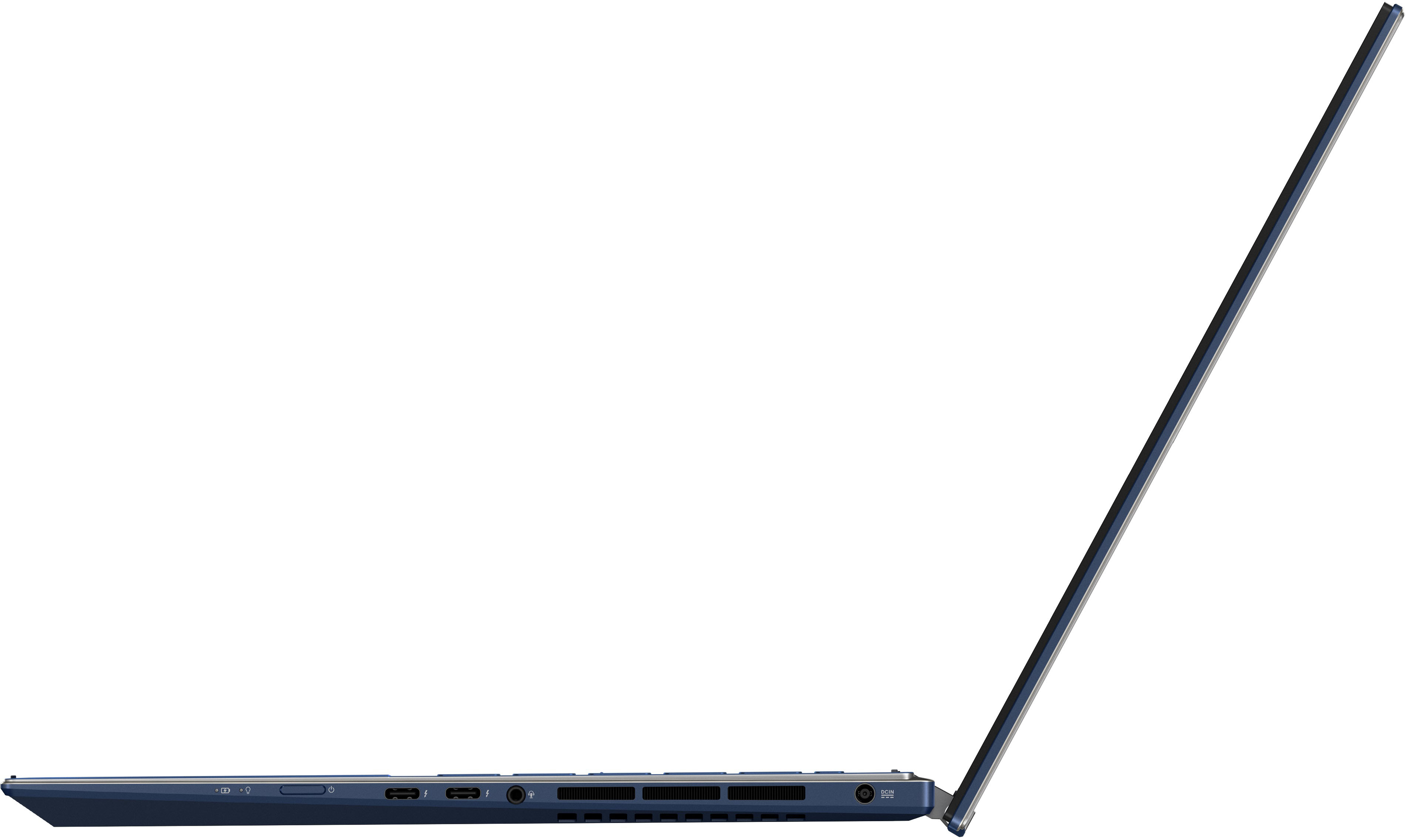
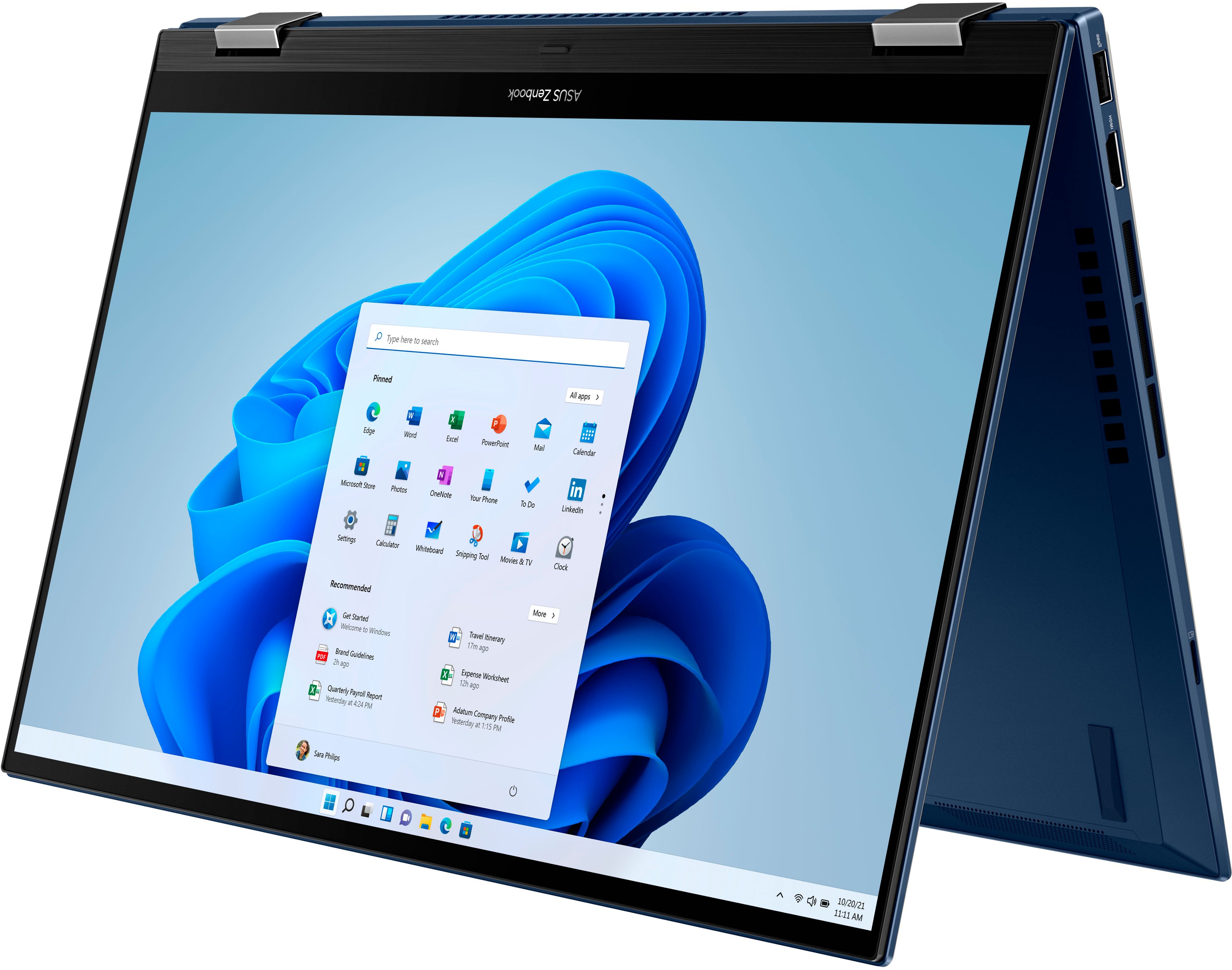
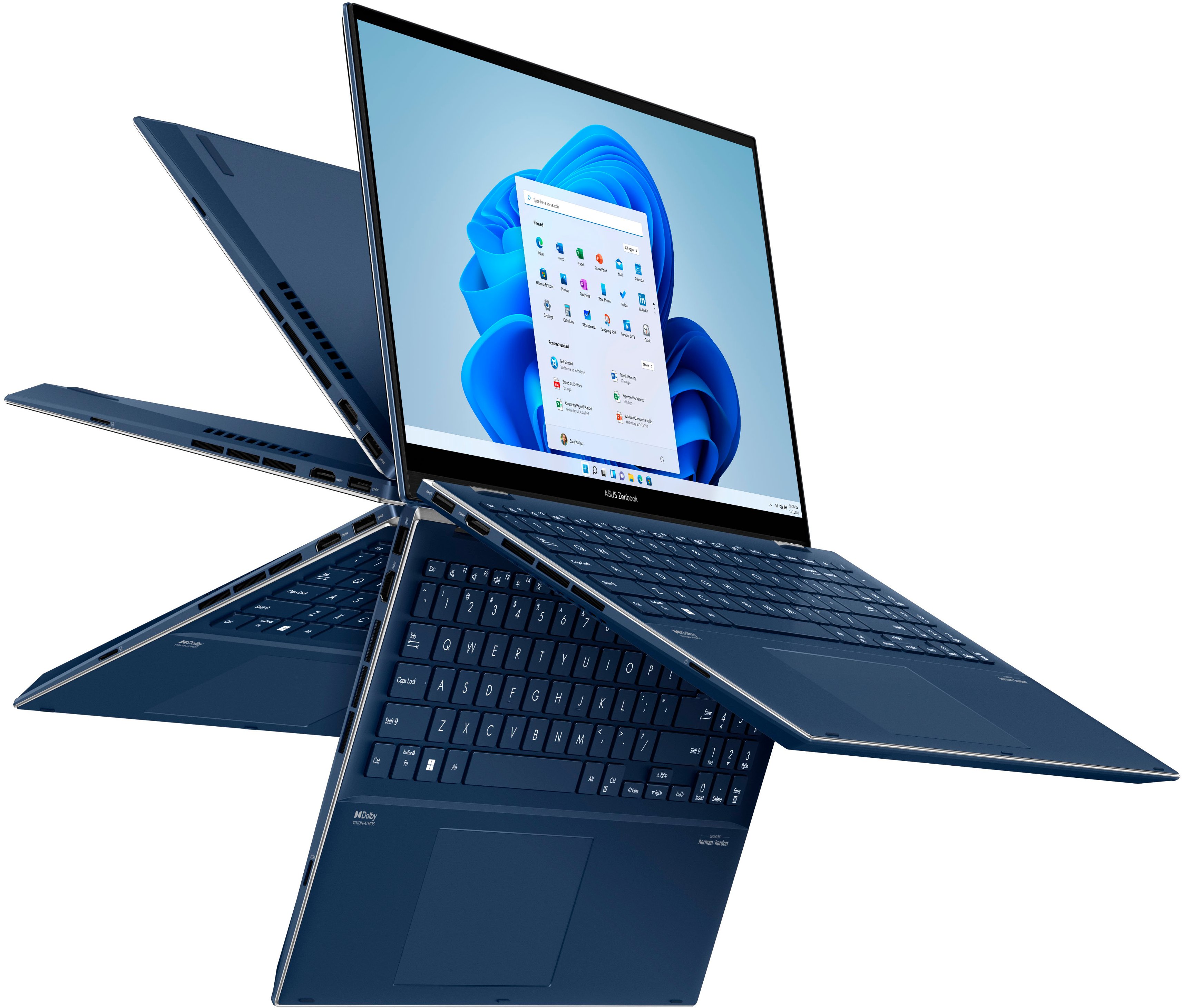
|Posted .This reviewer received promo considerations or sweepstakes entry for writing a review.This is a beautiful laptop. It is highly functional as it can be in the standard laptop configuration, and it can be used in the convertible mode as a tablet, or streaming movie screen. It is pretty cool. The azurite case is a beautiful dark blue with silver accents. This laptop weighs almost four pounds, and measures 9”x14”x ¾” thick. The screen measures 15.6” diagonal and the OLED display is really outstanding. I haven’t used this laptop for very technical purposes yet, but it really has all the bells and whistles included. This supports an ASUS Pen 2.0, which is really neat, but makes sense as this is a touchscreen laptop. That is not included with the computer. On the sides, this computer has a lot of built in ports, which have become harder to find these days. The included ports: 1x USB 3.2 gen 2 type-A, 2x Thunderbolt™ 4 ports, 1x HDMI 2.0b, 1x 3.5mm aux jack, DC-in, 1x Micro SD card reader. The power button on this laptop is not on the keyboard, but on the right side, about three inches from the front right corner. It took me a minute to find it. This comes with Windows 11 loaded on it, and has facial recognition so you don’t have to use a PIN or password. You can opt to use those, but facial recognition is the fastest way to log in. The keyboard is backlit, and there’s a numeric keypad on the right, which is a great feature. I haven’t had that option since I used a desktop keyboard, and I might get spoiled by it. There are so many features packed into this laptop. A few notable things that I am noticing on the keyboard: Sound by Harman/Kardon, Dolby Vision Atmos, Pantone validated, and Alexa enabled. For the msrp of about $1200, this is an amazing computer. I’m not going to regurgitate any more specifications, which you can read about in the spec section. Since I have the opportunity to unpack and test out this laptop, I can tell you that I get the feeling that ASUS is really aiming to pack in as much as possible and just be known as a respected brand. The box that this computer came in was a beautiful cardboard package that propped up and displayed the laptop with pride. There was minimal plastic in the box, the only plastic I recall was the wrap that covered the laptop.
I would recommend this to a friendGreat laptop, but lacks updates from Asus.
Posted .This reviewer received promo considerations or sweepstakes entry for writing a review.The main reason I bought this laptop is for photo and 4k video editing, and it does both very well. Design: I love the look of this computer. It's not the black or silver slab that seems to be common. The Azurite Blue color is unique and looks changes shades depending on how the light hits it. The chrome edging gives it an elegant and simple look. I also enjoy how the keyboard lighting can be set to change colors. Build: It's all aluminum body is strong and lightweight. My only complaint about the build is that the keyboard seems to sag near the "B' and the "N" key so some keys look higher up than others. It's a mild annoyance and doesn't affect typing on it, but I expect better build quality from a computer in this price range. Performance: Once you make a few tweaks to the settings, this thing flies. I bought and returned one of these computers because the internet was not functioning properly. The second one did the same thing so I dove into the settings and found the issue was with the power profile that Asus put into Windows. I included a screen shot to show what I changed. After I turned link state power management off, everything worked fine. I ran the Puget Bench Photoshop test and got a 1072 which is excellent. The screen is beautiful and color accurate. The response time is fast and having a touch screen is more useful than I thought it would be. The Intel Arc GPU works well and is definitely a step up from integrated graphic cards. It can also do some decent gaming, but that is not really what it's appears to be built for. The only issue you will find with performance is a lack of Asus support. The Asus provided drivers have not been updated in over year. Using updated drivers from the Intel website caused freezing issues in Photoshop. Asus seems to have forgotten about this computer and quit providing updates except for the firmware. Overall it's a great machine, but once you buy it, it doesn't look like you'll get any updates from Asus.
I would recommend this to a friend- Pros mentioned:Oled display, Touch screenCons mentioned:Heat
Great Screen, Quirky Tablet Mode, Meh Battery Life
||Posted . Owned for less than 1 week when reviewed.This reviewer received promo considerations or sweepstakes entry for writing a review.I've had this laptop for 5 days now - it's meant to be a second, more portable laptop to a power hungry gaming laptop that I keep plugged at my desk. I am trying to learn to love the ASUS Zenbook. One thing I can mirror is what everyone is saying about the screen - it really is as nice as people are saying. A solid OLED screen on a laptop really feels like a game changer. One of the reasons I purchased this was that I am a professional photographer, and wanted a screen with super high color accuracy - the numbers here fit the bill. Some other pros include: - Numpad. I love that this laptop has one. - Form factor. It's definitely slim and light for the components packed into it. - Solid touch screen response. This laptop does have plenty of quicks, though! For one, switching it into tablet mode doesn't "just work." If you flip it into tablet mode, 9/10 times the keyboard stays on, and so keys are being mashed while you rest the laptop on you legs or on a table. This is obviously not okay, and even ASUS' support had no what the fix was. They literally suggested to me that I'd have to disable the keyboard in the device manager (and then re-enable it afterwards) every time I went into tablet mode. That's obviously not a workable approach. It turns out you have to move the hinge back quite slowly, and flip the laptop upside down before you get fully into tablet mode (the screen will flip) in order for the keyboard to turn off. This is obviously not how this should work, but it's what you get. Secondly, this laptop gets hot for no reason. I know it's an Alder Lake H-series laptop, but if I'm not doing anything CPU intensive on the laptop, I wouldn't expect the bottom to be getting hot to the touch, or have the laptop shooting out tons of hot air. It does it even when you're just at the desktop with nothing open. This is in contrast to all of the current reviews saying the cooling is great - 95% of the reviews are by Best Buy's "tech insider network," which I wish I would've noticed before purchase. The heat leads me to the next issue: The battery life on this thing is really not good. I edit photos in Affinity Photo. This utilizes the CPU, yes, but shouldn't break a sweat for the 12700h. After less than an hour of editing photos, the laptop will drop from an 80% charge to somewhere in the low 50% (and this is with screen brightness at probably 30%). That strikes me as pretty terrible battery life. I suspect that battery life doing such a task would maybe be just over two hours if I charged the laptop to full. I expected at least 5-6 hours out of this laptop when not trying to play games or edit videos. This fact alone has me considering returning the device, despite me loving the screen and the form factor. If you manage your expectations for this device, it could be a very worthwhile purchase - it's got that beautiful screen that gets super bright (although expect to get even worse battery life if you use it unplugged at higher brightness), and it's got a great form factor. But it gets warm doing nothing, and battery life, in my experience, is not at all as great as these insider tech reviewers are stating it is. Some people were mentioning over 9hours of battery life - one has to wonder if they were just moving the mouse around on the desktop, or...?
No, I would not recommend this to a friendBrand response from ASUS Answers
Posted .Dear Dnelson,
Thank you for taking some time to write a comment and for sharing your experience with the laptop.
Absolutely, it has a great OLED screen.
We do understand your concern about the keyboard disabled in tablet mode, heat issue and battery life, and the inconvenience this may have caused.
To disable the keyboard, please ensure the laptop was fully-flip or folded all the way into tablet mode.
It is normal for the laptop, with the same hardware configuration and regardless of the manufacturer, to generate more heat than normal while under heavy load especially during gaming, WINDOWS Update and antivirus scan. When system resource utilization is high, this will generate more heat than normal and tends to trigger the fan to spin at full-throttle. Please ensure the air ventilations are free from obstructions in order to have an efficient air flow for better heat dissipation. While gaming, please ensure no resource hungry applications are running in the background, this will definitely spike the temperature. The heat or temperature does decreases or normalizes once system resource utilization goes down.
The battery life is approximately 9 hours of light to medium workload. In order to improve or prolong the battery charged time, please try to do a battery calibration manually. To start with, please drain it completely then charge it fully without using the system. Once fully-charged, please use the system, without the AC adapter connected, and drain it completely again.Also, please verify if the unit is running with the most current system update and third-party battery draining applications are not running if not in used.
Should you need further assistance with the product, please email me at cl-rodel@asus.com and I would be more than happy to help. Or, you are most welcome to call Product Support Hotline at: 1(888) 678-3688. Also, you can chat with an ASUS live support agent at: http://bit.ly/AsusLiveChat.
Thank you for choosing an ASUS product.
Regards,
Rodel
ASUS Customer Loyalty
Fantastic!!!
|Posted .This reviewer received promo considerations or sweepstakes entry for writing a review.The ASUS Zenbook Pro Flip is a QUALITY machine that should make anyone happy that they made the purchase. I was looking very forward to getting my hands on this beauty & have not been dissapointed at all since it arrived. The official model # for this unit is Q539Z, she comes in a beautiful dark blue chassis that is sleek & very well built. My unit has an amazing 15.6" OLED 120hz TOUCH screen (2880x1620) that is truly a difference maker, I7-12700 CPU paired with 16G LPDDR5 RAM, 4GB virtual RAM,1TB hard drive, OLED touchscreen, full size backlit keyboard, WiFi 6e, Harmon Kardon Dolby Atmos sound and 2 Thunderbolt ports as well as HDMI & USB3.2. This unit runs as smooth as truffle butter with a handful of demanding programs open at once while remaining extremely quiet and COOL with excellent battery life. I love the feel of the keys on the full size backlit keyboard and soo far I am impressed by how fingerprint resistant the surfaces are. I have 2 other laptops that utilize face recognition and soo far have not been impressed with the technology until I enabled it on the Q539, it recognizes you almost immediately and you do not have to be 2 feet directly in front of the camera. I absolutely love this laptop and with the quality & features that are included it is truly a value at this price point compared to other brands. I would absolutely recommend the Q539 to anyone in the market for a workhorse laptop!
I would recommend this to a friend- Pros mentioned:Oled display, Processor speed
Almost Perfect Laptop
||Posted . Owned for 3 weeks when reviewed.This reviewer received promo considerations or sweepstakes entry for writing a review.I would rate this laptop as a 4.5. Battery length could be a little longer. The worse part about this laptop is the power button being on the right hand side that you will accidentally press it and put your laptop into sleep mode. Those are the only two things that I could find as being the negative aspect for this laptop. The OLED screen is great! The overall case is built like a tank, mouse pad is nice and smooth and much better than my othe Samsung Galaxy Book 360 Pro laptop, this is also one of the fastest laptop for the price! Keyboard is perfect with the indentation design makes it easier to hunt for the right keys, I don't make as many mistakes typign with the Asus compared to the Samsung. You can't go wrong buying this laptop!
I would recommend this to a friend - Pros mentioned:Oled display, Processor speed
Excellent Asus 2 in 1 Flip ZenBook worth buying
||Posted . Owned for 1 week when reviewed.This reviewer received promo considerations or sweepstakes entry for writing a review.The versatile and powerful ASUS Zenbook Pro 15 Flip OLEDis an Intel® Evo-certified convertible laptop thats designed for those who want to do more. Its 12th Gen Intel® Core processor and all-new Intel® Arc discrete GPU deliver outstanding multitasking and creative power, with ASUS IceCool Plus thermal technology for maximum performance. The world-leading 2.8K 120 Hz OLED NanoEdge Dolby Vision touchscreen has a cinema-grade 100% DCI-P3 gamut, and is PANTONE® Validated with DisplayHDR True Black 500 certification. Its also TÜV Rheinland-certified for eye care. The Harman Kardon-certified quad-speaker Dolby Atmos audio system adds to the cinematic experience with ultra-realistic multi-dimensional sound. For fast face login theres an HD IR camera, and a color sensor allows automatic control of screen brightness and color temperature. You'll love the modern new design with its classy stepped diamond-cut edges, and you'll enjoy the productivity-boosting 360° Ergo-Lift hinge and the latest features.
I would recommend this to a friend