Customer Ratings & Reviews
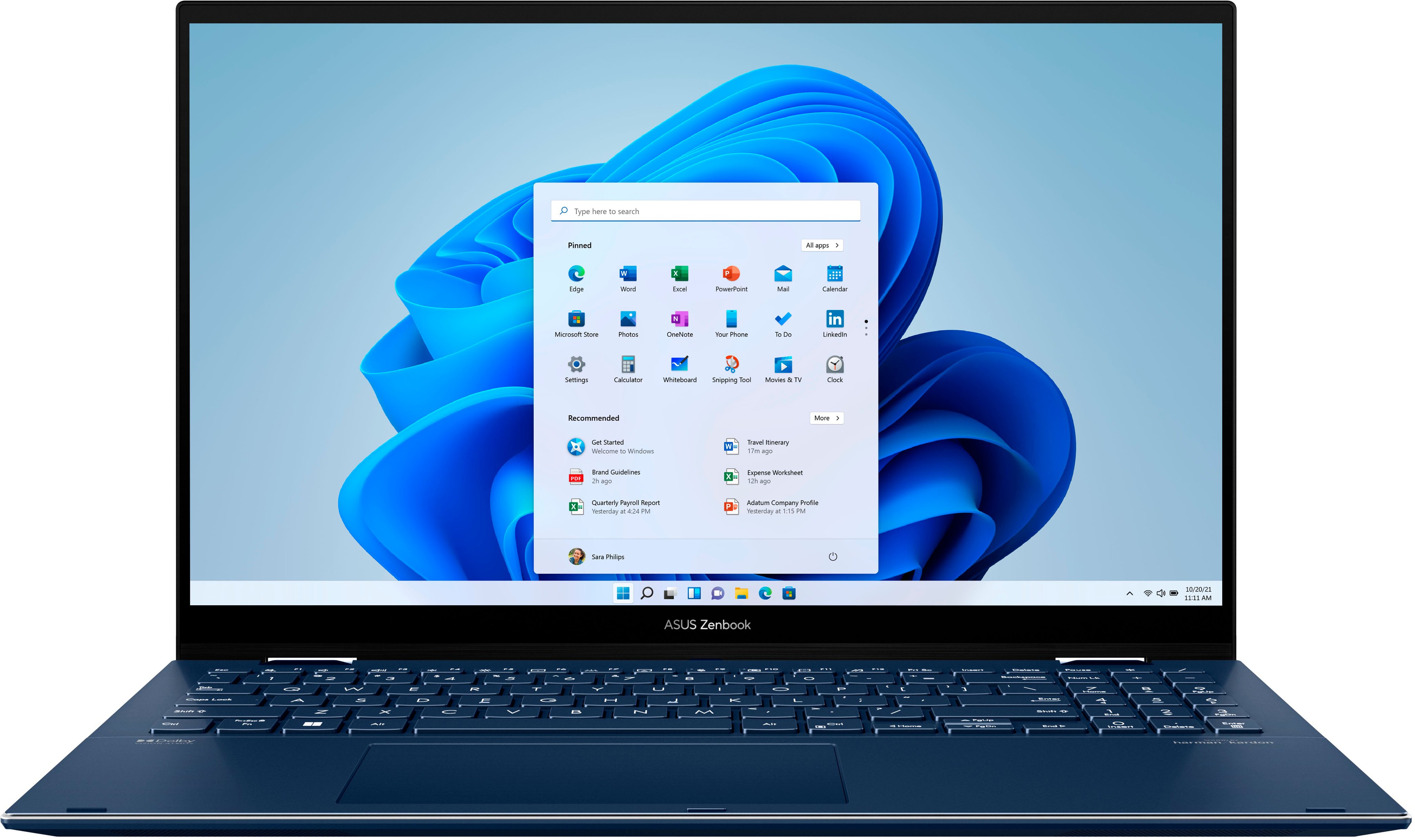
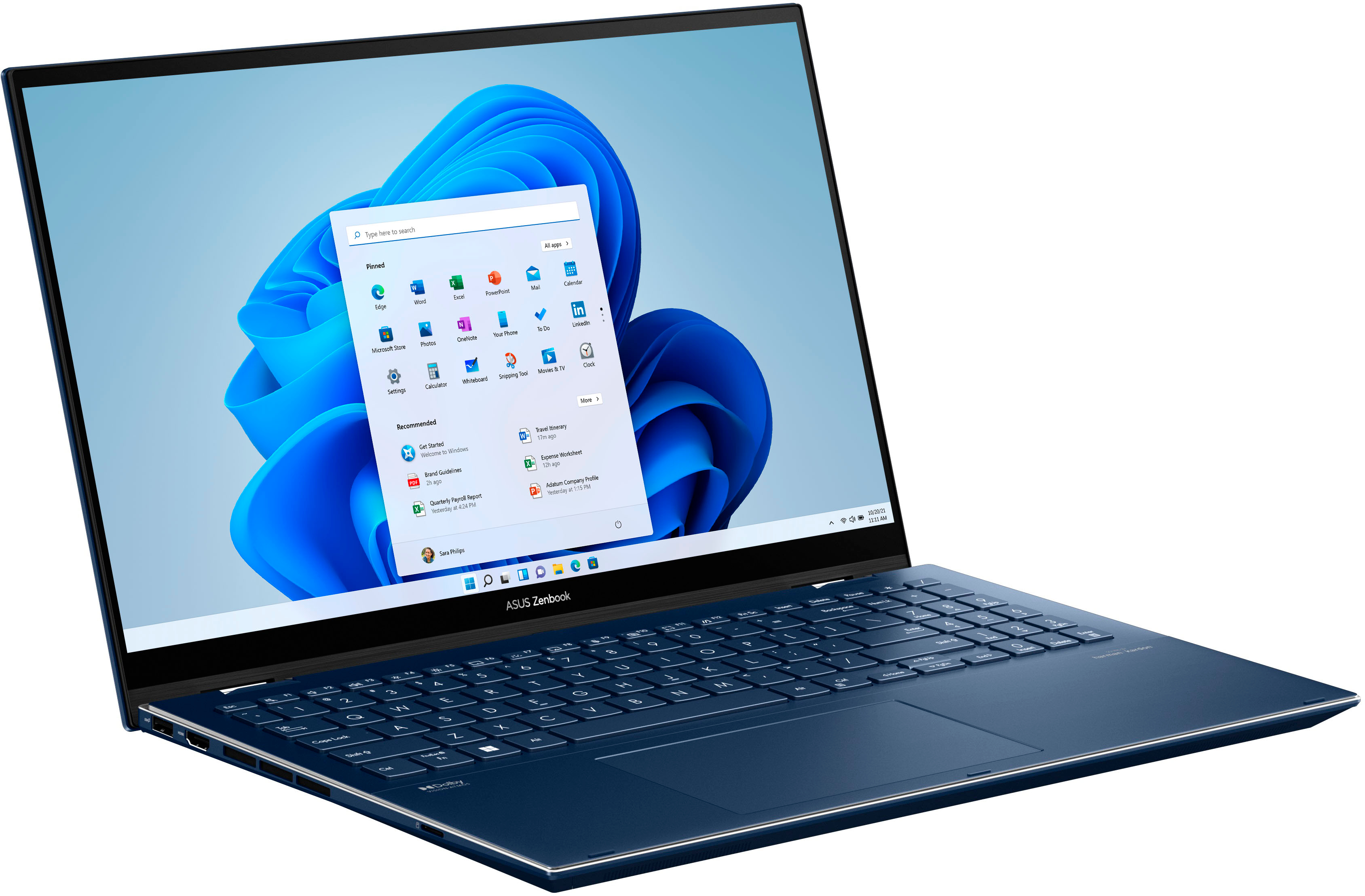
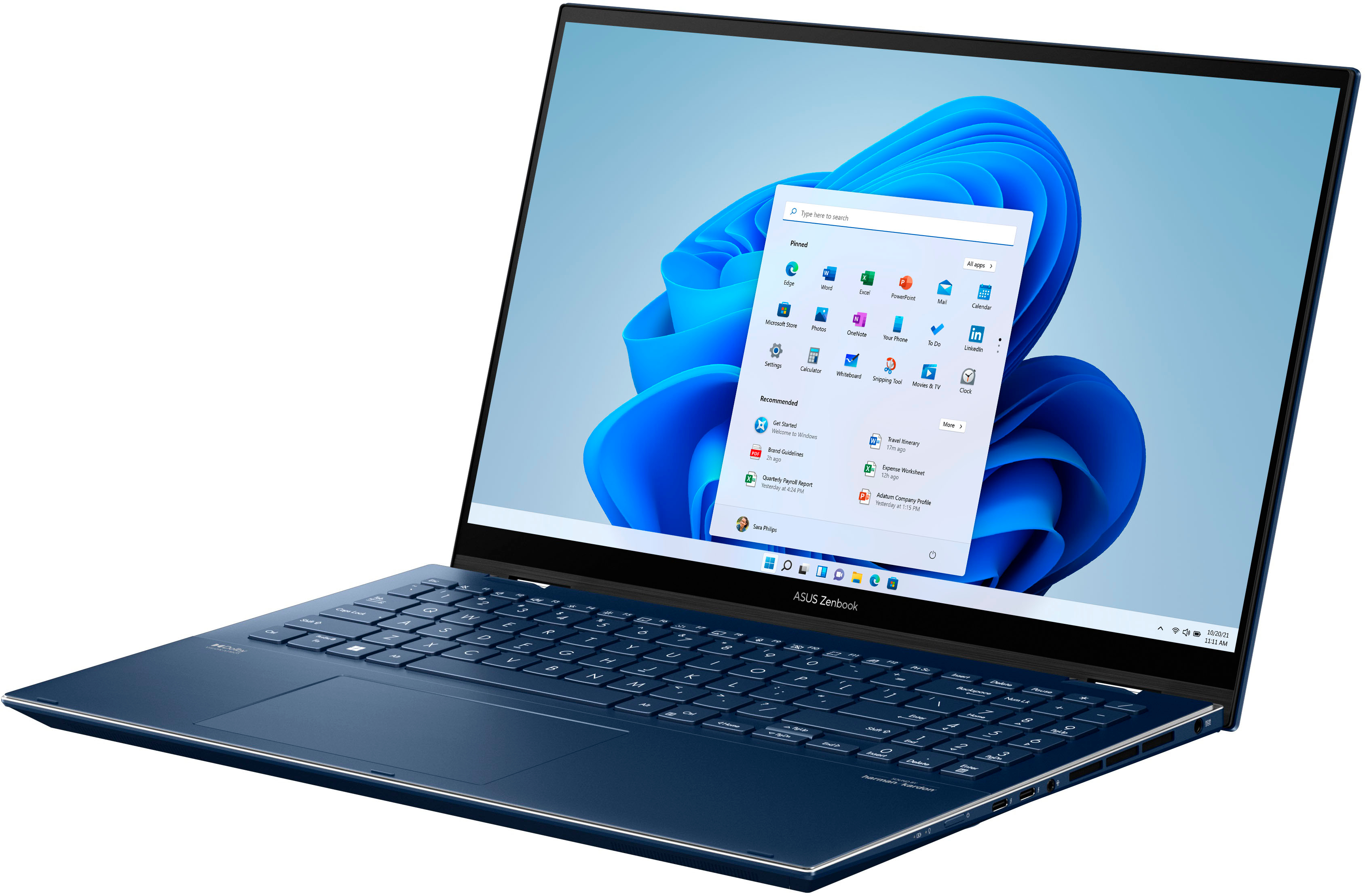

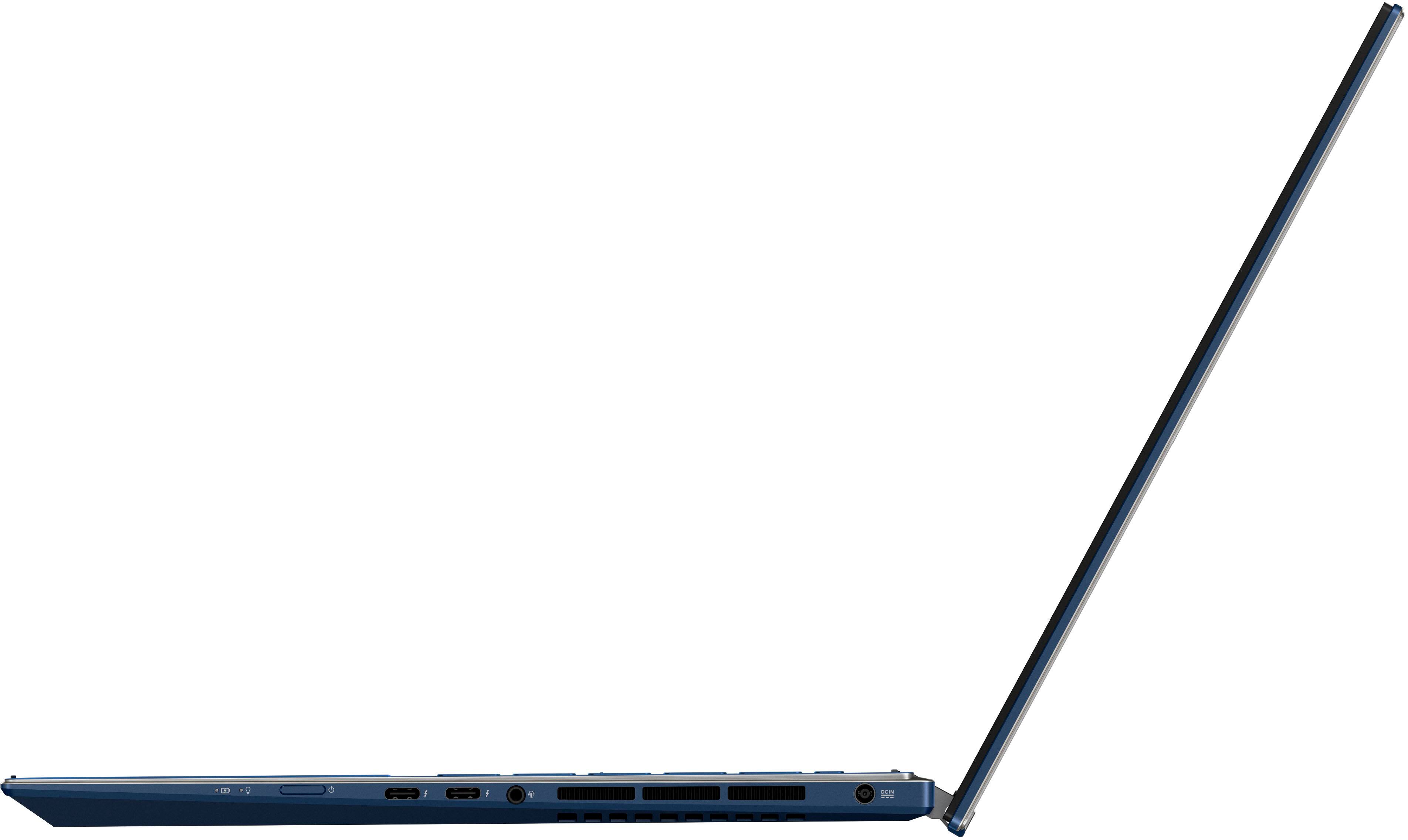


- Model:
- Q529ZA-EVO.I7512BL
- SKU:
- 6501008
Rating by feature
- Battery Life
Rating 4.4 out of 5 stars
- Speed
Rating 4.6 out of 5 stars
- Display
Rating 4.8 out of 5 stars
Customers are saying
Customers are positive about the vibrant OLED display, responsive touchscreen, strong performance, and excellent battery life of the Zenbook Flip. Many appreciate its lightweight design and build quality, along with the ample RAM. However, some customers expressed concerns about the device's tendency to generate heat and occasional fan noise, while others found the speakers to be subpar and the finish prone to fingerprints.
This summary was generated by AI based on customer reviews.
Good specs bad performance
||Posted . Owned for 3 weeks when reviewed.This reviewer received promo considerations or sweepstakes entry for writing a review.Really nice spaced laptop, that being said I had to return two. Host of problems on both and gave up and bought a different brand, with almost the same specs and it works much much better! I felt like the professor on this laptop was constantly being throttled, and to be honest my MacBook running a haswell cpu ran faster. Also cosmetically the keyboards on both were not aligned properly , which made typing hard as I’d mis letters sometimes as some keys were sunken in below the deck surface. So buyer beware with this model.
No, I would not recommend this to a friendBrand response from ASUS Answers
Posted .Dear AudRS,
We do understand your concern about the CPU fan noise.
It is normal, just like any other brand with the same hardware configuration, for the fan to spin at full-throttle and generates noise louder than normal while the laptop is under heavy load like gaming, especially during the initial WINDOWS setup and WINDOWS Update installation. Also, the fan noise will be louder while antivirus software or malware are running continuously in the background. Please ensure the system was not compromised by viruses or malware by doing a full system scan using an internet security software or application.
When system resource utilization is high, this will generate more heat than normal and tends to trigger the fan to spin at full-throttle and noise will be louder than normal. It does decreases or normalizes once utilization goes down.
All ASUS products undergo intensive quality control testing and inspections, the keyboard issue is a random problem. We recommend taking it to the nearest BestBuy location for inspection and testing.
Should you need further assistance with the product, please email me at cl-rodel@asus.com and I would be more than happy to help. Or, you are most welcome to call Product Support Hotline at: 1(888) 678-3688. Also, you can chat with an ASUS live support agent at: http://bit.ly/AsusLiveChat.
Thank you for choosing an ASUS product.
Regards,
Rodel
ASUS Customer Loyalty
Terrible and cheap
||Posted . Owned for 2 months when reviewed.This reviewer received promo considerations or sweepstakes entry for writing a review.Wouldn’t boot after 3 months. I worked fine until then. Wonky on/off button.
No, I would not recommend this to a friendBrand response from ASUS Answers
Posted .Dear DanielH,
We’re so sorry that your experience did not match your expectations. This is on us. ASUS provides warranty coverage in order to fix or repair any product that may stop working prematurely under normal usage. Our products do go through an intensive quality control testing process to ensure that customers get units that are in proper working condition, and for customers who experience any isolated issues we do offer excellent warranty programs so that customers can feel safe while using our products. Please perform the troubleshooting steps linked below. If you should have any other concerns or feedback feel free to reach out to us at customerloyalty@asus.com. We'll be happy to provide a quick resolution to your case. Please refer to this case number (N2209020952-0012) for us to better assist you
https://www.asus.com/support/FAQ/1014276/#
Best Regards,
Saskeia
ASUS Customer Loyalty US Support
defective ASUS ZENBOOK FLIP 15.6
||Posted . Owned for 10 months when reviewed.This reviewer received promo considerations or sweepstakes entry for writing a review.nothing but problems with this unit ! i'll never buy another Asus. I'll go back to H.P.
No, I would not recommend this to a friendBrand response from ASUS Answers
Posted .Dear Valued Customer ,
I'm sorry to hear that you are experiencing issues , All ASUS products undergo intensive quality control, testing and inspections. What you've experienced was not intentional or representative of our brand. I understand that you have returned the unit , but I will forward your feedback to the Product team for review. If you have any general or technical questions, send us an email at customerloyalty@asus.com Please refer to this case number (N2209020952-0024) for us to better assist you. Thank you for choosing ASUS.
Best regards,
Schottky
ASUS Customer Loyalty – US Support
Major Bluetooth issue
||Posted . Owned for less than 1 week when reviewed.This reviewer received promo considerations or sweepstakes entry for writing a review.I want to love this laptop but there is a major issue with the Bluetooth. I returned one of these laptops already for the same issue. I stream a lot of shows and movies, and the Bluetooth keeps cutting in and out. I tried all the Bluetooth headphones in my house and the same issue happens. I also tried updating the driver which still did not fix the issue.
No, I would not recommend this to a friendBrand response from ASUS Answers
Posted .Dear KristinK,
We do understand your disappointment and the inconvenience this may have caused if you are experiencing issues or difficulty with Bluetooth connection. In order to resolve the Bluetooth connection related issue, please verify if the Bluetooth device is working properly, its battery has ample amount of charge and device is powered on, and was paired or connected successfully. To setup, please select the Start button > type Bluetooth > select Bluetooth settings from the list. Turn on Bluetooth > select the device > Pair. Please follow instructions in order to connect successfully. Also, please ensure WINDOWS is current with cumulative updates.
Should you need further assistance with the product, please email me at cl-rodel@asus.com and I would be more than happy to help. Or, you are most welcome to call Product Support Hotline at: 1(888) 678-3688. Also, you can chat with an ASUS live support agent at: http://bit.ly/AsusLiveChat.
Thank you for choosing an ASUS product.
Regards,
Rodel
ASUS Customer Loyalty
Poor service
||Posted . Owned for less than 1 week when reviewed.This reviewer received promo considerations or sweepstakes entry for writing a review.Taking way too long to transfer data to a new computer. Day 3 and no word.
No, I would not recommend this to a friendBrand response from ASUS Answers
Posted .Dear PoorServiceFromGeekSquad,
We certainly understand your disappointment and the inconvenience this may have caused.
Hopefully this will be resolved as soon as possible by the seller. Should you need further assistance with the laptop, please email me at cl-rodel@asus.com and I would be more than happy to help. Or, you are most welcome to call Product Support Hotline at: 1(888) 678-3688. Also, you can chat with an ASUS live support agent at: https://www.asus.com/us/support/Article/1135/.
Thank you for choosing an ASUS product.
Regards,
Rodel
ASUS Customer Loyalty
- Pros mentioned:Battery life, Oled display

My New Go-To Laptop
|Posted .This reviewer received promo considerations or sweepstakes entry for writing a review.I enjoy this laptop for personal use. It goes above and beyond what I need. I have another laptop that is only used for work and then I use a tablet for non-work items. It looks like this Zenbook will be replacing the tablet. Pros - Straight-forward Windows setup. - I like all of the different color option so I can tweak them according to what I am looking at on the screen. - Screen looks amazing playing 4K videos. - I'm happy with the backlit keyboard, for the last six years this has been mandatory on all of my laptops. - The fan profiles is a cool feature that I have never seen before, I mostly played around with it when I wanted to conserve battery life. - Battery life is very good used the laptop for two days on a single charge, not bad. - Being able to disable the camera and mic and see the orange LED is very useful. - The sound is great quality and louder than I expeted. Cons - Can not upgrade the ram because it is soldered in. Overall, I gave the Zenbook five stars even though there was one con. This ASUS has made a good impression on me and I will be using it lot.
I would recommend this to a friend - Cons mentioned:Fan noise
Nice laptop!
Posted .This reviewer received promo considerations or sweepstakes entry for writing a review.Nice laptop, lightweight and sleek. I originally got it to create digital art, but I've also been gaming as well. It works with the Renaisser stylus pen. Some of the newer games that requires a lot of memory doesn't work, but older/smaller games like Resident Evil 4 (original version), House Flipper, etc works fine. I wish it had more USB ports and that the audio jack was a bit closer to the front though. I also wish there was a way to cover the keyboard when using it like a tablet. The fan does get a bit loud sometimes, but it's mostly quiet.
I would recommend this to a friend Account mix up
||Posted .This reviewer received promo considerations or sweepstakes entry for writing a review.I never been to carry store and I have no idea how this item was bought with my account
I would recommend this to a friendBrand response from ASUS Answers
Posted .Dear Valued Customer,
We're sorry to hear about the unfortunate experience you had. We would recommend that you reach out to your place of purchase to query this issue. For more information send us an email at customerloyalty@asus.com and provide the link of this review for reference. We’ll do our best to provide a quick resolution to your case. Your feedback is important as it helps with improvements to ASUS Support channels. Please copy a link to this post as a reference.
Thank you for choosing ASUS.
Best Regards,
Joan
ASUS Customer Loyalty US Support
Unbeatable Performance; This Laptop Sets a New St
Posted .This reviewer received promo considerations or sweepstakes entry for writing a review.This laptop is a true game-changer. Its blazing-fast performance, crisp display, and lightweight design make multitasking effortless. Battery life exceeds expectations, charging is remarkably quick, and build quality feels premium. Whether for gaming, work, or creativity, it delivers unmatched reliability, speed, and value; simply the best investment I have made!
I would recommend this to a friendOverheats
||Posted . Owned for 3 weeks when reviewed.This reviewer received promo considerations or sweepstakes entry for writing a review.Overheated and wouldn’t power on after two weeks. Do not recommend!
No, I would not recommend this to a friendBrand response from ASUS Answers
Posted .Dear DiDi,
We're sorry to hear about the overheating issues you're having with this model. Please allow us to make your experience with ASUS a better one. We would recommend that you attempt the steps in the FAQ below. We do value our customers and take negative customer service experience very seriously. This is not the quality of service expected from ASUS. We do stand behind our product and we continuously strive to improve our approach and processes in order to achieve customer service excellence.
For more information send us an email at customerloyalty@asus.com and provide the link of this review for reference. We’ll do our best to provide a quick resolution to your case. Your feedback is important as it helps with improvements to ASUS Support channels. Please copy a link to this post as a reference.
Thank you for choosing ASUS.
Best Regards,
Joan
ASUS Customer Loyalty US Support
[Notebook] Troubleshooting - Overheating (Fan) issue of ASUS laptop: https://www.asus.com/support/FAQ/1015064/
- Pros mentioned:Processor speed, Touch screen
Power-packed value!
Posted .This reviewer received promo considerations or sweepstakes entry for writing a review.It's incredible value for the features you get. The i7 is fast making editing photos very efficient. The touch screen display is great and responsive. Would highly recommend for someone who needs a portable powerhouse.
I would recommend this to a friend A Lightweight Heavyweight
|Posted .This reviewer received promo considerations or sweepstakes entry for writing a review.The display! I know that this is the flagship feature but wow. Just wow. Everything on the screen just "pops" The black is as rich as you would expect for an OLED but the vibrant Pantone Validated display colors stand out as well. I don't recall a better looking PC display actually. Can it game? It doesn't what laptop I'm trying out I always try to game on it just to get some benchmark of performance. Even though this Intel EVO certified laptop is a business class featherweight, it can seriously game very well. As always my first install was GTAV and even though the install defaulted on 800x600 resolution, I eventually bumped it to the highest resolution and was getting about 25 frames. Not at all what I expected. The Intel 12th gen onboard graphics chip of the i7 is a certifiable monster! Combining that with the included 16GB of RAM and 512GB SSD and games really fly. Now, I have not tried any current games as I don't really have any for PC and I'm pretty sure that would be asking too much. Lets talk about EVO. For a PC to carry the EVO badge it means the PC has to meet certain specs. It must wake instantly, it must be lightweight, the battery must last at least 9 hours in real-world use, you need to get 4 hours use off of just a 30 minute charge, and in the 12th gen of EVO they have added even more stringent requirements. They will need USB C charging, Thunderbolt 4 ports, and WIFI6E is required as well. This Asus Zenbook covers all of that then adds even more! 120hz refresh rate, 4096 stylus pressure points, Dolby Atmos, and a 360 hinge. The 12th gen i7 eviscerates anything I can throw at it. Hand Brake, Adobe Suites, Office, 3D design, video editing is not going to slow you down. I cant believe how lightweight it is to be such a powerhouse. The speakers are adequate and Dolby Atmos practically can trick your ears and sound like you're wearing earbuds. The speaker placement has a lot to do with that I would suspect. Ports are plentiful in this laptop. You get a full-size HDMI, 1 USB, 2 Thunderbolt 4 USB C, a MicroSD, and a fast charging, albeit proprietary, ac adapter. You can use one of USB C port to charge it as well so no fault there. If there was one complaint I have it would be to have Thunderbolt 4 ports on both sides of the laptop instead of solely on the right for the sake of convenience.
I would recommend this to a friendGreat device, amazing display, not much to dislike
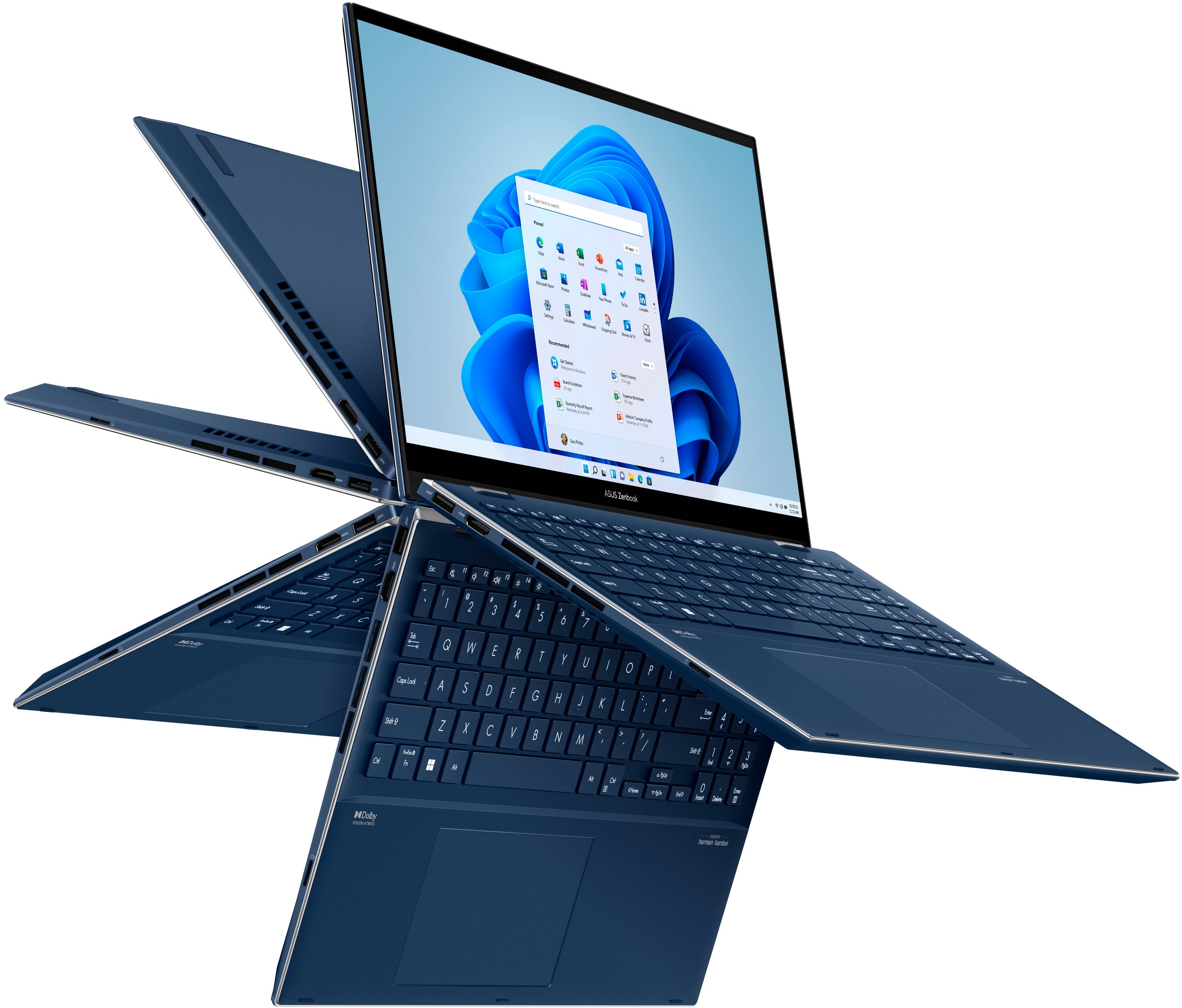
|Posted .This reviewer received promo considerations or sweepstakes entry for writing a review.I'm a big time Mac guy, have been for a number of years now. I work in IT, and many of the guys I work with really enjoy giving me a hard time about not using a Windows computer for may day-to-day. I'm fortunate enough to work at a company that allows us to choose the devices that work best for us, and that also gives me the flexibility to try out something new when I have the chance. Recently I was over at my parents' house helping them set up a new modem and router from their ISP, and I asked to use their laptop for testing and configuration. This laptop was running Windows 11, and it took a little bit of time for me to switch my brain back into "Windows mode." I pride myself on my ability to work with whatever devices I have, and I realized that the best way to test out this new Asus was to take a break from all my Apple devices and use just the Zenbook. In terms of overall size, weight, feel...the Zenbook has a very "finished" design. Full metal, clean edges, a great keyboard and trackpad...it is a very attractive device and well-built. I really like the color, but the material tends to retain grease from your hands and requires fairly regular cleaning. The key travel is at "Goldilocks" level, short enough to please those who like very slim keyboards, and long enough to satisfy those who like a more substantial laptop keyboard. The trackpad is tremendous: responsive and smooth; my only complaint is the "click" location in lower half of the pad versus being centered or evenly distributed across the surface. The Zenbook can be flipped in all sorts of different directions--tent, display, traditional laptop, tablet...but I found in changing the footprint I often times bumped the power button which puts the machine to sleep. The display is perhaps the Zenbook's crowning achievement and feature: 120Hz, OLED, 2.8K, amazing colors and very dark blacks...it is a delight to use and downright delicious when it comes to media consumption. I'll admit the resolution and aspect ratio are a bit weird, but as a Mac user I'm pretty used to that--and a few of the movies and shows I've watched have fit the screen almost perfectly, which was a wonderful experience. Speaking of media consumption--there are areas for improvement here. As a bit of a tech nut, I have a decent amount of headphones and earbuds...and with every bluetooth headset I paired with the Zenbook, I found the audio dropping and reconnecting at times. This was a bit of a distraction, and if not for testing multiple headsets I would assume the problem to be on the headset side. The onboard speakers are fine, but definitely short of "good" or "great." They get the job done, but definitely leave something to be desired. Thankfully, there's a headphone jack. Which leads us to I/O, another area where Asus knocked it out of the park with this device. Dual thunderbolt 4 ports, USB-A, full-sized HDMI, and Micro SD ports give you a little bit of everything. The power adapter uses a barrel-style plug, but the device can also be charged via the Thunderbolt ports if you have a USB-C monitor or another USB-C power adapter. Or--you can leave both of those ports for I/O and still charge the laptop using the power adapter...there's a lot of versatility there. If I had to nitpick the ports, I'd like to see the power port and one of the Thunderbolt 4 ports on the left side of the unit, possibly the headphone jack as well, so as not to interfere with an external mouse while in use (if used on the right side of the laptop). The overall specs and performance of the machine are great for a device at this price. 16GB RAM, a fast PCIe 3.0 SSD, a 12th-gen Intel i7 processor, and a decent cooling solution all combined in a way that left my work uninterrupted due to performance. The fans can get a little loud, but I'd rather have a loud, working laptop than a throttled, quiet one. And speaking of price, and where this review comes to a close--this is a $1200 laptop that as far as I can tell is worth every bit of that $1200. Great I/O, an awesome display, and high-end specs make this a device I can easily say is worth your consideration. There are a few shortcomings, but nothing that I would consider a deal breaker...the speakers are fine, the port layout could be adjusted for better ergonomics, and the bluetooth chip might need some tuning. Still, the Zenbook is a fully functional, fully capable laptop that most people would be happy with.
I would recommend this to a friendPremium laptop with beautiful screen
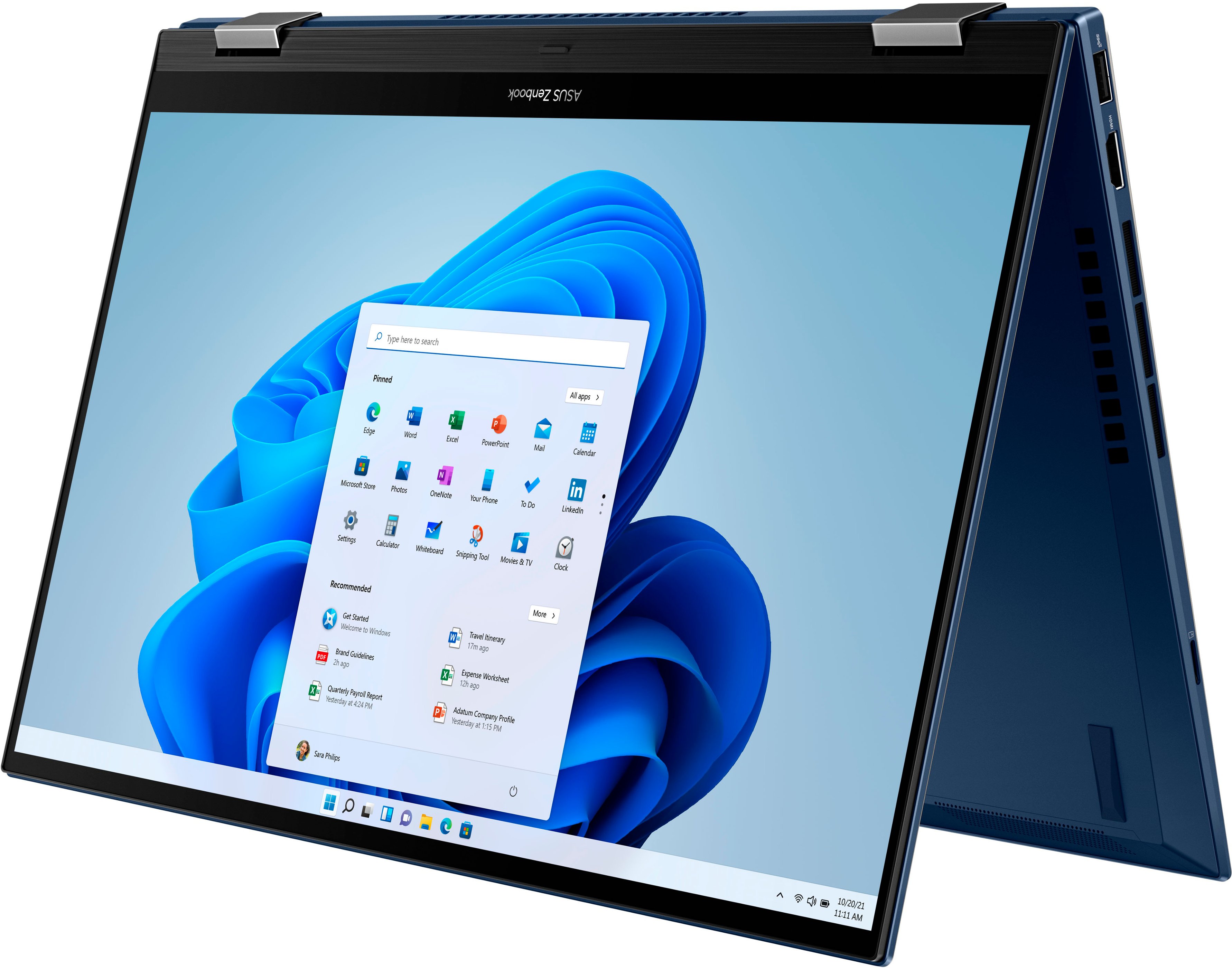
|Posted .This reviewer received promo considerations or sweepstakes entry for writing a review.ASUS - Zenbook Flip 2-in-1 is a lightweight laptop that comes with an OLED touch screen and other notable features. With the stylish sleek design, you can feel the premium build quality of the laptop as you hold it in your hands. The packaging itself was neat and simple. The box includes the laptop, power adapter with proprietary charging port, and the quick start guide. Being a 2-in-1, you can use the laptop in various modes, like a tablet, tent mode, or the usual laptop mode. The Zenbook's display is stunning. It comes with a 120Hz 15.6" OLED touch screen panel with thin bezels that provides edge to edge viewing. The screen is beautiful, it brings life to the content on the screen. Make sure to change the default display settings to experience this. The Windows 11 setup is a breeze. When you power on the laptop, you can hear built-in Alexa help you with the laptop setup. This is more like a nice to have feature as not everyone would prefer a voice assistant always on. The laptop comes with Intel Evo 12th Gen Core i7 processor with the powerful integrated Iris Xe GPU. The included 16GB of RAM is enough to handle serious work as well as gaming. The only downside is that the RAM is not upgradeable as it is soldered, and no additional slots are available. As for the storage, it comes with 512 GB SSD, which is not bad. Pair it with cloud storage, then this is a non-issue. The good thing is that you can upgrade the SSD for larger storage. Given the light weight and how thin this laptop is, I was surprised that it had plenty of ports. You get a USB-A port, 2 USB-C ports with thunderbolt support and power delivery. There is also a full-size HDMI port, headphone jack, micro-SD card reader, and the DC charging port. Although you can use the USB-C to charge this laptop, I would have preferred that to be the default option instead of the proprietary fast charger. As for the wireless connections, the laptop comes with the latest Wi-Fi 6 and Bluetooth 5 adapters. The battery life on this laptop is amazing. A full charge gets you almost 10+ hours of continuous use. This is also a requirement for EVO certification along with the instant wake up and the fast charging. The keyboard layout is pretty decent too, it comes with 10-key input and is extremely comfortable. I highly recommend this for anyone looking for a premium laptop with awesome features, whether it is for work, creativity, or just media consumption.
I would recommend this to a friendGreat all around 2-in-1.
|Posted .This reviewer received promo considerations or sweepstakes entry for writing a review.ASUS - Zenbook Flip 2-in-1 15.6" OLED Touch-Screen Laptop - Intel Evo Platform - 12th Gen Core i7 - 16GB Memory - 512GB SSD - Azurite Blue This ASUS 2-in-1 15.6” laptop/tablet is a powerful laptop for work or school. It is not really geared for gamers as the GPU is a standard Intel Iris Xe GPU. It supports 120 Hz refresh rate, I’ve seen as high as 217 FPS during a simple old style game. I would not recommend this for newer games, but for the older ones it does the job well. Unlike a lot of laptops that claim blue light reduction, this unit actually has a true, blue light filter built into the screen. This allows it to achieve true blue light reduction without looking yellow. Whites are white, like they should be, and colors are bright and clean because of the Pantone Validated display. The display is an OLED touch screen that is truly beautiful. The processor is a 12th Gen 14 core 20 processor i7. The unit is assembled using Intel EVO parts to insure your getting the best performance out of everything. With 16 Gigs of ram and 512 Gig SSD, speed is at the top of the line for this price range. The SSD reads at about 3500 MS/s and writes at about 2500 MB/s, your mileage will vary. Battery life seem to be very good. While I was using it during a standard day of 5 hours with some Office work and some video watching it maintained just above 65% remaining battery. I would say you could get 10 hours of continuous use, with that number getting better as Windows 11 trains it’s usage and better controls battery use. I have not run the battery to turn off state. It is Alexa enabled, if you use that, I do not. The speakers are harman/Kardon and do a respectable job with clear sound until you get into the lower bass range. But this is a laptop/tablet, there is never a lower end on these devices. As always Windows 11 is slightly harder to use until you get used to it. I really like the colored folders for items. This makes it easier to locate things you use often. The sign in option supports Windows Hello. The camera has a beautiful clean high resolution with true colors. Unlike some other units this one comes with a clean install with very little bloatware added in. It does ask if you would like to install some of the other programs, you get to select yes or no. It automatically registers the unit and comes with a year of accidental damage coverage with an option to get a little more if you sign up for their other support option. It’s a free sign up but does require more personal information. I did not wish to give them more information, so I only get the 1st year. The power button is one the side and tends to get pressed while moving the unit around. It just shuts off the screen when pressed momentarily so it’s not a big deal, but if you’re carrying it from place to place it could get pressed long enough to turn the unit completely off. It has a headset jack, 2 USB-C ports, 1 full size USB port, 1 full size HDMI port, a dedicated charging connection, and a Micro SD card slot. It also has the standard power and charge lights. The only light missing is a HDD light that seems to be gone on all devices now. For a 2-in-1 unit I don’t think you can go wrong with this unit, in this price range. You could get more but you’d have to pay a hefty price. For School or Work this unit is at the top.
I would recommend this to a friend- Pros mentioned:Battery life, Oled display
Amazing
Posted .This reviewer received promo considerations or sweepstakes entry for writing a review.Fast , bright, colorful oled screen.More than10hours watching videos .it’s also very quiet and stays cool. Looks very nice too.
I would recommend this to a friend a solid computer for working on the go
|Posted .This reviewer received promo considerations or sweepstakes entry for writing a review.In my experience, laptop computers, unless we’re talking something specialized like gaming computers, have become pretty commodities to the average user. The computer magazines and websites can provide all kinds of detailed testing and show us how fast the processor is, how quickly graphics are rendered, and that sort of thing. But this is mostly over the head of anyone except a technically-sophisticated user. The rest of us only care that the machine can do the basic functions we all want, and that includes surfing the net, watching and/or streaming videos, handling email, running basic productivity programs like a word processor and a spreadsheet, and handling an occasional Zoom meeting. The average college student or office worker who needs to occasionally work away from the office will find pretty much any new laptop nowadays meets these basic requirements. So choosing a laptop comes down more to the specifics of the machine itself in terms of size, thickness, weight, and the look and feel of the keyboard and screen. A useful number and quantity of external ports is also a must. In this regard, this Asus Zenbook fits the bill nicely. Setting pretty much any Windows computer nowadays involves the same set of steps. Get it out of the box, plug it in, and run through the various setup requirements, such as choosing a language, keyboard, time zone, etc., connect to a network, and finally a reach a point where Windows turns the computer over to you so you can start using it. As far as this particular computer’s peculiarities, I found it to be very easy and enjoyable to use. The keyboard is very comfortable with just the right amount of “bounciness.” Whether it actually is or not, the full keyboard feels larger than what I’ve typically come across with laptops. The touchpad is responsive and mostly precise. I’ve never been a big fan of using a touchpad and always prefer to plug in an external mouse if I can. But there are situations, such as the fold-down tray on an airline seat, where using a mouse is not practical , and I have to say that I have seen some people become quite adept at using a touchpad. I found the display to be a gem. It is clear and sharp, if not a bit on the bright side when first turned on. But the brightness is easy to adjust using keys on the keypad. One spends the bulk of ones time when using any computer staring at the display, so a good one is indispensable. External connectivity options should fit most anyone’s needs. There is a single USB-A port, one HDMI port, which is needed to connect external displays, two “Thunderbolt” USB-C ports (the kind that can accept the plug oriented either way), and a headphone jack. Overall, I would call this a solid laptop for anyone who needs to work on the go. I imagine college students would find this computer particularly appealing.
I would recommend this to a friend- Pros mentioned:Performance, Touch screen
Fantastic laptop. Great screen
Posted .This reviewer received promo considerations or sweepstakes entry for writing a review.This is by far the best laptop I have ever used. Very fast, the screen is amazing. Keyboard has a very good feel to it. The build quality feels very good. Sound quality is very good. The ssd drive speed was decent, but I upgraded the ssd to 1T right away and it was noticeably faster. The top cover does show fingerprints easily, that would be my only complaint.
I would recommend this to a friend Excellent convertible laptop
|Posted .This reviewer received promo considerations or sweepstakes entry for writing a review.This ASUS Zenbook Pro 15 Flip Q529 is a gorgeous laptop - absolutely stunning! At 15.6", it is a good size laptop - larger than any 2 in 1 I’ve seen with a clear and BRILLIANT QHD+ NanoEdge OLED touchscreen. This has the 3rd generation of the Intel Evo platform which means it contains quite a number of required Evo features and high-end specifications, including a long-lasting battery. It is blazing fast with the Intel 12th gen core (the latest) i7 processor. It has a 512GB PCIe SSD and 16GB system memory. It runs very cool and I have yet to hear the fan at all. It is certified to have low blue light to protect your eyes with extended use. It comes with WiFi6 to make your online experience faster; Alexa is built-In. It is a convertible laptop that easily flips to a tent or tablet with, of course, a virtual keyboard. For me, the size is both good and bad and will differ with each situation. As I stated, it is rather large, and for the size, you might expect a lot of added weight. But due to the requirements of being on the Evo platform, it is surprisingly thin and lighter than expected. The size is nice if you're looking for a lot of real estate. My other 2 in 1 is 13" and that 2.6" is a big difference. This laptop can be used with an optional ASUS smart pen with support to 4096 pressure levels - great for drawing. The Touchpad seems oversized which, for me, is unnecessary. That is precious space that could have been used for other things such as a larger numeric keypad, which would only matter to 10-keyers. To me, the numeric keypad keys are a tad too small and too close together, but I am grateful it is included. The rest of the keyboard has very nice sized keys and is quite comfortable to use. And it is a backlit keyboard for which you can adjust the settings. Actually, there are numerous settings for you to choose from for almost everything to make this perform just the way you want. Alexa is built-In. It is certified to have low blue light to protect your eyes with extended use. It comes with WiFi6 to make your online experience faster. The Intel Evo platform with far too many specifications to list and the ASUS brand make this a high recommendation!
I would recommend this to a friendImpressive, right out of the box!
|Posted .This reviewer received promo considerations or sweepstakes entry for writing a review.The Asus Zenbook Flip laptop is very impressive. From the moment you open the box, it magically rises up and is ready to go. I plugged it in to charge fully, and it was ready to go in no time. In fact, it powers on quickly every time. It found my wireless network without any effort and connected seamlessly. This is my first experience with Windows 11 and the facial recognition feature was great. It's so much faster than a password (although a password is still an option). The keyboard is responsive and very quiet. The keys are soft to the touch, and the alpha/numeric characters are UPPER CASE, and so easy to see. It's also nice to have a 10-key, which seems to be missing from similar laptops with gaming capabilities. The OLED screen (2880 x 1660 resolution and 120 hz refresh rate) has beautiful color and watching an 8k video really showcases this feature. The 12th Gen Intel i7 processor is super fast - internet pages load quickly and it moves between programs effortlessly. The Harmon-Kardon speakers combined with the Dolby Vision Atmos produces crisp, clear sound - a sound which is much "larger" than you would expect from a laptop, especially one weighing under 4 lbs. Since this is a flip 2 in 1, it can be used as a tablet which switches easily from landscape to portrait mode as you turn the screen. It seems very sturdy when propped up, and folds flat when in tablet mode. The blue, aluminum case feels very sturdy and looks impressive. The touch pad is a good size, and is a little larger than my current laptop. The Zenbook features an HDMI, 2 USB-C, USB, micro-SD card, and microphone/headphone jack and is equipped with Alexa. I never really thought much about having Alexa on a laptop but now that I do, I can certainly see how it would come in handy. Asus has done it again with an impressive product for every-day use, with a processor and graphics to play games, and an OLED screen with incredible video quality.
I would recommend this to a friend