The vast majority of our reviews come from verified purchases. Reviews from customers may include My Best Buy members, employees, and Tech Insider Network members (as tagged). Select reviewers may receive discounted products, promotional considerations or entries into drawings for honest, helpful reviews.
Page 7 Showing 121-138 of 138 reviews
Rated 5 out of 5 stars
Asus- recommended 10/10!
|
|
Posted .
This reviewer received promo considerations or sweepstakes entry for writing a review.
Fast, responsive, and lightweight! The built-in AI functionality is amazing!
This reviewer received promo considerations or sweepstakes entry for writing a review.
Best buy customer service is the worst. I bought an open box one for 950 and order got cancelled by accident and tried to reorder an hour later and its a different price. When i called they would not honor the price o received. So they can feel the loss i felt. I ordered 3 and opened boxes them and returned on purpose so they can feel the loss they made me feel.
We’re truly sorry to hear about the issue you experienced with the retailer and understand how frustrating that must have been. While ASUS does not manage Best Buy’s pricing or order policies, your feedback is appreciated and will be shared internally for review. Although you no longer have the product, if we can assist you with any ASUS-related support in the future, please don’t hesitate to reach out.
We stand behind our products and continuously strive to improve our products and processes to achieve customer service excellence. For more information, email us at [email protected] and include the case number "N2409040664-0004" as a reference. We will do our best to resolve your case quickly. Your feedback is very important to us and enables us to improve our support channels. Thank you for choosing ASUS.
Best Regards, Chantae ASUS Customer Loyalty US Support
Rated 3 out of 5 stars
So so
|
|
Posted . Owned for 2 weeks when reviewed.
This reviewer received promo considerations or sweepstakes entry for writing a review.
Not as fast as i thought. Sometimes freezes while browsing. The surface is a magnet for fingerprints. Not worth the price
Thank you for sharing your experience with the ASUS UX5406SA laptop. We regret to hear that the device has not met your expectations in terms of performance and design. We understand how important speed, reliability, and user comfort are when selecting a premium laptop, and your feedback will be passed along to our product team for further review.
To help address the freezing and performance issues, we recommend reviewing the steps in our system troubleshooting guide linked below. If the issue continues, please contact our support team at https://www.asus.com/us/support/CallUs so we can assist you further or arrange repair service if necessary.
We stand behind our products and continuously strive to improve our products and processes to achieve customer service excellence. For more information, email us at [email protected] and include the case number "N2411014294-0018" as a reference. We will do our best to resolve your case quickly. Your feedback is very important to us and enables us to improve our support channels. Thank you for choosing ASUS.
Best Regards, Chantae ASUS Customer Loyalty US Support
[Windows 11/10] Troubleshooting - Resolving System Error Messages or Unresponsiveness (Freeze/Black Screen/White Screen during usage) - https://www.asus.com/support/faq/1038855/
Rated 3 out of 5 stars
Fine laptop bit not great
|
|
Posted .
This reviewer received promo considerations or sweepstakes entry for writing a review.
This laptop is fine but not great. Battery life is not what I expected (maybe only a few hours of ongoing use) and power saving tactics with this processor are annoying. I returned it and purchased a yoga 7x which I'm much happier with
Thank you for your feedback on the ASUS UX5406SA. We're sorry the device did not meet your expectations, especially with regard to battery life and power management. We understand these features are important for a reliable user experience. As the laptop was returned, we appreciate you taking the time to share your thoughts, and we’ll pass your feedback along to our product team for future consideration.
We stand behind our products and continuously strive to improve our products and processes to achieve customer service excellence. For more information, email us at [email protected] and include the case number "N2411014294-0012" as a reference. We will do our best to resolve your case quickly. Your feedback is very important to us and enables us to improve our support channels. Thank you for choosing ASUS.
Best Regards, Chantae ASUS Customer Loyalty US Support
Rated 5 out of 5 stars
Premium Ultrabook That Redefines Mobile Computing
|
Posted .
This reviewer received promo considerations or sweepstakes entry for writing a review.
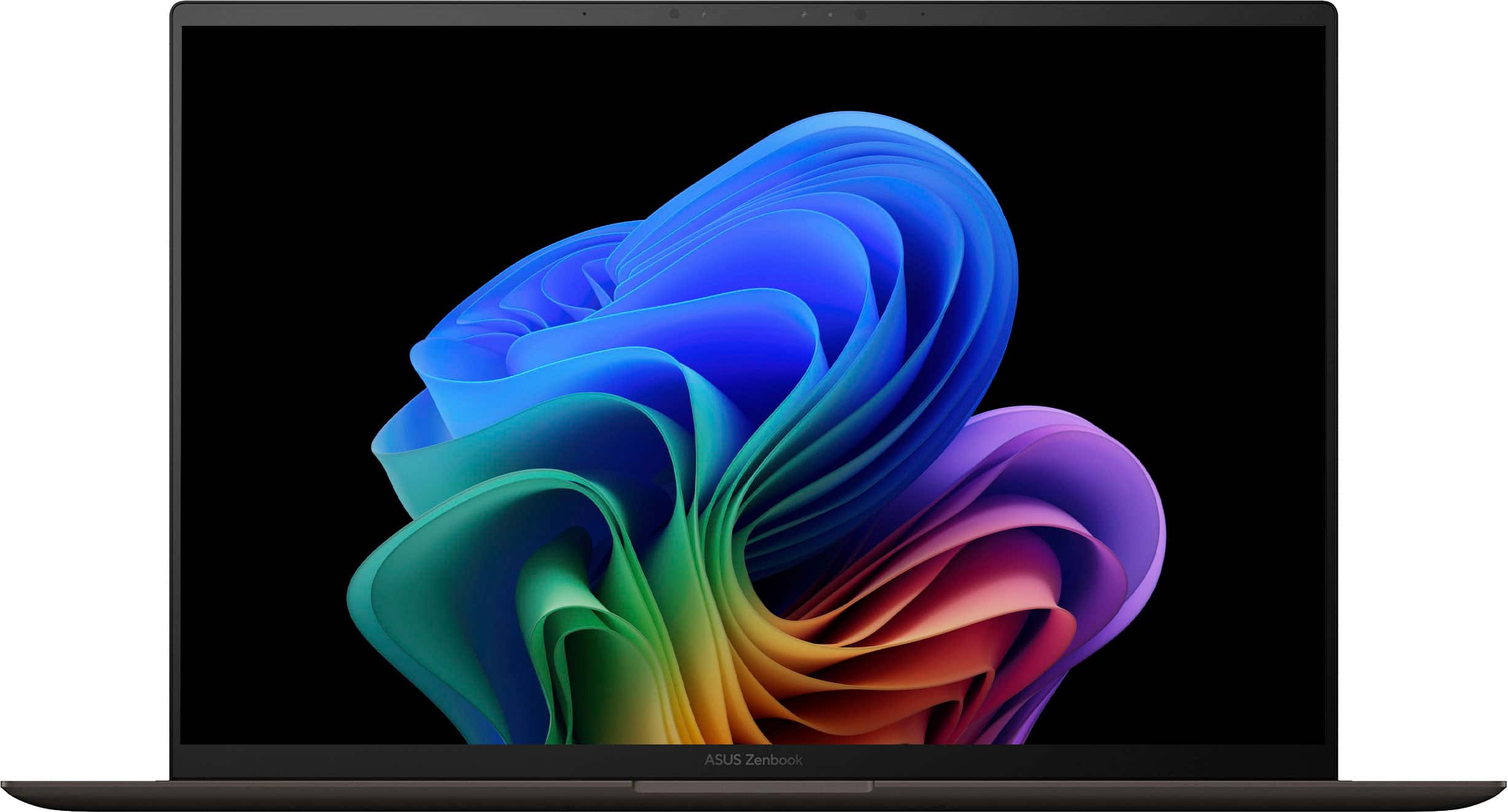
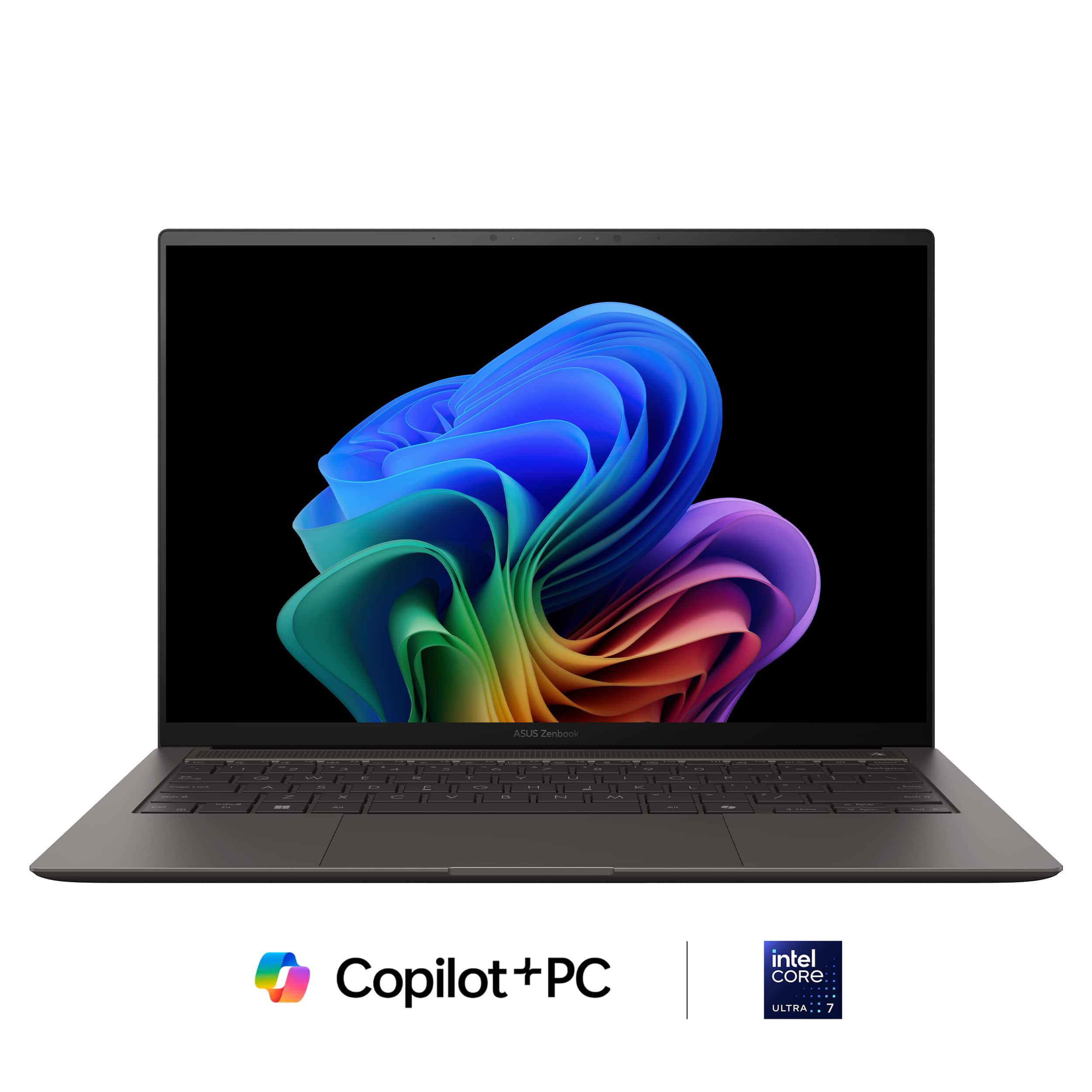
The ASUS Zenbook S 14 represents a compelling evolution in the ultrabook category, combining Intel's latest Core Ultra 7 Series 2 processor with a stunning 3K OLED display in a remarkably slim package. With 32GB of RAM and 1TB of storage in the Zumaia Gray configuration, this Copilot+ PC promises to deliver both style and substance for demanding users.
Design and Build Quality
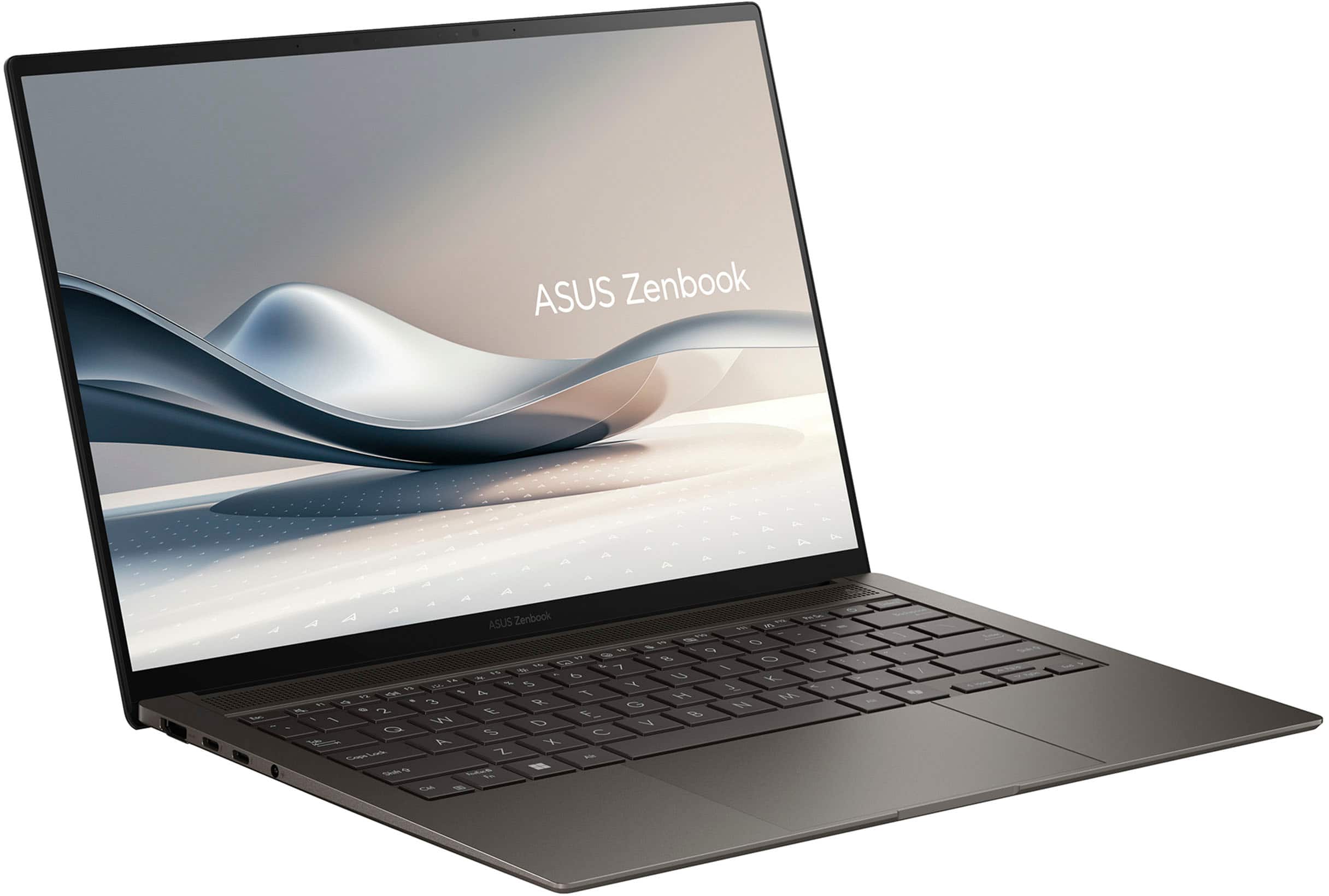
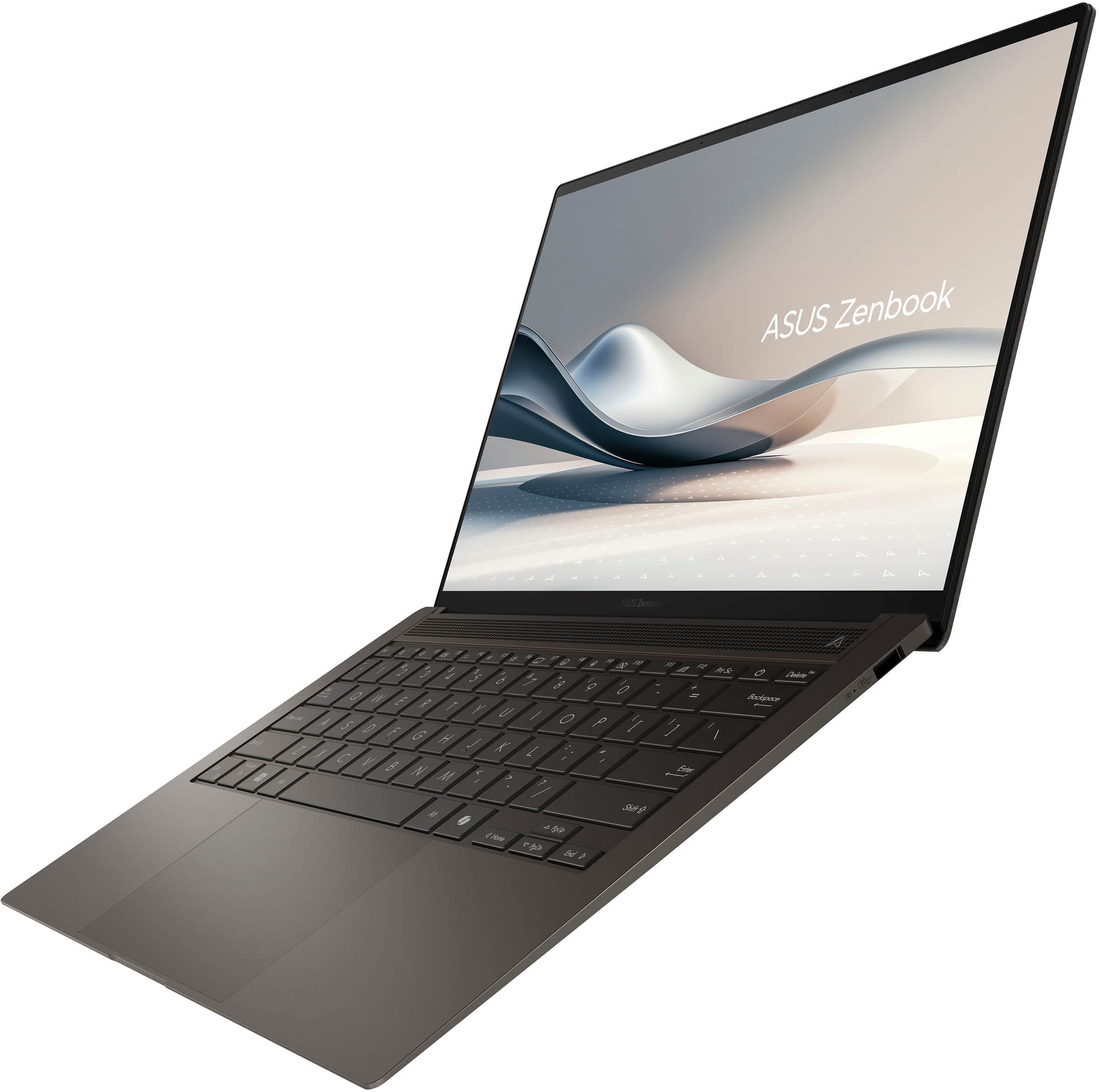
The Zenbook S 14 immediately impresses with its sophisticated aesthetic and premium construction. The Zumaia Gray finish strikes an elegant balance between professional and contemporary, making it suitable for both boardroom presentations and coffee shop work sessions. At just 2.6 pounds and measuring under 15mm thin, this laptop achieves an impressive feat of engineering that doesn't compromise on port selection or thermal management.
The build quality feels exceptional throughout, with a rigid aluminum chassis that resists flex even when opened single-handedly. The hinge mechanism operates smoothly with just enough resistance to prevent unwanted screen wobble during typing. The laptop's compact footprint doesn't feel cramped thanks to intelligent design choices that maximize the screen-to-body ratio while maintaining structural integrity,Display Excellence
The centerpiece of the Zenbook S 14 is undoubtedly its 14-inch 3K OLED touchscreen display. With a resolution of 2880x1800 pixels, the screen delivers exceptional clarity and detail that makes both productivity tasks and media consumption a pleasure. The OLED technology provides true blacks, vibrant colors, and impressive contrast ratios that make this laptop stand out in any lighting condition.
The 120Hz refresh rate ensures smooth scrolling and responsive touch interactions, while the color accuracy makes this suitable for creative professionals who need reliable color reproduction. The display supports touch input that feels natural and responsive, adding versatility for both Windows 11 navigation and creative applications. The anti-glare coating strikes a good balance between reflection control and maintaining the OLED's inherent vibrancy.
Performance and Processing Power
At the heart of this machine lies Intel's Core Ultra 7 Series 2 processor, specifically the 258V variant that represents Intel's Lunar Lake architecture. This processor marks a significant step forward in efficiency and performance optimization. The 32GB of LPDDR5 RAM ensures smooth multitasking capabilities, allowing users to run multiple demanding applications simultaneously without experiencing slowdowns.
The processor delivers solid performance for everyday productivity tasks, web browsing, and light creative work. While it may not match dedicated gaming laptops or workstation-class machines in raw computational power, it excels in the efficiency department. The integrated Intel Arc graphics provide adequate performance for casual gaming, video editing, and GPU-accelerated tasks, though users requiring intensive graphics work might need to look elsewhere.
Thermal management deserves particular praise, as the laptop maintains whisper-quiet operation even under sustained loads. The cooling system effectively manages heat dissipation without resorting to aggressive fan curves that would disturb quiet environments.
Battery Life Revolution
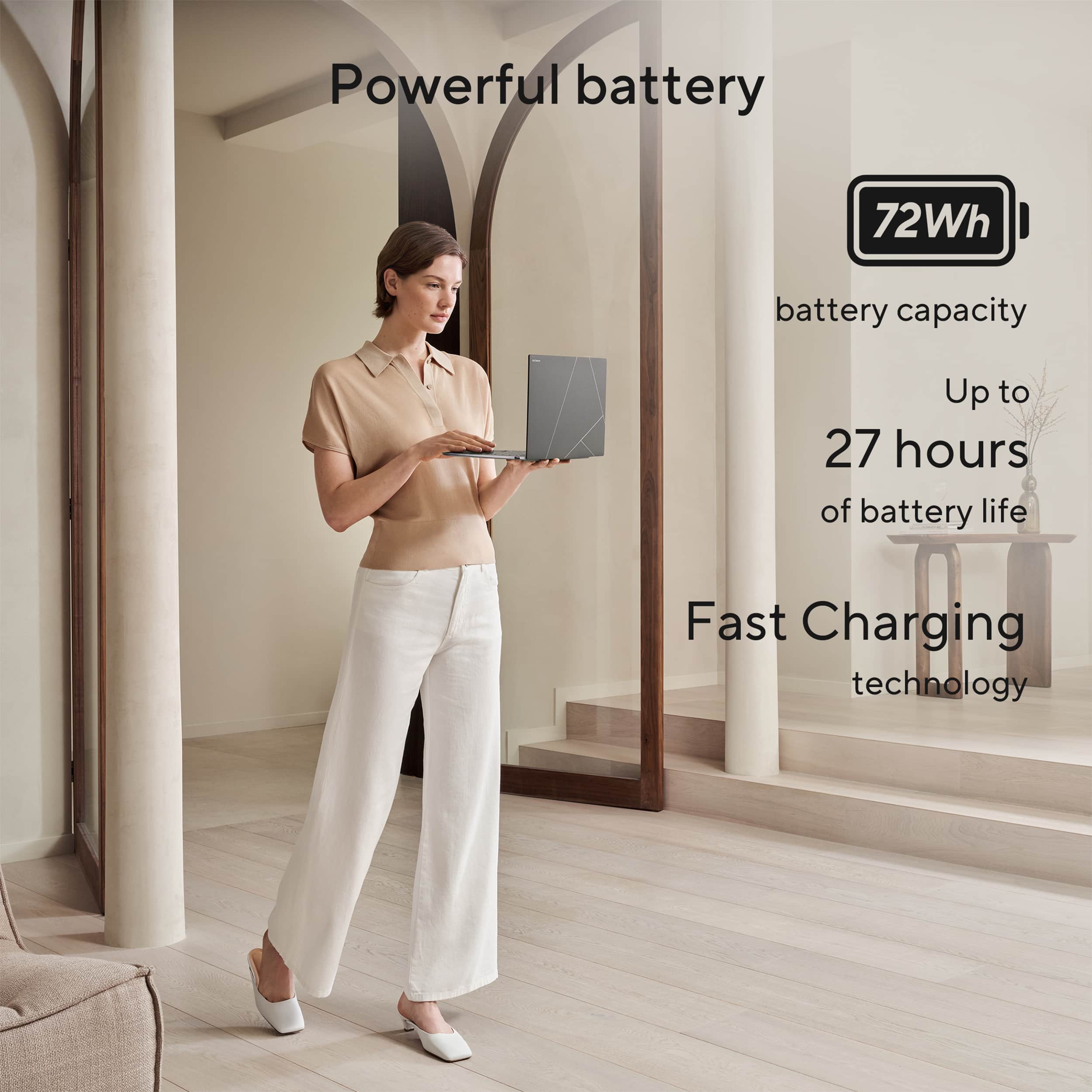
Perhaps the most impressive aspect of the Zenbook S 14 is its extraordinary battery performance. Multiple reviewers have consistently reported battery life figures that seem almost too good to be true for an x86-based laptop. Real-world testing shows the laptop achieving 14+ hours of mixed usage, with some reporting 12-15 hours of screen-on time consistently.
Under controlled testing conditions with display brightness locked at 100 nits and 120Hz refresh rate, the laptop achieved an remarkable 17 hours in PCMark 10's Modern Office battery life benchmark. This level of endurance puts the Zenbook S 14 in rarified air among Windows laptops, making battery anxiety virtually nonexistent for most users.
The included GaN charger provides fast charging capabilities, allowing users to quickly top up when needed. The combination of exceptional battery life and fast charging creates a user experience that eliminates many of the traditional compromises associated with ultrabook ownership.
Keyboard and Input Experience
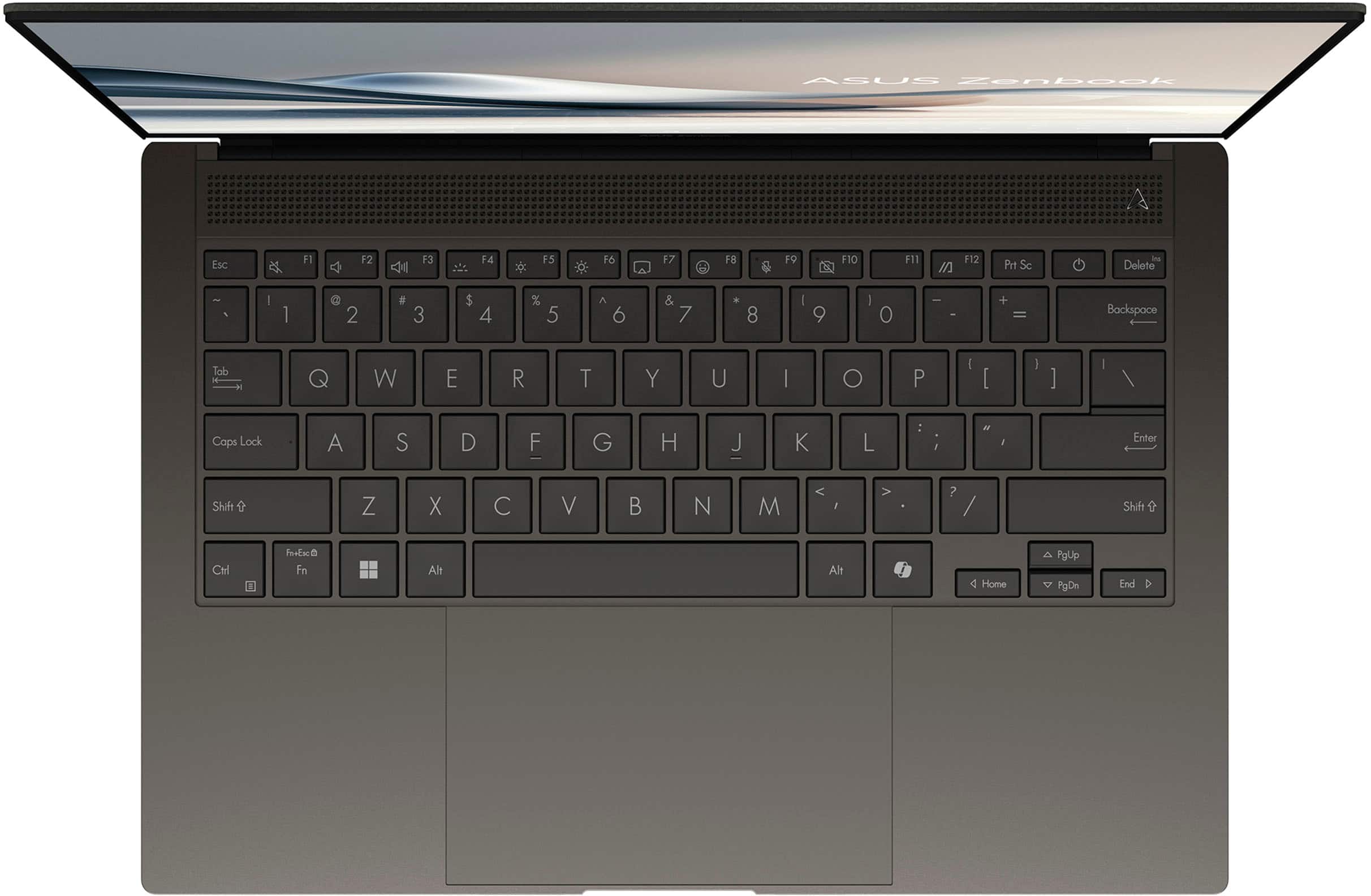
The ASUS ErgoSense keyboard provides a comfortable typing experience with well-spaced keys and adequate key travel for sustained typing sessions. The keyboard layout feels familiar to most, with function keys that provide quick access to essential system controls. Backlighting is even and adjustable, making the laptop usable in various lighting conditions.
The precision touchpad offers smooth operation with support for Windows 11 gestures. The trackpad surface provides the right amount of friction for accurate cursor control while supporting multi-touch gestures reliably. Palm rejection works effectively, preventing accidental cursor movements during typing sessions.
Connectivity and Expandability
Despite its slim profile, the Zenbook S 14 includes a reasonable selection of ports for modern connectivity needs. Thunderbolt 4 support provides high-speed data transfer and display output capabilities, while USB-A ports ensure compatibility with legacy peripherals. The inclusion of an HDMI port adds convenience for presentations and external display connections.
Wi-Fi 6E provides fast wireless connectivity, while Bluetooth support enables seamless pairing with wireless accessories. The laptop handles video calls well with its integrated webcam and microphone array, making it suitable for remote work scenarios.
Software and Copilot+ Features
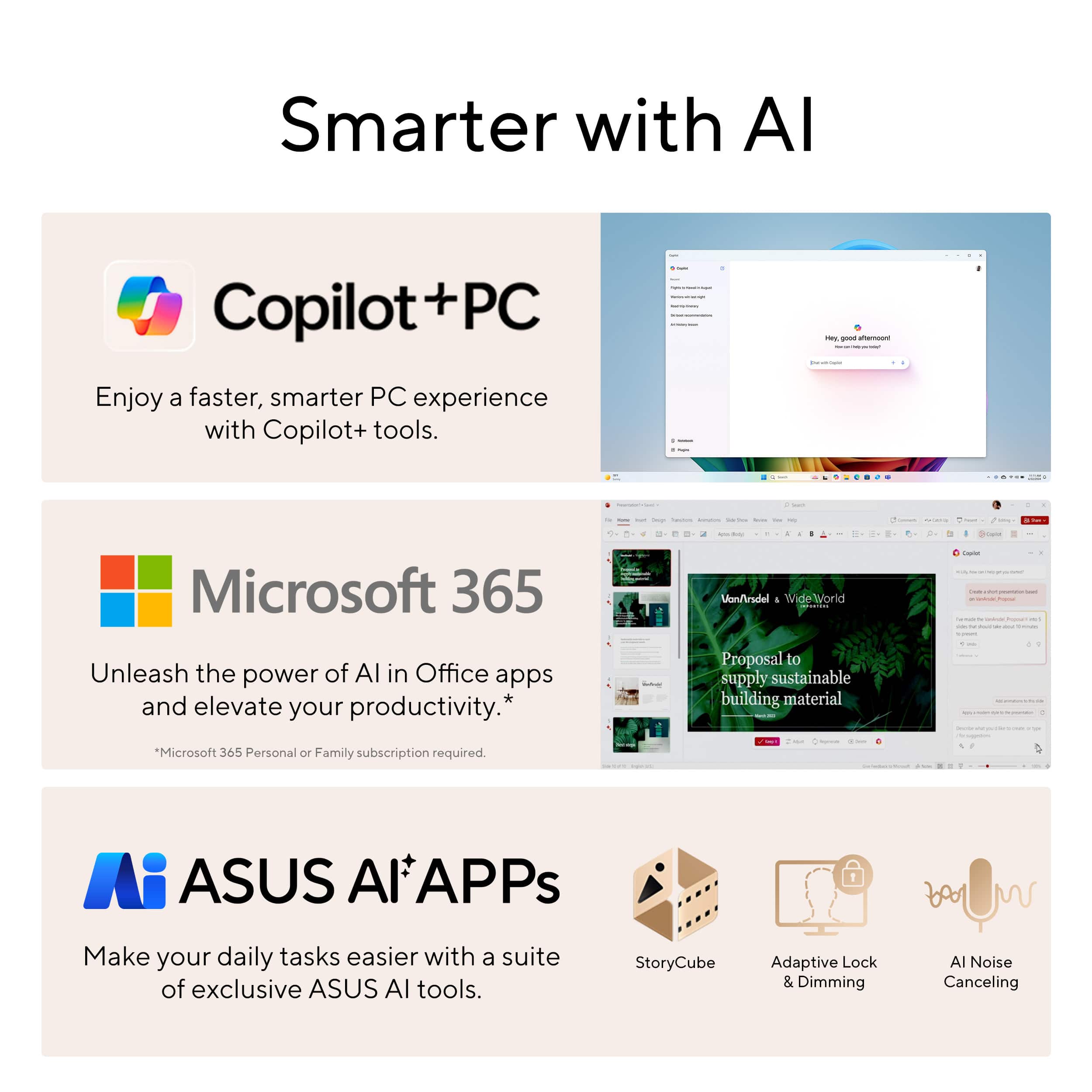
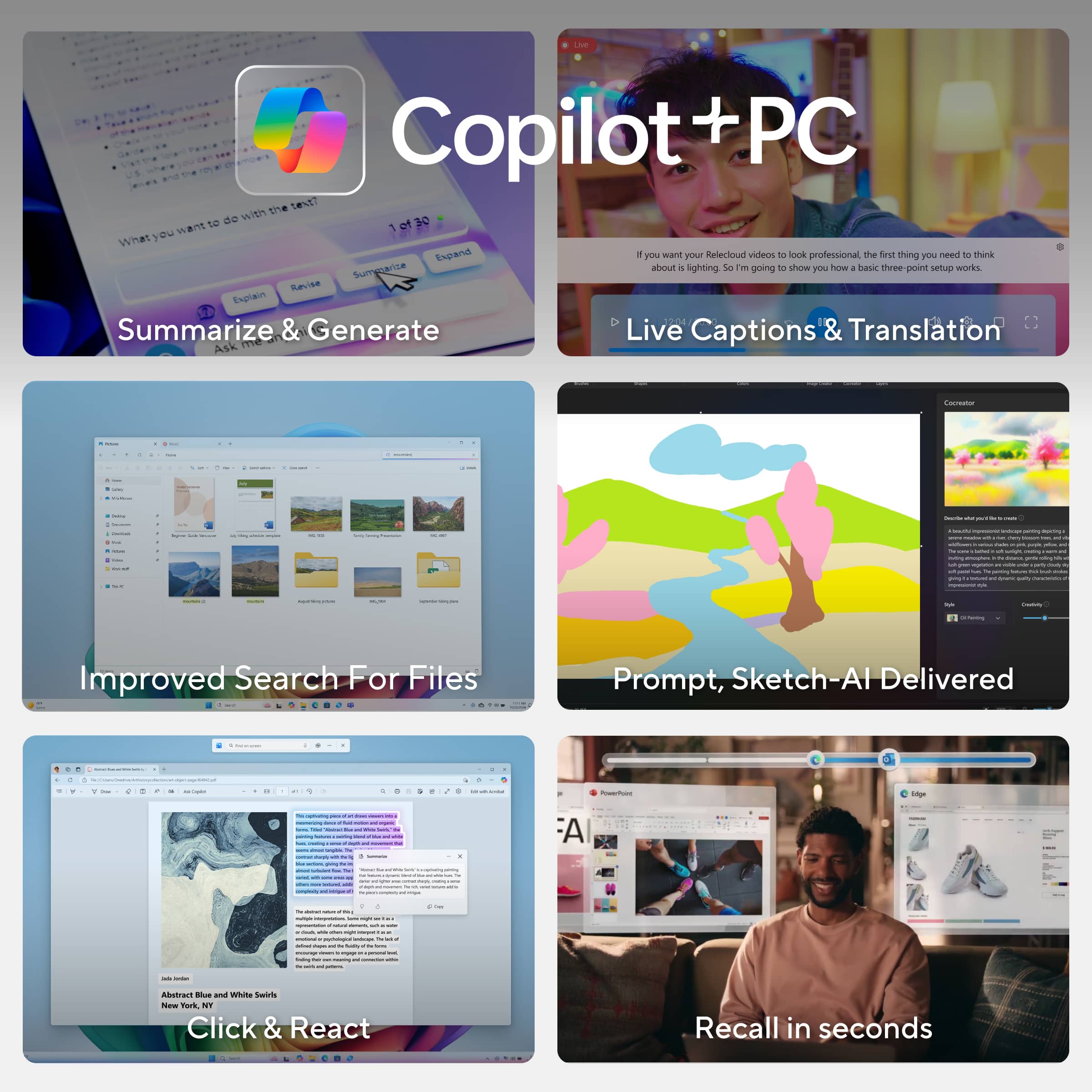
As a Copilot+ PC, the Zenbook S 14 includes Microsoft's AI-enhanced features that leverage the Neural Processing Unit (NPU) built into the Intel processor. These features provide intelligent assistance for various tasks, though the practical benefits may vary depending on individual usage patterns and Microsoft's continued development of AI-powered productivity tools.
Windows 11 runs smoothly on the hardware, taking advantage of the ample RAM and fast storage to provide snappy performance across system operations and application launches.
Value Proposition and Conclusion
The ASUS Zenbook S 14 with 32GB RAM and 1TB storage represents a premium offering that justifies its price point through exceptional battery life, display quality, and overall refinement. While it may not offer the raw performance of gaming laptops or mobile workstations, it excels in delivering a balanced experience that prioritizes efficiency, portability, and daily usability.
The laptop succeeds brilliantly as a productivity machine for professionals who value portability without sacrificing screen real estate or battery longevity. The combination of Intel's efficient Lunar Lake processor, generous memory configuration, and ASUS's attention to design details creates a compelling package that stands out in the crowded ultrabook market.
For users seeking a premium Windows laptop that can handle demanding productivity workloads while delivering all-day battery life in an elegant package, the Zenbook S 14 represents an excellent choice. The investment in 32GB of RAM and 1TB of storage provides future-proofing that extends the laptop's useful lifespan, making it a sound long-term investment for discerning users who demand both style and substance from their computing devices.
This reviewer received promo considerations or sweepstakes entry for writing a review.
Asus Zenbook UX5406 Review: A Premium Windows Experience That Impresses
As someone who typically prefers working on a MacBook Pro, I needed a Windows-based laptop for work and was hesitant to switch. However, the Asus Zenbook UX5406 has checked far more boxes than I expected — and has even made the transition surprisingly enjoyable.
Unboxing Experience: Premium from the Start
Right out of the gate, the Zenbook UX5406 gives off a premium feel. The packaging is thoughtfully designed — a box within a box — with an elegant internal presentation that securely houses the laptop and power adapter. It’s a small detail, but it sets the tone for the kind of high-end experience Asus aims to deliver.
Design & Build: Lightweight, Durable, and Unique
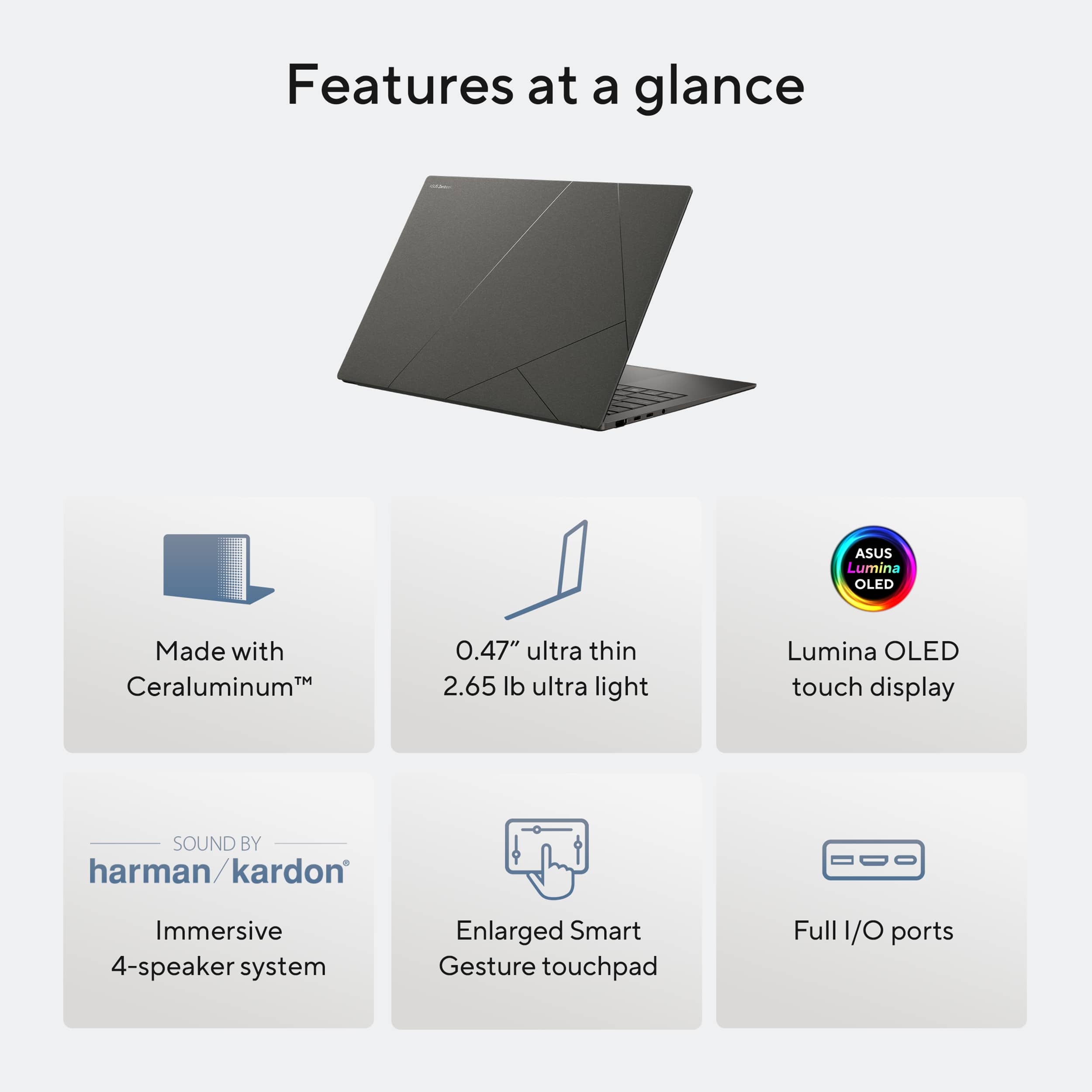
One of the standout design features is the use of Ceraluminum™, a proprietary material Asus describes as a high-tech ceramic hybrid used in aerospace and luxury watches. It results in an incredibly lightweight yet sturdy build — the laptop weighs just over 2.6 lbs, which is impressive given the performance specs and battery size. Despite its slim profile, it still meets military-grade durability standards, offering a great balance between portability and ruggedness.
Display & Input Experience: Compact Yet Powerful
The 14-inch screen is a real highlight — bright, high-resolution, and highly customizable to maximize screen real estate. It makes multitasking easy even on a smaller footprint. The keyboard has a satisfying tactile feel, and the optional backlighting adds a nice premium touch.
I also love the oversized touchpad, which includes Smart Gesture shortcuts around the edges for things like volume and brightness control. The responsiveness is excellent, meeting the expectations you’d have for a top-tier machine.
Performance: Smooth Multitasking Powerhouse
Under the hood, the Zenbook UX5406 delivers where it counts. With an Intel Core Ultra 7 processor and 32GB of RAM, it easily handles heavy multitasking and demanding workflows. Whether it’s for work or home use, I haven’t run into any performance limitations. The 1TB SSD provides both speed and ample storage, which is perfect for long-term use without compromise.
Ports & Audio: Thoughtfully Equipped
For a 14-inch laptop, the port selection is solid. While smaller laptops usually limit connectivity, this model includes enough to comfortably support external monitors and peripherals. Audio is another area that pleasantly surprised me — thanks to a Harman/Kardon-tuned 4-speaker system, the sound quality and volume projection are impressive for a machine this size.
AI Integration & Security
Asus is leaning heavily into AI integration with this Zenbook. Windows CoPilot is embedded into the experience, and Asus has built additional smart features on top of that, making it one of the more AI-forward laptops out there. These tools not only boost productivity but also enhance security, offering easier, smarter ways to unlock your device without relying on passwords.
Battery Life & Thermal Management
Battery life has been excellent, matching Asus’s advertised claims even with moderate to high screen brightness. What’s equally impressive is how cool and quiet the laptop stays. Compared to other laptops I own, the thermal performance and fan noise are noticeably better, which speaks to some smart engineering on Asus's part.
Final Thoughts
Honestly, it’s tough to find many drawbacks with the Zenbook UX5406. It’s compact yet powerful, premium yet practical. With a thoughtful design, excellent build quality, strong performance, and modern AI features, this laptop is a serious contender for anyone looking for a high-end, all-purpose Windows machine.
It's no surprise this model has earned multiple industry awards — after using it myself, it’s easy to see why.
This reviewer received promo considerations or sweepstakes entry for writing a review.
Overall:
This computer exceeds my expectations. The screen is insanely beautiful and incredibly responsive. Battery life blew me away. Audio was better than I expected. Keyboard was lacking.
Asus really knocked it out the park with the latest update to the Zenbook line up. The S 14 comes packed with lightning fast performance thanks to the Intel i7 Ultra paired with 32 GB of memory and a 1 TB PCIe SSD. All of this powered by a battery that was able to last an entire day of use.
The form factor is compact as it is a 14" laptop. I was impressed with the amount of inputs on the laptop. I didn't need any special adapters or dongles to perform every day tasks. Ergonomically I did enjoy the slight angle of the computer as that made for a better typing experience.
The display really wowed me. I haven't had too much screen time in front of a OLED display. I was constantly impressed with how rich the colors were and how black is actually black. I was able to use this computer in a well lit environment that I was once unable to use my older laptop. I found myself not wanting to touch the screen as it was just too beautiful to sully with my finger prints.
I generally don't rely on built in speakers for much of anything as they usually lack depth. This is generally true with smaller electronics as there is less space to accommodate a speaker. I wasn't off-put by the speaker. I found myself not grabbing my headphones to listen music or to watch videos.
I wasn't too fond of the sound of the keyboard. I really wasn't the biggest fan of the keyboard in general. At home and at work I use a mechanical keyboard. I feel snobby saying this, but I really have developed preferences in keyboards. I bet this won't bother most people. I felt that the typing experience was lacking because of the shallow travel of the keys when struck. It also didn't sound pleasant to type on because it made a clacking sound. It wasn't unusable by any means. It is a perfectly fine keyboard and will work for when I am on the go. I just would have preferred a more tactile and silent experience when typing.
This reviewer received promo considerations or sweepstakes entry for writing a review.
I have been using the new Intel-based Asus Zenbook S 14 for about 3 weeks now. It has become my go-to Windows laptop. It is well built, performant, and just the right size for my day-to-day tasks. I haven't used an Intel-based machine in quite some time and after hearing all of the negative press surrounding the new Core Ultra series I wasn't entirely sure what to expect. I am happy to report it works great in this machine at least. I have had zero issues with it from performance to battery life. Battery life has been at least 10 hours from my informal testing running mostly Chrome/Edge and Office.
This model also comes equipped with 32GB or RAM and a 1TB SSD. For my activities that is more than enough as I am generally using it for the web, Office, or general in-home network stuff.
For me the standout feature is the fantastic 14" OLED display. It just looks great and as I would expect, color and contrast are remarkable. The 120hz VRR aspect is also very nice as things just feel fluid at all times too. I didn't try gaming on the machine so I can't really comment on its performance, but I don't think that was really the target Asus was shooting for with the Zenbook line.
The machine is thin, light, and the Ceraluminum finish as Asus calls it looks great, feels great, and seems very durable. The machine comes with WiFi 7 on board and worked without issue over the course of my testing. I have a WiFi 7 network at home and generally see WiFi 6 when out and about. It provided stable performance regardless of the network environment.
If you need a thin and light, on the smaller side Windows laptop I would say look no further than the Asus Zenbook S 14. For productivity needs it checks all the boxes for a daily driver at home or in a business environment. Yes, there are less expensive laptops out there, but more often than not you get what you pay for when it comes to computing. Asus brought their 'A' game with this model.
This reviewer received promo considerations or sweepstakes entry for writing a review.
Bought laptop less than a month ago, and now Best Buy has reduced the price by $350. But they won't match their own price on a product purchased 26 days ago. In the last year, I have bought a tv, and av amp, this laptop and other items from Best Buy. Never again, I will go elsewhere.
We do understand your dissatisfaction with your recent customer service experience from your vendor and the inconvenience this may have caused if they don't price match their own prices. If you need further assistance with the product, please email me at [email protected] and I would be more than happy to help. Or you are most welcome to call Product Support Hotline at: 1(888) 678-3688. Also, you can chat with an ASUS live support agent from the link: https://www.asus.com/us/support/article/1135/.
Thank you for choosing an ASUS product.
Regards,
Rodel
ASUS Customer Loyalty
Rated 1 out of 5 stars
Horrible
|
|
Posted . Owned for 3 weeks when reviewed.
This reviewer received promo considerations or sweepstakes entry for writing a review.
There is a known problem with USB-C ports on these things and yet when you call Tech Support, you get absolutely no support.
Dear RickD, We regret to learn that you are experiencing USB-C ports issues. To troubleshoot this issue, we recommend following the steps in the FAQ below. Should the issue persist, please contact our support team at https://www.asus.com/us/support/CallUs to further investigate the problem or assist with repairing the device. We stand behind our products and continuously strive to improve our products and processes to achieve customer service excellence. For more information, email us at [email protected] and include the case number "N2410024784-0008" as a reference. We will do our best to resolve your case quickly. Your feedback is very important to us and enables us to improve our support channels. Thank you for choosing ASUS. Best Regards, Schottky ASUS Customer Loyalty US Support FAQ:Troubleshooting - USB Type-C issues https://www.asus.com/support/faq/1042417/
Rated 5 out of 5 stars
Great at everything
|
Posted .
This reviewer received promo considerations or sweepstakes entry for writing a review.
My first, in box impression is that this is great, minimalist recycled packaging that I can get behind. Included is the laptop, cord, charger block, and warranty info.
Out of the box, this is a sleek, sturdy, and very thin laptop. Boot-up and setup was a breeze, no need to be a wizard here, just follow the prompts, download the windows update and you’re off to the races.
The big story here is what’s going on behind the scenes, which is the new(ish) Intel Ultra 7 chip which is a behemoth of power. Meaning, this is faster, more responsive, less lag, and sharper graphics than ever before.
The only real downside with the chip, and the laptop with a whole, for most folks is that storage is carried on the chip. Meaning that when you get the laptop, you can get 16GB or 32GB of ram, but there’s no way to upgrade afterwards. That said, this is the 32GB version which I’ve never needed more than, as will most others.
The screen is flush with color, the brights are brighter, and the darks are darker, with their beautiful OLED screen, best in class. Also with it being a touchscreen, it’s great for work and/or artists.
Alongside the screen, I’d say one of the finer surprises here was the audio which is very full and loud compared to most any laptop that I can ever recall. Great for watching movies, gaming, or streaming music.
I tried it all on here and results are as expected. Movies look crisp, music shines, and gaming isn’t as top of the line as major gaming-built systems but this still smokes most any other laptop out of the water.
The last thing I’d note is the battery life, which obviously will adjust a bit based on what you’re using it for, gaming for example with brightness up will drain the battery more than surfing the web, but with just normal use I’ve had this thing unplugged for a few days and the battery is still barely ticking down. Makes this great for school/travel/work, etc
All said, laptops are tough to review as the specs are all up front and everyone knows how computers work, but I’d sum this up with two easy thumbs up. I’d most compare this to a top-end MacBook in the sense that its biggest selling point is that it’s just great at everything and you’ll get YEARS out of this before any of it starts to feel dated. A no-brainer to buy.
This reviewer received promo considerations or sweepstakes entry for writing a review.
I've been in IT for several years (cough) and have been hands-on with many different laptops through the years. I consider myself to be a bit of a hardware dork as we're limited to the current Windows OS unless running MacOS or Linux.
Asus has been around for a long time and started building laptops in the mid-2000s. I've always felt Asus devices were a great bargain buy with a ton of features, great specs and not a ton of bloatware. The Zenbook continues that tradition with an Intel Core Ultra 7, 32GB of RAM, 1TB SSD and a 16GB Intel GPU. The Zenbook line is designed to be visually and tactically immersive. Outside of hardware specs, I look at how much does the laptop flexes when I pick it up from a corner while open as well as the keyboard. These are daily touches that impact how I use the machine. The Zenbook exceeds my expectations in and offers one of the best keyboards I've ever used. I find the font used on the keys very easy to read with the backlighting. It could be my old eyes, but I really appreciate the larger font size.
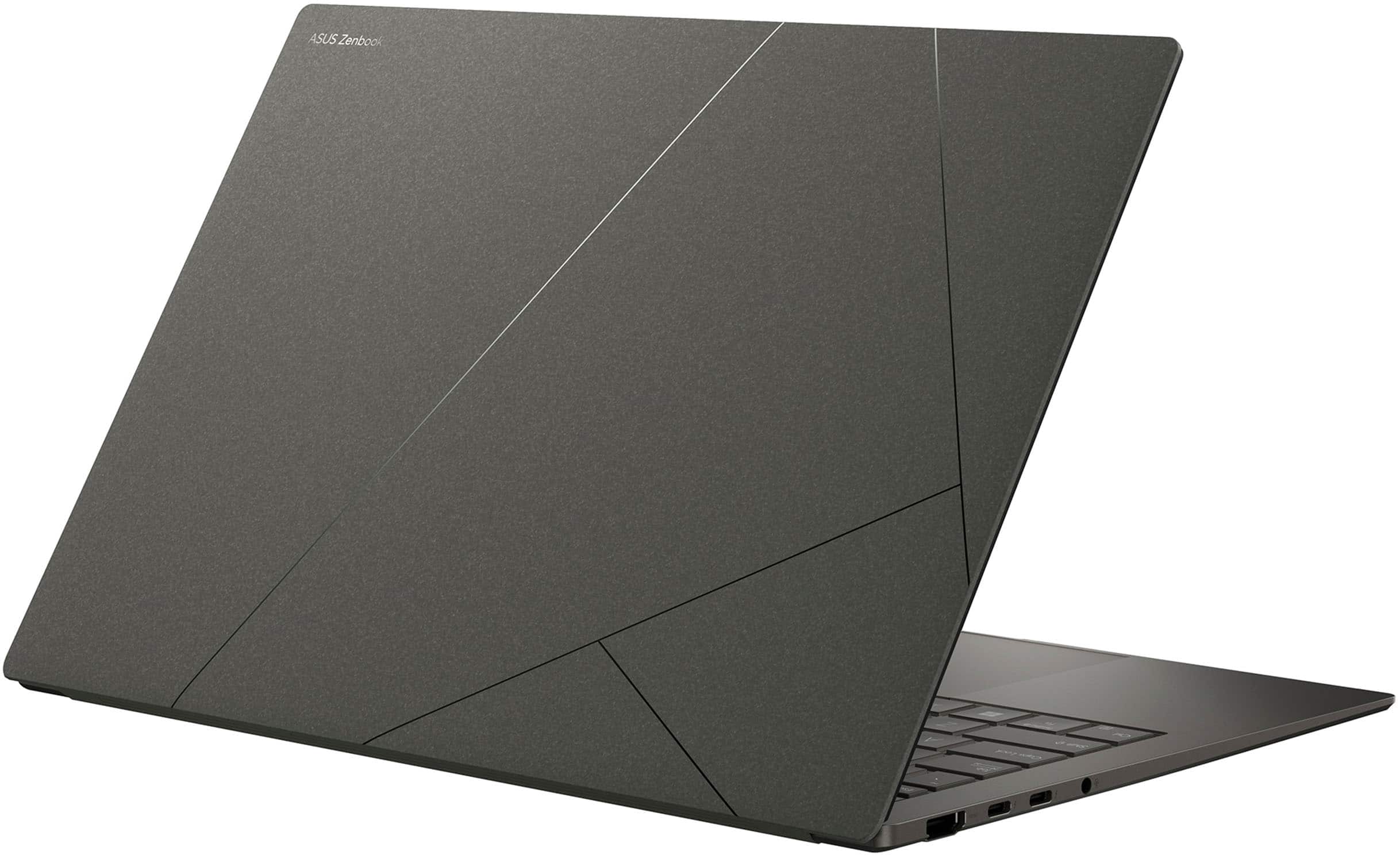
The Zenbook is considered an ultraportable coming in at 2.6 pounds. Obviously, there will be some sacrifices when it comes to port counts. It has one USB-A, one HDMI and two USB-C ports which should be enough for most normal use, but might offer some limitations for power users, devs, etc.
I'll be adding this to my Top-10 List of laptops.
This reviewer received promo considerations or sweepstakes entry for writing a review.
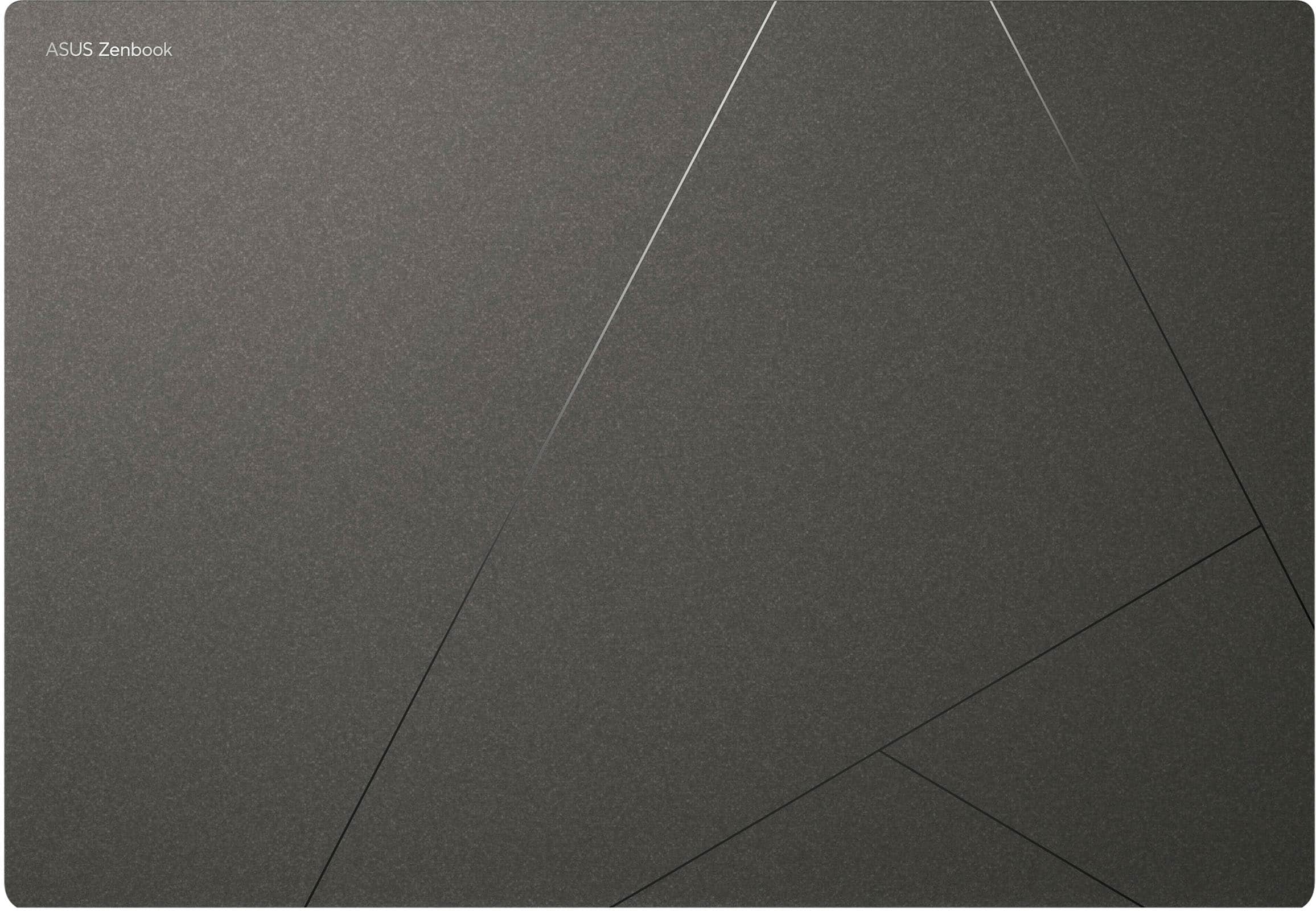
I wanted the ASUS Zenbook to create a writing area. I was surprised by the look and feel of it when I got it. It's very light and thin. I wasn't sure about the design on the cover but I have to admit, it grew on me and now I really like it. The gray color is nice, and blends in well on my desk. It's very fast and has not lagged at all even with multiple programs open. The resolution is crisp and clear with no lag. I've also paired it with an external monitor so I can view photos in more detail and the HDMI on the laptop works great doing that. The one negative is the power supply. The thing is huge. It would be a consideration when deciding where to put the laptop. I had to rearrange my power strip to plug the laptop in on the end of the strip because it didn't fit anywhere else. Using Copilot is so easy and it works nearly perfectly. There were sometimes when it didn't understand what I wanted but after a couple of tries, it got it and it was a big help with my projects as well as assisting me in other areas. Overall, I really like this laptop and I would definitely recommend it.
This reviewer received promo considerations or sweepstakes entry for writing a review.
I work in the software technology industry, and travel often. I work with large databases and use Microsoft Visual Studio to create and maintain various SQL Server Integration Services packages. I need plenty of memory and fast disk access. I usually carry a 16-inch laptop that works well for this, but sometimes I’ve thought about something smaller and lighter, especially when I have to fly. I came across this Asus Zenbook S14 and was intrigued by its specs, so I ordered it.
I am very familiar with Asus products. I have two other laptops – a ProArt P16 that I use now, and a Zenbook 14X that my wife uses. Both have been excellent, as have the Asus mesh routers that I use for my network, so choosing another Asus product was an easy decision. I only have one minor complaint about Asus laptops, which is the keyboard. Like my other two, this Zenbook S14 uses pretty much the same keyboard. I can’t pinpoint my issues with it, but the keys just seem to have an odd spacing, travel or something that makes it more difficult for me to type well. Honestly, that’s the worst thing I can say about this laptop, because everything else is great.
The first thing I noticed when unboxing the Zenbook S14 is that it’s compact and light, which is just what I was looking for. It weighs in at well under 3lbs (2.65lbs, I believe is the official spec), so it’s easy to carry in one hand. The aluminum housing has a rich-looking matte finish along with subtle chrome embellishments that give it a high-end look and feel. The included charger is a 100w USB-C type, and it has two “Thunderbolt” ports, either of which will charge the battery. It also has a USB-A 3.0 port, an HDMI port as well as a standard 2.5mm audio jack. That’s a good assortment of ports in such a small package.
The lid hinge feels solid and holds steady in any position. It does require two hands to open it. The screen is brilliant. At 14 inches, it’s a great size for portability, but large enough to actually work on. The touch sensitivity is perfect and being OLED, it’s viewable from any angle without seeing changes in tint or contrast. The speakers are good for such a small package. They lack strong bass, but otherwise the sound is excellent. Besides my personal issues with the keyboard, the touchpad mouse is very good – it’s large, sensitive, and works just as it should.
I did not specifically choose this laptop for its “Copilot+” AI features, but they do work well when I have used them within the Office suite. One thing that came up was that I tried to install an older software application and something it did caused Windows 11 to become unbootable. One thing that I really like about Asus’ laptops is their built-in recovery option that will totally refresh the computer to factory settings by downloading everything over The Internet. It works well and is simple to use. Luckily I didn’t have to worry about saving any of my data as this happened early in setting up the laptop.
In terms of performance, this laptop might be small in size, but it gives up nothing in power. The Core i7 CPU, PCIe interface SSD, and 32GB of RAM makes it really perform. I installed MS-SQL Server and ran a few of the intensive data manipulation tasks I routinely need and they were much faster than on my dedicated server. This really shows off the super-fast disk speed. The Wi-Fi 7 wireless card works well and is super-fast, and the built-in Bluetooth handled all I could throw at it – a mouse, keyboard and soundbar.
Overall, this is a great laptop and it’s exactly what I need to handle my work on the go. It’s well-made and fast with its latest technology. It looks great and is easy to travel with. I highly recommend this Asus Zenbook S14 laptop.
This reviewer received promo considerations or sweepstakes entry for writing a review.
The latest ASUS Zenbook S 14 stands out as a premium ultrabook that seamlessly combines cutting-edge technology with a sleek design that will be versatile for a variety of use cases. Depending on what you need a portable 14” laptop for, the Zenbook S 14 most likely will have you covered.
At the heart of the Zenbook S 14 is its 14-inch 3K OLED display, Pantone-approved. With a resolution of 2880 x 1800 pixels and a 120Hz refresh rate, the screen delivers vibrant colors, deep blacks, and smooth visuals, as one would expect from any OLED screen at this point. It covers 100% of the DCI-P3 color gamut, making it ideal for tasks that demand color accuracy, such as photo and video editing. When comparing it to my MBP screen, while not as bright (500-nits for the ASUS), the colors were richer than I expected. The touchscreen functionality adds versatility, and the inclusion of the ASUS Pen 2.0 stylus enhances the creative experience.
The Zenbook S 14 introduces ASUS's unique Ceraluminium material—a fusion of ceramic and aluminum. This combination results in a lightweight (weighing just 1.2 kg) and durable chassis that meets MIL-STD 810H military standards for heat, humidity, and shock resistance. The matte finish not only provides a premium feel but also offers scratch resistance, ensuring the laptop maintains its aesthetic appeal over time. I really think this is one of the unique parts of this laptop, and one that sets it apart. It delivers a clean look and feel.
I didn’t scratch test it, but it feels slightly harder than your standard aluminum chassis would.
Under the hood, the Zenbook S 14 is powered by the Intel Core Ultra 7 Series 2 processor, coupled with 32GB of RAM and a 1TB SSD. This configuration ensures smooth multitasking, rapid file access, and efficient handling of demanding applications. The integrated Intel Arc graphics further bolster its capabilities, making it suitable for light gaming and creative tasks.
One thing to note about the processor and RAM experience: while there is an NPU (neural processing unit) that is supposed to help with the AI functionality, I found there wasn’t a massive performance boost in how the laptop performed in the creative field (Adobe apps, etc.), which was a slight letdown.
Despite its slim profile, the Zenbook S 14 features two Thunderbolt 4 ports, a USB-A 3.2 port, an HDMI 2.1 output, and a 3.5mm headphone jack. Wireless connectivity is top-notch with Wi-Fi 6E and Bluetooth 5.3, which is what you want and expect. The only negative here is no SD card slot can be seen, instantly alienating those in the creative field to a degree.
The battery is a standard 72kW in size, and delivered around 8 hours of usage in my testing per full charge. It can charge fairly quickly to get you going if needed, which is a nice touch.
Equipped with the latest Intel Core Ultra 7 processor and 32GB of RAM, the Zenbook S 14 is built to handle future software advancements and multitasking demands. Performance is what you’d expect, and there’s even Arc graphics to boot if you’re looking for some light gaming in your life. However, just as a note the RAM isn’t upgradable due to the NPU (for AI processing).
Overall, this latest entry in the Zenbook series provides a great update for those looking for an incredibly portable and powerful Windows machine. However, those in the creative field who really use an SD card slot and Adobe apps on a regular basis may want to look elsewhere.
This reviewer received promo considerations or sweepstakes entry for writing a review.
This ASUS Zenbook S is a great everyday laptop that will appeal to students and professionals alike looking for a great laptop that allows them to maximize productivity while still getting great battery life.
Out of the box, the first things you’ll notice about this laptop are how strikingly thin, sleek and light weight this laptop truly is. The “Ceraluminum” (ceramic + aluminum) finish is sharp, dare I say, sexy even! And based on the premium look of the laptop you expect a certain type of heft which this laptop comes in deceivingly lighter than expected (that’s definitely a welcome, good thing!).
Around the chassis there’s a good amount of ports: dual Thunderbolts; HDMI, audio, and USB-A. All the essentials are there. The charger is also a USB-C which is great because I have them plugged in all over the house — since all my other devices also charge over USB-C — so it’s easy to move from place to place and I can keep the charger that came in the box in my bag.
The OLED screen is visually great. Text is incredibly sharp and photos are rich and vibrant. Typing on the keyboard the travel felt great to me. The webcam was underwhelming. There was something with the color/contrast/saturation that was just off. Using the webcam for facial login works well enough and is convenient. In a post-COVID world where a lot of time is still spent on web conferences, I would’ve loved to see them invest more in the webcam quality space and maybe even push the resolution up to 4k. Equally, the sound system is good, but it’s not great. It has the volume, but not the dynamics.
After watching some videos, doing some coursework and working on some documents, I was shocked by how much battery I still had left. For reference, I set the laptop mode to standard performance and had the screen brightness up to around 80-85%. To that point, it also ran surprisingly cool and thinking back I don’t recall even ever hearing the fan kick on. Those are all significant wins to me. With mixed use I could easily use this laptop for two days on a single charge (with about 6-7 hours/day usage). This laptop also supports fast charging, so it can charge to almost 3/4 full battery in about a little over an hour.
The only thing I wish came with this is the ASUS Pen. With this being touch screen it would’ve been nice but I guess it’s technically not a 2-in-1 so I guess I can see why they make it optional. All-in-all this is a great all-around everyday laptop that I’m happy to recommend!