Appliances Presidents’ Day SaleEnds 2/25. Limited quantities. No rainchecks.Shop now

Skip to contentGo to Product SearchGo to Footer
Main Content

Customer Ratings & Reviews
Your price for this item is $1,449.99
The comparable value price is $1,499.99

Customer reviews

Rating 4.2 out of 5 stars with 473 reviews

Rating Filter

Rating by feature

  • Battery Life

    Rating 4.5 out of 5 stars

  • Speed

    Rating 4.6 out of 5 stars

  • Display

    Rating 4.7 out of 5 stars

81%
would recommend
to a friend
The vast majority of our reviews come from verified purchases. Reviews from customers may include My Best Buy members, employees, and Tech Insider Network members (as tagged). Select reviewers may receive discounted products, promotional considerations or entries into drawings for honest, helpful reviews.
Page 23 Showing 441-460 of 473 reviews
  • Rated 1 out of 5 stars

    Burned hole in itself

    |
    |
    Posted . Owned for 3 weeks when reviewed.
    This reviewer received promo considerations or sweepstakes entry for writing a review.

    Literally burned a hole in the plastic connecting the base to the screen. I was sitting closed on my desk and next time I opened it, there was a burn hole.

    No, I would not recommend this to a friend
    • Brand response from ASUS Answers
      Posted .

      Dear Dominic,
      We’re truly sorry to hear about the damage your unit has sustained. We understand how concerning this situation must be, and we want to assure you that your experience is not reflective of the standards we uphold. Every ASUS product undergoes rigorous quality testing, and we take incidents like this very seriously.
      To assist you promptly, kindly provide us with your case number. We will thoroughly investigate this matter and work towards a resolution. You can reach out to us via email at customerloyalty@asus.com, and please include the link to this review for reference.
      Your feedback is invaluable as it contributes to continuous improvements in our support channels. For your convenience, here’s the case number: N2408005206-0032.
      Thank you for choosing ASUS!
      Best Regards,
      Schottky
      ASUS Customer Loyalty US Support Asus

  • Tech Insider Network Member

    Rated 5 out of 5 stars

    This is an excellent performing laptop

    |
    Tech Insider Network Member
    Posted .
    This reviewer received promo considerations or sweepstakes entry for writing a review.

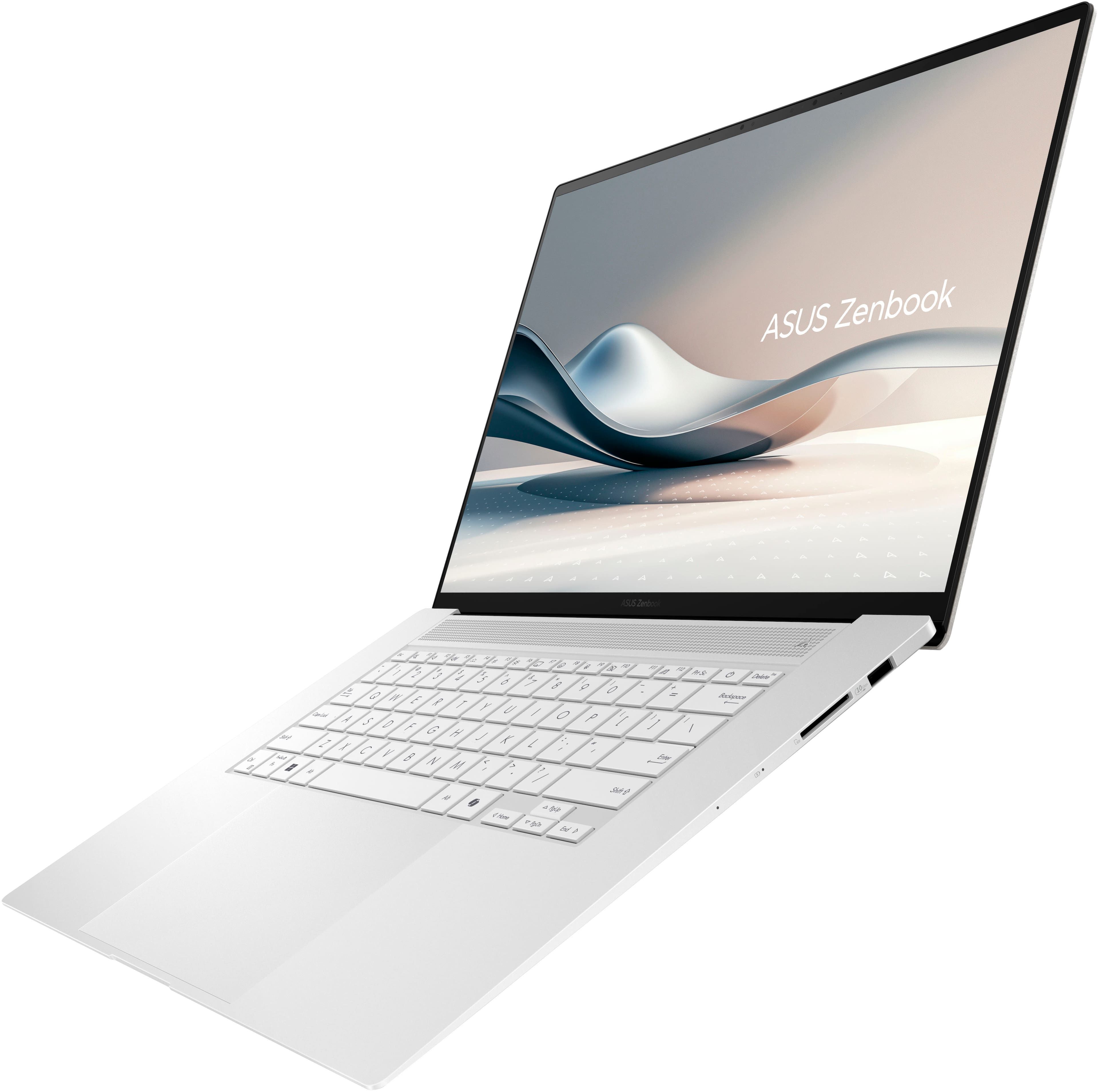
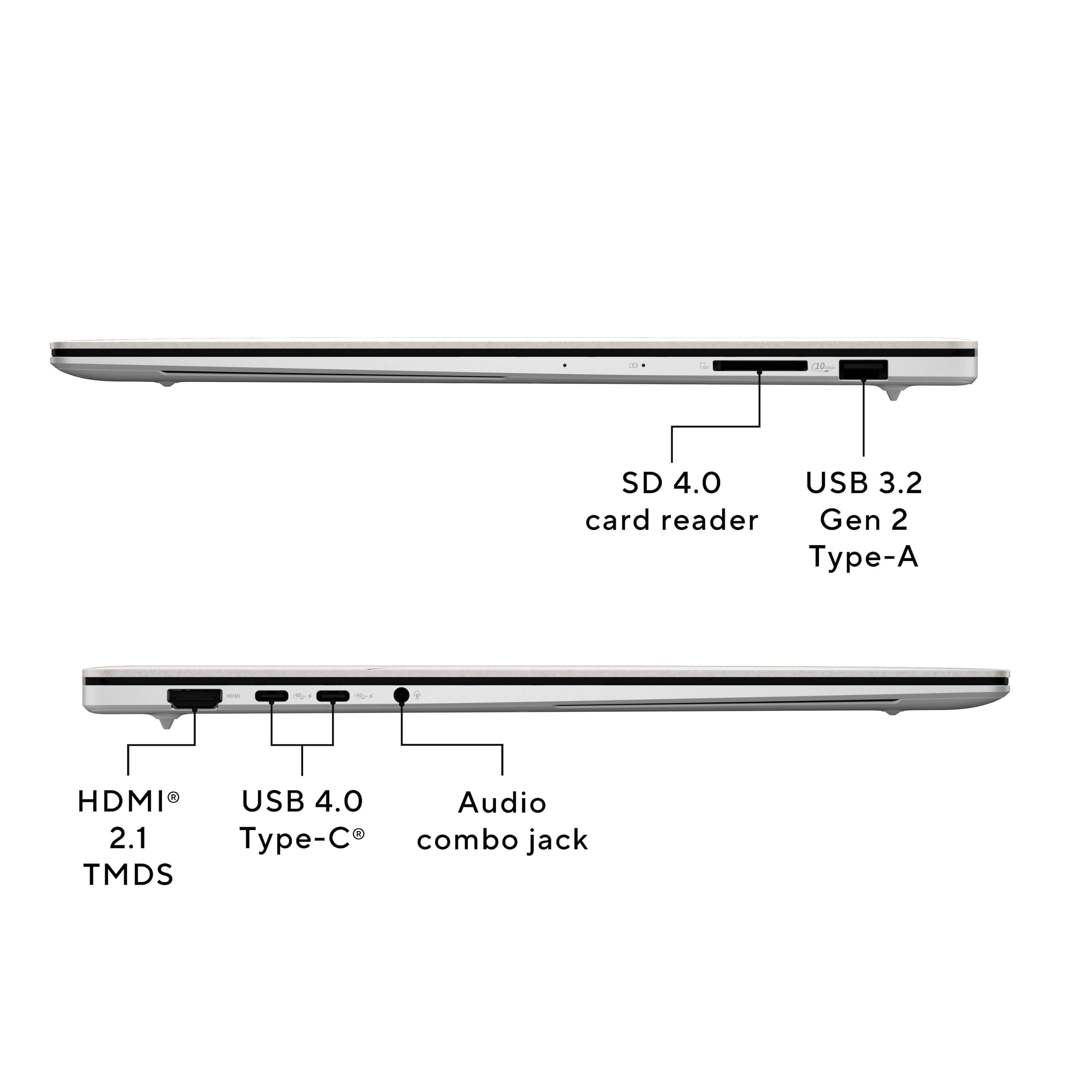
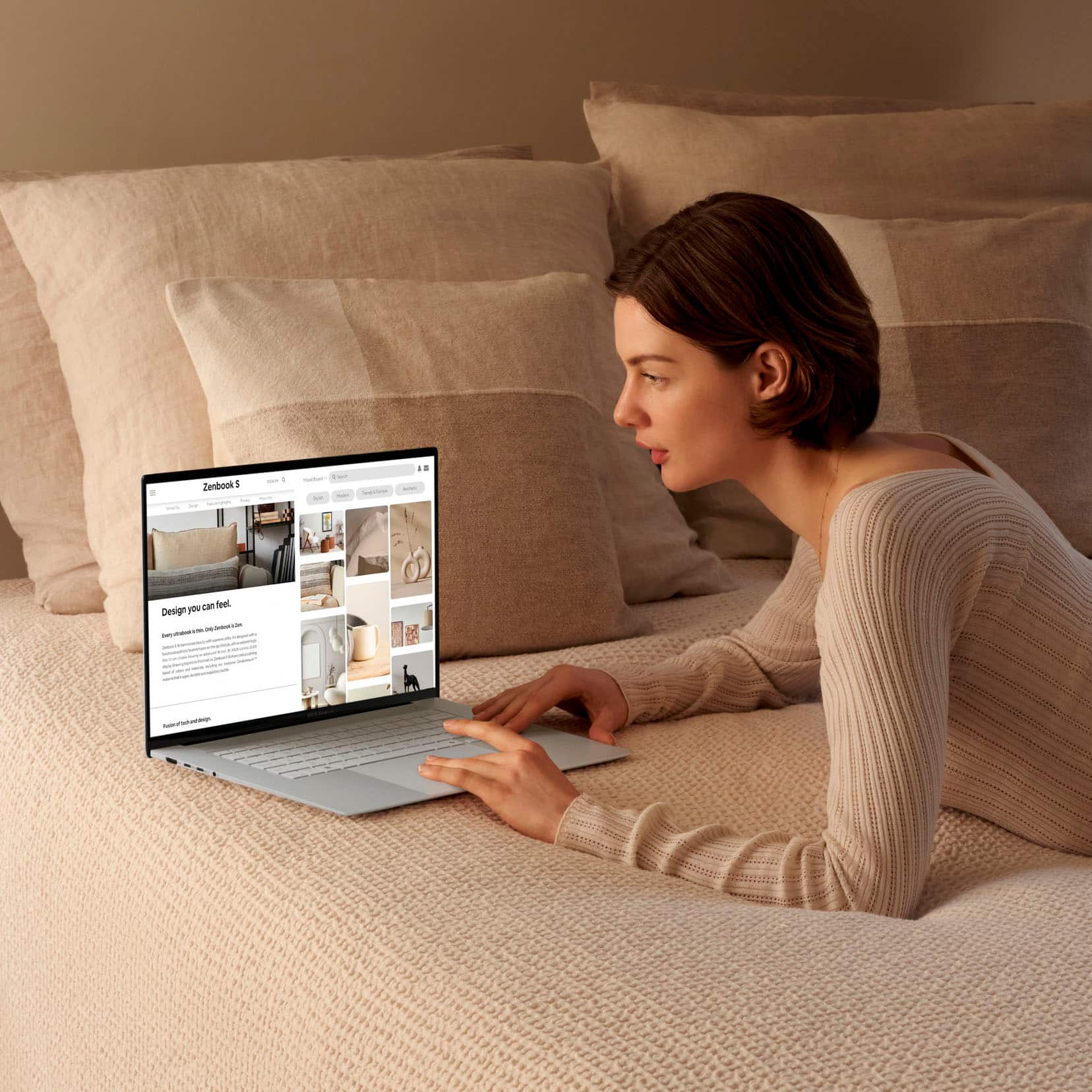
    This review is for the ASUS Zenbook S 16. The ASUS Zenbook S 16 is a high-end laptop that blends performance, display quality, and portability, making it an attractive choice for professionals, creatives, and power users. Design and Build Quality The ASUS Zenbook S 16 features a sleek, premium design with a slim profile and sturdy build. The chassis is made of high-quality aluminum, which gives it a professional and elegant look while ensuring durability. The laptop is relatively lightweight for a 16-inch model, making it a good option for users who need to carry their device on the go. Under the hood you will find it's powered by an AMD Ryzen AI 9 365 processor, which delivers robust performance for multitasking, demanding applications, and even some gaming. Paired with 24GB of memory, this laptop handles intensive workloads such as video editing, 3D rendering, and running virtual machines with ease. It offers fast boot times, quick application launches, and ample storage space for large files and projects. One of the standout features of the Zenbook S 16 is its 16-inch 3K OLED Touch Screen. The OLED panel delivers exceptional color accuracy, deep blacks, and vibrant colors, making it ideal for content creators, photographers, and designers who require precise visuals. The 3K resolution (2880 x 1800) provides sharpness and clarity, while the touchscreen functionality adds versatility for creative tasks and productivity. And has a super thin bezel around the screen. The Ryzen AI 9 365 also includes integrated AI capabilities, which can be beneficial for workloads that involve machine learning, data analysis, and other AI-related tasks. However, it's worth noting that while the integrated graphics are decent for productivity and light gaming, those looking for serious gaming performance or heavy 3D rendering may want to consider a dedicated GPU option. The laptop's battery life has been great easily lasting a full day on a single charge. I found this quite decent for a device with a high-resolution OLED display, which tend to use more power. And when it dose need to be topped off it comes with fast-charging support. The keyboard on the Zenbook S 16 provides a comfortable typing experience with well-spaced keys and good key travel. The backlit feature allows for easy typing in low-light conditions. The touchpad is large and responsive, supporting multi-touch gestures seamlessly, and enhances productivity for users who prefer touch-based navigation. The touchscreen operates very smooth and resonse quickly. This Zenbook model comes equipped with a decent selection of ports, including two USB-C, USB-A, HDMI, microSD card reader, and a headphone jack. It also supports Wi-Fi 6E, providing fast and reliable wireless connectivity for modern networking needs This is a great all around laptop.

    I would recommend this to a friend
  • Rated 2 out of 5 stars

    Not white either

    |
    |
    Posted . Owned for 3 weeks when reviewed.
    This reviewer received promo considerations or sweepstakes entry for writing a review.

    Video has no stability. Sales didn’t use the NEW Best Buy charge card, costing me $130.00

    No, I would not recommend this to a friend
    • Brand response from ASUS Answers
      Posted .

      Dear TerryH,

      Thank you for your comment.

      We do understand the inconvenience this may have caused regarding the color of this laptop and the issue you are having with the video. The color of this laptop is Scandanavian White, not a true White. If you are having issues with the video quality, ensure you installed the graphics driver for this laptop. Please visit our Product Support page to download the driver at:  https://www.asus.com/us/laptops/for-home/zenbook/asus-zenbook-s-16-um5606/helpdesk_download?model2Name=UM5606WA . Additionally, ensure Windows, additional drivers and BIOS for this laptop are up to date. Should you need further assistance with the product, please email me at cl-rodel@asus.com and I would be more than happy to help. Or, you are most welcome to call Product Support Hotline at: 1(888) 678-3688. Also, you can chat with an ASUS live support agent from the link: https://www.asus.com/us/support/article/1135/.


      Thank you for choosing an ASUS product.


      Regards,


      Rodel
      ASUS Customer Loyalty Asus

  • Rated 1 out of 5 stars

    Why I love Bestbuy

    |
    |
    Posted . Owned for 1 week when reviewed.
    This reviewer received promo considerations or sweepstakes entry for writing a review.

    The ASUS Zenbook was a disaster! Kept freezing until it completely stopped working. This was on day one. But Bestbuy was 5 stars. They immediately exchanged it for a better ASUS laptop that I am very happy with. I highly recommend Bestbuy. They stand behind their products and want happy customers.

    No, I would not recommend this to a friend
    • Brand response from ASUS Answers
      Posted .

      Dear JerryG,

      Thank you for your comment.


      We certainly understand your disappointment and the inconvenience this may have caused. ASUS is an ISO certified company, as a result, all products go into a strict manufacturing standard. All ASUS products undergo intensive quality control testing and inspections that ensure each one is trouble-free, and are built to last, the laptop not working on day one is a random problem. ASUS provides warranty coverage for the product. We recommend you send the product in for service to determine if this is a hardware issue so this may be resolved immediately. An RMA number is required to send it in for service. For RMA details, please go to: https://www.asus.com/us/support/article/818/.


      If you need further assistance with the laptop, please email me at cl-rodel@asus.com and I would be more than happy to help. Or, you are most welcome to call Product Support Hotline at: 1(888) 678-3688. Also, you can chat with an ASUS live support agent from the link: https://www.asus.com/us/support/article/1135/.

      Thank you for choosing an ASUS product.

      Regards,

      Rodel
      ASUS Customer Loyalty Asus

  • Rated 1 out of 5 stars

    display gone

    |
    |
    Posted .
    This reviewer received promo considerations or sweepstakes entry for writing a review.

    garbage and display not working within few months. now geek team sent back and don't know when I will get back and waiting for it

    No, I would not recommend this to a friend
    • Brand response from ASUS Answers
      Posted .

      Dear AnilA,

      Thank you for your comment.

      We certainly understand your disappointment with the quality of this laptop and the inconvenience this may have caused if the display stop working within few months of usage. ASUS is an ISO certified company, and as a result, all products go into a strict quality manufacturing standard. All ASUS products undergo intensive quality control testing and inspections that ensure each one is trouble-free, and are built to last, this is a random problem. For warranty service or repair update, you can check from our Product Support page:  https://www.asus.com/us/support/repair-status-inquiry/ . If you need more information or further assistance with the warranty for the product, please email me at cl-rodel@asus.com and I would be more than happy to help. Or, you are most welcome to call Product Support Hotline at: 1(888) 678-3688. Also, you can chat with an ASUS live support agent from the link: https://www.asus.com/us/support/article/1135/.

      Thank you for choosing an ASUS product.

      Regards,

      Rodel

      ASUS Customer Loyalty Asus

  • Tech Insider Network Member

    Rated 4 out of 5 stars

    Beautifully designed mid-priced laptop from ASUS

    |
    Tech Insider Network Member
    Posted .
    This reviewer received promo considerations or sweepstakes entry for writing a review.

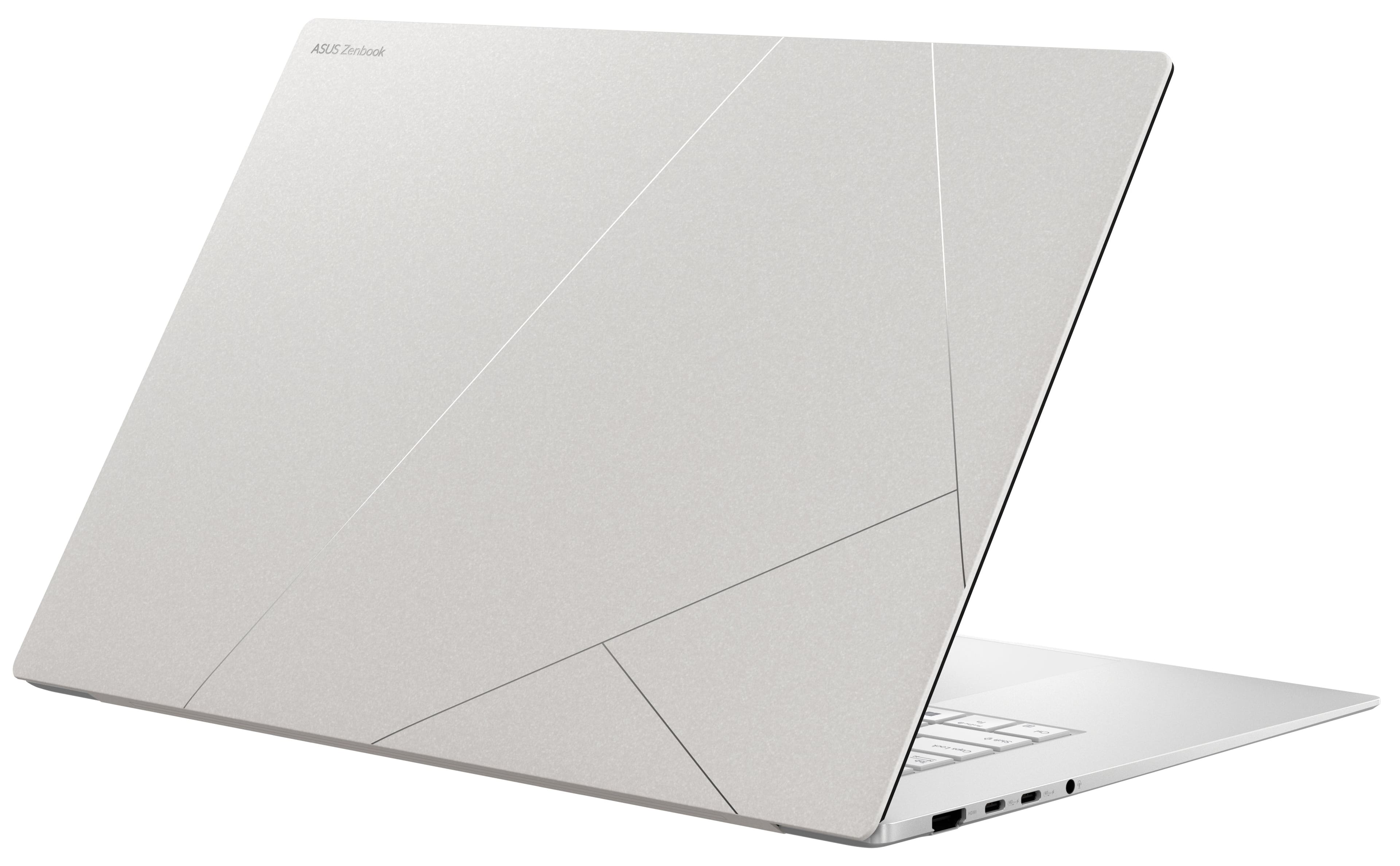
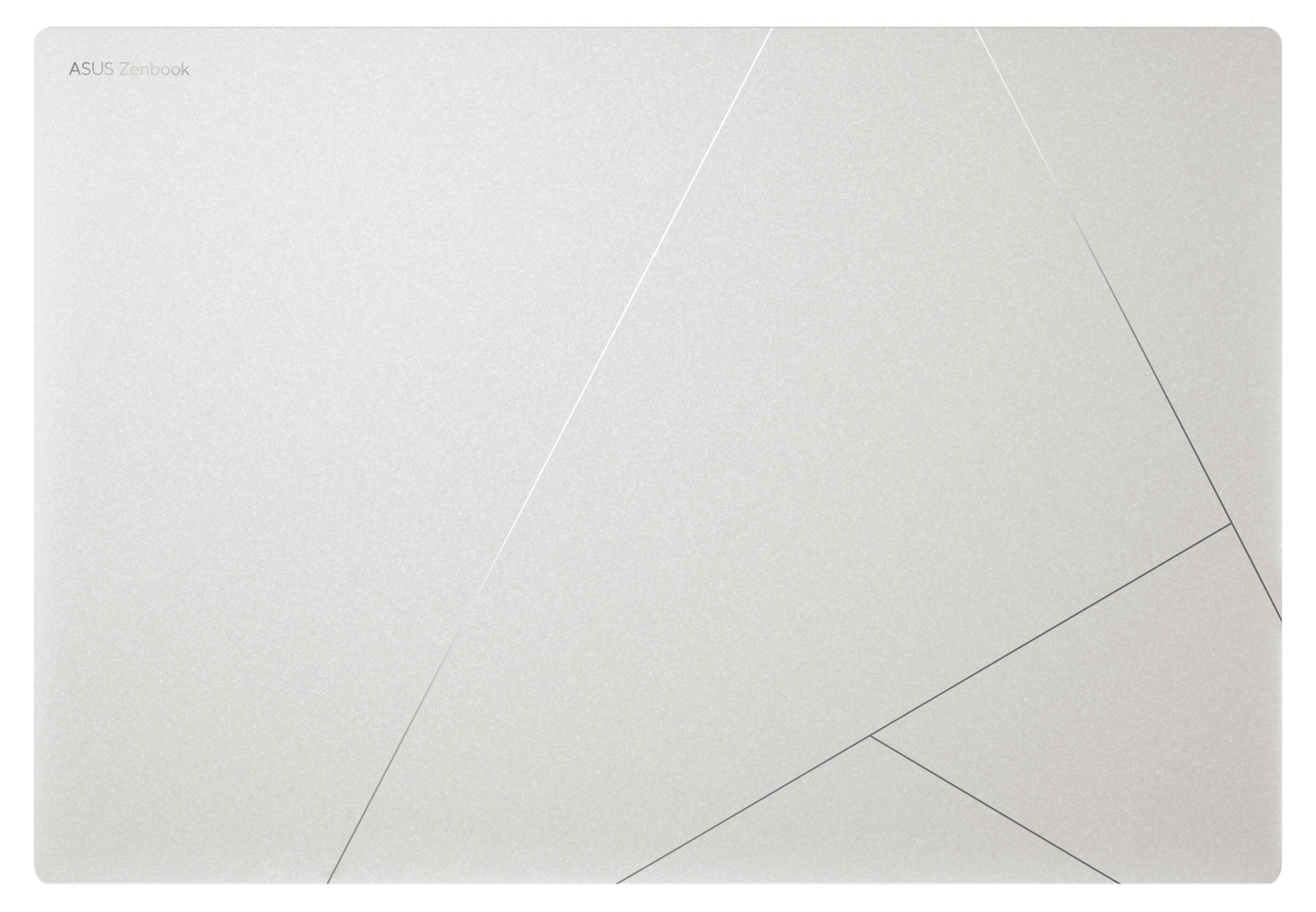
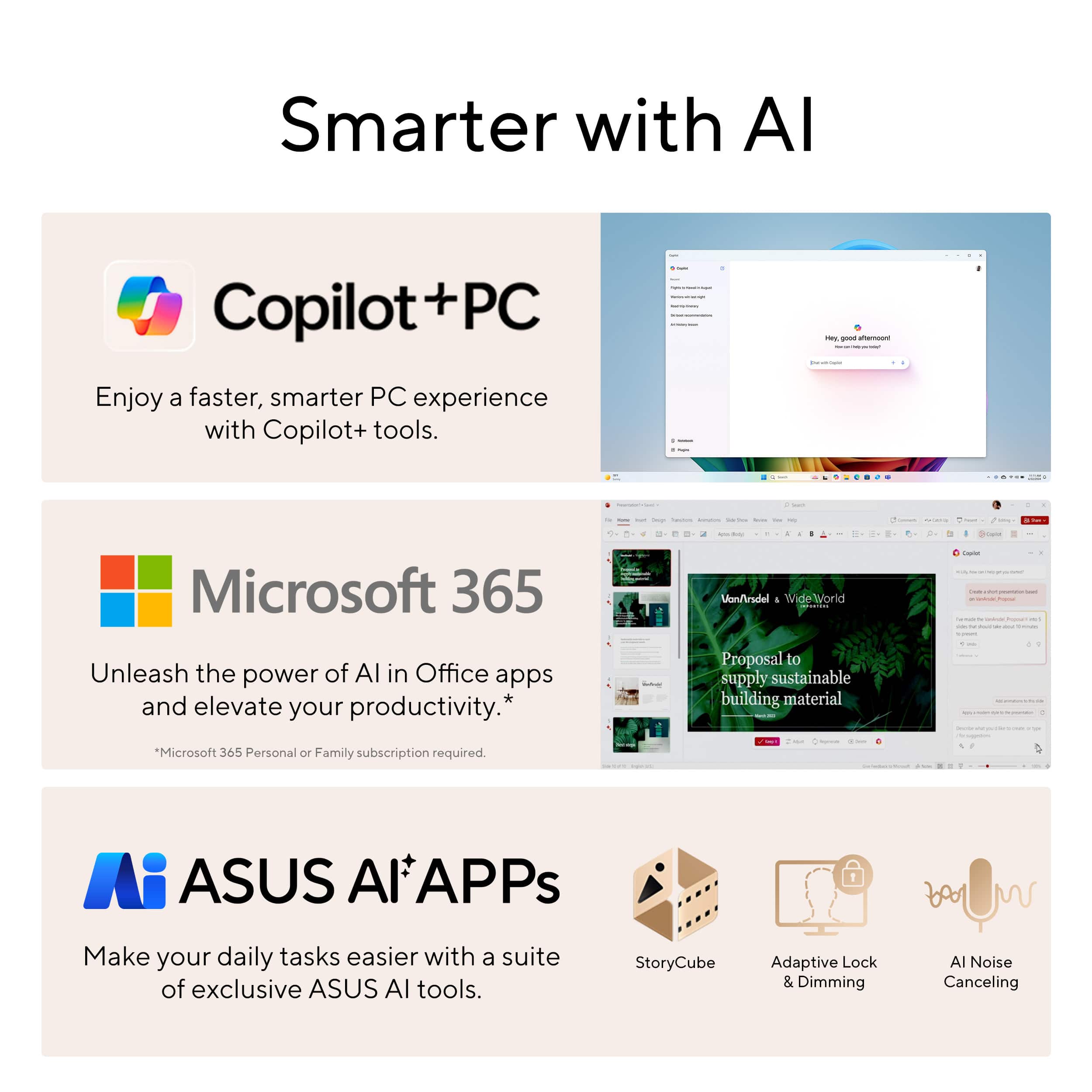
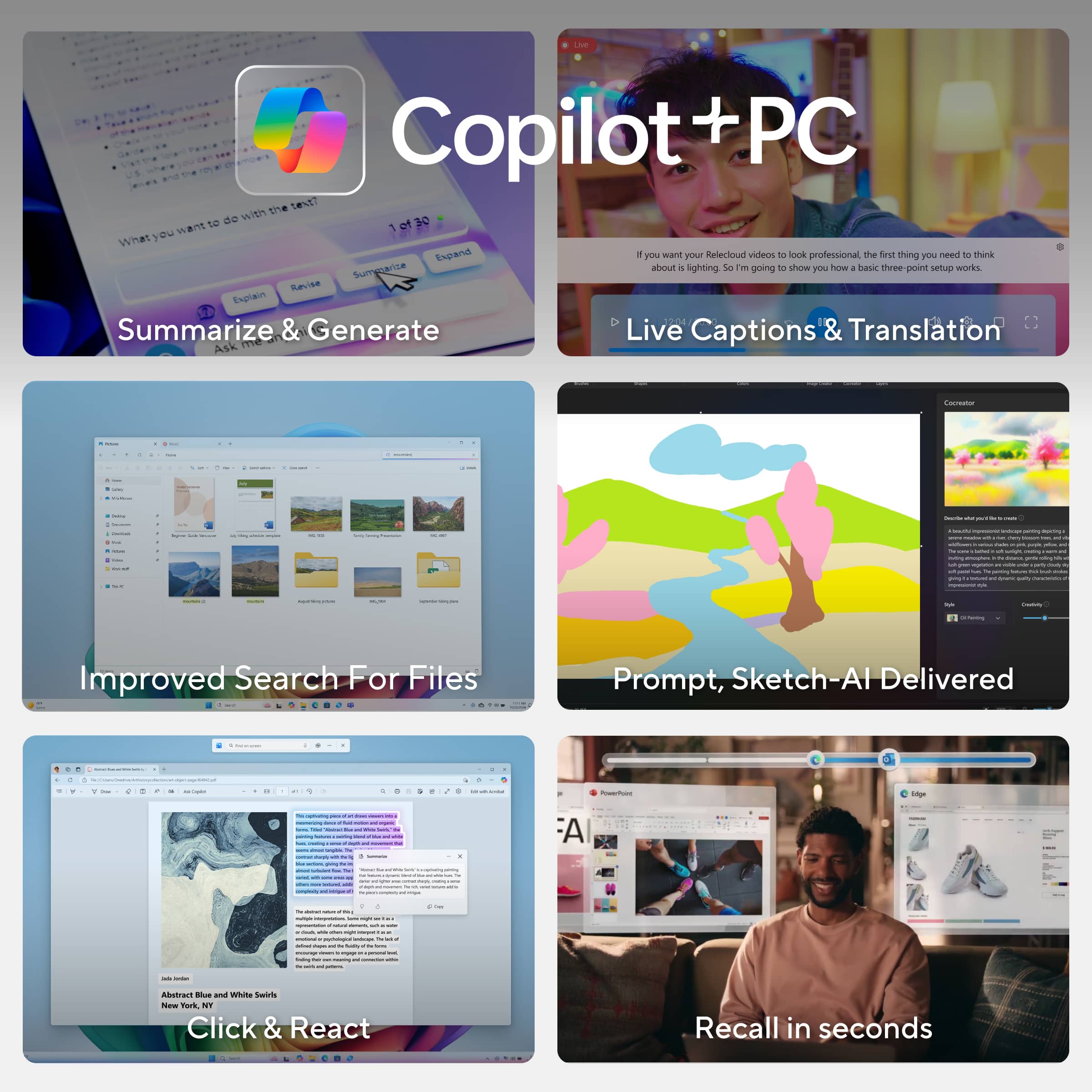
    The new ASUS S 16 Zenbook is aptly named for its namesake AMD hybrid multiprocessor architecture known as “Zen”. This review is of the lower priced of two S 16 models and comes with a 1TB SSD drive, 24 GB of RAM, and the new AMD Ryzen AI 9 365 processor. The laptop field is getting really crowded, especially now with the recent advances in neural processing in support of Artificial Intelligence applications. Where I think the ASUS S 16 laptop with the AMD Ryzen AI 9 365 processor fits firmly into the mix is its ability to excel in running all existing Windows applications plus adds high-end fast neural processing for current and upcoming AI software. It’s early in the game to see how integral the role of AI applications becomes in our daily computing lives, but ASUS has provided a laptop that bridges the current state of Windows with the future of AI. The S 16 Zenbook definitely makes a great first impression right out of the box with a strikingly simple yet elegant cover design in scandinavian white with an etched silver geometric design overlay. The matte finish laptop lid is made of a blend of aluminum and ceramic that virtually eliminates oily fingerprints and provides a nice grip to the laptop. Opening the laptop continues the theme of a simple clean design with stylish heat vents and a finish that also prevents annoying fingerprints. It’s amazingly lightweight for a 16” laptop and feels more like a 14” in the hand. The 16-inch 3K Lumina OLED 2880 x 1800-pixel screen by its nature is a stunning display, with bright yet rich colors, deep blacks, and it functions as a touch screen. The keyboard is well-lit with a bluish tint backlight and nice soft feel and relatively quiet typing. The trackpad is quite large but works well and can control brightness, audio volume, and video speed with simple swiping gestures on the edges of the pad. That’s a nice feature to have when you need to quickly adjust volume for example, which I often find myself doing. The sound from the premium Harman Kardon speakers is excellent but don’t expect any punchy sound or deep bass in such a thin case. As I understand it, the AMD Ryzen processor is a type of hybrid architecture that is not only capable of running Windows applications as designed, but also takes advantage of high-speed neural processing for the newest AI applications such as Windows CoPilot+. AMD was able to effectively balance powerful processing capability with low power requirements, resulting in a decent performer for most laptop users’ needs. I installed resource-hungry software for photo editing and the applications loaded quickly and performed without any issues. I did notice AI denoising was a bit slower than on my desktop PC though, probably due to the less powerful integrated GPU vs. a high-end PC graphics card. Battery life is sufficient for all-day use. ASUS includes a power charger that plugs into a standard USB-C port, much preferred to some laptops that require a proprietary plug. For digital photo editing, it’s nice to have a SD card reader without having to carry around a separate card adapter. All the latest USB and HDMI connectivity is included, along with the latest WiFi 7 standard. I am using WiFi 6 and unable to test above that. The S 16 Zenbook comes well-appointed with a fast 1TB SSD drive and 24GB of fast RAM. The integrated AMD Radeon 880M video processor can access up to 8GB of that memory, still leaving plenty of memory for multi-tasking. The installation of Windows 11 was simple and straightforward and it’s relatively simple to reset the PC and start over if you stumble along the way. I was relieved to find very little bloatware with a very clean installation of Windows. ASUS includes an application called MyASUS which comes in very handy to ensure that you have the latest updates, configuration options, and useful diagnostics to troubleshoot problems should they arise. I did need to perform several iterations of Windows Update followed by MyASUS updates to bring the laptop fully up-to-date, and that included some BIOS updates along the way. ASUS has included some of the newer AI applications such as Paint with Image Creator, Windows Studio with video conferencing enhancements, CoPilot for conversational web searches, and something called StoryCube, which uses AI to organize your photos and media files…and much more. Overall, I find the ASUS S 16 Zenbook to be a well-balanced and reliable offering for people looking to take advantage of running the latest AI processing software in an affordable and beautifully designed and lightweight laptop.

    I would recommend this to a friend
  • Rated 1 out of 5 stars

    Bad wifi ruins an otherwise great laptop

    |
    |
    Posted .
    This reviewer received promo considerations or sweepstakes entry for writing a review.

    Wifi could not hold a solid connection sitting next to a new wifi 7 router, even with the newest drivers from May 2025. It also has much shorter wifi range in general vs laptops with the intel ultra series 2 processors. AMD made a great processor, but the soldered mediatek wifi card makes this laptop useless.

    No, I would not recommend this to a friend
    • Brand response from ASUS Answers
      Posted .

      Dear Josh L,

      We sincerely apologize for the wireless connectivity issue you're experiencing with the ASUS Zenbook S 16 Laptop, and for the inconvenience this may have caused you. This is not the kind of quality to expect from our products and it's not the norm. To troubleshoot the issue described, we recommend following the steps in the FAQ below. Should the issue persist, please contact our support team at https://www.asus.com/us/support/CallUs to further investigate the problem or assist with repairing the device.

      We stand behind our products and continuously strive to improve our products and processes to achieve customer service excellence. For more information, email us at customerloyalty@asus.com and include the case number "N2408005206-0022" as a reference. We will do our best to resolve your case quickly. Your feedback is very important to us and enables us to improve our support channels. Thank you for choosing ASUS.

      Best Regards,
      Chantae
      ASUS Customer Loyalty US Support

      [Windows 11/10] Troubleshooting - Wireless Network (Wi-Fi) Issues -  https://www.asus.com/us/support/faq/1015073/ Asus

  • Rated 4 out of 5 stars

    Super fast with a beautiful display but runs HOT

    Posted .
    This reviewer received promo considerations or sweepstakes entry for writing a review.

    This laptop rips for programming and graphic design. Beautiful color-accurate display, nice keyboard, and light chassis, it's perfect for working on the go or at school. It can handle some light gaming, but without a dGPU I wouldn't buy it for gaming as a primary use. For content creation, the screen comes with a very accurate color profile (a delta E of like 1.8 on mine). My only complaint is this thing gets really hot, but i suppose that's to be expected with a laptop as thin as this one. Another complaint is MPO. Something about the iGPU doesn't play well with MPO, causing stutters on browsers that use it. I had to swap to firefox to fix the issue. Also, if you plan to dual-boot linux, the hardware is new enough that many distros don't support it. After some considerable work, I got Fedora running on a 256gb partition of the main drive.

    I would recommend this to a friend
  • Tech Insider Network Member

    Rated 5 out of 5 stars

    Zenbook S: High Performance Design! Mobile Zen 5!

    |
    Tech Insider Network Member
    Posted .
    This reviewer received promo considerations or sweepstakes entry for writing a review.

    For many computer enthusiasts, new CPU releases are always an exciting time as we typically anticipate faster overall performance in most computing metrics; on the same token, it should be made clear that newer CPUs not only improve higher priced systems, but also every price point. In addition, it will benefit all users regardless of their computing requirements. Furthermore, models that coincide with new CPUs releases will often garner the most attention. As such, I was extremely excited to finally be able to test the newly designed Asus Zenbook S, featuring the recently released Ryzen 9 AI 365 based on the Zen 5 architecture. In addition, it comes loaded with 24 GB of RAM and a 1 TB Gen 4 SSD. Thus, I was curious to see if this new sleek design would also translate with respect to performance. At first glance, it is easy to see why the Zenbook S has received a fair amount of praise regarding its design. Clocking in at 3.3 pounds, the Zenbook S is one of the most attractive designs I have personally seen; with the lid closed, it measures at just 0.43 inches thick yet still packs an impressive amount of hardware. Comparing my Yoga 9i to the Zenbook S, it actually feels bulky in comparison despite it being a smaller laptop. Additionally, I was also impressed with the top etched design; ironically matching the same pattern that is found on its inner box. The laptop lid is extremely exquisite and just outright impressive; it is smooth to the touch yet lacks the grip and porous look that other laptops usually have. As for connectivity, the Zenbook features 2 USB4 40Gbps ports, 1 USB 3.2 Gen 1 Type-A port, a 3.5mm jack, an HDMI 2.1 port, and a full size SD UHS-II card reader. In addition, the 3K 120 Hz OLED display is outright gorgeous as expected and is impressively thin. Another observation I noticed was the backlit keyboard; it is literally the brightest I have ever seen on a laptop at its max setting. Overall, I think this is one of the more eye-catching designs in recent memory, and certainly most people who are able to see this in person will be intrigued by its minimalistic design. Switching to my performance observations, I first want to caution that my results found within this review should give you an idea of what to expect. Your results may or may not exceed what I have noted here. Furthermore, performance measurements in general can vary drastically and will not necessarily be reflected similarly across every workload and/or benchmark. As expected with any laptop, the Windows 11 the install is slightly bloated with several executables tied to the included Asus software; RAM usage is roughly around 23-27% used on first boot. Unfortunately, the MyAsus application does control some of the aspects of the hardware so you will probably end up keeping it. Aside from that, the good news is that the results have been quite stellar overall, despite recent criticism of the Zen 5 architecture that I believe has been blown out of proportion. As for my testing, I only made a few changes to the system; most notably, I disabled the hibernate helper within the MyAsus application. Furthermore, I also disabled the faster shutdown option as well as prevented the system from going into sleep. Additionally, I modified the power options by changing the minimum processor frequency to 1% down from 5%. I also delayed every OS and driver update from installing. Next, I removed everything from startup and ran every test using the included 65w power adapter. Lastly, I used a combination of HW Monitor 1.54, HW Info 8.10, and Crystalmark 8.0.5 for my performance monitors. Starting with my first test, I decide to run Cinebench R23 and compared it to some of my other laptops. Ryzen 9 AI 365 -1,970.0 / Multi: 15,789 (10 Cores / 20 Threads) I7- 1360P - Single: 1,875 / Multi: 11,102 (12 Cores / 16 Threads) I7-12700H - Single: 1,761 / Multi: 15,901 (14 Cores / 20 Threads) As you can see, it is clear that Zen 5 is quite efficient given it lacks 4 cores compared to the 12700H yet was able to reach it within the margin of error. Perhaps even more impressive was that it was able to do this on roughly 33 watts! To supplement these results further, I also benched each CPU using CPU-Z 2.10. The results are found below: Ryzen 9 AI 365 - Single: 788.9 / Multi: 6,600.9 (10 Cores / 20 Threads) I7- 1360P - Single: 728.3 / Multi: 6112.8 (12 Cores / 16 Threads) I7-12700H - Single: 572.5 / Multi: 7,568.7 (14 Cores / 20 Threads) Clearly, we see that more cores are naturally favored as expected though this is not the whole picture. Despite losing slightly in the multithread portion, the Ryzen 9 was very consistent in its power consumption on multiple runs; it never exceeded 33 watts. Switching to a real world scenario, I decided to run a quick video encode using Handbrake 1.81. Using the Very Fast 1080p preset, I encoded a 90 minute M2TS file (28 GB); its original DTS-MA 7.1 audio was preserved in the output file. Ryzen 9 AI 365 - 10 Minutes 27 Seconds / Avg FPS: 211.7 I7-1360P - 15 minutes 42 seconds / Avg FPS: 140.6 I7-12700H - 11 minutes 4 seconds / Avg FPS: 199.6 During the handbrake encode, the Ryzen 9 AI 365 was able to stretch its legs a bit. The main Zen 5 cores held consistently around 3.5-3.7 GHz, while the compact cores were slightly slower around 2.6-2.9 GHz. Thermals were also quite impressive as the CPU held fairly steady around 83-85C, eventually settling around 88c. Once again, even more impressive was that the CPU package continued to hold its power consumption between a paltry 30-33 watts, yet it was still able to beat the i7-12700H! For a single threaded test, I used MusicBee 2.4 and LAME 3.99 to encode a 24 minute WAV file to MP3. The encoder was set to a constant bit rate of 320 and the internal algorithm was set to 0 for the highest quality (-q command). In addition, I set the maximum number of encoding threads to one. Ryzen 9 AI 365 - 51 Seconds (10 Cores / 20 Threads) I7- 1360P - 57 Seconds (12 Cores / 16 Threads) i7-12700H - 1 Minute (14 Cores / 20 Threads) As expected, the Ryzen 9 was clearly able to fly past the others as it was able to consistently burst 4.6-5 GHz throughout the encode; interestingly HW monitor showed that the task never shifted between the two CCX dies. My last benchmark I wanted to test the included SD UHS-II card reader. I grabbed my Sony Tough G UHS-II 32 GB SD card and sent a mixture of RAW and JPG images. The total transfer consisted of 851 files and was 14 GB in size. Immediately, the transfer shot up to around 200 MB/s and eventually was able to sustain around 225 MB/s. The transfer took about a minute. Lastly, I took CrystalMark and capture the SD card results below: Sequential Read Q8T1: 274.28MB/s / Sequential Write Q8T1: 202.00 MB/s Sequential Read 4K Q1T1: 10.71 MB/s / Sequential Write 4K Q1T: 3.46 MB/s Shifting gears now, for those who care about the speakers, the Zenbook S was actually quite surprising. Given the size of the unit, I wasn't expecting much from the six speakers but honestly it is much louder than I assumed. Comparing it to my Yoga 9i, the Zenbook seems to have slightly better low end. In addition, at higher volumes it seemingly didn't distort as much. Nonetheless, I was quite impressed while listening to my FLAC collection. Lastly, I would like to discuss the battery and thermals that I have noted throughout my testing. First and foremost, the Zenbook S is actually one the coolest laptops I have used. Its heat dissipation with respect to its size is quite impressive. For multithreaded tests, the CPU naturally did increase but its rate of change was much slower than my other laptops. On average, spikes in low 90s were few in between; in fact on average the Ryzen 9 spent most of its time around 80-88 degrees, backing off in frequency when needed. Additionally, my single threaded test naturally spiked much quicker given its 5 GHz frequency. As for daily tasks like web browsing, the CPU stayed in a comfortable range; typically in the low 50s with an occasional spikes in the 60s-70s. The fan is also worth mentioning as it is extremely quiet; even in full performance mode the fan was remarkably low in noise. Connectively, combining all the tests over the past two days, I have not once hit 100C nor did HW Info report any thermal throttling. Safe to say, the Zen 5 efficiency is quite impressive. As for the battery, I went ahead and tested it using a worst case scenario. With the Zenbook in performance mode, I played my 90 minute M2TS file with both the screen and keyboard on full brightness. In addition, the computer was connected to the internet. After 60 minutes, I noted the battery at 85% capacity and after the movie was over it had dropped to 76%. In conclusion, the Zenbook S combines an attractive design and blends it with impeccable build quality and exceptional craftsmanship. Its sleek chassis is further enhanced by its slim dimensions and improbable light weight. In addition, the Zenbook S is powered by the recently released Ryzen 9 AI 365, providing both efficiency and performance. For any user who desires an even balance between portability and design, yet does not want to sacrifice performance, the Zenbook S is an excellent alternative to higher priced models (this is not a gaming device)! While affordability is certainly debatable, there is no question that there is some exceptional value in its current configuration. With that said, it is definitely worth your attention provided its within your budget. Thus, the Zenbook S comes highly recommended.

    I would recommend this to a friend
  • Rated 5 out of 5 stars

    Asus and AMD have knocked it out of the park

    Posted .
    This reviewer received promo considerations or sweepstakes entry for writing a review.

    Design: The S16 makes an amazing first impression from the with its ultra slim profile, the CNC'd aluminum chassis, and laser etched ceraluminum lid. Display: Upon opening the lid you are greeted by a gorgeous 16 inch 3k/120hz variable refresh rate OLED display. While my usage is about 95% writing and research the few opportunities to watch Netflix or YouTube I've been blown away. From the incredibly deep black levels to the 500 not peak brightness in HDR (300-400 nit SDR) and blisteringly fast 120hz refresh rate it's hard to find any flaws. Hardware: Under the hood you have the newest gen AMD Zen5 AI 9 HX364 10 core 20 thread SoC (System on chip), sporting the Radeon 880m integrated graphics and NPU which will power the AI of the future. The addition of 24GB of LPDDR5X RAM @7500 MT/s, and 1TB NVME SSD (5000+ read/ 3600 write) while there are faster options on the market this will be great for most users. And for those that are comfortable with tinkering the NVME is one of the few components not soldered to the board, so can be easily replaced. Keyboard/Trackpad: You have a fairly standard keyboard layout with a short 1.1mm of key travel which offers MacBook like keyboard experience. While it offers a backlight for the illuminating the key caps and three brightness settings, the secondary function of the keys aren't evenly lit at low and medium settings. The massive glass diving board style track pad offer an excellent experience overall, but it is one of my few complaints with the S16. With this being a premium laptop the lack of haptic track pad is a bit disappointing. But Asus has done something to set theirs apart from others by offering more functionality into the track pad with the left and right edge acting as volume/brightness controls and the top allowing you to scrub through videos content. These additional gestures at launch were hit and miss with there consistency, but have improved with multiple updates. General usage/battery life: This has been a writing and research monster, running Google drive, Google docs with upwards of 20 tabs, listening to YouTube music this thing doesn't break a sweat. With all the being said I'm getting 9-12 hours depending on brightness and refresh rate settings Gaming/Battery usage: Let me start by saying this, the S16 is not intended to be a gaming laptop while the integrated 880m graphics are a step above others it is not going to beat a dedicated GPU. The 2 fan and slim vapor chamber cooling system do a good enough job keeping the laptop cool during normal usage 32c-42c... I've seldom had them kick on with my usage. But I did do a quick test and some games at 1080p/1440p medium-high setting were playable at 30-60 fps. Temps during gaming would see them reach 60c-80c which would cause the area just above the keyboard to feel warm to the touch. If you want to game, but are concerned with temp GeForce Now is a great option since the heavy lifting is offloaded to Nvidia's powerful cloud based gaming rig. When trying this option temps we're almost identical to my normal usage case and battery life was closer to 4-6 hours. Once again... this is not a gaming laptop. Additional thoughts: Upon first set up of the laptop it was quite unstable, performance was erratic, temps could get pretty high even during normal usage and especially while plugged in. But after upgrading to Windows 24H2 and updating the bios to version 309 through the My Asus app it has become my nearly flawless daily driver. And in the time that I've had it AMD and Asus have updated the system at least 3 more times and performance continues to get better. So if you have a less than stellar experience out of the box, don't write this beautiful machine off, make sure you get it up to date . Please feel free to leave comment on the review with any questions you might have and I'll comment with updates.

    I would recommend this to a friend
  • Rated 1 out of 5 stars

    Bad overheating issues on second day*

    |
    |
    Posted . Owned for less than 1 week when reviewed.
    This reviewer received promo considerations or sweepstakes entry for writing a review.

    Terrible heating issues. Blacked screen on first day, and randomly shut off.

    No, I would not recommend this to a friend
    • Brand response from ASUS Answers
      Posted .

      Dear Mike,

      We sincerely apologize for the issues you're experiencing with the notebook and for the inconvenience this has caused you. This is not the kind of quality to expect from our products and it's not the norm. To troubleshoot the overheating issue described, we recommend following the steps in the FAQ below.

      In the event that the problem persists, you may contact the place of purchase for an exchange or return if you are still within the window. Please rest assured that if you cannot gain resolution when contacting the place of purchase, we will be glad to provide further assistance.

      We stand behind our products and continuously strive to improve our products and processes to achieve customer service excellence. For more information, email us at customerloyalty@asus.com and include the case number "N2408005206-0017" as a reference. We will do our best to resolve your case quickly. Your feedback is very important to us and enables us to improve our support channels. Thank you for choosing ASUS.

      Best Regards,
      Chantae
      ASUS Customer Loyalty US Support

      [Windows 11/10] Troubleshooting - Overheating and Fan issues -  https://www.asus.com/support/faq/1015064/ Asus

  • Rated 1 out of 5 stars

    Awful Computer

    |
    |
    Posted . Owned for 10 months when reviewed.
    This reviewer received promo considerations or sweepstakes entry for writing a review.

    I have had nothing but problems since I bought it. Several hardware issues.

    No, I would not recommend this to a friend
    • Brand response from ASUS Answers
      Posted .

      Dear Valued Customer,

      We are sorry to hear that you receive your unit with several hardware issues. We would recommend that you reach out to Best buy support so they can provide you with more information. We do stand behind our product and we continuously strive to improve our approach and processes in order to achieve customer service excellence. For more information send us an email at customerloyalty@asus.com and provide the link of this review for reference. We’ll do our best to provide a quick resolution to your case. Please refer to this case number (N2509008488-0001) for us to better assist you.
      Your feedback is important as it helps with improvements to ASUS Support channels.
      Thank you for choosing ASUS.
      Best Regards,
      Schottky
      ASUS Customer Loyalty US Support Asus

  • Rated 1 out of 5 stars

    Horrible don’t buy

    |
    |
    Posted . Owned for less than 1 week when reviewed.
    This reviewer received promo considerations or sweepstakes entry for writing a review.

    This thing does not have sound unless I use headphones. The thing wont upload , cpu error and i didnt even have it for a week.

    No, I would not recommend this to a friend
    • Brand response from ASUS Answers
      Posted .

      Dear Angel,


      Thank you for your comment.

      We do understand your disappointment and the inconvenience this may have caused if you're not getting sound from the internal speakers, cannot upload, and experiencing other issues. To resolve the sound problem, please check inside the Sound properties if the internal speakers were selected as the output source and the audio driver is updated. If you are unable to upload data, please check if the laptop has access to an established router or access point and internet service is working properly since poor and unstable internet connection will definitely affect system stability and performance. Additionally, please check if the laptop is running with the most current Windows update, drivers, BIOS and applications. Updates for this laptop are available at:  https://www.asus.com/us/laptops/for-home/zenbook/asus-zenbook-s-16-um5606/helpdesk_download?model2Name=UM5606WA .

      Should you need further assistance, please email me at cl-rodel@asus.com and I would be more than happy to help. Or you are most welcome to call Product Support Hotline at: 1(888) 678-3688. Also, you can chat with an ASUS live support agent from the link: https://www.asus.com/us/support/article/1135/.

      Thank you for choosing an ASUS product.


      Regards,


      Rodel

      ASUS Customer Loyalty Asus

  • Tech Insider Network Member

    Rated 4 out of 5 stars

    Excellent Portability and a Beautiful Display

    |
    Tech Insider Network Member
    Posted .
    This reviewer received promo considerations or sweepstakes entry for writing a review.

    The ASUS Zenbook S 16 W/ 3K OLED Touch Screen Display is a well crafted and beautiful laptop. It is extremely thin and lightweight, especially for a laptop with at 16 Inch display. It handles everything I throw at it, and even some light gaming (Older games and MMO's). The 24gb of RAM really makes a difference in daily use, and the 3K OLED screen is absolutely stunning to look at. The only thing I wish this laptop did different was heat management, but that is not a deal breaker. It does run a little hot when you are using it for light gaming or even running multiple tasks. It is very quiet which is nice, but that might be the reason it runs a little warmer. Overall this is a fantastic laptop, and I love the balance of portability without sacrificing performance or screen size. Pros: -Excellent Display and Refresh Rate -Beautiful design and build quality is top notch -AI Features are very useful, and slightly boosted with the Ryzen 9 AI Series CPU -Battery life is fantastic -Trackpad is very large and works great -Surprising sound quality for such a thin machine Cons: -Runs a little warm

    I would recommend this to a friend
  • Tech Insider Network Member

    Rated 5 out of 5 stars

    Premium business laptop

    |
    Tech Insider Network Member
    Posted .
    This reviewer received promo considerations or sweepstakes entry for writing a review.

    This Asus laptop is a great performer that is well-built and great looking with specs that will keep it that way for years to come. This is a top-of-the-line laptop for office and general computing use. Only hard-core gamers might be let down. For casual gaming, it is perfectly fine. I tried it with some newer games and it worked great using reduced visual settings - which still looked great, by the way. For performance, the AMD Ryzen 9 CPU is a powerhouse. This CPU has more than enough power for any task. The AMD Radeon graphics look great and perform well with all but the most demanding games. For office work or content creation it does a great job. 24 GB of RAM is more than you need for pretty much anything. I've used dozens of computers and have never noticed a difference once you have at least 16 GB. Note that the 24 GB in this computer is the maximum amount it can support and is not upgradeable. The 1 TB SSD is PCI Gen 4 and is fast and roomy. The display is gorgeous. I love OLED panels and this one is no exception. Very sharp, very bright (if desired) and very high pixel density - it just looks fabulous! Overall build quality is excellent. The case top and bottom are metal and nicely finished. The keyboard is better than most, the feel is good and the lighting is great. Many lighted keyboards bleed a lot of light from underneath the keys but this one is probably the best I've used in that respect. This laptop is also very thin and (considering its size) lightweight. The power adapter is also small and light. Bottom line is that this is a very nice laptop that anyone would be proud to own.

    I would recommend this to a friend
  • Tech Insider Network Member

    Rated 5 out of 5 stars

    great ultrathin as long as you don't need a dGPU

    |
    Tech Insider Network Member
    Posted .
    This reviewer received promo considerations or sweepstakes entry for writing a review.

    Initial feel: very light, and chassis feels cool and slightly matte. The material is stated to be a new mix of ceramic and aluminum, and it feels exactly how you'd imagine. Subtle white/silver highlights on the cover that are tasteful without trying too hard. There was a slight flex in the keyboard when using on my lap, but not to the point of being concerning. Screen: solid, no wobble. Big beautiful OLED screen with touch, and is clearly the star of the show on this laptop. 120 Hz, but brightness wasn't stellar at around 357 nits. Which means it was perfectly fine for working at home, but trying to use it on a sunny day outside, even under the patio, the screen was a bit difficult to see. Battery life: got me through a full work day of using heavy Word and Excel. Running a Youtube loop test, the battery lasted a little over 9 hours. Ports: !!! Everything. 2 USB-C, full size HDMI, 3.5 mm headphone jack, USB-A, and even a full size SD. The full size SD slot was a very pleasant surprise, and very welcome for shifting photos from my camera. Overall: The portability and big screen are the selling points, as everyone aims to make a "macbook killer." Everything was nice and snappy, and unlike some Windows 11 machines, the battery drain issue wasn't prevalent during sleep. The keyboard does have a slight bit of travel, but does take getting used to. I was making some more errors than typical initially, but after a while, I got accustomed and wrote this review without having to edit significant bits. There is no dedicated GPU, however, so don't expect to play any AAA (or even medium intensity) games on this. Trying to run Overwatch, the fans started getting loud and hot, and it wasn't worth it. So for those who need a Windows machine that looks and feels like a Macbook Air, this is it. If you need/want to do any kind of medium/heavy gaming at all, I'd say look elsewhere for a dedicated GPU.

    I would recommend this to a friend
  • Rated 1 out of 5 stars

    Dell laptop

    |
    |
    Posted . Owned for 1 month when reviewed.
    This reviewer received promo considerations or sweepstakes entry for writing a review.

    We have ordered a new pc. We are not hearing status. And have been unable to reach a person at your Dover store.

    I would recommend this to a friend
    • Brand response from ASUS Answers
      Posted .

      Dear Donald E,

      We are sorry to hear that you have not received an update since ordering the device. This is not the kind of experience we want our customers to have with our resellers. To further investigate this problem, we recommend contacting BestBuy customer service.

      We stand behind our products and continuously strive to improve our products and processes to achieve customer service excellence. For more information, email us at customerloyalty@asus.com and include the case number "N2408005206-0018" as a reference. We will do our best to resolve your case quickly. Your feedback is very important to us and enables us to improve our support channels. Thank you for choosing ASUS.

      Best Regards,
      Chantae
      ASUS Customer Loyalty US Support Asus

  • Rated 1 out of 5 stars

    Would be perfect if it wasnt OLED

    |
    |
    Posted . Owned for 2 weeks when reviewed.
    This reviewer received promo considerations or sweepstakes entry for writing a review.

    Sure OLED is beautiful, but only for about 2 years before you get burn in. If you gave me a laptop with these specs and a 120hz IPS screen id be in love

    No, I would not recommend this to a friend
    • Brand response from ASUS Answers
      Posted .

      Dear Justinlime,

      Thank you for sharing your comments regarding the ASUS Zenbook. We understand that it didn't meet your full expectations, and we sincerely apologize for that as we do understand your concerns. Our top priority is providing our customers with high-quality products, and we'll forward your feedback to our Product Team for review.

      We stand behind our products and continuously strive to improve our products and processes to achieve customer service excellence. If you require further assistance, please email us at customerloyalty@asus.com and include the case number "N2408005206-0009" as a reference. We will do our best to resolve your case quickly. Your feedback is very important to us and enables us to improve our support channels. Thank you for choosing ASUS.

      Best Regards,
      Chantae
      ASUS Customer Loyalty US Support Asus

  • Rated 1 out of 5 stars

    Sounds great, poorly made.

    |
    |
    Posted . Owned for 1 month when reviewed.
    This reviewer received promo considerations or sweepstakes entry for writing a review.

    Back to back disappointment as i had two defective units. Finally pivoted to a higher end Lenova.

    No, I would not recommend this to a friend
    • Brand response from ASUS Answers
      Posted .

      Dear Thatoneguy,

      We sincerely apologize for the issues you've faced with the ASUS Zenbook S 16 Laptop model and for the inconvenience caused. What you've experienced was not intentional or representative of our brand. Our top priority is providing our customers with high-quality products, and we'll forward your feedback to our team for review.

      Although you returned the laptop, we stand behind our products and continuously strive to improve our products and processes to achieve customer service excellence. If you require any further assistance, please email us at customerloyalty@asus.com and include the case number "N2408005206-0016" as a reference. We will do our best to resolve your case quickly. Your feedback is very important to us, and it enables us to improve our support channels. Thank you for choosing ASUS.

      Best Regards,
      Chantae
      ASUS Customer Loyalty US Support Asus

  • Tech Insider Network Member

    Rated 5 out of 5 stars

    Nice Laptop Definitely Worth Considering

    |
    Tech Insider Network Member
    Posted .
    This reviewer received promo considerations or sweepstakes entry for writing a review.

    The ASUS Zenbook S 16 UM5606WA is one of the most impressive laptops available today, and it has all the hallmarks of an elite computing machine. Featuring top-tier components such as an AMD Ryzen AI 300 Series processor, a 3K AMOLED display, and AMD Radeon 880M graphics, this laptop stands out for performance, aesthetics, and utility. Let’s dive deeper into what makes this laptop a standout choice, whether for work, entertainment, or gaming. Display – A Stunning 3K AMOLED Experience One of the most striking features of the ASUS Zenbook S 16 is its magnificent 16-inch AMOLED screen, which offers a crisp and vibrant 3K resolution (2880 x 1800 pixels). The colors are incredibly vibrant, making it ideal for video editing, graphic design, or watching high-definition content. The deep blacks and sharp contrasts are a testament to the superior quality of AMOLED technology. If you are looking for a screen that provides crystal-clear visuals, this is undoubtedly one of the best in its class. The touchscreen functionality of the Zenbook S 16 enhances the user experience further, offering seamless and responsive interaction. Whether you’re swiping through apps, sketching, or navigating between tabs, the touch responsiveness is impeccable. The glassy finish of the screen gives it a premium feel, while maintaining durability and clarity, perfect for both work and entertainment purposes. For creative professionals or users who rely heavily on high-quality visuals, the 3K AMOLED screen ensures that every detail pops, making it a joy to use for extended periods. Performance – Powered by AMD Ryzen AI 300 Series Under the hood, the Zenbook S 16 is powered by the AMD Ryzen AI 300 Series processor, one of the top-performing chips from AMD. This processor offers exceptional multitasking capabilities, making it ideal for power users, professionals, and even gamers. The AI capabilities embedded within this chip contribute to efficient processing, enhancing tasks like image rendering and video editing. In combination with 24GB of RAM and a 1TB SSD, the performance of this laptop is fluid and responsive. You can run multiple applications simultaneously without any lag, making it a great option for heavy-duty computing tasks, from editing videos to rendering 3D graphics. The 1TB SSD ensures that you have plenty of space to store large files while benefitting from lightning-fast data access speeds. The SSD makes a significant difference in boot time, ensuring the system powers on almost instantly, and applications open swiftly. This makes the Zenbook S 16 a productivity powerhouse for both work and personal tasks. Graphics – AMD Radeon 880M Shines Bright One of the most talked-about features of the ASUS Zenbook S 16 is its AMD Radeon 880M graphics card. The inclusion of this graphics powerhouse is a testament to ASUS’s focus on gaming and graphic-intensive applications. My son, who is an avid gamer, tested the laptop for gaming, and according to him, it outperformed expectations. The AMD Radeon 880M offers smooth and immersive gaming experiences, handling demanding games with ease. This card is now positioning itself as a strong competitor against NVIDIA's offerings. Whether you're running the latest AAA titles or editing videos, the performance is buttery smooth, with no noticeable frame drops or stutters. The inclusion of this GPU makes the laptop capable of handling not just gaming, but also 3D rendering, CAD applications, and other graphically intensive tasks. Design and Portability – Lightweight and Sleek Despite its 16-inch screen, the ASUS Zenbook S 16 is surprisingly lightweight and portable. Weighing in at just around 1.9 kg (4.2 pounds), it’s far lighter than other 16-inch laptops in the market. This makes it ideal for professionals or students who need a larger screen but don’t want to be burdened by a heavy device. The sleek design of the laptop is elegant and understated, with a minimalist look that feels both modern and professional. The backlit keyboard is another plus, making typing in low-light conditions a breeze. The keys have a satisfying tactile response, ensuring comfortable typing for extended periods. Additionally, the laptop comes with a large trackpad that is responsive and easy to use. The precision of the trackpad means you can scroll, zoom, and perform gestures effortlessly. The design of the Zenbook S 16 is not only about aesthetics but also practicality, ensuring that the laptop is both functional and pleasing to the eye. Connectivity – Ports and Audio The Zenbook S 16 comes equipped with a variety of connectivity options that ensure versatility. It features 1 HDMI port, which is perfect for connecting to external monitors or projectors. The inclusion of multiple USB ports provides ample options for peripherals such as mice, external drives, or even a cooling pad. There is also a headphone jack and microphone input, which enhances the multimedia experience, allowing users to easily connect headphones or external microphones for calls, podcasts, or gaming. The sound system is another area where this laptop excels. The built-in speakers provide clear and crisp sound, which makes watching movies or listening to music a pleasure. Whether you are in a video call or watching a Netflix series, the sound experience is rich and full-bodied. Camera – Crisp and Clear Video Calls The built-in 1080p front-facing camera is a welcome feature for those who rely on video conferencing or online meetings. The camera delivers high-definition video quality, making it perfect for Zoom calls or Microsoft Teams meetings. The clarity and detail offered by the 1080p resolution ensures that you always look your best on video calls, even in suboptimal lighting conditions. The camera’s quality is leagues ahead of many other laptops in this price range, making it a strong contender for professionals who rely heavily on video communication. If you work remotely or attend a lot of online meetings, you’ll appreciate the high-definition quality of this built-in camera. Gaming Performance – A Gamer’s Delight As mentioned earlier, my son put the AMD Radeon 880M graphics card through its paces by playing a variety of games on the Zenbook S 16. According to him, the gaming experience was top-notch. The laptop handled demanding games like Cyberpunk 2077, Shadow of the Tomb Raider, and Call of Duty with ease. The 3K AMOLED screen combined with the Radeon 880M made for an immersive and enjoyable gaming experience. The laptop remained cool during extended gaming sessions, which is a testament to its excellent thermal management system. The combination of high-end graphics, a powerful processor, and sufficient RAM ensures that the Zenbook S 16 is a gaming powerhouse, despite being marketed more as a productivity laptop. Conclusion – A True All-Rounder In conclusion, the ASUS Zenbook S 16 UM5606WA is an exceptional machine, blending powerful hardware with a sleek and portable design. Whether you are a professional needing a powerful laptop for work, a gamer looking for a machine that can handle high-end gaming, or a casual user who wants a premium experience for watching movies and web browsing, this laptop will not disappoint. Its AMOLED 3K touchscreen display, AMD Ryzen AI 300 Series processor, and AMD Radeon 880M graphics card combine to offer a superb computing experience. The laptop is well-rounded, with excellent build quality, high-end performance, and versatile features that cater to a wide range of users. If you’re in the market for a 16-inch laptop that offers the perfect blend of performance, portability, and aesthetics, the ASUS Zenbook S 16 is definitely worth considering.

    I would recommend this to a friend