Customer Ratings & Reviews
![The text on the image reads:
ASUS Zenbook Flip 11 4 2 13 - F4 x 5 6 17 TE PV FI0 F11 U 12 PHSc - Delete 1 . I 1 a 2 . 3 5 4 5 A 6 & 7 8 - 9 I 0 ee + = Blockspace lob Q W E R T Y U | O P : I I ] | I Cops Lock A S D F G H J K L . - - Enter Shift 9 Z X C V B N M < 1 > ? ! Shift 9 Cal hauh Fn Alt & Home J Pglp 1 and 5
The text is a combination of various symbols and letters, which are likely shortcuts or keys on a keyboard. It is not a coherent sentence or text, but rather a collection of symbols and letters that represent different functions on a keyboard.](https://pisces.bbystatic.com/image2/BestBuy_US/images/products/c5f8af13-7644-4e2f-86dc-a7e1122291ef.jpg)









- Model:
- UM5606WA-S16.R3651TB
- SKU:
- 10512918
Rating by feature
- Battery Life
Rating 4.5 out of 5 stars
- Speed
Rating 4.6 out of 5 stars
- Display
Rating 4.7 out of 5 stars
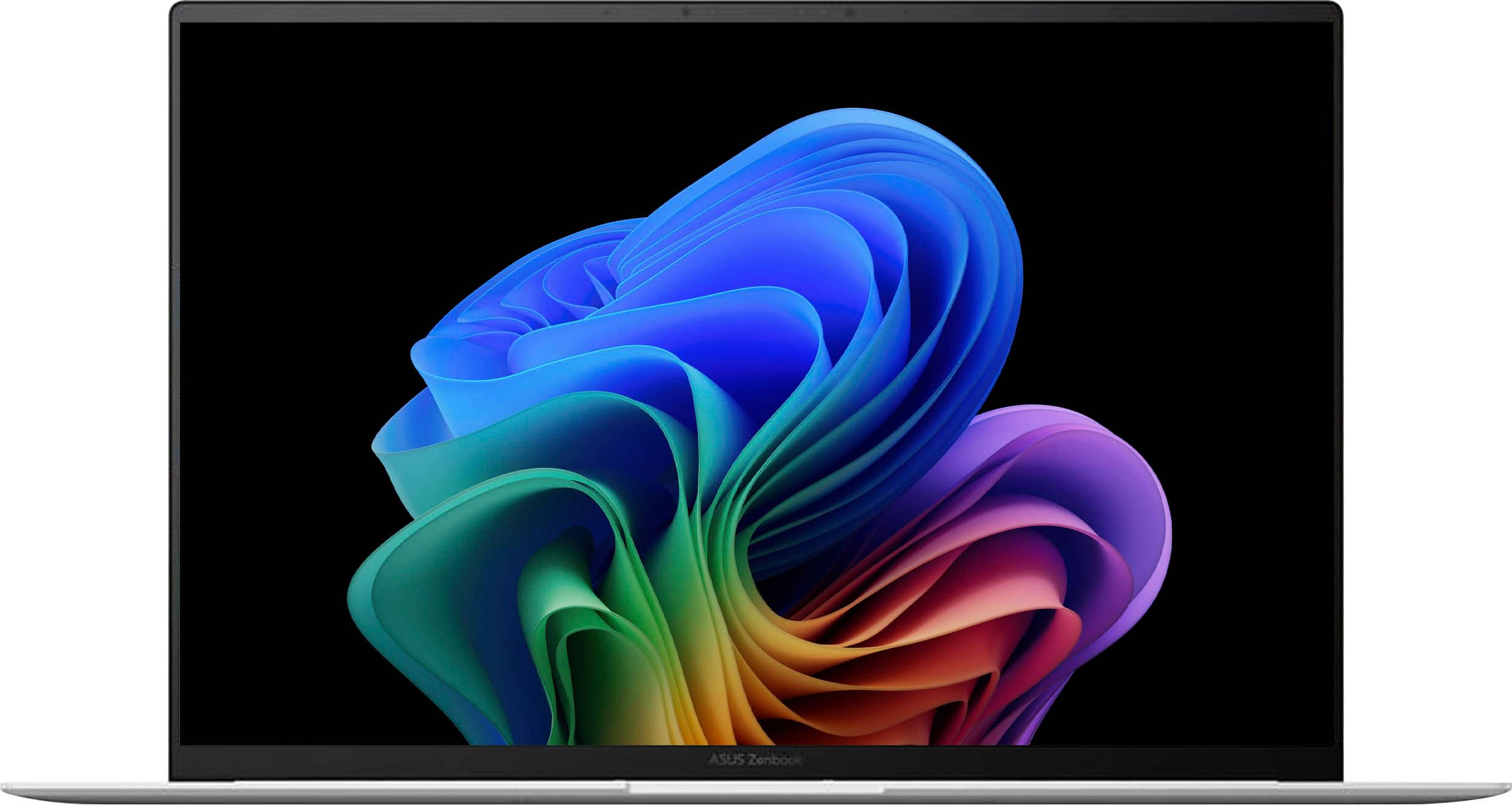
ASUS Zenbook
||Posted . Owned for 3 weeks when reviewed.This reviewer received promo considerations or sweepstakes entry for writing a review.Excellent! Light, highly functional, good battery life. Good value, sleek looking, durable.
I would recommend this to a friend- Pros mentioned:Battery life, Processor speed

Slim Without Sacrifice
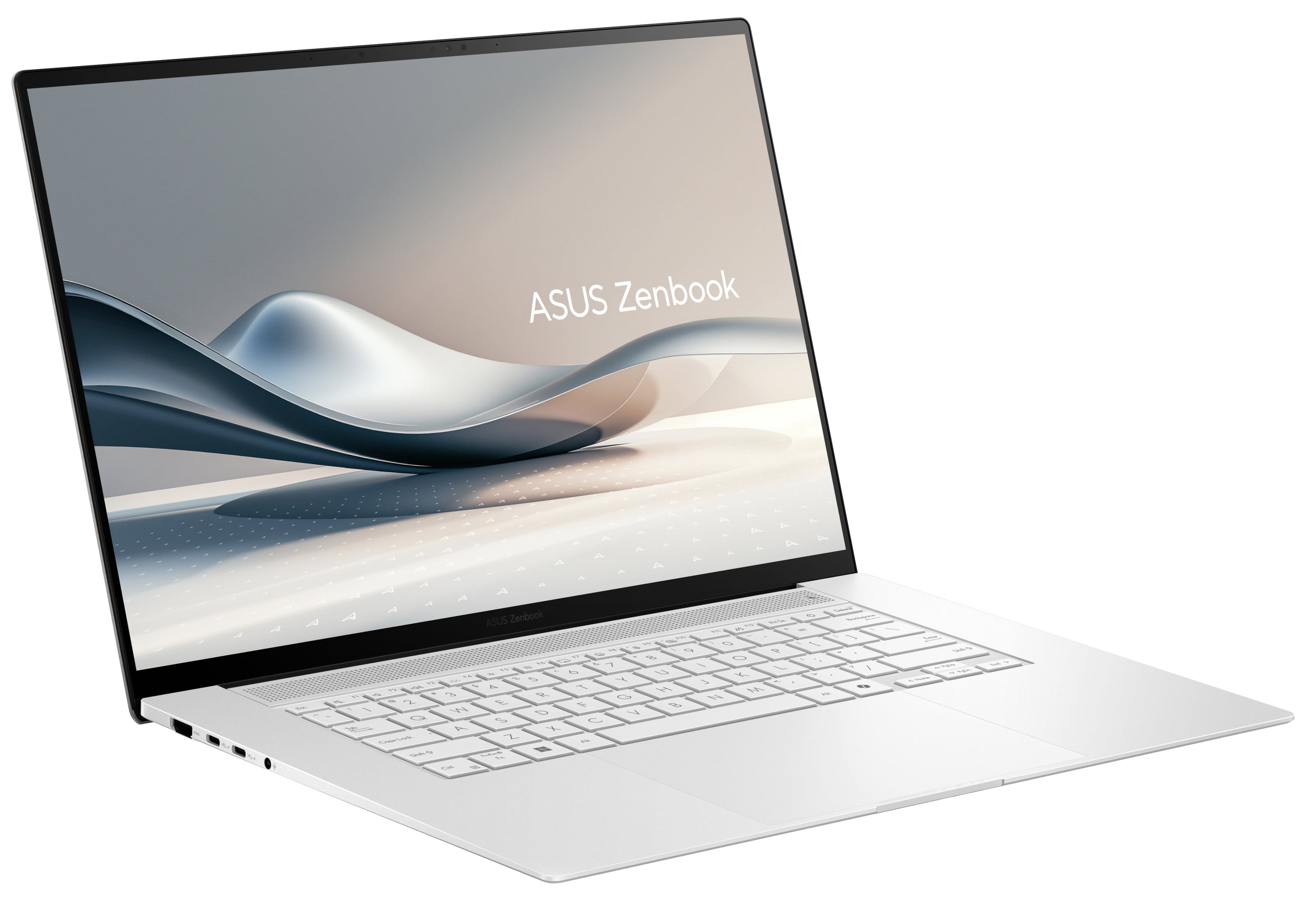
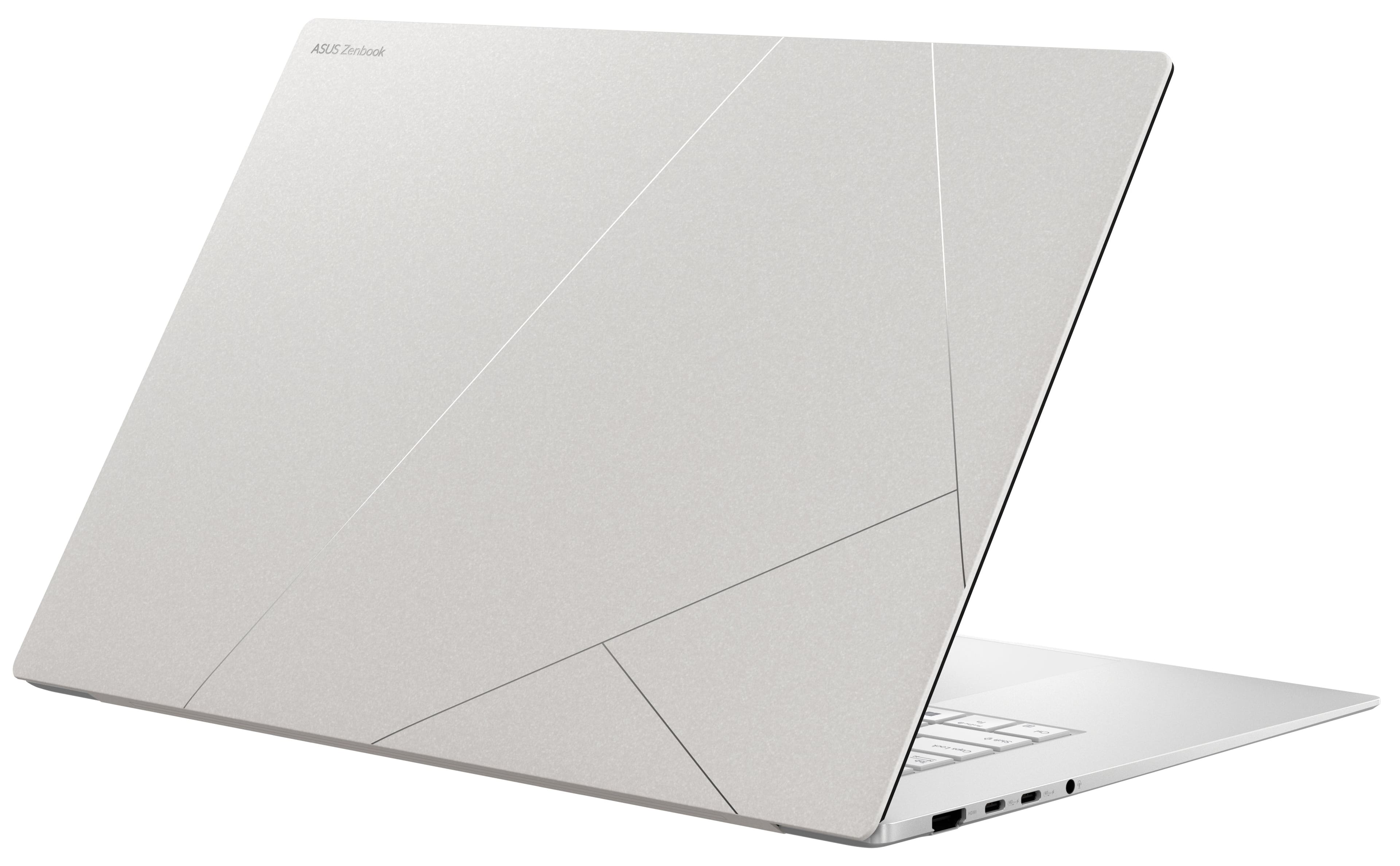
|Posted .This reviewer received promo considerations or sweepstakes entry for writing a review.I've had the ASUS Zenbook S 16 for a week now, and it's been nothing short of impressive. As someone who uses their laptop for more than just web browsing and office tasks, I was drawn to the power and design of this machine. It’s clear that ASUS put a lot of thought into creating a laptop that not only performs exceptionally well but also looks great doing it. Design and Build Quality: First off, the Scandinavian White finish is a breath of fresh air. It gives the laptop a clean, modern look that really stands out from the usual dark colors most laptops come in. The special finish on the top shell of the laptop also does an incredible job hiding fingerprints. The thin and light profile of the Zenbook S 16 makes it incredibly portable, which is a big deal for me since I’m often moving between different work environments. Whether I’m in a coffee shop, at the office, or just lounging at home, it’s easy to bring along without feeling weighed down. The build quality is premium, with a solid feel that gives you confidence in its durability. That being said, I do have one minor gripe… the charger. It uses a USB-C connection, which is great for compatibility, but the cable feels a bit flimsy. I can't shake the feeling that one accidental tug could easily damage it, which is something that worries me a bit. It’s not a deal-breaker, but it’s something to be aware of if you’re considering this laptop. YMMV, but I also had a difficult time finding another USB-C charger that it was willing to draw power from. Most that I tried were flagged by the system and an error would pop up stating “not enough power to charge”. Performance: Now, let’s dive into what really matters… performance. The ASUS Zenbook S 16 is powered by the Ryzen AI 9 365 processor, and let me tell you, this thing is a powerfull. I’ve been using it for a variety of tasks, from heavy multitasking with multiple apps and browser tabs open, to some light video editing, and it hasn’t slowed down. The processor, combined with the 24GB of memory, ensures that everything runs smoothly, even under load. This is a laptop that’s built for power users, and it shows. Storage-wise, the 1TB SSD is more than sufficient for my needs. It’s fast, reliable, and gives me plenty of space to store all my files without having to constantly worry about running out of room. Whether it’s large media files, documents, or software, there’s ample space for everything. You can upgrade this down the road but I think there’s only one NVMe slot, so keep that in mind. One of the standout features for me is the 3K OLED touchscreen. The screen is nothing short of gorgeous. The colors are vibrant, blacks are deep, and everything just looks sharp and detailed. Whether I’m watching videos, editing photos, or just browsing the web, the screen enhances the experience significantly. Battery Life: Battery life is another area where the Zenbook S 16 excels. On a full charge, I’ve easily managed to get through a full day of work, which is a big plus for someone like me who’s always on the move. I often work in places where finding a power outlet isn’t always guaranteed, so having a reliable battery that can last all day is crucial. Given my earlier concerns about the charger, I do tend to be a bit more cautious about where and how I charge it. I’ve found that being mindful of the cable and avoiding any situations where it could get accidentally yanked is important to maintain the longevity of the charger and the laptop itself. Final Thoughts: If you’re a power user looking for a laptop that can handle more than just the basics, the ASUS Zenbook S 16 is definitely worth it. It’s got the performance, the design, and the features to keep up with demanding tasks. The Ryzen AI 9 365 processor, combined with the 24GB of memory, ensures that it can handle anything you throw at it, from multitasking to more intensive work like video editing. The 3K OLED touchscreen is a joy to use, making everything look crisp and vibrant, and the battery life is impressive enough to last through a full day of work without needing to recharge. Just be mindful of the charge and handle it with care, and you should be good to go. Overall, this is a laptop that’s built for those who need a powerful machine in a sleek, portable package, and it delivers on all fronts.
I would recommend this to a friend Asus zenbook
||Posted . Owned for 2 weeks when reviewed.This reviewer received promo considerations or sweepstakes entry for writing a review.Very nice computer, looks great also. Got this on sale over presidents day sale. Great valve for this model.
I would recommend this to a friendVersatile Student Laptop
||Posted . Owned for 3 weeks when reviewed.This reviewer received promo considerations or sweepstakes entry for writing a review.It sounds like the laptop is a good fit for students and casual work, with the ability to handle basic online and story games. The bugs can be frustrating, but hopefully, updates will resolve those issues soon.
I would recommend this to a friendNew Laptop
||Posted . Owned for 1 month when reviewed.This reviewer received promo considerations or sweepstakes entry for writing a review.I'm very happy with the new laptop. The sales associate was very good at helping me to decide upon the best computer for my needs. I'm getting used to windows 11 and it appears that the rumors I heard saying windows 11 was not good, were not valid.
I would recommend this to a friendGood deal
||Posted . Owned for 1 month when reviewed.This reviewer received promo considerations or sweepstakes entry for writing a review.Working great just what I needed for the new Bambu printer.
I would recommend this to a friend- Pros mentioned:Battery life, Processor speed, Screen qualityCons mentioned:Heat dissipation
Beautiful, stylish, and high-performance laptop
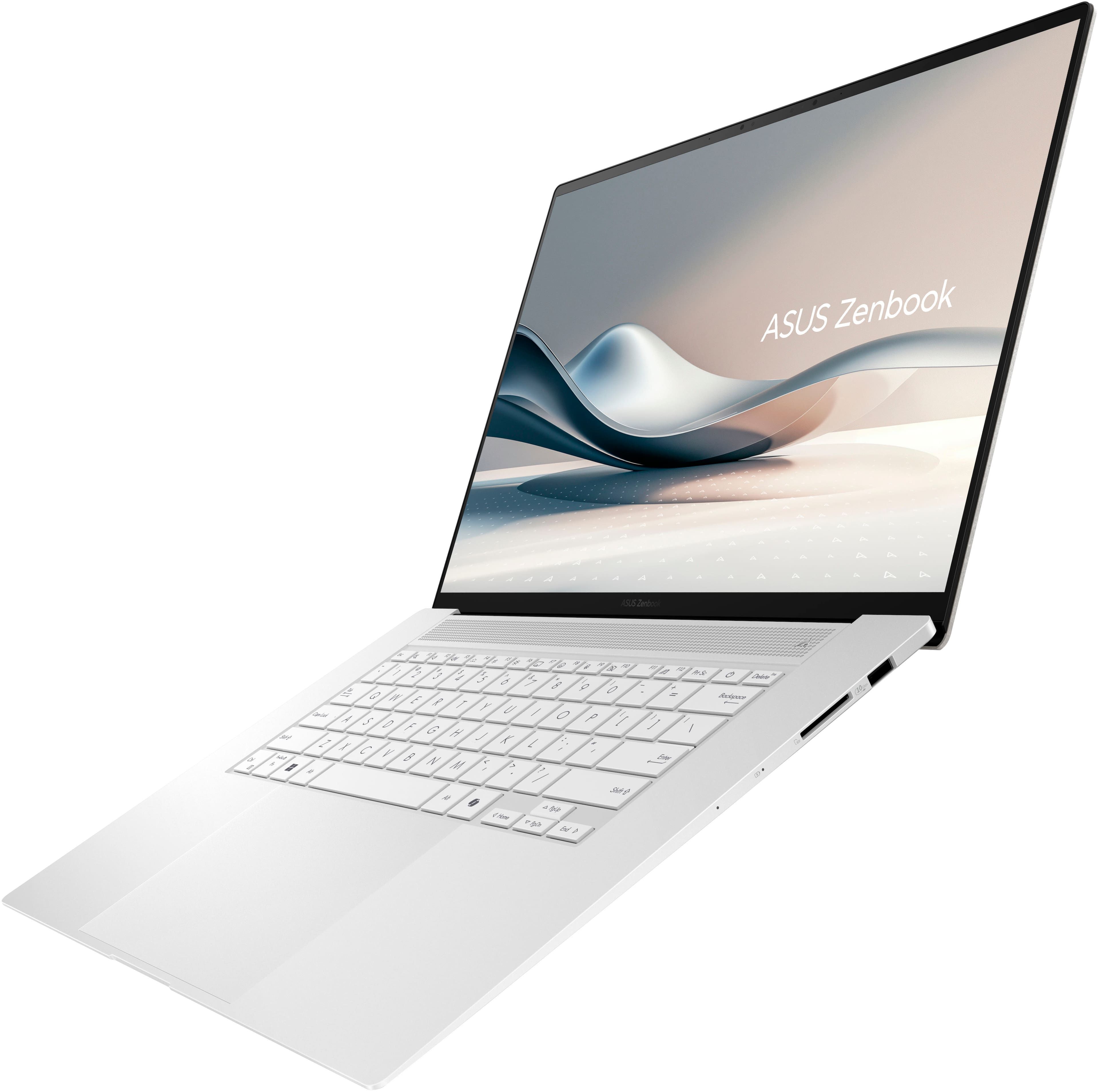
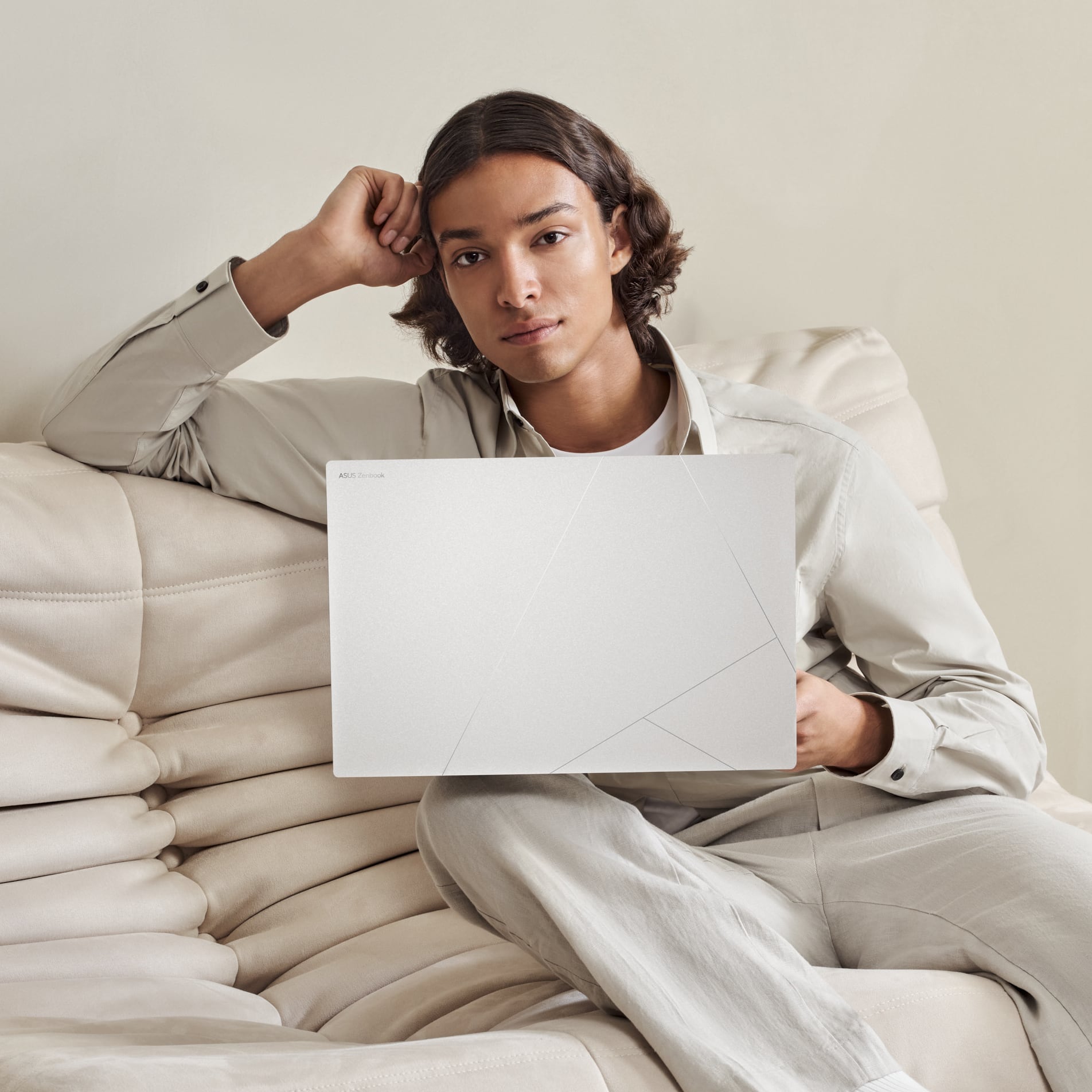
|Posted .This reviewer received promo considerations or sweepstakes entry for writing a review.Verdict: This is not your Asus of a few years ago… Wow, this laptop is nice. The Asus Zenbook 16 is a sleek, stylish, and high-performing laptop that meets all expectations for productivity. It’s a fantastic laptop for people on the move: it is thin and light, yet delivering 16 inches of beautiful OLED resolution for content viewing and productivity. Of note, the underside can get warm. First impressions. I love the light grey color with silver lines on the cover. The white keyboard with purple backlight looks awesome. The keys type very quietly, with smooth and comfortable action. The trackpad is huge! Almost too big, but it actually works fine; it’s not in the way. The trackpad has a super convenient volume bar and brightness bar on each side of the trackpad, and a content rewind / forward slide bar at the top of the trackpad… I have never seen that before, but probably will not be able to live without it soon; so convenient! Performance. The specs for this laptop make this machine ideal for a student, professional, home office, or travel laptop. The AMD Ryzen AI 9 is fast and handles most applications easily. I have noticed that Microsoft Copilot on the desktop is working quite well, so I suppose that’s based on the Ryzen AI 9 accelerating local AI processes (?). The 1TB SSD drive allows fast startup and smooth usage. The 16inch OLED 3K touchscreen with 120Hz refresh is wonderful: bright, vibrant, and exciting, with almost no bezel. It also makes text and images super crisp and easy to see. Multitasking is a breeze with 24GB of RAM; that’s more RAM than I have seen in any new laptop lately. While the integrated graphics card does well on day-to-day tasks and will handle basic games, this laptop is not for serious gamers, and not for graphics-intensive work. Features. This computer offers a lot of additional features not normally included. The Ceraluminium case is strong and scratch resistant. The AiSense camera is Full HD, works fast for face log-in, and works great for video chats. The speakers are loud and sound really great! The 6-speaker setup provides a surround sound and immersive feel. GlideX? Try it! Connect to other screens for seamless integration with the work you are doing on your laptop. And… “Military-Grade Durability” is very welcome on a laptop. Asus is doing really great stuff right now, it’s very impressive. Things I love. - It looks amazing! Love the color and scratch resistant finish - Thin and light: 0.43 inch and 3.3 lbs - Military-grade durability, plus the above specs… it’s the perfect travel companion - All-day battery and fast charging: get 60% charge in just 49 minutes! - Wonderful specs: Ryzen AI 9, 24GB of RAM, 1TB SSD, and an incredible OLED screen with fast refresh rate - Speakers and webcam are great: built to work and play on the road - Biggest trackpad I have seen, with awesome volume, brightness, and media bars - Runs very quietly; virtually no fan noise for most tasks - Comfortable and quiet keyboard with a large trackpad - GlideX is pretty cool. Never used it before but it offers a feature that was really only available in the Apple ecosystem Things I don’t love. - At home, I keep all laptops on a cooling fan pad and run external monitors, so heat is not an issue at all (I highly recommend using cooling fan pads to keep your laptops running for many years). However, when using the laptop on my lap, I definitely feel the underside noticeably warm after about 10 min. I would prefer a stronger fan and a bit more noise to keep the laptop cool. Nevertheless, the laptop actually works hard to switch process groups into efficiency mode to manage load. I think that for most users, the laptop will get warm, but not hot. If you are gaming, then it will get too hot. - The camera has no physical privacy shutter. I am a bit paranoid about this… I see too many inadvertent camera-on moments on large video chat meetings. Physical privacy shutters provide an added security feature from personal embarrassments (and hacking) - The integrated graphics card will limit the rest of the amazing specs, but it will handle most light and medium graphics requirements nonetheless - I always like more port options and USB-C ports… but this meets the standard offerings of one HDMI, two USB-C, and a USB-A Overall, this is a fantastic laptop that will exceed the vast majority of people’s professional and personal needs (but not gamers). It looks great. It’s light, thin, and durable for travel. The specs are great and will ensure the computer performs well for years. While the laptop can get warm (or hot under too much load), I think this will be transparent to most users. This laptop offers tons of value and features; the tradeoff for some heat in the underside is worthwhile, I think. I rate this laptop at 4.5 and I recommend it for most users.
I would recommend this to a friend Glitching Screen
||Posted . Owned for 3 weeks when reviewed.This reviewer received promo considerations or sweepstakes entry for writing a review.The computer works smoothly, but I’ve had it for three weeks and today the screen started glitching. I’ve not used it very much. I will be taking it in to Best Buy to figure out what the glitch is or if I’ll be exchanging for another laptop.
I would recommend this to a friendBrand response from ASUS Answers
Posted .Dear Rochelle D,
Thank you for sharing your experience with the ASUS UM5606WA Laptop. We're glad to hear the device has been performing smoothly overall, but we’re sorry to learn about the screen issue you've encountered. To help resolve the problem, we recommend reviewing the steps in the FAQ linked below. If the issue persists after completing the recommended troubleshooting steps, we advise visiting Best Buy for a thorough evaluation or to explore available exchange options.
We stand behind our products and we continuously strive to improve our products and processes in order to achieve customer service excellence. For more information, send us an email at customerloyalty@asus.com and provide the case number "N2408003491-0022" for reference. We’ll do our best to provide a quick resolution to your case. Your feedback is important as it helps with improvements to ASUS Support channels. Thank you for choosing ASUS.
Best Regards,
Chantae
ASUS Customer Loyalty US Support
[Windows 11/10] Troubleshooting - Main (Internal) Display problem - https://www.asus.com/support/faq/1015072/
Would buy again 100 times
||Posted . Owned for 3 weeks when reviewed.This reviewer received promo considerations or sweepstakes entry for writing a review.This laptop is amazing! It very versatile as it can be used for work and even gaming. Love it! 100% recommended.
I would recommend this to a friendbad luck :(
||Posted . Owned for 8 months when reviewed.This reviewer received promo considerations or sweepstakes entry for writing a review.i bought this laptop in february 2025. In september the touchscreen stopped working and today on October 15th the screen does not show an image, however the equipment does it works. It's a shame because the laptop worked very well and was very comfortable to use.
No, I would not recommend this to a friendBrand response from ASUS Answers
Posted .Dear Valentino B,
Thank you for sharing your experience with the ASUS UM5606WA laptop. We're truly sorry to hear about the touchscreen and display issues you've encountered, especially after a short period. To address the issue, we recommend performing a Hard Reset, which may help restore functionality.
Hard Reset
1. Remove all external devices such as the AC adapter, USB devices, etc.
2. Press and hold the power button for 60 seconds.
3. Reconnect the AC adapter.
4. Turn on the power of the device.
If the problem continues after this step, please contact our support team at https://www.asus.com/us/support/CallUs so we can assist you further or arrange repair services if needed.
We stand behind our products and continuously strive to improve our products and processes to achieve customer service excellence. For more information, email us at customerloyalty@asus.com and include the case number "N2407040629-0024" as a reference. We will do our best to resolve your case quickly. Your feedback is very important to us and enables us to improve our support channels. Thank you for choosing ASUS.
Best Regards,
Chantae
ASUS Customer Loyalty US Support
Troubleshooting - Device Boot Failure or No Display After Boot (Black Screen) - https://www.asus.com/support/faq/1014276/
Disapointing Low-quallity Garbage
||Posted . Owned for 5 months when reviewed.This reviewer received promo considerations or sweepstakes entry for writing a review.A key fell apart after five months of light occasional use. No drops, no gaming, no key mashing; just buy something online once or twice a month and watch occasional youtube videos. Asus's customer service response is, "This issue is considered hardware-related, and the manufacturer's warranty does not cover a replacement or refund." Lol, what does the warranty cover if not hardware? Microsoft Windows? I don't think Asus makes that. Maybe the Bios? Asus would not even sell me a replacement key; they offer that I can buy a full new keyboard from a third party for $300. Other than being garbage quality with garbage customer service, this final thing I will ever buy from Asus is decent. My main complaint is that the dimmest keyboard lighting setting is far too bright to use in dim light and overpowers the screen in the dark. It's also missing a fingerprint reader and a hinge that goes beyond 120 degrees.
No, I would not recommend this to a friendBrand response from ASUS Answers
Posted .Dear DisappointedCustomer,
Thank you for your comment.
We do understand your dissatisfaction with the quality of the product and your recent customer service experience, and the inconvenience this may have caused if a key fell after five months of usage. ASUS is an ISO certified company, as a result, all products go into a strict quality manufacturing standard. All ASUS products undergo intensive quality control testing and inspections that ensure each one is trouble-free, and are built to last. The key falling apart is a random problem. ASUS warranty coverage for the product is hardware repair only, replacement or refund is typically process from the place of purchase, per their terms. We recommend you send the product in for service to determine if this a factory defect so this may be resolved immediately. An RMA number is required to send it in for service. For RMA details, please go to: https://www.asus.com/us/support/article/818/.
We do value our customers and take negative customer service experience very seriously. This is not the quality of service expected from ASUS. We do support and stand behind our products, and we continuously strive to improve our approach and processes in order to achieve customer service excellence. If you need more information or further assistance with the warranty for the product, please email me at cl-rodel@asus.com and I would be more than happy to help. Or, you are most welcome to call Product Support Hotline at: 1(888) 678-3688. Also, you can chat with an ASUS live support agent from the link: https://www.asus.com/us/support/article/1135/.
Thank you for choosing an ASUS product.
Regards,
Rodel
ASUS Customer Loyalty
- Pros mentioned:Battery life, Screen qualityCons mentioned:Heat dissipation
Great compact laptop with 3K screen
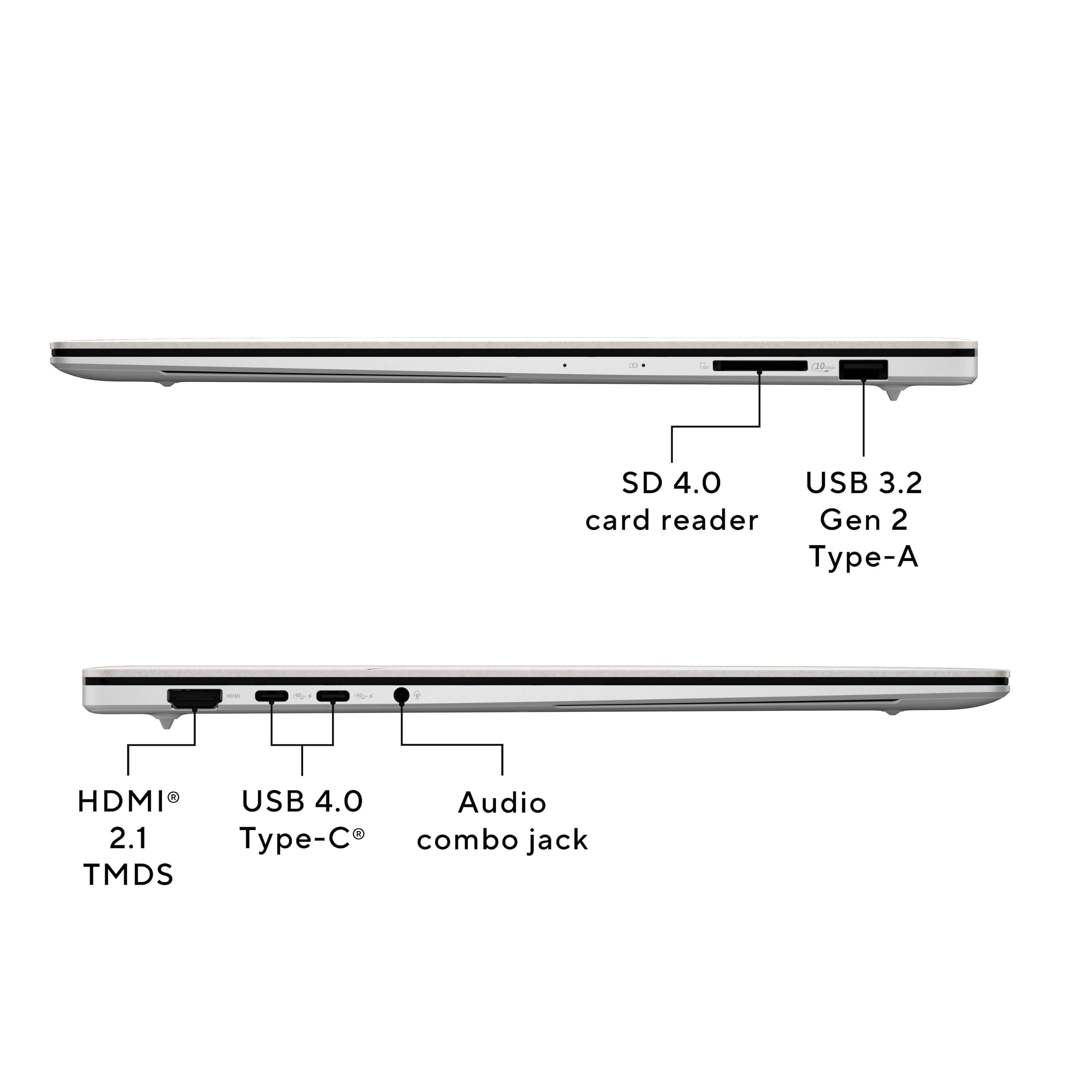
|Posted .This reviewer received promo considerations or sweepstakes entry for writing a review.The Asus Zenbook S 16 boosts an outstanding screen in a small package. The laptop is light and thin. At .43” thick, 9.57 long, 13.92 wide, and 3.31 lbs, it’s easy to take anywhere. The screen is a full 16”. For specs it has a fantastic 3k (2880x1800) OLED at 120Hz. On the left side is has a 2.1 HDMI port, 2x USB-C 4.0 ports, and a 3.5mm audio port. On the right is USB-A 3.2 Gen 2, and a 4.0 SD port. It has a 6 speaker system, and HDR. Built in it has 24GB DDR5 of RAM which is soldered on. There is a 1TB M.2 which can be replaced and upgraded as wanted. The CPU is a Ryzen AI 9 365 with a Radeon 880M graphics chip built in. For connectivity it has BT and Wi-Fi 7. The webcam is a full 1080p built into the bezel. The keyboard is backlit in white. It has a 78WH battery rated for all day, and can charge 60% in 49 minutes. It comes with a 65w charger and Windows 11 Home. The memory cannot be altered. The underside can be taken off with a T4 bit. It’s plastic and come off easily exposing the M.2 if you want to change it. There is nothing else to change hardware wise. The BIOS is basic as there is not much to alter on this laptop. On opening you have a compact TKL keyboard, but the buttons are large, so the spacing is nice and comfortable. Travel on the keys is short. Backlighting is good and clearly shows through the keys. This does have the windows Co-Pilot key. I was able to easily hook up additional monitors through the USB-C or HDMI connections. It comes installed with the My Asus program which gives you access to system conditions, and settings. There was no bloatware on the machine to remove. The Asus software items did not get in the way of anything and help control the laptop features. Between the My Asus and Windows update, you can get all the updates you need. Run both after initial setup. I upgraded to Windows 11 Pro and the computer has been running fine in a network. It’s responsive, and items snap up quick. With multiple monitors, the 880M handled them fine. For work or school it’s been great. Office, presentations, etc work fine. The CPU goes through them with no issues. The trackpad is large and takes up the center of the space below the keyboard. It has smart gestures and running along the edges to control volume, brightness, forward/backward and call up ScreenExpert. The 3K OLED screen is the star of the computer. The colors are great, and from work to movies, they all looked their best. The 6 speaker system also sounds better than most laptops. The screen can tilt back about 135 degrees. The 1080p camera and microphone worked fine for video calls. For gaming this computer can only do light games. They look great, but the computer gets really hot, especially in the upper left corner. To the point of almost being untouchable. The heat also comes out from the keys making it uncomfortable but bearable. Stress testing and benching marking drove up the temps. Using 3DMark 11 it got a score of 3023 using DX12 in Steel Nomad Light. The computer never ran into problems or stopped working even when hot. Under normal use, it can get warm, but it’s not too noticeable. I was able to hook up a RJ45 port for ethernet to the USB-C port with no issues. The system comes with Wi-Fi 7, but I only have Wi-Fi 6E. It connected with no issues, and I got full bandwidth and speed. Overall, it’s a great compact laptop. Small, light weight and can do what you need for work and school. Make sure it’s what you want since you can’t change the RAM. Pushing it will make it really hot and could lead to an unpleasant experience. I’d give it 4.5 if I could. But, if you use it for it’s intended purpose, you’ll have plenty of power and a beautiful screen to see it all on.
I would recommend this to a friend - Pros mentioned:Portability, Screen quality
keep it coming asus!
|Posted .This reviewer received promo considerations or sweepstakes entry for writing a review.Asus Zenbook S 16 is a wow factor of a laptop, if you’re looking for a sleek laptop that’s not a mac book then I highly recommend checking out Asus latest Zenbook S 16 and man this does not disappoint with vivid 3k resolution a 500 bit peak brightness and let’s not forget it’s an HDR laptop! I fell in love I soon as I open this laptop here’s some few things and thoughts about the Asus Zenbook S 16. Device unboxing experience is fairly simple I love the paper style texture of the box. its simplistic and they definitely well thought out and great experience unboxing this device. the laptop is everything like a macbook air. beautiful ceraluminum, its ceramic and aluminum combination finish that’s it’s 0.43 inc thin. with a perfect weight of 3.31 lbs. the laptop comes with HDMI 2.1, 2 USB 4.0 Type C, audio combo jack and a full size SD carr 4.0 with USB 3.2 gen type A on the other side. the seconding thing that impressed me are the speakers by harman/ karmon with dolby atmos support. this speakers are way louder than my Razer laptop. Zenbook S 16 is packing the latest AMD Ryzen Ai 9. a 16” 3k Oled display 120hz and its touch display. Zenbook S 16 comes with massive track pad no with each corner has shortcut feature like volume, brightness and video adjustment right on the track pad. the keyboard looks great with great feeling and it did not feels cheap. experience the experience on using this laptop has been great so far for the past couple of days the screen which is 2880 x 1800 really brings a great picture quality right in front of you. it’s 120hz more than perfect for this style of laptop. I honestly wouldn’t be buying this for gaming but this laptop can be played with some of your favorite games. I always test my basic games which is CS2, Apex legends. Overwatch and Valorant. I game with this laptop with no issue and even have HDR activated. it has 500 bits of brightness, I didn’t find an issue with its brightness and for small 16” laptop I think that’s more than bright enough for what you’ll need. also always remember to update the laptop fully special activating a brand new computer. I did have to get the latest firmware for AMD on their website for some odd reason it would not update to the latest firmware. I love the trackpad the speakers again it’s loud and it’s clear. it has some great details that does not sound flat. would have been even better if the laptop can be fully folded flat with screen facing out considering it’s a touch screen i’m. the only issue for me I wish the power cord could have been a bit longer than what it comes with. it’s a tad bit shorter than what I was expecting. conclusion overall Asus Zenbook S 16 is hands down one of the better looking laptop out there. my wife also find this laptop beautiful and been enjoying it her time as well. can think of much issues about this laptop beyond the wifi was a bit spotty. it kept disconnecting me on and off. not sure if it’s the laptop wifi connection itself or it’s an actual software issue. but I re install its driver but still tend to drop its connection.I highly recommend this laptop build quality is top notch. doesn’t squeak it’s solid built with great quality on any corner you look at.
I would recommend this to a friend - Pros mentioned:Battery life
Luxurious hand heater
||Posted . Owned for 1 month when reviewed.This reviewer received promo considerations or sweepstakes entry for writing a review.Could have been an excellent machine or even best machine, Excellence battery about 15 hours but I was expecting more form this price point. Good speaker but nowhere near Rephyrus G14 2024. Yes you can game, but expect your hand to get fired... I ended up returning my machine for structural defects, the right side of the laptop nake loud creeky noise when even lightly push.
No, I would not recommend this to a friendBrand response from ASUS Answers
Posted .Dear KienLe,
Thank you for sharing your feedback on the ASUS Zenbook. We understand that it didn't meet your full expectations, and we sincerely apologize for that as we do understand your concerns. Your feedback is greatly appreciated and will be passed to our Product Team for review.
It is recommended to download and update the BIOS Version 309 and firmware for system performance optimization.
Although you have returned the notebook, we do stand behind our products and we continuously strive to improve our products and processes to achieve customer service excellence. If you require any further assistance, please send us an email at customerloyalty@asus.com and include the case number "N2408005206-0003" as a reference. We will do our best to resolve your case quickly. Your feedback is very important to us, and it enables us to improve our support channels. Thank you for choosing ASUS.
Best Regards,
Chantae
ASUS Customer Loyalty US Support
BIOS & FIRMWARE: https://www.asus.com/us/laptops/for-home/zenbook/asus-zenbook-s-16-um5606/helpdesk_bios?model2Name=UM5606WA
PC having problems after 6 months of use
||Posted . Owned for 6 months when reviewed.This reviewer received promo considerations or sweepstakes entry for writing a review.Nothing appears on my laptop screen. I've tried everything—including adjusting the settings—but nothing resolves it. This has caused a major problem for me, as I work on my computer.
No, I would not recommend this to a friendBrand response from ASUS Answers
Posted .Dear Gustavoa,
Thank you for your comment.
We do understand your disappointment and the inconvenience this may have caused if the laptop will not boot up or it's just black screen but the fan after six months of usage. To resolve this, please do the following. Try to do a power cycle by pressing and holding down the power button to shut it down completely, then power on. If it powers on but stays on black screen after at least 10 minutes, repeat the power cycle process again. If the laptop is applying updates in the System Registry, it will black screen temporarily until the update is applied successfully. Additionally, try to disconnect the power cable and let the unit drain for 24 hours to clear the memory. This will reset the hardware to default settings. After doing this, please reconnect your AC adapter, do not power on the laptop until the battery is charged.
If you need further assistance, please email me at cl-rodel@asus.com and I will be more than happy to help. Or you are most welcome to call Product Support Hotline at: 1(888) 678-3688. Also, you can chat with an ASUS live support agent from the link: https://www.asus.com/us/support/article/1135/.
Thank you for choosing an ASUS product.
Regards,
Rodel
ASUS Customer Loyalty
- Pros mentioned:Battery life, Screen qualityCons mentioned:Heat dissipation
Thin, beautiful, sexy and hot
|Posted .This reviewer received promo considerations or sweepstakes entry for writing a review.The laptop build quality is very good. It is very slim for such powerful laptop. It is beautiful and sexy but run hotter than all other laptops I have had. It has all the ports I need except the ethernet port. The 65W power brick is also small and compact but the prongs do not fold back in. When boot up the first time, first windows update makes the laptop hot. Game install and playing game also makes it hot. When playing Fortnite, CPU temp goes to 88C and the bottom of the laptop measured 132F. The OLED touch screen is very beautiful and bright, bezel is pretty thin all around. The screen cannot open flat to 180 degrees. The keyboard is very nice to type on. Backlight is bright but the shift mode characters for the number row is pretty dim such as the @ sign and the $ sign. The touchpad is big and responsive, no complaint there. This laptop has the copilot key on the keyboard and as such it is very convenient, the key opens up the ChatGPT box where you can ask it to solve math problem, find answer, create a picture, summarize article or text etc. The sound produced by the bottom firing speakers is very good, clear and crisp, has minimum bass of course. Webcam is mounted at the center above screen and supports Windows Hello. There is a dedicated button on the keyboard to turn off the camera as well as a button for the mic. The WIFI is of version 7 and so the download speed is very fast, I got 687Mbps. This laptop is using a Samsung SSD, max read speed at 660MB/s and max write speed at 609MB/s. Note the speeds mentioned above are based on simple test so might not be accurate or the same as yours. The battery life is very good, casual usage will last a day. Hovering over the battery icon shows 76% and 11 hours in the pop up box.
I would recommend this to a friend Default apps and microsoft store don't start.
||Posted . Owned for less than 1 week when reviewed.This reviewer received promo considerations or sweepstakes entry for writing a review.Its screen(also sometimes turn black unexpectedly but turn back on again quickly), look, build, hardware specs and price are ok, but just opened box and using a bit, found that even microsoft store won't run, evey time when you click it a installation bar shows up on the icon then nothing starts, plus all the default windows app like, music etc. are all behaves the same like that. Did reset, even remove and resintall the Store doesn't work. Reset the entire windows 11 still no dice, after some of those settings windows 11 felt way slower, even reset system seemed stucked too long, then waited don't-know-how-long it pop-up reset window again allowed to do next step to reset it again...did system reset then returned.
No, I would not recommend this to a friendBrand response from ASUS Answers
Posted .Dear Gman,
Thank you for your feedback.
We certainly understand your disappointment and the inconvenience this may have caused if you are having issues with the laptop. The random black screen is typical, this occurs when updates are being applied in the System Registry. Regarding issues not being able to install default applications and software from the Microsoft Store. To install these applications successfully, Windows needs to be up to date. Additionally, check if this laptop has access to a working and stable internet service to update Windows and install Microsoft applications. If you need further assistance with the laptop, please email me at cl-rodel@asus.com and I would be more than happy to help. Or, you are most welcome to call Product Support Hotline at: 1(888) 678-3688. Also, you can chat with an ASUS live support agent from the link: https://www.asus.com/us/support/article/1135/.
Thank you for choosing an ASUS product.
Regards,
Rodel
ASUS Customer Loyalty
Faulty Design
||Posted . Owned for 5 months when reviewed.This reviewer received promo considerations or sweepstakes entry for writing a review.Screen broke due to manufacturing/design error. Repeated use of screen will cause display cable to stretch and snap. The display cable cannot be replaced seperately.
No, I would not recommend this to a friendBrand response from ASUS Answers
Posted .Dear GordonZ,
Thank you for sharing your experience with the ASUS UM5606WA Laptop. We sincerely apologize that the screen broke and for the concern you raised regarding the display cable stretching and snapping with repeated use, as well as the fact that the cable cannot be replaced separately. We regret the inconvenience this has caused.
To further investigate the matter and explore possible solutions, we recommend contacting our support team directly at https://www.asus.com/us/support/callus/. Our team will be glad to assist you and ensure this issue is properly addressed.
We stand behind our products and continuously strive to improve our products and processes to achieve customer service excellence. For more information, email us at customerloyalty@asus.com and include the case number "N2408005206-0045" as a reference. We will do our best to resolve your case quickly. Your feedback is very important to us and enables us to improve our support channels. Thank you for choosing ASUS.
Best Regards,
Chantae
ASUS Customer Loyalty US Support
- Pros mentioned:Battery life, Portability, Processor speedCons mentioned:Heat dissipation
This is THE Ultrabook
||Posted . Owned for 1 month when reviewed.This reviewer received promo considerations or sweepstakes entry for writing a review.Asus has really stepped up their game. I bought this machine coming from previously having a MacBook Air m4. The main reason was because of the display. I wanted a high refresh display at least. And this is up there one of the best displays you can get on any laptop. Turns out this was a huge upgrade in almost every way from the MBA. The chip is extremely fast, the build quality is amazing, the speakers are great, the trackpad and keyboard is really good, and it’s extremely thin and portable for being a 16” device. No complaints on battery life either. It really is a complete package. The only thing to mention is that since the design is so thin, once you put the chip under load, it does get a bit warm. Asus has tuned this machine to maintain high performance with minimal throttling. So unlike a MBA which does throttle to keep temps down with no fan, this machine is better for sustained performance. Result is it will get warm, but not hot. It’s to be expected though with the chassis being so thin and made out of aluminum, there isn’t a ton of room to dissipate heat. That’s the one sacrifice of such a thin design. It’s quite minor though and not a deal breaker in the slightest. I plan on keeping this computer for a long time and I couldn’t be more happy with my purchase.
I would recommend this to a friend - Pros mentioned:Battery life, Portability, Processor speedCons mentioned:Heat dissipation
Nearly Perfect
||Posted .This reviewer received promo considerations or sweepstakes entry for writing a review.The ASUS S16 is nearly flawless. One of the very best Windows ultrabooks on the market right now (mid 2025). Physically, incredible build quality, easily as good as MacBook Air. No flex in the chassis, gorgeous all-metal with the classy looking ceraluminum lid. Remarkably thin and light as well. Fan noise is low, and it is silent under normal loads. Does get very warm under sustained load. Performance is strong. CPU and GPU are very good, basically the peak of WIndows chips at this point. Yet, battery life is also very good. lasts 8-10 hours under light load, and even 6-7 under heavier load, which is fantastic. Speakers are outstanding. Better than MacBook Air 15, and almost as good as MacBook Pro. Keyboard and trackpad are fine. Not the best, but very good. Trackpad gestures are useful, and mostly work well. Built in webcam is just average. ASUS takes a pretty light touch on bloatware too, so Windows is relatively clutter free. Anyone who wants a sophisticated ultrabook that actually has enough power to do almost anything, fantastic battery life, exceptionally good speakers, and is just a delight to use should seriously consider the S16.
I would recommend this to a friend