Customer Ratings & Reviews
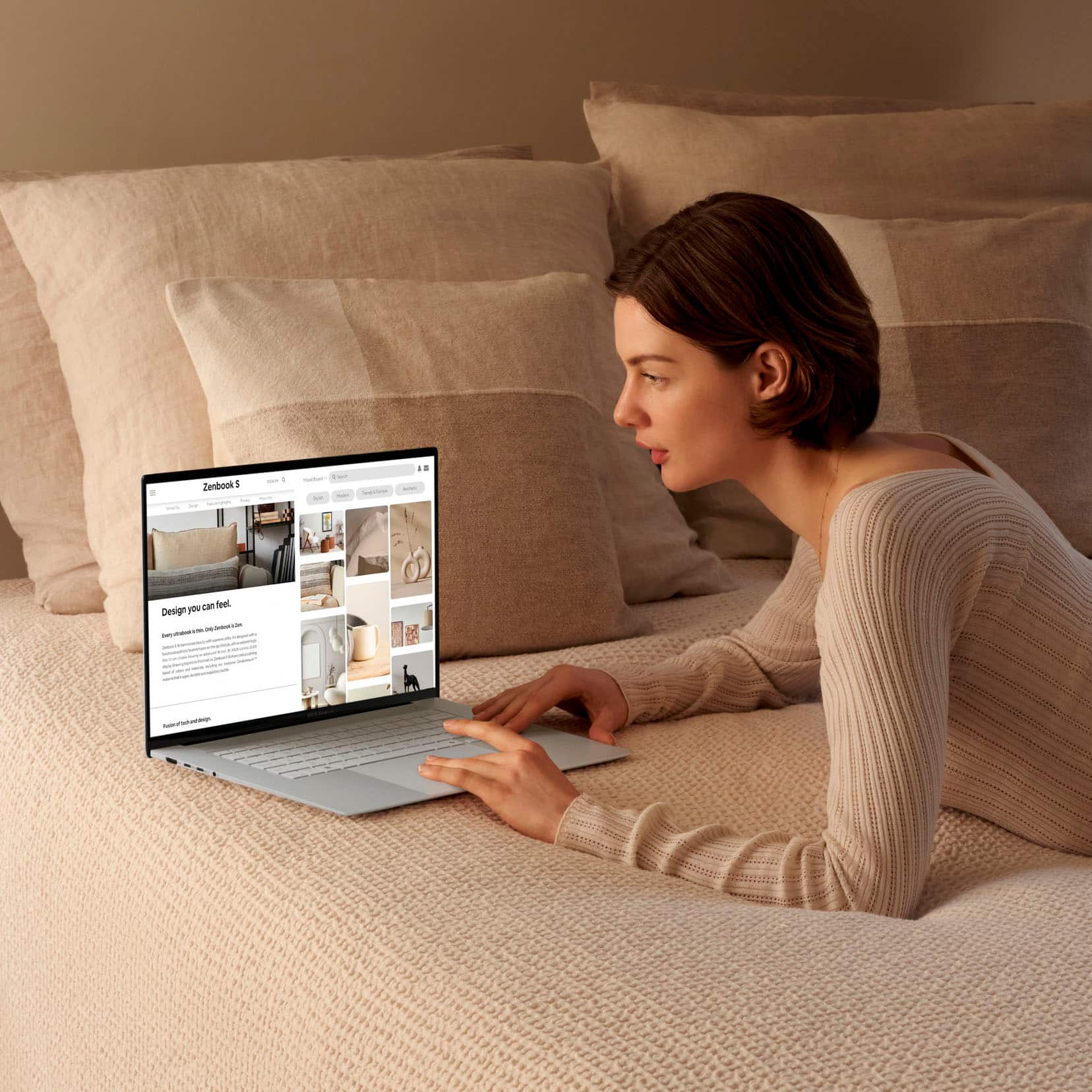
![The text on the image reads:
ASUS Zenbook Flip 11 4 2 13 - F4 x 5 6 17 TE PV FI0 F11 U 12 PHSc - Delete 1 . I 1 a 2 . 3 5 4 5 A 6 & 7 8 - 9 I 0 ee + = Blockspace lob Q W E R T Y U | O P : I I ] | I Cops Lock A S D F G H J K L . - - Enter Shift 9 Z X C V B N M < 1 > ? ! Shift 9 Cal hauh Fn Alt & Home J Pglp 1 and 5
The text is a combination of various symbols and letters, which are likely shortcuts or keys on a keyboard. It is not a coherent sentence or text, but rather a collection of symbols and letters that represent different functions on a keyboard.](https://pisces.bbystatic.com/image2/BestBuy_US/images/products/c5f8af13-7644-4e2f-86dc-a7e1122291ef.jpg)








- Model:
- UM5606WA-S16.R3651TB
- SKU:
- 12140317
Rating by feature
- Battery Life
Rating 4.5 out of 5 stars
- Speed
Rating 4.6 out of 5 stars
- Display
Rating 4.7 out of 5 stars
Asus laptop
||Posted . Owned for 2 weeks when reviewed.This reviewer received promo considerations or sweepstakes entry for writing a review.I like this laptop very light I can carry anywhere I go..
I would recommend this to a friend- Pros mentioned:Overall performance
Asus Zenbook
||Posted . Owned for 3 weeks when reviewed.This reviewer received promo considerations or sweepstakes entry for writing a review.Terrific laptop. I got lucky and bought it on sale. You really save with Best Buy.
I would recommend this to a friend Great but needs more keyboard backlight settings
||Posted . Owned for less than 1 week when reviewed.This reviewer received promo considerations or sweepstakes entry for writing a review.ASUS is missing the mark on the keyboard backlight for this laptop. All 3 settings are way too bright and uncomfortable to be used at night. I just want to barely see the keys at night not be blinded. Needs an update to give 1% backlight. Screen glare could be better. Everything else is great
I would recommend this to a friend- Pros mentioned:Overall performance
Great product and service
||Posted . Owned for 3 weeks when reviewed.This reviewer received promo considerations or sweepstakes entry for writing a review.Excellent computer. This is my second Asus, and I am very pleased. The sales staff was very helpful and made my purchase easy and confidant.
I would recommend this to a friend - Pros mentioned:Overall performance
Love it
||Posted . Owned for 3 weeks when reviewed.This reviewer received promo considerations or sweepstakes entry for writing a review.Love it, very helpful and friendly associates, answered all of my questions
I would recommend this to a friend - Pros mentioned:Overall performance
Nice but might have a potential issue.
||Posted . Owned for 3 months when reviewed.This reviewer received promo considerations or sweepstakes entry for writing a review.The overall design is impressive. I like the thinness and performance. However, I don’t know why the swap from battery mode to plugin caused a system failure. Then, I was unable to turn on the device for a long while, so I had to return it.
No, I would not recommend this to a friendBrand response from ASUS Answers
Posted .Dear Louis C,
We sincerely apologize for the issues you've faced with the ASUS Zenbook S 16 Laptop and for the inconvenience this has caused. What you've experienced was not intentional or representative of our brand. Your feedback is greatly appreciated and will be passed to our Product Team for review.
Having returned the laptop, we hope that you were able to obtain a functional replacement.
We stand behind our products and continuously strive to improve our products and processes to achieve customer service excellence. If you require any further assistance, please email us at customerloyalty@asus.com and include the case number "N2408003491-0018" as a reference. We will do our best to resolve your case quickly. Your feedback is very important to us, and it enables us to improve our support channels. Thank you for choosing ASUS.
Best Regards,
Chantae
ASUS Customer Loyalty US Support
Laptop
||Posted . Owned for 1 month when reviewed.This reviewer received promo considerations or sweepstakes entry for writing a review.Ease of use for word docs, email, set up has been fantastic
I would recommend this to a friend- Pros mentioned:Battery life
Laptop review
||Posted .This reviewer received promo considerations or sweepstakes entry for writing a review.So far the battery life has been great, screen resolution is nice and its fast with multi tasking.
I would recommend this to a friend - Cons mentioned:Heat dissipation
Disappointed - Freezes, Gets Hot and Loud
||Posted . Owned for less than 1 week when reviewed.This reviewer received promo considerations or sweepstakes entry for writing a review.As soon as the ASUS laptop arrived, I went to set it up and plugged it in. Instantly, it was loud and became hot. As I was setting it up, it kept freezing on me. I called ASUS tech support numerous times, only for them to tell me to give it a hard reset to put it back to the factory settings. I tried to do this numerous times over a few hours with no such luck. It would only FREEZE again! They gave me a case number. ASUS suggested I return the laptop or send it to them for repair. I called Best Buy, too. ASUS and Best Buy were very helpful. I will be returning this ASUS laptop and will purchase an HP instead! I will not exchange this for the same laptop only to have the same issues 1 year and a day later. No thank you! :(
No, I would not recommend this to a friendBrand response from ASUS Answers
Posted .Dear Rosemarie,
We sincerely apologize for the issues you've faced with the ASUS Zenbook S 16 Laptop and for the inconvenience this has caused you. What you've experienced was not intentional or representative of our brand. As we understand that you returned the laptop, we will forward your feedback to our Product Team for review, which is greatly appreciated.
We stand behind our products and continuously strive to improve our products and processes to achieve customer service excellence. If you require any further assistance, please email us at customerloyalty@asus.com and include the case number "N2408005206-0025" as a reference. We will do our best to resolve your case quickly. Your feedback is very important to us, and it enables us to improve our support channels. Thank you for choosing ASUS.
Best Regards,
Chantae
ASUS Customer Loyalty US Support
- Pros mentioned:Processor speed
Slick laptop
||Posted . Owned for less than 1 week when reviewed.This reviewer received promo considerations or sweepstakes entry for writing a review.Good looking and fast too. Have not had any issues with heat. Screen is bright and colorful.
I would recommend this to a friend Best Laptop 2024
||Posted . Owned for 2 weeks when reviewed.This reviewer received promo considerations or sweepstakes entry for writing a review.The best laptop of the year 2024. best design. Track pad is really good. sleek design. The only thing that can improve the annoying fan noise that I get sometimes.
I would recommend this to a friend- Cons mentioned:Heat dissipation
Asus laptop
||Posted . Owned for less than 1 week when reviewed.This reviewer received promo considerations or sweepstakes entry for writing a review.The first one overheated had to change it. The new one is working ok
I would recommend this to a friend - Pros mentioned:Screen quality
Laptop
||Posted .This reviewer received promo considerations or sweepstakes entry for writing a review.Amazing product and excellent service. The quality of the product is great
I would recommend this to a friend - Pros mentioned:Screen quality
Good computer internet issues
||Posted . Owned for 1 week when reviewed.This reviewer received promo considerations or sweepstakes entry for writing a review.Great computer good display although it had internet issues
I would recommend this to a friendBrand response from ASUS Answers
Posted .Dear Group ,
We regret to learn that you are experiencing connectivity issues. To troubleshoot this issue, we recommend following the steps in the FAQ below. Should the issue persist, please contact our support team at https://www.asus.com/us/support/CallUs to further investigate the problem or assist with repairing the device.
We stand behind our products and continuously strive to improve our products and processes to achieve customer service excellence. For more information, email us at customerloyalty@asus.com and include the case number "N2408003491-0028" as a reference. We will do our best to resolve your case quickly. Your feedback is very important to us and enables us to improve our support channels. Thank you for choosing ASUS.
Best Regards,
Schottky
ASUS Customer Loyalty US Support
FAQ-[Windows 11/10] Troubleshooting - Wireless Network (Wi-Fi) Issues https://www.asus.com/support/faq/1015073/
- Pros mentioned:Screen quality
Asus Laptop
||Posted .This reviewer received promo considerations or sweepstakes entry for writing a review.Fast delivery good item description. Very good quality item and packaging.
I would recommend this to a friend Recommend
||Posted . Owned for 1 month when reviewed.This reviewer received promo considerations or sweepstakes entry for writing a review.excellent article. works perfect. I recommend it ..
I would recommend this to a friend- Pros mentioned:Overall performance
Worth it when on sale
||Posted . Owned for 1 month when reviewed.This reviewer received promo considerations or sweepstakes entry for writing a review.Performed great and it had an amazing sale on it when i got it
I would recommend this to a friend - Pros mentioned:Screen quality
Battery life is subpar
||Posted .This reviewer received promo considerations or sweepstakes entry for writing a review.Laptop is thin light and vibrant. Only problem is the battery life. It can barely make it through 5hrs
No, I would not recommend this to a friendBrand response from ASUS Answers
Posted .Dear Huey,
We regret to learn that you are experiencing battery draining issues. To troubleshoot this issue, we recommend following the steps in the FAQ below. Should the issue persist, please contact our support team at https://www.asus.com/us/support/CallUs to further investigate the problem or assist with repairing the device.
We stand behind our products and continuously strive to improve our products and processes to achieve customer service excellence. For more information, email us at customerloyalty@asus.com and include the case number "N2408003491-0024" as a reference. We will do our best to resolve your case quickly. Your feedback is very important to us and enables us to improve our support channels. Thank you for choosing ASUS.
Best Regards,
Schottky
ASUS Customer Loyalty US Support
FAQ: Troubleshooting - Short Battery Life (Rapid Battery Drain) https://www.asus.com/support/faq/1043914/
- Pros mentioned:Screen quality
Recommend this laptop
||Posted . Owned for 1 week when reviewed.This reviewer received promo considerations or sweepstakes entry for writing a review.Works great, don t lag, great quality of the screen, i do some light gaming don t have any problems!
I would recommend this to a friend Great! But not as good as other brands i have had.
||Posted . Owned for 1 month when reviewed.This reviewer received promo considerations or sweepstakes entry for writing a review.I love it. That being said I gave 4 stars because 1) It doesn't have the 10 key buttons 2) It seems to come with One Drive. Which I did not want. 3) Some navigating seems more difficult than all my old PC'S.
I would recommend this to a friend