Customer Ratings & Reviews
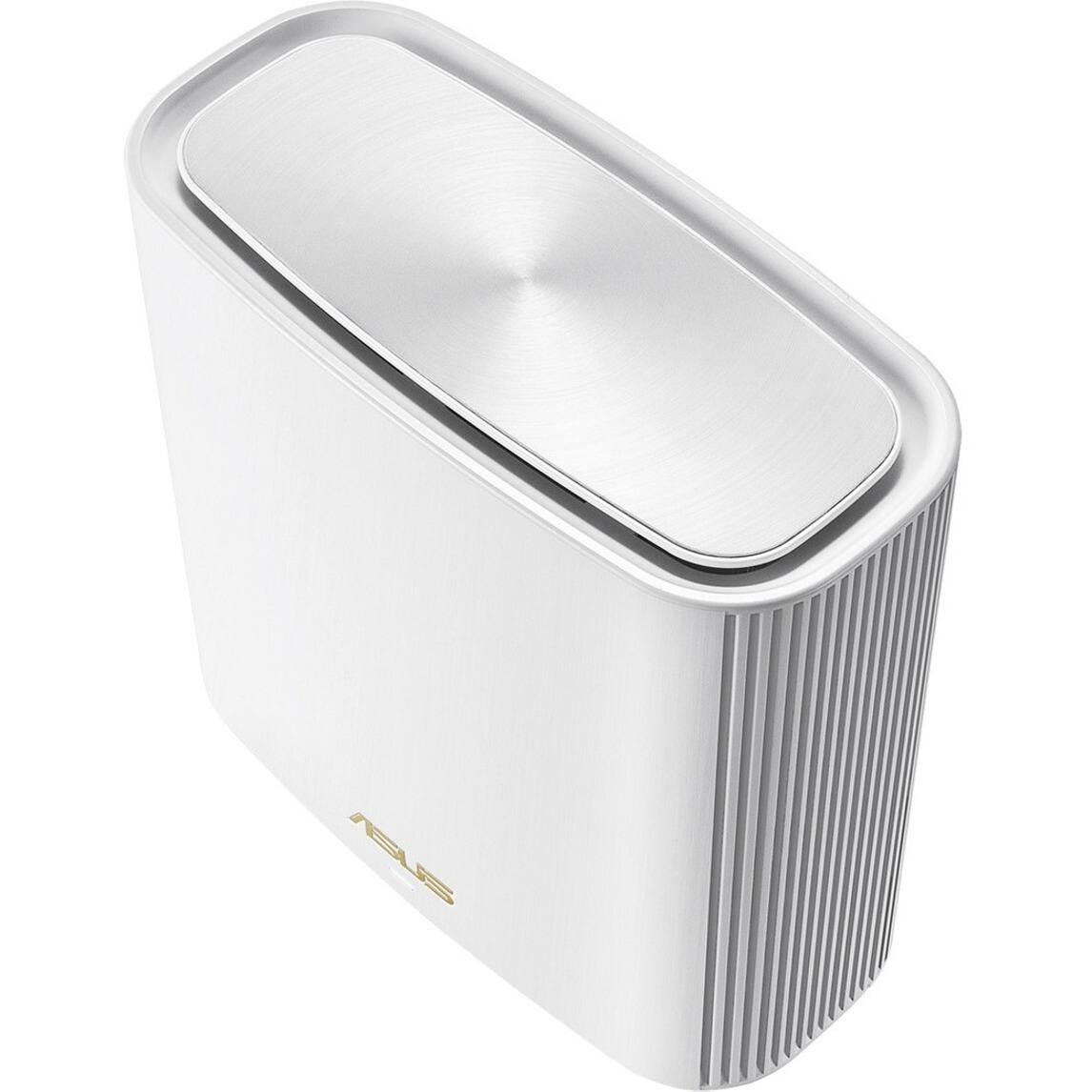



- Model:
- 90IG0590-MA1G4V
- SKU:
- 6400912
Rating by feature
- Setup
Rating 4.2 out of 5 stars
- Range
Rating 4.5 out of 5 stars
- Signal Strength
Rating 4.2 out of 5 stars
Customers are saying
Customers have good things to say about the ZenWiFi AX Wireless-AX Wi-Fi Router's coverage, ease of use, and setup process, frequently citing strong performance and signal strength. However, some users experienced connection issues and found the price to be high. Concerns were also raised regarding the router's firmware and app, with some reporting instability and difficulty with the user interface.
This summary was generated by AI based on customer reviews.
Buggy FW; Frequent Drop-Offs; Inconsistent Speeds
Posted .This reviewer received promo considerations or sweepstakes entry for writing a review.I was a long-time Asus router user because they used to make great products with great firmware. But that was a long time ago. I purchased and returned another ASUS router (AX86U) for the same reasons as this one: bad 2.4 Wi-Fi performance and inconsistent speeds with 5GHz. If you have or use IoT smart devices on 2.4 (light bulbs; cameras, garage door openers, thermostat, etc) then stay clear from the XT8. They will lose connection constantly and they will not respond. While 5GHz is better but more often than not I get very inconsistent speed results. And this with changing to different channels. Range is also not spectacular. While ASUS gives you feature-rich settings options, it can get somewhat confusing for the novice user. Too much is too more sometimes. I bought this and the Orbi RBK852 to test and see which one I liked and worked better to keep. While the XT8 is cheaper and visually smaller and more pleasing - the Orbi RBK852 curb-stomped it and delivered big time. It was really a night a day difference. You can read my review on the RBK852 for the details but the ASUS XT8 came up way short in almost all the important categories (speed, range, wireless performance). Hopefully Asus will get their firmware act together because hardware-wise they do make great routers. Unfortunately I do not recommend this mesh system just yet. Look elsewhere or wait for the upcoming X12 mesh.
No, I would not recommend this to a friendBrand response from ASUS Answers
Posted .Dear L4D44,
We do understand your concern regarding the issue with the XT8 devices.
To resolve the connection and inconsistent speed issues, please verify if the computer or wireless device is within range to an established wireless router or access point, it is getting an excellent signal, and internet service is working properly. Also, please verify if the unit is running with the most current system update. We recommend to contact your ISP so they can check the internet connection from their end and test if the ISP's modem is working properly.
Should you need further assistance with our product, please email me at cl-rodel@asus.com and I would be more than happy to help. Or, you are most welcome to call Product Support Hotline at: 1(888) 678-3688. Also, you can chat with an ASUS live support agent at: http://bit.ly/AsusLiveChat.
Thank you for choosing an ASUS product.
Regards,
Rodel
ASUS Customer Loyalty
- Cons mentioned:Firmware
Utter garbage
Posted .This reviewer received promo considerations or sweepstakes entry for writing a review.This was a good system until the firmware update. Now my nest will not connect with the router, Alexa drops in and out, and the printer needs to be restarted everytime I want to print something. I have never had so much trouble with a router in my life. I would recommend anything else. I might just throw these away and get a better system that has stable firmware
No, I would not recommend this to a friendBrand response from ASUS Answers
Posted .Dear Valued Customer,
We're sorry to hear about the unfortunate issue you're having with the firmware on this model. We would recommend that you revert to the previous firmware version. Ig the issue persists, we would recommend that you have this unit sent in for servicing. For more information send a tweet or direct message to our Official ASUS North America Support twitter at AsusHelpUS. Also, we would recommend that you use the Asus Router App, go to "Settings", "System Settings" then "Feedback" and send feedback to us. We’ll do our best to provide a quick resolution to your case. Your feedback is important as it helps with improvements to ASUS Support channels. Please copy a link to this post as a reference.
Thank you for choosing ASUS.
Best Regards,
Joan
ASUS Customer Loyalty US Support
- Cons mentioned:App
Hope it works on first try.
Posted .This reviewer received promo considerations or sweepstakes entry for writing a review.Install process via app died in set-up. 1 hour on 2 different calls with their support in the Philippines was also a miserable experience. Their end advice, "maybe it's broken, send it back". Really unacceptable for $450. No manual, no troubleshooting guide, only a fast set up guide, a poor quality app and a computer interface that looks like it was designed in 2005. I'm impressed that this product worked for anyone on this site.
No, I would not recommend this to a friendBrand response from ASUS Answers
Posted .Dear Rotors,
Firstly, we would like to extend our sincerest apologies for the issue you've had with the device and on behalf of our customer support team for not providing the best support and for the inconvenience this has caused you. ASUS products undergo intensive quality control testing and final inspections for both hardware and software before we send them out to the stores worldwide. ASUS provides a warranty for the unit in order to fix or repair any isolated factory escape defect. This information will be passed on to our development team. We would be very happy to assist you.
We truly appreciate your feedback. If you wish to discuss this issue further, please don't hesitate to contact us via email: customerloyalty@asus.com and provide this link for reference or contact our general support at https://www.asus.com/us/support. Our customer loyalty department is dedicated to bringing a resolution to all issues related to our products.
Thank you for choosing ASUS!
Best Regards,
Lamoya
ASUS Customer Loyalty US Support
- Cons mentioned:Connection
Bad experience - does not connect
Posted .This reviewer received promo considerations or sweepstakes entry for writing a review.Really bad experience so far. Just purchased and received last week. SO far, have been unable to get it working even though the instructions are quite straightforward and seemingly simple but to no avail. Node won't connect at all. When you look at reasons why, it states you need latest firmware but there's no way to update firmware without the node being connected. However, what makes the experience even worse; there is effectively no customer service. Went to Twitter during hours they say they are open and sent a tweet and DM, the only response, none.
No, I would not recommend this to a friendBrand response from ASUS Answers
Posted .Dear Valued Customer,
It's regrettable to hear you've encountered issues with the nodes not connecting and our customer service team. Be assured that your situation was an exception. As you can see on other reviews, we are known for taking ownership and caring deeply about our customers. Seen that your issue was not resolved, please use the Asus Router App, go to "Settings" > "System Settings" > "Feedback" > and send a Feedback mail to us. We are here to help you and all others with these issues, as our customer loyalty department dedicated to bringing a resolution to all issues related to our products.
Thank you for choosing ASUS!
Best Regards,
Jamalie,
ASUS Customer Loyalty US Support
- Cons mentioned:Connection
DO NOT BUY
Posted .This reviewer received promo considerations or sweepstakes entry for writing a review.Really terrible product. I have had this system for 3 days and I will be returning it tomorrow and getting a different mesh system. The node continually disconnects from the router, even when they are in close proximity to one another, and fails to reconnect for sometimes up to an hour. I called ASUS tech support last night and the guy's advice was, literally, to return it to wherever I bought it and get something else.
No, I would not recommend this to a friendBrand response from ASUS Answers
Posted .Dear Valued Customer,
It's unfortunate to hear that the node continually disconnects. This is absolutely not the kind of experience we want any of our customers to have. If you wish to look into it further, please use the Asus Router App, go to "Settings" > "System Settings" > "Feedback" > and send a Feedback mail to us. We are here to help you and all others with these issues, as our customer loyalty department dedicated to bringing a resolution to all issues related to our products.
Thank you for choosing ASUS!
Best Regards,
Jamalie,
ASUS Customer Loyalty US Support
Great with Fios
Posted .This reviewer received promo considerations or sweepstakes entry for writing a review.Easy setup and great! If you have Verizon Fios/other fast internet & have more than 8 devices connected to wifi, highly really recommend this router. Turns out I was only getting ~1/2 of the bandwidth I was paying for.
I would recommend this to a friendSailing the internet
Posted .This reviewer received promo considerations or sweepstakes entry for writing a review.So far they have been great, but if I have issue it could be my internet provider.
I would recommend this to a friendAsus phone app will not connect
Posted .This reviewer received promo considerations or sweepstakes entry for writing a review.Tried for over a half hour hitting the search again button in the ASUS phone app and it would never find the router. It took about 20 minutes for the Bluetooth to finally connect. There is something wrong between the phone app and the router. I hope I can get help on the phone at some point to get this resolved or I'll be returning this product as non-usable.
No, I would not recommend this to a friendBrand response from Asus_Answers
Posted .Dear Valued Customer,
I'm truly sorry to hear that the application is not working correctly. This is not the type of experience we want any of our customers to have. Please attempt to delete and re-install the application from PlayStore. If that doesn't work, feel free to reach out to me at [email protected] and provide this link for reference. I'm here to help you and all others with these issues, as our customer loyalty department dedicated to bringing a resolution to all issues related to our products.
Thank you for choosing ASUS!
Best Regards,
Jamalie,
ASUS Customer Loyalty US Support
Not working
Posted .This reviewer received promo considerations or sweepstakes entry for writing a review.Worked for 4 weeks, but now it showed connected but no internet. Looking for days online, but all fixes tried have failed. Too late to return. Will try Neatgear router. Wasted of 449$
No, I would not recommend this to a friendBrand response from ASUS Answers
Posted .Dear Valued Customer,
It's regrettable to hear you are unable to connect to the internet. Have you tried to reset the nodes and go through the setup process again? Are you on the latest firmware? If you need further assistance, please use the Asus Router App, go to "Settings" > "System Settings" > "Feedback" > and send a Feedback mail to us. We are here to help you and all others with these issues, as our customer loyalty department dedicated to bringing a resolution to all issues related to our products.
Thank you for choosing ASUS!
Best Regards,
Jamalie,
ASUS Customer Loyalty US Support