Customer Ratings & Reviews
- Model:
- GC513B
- SKU:
- 6288528
Rating by feature
- Value
Rating 4.4 out of 5 stars
- Quality
Rating 4.5 out of 5 stars
- Ease of Use
Rating 4.3 out of 5 stars
Customers are saying
Customers are enthusiastic about the Live Gamer Portable 2 Plus's ease of use and video quality. Many appreciate its compact size and straightforward setup, while some users found the software and included HDMI cable length to be less than ideal. Despite some minor drawbacks, the positive feedback on its performance and affordability is noteworthy.
This summary was generated by AI based on customer reviews.
- Pros mentioned:Ease of use
Great for beginner
||Posted .This reviewer received promo considerations or sweepstakes entry for writing a review.Easy setup and easy to use! I like that you don’t need a PC
I would recommend this to a friend 4K PASSTHROUGH NOT RECORDING
||Posted . Owned for 8 months when reviewed.This reviewer received promo considerations or sweepstakes entry for writing a review.Clearly lets you know it has 4K pass through but you will not be recording with 4K. The max you get is the 1080P when recording. With the limits on bandwidth and streaming/video uploading, it will definitely not hinder any livestream or whatever you might use it for via streaming.
I would recommend this to a friend- Pros mentioned:Ease of use
Get job done
||Posted .This reviewer received promo considerations or sweepstakes entry for writing a review.Easy to set up and understand. Enjoyed using it. No issues.
I would recommend this to a friend - Pros mentioned:Ease of use
El gato??
||Posted .This reviewer received promo considerations or sweepstakes entry for writing a review.This is simple plug and play then stream. Cheaper than ^^
I would recommend this to a friend - Pros mentioned:Ease of use
Wonderful
||Posted .This reviewer received promo considerations or sweepstakes entry for writing a review.Easy to use, set up, and get streaming! Well built too.
I would recommend this to a friend Works great!
||Posted . Owned for 1 month when reviewed.This reviewer received promo considerations or sweepstakes entry for writing a review.Does what it says it should! I use this for strictly pass through...I have yet to record long game sessions (just streaming). Outside of some initial wonky ness with figuring out the settings in obs, this has worked much better for me then any other capture device!
I would recommend this to a friend- Pros mentioned:Ease of use, SizeCons mentioned:Hdmi cable length

A Flexible, Functional Capture Device that is FUN
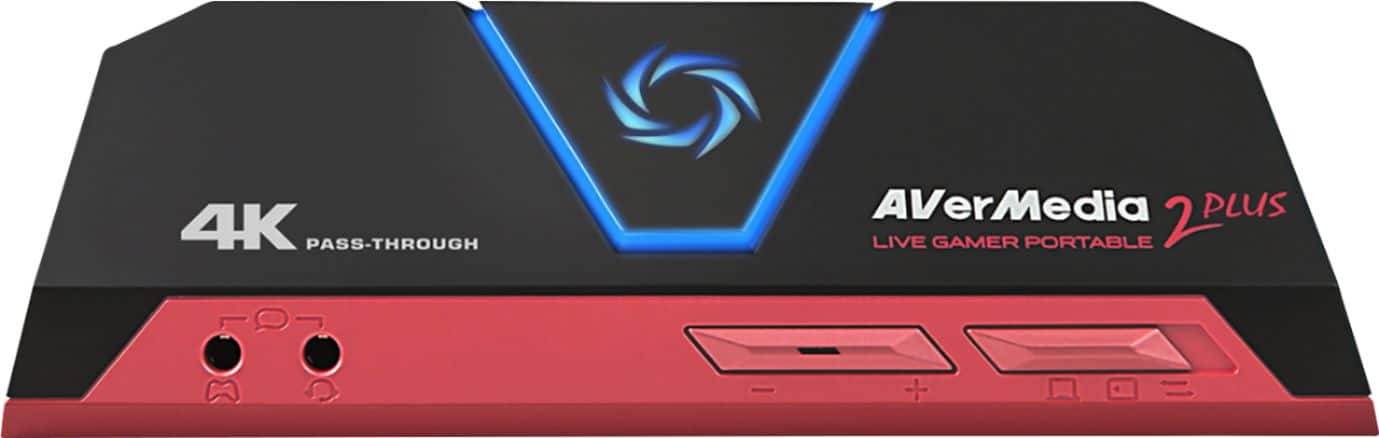
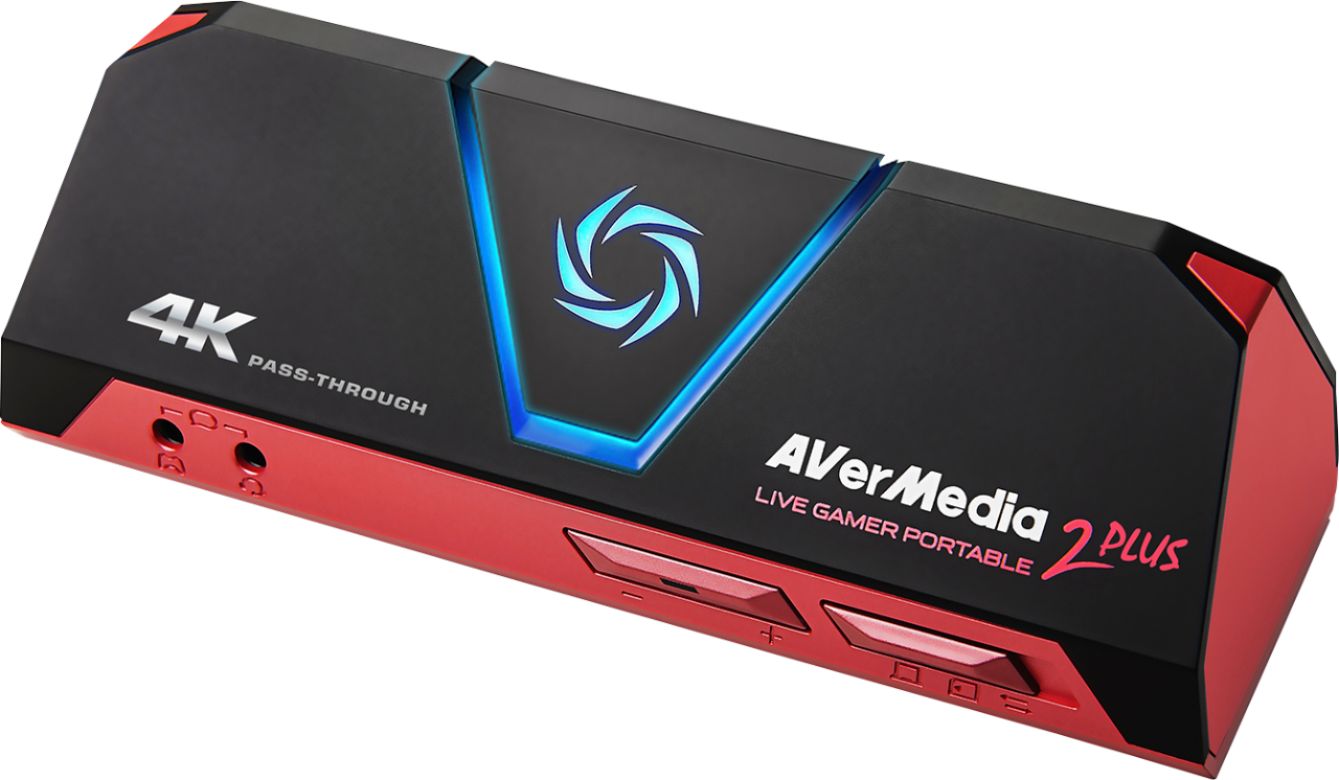
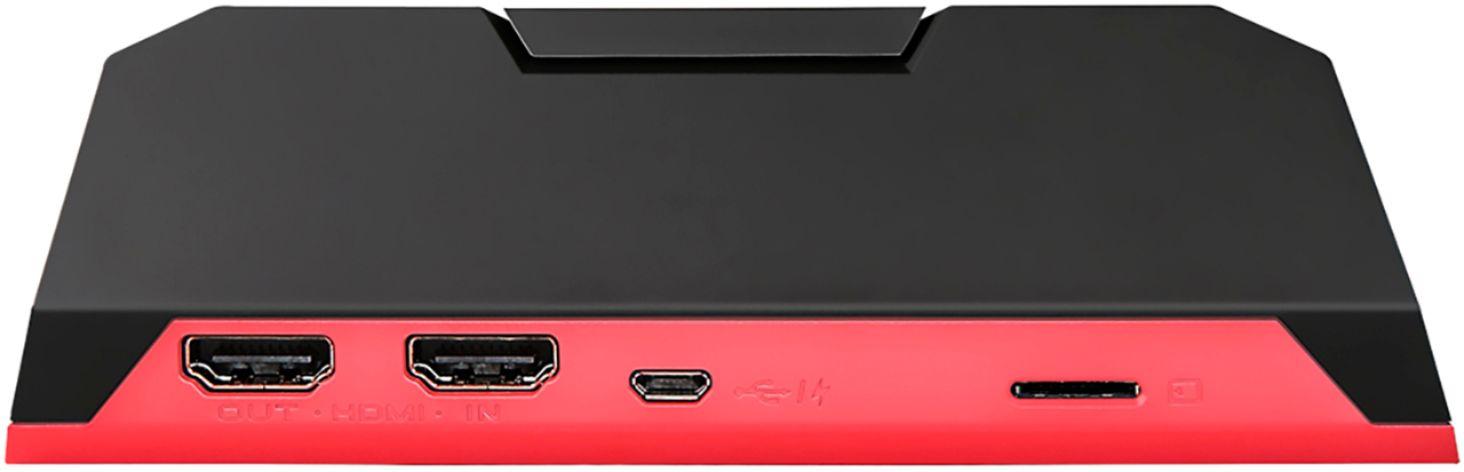
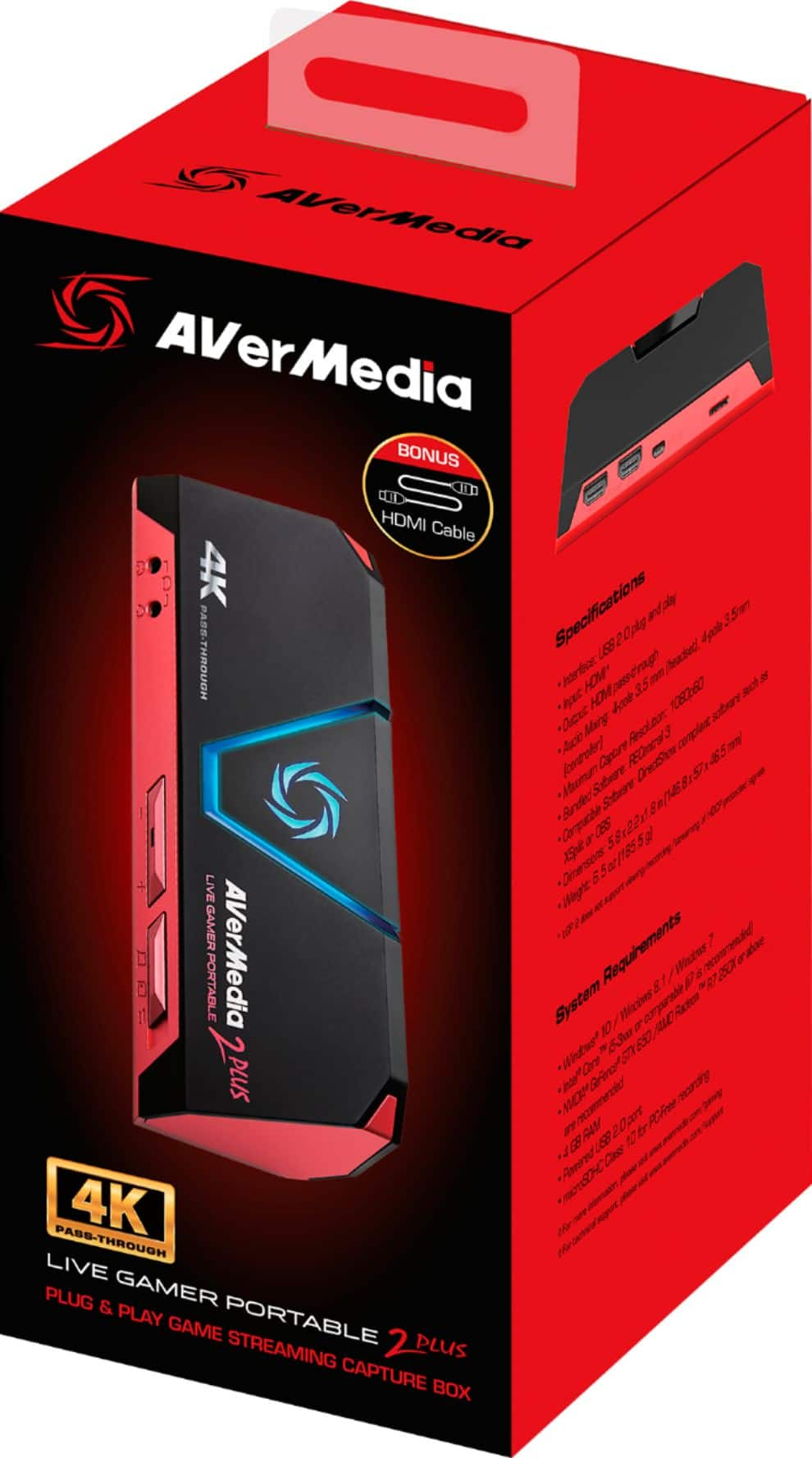
|Posted .This reviewer received promo considerations or sweepstakes entry for writing a review.An impressive video gaming capture device, the AVerMedia Portable 2 Plus is also a standalone 4K pass-through that captures 1080p60 video and has the capabilities to record footage directly to a Micro SD card (not included) with or without a PC. Packaged with a setup booklet, 2 HDMI cables, a USB cable, and an audio cable, the device weighs 6.54 oz and is designed to fit in your pocket at only 5.8” long, 2.2” wide and 1.8” tall. Portions of the setup were easy as the device is plug and play; however, the “quick setup” directions are not written well at all and I had to refer to the online “how-to” booklet which is written in much greater detail. To get started I initially downloaded the online instruction booklet, the RECentral recording software, and purchased a class 10, 64GB micro SD card. I purchased the card for portable use and to update firmware, but the SD card is not needed in order to record if the device is connected and recording to a PC. The device supports Micro SD cards of class 10 or above (U1 or U3) up to SDXC capacities like 128GB. The card also needs to be formatted in FAT32. Be careful that Windows 10 does not by default reformat your FAT32 card to exFAT, for it must be formatted as a FAT32 card in order to record. I also use another recording/streaming software, but the RECentral is a free download and is needed to update firmware (the SD card is needed for this too) and useful to adjust audio, quality of video, etc. when recording in PC-Free Mode. RECentral supports any streaming platform that uses RTMP and offers a Single-Mode and a Multi-Mode for recording. The Single-Mode is what I record with most. The Multi-Mode allows for streaming and recording of multiple video feeds at once and gives the user a chance to apply greater creativity. Recordings can be produced in either MPEG4 or MJPEG formats. There is no screen on the device. Instead a triangular button is central to the face with an aperture-shaped indicator light. The light illuminates blue when it’s ready to stream or record, pulses red while recording and blue while streaming. If anything is wrong with the connection, power supply, etc. the light will flash. The button serves different functions depending on the mode being used. When connected to the PC with RECentral software installed, pressing the button will launch the software, then record to the PC or stream the footage. When in non-pc mode and using a microSD card, the same button is used to start and stop recording to the card. Also, on the front is a three-way slide switch, a volume control and two 3.5 mm audio ports. The switch allows the user to set the device in PC, Pc-Free, or USB storage mode. The two audio ports allow input for a controller and output for your headset. The rear of the unit has an HDMI input for the game console or other sources from which you wish to capture video, an HDMI output for running to your TV, a micro USB port for connecting to either a power supply, computer or laptop. The AVerMedia Portable 2 Plus supports resolutions on video input of either 2160p, 1080p, 1080i, 720p, 576p, 480p, 480i. The AverMedia Portable 2 Plus is a flexible, functional, portable capture device for which I can only see two cons. I feel that the cables provided are very short. I also think that in a review, it is important to state that the AverMedia portable 2 Plus does not have any analog video options for older systems. Otherwise, for those capturing gaming, active on YouTube, Facebook, and other social medias, this is an impressive device that does an excellent job and is fun to use.
I would recommend this to a friend cost effective capture card
||Posted .This reviewer received promo considerations or sweepstakes entry for writing a review.This capture card is great for twitch and OBS, It works out of the box and works for pc or mac. Make sure it meets the specifications, aside from requirements, i use this on my Nintendo Switch and PS4 PRO. the unfortunate side is it doesn't support HDR. If 4K is you thing then get this device.
I would recommend this to a friendWorks mainly as described
||Posted . Owned for 1 week when reviewed.This reviewer received promo considerations or sweepstakes entry for writing a review.This works great, and I think is compatible to the hd60. Setup was easy and pass through works as expected. Although it says 4K, I’m not able to get 4K pass through to my PS4 Pro, but other than that it works great for 1080p capture and with OBS etc.
I would recommend this to a friendRecord laptop screen
||Posted . Owned for 1 week when reviewed.This reviewer received promo considerations or sweepstakes entry for writing a review.I bought this device to record my games on my laptop screen. The problem is the screen recorder software that came with the device takes up 100% of my cpu, causing tremendous lags in my game. I have an intel core i7 with 16 gb ram. I think this device might work if you are using a laptop to record an xbox game or recording a game from another laptop. But running the screen recorder software and playing the game on the same laptop didn't work for me. I had to return the device back to Best Buy.
No, I would not recommend this to a friendSwitch and poor people
||Posted . Owned for 1 year when reviewed.This reviewer received promo considerations or sweepstakes entry for writing a review.Man, if you have a switch and or don't run a pc near your consoles (aka don't have a pc aka maybe poor), then this is the next best thing. I got this so my son, again, could body kids in smash, record it and make vids. IT is a BEAST. worth every penny.
I would recommend this to a friend- Cons mentioned:Instructions
Performs poorly, no instructions, and bad service
||Posted . Owned for 1 month when reviewed.This reviewer received promo considerations or sweepstakes entry for writing a review.I bought this device hoping that during quaritine I would have something to do and maybe start up a youtube channel for the new Resident Evil game coming out. However, there were no instructions inside the box outside of how to hook it up. There's no instructions telling you what the different light patterns on top mean, there's no instructions letting you know what the different settings are for that dial in the bottom left, no instructions beyond "Here's how you hook it up and here's how you navigate the program we want you to download onto your computer. I tried reaching out to their reddit page for help, but all they will do is ask you a question and then never get back to you about it. I have tried multiple times but no one will help you. This device is over priced. After having to hook it up to my laptop the recording that I got back was butchered and my voice sounded robotic, like I had a weak signal talking in an xbox party chat. Apparently there is no other way to record your voice (which I think is friggin stupid) outside of having to buy a splitter, which is hard to do right now because of the pandemic. Even then, that extra step is dumb! I tried asking for a refund, but surprise surprise no response from the developer.
No, I would not recommend this to a friend Certainly worth it
||Posted . Owned for 8 months when reviewed.This reviewer received promo considerations or sweepstakes entry for writing a review.After buying a cheap one online that had lots of fake reviews that said it was great, I decided to go with this. My son has been using it for the better part of a year and it works flawlessly. Definitely recommend.
I would recommend this to a friendhumble capture card
||Posted . Owned for 5 months when reviewed.This reviewer received promo considerations or sweepstakes entry for writing a review.an alternate capture card to the elgato. it's a plug in that offers streaming and pc free mode to record stuff offline as well. setting up was a bit confusing in the beginning but easy to manage after a few sessions
I would recommend this to a friendGreat capture card
||Posted . Owned for 1 month when reviewed.This reviewer received promo considerations or sweepstakes entry for writing a review.This is a great product. The standalone mode allows you to capture videos directly to a memory card. So you don’t bog down your systems processor. Buying a second one for my Mac mini.
I would recommend this to a friendWorks Ok
||Posted . Owned for 7 months when reviewed.This reviewer received promo considerations or sweepstakes entry for writing a review.Works Ok. The video quality isn't exactly the best. It's great for a $100 capture card but I believe it's more worth it to buy a Elgato instead. Overall, it's only good if you don't feel like saving up for a Elgato.
No, I would not recommend this to a friendAVerMedia - Live Gamer Portable 2 Plus Review
||Posted . Owned for 1 month when reviewed.This reviewer received promo considerations or sweepstakes entry for writing a review.It works great! I wish the picture color quality was a little more accurate but it good enough more me, The recording software that is used is not very great and your better off using obs in my opinion
I would recommend this to a friendWorks great
||Posted . Owned for 3 weeks when reviewed.This reviewer received promo considerations or sweepstakes entry for writing a review.It works flawlessly with my ps4 for livestreaming! You can choose 3 different quality with ①20000kbps 24min about 4GB, ②15000kbps ③10000kbps all at .MOV file. You can use Format Factory Convert to mp4 format or anything you want.
I would recommend this to a friendPefect for live streaming
||Posted . Owned for 1 month when reviewed.This reviewer received promo considerations or sweepstakes entry for writing a review.I needed to use my camcorder for live streaming, this unit has worked flawlessly. Nice to have the option for recording to SD Card when using other HDMI sources without local recording capability. Audio sync has been spot on.
I would recommend this to a friendGreat for streaming twitch
||Posted . Owned for 3 weeks when reviewed.This reviewer received promo considerations or sweepstakes entry for writing a review.Great for steaming console! I’ve used it with PS4 and PS5 and have bought 3 of these, one for me and for my kids. Audio can get a tad complicated but I use it heavily and it’s stood up to the challenge.
I would recommend this to a friend