Only at Best Buy
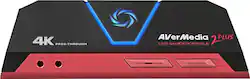
Record your Ultra HD gameplay with this AVerMedia Live Gamer Portable 2 Plus capture card. It has HDMI 2.0 pass-through for lag-free performance in 4K and 1080p resolutions, and the PC-free mode supports game console and smartphone connections. Include live commentary and party chat recording by connecting a headset to this AVerMedia Live Gamer Portable 2 Plus capture card.
Q: Do I need to use the included software if I want to use it with my DSLR as a webcam?
A: Nope. The best part is that it just shows up as a device the same way your built-in webcam does. You can use OBS or Zoom or any other software and the camera is available without any specific software. I'm using this with a Sony a6400 and it works wonderfully.
Q: Can I put the screen of a Nintendo switch on the screen of a laptop with this capture card?
A: yes.
A: Hi! I don't know much about that laptop specifically, but as far as I have seen and tested this capture card (Live Gamer Portable 2 Plus) will work with any device that can output HDMI signals that are not HDCP protected. My laptop is a Lenovo, but I've used this capture card to record gameplay footage for YouTube play-throughs using just the HDMI output from my laptop. The footage is pretty decent. I only use the PC-Free Mode with this capture card though to avoid slowing my laptop down. To answer your question, I don't see why it wouldn't work with your laptop as long as your laptop has an HDMI output port that doesn't output HDCP protected signals. If you use that port you can record games using the capture card independently from the laptop via its PC-Free mode (this requires a class 10 Micro SD card). This means you can record gameplay on a low spec laptop without affecting the footage or the game. If you don't want to use the HDMI output capture method, it does have a PC reliant capture mode. Check the compatibility of programs like AVerMedia RECentral 4 (the software made for this device) and OBS with your laptop for using that mode. I will say though that I have tried both of these programs and found that this card does put a decent load on the computer, which is why I always use its PC-Free mode. I should mention though that how you go about using this capture card may create some hoops you have to jump through. For instance, when I record gameplay footage on my laptop using its HDMI out, my laptop can only output audio to either the card or my headset. This means in order to listen to my game audio and record at the same time, I have to record all the audio separately and then combine the audio and video in post. This doesn't bother me too much though because I found a very fast and effective way of doing that. This specific problem though is all to do with my setup. I mention it however because I can imagine that other weird scenarios like this could happen when using the card to capture laptop output. And that very well may be true for most capture cards. Hope this helps! If you have any more questions feel free to post them! I'll answer them as soon as I can and if need be I can run some tests with my card and tell you the results.
A: The Capture card is designed to be used to capture an external device like a switch, xbox, ps4, and then stream that video via your PC onto whatever platform you choose to stream to. In this situation the only thing your PC is doing is relaying the video its receiving from the external device and projecting it wherever you send it to. it would only affect the CPU since your not actually using your GPU for the gaming portion. Hope this helps clear up some confusion.
Q: Can you connect a Bluetooth headset to it?
A: Doesn't look like it. Everything seems to be hardlined through it. I wouldn't recommend it.
Q: Is it only for live or recording whit live
A: It is a screen capture device. It allows data to transfer from a gaming device, in my case an iPad or iPhone, to my computer. I use it for showing what is on my phone or tablet. The device does not care what it is showing (live or prerecorded), it only cares about the source. I hope that helps.
Q: Would this work on a 2017 MacBook Pro with a 3.1 GHz Dual-Core Intel Core i5 processor?
A: These are the Mac Specs need for this device Operating system: Mac10.11/10.12/10.13 Connection: USB 2.0 (UVC · UAC compatible, easy plug & play connection) CPU: 2.8 GHz quad-core Intel® Core ™ i5 processor equivalent or better * When recording / streaming 1080p / 60fps, when using PIP mode we strongly recommend using Intel® Core ™ i7 Quad-Core. RAM: minimum 8GB or over, 12GB is recommended Software options: OBS Studio for MAC, Apple QuickTime Player
A: As it is a Capture Card it is for capturing your Game Play. and it does not effect the computer speed.