Deals Worth GiftingShop now

Main Content

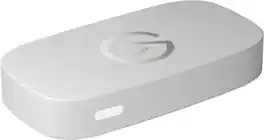
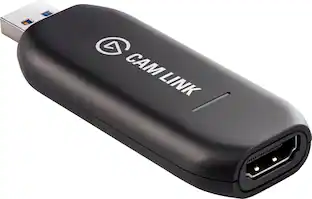
Elgato - 4K S – Ext Capture 4K60, 1440p120/1080p240 Passthrough and Capture for PS5, Xbox Series X/S, Switch 2, PC, Mac, iPad - Black

Model: 10GBR9901
SKU: 6638981
$159.99
or
Finance OptionsView your offers
Availability
Fulfillment Options
Pickup at
Act fast - Only 3 left at your store!
Sold by Best Buy
Specifications
  • Video Input(s)
    HDMI
    Video Output(s)
    HDMI
    Maximum Supported Resolution (Video Capture)
    2160p (4K) @ 60 FPS
    Maximum Supported Resolution (Video Passthrough)
    2160p (4K) @ 60 Hz
    Compatible Platform(s)
    PlayStation 5, Xbox Series X, Xbox Series S, Nintendo Switch 2, Mac/Windows
  • Key Specs
    • Video Input(s): HDMI
    • Video Output(s): HDMI
    • Maximum Supported Resolution (Video Capture): 2160p (4K) @ 60 FPS (The highest video resolution supported by the device to capture video from another source.)
    • Maximum Supported Resolution (Video Passthrough): 2160p (4K) @ 60 Hz (The highest video resolution supported by the device for passing through video to another device.)
    • Compatible Platform(s): PlayStation 5, Xbox Series X, Xbox Series S, Nintendo Switch 2, Mac/Windows
  • General
    • Brand: Elgato
    • Model Number: 10GBR9901
    • Product Name: 4K S – Ext Capture 4K60, 1440p120/1080p240 Passthrough and Capture for PS5, Xbox Series X/S, Switch 2, PC, Mac, iPad
    • Color: Black
    • Device Type: PC Card
  • Connectivity
    • Video Input(s): HDMI
    • Audio Input(s): HDMI
    • Video Output(s): HDMI
    • Audio Output(s): HDMI
  • Display
    • Maximum Supported Resolution (Video Capture): 2160p (4K) @ 60 FPS (The highest video resolution supported by the device to capture video from another source.)
    • Maximum Supported Resolution (Video Passthrough): 2160p (4K) @ 60 Hz (The highest video resolution supported by the device for passing through video to another device.)
  • Dimensions
    • Product Height: 0.7 inches (The out of box height of the item. Height is measured as the vertical distance from the bottom of the item to the top as it would be primarily used or placed.)
    • Product Width: 4.4 inches (The out of box width of the item. Width is measured as the horizontal distance from one side of the item to the other as it would be primarily used or placed.)
    • Product Length: 2.8 inches (The out of box length of the item. Length is measured as the longest dimension of the item.)
    • Product Weight: 0.2 pounds (The out of box weight of the item.)
  • Compatibility
    • Compatible Platform(s): PlayStation 5, Xbox Series X, Xbox Series S, Nintendo Switch 2, Mac/Windows
    • Minimum System Requirements: Windows 11 (64-bit), macOS 13 or later, iPadOS with USB-C, Intel Core i5 (8th gen or later) / AMD Ryzen / Apple M1 or better, NVIDIA GeForce RTX 10xx or equivalent
  • Warranty
    • Warranty - Parts: 2 years
    • Warranty - Labor: 2 years
  • Other
    • UPC: 840440406815

Showcase your gameplay at its best with Elgato Game Capture 4K S. Play and capture in crisp 4K60, ultra-smooth 1440p120, or even 1080p240—all with near-zero latency. With VRR passthrough, HDR10 capture on Windows, and analog audio input, this external USB-C card delivers pro-level features in a plug-and-play form factor. Whether you’re streaming or recording, it works seamlessly on Windows, macOS, and iPadOS—no drivers needed. 4K S is compatible with OBS Studio, Streamlabs, Discord, Zoom, and more. Connect your PS5, Xbox, or docked Switch 2, and share your gameplay in cinematic detail.

  • 4K60 Capture: Record in cinematic quality with crisp detail and vivid colors.
  • HFR Support: Play and capture in 1440p120 or 1080p240.
  • HDR10 Support: Capture brilliant HDR content with tone mapping on Windows.
  • VRR Passthrough: Eliminates screen tearing on supported displays.
  • Cross-Platform Compatible: Works with PS5, Xbox Series X/S, Switch 2, and more.
  • Plug & Play: Driverless setup on Windows, macOS, and iPadOS.
  • Analog Audio In: Capture in-game chat or commentary with 3.5mm input.
  • UVC Support: Seamless integration with all major capture apps.
  • Portable Design: Compact and travel-ready for creators on the move.
  • Elgato Studio Ready: Optimized for Elgato Studio and OBS out of the box.
Whats Included
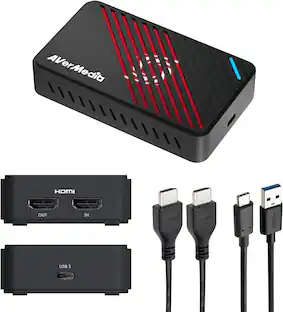
  • Game Capture 4K S
  • USB C-to-C Cable (150 cm / 59 in.)
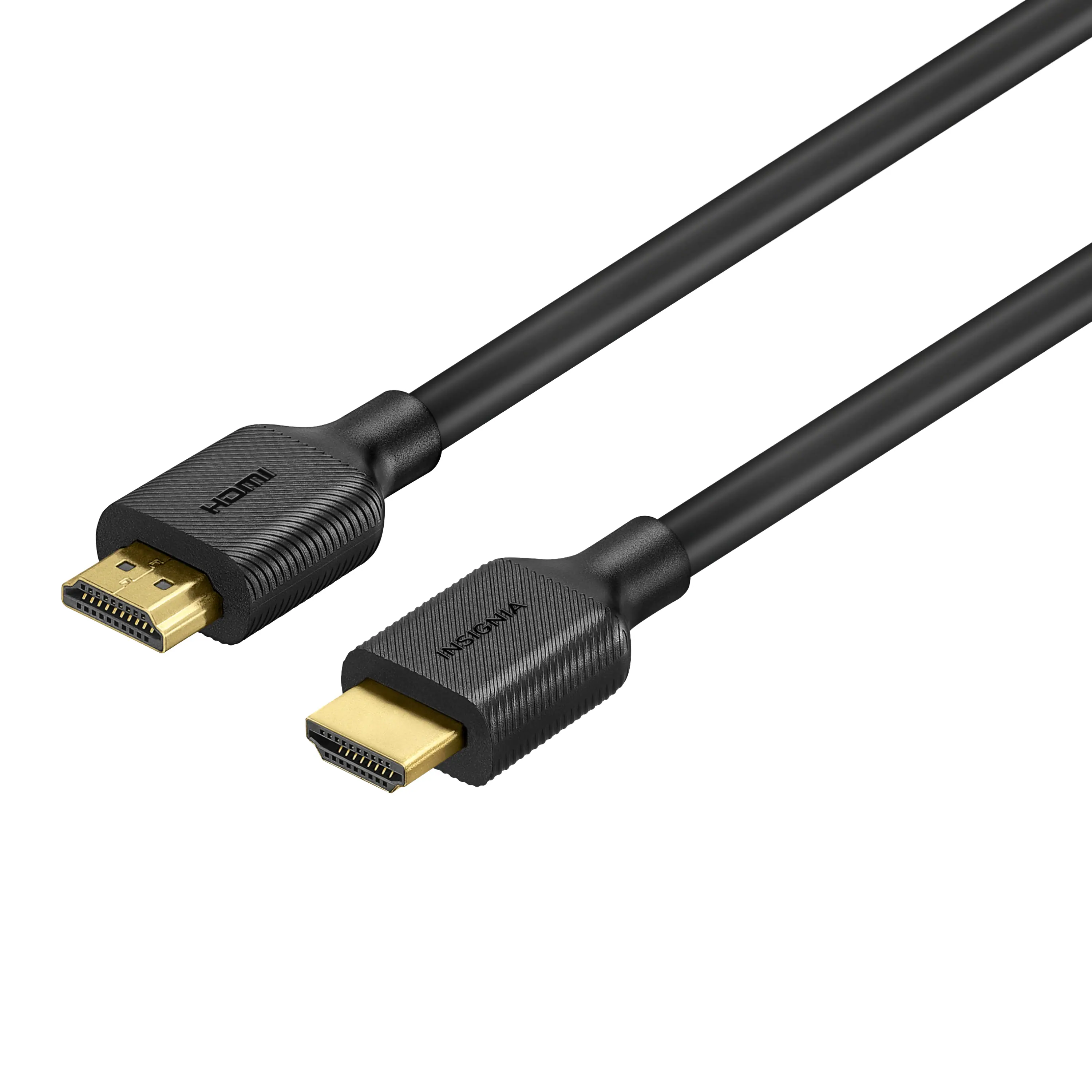
  • HDMI 2.0 Cable (150 cm / 59 in.)

Q: Can this be used with a Nintendo Switch Lite?

A: Hello Marx, Unfortunately, no, that is not possible. To the best of our knowledge, the Switch Lite does not have a Matrix Display chipset and therefore cannot be captured. Although the “SUPER5 HDMI Dock” claims to solve this problem, it is difficult to obtain and we were unable to confirm this claim with our devices.

Q: Does this device have a stereo (not microphone) line input?

A: Hi there! 4K S doesn’t have a dedicated stereo line input, only HDMI audio and a 3.5 mm analog input. It can capture stereo audio over HDMI or through the 3.5 mm port when using Chat Link Pro.

Q: Will this work for a Switch OLED?

A: Hi Sparks, yes - you can use it with your Switch while it is docked. The 4K S can capture up to 4K60 SDR, if you prefer HDR our 4K X is a better fit.

Sponsored

Compare similar products

Elgato - 4K S – Ext Capture 4K60, 1440p120/1080p240 Passthrough and Capture for PS5, Xbox Series X/S, Switch 2, PC, Mac, iPad - Black
4.8(64)

Showcase your gameplay at its best with Elgato Game Capture 4K S. Play and capture in crisp 4K60, ultra-smooth 1440p120, or even 1080p240—all with near-zero latency. With VRR passthrough, HDR10 capture on Windows, and analog audio input, this external USB-C card delivers pro-level features in a plug-and-play form factor. Whether you’re streaming or recording, it works seamlessly on Windows, macOS, and iPadOS—no drivers needed. 4K S is compatible with OBS Studio, Streamlabs, Discord, Zoom, and more. Connect your PS5, Xbox, or docked Switch 2, and share your gameplay in cinematic detail.

Elgato - 4K X 4K144 HDR10 External Capture Card with HDMI 2.1 for Nintendo Switch 2, PS5, PS4/Pro, Xbox, PC, and Mac - Black

4K X is game capture at its best. Equipped with HDMI 2.1, our most powerful USB card lets you capture the latest titles up to 4K with HDR at 144 frames per second, or even 1080p240. Say goodbye to screen tearing with VRR passthrough. Enjoy ultra-low latency technology that keeps your broadcast and gameplay synced. 4K X works with almost any HDMI-compatible device, including PS5, Xbox Series X, Switch, Steam Deck, PC, Mac, even your iPhone 15. And it works seamlessly with leading broadcast apps like OBS, so you can stream like a pro on Twitch, YouTube, or Discord.

Stock Preferred - 4K HDMI Video Capture Card USB 3.0 - Black
3.7(3)

The 4K HDMI USB 3.0 Video Capture Card delivers smooth 1080p/60FPS recording, seamless low-latency streaming, and universal compatibility. With plug & play setup, mic input for commentary, and support for all major platforms, it’s perfect for gamers, content creators, and live streamers.

Elgato - Game Capture Neo — 4K60 HDR Passthrough, 1080p60 Capture – For Nintendo Switch 2, PS4/PS5/Xbox Switch/iPhone - White
4.5(63)

Great content made easy. Play stunning 4K60 HDR games without image quality loss or lag, and record or stream your adventures in beautiful Full HD 1080p60 resolution. Game Capture Neo sends two video signals from your console – one to your gaming screen and the other to your laptop, PC, Mac, or iPad. Capture everything you see and hear – gameplay, cutscenes, soundtrack – without watermarks or time limits, directly to your hard drive, YouTube, or Twitch. Stick to simple QuickTime recordings or develop your streaming expertise in OBS. As your skillset expands, Game Capture Neo evolves with your growing needs. So you can keep growing your community.

Pros for Elgato - 4K S – Ext Capture 4K60, 1440p120/1080p240 Passthrough and Capture for PS5, Xbox Series X/S, Switch 2, PC, Mac, iPad - Black
Overall Performance, Video Quality, Compatibility, Portability, LatencyOverall Performance, Video Quality, Ease of use, HDMI, SetupThere were no pros for this productOverall Performance, Video Quality, Compatibility, Ease of Use, Design
Cons for Elgato - 4K S – Ext Capture 4K60, 1440p120/1080p240 Passthrough and Capture for PS5, Xbox Series X/S, Switch 2, PC, Mac, iPad - Black
There were no cons for this productConnectivity, Lag, SoftwareThere were no cons for this productConnectivity

Specs

Reviews

Customer Images

The vast majority of our reviews come from verified purchases. Reviews from customers may include My Best Buy members, employees, and Tech Insider Network members (as tagged). Select reviewers may receive discounted products, promotional considerations or entries into drawings for honest, helpful reviews.

  • Rated 5 out of 5 stars

    Elgato capture card

    Best capture card I have ever used. I have had no issues what so ever. The quality is amazing and it’s so simple to use.

    Posted by Archie

  • Rated 5 out of 5 stars

    Plug, Play & Capture

    So these capture cards used to be a bit of a necessity just a couple of years ago if you wanted to capture your gameplay and upload it to popular video platforms for others to watch. Majority of consoles and PC’s have some sort of game capture feature built in now, but they all have some sort of limitations. This is where having the Elgato 4K S comes in very handy if you want to share long play videos on YouTube or other sites. It is compatible with just about every console, as long as it has an hdmi output. (More on that in a bit). But this Elgato external capture card makes it extremely easy to use. It is literally plug and play. No drivers needed. The only thing you’ll need to download is the Elgato capture app on your iPad, Mac or Windows PC. It is compatible with OBS for live streaming, but I strictly used it for capturing gameplay for later editing and uploading. What I really love about this Elgato is that it is compatible with my iPad. Being able to connect this to an iPad to play and capture without any latency is awesome. This means I don’t have to set up next to a huge desktop or cumbersome laptop. I just set my iPad next to me or near my TV and connect it. With the Elgato capture app, you can adjust resolution , frame rate and audio settings on the fly for your screen captures. It is so quick and convenient to set up. I mainly used it to record my Nintendo switch 2 gameplay. I was able to record 4K 60 footage with the Nintendo switch 2 with this. Footage looks high res, crisp and no issues with sound. The capture card also has an aux input on the front end so that you can record yourself speaking. My only complaint about this box is that for some reason it is real finicky to use with a PS5. And for the life of me I could not figure out why. Sometimes it would work, but for the most part it just refused to find an input signal. I think it’s the PS5’s fault. I turned off HDCP and even so it didn’t work sometimes. Tried turning off VRR, HDR, ALLM, changed resolutions.. everything. And it still wouldn’t find an input signal. Finally when I was about to give up trying to connect my PS5, it just started working. I don’t even know what I did to make it work. But when I finally Got it going with my PS5, I had to lower the recording resolution to 1080P and 60fps to record. This thing will not record PS5 in 4K 120hz, and i suppose depending on the game you are playing, it wouldn’t record my PS5 in 4K 60hz mode. Which is strange because I was able to record my switch 2 gameplay in 4K 60 fps. I was playing battlefield 6. I have it set to performance mode for that game, so I’m assuming it lowers the resolution to 1440p for that game, so I had to lower record resolution in the Elgato app. I am going to blame Sony for it. Because it worked perfectly fine with my switch 2. Perhaps Elgato can release a firmware update to make it work better in the near future. Either way, I am quite pleased with it. I love that I can record footage straight onto my iPad Pro with it. It makes editing and uploading gameplay so much easier and quicker. If you are looking for an easy to use capture card for gameplay footage, I think you will love this one.

    Posted by Ponskippa

  • Rated 5 out of 5 stars

    Elgato Review

    Was wondering if going with elgato brand or soemthing else but i am not disappointed and super happy with my decision

    Posted by NestorC

No content
Sponsored

Similar products from outside of Best Buy

sponsored

Finance Options

My Best Buy® Credit Card
10% back in rewardson your first day of purchases when approved for the My Best Buy® Credit Card.
Buy Now, Pay Later
4 payments starting at $40.00