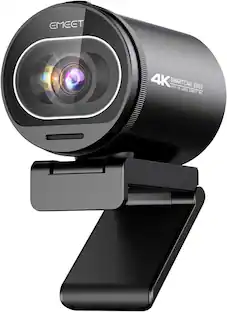
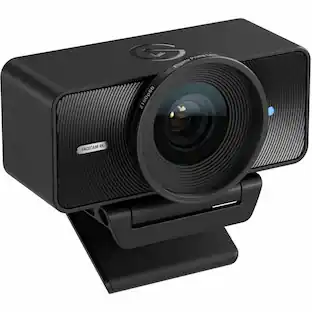
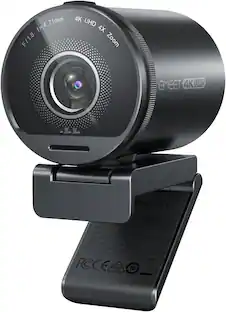
Logitech - 4K Pro 4096 x 2160 Webcam with Noise-Canceling Mic - Black
Customers are saying
Customers value the impressive image quality and the overall ease of use provided by this device. Users also frequently highlight the straightforward setup process and the expansive field of view as key benefits. While the product is well-regarded for its performance, some users have noted occasional challenges regarding software functionality, connectivity, and compatibility with certain devices. Additionally, a small number of customers expressed concerns regarding the pricing and the consistency of the autofocus feature.
Spectacular video quality
Superb resolution, frame rate, color, and detail, featuring autofocus and 5x digital zoom; this Ultra HD webcam supports up to 4K at 30 fps
Look great in any light
RightLight 3 automatically adjusts exposure and contrast to compensate for glare and backlighting.
Adjustable field of view
Choose from three dFOV presets to perfectly frame your video; frame an ideal head and shoulders view with 65° diagonal, and more of the room with 78° or 90° diagonal.
Sound excellent anywhere
With dual omnidirectional microphones and noise-canceling tech, this webcam with microphone captures clear audio from up to 1.2 meter away while reducing background noise.
Make it your own
The Logi Options+ app simplifies personal device control with zoom in/out, color presets, color adjustments, set manual focus, and easy firmware updates.*
Windows Hello support
Powered by both optical and infrared sensors, Brio 4K enables fast and secure facial recognition for Windows Hello; simply look into webcam lens for Windows login.
Attachable privacy shutter
Switch to privacy mode in an instant with the attachable privacy shade that flips up and down.
- Video Resolution4K (2160p)
Reviews
Rating 4.7 out of 5 stars with 2376 reviews
- Image Quality (1393)
- Ease of Use (138)
- Setup (112)
- Field of View (47)
- Compatibility (20)
- Connectivity (12)
- Software (12)
- Focus (11)
- Price (11)
Customer Images
The vast majority of our reviews come from verified purchases. Reviews from customers may include My Best Buy members, employees, and Tech Insider Network members (as tagged). Select reviewers may receive discounted products, promotional considerations or entries into drawings for honest, helpful reviews.
Compare similar products

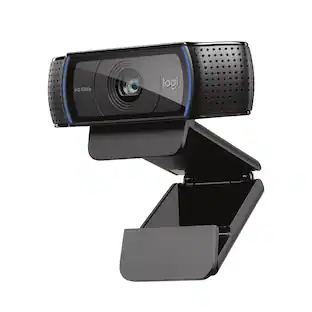
Brio 4K is an advanced webcam that helps you meet like a pro in every video call. Stream crystal-clear video up to 4K with beautiful colors and RightLight 3 auto light correction, or get up to 90 fps high frame rates at 720p. Also features autofocus, adjustable field of view, and 5x digital zoom. Brio 4K is certified for Zoom, and Google Meet, enables fast and secure facial recognition for Windows Hello, and is compatible with other popular applications. Low-carbon aluminum for camera housing and a minimum 38% post-consumer recycled plastic in the plastic components makes Brio 4K a choice you’ll feel good about.

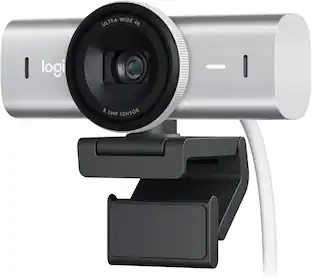
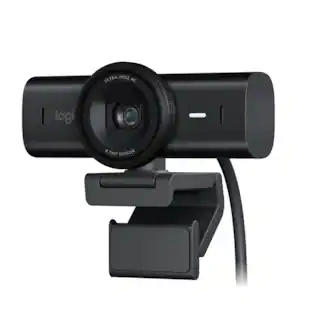
Meet, stream, master with the Logitech MX Brio Ultra HD 4K Webcam for Collaboration and Streaming. Experience sharp, ultra HD 4k resolution video with AI image enhancement, our in-house designed lens, and our most advanced webcam sensor yet with 70% bigger pixels for 2X better face visibility and 2x finer image details in difficult lighting conditions.. Fine controls on this HD webcam let you precisely adjust lighting and white balance with ISO, Shutter Speed, Temperature, Tint, and Vibrance. Dual omnidirectional microphones reduce background sound so you can be heard clearly with noise-reducing technology. Show Mode lets you share your physical work and notes on video calls by tilting the web camera down.

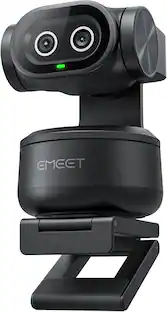
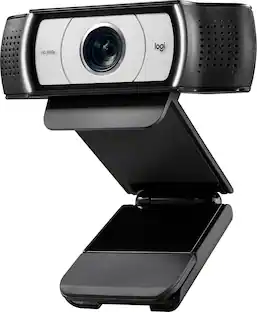
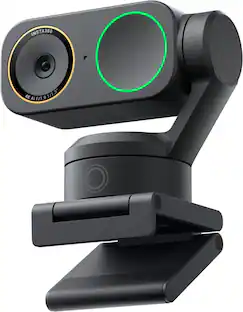
Link 2 and Link 2C are affordable 4K webcams with exceptional video and audio quality. With a 2-axis gimbal and a standard model, they provide a seamless user experience for business professionals, educators, and live streamers. The high-performance 1/2" sensor ensures quality 4K video, and an advanced audio algorithm delivers AI-powered noise cancelation. With the all-new Magnetic Mount, and specialized modes including AI Tracking, Auto Framing, Gesture Control, customizable backgrounds, and Natural Bokeh, they set new standards in video conferencing and live streaming.

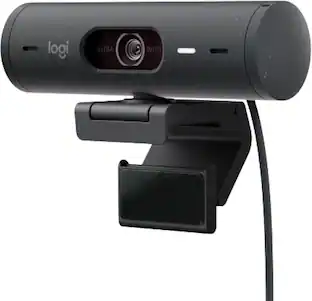
Show up to every video call feeling confident, seen, and heard. Logitech Brio 500 includes features like auto light correction for low-lighting conditions, auto-framing so you can move during calls, and Show Mode for presenting objects on your desk. Brio 500 Webcam creates a more authentic Google, Teams, or Zoom meeting experience, allowing you to connect genuinely with others.
| Pros for Logitech - 4K Pro 4096 x 2160 Webcam with Noise-Canceling Mic - Black | |||
|---|---|---|---|
| Image Quality, Ease of Use, Setup, Field of View | Image Quality, Privacy Feature, Ease of Use, Field of View, Connectivity | Image Quality, Ease of Use, AI Tracking, Features, Tracking | Image Quality, Privacy Feature, Setup, Ease of Use, Field of View |
| Cons for Logitech - 4K Pro 4096 x 2160 Webcam with Noise-Canceling Mic - Black | |||
| Compatibility, Connectivity, Software, Focus, Price | Mounting Options, Low-light Performance | There were no cons for this product— | Connectivity, Compatibility, Mounting, Cable Length |
Specs
Customers often buy these together
Microphones
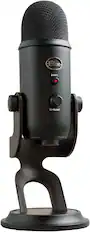
Blue Microphones - Blue Yeti Professional Multi-Pattern USB Condenser Microphone - Blackout
$111.99The price was $139.99
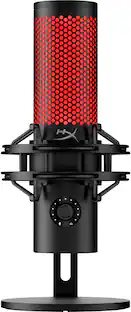
HyperX - QuadCast 2 Wired Multi-Pattern USB Electret Condenser Microphone - Black
$119.99The price was $149.99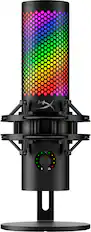
HyperX - QuadCast 2 S Wired Multi-Pattern USB Electret Condenser Microphone - Black
Top Deal$149.99The price was $199.99

Photo and Video Lights



More recommended items
 Computer Speakers
 Video Capture Devices
 Laptop Docking Stations
Customers ultimately bought
 $154.99The price was $169.99
 Top Deal$109.99The price was $139.99
 $109.99The price was $119.99
 $150.97The price was $169.99
 $815.82The price was $895.49
Explore tech essentials Sponsored
 Top Deal$143.99The price was $179.99
 $119.99The price was $149.99
- Top Deal$109.99The price was $139.99


Discover related products







Keep exploring
 $57.99The price was $76.48
 $995.82The price was $1,140.91