Customer Ratings & Reviews
![Front. Backbone - One (Lightning) - Mobile Gaming Controller for iPhone - [Includes 1 Month Xbox Game Pass Ultimate] - Black.](https://pisces.bbystatic.com/image2/BestBuy_US/images/products/6501/6501539_sd.jpg)
![Angle. Backbone - One (Lightning) - Mobile Gaming Controller for iPhone - [Includes 1 Month Xbox Game Pass Ultimate] - Black.](https://pisces.bbystatic.com/image2/BestBuy_US/images/products/6501/6501539cv13d.jpg)
![Left. Backbone - One (Lightning) - Mobile Gaming Controller for iPhone - [Includes 1 Month Xbox Game Pass Ultimate] - Black.](https://pisces.bbystatic.com/image2/BestBuy_US/images/products/6501/6501539_rd.jpg)
![Back. Backbone - One (Lightning) - Mobile Gaming Controller for iPhone - [Includes 1 Month Xbox Game Pass Ultimate] - Black.](https://pisces.bbystatic.com/image2/BestBuy_US/images/products/6501/6501539ld.jpg)
![Alt View 11. Backbone - One (Lightning) - Mobile Gaming Controller for iPhone - [Includes 1 Month Xbox Game Pass Ultimate] - Black.](https://pisces.bbystatic.com/image2/BestBuy_US/images/products/6501/6501539_bd.jpg)
![Alt View 12. Backbone - One (Lightning) - Mobile Gaming Controller for iPhone - [Includes 1 Month Xbox Game Pass Ultimate] - Black.](https://pisces.bbystatic.com/image2/BestBuy_US/images/products/6501/6501539cv11d.jpg)
![Alt View 13. Backbone - One (Lightning) - Mobile Gaming Controller for iPhone - [Includes 1 Month Xbox Game Pass Ultimate] - Black.](https://pisces.bbystatic.com/image2/BestBuy_US/images/products/6501/6501539cv12d.jpg)
![Alt View 14. Backbone - One (Lightning) - Mobile Gaming Controller for iPhone - [Includes 1 Month Xbox Game Pass Ultimate] - Black.](https://pisces.bbystatic.com/image2/BestBuy_US/images/products/6501/6501539cv14d.jpg)
![Alt View 15. Backbone - One (Lightning) - Mobile Gaming Controller for iPhone - [Includes 1 Month Xbox Game Pass Ultimate] - Black.](https://pisces.bbystatic.com/image2/BestBuy_US/images/products/6501/6501539cv15d.jpg)
![Alt View 16. Backbone - One (Lightning) - Mobile Gaming Controller for iPhone - [Includes 1 Month Xbox Game Pass Ultimate] - Black.](https://pisces.bbystatic.com/image2/BestBuy_US/images/products/6501/6501539cv16d.jpg)
![Alt View 17. Backbone - One (Lightning) - Mobile Gaming Controller for iPhone - [Includes 1 Month Xbox Game Pass Ultimate] - Black.](https://pisces.bbystatic.com/image2/BestBuy_US/images/products/6501/6501539cv17d.jpg)
![Alt View 18. Backbone - One (Lightning) - Mobile Gaming Controller for iPhone - [Includes 1 Month Xbox Game Pass Ultimate] - Black.](https://pisces.bbystatic.com/image2/BestBuy_US/images/products/f1733203-12c1-4d0b-8f3c-9505e72bb5b1.jpg)
![Alt View 19. Backbone - One (Lightning) - Mobile Gaming Controller for iPhone - [Includes 1 Month Xbox Game Pass Ultimate] - Black.](https://pisces.bbystatic.com/image2/BestBuy_US/images/products/6501/6501539cv19d.jpg)

- Model:
- BB-02-B-X
- SKU:
- 6501539
Rating by feature
- Value
Rating 4.5 out of 5 stars
- Quality
Rating 4.6 out of 5 stars
- Ease of Use
Rating 4.6 out of 5 stars
Customers are saying
Customers recognize the One (Lightning) - Mobile Gaming Controller for iPhone as a high-performing and portable gaming accessory, making it ideal for gaming on the go. Users appreciate its easy connectivity and the satisfying feedback from its buttons. However, some customers have reported compatibility issues with certain iPhone models.
This summary was generated by AI based on customer reviews.
- Pros mentioned:ConnectivityCons mentioned:Compatibility

iPhone 13 easy mod required, fun once addressed
|Posted .This reviewer received promo considerations or sweepstakes entry for writing a review.If you haven’t researched this product yet, and you own a newer iPhone 13 Pro Max, this review is for you. If you are looking for a very well made, and responsive controller for your phone, I don’t think you’ll find a better one than Backbone. There’s just a couple things you need to know. Evidently this was released right before the new iPhone 13 was. The camera lenses on the back of the iphone makes it so the backbone won’t fit snug without a small fix. That fix comes in the form of a small rubber fitting. I read online that they started out offering 3d printer plans for people to print their own. Then, after a short time they started offering it free of charge (with a small shipping charge of course. I made the mistake of downloading the backbone app, opening it up, and the app warning me to sign up for the free iPhone 13 Pro max adapter, so I did. Congratulations your adapter will arrive soon, and thanks for paying for shipping. Then I proceeded to open the backbone and take it out of the packaging. Lo and behold, this one came with the iPhone adapter. Moral of the story, open the package first and make sure it’s in there. I don’t know, maybe now it’s standard to come with one if you get the iPhone version? I quickly went back online and cancelled my order for the free one, no harm no foul. Slightly annoying, couldn’t help but think, maybe they should put a note in the app when starting out to check the package first, before it tells you to order the free one from them. There are also no instructions, or visualizations to show you how the put the rubber adapter piece on the controller. Just tinker with it and you’ll figure it, out or check out my pictures for the general idea on orientation. This adapter will ONLY work, if there is no protector on your iPhone’s camera lenses. I’m a huge stickler for making sure my phone always has a case, and protective glass screen protector. Needless to say, I had a plastic lens protector that covers the 3 lenses on my phone. See pics, wouldn’t fit with the protector on. Again, no harm no foul, annoying but easy enough work around. Other than the annoying external modifications, this little controller is WAAAAY better than I expected. Locks in nicely and feels solid. Super responsive, very fast and easy to get up and going. I was playing COD within 5 minutes. Played a few other shooters, and sports games. If you are looking for a controller to play games with on your phone, that is very close to your home PS4/PS5…XBOX…then this the one you want. No battery needed of course since it plugs right into your phone. There’s a jack on the bottom as well for headphones. I believe there is an XBOX Live trial you can activate. Very happy with the controller. Never thought I’d playing console games on a mobile phone ! Better yet, never thought I'd be playing them and it would be this much fun!
I would recommend this to a friend - Pros mentioned:Connectivity, Overall performanceCons mentioned:Compatibility
Console Controller feeling
|Posted .This reviewer received promo considerations or sweepstakes entry for writing a review.THE BREAKDOWN: This Backbone One controller delivered exactly what it was supposed to. The setup was quick and easy. The only thing that I didn’t like was having to take my phone case off in order to use it. I think that this device really opens up a better gaming experience giving that console controller feel instead of using just the phone itself. You can play Apple Arcade games, Xbox games through the Xbox app using the streaming feature. It also has a charging port and headphone port. I felt like the device really performed well and was setup just like I was using my wireless Xbox controller. I did have to turn down my look sensitivity quite a bit in order to play smoothly. All buttons worked like expected in all the games I tried. There were no sticky buttons or thumb sticks. There is a free app that comes with this device called Backbone One + service. Once you plug the phone into your device it automatically downloads this app. This app does seem a little pushy making you think you cannot use this device without it, but this just isn’t the case. PRO’s: - Very responsive - Familiar feeling of your console controller - 1 month Xbox game pass ultimate - 12 months of Backbone+ app CON’s: - None SUMMARY: Overall, this product worked as intended, and I would recommend this to a friend if they are in the market for device like this.
I would recommend this to a friend - Pros mentioned:Button quality, Connectivity
Now With a Yearly Subscription Fee
|Posted .This reviewer received promo considerations or sweepstakes entry for writing a review.--- SETUP --- The setup of the Backbone was quick and simple. It does not have a battery, so there is no charging required. Extend the controller, insert your iPhone, and install the Backbone+ app. --- FEATURES --- The key feature of this Backbone One controller is that is gives gamers a unique premium experience to play Apple Arcade games, Xbox games through XCloud and Console streaming, Playstation games through console streaming, Steam games streamed from your PC, Stadia, NVIDIA Geforce NOW, and LUNA. Optional 49.99 dollar a year membership included. --- PERFORMANCE --- The performance of the backbone was better than what I was expecting. I have an iPhone 12 Pro Max. The screen is just perfect for on-the-go gaming. I’ve tried pairing my Xbox Controller through Bluetooth for my Xbox GamePass Cloud games, and though the games themselves played great, my controllers never seemed to pair correctly, as the buttons wouldn’t work as expected. The Backbone One connects directly to the phone through the lightning port. This gives a direct response to the game and all buttons worked as expected immediately. All buttons feel like an original product from Xbox except the joysticks, which are noticeably smaller, and the D Pad. L3 and R3 are clickable and the LT and RT buttons are slightly shaped like triggers. The LB and RB buttons are comfortable to press if you are sitting down. The D Pad functions, but it is noticeably a less premium experience than the Xbox, PS, or Nintendo D Pads controller D Pads. The D Pad is my least favorite button on the entire controller, but most games use it sparingly, so I don’t press it much. All games I tested for this controller were through Xbox GamePass via the Cloud or Remote Play (streamed from my local Xbox) and include: Elden Ring, Tunic, Doom Eternal, Dead by Daylight, Shredders and Forza Horizon. All button functionality held up both, through WiFi and the phone’s 5G network. Again, though, the controller directly connects to the phone. The WiFi or 5G is what you will rely on for the quality of your gaming experience. --- EXPECTATIONS --- The product meets my expectations with a few caveats. If you are lying on the bed with your phone over your face, the buttons do become uncomfortable to press. If this is the experience you’re looking for, I personally didn’t find it enjoyable. I had to sit straight on my bed to be able to play comfortably. Secondly, I found out that there is a subscription service that is now part of the experience. For 49.99 a year, you have access to the Backbone One + service. The backbone app is installed upon first connecting it to the iPhone. Upon opening the APP, it really pushes the service on you and the wording makes it seem like you won’t be able to use the Backbone without a subscription. After some online research through Backbone’s website, I found out that the yearly subscription is for the premium features of the Backbone + service which include, but are not limited to, unlimited cloud storage for your recordings, access to premium apps from within the Backbone app (for a more seamless experience) like Stadia, Luna, Xbox Remote streaming and others, monthly rewards such as occasional free subscriptions to Xbox GamePass, and more unannounced perks. Buying a Backbone will give you a free 1 year subscription which will auto renew through your iPhone credit card on file. I was able to activate the subscription and cancel the auto-renewal so that I wouldn’t forget to cancel it a year from now and still retain access to the premium features. When the subscription ends, I will still be able to play my Xbox GamePass games through the Cloud, as those games are opened through a website browser, but I won’t have access to the premium services that were free before November of 2021. I have heard of Backbone Controller for a long time, but this was the first time I had ever heard of a subscription attached to using one. It turns out that the subscription service began in November of 2021, but if you created an account before November, you were given a lifetime subscription free of charge. --- VALUE --- The value you get out of the controller depends on how often you plan on playing on your iPhone. Prior to knowing there was a subscription fee, I wouldn’t have minded having this in my backpack to occasionally take it out for maybe 1 or 2 months out of the year. With a subscription fee affecting premium options, the value now varies per user’s expectancy of use. --- APPROVAL --- I highly recommend this product for people who regularly play on their phone and want a console-like controller experience.
I would recommend this to a friend - Pros mentioned:Button quality, Connectivity
Great mobile gaming controller!
|Posted .This reviewer received promo considerations or sweepstakes entry for writing a review.The Backbone One iOS Gaming Controller for iPhone feels great in the hands and has a quality feel to it. All the buttons have a nice tactile feel to them with just enough resistance. The joysticks are smooth and feel well made. I have the iPhone 13 Pro and it comes with an adapter that fits onto the left side of the cradle so it fits nice and snug. It is a little awkward the first couple times you connect the phone into the cradle trying to keep the device open while plugging the phone into the charging port connector as it has a closing spring that brings it back to closed position. Just takes a little practice to figure out the best way to do this without dropping your phone in the process. Once plugged in snuggly it feels like the controller is part of your phone. It feels very much like the Nintendo Switch. The device comes with 1 free month of XBox Game Pass and 1 free year of the Backbone+ social network app. As soon as you plug the controller into your phone it prompts you to download the software from the App Store and walks you through the setup. I didn't see any way to back out of this setup, so I didn't attempt to use the device without installing the Backbone software. I imagine the controller would work just fine without this app, but I did not test that. Once the Backbone software is installed it let's you connect to all your game services like Apple Arcade, XBox Game Pass, Playstation, Steam using SteamLink app, and XBox remote play so you can stream games from your XBox. It lets you record your gameplay and post to the Backbone social network where you can connect with friends that also have the Backbone app installed. The user interface is easy to use and reminds me of the XBox interface a bit. The service will cost $49.99 / year after the first year. Your phone powers the controller, so there aren't any batteries to worry about. You can also charge your phone while the device is connected as it has a standard iPhone power plug port in the end of the right hand control. There is a standard headphone jack in the end of the left control. About the only negative I have is that you have to take your phone out of any protective cases before you can attach the controller, so that is a slight inconvenience. Overall I'm quite impressed with the controller and all it offers for a mobile gaming experience on the iPhone!
I would recommend this to a friend - Pros mentioned:Button quality, Portability
Next level for travel gaming
|Posted .This reviewer received promo considerations or sweepstakes entry for writing a review.Hubby and I like to game when traveling. So this system is perfect in size and super functional. Absolutely love the feel of play. Buttons are perfect. It gives you same feel and function as an actual ps4 or ps5 controller. If you don’t have an iPhone, then this might not work for you but it does come with attachments for iPhone 11 and 13. Variation in this regard might be an upgrade in the future we will see. I’m not a fan of adding another subscription to use this device but if you play a lot of have kids, it’s worth it. You now have added protection for you phone when playing games. Charging is easy but make sure you have a full charge on your phone. Software is decent. Overall great product. I can’t really compare it with anything else like it because this is the first of its kind that I’ve owned. So to me the bar is set pretty high for any products like this one. I strongly suggest giving this item a try and make sure you have specific games that you are good at so you can enjoy the experience
I would recommend this to a friend - Pros mentioned:ConnectivityCons mentioned:Compatibility
Turn your phone into a real gaming device!
|Posted .This reviewer received promo considerations or sweepstakes entry for writing a review.Nice slim profile and easy to use controller. Feels comfortable in your hands and is super responsive. Just plug in and go. At first I thought my iPhone 13 Pro wasn't going to work right because of its big camera housing, but there is an included rubber adapter in the box that you slide on and then it sits perfectly. Just FYI if you have a 13 Pro or Pro Max. There's a built-in wired headset connector and a lighting connector in the base of the handles to get wired audio and for you to optionally charge your phone while playing games. I just used my Bluetooth headset for sound. 2 minor notes. You have to remove any case on your phone to use this (makes sense because cases are all different sizes, but a little bit of a pain) Also when you take your phone out be sure to remove the lighting connector side (right side) first. If you remove the other side first it feels like you could bend the lightning connector.
I would recommend this to a friend - Pros mentioned:Portability
The best iOS controller for iPhone.
|Posted .This reviewer received promo considerations or sweepstakes entry for writing a review.Backbone is a really fantastic product that goes just a tad bit above the competition. There aren’t many options for controllers on iOS that you can choose from. Bluetooth controllers don’t really work for a lot of games that well, while yes you can use an Xbox controller for iOS. The problem is that you have to lug that around with a phone, it is very cumbersome. The backbone controller takes care of all of this. As you have an all-in-one portable unit in your hand. I am an owner of the “other” brand, and backbone has that beat by giving you a few extras that make it worth your time. First, the controller feels really nice in the hand compared to an Xbox controller or the “other” green brand. I am using an iPhone 12 max so the screen is very large when gaming on the go. It doesn’t feel out of place making it feel too large to carry on Apple’s biggest phone. Definitely have great economics when holding. You can collapse down the controller to fit into a pocket or bag as well. Outside of the standard buttons you already know like A, B, X, Y…there are a few buttons here unique to this controller. There is a button for the Backbone menu (Launches the Backbone app), a screenshot button so you can share online screenshots and videos. Also, you also have a 3.5mm headphone jack which comes in the handle when you just want to use headphones; another plus on this device. Backbone also has a lightning port where you can charge your phone as you game. You don’t need to charge the controller itself to use as just directly connects to your iPhone. L3 and R3 are there (clickable analog sticks) While streaming from Xbox Game Pass it held up perfectly. Every button responded and gave a satisfying click. Backbone was nice enough to give you a free trial to game pass so you can see how much fun it can be to use on the go. Yes, I also tried this with Steam streaming and PlayStation remote app and it worked flawlessly. It’s simply amazing how far we’ve come to play great games without a hassle. If you have a USB-C it can be used on any device like the iPad or PC. One thing I do enjoy about this controller and the app that you download is that they give you a straightforward cohesive list of games that can use this controller. The “other” green brand gives you nothing! Just an app to update their controller and that’s it. But the Backbone app goes throughout the apple app store or lets you know what’s available for streaming with the controller. This helps you so much because you don’t have to comb through the App Store to find out what works with the controller. Overall; Backbone gives you more options than the other brand and they both are in the same bracket. While I would like more curvature to the controller in hand for even better ergonomics (Backbone to make a “Pro” model?) The controller is extremely great to use and when I enjoy using it when I’m out. Again there aren’t many options for controllers on iOS that are premium. This sure feels like one and a controller I hope Backbone keeps improving. The Backbone app is amazing and the “other” green brand should start to worry in this space.
I would recommend this to a friend - Pros mentioned:Button quality, Connectivity, Portability
If You're Serious About Mobile Gaming
||Posted . Owned for 2 weeks when reviewed.This reviewer received promo considerations or sweepstakes entry for writing a review.From the moment I unboxed it, I was impressed by the sleek design and solid build quality. Setting it up was a breeze - just plug and play! The Lightning connector ensures a stable connection, eliminating any lag or delay. The ergonomic design fits comfortably in my hands, making extended gaming sessions a breeze. The Backbone app seamlessly integrates with my library, making it easy to access and launch my favorite titles. The social features are a fantastic addition, allowing me to connect with fellow gamers and even jump into games together. The controller's responsive buttons and analog sticks provide precision control, giving me an edge in intense battles. The clickable L3 and R3 buttons add an extra layer of functionality. Overall, the Backbone is a game-changer for any mobile gaming enthusiast. It brings console-level controls to my iPhone, elevating my gaming sessions to a whole new level. If you're serious about mobile gaming, this controller is an absolute must-have!
I would recommend this to a friend - Pros mentioned:Connectivity, PortabilityCons mentioned:Compatibility
Great Controller for on the Go
||Posted . Owned for 10 months when reviewed.This reviewer received promo considerations or sweepstakes entry for writing a review.This controller was a godsend for a 5 hour long flight. I used it to play games installed on my phone. I like that I can plug it into my tablet to use for gaming as well. The backbone app is not bad to use as a launcher, I liked that I could connect to my accounts so it could access things like my PS5, Steam and Xbox Game Pass libraries without having to go through different apps. The two qualms I really have is that you have to remove the phone case I have to use it (I can be accident prone). It may or may not work with a slimmer case that’s more like a sleeve. The second one is I wish it was more comfortable for my hands, but that is subjective depending on the person.
I would recommend this to a friend - Pros mentioned:Comfort, Overall performance
Solid Controller
Posted .This reviewer received promo considerations or sweepstakes entry for writing a review.it's a solid controller. Feels comfortable in your hands. The button configuration is set up nicely. As for downfalls, the only things I would say is that because the controller is smooth your hands will slip some of your games like Call of Duty. When you use remote play, didn't experience a lag. The response rate in general with Call of Duty mobile is pretty awesome. I haven't noticed any issues so far. I am happy with my purchase. Highly recommend it.
I would recommend this to a friend - Pros mentioned:Connectivity, Overall performance, Portability
LIFE CHANGING!
||Posted . Owned for more than 2 years when reviewed.This reviewer received promo considerations or sweepstakes entry for writing a review.HIGHLY RECOMMEND! Works very well and i bring it with me everywhere I go! The connectivity works great and works while charging!
I would recommend this to a friend - Pros mentioned:Connectivity
Nice Gaming controller for iPhone
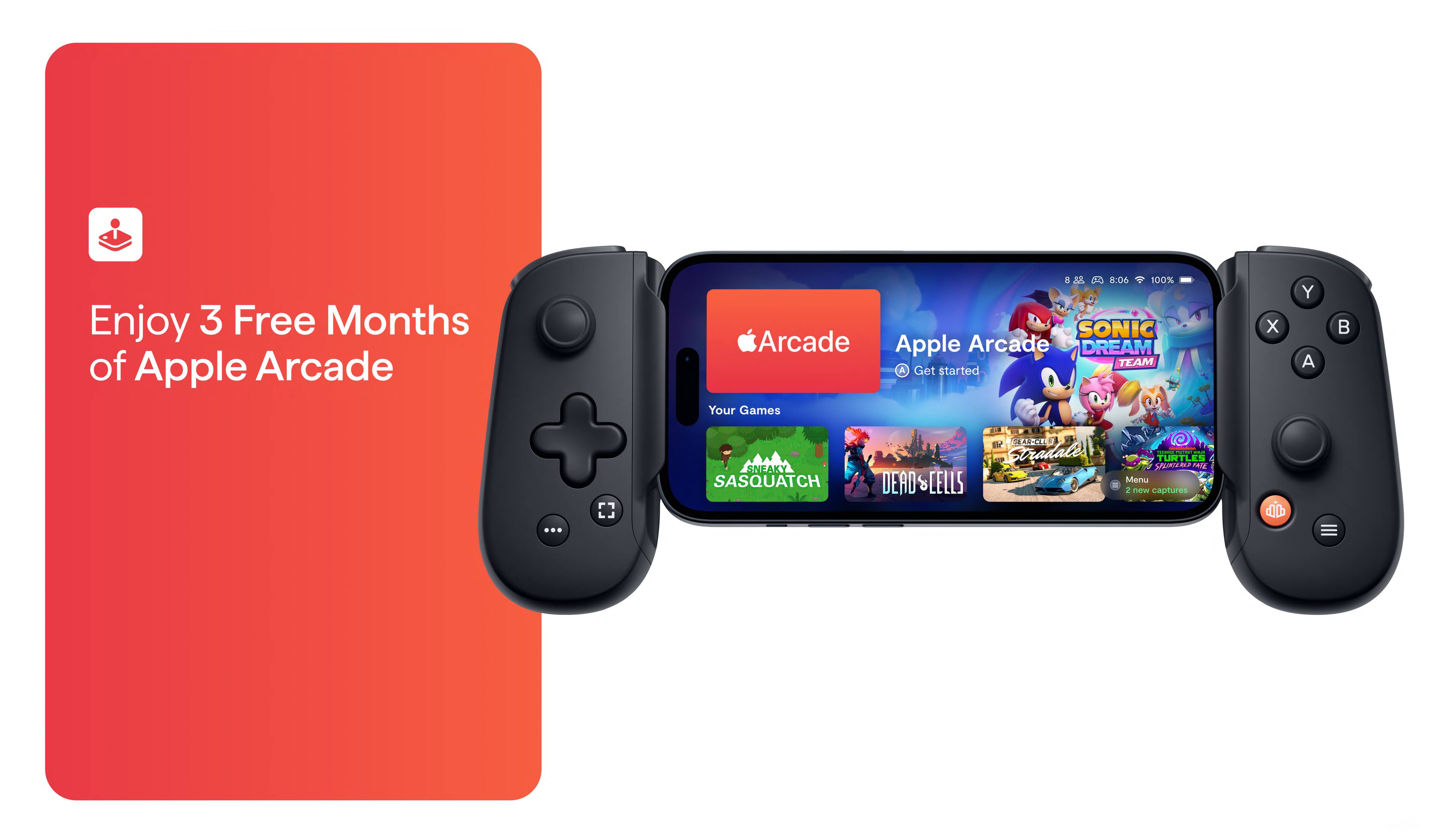
|Posted .This reviewer received promo considerations or sweepstakes entry for writing a review.This Backbone Gaming controller for iPhone it’s great for gamers that wants to continue playing their favorite games mobile, it really feels like your having a Nintendo switch with this controller but playing Xbox and Apple Arcade games . Easy to set up, just insert your iPhone to the controller, download the Backbone app ( Not required but works better adding more features) and play your favorite games. It works awesome on my iPhone 13 Pro max and Apple Arcade games, the only downside it’s that I had to take off my MagSafe phone case because my phone won’t connect to the lighting conector on the controller with the case on, I just hope this doesn’t get my iPhone to get scratch, but at least inside the box there’s a iPhone Pro and Pro max adaptor that allows a smoother connection for the large bulky camera lens that this iPhones have. You can also record your games, editing clips and take screen shots with one of the buttons on the controller . There’s 3.5 mm headset jack and lighting pass through charging with lowest latency connection. It also comes with a 1 month free of Xbox game pass ultimate and 12 month Backbone+ App. For the price I wish this controller would have come with a case to protect the controller when not in use and also it would’ve been nice to be able to use it without taking off my iPhone protecting case.
I would recommend this to a friend - Pros mentioned:Connectivity
Nicely executed
|Posted .This reviewer received promo considerations or sweepstakes entry for writing a review.I have an iPhone 13 Pro Max, and I thoroughly enjoyed using this controller. Depending in your iPhone model, they include an attachment that allows your phone to be able to fit securely. It’s simple, and literally anyone can use this. I love the fact there isn’t any cords or charging needed, because it of course is powered by your phones battery. I am an Xbox gamer, so I used this with cloud gaming, and Apple Arcade mostly. When I got this I also happen to be trying out the beta version of a title that is moving into the mobile field, and I will say it was sooooo helpful! I don’t know how the game would have felt without this controller honestly. I’ve also played sonic, and COD in the days I’ve had it. My only complaint is how the controller feels in your hand while playing, but there has to be some sort of learning curve. It will take some getting used to, where the thumb sticks are located it feels a bit awkward to me. It could also be due to the size of my phone, but it was an adjustment nonetheless. Other than that, I really have no complaints. You can pull up the backbone app by just a button on the controller, and everything you need is literally right there. I will be traveling with this in my purse for sure.
I would recommend this to a friend - Pros mentioned:Overall performance, PortabilityCons mentioned:Compatibility
Easy and fun to use
||Posted . Owned for 3 weeks when reviewed.This reviewer received promo considerations or sweepstakes entry for writing a review.Bought on a whim because it seemed interesting. It plugs into my iphone easily (tho you must take the case off) and ommediately lets me play games with controller support. I played a solid week of cloud gaming xbox game pass games and it worked really well! Playing on the phone is still a little bit small, but boy does this give a great alternative to bringing a separate handheld gaming device if you go somewhere. Love it!
I would recommend this to a friend - Pros mentioned:Portability
Lots of Fun!
|Posted .This reviewer received promo considerations or sweepstakes entry for writing a review.This controller is very easy and fun to use! It’s very versatile. There is an app from Backbone that has games on it but I have found that many games from the App Store work easily with the controller. I am not a gamer by any means but I like to play some racing and football games. The controller worked well for both types of games. I noticed no lag at all. The controller plugs right into the lightning port on my iPhone 13 Pro Max. There is an included adapter that is needed to accommodate my phone’s giant cameras. The controller is powered by the phone but I really didn’t notice any extra battery draw. I do like the fact that there is not a battery on the Backbone that I need to charge. Overall it’s a ton of fun to play with!
I would recommend this to a friend - Pros mentioned:Button quality, Overall performance, Portability
Must buy
||Posted . Owned for 10 months when reviewed.This reviewer received promo considerations or sweepstakes entry for writing a review.Easy to use and I had this item for over a year all buttons work also no stick drift. I would definitely recommend it. I play Warzone for hours with friends.
I would recommend this to a friend Better than I expected it to be!
|Posted .This reviewer received promo considerations or sweepstakes entry for writing a review.As an avid console and PC gamer, I am impressed! This is the first mobile phone accessorial device that I have evaluated or owned that I will actually one hundred percent continue to use, excessively. I have not even powered up my PC except to do this review since I received the Backbone One IOS gaming controller. Out of the box the unit is smaller and lighter than I expected it would be. I have another like controller accessory that props the phone up above the controller. To me though this has always felt foreign, and in some shape form or fashion did not inspire me to continue to use it. I also have bigger hands so playing actual phone games on the phone itself is cool in all but this too has always felt foreign to me as well. The Backbone One is the contrary though. Even though the unit is small the build is great. It holds my phone very solidly within the spring-loaded backbone. Because it is so light the whole setup feels terrific in my hands and proportionately sized weirdly enough. The controls are crisp and barely have any noticeable button lag while gaming. Do not worry about your phone dying, the Backbone has a lightening port that charges your phone. Or as neat, you can use just the controller on your PC. I was able to easily download the Backbone launcher with a free one-year subscription. I also received a free one-month XBOX Game Pass subscription, but I already had it anyway. The launcher is very cool and offers the options to game, watch twitch, goof around on Redditt, or even bounce to one of your social media apps. Just like on any XBOX enable device the Backbone will take stills and record 30 FPS game captured video. But goes further buy offering on controller buttons for ease of use. So far, the only issue I have had is getting the XBOX Beta cloud to function correctly for me. This is an app issue and not reflective on the Backbone at all. As mentioned, the controls are crisp and very responsive. I do wish they offered trigger stops but the snap time is still surprisingly good in first person shooters. Until the Backbone I have not really ever had a passion or desire to Really game on my cell phone, aside from Pokémon Go. It is well built, the native launcher is very user friendly & super stylish, and IOS Arcade is actually enjoyable to me with a ton of games that allow controller play through. I highly recommend and plan to buy more as gifts for family and friends.
I would recommend this to a friend- Pros mentioned:Connectivity, Portability
Best Apple Iphone gaming controller on the market
||Posted . Owned for less than 1 week when reviewed.This reviewer received promo considerations or sweepstakes entry for writing a review.Bought this controller 3 days ago and its been a pretty awesome purchase. I normally do most of my gaming on console or PC so mobile gaming is fairly new to me. The backbone one is easy to put on the Iphone and setup is even easier. The Backbone’s App is awesome and reminds me of Xbox’s dashboard. Backbone supports Xbox cloud gaming, Steam cloud gaming and even Google stadia. I will be using my phone more often for gaming on the go. Backbone does require a subscription to use the backbone app itself but it comes with a 1 month trial; however using the controller without the app is free. The controller is hardwired and has zero latency issues due to it being plugged into the lightning port. The controller also allows you to charge your phone from the controller and if you still use wited headphones it includes a headphone jack. Would recommend to anyone playing cod mobile or any cloud games on iphone
I would recommend this to a friend - Pros mentioned:Connectivity
Exceptional device, yet asks to you pay a sub fee
||Posted . Owned for 1 month when reviewed.This reviewer received promo considerations or sweepstakes entry for writing a review.This is a little tricky for me to review. To be clear, this is an excellent device. It's of a very high build quality. The buttons have that nice "clicky" solid feel to them and once you snap in your phone, the entire assembly feels very solid and cohesive. I really like the feel of the D Pad as well. A couple of really nice features are the built in headphone jack and the Lightning connector port that not only allows you to charge your device while it's connected but also will allow you to use the Backbone independently of the phone as a controller on PC, iPad, Mac and other devices. I am impressed with how solid everything feels when my phone is snapped into the Backbone and how it all just feels like first party peripheral. By comparison, the Razer Kishi definitely looks and feels like a third party accessory. That's not really a bad thing or a negative point on the part of the Kishi, just an observation that may be of interest to some of you. What I didn't expect though was despite the Backbone being quite a bit more lean in profile compared to the Kishi, I find it more comfortable to hold. I'm a tall guy with large hands and I had already anticipated preferring to hold the Kishi. One point that irritates me is that accessory designers still design for just the phone and not the phone in its case. If your case requires disassembly to remove the phone, you're going to be out of luck with any such accessory, not exclusively the Backbone. Smartphones rapidly became a norm, even for folks on a budget so I don't see why this is still an issue honestly. This is likely not a concern for most people though. So when I bought it, I only expected to get a controller that I could use for my iPhone 11 Pro and didn't anticipate a great app to accompany the device. The app has a lot of great features and integrations as well as being well designed. However, I really dislike that they want you to pay an additional $50/year for the privilege of using most of the good features of the app, despite giving you the first year "free". Backbone is effectively building their own ecosystem around the controller and asking a subscription fee for using it, kind of akin to XBox Live or PS+. Don't get me wrong, there's a lot of great features in the app and for many of you, it may easily be worth the additional asking fee after that first year. Personally, being an avid gamer, I already pay for enough of these sorts of services and didn't anticipate that as part of the purchase of the Backbone. I'm also not their target audience for that sort of feature set though. The app has its own friends list, messaging features, content creator features, and other little addons that overlap with many other services. For example, if you're using Xbox or Steam streaming, the Backbone app integrates with those services, but adds its own friends list and rich presence features that function independently of them. If mobile gaming is something you do quite often, the Backbone subscription may be of interest to you. If you're simply looking for a controller for your phone that works with Apple Arcade, Xbox Cloud Gaming, Steam, etc, I just felt it worthwhile to bring it to your attention.
I would recommend this to a friend - Pros mentioned:Overall performance, Portability
Super Fun and Cheap Alternative to a Console or PC
||Posted . Owned for 1 week when reviewed.This reviewer received promo considerations or sweepstakes entry for writing a review.Works great for native mobile games and also cloud gaming. This is great for people who either want to be able to play games wherever they go, or for those who can’t afford a console or PC to still be able to play games with friends! Once you get all of the softwares and all of your accounts linked, the integration between everything is super smooth. My only complaint is how many times I had to sign into things, but at some point you just can’t get past that. Other than that, there are no other complaints from me! 10/10 would recommend!
I would recommend this to a friend