Customer Ratings & Reviews
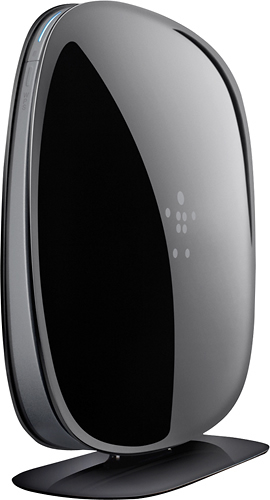
- Model:
- F9K1116
- SKU:
- 7478383
Rating by feature
- Ease of Use
Rating 4.4 out of 5 stars
Customers are saying
Customers are satisfied with the AC750 Dual-Band Wi-Fi Router's ease of use, performance, and range. Many appreciate its affordable price and strong signal, resulting in reliable connectivity and good coverage throughout their homes. Positive feedback also highlights the router's simple setup and compact size. While some users experienced compatibility issues or occasional lag with multiple devices, the overwhelmingly positive reviews praise its overall performance and value.
This summary was generated by AI based on customer reviews.
Not really helpful
||Posted .This reviewer received promo considerations or sweepstakes entry for writing a review.I thought this thing would really help boost my signal which is why I was willing to pay the $100.00 but it really doesn't at all. in fact, it's sitting unused and has been for much of the time we've owned it.
No, I would not recommend this to a friendHad to return it.
||Posted .This reviewer received promo considerations or sweepstakes entry for writing a review.I upgraded to get a better signal throughout the house. The signal was alright, but I kept having to reset my modem all the time. I returned it and got an Apple AirPort.
No, I would not recommend this to a friendBrand response from BelkinStaff
Posted .Hi Matt,
We appreciate your feedback about the Belkin AC750. Some network traffic may interrupt the connection. We respect your decision. In case you decide to have another Belkin device, do not hesitate to contact us via email at BelkinCares@belkin.com.
Regards,
Belkin Support
www.belkin.com/support
Horrible product and vendor customer service
||Posted .This reviewer received promo considerations or sweepstakes entry for writing a review.If I could rate this as a negative I would! My router fried in less than a month. To make matters worse, I was on hold with Belkin for over two hours before hanging up, and still never talked to a live person. The router was easy to set-up, but suddenly stopped working one day. I called my ISP first to see if it was their issue, it wasn't, so I plugged directly into my modem and the connection was fine. At that point I tried to contact Belkin and got NO WHERE! The only shining light was that Best Buy was great about letting me exchange this product. I definitely didn't get another Belkin!
No, I would not recommend this to a friendBrand response from BelkinStaff
Posted .Hi mbrun,
We feel bad knowing the experience you've had with our support as well as using our product. We are still thankful that you have given our product a try. Should you have any Belkin products in the future, we're here to help if you need assistance. You may email us at BelkinCares@belkin.com with your contact details, location, and the link to this post.
Regards,
Belkin Support
http://www.belkin.com/us/support
Terrible router!!
||Posted .This reviewer received promo considerations or sweepstakes entry for writing a review.Returned the router after a month if use. Thank god for black tie protection. The router would constantly disconnect from the connected devices. Would always have to reconnect and re enter password. Was a pain from the day I got it. Not recommended.
No, I would not recommend this to a friendMy Netgear N300 had better reliability, coverage
||Posted .This reviewer received promo considerations or sweepstakes entry for writing a review.We purchased this only because our old router stopped working. Contrary to what we were told, this does not work much better or have better coverage. Our wifi is constantly being dropped and coverage is only good if we're in the same room as the router. There were no detailed instructions on how to set up, only a picture diagram for a quick set up. I called Belkin customer support and couldn't understand what the representative was saying due to a heavy accent. Very frustrating. Won't buy Belkin again.
No, I would not recommend this to a friendBrand response from BelkinStaff
Posted .Hi, Steph,
Optimizing the router's wireless settings can help improve its overall wireless performance. Please email us your case number or contact information at BelkinCares@belkin.com so we can review the details of your case and we'll have it prioritized by our Escalation Engineers. Rest assured that we'll thoroughly check on your experience with our Support team as customer's satisfaction is our main priority. Indicate the link to this review for our reference.
Regards,
Kristine
Belkin Support
Terrible, please get something else
||Posted .This reviewer received promo considerations or sweepstakes entry for writing a review.Could not reach through one plaster wall 20ft away from router. User interface is basically a text list of links that looks like it was made by a first year programming student. Features are extremely limited, speed was slow, I had trouble getting 20mbps transfer using AC enabled device and a 50MBPS Down link. Can't be set up to bride at all for merging networks. Overall a terrible product that I returned within hours of purchasing.
No, I would not recommend this to a friendBrand response from BelkinStaff
Posted .Hi ThatOneDude,
The router's wireless performance can be improved by adjusting the router's wireless settings. Adjust the router's wireless channel to avoid possible interfering wireless signal and to boost the wireless speed. Recommended wireless channels for 2.4 GHz band is 6, 9, 11, or 1. For 5 GHz, try tweaking the channel and choose the one with the best result. Keep the router's firmware up to date and minimize physical obstructions.
Here's an article that may help:
http://www.belkin.com/us/support-article?articleNum=8131
Allow us to assist you further. Email us at BelkinCares@belkin.com along with your contact details, reviewer name, and the link to this review.
Regards,
Belkin Support
www.belkin.com/support
Not satisfied!
||Posted .This reviewer received promo considerations or sweepstakes entry for writing a review.Replaced my old Belkin with this model Setup was easy, but Ithis router was too difficult to sign in. Had to call the company and they couldn't get it to work.
No, I would not recommend this to a friendBrand response from BelkinStaff
Posted .Hi, Lene70,
Setting up the F9K1116 Router should always be easy if you have a working modem. We'd be glad if you will provide us your reference number or contact details at BelkinCares@belkin.com so we can check what happened and get you over to one of our Escalation Engineers for further assistance. Rest assured, we'll do our best to get your router up and running.
Best regards,
Jay
Belkin Support
not very good
||Posted .This reviewer received promo considerations or sweepstakes entry for writing a review.I have issues with the connectivity around the house my computer is on the other side of my living room and it doesn't get full service and it's a wide open area
No, I would not recommend this to a friendBrand response from BelkinStaff
Posted .Hi joelhvac,
We would like to take this opportunity to be of service to you. Changing the router's wireless channel and relocating the router to a central place will also help to avoid interfering wireless devices and physical obstructions.
The recommended channels for the 2.4 GHz network are 1,3, 6, and 11 since they are considered non-overlapping channels. For the 5 GHz network, channels 36, 40, 44, and 48 are recommended to less likely suffer interference.
Should you need further assistance, you are always welcome to contact us via email at BelkinCares@belkin.com. Please include your contact details, location, and the link to this review, so we may assist you properly.
Regards,
Belkin Support
http://www.belkin.com/us/support
doesn't have the reach (?) my Linksys did
||Posted .This reviewer received promo considerations or sweepstakes entry for writing a review.very unhappy with this unit - I have an older flat screen Samsung so I can't use the .media network that is supposed to give me faster streaming so all of my streaming content looks terrible. If anyone has any suggestions for a fix I would love to hear them, otherwise I may go back to Linksys.
No, I would not recommend this to a friend- Pros mentioned:Ease of use
Connection is lost frequently
||Posted .This reviewer received promo considerations or sweepstakes entry for writing a review.Need to restart or re-configure often. Internet connection is lost. Easy setup and configuration
No, I would not recommend this to a friend Not so great
||Posted .This reviewer received promo considerations or sweepstakes entry for writing a review.I actually had multiple problems with this as far as signal strength and drops were concerned. Took it back and got a net gear and problems solved.
No, I would not recommend this to a friendNever worked
||Posted .This reviewer received promo considerations or sweepstakes entry for writing a review.I bought this as a cheap router thinking why not. Worst mistake I've made. After being on the phone with customer service for several hours they finally concluded that my item turned defective because you can't update the router wirelessly (even though it tells you to) without it messing up permanently. Worst piece of junk ever. I went with the AirPort Express and it is 100000x better than this router
No, I would not recommend this to a friendBrand response from BelkinStaff
Posted .Hi, Vic,
Updating the firmware of the router is essential to improve its performance. Even though you've returned it, we'd still like to know what could've caused the firmware update failure. We'd appreciate if you'll email us the case number from our Support team at BelkinCares@belkin.com along with your phone number and the link to this post for our reference.
Regards,
Irish
Belkin Support
iPads drop off when in use.
||Posted .This reviewer received promo considerations or sweepstakes entry for writing a review.My grandson's older iPad will not log on, and my sons new one drops off when in use.
No, I would not recommend this to a friendCould not get it to work
||Posted .This reviewer received promo considerations or sweepstakes entry for writing a review.The mobile setup appeared to be super simple, but after multiple attempts to connect, I had to return it
No, I would not recommend this to a friendHorrible product
||Posted .This reviewer received promo considerations or sweepstakes entry for writing a review.Horrible reception. I should have stuck to what the reviews said about this router. I was standing right next to the thing with my laptop and the signal was horrible. The laptop would not stay connected to it for more that 20 seconds. Took it right back and got the WD My Net 900N and I couldn't be happier.
No, I would not recommend this to a friendI was unable to use this product.
||Posted .This reviewer received promo considerations or sweepstakes entry for writing a review.I was unable to use this product. The internet service I had could not get it to work. Unfortunately I had it over 2 weeks and could not return it and lost money on the product. I have used Belkin in the past and been very happy. This was probably more a service issue and not a product issue.
No, I would not recommend this to a friendok product
||Posted .This reviewer received promo considerations or sweepstakes entry for writing a review.this item isnt good as it was advertised it would keep a connection.
No, I would not recommend this to a friendBrand response from BelkinStaff
Posted .Hi, GOLDfinger,
The router should be able to keep a stable connection once it is configured. If you have a cable internet service, try cloning the PCs MAC address through the router's web interface. For assistance, do not hesitate to email us at BelkinCares@belkin.com with your phone number and the link to this post so can get you over to our Senior Technicians.
Regards,
Irish
Belkin Support
Good so far
||Posted .This reviewer received promo considerations or sweepstakes entry for writing a review.It works fine and we are now able to get on the internet
I would recommend this to a friendno good
||Posted .This reviewer received promo considerations or sweepstakes entry for writing a review.this item was difficult to operate and not worth the mkney
No, I would not recommend this to a friendBrand response from BelkinStaff
Posted .Hi, jrisher85,
The time you've spent in writing this review is greatly appreciated. Your feedback is valuable to us and we would like to take this opportunity to help you out. We would appreciate if you can share more details of the setback that you've experienced with the unit so we can further assist. Please send us an email at BelkinCares@belkin.com along with your contact details, location, and the link to this review for our reference.
We'd be happy to assist you.
Regards,
Belkin Support
www.belkin.com
Three and a half months and already doesn't work!
||Posted .This reviewer received promo considerations or sweepstakes entry for writing a review.I spent more money on this wifi router to ensure it would work well. In fact, it was recommended by the sales associate based on my use information. Here it is 3.5 months later and it doesn't work!
No, I would not recommend this to a friend