Customer Ratings & Reviews
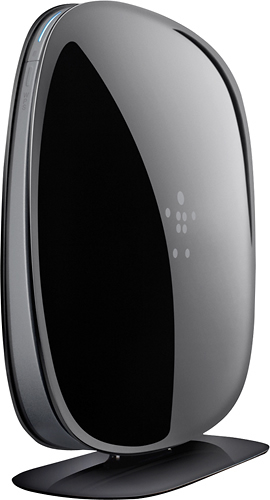
- Model:
- F9K1116
- SKU:
- 7478383
Rating by feature
- Ease of Use
Rating 4.4 out of 5 stars
Customers are saying
Customers are satisfied with the AC750 Dual-Band Wi-Fi Router's ease of use, performance, and range. Many appreciate its affordable price and strong signal, resulting in reliable connectivity and good coverage throughout their homes. Positive feedback also highlights the router's simple setup and compact size. While some users experienced compatibility issues or occasional lag with multiple devices, the overwhelmingly positive reviews praise its overall performance and value.
This summary was generated by AI based on customer reviews.
Was told it would be as good as my Linksys, nope.
||Posted .This reviewer received promo considerations or sweepstakes entry for writing a review.The wireless signal is poor when working and I've had to reset it by unplugging it a few times when i didnt have any signal at all.
No, I would not recommend this to a friendBrand response from BelkinStaff
Posted .Hi. We appreciate your time for sharing this feedback. This is quite uncommon for this router. What we can do is to update the firmware to try and fix this. You can download the firmware from this link: (http://www.belkin.com/us/support-article?articleNum=4929), and here's the link on how to update the firmware: (http://www.belkin.com/us/support-article?articleNum=105660). After the update, reset and reconfigure the router, then observe the connection. Should you need further assistance, feel free to email us at BelkinCares@belkin.com. Please include your contact details and the link to this review in the email. We hope to hear from you soon.

Not good if you have charter
||Posted .This reviewer received promo considerations or sweepstakes entry for writing a review.We have always purchased belkin routers but recently they have stopped working or work poorly with charters internet service. We had to return the unit and purchase a different brand.
No, I would not recommend this to a friendBrand response from BelkinStaff
Posted .Hello there! Thank you for taking time to provide us with your comment about the Belkin AC750. We're sorry to hear this did not work for you. Should you need our assistance in the future, do not hesitate to email us at BelkinCares@belkin.com. We're always here for you.
All the best!
Sincerely,
Belkin Support
http://www.belkin.com/us/support
Disappointed
||Posted .This reviewer received promo considerations or sweepstakes entry for writing a review.Very Disappointed, My house is very small. I placed it within 50 feet of the original router and unless your with in 10 feet the signal is very week almost the same as not having it at all.
No, I would not recommend this to a friendTotal junk!
||Posted .This reviewer received promo considerations or sweepstakes entry for writing a review.It would not work and when I called tech support I got someone in india that I totally could not understand. I never got it to work.
No, I would not recommend this to a friendbad wireless router
||Posted .This reviewer received promo considerations or sweepstakes entry for writing a review.it supposes to be dual band, however only 1 band is working, the connection always drop. the speed is the same as old model. u pay more for nothing.
No, I would not recommend this to a friendBrand response from BelkinStaff
Posted .Hi Waiyu. We'd like to extend our help, so you may enjoy the router's features. In Order to utilize the dual band capability of the router, the client device should be capable of connecting to a 5GHz network. You may refer to your device's manual to know if it's a compatible wireless adapter. With regard to the Wi-Fi stability of the router, you may change the wireless channel of the device. Open an internet browser > type 192.168.2.1 in the address bar > Go to 'Dashboard' > click 'Advanced Settings' > click 'Wi-Fi'. For the 2.4 GHz network, you may try channels 1, 3, 6, and 11. For the 5GHz network, tech channels 157 and 161. Should you need further assistance, you may email us your complete contact details, location, and the link to this review at BelkinCares@belkin.com, so our team may provide more possible solutions.
No range
||Posted .This reviewer received promo considerations or sweepstakes entry for writing a review.No range my tv is 15 feet away and it has no range
No, I would not recommend this to a friendBrand response from BelkinStaff
Posted .Hi Artt,
We appreciate the time you spent in sharing your experience with us. We suggest that you adjust the wireless channel on your router to avoid possible interference in your network. Use the Wi-Fi analyzer to find a less crowded channel for your wireless router.
If the connection will not improve, please send us an email at BelkinCares@belkin.com with your contact details, location, and the link to this review so that we can assist you further.
Regards,
Belkin Support
www.belkin.com
Didn't work
||Posted .This reviewer received promo considerations or sweepstakes entry for writing a review.Product didn't work with my provider even though it says it does.
No, I would not recommend this to a friendBrand response from BelkinStaff
Posted .Hi, Mquint,
The router should work with modems that support Ethernet connection. To help you get it up and running, please email us at BelkinCares@belkin.com with your phone number and the link to this post so that our Support team can contact you.
Regards,
Irish
Belkin Support
Wrong product
||Posted .This reviewer received promo considerations or sweepstakes entry for writing a review.This product didn't work for me. I returned it to the store.
No, I would not recommend this to a friendGreat for a medium size house
||Posted .This reviewer received promo considerations or sweepstakes entry for writing a review.This is very good product for home/small officeuse
I would recommend this to a friendDefective
||Posted .This reviewer received promo considerations or sweepstakes entry for writing a review.This product was defective right out of the box. Returned the following day.
No, I would not recommend this to a friendAwful router
||Posted .This reviewer received promo considerations or sweepstakes entry for writing a review.Do not purchase!! Doesn't live up to expectations and is not worth the higher price.
No, I would not recommend this to a friendBrand response from BelkinStaff
Posted .Hi tjung001. We're saddened to know about your experience with the Belkin router. We hope we can be of service to you as much as we could. You may reach us at BelkinCares@belkin.com. Include your contact details and the link to this post. We will be waiting.
I returned it.
||Posted .This reviewer received promo considerations or sweepstakes entry for writing a review.Installed on a new computer and was disappointed with its performance.
No, I would not recommend this to a friend- Pros mentioned:Performance, Range
Easy Easy set up
Posted .This reviewer received promo considerations or sweepstakes entry for writing a review.My old router decided to take a dump one night and stop working. I needed to find a new one and I know nothing about routers. I went to Best Buy and was approached by an employee working the router department. The employee was very helpful and knowledgeable. I provided him with the information pertaining to my wireless use (apple TV, XBOX, Laptop) and he gave me a few options. I purchased this router as it seemed the best bang for the buck. I got home and was able to install it by myself in only a few minutes. Pretty good for someone who does know anything about that kind of stuff. After resigning in to all my online functions, I saw immediate performance. The router seems to be working well even from an upstairs back office which has to reach downstairs and the opposite end of a 2300 sqft house.
I would recommend this to a friend - Pros mentioned:Ease of use, Speed
On the surface wonderful, but once in play bad
Posted .This reviewer received promo considerations or sweepstakes entry for writing a review.My trusty Netgear WNDR3700 is showing its age, and has been acting spotty as of late. So, I decided its time to upgrade to a newer router. Initially I was looking at one of the newer Netgears, but the price of this Belkin AC router struck my interest. And I thought I could not go wrong; as I have a cheaper Belkin router in another home and it works well. Boy was I wrong. First off, the installation was simple and easy. The web interface is perhaps a bit too user friendly and doesn't expose some advanced functions that I was used to with the Netgear... but it did the trick. The signal range was poor, my old Netgear would reach the furthest part of my house; yet the Belkin would not. But I found that the functionality of this router must modify the packets sent to and from the internet in some fashion or another; to a degree that I could NOT transfer large (over 100Mb) files via FTP to my FTP server... which I could do flawlessly with the Netgear. The file transfers would get to 100% and then would think.. and think.. and then timeout without receiving confirmation from the FTP server that the upload was completed; and the FTP software (CuteFTP and Filezilla) would restart the upload from the beginning. I didn't realize this was happening, until I realized my uploads were taking way longer than normal.... Upon talking to Belkin support, I was instructed to define a static IP and place my desktop in the DMZ zone; opening it up for potential network attack.. which in my opinion should not be required for regular FTP usage... So I ended up returning it for an Asus RT-N66R wireless N router, which ended up working 10000 times better...
No, I would not recommend this to a friend - Pros mentioned:Ease of use, Speed
Good product
Posted .This reviewer received promo considerations or sweepstakes entry for writing a review.Set up easily, very fast and rather sleek looking compared to former model.
I would recommend this to a friend Does the job
Posted .This reviewer received promo considerations or sweepstakes entry for writing a review.Purchased this because I was having trouble with Netflix and Hulu constantly buffering and shutting down quite often. While they are still a bit slow, it has improved quite a bit.
I would recommend this to a friendGood to go after calling tech support
Posted .This reviewer received promo considerations or sweepstakes entry for writing a review.First off, tech support was extremely helpful and got my router working right away. The reason I give it 4 stars, is because I had to call tech support. I followed the setup instructions...and then it froze. Couldn't do anything else. Tech support had to manually setup the connection. Other than that it is working.
I would recommend this to a friend- Pros mentioned:Speed
good router
Posted .This reviewer received promo considerations or sweepstakes entry for writing a review.This is one if the best routers, always has a strong connection, it's really fast, never shuts off, overall a good product to have
I would recommend this to a friend Works in smaller spaces
Posted .This reviewer received promo considerations or sweepstakes entry for writing a review.Admittedly we have more than a couple of devices that can connect to this router, however on average we only ever have 3 or 4 devices that are actually powered on and actively connected to this router. That being said even with 2 iphones and an iPad going on it we can see a drop in quality, furthermore I have noticed that the reach is relatively reasonable however even in a room on the same floor not more than 15 feet away our devices have had problems connecting. In our previous (smaller) apartment no issues, in our new home where the furthest room is not much further than before the signal definitely gets spottier.
No, I would not recommend this to a friendBrand response from BelkinStaff
Posted .Hi. We appreciate your time for sharing this feedback. This intermittent connection from the router might be caused by a firmware problem. We recommend that you update the firmware of the router to make sure then reset and reconfigure it again. Here’s the link on how: (http://www.belkin.com/us/support-article?articleNum=10797). Should you need further assistance, you can email us at BelkinCares@belkin.com. Please include your contact details, location and the link to this review. We hope to hear from you the soonest.
easy setup, lousy range
Posted .This reviewer received promo considerations or sweepstakes entry for writing a review.Had a Belkin router previously, but had to upgrade when it started showing its age and decided to get another Belkin. Setup was easy and it works with all my devices, but the range is terrible. Old Belkin router was strong throughout the house, this one loses signal strength 10 feet away (sometimes my neighbor's router has a stronger signal). I'm disappointed with the range, which affects the reliability, so I may be looking elsewhere.
No, I would not recommend this to a friend